
Optimización del rendimiento de I/O en Linux con io_uring para aplicaciones de alta carga
TL;DR
- io_uring es una moderna interfaz de I/O asíncrona del kernel de Linux, que unifica las operaciones de disco, red y archivos, superando significativamente los métodos tradicionales en escenarios de alta carga.
- Elimina la sobrecarga de las llamadas al sistema y los cambios de contexto, utilizando búferes circulares para el intercambio de datos entre el kernel y el espacio de usuario.
- Ventajas clave: reducción de latencias, aumento del rendimiento, disminución sustancial de la utilización de CPU para tareas intensivas en I/O.
- Relevante para 2026 como estándar de facto para bases de datos de alto rendimiento, servidores proxy, servidores de juegos y cualquier aplicación con requisitos extremos de I/O.
- Requiere una comprensión profunda de la programación de bajo nivel y las especificidades del kernel de Linux, pero proporciona un control y una eficiencia sin precedentes.
- Se recomienda empezar a usar io_uring con el kernel de Linux 5.10+, óptimamente con las versiones 6.x para máxima estabilidad y funcionalidad.
- Económicamente ventajoso gracias a la reducción de los requisitos de hardware y la optimización de los costes en la nube, a pesar de un mayor coste inicial de desarrollo.

1. Introducción
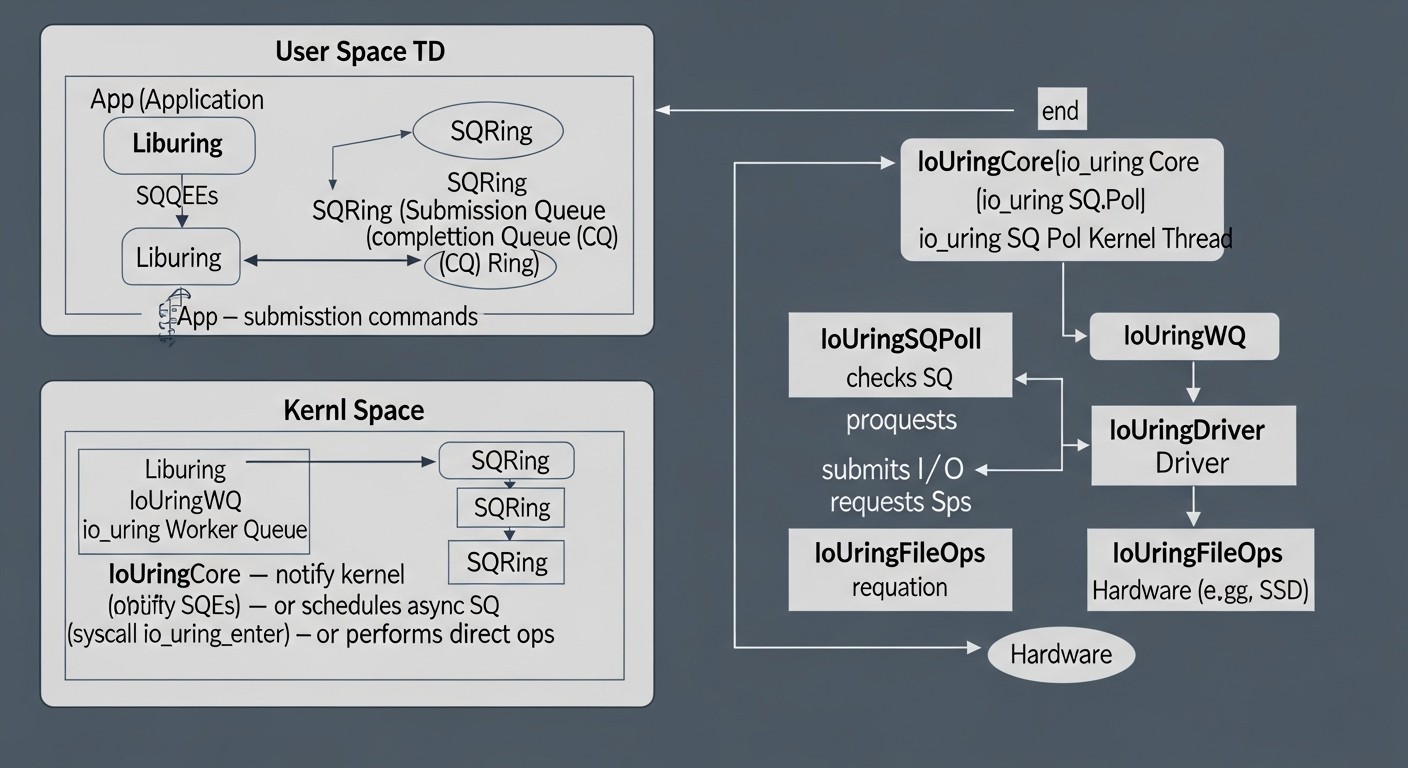
En un contexto de crecimiento exponencial del volumen de datos, la omnipresente arquitectura de microservicios y los requisitos de procesamiento de transacciones en tiempo real, el rendimiento del subsistema de entrada/salida (I/O) se convierte en un factor crítico de éxito para cualquier aplicación de alta carga. Para 2026, esta tendencia solo se intensificará, ya que los usuarios esperan una respuesta instantánea y los procesos de negocio requieren el procesamiento de petabytes de información con latencias mínimas.
Los enfoques tradicionales para la gestión de I/O en Linux, como las llamadas bloqueantes, select()/poll()/epoll() para operaciones de red y libaio para operaciones de disco, demuestran sus limitaciones. Sufren de altos costes generales en llamadas al sistema (syscalls), frecuentes cambios de contexto entre el espacio de usuario y el kernel, así como la fragmentación de la API para diferentes tipos de I/O. Estas deficiencias conducen a un uso ineficiente de los recursos de la CPU, un aumento de las latencias y una limitación de la escalabilidad.
Es aquí donde entra en escena io_uring, una revolucionaria interfaz de I/O asíncrona del kernel de Linux, introducida en la versión 5.1 del kernel. io_uring está diseñada para resolver los problemas fundamentales del rendimiento de I/O, unificando las operaciones con archivos, discos y red bajo una API única y altamente eficiente. Permite a las aplicaciones realizar miles de operaciones de I/O sin una sola llamada al sistema después de la inicialización, reduciendo significativamente los costes generales y liberando la CPU para tareas útiles.
Este artículo está dirigido a una amplia gama de especialistas técnicos que se enfrentan a los desafíos de los sistemas de alta carga: ingenieros DevOps que buscan optimizar la infraestructura; desarrolladores Backend (especialmente en Python, Node.js, Go, PHP) que trabajan en el rendimiento de sus servicios; fundadores de proyectos SaaS para quienes la eficiencia económica y la escalabilidad son cruciales; administradores de sistemas responsables de la estabilidad y velocidad de los servidores; y directores técnicos de startups que toman decisiones arquitectónicas. Nos sumergiremos en los detalles de io_uring, examinaremos sus ventajas, desventajas, aspectos prácticos de aplicación y viabilidad económica, para ayudarle a tomar decisiones informadas en el mundo de los sistemas de alto rendimiento de 2026.
2. Criterios y factores clave del rendimiento de I/O
Para una optimización efectiva del rendimiento de I/O, es esencial comprender claramente qué métricas y factores son clave. Un enfoque unilateral puede llevar a conclusiones erróneas y soluciones ineficientes. En 2026, a medida que las capacidades de hardware continúan creciendo y los requisitos de velocidad de procesamiento de datos se endurecen, un análisis detallado de estos criterios se vuelve aún más importante.
2.1. Latencia (Latency)
Qué es: El tiempo necesario para completar una operación de I/O, desde el momento de la solicitud hasta la recepción del resultado. Se mide en milisegundos (ms), microsegundos (µs) o incluso nanosegundos (ns) para sistemas críticos. Se distingue entre la latencia media y las latencias en percentiles (P90, P99, P99.9), que muestran cuánto tiempo tarda la operación para el 90%, 99% o 99.9% de las solicitudes, respectivamente. Los valores altos en P99 o P99.9 indican latencias "de cola" que pueden deteriorar gravemente la experiencia del usuario.
Por qué es importante: Afecta directamente la velocidad de respuesta de la aplicación. Para sistemas interactivos (servidores web, bases de datos, servidores de juegos), una baja latencia es crítica para garantizar una experiencia de usuario fluida. Las latencias altas pueden provocar tiempos de espera, una disminución de la satisfacción del cliente y la pérdida de ingresos.
Cómo evaluar: Utilice herramientas como fio, iostat, así como herramientas especializadas de monitoreo de aplicaciones e infraestructura que recopilan métricas de latencia. Es importante medir la latencia tanto a nivel del sistema operativo como a nivel de la propia aplicación.
2.2. Rendimiento (Throughput)
Qué es: El volumen de datos o el número de operaciones que un sistema puede procesar por unidad de tiempo. Para operaciones de disco, puede ser MB/s o GB/s; para operaciones de red, paquetes/s o Gbit/s; para bases de datos, IOPS (operaciones de entrada/salida por segundo) o transacciones/s. IOPS es especialmente importante para bases de datos con un gran número de operaciones aleatorias pequeñas.
Por qué es importante: Determina el rendimiento general del sistema al procesar grandes volúmenes de datos. Un alto rendimiento permite procesar más solicitudes, guardar archivos de registro, transmitir video en streaming o realizar tareas analíticas más rápidamente.
Cómo evaluar: Similar a la latencia, utilizando fio, iostat, sar, así como analizadores de red y monitoreo del rendimiento de bases de datos. Es importante distinguir entre el rendimiento secuencial y aleatorio, así como el rendimiento de lectura y escritura.
2.3. Utilización de CPU (CPU Utilization)
Qué es: La proporción del tiempo de procesador utilizada para ejecutar operaciones de I/O y las llamadas al sistema, cambios de contexto y manejo de interrupciones asociados. Una alta utilización de CPU para I/O indica ineficiencia.
Por qué es importante: Cada ciclo de CPU gastado en el procesamiento de I/O no puede utilizarse para ejecutar lógica de negocio útil. La reducción de la utilización de CPU para I/O permite que la aplicación realice más trabajo en el mismo hardware, disminuyendo la necesidad de escalado y, en consecuencia, los costes.
Cómo evaluar: Utilice top, htop, vmstat, perf, bpftrace para un análisis detallado del perfil de la CPU. Preste atención a %sy (tiempo de sistema) y %wa (tiempo de espera de I/O).
2.4. Paralelismo (Concurrency)
Qué es: El número de operaciones de I/O que pueden ejecutarse simultáneamente. Las aplicaciones modernas a menudo procesan miles o millones de solicitudes paralelas.
Por qué es importante: Afecta directamente la capacidad del sistema para atender a múltiples clientes o procesos internos sin degradación del rendimiento. Los modelos tradicionales de I/O bloqueante no escalan bien con el paralelismo, requiriendo un gran número de hilos o procesos, lo que aumenta los costes generales.
Cómo evaluar: Pruebas de carga con un número creciente de clientes/solicitudes simultáneas. Monitoreo del número de conexiones activas, hilos o solicitudes en espera.
2.5. Escalabilidad (Scalability)
Qué es: La capacidad del sistema para aumentar eficazmente su rendimiento al añadir recursos adicionales (CPU, RAM, discos, adaptadores de red) o al aumentar la carga. Idealmente, el rendimiento crece linealmente con los recursos.
Por qué es importante: Permite que la aplicación crezca con las necesidades del negocio, evitando costosas reelaboraciones de la arquitectura o límites de rendimiento. Una buena escalabilidad reduce los riesgos y proporciona flexibilidad.
Cómo evaluar: Realización de pruebas de carga en diferentes configuraciones de hardware, análisis del rendimiento al aumentar el número de nodos en un clúster o los recursos en un solo nodo.
2.6. Eficiencia en el uso de recursos (Resource Efficiency)
Qué es: Cuán eficientemente el sistema utiliza la CPU, RAM, el ancho de banda de red y el disco disponibles. Menos recursos para el mismo trabajo significa mayor eficiencia.
Por qué es importante: Afecta directamente a los gastos operativos (OpEx), especialmente en entornos de nube, donde cada gigabyte de RAM y cada hora de CPU se pagan. La optimización de I/O puede generar ahorros sustanciales.
Cómo evaluar: Monitoreo integral de todos los recursos del sistema, comparando su utilización con el rendimiento y la latencia alcanzados.
2.7. Jitter (Jitter)
Qué es: La variabilidad o fluctuaciones en la latencia de las operaciones de I/O. Incluso con una latencia media baja, un alto jitter (grandes dispersiones en P99.9 en comparación con P50) puede crear problemas.
Por qué es importante: La imprevisibilidad de las latencias puede ser peor que una latencia consistentemente alta. Dificulta la planificación, provoca tiempos de espera impredecibles y puede causar fallos en cascada en sistemas distribuidos.
Cómo evaluar: Análisis de los percentiles de latencia (P90, P99, P99.9), construcción de histogramas de distribución de latencias.
La comprensión de estos criterios permite no solo diagnosticar problemas de rendimiento, sino también elegir las tecnologías y enfoques más adecuados, como io_uring, para lograr resultados óptimos en escenarios específicos.
3. Tabla comparativa de métodos de E/S
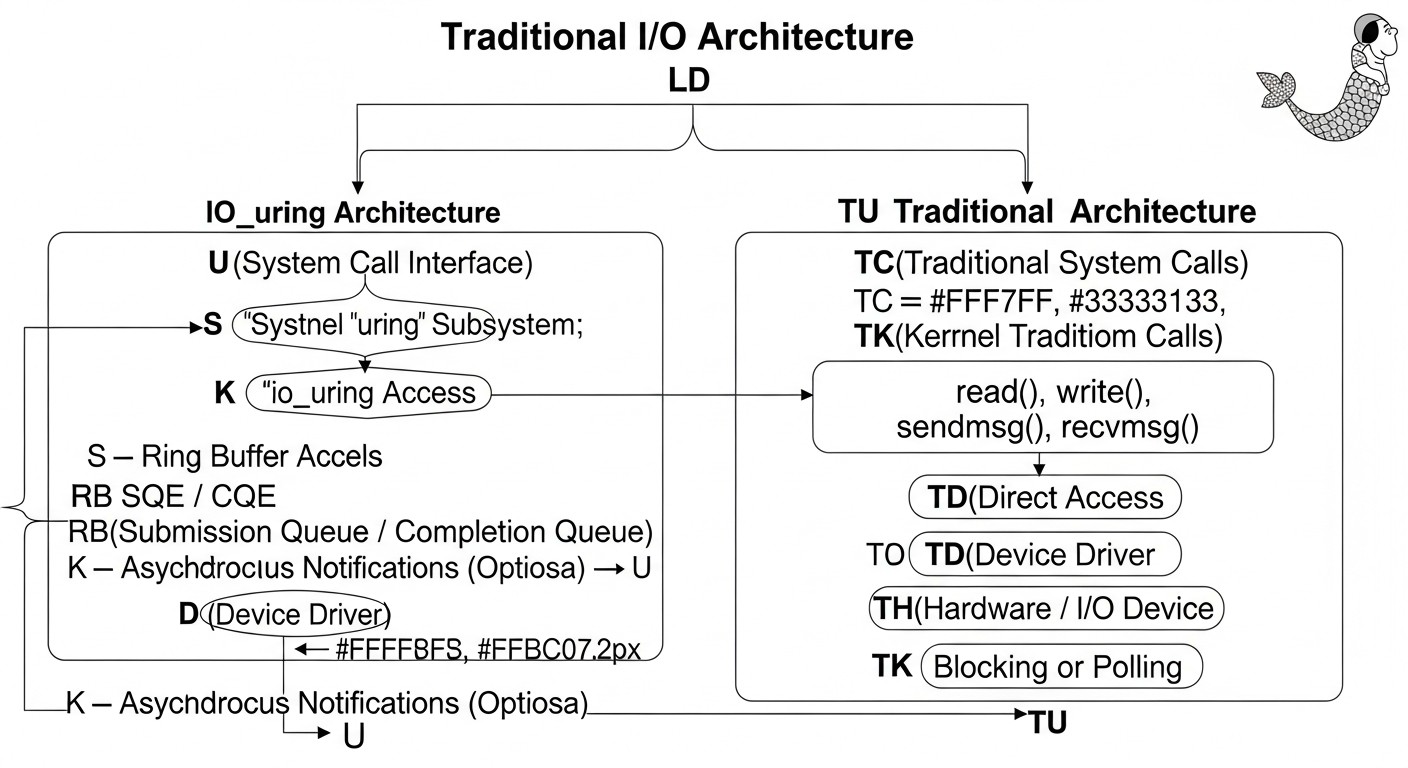
En el mundo de Linux existen numerosos enfoques para la gestión de entrada/salida, cada uno con sus fortalezas y debilidades. io_uring no es una solución universal para todas las tareas, pero en ciertos escenarios demuestra una eficiencia sin precedentes. En esta tabla compararemos los métodos clave de E/S, relevantes para el año 2026, para ofrecer una visión de su aplicabilidad y rendimiento.
| Criterio | E/S Bloqueante (read()/write()) |
Multiplexación (epoll/select) |
AIO Nativa de Linux (libaio) |
io_uring (con SQPOLL) |
io_uring (sin SQPOLL) |
|---|---|---|---|---|---|
| Año de aparición / Relevancia | 1970s / Todavía básico | 1990s (select), 2002 (epoll) / Ampliamente utilizado |
2002 / Altamente especializado | 2019 (Linux 5.1) / Estándar para alto rendimiento (2026) | 2019 (Linux 5.1) / Estándar para alto rendimiento (2026) |
| Complejidad de la API | Muy baja | Media | Alta | Muy alta | Alta |
| Sobrecarga (syscalls por operación) | 1-2 (espera + lectura/escritura) | 1 (epoll_wait) + N (read/write) |
2 (io_submit, io_getevents) |
~0 (después de la inicialización) | 1 (io_uring_enter) por lote |
| Soporte para operaciones de red | Sí | Sí (uso principal) | No | Completo (accept, connect, recvmsg, sendmsg) |
Completo (accept, connect, recvmsg, sendmsg) |
| Soporte para operaciones de disco | Sí | No (solo disponibilidad de FD) | Sí (solo O_DIRECT) | Completo (incluyendo E/S en caché) | Completo (incluyendo E/S en caché) |
| Soporte para operaciones de archivo (generales) | Sí | No | Limitado (open, close) |
Completo (openat, close, statx, fadvise) |
Completo (openat, close, statx, fadvise) |
| Asincronía | No (bloqueante) | Pseudo-asíncrono (disponibilidad para E/S) | Sí (verdaderamente asíncrono) | Sí (verdaderamente asíncrono, polling del lado del kernel) | Sí (verdaderamente asíncrono, polling del lado del usuario) |
| Escenarios recomendados | Scripts simples, aplicaciones de baja carga | Aplicaciones de red de alta carga (servidores web, proxies) | SGBD, almacenamiento especializado (O_DIRECT) | Aplicaciones de carga extremadamente alta (SGBD, cachés, brokers de mensajes, proxies) | Aplicaciones de alta carga donde SQPOLL no es crítico o deseable |
| Latencia típica (ns) bajo alta carga (P99) | 20000+ | 5000-10000 | 3000-7000 | 500-1500 | 1000-3000 |
| QPS (IOPS) máx. por 1 núcleo (K) (aprox.) | 10-20 | 50-150 | 80-200 | 500-1500+ | 200-800 |
| Utilización de CPU con 100K IOPS (%) | ~50-70 | ~30-40 | ~20-30 | ~5-15 | ~15-25 |
| Costo de desarrollo (unidades relativas, 2026) | 1 | 2-3 | 4-5 | 8-10 | 6-8 |
Nota: Las cifras indicadas son estimaciones aproximadas para escenarios de alta carga en hardware moderno (procesadores Intel Xeon/AMD EPYC de 2024-2026, SSD NVMe, redes 100GbE) y pueden variar significativamente según la aplicación específica, el tipo de E/S, el tamaño de los bloques y la configuración del sistema. "Costo de desarrollo" refleja la complejidad relativa de aprendizaje e integración.
4. Análisis detallado de cada punto/opción de E/S
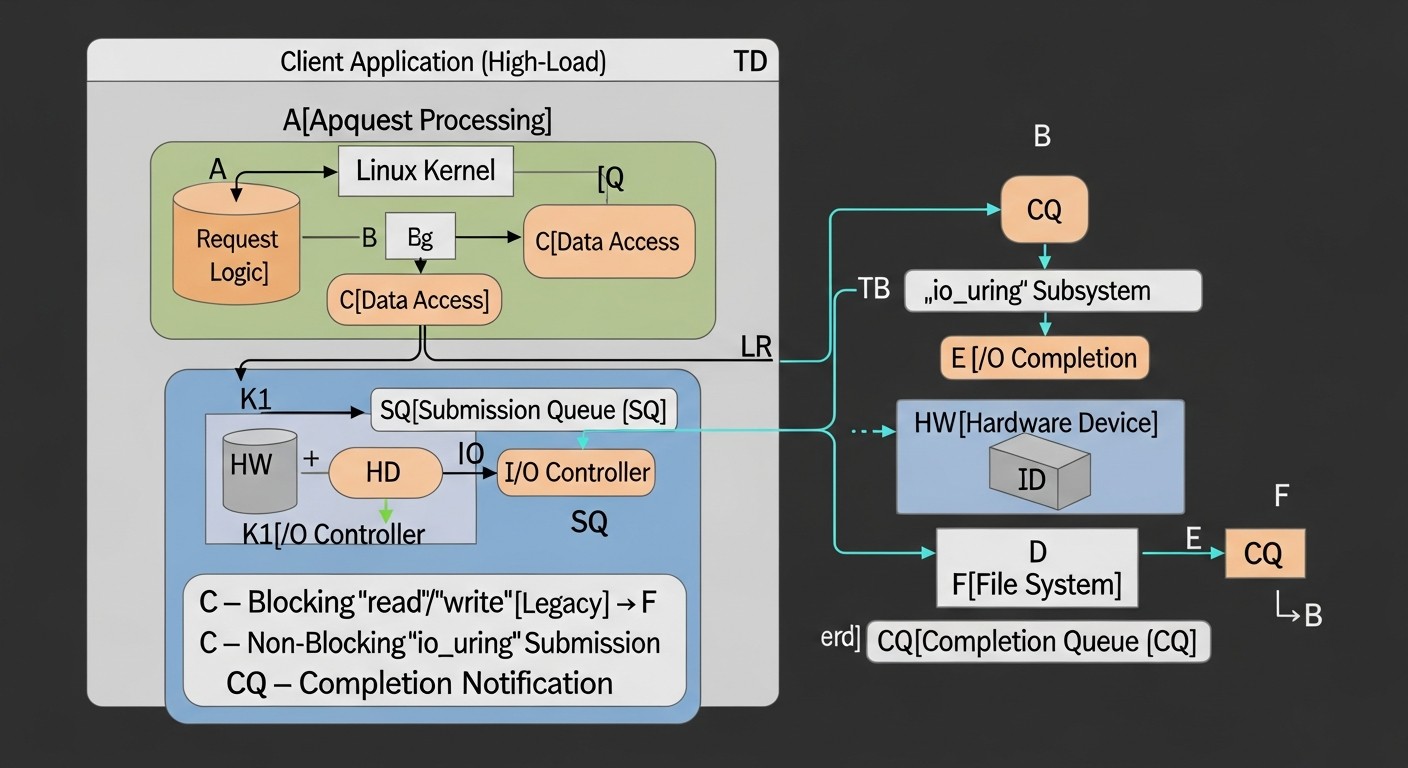
Profundicemos en las características de cada método de E/S para entender cuándo y por qué se utilizan, y por qué io_uring se está convirtiendo en la opción preferida para sistemas de alto rendimiento.
4.1. E/S bloqueante (read()/write())
Este es el método más simple e intuitivo para realizar operaciones de entrada/salida. Cuando una aplicación llama a read() o write(), se bloquea hasta que el núcleo completa la operación. Durante este tiempo, el hilo que inició la E/S entra en un estado de espera, y el planificador del núcleo puede cambiar a otro hilo o proceso. La simplicidad de la API lo hace ideal para aplicaciones y scripts sencillos donde el rendimiento de E/S no es un cuello de botella. Sin embargo, para aplicaciones de alta carga, este modelo conduce a serios problemas de escalabilidad. Cada operación de E/S requiere una llamada al sistema, un cambio de contexto y una espera, lo que genera una sobrecarga enorme con un gran número de solicitudes concurrentes. Para manejar la concurrencia, es necesario lanzar muchos hilos o procesos, cada uno de los cuales puede bloquearse, lo que resulta en un "deslizamiento" de la CPU en los cambios de contexto y un uso ineficiente de los recursos. En 2026, este método sigue siendo básico, pero es absolutamente inadecuado para sistemas que requieren procesar decenas y cientos de miles de operaciones de E/S por segundo.
4.2. Multiplexación de E/S (select(), poll(), epoll())
Estos mecanismos fueron desarrollados para resolver el problema de la E/S bloqueante en aplicaciones de red. En lugar de bloquearse en cada operación de lectura/escritura, la aplicación puede "preguntar" al núcleo cuáles de los muchos descriptores de archivo abiertos (sockets, pipes) están listos para leer o escribir. select() y poll() sufren de escalabilidad en función del número de descriptores de archivo (escaneo de lista O(N)), mientras que epoll() (introducido en Linux 2.5.44) es significativamente más eficiente, operando en modo O(1) mediante el uso de callbacks del núcleo y búferes de eventos en anillo. epoll permite a la aplicación manejar eficientemente miles y millones de conexiones de red concurrentes con una sobrecarga mínima. Es la piedra angular de la mayoría de los servidores web modernos, proxies y brokers de mensajes. Sin embargo, epoll no es una E/S verdaderamente asíncrona para operaciones de disco; solo notifica la disponibilidad de un descriptor de archivo. Las operaciones read()/write() en sí mismas, después de recibir un evento, aún pueden bloquearse si los datos no están listos o el búfer está lleno, o si la operación se realiza con el disco y no con la red. Esto limita su aplicación en escenarios con E/S de disco intensiva, como las bases de datos.
4.3. Linux Native AIO (libaio)
libaio (o Linux Native AIO) fue desarrollado específicamente para resolver los problemas de E/S de disco asíncrona, especialmente para bases de datos que requieren acceso directo al disco (O_DIRECT) sin la intervención de la caché de páginas del núcleo. Permite a la aplicación enviar un lote de solicitudes de E/S al núcleo y luego recibir notificaciones asíncronas sobre su finalización. Esto elimina el bloqueo del hilo llamador y permite aprovechar eficazmente las ventajas de los almacenamientos de alto rendimiento (por ejemplo, NVMe SSD). La API de libaio es bastante compleja y de bajo nivel, requiriendo la gestión manual de iocb (I/O control blocks) y io_event. Las principales limitaciones de libaio radican en su enfoque exclusivo en operaciones de disco (y solo con O_DIRECT para la asincronía) y la falta de soporte para E/S de red. Además, incluso con libaio, cada lote de operaciones requiere llamadas al sistema io_submit() y io_getevents(), lo que, aunque mejor que una llamada a la vez, aún genera una sobrecarga que io_uring busca eliminar. Para 2026, libaio ha sido en gran parte reemplazado por io_uring en nuevos proyectos de alto rendimiento, aunque todavía está presente en sistemas antiguos y probados.
4.4. io_uring: E/S asíncrona unificada para Linux
io_uring es la culminación de décadas de desarrollo de E/S en Linux. Su objetivo principal es proporcionar una interfaz unificada, altamente eficiente y asíncrona para todo tipo de operaciones de E/S: de disco, de archivo, de red, así como para una serie de otras operaciones del sistema. A diferencia de los métodos anteriores, io_uring funciona según el principio de "solicitar y olvidar" con una interacción mínima con el núcleo después de la configuración inicial.
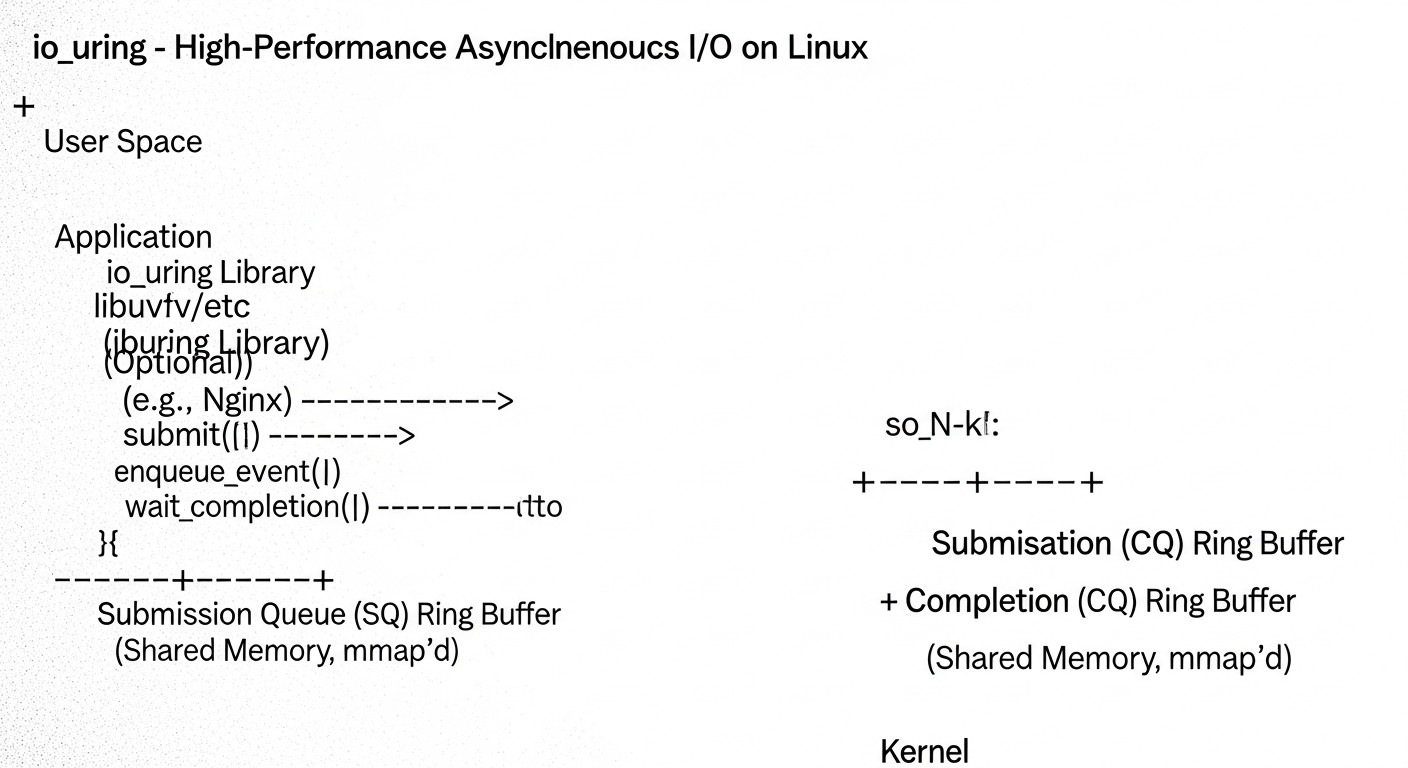
Arquitectura de io_uring:
- Búferes en anillo (Ring Buffers): En el corazón de io_uring se encuentran dos búferes en anillo, mapeados en la memoria del espacio de usuario:
- Submission Queue (SQ): Cola de solicitudes. La aplicación coloca aquí descriptores de operaciones (Submission Queue Entries, SKE) que describen lo que debe hacerse (por ejemplo, leer un archivo, enviar datos a través de un socket).
- Completion Queue (CQ): Cola de finalizaciones. El núcleo coloca aquí los resultados de las operaciones completadas (Completion Queue Entries, CQE), notificando a la aplicación el estado y el resultado de cada operación.
- Número mínimo de llamadas al sistema: Después de inicializar io_uring, la aplicación puede enviar miles de operaciones simplemente escribiéndolas en la SQ. El núcleo las toma de la SQ y las ejecuta de forma asíncrona. Cuando las operaciones finalizan, los resultados se colocan en la CQ. La aplicación comprueba periódicamente la CQ en busca de operaciones completadas. La llamada al sistema
io_uring_enter()solo se requiere para "despertar" el núcleo si está inactivo, o para enviar un gran lote de solicitudes si la SQ está llena. Esto reduce drásticamente la sobrecarga de las llamadas al sistema. - Unificación: io_uring soporta una amplia gama de operaciones, incluyendo:
- E/S de disco/archivo:
read,write,fsync,openat,close,statx,fadvise. Soporta tanto E/S en caché como E/S directa (O_DIRECT). - E/S de red:
accept,connect,recvmsg,sendmsg. Esto permite crear servidores de red de alto rendimiento que antes dependían deepoll. - Otras operaciones:
link_timeout(temporizadores asíncronos),async_cancel(cancelación de operaciones),io_uring_cmd(comandos extensibles para controladores).
- E/S de disco/archivo:
- SQPOLL (Submission Queue Polling): Este es un modo opcional en el que un hilo separado del núcleo sondea continuamente la SQ en busca de nuevas solicitudes. Esto elimina completamente la necesidad de la llamada al sistema
io_uring_enter()para enviar solicitudes, reduciendo la sobrecarga al mínimo absoluto. Ideal para cargas extremadamente altas, pero consume un núcleo de CPU para el hilo de sondeo. - IORING_SETUP_IOPOLL: Este es un modo en el que el núcleo no genera interrupciones al finalizar la E/S, sino que la aplicación de usuario sondea la CQ en busca de operaciones completadas. Requiere un ciclo de sondeo activo en el espacio de usuario. Se utiliza en escenarios con latencias muy bajas, donde incluso las interrupciones son demasiado costosas.
- Registro de recursos: io_uring permite registrar previamente búferes de memoria y descriptores de archivo en el núcleo. Esto elimina la necesidad de costosas llamadas al sistema
mmap/munmapo verificaciones de descriptores en cada operación, reduciendo aún más la sobrecarga y permitiendo que el núcleo realice operaciones de manera más eficiente (por ejemplo, evitando la copia de datos entre el espacio de usuario y el núcleo).
Ventajas: io_uring reduce significativamente las latencias, aumenta el rendimiento y disminuye la utilización de la CPU para tareas intensivas en E/S. Permite procesar millones de IOPS en un solo núcleo de CPU, algo impensable con los métodos anteriores. Esto se logra minimizando las llamadas al sistema, los cambios de contexto y utilizando el núcleo para realizar operaciones asíncronas.
Desventajas: API compleja y de bajo nivel, que requiere una comprensión profunda del funcionamiento del núcleo y una gestión cuidadosa de la memoria. Alto umbral de entrada para los desarrolladores. Los errores al trabajar con io_uring pueden llevar a problemas difíciles de diagnosticar.
Para quién es adecuado: io_uring es la solución ideal para desarrolladores de bases de datos de alto rendimiento, almacenes de clave-valor, brokers de mensajes, servidores proxy, servidores de juegos, servidores web de alta carga y cualquier otra aplicación donde la E/S sea un cuello de botella y se requiera la máxima eficiencia en el uso de los recursos de hardware. En 2026, se está convirtiendo en el estándar para este tipo de sistemas.
5. Consejos prácticos y recomendaciones para io_uring
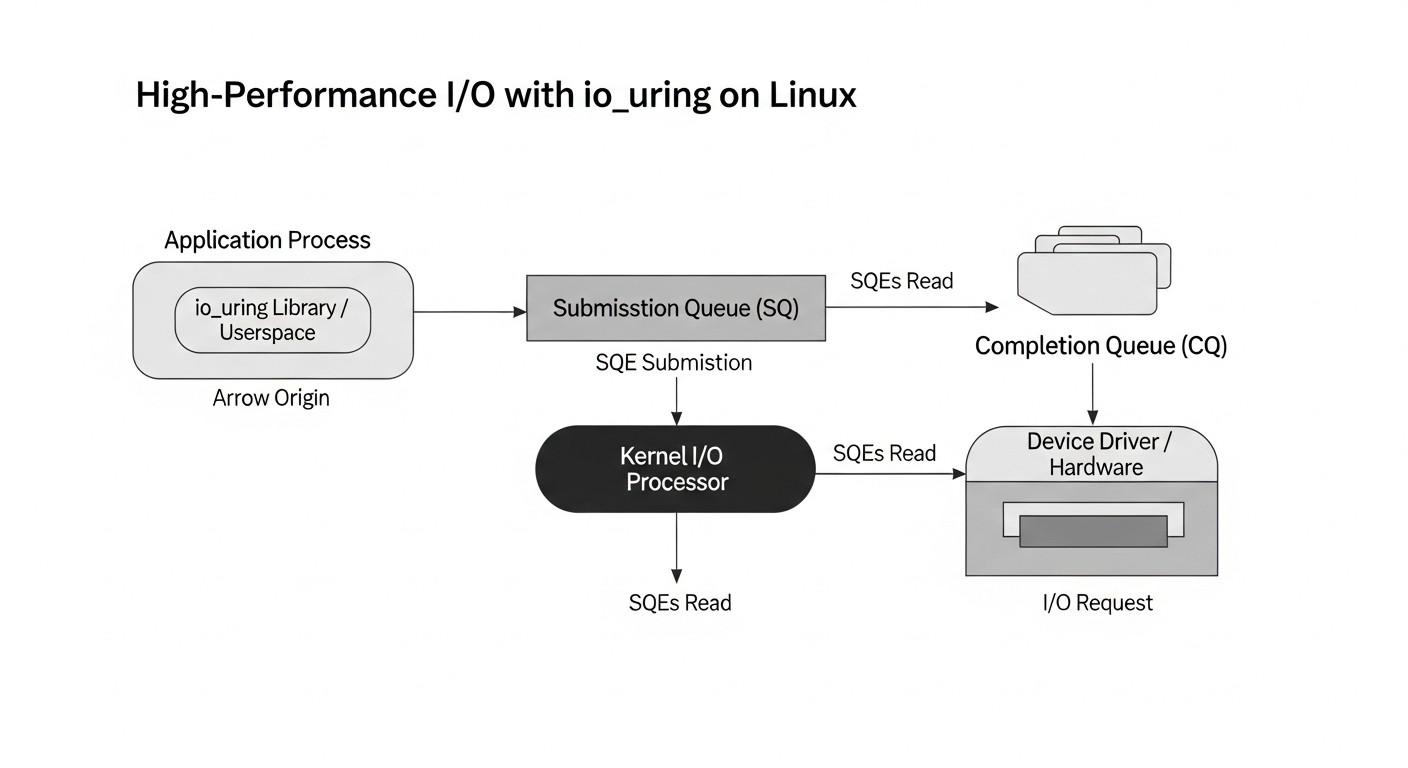
La integración de io_uring en una aplicación de alta carga es una tarea no trivial que requiere atención y una comprensión profunda. Aquí hay una serie de consejos prácticos y recomendaciones paso a paso, basados en la experiencia real.
5.1. Elección de la versión correcta del kernel de Linux
Para un uso completo de io_uring se recomienda encarecidamente utilizar el kernel de Linux versión 5.10 o posterior. En las versiones 5.1-5.9, la funcionalidad era limitada, había errores y faltaban muchas operaciones importantes (por ejemplo, de red). La elección óptima para entornos de producción en 2026 son los kernels de la serie 6.x (por ejemplo, 6.6 LTS o posterior), que ofrecen máxima estabilidad, rendimiento y un conjunto completo de funciones, incluyendo soporte extendido para operaciones de archivo, temporizadores y cancelación de solicitudes.
# Comprobación de la versión del kernel
uname -r
# Salida esperada: 6.6.10-amd64 o posterior
5.2. Uso de la biblioteca liburing
Aunque es posible trabajar con io_uring directamente a través de llamadas al sistema, se recomienda encarecidamente utilizar la biblioteca de usuario liburing. Esta proporciona una API de alto nivel cómoda y segura, que abstrae los detalles de bajo nivel del trabajo con búferes circulares y llamadas al sistema, simplificando significativamente el desarrollo y reduciendo la probabilidad de errores.
# Instalación de liburing (ejemplo para Debian/Ubuntu)
sudo apt update
sudo apt install liburing-dev
# Para otras distribuciones, use el gestor de paquetes correspondiente (dnf, pacman)
5.3. Inicialización del contexto io_uring
El primer paso es crear una instancia de io_uring. Es necesario definir el tamaño de los búferes circulares (número de entradas SQE). Cuanto mayor sea el tamaño, más operaciones se podrán encolar sin una llamada al sistema io_uring_enter.
#include <liburing.h>
#include <stdio.h>
#include <stdlib.h>

#define QUEUE_DEPTH 4096 // Profundidad de cola recomendada para sistemas de alta carga

struct io_uring ring;

int main() {
    struct io_uring_params p = {};
    // Se pueden añadir banderas, por ejemplo, IORING_SETUP_SQPOLL
    // p.flags |= IORING_SETUP_SQPOLL;
    // p.sq_thread_cpu = 0; // Vincular SQPOLL a un núcleo específico

    int ret = io_uring_queue_init_params(QUEUE_DEPTH, &ring, &p);
    if (ret < 0) {
        fprintf(stderr, "io_uring_queue_init: %s\n", strerror(-ret));
        return 1;
    }
    printf("io_uring initialized successfully with queue depth %d\n", QUEUE_DEPTH);

    // ... su código para trabajar con io_uring ...

    io_uring_queue_exit(&ring);
    return 0;
}
5.4. Registro de búferes y descriptores de archivo
Para lograr el máximo rendimiento, es obligatorio registrar los búferes de memoria y los descriptores de archivo. Esto permite al kernel evitar costosas comprobaciones y copias de datos, así como utilizar optimizaciones como E/S de copia cero (zero-copy) en algunos escenarios.
// Ejemplo de registro de búferes
char buffer_pool[NUM_BUFFERS]; // Búferes preasignados
// ... inicialización de buffer_pool ...
int ret = io_uring_register_buffers(&ring, buffer_pool, NUM_BUFFERS, BUFFER_SIZE);
if (ret < 0) {
    fprintf(stderr, "io_uring_register_buffers: %s\n", strerror(-ret));
    // Manejo de errores
}

// Ejemplo de registro de descriptores de archivo
int files[NUM_FILES]; // Array de FD abiertos
// ... inicialización de files ...
ret = io_uring_register_files(&ring, files, NUM_FILES);
if (ret < 0) {
    fprintf(stderr, "io_uring_register_files: %s\n", strerror(-ret));
    // Manejo de errores
}
5.5. Agrupación de operaciones (Batching)
Uno de los principios clave de io_uring es enviar el mayor número posible de operaciones en una sola llamada al sistema. En lugar de llamar a io_uring_submit() después de cada operación, acumule los SQE en la cola y envíelos en un lote. Esto reduce drásticamente el número de cambios de contexto.
// Ejemplo de agrupación de operaciones de lectura
for (int i = 0; i < batch_size; ++i) {
    struct io_uring_sqe sqe = io_uring_get_sqe(&ring);
    if (!sqe) {
        // La cola SQ está llena, enviamos las actuales y volvemos a intentar
        io_uring_submit(&ring);
        sqe = io_uring_get_sqe(&ring); // Reintento
        if (!sqe) {
            fprintf(stderr, "Failed to get SQE even after submit\n");
            break;
        }
    }
    io_uring_prep_read(sqe, file_descriptors[i], buffers[i], BUFFER_SIZE, offsets[i]);
    io_uring_sqe_set_data(sqe, (void)(long)request_id[i]); // Datos de usuario para identificación
}
io_uring_submit(&ring); // Enviamos las operaciones restantes
5.6. Procesamiento de operaciones completadas
Después de enviar las solicitudes, es necesario verificar periódicamente la Completion Queue en busca de operaciones completadas. Esto se puede hacer de forma bloqueante (io_uring_wait_cqe) o no bloqueante (io_uring_peek_cqe, io_uring_for_each_cqe).
struct io_uring_cqe cqe;
unsigned head;
unsigned count = 0;

// Sondeo no bloqueante de CQ
io_uring_for_each_cqe(&ring, head, cqe) {
    long request_id = (long)io_uring_cqe_get_data(cqe);
    int res = cqe->res; // Resultado de la operación (número de bytes o código de error)

    if (res < 0) {
        fprintf(stderr, "I/O error for request %ld: %s\n", request_id, strerror(-res));
    } else {
        printf("Request %ld completed successfully, bytes: %d\n", request_id, res);
    }
    count++;
}
io_uring_cq_advance(&ring, count); // Marcar los CQE procesados
5.7. Uso de IORING_SETUP_SQPOLL
Para las cargas más extremas, considere el uso de IORING_SETUP_SQPOLL. Esta bandera, al inicializar io_uring, crea un hilo del kernel que sondea continuamente el SQ. Esto elimina la necesidad de la llamada al sistema io_uring_enter() para enviar solicitudes, pero consume un núcleo de CPU. La vinculación de este hilo a un núcleo específico (sq_thread_cpu) puede mejorar el almacenamiento en caché.
struct io_uring_params p = {};
p.flags |= IORING_SETUP_SQPOLL;
p.sq_thread_cpu = 0; // Vincular a CPU 0
int ret = io_uring_queue_init_params(QUEUE_DEPTH, &ring, &p);
// ...
5.8. Operaciones de red asíncronas
io_uring soporta completamente operaciones de red asíncronas, reemplazando a epoll en servidores de red de alto rendimiento.
// Ejemplo de accept asíncrono
struct io_uring_sqe sqe = io_uring_get_sqe(&ring);
io_uring_prep_accept(sqe, listen_fd, (struct sockaddr )&client_addr, &client_addr_len, 0);
io_uring_sqe_set_data(sqe, (void)(long)ACCEPT_REQ_ID);
io_uring_submit(&ring);

// Ejemplo de recv asíncrono
sqe = io_uring_get_sqe(&ring);
io_uring_prep_recv(sqe, client_fd, buffer, BUFFER_SIZE, 0);
io_uring_sqe_set_data(sqe, (void)(long)RECV_REQ_ID);
io_uring_submit(&ring);
5.9. Gestión del ciclo de vida de los búferes
Al utilizar búferes registrados, asegúrese de que permanezcan válidos hasta que el kernel complete todas las operaciones con ellos. El uso de "user_data" en el SQE para pasar punteros a estructuras de solicitud o identificadores ayuda a gestionar correctamente los búferes y recursos después de la finalización de la operación.
5.10. Pruebas exhaustivas y benchmarking
Después de implementar io_uring, es obligatorio realizar pruebas de carga utilizando fio (con el motor io_uring), wrk, ab o benchmarks especializados. Compare el rendimiento con implementaciones anteriores, analice las métricas de latencia, rendimiento y utilización de la CPU. io_uring no siempre ofrece una ventaja para todos los tipos de cargas, por lo que es importante asegurarse de que realmente resuelve su problema.
6. Errores comunes al trabajar con io_uring
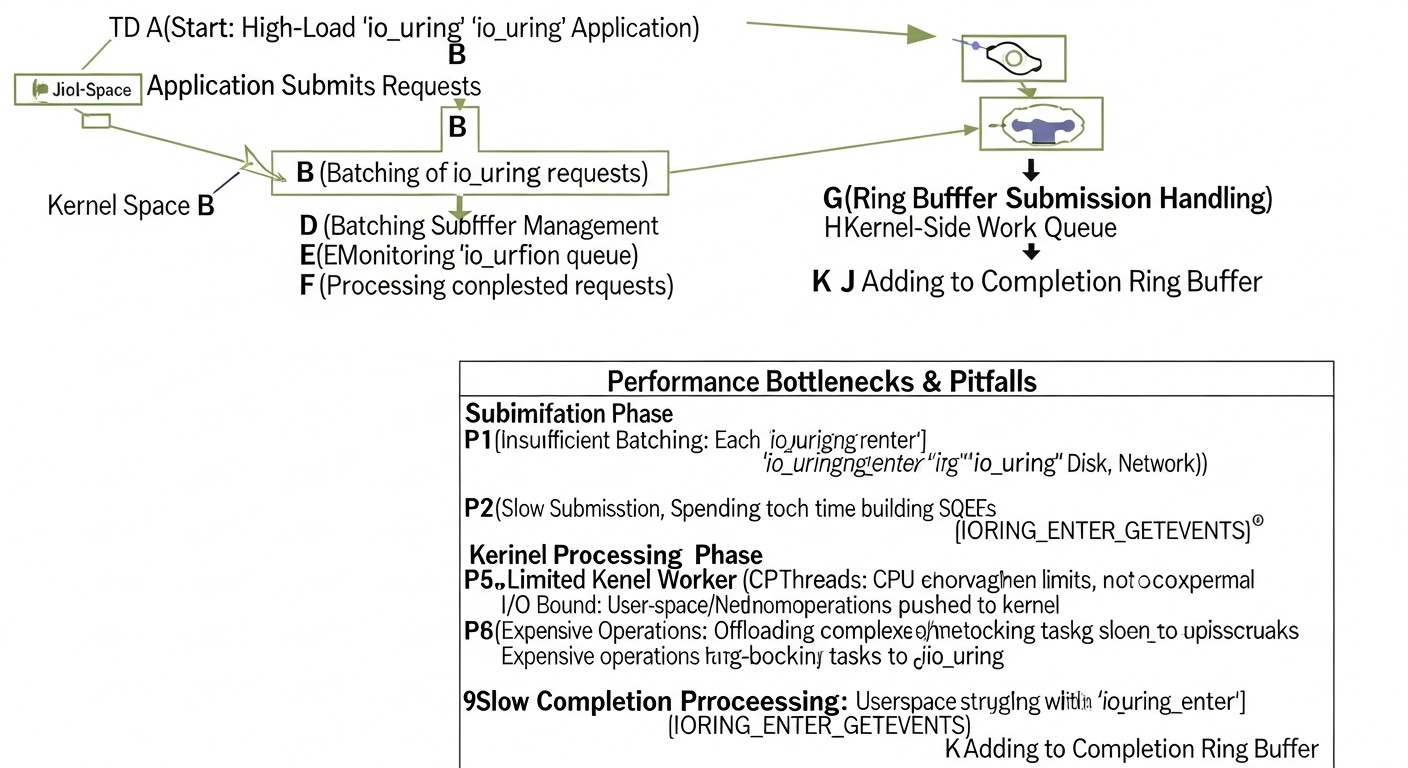
io_uring es una herramienta potente pero compleja. Los errores en su uso pueden llevar a un comportamiento impredecible, fugas de memoria o, irónicamente, a una disminución del rendimiento. A continuación, se presentan los errores más comunes que encuentran los desarrolladores:
6.1. Ignorar la versión del kernel de Linux
Error: Intentar usar io_uring en kernels antiguos (anteriores a 5.10) o esperar funcionalidad completa en versiones tempranas (5.1-5.9).
Consecuencias: Falta de soporte para las operaciones necesarias (por ejemplo, de red), presencia de errores, inestabilidad, imposibilidad de utilizar optimizaciones clave. La aplicación puede compilar, pero fallar en tiempo de ejecución o funcionar incorrectamente.
Cómo evitarlo: Compruebe siempre la versión del kernel con uname -r. En 2026, para proyectos serios, utilice kernels 6.x LTS. Incluya la verificación de la versión del kernel al inicio de la aplicación o en los scripts de despliegue.
6.2. Falta de procesamiento por lotes de operaciones
Error: Enviar cada solicitud de E/S al kernel a través de io_uring_submit() (o io_uring_enter()) individualmente, en lugar de agruparlas en lotes.
Consecuencias: Disminución del rendimiento, ya que cada llamada a io_uring_submit() es una llamada al sistema que implica un cambio de contexto. Esto anula una de las principales ventajas de io_uring, haciéndolo no mucho mejor que el AIO tradicional o incluso epoll para un gran número de operaciones pequeñas.
Cómo evitarlo: Agrupe al máximo las solicitudes. Acumule SQE en la Submission Queue hasta un umbral determinado (por ejemplo, 64, 128, 256 operaciones) o hasta que expire un breve tiempo de espera, antes de llamar a io_uring_submit(). Utilice el flag IOSQE_IO_DRAIN para operaciones que deben completarse antes que las siguientes, pero esto rara vez es necesario.
6.3. Gestión incorrecta del ciclo de vida de los búferes y descriptores de archivo
Error: Liberar búferes de memoria o cerrar descriptores de archivo antes de que el kernel haya completado todas las operaciones con ellos. O, por el contrario, no liberar los recursos después de su uso.
Consecuencias: Fugas de memoria, errores de "use-after-free", fallos de la aplicación, corrupción de datos. El kernel trabaja con punteros a sus búferes; si estos se vuelven inválidos, se produce un comportamiento indefinido.
Cómo evitarlo:
- Utilice
user_dataen el SQE para vincular la solicitud con el contexto (por ejemplo, un puntero a la estructura de la solicitud que incluye los búferes). - Libere o reutilice los búferes solo después de recibir la CQE (Completion Queue Entry) correspondiente sobre la finalización de la operación.
- Registre los búferes y descriptores de archivo utilizando
io_uring_register_buffers()yio_uring_register_files(). Esto ayuda al kernel a gestionar los recursos de forma más segura y reduce la sobrecarga.
6.4. Manejo incorrecto de operaciones completadas
Error: Lectura incorrecta de la Completion Queue (CQ) o ignorar los códigos de error en la CQE.
Consecuencias: Congelamientos de la aplicación (si la CQ se desborda y las nuevas operaciones no pueden completarse), pérdida de datos, estado incorrecto de la aplicación, omisión de errores de E/S.
Cómo evitarlo:
- Compruebe siempre
cqe->resen busca de errores (valores negativos). Utilicestrerror(-cqe->res)para obtener una descripción textual del error. - Sondee regularmente la CQ y avance el puntero
headcon la ayuda deio_uring_cq_advance()después de procesar la CQE. - Utilice
io_uring_wait_cqe()con precaución para no bloquear el ciclo de procesamiento principal durante demasiado tiempo si hay otras tareas.
6.5. Uso incorrecto o ignorado de IORING_SETUP_SQPOLL
Error: Habilitar IORING_SETUP_SQPOLL sin comprender sus consecuencias (consumo de CPU del kernel) o no usarlo en escenarios donde podría proporcionar un aumento significativo del rendimiento.
Consecuencias: Si SQPOLL está habilitado sin necesidad, está desperdiciando un núcleo de CPU. Si no se utiliza donde es necesario, la aplicación sufre de llamadas al sistema excesivas de io_uring_enter().
Cómo evitarlo: SQPOLL está diseñado para cargas extremas donde cada llamada al sistema es crítica. Aplíquelo solo después de una evaluación comparativa exhaustiva. Asegúrese de vincular el hilo SQPOLL a una CPU específica (p.sq_thread_cpu) para evitar problemas de caché y aislamiento.
6.6. Falta de manejo de la cancelación de operaciones
Error: Incapacidad para cancelar operaciones de E/S atascadas o irrelevantes, especialmente en conexiones de red de larga duración o al trabajar con discos lentos.
Consecuencias: Bloqueo de recursos, tiempos de espera, consumo de memoria y CPU por parte del kernel en operaciones que la aplicación ya no necesita.
Cómo evitarlo: Utilice IORING_OP_ASYNC_CANCEL. Guarde user_data para cada solicitud, de modo que se pueda identificar y cancelar una operación específica. Esto es especialmente importante para operaciones de red con tiempos de espera o al cerrar conexiones de cliente.
6.7. Registro y monitoreo insuficientes
Error: Falta de registro detallado de errores y métricas de rendimiento de io_uring.
Consecuencias: Dificultades para diagnosticar problemas en entornos de producción, imposibilidad de identificar cuellos de botella, funcionamiento subóptimo del sistema.
Cómo evitarlo: Registre todos los errores devueltos por io_uring. Monitoree el número de SQE, CQE, latencias de operación, el número de llamadas al sistema io_uring_enter(), la utilización de la CPU (especialmente %sy y %wa) con herramientas como bpftrace, perf, iostat. Utilice /proc/sys/fs/io_uring/ para obtener estadísticas sobre los contextos actuales de io_uring.
7. Lista de verificación para la aplicación práctica de io_uring
Esta lista de verificación le ayudará a sistematizar el proceso de implementación y optimización de io_uring en su aplicación, minimizando riesgos y maximizando el rendimiento.
7.1. Preparación y planificación
- Definir el perfil de E/S de la aplicación:
- ¿Qué tipo de E/S domina: disco (aleatorio/secuencial, bloques pequeños/grandes), red (muchas conexiones/poco tráfico, pocas conexiones/mucho tráfico)?
- ¿Cuáles son las métricas actuales: latencia (P99, P99.9), rendimiento (IOPS/MB/s), utilización de la CPU?
- ¿Qué métodos de E/S actuales se utilizan?
- Verificar la versión del kernel de Linux: Asegúrese de que se utiliza un kernel 5.10+ (se recomienda 6.x LTS). Si no, planifique una actualización.
- Evaluar la complejidad de la integración: io_uring requiere un esfuerzo de desarrollo significativo. Evalúe si este esfuerzo se justifica por el potencial aumento de rendimiento.
7.2. Inicialización de io_uring
- Utilizar
liburing: Incluya la bibliotecaliburingen su proyecto para simplificar el trabajo con la API. - Inicializar el contexto de io_uring:
- Defina la profundidad óptima de la cola (
QUEUE_DEPTH) para SQ y CQ, basándose en el paralelismo esperado. - Seleccione los flags de inicialización:
IORING_SETUP_SQPOLL: Si se requiere una latencia extremadamente baja y está dispuesto a sacrificar un núcleo de CPU. Vincule el hilo SQPOLL a un núcleo específico (p.sq_thread_cpu).IORING_SETUP_IOPOLL: Para dispositivos que admiten sondeo del lado del kernel (por ejemplo, NVMe).IORING_SETUP_SQ_AFF: Vinculación de SQ a un núcleo específico.
- Defina la profundidad óptima de la cola (
- Registrar recursos:
- Registre los búferes de memoria (
io_uring_register_buffers), si va a utilizar búferes fijos. - Registre los descriptores de archivo (
io_uring_register_files), si trabaja con un conjunto constante de archivos/sockets. - Recuerde la gestión adecuada del ciclo de vida de los recursos registrados.
- Registre los búferes de memoria (
7.3. Implementación de la lógica de E/S
- Implementar el procesamiento por lotes de operaciones:
- Acumule SQE en la Submission Queue.
- Llame a
io_uring_submit()solo cuando la SQ esté llena o haya expirado un breve tiempo de espera.
- Diseñar la estructura de las solicitudes: Utilice
io_uring_sqe_set_data()para vincular datos de usuario (punteros a búferes, identificadores de solicitudes, callbacks) a cada SQE. - Implementar el manejo de finalizaciones:
- Sondee periódicamente la Completion Queue.
- Utilice
io_uring_for_each_cqe()para un procesamiento eficiente de todos los eventos completados. - Compruebe siempre
cqe->resen busca de errores y regístrelos. - Después de procesar todas las CQE, avance el puntero
headcon la ayuda deio_uring_cq_advance().
- Manejar la cancelación de operaciones: Implemente un mecanismo para cancelar solicitudes atascadas o irrelevantes utilizando
IORING_OP_ASYNC_CANCEL.
7.4. Pruebas, monitoreo y optimización
- Realizar benchmarking:
- Utilice
fio(con el motor io_uring) para operaciones de disco. - Utilice
wrk,ab, o benchmarks personalizados para operaciones de red. - Compare el rendimiento con la implementación anterior y con otros métodos de E/S.
- Utilice
- Configurar el monitoreo:
- Monitoree las métricas de E/S (IOPS, throughput, latency) con
iostat,vmstat. - Monitoree la utilización de la CPU (
top,htop), especialmente el tiempo del sistema y el tiempo de espera de E/S. - Utilice
bpftraceoperfpara un análisis profundo del comportamiento de io_uring en el kernel.
- Monitoree las métricas de E/S (IOPS, throughput, latency) con
- Aislar la CPU: Para hilos de E/S críticos, considere la aislación de la CPU utilizando parámetros del kernel (
isolcpus,nohz_full) y la vinculación de procesos/hilos a núcleos específicos (taskset). - Ajuste fino: Experimente con los tamaños de los búferes de anillo, el número de lotes, los flags de inicialización y la configuración de registro de búferes para lograr un rendimiento óptimo para su escenario específico.
8. Cálculo de costes / Economía del uso de io_uring
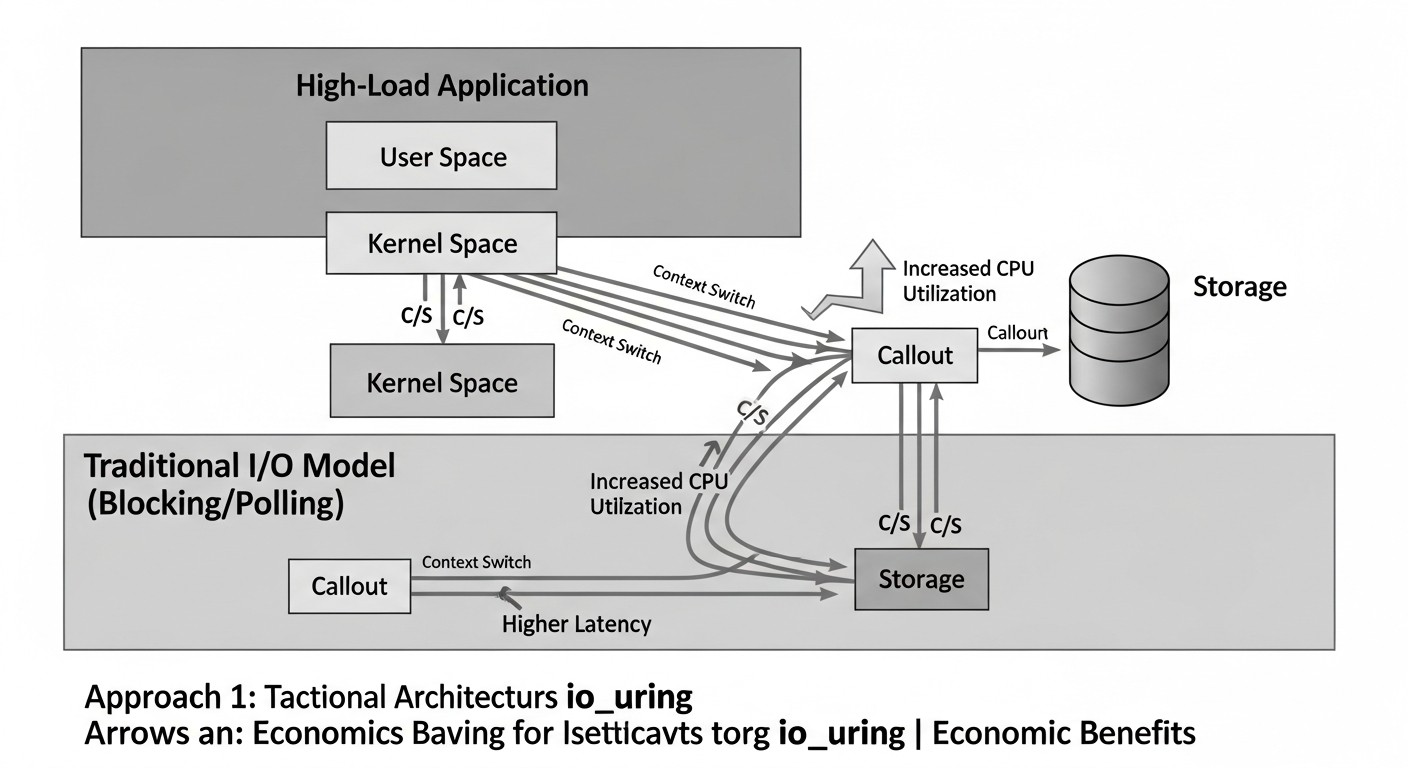
La implementación de io_uring es una inversión que se amortiza no solo en forma de aumento del rendimiento, sino también en una significativa reducción de los gastos operativos (OpEx) y un mayor valor empresarial. Para 2026, a medida que los servicios en la nube continúan encareciéndose y las demandas de eficiencia aumentan, el aspecto económico de io_uring se vuelve cada vez más evidente.
8.1. Reducción de los requisitos de hardware
La principal ventaja económica de io_uring reside en su capacidad para realizar un volumen mucho mayor de operaciones de E/S con menos recursos de CPU. Esto significa que para la misma carga de trabajo necesitará:
- Menos núcleos de CPU: io_uring reduce significativamente las llamadas al sistema y los cambios de contexto, liberando la CPU para el trabajo útil de la aplicación. Esto permite atender la misma carga en servidores con menos núcleos o en un menor número de instancias en la nube.
- Menos RAM: Aunque io_uring por sí mismo puede requerir la asignación de búferes, la eficiencia general puede permitir reducir la cantidad de RAM necesaria para mantener un gran número de hilos o procesos, cada uno de los cuales requiere su propia pila y contexto.
- Menos servidores/instancias: Si una máquina puede procesar 2-3 veces más E/S, puede reducir el número de servidores físicos o instancias en la nube necesarios para el clúster.
8.2. Optimización de costes en la nube
En entornos de nube (AWS, GCP, Azure), donde el coste de las instancias depende directamente del número de vCPU y la cantidad de RAM, el ahorro puede ser drástico. Por ejemplo, la transición de instancias tipo m6a.xlarge a m6a.large o incluso m6a.medium para la misma tarea intensiva en E/S puede reducir las facturas mensuales en decenas de puntos porcentuales. Además, un menor número de instancias significa menores costes de tráfico de red (ingress/egress), direcciones IP y gestión.
8.3. Aumento del valor empresarial
- Mejor experiencia de usuario: La reducción de la latencia de E/S conduce directamente a una respuesta más rápida de la aplicación, lo que aumenta la satisfacción del cliente, reduce la rotación y contribuye al crecimiento del negocio.
- Aumento del rendimiento: La capacidad de procesar más solicitudes o datos por unidad de tiempo permite ampliar la funcionalidad, introducir nuevos servicios y soportar un mayor volumen de negocio sin rediseñar la infraestructura.
- Ventaja competitiva: Las aplicaciones que utilizan io_uring pueden superar a la competencia en rendimiento y coste, lo cual es un factor crítico en los mercados altamente competitivos de SaaS y servicios en línea.
8.4. Costes ocultos
- Alto coste de desarrollo: La API de io_uring es compleja y de bajo nivel. Los desarrolladores necesitarán un tiempo considerable para aprenderla e integrarla, lo que aumenta los costes iniciales de desarrollo. Se requieren especialistas altamente cualificados.
- Complejidad de la depuración: Los errores en el uso de io_uring pueden ser difíciles de diagnosticar, lo que aumenta el tiempo para encontrar y resolver problemas.
- Dependencia de la versión del kernel: El requisito de una nueva versión del kernel de Linux puede ser un problema para las empresas con políticas de actualización conservadoras.
- Consumo de CPU para SQPOLL: Si se utiliza
IORING_SETUP_SQPOLL, un núcleo de CPU estará constantemente ocupado por un hilo del kernel, lo que puede ser ineficiente para sistemas con baja carga.
8.5. Tabla con ejemplos de cálculos para diferentes escenarios (año 2026)
Supongamos que tenemos una aplicación SaaS que necesita procesar 1 millón de IOPS para su base de datos principal o caché.
| Parámetro | E/S tradicional (epoll + read/write bloqueante) |
io_uring (sin SQPOLL) |
io_uring (con SQPOLL) |
|---|---|---|---|
| Número de núcleos de CPU requeridos (para 1M IOPS) | ~16-24 núcleos | ~4-8 núcleos | ~2-4 núcleos (+1 núcleo para SQPOLL) |
| Cantidad de RAM requerida (para 1M IOPS) | ~64-128 GB | ~32-64 GB | ~32-64 GB |
| Tipo de instancia (ejemplo, 2026) | 2 x m7g.8xlarge (16 vCPU, 64GB RAM) |
1 x m7g.4xlarge (8 vCPU, 32GB RAM) |
1 x m7g.2xlarge (4 vCPU, 16GB RAM) + 1 núcleo para SQPOLL |
| Coste de las instancias (mes, 2026, aprox.) | ~$2000 - $3000 | ~$500 - $800 | ~$250 - $400 |
| Consumo de energía (kWh/mes) | ~1000 kWh/h | ~300 kWh/h | ~150 kWh/h |
| Coste de desarrollo (unidades arbitrarias, 2026) | 10 | 25 | 30 |
| Coste de soporte (unidades arbitrarias, 2026) | 5 | 8 | 10 |
| TCO total en 3 años (unidades arbitrarias) | ~1000 | ~400 | ~300 |
Nota: Las unidades arbitrarias y los precios de las instancias son hipotéticos para 2026 y sirven para ilustrar el ahorro relativo. Las cifras reales dependerán del proveedor específico, la región, los descuentos y la carga de trabajo. TCO (Total Cost of Ownership) incluye desarrollo, soporte y 3 años de operación.
Como se desprende de la tabla, a pesar de los mayores costes iniciales de desarrollo, io_uring proporciona un ahorro significativo en los gastos operativos a largo plazo, especialmente para sistemas de alta carga. Esto lo convierte en una inversión extremadamente atractiva para proyectos SaaS y otras aplicaciones intensivas en E/S.
9. Casos de estudio y ejemplos de implementación de io_uring
io_uring ya ha demostrado su valía en proyectos reales de alta carga. A continuación, presentamos algunos escenarios realistas que demuestran su potencial transformador.
9.1. Caso 1: Base de datos Key-Value de alto rendimiento (análogo a Redis/Memcached)
Problema: Una startup estaba desarrollando una base de datos Key-Value distribuida de baja latencia para aplicaciones de juegos. Inicialmente, se utilizaba epoll para E/S de red y libaio para almacenar datos en SSD NVMe (con O_DIRECT). Al alcanzar 500.000 IOPS en un solo nodo, la utilización de la CPU llegaba al 70-80%, y la latencia P99 de las operaciones de escritura aumentaba a 10-15 ms debido a las frecuentes llamadas al sistema y los cambios de contexto entre la E/S de red y de disco. La escalabilidad requería añadir un gran número de nodos, lo que conllevaba altos costes en la nube.
Solución con io_uring: El equipo reescribió el subsistema de E/S, migrando completamente a io_uring. Todas las operaciones de red (accept, recvmsg, sendmsg) y de disco (read, write, fsync) se unificaron bajo un único ciclo de procesamiento de io_uring. Se implementaron las siguientes optimizaciones:
- Uso de
IORING_SETUP_SQPOLL, vinculado a un núcleo de CPU separado. - Registro de búferes de memoria para evitar la copia de datos.
- Registro de descriptores de archivo para archivos de datos abiertos.
- Agrupación agresiva de operaciones (hasta 256 SQE en una sola llamada a
io_uring_submit(), si es necesario).
Resultados:
- Rendimiento: Aumentó a 1.5 millones de IOPS en un solo nodo (incremento del 300%).
- Latencia (P99): Se redujo de 10-15 ms a 1.5-3 ms para operaciones de escritura.
- Utilización de CPU: Con 1 millón de IOPS, se redujo del 70-80% al 20-25% (incluyendo el núcleo para SQPOLL).
- Ahorro: El número de instancias en la nube requeridas se redujo en 3 veces, lo que resultó en un ahorro de más del 60% en los gastos operativos mensuales de la infraestructura.
Este caso demostró cómo io_uring permitió a la startup alcanzar un rendimiento que antes solo era posible con hardware muy costoso o soluciones especializadas complejas.
9.2. Caso 2: Servidor Proxy / Balanceador de Carga de alta demanda
Problema: Un gran servicio en línea utilizaba NGINX como su servidor proxy principal y balanceador de carga. En horas pico, al manejar millones de conexiones TCP activas y miles de solicitudes por segundo, NGINX (basado en epoll) comenzaba a consumir recursos significativos de CPU, y las latencias de proxy aumentaban. Esto requería escalar añadiendo múltiples instancias de proxy, lo que incrementaba el coste y la complejidad de la gestión.
Solución con io_uring: El equipo decidió desarrollar un servidor proxy ligero y personalizado en C++ utilizando io_uring. El objetivo no era reemplazar NGINX por completo, sino crear un componente especializado para las rutas de datos más críticas. Se utilizaron operaciones asíncronas de io_uring como accept, connect, recvmsg, sendmsg. El énfasis principal se puso en minimizar la copia de datos.
- Uso de búferes registrados para datos entrantes y salientes, para evitar
memcpyentre el espacio de usuario y el kernel. - Aplicación de
IORING_OP_SPLICEpara la copia directa de datos entre sockets sin copiar al espacio de usuario (zero-copy). - Optimización del ciclo de procesamiento de CQ para una reacción instantánea a los eventos de red.
Resultados:
- Procesamiento de conexiones: El proxy personalizado pudo manejar 2-2.5 veces más conexiones TCP activas en un solo núcleo de CPU en comparación con NGINX.
- Latencia (P99): La latencia promedio de proxy se redujo en un 30-40% bajo cargas elevadas.
- Utilización de CPU: Para el mismo volumen de tráfico, la utilización de la CPU se redujo en un 50-60%.
- Ahorro: Permitió reducir el número de instancias de proxy en un 40%, disminuyendo significativamente los costes en la nube y simplificando la arquitectura.
Este caso subraya la eficacia de io_uring en escenarios de red, especialmente cuando se requiere el manejo de un gran número de conexiones y la minimización de latencias.
9.3. Caso 3: Sistema de registro y recopilación de métricas
Problema: Un gran sistema de monitoreo y recopilación de logs se enfrentaba al problema de escribir enormes volúmenes de datos en disco. Los servidores de agregación de logs operaban constantemente con una alta carga de E/S, lo que resultaba en altas latencias de escritura, desbordamiento de búferes y pérdida de algunos logs en momentos pico. Se utilizaban llamadas bloqueantes estándar write() con fsync() periódico.
Solución con io_uring: Los desarrolladores rediseñaron el componente de escritura de logs, utilizando io_uring para todas las operaciones de disco. Implementaron un mecanismo de escritura asíncrona y sincronización asíncrona (IORING_OP_FSYNC).
- Pool de búferes preasignados y registrados para logs entrantes.
- Agrupación de operaciones
IORING_OP_WRITEpara escribir múltiples bloques de logs a la vez. - Uso de
IORING_OP_FSYNCpara la escritura forzada asíncrona de datos en disco a intervalos definidos o después de acumular un cierto volumen de datos.
Resultados:
- Rendimiento de escritura: Aumentó en un 50-70%, permitiendo al sistema manejar cargas pico sin pérdida de datos.
- Latencia de escritura (P99): Se redujo en un 20-30%, asegurando un funcionamiento más estable.
- Utilización de CPU: Los costes de CPU para las operaciones de escritura se redujeron significativamente, liberando recursos para el procesamiento y filtrado de logs.
- Fiabilidad: El sistema se volvió más resistente a las cargas pico de E/S, disminuyendo el número de casos de "backpressure" y pérdida de datos.
Este ejemplo muestra que io_uring es útil no solo para bases de datos, sino también para cualquier sistema que requiera una escritura eficiente y fiable de grandes volúmenes de datos en disco.
10. Herramientas y recursos para trabajar con io_uring
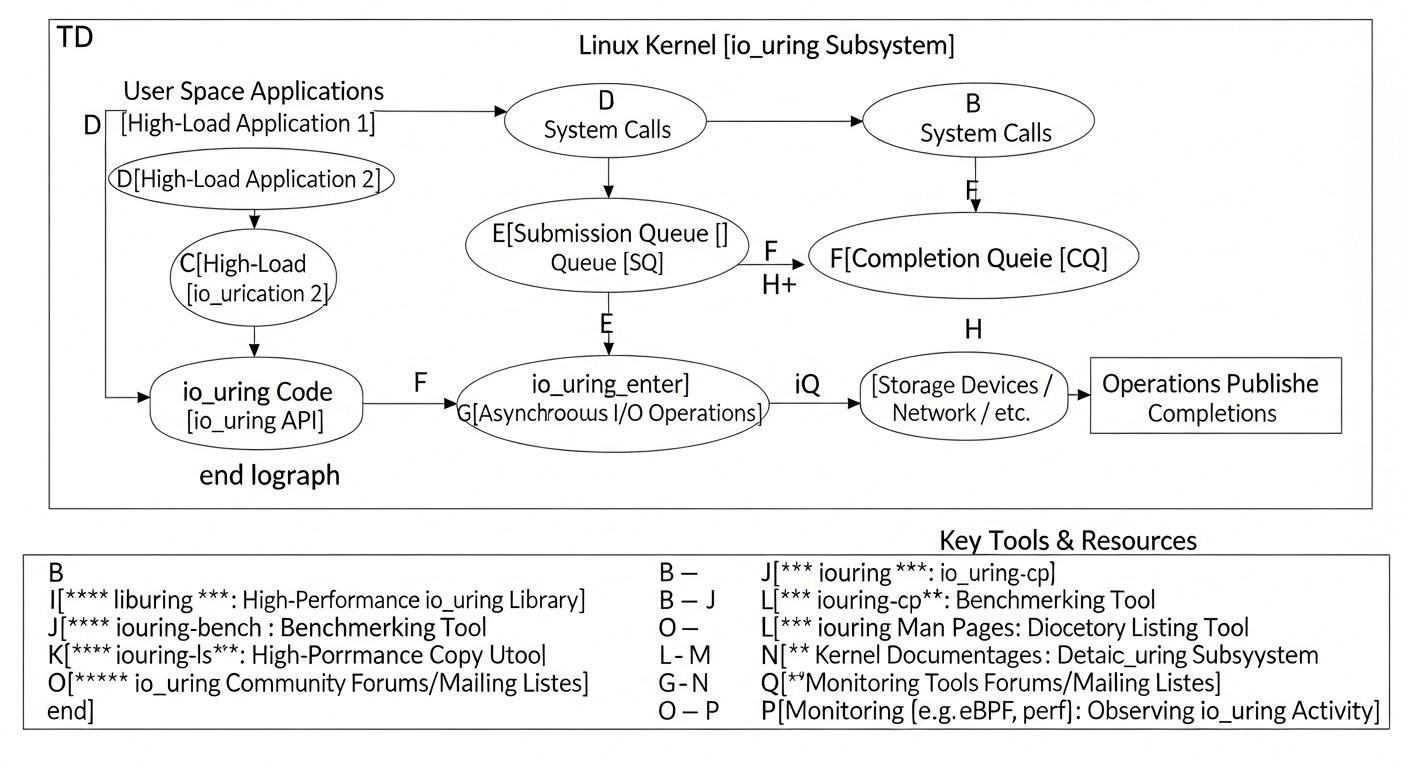
Trabajar con io_uring no solo requiere la comprensión de sus conceptos, sino también la habilidad de utilizar las herramientas adecuadas para el desarrollo, las pruebas y la monitorización. Para 2026, el ecosistema alrededor de io_uring se ha expandido significativamente, proporcionando a los desarrolladores potentes medios.
10.1. Bibliotecas y frameworks
liburing(biblioteca de usuario oficial):- Descripción: Biblioteca estándar, soportada por el kernel, que proporciona una API C de alto nivel para io_uring. Simplifica significativamente la interacción con los búferes de anillo y las llamadas al sistema de io_uring. Es su herramienta principal para el desarrollo en C/C++.
- Enlace: https://github.com/axboe/liburing
- Bindings de lenguaje:
- Go: Proyecto iouring-go y otros.
- Rust: Proyecto io-uring (parte del ecosistema Tokio).
- Python: Bindings a través de
ctypeso bibliotecas especializadas. - Node.js: Bindings experimentales.
- Descripción: Permiten usar io_uring desde lenguajes de programación de alto nivel, aunque con una pequeña sobrecarga en comparación con C/C++.
iouring-by-example:- Descripción: Un excelente recurso con un conjunto de ejemplos sencillos pero ilustrativos del uso de diversas funciones de io_uring. Indispensable para el aprendizaje.
- Enlace: https://unixism.net/loti/
10.2. Utilidades para pruebas y benchmarking de E/S
fio(Flexible I/O Tester):- Descripción: Estándar industrial para pruebas de rendimiento de E/S. Soporta el motor
io_uring, permitiendo realizar benchmarks de operaciones de disco utilizándolo. - Uso:
fio --name=test --ioengine=iouring --direct=1 --rw=randread --bs=4k --size=1G --numjobs=1 --iodepth=64 - Enlace: https://github.com/axboe/fio
- Descripción: Estándar industrial para pruebas de rendimiento de E/S. Soporta el motor
wrk/ab(herramientas de benchmarking HTTP):- Descripción: Para probar aplicaciones de red que utilizan io_uring para servidores HTTP o proxies.
- Uso:
wrk -t4 -c100 -d30s http://localhost:8080/
10.3. Herramientas de monitorización y depuración
perf(Herramientas de rendimiento de Linux):- Descripción: Potente herramienta para el perfilado del kernel y el espacio de usuario. Permite analizar llamadas al sistema, interrupciones, caché de CPU y mucho más, lo cual es crítico para identificar cuellos de botella de E/S.
- Uso:
perf record -g -F 99 -a sleep 10, luegoperf report
bpftrace/bcc-tools(herramientas basadas en eBPF):- Descripción: Proporcionan un nivel de visibilidad sin precedentes en el funcionamiento del kernel de Linux sin modificar el código. Permiten rastrear las llamadas al sistema de io_uring, analizar el comportamiento de los búferes de anillo, monitorear las latencias de E/S y mucho más.
- Ejemplos:
bpftrace -e 'tracepoint:io_uring:* { @[probe] = count(); }' - Enlace: https://github.com/iovisor/bpftrace, https://github.com/iovisor/bcc
iostat/vmstat/sar:- Descripción: Utilidades estándar de Linux para la monitorización de E/S y recursos del sistema. Ayudan a evaluar la carga general de discos, red y CPU.
- Uso:
iostat -xz 1,vmstat 1,sar -d 1
strace:- Descripción: Aunque
straceno muestra los detalles del funcionamiento interno de io_uring (ya que las operaciones se ejecutan sin llamadas al sistema), es útil para depurar la inicialización del contexto de io_uring y las llamadas al sistemaio_uring_enter(). - Uso:
strace -f -e io_uring_enter,io_uring_setup ./your_app
- Descripción: Aunque
10.4. Enlaces útiles y documentación
- Documentación oficial del kernel de Linux sobre io_uring:
- Descripción: La fuente de información más autorizada. Contiene una descripción detallada de las llamadas al sistema, banderas y operaciones.
- Enlace: https://www.kernel.org/doc/html/latest/core-api/io_uring.html
- Blog y presentaciones de Jens Axboe:
- Descripción: Jens Axboe es el desarrollador principal de io_uring. Sus artículos y presentaciones contienen valiosos conocimientos y consejos prácticos.
- Enlace: Busque "Jens Axboe io_uring" en conferencias (por ejemplo, FOSDEM, Linux Plumbers Conference) y en su blog.
- Artículos y guías de la comunidad:
- Descripción: Numerosos blogs técnicos y artículos de ingenieros que utilizan io_uring en producción.
- Búsqueda: Utilice consultas de búsqueda como "io_uring performance", "io_uring tutorial", "io_uring examples".
Armado con estas herramientas y recursos, podrá desarrollar, depurar, probar y monitorear eficazmente aplicaciones que utilizan io_uring, maximizando su potencial.
11. Solución de problemas: Resolución de problemas con io_uring
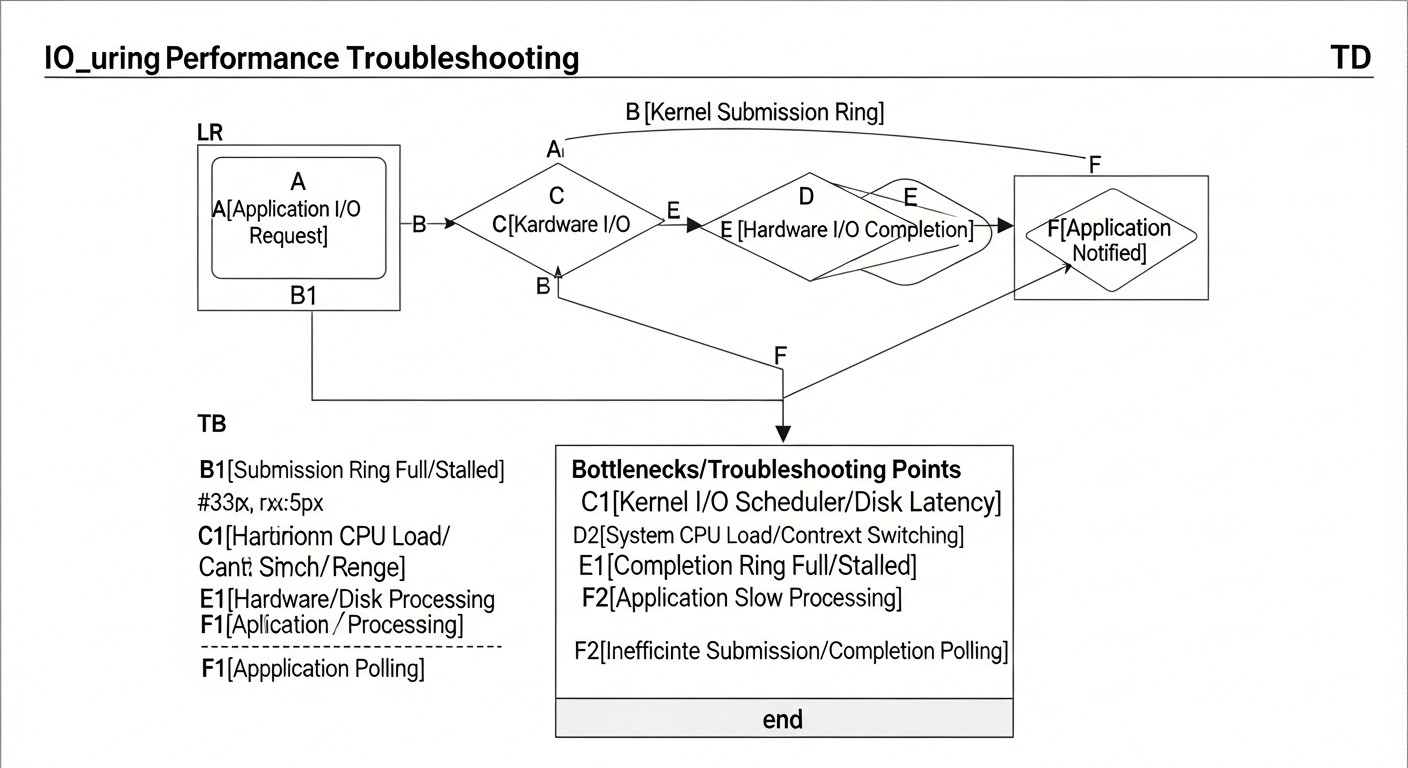
A pesar de su potencia, io_uring puede ser una fuente de problemas complejos que requieren una comprensión profunda del sistema. A continuación, se presentan problemas típicos y enfoques para su solución.
11.1. Problemas con la inicialización de io_uring
Síntomas: io_uring_queue_init() o io_uring_queue_init_params() devuelve un valor negativo (código de error).
- Error
-EPERM(Operation not permitted) o-EINVAL(Invalid argument):- Causa 1: Versión del kernel de Linux demasiado antigua. io_uring requiere el kernel 5.1+, y para una funcionalidad completa 5.10+ (óptimamente 6.x).
- Solución: Actualice el kernel.
- Causa 2: Intento de usar banderas de inicialización (por ejemplo,
IORING_SETUP_SQPOLL) que no son compatibles con su versión del kernel o son incompatibles con la configuración actual. - Solución: Consulte la documentación del kernel para su versión. Elimine las banderas una por una para identificar la problemática.
- Causa 3: Permisos insuficientes. Aunque io_uring generalmente no requiere privilegios de root, algunas banderas u operaciones pueden estar restringidas.
- Solución: Intente ejecutar la aplicación con
sudopara el diagnóstico. Si funciona, es posible que deba configurar las capacidades (capabilities) o usar banderas que no requieran privilegios elevados.
- Error
-ENOMEM(Out of memory):- Causa: Profundidad de cola (
queue_depth) demasiado grande o el sistema está experimentando escasez de memoria. - Solución: Reduzca
queue_depth. Verifique la memoria libre en el sistema.
- Causa: Profundidad de cola (
11.2. Operaciones de io_uring se cuelgan o no finalizan
Síntomas: Las solicitudes se envían a SQ, pero los CQE correspondientes nunca aparecen. La aplicación se bloquea o se cuelga.
- Causa 1: Llamada insuficiente o ausente a
io_uring_submit()(oio_uring_enter()). El kernel no sabe que han aparecido nuevas solicitudes en SQ. - Solución: Asegúrese de llamar regularmente a
io_uring_submit()después de agregar SQE. Si usaIORING_SETUP_SQPOLL, asegúrese de que el hilo SQPOLL esté activo y no bloqueado. - Causa 2: Errores en SQE (descriptores de archivo, búferes, desplazamientos incorrectos). El kernel puede ignorar silenciosamente las solicitudes incorrectas o devolver errores que usted no maneja.
- Solución: Verifique cuidadosamente los parámetros de cada SQE. Use
io_uring_sqe_set_data()para vincular el contexto y la información de depuración a cada solicitud, de modo que al recibir un CQE, pueda comprender qué solicitud se ha colgado. - Causa 3: Gestión incorrecta de búferes o descriptores de archivo (consulte la sección "Errores típicos").
- Solución: Asegúrese de que los búferes y FD permanezcan válidos durante toda la operación. Use búferes/FD registrados.
- Causa 4: Bloqueo o cuelgue a nivel de kernel/controlador.
- Solución: Verifique
dmesgen busca de errores del kernel. Usebpftracepara rastrear las llamadas al sistema de io_uring y las funciones del kernel relacionadas para ver dónde ocurre la latencia.
11.3. Bajo rendimiento o alta utilización de CPU
Síntomas: La aplicación usa io_uring, pero el rendimiento no mejora o incluso empeora en comparación con métodos anteriores. La utilización de la CPU sigue siendo alta.
- Causa 1: Falta de procesamiento por lotes de operaciones. Llamadas demasiado frecuentes a
io_uring_submit(). - Solución: Implemente un procesamiento por lotes eficiente (consulte la sección "Consejos prácticos").
- Causa 2: No usar búferes/descriptores de archivo registrados. El kernel dedica tiempo a verificar y copiar datos.
- Solución: Registre búferes y FD, si es posible para su escenario.
- Causa 3: Uso incorrecto de
IORING_SETUP_SQPOLL. Por ejemplo, si la carga es baja, el hilo SQPOLL puede consumir un núcleo de CPU en vano. - Solución: Deshabilite SQPOLL para escenarios de baja carga. Asegúrese de que el hilo SQPOLL esté vinculado a un núcleo de CPU aislado para minimizar el impacto en otros procesos.
- Causa 4: Ciclo de procesamiento de finalizaciones (CQ) ineficiente. Por ejemplo, una llamada bloqueante a
io_uring_wait_cqe()cuando se esperan muchos eventos, o sondeos no bloqueantes demasiado frecuentes. - Solución: Optimice el ciclo de procesamiento de CQ. Use
io_uring_for_each_cqe()para procesar un lote de eventos. - Causa 5: El problema no está en la E/S. io_uring optimiza la E/S, pero si el cuello de botella está en otro lugar (por ejemplo, cálculos intensivos de CPU, bloqueos de mutex, algoritmos ineficientes), io_uring no ayudará.
- Solución: Realice un perfilado completo de la aplicación usando
perfobpftracepara identificar el verdadero cuello de botella.
11.4. Fugas de memoria
Síntomas: El consumo de memoria de la aplicación aumenta constantemente.
- Causa: Gestión incorrecta de los búferes de memoria o los contextos de solicitud después de la finalización de las operaciones.
- Solución: Asegúrese de que cada búfer o estructura de solicitud asignada para un SQE se libere o reutilice exactamente una vez después de recibir el CQE correspondiente. Use herramientas como Valgrind para detectar fugas.
11.5. Comandos de diagnóstico
dmesg: Verifique los registros del kernel en busca de errores relacionados con io_uring o el subsistema de disco./proc/sys/fs/io_uring/: Este directorio contiene archivos con información sobre los contextos io_uring activos actuales, sus parámetros y estadísticas. Por ejemplo,/proc/sys/fs/io_uring/max_fileso/proc/sys/fs/io_uring/max_sq_entries.bpftrace: Cree sus propios scripts para rastrear funciones específicas del kernel relacionadas con io_uring y analizar su comportamiento.perf: Perfilado de la aplicación y el kernel para identificar los puntos calientes de la CPU.strace -e trace=io_uring ./app: Ayudará a ver las llamadas al sistemaio_uring_setupyio_uring_enter, pero no las operaciones internas.
11.6. Cuándo contactar al soporte o a la comunidad
Si ha agotado todas las posibilidades de autodiagnóstico y está seguro de que el problema está relacionado con el kernel de Linux o las especificidades de io_uring, no dude en contactar:
- Linux Kernel Mailing List (LKML): Para informar sobre posibles errores en el kernel o solicitar nuevas funciones de io_uring.
- Repositorio de GitHub
liburing: Para preguntas relacionadas con el uso de la biblioteca. - Foros y comunidades especializadas: Stack Overflow, Reddit (r/linux, r/kernel, r/programming), o comunidades de su lenguaje de programación.
Proporcione la información más detallada posible: versión del kernel, código, pasos para reproducir, registros de errores, resultados de benchmarks y perfilado.
12. FAQ: Preguntas frecuentes sobre io_uring
1. ¿Es io_uring siempre más rápido que los métodos de E/S tradicionales?
Respuesta: No, no siempre. io_uring está diseñado para tareas asíncronas de alta carga e intensivas en E/S, donde reduce significativamente la sobrecarga de las llamadas al sistema y los cambios de contexto. Para aplicaciones simples, de baja carga o predominantemente intensivas en CPU, la sobrecarga del API más complejo de io_uring puede superar los beneficios potenciales, y las llamadas bloqueantes tradicionales o epoll pueden ser más adecuadas o incluso ligeramente más rápidas debido a su simplicidad.
2. ¿Qué versión mínima del kernel de Linux se requiere para io_uring?
Respuesta: io_uring fue introducido en el kernel de Linux 5.1. Sin embargo, para aprovechar plenamente todas sus funciones, incluidas las operaciones de red y numerosas optimizaciones, se recomienda encarecidamente utilizar el kernel de Linux 5.10 o posterior. La elección óptima para entornos de production en 2026 son los kernels de la serie 6.x LTS, que garantizan la máxima estabilidad y rendimiento.
3. ¿io_uring está diseñado solo para E/S de disco o también para E/S de red?
Respuesta: io_uring unifica ambos tipos de E/S. Proporciona una interfaz asíncrona tanto para operaciones de disco y archivo (read, write, fsync, openat) como para operaciones de red (accept, connect, recvmsg, sendmsg). Esta es una de sus ventajas clave, que permite crear sistemas de alto rendimiento que manejan todo tipo de E/S bajo una API unificada.
4. ¿Qué tan difícil es aprender y usar io_uring?
Respuesta: io_uring tiene una curva de aprendizaje bastante pronunciada. Su API es de bajo nivel y requiere una comprensión profunda de los principios de funcionamiento del kernel de Linux, la gestión de memoria y la programación asíncrona. Es significativamente más complejo que epoll o libaio. Sin embargo, el uso de la biblioteca de usuario liburing simplifica considerablemente el proceso, abstraiendo muchos detalles de bajo nivel.
5. ¿Puedo usar io_uring con lenguajes de alto nivel como Python, Node.js, Go o Rust?
Respuesta: Sí, es posible. Para Go y Rust existen bindings y bibliotecas bastante maduras que integran io_uring en sus runtimes asíncronos (por ejemplo, io-uring para Rust/Tokio). Para Python y Node.js existen bindings experimentales, que suelen utilizar FFI (Foreign Function Interface) para interactuar con liburing. Sin embargo, la sobrecarga de FFI puede reducir parte de las ventajas de io_uring, y su potencial completo se revela en C/C++.
6. ¿Está obsoleto epoll ahora que existe io_uring?
Respuesta: No, epoll no está obsoleto. Sigue siendo un mecanismo eficaz y ampliamente utilizado para E/S de red basada en eventos. io_uring es un reemplazo más potente y versátil, especialmente para escenarios que requieren el máximo rendimiento y la unificación de E/S de disco y red. Para muchas aplicaciones donde epoll ya funciona bien, la transición a io_uring puede ser innecesaria, dada su complejidad.
7. ¿io_uring soporta E/S de copia cero?
Respuesta: Sí, io_uring está diseñado teniendo en cuenta las optimizaciones de zero-copy. Mediante el registro de búferes de memoria (io_uring_register_buffers), el kernel puede realizar operaciones de E/S directamente en estos búferes, evitando la copia de datos entre el espacio del kernel y el espacio de usuario. Además, operaciones como IORING_OP_SPLICE permiten transferir datos directamente entre descriptores de archivo (por ejemplo, sockets), también sin copiar al búfer de usuario.
8. ¿Qué es SQPOLL y cuándo debería usarse?
Respuesta: SQPOLL (Submission Queue Polling) es un modo opcional de io_uring, activado por el flag IORING_SETUP_SQPOLL durante la inicialización. En este modo, el kernel crea un hilo especial que sondea continuamente la Submission Queue en busca de nuevas solicitudes. Esto elimina por completo la necesidad de la llamada al sistema io_uring_enter() para enviar solicitudes, lo que reduce la sobrecarga al mínimo absoluto. Debe usarse solo en escenarios de carga extremadamente alta donde cada llamada al sistema es crítica, ya que SQPOLL consume un núcleo de CPU.
9. ¿En qué casos no se debería usar io_uring?
Respuesta: io_uring no se recomienda para:
- Aplicaciones de baja carga, donde la E/S no es un cuello de botella.
- Proyectos con plazos ajustados y recursos de desarrollo limitados.
- Aplicaciones donde el principal cuello de botella se encuentra en cálculos intensivos de CPU, no en la E/S.
- Sistemas que funcionan con versiones muy antiguas del kernel de Linux sin posibilidad de actualización.
En estos casos, la complejidad de io_uring puede generar más problemas que beneficios.
10. ¿Cómo se relaciona io_uring con DPDK?
Respuesta: io_uring y DPDK (Data Plane Development Kit) resuelven problemas similares de rendimiento de E/S, pero en diferentes niveles y con enfoques distintos. io_uring es una interfaz del kernel de Linux que proporciona E/S asíncrona con una sobrecarga mínima, manteniéndose dentro del subsistema de red y disco estándar del kernel. DPDK, a su vez, es un framework de espacio de usuario que "evita" el kernel de Linux, controlando directamente las tarjetas de red y procesando paquetes en el espacio de usuario. DPDK ofrece latencias aún más bajas y un mayor rendimiento para tareas de red, pero requiere hardware especializado, una arquitectura más compleja y no soporta E/S de disco. io_uring es más universal y está integrado en el kernel, mientras que DPDK es una solución de nicho para las tareas de red más exigentes.
13. Conclusión
io_uring no es solo otra actualización en el kernel de Linux; es un cambio fundamental en el paradigma de la entrada/salida asíncrona que, para 2026, se está convirtiendo en el estándar de facto para aplicaciones de alta carga. Proporciona un nivel sin precedentes de control y eficiencia, permitiendo que las aplicaciones alcancen millones de operaciones de E/S por segundo con una utilización mínima de la CPU.
Hemos examinado cómo io_uring resuelve los puntos débiles de los métodos de E/S tradicionales, unificando las operaciones de disco, archivo y red bajo una API única y altamente eficiente. Sus características clave —búferes en anillo, minimización de llamadas al sistema, soporte para SQPOLL y registro de recursos— abren el camino para la creación de sistemas con latencias extremadamente bajas y una capacidad de procesamiento colosal.
El análisis económico ha demostrado que, a pesar de un costo de desarrollo inicial más alto debido a la complejidad de la API, io_uring proporciona un ahorro significativo a largo plazo. La reducción de los requisitos de hardware se traduce directamente en una disminución de los costos de la nube y un aumento de la competitividad del producto en el mercado. Casos reales confirman estas conclusiones, demostrando impresionantes aumentos de rendimiento en bases de datos, servidores proxy y sistemas de registro.
Sin embargo, como cualquier herramienta potente, io_uring requiere una comprensión profunda y precaución. Errores típicos, como la falta de batching, la gestión incorrecta de los búferes o la ignorancia de la versión del kernel, pueden anular todas sus ventajas. El uso de la biblioteca liburing, pruebas exhaustivas, monitoreo con perf y bpftrace, y el seguimiento de las mejores prácticas son clave para una implementación exitosa.
Recomendaciones finales:
- Evalúe su carga de trabajo: Si su aplicación experimenta cuellos de botella de E/S y los requisitos de latencia y rendimiento son altos, io_uring es su candidato número 1.
- Actualice el kernel: Asegúrese de que su sistema funcione con Linux 5.10+ (idealmente 6.x LTS).
- Utilice
liburing: Empiece con esta biblioteca para simplificar el desarrollo. - Agrupe operaciones (batching): Esto es críticamente importante para el rendimiento de io_uring.
- Registre recursos: Para una máxima eficiencia, utilice búferes y descriptores de archivo registrados.
- Pruebe y monitoree exhaustivamente: Mida métricas reales y perfile su aplicación.
Próximos pasos para el lector:
Si ha llegado hasta este punto, significa que está listo para una inmersión profunda en io_uring. Sus próximos pasos deben incluir:
- Estudie
iouring-by-example: Trabaje con los ejemplos para obtener experiencia práctica. - Experimente con
fio: Realice un benchmarking de su sistema actual confio, y luego intente usar el motorio_uring. - Proyecto piloto: Comience con un componente pequeño pero intensivo en E/S de su aplicación para evaluar la complejidad y los beneficios potenciales en su entorno.
- Estudio profundo de la documentación: Consulte regularmente la documentación oficial del kernel de Linux y los artículos de Jens Axboe.
En un mundo donde los datos son el nuevo petróleo y la velocidad es la moneda, io_uring le proporciona las herramientas para crear aplicaciones de alta carga verdaderamente competitivas y eficientes. Domínelo, y abrirá nuevos horizontes de rendimiento para sus proyectos en 2026 y más allá.