Optimización del rendimiento de aplicaciones web: estrategias de almacenamiento en caché con Redis y Varnish en VPS/Dedicated
TL;DR: Resumen breve
- Almacenamiento en caché de dos niveles – clave del éxito en 2026: La combinación de Varnish (caché HTTP, "cercano" al usuario) y Redis (caché de objetos/datos, "cercano" a la aplicación) garantiza el máximo rendimiento y resiliencia para las aplicaciones web.
- Varnish Cache para tráfico HTTP: Ideal para el almacenamiento en caché de respuestas HTTP completas, contenido estático y dinámico solicitado con frecuencia. Reduce significativamente la carga en el backend y acelera la entrega de contenido, especialmente en servidores VPS/Dedicated.
- Redis para almacenamiento en caché de objetos y sesiones: Almacén de datos en memoria de alto rendimiento, indispensable para el almacenamiento en caché de resultados de consultas a la BD, sesiones de usuario, datos temporales y la implementación de contadores/colas.
- Invalidación flexible de la caché – críticamente importante: Estrategias de invalidación efectivas (Soft Purge para Varnish, TTL y Pub/Sub para Redis) evitan la entrega de datos obsoletos y mantienen la consistencia.
- Monitoreo y optimización – un proceso continuo: El uso de herramientas como Prometheus, Grafana, Redis CLI y Varnishlog permite rastrear métricas de rendimiento, identificar cuellos de botella y ajustar configuraciones para una máxima eficiencia.
- Ahorro de recursos y escalabilidad: Un almacenamiento en caché adecuado reduce la necesidad de servidores más potentes, posponiendo costosas actualizaciones y simplificando la escalabilidad horizontal del backend.
- Seguridad y resiliencia: Es importante no solo acelerar, sino también proteger. La configuración correcta de Varnish como proxy inverso, así como la agrupación de Redis con Sentinel, aumentan la fiabilidad y la resistencia a los ataques.

3. Introducción
En el mundo en rápida evolución de las aplicaciones web, donde cada milisegundo de retraso puede resultar en la pérdida de un usuario o cliente, el rendimiento se convierte no solo en una característica deseable, sino en un requisito críticamente importante. Para 2026, los usuarios esperan una respuesta instantánea de cualquier servicio, ya sea una plataforma SaaS, una tienda en línea o un portal corporativo. Las páginas de carga lenta no solo empeoran la experiencia del usuario, sino que también afectan negativamente la clasificación SEO, la conversión y, en consecuencia, los ingresos del negocio.
Este problema es especialmente relevante para proyectos desplegados en servidores VPS (Virtual Private Server) o Dedicated (dedicados), donde los recursos, aunque limitados, son susceptibles de ajuste fino y optimización. A diferencia de las soluciones en la nube sin servidor o totalmente gestionadas, los VPS/Dedicated ofrecen control total sobre la infraestructura, lo que abre amplias oportunidades para la optimización manual, pero también impone la responsabilidad de utilizar eficazmente cada gigabyte de RAM y cada núcleo de CPU.
Este artículo tiene como objetivo ser una guía exhaustiva para la implementación y optimización de estrategias de almacenamiento en caché utilizando dos de las herramientas más potentes: Redis y Varnish Cache. Analizaremos cómo su sinergia permite lograr resultados fenomenales en la velocidad y estabilidad de las aplicaciones web. La audiencia objetivo de esta guía son ingenieros DevOps experimentados, desarrolladores backend (independientemente de la pila utilizada: Python, Node.js, Go, PHP), fundadores de proyectos SaaS, administradores de sistemas y directores técnicos de startups que buscan exprimir al máximo su infraestructura y garantizar el funcionamiento ininterrumpido de sus servicios.
Profundizaremos en los aspectos prácticos, proporcionaremos ejemplos de configuraciones específicas, discutiremos errores comunes y propondremos soluciones efectivas. Nuestro objetivo es brindarle no solo conocimientos teóricos, sino también un conjunto de herramientas y recomendaciones que se pueden aplicar de inmediato para mejorar el rendimiento de sus aplicaciones web en las condiciones de 2026.
4. Criterios/factores clave de optimización del rendimiento
Antes de sumergirnos en los detalles de la implementación del almacenamiento en caché, es esencial comprender claramente qué métricas y factores determinan el rendimiento de una aplicación web y cómo evaluarlos. La optimización efectiva siempre comienza con la medición y el análisis.
4.1. Tiempo de respuesta (Latency)
Por qué es importante: Es el tiempo que transcurre desde que el usuario envía una solicitud hasta que recibe el primer byte de la respuesta. Una alta latencia se correlaciona directamente con una mala experiencia de usuario y una alta tasa de rebote. Google y otros motores de búsqueda consideran el tiempo de respuesta como un factor de clasificación importante.
Cómo evaluar:
- TTFB (Time To First Byte): Se mide con herramientas de desarrollador del navegador, Lighthouse, WebPageTest.
- Server Response Time: Métricas de sistemas APM (Application Performance Monitoring) como New Relic, Datadog, Prometheus.
- Ping/Traceroute: Para evaluar la latencia de red entre el cliente y el servidor.
4.2. Capacidad de procesamiento (Throughput)
Por qué es importante: Es la cantidad de solicitudes que un servidor puede procesar por unidad de tiempo (por ejemplo, RPS - requests per second). Una alta capacidad de procesamiento permite que la aplicación maneje un gran número de usuarios simultáneos sin degradación del rendimiento.
Cómo evaluar:
- RPS/QPS (Requests/Queries Per Second): Monitoreo de los logs del servidor web (Nginx, Apache), métricas de APM.
- Concurrent Connections: Número de conexiones activas procesadas por el servidor.
- Load Testing: Uso de herramientas como Apache JMeter, k6, Locust para simular carga y determinar la capacidad de procesamiento máxima.
4.3. Tasa de aciertos de caché (Cache Hit Ratio)
Por qué es importante: Es el porcentaje de solicitudes que fueron atendidas desde la caché, sin recurrir al backend o a la base de datos. Cuanto mayor sea este indicador, menor será la carga sobre los recursos computacionales principales y más rápidas serán las respuestas.
Cómo evaluar:
- Varnishlog/Varnishstat: Proporcionan estadísticas detalladas sobre aciertos (Hit) y fallos (Miss) para la caché HTTP.
- Redis INFO: Métricas
keyspace_hitsykeyspace_missespara Redis. - Custom Application Metrics: Implementación de un contador propio de aciertos/fallos para la caché de objetos en la aplicación.
4.4. Utilización de recursos del servidor (Resource Utilization)
Por qué es importante: Uso eficiente de CPU, RAM, I/O de disco y tráfico de red. Una alta utilización sin razones aparentes indica cuellos de botella. Una baja utilización puede significar recursos excesivos o código ineficiente.
Cómo evaluar:
- CPU Usage:
top,htop, Prometheus/Grafana. Idealmente, la utilización promedio de la CPU debería estar entre el 60-80% bajo carga máxima, dejando un margen para picos. - Memory Usage:
free -h, Prometheus/Grafana. Es importante monitorear no solo el consumo total, sino también las cachés (Varnish, Redis) y el consumo de memoria de la aplicación. - Disk I/O:
iostat, Prometheus/Grafana. Una alta actividad del disco a menudo indica consultas ineficientes a la BD o falta de almacenamiento en caché. - Network I/O:
iftop, Prometheus/Grafana. Monitoreo del tráfico entrante/saliente para identificar anomalías y evaluar la capacidad de procesamiento.
4.5. Escalabilidad (Scalability)
Por qué es importante: La capacidad del sistema para manejar una carga creciente mediante la adición de recursos (escalado vertical) o nuevas instancias (escalado horizontal). Un almacenamiento en caché adecuado simplifica significativamente el escalado horizontal del backend.
Cómo evaluar:
- Response Time vs. Load: Cómo cambia el tiempo de respuesta al aumentar el número de usuarios. Idealmente, debería permanecer estable.
- Resource Utilization vs. Load: Un crecimiento lineal en la utilización de recursos con un crecimiento lineal de la carga indica una buena escalabilidad.
- Cost-effectiveness of Scaling: Cuánto cuesta procesar un usuario/solicitud adicional.
La comprensión de estos criterios es fundamental para tomar decisiones de optimización informadas y permite medir con precisión el efecto de los cambios implementados.
5. Tabla comparativa: Redis vs. Varnish (a partir de 2026)
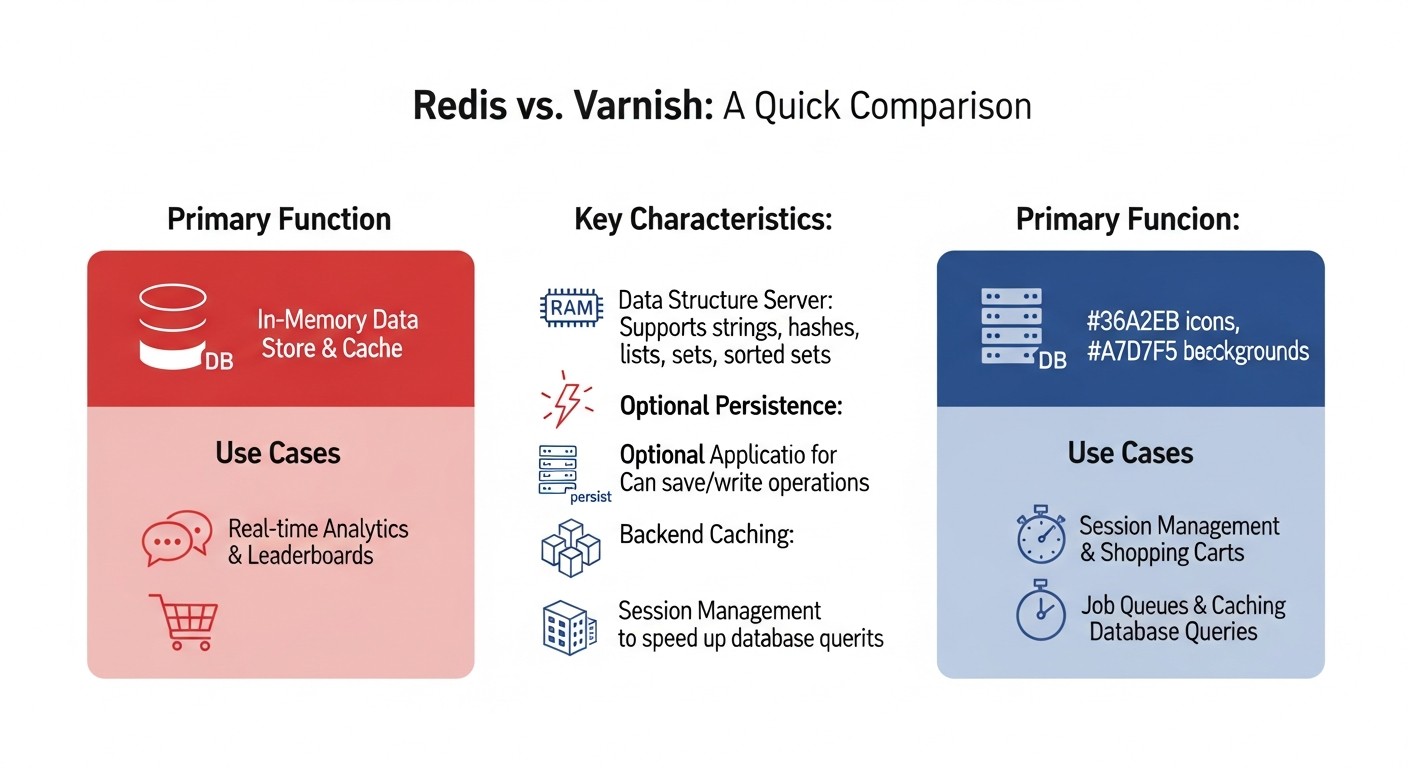
Aunque Redis y Varnish se utilizan a menudo juntos, resuelven diferentes problemas en la pila de rendimiento de las aplicaciones web. Esta tabla ayudará a comprender sus principales diferencias y áreas de aplicación.
| Criterio | Redis | Varnish Cache | Comentarios (Válido para 2026) |
|---|---|---|---|
| Propósito principal | Almacén de datos en memoria (clave-valor, estructuras de datos) | Acelerador HTTP / Proxy inverso con caché | Redis es un caché de backend, Varnish es un caché de frontend. La sinergia produce el máximo efecto. |
| Tipo de datos en caché | Resultados de consultas a la BD, sesiones, tokens, contadores, colas, metadatos, objetos temporales | Respuestas HTTP completas (páginas, respuestas de API), archivos estáticos (CSS, JS, imágenes) | Redis trabaja con datos "crudos", Varnish con objetos HTTP listos. |
| Ubicación en la pila | Entre la aplicación y la base de datos | Entre el cliente (navegador) y el servidor web/aplicación | Varnish suele estar delante de Nginx/Apache, Redis es accesible desde el código de la aplicación. |
| Protocolo | Protocolo propio (RESP), TCP | HTTP/1.1, HTTP/2 (a través de un proxy, por ejemplo, Nginx) | Varnish trabaja nativamente con HTTP. Redis con datos binarios a través de su propio protocolo. |
| Persistencia de datos | Opcional (instantáneas RDB, registro AOF) | No persistente, la caché se borra al reiniciar | Redis puede usarse como base de datos, Varnish solo como almacenamiento temporal. |
| Soporte SSL/TLS | No soporta directamente (se necesita stunnel o un proxy) | No soporta directamente (se necesita Nginx/HAProxy delante de Varnish) | Para 2026, esta es una práctica estándar: la terminación SSL ocurre en Nginx/HAProxy, luego el tráfico va a Varnish por HTTP. |
| Escalabilidad | Clúster, Sentinel (para alta disponibilidad), sharding | Horizontal (varias instancias detrás de un balanceador), ESI para caché parcial | Ambos escalan bien, pero de manera diferente. Redis para datos, Varnish para tráfico. |
| Lenguaje de configuración / API | CLI, bibliotecas cliente para lenguajes de programación | VCL (Varnish Configuration Language) | VCL permite configurar de forma muy flexible las reglas de caché y procesamiento de solicitudes. |
| Requisitos de recursos | RAM (consumidor principal), CPU (para serialización/deserialización) | RAM (consumidor principal), CPU (para procesamiento HTTP, VCL) | Ambos requieren suficiente RAM, pero Varnish puede ser más intensivo en CPU con VCL complejo. |
| Licencia / Costo | BSD (código abierto), servicios comerciales en la nube disponibles | BSD (código abierto), versiones comerciales con soporte disponibles | En VPS/Dedicated, ambos pueden implementarse de forma gratuita. Las versiones comerciales ofrecen funciones avanzadas y soporte. |
| Latencia típica | <1 ms (en memoria) | ~1-5 ms (desde la caché, depende de la red) | Ambos proporcionan una latencia muy baja, pero Redis está más cerca de la aplicación. |
| Invalidación de caché | TTL, comandos DEL/FLUSH, Pub/Sub | Solicitudes PURGE/BAN, TTL | Varnish PURGE/BAN suelen ser más "pesadas" de implementar que Redis DEL. |
6. Descripción detallada de Redis y Varnish
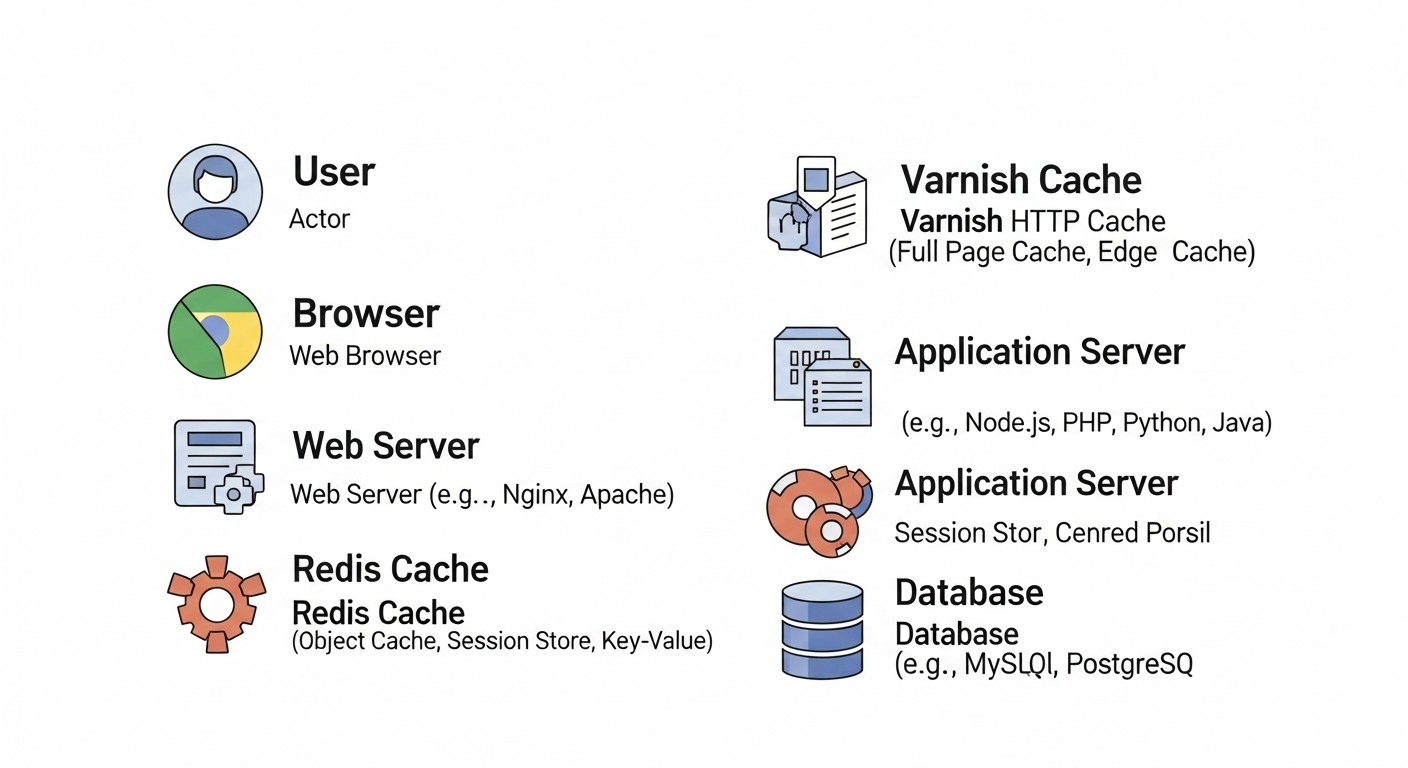
Para crear una aplicación web de alto rendimiento en servidores VPS/Dedicated, no basta con instalar Redis y Varnish. Es necesario comprender profundamente su arquitectura, capacidades y áreas de aplicación para integrarlos eficazmente en su infraestructura.
6.1. Redis: Almacén de datos en memoria
Redis (Remote Dictionary Server) es un almacén de datos en memoria de alto rendimiento y código abierto, a menudo denominado "estructura de datos con esteroides". Soporta una multitud de tipos de datos abstractos, como cadenas, hashes, listas, conjuntos, conjuntos ordenados con consultas de rango, mapas de bits, HyperLogLogs, índices geoespaciales y streams. Esto convierte a Redis en una herramienta increíblemente versátil para una multitud de tareas que van más allá del simple almacenamiento en caché.
6.1.1. Ventajas de Redis
- Velocidad increíble: Dado que Redis almacena los datos en la memoria RAM, las operaciones de lectura y escritura se realizan en fracciones de milisegundo. Esto es crucial para sistemas de alta carga, donde cada consulta a la base de datos puede convertirse en un cuello de botella.
- Flexibilidad de tipos de datos: A diferencia de los sistemas simples de clave-valor, Redis permite almacenar estructuras de datos complejas, lo que simplifica el desarrollo y optimiza el trabajo con los datos. Por ejemplo, los hashes son ideales para almacenar en caché perfiles de usuario, y los conjuntos ordenados para clasificaciones o feeds de actividad.
- Operaciones atómicas: Todas las operaciones en Redis son atómicas, lo que garantiza la integridad de los datos al acceder simultáneamente desde múltiples clientes, sin necesidad de complejos mecanismos de bloqueo en el lado de la aplicación.
- Persistencia (opcional): Redis puede guardar datos en disco (instantáneas RDB o registro AOF), lo que permite restaurar el estado de la caché después de un reinicio del servidor, convirtiéndolo en una base de datos NoSQL completa.
- Publicación/Suscripción (Pub/Sub): Funcionalidad integrada para el intercambio de mensajes en tiempo real, útil para la invalidación de caché, notificaciones o la creación de chats.
- Transacciones y scripts Lua: Permiten ejecutar múltiples comandos como una sola unidad o implementar lógica compleja en el lado del servidor, minimizando las latencias de red.
- Clúster y alta disponibilidad: Redis Sentinel proporciona conmutación automática en caso de fallo del maestro, y Redis Cluster permite escalar horizontalmente el almacén de datos a través de múltiples nodos.
6.1.2. Desventajas de Redis
- Dependencia de la RAM: La principal desventaja es que todos los datos deben caber en la memoria RAM. Esto puede ser costoso para volúmenes de datos muy grandes, especialmente en VPS/Dedicated.
- Falta de seguridad integrada: Redis no está diseñado originalmente para operar en redes no confiables. Requiere una configuración cuidadosa del firewall y autenticación.
- Complejidad de la configuración del clúster: Aunque el clúster de Redis es potente, su configuración y gestión pueden ser complejas para los principiantes.
6.1.3. Ejemplos de uso de Redis en 2026
- Almacenamiento en caché de resultados de consultas a la BD: El escenario más común. En lugar de consultar repetidamente PostgreSQL o MySQL, los resultados de las consultas se almacenan en caché en Redis.
- Almacenamiento de sesiones de usuario: Especialmente relevante para aplicaciones distribuidas, donde las sesiones deben ser accesibles desde cualquier instancia del backend.
- Contadores y clasificaciones: Incrementos/decrementos de alto rendimiento, listas ordenadas para tablas de clasificación.
- Colas de tareas: Implementación de tareas en segundo plano utilizando listas de Redis (por ejemplo, con Celery para Python, BullMQ para Node.js).
- Búsqueda de texto completo (RedisSearch): Con el módulo RedisSearch, se puede construir una búsqueda de texto completo rápida directamente en Redis.
- Rate Limiting: Limitación del número de solicitudes por usuario/IP durante un período determinado.
6.2. Varnish Cache: Acelerador HTTP de alto rendimiento
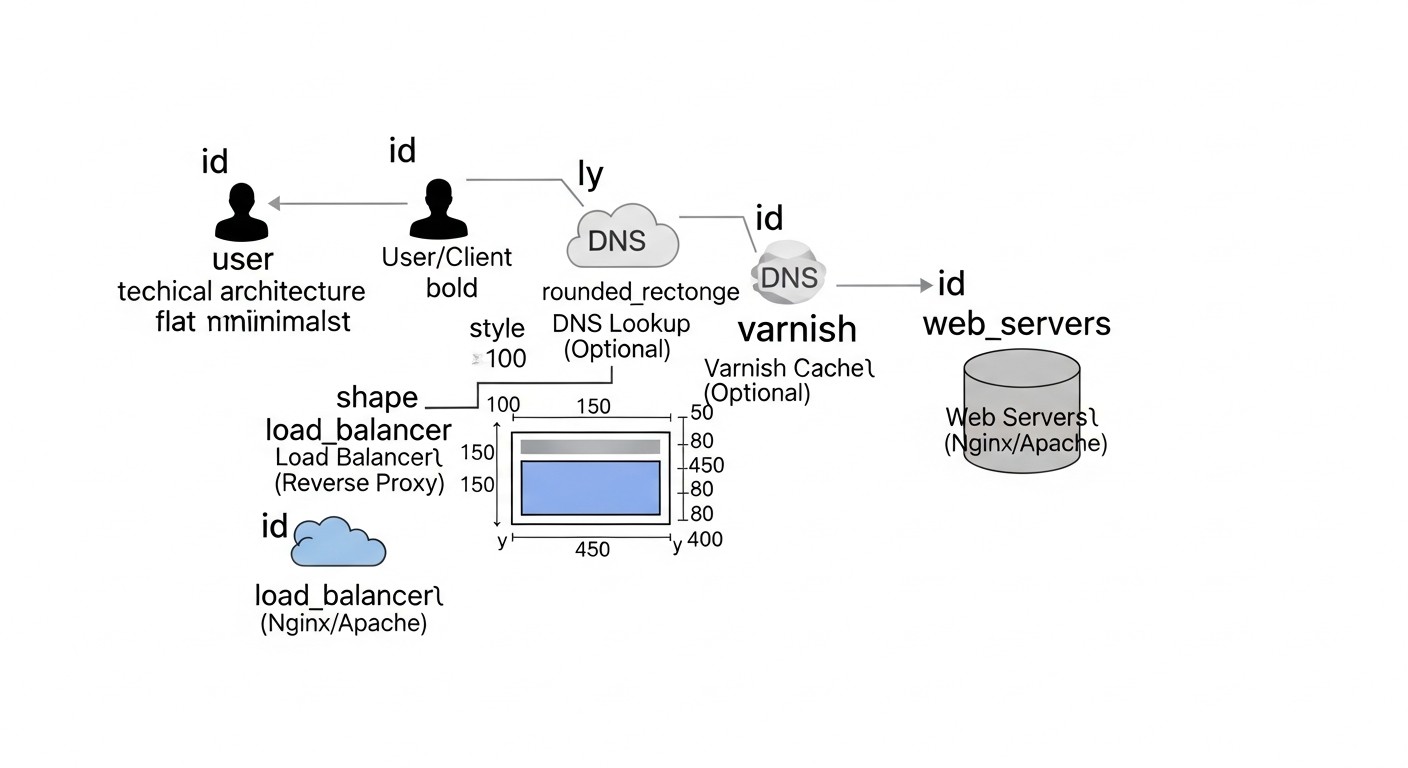
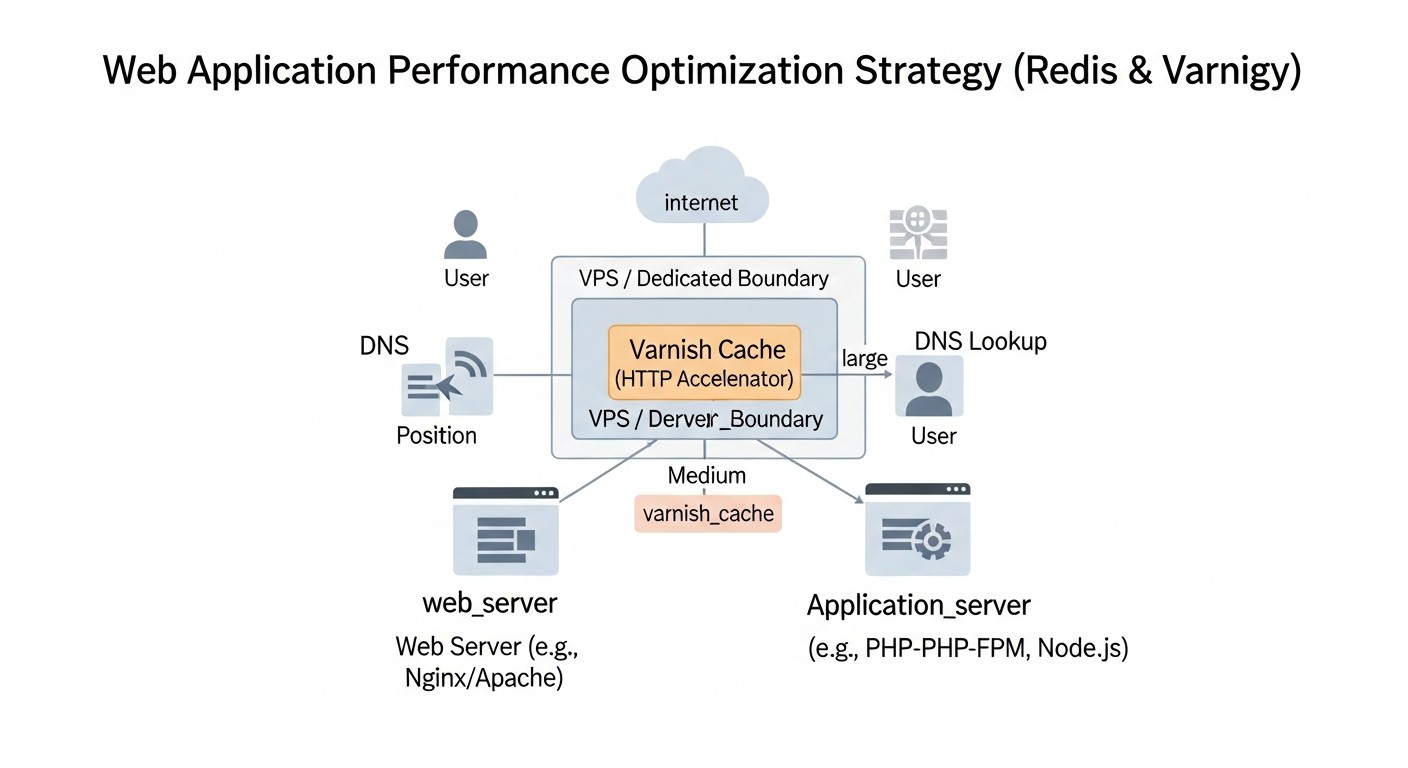
Varnish Cache es un acelerador HTTP de código abierto, o servidor proxy inverso, diseñado específicamente para el almacenamiento en caché de respuestas HTTP. Se sitúa entre el cliente y su servidor web/aplicación (Nginx/Apache/Gunicorn/PM2), intercepta todas las solicitudes HTTP entrantes y, si la respuesta para una solicitud determinada ya está en la caché, la entrega instantáneamente sin recurrir al backend. Esto reduce significativamente la carga en el servidor de aplicaciones y la base de datos, y también acorta el tiempo de respuesta para el usuario final.
6.2.1. Ventajas de Varnish
- Velocidad fenomenal: Varnish opera completamente en memoria RAM, lo que permite entregar respuestas en caché con una latencia mínima. Está optimizado para manejar una gran cantidad de conexiones simultáneas.
- Potente VCL (Varnish Configuration Language): VCL es un lenguaje específico de dominio que permite escribir reglas muy flexibles para el procesamiento de solicitudes y respuestas HTTP. Puede configurar reglas de caché, enrutamiento, modificación de encabezados, equilibrio de carga y mucho más.
- ESI (Edge Side Includes): Permite almacenar en caché partes de páginas de forma independiente. Por ejemplo, se puede almacenar en caché la mayor parte de una página, pero dejar sin caché el bloque del carrito de usuario. Varnish "une" estas partes sobre la marcha.
- Degradación elegante: Varnish puede seguir sirviendo objetos obsoletos pero aún relevantes desde la caché, incluso si el backend no está disponible (por ejemplo, durante un despliegue o un fallo). Esto aumenta significativamente la tolerancia a fallos.
- Soporte HTTP/2 (a través de un proxy externo): Para 2026, Varnish por sí mismo no soporta HTTP/2 directamente, pero funciona perfectamente en conjunto con Nginx o HAProxy, que proporcionan HTTP/2 y terminación SSL.
- Reducción de la carga en el backend: La función principal de Varnish es asumir la mayor parte del tráfico HTTP, permitiendo que sus servidores de aplicaciones se concentren en procesar la lógica de negocio compleja.
6.2.2. Desventajas de Varnish
- Falta de SSL/TLS integrado: Varnish no puede procesar directamente el tráfico HTTPS. Siempre debe haber un proxy de terminación SSL (Nginx, HAProxy) delante de él. Esto añade una capa adicional a la arquitectura.
- Caché no persistente: La caché de Varnish se almacena completamente en la RAM y se borra al reiniciar el servicio. Esto significa que después de un reinicio, Varnish tendrá que volver a llenar su caché.
- Complejidad de la configuración VCL: Aunque VCL es muy potente, su aprendizaje y configuración correcta para escenarios complejos puede ser un desafío. Una configuración incorrecta puede llevar a efectos no deseados o a un almacenamiento en caché incorrecto.
- No apto para datos personales: Varnish no debe utilizarse para almacenar en caché información confidencial específica de cada usuario, a menos que se utilicen mecanismos ESI complejos y una invalidación muy estricta.
6.2.3. Ejemplos de uso de Varnish en 2026
- Almacenamiento en caché de páginas no personalizadas: Páginas de inicio, páginas de categorías, artículos de blog, respuestas de API públicas.
- Almacenamiento en caché de archivos estáticos: CSS, JavaScript, imágenes, fuentes. Aunque Nginx también es bueno para esto, Varnish puede añadir un nivel adicional de control.
- Aceleración de solicitudes API: Si la API devuelve datos que cambian con poca frecuencia o son públicos, Varnish puede almacenar esas respuestas en caché.
- Degradación elegante: Garantizar la disponibilidad del sitio incluso durante fallos temporales del backend.
- Distribución de carga: Con VCL se pueden implementar mecanismos sencillos de equilibrio de carga entre varios backends.
El uso conjunto de Redis y Varnish permite crear un sistema de caché multinivel que maneja eficazmente tanto las solicitudes HTTP como los datos internos de la aplicación, garantizando el máximo rendimiento y tolerancia a fallos.
7. Consejos prácticos y recomendaciones para la implementación
Ahora que entendemos las capacidades de Redis y Varnish, pasemos a los pasos específicos para su implementación y configuración en servidores VPS/Dedicados. Asumiremos que tiene un servidor base con Ubuntu 24.04 (relevante para 2026) y una aplicación web que se ejecuta, por ejemplo, a través de Gunicorn/PM2 detrás de Nginx.
7.1. Implementación de Redis en la aplicación
Redis debe instalarse en el mismo servidor que su aplicación, o en un servidor Redis dedicado (para proyectos grandes). Para empezar, lo instalaremos:
sudo apt update
sudo apt install redis-server -y
sudo systemctl enable redis-server
sudo systemctl start redis-server
7.1.1. Configuración básica de Redis
Edite el archivo /etc/redis/redis.conf. Los parámetros clave son:
bind 127.0.0.1 ::1: Redis debe escuchar solo la interfaz local si solo es utilizado por la aplicación en el mismo servidor. Si Redis se encuentra en un servidor separado, especifique la dirección IP accesible para el backend y configure el firewall.protected-mode yes: Manténgalo habilitado por seguridad.maxmemory <tamaño>mb: Establezca un límite para el uso de RAM. Por ejemplo,maxmemory 2048mb. Esto es crítico para VPS/Dedicados.maxmemory-policy allkeys-lru: Política de expulsión de claves cuando se alcanza el límite de memoria. LRU (Least Recently Used) es una buena opción para la caché.requirepass <su_contraseña_segura>: Es obligatorio establecer una contraseña para entornos de producción.
sudo nano /etc/redis/redis.conf
# Después de los cambios, reinicie Redis
sudo systemctl restart redis-server
7.1.2. Integración de Redis en el código de la aplicación
Ejemplos para diferentes lenguajes:
Python (con Flask/Django):
# Instalación de la biblioteca
# pip install redis Flask-Caching

import redis
from flask import Flask, request
from flask_caching import Cache

app = Flask(__name__)
app.config['CACHE_TYPE'] = 'redis'
app.config['CACHE_REDIS_HOST'] = 'localhost'
app.config['CACHE_REDIS_PORT'] = 6379
app.config['CACHE_REDIS_DB'] = 0
app.config['CACHE_REDIS_PASSWORD'] = 'ваш_сложный_пароль' # Si está configurado
cache = Cache(app)

@app.route('/api/products')
@cache.cached(timeout=300) # Almacenar en caché durante 5 minutos
def get_products():
    # Simulación de una consulta larga a la base de datos
    products = fetch_products_from_database()
    return {'products': products}

@app.route('/api/user_session')
def get_user_session():
    user_id = request.args.get('user_id')
    r = redis.StrictRedis(host='localhost', port=6379, db=0, password='ваш_сложный_пароль')
    session_data = r.get(f'session:{user_id}')
    if session_data:
        return {'session': session_data.decode('utf-8')}
    return {'message': 'Session not found'}

# Para la invalidación de la caché
def invalidate_product_cache():
    with app.app_context():
        cache.delete_memoized(get_products) # Eliminar la caché de una función específica
Node.js (con Express):
// Instalación de la biblioteca
// npm install redis connect-redis express-session

const express = require('express');
const redis = require('redis');
const session = require('express-session');
const connectRedis = require('connect-redis');

const app = express();
const RedisStore = connectRedis(session);
const redisClient = redis.createClient({
    host: 'localhost',
    port: 6379,
    password: 'ваш_сложный_пароль' // Si está configurado
});

redisClient.on('error', (err) => console.log('Redis Client Error', err));

app.use(session({
    store: new RedisStore({ client: redisClient }),
    secret: 'super_secret_key_2026',
    resave: false,
    saveUninitialized: false,
    cookie: { secure: false, maxAge: 86400000 } // 24 horas
}));

app.get('/api/data', (req, res) => {
    // Verificamos la caché antes de la consulta a la base de datos
    redisClient.get('cached_data_key', async (err, data) => {
        if (data) {
            console.log('Serving from Redis cache');
            return res.send(JSON.parse(data));
        }

        console.log('Serving from database');
        const dbData = await fetchDataFromDatabase(); // Operación larga
        redisClient.setex('cached_data_key', 300, JSON.stringify(dbData)); // Almacenamos en caché durante 5 minutos
        res.send(dbData);
    });
});
7.1.3. Estrategias de invalidación de la caché de Redis
- TTL (Time To Live): La forma más sencilla. Al escribir datos en Redis, especifique el tiempo de vida de la clave (
SETEX). - Invalidación proactiva: Al cambiar datos en la base de datos, envíe el comando
DELa Redis para las claves correspondientes. - Pub/Sub: Utilice Redis Pub/Sub para notificar a todas las instancias de la aplicación sobre la necesidad de invalidar la caché, por ejemplo, al cambiar la configuración global.
- Etiquetado de caché: Si los datos dependen de varias entidades, almacene una lista de claves en Redis asociadas con cada entidad y, al cambiar una entidad, elimine todas las claves asociadas.
7.2. Configuración de Varnish Cache
Varnish funcionará delante de Nginx. Nginx terminará el SSL y reenviará las solicitudes a Varnish por HTTP, y Varnish, a su vez, las reenviará a su backend (Gunicorn/PM2).
7.2.1. Instalación de Varnish
sudo apt install varnish -y
sudo systemctl enable varnish
sudo systemctl start varnish
7.2.2. Configuración de Nginx para trabajar con Varnish
Su Nginx debe escuchar el puerto 443 (HTTPS) y reenviar las solicitudes al puerto de Varnish (por defecto 6081). Varnish escuchará el puerto 80 (HTTP).
Ejemplo de configuración de Nginx (/etc/nginx/sites-available/your_app.conf):
server {
    listen 80;
    listen 443 ssl http2;
    server_name your_domain.com www.your_domain.com;

    ssl_certificate /etc/letsencrypt/live/your_domain.com/fullchain.pem;
    ssl_certificate_key /etc/letsencrypt/live/your_domain.com/privkey.pem;
    ssl_session_cache shared:SSL:10m;
    ssl_session_timeout 10m;
    ssl_protocols TLSv1.2 TLSv1.3;
    ssl_ciphers "ECDHE-ECDSA-AES128-GCM-SHA256:ECDHE-RSA-AES128-GCM-SHA256:ECDHE-ECDSA-AES256-GCM-SHA384:ECDHE-RSA-AES256-GCM-SHA384:DHE-RSA-AES128-GCM-SHA256:DHE-RSA-AES256-GCM-SHA384";
    ssl_prefer_server_ciphers on;

    # Reenviamos todas las solicitudes a Varnish, que escucha en 127.0.0.1:80
    # Varnish esperará tráfico HTTP
    location / {
        proxy_pass http://127.0.0.1:80; # Varnish escuchará el puerto 80
        proxy_set_header Host $host;
        proxy_set_header X-Real-IP $remote_addr;
        proxy_set_header X-Forwarded-For $proxy_add_x_forwarded_for;
        proxy_set_header X-Forwarded-Proto $scheme;
        proxy_set_header X-Forwarded-Port $server_port;
        proxy_set_header Connection ""; # Importante para HTTP/1.1
    }

    # Para estáticos que no deben ser cacheados por Varnish (o son cacheados por Nginx)
    # location ~ \.(jpg|jpeg|gif|png|webp|ico|css|js)$ {
    #     expires 30d;
    #     add_header Cache-Control "public, no-transform";
    #     try_files $uri @backend; # Si el estático no se encuentra, lo pasamos al backend
    # }
}
sudo systemctl restart nginx
7.2.3. Configuración de Varnish (/etc/varnish/default.vcl)
Varnish escucha el puerto 6081 por defecto. Lo cambiaremos a 80 para que Nginx pueda reenviar las solicitudes a él.
Edite /etc/default/varnish o /etc/systemd/system/varnish.service.d/override.conf (preferiblemente) y cambie el puerto:
# Para Ubuntu 24.04, lo más probable es que necesite editar la unidad systemd
sudo systemctl edit varnish
# Inserte:
# [Service]
# ExecStart=
# ExecStart=/usr/sbin/varnishd -a :80 -F -a localhost:8443,HTTP/2 -T localhost:6082 -f /etc/varnish/default.vcl -S /etc/varnish/secret -s malloc,2G

# Aquí -a :80 significa que Varnish escucha el puerto público 80
# localhost:8443 es su Nginx, que escucha en 8443 (u otro puerto)
# -s malloc,2G son 2GB de memoria para la caché
O, si utiliza el método antiguo a través de /etc/default/varnish (menos probable para 2026):
sudo nano /etc/default/varnish
# Cambie VARNISH_LISTEN_PORT a 80
# VARNISH_LISTEN_PORT=80
Ahora, el archivo VCL principal: /etc/varnish/default.vcl. Esta es su herramienta principal para la gestión de la caché.
Supongamos que su backend (Gunicorn, PM2, etc.) escucha en el puerto 8000.
vcl 4.1;

# Definimos el backend - su aplicación
backend default {
    .host = "127.0.0.1";
    .port = "8000";
    .probe = {
        .url = "/health"; # Endpoint para la comprobación de salud del backend
        .timeout = 1s;
        .interval = 5s;
        .window = 5;
        .threshold = 3;
    }
}

# Procesamiento de solicitudes entrantes
sub vcl_recv {
    # Eliminamos encabezados no deseados que pueden interferir con el almacenamiento en caché
    unset req.http.Cookie; # Por defecto, no almacenamos en caché si hay Cookie

    # Si la solicitud es PURGE, verificamos la IP y realizamos la limpieza
    if (req.method == "PURGE") {
        if (!client.ip ~ "127.0.0.1") { # Permitir PURGE solo desde localhost
            return (synth(403, "Forbidden"));
        }
        return (purge);
    }

    # Si la solicitud es BAN, verificamos la IP y realizamos el ban
    if (req.method == "BAN") {
        if (!client.ip ~ "127.0.0.1") {
            return (synth(403, "Forbidden"));
        }
        ban("req.url ~ " + req.url + " && req.http.host == " + req.http.host);
        return (synth(200, "Ban added"));
    }

    # Siempre omitimos POST, PUT, DELETE, PATCH
    if (req.method != "GET" && req.method != "HEAD") {
        return (pass);
    }

    # No almacenamos en caché el panel de administración
    if (req.url ~ "^/admin") {
        return (pass);
    }

    # Reenvío de la IP del cliente al backend a través de X-Forwarded-For
    if (req.http.X-Forwarded-For) {
        set req.http.X-Forwarded-For = req.http.X-Forwarded-For + ", " + client.ip;
    } else {
        set req.http.X-Forwarded-For = client.ip;
    }

    # Hash de la solicitud para la caché (para que diferentes URL con parámetros de consulta se almacenen en caché de manera diferente)
    # Se puede normalizar la URL si los parámetros de consulta no afectan el contenido
    # Por ejemplo, descartar las etiquetas UTM
    # set req.url = regsub(req.url, "\?utm_.", "");
    return (hash);
}

# Procesamiento de respuestas del backend
sub vcl_backend_response {
    # Si el backend estableció Cookie, generalmente no almacenamos en caché
    if (beresp.http.Set-Cookie) {
        return (uncache);
    }

    # Almacenamos en caché las respuestas exitosas durante 5 minutos
    if (beresp.status == 200 || beresp.status == 203 || beresp.status == 301 || beresp.status == 302 || beresp.status == 304 || beresp.status == 307) {
        set beresp.ttl = 5m; # Tiempo de vida de la caché por defecto
        return (deliver);
    }

    # Para errores u otros estados, no almacenamos en caché
    return (deliver);
}

# Procesamiento de respuestas de Varnish al cliente
sub vcl_deliver {
    # Agregamos un encabezado para ver si la respuesta provino de la caché
    if (obj.hits > 0) {
        set resp.http.X-Cache = "HIT";
    } else {
        set resp.http.X-Cache = "MISS";
    }
    # Eliminamos los encabezados internos si no son necesarios para el cliente
    unset resp.http.X-Varnish;
    unset resp.http.Via;
}

# Manejo de errores de Varnish
sub vcl_synth {
    if (resp.status == 403) {
        set resp.http.Content-Type = "text/html; charset=utf-8";
        synthetic( {"


403 Prohibido
Acceso denegado.

"} );
        return (deliver);
    }
    return (deliver);
}
sudo systemctl restart varnish
7.2.4. Invalidación de la caché de Varnish
- PURGE: Elimina una URL específica de la caché. Envíe una solicitud
PURGEa Varnish (al mismo puerto que las solicitudes normales).
Importante: restrinja las direcciones IP a las que se les permite ejecutar PURGE encurl -X PURGE http://your_domain.com/api/productsvcl_recv. - BAN: Elimina de la caché todos los objetos que coinciden con una expresión regular.
BAN es más potente, pero puede consumir muchos recursos en cachés grandes.curl -X BAN -H "X-Varnish-Ban: req.url ~ ^/api/products" http://your_domain.com/ - Soft Purge (TTL): Permite a Varnish servir contenido obsoleto mientras el backend genera uno nuevo. Esto se configura en VCL a través de
beresp.graceyberesp.keep.
7.3. Estrategia de almacenamiento en caché combinada
La estrategia ideal es el almacenamiento en caché multinivel:
- Caché del navegador: Encabezados HTTP
Cache-Control,Expires,ETagpara estáticos y páginas que cambian con poca frecuencia. - Varnish (proxy inverso/acelerador HTTP): Almacenamiento en caché de respuestas HTTP completas para contenido no personalizado y estáticos.
- Redis (caché de objetos): Almacenamiento en caché de resultados de consultas a la base de datos, sesiones, cálculos intermedios en la aplicación.
- Caché en la aplicación (in-memory): Para datos muy utilizados pero que cambian con poca frecuencia (por ejemplo, configuración, catálogos).
- Caché de SGBD: (por ejemplo, pgBouncer, caché de consultas de MySQL, aunque este último a menudo no se recomienda).
Cada nivel de almacenamiento en caché debe tener su propia estrategia de invalidación y tiempo de vida, correspondiente a la frecuencia de cambio de los datos. Por ejemplo, los datos en Redis pueden tener un TTL de 5-30 minutos, mientras que Varnish puede almacenar en caché páginas públicas durante 1-2 horas, y estáticos durante días o semanas.
Ejemplo de flujo de solicitud:
- El cliente solicita
your_domain.com/products. - Nginx termina el SSL y pasa la solicitud a Varnish (puerto 80).
- Varnish verifica su caché:
- HIT: Varnish entrega instantáneamente la respuesta en caché al cliente.
- MISS: Varnish pasa la solicitud al backend (puerto 8000).
- La aplicación (backend) recibe la solicitud:
- Intenta obtener datos de Redis (por ejemplo, una lista de productos).
- Si los datos están en Redis (HIT), los utiliza.
- Si los datos no están en Redis (MISS), realiza una consulta a la base de datos.
- Los datos obtenidos de la base de datos se almacenan en caché en Redis y se devuelve la respuesta a Varnish.
- Varnish recibe la respuesta del backend, la almacena en caché (si VCL lo permite) y la entrega al cliente.
Este enfoque proporciona el máximo rendimiento, reduciendo la carga en cada nivel posterior de la pila.
8. Errores comunes en el almacenamiento en caché y cómo evitarlos
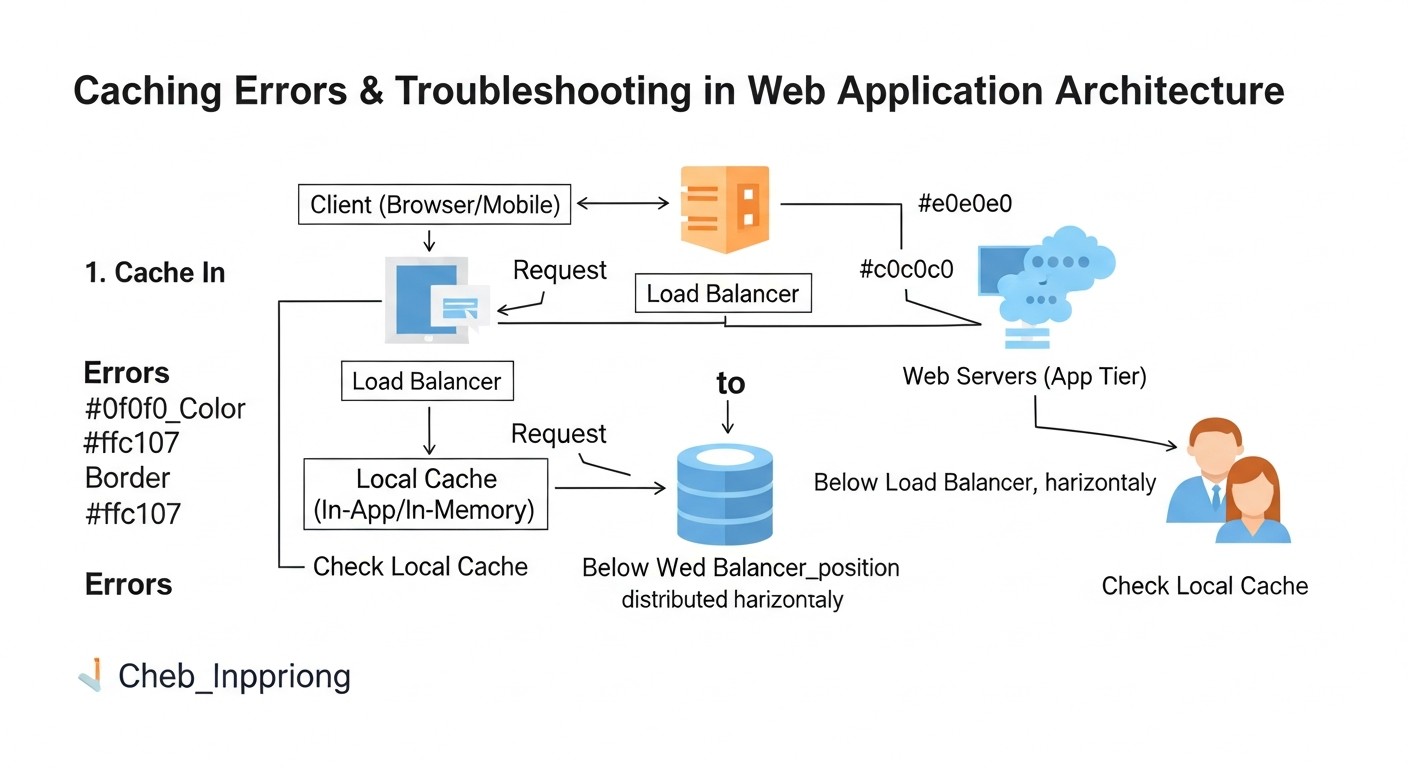
El almacenamiento en caché es una herramienta potente, pero su aplicación incorrecta puede llevar a problemas graves, desde la entrega de datos obsoletos hasta la reducción del rendimiento. Aquí hay 5 errores comunes y cómo prevenirlos:
8.1. Almacenamiento en caché de contenido personalizado
Error: Intentar almacenar en caché páginas que contienen datos específicos de un usuario (por ejemplo, carrito de compras, área personal) sin la debida separación. Esto lleva a que un usuario vea los datos de otro.
Cómo evitarlo:
- Para Varnish: Omita completamente el almacenamiento en caché de solicitudes con cookies de sesión (
unset req.http.Cookie; return (pass);en VCL) o use ESI (Edge Side Includes) para almacenar en caché solo las partes comunes de la página. Nunca almacene en caché los encabezadosAuthorization. - Para Redis: Siempre use claves únicas para datos personalizados que incluyan el ID de usuario (por ejemplo,
user:123:profile).
8.2. Invalidación de caché ineficaz o ausente
Error: Los datos en caché se vuelven obsoletos y los usuarios continúan viendo información desactualizada. O, por el contrario, la caché se borra con demasiada frecuencia, lo que anula todos los beneficios del almacenamiento en caché.
Cómo evitarlo:
- TTL (Time To Live): Establezca un tiempo de vida adecuado para cada objeto de caché en Redis y Varnish (
SETEXpara Redis,beresp.ttlpara Varnish). - Invalidación proactiva: Ante cualquier cambio de datos en la fuente (BD), envíe comandos para limpiar la caché correspondiente (
DELpara Redis,PURGE/BANpara Varnish). Integre esto en los hooks de ORM o en los servicios responsables de la escritura. - Uso de Pub/Sub: Para sistemas distribuidos, Redis Pub/Sub puede notificar a todos los backends sobre la necesidad de limpiar la caché local o claves específicas en Redis.
8.3. Almacenamiento en caché de errores o contenido no deseado
Error: Varnish o Redis almacenan en caché páginas con errores (404, 500) o redirecciones (3xx), que luego se entregan a todos los usuarios.
Cómo evitarlo:
- En VCL: Especifique explícitamente qué estados HTTP se pueden almacenar en caché (
if (beresp.status == 200) { set beresp.ttl = ... }). No almacene en caché 4xx, 5xx. - En la aplicación: Asegúrese de que su código de almacenamiento en caché en Redis no guarde resultados de consulta erróneos a la BD.
- Health Checks: Configure
.probeen Varnish para el backend, de modo que Varnish sepa cuándo el backend no funciona correctamente y pueda usargraceo devolver errores sin almacenamiento en caché.
8.4. Memoria insuficiente para la caché
Error: Asignar una cantidad de RAM demasiado pequeña para Redis o Varnish, lo que lleva a la expulsión constante de datos y a una baja tasa de aciertos de caché.
Cómo evitarlo:
- Monitoreo: Supervise regularmente las métricas de uso de memoria (
redis-cli INFO memory,varnishstat) y el Cache Hit Ratio. - Planificación: Estime la cantidad de datos que planea almacenar en caché. Para Varnish, esto depende del tamaño de las páginas y del número esperado de URL únicas. Para Redis, de la cantidad de datos que desea almacenar.
- Políticas de expulsión: Para Redis, use una
maxmemory-policyadecuada (por ejemplo,allkeys-lruovolatile-lru). - Actualización: Si es necesario, considere actualizar su servidor VPS/Dedicado a una mayor cantidad de RAM o mover Redis/Varnish a instancias separadas.
8.5. Falta de monitoreo de métricas de caché
Error: Implementación de almacenamiento en caché sin un seguimiento posterior de su eficacia e impacto en el sistema.
Cómo evitarlo:
- Herramientas: Use Prometheus/Grafana para recopilar y visualizar métricas de
varnishstat,redis-cli INFO, así como las métricas de su aplicación (Cache Hit/Miss). - Alertas: Configure alertas sobre una disminución crítica del Cache Hit Ratio, alto consumo de memoria o errores en el funcionamiento de los sistemas de almacenamiento en caché.
- Análisis regular: Analice periódicamente los logs de Varnish (
varnishlog) y Redis para identificar reglas de caché ineficaces o solicitudes problemáticas.
9. Lista de verificación para la aplicación práctica
Este algoritmo paso a paso le ayudará a implementar y optimizar las estrategias de almacenamiento en caché con Redis y Varnish.
- Análisis del rendimiento actual:
- Mida el tiempo de respuesta actual (TTFB), el rendimiento (RPS) y la utilización de recursos (CPU, RAM, I/O) de su aplicación sin almacenamiento en caché.
- Identifique las solicitudes más lentas y los datos/páginas más solicitados.
- Utilice herramientas como Apache JMeter, k6 o Locust para realizar pruebas de carga.
- Planificación de la arquitectura de caché:
- Determine qué datos se almacenarán en caché en Redis (sesiones, objetos de BD, contadores) y cuáles en Varnish (respuestas HTTP, estáticos, API públicas).
- Diseñe una estrategia de invalidación para cada tipo de datos.
- Estime la cantidad de RAM necesaria para Redis y Varnish.
- Preparación del servidor:
- Asegúrese de que su VPS/Dedicado tenga suficiente RAM y CPU para ejecutar Redis y Varnish, además de su aplicación y base de datos.
- Configure el firewall (UFW, iptables) para restringir el acceso a los puertos de Redis (6379) y Varnish (80, 6081) solo desde las direcciones IP necesarias.
- Instalación y configuración básica de Redis:
- Instale
redis-server. - Edite
/etc/redis/redis.conf: configuremaxmemory,maxmemory-policy,requirepass,bind. - Reinicie Redis y asegúrese de que esté funcionando.
- Instale
- Integración de Redis en la aplicación:
- Instale la biblioteca cliente de Redis para su lenguaje (
redispara Python,ioredispara Node.js). - Implemente el almacenamiento en caché de sesiones, resultados de consultas a la BD, contadores.
- Implemente mecanismos de invalidación de caché (TTL, limpieza proactiva al cambiar datos).
- Instale la biblioteca cliente de Redis para su lenguaje (
- Instalación y configuración básica de Varnish:
- Instale
varnish. - Configure Varnish para escuchar en el puerto 80, modificando la unidad del sistema o
/etc/default/varnish. - Edite
/etc/varnish/default.vcl: defina el backend, las reglas básicas de almacenamiento en caché paravcl_recvyvcl_backend_response, el manejo de PURGE/BAN. - Reinicie Varnish.
- Instale
- Configuración de Nginx como terminador SSL delante de Varnish:
- Modifique la configuración de Nginx para que escuche en el puerto 443 (HTTPS) y proxy el tráfico a Varnish (puerto 80) a través de HTTP.
- Asegúrese de que Nginx reenvíe los encabezados correctos
X-Real-IPyX-Forwarded-For. - Reinicie Nginx.
- Pruebas de caché:
- Verifique que Varnish almacene en caché las páginas (encabezado
X-Cache: HIT). - Verifique que Redis sea utilizado por la aplicación (
redis-cli INFO keyspace_hits). - Realice pruebas de carga con el almacenamiento en caché habilitado y compare los resultados con las métricas iniciales.
- Asegúrese de que la invalidación de la caché funcione correctamente.
- Verifique que Varnish almacene en caché las páginas (encabezado
- Configuración de monitoreo y alertas:
- Instale Prometheus y Grafana.
- Configure exportadores para Redis (
redis_exporter) y Varnish (varnish_exporter). - Cree paneles para monitorear el Cache Hit Ratio, el uso de memoria, CPU, RPS.
- Configure alertas para métricas críticas (por ejemplo, bajo Hit Ratio, desbordamiento de memoria).
- Optimización continua:
- Analice regularmente los logs de Varnish (
varnishlog) y Redis. - Optimice las reglas VCL y la lógica de almacenamiento en caché en la aplicación basándose en datos reales.
- Considere el uso de ESI para un almacenamiento en caché más granular.
- Esté atento a las actualizaciones de Redis y Varnish, use las versiones actuales.
- Analice regularmente los logs de Varnish (
10. Cálculo de costos / Economía del caché
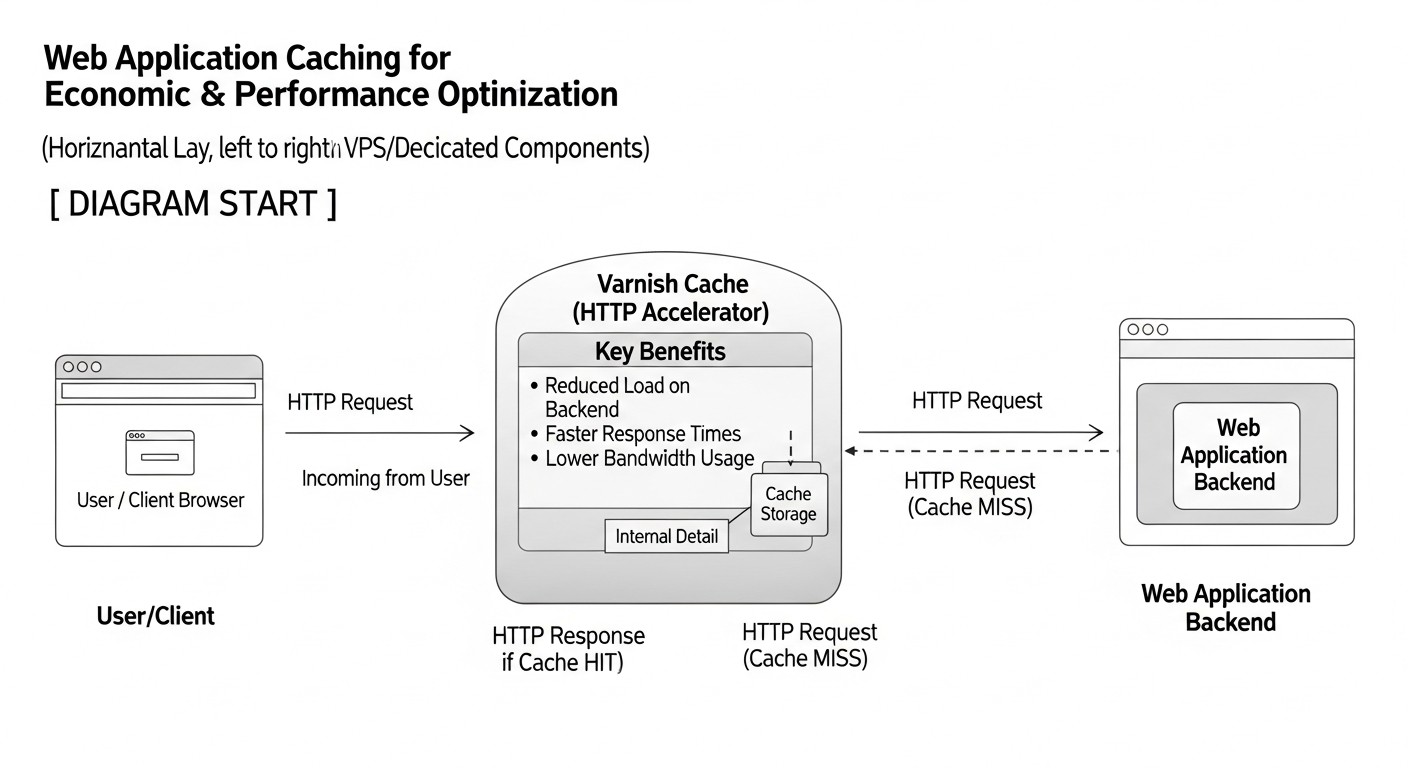
La implementación de Redis y Varnish en servidores VPS/Dedicados, aunque requiere un esfuerzo inicial, a largo plazo genera un ahorro significativo. Para 2026, el costo de los recursos en la nube sigue aumentando, haciendo que la optimización en servidores propios sea aún más atractiva. La idea principal: el almacenamiento en caché permite 'exprimir' más rendimiento de un menor número o de servidores menos potentes.
10.1. Ahorro directo
- Reducción de la necesidad de CPU: Menos solicitudes llegan al backend y a la base de datos, lo que reduce la carga de la CPU. Esto permite utilizar VPS menos potentes (y más baratos) o posponer la actualización al siguiente plan tarifario.
- Reducción de la necesidad de RAM: Aunque Redis y Varnish consumen RAM, permiten que la base de datos y la aplicación operen con menos datos en memoria, ya que muchas solicitudes son atendidas por la caché.
- Reducción de operaciones de E/S: Menos solicitudes al disco (BD) significan una menor carga en el subsistema de disco, lo cual es crítico para el rendimiento y la durabilidad de los SSD.
- Reducción del tráfico de red (para bases de datos/API externas): Si Redis almacena en caché las respuestas de servicios externos o de una base de datos remota, se reduce el volumen de tráfico saliente/entrante, lo que puede disminuir las facturas por transferencia de datos.
10.2. Ahorro y beneficios indirectos
- Mejora de la experiencia del usuario: Sitio web rápido = usuarios satisfechos = mayor conversión = más ingresos.
- Mejora del SEO: Google y otros motores de búsqueda prefieren los sitios web rápidos, lo que mejora las posiciones en los resultados de búsqueda.
- Reducción de los riesgos de inactividad: Varnish con graceful degradation puede servir contenido antiguo incluso si el backend falla. Redis Sentinel garantiza alta disponibilidad para los datos de la caché.
- Simplificación del escalado: Los servidores backend se vuelven 'más ligeros', son más fáciles de escalar horizontalmente añadiendo nuevas instancias.
- Reducción de los costos de soporte: Los servidores menos cargados funcionan de manera más estable, requieren menos intervenciones y se recuperan más rápidamente de los fallos.
10.3. Costos ocultos
- Tiempo de desarrolladores/DevOps: La configuración e integración iniciales requieren tiempo y experiencia. Este es el costo 'oculto' más significativo.
- Monitorización: La implementación y el mantenimiento de un sistema de monitorización (Prometheus, Grafana) también requieren recursos.
- Complejidad de la arquitectura: La adición de nuevos componentes aumenta la complejidad del sistema, lo que puede dificultar la depuración.
- 'Arranque en frío' de la caché: Después de reiniciar Varnish o Redis, la caché está vacía, lo que aumenta temporalmente la carga en el backend hasta que la caché se llena.
10.4. Ejemplos de cálculos para diferentes escenarios (año 2026)
Supongamos que el costo de los servidores VPS/Dedicados (CPU, RAM, Disco) en 2026 es el siguiente:
- VPS Básico (2 vCPU, 4 GB RAM, 80 GB SSD): $25/mes
- VPS Mediano (4 vCPU, 8 GB RAM, 160 GB SSD): $50/mes
- VPS Potente (8 vCPU, 16 GB RAM, 320 GB SSD): $100/mes
- Dedicated Server (16 vCPU, 32 GB RAM, 1 TB SSD): $300/mes
Escenario 1: Proyecto SaaS pequeño (hasta 1000 RPS)
Inicialmente: Un VPS mediano ($50/mes) con Nginx + Backend + PostgreSQL. La carga alcanza el 80% de la CPU.
Sin caché:
- Rendimiento: ~1000 RPS
- Costo: $50/mes
- Riesgo: Si el tráfico aumenta a 1200 RPS, se requerirá una actualización a un VPS potente ($100/mes).
Con caché (Varnish + Redis en el mismo VPS):
- Costos adicionales: 1-2 días de trabajo de DevOps (por ejemplo, $500).
- Resultado: La carga en el backend se reduce en un 60%, la CPU cae al 30%.
- Rendimiento: El mismo VPS mediano ahora puede procesar hasta 2500 RPS.
- Costo: Los mismos $50/mes.
- Ahorro: $50/mes (aplazamiento de la actualización) + mejora de UX/SEO. Retorno de la inversión en 10 meses.
Escenario 2: Tienda online mediana (hasta 5000 RPS)
Inicialmente: Dos VPS potentes ($100/mes cada uno, total $200/mes) con un balanceador de carga, Nginx + Backend + PostgreSQL (en un VPS separado). Carga en los backends del 70-85% de la CPU.
Sin caché:
- Rendimiento: ~5000 RPS
- Costo: $200/mes (2x VPS potentes) + $50 (VPS PostgreSQL) = $250/mes.
- Riesgo: Si el tráfico aumenta a 7000 RPS, se requerirá un tercer VPS potente (+ $100/mes).
Con caché (Varnish en el frontend, Redis en los backends):
- Costos adicionales: 3-5 días de trabajo de DevOps (por ejemplo, $1000).
- Arquitectura:
- 1 VPS potente para Varnish (puede combinarse con Nginx).
- 2 VPS medianos para el backend (con Redis).
- 1 VPS mediano para PostgreSQL.
- Resultado: Varnish almacena en caché el 80% de las solicitudes, Redis reduce la carga en la BD en un 70%.
- Rendimiento: El sistema general maneja fácilmente más de 10000 RPS.
- Costo: $100 (Varnish) + $100 (2x VPS medianos) + $50 (PostgreSQL) = $250/mes.
- Ahorro: Posiblemente no sea un ahorro directo en dinero, pero la robustez y la escalabilidad aumentan significativamente sin incrementar los gastos actuales. Aplazamiento de la actualización por un período mucho más largo.
Tabla con ejemplos de cálculos (simplificado):
| Parámetro | Sin caché | Con caché (Varnish+Redis) | Beneficio/Ahorro |
|---|---|---|---|
| Cantidad requerida de VPS potentes | 2 | 1 (para Varnish) + 2 medianos (para el backend) | Reducción de la dependencia de servidores potentes y costosos |
| Costo total de VPS/mes | $200 (2x potentes) | $200 (1x potente + 2x medianos) | El mismo presupuesto, pero RPS/margen de robustez significativamente mayor |
| RPS máx. (aproximado) | 5000 | 10000+ | Aumento de la capacidad de procesamiento en 2 veces o más |
| % CPU en el backend | 70-85% | 20-40% | Reducción significativa de la carga, mayor margen |
| Retorno de la inversión (tiempo de DevOps) | N/A | 3-6 meses (gracias al aplazamiento de la actualización y al crecimiento de los ingresos) | Rápido retorno de la inversión en experiencia |
Como se desprende de los ejemplos, las inversiones en almacenamiento en caché en servidores VPS/Dedicados se justifican muy rápidamente, especialmente con el crecimiento del proyecto. Esto no es solo una optimización técnica, sino una decisión estratégica de negocio.
11. Casos y ejemplos de la práctica real
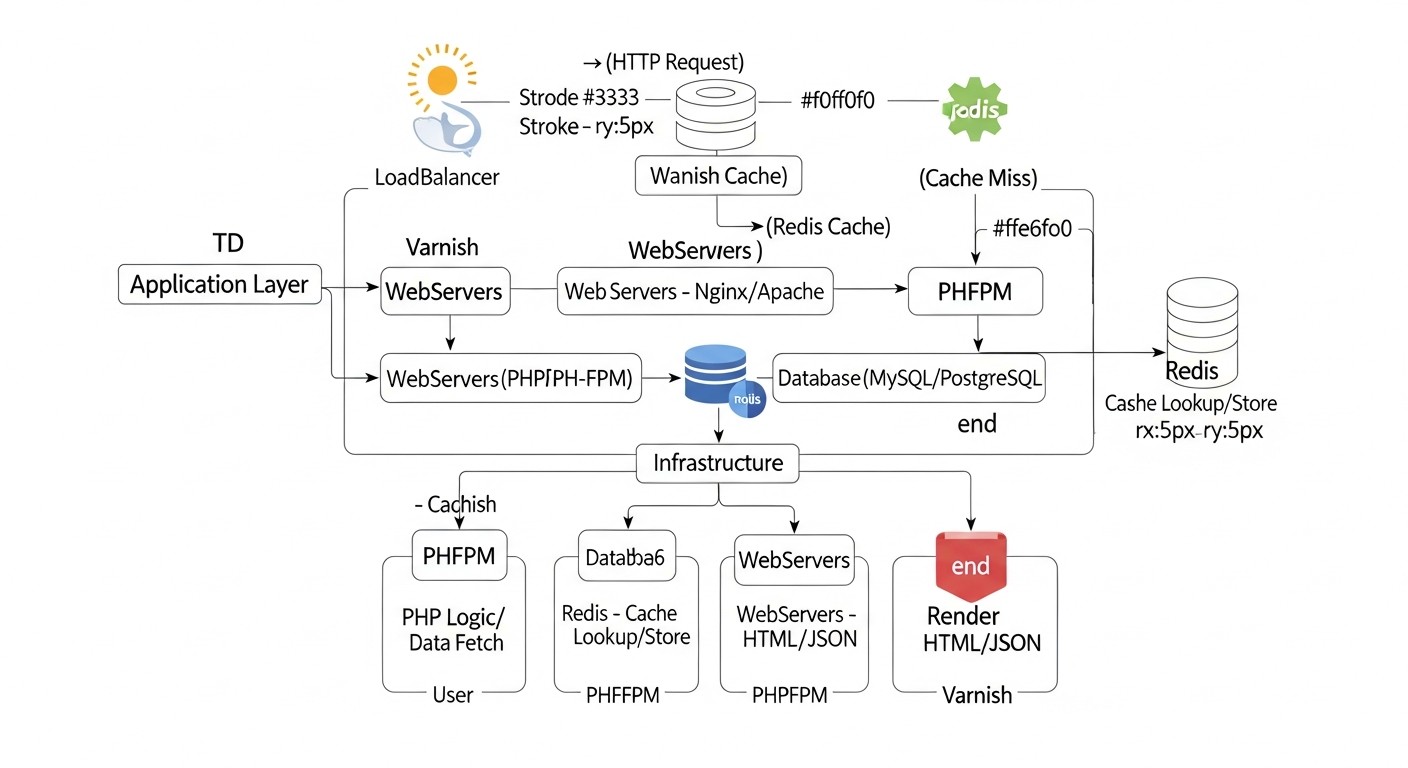
La experiencia personal y la observación de proyectos demuestran que la combinación de Redis y Varnish es una de las herramientas más efectivas para mejorar el rendimiento y la estabilidad de las aplicaciones web. Aquí hay algunos escenarios realistas.
11.1. Caso 1: Portal de noticias de alta carga en Python/Django
Problema: Un portal de noticias con millones de visitas al mes, que funciona con Django, experimentaba serios problemas de rendimiento durante las cargas pico (por ejemplo, al publicar noticias de última hora). El tiempo de respuesta promedio alcanzaba los 800-1200 ms, los servidores backend (varios VPS) operaban constantemente al 90%+ de CPU, y la base de datos (PostgreSQL) estaba sobrecargada de solicitudes. Frecuentemente se observaban errores 502/504.
Solución:
- Varnish Cache en el frontend: Se instaló Varnish delante de cada Nginx (que terminaba el SSL). VCL se configuró para almacenar en caché todas las páginas de noticias, páginas de categorías y archivos estáticos con un TTL de 5 minutos a 1 hora. Se implementó un sistema de solicitudes PURGE desde el panel de administración de Django al publicar o actualizar una noticia.
- Redis para el almacenamiento en caché de objetos de Django: En Django, se configuró Redis Cache Backend para almacenar en caché los resultados de consultas complejas a la BD (por ejemplo, lista de noticias populares, comentarios, datos agregados), así como para almacenar sesiones de usuario. El TTL para estos datos variaba de 1 a 15 minutos.
- Graceful Degradation: En Varnish se configuró la política
grace, que permite servir contenido obsoleto desde la caché si el backend no responde, lo que aumentó significativamente la tolerancia a fallos durante despliegues o fallos temporales.
Resultados:
- Tiempo de respuesta: El tiempo de respuesta promedio para las páginas en caché se redujo a 50-100 ms. Incluso para las páginas no cacheadas, se redujo a 300-400 ms gracias a la disminución de la carga en la BD.
- Carga de CPU: La carga en los servidores backend disminuyó a 20-40% en tiempos normales y a 60-70% en momentos pico.
- Cache Hit Ratio: Varnish alcanzó un 85-90% de Cache Hit Ratio para las páginas de noticias, Redis un 70-80% para la caché de objetos.
- Ahorro: Se eliminó la necesidad de una actualización urgente de los servidores. De hecho, se logró posponer la compra de servidores Dedicados más potentes por un año y medio, ahorrando decenas de miles de dólares.
- Estabilidad: El número de errores 5xx se redujo prácticamente a cero, el sitio web se volvió significativamente más resistente a las cargas pico.
11.2. Caso 2: Plataforma SaaS para gestión de proyectos en Node.js/Express
Problema: Una plataforma SaaS que utiliza activamente una API para la interacción del frontend (React) con el backend (Node.js/Express). Aunque la mayoría de los datos son personalizados, algunos endpoints de API (listas de proyectos, usuarios, directorios) tenían una naturaleza pública o parcialmente pública. La carga en los servidores API y MongoDB era alta, especialmente al cargar paneles con una gran cantidad de widgets.
Solución:
- Varnish para APIs públicas y parcialmente públicas: Varnish se configuró delante de Nginx (que terminaba el SSL). En VCL se establecieron reglas estrictas de almacenamiento en caché para los endpoints de API que devolvían datos de referencia o listas que no se actualizaban con frecuencia. Para las solicitudes autorizadas, Varnish las pasaba, pero para las públicas o las que se podían almacenar en caché basándose en el ID del proyecto/usuario (mediante ESI), se utilizaba activamente.
- Redis para sesiones y almacenamiento en caché de objetos: Redis se utilizó para almacenar todas las sesiones de usuario, lo que permitió escalar fácilmente los servidores Node.js. Además, en Redis se almacenaron en caché los resultados de agregaciones complejas de MongoDB (por ejemplo, estadísticas de proyectos por mes), que eran costosas de recalcular.
- Pub/Sub para invalidación: Al cambiar datos clave (por ejemplo, estado de un proyecto, adición de un nuevo usuario), el servidor Node.js publicaba un evento en Redis Pub/Sub. Otros servidores Node.js, suscritos a este canal, recibían la notificación e invalidaban las claves correspondientes en Redis o enviaban solicitudes PURGE a Varnish.
Resultados:
- Rendimiento de la API: El tiempo de respuesta para las solicitudes de API cacheadas se redujo de 200-500 ms a 10-30 ms. El rendimiento general de los paneles mejoró significativamente.
- Carga en MongoDB: El número de solicitudes a MongoDB se redujo en un 40-50%, lo que permitió evitar un costoso escalado horizontal de la base de datos.
- Escalabilidad del backend: Gracias a las sesiones centralizadas en Redis, añadir nuevos servidores Node.js se convirtió en una tarea trivial.
- Resistencia: El sistema se volvió más resistente a los 'flash mobs', cuando un gran número de usuarios accedía simultáneamente a la plataforma.
Estos casos demuestran que Redis y Varnish, con una integración adecuada, pueden resolver una amplia gama de problemas de rendimiento y escalabilidad, garantizando al mismo tiempo alta disponibilidad y ahorro de recursos.
12. Herramientas y recursos para el trabajo
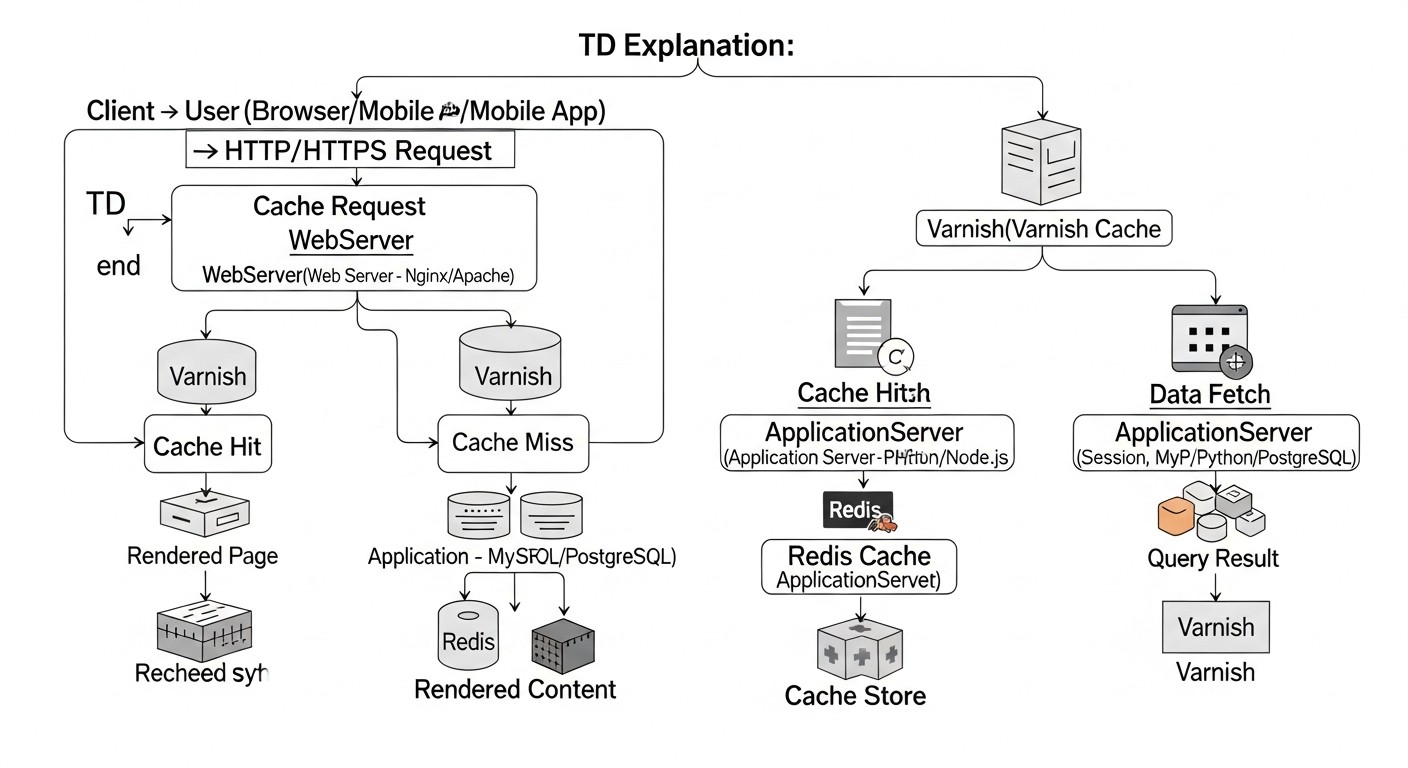
Para un trabajo eficiente con Redis y Varnish, así como para la monitorización y prueba de rendimiento, existe un arsenal completo de herramientas. Para 2026, muchas de ellas se han convertido en el estándar de facto en las prácticas de DevOps.
12.1. Utilidades para trabajar con Redis
redis-cli: Cliente de línea de comandos estándar de Redis. Indispensable para la administración, depuración, ejecución de comandos y obtención de información (INFO).redis-cli -h localhost -p 6379 -a "ваш_пароль" INFO memory redis-cli -h localhost -p 6379 -a "ваш_пароль" MONITOR- Redis Desktop Manager (RDM) / Another Redis Desktop Manager (ARDM): Clientes GUI para ver datos, ejecutar comandos y gestionar instancias de Redis. Especialmente útiles para visualizar estructuras de datos complejas.
- RedisInsight: Herramienta GUI oficial de Redis Labs, que ofrece un rico conjunto de funciones para la monitorización, análisis y gestión de datos. En 2026, esta es una de las mejores opciones.
- Bibliotecas cliente: Para cada lenguaje de programación existen bibliotecas de alto rendimiento (por ejemplo,
redis-pypara Python,ioredispara Node.js,go-redispara Go,phpredispara PHP).
12.2. Utilidades para trabajar con Varnish Cache
varnishlog: Muestra en tiempo real todas las solicitudes que pasan por Varnish e información detallada sobre ellas (HIT/MISS, cabeceras, tiempo de procesamiento). Extremadamente útil para depurar VCL.sudo varnishlog -g request -i ReqMethod,ReqURL,BereqURL,RespStatus,VCL_Log,VCL_call,VCL_return,XID,HitPass,RespHeader:X-Cache -q 'ReqMethod eq "GET"'varnishstat: Muestra estadísticas de funcionamiento de Varnish (número de solicitudes, hits, misses, uso de memoria, CPU). Se utiliza para la monitorización.sudo varnishstat -1 -f VCL.call,MAIN.cache_hit,MAIN.cache_miss,MAIN.uptimevarnishadm: Herramienta de línea de comandos para gestionar Varnish (recargar VCL, ver backends, limpiar la caché).sudo varnishadm -S /etc/varnish/secret -T 127.0.0.1:6082 backend.list sudo varnishadm -S /etc/varnish/secret -T 127.0.0.1:6082 vcl.load new_config /etc/varnish/new.vcl sudo varnishadm -S /etc/varnish/secret -T 127.0.0.1:6082 vcl.use new_configvarnishncsa: Formatea los logs de Varnish en formato NCSA combined/common log, lo cual es conveniente para el análisis con herramientas estándar (por ejemplo, GoAccess).vcl_lint: Utilidad para verificar la sintaxis de los archivos VCL.
12.3. Monitorización y pruebas
- Prometheus & Grafana: Pila estándar para la recopilación, almacenamiento y visualización de métricas.
redis_exporter: Exporta métricas de Redis para Prometheus.varnish_exporter: Exporta métricas de Varnish para Prometheus.- Node Exporter: Para métricas básicas del SO (CPU, RAM, Disk I/O).
- Grafana Dashboards: Muchos paneles preconfigurados para Redis y Varnish están disponibles en Grafana Labs.
- Apache JMeter / k6 / Locust: Herramientas para pruebas de carga. Permiten simular miles de usuarios y solicitudes para evaluar el rendimiento del sistema con y sin caché.
- WebPageTest / Lighthouse: Para evaluar el rendimiento del lado del cliente (tiempo de carga, FCP, LCP, CLS). Ayudan a ver el efecto real del almacenamiento en caché.
- Sistemas APM (Application Performance Monitoring): New Relic, Datadog, Sentry (para errores). Aunque pueden ser costosos, proporcionan una comprensión profunda del rendimiento de la aplicación y la interacción con la caché.
12.4. Enlaces útiles y documentación
- Documentación oficial de Redis: Fuente exhaustiva de información sobre Redis.
- Varnish Cache 4.1 / 7.x Documentation: Documentación detallada sobre Varnish y VCL.
- Redis Exporter en GitHub
- Varnish Exporter en GitHub
- Grafana Dashboards: Repositorio de paneles preconfigurados para varios sistemas.
El uso de estas herramientas le permitirá no solo implementar un almacenamiento en caché eficiente, sino también monitorear continuamente su funcionamiento, identificar cuellos de botella y realizar ajustes finos para lograr el máximo rendimiento.
13. Troubleshooting: Solución de problemas
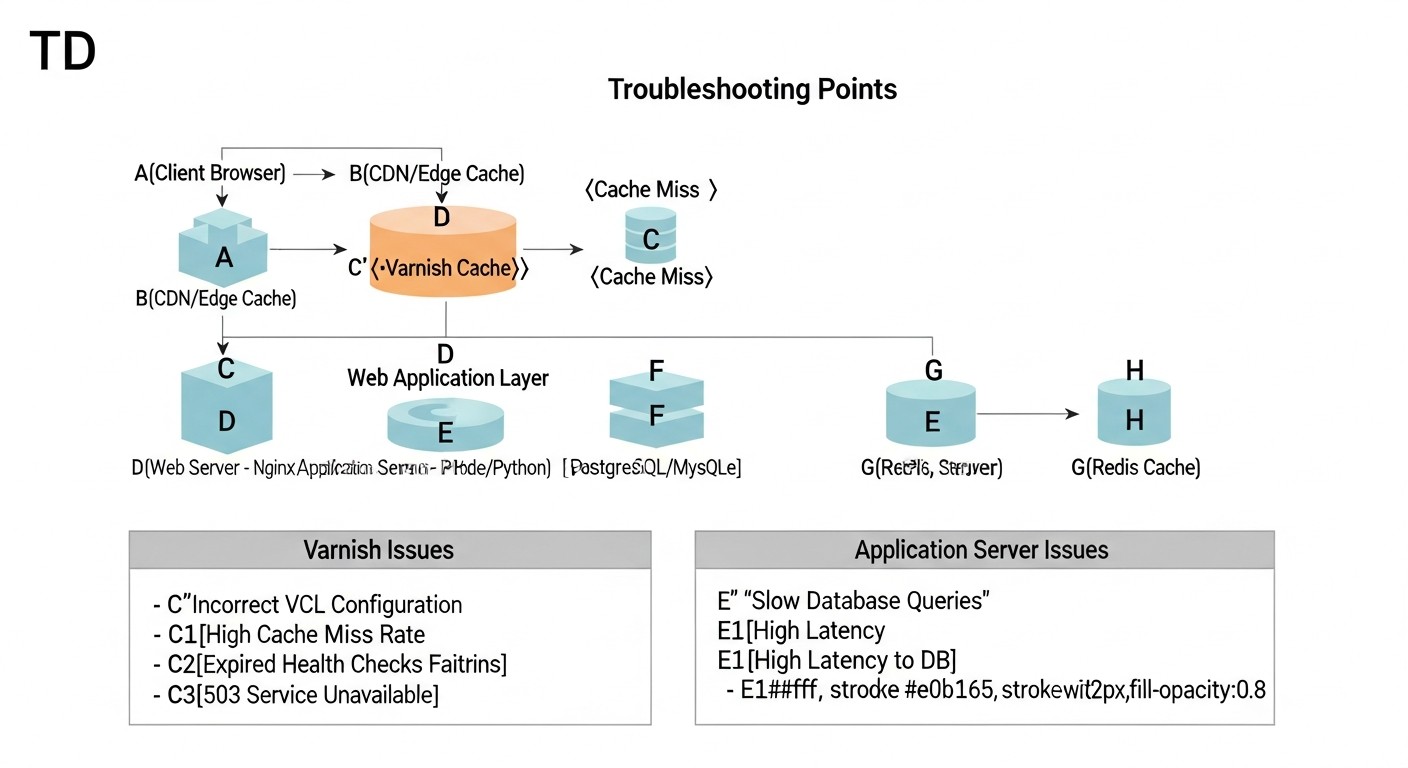
La implementación y el mantenimiento de sistemas de almacenamiento en caché no están exentos de problemas. Aquí se presentan escenarios típicos y enfoques para su solución.
13.1. Varnish no almacena contenido en caché (Always MISS)
- Causa 1: Cabeceras
Cache-ControloSet-Cookie. Su backend puede enviarCache-Control: private,no-cache,no-storeoSet-Cookie, lo que por defecto prohíbe a Varnish almacenar en caché.
Solución:- Verifique las cabeceras de respuesta del backend usando
curl -I http://127.0.0.1:8000/(donde 8000 es el puerto de su backend). - En VCL (
vcl_backend_response), elimine explícitamenteSet-Cookiesi no es necesario para las páginas en caché:unset beresp.http.Set-Cookie;. - Sobreescriba
Cache-Controlsi el backend devuelve valores incorrectos:set beresp.http.Cache-Control = "public, max-age=300";.
- Verifique las cabeceras de respuesta del backend usando
- Causa 2: Métodos HTTP incorrectos. Varnish por defecto solo almacena en caché las solicitudes
GETyHEAD.
Solución: Asegúrese de que está intentando almacenar en cachéGET/HEAD. ParaPOSTy otros métodos, usereturn (pass);envcl_recv. - Causa 3: Problemas con el backend. Varnish puede no almacenar en caché si el backend devuelve constantemente errores (5xx).
Solución: Verifique los logs del backend, asegúrese de que sea estable y devuelva 200 OK. Configure.probeen VCL para el backend. - Causa 4: Ausencia de TTL. En VCL,
beresp.ttlno está configurado o es demasiado pequeño.
Solución: Envcl_backend_response, establezca unset beresp.ttl = 5m;adecuado.
13.2. Varnish entrega contenido obsoleto
- Causa 1: Invalidación incorrecta. No está enviando solicitudes PURGE/BAN o están configuradas incorrectamente.
Solución:- Verifique los logs de Varnish (
varnishlog) para ver si hay solicitudes PURGE/BAN y su ejecución exitosa. - Asegúrese de que la dirección IP desde la que se envían las solicitudes PURGE/BAN esté permitida en VCL.
- Verifique que las expresiones regulares en las solicitudes BAN sean correctas.
- Verifique los logs de Varnish (
- Causa 2: TTL demasiado grande. El tiempo de vida de la caché es demasiado largo para contenido que cambia con frecuencia.
Solución: Reduzcaberesp.ttlpara este tipo de contenido.
13.3. Alto consumo de RAM de Redis / Varnish
- Causa 1: Insuficiente
maxmemory(para Redis) o-s malloc(para Varnish). La caché crece y no hay espacio, lo que lleva al desalojo de datos.
Solución:- Redis: Aumente el valor de
maxmemoryenredis.conf. - Varnish: Aumente el valor de
-s malloc,2G(por ejemplo, a4G) en los parámetros de inicio de Varnish. - Monitorización: Use
redis-cli INFO memoryyvarnishstatpara monitorear el consumo de memoria.
- Redis: Aumente el valor de
- Causa 2: Políticas de desalojo ineficientes (para Redis).
Solución: Asegúrese de quemaxmemory-policyesté configurado enallkeys-lruovolatile-lrupara la caché. - Causa 3: Almacenamiento de objetos demasiado grandes.
Solución: Revise qué está almacenando en caché. Es posible que algunos objetos muy grandes no deban ser almacenados en caché por completo.
13.4. Errores de conexión a Redis desde la aplicación
- Causa 1: IP/puerto/contraseña incorrectos.
Solución:- Verifique
bindyportenredis.conf. - Asegúrese de que la aplicación utiliza los datos correctos para la conexión.
- Verifique
requirepassenredis.confy la contraseña correspondiente en la aplicación.
- Verifique
- Causa 2: El firewall bloquea el puerto.
Solución: Verifique las reglas del firewall (sudo ufw statusosudo iptables -L). Permita el acceso al puerto 6379 desde la dirección IP de su aplicación. - Causa 3: Redis no está iniciado.
Solución:sudo systemctl status redis-server. Si no está iniciado,sudo systemctl start redis-servery verifique los logs/var/log/redis/redis-server.log.
13.5. Cuándo contactar al soporte
- Problemas con el SO: Si el servidor se cae constantemente, se observan errores del sistema no relacionados directamente con Redis/Varnish.
- Problemas de red: Si hay sospechas de problemas con la tarjeta de red o el enrutamiento a nivel del hosting.
- Fallos inexplicables: Si los logs de Redis o Varnish indican errores internos que no puede interpretar después de estudiar la documentación.
- Versiones licenciadas: Si utiliza una versión comercial de Varnish Enterprise o Redis Enterprise, no dude en contactar a su soporte para cualquier problema poco claro.
Siempre comience verificando los logs (journalctl -u varnish, journalctl -u redis-server, varnishlog) y las métricas (varnishstat, redis-cli INFO). En la mayoría de los casos, esto permite localizar y resolver rápidamente el problema.
14. FAQ: Preguntas frecuentes
14.1. ¿Se puede usar solo Redis o solo Varnish?
Sí, es posible. Redis es excelente para el almacenamiento en caché de datos de la aplicación (sesiones, objetos de BD), y Varnish para el almacenamiento en caché de respuestas HTTP y contenido estático. Sin embargo, el máximo rendimiento y flexibilidad se logran al usarlos juntos, ya que se complementan entre sí, creando un sistema de caché multinivel. Redis funciona más cerca de la aplicación, Varnish más cerca del usuario.
14.2. ¿Cómo maneja Varnish el tráfico HTTPS?
Varnish por sí mismo no puede terminar SSL/TLS. Para trabajar con HTTPS, siempre debe haber un proxy de terminación SSL delante de Varnish, como Nginx o HAProxy. Nginx recibe la solicitud HTTPS del cliente, la descifra y luego pasa la solicitud HTTP normal a Varnish. Varnish la procesa y devuelve la respuesta HTTP a Nginx, que la vuelve a cifrar y la envía al cliente.
14.3. ¿Qué política de desalojo de memoria elegir para Redis?
Para la caché, las políticas más populares son allkeys-lru (Least Recently Used) o volatile-lru. allkeys-lru desaloja las claves menos usadas de todo el conjunto, mientras que volatile-lru solo desaloja aquellas que tienen un TTL establecido. Si Redis se usa exclusivamente como caché, allkeys-lru suele ser una buena opción. Es importante establecer maxmemory para que Redis no consuma toda la RAM disponible.
14.4. ¿Cómo asegurar la alta disponibilidad de Redis?
Para la alta disponibilidad de Redis, utilice Redis Sentinel. Sentinel es un sistema de monitoreo que vigila la instancia maestra de Redis y cambia automáticamente a una réplica en caso de fallo del maestro. Para el escalado horizontal y el sharding, utilice Redis Cluster, que distribuye los datos entre varios nodos y proporciona tolerancia a fallos a nivel de clúster.
14.5. ¿Se pueden almacenar en caché las solicitudes API con Varnish?
Sí, Varnish es excelente para almacenar en caché las solicitudes API, especialmente si devuelven datos no personalizados o datos que cambian con poca frecuencia (por ejemplo, directorios, feeds de noticias públicos). Es importante configurar cuidadosamente VCL para no almacenar en caché datos personalizados o sensibles, y asegurar una invalidación adecuada de la caché cuando los datos cambian en la fuente.
14.6. ¿Cómo evitar el "arranque en frío" de la caché de Varnish después de un reinicio?
Después de un reinicio de Varnish, su caché está vacía. Para minimizar el efecto del "arranque en frío" se puede utilizar:
- Warm-up scripts: Scripts que, después de reiniciar Varnish, "recorren" automáticamente las URL más populares, llenando la caché.
- Graceful Restart: Varnish soporta "graceful restart", permitiendo que un nuevo proceso llene la caché mientras el antiguo continúa sirviendo solicitudes.
- Persistent Varnish: Aunque Varnish es inherentemente no persistente, existen soluciones experimentales o comerciales que permiten guardar la caché en disco, pero esto añade complejidad.
14.7. ¿Qué tan seguro es almacenar sesiones en Redis?
Almacenar sesiones en Redis es seguro si se cumplen las siguientes medidas:
- Contraseña: Siempre use
requirepass. - Firewall: Restrinja el acceso al puerto de Redis (6379) solo desde las direcciones IP de su aplicación.
- SSL/TLS: Si Redis está en un servidor separado, use stunnel o VPN para cifrar el tráfico entre la aplicación y Redis.
- Aislamiento: No use la misma instancia de Redis para almacenar datos críticos y cachés menos importantes.
14.8. ¿Pueden Redis y Varnish estar en el mismo servidor con la aplicación y la BD?
Para proyectos pequeños y medianos en VPS, esta es una práctica bastante común y económicamente viable. Sin embargo, si el proyecto crece, se recomienda trasladar Redis y/o Varnish a servidores VPS/Dedicated separados y especializados. Esto mejora el aislamiento, la seguridad y simplifica el escalado de cada componente de forma independiente. Lo principal es monitorear el consumo de RAM y CPU.
14.9. ¿Cómo depurar la configuración VCL?
Use varnishlog con filtros para ver cómo Varnish procesa cada solicitud y por qué toma ciertas decisiones (HIT/MISS/PASS). También es útil agregar sus propios mensajes de depuración en VCL usando std.log("My Debug Message: " + req.url);. vcl_lint ayudará a verificar la sintaxis de VCL antes de la carga.
14.10. ¿Cuáles son las alternativas a Redis y Varnish?
Para Redis: Memcached (más simple, pero con menos funcionalidad), Tarantool (alto rendimiento, con SQL y scripts Lua), KeyDB (un fork de Redis con multithreading). Para Varnish: Nginx (con módulo de caché), Apache Traffic Server, Cloudflare (CDN, pero no en VPS/Dedicated), Akamai (CDN). Sin embargo, para VPS/Dedicated y máximo control, Varnish sigue siendo una de las mejores soluciones para el almacenamiento en caché HTTP.
15. Conclusión
En las condiciones de 2026, cuando los requisitos de velocidad y capacidad de respuesta de las aplicaciones web alcanzan un nivel sin precedentes, el almacenamiento en caché eficiente deja de ser una opción y se convierte en un elemento obligatorio de cualquier infraestructura de alto rendimiento. La combinación de Redis y Varnish en servidores VPS/Dedicated representa una solución potente y económicamente efectiva, capaz de mejorar significativamente la experiencia del usuario, reducir los costos operativos y aumentar la estabilidad general de sus servicios.
Hemos examinado cómo Redis, con su almacenamiento de datos multifuncional en memoria RAM, optimiza el funcionamiento del backend, almacenando en caché los resultados de las consultas a bases de datos, gestionando sesiones y proporcionando acceso rápido a datos temporales. Al mismo tiempo, Varnish Cache, actuando como un acelerador HTTP de alto rendimiento, descarga la carga principal del servidor web y la aplicación, entregando instantáneamente contenido estático y dinámico frecuentemente solicitado.
La clave del éxito no reside solo en la instalación de estas herramientas, sino también en su configuración adecuada, una profunda integración con la aplicación y, lo que es especialmente importante, en el desarrollo de estrategias bien pensadas para la invalidación de la caché. Sin una limpieza precisa y oportuna de la caché, todas las ventajas de velocidad pueden ser anuladas por la entrega de datos obsoletos, lo que dañaría la reputación y la funcionalidad de su servicio.
Un aspecto no menos importante es el monitoreo continuo. Herramientas como Prometheus y Grafana permiten rastrear en tiempo real la eficiencia del almacenamiento en caché, identificar cuellos de botella y tomar decisiones informadas para una optimización posterior. Recuerde que el rendimiento no es una tarea única, sino un proceso constante de mejora.
Próximos pasos para el lector:
- Realice una auditoría: Evalúe el rendimiento actual de su aplicación, identifique las secciones más lentas y los datos que se pueden almacenar en caché.
- Empiece poco a poco: Implemente el almacenamiento en caché por etapas. Comience con Redis para sesiones o Varnish para contenido estático, luego amplíe la funcionalidad.
- Pruebe: Cada cambio en la configuración de la caché debe ir acompañado de pruebas de carga para confirmar un efecto positivo.
- Monitoree: Instale y configure un sistema de monitoreo para rastrear las métricas clave del almacenamiento en caché.
- Estudie: Una comprensión profunda de VCL para Varnish y todas las capacidades de Redis le permitirá crear soluciones verdaderamente flexibles y de alto rendimiento.
En última instancia, el dominio de las estrategias de almacenamiento en caché con Redis y Varnish no solo transformará su aplicación web en un servicio ultrarrápido, sino que también le dará una ventaja competitiva en el mercado de 2026, asegurando la estabilidad y escalabilidad de su negocio.