LocalAI on a CPU Server: LLM Without a Graphics Card
TL;DR
LocalAI allows you to run a local language model with an OpenAI-compatible API on a VPS or dedicated server without a GPU. This guide will configure a secure LocalAI installation on Ubuntu 24.04 LTS with Docker, the llama.cpp CPU backend, a GGUF-format model, HTTPS via Caddy, an API key, and backups.
- For an initial working deployment, 4 vCPU, 8 GB of RAM, and 40–60 GB of SSD storage are sufficient.
- For comfortable work with 7B–8B models in Q4 quantization, it is better to use 8 vCPU and 16–32 GB of RAM.
- LocalAI provides an interface compatible with the OpenAI API:
/v1/chat/completions,/v1/models, and other endpoints. - On CPU, single-core speed and RAM capacity matter more than the nominal number of weak vCPUs.
- GGUF models can be stored locally: requests and documents are not sent to external AI services.
- For public access, TLS, a firewall, an API key, and access restrictions by IP or reverse proxy are mandatory.
What we are configuring and why
LocalAI is a self-hosted AI service that runs language models, embedding-generation models, speech-to-text, and some other tasks on your own server. For CPU-based LLMs, the llama.cpp backend and GGUF-format models are typically used. They are quantized: they require less memory than the original FP16 or BF16 weights and can run without an NVIDIA GPU.
The practical result of this guide is an API service available over HTTPS on your own domain. Applications that can work with the OpenAI API will be able to connect to it: an internal team chat, a Telegram or Mattermost bot, an IDE assistant, n8n, Dify, LibreChat, Open WebUI, your own SaaS, or a backend in Python, Node.js, and Go.
Four layers will run on the server: Docker Compose manages the container, LocalAI provides the API, the GGUF model responds to requests, and Caddy accepts HTTPS traffic and proxies it internally. LocalAI itself will not be exposed directly to the internet: port 8080 will remain accessible only on localhost.
When LocalAI on CPU is justified
- You need a standalone API for a small team, bot, or internal tools.
- Data cannot or should not be sent to cloud LLM providers.
- The load is moderate: from several dozen to several hundred requests per day.
- A response delay of several seconds is acceptable rather than the streaming speed of a GPU service.
- You need a predictable monthly budget without per-token charges.
- You want to experiment with models, system prompts, and inference parameters.
What a CPU server does not solve
CPU inference does not replace GPUs for high concurrency. On a server with 8 modern vCPUs, an 8B Q4 model typically delivers around 4–12 tokens per second, but the actual figure depends on the CPU generation, clock speed, AVX2/AVX-512, context size, and load from neighboring processes. This is often sufficient for one interactive user. It is not sufficient for dozens of simultaneous conversations.
You should not expect good results from large 30B, 70B, and larger models on a standard VPS. Even if the model fits into memory, the time to first token and overall latency will make the service inconvenient. Such models require a server with a large amount of RAM, powerful CPUs, or GPU infrastructure.
Cloud API and self-hosted LocalAI
| Criterion | Cloud managed API | LocalAI on your own server |
|---|---|---|
| Deployment | Almost instant | Requires a server, Docker, a model, and API protection |
| Quality of the largest models | Usually higher | Depends on the selected local model |
| Privacy | Data is sent to an external provider | Data remains in your infrastructure |
| Cost | Per-token charges or subscription | Fixed server and storage cost |
| Speed under heavy load | High, infrastructure scales automatically | Limited by CPU, RAM, and queue settings |
| Control over the model | Limited to available models | Full control over the model, templates, and versions |
A sensible setup for a small product is to use LocalAI for tasks where privacy, low cost, and predictability are important: classification, data extraction, summarization of internal texts, RAG over documentation, and developer assistance. An external cloud API can be retained as a fallback for complex requests or peaks.
What VPS configuration is needed for this task
The main resource for LocalAI on CPU is RAM. The second most important characteristic is CPU core performance. Disk space matters for storing models: one 3B GGUF model in Q4 usually takes 2–3 GB, an 8B model in Q4 takes about 4.5–6 GB, and several model variants and backups quickly fill a small SSD.
| Scenario | CPU | RAM | SSD/NVMe | Recommended models |
|---|---|---|---|---|
| Testing, one user | 4 vCPU | 8 GB | 50 GB | 1B–4B, Q4 |
| Chat, bot, RAG for a team | 8 vCPU | 16 GB | 100 GB NVMe | 7B–8B, Q4_K_M |
| Multiple users and models | 12–16 vCPU | 32–64 GB | 200 GB NVMe | 8B–14B, embeddings, reranker |
| Large models on CPU | 16+ dedicated cores | 64–128 GB | 500 GB NVMe | 14B–32B with a speed trade-off |
Practical starter configuration
For the first production installation, choose 8 vCPU, 16 GB of RAM, 100 GB NVMe, and a connection of at least 1 Gbit/s. Such a server will allow you to run one primary model at the level of Llama 3.1/3.2 8B, Qwen2.5 7B, or Mistral 7B in GGUF Q4 quantization, leave headroom for the operating system and Caddy, and store several model files. As one neutral option, you can choose a VPS with the specified characteristics.
When choosing a plan, check whether vCPUs are guaranteed, which CPU generation is used, and whether the processor supports AVX2. AVX2 has a noticeable impact on llama.cpp performance. Sometimes 8 fast dedicated cores produce a more useful result than 16 overloaded virtual cores.
Estimating memory for GGUF
You cannot calculate RAM based only on the GGUF file size. In addition to model weights, memory is required for the KV cache, inference buffers, the container, the Linux kernel, and the file cache. A safe practical rule is: for an 8B Q4 model sized at 5 GB, allocate a server with at least 12–16 GB of RAM. A 14B Q4 model sized at 9–11 GB requires at least 24–32 GB of RAM.
Context also consumes memory. If you increase context_size from 4096 to 16384 tokens, RAM consumption may grow by several gigabytes. Do not set the maximum context “just in case”: for regular chat and RAG, 4096–8192 tokens are sufficient in most cases.
When you need dedicated rather than VPS
A dedicated server is needed when consistently high generation speed, guaranteed absence of noisy neighbors, 32–128 GB of RAM, large models, or constant parallel requests are important. It is also the right choice if LocalAI serves a commercial product where latency directly affects conversion.
A VPS remains a good option for a prototype, internal service, personal assistant, and small team. Start with a VPS, measure actual speed through the API, and move to dedicated hardware only after a confirmed bottleneck appears: insufficient RAM, CPU saturation, or a growing request queue.
How server location affects performance
Location does not accelerate token computation, but it affects network latency to users. For chat, it is advisable to place the server in a region close to most clients. A difference of 50–100 ms is especially noticeable with streaming responses, although the main CPU latency will still be related to model generation.
If LocalAI processes personal data, company documents, or medical information, also consider jurisdictional requirements, data storage, and cross-border transfers. Store backups separately from the main server, preferably in another data center.
Server Preparation
Ubuntu Server 24.04 LTS is used below. At the time of setup, it is a stable LTS base with a long support period. Log in to the server as the root user only for initial preparation, then create a separate administrator and disable root login via SSH.
System Updates and Basic Packages
The command installs current security updates, diagnostic tools, a firewall, and fail2ban.
apt update && apt full-upgrade -y
apt install -y ca-certificates curl gnupg jq nano vim \
  ufw fail2ban unattended-upgrades \
  htop iotop ncdu rsync
Reboot the server if the kernel was updated. This will apply the new kernel and prevent a vulnerable kernel from continuing to run in memory.
if [ -f /var/run/reboot-required ]; then reboot; fiCreating an Administrator
Replace deploy with your own username. The account will be used for Docker Compose and subsequent LocalAI maintenance.
adduser deploy
usermod -aG sudo deploy
Copy your public SSH key to the server from your local computer. Run this command on your computer, not on the VPS.
ssh-copy-id deploy@SERVER_IPTest the login in a separate terminal. Do not close the current root session until you verify that key authentication works.
ssh deploy@SERVER_IPSSH Hardening
Open the SSH configuration and disable root login and password authentication. Before doing so, make sure the deploy user has a working key.
sudo nano /etc/ssh/sshd_config.d/99-hardening.confPermitRootLogin no
PasswordAuthentication no
KbdInteractiveAuthentication no
PubkeyAuthentication yes
X11Forwarding no
MaxAuthTries 3
LoginGraceTime 30Check the syntax and restart SSH. If the sshd -t command produces no errors, the configuration is correct.
sudo sshd -t && sudo systemctl restart sshFirewall and fail2ban
Open only SSH, HTTP, and HTTPS. Do not open the LocalAI port 8080: after configuration, it will listen only on 127.0.0.1.
sudo ufw default deny incoming
sudo ufw default allow outgoing
sudo ufw allow 22/tcp
sudo ufw allow 80/tcp
sudo ufw allow 443/tcp
sudo ufw enable
sudo ufw status verbose
Enable fail2ban. Ubuntu provides a ready-made filter for OpenSSH; the service will temporarily block IP addresses after a series of failed login attempts.
sudo systemctl enable --now fail2ban
sudo fail2ban-client status sshd
Checking Resources Before Installation
Before downloading the model, check the available RAM, disk size, and processor specifications. This will help you choose the appropriate quantization and number of threads in advance.
free -h
df -h /
lscpu | egrep 'Model name|CPU\(s\)|Thread|AVX|Flags'
nproc
If the lscpu output does not include AVX2, LocalAI can still work, but CPU performance may be noticeably lower. In that case, it is more reasonable to use a compact 3B–4B model and not attempt to serve multiple simultaneous chats.
Software Installation — Step by Step
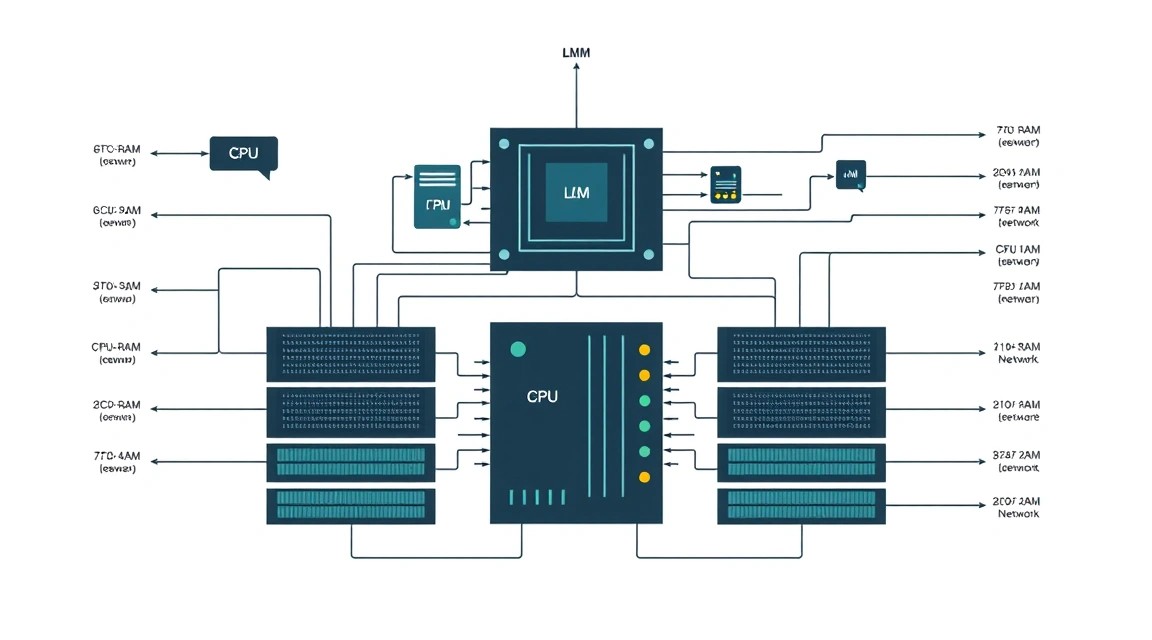
This configuration uses Docker Engine 28+ and Docker Compose v2, Ubuntu 24.04 LTS, Caddy 2.8+, and the current stable LocalAI 3.x branch. For production, do not leave the latest tag indefinitely: after successful testing, pin a specific tag or image digest in compose.yaml.
Installing Docker Engine
Remove old Docker packages if they are present. This prevents conflicts between Ubuntu packages and the official Docker Engine.
sudo apt remove -y docker.io docker-compose docker-compose-v2 \
  docker-doc podman-docker containerd runc 2>/dev/null || true
Add the official Docker repository key and enable the repository for Ubuntu 24.04.
sudo install -m 0755 -d /etc/apt/keyrings
curl -fsSL https://download.docker.com/linux/ubuntu/gpg | \
  sudo gpg --dearmor -o /etc/apt/keyrings/docker.gpg
sudo chmod a+r /etc/apt/keyrings/docker.gpg

echo \
  "deb [arch=$(dpkg --print-architecture) signed-by=/etc/apt/keyrings/docker.gpg] \
  https://download.docker.com/linux/ubuntu \
  $(. /etc/os-release && echo "$VERSION_CODENAME") stable" | \
  sudo tee /etc/apt/sources.list.d/docker.list > /dev/null
Install Docker Engine, containerd, and the Compose plugin. Compose will run LocalAI and perform health checks.
sudo apt update
sudo apt install -y docker-ce docker-ce-cli containerd.io \
  docker-buildx-plugin docker-compose-plugin
Allow the deploy user to manage Docker without sudo. After running the command, log out of the SSH session and log back in for the group change to take effect.
sudo usermod -aG docker deploy
exit
After logging back in, make sure Docker is working. The hello-world container should exit without errors.
docker version
docker compose version
docker run --rm hello-world
Creating the Project Structure
All LocalAI files will be located in /opt/localai. The models directory stores GGUF files and YAML model configurations, while data preserves LocalAI data between restarts.
sudo mkdir -p /opt/localai/{models,data,backups}
sudo chown -R deploy:deploy /opt/localai
cd /opt/localai
Downloading the First Model
For the initial CPU-based setup, use the Qwen2.5-3B-Instruct instruction model in Q4_K_M quantization. It is more compact than 7B–8B models, works well with 8 GB of RAM, and is suitable for API testing. Before using it in production, review the license of the specific model and its distribution terms.
The following command downloads the GGUF file to the models directory. The URL is provided as an example of a public repository; before downloading, check the current filename and hash on the model release page.
cd /opt/localai/models

curl -L --fail --retry 3 \
  -o Qwen2.5-3B-Instruct-Q4_K_M.gguf \
  "https://huggingface.co/bartowski/Qwen2.5-3B-Instruct-GGUF/resolve/main/Qwen2.5-3B-Instruct-Q4_K_M.gguf"
Verify that the file was actually downloaded and is not zero bytes in size. For a 3B Q4 model, expect a size of approximately 2–3 GB.
ls -lh /opt/localai/models
sha256sum /opt/localai/models/Qwen2.5-3B-Instruct-Q4_K_M.gguf
Creating Secrets
Do not store the API key in the compose file or application source code. Generate a long value and save it in the .env file, accessible only to the deploy user.
cd /opt/localai
umask 077
printf 'LOCALAI_API_KEY=%s\n' "$(openssl rand -hex 32)" > .env
chmod 600 .env
cat .env
Store this key in a secrets manager. Client applications will need it in the Authorization: Bearer header.
Configuration of LocalAI, Models, and HTTPS
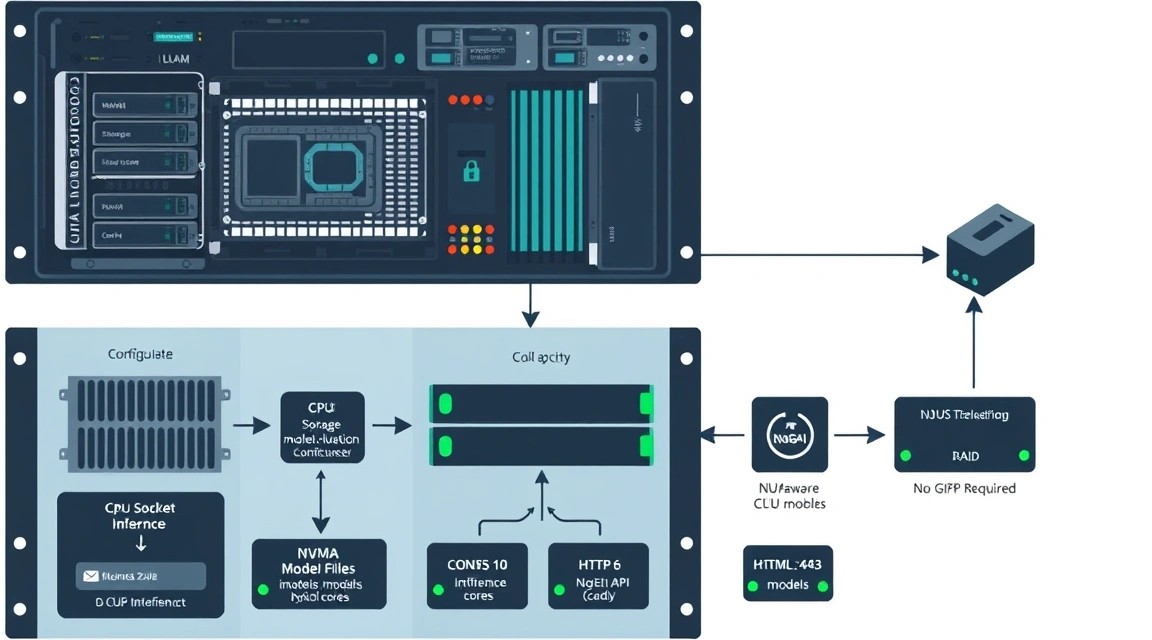
Model Description
Create a YAML configuration file. The threads parameter sets the number of CPU threads for inference. On a server with 8 vCPUs, start with 6: this leaves resources for the OS, reverse proxy, and network processing. A context_size value of 4096 is a safe starting point for a CPU server.
nano /opt/localai/models/qwen-cpu.yamlname: qwen2.5-3b-cpu
backend: llama-cpp
parameters:
model: Qwen2.5-3B-Instruct-Q4_K_M.gguf
context_size: 4096
threads: 6
temperature: 0.7
top_p: 0.9
max_tokens: 512
template:
chat: |
{{if .System}}<|im_start|>system
{{.System}}<|im_end|>
{{end}}{{range .Messages}}<|im_start|>{{.Role}}
{{.Content}}<|im_end|>
{{end}}<|im_start|>assistant
{{.Assistant}}The chat template is important: it converts OpenAI API messages into the format on which the Qwen model was trained. If responses suddenly contain service tokens, repeat the prompt, or ignore roles, check the chat template first.
Docker Compose for CPU Inference
Create compose.yaml. The localai/localai:latest-aio-cpu image is intended for CPU use and includes the required components for a typical deployment. After confirming a working version, replace latest-aio-cpu with a specific version tag from the official release notes.
nano /opt/localai/compose.yamlservices:
localai:
image: localai/localai:latest-aio-cpu
container_name: localai
restart: unless-stopped
env_file:
- .env
environment:
- DEBUG=false
- MODELS_PATH=/models
- THREADS=6
- CONTEXT_SIZE=4096
volumes:
- ./models:/models
- ./data:/data
ports:
- "127.0.0.1:8080:8080"
healthcheck:
test: ["CMD-SHELL", "curl -fsS http://localhost:8080/readyz || curl -fsS http://localhost:8080/v1/models"]
interval: 30s
timeout: 10s
retries: 5
start_period: 120s
deploy:
resources:
limits:
memory: 12GA 12 GB memory limit is suitable for a server with 16 GB of RAM and one 3B model. On a VPS with 8 GB of RAM, set memory: 6G and use a more compact model. On a server with 32 GB of RAM, the limit can be raised to 20–24 GB for an 8B model.
Start the container in the background and view the logs. The first startup may take longer because LocalAI initializes the backend and reads the model file from disk.
cd /opt/localai
docker compose pull
docker compose up -d
docker compose ps
docker compose logs -f --tail=100
Do not expose local port 8080 through the firewall. The check below is performed directly on the server and shows that the API can see the configured model.
curl -s http://127.0.0.1:8080/v1/models | jq .Testing Chat Completion Locally
Replace the key value with a command that reads it from .env. The stream parameter is disabled for simple diagnostics; after launching the application, it can be enabled to return tokens gradually.
cd /opt/localai
source .env

curl -sS http://127.0.0.1:8080/v1/chat/completions \
  -H "Content-Type: application/json" \
  -H "Authorization: Bearer ${LOCALAI_API_KEY}" \
  -d '{
    "model": "qwen2.5-3b-cpu",
    "messages": [
      {
        "role": "system",
        "content": "Ты краткий технический помощник."
      },
      {
        "role": "user",
        "content": "Объясни в одном предложении, что такое reverse proxy."
      }
    ],
    "temperature": 0.2,
    "max_tokens": 100,
    "stream": false
  }' | jq .
If the API returns a JSON object with choices, the basic setup is complete. If LocalAI returns 401, check the variable name and API key support in the image version you are using. In some LocalAI builds, the key is set through a separate environment variable, or authentication is more conveniently implemented at the Caddy level.
Configuring Caddy and TLS
HTTPS requires a domain whose A record points to the server IP. Before starting Caddy, check DNS: the domain must return the VPS public IPv4 address. Ports 80 and 443 must be accessible externally.
Install Caddy from the official repository. It automatically obtains and renews Let’s Encrypt certificates if DNS and the firewall are configured correctly.
sudo apt install -y debian-keyring debian-archive-keyring apt-transport-https
curl -1sLf 'https://dl.cloudsmith.io/public/caddy/stable/gpg.key' | \
  sudo gpg --dearmor -o /usr/share/keyrings/caddy-stable-archive-keyring.gpg
curl -1sLf 'https://dl.cloudsmith.io/public/caddy/stable/debian.deb.txt' | \
  sudo tee /etc/apt/sources.list.d/caddy-stable.list
sudo apt update
sudo apt install -y caddy
Create an additional password for basic authentication. This is a second barrier in front of the API: the client will need both Basic Auth and a Bearer token. Insert the hash returned by the command into the Caddyfile.
caddy hash-password --plaintext 'СЮДА_ДЛИННЫЙ_ОТДЕЛЬНЫЙ_ПАРОЛЬ'Open the Caddy configuration. Replace the domain, username, and hash. If necessary, instead of basic auth, you can restrict access through a WireGuard VPN network or office IP addresses.
sudo nano /etc/caddy/Caddyfilellm.example.com {
encode zstd gzip
@not_api not path /v1/ /readyz /healthz
respond @not_api "Not found" 404
basicauth {
apiadmin $2a$14$REPLACE_WITH_CADDY_PASSWORD_HASH
}
reverse_proxy 127.0.0.1:8080 {
header_up Host {host}
header_up X-Real-IP {remote_host}
header_up X-Forwarded-For {remote_host}
transport http {
read_timeout 300s
write_timeout 300s
}
}
log {
output file /var/log/caddy/localai-access.log
format json
}
}Check the file before applying it. Then reload Caddy and make sure that the certificate has been issued.
sudo caddy validate --config /etc/caddy/Caddyfile
sudo systemctl reload caddy
sudo systemctl status caddy --no-pager
sudo journalctl -u caddy -n 50 --no-pager
External HTTPS API Test
Run the command from your workstation. It checks TLS, basic authentication, the Bearer token, and availability of the model list through the public domain.
curl -sS https://llm.example.com/v1/models \
  -u 'apiadmin:ВАШ_ОТДЕЛЬНЫЙ_ПАРОЛЬ' \
  -H 'Authorization: Bearer ВАШ_LOCALAI_API_KEY' | jq .
For a Python client, use the standard OpenAI SDK and specify your base_url. It is best to pass the basic auth password through a secured reverse proxy or VPN; for API applications, it is more convenient to keep only Bearer authentication and restrict IP addresses in Caddy.
from openai import OpenAI

client = OpenAI(
    base_url="https://llm.example.com/v1",
    api_key="ВАШ_LOCALAI_API_KEY",
)

response = client.chat.completions.create(
    model="qwen2.5-3b-cpu",
    messages=[
        {"role": "user", "content": "Напиши короткое приветствие."}
    ],
    temperature=0.4,
)

print(response.choices[0].message.content)
Performance Monitoring
During a test request, run htop in a separate SSH window. Inference processes should use approximately the number of cores specified by the threads parameter. If the server starts using swap, reduce the context, choose a smaller quantization, or increase RAM.
htop
free -h
docker stats localai
docker compose -f /opt/localai/compose.yaml logs --tail=100 localai
Backups and Maintenance
LocalAI usually does not contain a critical database when used only as an inference API. However, you need to preserve the configuration, model files, environment variables, Caddyfile, client application data, and, if it is added, the RAG vector database. Do not consider the Docker image a backup: the image can be downloaded again, but configurations and data cannot.
What to Include in a Backup
/opt/localai/compose.yaml— service version and container settings./opt/localai/models/.yaml— model parameters and chat templates./opt/localai/.env— API keys; store only in an encrypted backup./opt/localai/data— persistent LocalAI data, if used./etc/caddy/Caddyfile— reverse proxy and access rules.- GGUF model directory — as needed: files are large, but re-downloading them may take a long time.
- RAG stack data: PostgreSQL, Qdrant, pgvector, Chroma, or another vector store.
Create a daily backup for the configuration. Models can be backed up weekly or not backed up at all if you maintain a verified list of URLs, versions, and SHA256 hashes. For a production service, it is sensible to have at least one remote copy of GGUF files: a public repository may change its structure, remove a file, or restrict access.
Backup with restic
Restic encrypts the archive before sending it to S3-compatible storage. Install the package and create a separate secrets file. Do not add this file to Git or send it through messengers.
sudo apt install -y restic
sudo install -d -m 700 /root/.config/restic
sudo nano /root/.config/restic/localai.env
export RESTIC_REPOSITORY="s3:https://s3.example.net/localai-backups"
export RESTIC_PASSWORD="ДЛИННЫЙ_СЛУЧАЙНЫЙ_ПАРОЛЬ_РЕПОЗИТОРИЯ"
export AWS_ACCESS_KEY_ID="S3_ACCESS_KEY"
export AWS_SECRET_ACCESS_KEY="S3_SECRET_KEY"Restrict access to the file and initialize the remote repository. This operation is performed once.
sudo chmod 600 /root/.config/restic/localai.env
sudo bash -c 'source /root/.config/restic/localai.env && restic init'
Create a script. In this example, models are excluded from the daily backup; add the /opt/localai/models directory if you also want to copy GGUF files. The script also removes overly old snapshots according to the retention policy.
sudo nano /usr/local/sbin/backup-localai.sh#!/usr/bin/env bash
set -euo pipefail
source /root/.config/restic/localai.env
restic backup \
/opt/localai/compose.yaml \
/opt/localai/.env \
/opt/localai/data \
/opt/localai/models \
/etc/caddy/Caddyfile \
--exclude='.gguf' \
--tag localai
restic forget \
--keep-daily 7 \
--keep-weekly 4 \
--keep-monthly 6 \
--pruneMake the script executable, run it manually, and check the snapshot list. The first backup will confirm that S3 access, encryption, and permissions are configured correctly.
sudo chmod 700 /usr/local/sbin/backup-localai.sh
sudo /usr/local/sbin/backup-localai.sh
sudo bash -c 'source /root/.config/restic/localai.env && restic snapshots'
Add a daily cron run at 03:30. Logs are saved to a separate file that should be checked at least once a week.
sudo crontab -e30 3 /usr/local/sbin/backup-localai.sh >> /var/log/localai-backup.log 2>&1Recovery Testing
A backup without a recovery test is only an assumption. Once a month, restore a snapshot to a temporary directory on another server or local machine, check the YAML configurations, and make sure that .env is present.
sudo mkdir -p /tmp/localai-restore
sudo bash -c 'source /root/.config/restic/localai.env && \
  restic restore latest --target /tmp/localai-restore'
sudo find /tmp/localai-restore -maxdepth 4 -type f | sort
Safe Updates
Do not update LocalAI, Docker, Caddy, and the model at the same time. Otherwise, if an error occurs, it will be difficult to determine its cause. For a small service, use a maintenance window: notify users, create a backup, update one component, perform a smoke test, and only then continue.
Updating LocalAI works as follows: first save the current image digest, then download the new image, recreate the container, and test the API. If the model or API stops working, restore the previous image tag in compose.yaml and run up -d again.
cd /opt/localai
docker inspect localai --format='{{.Image}}'
docker compose pull
docker compose up -d
docker compose ps
curl -fsS http://127.0.0.1:8080/v1/models | jq .
A rolling update without downtime requires at least two backend instances, a load balancer, and sufficient RAM headroom. On a single CPU VPS, a planned short maintenance window is usually safer: loading one model already consumes a substantial portion of memory.
Troubleshooting and FAQ
Why can't LocalAI see the model in /v1/models?
First, check the mount path: the host directory /opt/localai/models must be mounted in the container as /models. Then review the logs: docker compose logs --tail=200 localai. Common causes include invalid YAML, a mismatch between the GGUF filename and the model parameter, or incorrect directory permissions. Also make sure the configuration file has the .yaml extension and is located next to the model.
Why is the response generated very slowly?
Check the load with htop and docker stats localai. On CPU, a speed of several tokens per second is normal, especially for 7B–8B models. Reduce context_size to 4096, set threads to roughly the number of available physical or virtual cores minus one or two, use Q4_K_M instead of Q5/Q6, and choose a 3B–4B model. If the CPU is consistently at 100% utilization and the number of users is increasing, you need a more powerful server or GPU.
The container restarts, and the logs contain out of memory. What should I do?
This means there was not enough RAM for the models, KV cache, and system processes. Run free -h and check whether swap was used. Reduce the context size, the number of simultaneously loaded models, and the quantization level. For example, replace 8B Q5 with 8B Q4 or 3B Q4. Do not try to solve the problem with a larger swap alone: inference will become extremely slow. For an 8B Q4 model, the practical minimum is 16 GB of RAM.
Why is the Caddy HTTPS certificate not being issued?
Check the domain's A record with dig +short llm.example.com: it must point to the server's IP address. Make sure ports 80 and 443 are open in UFW and in the provider panel if it has a separate firewall. Review sudo journalctl -u caddy -n 100. Common causes include DNS not yet being updated, the domain being proxied through a third-party CDN with an unsuitable TLS mode, or port 80 being occupied by another web server.
The API returns 401 Unauthorized. Where should I look for the error?
Split the checks into layers. First, send a request to 127.0.0.1:8080 without Caddy. Then verify Basic Auth using curl -u, followed by the Bearer token. Make sure the value in .env does not contain extra spaces and that the container was restarted after modifying the file: docker compose up -d --force-recreate. Do not pass the key in the URL or store it in shell history.
What is the minimum suitable VPS configuration?
For getting started with LocalAI, a VPS with 4 vCPU, 8 GB RAM, and 50 GB SSD is sufficient as a minimum. It should run one small 1B–4B model with Q4 quantization, a 2048–4096 context, and one active conversation. For a 7B–8B model, this configuration is already borderline: the service may work but will be slow or run out of memory. For stable 8B operation, choose 8 vCPU and 16 GB RAM.
What should I choose for this task: VPS or dedicated?
A VPS is suitable for a personal assistant, a prototype, RAG over internal documents, and a team with a few users. A dedicated server should be chosen for sustained CPU load, requirements for stable response times, use of 14B and larger models, 32–64 GB RAM, or significant concurrency. A practical approach is to start with a VPS, collect speed, memory, and queue metrics, and then migrate to a dedicated server only when the need is confirmed.
How do I add a second model without stopping the first one?
Copy the second GGUF file to /opt/localai/models, create a separate YAML file for it with a unique name, and restart the container. Keep in mind that multiple simultaneously loaded models add up their RAM consumption. On a 16 GB server, it is reasonable to keep one 8B model or several compact models. If the model is rarely needed, consider a separate LocalAI instance or a mechanism for unloading unused models if supported by your version.
Why does the model respond incoherently, repeat text, or ignore the system prompt?
The issue is usually an incompatible chat template, not the CPU. Each instruct model has its own format for roles and special tokens. Check the official model card and compare the recommended template with the LocalAI YAML file. Also reduce temperature to 0.2–0.5, make sure you selected the instruct version of the model, and do not mix a Qwen template with Llama or Mistral. For diagnosis, send a short request without a long history.
Conclusions and Next Steps
The server now runs LocalAI with CPU inference, a local GGUF model, an OpenAI-compatible API, HTTPS, and basic protection. This stack is suitable for private AI tools and moderate workloads without purchasing or renting a GPU.
- Measure generation speed, RAM usage, and actual latency for typical requests in your use case.
- Add RAG: an embeddings model, vector store, and document access control.
- As the workload grows, move to faster CPUs, a dedicated server, multiple instances behind a reverse proxy, or GPU inference.
Before deploying to production, pin Docker image and model versions, document the SHA256 hashes of GGUF files, regularly test backup restoration, and do not expose the API without authentication.