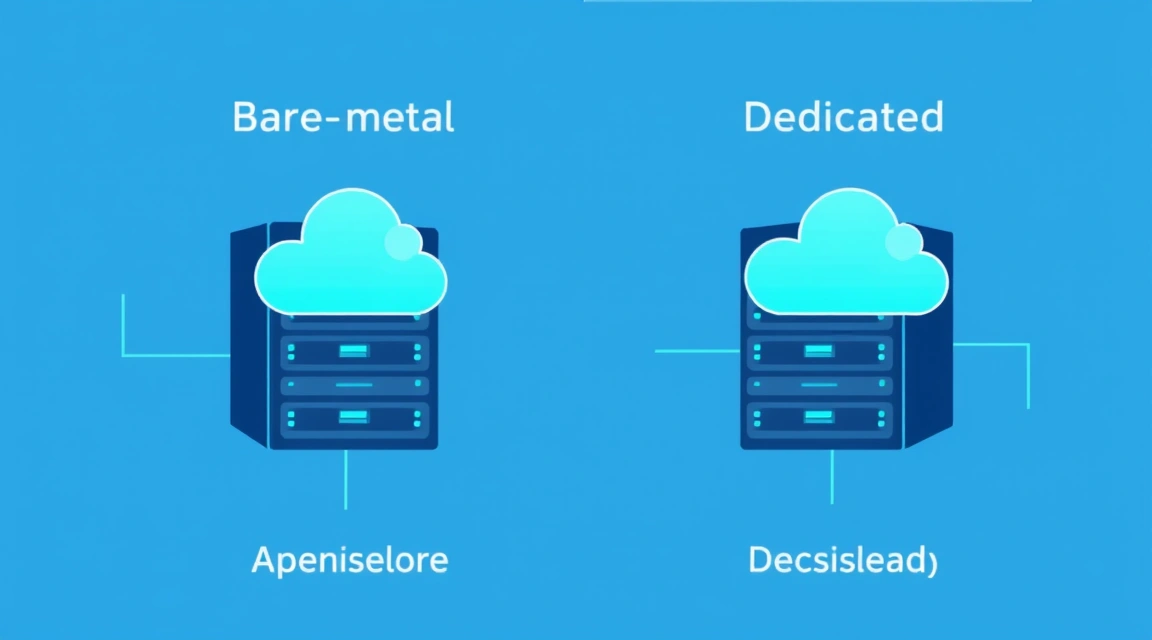
Al elegir entre estas dos soluciones, es importante entender que a nivel de "hierro" pueden ser idénticos: son servidores físicos sin capa de virtualización (hipervisor). Sin embargo, el modelo operativo de bare metal cloud vs dedicated difiere radicalmente. En 2026, la frontera entre ambos es cada vez más delgada, ya que los grandes proveedores están implementando elementos de automatización en el alquiler clásico de equipos en rack.
Bare metal cloud vs dedicated: diferencias fundamentales en la arquitectura
La diferencia principal reside en el término "provisioning": el proceso de preparación y entrega del servidor al cliente. En el hosting dedicado clásico, usted elige una configuración, paga la factura y luego un especialista técnico en el centro de datos (o un script automatizado con capacidades limitadas) instala el SO y configura la red. Este proceso puede tardar de 4 a 24 horas.
Velocidad de despliegue e integración de API
Bare metal cloud funciona bajo el principio de "Infrastructure as Code" (IaC). Los servidores ya están instalados en los racks, conectados a la alimentación y a la red, y su gestión se delega a un controlador de software. Cuando usted hace clic en el botón "Crear", el sistema, a través de PXE (Preboot Execution Environment), carga la imagen del SO necesaria, configura las interfaces de red y le entrega el acceso. Todo el proceso dura entre 60 y 300 segundos. Esto convierte al bmc dedicated en la solución ideal para cargas dinámicas donde se requiere un escalado rápido de la potencia física.
Ausencia de hipervisor y "noisy neighbors"
A diferencia de las instancias cloud estándar, un proveedor de bare metal le ofrece acceso directo al procesador (CPU), la memoria RAM y el subsistema de discos (NVMe/SSD). Aquí no existe el overselling, que es frecuente en el segmento de los servidores virtuales. Para entender mejor la diferencia entre recursos virtualizados y dedicados, recomendamos estudiar el artículo qué es un VPS en 2026: guía del comprador vs cloud y dedicated. En bare metal, usted obtiene el 100% del rendimiento del hardware sin los retardos introducidos por la capa de abstracción de la virtualización.
Evolución de bmc dedicated: cómo las tecnologías cloud cambiaron el hardware físico
El término bmc dedicated surgió como respuesta a la necesidad de los desarrolladores de contar con la flexibilidad de AWS o Google Cloud, pero con la potencia bruta de los servidores físicos. Los "dedicados" tradicionales siempre han sido estáticos: usted alquila un servidor con Intel Xeon Gold 6248R y 256 GB de RAM por un mes. Si necesita más memoria, tiene que pedir un servidor nuevo y migrar los datos manualmente.
Facturación y eficiencia económica
Bare metal cloud implementa el modelo de pago "Pay-as-you-go". Usted paga solo por las horas o minutos en que el servidor estuvo encendido. Esto es crítico para proyectos con tráfico variable o para tareas de renderizado y análisis de datos que duran unas pocas horas. Comparemos los costes típicos:
| Parámetro | Dedicated Clásico | Bare Metal Cloud (BMC) |
|---|---|---|
| Modelo de pago | Fijo (mes/año) | Por hora (Hourly billing) |
| Tasa de instalación (Setup fee) | A menudo presente ($50 - $100) | Normalmente ausente ($0) |
| Tiempo de activación | de 4 a 24 horas | de 2 a 5 minutos |
| Gestión vía API | Limitada o ausente | Soporte total (Terraform, Ansible) |
| Configuración de hardware | Custom (se puede elegir disco/RAM) | Standardized (líneas de tarifas fijas) |
Flexibilidad de configuraciones bare metal vs dedicated
Una de las ventajas del servidor dedicado clásico sigue siendo la posibilidad de personalización. Puede solicitar al proveedor de bare metal que instale una tarjeta de red específica o un volumen de disco determinado. En el bare metal cloud, normalmente está limitado a un conjunto de preajustes (por ejemplo, Instance Type A: 32 cores / 128 GB RAM). Sin embargo, la velocidad de sustitución de un componente averiado en BMC es mayor: el sistema simplemente redirigirá su imagen a otro servidor libre en el clúster.
¿Busca un servidor fiable para sus proyectos?
VPS desde $10/mes y servidores dedicados desde $9/mes con NVMe, protección DDoS y soporte 24/7.
Ver ofertas →Conectividad de red y Provisioning: por qué bare metal vs dedicated gana en velocidad
La infraestructura de red es donde el bare metal cloud realmente toma la delantera. En el alquiler de servidores clásicos, a menudo está limitado a uno o dos enlaces ascendentes (uplinks) con un ancho de banda fijo. En un entorno cloud, trabaja con redes privadas virtuales (VPC), direcciones IP flotantes (Floating IPs) y balanceadores de carga a nivel L3/L4.
Automatización de configuraciones de red
Al utilizar bare metal cloud vs dedicated, obtiene la capacidad de gestionar mediante software la topología de la red. Por ejemplo, puede unir 10 servidores físicos en una red local de 10/25/100 Gbps en pocos segundos a través del panel de control o la API. En un escenario clásico, esto requeriría un parcheo manual en el rack por parte de los ingenieros del centro de datos.
Ejemplo de configuración de interfaz de red en bare metal cloud a través de cloud-init:
#cloud-config
network:
  version: 2
  ethernets:
    enp1s0f0:
      dhcp4: true
    enp1s0f1:
      addresses: [10.20.30.5/24]
      routes:
        - to: 10.20.30.0/24
          via: 10.20.30.1
Presencia global y Anycast
Un proveedor moderno de bare metal ofrece puntos de presencia en todo el mundo. Esto permite desplegar clústeres de servidores en Europa, EE. UU. y Asia, gestionándolos desde una sola consola. En comparación, al trabajar con servidores dedicados clásicos, a menudo tiene que interactuar con diferentes proveedores regionales, tener diferentes contratos y distintas interfaces de gestión. Si planea migrar de soluciones simples a otras más escalables, consulte nuestra guía cómo mudarse de AWS Lightsail a VPS en 2026, donde se describen los principios de preparación de la infraestructura.

Economía de propiedad: cálculo del coste de un proveedor de bare metal frente al alquiler clásico
Para proyectos a largo plazo (más de 1 año), un servidor dedicado clásico casi siempre será más económico. Los proveedores suelen ofrecer descuentos de hasta el 30-40% con contratos anuales. Sin embargo, para startups y departamentos de I+D, el bare metal cloud es más rentable debido a la ausencia de gastos de capital (CapEx) y la flexibilidad del OpEx.
Comparación de costes con cifras concretas
Consideremos un servidor basado en AMD EPYC 9354 (32 núcleos, 128 GB RAM, 2x 1.92TB NVMe):
- Dedicated (clásico): ~$280/mes. Pago por mes adelantado. Si el servidor ya no es necesario después de 2 semanas, no hay reembolso.
- Bare Metal Cloud: ~$0.55/hora. Por 2 semanas de uso (336 horas) pagará $184.80. Si el proyecto se cierra, los cargos cesan instantáneamente.
Es importante considerar también el coste de administración. El BMC requiere menos horas-hombre para el despliegue y mantenimiento del SO, ya que muchos procesos están automatizados por el proveedor. Esto es fundamental al elegir entre diferentes tipos de hosting, por ejemplo, cuando analiza VDS vs VPS en 2026: ¿hay una diferencia real? en el contexto del rendimiento por dólar invertido.
Gastos ocultos
En un servidor dedicado clásico, a menudo se paga por el tráfico que excede el límite (por ejemplo, después de 30 TB). En bare metal cloud, el modelo puede ser tanto con tráfico incluido como con pago por cada gigabyte (egress traffic), lo cual es típico de los "tres grandes" (AWS, Azure, GCP). Siempre verifique la política del proveedor de bare metal respecto al tráfico saliente para evitar facturas de miles de dólares.
Stack técnico: automatización de bare metal cloud a través de Terraform y API
La principal ventaja de bare metal vs dedicated es la integración en los pipelines de CI/CD. Puede usar Terraform para levantar toda la infraestructura del proyecto con una sola ejecución de script. Esto es imposible con los servidores dedicados tradicionales sin el uso de scripts IPMI/iDRAC complejos y a menudo inestables.
Ejemplo de configuración de Terraform para Bare Metal
A continuación se muestra un ejemplo de cómo se describe un servidor físico en un entorno cloud:
resource "baremetal_server" "web_node" {
  hostname         = "web-server-01"
  plan             = "bm.high_cpu.x86"
  region           = "eu-central-1"
  operating_system = "ubuntu_22_04"
  ssh_keys         = [var.ssh_public_key]

  root_password    = var.admin_password
  user_data        = file("setup_script.sh")
}
Este enfoque permite a los ingenieros de infraestructura versionar los cambios en repositorios Git. Si un servidor "cae" o se ve comprometido, simplemente lo elimina y crea uno nuevo idéntico en 5 minutos. En el mundo del bmc dedicated, los servidores se convierten en "ganado, no en mascotas" (Cattle vs Pets), lo cual es el estándar de oro de la cultura DevOps moderna.
Para quién es adecuado el bmc dedicated: escenarios de uso para Highload y ML
La elección entre bare metal cloud vs dedicated depende de sus tareas. Si necesita una base de datos estable por 2 años, elija un servidor dedicado clásico. Si necesita entrenar rápidamente una red neuronal o procesar terabytes de logs, elija bare metal cloud.
Uso en Machine Learning (ML)
Para las tareas de ML, es crucial la velocidad de acceso a la memoria y la ausencia de latencias en el bus PCIe. Bare metal proporciona acceso directo a las GPU o a CPUs de alto rendimiento. Puede consultar una prueba detallada en nuestro artículo bare-metal vs VPS para inferencia de ML en CPU: qué es más rentable. El uso de bare metal cloud permite alquilar potentes procesadores EPYC o Xeon solo durante el tiempo de inferencia o entrenamiento del modelo.
Bases de datos de alta carga (Highload DB)
Las bases de datos SQL y NoSQL son extremadamente sensibles a las operaciones de E/S del disco. En un entorno virtual (VPS), usted comparte los IOPS con otros clientes. En bare metal, obtiene el control total sobre el controlador NVMe. Recomendaciones de elección:
- Para bases de datos de producción con una carga superior a 50,000 RPS, use solo servidores físicos.
- Si la carga es predecible (por ejemplo, un sistema ERP de una empresa), un dedicado clásico ahorrará presupuesto.
- Si la carga depende de campañas de marketing o estacionalidad, bmc dedicated permitirá añadir nodos al clúster rápidamente.
Conclusiones
Bare metal cloud y los servidores dedicados son enfoques diferentes para gestionar la misma potencia física. Elija bare metal cloud si valora la velocidad de despliegue a través de API, el pago por hora y la automatización DevOps, pero esté preparado para un coste por hora ligeramente superior a largo plazo. El servidor dedicado clásico sigue siendo la mejor opción para proyectos estables a largo plazo con un presupuesto fijo, donde la configuración manual una vez al año no supone un problema.
Bare metal en más de 70 ubicaciones: hardware moderno, NVMe, entrega rápida, pago con tarjeta o cripto.
Ver servidores