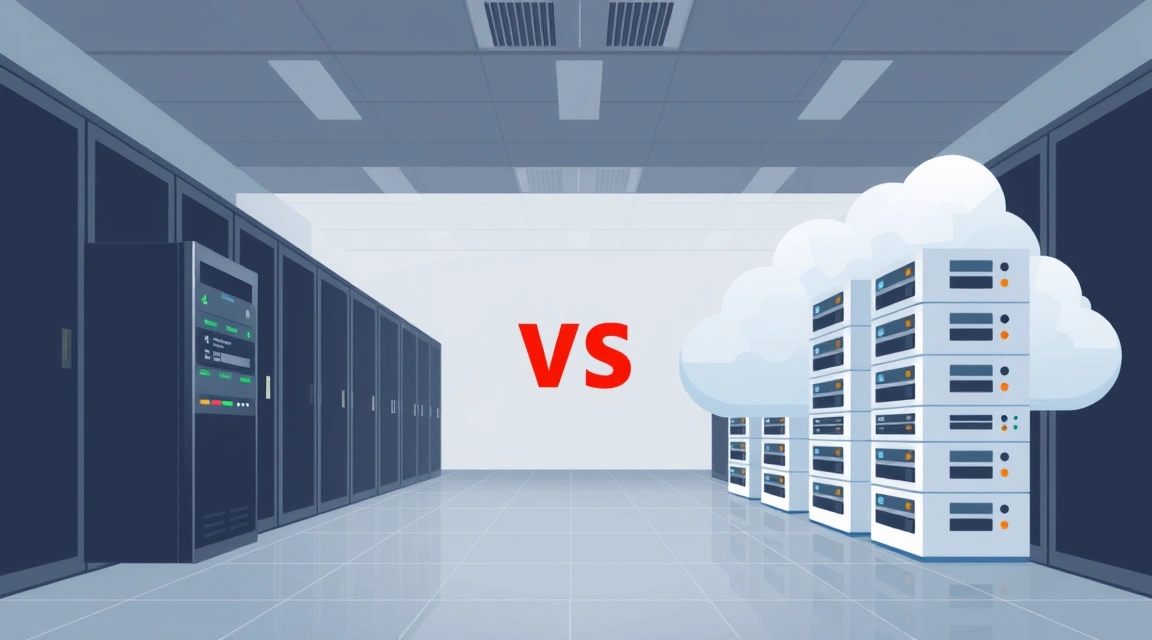
Single Dedicated Server: Power and Simplicity
A single dedicated server provides exclusive access to all its hardware resources—CPU, RAM, storage, and network bandwidth. This means no sharing of resources with other tenants, ensuring consistent performance and maximum control. It's often the go-to choice for projects requiring significant compute power without immediate demands for horizontal scalability or ultra-high availability.
Key Advantages of a Single Dedicated Server:
- Simplicity: Easier to set up, configure, and manage compared to a multi-server environment. Less complex networking and software configurations.
- Cost-Effectiveness (Initial): Generally, the initial investment for a single high-spec dedicated server is lower than setting up and configuring a multi-server cluster with equivalent aggregate resources.
- Full Control: Complete administrative access to the entire server, allowing for highly customized software stacks and operating system configurations.
- Predictable Performance: With no resource contention from other users, performance is often highly stable and predictable, making it ideal for workloads with consistent demands.
Ideal Use Cases for a Single Dedicated Server:
- Medium-Traffic Websites & Applications: Websites, e-commerce platforms, or SaaS applications with a steady, predictable user base that doesn't experience extreme traffic spikes.
- Development & Staging Environments: For testing new features, deploying development builds, or creating staging environments before pushing to production.
- Specific Application Hosting: Running a single, resource-intensive application like a large database instance, a high-performance analytics tool, or a specialized scientific computing task.
- Game Servers (Moderate Scale): Hosting game servers for communities that don't require massive concurrency or distributed regions.
- Mail Servers (Smaller Enterprises): Providing reliable email services for organizations with a contained user base.
Server Cluster: Scalability, Redundancy, and High Availability
A server cluster is a group of interconnected dedicated servers that work together as a single, unified system. This architecture is designed to overcome the limitations of a single server, providing enhanced scalability, fault tolerance, and performance by distributing workloads across multiple machines. Clustering is fundamental for mission-critical applications and services that cannot afford downtime or performance bottlenecks.
Key Advantages of a Server Cluster:
- High Availability (HA): If one server in the cluster fails, others can take over its workload, preventing service interruption. This is crucial for applications requiring 99.99% (four nines) or even 99.999% (five nines) uptime.
- Scalability: Clusters offer horizontal scalability, meaning you can add more servers to the cluster as your demands grow, distributing the load and increasing capacity without downtime. This is more flexible than vertical scaling (upgrading components on a single server).
- Load Balancing: Traffic and processing tasks can be distributed evenly across multiple servers, preventing any single server from becoming a bottleneck and ensuring optimal performance for all users.
- Fault Tolerance: Redundancy built into the system means that the failure of individual components or even entire servers does not bring down the entire service.
- Geographic Distribution: Clusters can span multiple data centers, providing disaster recovery capabilities and reducing latency for geographically dispersed users.
Ideal Use Cases for a Server Cluster:
- High-Traffic Web Applications & E-commerce: Large online stores, social media platforms, SaaS applications, or news sites expecting massive concurrent users and traffic spikes.
- Large-Scale Databases: Architectures requiring database replication (e.g., PostgreSQL streaming replication, MySQL master-replica, MongoDB replica sets) for high availability and read scalability.
- Massive Multiplayer Online (MMO) Game Servers: Distributing game worlds, player instances, and backend services across multiple servers to handle thousands or millions of concurrent players globally.
- Streaming Services: Delivering video, audio, or live content to a wide audience, requiring robust content delivery networks (CDNs) and distributed media servers.
- Big Data Processing & Analytics: For applications that process vast amounts of data, like Hadoop or Spark clusters, distributing the computational load is essential.
- CI/CD Pipelines: For large development teams, a cluster can host build agents, artifact repositories, and testing environments, ensuring fast and continuous integration/delivery processes.
- Enterprise Mail Servers: Providing highly available and scalable email infrastructure for large organizations with critical communication needs.
- Container Orchestration (Kubernetes): Running containerized applications at scale, where Kubernetes nodes form a cluster to manage deployments, scaling, and self-healing of containers.
Feature-by-Feature Comparison: Single Server vs. Cluster
Let's delve into a detailed comparison of key features and considerations:
| Feature/Metric | Single Dedicated Server | Server Cluster |
|---|---|---|
| CPU | All processing handled by a single CPU or set of CPUs on one machine. Vertical scaling by upgrading to more powerful processors. | Workloads distributed across CPUs of multiple servers. Horizontal scaling by adding more CPU cores via additional servers. |
| RAM | Total memory limited to what a single server can physically hold. Vertical scaling by increasing RAM modules. | Aggregate memory across all servers can be vast. Memory-intensive tasks can be distributed. |
| Storage | Local storage (HDDs/SSDs) confined to one server. Can be high-capacity or high-speed (NVMe). Backup is crucial. | Can utilize local storage on each server, shared storage solutions (SAN/NAS), or distributed file systems (e.g., GlusterFS, Ceph) for redundancy and scalability. |
| Network Bandwidth | Total bandwidth capacity of the single server's network interfaces. High-speed uplinks (10Gbps, 25Gbps) possible. | Aggregate bandwidth across all servers. Requires robust internal network (e.g., private VLANs) for inter-server communication and external load balancing. |
| Scalability | Vertical: Upgrade hardware components (CPU, RAM, storage) on the existing server. Limited by hardware maximums. | Horizontal: Add more servers to the cluster. Virtually limitless scalability, ideal for unpredictable growth. |
| High Availability & Redundancy | Limited: Single point of failure. Downtime if hardware fails, OS crashes, or maintenance is performed. Requires external backup/DR strategy. | Excellent: Built-in redundancy and failover mechanisms. If one server fails, others take over. Minimizes downtime. |
| Performance | High for single-threaded or less distributed applications. Can be a bottleneck for extremely high concurrent requests. | Very high aggregate performance. Load balancing distributes requests, preventing bottlenecks and optimizing response times for high concurrency. |
| Management Complexity | Relatively low. Standard server administration. | High. Requires expertise in clustering technologies, load balancing, distributed systems, and network configuration. More moving parts to monitor. |
| Cost-Effectiveness | Lower initial cost. Cost-effective for stable workloads. Vertical scaling can become expensive at the high end. | Higher initial investment and ongoing operational complexity costs. More cost-effective in the long run for growing, mission-critical applications due to optimized resource utilization and reduced downtime. |
| Data Management | Simpler, as data resides on a single machine. Requires robust backup strategy. | More complex. Requires distributed databases, shared storage, or replication strategies to ensure data consistency and availability across nodes. |

Performance Considerations and Cost-Effectiveness Analysis
The Tipping Point: When to Consider a Cluster
The decision to move from a single dedicated server to a cluster often comes down to a "tipping point" where the limitations of a single machine outweigh its simplicity and lower initial cost. This tipping point is typically reached when:
- Downtime is Unacceptable: For mission-critical applications where every minute of downtime translates directly to lost revenue or reputation damage.
- Traffic Exceeds Single Server Capacity: Your application consistently maxes out the CPU, RAM, or network of your single server, even after optimizing code and database queries.
- Anticipated Growth: You foresee significant, rapid growth in user base or data volume that cannot be met by simply upgrading a single server (vertical scaling).
- Geographic Redundancy: You need to serve users across different regions with low latency or require disaster recovery across multiple locations.
- Complex Workloads: Your application architecture benefits from distributing different components (web servers, application servers, database servers, caching servers) across dedicated machines.
Cost-Effectiveness Beyond Initial Spend
While a cluster has a higher initial setup and ongoing management cost, its long-term cost-effectiveness can be superior for the right workloads:
- Reduced Downtime Costs: The cost of potential downtime from a single server failure often far exceeds the additional investment in a cluster for high-availability applications.
- Optimized Resource Utilization: Load balancing ensures that server resources are used efficiently across the cluster, preventing underutilization of some servers while others are overloaded.
- Flexible Scaling: Horizontal scaling allows you to add resources incrementally as needed, avoiding expensive over-provisioning that might occur when trying to future-proof a single server.
- Disaster Recovery: A properly configured cluster, especially one spanning multiple data centers, provides a robust disaster recovery solution, which can save immense costs and business continuity in the face of major outages.
- Software Licensing: Be mindful of software licensing models for clustered environments. Some software licenses are per core or per server, which can significantly impact total cost of ownership.
Practical Advice for Sysadmins, Developers, and Businesses
Making the right choice requires careful planning and consideration of your specific needs:
For Single Server Deployments:
- Monitor Diligently: Even with a single server, robust monitoring of CPU, RAM, disk I/O, and network usage is crucial to identify potential bottlenecks before they impact users.
- Regular Backups: Implement automated, off-site backups with a clear recovery plan. A single server is a single point of failure for data.
- Security Hardening: Focus on comprehensive security measures, as a breach on a single server can compromise your entire application.
- Optimize Applications: Ensure your applications are well-optimized to make the most of the available resources. Efficient code and database queries can extend the lifespan of a single server setup.
For Server Cluster Deployments:
- Design for Failure: Assume components will fail. Design your cluster with redundancy at every layer: power, network, storage, and application.
- Choose the Right Technologies: Select appropriate clustering technologies for your specific needs:
- Load Balancers: NGINX, HAProxy, or dedicated hardware load balancers distribute traffic.
- Database Replication: PostgreSQL streaming replication, MySQL master-replica, MongoDB replica sets, or sharding for distributed databases.
- Shared Storage: Network Attached Storage (NAS), Storage Area Networks (SAN), or distributed file systems like Ceph or GlusterFS.
- Container Orchestration: Kubernetes for managing containerized applications at scale.
- Configuration Management: Tools like Ansible, Puppet, or Chef to manage configurations across multiple servers consistently.
- Complex Networking: Plan your network architecture carefully, including private networks for inter-server communication, public networks for external access, and robust firewall rules.
- Centralized Logging & Monitoring: Implement centralized logging (e.g., ELK stack) and monitoring (e.g., Prometheus, Grafana) to gain insights into the health and performance of the entire cluster.
- Automation: Automate deployment, scaling, and recovery processes as much as possible to reduce manual errors and management overhead.
Making the Right Choice for Your Workload
The decision between a single dedicated server and a server cluster is not one-size-fits-all. It depends on a multitude of factors, including your application's specific requirements, expected traffic, budget, and tolerance for downtime.
- If you are launching a new project, have a predictable user base, or operate within a strict budget, a powerful single dedicated server from Valebyte offers exceptional performance and control without unnecessary complexity.
- If your application is mission-critical, experiences high or unpredictable traffic, requires maximum uptime, or needs to scale rapidly, a server cluster provides the resilience and flexibility you need to succeed.
At Valebyte, we provide robust bare-metal dedicated server solutions that can form the backbone of either a powerful single-server setup or a scalable, high-availability cluster. Our infrastructure is designed to empower your growth, no matter the complexity of your demands.