Deploying Apache Superset on a VPS: Docker, PostgreSQL, Redis, SSL, and Database Connections
TL;DR
Apache Superset can be deployed on a VPS with Docker Compose using separate PostgreSQL, Redis, Celery, and Caddy containers, resulting in a self-hosted secure BI platform for dashboards, SQL queries, and connecting external databases via HTTPS.
- For a small production deployment, 4 vCPU, 8 GB RAM, and an 80–120 GB NVMe drive are sufficient.
- PostgreSQL stores Superset metadata: users, settings, charts, dashboards, and connections.
- Redis is used as a Celery task broker and query-result cache.
- Caddy automatically issues and renews Let’s Encrypt TLS certificates.
- External analytical databases are connected through the Superset interface or via a SQLAlchemy URI.
- For production, always set a persistent
SECRET_KEY, enable PostgreSQL backups, and restrict server access with firewall rules.
What we are configuring and why
Apache Superset is an open-source BI platform for working with data. Through its web interface, it allows you to connect PostgreSQL, MySQL, ClickHouse, Microsoft SQL Server, Trino, BigQuery, Snowflake, DuckDB, and dozens of other sources through SQLAlchemy drivers. Users can create datasets, SQL queries, charts, tables, KPI cards, and interactive dashboards.
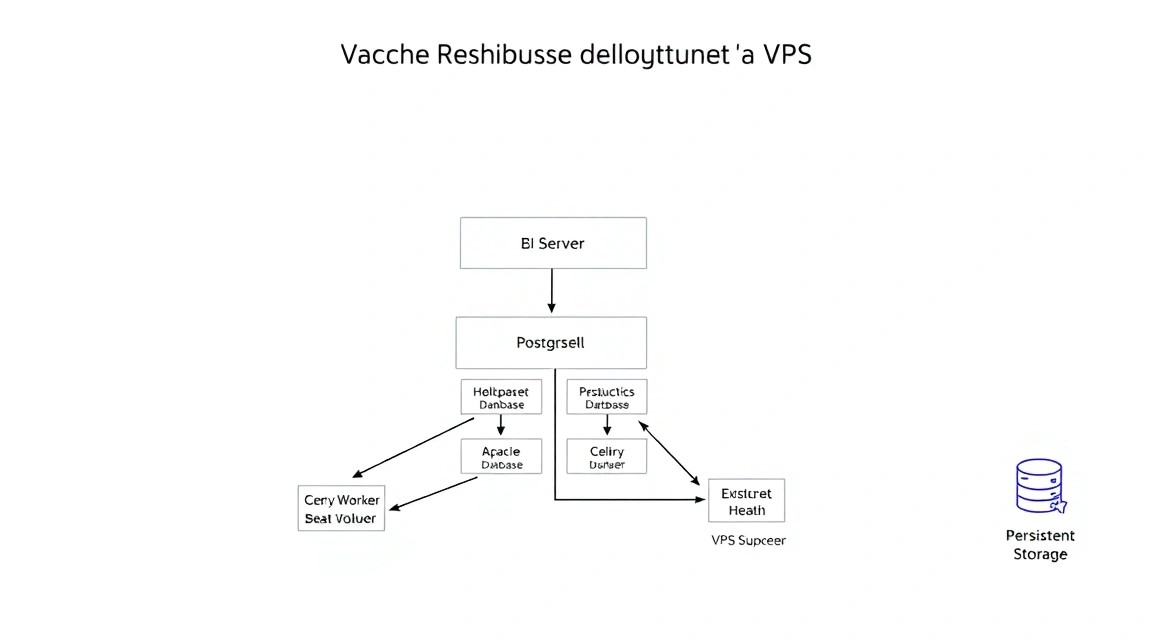
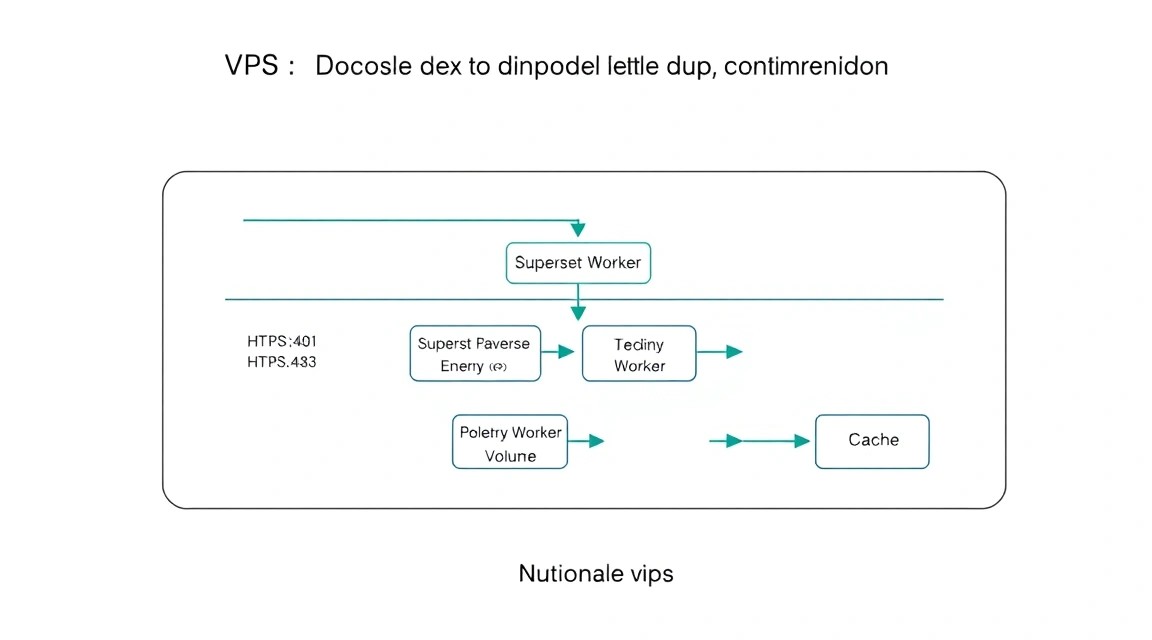
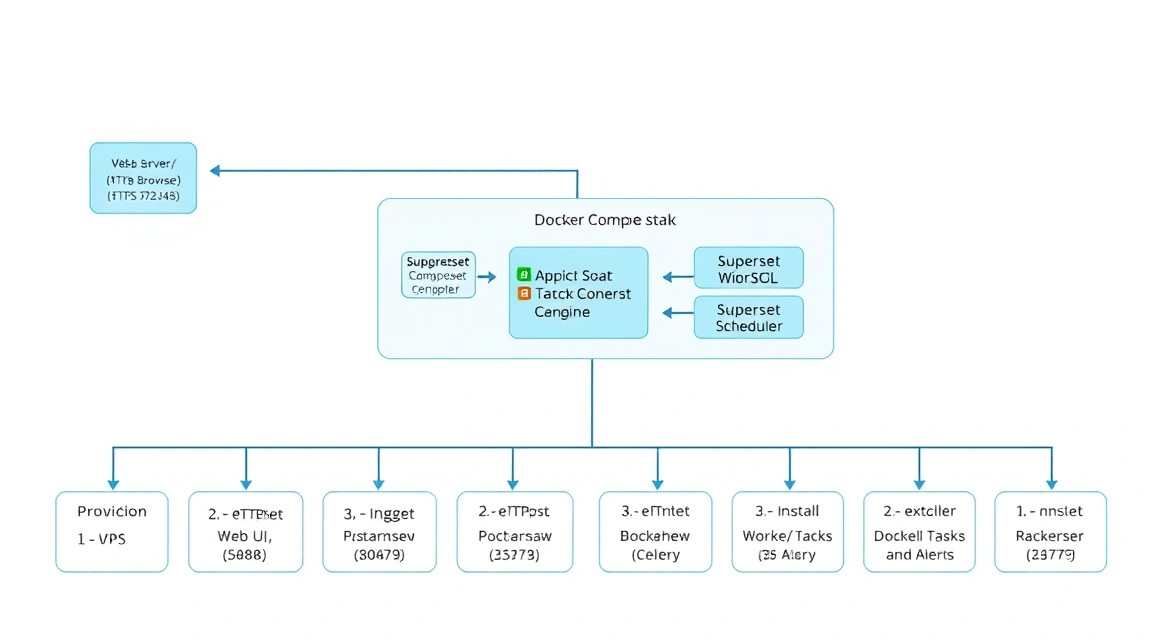
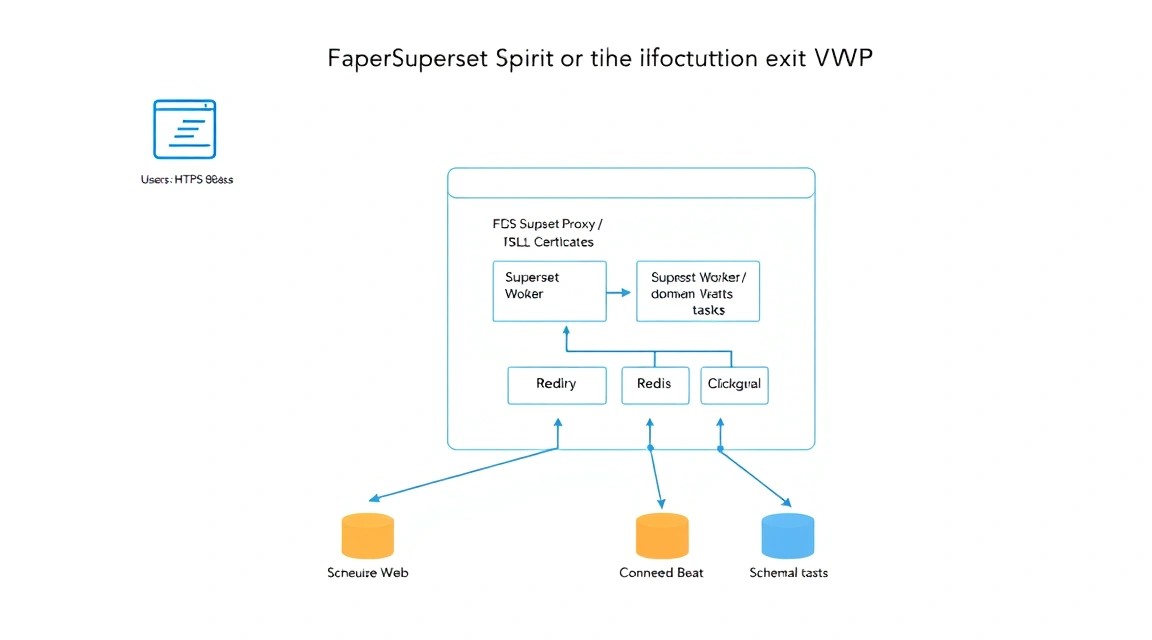
In this guide, a production Apache Superset stack will be deployed on Ubuntu Server 24.04 LTS. Superset runs in Docker Compose, metadata is stored in PostgreSQL 16, Redis 7 is used for queues and caching, and Caddy handles HTTPS traffic on ports 80 and 443. The Superset web container is not published directly to the internet: only the reverse proxy is publicly accessible.
The architecture is suitable for a small team, startup, internal SaaS-product analytics, agency, or department with up to several dozen active users. It is also convenient for a personal analytics environment: for example, when application data is stored in PostgreSQL, events are collected in ClickHouse, and reports need to be provided to managers without direct database access.
| Component | Purpose | External access |
|---|---|---|
| Apache Superset | BI web interface, SQL Lab, charts, and dashboards | Only through Caddy |
| PostgreSQL 16 | Superset metadata, users, roles, and connections | No |
| Redis 7 | Celery broker, task results, and cache | No |
| Celery worker | Asynchronous queries, reports, and background tasks | No |
| Caddy | HTTPS, reverse proxy, and automatic certificates | Ports 80 and 443 |
What you will have after configuration
After completing the steps, you will have a URL such as https://superset.example.com, protected by a valid TLS certificate. The administrator will be able to create users, assign them Gamma, Alpha, or custom roles, register external databases, and build dashboards. Long-running queries can be executed through Celery without blocking the web process.
PostgreSQL in this setup is not a database for business data. It stores Superset’s internal state specifically. If you delete its volume without a backup, user accounts, data connections, SQL queries, dashboards, tags, and settings will disappear. Therefore, PostgreSQL must be backed up regularly, separately from Docker images.
Self-hosted Superset and managed BI
Cloud-managed BI services launch faster: usually, it is enough to connect a data warehouse and invite employees. In exchange, the organization transfers metadata, SQL queries, table structures, and sometimes analytical results and user data to the provider. In addition, the cost often depends on the number of editors or viewers.
Self-hosted Apache Superset on a VPS requires independent administration, updates, and backups. However, you control the network topology, versions, logs, roles, domain, and data storage location. This is especially useful if the database is accessible only from an internal network, data-localization requirements apply, or analytics must operate without dependence on an external SaaS.
Superset generally does not copy data into the metadata PostgreSQL database. It connects to the source database and executes SQL queries on behalf of a separate technical user. However, SQL Lab and the cache may store results for a limited time, so permissions and cache retention periods should be planned in advance.
dnsA server for this guide
Matching plans from verified providers, prices updated daily.
 Contabo4 vCPU · 8 GB RAM · 100 GB
$6.04/moView plan →
 1blu4 vCPU · 8 GB RAM · 120 GB
$9.86/moView plan →
Compare:Vultr vs DigitalOceanVultr vs ContaboAll VPS by price
Affiliate links: we may earn a commission, your price stays the same.
What VPS configuration is needed for this task
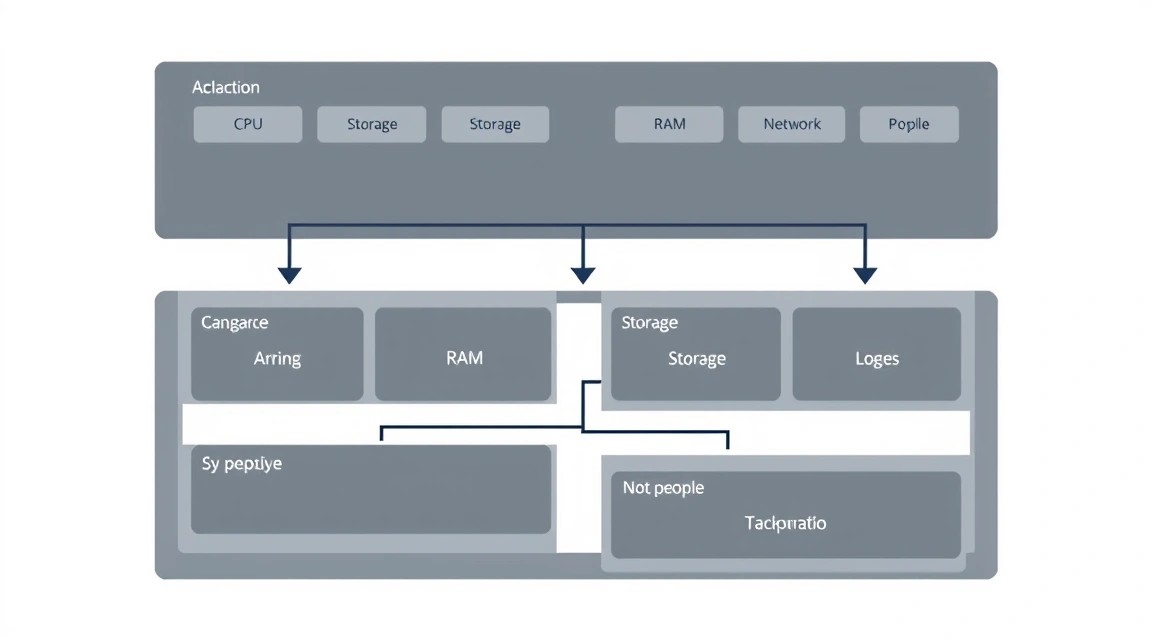
Superset load depends not only on the number of users. More significant factors are the number of concurrent SQL queries, result sizes, chart complexity, the use of scheduled reports, and the location of the analytical database. Superset itself should not perform heavy aggregation instead of ClickHouse, PostgreSQL, or a warehouse: calculations should be moved to the source database, data marts, or materialized views.
| Scenario | vCPU | RAM | NVMe drive | Suitable for |
|---|---|---|---|---|
| Test environment | 2 | 4 GB | 40–60 GB | 1–3 users, without heavy tasks |
| Small production | 4 | 8 GB | 80–120 GB | 5–30 active users |
| Team and regular reports | 6–8 | 16 GB | 160–250 GB | 30–100 users, Celery and caching |
| High load | 8+ | 32 GB+ | 300 GB+ | Several workers, many dashboards |
For the first production deployment, a practical minimum is 4 vCPU, 8 GB RAM, a 100 GB NVMe drive, and a connection of at least 100 Mbps. Superset, PostgreSQL, Redis, Caddy, and one or two Celery worker processes run normally on such a server. Keep at least 20–30% of the disk free for PostgreSQL WAL, Docker layers, logs, and backups before they are uploaded to external storage.
For example, you can choose a VPS with the specified characteristics, install Ubuntu 24.04 LTS, and assign a static public IPv4 address. When choosing, make sure the provider does not block incoming ports 80 and 443: Caddy needs them for HTTP domain validation and HTTPS.
When you need dedicated rather than a VPS
A dedicated server makes sense if Superset serves a large number of concurrent users, heavy ClickHouse or PostgreSQL analytics runs on the same host, 32–128 GB of RAM is required, predictable IOPS are needed, or strict resource isolation is necessary. Dedicated is also preferable when compliance requirements prohibit placing production data on virtualized infrastructure.
If Superset connects to a separate managed PostgreSQL, ClickHouse Cloud, BigQuery, or remote warehouse, the Superset server usually does not require a powerful CPU. In this case, a VPS with 4–8 vCPU and 8–16 GB RAM is usually sufficient. Increase resources after monitoring RAM, the Celery queue, response time, and source-database load.
Choosing a location
Location affects latency between Superset and data sources. If PostgreSQL or ClickHouse is located in a European data center, place the Superset VPS in the same region or at least in the same country. Latency of 2–10 ms has almost no effect on ordinary queries, but 80–150 ms noticeably slows interactive filters and dashboards with dozens of widgets.
If Superset is accessed by employees from one country, choose the nearest location. If access is restricted by a corporate VPN, it is more useful to place the server near the private network or VPN gateway. Do not expose the PostgreSQL source to the internet just to connect Superset: use a private network, WireGuard tunnel, SSH tunnel, or permission for the VPS’s specific IP address instead.
Server preparation
The instructions are intended for a clean Ubuntu Server 24.04 LTS installation with SSH access as the root user. Before starting, create an A-type DNS record: superset.example.com must point to the server’s public IPv4 address. Caddy cannot issue a certificate until DNS has propagated and ports 80/443 are accessible externally.
Creating an administrator and updating the OS
Do not run the Docker stack permanently as root. Create a separate user, add it to the sudo and docker groups, and then use it for further actions.
apt update && apt upgrade -y
apt install -y sudo curl wget ca-certificates gnupg lsb-release \
  ufw fail2ban unattended-upgrades jq nano git
adduser deploy
usermod -aG sudo deploy
The command installs security updates, basic utilities, a firewall, and fail2ban, then creates the deploy user. The user’s password is needed only as a backup option: SSH keys should be the primary access method.
Configuring an SSH key
Create a key on your local computer if you do not already have one. Use Ed25519 for the new key and set a passphrase. Then copy the public part to the server.
ssh-keygen -t ed25519 -a 100 -C "[email protected]"
ssh-copy-id deploy@SERVER_IP
ssh deploy@SERVER_IP
Verify that logging in as the deploy user works in a separate terminal. Only after this check should you disable root login and password authentication. Do not close the current root session until you have confirmed key-based access.
sudo nano /etc/ssh/sshd_config.d/99-hardening.confCreate the file with the following contents.
PermitRootLogin no
PasswordAuthentication no
KbdInteractiveAuthentication no
PubkeyAuthentication yes
X11Forwarding no
MaxAuthTries 3
AllowUsers deploy
Check the configuration and restart the SSH service.
sudo sshd -t && sudo systemctl restart sshFirewall and fail2ban
Only SSH, HTTP, and HTTPS are needed from the external internet. Do not open the Superset port 8088, Redis 6379, or PostgreSQL 5432: they communicate between containers through the internal Docker network.
sudo ufw default deny incoming
sudo ufw default allow outgoing
sudo ufw allow OpenSSH
sudo ufw allow 80/tcp
sudo ufw allow 443/tcp
sudo ufw enable
sudo ufw status verbose
Ideally, restrict SSH to a specific office IP or VPN subnet. If the IP is dynamic, leave OpenSSH exposed, but use only keys and fail2ban.
sudo systemctl enable --now fail2ban
sudo fail2ban-client status sshd
sudo systemctl enable --now unattended-upgrades
Fail2ban blocks an IP after repeated unsuccessful login attempts. Ubuntu automatic updates install security patches, but Superset, PostgreSQL, and Redis Docker images still need to be updated manually on a controlled schedule.
Checking resources before installation
free -h
df -h /
nproc
curl -4 ifconfig.me
Make sure at least 7 GB of RAM is available for the recommended scenario, that at least 70 GB of free disk space is available, and that the curl command returns the expected public IP. If RAM is exactly 4 GB, create a 2–4 GB swap: it does not replace memory, but it can prevent a process from being terminated during a brief spike.
Software Installation — Step by Step
Docker Engine and the Docker Compose Plugin from the official Docker repository are used below. As of 2026, use the current stable Docker Engine 27/28 branch and Compose v2 as a reference; the exact versions can be seen after installation. For Superset, the apache/superset:5.0.0 image is pinned in the example. Before a production update, check the Apache Superset releases page and the changelog for the selected tag.
Installing Docker Engine
sudo install -m 0755 -d /etc/apt/keyrings
curl -fsSL https://download.docker.com/linux/ubuntu/gpg | \
  sudo gpg --dearmor -o /etc/apt/keyrings/docker.gpg
sudo chmod a+r /etc/apt/keyrings/docker.gpg
The commands add the official Docker GPG key to the APT system keyring.
echo \
  "deb [arch=$(dpkg --print-architecture) signed-by=/etc/apt/keyrings/docker.gpg] \
  https://download.docker.com/linux/ubuntu $(. /etc/os-release && echo $VERSION_CODENAME) stable" | \
  sudo tee /etc/apt/sources.list.d/docker.list > /dev/null
sudo apt update
This block adds the official Docker repository for Ubuntu 24.04.
sudo apt install -y docker-ce docker-ce-cli containerd.io \
  docker-buildx-plugin docker-compose-plugin
sudo usermod -aG docker deploy
newgrp docker
docker version
docker compose version
After adding yourself to the docker group, reconnect via SSH or run newgrp docker. Membership in this group effectively grants root privileges on the host, so add only trusted administrators to it.
Creating the Project Structure
We will place the configuration in /opt/superset. The directory will contain the Compose file, environment variables, application configuration, Caddyfile, and maintenance scripts. Docker volumes will be managed separately by Docker.
sudo mkdir -p /opt/superset/{config,caddy,data,backups,scripts}
sudo chown -R deploy:deploy /opt/superset
cd /opt/superset
umask 077
openssl rand -base64 48
openssl rand -hex 24
The last two commands generate secrets. Save the first long random key as SUPERSET_SECRET_KEY, and use the second as the PostgreSQL password. Do not put these values in Git, tickets, screenshots, or a shared chat.
Creating the Variables File
cd /opt/superset
nano .env
chmod 600 .env
The .env file will be read by Docker Compose, but it must not be accessible to other system users.
SUPERSET_TAG=5.0.0
SUPERSET_SECRET_KEY=PASTE_A_LONG_RANDOM_BASE64_SECRET_HERE
POSTGRES_DB=superset
POSTGRES_USER=superset
POSTGRES_PASSWORD=PASTE_A_LONG_RANDOM_PASSWORD_HERE
POSTGRES_HOST=db
POSTGRES_PORT=5432
REDIS_HOST=redis
REDIS_PORT=6379
SUPERSET_DOMAIN=superset.example.com
[email protected]
TZ=Europe/Moscow
Replace the domain, email, time zone, and both secrets. The Superset key cannot be changed after startup without a special rotation procedure: encrypted values, such as database connection passwords, will no longer be decryptable.
Building a Custom Image with Drivers
The base Superset image does not necessarily include all drivers required by your data sources. We will create a small derived image for PostgreSQL, MySQL, and ClickHouse. If a driver is not needed, it can be removed from the file.
nano Dockerfile
nano requirements-local.txt
ARG SUPERSET_TAG=5.0.0
FROM apache/superset:${SUPERSET_TAG}
USER root
COPY requirements-local.txt /tmp/requirements-local.txt
RUN pip install --no-cache-dir -r /tmp/requirements-local.txt
USER supersetpsycopg2-binary==2.9.10
pymysql==1.1.1
clickhouse-connect==0.8.15
trino==0.333.0
duckdb-engine==0.13.4Drivers for the most common data sources have been added here. Do not install packages unnecessarily: each driver increases the update surface. Microsoft SQL Server may require a separate pymssql or pyodbc driver and system libraries.
Creating the Superset Configuration
nano config/superset_config.pyThe next section will provide the complete contents of this file. After creating it, create the Compose definition.
nano compose.yamlThe Compose file starts six services: PostgreSQL, Redis, Superset web, Celery worker, Celery beat, and Caddy. The docker compose up -d --build command will build the local image and create an internal network.
docker compose config
docker compose build
docker compose up -d
docker compose ps
The docker compose config command first checks the syntax and variable substitution. Do not proceed with initialization until all containers have a running status or the cause of the error is clear from the logs.
docker compose logs --tail=100 db
docker compose logs --tail=100 superset
docker compose logs --tail=100 worker
Reviewing the logs immediately after the first launch helps detect an incorrect PostgreSQL password, a port conflict, a Python driver error, or insufficient memory before configuring the domain and HTTPS.
Superset, PostgreSQL, Redis, and SSL Configuration
Superset Application Configuration
The config/superset_config.py file is passed into the container as /app/pythonpath/superset_config.py. It defines the metadata URI, Redis cache, Celery, proxy headers, and upload limits. Secrets are taken only from environment variables.
import os
from cachelib.redis import RedisCache

SECRET_KEY = os.environ["SUPERSET_SECRET_KEY"]

SQLALCHEMY_DATABASE_URI = (
    f"postgresql+psycopg2://{os.environ['POSTGRES_USER']}:"
    f"{os.environ['POSTGRES_PASSWORD']}@"
    f"{os.environ['POSTGRES_HOST']}:"
    f"{os.environ['POSTGRES_PORT']}/{os.environ['POSTGRES_DB']}"
)

REDIS_HOST = os.environ.get("REDIS_HOST", "redis")
REDIS_PORT = int(os.environ.get("REDIS_PORT", "6379"))
REDIS_URL = f"redis://{REDIS_HOST}:{REDIS_PORT}/0"

CACHE_CONFIG = {
    "CACHE_TYPE": "RedisCache",
    "CACHE_DEFAULT_TIMEOUT": 300,
    "CACHE_KEY_PREFIX": "superset_cache_",
    "CACHE_REDIS_HOST": REDIS_HOST,
    "CACHE_REDIS_PORT": REDIS_PORT,
    "CACHE_REDIS_DB": 1,
}
DATA_CACHE_CONFIG = CACHE_CONFIG

class CeleryConfig:
    broker_url = REDIS_URL
    result_backend = "redis://redis:6379/2"
    imports = (
        "superset.sql_lab",
        "superset.tasks",
        "superset.tasks.thumbnails",
        "superset.tasks.reports",
    )
    worker_prefetch_multiplier = 1
    task_acks_late = True
    beat_schedule = {}

CELERY_CONFIG = CeleryConfig

FEATURE_FLAGS = {
    "ALERT_REPORTS": True,
    "THUMBNAILS": True,
    "DASHBOARD_RBAC": True,
}

ENABLE_PROXY_FIX = True
WTF_CSRF_ENABLED = True
WTF_CSRF_EXEMPT_LIST = []
SESSION_COOKIE_SECURE = True
SESSION_COOKIE_HTTPONLY = True
SESSION_COOKIE_SAMESITE = "Lax"
PREFERRED_URL_SCHEME = "https"

SUPERSET_WEBSERVER_TIMEOUT = 120
SQLLAB_TIMEOUT = 300
ROW_LIMIT = 100000
VIZ_ROW_LIMIT = 100000
UPLOAD_FOLDER = "/app/superset_home/uploads"
MAX_CONTENT_LENGTH = 50  1024  1024

TALISMAN_ENABLED = False
The ENABLE_PROXY_FIX parameter is required for Superset to correctly detect HTTPS behind Caddy and avoid generating insecure links. The TALISMAN_ENABLED = False setting simplifies the initial launch: when strengthening CSP later, configure the headers deliberately, as a strict Content Security Policy may block visualizations and plugins.
Compose File
Save the following file as /opt/superset/compose.yaml. The PostgreSQL, Redis, and Superset ports are not published on the host. The only published service is Caddy.
services:
  db:
    image: postgres:16.8
    container_name: superset-db
    restart: unless-stopped
    env_file: .env
    environment:
      POSTGRES_DB: ${POSTGRES_DB}
      POSTGRES_USER: ${POSTGRES_USER}
      POSTGRES_PASSWORD: ${POSTGRES_PASSWORD}
      TZ: ${TZ}
    volumes:
      - postgres_data:/var/lib/postgresql/data
    healthcheck:
      test: ["CMD-SHELL", "pg_isready -U $$POSTGRES_USER -d $$POSTGRES_DB"]
      interval: 10s
      timeout: 5s
      retries: 10
    networks:
      - superset_internal

  redis:
    image: redis:7.4-alpine
    container_name: superset-redis
    restart: unless-stopped
    command: ["redis-server", "--appendonly", "yes", "--save", "60", "1000"]
    volumes:
      - redis_data:/data
    healthcheck:
      test: ["CMD", "redis-cli", "ping"]
      interval: 10s
      timeout: 3s
      retries: 10
    networks:
      - superset_internal

  superset:
    build:
      context: .
      args:
        SUPERSET_TAG: ${SUPERSET_TAG}
    image: local/superset:${SUPERSET_TAG}
    container_name: superset-web
    restart: unless-stopped
    env_file: .env
    environment:
      SUPERSET_CONFIG_PATH: /app/pythonpath/superset_config.py
      PYTHONPATH: /app/pythonpath
      TZ: ${TZ}
    command: ["/usr/bin/run-server.sh"]
    volumes:
      - ./config/superset_config.py:/app/pythonpath/superset_config.py:ro
      - superset_home:/app/superset_home
    depends_on:
      db:
        condition: service_healthy
      redis:
        condition: service_healthy
    expose:
      - "8088"
    networks:
      - superset_internal

  worker:
    image: local/superset:${SUPERSET_TAG}
    container_name: superset-worker
    restart: unless-stopped
    env_file: .env
    environment:
      SUPERSET_CONFIG_PATH: /app/pythonpath/superset_config.py
      PYTHONPATH: /app/pythonpath
      TZ: ${TZ}
    command: ["celery", "--app=superset.tasks.celery_app:app", "worker", "-O", "fair", "-l", "INFO", "-c", "2"]
    volumes:
      - ./config/superset_config.py:/app/pythonpath/superset_config.py:ro
      - superset_home:/app/superset_home
    depends_on:
      db:
        condition: service_healthy
      redis:
        condition: service_healthy
    networks:
      - superset_internal

  beat:
    image: local/superset:${SUPERSET_TAG}
    container_name: superset-beat
    restart: unless-stopped
    env_file: .env
    environment:
      SUPERSET_CONFIG_PATH: /app/pythonpath/superset_config.py
      PYTHONPATH: /app/pythonpath
      TZ: ${TZ}
    command: ["celery", "--app=superset.tasks.celery_app:app", "beat", "-l", "INFO"]
    volumes:
      - ./config/superset_config.py:/app/pythonpath/superset_config.py:ro
      - superset_home:/app/superset_home
    depends_on:
      db:
        condition: service_healthy
      redis:
        condition: service_healthy
    networks:
      - superset_internal

  caddy:
    image: caddy:2.8-alpine
    container_name: superset-caddy
    restart: unless-stopped
    env_file: .env
    ports:
      - "80:80"
      - "443:443"
    volumes:
      - ./caddy/Caddyfile:/etc/caddy/Caddyfile:ro
      - caddy_data:/data
      - caddy_config:/config
    depends_on:
      - superset
    networks:
      - superset_internal

networks:
  superset_internal:
    name: superset_internal

volumes:
  postgres_data:
  redis_data:
  superset_home:
  caddy_data:
  caddy_config:
Redis persistence is enabled through AOF. This is not critical for the cache, but it helps preserve some queue state after a brief restart. PostgreSQL remains the source of truth. The worker container is configured with a concurrency of -c 2; on a server with 8 GB of RAM, do not increase it without monitoring memory usage.
Caddy and Automatic TLS
Create the /opt/superset/caddy/Caddyfile file. Caddy will obtain a Let’s Encrypt certificate automatically if DNS already points to the server and ports 80/443 are available.
nano /opt/superset/caddy/Caddyfile{
email {$LETSENCRYPT_EMAIL}
auto_https on
}
{$SUPERSET_DOMAIN} {
encode zstd gzip
reverse_proxy superset:8088 {
header_up Host {host}
header_up X-Real-IP {remote_host}
header_up X-Forwarded-For {remote_host}
header_up X-Forwarded-Proto {scheme}
}
header {
Strict-Transport-Security "max-age=31536000; includeSubDomains"
X-Content-Type-Options "nosniff"
X-Frame-Options "SAMEORIGIN"
Referrer-Policy "strict-origin-when-cross-origin"
-Server
}
log {
output stdout
format console
}
}After saving the files, build and start the stack. The first launch requires separate schema initialization and administrator creation.
cd /opt/superset
docker compose up -d --build
docker compose exec superset superset db upgrade
docker compose exec superset superset fab create-admin \
  --username admin \
  --firstname Superset \
  --lastname Admin \
  --email [email protected] \
  --password 'CHANGE_THIS_PASSWORD_NOW'
docker compose exec superset superset init
docker compose restart superset worker beat caddy
The superset db upgrade command applies metadata database migrations. create-admin creates a local administrator, while superset init creates roles and basic permissions. Immediately after logging in, change the temporary password to a unique password from a password manager.
Health Check
docker compose ps
docker compose exec db pg_isready -U superset -d superset
docker compose exec redis redis-cli ping
curl -I http://127.0.0.1
curl -I https://superset.example.com
docker compose logs --tail=100 caddy
The expected Redis response is PONG. The HTTPS request should return HTTP/2 200 or HTTP/2 302 to the login page. If Caddy returns a certificate error, first check DNS, the firewall, and the docker compose logs caddy logs.
Connecting External Databases
Create a separate read-only technical user in each analytics database. Do not use root, postgres, sa, or the schema owner. Superset usually requires only CONNECT, USAGE on the required schemas, and SELECT on tables or views.
Example for a PostgreSQL source. Run it on the database server, replacing the database name, schema, and password.
CREATE ROLE superset_reader LOGIN PASSWORD 'LONG_UNIQUE_PASSWORD';
GRANT CONNECT ON DATABASE appdb TO superset_reader;
GRANT USAGE ON SCHEMA analytics TO superset_reader;
GRANT SELECT ON ALL TABLES IN SCHEMA analytics TO superset_reader;
ALTER DEFAULT PRIVILEGES IN SCHEMA analytics
GRANT SELECT ON TABLES TO superset_reader;
In the Superset interface, open Settings → Database Connections → + Database. The PostgreSQL URI will look like this:
postgresql+psycopg2://superset_reader:[email protected]:5432/appdbIf the password contains the characters @, :, /, or #, URL-encode it. For example, @ becomes %40. In the connection settings, enable Expose in SQL Lab if users need SQL Lab, and disable Allow DML if data editing is not required.
For ClickHouse with the clickhouse-connect driver, use a URI of the following form:
clickhousedb://superset_reader:[email protected]:8123/analyticsWhen connecting over a public network, enable TLS on the source side, use private networking, or use WireGuard. Do not store production passwords in dashboard descriptions, SQL comments, or variables that may be included in an export.
Backups and Maintenance
A minimum Superset backup should include the PostgreSQL metadata database, the .env file, compose.yaml, config/superset_config.py, Caddyfile, and, if necessary, the superset_home Docker volume. The PostgreSQL dump is the most important component: it contains all interface objects and encrypted connection data.
Do not consider a Docker volume a backup. The volume resides on the same disk as the server and will not protect against VPS deletion, administrator error, file system failure, or ransomware. Follow the 3-2-1 rule: at least three copies, on two types of media, with one copy outside the primary server.
PostgreSQL Backup Script
The script below creates a compressed dump, copies the configuration, and can then transfer the archive to S3-compatible storage through restic. Restic encrypts data on the client; store the repository password separately in a secrets manager.
sudo apt install -y restic
mkdir -p /opt/superset/backups
nano /opt/superset/scripts/backup.sh
chmod 700 /opt/superset/scripts/backup.sh
#!/usr/bin/env bash
set -euo pipefail
BASE_DIR="/opt/superset"
DATE="$(date +%F_%H-%M-%S)"
BACKUP_DIR="${BASE_DIR}/backups/${DATE}"
mkdir -p "${BACKUP_DIR}"
cd "${BASE_DIR}"
docker compose exec -T db pg_dump \
-U "${POSTGRES_USER}" \
-d "${POSTGRES_DB}" \
--format=custom \
--no-owner \
--no-privileges \
> "${BACKUP_DIR}/superset_metadata.dump"
tar -czf "${BACKUP_DIR}/config.tar.gz" \
.env compose.yaml Dockerfile requirements-local.txt \
config/superset_config.py caddy/Caddyfile
docker run --rm \
-v superset_superset_home:/source:ro \
-v "${BACKUP_DIR}:/backup" \
alpine:3.20 \
tar -czf /backup/superset_home.tar.gz -C /source .
find "${BASE_DIR}/backups" -mindepth 1 -maxdepth 1 -type d -mtime +3 -exec rm -rf {} \;
export RESTIC_REPOSITORY="s3:s3.amazonaws.com/YOUR_BUCKET/superset"
export RESTIC_PASSWORD_FILE="/root/.config/restic/superset-password"
export AWS_ACCESS_KEY_ID="YOUR_ACCESS_KEY"
export AWS_SECRET_ACCESS_KEY="YOUR_SECRET_KEY"
restic backup "${BACKUP_DIR}"
restic forget --keep-daily 7 --keep-weekly 4 --keep-monthly 6 --pruneBefore use, replace the S3 endpoint, bucket, and credentials. Do not write AWS_SECRET_ACCESS_KEY directly in the script: it is better to place the variables in a root-accessible /root/.config/restic/superset-env file with 600 permissions and load it via source.
cron Schedule and Restore Verification
sudo crontab -e30 2 * /opt/superset/scripts/backup.sh >> /var/log/superset-backup.log 2>&1The backup will run daily at 02:30. Do not limit yourself to a successful execution message: once per quarter, start a test PostgreSQL container and restore the dump. Only a successful restore confirms that the backup is actually usable.
docker compose exec -T db pg_restore \
  -U superset \
  -d superset \
  --clean --if-exists \
  < /path/to/superset_metadata.dump
The restore command must not be run in a live production environment without a maintenance window: it will delete and recreate metadata database objects. Verify restoration on a separate test stack or temporary database.
Updating Superset and Containers
For a single VPS, use a maintenance window. A rolling update without downtime requires at least two Superset instances behind a load balancer, migration compatibility, and a separate Celery strategy. For a small installation, it is safer to announce a short maintenance window, create a backup, update one component, and perform a smoke test.
cd /opt/superset
./scripts/backup.sh
docker compose pull
docker compose build --pull
docker compose up -d
docker compose exec superset superset db upgrade
docker compose exec superset superset init
docker compose logs --tail=100 superset
docker compose ps
Do not use the latest tag for Superset in production: it may introduce an incompatible change without an explicit administrator decision. Change SUPERSET_TAG in .env to a specific tested version, review the release notes, and first reproduce the update in a staging environment.
Health Monitoring
At least once a week, check free disk space, container restarts, PostgreSQL size, and error logs. A disk filled with logs or PostgreSQL WAL can lead to a complete database outage.
cd /opt/superset
docker compose ps
docker stats --no-stream
docker system df
df -h
docker compose exec db psql -U superset -d superset -c \
  "SELECT pg_size_pretty(pg_database_size('superset'));"
docker compose logs --since=24h superset | grep -iE "error|exception|traceback"
Do not blindly run docker system prune -a on a production server: the command removes unused images and may complicate a quick rollback. Use controlled cleanup after confirming that old images are truly no longer needed.
Troubleshooting and FAQ
Why is Caddy not issuing a TLS certificate and the logs contain an ACME error?
First, make sure the domain's A record points to the VPS IP: dig +short superset.example.com should return the server address. Then verify that UFW allows ports 80 and 443, and that another web server is not occupying them: sudo ss -ltnp | grep -E ':80|:443'. Also disable DNS proxying through the CDN while issuing the certificate for the first time, or configure a DNS challenge. View the exact reason with docker compose logs caddy.
Superset shows a 500 Internal Server Error after startup. What should I check?
Start with the logs: docker compose logs --tail=200 superset. Common causes include an incorrect POSTGRES_PASSWORD, unapplied migrations, a missing SUPERSET_SECRET_KEY, or a syntax error in superset_config.py. Check database availability with docker compose exec db pg_isready -U superset -d superset, then repeat docker compose exec superset superset db upgrade and docker compose exec superset superset init. Do not change SECRET_KEY on an already running installation.
Why does the worker container keep restarting?
Check the worker and Redis logs: docker compose logs --tail=200 worker redis. The issue is usually caused by an incorrect Redis URL, a missing Python module, an error in the Celery configuration, or insufficient memory. Check docker stats --no-stream and the system log dmesg -T | grep -i oom. If the kernel terminated the process through the OOM killer, reduce worker concurrency to -c 1, add RAM, or move the worker to a separate server.
A connection to a PostgreSQL data source fails even though the URI looks correct. How can I diagnose it?
Check network availability from the Superset container rather than from your local computer: docker compose exec superset python -c "import socket; print(socket.gethostbyname('db-host'))". Make sure the source firewall allows the VPS IP or private subnet, and that pg_hba.conf contains an appropriate rule. Then test the user directly through psql. An external PostgreSQL instance requires a separate read-only user and the CONNECT, USAGE, and SELECT permissions.
Why is the dashboard slow even though the VPS is barely loaded?
Superset often waits for a response from an external database, so low VPS load does not mean normal performance. Open SQL Lab, copy the generated query, and run EXPLAIN ANALYZE on the source side. Add indexes, create an aggregate data mart, materialized view, or precomputed table. Reduce the number of charts on one page, configure cache timeout, and do not display hundreds of thousands of rows in browser tables.
What is the minimum suitable VPS configuration?
For testing, 2 vCPU, 4 GB RAM, and 40–60 GB NVMe are sufficient, but this is a compromise: when running PostgreSQL, Redis, Superset, and Celery, memory is quickly exhausted. For a real small team, use at least 4 vCPU, 8 GB RAM, and 80–120 GB NVMe. If data sources are external and queries are moderate, this is sufficient for 5–30 active users. For regular reports and multiple workers, plan for 16 GB RAM.
What should I choose for this task — VPS or dedicated?
A VPS is suitable for almost all small and medium Superset installations, especially when analytical data resides in a separate database, warehouse, or managed service. Dedicated hardware is needed for high CPU, RAM, IOPS, and isolation requirements: for example, if Superset, ClickHouse, and PostgreSQL with large datasets run on the same host. Do not move a heavy analytical database to dedicated hardware just because Superset has become slow: first profile the actual SQL queries.
Can I expose Superset directly on port 8088?
Technically, yes, but it is poor practice for production. Direct access deprives you of automatic TLS, centralized HTTP headers, proper certificate handling, and convenient traffic limiting at the reverse proxy. In the Compose file, port 8088 is intentionally not published. Keep access only within the Docker network and route external traffic through Caddy. If you need a temporary local test, use SSH port forwarding instead of opening the port to the entire internet.
Conclusions and Next Steps
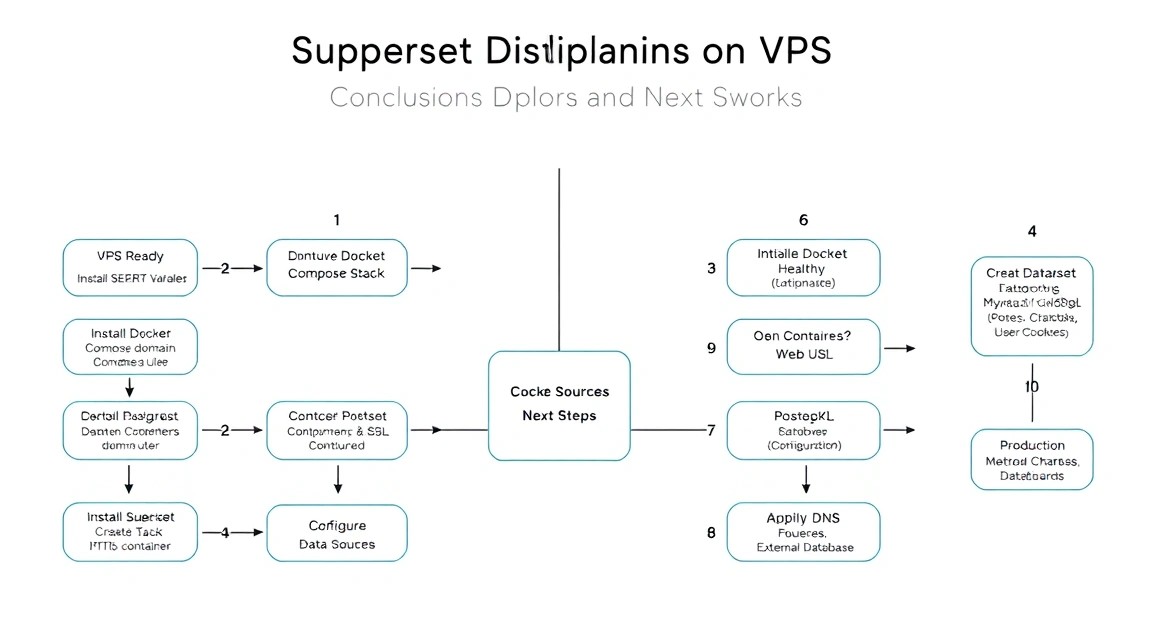
Apache Superset now runs on a VPS in an isolated Docker stack with PostgreSQL, Redis, Celery, and HTTPS through Caddy. Metadata is separated from analytical sources, access is protected by TLS, and PostgreSQL backups can be performed automatically.
- Create read-only service users for each connected database and limit their access to only the required schemas and views.
- Configure Superset roles, disable unnecessary SQL Lab permissions, and test access as a regular user, not only as an administrator.
- As the load grows, move the PostgreSQL metadata database to managed PostgreSQL, add separate Celery workers, and configure monitoring through Prometheus, Grafana, or an external uptime check.
Before a major version update, always verify migrations and backup restoration on a test server. For stable analytics, controlled changes and data access permissions matter more than the maximum number of installed components.