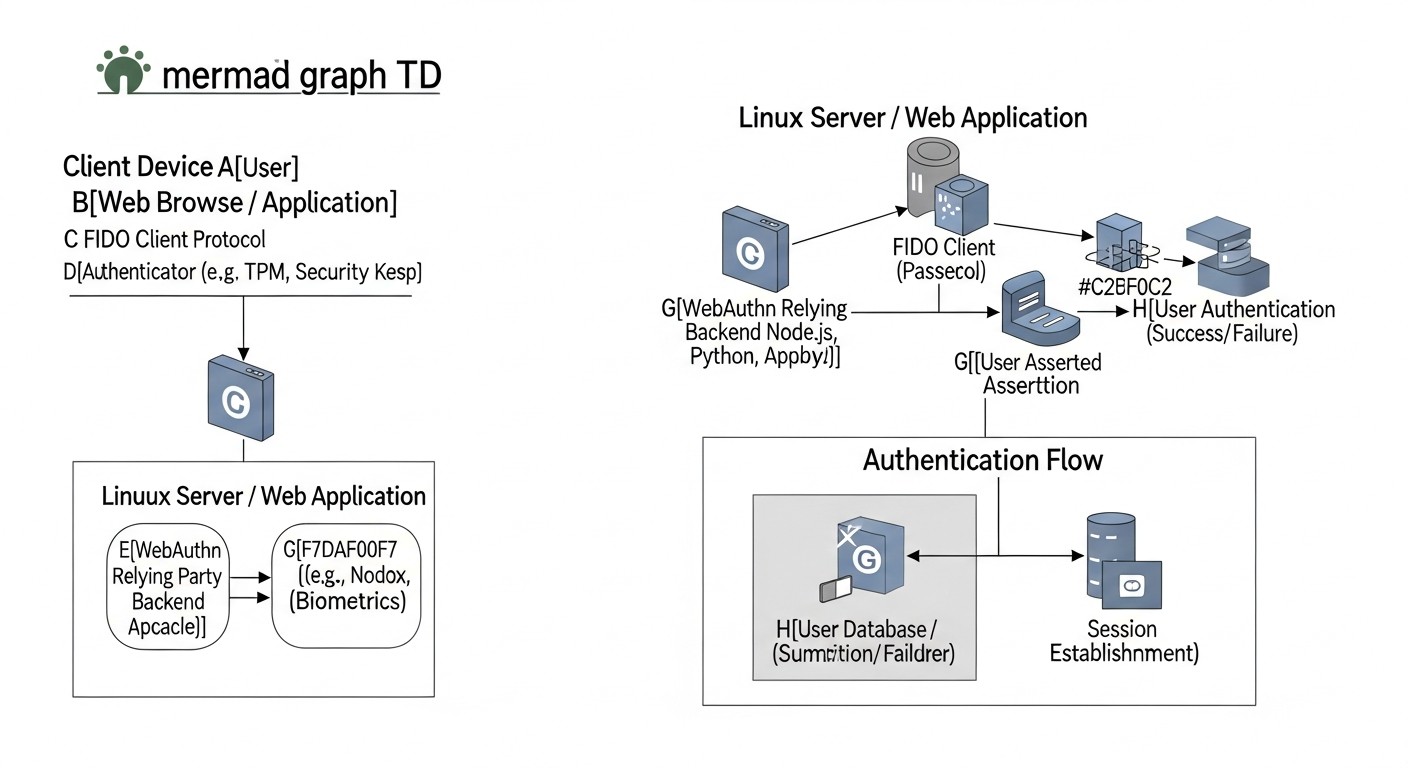
Implementing WebAuthn (Passkeys) for Secure Access to Servers and Web Applications on Linux (2026 Edition)
TL;DR
Passkeys (WebAuthn) – the future of authentication: Completely eliminate passwords, offering unprecedented protection against phishing, interception, and credential theft.
Key role on Linux: WebAuthn integration with SSH/PAM for server access and with web frameworks for applications is critically important for security in 2026.
Two main approaches: Native integration with PAM/SSH for infrastructure and using the WebAuthn API in web applications, often via an IdP or custom libraries.
Simplicity for the user, complexity for the developer: The user experience with Passkeys is significantly better, but implementation requires a deep understanding of cryptography and the FIDO2 protocol.
Security savings: Despite initial investments, WebAuthn reduces operational support costs, lowers breach risks, and complies with strict regulatory requirements.
Relevance in 2026: Broad browser and OS support, the development of cross-platform Passkeys, and tightening cybersecurity make WebAuthn the de facto standard.
Mandatory reliable recovery: Developing clear and secure access recovery procedures in case of Passkey loss is a cornerstone of successful implementation.
Quick pick
Looking for a server that just works?
Valebyte VPS — NVMe, 24/7 support, deploy in 60 seconds.
In 2026, the cybersecurity landscape continues to change rapidly, and traditional password-based authentication methods are becoming increasingly vulnerable and ineffective. Phishing, credential interception, brute-force attacks, and password theft remain primary attack vectors, leading to multi-billion dollar losses and loss of trust. In this context, WebAuthn technology, known as Passkeys, ceases to be a niche solution and becomes a critically important standard for ensuring secure and convenient access to digital resources.
This article is dedicated to the practical implementation of WebAuthn (Passkeys) for securing access to Linux-based servers and web applications. We will explore why this topic is so important right now, in 2026, what specific problems it solves, and for whom this detailed guide is intended. In an environment where most major technology companies, such as Google, Apple, Microsoft, already fully support and actively promote Passkeys, ignoring this technology means consciously falling behind in the field of security.
Why is this topic important in 2026?
By 2026, the concept of "Passkeys," built on the WebAuthn standard, has reached maturity and widespread support. Many operating systems (Windows, macOS, Android, iOS) and web browsers (Chrome, Firefox, Safari, Edge) offer native integration, allowing users to create and use cryptographically strong credentials that are synchronized across devices without the need to remember or enter passwords. This is not just an improvement to 2FA; it is the complete elimination of passwords, which is a revolutionary step in combating the most common types of cyberattacks.
Escalation of phishing attacks: Phishing has become so sophisticated that even experienced users can fall victim to it. Passkeys are inherently resistant to phishing, as authentication is tied to a specific domain (Origin) and cannot be tricked by a fake site.
Regulatory requirements: Many new and updated regulatory acts (e.g., NIS2 in Europe, as well as industry standards) increasingly require the use of phishing-resistant authentication methods. Companies that have not implemented such solutions risk facing significant fines and reputational damage.
Password and 2FA fatigue: Users are tired of complex passwords, the need for regular changes, and the inconvenience of traditional 2FA methods (SMS, TOTP), which can also be compromised. Passkeys offer a seamless and secure experience.
Ecosystem development: In 2026, mature server-side libraries, ready-made solutions from IdPs (Identity Providers), and hardware authenticators are available, making implementation significantly easier than a few years ago.
Threat of quantum computers (distant, but considered): Although WebAuthn is not "quantum-resistant" in its current implementation, its modular nature allows for easy future updates to cryptographic algorithms without changing the basic protocol architecture, which is an important factor for a long-term security strategy.
What problems does this article solve?
This article aims to solve a number of key problems faced by technical specialists when considering or implementing WebAuthn:
Lack of comprehensive guidance: We combine information on WebAuthn for SSH/PAM and for web applications, providing a holistic view of implementation.
Lack of practical examples: We offer specific step-by-step instructions, code examples, and configurations for real-world scenarios.
Complexity of solution selection: We analyze various approaches (native integration, IdP, custom development) with their pros, cons, and economic aspects.
Scaling and support challenges: We cover issues related to Passkey lifecycle management, access recovery, and monitoring.
Risk minimization: We highlight common mistakes and ways to prevent them, based on real-world experience.
Who is this written for?
This guide will be most useful to:
DevOps engineers and system administrators: For securing access to servers, configuration management systems, and CI/CD pipelines using WebAuthn via PAM and SSH.
Backend developers (Python, Node.js, Go, PHP): For integrating WebAuthn into their web applications, ensuring secure and modern user authentication.
SaaS project founders and startup CTOs: For understanding the strategic advantages of WebAuthn, assessing costs, risks, and choosing the optimal implementation path, which will allow them to stand out in the market through a higher level of security and an improved user experience.
Anyone interested in advanced cybersecurity practices: For a deep dive into one of the most significant authentication technologies of the last decade.
Key Criteria and Factors for WebAuthn Implementation
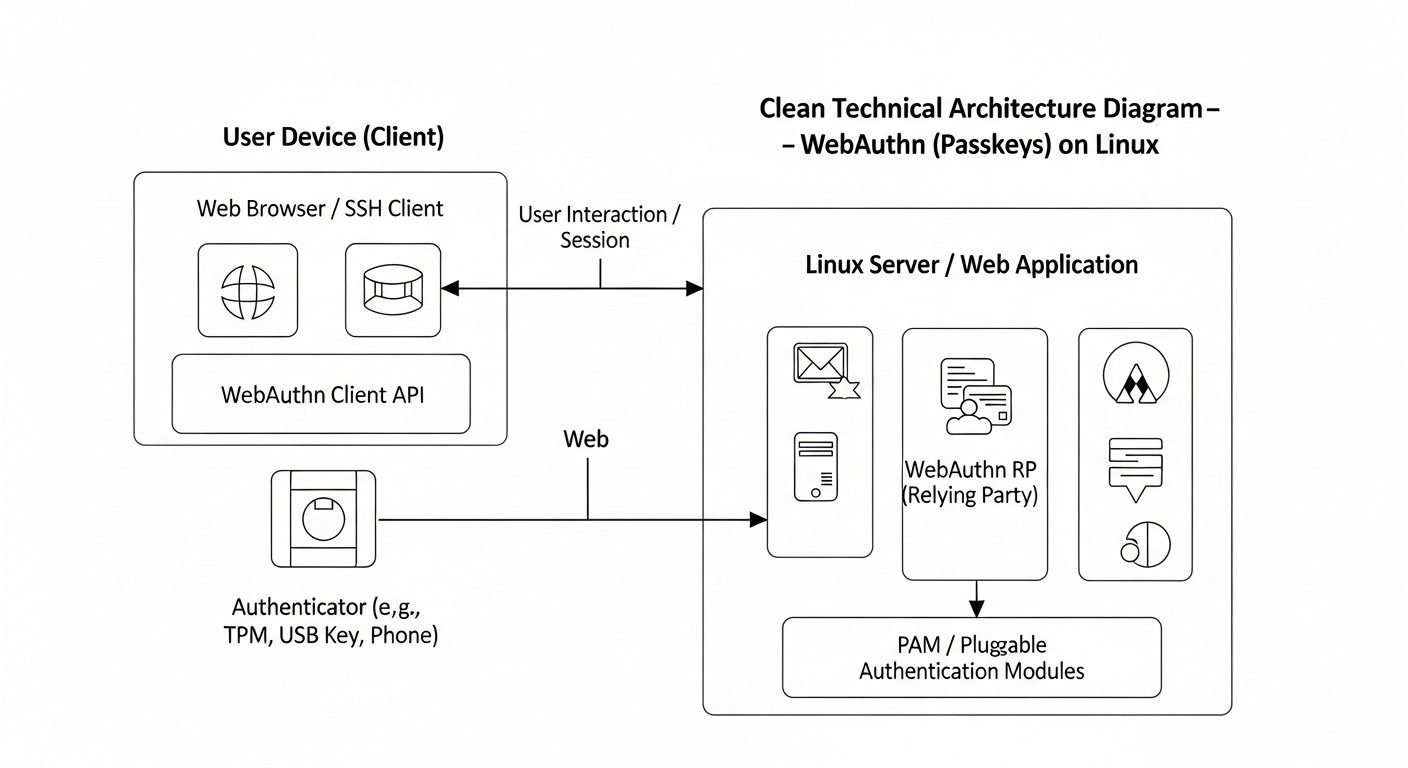
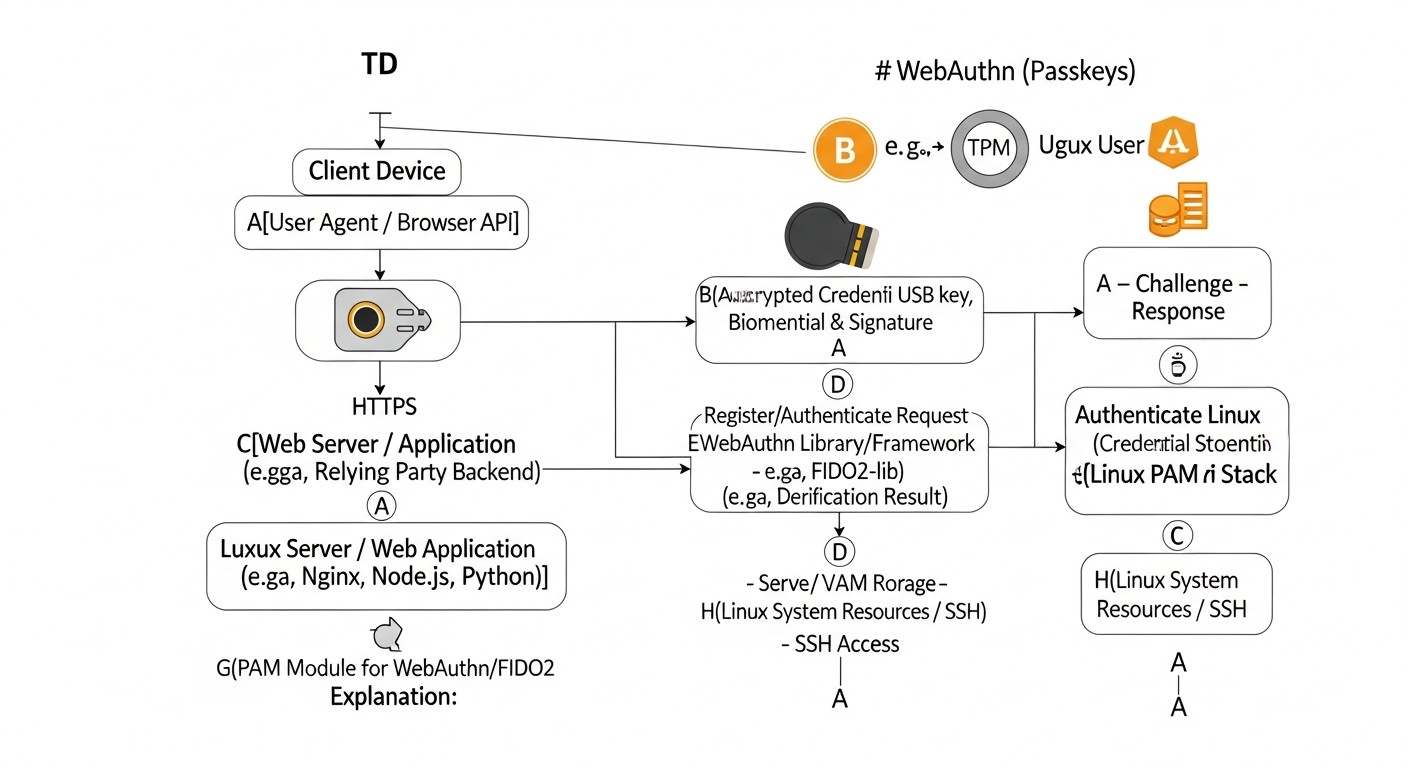
Diagram: Key Criteria and Factors for WebAuthn Implementation
Choosing and successfully implementing WebAuthn requires careful analysis of many factors. In 2026, as the technology has matured, it is important to consider not only basic functionality but also long-term prospects, integration with existing infrastructure, and user experience. Below are the key criteria that must be evaluated when planning WebAuthn implementation.
1. Security Level and Threat Resistance
This is the most obvious, yet also the most profound criterion. WebAuthn is inherently resistant to phishing because it binds authentication to a specific domain (RP ID) and Origin, making it impossible to use intercepted credentials on a fake site. However, it is important to evaluate other aspects:
Protection against MITM attacks: The FIDO2/WebAuthn protocol uses TLS to secure the communication channel between the client and the server, as well as cryptographic keys that never leave the authenticator.
Protection against replay attacks: Each authentication request includes a unique "challenge" that is generated by the server and must be signed by the authenticator. This prevents the reuse of intercepted responses.
Resistance to server compromise: Even if the database server is compromised, an attacker will only obtain public keys and metadata, but not private keys, which are stored in the authenticator. This significantly reduces the risk of mass credential compromise.
Attestation types: It is important to understand what level of trust you want to have in the authenticator. Basic attestation (None) is suitable for most cases, but for highly secure systems, G&D (Attestation Statement Format) or other types may be required to confirm that the authenticator is a trusted device.
Protection against local attacks: Some authenticators (e.g., based on TPM or Secure Enclave) offer additional protection for private keys against extraction even if the device is compromised.
2. User Experience (UX)
Security should not come at the expense of convenience. Passkeys aim to simplify the authentication process as much as possible. Evaluate the following aspects:
Ease of registration: How easy is it for a user to register their Passkey? Is additional software required? Is the process intuitive?
Convenience of authentication: The login process should be fast and seamless. The ideal scenario is a single touch or biometric confirmation.
Cross-platform compatibility and synchronization: Does the chosen solution support Passkey synchronization between user devices (e.g., via iCloud Keychain, Google Password Manager, Microsoft Authenticator)? This is critically important for Passkeys.
Error handling and support: How clear are the error messages? Is it easy for the user to get help if something goes wrong?
Accessibility: Does the solution consider the needs of users with disabilities?
3. Compatibility and Integration
WebAuthn is a standard, but its implementation can vary. It is important to ensure that the chosen solution will work within your ecosystem:
Browser and OS support: Ensure that all target browsers and operating systems of your users support WebAuthn and Passkeys. By 2026, this is no longer a major issue, but nuances may exist.
Hardware authenticators: If you plan to use hardware keys (YubiKey, SoloKeys), ensure their compatibility with the chosen system and the ease of their issuance/management.
Server-side libraries: Choose mature, well-supported libraries for your backend (Python, Node.js, Go, PHP).
Integration with existing systems: How will WebAuthn be integrated with your Identity Provider (IdP), LDAP, Active Directory, PAM for SSH?
Mobile applications: If you have mobile applications, how will authentication via WebAuthn/Passkeys be implemented in them? (Native APIs for Passkeys).
4. Scalability and Manageability
As your user base or the number of protected resources grows, the authentication system must scale without a significant increase in operational costs:
Credential management: How will you manage thousands or millions of Passkeys? Are tools needed for administration, revocation, recovery?
Monitoring and auditing: The ability to track authentication attempts, identify anomalies, and generate reports for compliance.
Performance: The impact of WebAuthn on server performance with a large number of simultaneous requests. (Usually minimal, as cryptography is performed on the client).
Ease of deployment: How easy is it to deploy and update the WebAuthn solution in your infrastructure?
5. Cost and Economic Efficiency
Implementing any new technology involves costs. It is important to evaluate both direct and indirect expenses:
Development costs: Developer hours for integration, testing, support.
License costs: If you use third-party IdPs or commercial solutions.
Hardware costs: Purchase of physical authenticators, if required.
Training costs: Training for users and support staff.
Hidden costs: Time spent troubleshooting, supporting legacy authentication systems.
Savings: Reduced costs for password resets, handling security incidents, increased user productivity due to faster logins.
6. Account Recovery
This is one of the most critical, yet often underestimated, aspects. What happens if a user loses all their Passkeys or authenticators?
Multiple Passkeys: It is recommended to register multiple Passkeys for a single account, using different devices (e.g., phone and laptop) or hardware keys.
Backup methods: A secure backup method for account recovery should be provided (e.g., via a confirmed email/phone with a delay, or through support with enhanced verification). This method must be maximally protected against compromise.
Management of lost/stolen keys: The ability to revoke compromised Passkeys.
7. Regulatory Compliance
In 2026, cybersecurity requirements are becoming increasingly stringent. WebAuthn significantly simplifies compliance with standards such as:
GDPR, CCPA: Protection of personal data through strong authentication.
NIST SP 800-63B: Compliance with high-level authentication requirements (AAL3).
PCI DSS: Protection of payment card data.
HIPAA: Protection of medical information.
Each of these criteria requires detailed analysis and planning to ensure a successful, secure, and cost-effective implementation of WebAuthn into your infrastructure.
Comparative Table of WebAuthn Implementation Approaches
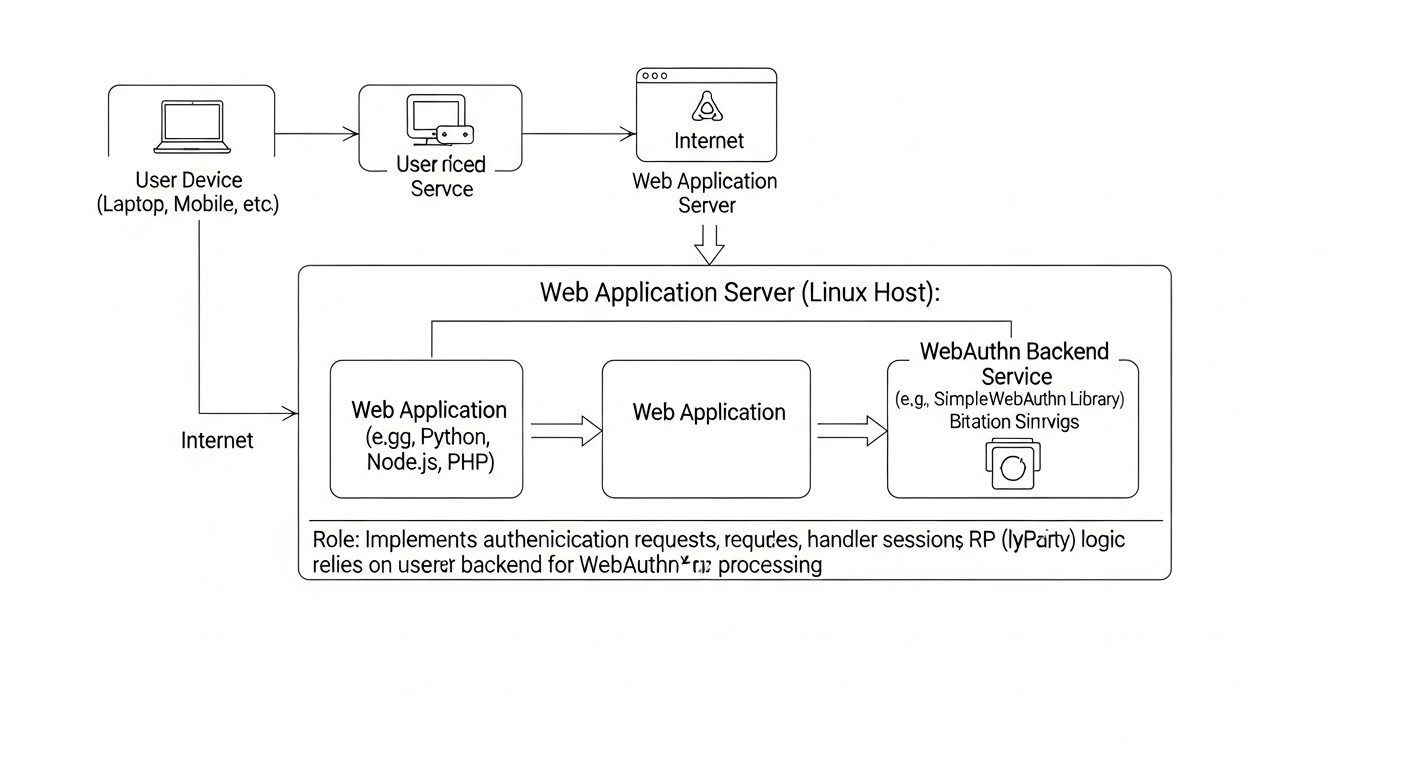
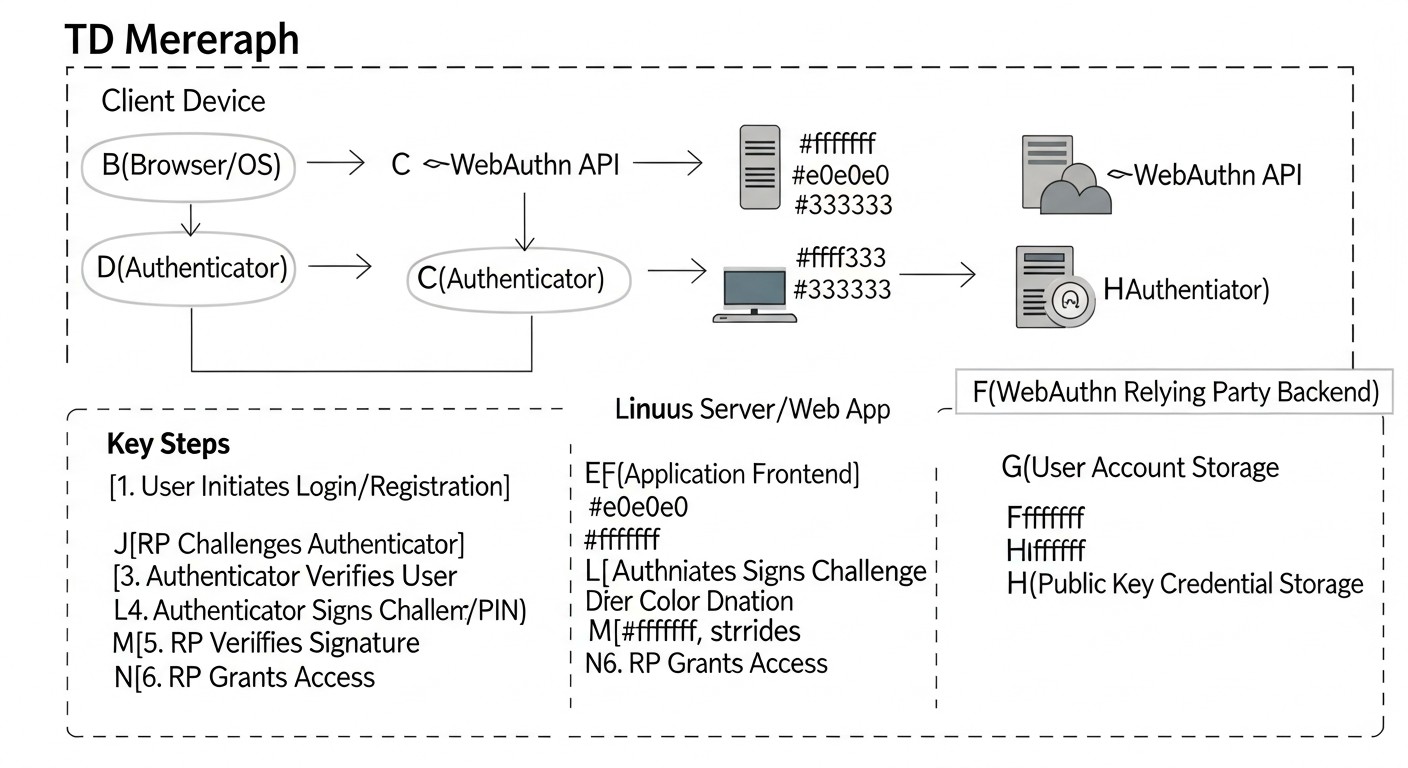
Diagram: Comparative Table of WebAuthn Implementation Approaches
Choosing the optimal approach to WebAuthn implementation depends on many factors: your company's size, application specifics, budget, internal resources, and required level of control. In 2026, several mature strategies exist, each with its advantages and disadvantages. Below is a comparative table to help you navigate these options, considering current characteristics and prices.
Criterion
Native SSH/PAM Integration (Linux)
Custom WebAuthn Implementation for Web Applications
Using an Identity Provider (IdP) with WebAuthn (e.g., Auth0, Okta, Keycloak)
Hybrid Approach (PAM + IdP)
Typical Use Case
Server access (SSH, sudo), internal systems, high infrastructure security.
SaaS products, web services with unique UX/security requirements, intranet applications.
Large SaaS, enterprise applications requiring centralized IdM, quick start.
Large enterprises with both server infrastructure and numerous web applications.
Security Level (against phishing)
Highest (with proper configuration).
High (with proper protocol implementation).
High (depends on IdP, but usually very reliable).
Highest.
Implementation and Development Complexity
Medium-High (requires deep understanding of PAM, SSH, FIDO2).
High (requires expertise in cryptography, WebAuthn API, frontend, and backend).
Low-Medium (integration via IdP SDK/API, most logic already implemented).
High (combination of complexities from the first two approaches).
Virtually 0 (open-source), only internal resources.
Virtually 0 (open-source libraries), only internal resources.
Auth0/Okta: from $0 (Free Tier) to $5,000 - $20,000+ for 10,000-100,000 MAU. Keycloak: 0 (open-source), but there are hosting and administration costs.
Combination of the above, depending on the chosen components.
User Experience (UX)
Good for technical users (CLI, touch/PIN), less intuitive for the general user.
Can be ideal if well-designed, but requires significant effort.
Excellent, unified, with Passkey support and cross-device synchronization.
Excellent for web applications, good for infrastructure.
Flexibility and Customization
High (full control over the PAM stack).
Maximum (full control over the entire stack).
Limited (depends on IdP capabilities).
High.
Vendor Dependence
None.
None (dependence on open-source libraries).
High (vendor lock-in).
Medium (for web applications).
Account Management and Recovery
Manual or via custom scripts/tools.
Requires custom development of mechanisms.
Built-in IdP features, often with advanced options.
Combination.
Time-to-Market
Medium.
Long.
Fast (for web applications).
Long.
Quick pick
Looking for a server that just works?
Valebyte VPS — NVMe, 24/7 support, deploy in 60 seconds.
Detailed overview of each item/implementation option
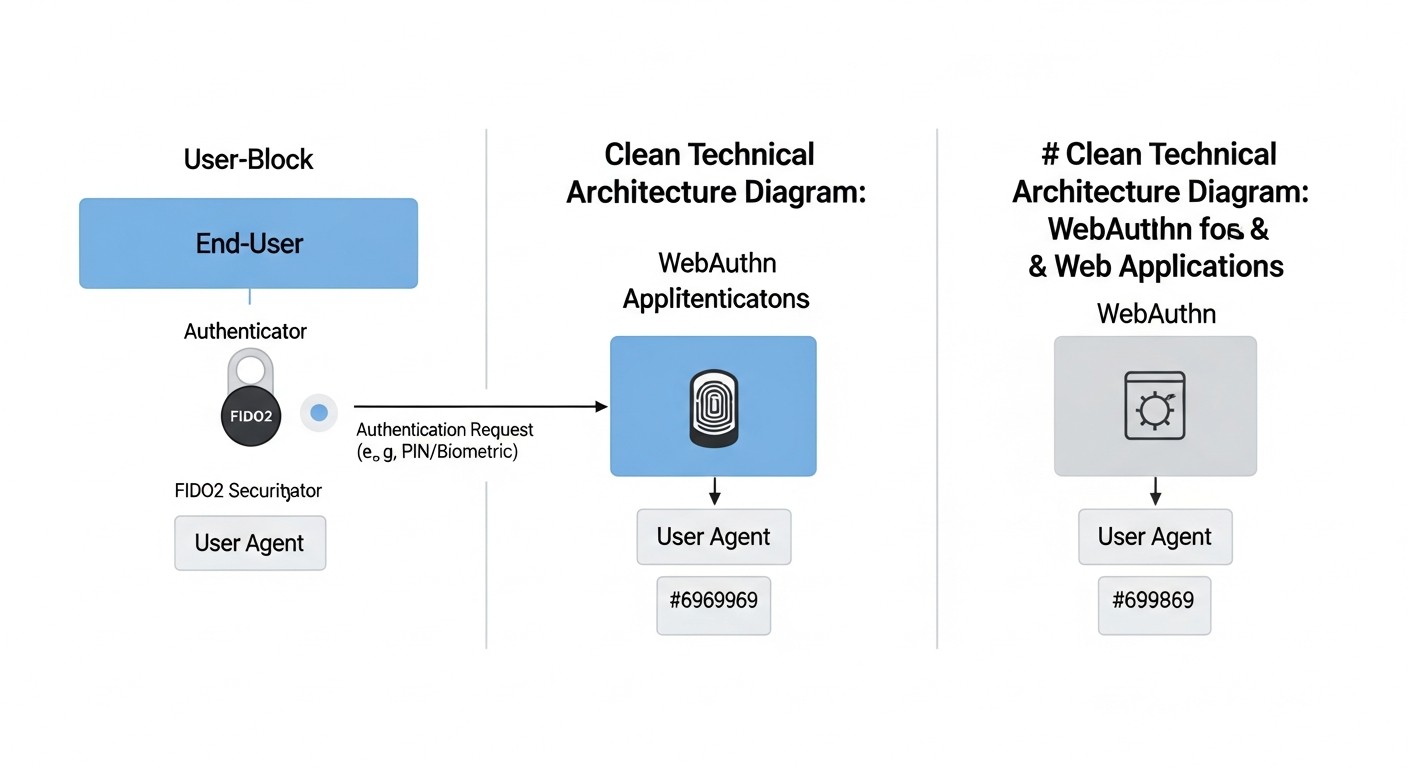
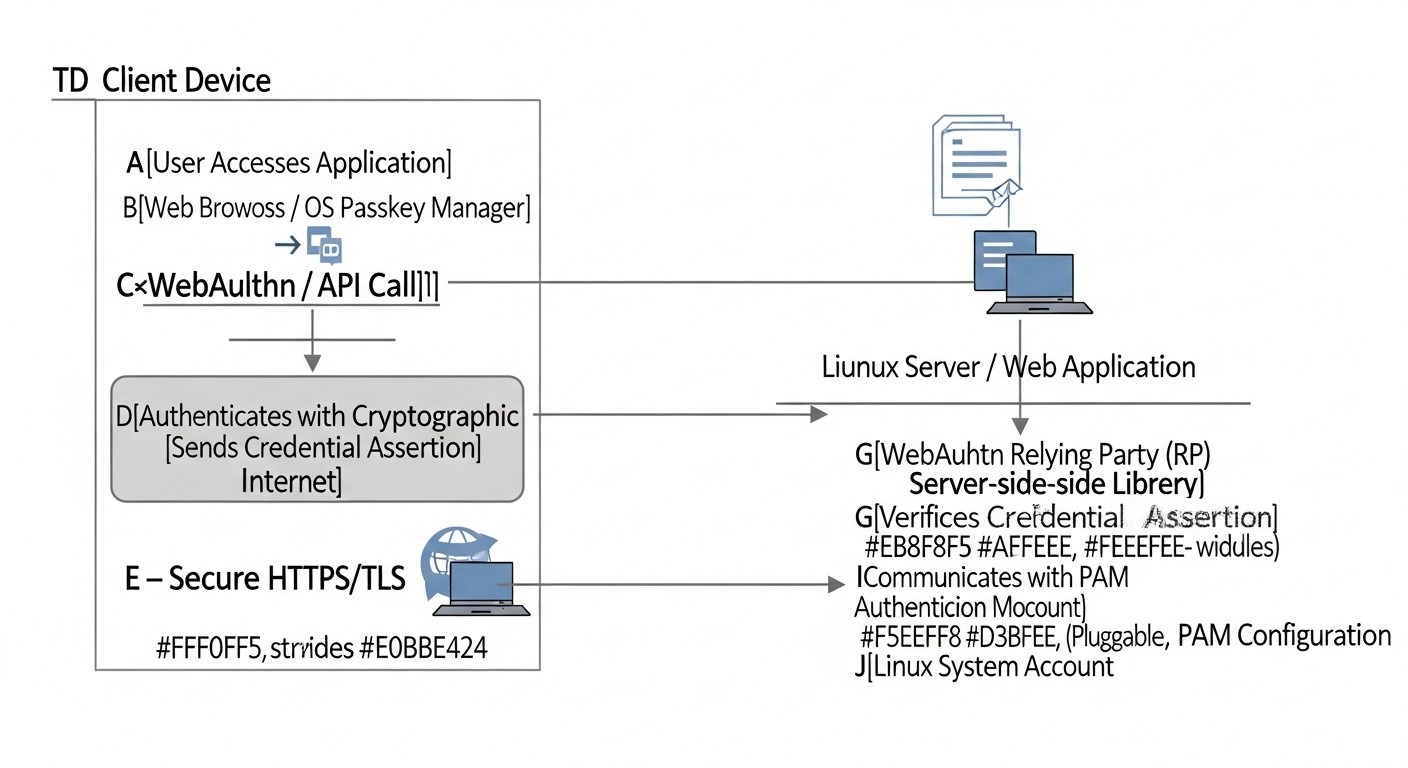
Diagram: Detailed overview of each item/implementation option
Let's delve into each of the main WebAuthn implementation approaches discussed in the comparison table. This will help you understand the nuances that may influence your decision.
1. Native WebAuthn Integration with SSH/PAM on Linux
This approach focuses on securing access to the infrastructure itself, such as servers, workstations, and cloud instances, where SSH access and local authentication via PAM (Pluggable Authentication Modules) are traditionally used. In 2026, this becomes the standard for highly secure environments.
Pros:
Highest Level of Security: Direct integration with the Linux authentication kernel provides control over every aspect. Protection against phishing and MITM attacks at the SSH access level is critically important.
No External Dependencies: Once configured, you are not dependent on third-party services or cloud providers, which is important for sovereign or highly regulated environments.
Full Control: You have full control over the key registration process, their binding to users, and security policies. This allows for fine-tuning of system behavior.
Compliance: Ideal for complying with strict security standards (NIST AAL3, PCI DSS) that require a physical authenticator or biometrics.
Cost-Effectiveness at Scale: After initial setup and purchase of hardware keys (if used), operational costs are minimal, as there are no licensing fees.
Cons:
Complexity of Setup: Requires deep knowledge of PAM, SSH, and FIDO2 cryptographic concepts. Setup can be time-consuming and error-prone.
Less User-Friendly UX for Non-Technical Users: The process of key registration and authentication via CLI or console can be less intuitive than in a web interface.
Lack of Cross-Device Synchronization: Passkeys used for SSH/PAM are typically tied to a physical authenticator (YubiKey, SoloKey) or a platform authenticator of a specific machine. There is no automatic synchronization like with cloud Passkeys.
Recovery Management: Access recovery mechanisms in case of key loss must be developed manually, which adds complexity.
Who it's for:
DevOps engineers, system administrators, companies with high infrastructure security requirements, government agencies, financial organizations where server access demands maximum protection. Ideal for securing production environments, databases, CI/CD systems.
Specific Use Cases:
The company "SecurHost" implemented pam_u2f for all SSH access to its production servers. Each DevOps engineer received two YubiKey hardware keys (primary and backup). When attempting an SSH connection to a server, in addition to entering a password (or without it, depending on the configuration), the system requires confirmation by touching the YubiKey. This completely eliminated the possibility of remote server compromise via compromised SSH keys or passwords, even if they were stolen.
2. Custom WebAuthn Implementation for Web Applications
This approach involves developing server-side and client-side logic independently to support WebAuthn in your web application. It offers maximum flexibility but requires significant engineering resources.
Pros:
Maximum Flexibility and Customization: You can fully control the user interface, registration and authentication logic, as well as integration with your existing user system.
No Vendor Lock-in: You are not tied to a specific Identity Provider, which helps avoid dependency and potential future costs.
Optimization for Specific Needs: Ability to implement unique scenarios not supported by off-the-shelf IdP solutions.
Full Data Control: All user data and Passkey metadata remain under your control.
Cons:
High Development Complexity: Requires a deep understanding of the WebAuthn specification, cryptography, and experience in developing secure web applications. This is a non-trivial task.
Significant Development Costs: Developing, testing, and maintaining such a system requires significant engineering resources and time. Errors can lead to serious vulnerabilities.
Security Burden: The responsibility for correctly implementing all security aspects (validation, storage, revocation) falls entirely on your team.
Long Time to Launch: Compared to off-the-shelf IdP solutions, development and implementation time will be significantly longer.
Who it's for:
Large companies with strong security and development teams that have unique authentication requirements or cannot use third-party services due to regulatory reasons. Also suitable for niche SaaS projects that want to offer a unique and fully controlled user experience.
Specific Use Cases:
The FinTech startup "CryptoVault" developed its own WebAuthn system to protect the accounts of its users storing cryptocurrency. Due to strict security and privacy requirements, as well as the need for fine-tuning the UX for a specific audience, they decided not to use third-party IdPs. Their Go backend uses the go-webauthn library, and the React.js frontend uses @simplewebauthn/browser. This allowed them to integrate unique features such as multi-factor authentication with multiple Passkeys and binding to specific transactions.
3. Using an Identity Provider (IdP) with WebAuthn Support
This approach involves delegating authentication functions to a third-party service (e.g., Auth0, Okta, Keycloak) that already has built-in WebAuthn and Passkey support.
Pros:
Fast Implementation (Time-to-Market): Most IdPs offer SDKs and APIs that significantly simplify WebAuthn integration into your applications. You can launch Passkeys in a matter of days or weeks.
Reduced Security Burden: The responsibility for correct implementation of the WebAuthn protocol, its updates, and compliance with standards falls on the IdP.
Excellent User Experience: IdPs typically have well-designed user interfaces for registration and authentication, including support for cross-device Passkeys.
Centralized Management: A single point of management for all users and their credentials across multiple applications.
Rich Functionality: In addition to WebAuthn, IdPs offer many other features: SSO, MFA, social logins, role management, auditing, etc.
Scalability: IdPs are designed to handle millions of users and provide high availability.
Cons:
Vendor Lock-in: You become dependent on the chosen IdP. Migrating to another provider can be complex and costly.
Cost: IdP services can be expensive, especially for large volumes of users or if advanced features are required. Prices continue to rise in 2026.
Limited Customization: While many IdPs offer UI customization options, you are still limited by their framework.
Data Privacy Concerns: Your users' data and their Passkey metadata are stored with a third-party provider, which can be an issue for some companies or in certain jurisdictions.
Complexity of SSH/PAM Integration: Most IdPs focus on web authentication. Integration with SSH/PAM may require additional effort or the use of specialized gateways.
Who it's for:
SaaS companies, startups, medium and large businesses that want to quickly implement robust authentication without spending significant resources on developing basic functionality. Ideal for applications where user experience and time-to-market are priorities.
Specific Use Cases:
The SaaS project management platform "TeamFlow" faced the problem of frequent support requests due to lost passwords and phishing attacks on its clients. They implemented Auth0, utilizing its built-in WebAuthn support. Users can now register Passkeys from their smartphones or laptops, gaining passwordless access. This led to a 40% reduction in support requests and a significant increase in customer satisfaction.
4. Hybrid Approach (PAM + IdP)
This approach combines native WebAuthn integration for infrastructure protection (SSH/PAM) with the use of an IdP for web applications. It offers the best of both worlds.
Pros:
Comprehensive Security: Protects both internal infrastructure and external web applications using the most modern authentication methods.
Optimized UX: Users get an excellent experience in web applications via IdP, while technical staff get reliable and controlled access to servers.
Flexibility: You can choose the most suitable solution for each part of your ecosystem.
Scalability and Manageability: IdP provides centralized user management for web applications, and PAM for servers.
Cons:
High Overall Complexity: Requires integration and management of two different authentication systems, which increases architectural and support complexity.
Potential Duplication of Effort: Some aspects (e.g., user management) may require synchronization between the IdP and local systems.
Overall Costs: Combines the costs of native integration development and IdP licensing fees.
Who it's for:
Large enterprises that have complex infrastructure (many servers, databases) and simultaneously numerous internal and external web applications. This solution is for companies striving for maximum security and convenience across all aspects of their digital ecosystem.
Specific Use Cases:
The international consulting company "GlobalSecure" uses a hybrid approach. For its internal developers and system administrators working with cloud and on-premise infrastructure, WebAuthn authentication via PAM for SSH access has been implemented. All employees use YubiKey hardware keys. For access to internal web applications (CRM, HR portal, reporting systems) and external SaaS products provided to clients, Azure AD with Passkey support is used, ensuring single sign-on and convenience for all users. This allows the company to comply with strict client security standards while maintaining high productivity.
Practical Tips and Recommendations for WebAuthn Implementation
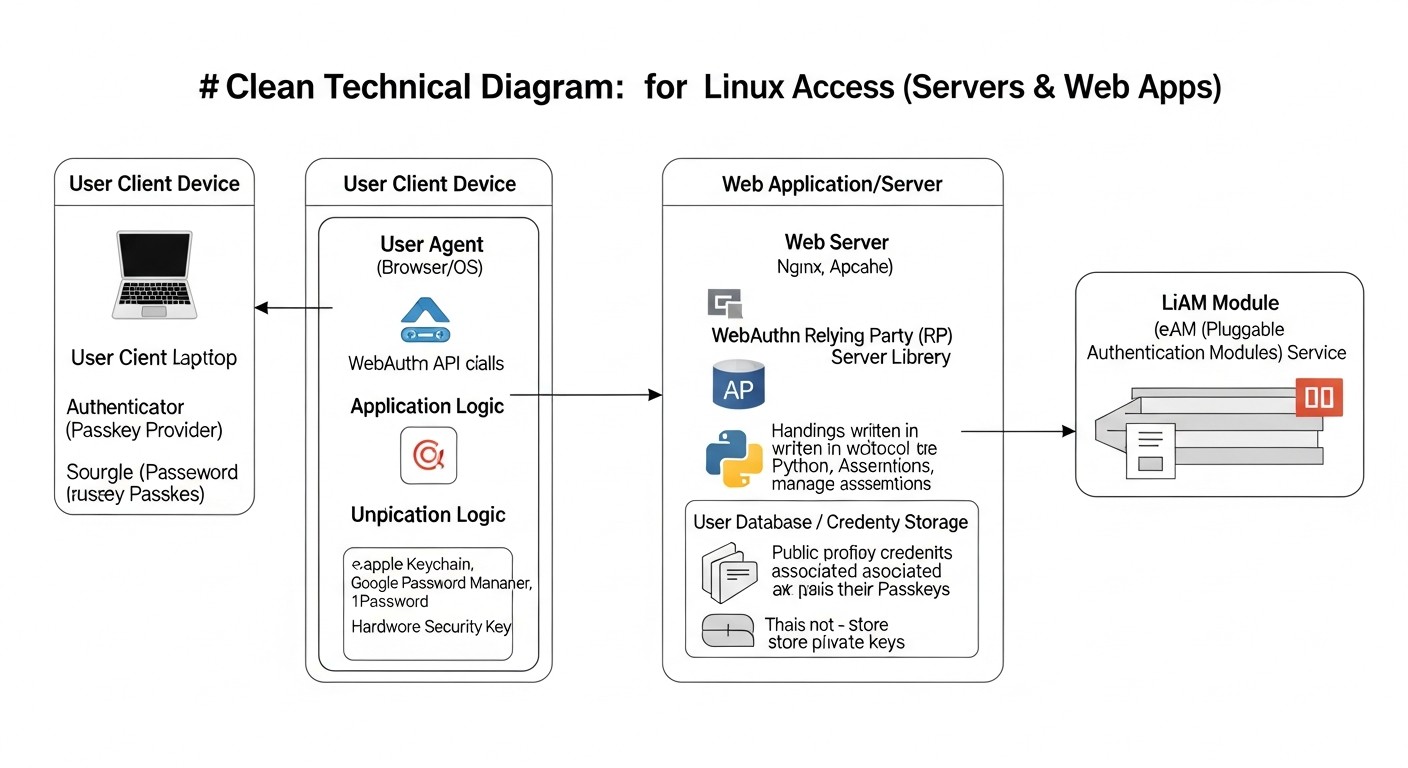
Diagram: Practical Tips and Recommendations for WebAuthn Implementation
Implementing WebAuthn, whether for SSH access or web applications, requires attention to detail. These practical tips and examples will help you avoid common pitfalls and ensure reliable system operation.
1. Implementing WebAuthn for SSH/PAM on Linux
To secure SSH access on Linux, we will use pam_u2f — a PAM module that allows the use of FIDO2-compatible authenticators (including Passkeys, if they function as CTAP2 devices) for system authentication. In 2026, this module is a mature solution.
Step 1: Install necessary packages
Ensure that libfido2 and pam_u2f are installed. Depending on your Linux distribution, commands may vary.
# For Debian/Ubuntu (current for 2026)
sudo apt update
sudo apt install libfido2-dev libpam-u2f -y

# For RHEL/CentOS/Fedora
sudo dnf install libfido2-devel pam_u2f -y
Step 2: Register your FIDO2 key (Passkey)
Each user must register their FIDO2 key. This process creates a unique mapping file between the Linux user and the key identifier. Use the pamu2fcfg utility.
# As the user who will use the key
pamu2fcfg -u $(whoami) > ~/.config/Yubico/u2f_keys

# Example content of ~/.config/Yubico/u2f_keys:
# username:key_handle,public_key
# user1:AQIDBAUGBwgJCgsMDQ4PEBESExQVFhcYGRobHB0eHyAhIiMkJSYnKCkqKywtLi8wMTIzNDU2Nzg5Ojs8PT4/QEFCD...
Important: Make sure your FIDO2 key is connected when you execute this command. For Passkeys stored on a platform authenticator (e.g., a smartphone), the process might be more complex and require special software or USB device emulation.
For centralized key management in an enterprise environment, u2f_keys can be stored in a centralized directory (e.g., NFS, LDAP) and pam_u2f configured to use it.
Step 3: Configure PAM for SSH
Edit the PAM configuration file for SSH. This is usually /etc/pam.d/sshd.
sudo nano /etc/pam.d/sshd
Add the following line at the beginning of the file, before any other auth directives. This will provide two-factor authentication (password + key).
# Add to the very beginning
auth       required   pam_u2f.so cue [debug] authfile=/etc/Yubico/u2f_keys store_directory=/etc/Yubico

# If you want to allow using the key file in the user's home directory:
# auth       required   pam_u2f.so cue [debug]
Parameters:
cue: Prompts the user to tap the key.
debug: Useful for debugging.
authfile=/etc/Yubico/u2f_keys: Points to a centralized key file (if used). If not specified, the module looks for ~/.config/Yubico/u2f_keys.
store_directory=/etc/Yubico: Directory for storing metadata.
If you want completely passwordless login with a FIDO2 key, you will need a more complex PAM setup, possibly using sufficient instead of required, but this requires careful planning and backup methods.
Step 4: Configure the SSH daemon
Edit the SSH daemon configuration file /etc/ssh/sshd_config.
AuthenticationMethods specifies that the user can authenticate using a public key (if configured) OR using an interactive response (PAM, which now includes U2F/FIDO2). Restart the SSH daemon:
sudo systemctl restart sshd
Step 5: Testing
Open a new terminal session (do not close the current one until you are sure everything works!). Try connecting to the server via SSH. You will be prompted to enter your password, and then to tap your key.
ssh user@your_server_ip
If you are using Passkeys synchronized with your smartphone, you may need to confirm the login on your phone.
2. Implementing WebAuthn for web applications (using Python/Node.js as examples)
For web applications, the process involves both server-side and client-side components. We will cover the general logic.
Step 1: Choose a server-side library
Use a mature and well-supported library for your backend.
Python:fido2 (from Yubico) or py_webauthn.
Node.js:@simplewebauthn/server.
Go:go-webauthn.
PHP:web-authn/web-authn.
Step 2: Configure RP ID and Origin
These are critically important parameters. rpId (Relying Party ID) is the domain that is the source of the authentication request. origin is the full URL, including scheme and port. They must match exactly. For rpId, the domain is usually used (e.g., example.com).
// Node.js (example)
const rpId = 'your-domain.com'; // Use the root domain without subdomains if Passkeys should work on all subdomains.
const origin = https://${rpId}; // Full URL with HTTPS.
Step 3: Implement Registration (Enrollment)
The registration process consists of two stages: requesting registration options and completing registration.
Server-side (Node.js with @simplewebauthn/server):
// 1. /api/generate-registration-options
import { generateRegistrationOptions } from '@simplewebauthn/server';
import { origin, rpId } from './config'; // Your RP ID and Origin

app.post('/api/generate-registration-options', async (req, res) => {
    const { userId, userName } = req.body; // Get user ID and name

    const options = await generateRegistrationOptions({
        rpName: 'My Secure App', // Your company/application name
        rpId: rpId,
        userID: userId,
        userName: userName,
        attestationType: 'none', // Sufficient for most cases
        authenticatorSelection: {
            authenticatorAttachment: 'cross-platform', // 'platform' for built-in, 'cross-platform' for external (YubiKey)
            userVerification: 'preferred', // Prefer biometrics/PIN
        },
        timeout: 60000, // 60 seconds
        // Additional options, e.g., excludeCredentials to prevent registering one key multiple times
        excludeCredentials: await getExistingCredentialsForUser(userId),
    });

    // Save the challenge on the server, tied to the user's session, for subsequent validation
    req.session.currentChallenge = options.challenge;
    res.json(options);
});

// 2. /api/verify-registration
import { verifyRegistrationResponse } from '@simplewebauthn/server';

app.post('/api/verify-registration', async (req, res) => {
    const { registrationResponse } = req.body; // Response from the client

    try {
        const verification = await verifyRegistrationResponse({
            response: registrationResponse,
            expectedChallenge: req.session.currentChallenge, // Use challenge from session
            expectedOrigin: origin,
            expectedRPID: rpId,
            requireUserVerification: true, // Require user verification (PIN/biometrics)
        });

        const { verified, registrationInfo } = verification;
        if (verified && registrationInfo) {
            const { credentialID, credentialPublicKey, counter } = registrationInfo;
            // Save credentialID, credentialPublicKey, counter in your database, tied to userId
            // credentialPublicKey should be saved in COSE_KEY format (Buffer)
            // counter - for protection against replay attacks
            await saveCredentialToDatabase(userId, credentialID, credentialPublicKey, counter);
            res.json({ success: true, msg: 'Passkey successfully registered!' });
        } else {
            res.status(400).json({ success: false, msg: 'Passkey registration error.' });
        }
    } catch (error) {
        console.error('Registration verification error:', error);
        res.status(400).json({ success: false, msg: error.message });
    }
});
Client-side (JavaScript with @simplewebauthn/browser):
import { startRegistration } from '@simplewebauthn/browser';

async function registerPasskey(userId, userName) {
    try {
        // 1. Request registration options from the server
        const resp = await fetch('/api/generate-registration-options', {
            method: 'POST',
            headers: { 'Content-Type': 'application/json' },
            body: JSON.stringify({ userId, userName }),
        });
        const options = await resp.json();

        // 2. Start the registration process in the browser
        const attResp = await startRegistration(options);

        // 3. Send the browser's response to the server for verification
        const verificationResp = await fetch('/api/verify-registration', {
            method: 'POST',
            headers: { 'Content-Type': 'application/json' },
            body: JSON.stringify({ registrationResponse: attResp }),
        });
        const verificationResult = await verificationResp.json();

        if (verificationResult.success) {
            alert('Passkey successfully registered!');
        } else {
            alert('Registration error: ' + verificationResult.msg);
        }
    } catch (error) {
        console.error('Error during registration process:', error);
        alert('An error occurred while registering the Passkey.');
    }
}
Step 4: Implement Authentication
The authentication process also consists of two stages: requesting authentication options and completing authentication.
Server-side (Node.js with @simplewebauthn/server):
// 1. /api/generate-authentication-options
import { generateAuthenticationOptions } from '@simplewebauthn/server';

app.post('/api/generate-authentication-options', async (req, res) => {
    const { userName } = req.body; // Or userId, if you know it

    // Get a list of credentialIDs registered for this user
    const userCredentials = await getCredentialsByUserName(userName);

    const options = await generateAuthenticationOptions({
        rpId: rpId,
        // Allow the browser to suggest only the Passkeys we know
        allowCredentials: userCredentials.map(cred => ({
            id: cred.credentialID,
            type: 'public-key',
            transports: ['usb', 'nfc', 'ble', 'internal'], // Specify possible transports
        })),
        userVerification: 'preferred',
        timeout: 60000,
    });

    // Save the challenge on the server, tied to the user's session
    req.session.currentChallenge = options.challenge;
    res.json(options);
});

// 2. /api/verify-authentication
import { verifyAuthenticationResponse } from '@simplewebauthn/server';

app.post('/api/verify-authentication', async (req, res) => {
    const { authenticationResponse } = req.body;

    // Get Passkey data from the DB by credentialID, which came in authenticationResponse
    const credential = await getCredentialById(authenticationResponse.id);
    if (!credential) {
        return res.status(400).json({ success: false, msg: 'Key not found.' });
    }

    try {
        const verification = await verifyAuthenticationResponse({
            response: authenticationResponse,
            expectedChallenge: req.session.currentChallenge,
            expectedOrigin: origin,
            expectedRPID: rpId,
            authenticator: {
                credentialID: credential.credentialID,
                credentialPublicKey: credential.credentialPublicKey,
                counter: credential.counter, // For counter verification
            },
            requireUserVerification: true,
        });

        const { verified, authenticationInfo } = verification;
        if (verified) {
            // Update the counter in the DB for this credentialID
            await updateCredentialCounter(credential.credentialID, authenticationInfo.newCounter);
            // Authentication successful, set user session
            req.session.userId = credential.userId;
            res.json({ success: true, msg: 'Login successful!' });
        } else {
            res.status(400).json({ success: false, msg: 'Authentication error.' });
        }
    } catch (error) {
        console.error('Authentication verification error:', error);
        res.status(400).json({ success: false, msg: error.message });
    }
});
Client-side (JavaScript with @simplewebauthn/browser):
import { startAuthentication } from '@simplewebauthn/browser';

async function authenticateWithPasskey(userName) {
    try {
        // 1. Request authentication options from the server
        const resp = await fetch('/api/generate-authentication-options', {
            method: 'POST',
            headers: { 'Content-Type': 'application/json' },
            body: JSON.stringify({ userName }),
        });
        const options = await resp.json();

        // 2. Start the authentication process in the browser
        const authResp = await startAuthentication(options);

        // 3. Send the browser's response to the server for verification
        const verificationResp = await fetch('/api/verify-authentication', {
            method: 'POST',
            headers: { 'Content-Type': 'application/json' },
            body: JSON.stringify({ authenticationResponse: authResp }),
        });
        const verificationResult = await verificationResp.json();

        if (verificationResult.success) {
            alert('Login successful!');
            window.location.href = '/dashboard'; // Redirect
        } else {
            alert('Login error: ' + verificationResult.msg);
        }
    } catch (error) {
        console.error('Error during authentication process:', error);
        alert('An error occurred while logging in with Passkey.');
    }
}
3. General recommendations for both approaches
Backup Keys: Always encourage users to register multiple Passkeys or have a backup authentication method. This is critical for access recovery.
Key Lifecycle: Develop procedures for revoking lost/compromised keys and replacing them.
Logging: Thoroughly log all events related to registration and authentication. This will help with debugging and security auditing.
User Education: Explain to users how Passkeys work, why they are more secure, and how to use them. This will reduce support requests.
HTTPS Everywhere: WebAuthn strictly requires HTTPS. Ensure your website or API is only accessible over a secure connection.
Testing: Conduct comprehensive testing on various devices, browsers, and authenticators.
These recommendations and code examples provide a solid foundation for getting started with WebAuthn. Remember that security is an ongoing process, and your implementation should be regularly reviewed and updated.
Common Mistakes When Implementing WebAuthn
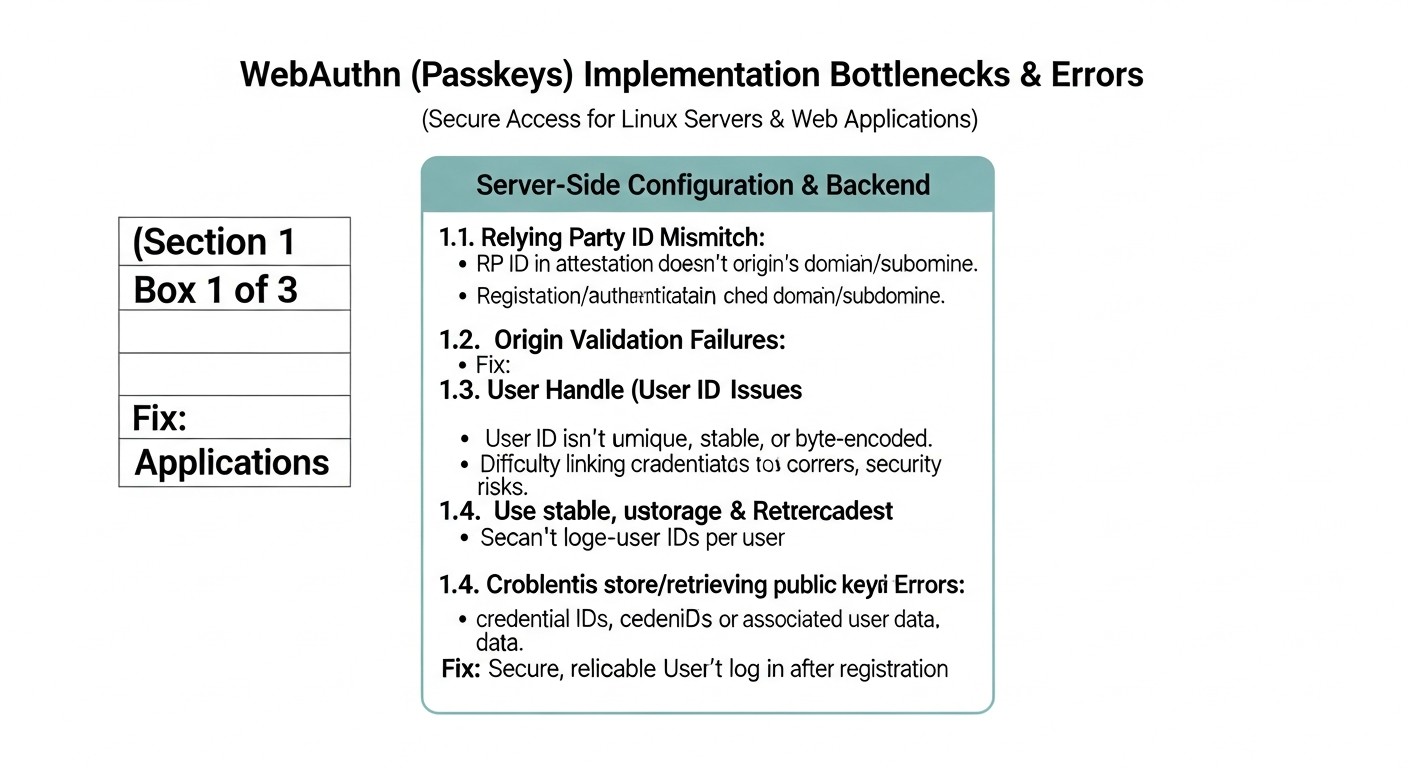
Diagram: Common Mistakes When Implementing WebAuthn
Implementing a complex technology like WebAuthn comes with certain pitfalls. Based on experience from 2026, we have identified the most common mistakes made by developers and administrators and offer ways to prevent them.
1. Incorrect RP ID and Origin Configuration
Mistake: Using an incorrect rpId (Relying Party ID) or origin. For example, setting rpId to a full domain with a subdomain (app.example.com) instead of the root (example.com), or a protocol mismatch (HTTP instead of HTTPS).
Consequences: WebAuthn will not work. The browser will reject authentication/registration requests due to a mismatch. This is a fundamental error that compromises protocol security, as rpId is bound to the origin. If rpId is configured as app.example.com, then the Passkey will not work for sub.app.example.com, which can be unexpected behavior.
How to avoid:
Always use the root domain for rpId if you want Passkeys to work across all subdomains. For example, for app.example.com and test.example.com, use example.com as the rpId.
The origin must exactly match the current URL, including the scheme (https://) and port.
Carefully read the documentation for your WebAuthn server library, as it may have its own nuances in handling these parameters.
Use HTTPS only. WebAuthn is strictly forbidden for HTTP.
2. Missing or Inadequate Account Recovery Mechanisms
Mistake: Assuming users will never lose their Passkey or all their authenticators. Failing to provide a secure and clear way to recover access.
Consequences: User lockout, data loss, immense burden on support services, negative user experience, and potential abandonment of WebAuthn.
How to avoid:
Multiple Passkeys: Encourage users to register multiple Passkeys on different devices (smartphone, laptop, hardware key) or to have multiple hardware keys.
Backup Codes: Provide users with the option to generate one-time backup codes that can be stored in a safe place.
Recovery Delay: Implement an account recovery procedure that includes a delay (e.g., 24-48 hours) before activating a new method, to give the user time to react if the recovery request was initiated by an attacker.
Enhanced Verification: For recovery via support services, require multi-factor verification of the user's identity (e.g., answers to secret questions, video call confirmation, document identification).
Gradual Transition: In the initial stages, retain traditional 2FA methods as backups until users become accustomed to Passkeys.
3. Incorrect Authenticator Response Validation on the Server
Mistake: Incomplete or incorrect validation of all fields returned by the authenticator (e.g., challenge, origin, rpId, signature, counter, userVerification).
Consequences: Vulnerabilities to replay attacks, authentication spoofing, security bypasses. This is one of the most serious mistakes, as it can completely compromise the authentication system.
How to avoid:
Use Proven Libraries: Always rely on mature, well-tested WebAuthn server libraries that implement all necessary checks according to the FIDO2 specification.
Verify challenge: Ensure that the challenge received in the authentication response matches the one you originally sent and stored in the user's session (and which is cryptographically random and single-use).
Verify origin and rpId: They must exactly match your expected values.
Verify signature: The signature must be valid and performed by the public key registered for this Passkey.
Verify counter: Ensure that the counter value returned by the authenticator is greater than the previously stored value. This protects against replay attacks.
Verify userVerification: If you require user verification (PIN/biometrics), ensure that the uv flag is set in the response.
4. Ignoring Passkey Lifecycle and Management
Mistake: Lack of mechanisms for viewing, revoking, or updating registered Passkeys for a user.
Consequences: Difficulties for users who want to delete an old key, or for administrators who need to revoke a compromised key. This can lead to "dead" keys that continue to grant access, or an inability to manage security.
How to avoid:
Key Management Panel: Provide users in their profile with the ability to view their registered Passkeys, give them clear names, and delete them.
Administrative Panel: Administrators should have the ability to forcibly revoke Passkeys for any user in the event of a security incident.
Automatic Revocation: Consider automatically revoking Passkeys that have not been used for a long time, or upon certain events (e.g., after account recovery via a backup method).
5. Poor User Information and Education
Mistake: Implementing WebAuthn without adequately explaining to users what it is, how it works, why it's more secure, and how to use it.
Consequences: User confusion, resistance to new technology, increased support requests with questions like "what is this window?" or "where did my password go?".
How to avoid:
Detailed Guides: Create clear step-by-step instructions and FAQs for users.
Intuitive UX: The interface design for registration and authentication should be as simple and clear as possible.
Explanatory Texts: Add brief explanations in the UI when a user encounters a WebAuthn request.
Support Channels: Ensure that the support team is trained to work with WebAuthn and can promptly answer user questions.
Benefits: Emphasize the benefits (convenience, security, no passwords) to encourage adoption.
By avoiding these common mistakes, you can ensure a smoother, more secure, and successful implementation of WebAuthn into your infrastructure and applications.
Quick pick
Looking for a server that just works?
Valebyte VPS — NVMe, 24/7 support, deploy in 60 seconds.
To ensure successful and secure implementation of WebAuthn (Passkeys) for your infrastructure and web applications, follow this step-by-step guide. This checklist covers key stages from planning to launch and support.
Stage 1: Planning and Architecture
Define the implementation goal:
Securing SSH access to servers?
Passwordless login for web applications?
Compliance with regulatory requirements (NIST, PCI DSS)?
Improving UX and reducing support load?
Choose the implementation approach:
Native SSH/PAM integration?
Custom implementation for web applications?
Using an Identity Provider (IdP)?
Hybrid approach?
Define the rpId and origin strategy:
Choose the root domain for rpId if subdomain support is required.
Ensure that origin always uses HTTPS.
Design access recovery mechanisms:
Provide for the registration of multiple Passkeys.
For web applications (if this approach is chosen):
Select and integrate a server-side WebAuthn library (e.g., py_webauthn, @simplewebauthn/server).
Implement endpoints for generating registration options (GET /register/options).
Implement endpoints for verifying registration responses (POST /register/verify).
Implement endpoints for generating authentication options (GET /login/options).
Implement endpoints for verifying authentication responses (POST /login/verify).
Develop client-side JavaScript logic to interact with the browser's WebAuthn API (e.g., with @simplewebauthn/browser).
Ensure secure storage of Passkey metadata (credentialID, credentialPublicKey, counter) in your database.
For IdP integration (if this approach is chosen):
Register with the chosen IdP (Auth0, Okta, Keycloak).
Configure the IdP domain and your application in its control panel.
Enable WebAuthn/Passkeys support in IdP settings.
Integrate the IdP's SDK/API into your web application to redirect to IdP authentication pages.
Configure the callback URL for user return after successful authentication.
Ensure HTTPS: Verify that all WebAuthn-related endpoints are accessible only via HTTPS.
Stage 3: Testing and Deployment
Conduct comprehensive testing:
Test registration and authentication on various browsers (Chrome, Firefox, Safari, Edge).
Test on various platforms (Windows, macOS, Android, iOS).
Test with various authenticators (platform, cross-platform, hardware keys).
Test key loss and access recovery scenarios.
Test for validation errors (incorrect challenge, rpId, etc.).
Develop user documentation:
Step-by-step instructions for registering and using Passkeys.
FAQ for common questions and issues.
Instructions for access recovery.
Train support staff:
How WebAuthn works.
How to assist users with registration/authentication.
Access recovery procedures.
Implement logging and monitoring:
Log all registration and authentication events.
Monitor for anomalous login attempts or frequent errors.
Phased deployment:
Start with a pilot group of users.
Gradually expand availability to all users.
Initially offer WebAuthn as an option, not a mandatory method, to allow users to become accustomed to it.
Cost Calculation and Economics of WebAuthn Implementation
Diagram: Cost Calculation and Economics of WebAuthn Implementation
Implementing WebAuthn, like any other technological innovation, requires investment. However, in 2026, these investments are not only justified from a security perspective but also bring significant economic benefits. It is important to consider both direct and hidden costs, as well as potential savings.
Calculation Examples for Different Scenarios (2026)
Scenario 1: Small Startup (1,000 users, custom web application implementation)
A small startup with a limited budget and a strong technical team might decide to develop its own WebAuthn implementation for its web application to avoid monthly IdP payments and maintain full control.
Hidden Costs: Time for team training, testing, development of recovery mechanisms.
Total TCO estimate for 3 years: $36,000 (development) + $600 (hardware) + 3 * $9,600 (support) = $65,400.
Scenario 2: Medium SaaS Project (50,000 users, IdP solution)
A medium SaaS project, for which implementation speed, scalability, and reduction of operational authentication support costs are important, will most likely choose an IdP.
Staff Training: Time spent on training the IT team, support staff, and end-users.
Procedure Development: Creation of operational documentation, recovery procedures, user instructions.
Temporary Dual Support: Maintaining old authentication systems in parallel with WebAuthn during the transition period.
Unforeseen Issues: Time spent resolving integration complexities, bugs, compatibility problems.
Audit and Compliance: Costs for external audits to confirm compliance with security standards.
How to Optimize Costs
Phased Implementation: Start with the most critical systems or a small group of users.
Using Open-Source: For SSH/PAM, this is virtually free. For web applications, Keycloak (self-hosted IdP) can be used, which will reduce license fees but increase hosting and administration costs.
In-house Training: Use internal experts to train the team and users, creating internal resources.
Automation: Automate key registration and revocation processes to reduce manual effort.
Thorough Planning: Detailed planning of architecture and integration from the outset helps avoid costly rework.
Minimizing Hardware Keys: If possible, rely on Passkeys synchronized via cloud services (iCloud Keychain, Google Password Manager) to avoid mass purchase of physical devices.
Table with Calculation Examples (3-Year TCO Summary)
Indicator
Small Startup (Custom)
Medium SaaS (IdP)
Large Enterprise (Hybrid)
Number of Users/Employees
1,000
50,000
10,000
Initial Development/Integration Costs
$36,000
$9,600
$42,000
Hardware Key Costs (one-time)
$600
$0 (typically not issued by IdP)
$660,000
Annual IdP Licenses
$0
$27,000
$90,000
Annual Support Costs
$9,600
$4,800
$21,000
Total TCO for 3 years
$65,400
$105,000
$1,005,000
Economic Impact: Beyond direct costs, it's important to consider savings. WebAuthn significantly reduces the number of security incidents related to phishing and credential theft, saving millions of dollars on investigations, recovery, and reputational losses. The burden on support services for password resets is reduced. User productivity increases due to faster and more convenient login. In 2026, these benefits outweigh the initial investments, making WebAuthn not just a "good practice" but a necessity for any responsible business.
Cases and Examples of Successful WebAuthn Implementation
Diagram: Cases and examples of successful WebAuthn implementation
Let's consider several realistic scenarios demonstrating the practical application of WebAuthn (Passkeys) in various types of organizations. These examples illustrate how the technology solves specific security problems and improves user experience.
Case 1: Protecting internal servers of a large IT company's DevOps team
Problem:
A large IT company, "TechGiant," with over 500 DevOps engineers and system administrators, faced a growing risk of SSH key compromise. Despite using strong passwords and traditional 2FA (TOTP), there was a constant threat of phishing or key leakage through infected workstations. Security audits regularly indicated the need to strengthen authentication for accessing production servers and critical infrastructure.
The company also faced the challenge of managing hundreds of thousands of SSH keys, their rotation, and revocation, which required significant operational resources and was a source of errors.
Solution:
"TechGiant" decided to implement WebAuthn for all SSH accesses, using hardware FIDO2 YubiKeys as the primary authentication method. Native integration with PAM (Pluggable Authentication Modules) was chosen for all Linux servers. Each engineer received two hardware keys (primary and backup).
Centralized Registration: An internal Python utility was developed, allowing engineers to register their YubiKeys via a web interface. The utility generated entries for u2f_keys, which were then automatically synchronized with a centralized LDAP directory and distributed to all servers via Ansible.
PAM Configuration: The /etc/pam.d/sshd file was configured to require both successful authentication via a public SSH key and confirmation via YubiKey. This provided phishing-resistant two-factor authentication.
Passwordless sudo: To enhance convenience and security, sudo was also configured to use a FIDO2 key instead of a password, reducing the number of passwords entered.
Recovery Procedures: In case of losing both keys, the engineer had to undergo an enhanced identity verification procedure through HR and security services, after which their old keys were revoked, and new ones were issued.
Results:
Zero Phishing Rate: In the 18 months following implementation, not a single successful phishing incident related to server access was recorded.
Reduced Operational Costs: SSH key management became significantly simpler, as the private parts of the keys never leave the hardware authenticator. The need for regular SSH key rotation and complex distribution infrastructure was eliminated.
Improved Compliance: The company easily passed audits for compliance with NIST SP 800-63B (AAL3) and PCI DSS standards, which was critical for its business operations.
Increased Trust: Employees appreciated the enhanced level of security and convenience, as they no longer needed to remember complex passwords for sudo.
Case 2: Implementing Passkeys for an Online Education SaaS Platform
Problem:
The "EduSync" SaaS platform, with millions of students and instructors, faced a high load on its support service due to password resets (over 10,000 requests per month) and frequent complaints about a slow and inconvenient login process. Additionally, there were incidents of account compromise due to the use of weak passwords and phishing, which undermined trust in the platform.
Solution:
"EduSync" decided to implement Passkeys for its users, leveraging a ready-made Identity Provider (IdP) solution – Auth0, which already offered native WebAuthn support. This allowed for quick integration of the technology without significant costs for developing its own authentication system.
Rapid Integration: The "EduSync" development team used the Auth0 SDK to integrate Passkeys into their React web interface and React Native mobile applications. The integration took only 3 weeks.
Seamless UX: Users could now register Passkeys from their smartphones (via iCloud Keychain or Google Password Manager) or laptops. The login process became as simple as possible – it was enough to confirm login with biometrics or a PIN on their device.
Flexible Options: For a transitional period, password login with 2FA remained an option, but Passkeys were actively promoted as the primary and recommended method.
Passkey Management: A section was added to the "EduSync" user profile where students and instructors could view their registered Passkeys, give them descriptive names, and revoke them if necessary.
Centralized Management: Auth0 provided a unified dashboard for managing all users and their credentials, including Passkeys, which significantly simplified administration.
Results:
Reduced Password Reset Requests: The number of support requests related to password resets decreased by 65% within 6 months.
Improved User Experience: Login speed decreased by an average of 70%, leading to increased user satisfaction and reduced churn.
Enhanced Security: The number of compromised accounts related to phishing significantly decreased.
Scalability: The authentication system easily scales with the growth of the platform's user base, requiring no additional effort from the "EduSync" team.
Fast Time-to-Market: Thanks to the ready-made IdP solution, "EduSync" was able to quickly implement advanced authentication technology, outpacing competitors.
These cases demonstrate that WebAuthn is not just a theoretical concept, but a powerful practical tool capable of solving real security and convenience problems in various business scenarios.
Quick pick
Looking for a server that just works?
Valebyte VPS — NVMe, 24/7 support, deploy in 60 seconds.
Diagram: Tools and Resources for Working with WebAuthn
Successful implementation of WebAuthn (Passkeys) requires the use of reliable tools and up-to-date resources. By 2026, the WebAuthn ecosystem has significantly evolved, offering a wide range of libraries, hardware solutions, and documentation.
1. Server-side WebAuthn Libraries
These libraries simplify the implementation of server-side logic for generating options and verifying responses from authenticators.
Python:
fido2: Official library from Yubico, supports all aspects of FIDO2/WebAuthn. An excellent choice for deep integration.
py_webauthn: Another popular and well-maintained library, often used in projects.
Node.js/TypeScript:
@simplewebauthn/server: One of the most popular and easy-to-use libraries, actively developed. Recommended for most projects.
Go:
go-webauthn: A powerful and flexible library for Go applications.
PHP:
web-authn/web-authn: A well-documented and maintained library for PHP.
Java:
webauthn4j: A reliable implementation for the Java ecosystem.
2. Client-side JavaScript Libraries
These libraries simplify interaction with the browser's WebAuthn API.
@simplewebauthn/browser: SimpleWebAuthn component for the client-side, perfectly complements the server-side.
Native WebAuthn API: In most cases, you can directly use navigator.credentials.create() and navigator.credentials.get(), but libraries simplify working with it.
3. PAM Modules for Linux
For integrating WebAuthn with SSH and local authentication on Linux.
pam_u2f: Primary PAM module for FIDO U2F/FIDO2 support. Requires libfido2.
libfido2: A library providing low-level FIDO2 functions for Linux.
4. Identity Providers (IdP) with WebAuthn/Passkeys Support
Ready-made solutions that simplify the implementation and management of authentication.
Auth0 (now part of Okta): A flexible identity management platform with broad support for WebAuthn and Passkeys.
Okta: Market leader in Identity Management, offering robust solutions for enterprises, including WebAuthn.
Keycloak: Open-source IdP that can be self-hosted. WebAuthn support is actively being developed.
Azure Active Directory: For organizations using the Microsoft ecosystem, offers Passkeys support.
AWS Cognito: AWS service for managing user identities, also supports FIDO2.
5. Hardware Authenticators (FIDO2 Keys)
Physical devices that can store Passkeys or act as authenticators.
YubiKey 5 Series / Bio Series: Popular, reliable, and multi-functional keys from Yubico.
SoloKeys: Open-source FIDO2 keys, offering a high level of transparency.
Built-in Platform Authenticators: TPM modules in laptops, Secure Enclave in Apple devices, biometric scanners in smartphones – all of these can serve as authenticators for Passkeys.
6. Monitoring and Testing
Browser Developer Tools: The Console and "Network" tab will help debug the client-side.
Logging Systems: ELK Stack (Elasticsearch, Logstash, Kibana), Grafana Loki, Splunk for collecting and analyzing authentication logs.
SIEM Systems: For centralized security event management and anomaly detection.
FIDO Alliance Conformance Tools: For verifying your implementation's compliance with FIDO specifications.
By using these tools and resources, you can effectively implement and maintain WebAuthn in your environment, ensuring a high level of security and convenience.
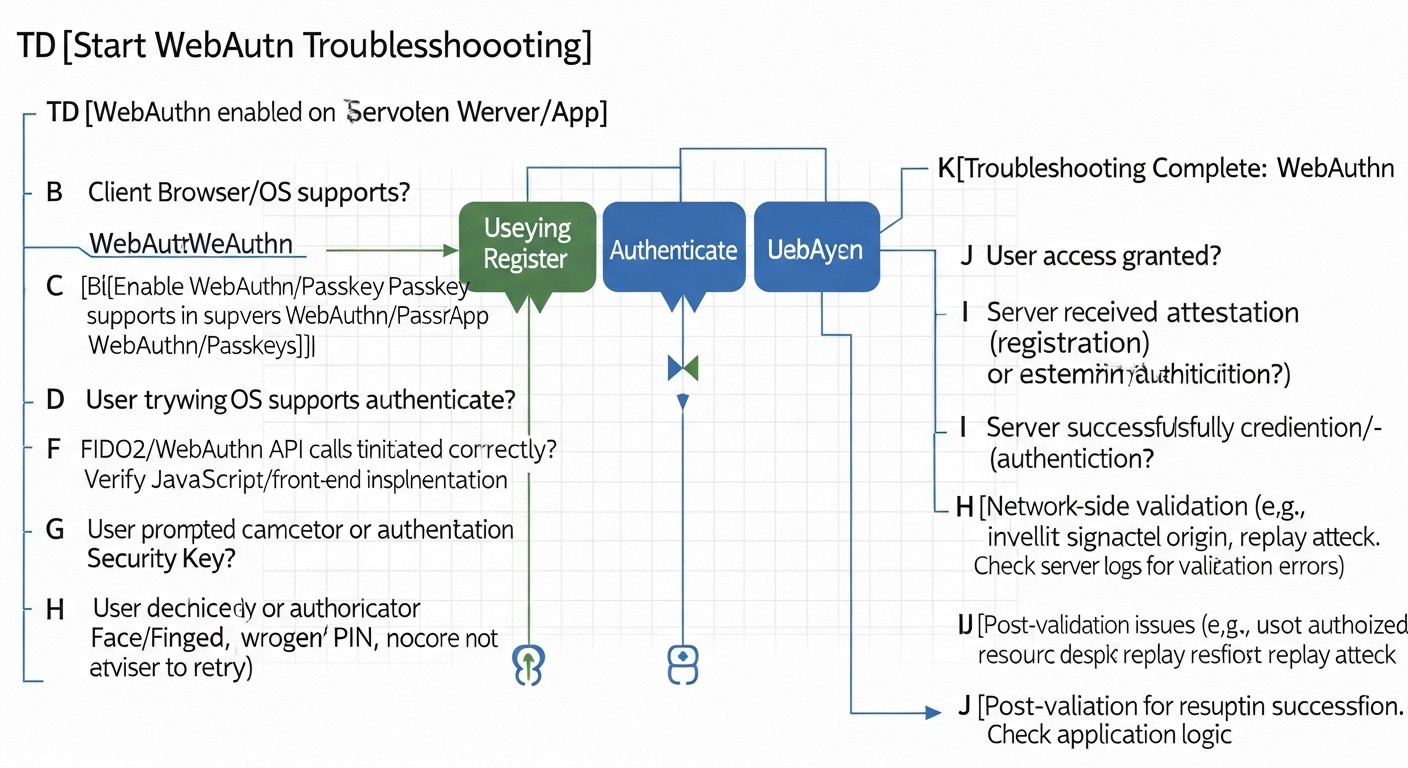
Implementing WebAuthn, despite its standardization, can encounter a number of issues. Here we have compiled typical situations and methods for their diagnosis and resolution, relevant for 2026.
1. "Authenticator not recognized" or "No compatible authenticator found"
Description: The browser or operating system cannot detect or interact with a connected authenticator (e.g., YubiKey) or a platform authenticator (e.g., a built-in fingerprint scanner).
Possible causes and solutions:
Physical connection: Ensure that the hardware key is correctly inserted into the USB port and is not damaged. Try another port.
USB drivers: On Linux, ensure that you have the necessary udev rules installed for FIDO devices. These usually come with libfido2 or pam_u2f packages but may require manual configuration.
# Пример файла udev-правил для YubiKey (может быть в /etc/udev/rules.d/70-u2f.rules)
# KERNEL=="hidraw*", SUBSYSTEM=="hidraw", ATTRS{idVendor}=="1050", TAG+="uaccess"
After changing the rules: sudo udevadm control --reload-rules && sudo udevadm trigger.
Browser/OS support: Ensure that your browser and operating system are new enough for full WebAuthn and Passkeys support. By 2026, this is rare, but older versions can be an issue.
Blocking by third-party extensions: Some browser extensions (e.g., ad blockers, VPNs) can interfere with WebAuthn. Try disabling them or using incognito mode.
Authenticator damage: Rarely, but the authenticator might be damaged. Try another key if available.
OS security settings: On some OSes (especially corporate ones), there might be policies blocking access to USB devices or biometric sensors.
2. "rpId mismatch error" or "The RP ID is not valid"
Description: An error indicating a mismatch between the rpId expected by the server and the rpId the browser is trying to use.
Possible causes and solutions:
Domain mismatch: Ensure that the rpId passed in the generateRegistrationOptions/generateAuthenticationOptions request exactly matches the domain from which your application is served (or its root domain).
// Пример: если ваше приложение на app.example.com, rpId должен быть example.com
const rpId = 'example.com';
Typos: Check for typos in the rpId on the server and in the client-side code.
Protocol: Ensure your site runs over HTTPS. WebAuthn strictly requires HTTPS.
Subdomains: If you want the Passkey to work across all subdomains, the rpId must be the root domain. If rpId is set to app.example.com, it will not work on sub.app.example.com.
3. "The request is not allowed by the user agent or the platform in the current context" (SecurityError)
Description: A general security error indicating that the browser or platform has disallowed the WebAuthn operation.
Possible causes and solutions:
HTTP instead of HTTPS: The most common reason. WebAuthn only works on HTTPS (or localhost for development).
iframe context: If WebAuthn is called from an iframe, ensure that the iframe has the necessary allow="publickey-credentials-get" attributes.
Browser limitations: Some browsers may have additional security restrictions (e.g., requiring active window focus, user interaction).
Incorrect Origin: Ensure that the origin you pass on the server-side for verification exactly matches window.location.origin on the client.
4. SSH authentication with FIDO2 key not working
Description: After configuring pam_u2f, you cannot log in via SSH or are not prompted to touch the key.
Possible causes and solutions:
Incorrect PAM configuration:
Check /etc/pam.d/sshd. The line with pam_u2f.so should be at the beginning of the auth section.
Ensure that the path to authfile (/etc/Yubico/u2f_keys or ~/.config/Yubico/u2f_keys) is correct and the file exists.
Check permissions for the u2f_keys file. It must be readable by the user under which the SSH daemon runs (usually root or sshd).
Incorrect SSHD configuration:
Check /etc/ssh/sshd_config. Ensure that UsePAM yes, ChallengeResponseAuthentication yes, and AuthenticationMethods includes keyboard-interactive.
After any changes to sshd_config or PAM, restart the SSH daemon: sudo systemctl restart sshd.
Incorrectly registered key: Ensure that the key was registered for the correct user using the command pamu2fcfg -u <username>.
Logs: Check the SSH daemon logs for detailed error information:
sudo journalctl -xe | grep sshd
sudo tail -f /var/log/auth.log # Для Debian/Ubuntu
sudo tail -f /var/log/secure # Для RHEL/CentOS/Fedora
Look for messages from pam_u2f. If you added debug to the PAM configuration, there will be more information.
5. "The credential was registered with a different RP ID"
Description: When attempting to authenticate a Passkey that was registered with one rpId, it is being used with a different rpId.
Possible causes and solutions:
Different RP IDs: Passkeys are strictly tied to the rpId. If you changed the rpId for your application, old Passkeys will not work. Users will have to register new ones.
Development/Testing: When moving from a test domain to production, the rpId will change. Ensure that you register new Passkeys on the production domain.
6. Issues with counter update (Counter)
Description: Server-side verification fails because the counter returned by the authenticator is not greater than the previously saved value.
Possible causes and solutions:
Incorrect counter saving: Ensure that you correctly save and update the authenticator.counter value in your database after each successful authentication.
Replay attack: This could be an indicator of a real replay attack. Investigate thoroughly.
Authenticator reset: If the authenticator was reset or cloned, the counter might be incorrect.
When to contact support
IdP issues: If you are using Auth0, Okta, or another IdP and encounter errors not related to your integration (e.g., issues with their API, service unavailability).
Hardware key issues: If you suspect that the hardware key itself is faulty (unresponsive, not detected by the OS) and you have ruled out driver/port issues.
Unclear cryptographic errors: If server-side WebAuthn libraries report errors related to cryptography or signatures, and you cannot find a solution in the documentation or community.
Thorough logging and step-by-step debugging are your best friends when troubleshooting WebAuthn issues. Use browser developer tools, Linux system logs, and library documentation.
FAQ: Frequently Asked Questions about WebAuthn (Passkeys)
What are Passkeys?
Passkeys (pass-through keys) are a new authentication standard based on WebAuthn and the FIDO2 protocol, which allows users to log in to websites and applications without passwords. Instead of a password, a pair of cryptographic keys is used: the public key is stored on the server, and the private key is stored on the user's device (smartphone, laptop, hardware key) and protected by biometrics or a PIN. Passkeys are resistant to phishing and synchronize between user devices via cloud services (e.g., iCloud Keychain, Google Password Manager), making login seamless and secure.
How is WebAuthn better than traditional 2FA?
WebAuthn (Passkeys) surpasses traditional 2FA (two-factor authentication) in several ways. Firstly, it completely eliminates passwords, whereas 2FA only complements them. Secondly, WebAuthn is inherently resistant to phishing because authentication is tied to a specific domain. Traditional 2FA methods, such as SMS codes or even TOTP, can be intercepted or tricked using sophisticated phishing attacks. WebAuthn also offers a significantly better user experience, as it often requires only one action (e.g., touching a fingerprint sensor) to log in.
Can WebAuthn be used without a hardware key?
Yes, absolutely. In 2026, most Passkey implementations rely on "platform authenticators" – these are security features built into your device, such as fingerprint scanners, facial recognition systems (Face ID, Windows Hello), or device PINs. Private keys are stored in a secure area of the device (e.g., TPM, Secure Enclave) and can be synchronized between your devices via cloud services, creating a Passkey. Hardware keys (like YubiKey) are "cross-platform authenticators" and still remain an excellent choice for additional security or in corporate environments, but they are not mandatory.
How to ensure access recovery in case of key loss?
Access recovery is a critical aspect. It is recommended to register multiple Passkeys for a single account, using different devices. For example, one Passkey on a smartphone, another on a laptop, and possibly a hardware key. Additionally, secure backup recovery methods should be provided, such as one-time backup codes that the user can print and store in a safe place. For critically important systems, a recovery procedure can be implemented through support services with enhanced identity verification, including a delay before access activation.
Is WebAuthn compatible with older browsers?
By 2026, WebAuthn is supported by the vast majority of modern browsers (Chrome, Firefox, Safari, Edge) and operating systems. However, older versions of browsers or OS may not have full support. When implementing WebAuthn, it is generally recommended to offer it as an option, retaining traditional methods (password + 2FA) for users whose devices or browsers do not support this technology. Gradual transition and informing users about the need to update software are key to success.
Is anything stored on the server?
Yes, the public part of the Passkey (credentialPublicKey), as well as its unique identifier (credentialID) and usage counter (counter), are stored on the server. The private key never leaves the user's authenticator. The server uses the public key to verify the cryptographic signature created by the authenticator's private key, confirming the user's identity. It is important to securely store this data in your database, linked to the user's account.
How does WebAuthn protect against phishing?
WebAuthn protects against phishing by binding authentication to a specific domain (rpId) and origin (origin). When you register a Passkey for example.com, the authenticator generates a signature that works only for that domain. If an attacker creates a phishing site examp1e.com, your Passkey will not work on it because the domain does not match. The browser and authenticator verify this match, preventing the transmission of credentials to a fake resource.
What are the risks of implementing WebAuthn?
The main risks are not related to the WebAuthn technology itself, but to its incorrect implementation. This includes: improper validation of authenticator responses (vulnerability to replay attacks), lack of adequate access recovery mechanisms (user lockout), poor user experience (non-adoption of the technology), and ignoring the key lifecycle (inability to revoke compromised keys). There is also a risk that users may lose all their authenticators without backups.
What is the role of an IdP in WebAuthn?
Identity Providers (IdP) such as Auth0, Okta, or Keycloak simplify WebAuthn implementation by taking on much of the complexity. They provide ready-to-use APIs and SDKs for integration, manage WebAuthn server-side logic, store Passkey metadata, and ensure centralized user management. IdPs also offer additional features such as single sign-on (SSO), other MFA methods, auditing, and analytics, which significantly accelerate deployment and reduce the burden on the development team.
Can one key be used for multiple services?
Yes, a single physical FIDO2 key (e.g., YubiKey) can be used to register Passkeys for many different services. Each service will have its unique rpId, and the key will generate unique key pairs for each of them. As for Passkeys synchronized via cloud services (e.g., iCloud Keychain), they are also designed for use across multiple services, providing seamless login from any of your devices that support synchronization.
Quick pick
Looking for a server that just works?
Valebyte VPS — NVMe, 24/7 support, deploy in 60 seconds.
In 2026, the implementation of WebAuthn (Passkeys) ceased to be merely a "good practice" and became a necessary condition for ensuring robust security of digital assets and a comfortable user experience. The elimination of passwords, resistance to phishing, and seamless cross-platform authentication make Passkeys a cornerstone of modern cybersecurity strategy.
As we have thoroughly discussed, there are various implementation paths: from native integration with SSH/PAM for protecting critical infrastructure on Linux to using powerful Identity Providers (IdP) or custom development for web applications. Each approach has its advantages and disadvantages, and the choice of the optimal solution depends on your organization's specific requirements, budget, and available resources.
Final Recommendations:
Don't delay implementation: Password-related threats are only growing. The sooner you start transitioning to WebAuthn, the faster you can protect your users and infrastructure.
Start with a pilot: Implement WebAuthn gradually, starting with a small group of users or less critical systems. This will allow you to refine processes and gather feedback.
Prioritize security and UX: Ensure that your WebAuthn implementation is not only secure (proper validation, protection against replay attacks) but also user-friendly for end-users. Poor UX can sabotage all efforts.
Plan for access recovery: This is the most important aspect, often underestimated. Ensure that users have clear and secure paths for access recovery in case of losing all Passkeys.
Invest in training: Train both your technical team and end-users. Understanding how Passkeys work and why they are more secure will significantly increase their adoption.
Use proven tools: Rely on mature server-side libraries, reliable IdPs, and well-known hardware authenticators. Do not try to reinvent the wheel in the field of cryptography.
Monitoring and auditing: Set up detailed logging and monitoring of all authentication events. This will help identify anomalies and ensure compliance with regulatory requirements.
Next steps for the reader:
Now that you have a full understanding of WebAuthn and Passkeys, it's time to act:
Conduct an internal audit: Assess the current state of authentication security in your organization.
Form a working group: Involve DevOps, Backend developers, and security specialists.
Choose a pilot project: Identify where WebAuthn implementation will bring the greatest and fastest benefit.
Start experimenting: Use the code examples and tools provided in this guide to create a prototype.
Stay informed: The WebAuthn ecosystem continues to evolve. Follow FIDO Alliance news and browser updates.
Implementing WebAuthn is not just a technical project; it's a strategic decision that will strengthen your position in the constantly evolving landscape of cyber threats and provide your users with the most modern and secure way to interact with the digital world.
Was this guide helpful?
Your feedback helps us improve our guides.
Share this post:
Send this guide to someone who may find it useful.