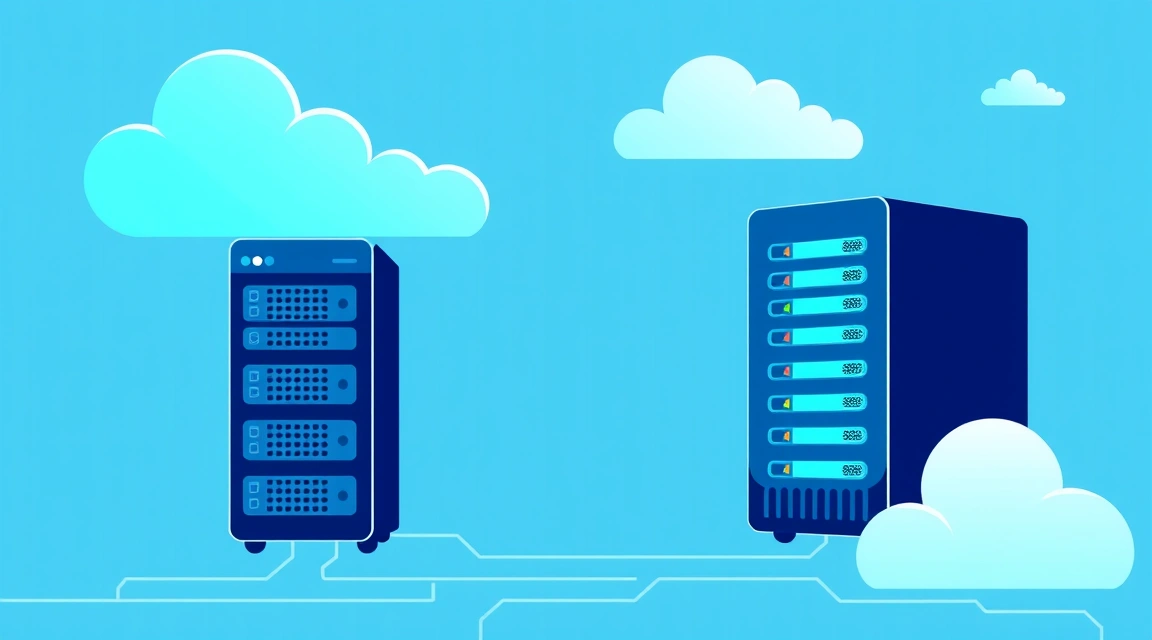
A computer server is a specialized, powerful computer or program designed to store, process, and deliver data or services to other computers (clients) on a network, whereas "dedic" is a slang term for a dedicated server, rented entirely by a single user or organization, providing them with full control over the hardware and resources.
What is a computer server and how does it work?
At the heart of the modern digital world lies the concept of a computer server — a powerful machine specifically designed to provide resources, data, or services to other computers, known as clients, over a network. This can be either physical hardware or software that performs server functions. Unlike a regular desktop PC, which is used for individual tasks, a server is designed for continuous 24/7 operation, processing requests from multiple users or systems simultaneously.
Key Components of a Computing Server
Every computing server, whether physical or virtual (VM server), consists of several key components that ensure its functionality and performance:
- Processor (CPU): The heart of the server, responsible for performing all calculations. Servers often use multi-core processors with high clock speeds, capable of processing hundreds and thousands of requests per second. For example, Intel Xeon or AMD EPYC.
- Random Access Memory (RAM): Used for temporary storage of data that the processor needs fast access to. A large amount of RAM is critical for server performance, especially when working with many applications or users simultaneously. Typical servers can have from 16 GB to 1 TB or more RAM.
- Storage: The place where the operating system, programs, and all data are stored. Modern servers use fast NVMe SSDs, providing minimal latency and high read/write speeds, which is critical for databases and high-load applications.
- Network Interface Card (NIC): Provides the server's connection to the network (internet or local area network). Servers are often equipped with multiple network adapters with bandwidths of 1 Gbps, 10 Gbps, or even 25/40/100 Gbps to ensure high data transfer speeds.
- Power Supply Unit (PSU): Ensures stable power supply to all components. Critical servers often have redundant PSUs to ensure uninterrupted operation in case of a failure of one of them.
- Cooling System: Powerful servers generate a lot of heat, so an efficient cooling system (fans, heatsinks, liquid cooling) is necessary to prevent overheating and ensure stable operation.
Differences from a Regular PC
Although a PC server and a regular desktop computer have similar basic components, their purpose and design differ fundamentally:
- Reliability and Fault Tolerance: Servers are designed for continuous 24/7 operation without interruptions, often using enterprise-grade components (ECC RAM, RAID arrays, redundant power supplies) that provide enhanced reliability and data protection. A regular PC is not designed for such loads.
- Performance: Servers are equipped with more powerful processors, larger amounts of RAM, and faster disks, optimized for simultaneously processing multiple requests.
- Network Capabilities: Servers have higher-performance network interfaces and are optimized for network environments, often with multiple IP addresses and complex configurations.
- Management: Servers are often managed remotely via specialized software (e.g., IPMI, KVM over IP), allowing administrators to control them without physical presence.
- Form Factor: Servers typically have a rack-mount form factor, designed for installation in server racks in data centers, which ensures efficient space utilization and cooling.
Why are Internet Servers Needed? Use Cases
Without internet servers, the modern digital world would be unimaginable. They are the foundation for most online services and applications we use daily. From browsing web pages to online games and cloud storage — every action is backed by one or more servers.
Web Servers and Databases
One of the most common types of use is web servers. When you type a website address into your browser, your computer sends a request to an internet server that stores the website's files (HTML, CSS, JavaScript, images). The server processes the request and sends the necessary data back to your browser, which then displays the web page. Examples of popular web servers include Apache, Nginx, Microsoft IIS.
Web servers often work in conjunction with database servers (e.g., MySQL, PostgreSQL, MongoDB). The database stores dynamic website content, such as user profiles, blog articles, e-commerce products. For example, when you log in to a website, the web server requests information about your account from the database server and then uses that data to generate a personalized page.
Example of a simple LAMP (Linux, Apache, MySQL, PHP) configuration on a server:
sudo apt update
sudo apt install apache2 mysql-server php libapache2-mod-php php-mysql
sudo systemctl enable apache2
sudo systemctl start apache2
sudo mysql_secure_installation
Game Servers and Cloud Services
Servers also play a key role in online gaming. Game servers ensure the synchronization of player actions, store the state of the game world, and process game logic, allowing hundreds or thousands of users to interact simultaneously in a virtual space. This requires high performance, low latency, and a stable network connection. If you plan to host your game server, for example, for Minecraft, you will need a sufficiently powerful VPS or dedicated server.
Cloud services, such as Google Drive, Dropbox, Amazon Web Services (AWS), Microsoft Azure, also rely entirely on vast clusters of servers. These internet servers provide computing power, data storage, and network resources on demand, allowing users and companies to scale their infrastructure without the need to purchase and maintain their own hardware. Virtual machines (VM server) are the foundation of cloud computing, enabling efficient use of physical resources.
Other common server applications include:
Looking for a reliable server for your projects?
VPS from $10/month and dedicated servers from $9/month with NVMe, DDoS protection, and 24/7 support.
View offers →- Mail Servers: Handle sending and receiving email (SMTP, POP3, IMAP).
- DNS Servers: Translate domain names (e.g., valebyte.com) into IP addresses.
- File Servers: Centralized storage of files for user access on a network.
- Print Servers: Manage shared access to printers.
- VPN Servers: Create secure tunnels for remote network access.
What is a "Dedic" and a Dedicated Server? Understanding the Terminology
In the world of hosting and IT infrastructure, the terms "dedic" and "dedicated server" are often encountered. Essentially, they are one and the same: dedic is a slang abbreviation for "dedicated server". It represents a physical server that is entirely and exclusively rented by a single client. This means that all its resources — processor, RAM, disks, network channel — are available only to you and are not shared with other users.
Full Control and Isolation
The key advantage of a dedicated server lies in its complete isolation and control. Unlike shared hosting or even a VPS (Virtual Private Server), where the resources of a physical server are divided among several virtual machines, on a dedic, you are the sole tenant. This gives you the following capabilities:
- Full Administrative Access (root/administrator): You can install any operating system (Linux, Windows Server), any software, configure any system parameters without restrictions.
- Maximum Performance: All server resources (CPU, RAM, disk I/O) are available only to your applications, which eliminates the "noisy neighbor effect" where your system's performance suffers due to the activity of other users on the same physical hardware.
- High Level of Security: Since you are not sharing the server with others, the risks associated with vulnerabilities or incorrect configurations of other people's applications are minimized. You have complete control over your environment's security.
- Configuration Flexibility: You can choose a server with specific hardware characteristics that perfectly suit your unique requirements, whether it's a high-performance processor, a large amount of RAM, or fast NVMe SSDs in a RAID array.
Sometimes the term bare metal dedicated server is also used, which emphasizes that it is "bare metal" without additional virtualization or cloud abstraction, provided for your complete disposal.
When is a Dedic Needed?
The decision of what a dedic is and when it's needed depends on the scale and requirements of your project. A dedicated server is the optimal choice in the following cases:
- High-Load Web Projects: Large online stores, portals with millions of visitors, high-traffic SaaS applications that require maximum performance and stability.
- Complex Enterprise Systems: ERP, CRM, databases with large volumes of data and many simultaneous requests.
- Game Servers: For popular online games requiring low latency and stable operation for a large number of players.
- Development and Testing: For creating isolated development, testing, and deployment environments where full control over the environment is required.
- Storing Large Volumes of Data: For file storage, backups, media servers, where disk subsystem volume and speed are important.
- Security and Compliance Requirements: For projects dealing with confidential data or subject to strict regulatory requirements (GDPR, PCI DSS), where complete isolation and infrastructure transparency are necessary.
- Running Resource-Intensive Applications: For machine learning, Big Data analytics, video rendering, and other tasks that require significant computing resources.
While what a dedicated server is becomes clearer when compared to other hosting types, its choice is always justified when performance, security, and full control are priorities. The price of a dedicated server is made up of many factors, including configuration, location, and support level.

Server Types: From Simple to High-Performance
The world of servers is diverse, offering solutions for any task — from a small personal blog to a gigantic cloud storage. Understanding the different types will help you choose the right solution for your project, whether it's a simple server for a small website or a powerful bare metal dedicated server for enterprise workloads.
Shared Hosting, VPS (Virtual Private Server), and Cloud Server
These are the most common types of hosting, differing in their level of isolation and available resources:
- Shared Hosting: This is the most basic and cheapest option. Hundreds, and sometimes thousands, of websites are hosted on a single physical server. Resources (CPU, RAM, disk space) are shared among all users. It's like a communal apartment: cheap, but little space and no performance guarantees. Suitable for simple websites, blogs with low traffic.
- VPS (Virtual Private Server) / VDS (Virtual Dedicated Server): This is the next step after shared hosting. One physical server is divided into several virtual machines (VM server), each of which operates as an independent computing server with its own operating system and dedicated resources. It's like a separate apartment in an apartment building: you have your guaranteed resources, but you still depend on the performance and stability of the overall physical hardware. VPS provides significantly greater flexibility, security, and performance compared to shared hosting.
- Cloud Server: This is an evolution of VPS, built on cloud infrastructure. Instead of a single physical machine, a cloud server uses the resources of an entire cluster of servers. This provides high fault tolerance (if one physical server fails, your VM easily migrates to another), flexible on-demand resource scaling (you can quickly increase RAM or CPU), and pay-as-you-go pricing. It's like a detached house in a cottage community: more freedom, flexibility, but also higher cost.
For creating your own VPN server or mail server, a VPS is often the optimal choice, offering a good balance between price and control. For example, for your own VPN on a VPS or a server for email hosting, a VPS provides the necessary isolation and customization options.
Physical Servers and Bare Metal
At the top of the hierarchy are physical servers, provided as a bare metal dedicated server. This is exactly what is meant by the term dedic. Here, you rent an entire physical machine. No virtualization on top of the hardware, no neighbors. You have complete control over all hardware and software resources.
- Dedicated Server: As mentioned, this is a rented physical server whose resources belong entirely to you. Ideal for the most demanding applications where maximum performance, security, and full control are needed.
- Bare Metal Cloud: This is a relatively new approach that combines the advantages of dedicated servers with the flexibility of cloud computing. You still get access to "bare metal," but with the ability for rapid deployment, API management, and hourly billing, just like in the cloud. This allows you to get the high performance of a dedicated server with the scalability and automation of the cloud. You can learn more about the differences in the article Containers vs. VMs vs. Bare-metal: The Hosting Landscape of 2026.
How to Choose a Server: Key Characteristics and Parameters
Choosing the right server is a critically important step for any project. Performance, stability, and total cost of ownership depend on the correct configuration. To understand how to set up a dedicated server or choose an optimal VPS, you need to consider several key parameters.
Processor (CPU), Random Access Memory (RAM), and Storage
These three components form the basis of any computing server's performance:
- Processor (CPU):
- Number of Cores and Threads: The more cores and threads, the more parallel tasks the server can handle. For high-load web servers or databases, multi-core processors are preferred.
- Clock Speed (GHz): Determines the speed of instruction execution. For tasks requiring high single-core performance (e.g., some databases or game servers), a high clock speed is important.
- Processor Model: Server processors (Intel Xeon, AMD EPYC) are optimized for long-term operation, stability, and support for large amounts of RAM.
- Example: For a small website, 2-4 vCPUs are sufficient. A large online store or database may require 8-16 cores of an Intel Xeon E-2388G or AMD EPYC 7302P.
- Random Access Memory (RAM):
- Volume: The more RAM, the more data the server can store in fast access, reducing the number of accesses to slower disk storage. This is critical for databases, caching, and virtualization.
- Type: Servers often use ECC RAM (Error-Correcting Code), which detects and corrects data errors, increasing system reliability.
- Example: For a basic VPS, 2-4 GB RAM is sufficient. A high-load dedic with a database may require 64 GB, 128 GB, or even 256 GB RAM.
- Data Storage:
- Disk Type:
- HDD (Hard Disk Drive): Cheaper, large capacity, but slower. Suitable for storing large volumes of rarely used data (archives, backups).
- SSD (Solid State Drive) SATA: Significantly faster than HDD, suitable for most web applications and databases.
- NVMe SSD: The fastest drives, providing minimal latency and maximum input/output (IOPS) speed. Ideal for mission-critical databases, high-load applications.
- Volume: Choose based on your project's data storage needs and potential growth.
- RAID Arrays: Combining multiple disks to increase performance (RAID 0, RAID 10) or fault tolerance (RAID 1, RAID 5). For example, a RAID 10 of 4x NVMe SSDs will provide high speed and reliability.
- Example: For a simple server, 50-100 GB SSD is sufficient. For enterprise storage, 2 TB NVMe SSD in RAID 10 may be required.
- Disk Type:
Network Capabilities and Location
Network infrastructure and server location also play a huge role:
- Network Port Speed: Determines the maximum connection bandwidth. Typical servers offer 1 Gbps, but high-traffic projects may require 10 Gbps or even 25/40 Gbps.
- Traffic: Some providers offer unlimited traffic, others have a limit, after which additional fees are charged or speed is reduced.
- Data Center Location: Choose a data center that is geographically closer to your target audience. This minimizes latency and improves user experience. For example, if your audience is in Europe, choose a server in Amsterdam, Frankfurt, or Paris. The cheapest dedicated servers in Europe can offer a good price-to-quality ratio.
- DDoS Protection: For many projects, protection against distributed denial-of-service attacks is critical. Ensure that the provider offers adequate DDoS protection.
Server Management and Administration: What You Need to Know?
After choosing and renting a server, whether it's a VM server or a bare metal dedicated server, the next step is its management and administration. This process includes configuring the operating system, installing software, ensuring security, and monitoring performance. Understanding these aspects is critically important for maintaining stable and efficient operation of your computer server.
Operating Systems and Control Panel
Choosing an operating system (OS) is one of the first decisions when setting up a server:
- Linux: The most popular choice for web servers, databases, and most server applications. Distributions such as Ubuntu Server, Debian, CentOS (or its forks AlmaLinux, Rocky Linux), Fedora Server, offer high performance, stability, security, and a huge support community. Managing a Linux server is usually done via the command line (SSH).
- Windows Server: Necessary for applications developed specifically for the Microsoft ecosystem (e.g., ASP.NET, SQL Server, Exchange Server, Active Directory services). Windows Server offers a graphical user interface (GUI), which can be more convenient for users accustomed to Windows, but requires more resources.
To simplify server management, control panels are often used:
- cPanel/WHM: One of the most popular paid panels, widely used for web hosting. Provides a GUI for managing domains, email, databases, files, and much more.
- Plesk: Another commercial panel, supporting both Linux and Windows Server. Offers similar functionality to cPanel, often with a more modern interface.
- DirectAdmin: A lighter and less resource-intensive paid panel, popular among hosts.
- Free Panels: HestiaCP, VestaCP, ISPConfig, CyberPanel (with OpenLiteSpeed) — excellent options for those who want to save money and are willing to do some self-configuration.
Example of connecting to a Linux server via SSH:
ssh username@your_server_ip
After connecting, you can execute commands, install software, and configure the system.
Security and Monitoring
Security is an ongoing process that requires constant attention. For any internet server, the following steps must be taken:
- Firewall: Configure firewall rules (e.g., UFW for Linux, Windows Firewall) to restrict access only to necessary ports. For example, HTTP (80), HTTPS (443), SSH (22), FTP (21).
- Updates: Regularly update the operating system and all installed software to close known vulnerabilities.
- Strong Passwords and SSH Keys: Use complex passwords and, if possible, SSH keys for access instead of passwords. Disable password login for the root user.
- Intrusion Detection/Prevention Systems (IDS/IPS): Install and configure tools such as Fail2Ban to automatically block suspicious IP addresses after several failed login attempts.
- Backups: Set up regular automatic backups of all important data. Store backups on a separate server or in cloud storage.
- Antivirus Software: This is mandatory for Windows Server; solutions also exist for Linux, though less common.
Monitoring server performance and status allows for timely identification of problems:
- System Metrics: Track CPU load, RAM usage, disk space, network traffic. Tools: htop, glances, top for Linux.
- Logs: Regularly review system logs (
/var/log/in Linux) to identify errors and suspicious activity. - Availability Monitoring: Use external monitoring services (e.g., UptimeRobot, Zabbix, Prometheus) to check the availability of your services and receive notifications of failures.
- Application Monitoring: If you are running a web server, database, or other application, use their built-in monitoring tools or third-party solutions.
Example of checking CPU and RAM load in Linux:
htop
or for more detailed information:
free -h
df -h
How Much Does a Server Cost? Price and Tariff Comparison
The cost of a computer server, whether it's a simple server on shared hosting or a powerful bare metal dedicated server, can range from a few dollars to several thousand per month. The price depends on many factors, including hosting type, hardware configuration, location, and support level. Understanding these factors will help you choose the most cost-effective solution.
Pricing Factors
The following key parameters are considered when determining server cost:
- Hosting Type:
- Shared Hosting: From $3 to $20 per month. The cheapest option, but with limited resources and low flexibility.
- VPS/VDS: From $5 to $100+ per month. The price depends on the number of vCPUs, RAM volume, disk type and size (SSD/NVMe), and channel bandwidth. For example, VPS with hourly billing can be more expensive but offers maximum flexibility.
- Dedicated Server (Dedic): From $50 to $500+ per month. The cost is significantly higher because you are renting an entire physical hardware. The price depends on the processor model (e.g., Intel Xeon E3-12xx vs. new E-23xx or AMD EPYC 7742), RAM volume, number and type of disks, network port (1 Gbps vs. 10 Gbps).
- Cloud Servers: Prices can be very flexible, often billed hourly or by the minute for actually consumed resources (CPU, RAM, Storage, Traffic). Can start from $10-20 per month for a basic instance but quickly increase with scaling.
- Hardware Configuration:
- Processor: Number of cores, clock speed, model (e.g., an older Intel Xeon E3-12xx is significantly cheaper than a new E-23xx or AMD EPYC).
- RAM: Volume (e.g., 16 GB, 32 GB, 64 GB, 128 GB) and type (DDR4 vs. DDR5, ECC vs. non-ECC).
- Storage: Type (HDD, SSD SATA, NVMe SSD), volume, and RAID configuration. NVMe SSDs are significantly more expensive than HDDs but provide many times better performance.
- Network Resources:
- Port: 1 Gbps, 10 Gbps, 25 Gbps. The higher the speed, the more expensive.
- Traffic: Included traffic (e.g., 10 TB/month, 20 TB/month) or unlimited. Exceeding limits usually incurs additional charges.
- IP Addresses: The basic tariff includes 1 IPv4; additional IP addresses are paid separately.
- Data Center Location: Prices may vary depending on the region. Data centers in Western Europe or North America may be more expensive than in Eastern Europe or Asia due to the cost of electricity, real estate, and infrastructure.
- Support Level:
- Self-managed: You are fully responsible for server administration. This is the cheapest option.
- Managed: The provider takes on some or all tasks related to OS management, software updates, monitoring, security. This is significantly more expensive but saves you time and effort. More on this in the article Self-managed vs. Managed VPS in 2026.
- Licenses: Cost of licenses for operating systems (e.g., Windows Server), control panels (cPanel, Plesk), and other software.
Comparison Table
For clarity, here is an approximate comparison of characteristics and prices for different hosting types. Prices are indicative and may vary significantly among different providers and regions.
| Hosting Type | CPU (Example) | RAM (Example) | Storage (Example) | Network Port | Control | Isolation | Approximate Price (per month) | Who it suits |
|---|---|---|---|---|---|---|---|---|
| Shared Hosting | Shared, 0.5-1 vCPU | Shared, 0.5-1 GB | 10-100 GB HDD/SSD | Shared, up to 100 Mbps | Minimal (via panel) | None | $3 - $20 | Personal blogs, business cards, small websites with low traffic. |
| VPS/VDS (VM Server) | 1-8 vCPU | 2-32 GB | 50-500 GB SSD/NVMe | 1 Gbps | Full (root/admin) | High | $5 - $100 | Medium web projects, SaaS, game servers, VPN, mail servers. |
| Dedicated Server (Dedic) | 4-64+ physical cores (Xeon/EPYC) | 16-512+ GB ECC RAM | 2x1TB NVMe SSD (RAID1) - 4x4TB NVMe SSD (RAID10) | 1-10 Gbps | Full (root/admin) | Complete | $50 - $500+ | Large online stores, high-load databases, Big Data, cloud services, corporate infrastructure. |
| Bare Metal Cloud | 4-64+ physical cores (Xeon/EPYC) | 16-512+ GB ECC RAM | 2x1TB NVMe SSD (RAID1) - 4x4TB NVMe SSD (RAID10) | 1-10 Gbps | Full (root/admin) | Complete | $70 - $700+ (flexible payment model) | Projects requiring dedic performance with cloud flexibility (CI/CD, temporary high-load tasks). |
Conclusion
A computer server is the cornerstone of the modern internet, enabling all online services and applications. The choice between a simple server on shared hosting, a flexible VM server (VPS), or a powerful dedic (dedicated server) depends on your requirements for performance, security, control, and, of course, budget. For most serious projects requiring stability and scalability, a VPS or dedicated server, providing full control over resources and the operating system, will be the optimal solution.
Bare metal in 70+ locations: modern hardware, NVMe, fast provisioning, card or crypto payments.
Browse servers