FreshRSS is a free, open-source, self-hosted RSS reader you install on your own VPS. The bottom line versus Feedly and Inoreader: it is completely free, shows no ads, does no tracking, and has no algorithmic feed re-ranking your reading. You add the feeds, you decide the order, and your subscriptions and full reading history live on a server you control — not on a company's cloud that can add tiers, limits, or shut down.
⚡ Own your reading: Valebyte deploys FreshRSS on a VPS in one click from $5/mo — no ads, no tracking, your feeds stay yours.
FreshRSS vs Feedly vs Inoreader at a glance
| Feature | FreshRSS (self-hosted) | Feedly | Inoreader |
|---|---|---|---|
| Cost | Free (you pay only for the VPS, from ~$5/mo) | Free tier limited; Pro ~$8+/mo | Free tier limited; paid ~$8–15/mo |
| Ads / tracking | None | Ads and analytics on free tier | Ads and analytics on free tier |
| Data ownership | Full — data on your server | Hosted by Feedly | Hosted by Inoreader |
| Mobile apps | Third-party (via Google Reader / Fever API) | Official first-party app | Official first-party app |
| Feed limits | None | 100 feeds on free tier | 150 feeds on free tier |
Comparison checked July 2026.
What FreshRSS actually does
FreshRSS is a mature, lightweight aggregator that has been in active development for years. It runs comfortably on the smallest VPS, uses SQLite by default (no separate database server to babysit), and supports multiple user accounts so a whole household or team can share one instance with private feeds each.
Works with the mobile apps you already like
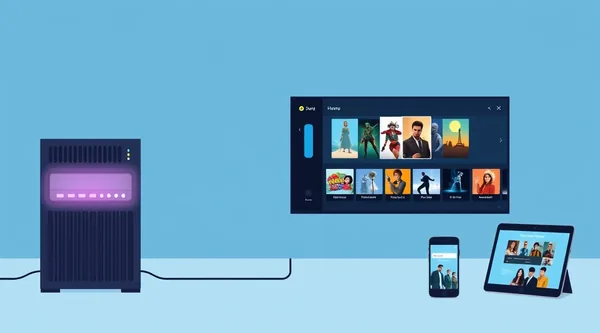
FreshRSS has no first-party app — and it does not need one. It exposes both the Google Reader API and the Fever API, so it plugs straight into popular third-party readers: Reeder, FeedMe, Fluent Reader, and Readrops all sync against it. You get native mobile reading while your data stays on your own server.
Features that matter
- WebSub (PubSubHubbub) for realtime updates — new articles arrive the moment they are published, no polling delay.
- OPML import/export so migrating off Feedly or Inoreader takes minutes: export your subscriptions there, import the file here.
- XPath web scraping to build feeds from sites that do not offer RSS at all.
- Extensions for themes, sharing, and custom behaviour.
- Keyboard shortcuts for fast, mouse-free triage.
- Filters and labels to keep noisy feeds under control.
The honest trade-offs
FreshRSS is not a drop-in clone of a commercial app, and it is fair to be clear about that:
- It aggregates the feeds you add yourself. There is no ad-driven “Discover” or recommendation stream like Feedly and Inoreader offer — which is exactly why it has no ads or tracking.
- You maintain your own server: updates, backups, and TLS are your responsibility (managed hosting removes most of this burden).
- There is no official first-party app; you read through compatible third-party apps instead.
For most people these are acceptable trade-offs for a reader that is private, ad-free, and permanent. If your feeds are your daily information diet, owning them is worth it.

How to run FreshRSS on a VPS
The classic path is a small Linux VPS with Docker: pull the FreshRSS image, point a domain at it, and add a reverse proxy with automatic HTTPS. From there you import your OPML, connect a mobile app over the Google Reader API, and you are reading within the hour. If you would rather skip the setup, a managed one-click deployment gives you the same self-hosted, ad-free result without touching a terminal.
⚡ Own your reading: Valebyte deploys FreshRSS on a VPS in one click from $5/mo — no ads, no tracking, your feeds stay yours.