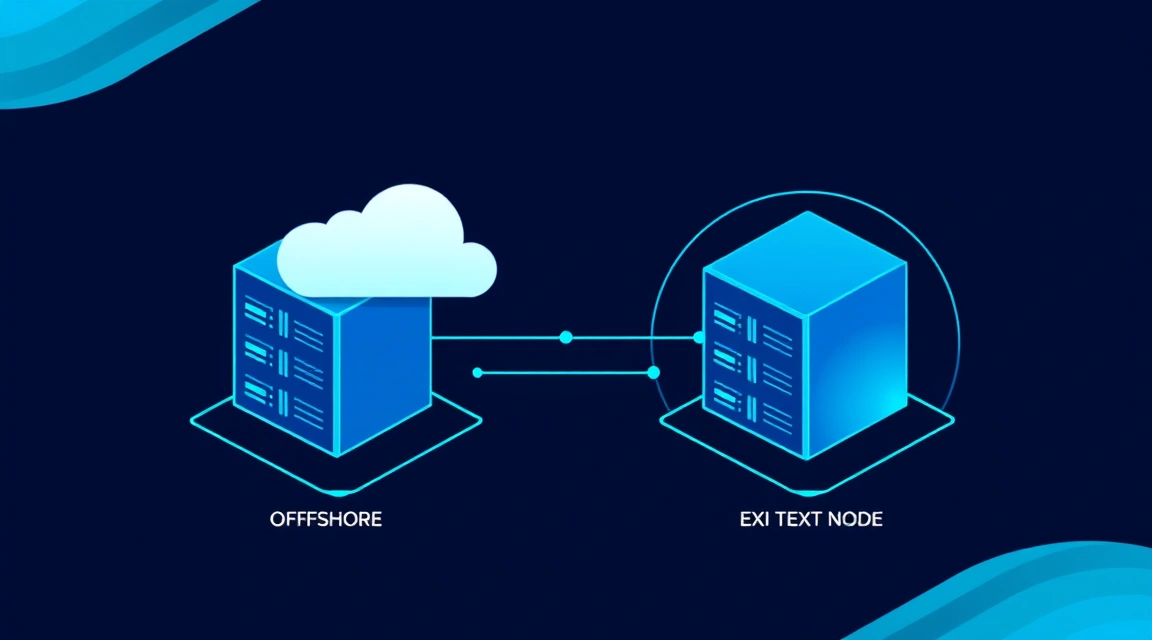
A two-VPS setup, where a transit server in Russia (e.g., with 2 vCPU, 4 GB RAM, and a 40 GB NVMe disk) receives DPI-resistant traffic and forwards it via an optimized tunnel to an egress server abroad (with similar specifications), can stabilize connections and prevent up to 80% speed degradation during peak hours, delivering a stable channel of up to 1 Gbit/s.
Amid constantly changing routing rules and tightening internet traffic control measures, many users face a common problem: a direct connection to international resources that works perfectly during the day often degrades significantly by evening. Speeds drop, ping increases, videos buffer, and online games lag. This degradation is particularly noticeable on routes passing through multiple autonomous systems and subjected to Deep Packet Inspection (DPI).
An elegant and efficient architecture can solve this problem: a two-VPS chain. One server, acting as a transit point, is located as close to you as possible in Russia, while the second, the egress server, is situated abroad in your desired location. This configuration creates a reliable Russia VPS bridge that bypasses problematic network segments and ensures stable data transmission. As a VPS and dedicated server provider, we at Valebyte.com frequently see our clients successfully implement this approach and are ready to share the setup details.
Why Use a Two-VPS Chain: Overcoming Direct Connection Slowdowns
The problem of internet speed degradation in the evening or when accessing international resources is familiar to many. This isn't always related to your ISP or home network. Often, the cause lies in overloaded backbone channels, suboptimal routing, or targeted traffic interference, for example, through DPI.
Connection Degradation and Bypassing Blocks
Imagine you're trying to access an international service. Your traffic travels through many network nodes, often crossing national borders. Each such node is a potential point of slowdown or inspection. During peak hours (evenings, when most users are active), these nodes become overloaded, leading to increased latency (ping) and reduced throughput. Furthermore, DPI (Deep Packet Inspection) systems can actively analyze and slow down traffic identified as VPN or other "undesirable" types. A direct connection to an international VPN server through such a channel becomes unstable and slow.
This is where a relay server for bypassing blocks comes into play. It allows you to split your traffic path into two parts: an internal, more controlled, and DPI-resistant segment, and an external segment where speed and stability are less critical, as a more reliable and faster channel is typically established between your two servers.
How a Transit VPN Server Solves This Problem
The main idea is to create a transit VPN server that acts as a "bridge." You connect to the first VPS, located in Russia, using a protocol that effectively masks itself as regular web traffic and is resistant to DPI. From this Russian VPS, traffic is then forwarded via a secure and optimized tunnel (e.g., WireGuard) to the second VPS, located abroad. From this egress VPS, traffic then exits to the internet. This way, you get:
- Stability of the First Leg: The connection to the Russian VPS typically has low ping and high speed, as traffic remains within the country or on short, well-optimized routes.
- DPI Bypass: By using inspection-resistant protocols, your connection to the transit server is less susceptible to blocks and slowdowns.
- Optimized Second Leg: Between your two VPS, you control the route. You can choose a provider with good international peering, ensuring a stable and fast channel between the servers, even if the direct path from your home to the international server is poor.
- Improved Speed: Often, such a two-VPS chain can accelerate VPN via transit, especially if the direct path to the international server degrades significantly.
Choosing VPS Locations and Specifications for Your Two-Server Setup
The correct choice of VPS locations and specifications is crucial for the scheme's effectiveness. This impacts both the speed and overall reliability of your Russia VPS bridge.
Ideal Transit Server in Russia
The transit server should be geographically as close to you as possible to ensure minimal ping and high speed for the first leg. For most users, this means data centers in major Russian cities: Moscow, St. Petersburg, Novosibirsk. It's important that the provider has good communication channels and stable peering with major Russian operators.
Minimum requirements for a transit VPS:
- Processor (vCPU): 1-2 cores. This is sufficient for traffic processing and VPN protocol operation.
- RAM: 1-2 GB. Modern VPN servers don't require much RAM unless there are many concurrent users.
- Disk: 20-40 GB NVMe/SSD. A fast disk is important for the operating system and temporary files, but the volume isn't critical as data storage isn't needed.
- Network Port: 1 Gbit/s. This is standard for most VPS, but ensure it's guaranteed, not "up to 1 Gbit/s" with shared limitations.
- Bandwidth: From 0.5 TB/month. For personal use, this will be more than enough. If there are multiple users, more will be required.
Optimal Egress Server Abroad
The egress server is chosen based on your needs for accessing specific resources. If you need access to American services, choose the USA. For European services, consider Germany, Netherlands, Finland. The main thing is that the provider has good international communication channels and stable peering with other countries. Ideally, choose a provider that has good routes to the Russian provider where your transit server is located.
Minimum requirements for an egress VPS:
- Processor (vCPU): 1-2 cores.
- RAM: 1-2 GB.
- Disk: 20-40 GB NVMe/SSD.
- Network Port: 1 Gbit/s.
- Bandwidth: From 0.5 TB/month.
For 50 concurrent users, 4 vCPU, 8 GB RAM, and an 80 GB NVMe disk are sufficient.
| Users | vCPU | RAM | Disk | Port | Price (approx., Valebyte.com, July 2024) |
|---|---|---|---|---|---|
| 1-5 (Personal) | 1-2 | 1-2 GB | 20-40 GB NVMe | 1 Gbit/s | from $5/month (per VPS) |
| 5-20 (Small Team) | 2 | 4 GB | 40-60 GB NVMe | 1 Gbit/s | from $10/month (per VPS) |
| 20-50 (Medium Group) | 4 | 8 GB | 80 GB NVMe | 1 Gbit/s | from $20/month (per VPS) |
| 50-100+ (Large Group) | 6+ | 16+ GB | 160+ GB NVMe | 1 Gbit/s | from $40/month (per VPS) |
The total cost for such a personal-use setup starts at approximately $10/month for two VPS (e.g., $5 for the Russian and $5 for the international server), which is comparable to the price of a single quality VPN service but offers significantly more control and stability.
Looking for a reliable server for your projects?
VPS from $10/month and dedicated servers from $9/month with NVMe, DDoS protection, and 24/7 support.
View Offers →Setting Up a Double Tunnel: From Protocols to Routing
Setting up a double tunnel is the heart of our scheme. It involves two main stages: connecting the client to the transit server and creating a stable channel between the transit and egress servers. Optimal protocols and methods are chosen for each stage.
Secure Protocol for the First Leg (Client -> Transit)
For the first leg (your computer → transit VPS in Russia), it's crucial to choose a protocol that is DPI-resistant and not easily recognizable as VPN traffic. Solutions like these are suitable:
- Shadowsocks: A simple and effective proxy protocol that masks itself as regular HTTPS traffic. It's easy to configure and has clients for most platforms. Shadowsocks-2022 on VPS: Setup and Bypassing Blocks in 2026 is an excellent choice for this stage.
- V2Ray/Xray with VLESS/VMess and XTLS/Reality: More advanced protocols with obfuscation that also effectively bypass DPI by masquerading as legitimate traffic. They are more complex to set up but offer a high degree of protection.
- WireGuard with obfuscation (e.g., via hysteria/cloak): WireGuard itself is easily detectable, but when combined with an obfuscator, it becomes very resilient.
For example, let's assume you're using Shadowsocks for the first leg. On the transit server, you configure a Shadowsocks server to which your client connects.
High-Speed Tunnel Between VPS (Transit -> Egress)
For the second leg (transit VPS → egress VPS), speed and minimal latency are the priorities. Since traffic flows between your own servers, complex obfuscation is unnecessary. WireGuard is the ideal choice here.
WireGuard is a modern VPN protocol known for its simplicity, high performance, and low overhead. It's perfectly suited for creating a fast and reliable tunnel between two servers.
WireGuard Configuration Example
Let's assume we have:
- Transit VPS (Ru-VPS): IP
192.0.2.1(public), internal IP for WireGuard10.0.0.1 - Egress VPS (Eu-VPS): IP
198.51.100.1(public), internal IP for WireGuard10.0.0.2
WireGuard Setup on Ru-VPS (Transit Server)
Install WireGuard:
sudo apt update
sudo apt install wireguard
Generate keys:
wg genkey | sudo tee /etc/wireguard/privatekey_ru
sudo cat /etc/wireguard/privatekey_ru | wg pubkey | sudo tee /etc/wireguard/publickey_ru
Create the configuration file /etc/wireguard/wg0.conf:
[Interface]
PrivateKey = (содержимое privatekey_ru)
Address = 10.0.0.1/24
ListenPort = 51820
PostUp = iptables -A FORWARD -i %i -j ACCEPT; iptables -A FORWARD -o %i -j ACCEPT; iptables -t nat -A POSTROUTING -o eth0 -j MASQUERADE
PostDown = iptables -D FORWARD -i %i -j ACCEPT; iptables -D FORWARD -o %i -j ACCEPT; iptables -t nat -D POSTROUTING -o eth0 -j MASQUERADE

[Peer]
PublicKey = (содержимое publickey_eu)
AllowedIPs = 10.0.0.2/32
Endpoint = 198.51.100.1:51820
Enable IP packet forwarding (/etc/sysctl.conf):
net.ipv4.ip_forward = 1Apply changes:
sudo sysctl -pStart WireGuard:
sudo wg-quick up wg0
sudo systemctl enable wg-quick@wg0
WireGuard Setup on Eu-VPS (Egress Server)
Install WireGuard:
sudo apt update
sudo apt install wireguard
Generate keys:
wg genkey | sudo tee /etc/wireguard/privatekey_eu
sudo cat /etc/wireguard/privatekey_eu | wg pubkey | sudo tee /etc/wireguard/publickey_eu
Create the configuration file /etc/wireguard/wg0.conf:
[Interface]
PrivateKey = (содержимое privatekey_eu)
Address = 10.0.0.2/24
ListenPort = 51820
PostUp = iptables -A FORWARD -i %i -j ACCEPT; iptables -A FORWARD -o %i -j ACCEPT; iptables -t nat -A POSTROUTING -o eth0 -j MASQUERADE
PostDown = iptables -D FORWARD -i %i -j ACCEPT; iptables -D FORWARD -o %i -j ACCEPT; iptables -t nat -D POSTROUTING -o eth0 -j MASQUERADE

[Peer]
PublicKey = (содержимое publickey_ru)
AllowedIPs = 10.0.0.1/32
Endpoint = 192.0.2.1:51820
Enable IP packet forwarding (/etc/sysctl.conf):
net.ipv4.ip_forward = 1Apply changes:
sudo sysctl -pStart WireGuard:
sudo wg-quick up wg0
sudo systemctl enable wg-quick@wg0
After this, traffic arriving at the Ru-VPS will be forwarded via the WireGuard tunnel to the Eu-VPS and exit to the internet through it. On the Ru-VPS, you will also need to configure iptables rules to redirect traffic coming through Shadowsocks into the WireGuard tunnel. This is done using PREROUTING and POSTROUTING rules, which intercept incoming traffic and send it to the wg0 tunnel.

MTU Optimization: Why It's Critical for Accelerating Your Transit VPN
One of the common causes of low speed and instability in VPN connections is an incorrectly configured MTU (Maximum Transmission Unit). This is especially relevant for a two-VPS chain, where each tunnel adds its own overhead.
Understanding MTU and Its Impact on Speed
MTU defines the maximum size of a data packet (in bytes) that can be transmitted over a network without fragmentation. The standard MTU value for Ethernet is 1500 bytes. However, when using VPN tunnels (such as WireGuard, Shadowsocks), protocol headers are added to each packet, increasing its size. If the total packet size with headers exceeds the MTU of the next network interface, the packet will be fragmented. Packet fragmentation leads to:
- Increased Latency: Each fragment requires reassembly on the receiving side.
- Reduced Throughput: More packets mean more overhead.
- Packet Loss: If one fragment is lost, the entire packet must be retransmitted.
- PMTUD (Path MTU Discovery) Issues: Some network devices may block ICMP packets necessary for PMTUD, leading to "black holes" for large packets.
In our scheme, we have at least two tunnels: one from the client to the Ru-VPS (e.g., Shadowsocks) and one between the Ru-VPS and Eu-VPS (WireGuard). Each of them reduces the effective MTU. A typical MTU for WireGuard is 1420 bytes (1500 - 80 bytes for WireGuard + IPv4 headers). If your Shadowsocks also adds its overhead, the actual MTU that can pass through the entire chain might be even smaller.
Configuring and Testing MTU
The optimal MTU value should be set on all VPN interfaces in the chain. Start by determining the MTU of your primary internet connection. Then, knowing the protocol overhead (e.g., 80 bytes for WireGuard), you can calculate a suitable value.
Method for determining MTU:
- Determine MTU to the transit VPS:
ping -c 1 -M do -s 1472 192.0.2.1Start with 1472 (1500 - 28 bytes for IP/ICMP headers) and decrease until packets stop fragmenting. Add 28 to get the MTU.
- Determine MTU between the transit and egress VPS:
ping -c 1 -M do -s 1472 198.51.100.1 (с Ru-VPS)Similarly, find the maximum packet size without fragmentation.
- Set MTU for WireGuard:
In the configuration file
/etc/wireguard/wg0.conf, add or modify theMTUline in the[Interface]section:[Interface] ... MTU = 1420 # Or another value found ...Restart WireGuard:
sudo wg-quick down wg0 && sudo wg-quick up wg0. - Shadowsocks MTU configuration:
Some Shadowsocks clients and servers allow explicit MTU specification. If not, the WireGuard MTU is usually more critical.
It's important to remember that an incorrectly configured MTU can significantly slow down or even completely block traffic, so approach this carefully. Proper MTU configuration can significantly accelerate VPN via transit, preventing unnecessary fragmentation.
Monitoring Performance of Both Tunnel Legs
After setting up a two-VPS chain, it's crucial to regularly monitor its performance. This will allow you to timely identify bottlenecks, routing issues, or channel degradation. Monitoring should cover both legs: from the client to the transit server and from the transit to the egress server.
Tools for Tracking Speed and Latency
For effective monitoring, you'll need several key tools:
- Ping: A basic tool for measuring latency to a server.
ping -c 10 192.0.2.1 # Ping to Ru-VPS
ping -c 10 198.51.100.1 # Ping to Eu-VPS
ping -c 10 google.com # Ping to the final resource via the chain
Low ping (up to 50 ms for a Russian VPS, up to 150-200 ms for an international one) is a good indicator.
- Traceroute / MTR: Tracks the packet route and shows latency at each node. MTR (My Traceroute) combines the functionality of ping and traceroute, continuously sending packets and displaying statistics.
mtr -rw -c 100 192.0.2.1 # MTR to Ru-VPS
mtr -rw -c 100 198.51.100.1 # MTR to Eu-VPS from Ru-VPS
Look for nodes with high packet loss (Loss%) or a sharp increase in latency (Last, Avg, Best, Wrst). This will indicate problematic sections of the route.
- iperf3: A tool for measuring throughput (speed) between two points.
On the Eu-VPS (egress server), start the iperf3 server:
iperf3 -sOn the Ru-VPS (transit server), start the iperf3 client to measure speed to the Eu-VPS:
iperf3 -c 10.0.0.2 -P 5 # Use the internal WireGuard IP to measure the tunnelOn your local computer (client), you can run iperf3 to the Ru-VPS (if Shadowsocks supports it, or measure speed to the Eu-VPS through the entire chain if WireGuard is configured directly on your client).
Measure speed in both directions (
-Rfor a reverse test). Good indicators are 500 Mbit/s and above for a VPS with a 1 Gbit/s port. - Speedtest-cli: A convenient tool for checking speed to the nearest Speedtest.net servers from the command line.
speedtest # On Ru-VPS
speedtest # On Eu-VPS
Allows for a quick assessment of each server's overall public internet bandwidth.
- High ping or packet loss to Ru-VPS: This indicates a problem with your local ISP or the route to the Russian data center. Try changing the protocol for the first leg or checking your home internet.
- High ping or low speed between Ru-VPS and Eu-VPS (via WireGuard): This suggests a peering issue between the data centers where your VPS are located. You might consider trying a different provider for one of the servers or another location for the Eu-VPS. Also, check MTU settings.
- Low speed from Eu-VPS to external resources: This indicates a problem with the Eu-VPS's egress channel or its peering with target services.
- The direct connection to the international server degrades significantly: In the evening, during peak hours, when there is high packet loss, a sharp increase in ping, or a drop in speed on the direct route.
- Active DPI and blocks are occurring: If your ISP actively slows down or blocks VPN traffic on direct connections. A transit server allows you to use a DPI-resistant protocol for the first leg.
- You want to control the route: By choosing providers for the transit and egress servers, you can optimize the path between them, avoiding congested or unreliable nodes.
- Different geographical needs: For example, you need a Russian IP for some resources and an international one for others. With a transit server, you can manage this flexibly.
- The direct connection to the international server is stable: If you don't experience speed degradation or blocking issues, adding an intermediate link will only increase overall latency (a minimum of 10-30 ms for each additional "leg") and setup complexity.
- Extremely low ping is critical: For online games where every millisecond matters, adding a transit server can increase ping by 20-50 ms, which might be unacceptable.
How to Identify the "Weak Link"
By comparing the results of these tests, you can identify the "weak link" in your two-VPS chain:
Regular monitoring will allow you not only to diagnose problems but also to ensure that your transit VPN server scheme operates at maximum efficiency.
Two VPS Relay Server vs. Single VPS: A Comparison
Before implementing a transit VPN server setup, it's important to understand when it's truly justified and when it might be excessive or even detrimental. Let's compare it with using a single VPS.
When a Transit Setup Accelerates vs. Adds Latency
A relay server for bypassing blocks setup is not a panacea and doesn't always lead to acceleration. Its effectiveness heavily depends on the initial conditions:
Transit accelerates if:
Transit adds latency and complexity if:
Here's a table to help you assess when to use a transit VPN server:
| Criterion | Single VPS | Two VPS (Transit + Egress) | Measurement Method |
|---|---|---|---|
| Direct Ping to Target International Resource | < 100 ms | > 150 ms | ping google.com (without VPN), ping -c 100 |
| Direct Speed to Target International Resource (Peak Hours) | > 50 Mbit/s | < 20 Mbit/s | Speedtest.net to international server (without VPN) |
| Presence of DPI/VPN Blocks | None or easily bypassed | Yes, frequent blocks | Testing OpenVPN/WireGuard without obfuscation |
| Ping to Transit VPS (Ru-VPS) | Not applicable | < 50 ms | ping 192.0.2.1 (Ru-VPS IP) |
| Ping Between Ru-VPS and Eu-VPS | Not applicable | < 80 ms | ping 198.51.100.1 (Eu-VPS IP from Ru-VPS) |
| Total Latency (via Chain) | Minimal | +20-50 ms to direct ping | ping google.com (via VPN chain) |
| Setup Complexity | Low | Medium/High | Assessment of steps and configurations |
| Cost (approx., July 2024) | from $5/month | from $10/month | Sum of two VPS plans |
Cost and Complexity Analysis
From a financial perspective, a double tunnel setup is obviously more expensive. Instead of one VPS for $5-10 per month, you'll need two, increasing monthly costs to $10-20. However, if stability and speed of access to international resources are critical for your work or leisure, these additional costs may be justified.
In terms of setup complexity, a single VPS is significantly simpler. You just install a VPN server and connect. With two VPS, you'll need to configure two servers, two protocols (or one protocol in two modes), routing rules and iptables on both, and optimize MTU. This requires basic knowledge of Linux and network technologies. But for developers and system administrators, for whom this article is written, this should not be an insurmountable obstacle.
Ultimately, the choice between one and two VPS depends on your specific use case and willingness to invest time and resources into a more reliable and performant solution for accelerating VPN via transit and bypassing blocks.
Conclusion
A two-VPS setup—with a transit server in Russia and an egress server abroad—is a highly effective solution for stabilizing connections and bypassing up to 80% speed degradation during peak hours. It provides a reliable channel of up to 1 Gbit/s and allows for traffic routing control, enhancing DPI resistance. While this configuration requires more setup effort and is approximately twice as expensive as a single VPS (starting from $10/month), it fully justifies itself for those who critically depend on stable and high-performance access to international resources.
Frequently Asked Questions
1. How difficult is it to set up a two-VPS scheme for bypassing blocks?
Setting up a two-VPS chain requires basic knowledge of Linux, command-line operations, and network protocols like WireGuard and Shadowsocks. While more complex than configuring a single VPN server, with step-by-step instructions and server experience, the process typically takes 1 to 2 hours for an experienced user. Key steps include installing VPN servers, configuring the inter-server tunnel, and setting up routing rules.
2. Which protocols are best for each leg of the tunnel?
For the first leg (your computer -> transit VPS in Russia), DPI-resistant protocols like Shadowsocks or V2Ray/Xray with obfuscation are recommended. They mask as regular web traffic and are less prone to blocking. For the second leg (transit VPS -> egress VPS abroad), WireGuard is the optimal choice due to its high speed, low overhead, and ease of setup. This combination ensures both block bypass and high throughput.
3. Can this setup be used for multiple users?
Yes, a two-VPS setup scales well for multiple users. For 5-20 concurrent users, it's recommended to choose a VPS with 2 vCPU and 4 GB RAM, which will cost approximately from $10/month per server. For 50 or more users, consider a VPS with 4 vCPU and 8 GB RAM, costing from $20/month per server. It's also crucial to ensure sufficient traffic volume and network port bandwidth (1 Gbit/s) on both servers.
4. Does MTU affect connection speed, and how can it be optimized?
Yes, an incorrectly configured MTU (Maximum Transmission Unit) can significantly reduce VPN connection speed and stability by causing packet fragmentation. To optimize, you need to determine the optimal MTU value for each network interface in the chain (typically 1420 bytes for WireGuard) and set it in the VPN server configuration files. This can be done using the command ping -M do -s <size> to find the maximum non-fragmenting packet size. Proper MTU configuration can improve throughput by 10-20%.
5. What are the approximate costs for such a setup?
Approximate monthly costs for a two-VPS setup start from $10-$15 per month for two basic VPS (e.g., $5-$7.5 per server with 1 vCPU, 1-2 GB RAM, and 20-40 GB NVMe). For more demanding scenarios with 20-50 users, the cost can increase to $40-$50 per month (e.g., $20-$25 per VPS with 4 vCPU, 8 GB RAM). These prices are approximate for Valebyte.com offers as of July 2024 and depend on chosen specifications and locations.
NVMe VPS with 60-second activation: full root access, 20+ locations, pay with card or crypto.
Choose a plan


