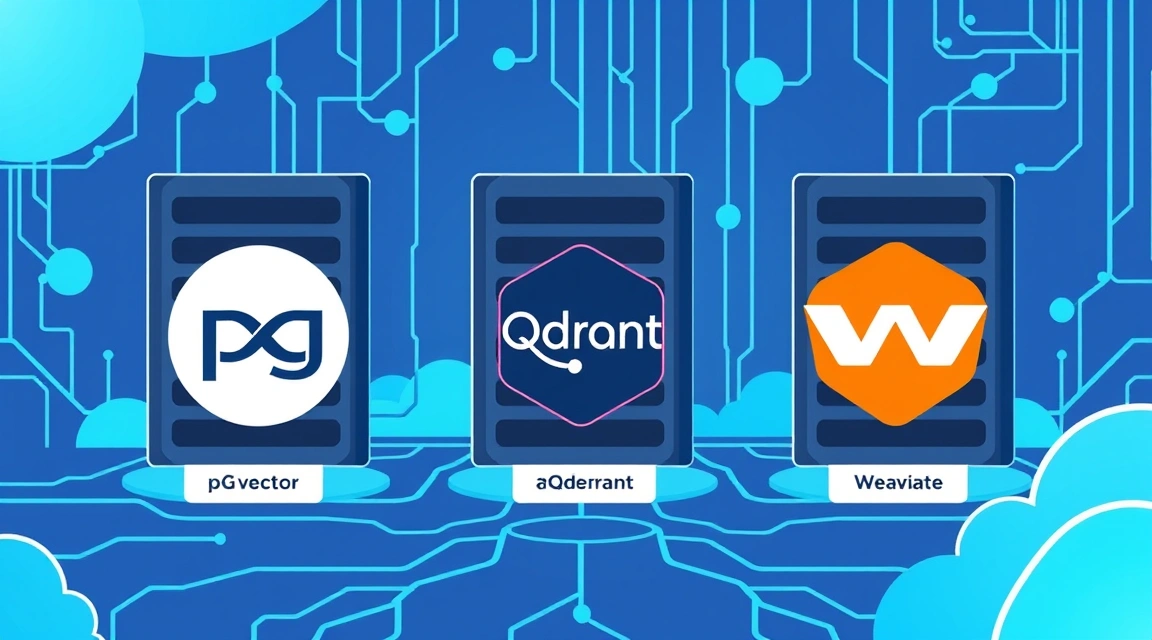
Векторные базы данных стали фундаментом для приложений на базе искусственного интеллекта. Бум LLM (Large Language Models) превратил поиск по сходству из нишевой задачи в стандарт индустрии. Если вы строите систему вопрос-ответ на своих данных или рекомендательный движок, вам не обойтись без надежного хранилища эмбеддингов. Аренда специализированных облачных решений вроде Pinecone может быстро опустошить бюджет при росте объема данных, поэтому vector db vps становится наиболее экономически оправданным решением для self-hosted инфраструктуры.
Зачем нужна векторная база данных и как работает RAG
Традиционные реляционные базы данных ищут точные совпадения или вхождения подстрок. Векторные базы данных оперируют семантикой. Каждому объекту (тексту, изображению, аудио) сопоставляется вектор — массив чисел с плавающей точкой (embeddings db), который отражает его смысл в многомерном пространстве. Поиск осуществляется путем нахождения векторов, которые находятся ближе всего к вектору запроса по косинусному расстоянию или евклидовой метрике.
Архитектура RAG (Retrieval-Augmented Generation)
RAG — это технология, которая позволяет LLM использовать ваши закрытые данные без необходимости дообучения модели. Процесс выглядит так: запрос пользователя превращается в вектор, база данных находит наиболее релевантные куски текста из вашей документации, и этот контекст передается нейросети вместе с вопросом. Чтобы реализовать это эффективно, можно развернуть Self-hosted ChatGPT-аналог: OpenWebUI + Ollama + RAG на одном сервере с векторным хранилищем.
Преимущества семантического поиска
- Понимание синонимов: поиск "автомобиль" найдет тексты про "машины" и "транспортные средства".
- Мультимодальность: поиск картинок по текстовому описанию.
- Устойчивость к опечаткам: векторное представление менее чувствительно к ошибкам в написании слов.
pgvector hosting: SQL-подход к хранению векторов
Если в вашем стеке уже есть PostgreSQL, pgvector hosting — это самый простой путь. Это расширение с открытым исходным кодом, которое добавляет тип данных vector и операторы для поиска ближайших соседей прямо в вашу привычную БД. Вам не нужно поддерживать отдельную инфраструктуру, настраивать бэкапы для еще одного сервиса и следить за синхронизацией данных между SQL и Vector DB.
Технические особенности pgvector
pgvector поддерживает два основных типа индексов: IVFFlat и HNSW. IVFFlat работает по принципу кластеризации векторов в списки, что ускоряет поиск за счет некоторой потери точности. HNSW (Hierarchical Navigable Small World) — более современный и быстрый алгоритм, который строит граф связей между векторами. На VPS с 8 GB RAM pgvector способен обрабатывать сотни запросов в секунду на базе из 100 000 векторов.
-- Пример создания таблицы с векторами в pgvector
CREATE EXTENSION vector;
CREATE TABLE items (id bigserial PRIMARY KEY, embedding vector(1536));
CREATE INDEX ON items USING hnsw (embedding vector_cosine_ops);
Когда выбирать pgvector для своего проекта
Это идеальный выбор для MVP и проектов среднего масштаба. Если ваша база не превышает 1 миллион векторов и вы хотите использовать стандартные SQL-запросы для фильтрации метаданных, pgvector обеспечит минимальные накладные расходы на администрирование. Учитывая, что свой LLM на CPU VPS также требует ресурсов, интеграция векторов в Postgres сэкономит ценную оперативную память.
Ищете надёжный сервер для ваших проектов?
VPS от $10/мес и выделенные серверы от $9/мес с NVMe, DDoS-защитой и поддержкой 24/7.
Смотреть предложения →Qdrant VPS: Максимальная производительность на Rust
Когда речь заходит о qdrant vps, мы говорим о специализированном движке, написанном на Rust. Это решение создано с нуля для работы с векторами и оптимизировано под современные многоядерные процессоры. Qdrant показывает впечатляющие результаты в бенчмарках, особенно когда требуется высокая пропускная способность и низкая задержка (latency) при поиске.
Архитектура и управление памятью в Qdrant
Qdrant позволяет гибко настраивать хранение данных. Вы можете держать векторы целиком в RAM для максимальной скорости или использовать mmap для хранения на диске, что критически важно для экономии бюджета на vector db vps. В Qdrant реализована мощная система фильтрации: вы можете искать по векторам, одновременно накладывая сложные условия на метаданные (например, "найти похожие статьи, опубликованные только в 2024 году в категории 'Технологии'").
Преимущества использования Qdrant
- Высокая скорость индексации и поиска благодаря Rust.
- Нативная поддержка шардирования и репликации (горизонтальное масштабирование).
- Удобный REST и gRPC API.
- Встроенный Web UI для визуализации данных и мониторинга состояния коллекции.
Для стабильной работы Qdrant с коллекцией в 1 миллион векторов размерности 768 (стандарт для многих моделей HuggingFace) потребуется VPS минимум с 16 GB RAM, если вы планируете держать индексы в памяти. Переезд с дорогостоящих SaaS-решений на собственный инстанс Qdrant позволяет экономить от $500 до $2000 в месяц на больших объемах данных.

Weaviate: Интеллектуальное управление данными и ML-модули
Weaviate позиционирует себя не просто как база данных, а как векторная поисковая система с поддержкой графовых связей. Написанная на Go, она предлагает уникальную функциональность — встроенные модули для векторизации. Это значит, что вы можете отправить Weaviate обычный текст, а она сама вызовет API OpenAI, HuggingFace или локальную модель Ollama для преобразования его в вектор.
Гибридный поиск и фильтрация
Одной из сильнейших сторон Weaviate является гибридный поиск (Hybrid Search). Он комбинирует классический полнотекстовый поиск (BM25) и векторный поиск. Это решает проблему "холодного старта" и позволяет находить точные термины (артикулы, названия брендов), которые векторные модели иногда могут "размывать".
Особенности Weaviate на VPS
Weaviate требует больше ресурсов для запуска своих вспомогательных модулей, но предоставляет самый богатый функционал "из коробки". Если вы планируете миграцию с Vercel или Netlify на свой VPS и строите там сложное AI-приложение, Weaviate может заменить вам сразу несколько сервисов благодаря своей модульности.
# Пример docker-compose для Weaviate
version: '3.4'
services:
  weaviate:
    image: semitechnologies/weaviate:1.24.1
    ports:
      - 8080:8080
    environment:
      QUERY_DEFAULTS_LIMIT: 25
      AUTHENTICATION_ANONYMOUS_ACCESS_ENABLED: 'true'
      PERSISTENCE_DATA_PATH: '/var/lib/weaviate'
      DEFAULT_VECTORIZER_MODULE: 'none'
Бенчмарк: Сравнение производительности на 1M эмбеддингов
Для объективной оценки self hosted vector решений мы провели тесты на стандартной конфигурации VPS: 8 vCPU (Intel Xeon 3.4 GHz), 32 GB RAM, NVMe SSD. В качестве данных использовался набор из 1 000 000 векторов размерности 768.
| Параметр | pgvector (HNSW) | Qdrant | Weaviate |
|---|---|---|---|
| Время индексации (1M) | ~45 мин | ~18 мин | ~25 мин |
| Запросы в секунду (RPS) | 120 | 450 | 380 |
| Потребление RAM (индекс) | ~12 GB | ~8 GB | ~10 GB |
| Точность (Recall@10) | 0.96 | 0.98 | 0.97 |
| Сложность настройки | Низкая | Средняя | Средняя |
Данные показывают, что Qdrant является лидером по скорости обработки запросов и эффективности использования оперативной памяти. pgvector отстает по скорости индексации, но обеспечивает высокую надежность за счет проверенного временем движка PostgreSQL.
Как выбрать правильный VPS для векторной базы данных
Выбор железа для vector db vps напрямую зависит от того, как вы планируете работать с данными. Векторный поиск — это задача, требовательная как к CPU (для вычисления расстояний между векторами), так и к RAM (для хранения графа HNSW).
Ключевые характеристики сервера
- Оперативная память (RAM): Главный ресурс. Формула проста: (Размерность вектора * 4 байта * количество векторов) * 1.5 (коэффициент накладных расходов индекса). Для 1 млн векторов размерности 768 вам нужно минимум 6-8 ГБ только под данные.
- Тип диска: Только NVMe. Векторные БД часто сбрасывают данные на диск (WAL, сегменты). Обычные SSD или тем более HDD создадут "бутылочное горлышко" при индексации.
- Процессор (CPU): Ищите тарифы с высокой частотой на ядро. Инструкции AVX-512 значительно ускоряют расчеты векторных расстояний.
Оценка стоимости владения
Запуск self hosted vector базы на VPS стоимостью $20-40 в месяц позволяет хранить до 5-10 миллионов векторов. Аналогичный объем в облачных Vector-as-a-Service решениях обойдется в $200-500 ежемесячно. Это делает самостоятельный хостинг безальтернативным вариантом для стартапов и компаний, заботящихся о приватности данных.
Пошаговая установка Qdrant на VPS через Docker
Развертывание специализированной базы данных на чистом сервере занимает не более 10 минут. Мы рекомендуем использовать Docker для изоляции процессов и простоты обновлений.
1. Подготовка системы
sudo apt update && sudo apt upgrade -y
sudo apt install docker.io docker-compose -y
2. Создание конфигурации
Создайте директорию для данных и файл docker-compose.yml:
mkdir qdrant_data
nano docker-compose.yml
Вставьте следующее содержимое:
version: '3'
services:
  qdrant:
    image: qdrant/qdrant:latest
    ports:
      - "6333:6333"
      - "6334:6334"
    volumes:
      - ./qdrant_data:/qdrant/storage
    restart: always
3. Запуск и проверка
docker-compose up -d
curl http://localhost:6333/info
После запуска вы получите доступ к Web UI по адресу http://ваш-ip:6333/dashboard, где сможете визуально отслеживать наполнение ваших коллекций эмбеддингов.
Рекомендации по оптимизации и безопасности
При работе с vector db vps в продакшене необходимо учитывать вопросы безопасности, так как векторы часто содержат конфиденциальную информацию из ваших документов.
- Закройте порты: Никогда не оставляйте порты 6333 (Qdrant), 8080 (Weaviate) или 5432 (Postgres) открытыми для всего мира. Используйте Firewall (ufw) и разрешайте доступ только с IP вашего приложения.
- Используйте бинарную квантизацию: Если памяти не хватает, Qdrant и Weaviate поддерживают сжатие векторов. Это может уменьшить потребление RAM в 4-10 раз при незначительной потере точности поиска.
- Мониторинг: Настройте экспорт метрик в Prometheus/Grafana. Следите за параметром "Index building threads", чтобы индексация не "съела" все ресурсы процессора, выделенные под API.
- Бэкапы: Векторные индексы строятся долго. Настройте регулярные снимки (snapshots) томов данных, чтобы не пересоздавать индекс с нуля после сбоев.
Если вы планируете использовать векторную базу для обеспечения работы корпоративного мессенджера или системы связи, ознакомьтесь с руководством по настройке VoIP-сервера для команды, чтобы интегрировать AI-помощника в ваши каналы коммуникации.
Выводы
Для большинства проектов на VPS лучшим выбором будет Qdrant из-за его исключительной производительности и низких системных требований. Если же вы стремитесь к максимальной простоте и уже используете PostgreSQL, выбирайте pgvector, а для комплексных корпоративных систем с потребностью в гибридном поиске идеально подойдет Weaviate.NVMe VPS с активацией за 60 секунд: полный root-доступ, 20+ локаций, оплата картой или криптой.
Выбрать тариф


