
GitOps in Practice: Declarative Infrastructure and Application Deployment Management on VPS/Dedicated in 2026
TL;DR
- GitOps is not just Kubernetes: Principles of declarative management, version control, and automation can be effectively applied to VPS and dedicated servers, significantly enhancing reliability and deployment speed.
- Key Tools: In 2026, Ansible, Terraform (or Pulumi) for infrastructure, and CI/CD systems (GitLab CI, GitHub Actions) for orchestration dominate GitOps on VPS.
- Declarative Nature is Key: All infrastructure and application configurations are described in a Git repository as code (YAML, HCL, Python), ensuring a single source of truth.
- Automation and Idempotence: Automated processes based on Git changes guarantee that the server state always matches the description, minimizing manual errors and configuration drift.
- Security and Fault Tolerance: The Git repository as a control center improves auditing, facilitates rollback to previous states, and enhances overall system security.
- Cost Savings and Scaling: Properly implemented GitOps reduces operational costs, accelerates time-to-market, and simplifies infrastructure scaling.
- Relevance in 2026: With increasing system complexity and speed requirements, GitOps is becoming a standard even for small teams managing non-Kubernetes environments, offering benefits previously available only to large cloud infrastructures.
Introduction: GitOps in the VPS/Dedicated Era 2026
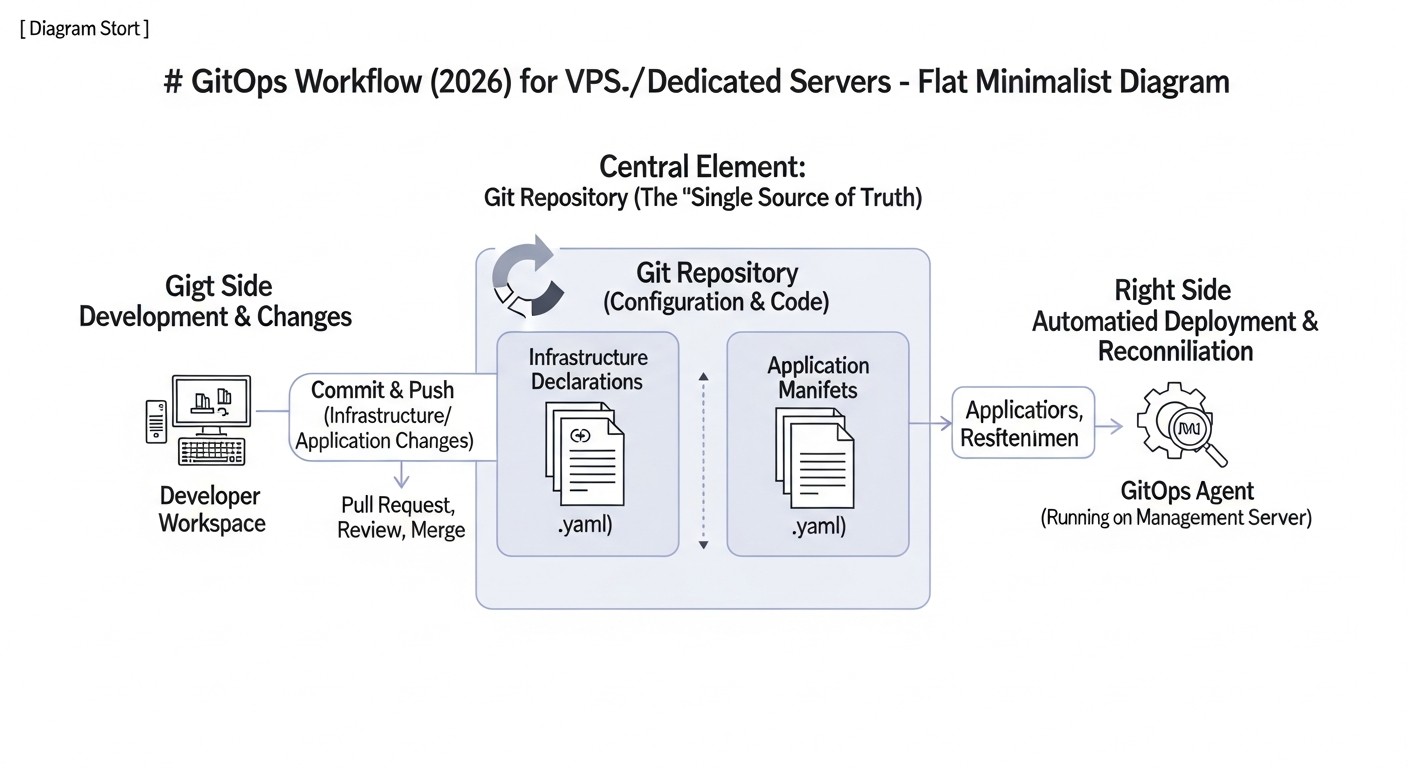
In 2026, the world of software development and operations continues to change rapidly. The speed of new feature delivery, service stability, and resource efficiency have become critically important for the survival of any project. While just a few years ago GitOps was exclusively associated with Kubernetes and large cloud infrastructures, its principles are now actively penetrating the Virtual Private Servers (VPS) and dedicated servers segment. Why is this happening, and why is this topic so important right now?
The traditional approach to managing VPS or dedicated servers often involved manual operations, SSH access, ad-hoc scripts, and a lack of a single source of truth for infrastructure state. This led to "configuration drift," difficulties with environment reproducibility, long and risky deployments, and high dependence on specific specialists. In an environment where even small startups and SaaS projects strive for maximum automation and reliability, such an approach becomes unacceptable.
GitOps offers an elegant solution to these problems by moving all aspects of infrastructure management and application deployment into a Git repository. This means that the desired state of your system (from operating system settings to application version) is declaratively described in text files, stored in Git, and automatically applied to servers. Any change in the Git repository triggers an automatic infrastructure update or application deployment. In 2026, as the cost of engineers continues to rise and competition demands maximum efficiency, implementing GitOps on VPS/Dedicated ceases to be a luxury and becomes a necessity.
This article is written for DevOps engineers, Backend developers (Python, Node.js, Go, PHP), SaaS project founders, system administrators, and startup CTOs. We will explore how to apply GitOps principles to your VPS/Dedicated infrastructure, what tools to use, how to avoid common pitfalls, and how to calculate the economic benefits. Our goal is to provide you with a practical guide that will enable you to build a reliable, automated, and easily manageable system, ready for the challenges of 2026 and beyond.
Key Criteria and Factors for Successful GitOps on VPS/Dedicated
Successful GitOps implementation on VPS or dedicated servers depends on a deep understanding and application of several key criteria and factors. In 2026, as technologies continue to evolve, these principles remain the cornerstone of effective infrastructure management.
1. Declarative Configurations
Why it's important: The foundation of GitOps. Instead of describing how to achieve a state (imperatively), you describe what state should be. For example, "Nginx version 1.25.3 should be installed and running on this server" instead of "run apt update, then apt install nginx, then systemctl start nginx." This is critically important for reproducibility, predictability, and idempotence. In 2026, with the increasing number of services and servers, manual management becomes impossible, and declarativeness ensures the scalability of the approach.
How to evaluate: How easily and completely can you describe the desired state of all your infrastructure and applications in text files? Are standardized formats (YAML, JSON, HCL) used? Is it possible to describe dependencies between components? Good declarativeness means that by looking at the repository, you know exactly what should be deployed.
2. Single Source of Truth – Git Repository
Why it's important: All changes to infrastructure and applications start with a commit to Git. This eliminates "configuration drift," where the actual server state differs from the documented one. Git provides change history, rollback capability, auditing, and collaboration. In 2026, when teams are often distributed and work asynchronously, Git as a central hub for all operations becomes indispensable.
How to evaluate: Are all aspects (infrastructure, OS configuration, application settings, environment variables) stored in Git? Are there manual changes on servers that are not reflected in Git? If the answer is "yes," then Git is not the single source of truth, and the system is vulnerable to errors.
3. Automation and Idempotence
Why it's important: Once the desired state is described in Git, there must be an automated system that synchronizes this state with the real infrastructure. Idempotence ensures that applying the same operation multiple times leads to the same result without causing undesirable side effects. This is key to reliable and repeatable deployments. In 2026, when CI/CD pipelines have become standard, GitOps automation integrates into them, ensuring continuous delivery and deployment.
How to evaluate: How often is manual intervention required after a commit to Git? Can you run the deployment process multiple times without fear of breakage? How quickly does the system react to changes in the repository? An ideal GitOps system requires minimal manual control after setup.
4. "Pull-based" or "Push-based" Mechanism (with emphasis on Pull)
Why it's important: Classic GitOps implies a "pull-based" approach, where an agent on the server or an external controller constantly "observes" the Git repository and "pulls" changes, applying them. This ensures high security (the server does not need an open port for incoming commands) and self-healing (if the configuration "drifts," the agent will return it to the desired state). However, on VPS/Dedicated, "push-based" tools (Ansible) are often used, where the CI/CD system "pushes" changes to the server. It is important to understand the trade-offs. In 2026, hybrid approaches combining the best of both worlds are gaining popularity.
How to evaluate: What mechanism is used to deliver changes to servers? How secure and reliable is the chosen method? Are there mechanisms for self-healing configuration? For small projects, push-based is often simpler to implement, but pull-based wins in security and fault tolerance.
5. Audit and Fault Tolerance
Why it's important: Every change in Git has an author, date, commit message, and unique hash. This provides a complete audit of all operations. In case of problems, you can quickly roll back to a previous working version by simply reverting a commit. This significantly reduces deployment risks and simplifies post-mortem analysis. In 2026, as compliance and security requirements intensify, full auditing becomes critically important.
How to evaluate: How easy is it to track who, when, and what changed in the infrastructure? Can you quickly and safely roll back to a previous state? Is it possible to view the history of changes and their application?
6. Security
Why it's important: Secret management, server access, Git repository access rights – all of this must be carefully considered. GitOps, when properly implemented, can significantly enhance security by minimizing direct server access and centralizing secret management. In 2026, cyber threats are becoming more sophisticated, and a robust security model is not just "nice to have" but "mandatory."
How to evaluate: How are secrets (passwords, API keys) stored and managed? Are the principles of least privilege used? Are there mechanisms to protect the Git repository and CI/CD pipeline from unauthorized access? Are SSH keys with IP restrictions or certificates used for server access?
7. Flexibility and Extensibility
Why it's important: Your infrastructure will grow and change. The chosen tools and approach should allow you to easily add new services, servers, and technologies without a radical overhaul of the entire system. In 2026, microservices and cloud-native patterns dictate the need for highly flexible and modular solutions.
How to evaluate: How easy is it to add a new server or application to the existing GitOps model? Does the chosen tool support different operating systems or server types? Is it possible to integrate with other tools (monitoring, logging)?
8. Total Cost of Ownership (TCO) and Implementation Complexity
Why it's important: Implementing GitOps requires an investment of time and resources. It is important to evaluate not only the direct costs of tools but also the cost of team training and system support. For medium-sized VPS/Dedicated, the goal is usually to optimize costs. In 2026, when many Open Source solutions offer excellent functionality, TCO often comes down to human resources.
How to evaluate: How much time will the team need to master new tools? What are the licensing or hosting costs for the chosen solutions? How easy is it to find specialists with experience in these tools? Are ready-made modules and roles available for typical tasks?
A thorough analysis of these criteria will help choose the right tools and strategy for successful GitOps implementation in your VPS/Dedicated environment, ensuring long-term stability and efficiency.
Comparison Table of GitOps Tools and Approaches for VPS/Dedicated
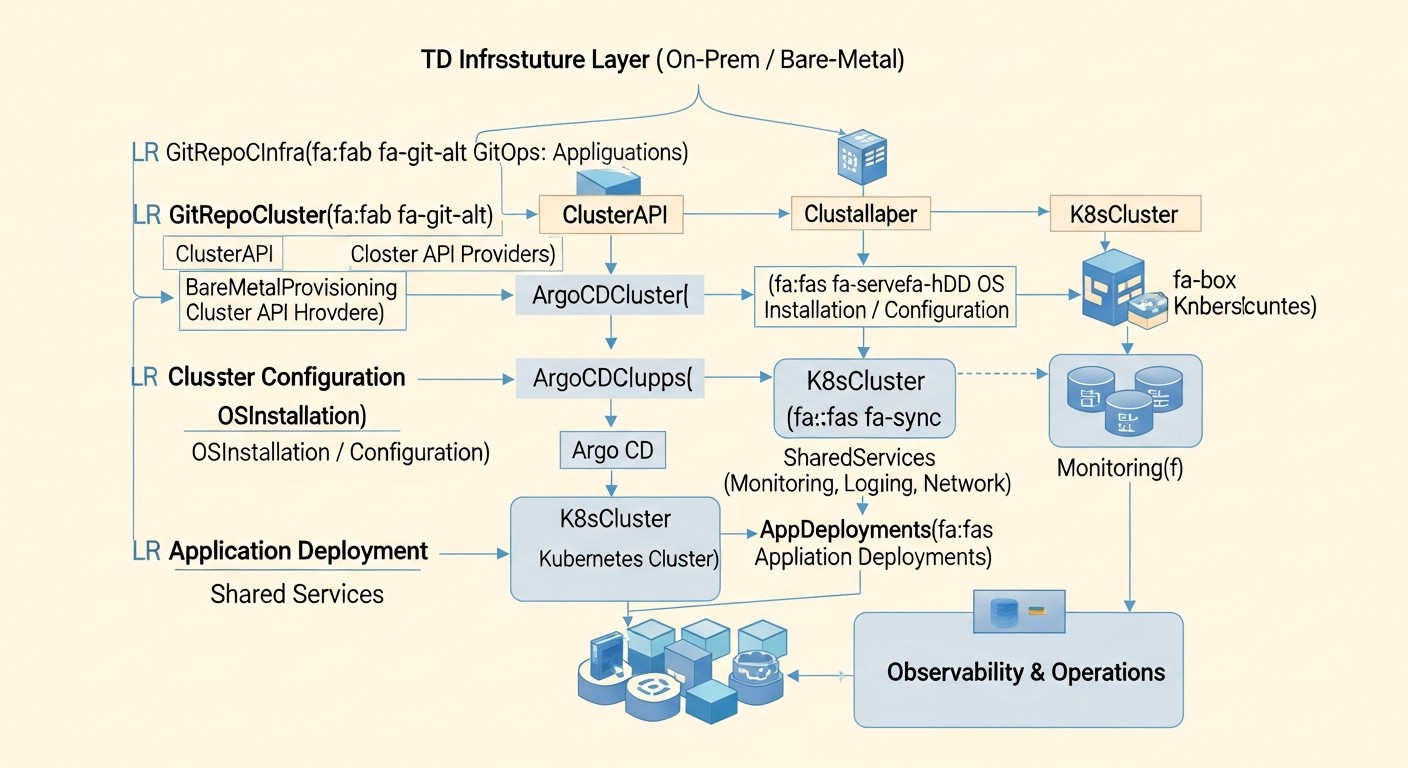
In 2026, the market offers many tools that can be adapted to implement GitOps principles on VPS and dedicated servers. In this table, we compare the most popular and effective approaches, focusing on their applicability to traditional infrastructure, not just Kubernetes. Prices and characteristics are current for 2026 and are estimates.
| Criterion | Ansible + CI/CD | Terraform/Pulumi + Ansible/Shell + CI/CD | SaltStack + GitFS | Custom Scripts + Git Hooks + CI/CD | Chef/Puppet (for comparison) |
|---|---|---|---|---|---|
| Tool Type | Configuration Management, Orchestration | IaaC (Infrastructure as Code) + Configuration Management | Configuration Management, Orchestration | Scripting Approach | Configuration Management |
| GitOps Model | Push-based (via CI/CD) | Push-based (for IaaC) + Push/Pull for configurations | Pull-based (Salt Minion) with GitFS | Push-based (via CI/CD) | Pull-based (Chef/Puppet Agent) |
| Declarative Nature | High (YAML) | High (HCL/Python/TypeScript/Go) for IaaC, YAML for Ansible | High (YAML/SLS) | Medium (depends on script quality) | High (DSL) |
| Idempotence | High (built-in) | High (built-in) | High (built-in) | Low/Medium (requires manual implementation) | High (built-in) |
| Secret Management | Ansible Vault, HashiCorp Vault | HashiCorp Vault, AWS/GCP/Azure Secrets Manager | Salt Master Encrypted Data, HashiCorp Vault | KMS, HashiCorp Vault, CI/CD env variables | Chef Vault, Puppet Hiera-Eyaml |
| Implementation Complexity | Medium | Above Medium (two levels of abstraction) | Medium/High (requires Salt Master) | Low (for simple tasks), High (for complex tasks) | High (requires Master server) |
| Learning Curve | Medium | Medium (for each tool separately) | Above Medium | Low (for scripts), High (for GitOps approach) | High |
| Infrastructure Requirements | SSH access to servers, CI/CD runner | API access to provider, SSH access, CI/CD runner | Salt Master, Salt Minions on each server | SSH access, CI/CD runner | Master server, agents on each server |
| Scalability | Excellent | Excellent | Excellent | Limited (difficult to maintain) | Excellent |
| Cost (estimated 2026) | CI/CD from $0 (Open Source) to $40-100/month (Managed) | CI/CD + Cloud API costs (if applicable) | From $0 (Open Source) to $100-300/month (Enterprise) | CI/CD from $0 to $40-100/month | From $0 (Open Source) to $500-1000+/month (Enterprise) |
| Community and Support | Very large, active | Large, active | Medium, active | Depends on technologies used | Large, active |
| Applicability for VPS/Dedicated | Very High | High (for IaaC and configurations) | High | Low (for full GitOps) | Medium/High (but less popular) |
Conclusions from the table:
- Ansible + CI/CD is the most balanced and popular solution for GitOps on VPS/Dedicated in 2026, offering high declarativeness, idempotence, and a relatively low entry barrier. It is excellent for configuration management and application deployment.
- Terraform/Pulumi perfectly complement Ansible, allowing declarative management of the infrastructure itself (creating VPS, configuring networks, firewalls) before Ansible handles configuration within the OS. This combination is the "gold standard" for comprehensive IaaC/GitOps.
- SaltStack offers a powerful pull-based mechanism, which is more secure and fault-tolerant for some scenarios. However, its Master-Minion infrastructure setup and configuration can be more complex than Ansible's.
- Custom Scripts are only suitable for very simple, non-critical tasks. For full GitOps, they do not provide the necessary reliability, idempotence, and auditing.
- Chef/Puppet, while mature solutions, in 2026 are less popular than Ansible and more complex to implement for GitOps on VPS/Dedicated, especially for teams without historical experience with them.
Detailed Review of Each Item/Option
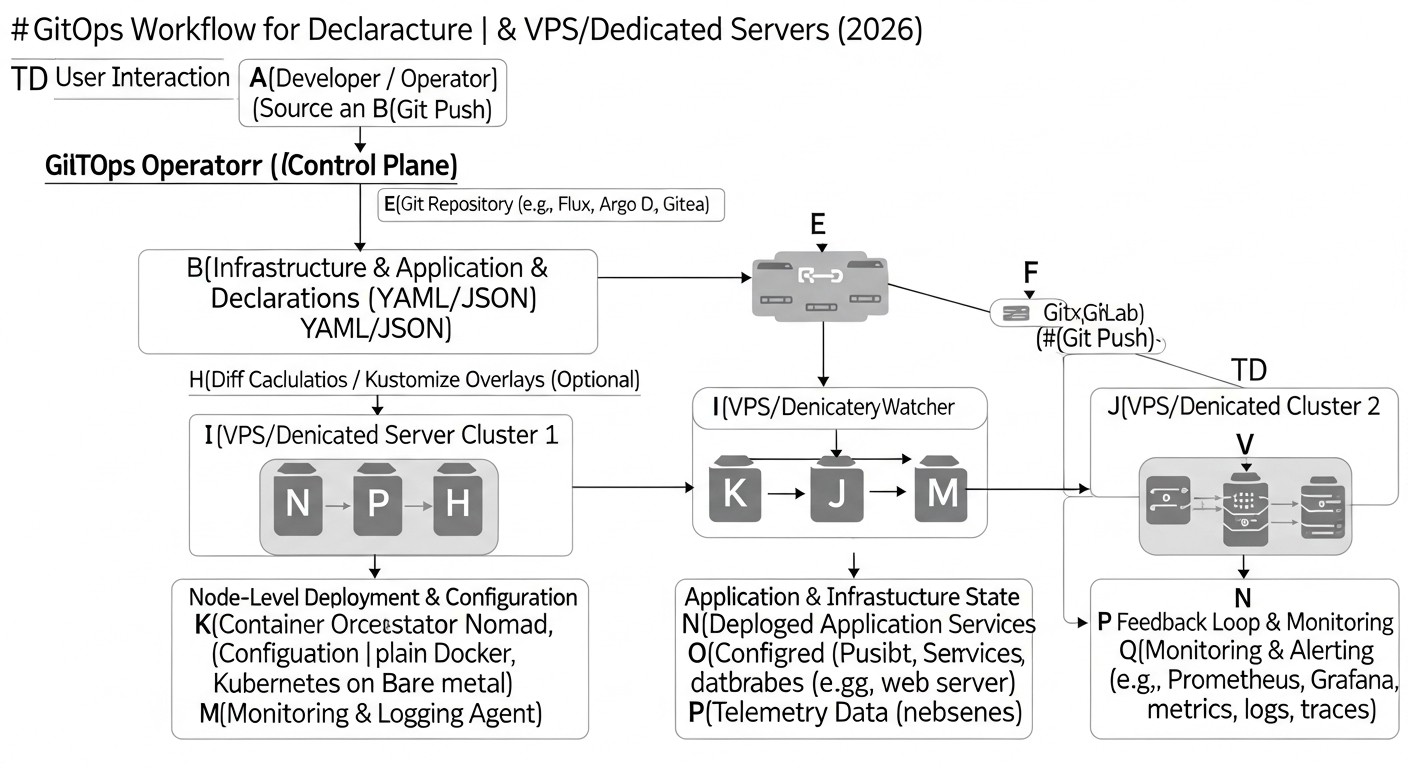
Let's delve into the specifics of each of the most relevant GitOps approaches for VPS/Dedicated, highlighted in the comparison table, considering the context of 2026.
1. Ansible + CI/CD (e.g., GitLab CI, GitHub Actions)
This approach is the de facto standard for many teams implementing GitOps on traditional infrastructure. Ansible is a powerful, easy-to-learn, and agentless tool for IT automation, configuration management, and application deployment. It operates over SSH, which simplifies its integration with existing VPS/Dedicated servers.
- Pros:
- Agentless Architecture: Does not require additional software installation on managed servers, simplifying initial setup and reducing overhead.
- Simplicity and Readability: Playbooks are written in YAML, making them easily readable even for non-specialists.
- Idempotence: Most Ansible modules are inherently idempotent, ensuring that repeated execution does not lead to undesirable changes.
- Extensive Community and Modules: Thousands of ready-made modules and roles for virtually any task, from package installation to database and web server configuration.
- Secret Management: Built-in Ansible Vault allows secure storage of sensitive data in the Git repository.
- Excellent CI/CD Integration: Easily integrates into any CI/CD pipeline (GitLab CI, GitHub Actions, Jenkins, etc.) for automatic execution on Git changes.
- Cons:
- Push-based Model: In its pure form, Ansible is a push tool. The CI/CD system "pushes" changes to the server. There is no built-in mechanism for "self-healing" configuration on the server if it was manually changed (although periodic runs can be configured).
- SSH Dependency: Requires an open SSH port and correct key configuration for access.
- No Native IaaC: Ansible does not manage the lifecycle of the infrastructure itself (creating/deleting VPS), only the configuration within it.
- Who it's for: For most teams starting with GitOps on VPS/Dedicated. Ideal for OS configuration management, monolithic application deployment, database setup, web servers, and microservices running directly on VMs. Excellent for SaaS projects that want to deploy their applications quickly and reliably.
- Use Cases: Automatic deployment of a new backend service on VPS after merging into the
mainbranch, setting up a new LAMP/LEMP server, updating Nginx/Apache configuration, deploying Docker containers on remote hosts.
2. Terraform/Pulumi + Ansible/Shell + CI/CD
This approach combines tools where Terraform (or Pulumi) is responsible for declarative management of the infrastructure itself (Infrastructure as Code - IaaC), and Ansible (or simple shell scripts) is responsible for configuration within that infrastructure. The CI/CD system ties everything together.
- Pros:
- Full Infrastructure Lifecycle: Terraform/Pulumi can create, modify, and delete VPS, networks, firewalls, load balancers from any cloud provider or hypervisor (via respective providers).
- Declarative IaaC: All infrastructure is described in code (HCL for Terraform, Python/TypeScript/Go for Pulumi), ensuring reproducibility and versioning.
- Execution Plan: Terraform/Pulumi show what changes will be applied before they are actually executed (
terraform plan,pulumi preview), which reduces risks. - Modularity: Ability to create reusable modules for typical infrastructure components.
- Synergy: Terraform creates the VPS, and Ansible then configures it using Terraform's output data (e.g., IP addresses).
- Cons:
- Two Levels of Abstraction: Requires learning two different tools and their interaction.
- State Management Complexity: Terraform stores infrastructure state in a file (state file) that must be securely stored and accessible to the team (e.g., in S3 or Terraform Cloud).
- Not Always Suitable for "Bare" Dedicated: If you don't have an API to manage dedicated servers (like cloud providers do), Terraform/Pulumi will be limited in IaaC capabilities, although they can be used for basic setup (e.g., via
null_resourceandremote-exec).
- Who it's for: For teams that require full control over the infrastructure lifecycle, including server creation/deletion, not just their configuration. Ideal for projects using cloud VPS (DigitalOcean, Linode, Vultr) or private clouds with an API. SaaS project founders will appreciate the ability to quickly deploy new environments (dev/staging/prod).
- Use Cases: Creating a new group of VPS for scaling, automatic network and firewall configuration, then deploying an application to these VPS using Ansible, complete recreation of a test environment on demand.
3. SaltStack + GitFS
SaltStack is another powerful configuration management tool, similar to Ansible but with a completely different architecture. It uses a Master-Minion model, where an agent (Minion) is installed on each managed server and communicates with a central Salt Master. GitFS allows the Salt Master to retrieve states and formulas directly from a Git repository.
- Pros:
- Pull-based Model: Minions themselves request configuration from the Master, making the system more fault-tolerant (Minion can restore configuration after manual changes) and secure (Master does not initiate connections to Minions).
- High Execution Speed: SaltStack is known for its speed due to the use of ZeroMQ for communication.
- Reactive Management: Event-driven architecture allows Salt to react to system events (e.g., file changes) and apply appropriate states.
- Declarative Nature: Configurations are described in SLS files (YAML), similar to Ansible.
- GitFS: Allows easy integration of a Git repository as a source of states and formulas, implementing full GitOps.
- Cons:
- Requires Master Server: The need to install and maintain a Salt Master, which complicates the architecture and adds a single point of failure.
- Requires Minion Installation: An agent (Minion) must be installed on each managed server.
- Learning Curve: Higher than Ansible, due to the concepts of Master-Minion, pillar, grains, runners, returners.
- Less Popular Community: Although the community is active, it is smaller than Ansible's.
- Who it's for: For larger teams or projects where fault tolerance, configuration self-healing, and high command execution speed on a large number of servers are critically important. Also suitable for scenarios where security requires a pull-based model. System administrators with experience in centralized management systems will appreciate its power.
- Use Cases: Maintaining strict security configuration on hundreds of servers, automatic restoration of "drifting" settings, centralized management of package updates and security patches, application deployment using Salt orchestration.
4. Chef/Puppet (for comparison)
Chef and Puppet are veterans in configuration management and are largely similar to SaltStack in their Master-Agent architecture. They also use a pull-based model and declarative state description (Ruby DSL for Chef, proprietary DSL for Puppet).
- Pros:
- Maturity and Reliability: Many years on the market, proven solutions for large enterprises.
- Declarative Nature and Idempotence: Similar to other configuration management tools.
- Pull-based Model: Agents on servers communicate with the Master server.
- Cons:
- High Complexity: The learning curve is significantly higher than Ansible's.
- Require Master Server and Agents: Similar to SaltStack, which increases overhead.
- Complex DSL: Require learning a specific domain-specific language (DSL), which can be a barrier to entry.
- Less Flexible for GitOps: Integration with GitOps is possible, but often requires additional wrappers or specific configurations, not as "out-of-the-box" as with Ansible or SaltStack with GitFS.
- Declining Popularity: In 2026, their popularity for new projects on VPS/Dedicated is lower than Ansible's, although they are still used in large enterprise environments.
- Who it's for: Primarily for companies that already use these tools and have investments in their ecosystem. For new projects on VPS/Dedicated, more modern and easier-to-learn solutions are generally chosen.
5. Custom Scripts + Git Hooks + CI/CD
This approach involves using a set of shell scripts, Python scripts, or other languages that are stored in a Git repository and run either manually or automatically via CI/CD or Git hooks.
- Pros:
- Maximum Flexibility: You can write a script for absolutely any task.
- Low Entry Barrier: If you already have scripting experience, it's very easy to start.
- No Dependencies: No need to install additional frameworks other than the basic environment.
- Cons:
- Lack of Built-in Idempotence: Scripts must be written with idempotence in mind manually, which is very difficult and leads to errors.
- Maintenance Complexity: As the system grows, maintaining and debugging custom scripts becomes a nightmare.
- Low Declarative Nature: Scripts are often imperative, not declarative.
- Limited Auditing: Tracking changes and rollbacks are more difficult than with full-fledged tools.
- Secret Management: Requires a separate solution, not built into the approach itself.
- Who it's for: For very small projects with one or two servers and minimal automation requirements, where budget and time to learn other tools are extremely limited. However, even in such cases, it is recommended to switch to more mature solutions as soon as possible.
- Use Cases: A simple script for deploying a static website, a script for restarting a service, a script for creating backups.
In 2026, to achieve full and effective GitOps on VPS/Dedicated, the most reasonable choice is a combination of Terraform/Pulumi for IaaC and Ansible for configuration management and application deployment, orchestrated through a CI/CD system. This provides a balance between power, flexibility, simplicity, and reliability.
Practical Tips and Recommendations for GitOps Implementation
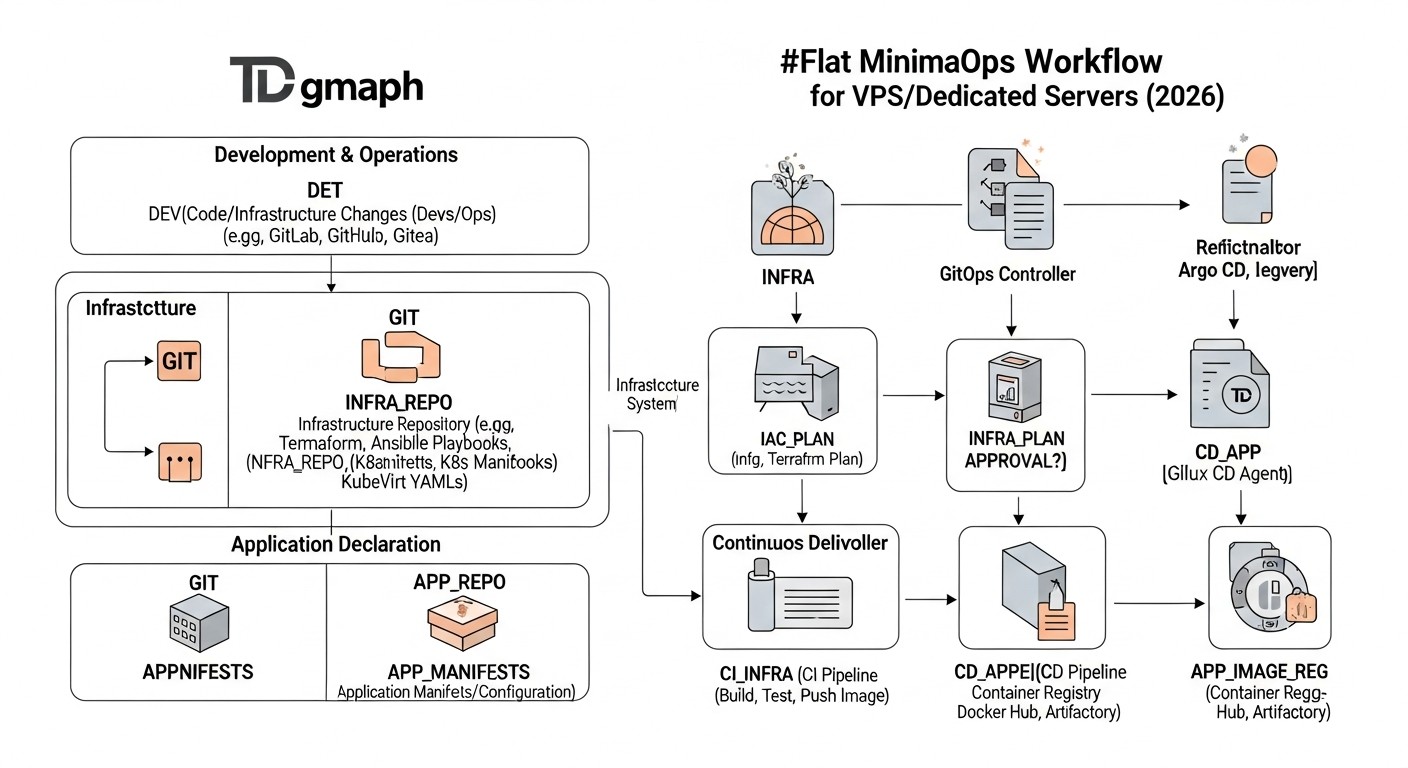
Implementing GitOps on VPS/Dedicated is not just about choosing tools, but about changing the philosophy of work. Here are step-by-step instructions, commands, and configuration examples to help you on this journey in 2026.
1. Preparing the Git Repository and Project Structure
Start by creating a structured Git repository. This will be your "single source of truth." Recommended structure:
.
├── infrastructure/               # Infrastructure description (Terraform/Pulumi)
│   ├── main.tf
│   ├── variables.tf
│   └── outputs.tf
├── ansible/                      # Ansible Playbooks and roles
│   ├── inventory/                # Server inventory
│   │   ├── production.ini
│   │   └── staging.ini
│   ├── playbooks/                # Main playbooks
│   │   ├── deploy_app.yml
│   │   └── setup_server.yml
│   ├── roles/                    # Reusable roles
│   │   ├── common/
│   │   ├── nginx/
│   │   └── app_service/
│   └── group_vars/               # Variables for server groups
│       ├── all.yml
│       └── webservers.yml
├── applications/                 # Application configurations
│   ├── my-app-backend/
│   │   ├── config.yml
│   │   └── systemd/              # systemd services
│   ├── my-app-frontend/
│   │   └── nginx_conf.conf
├── .gitlab-ci.yml                # CI/CD pipeline (or .github/workflows/...)
├── README.md
└── .gitignore
Tip: Use separate branches for different environments (main for production, develop for staging) or a "gitops-style" approach with separate repositories/directories for each environment.
2. Infrastructure Management with Terraform/Pulumi
If you manage the lifecycle of the VPS themselves, start with IaaC. Example for DigitalOcean (Terraform):
# infrastructure/main.tf
provider "digitalocean" {
  token = var.do_token
}

resource "digitalocean_droplet" "web" {
  count  = var.web_server_count
  name   = "web-${count.index + 1}-${var.environment}"
  image  = "ubuntu-22-04-x64"
  region = var.do_region
  size   = "s-1vcpu-1gb" # Example size
  ssh_keys = [
    data.digitalocean_ssh_key.default.id
  ]
  tags = ["webserver", var.environment]
}

data "digitalocean_ssh_key" "default" {
  name = "your-ssh-key-name" # Replace with the name of your SSH key in DO
}

output "web_server_ips" {
  value = digitalocean_droplet.web.*.ipv4_address
}
Commands:
cd infrastructure
terraform init
terraform plan -var="environment=staging" -var="web_server_count=1"
terraform apply -var="environment=staging" -var="web_server_count=1"
Tip: Store terraform.tfstate in a remote backend (e.g., S3, DigitalOcean Spaces, Terraform Cloud) for collaboration and reliability.
3. Configuration and Deployment Management with Ansible
After creating the servers, Ansible takes over their configuration and application deployment.
Example inventory (ansible/inventory/production.ini):
[webservers]
web-1-prod ansible_host=192.0.2.1
web-2-prod ansible_host=192.0.2.2

[dbservers]
db-1-prod ansible_host=192.0.2.3

[all:vars]
ansible_user=root
ansible_python_interpreter=/usr/bin/python3
Example deployment playbook (ansible/playbooks/deploy_app.yml):
---
- name: Deploy My Application
  hosts: webservers
  become: yes
  vars:
    app_version: "1.0.0" # Can be passed via CI/CD
    app_repo: "https://github.com/myorg/my-app.git"
    app_path: "/opt/my-app"
  roles:
    - common
    - app_service # Role that installs and runs the application
  tasks:
    - name: Ensure app directory exists
      ansible.builtin.file:
        path: "{{ app_path }}"
        state: directory
        mode: '0755'

    - name: Clone or update application repository
      ansible.builtin.git:
        repo: "{{ app_repo }}"
        dest: "{{ app_path }}"
        version: "{{ app_version }}" # Deploy a specific tag or branch
        update: yes
        force: yes # Be careful with force!

    - name: Install application dependencies (example for Python)
      ansible.builtin.pip:
        requirements: "{{ app_path }}/requirements.txt"
      when: ansible_os_family == "Debian" # Example condition

    - name: Copy systemd service file
      ansible.builtin.template:
        src: "{{ role_path }}/templates/my_app.service.j2"
        dest: "/etc/systemd/system/my_app.service"
        mode: '0644'
      notify: Restart my_app service

    - name: Start and enable my_app service
      ansible.builtin.systemd:
        name: my_app
        state: started
        enabled: yes

  handlers:
    - name: Restart my_app service
      ansible.builtin.systemd:
        name: my_app
        state: restarted
Commands:
cd ansible
ansible-playbook playbooks/deploy_app.yml -i inventory/production.ini --limit webservers -e "app_version=1.0.1"
Tip: Use Ansible Vault to encrypt sensitive data (passwords, API keys) directly in the repository. Never store secrets in plain text.
ansible-vault create group_vars/production_secrets.yml
ansible-vault edit group_vars/production_secrets.yml
ansible-playbook ... --vault-password-file ~/.ansible_vault_password
4. Setting up the CI/CD Pipeline
Your CI/CD will monitor the Git repository and trigger corresponding tasks.
Example .gitlab-ci.yml for GitLab CI:
# .gitlab-ci.yml
stages:
  - validate
  - infra
  - deploy

variables:
  TERRAFORM_VERSION: "1.5.7" # Current version for 2026
  ANSIBLE_VERSION: "2.14.0"

# Terraform Validation
terraform_validate:
  stage: validate
  image:
    name: hashicorp/terraform:${TERRAFORM_VERSION}
    entrypoint: [""]
  script:
    - cd infrastructure
    - terraform init
    - terraform validate
  rules:
    - if: '$CI_COMMIT_BRANCH == "main" || $CI_COMMIT_BRANCH == "develop"'
      changes:
        - infrastructure/**/*.tf

# Terraform Apply (infrastructure)
terraform_apply_staging:
  stage: infra
  image:
    name: hashicorp/terraform:${TERRAFORM_VERSION}
    entrypoint: [""]
  script:
    - cd infrastructure
    - terraform init
    - terraform plan -var="environment=staging" -var="web_server_count=1" -out="tfplan"
    - terraform apply -auto-approve "tfplan"
    - terraform output -json > ../ansible/inventory/staging_hosts.json # Pass IPs to Ansible inventory
  rules:
    - if: '$CI_COMMIT_BRANCH == "develop"'
      changes:
        - infrastructure/**/*.tf
  environment:
    name: staging
  resource_group: terraform_staging

# Deploy application to Staging
deploy_app_staging:
  stage: deploy
  image: python:3.11-slim-bookworm # Python image for Ansible
  before_script:
    - pip install ansible==${ANSIBLE_VERSION} # Install Ansible
    - eval $(ssh-agent -s)
    - echo "$SSH_PRIVATE_KEY" | ssh-add - # Add SSH key from CI/CD variable
    - mkdir -p ~/.ssh
    - chmod 700 ~/.ssh
    - echo "$SSH_KNOWN_HOSTS" > ~/.ssh/known_hosts
    - chmod 600 ~/.ssh/known_hosts
  script:
    - cd ansible
    - python generate_inventory.py ../infrastructure/staging_hosts.json > inventory/generated_staging.ini # Generate inventory
    - ansible-playbook playbooks/deploy_app.yml -i inventory/generated_staging.ini --limit webservers -e "app_version=$CI_COMMIT_SHORT_SHA" --vault-password-file /etc/gitlab-runner/ansible_vault_pass.txt # Path to password file
  rules:
    - if: '$CI_COMMIT_BRANCH == "develop"'
      changes:
        - ansible/**/*.yml
        - applications/**/*
  environment:
    name: staging
  needs: ["terraform_apply_staging"]

# Similar steps for Production, but with manual approval (manual job) and different variables
# ...
Important: Never store private SSH keys or Ansible Vault passwords directly in the Git repository. Use CI/CD environment variables (SSH_PRIVATE_KEY, SSH_KNOWN_HOSTS, ANSIBLE_VAULT_PASSWORD) or integration with HashiCorp Vault.
5. Secret Management
Secrets are the Achilles' heel of any system. In 2026, several reliable approaches exist:
- Ansible Vault: For secrets needed by Ansible. Encrypts files or variables within the Git repository. The Vault password is stored separately (e.g., in a CI/CD variable or HashiCorp Vault).
- HashiCorp Vault: A centralized solution for secret management. The CI/CD pipeline can obtain temporary tokens to access Vault and retrieve necessary secrets. This is the most secure approach.
- CI/CD Environment Variables: For a small number of non-critical secrets that do not change frequently. However, this is not a scalable solution.
Example of using HashiCorp Vault in CI/CD (pseudocode):
# In the CI/CD pipeline
# Get Vault token (e.g., via JWT authentication for GitLab CI/GitHub Actions)
VAULT_TOKEN=$(vault login -method=jwt role=my-ci-role jwt=$CI_JOB_JWT --format=json | jq -r .auth.client_token)

# Retrieve secret
DB_PASSWORD=$(VAULT_TOKEN=$VAULT_TOKEN vault kv get -field=password secret/my-app/db)

# Use it in Ansible
ansible-playbook ... -e "db_password=$DB_PASSWORD"
6. Monitoring and Logging
After implementing GitOps, ensure you have adequate monitoring and centralized logging to track the state of your servers and applications. Tools: Prometheus + Grafana for metrics, ELK Stack (Elasticsearch, Logstash, Kibana) or Loki + Grafana for logs.
Tip: Enable configuration change monitoring. If someone manually changes a file that should be managed by GitOps, this should be detected and alerted.
7. Principles of "Immutable Infrastructure"
While this is more challenging on VPS/Dedicated than in containers, strive for immutable infrastructure principles. Instead of updating existing servers, create new ones with the new configuration/application version, redirect traffic, and delete the old ones. This reduces the risk of "drift" and simplifies rollbacks.
Example: When deploying a new application version, Terraform creates a new VPS, Ansible configures it and deploys the application, then the load balancer switches traffic to the new VPS. The old VPS is deleted.
By applying these practical tips, you can build a stable and efficient GitOps environment on your VPS/Dedicated infrastructure, significantly enhancing the reliability and speed of development and deployment.
Common Mistakes in GitOps Implementation on VPS/Dedicated
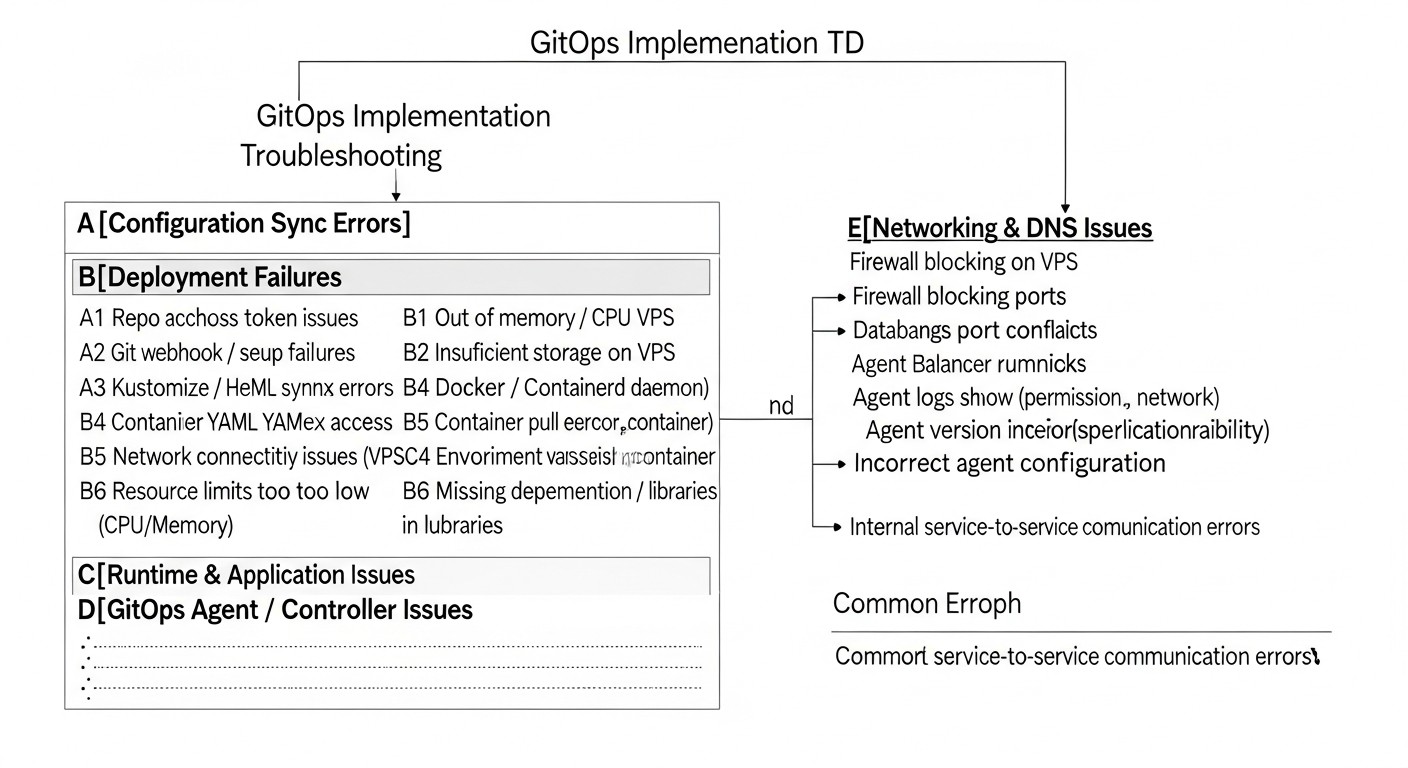
Implementing GitOps, especially on traditional infrastructure, can be fraught with pitfalls. Understanding these common mistakes and how to avoid them is critically important for a successful transition.
1. Lack of Full Control over the Git Repository
Mistake: Allowing manual changes on servers without reflecting them in Git. For example, an administrator logs into a server via SSH and changes the Nginx configuration or PHP version. This violates the "single source of truth" principle, leads to configuration drift, and makes GitOps meaningless.
How to avoid:
- Strict policy: Prohibit any manual changes on servers that have not gone through Git. Exception – emergency hotfixes, which must be immediately committed to Git after application.
- Automated drift monitoring: Implement tools that periodically check the server's state and compare it with the desired state in Git. For example, an Ansible playbook that checks file checksums or package versions.
- Remove direct access: Restrict direct SSH access to servers as much as possible, especially for production environments. All operations should go through CI/CD.
Consequences: Inconsistent environments, irreproducible errors, long debugging sessions, inability to quickly roll back, reduced security.
2. Insufficient Secret Management
Mistake: Storing passwords, API keys, certificates in plain text in the Git repository or in CI/CD environment variables without proper encryption.
How to avoid:
- Use Ansible Vault: For encrypting sensitive data used by Ansible. The Vault password should be stored in a secure location, such as CI/CD variables or HashiCorp Vault.
- Implement HashiCorp Vault: For centralized and secure management of all secrets. This is the gold standard in 2026.
- Principle of least privilege: The CI/CD pipeline should only have access to the secrets it needs for the current task, and only for the duration of the task (e.g., via temporary Vault tokens).
Consequences: Data breaches, server compromise, financial losses, reputational damage.
3. Ignoring Idempotence
Mistake: Writing scripts or playbooks that are not idempotent, meaning their repeated execution leads to unpredictable results or errors. For example, a script that always creates a user, even if it already exists.
How to avoid:
- Use tools with built-in idempotence: Ansible, Terraform, SaltStack are designed to be idempotent. Use their modules as intended.
- Check state before changing: In custom scripts, always check the current system state before making changes.
- Test: Run deployments multiple times consecutively in test environments to ensure idempotence.
Consequences: Errors during repeated deployments, inconsistent environments, debugging difficulties, increased downtime.
4. Lack of Configuration Testing
Mistake: Applying changes to a production environment without prior testing of configurations and deployment in a staging or dev environment.
How to avoid:
- Environment separation: Always have at least a staging environment that is as close as possible to production.
- Automated tests: Include tests for your Ansible roles (e.g., Molecule), Terraform configurations (e.g., Terratest), and the application itself after deployment in the CI/CD pipeline.
- Review process: All changes in Git should go through code review.
Consequences: Broken production deployments, service outages, data loss, reputational damage.
5. Overly Complex or Monolithic Git Repository
Mistake: Attempting to manage absolutely everything in one huge Git repository, which makes navigation difficult, increases cloning time, and slows down CI/CD.
How to avoid:
- Modularity: Divide the repository into logical parts (e.g., one repository for infrastructure, another for Ansible playbooks, a third for application configurations). Use Git submodules or a monorepo with a clear structure.
- Commit granularity: Make small, atomic commits, each solving one specific task.
- CI/CD optimization: Configure CI/CD to run only those parts of the pipeline that are affected by changes (e.g., via
rules: changesin GitLab CI).
Consequences: Low CI/CD performance, difficulty in collaboration, trouble finding necessary files, increased likelihood of errors due to the scale of changes.
6. Lack of Documentation and Team Training
Mistake: Implementing GitOps without training the team and without documenting new processes and tools.
How to avoid:
- Training: Conduct training sessions for the team on new tools and GitOps principles.
- Documentation: Create detailed documentation on repository structure, CI/CD operation, deployment process, secret management, and troubleshooting. Store it alongside the code (e.g., in README.md or a separate
docs/folder). - Culture: Promote a "everything through Git" and "infrastructure as code" culture.
Consequences: Resistance to change, low team efficiency, dependence on a few key specialists, long adaptation process for new employees.
By avoiding these common mistakes, teams can significantly increase their chances of successful and effective GitOps implementation on VPS/Dedicated, ensuring the stability, security, and scalability of their operations.
Checklist for Practical GitOps Application
This step-by-step checklist will help you structure the process of implementing and using GitOps for your VPS/Dedicated infrastructure in 2026.
Preparation Phase
- Define Goal and Scope:
- Which parts of the infrastructure and applications will be managed via GitOps? (Start small, e.g., with one service or a test environment).
- What problems do you want to solve with GitOps? (Accelerate deployment, reduce errors, improve auditing).
- Choose Tools:
- Version Control System: Git (GitHub, GitLab, Bitbucket).
- IaaC: Terraform or Pulumi (if managing the VPS infrastructure itself).
- Configuration Management and Deployment: Ansible or SaltStack.
- CI/CD: GitLab CI, GitHub Actions, Jenkins.
- Secret Management: Ansible Vault, HashiCorp Vault.
- Create a Central Git Repository:
- Initialize a new repository.
- Define directory structure (
infrastructure/,ansible/,applications/,.gitlab-ci.yml). - Configure branches (
main,develop) or other approaches for environments.
IaaC Implementation Phase (if applicable)
- Describe Infrastructure as Code (Terraform/Pulumi):
- Create
.tf(Terraform) or.py/.ts(Pulumi) files to describe VPS, networks, firewalls, SSH keys. - Use variables for flexibility (e.g., number of servers, region, OS type).
- Configure a remote backend for state storage (
.tfstate).
- Create
- Integrate IaaC into CI/CD:
- Add steps to CI/CD for
terraform init,terraform plan,terraform apply. - Configure automatic execution on changes in the
infrastructure/directory. - For production environments, add manual approval for
terraform apply.
- Add steps to CI/CD for
Configuration Management and Deployment Phase
- Create Server Inventory (Ansible):
- Describe server groups and their IP addresses/hosts for each environment (
production.ini,staging.ini). - Automate inventory generation from Terraform/Pulumi outputs, if possible.
- Describe server groups and their IP addresses/hosts for each environment (
- Develop Ansible Playbooks and Roles:
- Create roles for typical tasks (
common,nginx,postgresql,app_service). - Write playbooks for basic OS setup, dependency installation, application deployment.
- Ensure all playbooks and roles are idempotent.
- Create roles for typical tasks (
- Configure Secret Management:
- Use Ansible Vault to encrypt sensitive data in the repository.
- Store the Vault password in CI/CD variables or HashiCorp Vault.
- Integrate HashiCorp Vault if centralized secret management is required.
- Integrate Deployment into CI/CD:
- Add steps to CI/CD for running Ansible Playbooks.
- Configure automatic execution on changes in
ansible/orapplications/directories. - Pass variables (e.g., application version) from CI/CD to Ansible.
Testing and Monitoring
- Implement Automated Testing:
- Configure tests for Ansible roles (Molecule).
- Add integration tests for the application after deployment.
- Use a test/staging environment for all changes before production.
- Configure Monitoring and Logging:
- Install monitoring agents (Node Exporter, Prometheus) and configure Grafana.
- Configure centralized logging (ELK Stack, Loki).
- Enable alerts for anomalies and configuration drift.
Processes and Culture
- Define Change Review Process:
- All changes in Git go through code review.
- Approval of changes to the production branch requires agreement from multiple people.
- Document Processes:
- Create a README.md for the repository with instructions.
- Describe the deployment process, secret management, troubleshooting.
- Train the Team:
- Conduct internal workshops on GitOps and the tools used.
- Encourage the use of GitOps for all operations.
- Regular Audit and Optimization:
- Periodically check the actual state of servers against the Git repository.
- Look for ways to optimize playbooks, scripts, and pipelines.
- Update versions of used tools.
By following this checklist, you can gradually implement and effectively use GitOps, transforming your VPS/Dedicated infrastructure into a manageable, reliable, and automated system.
Cost Calculation / Economics of GitOps for VPS/Dedicated
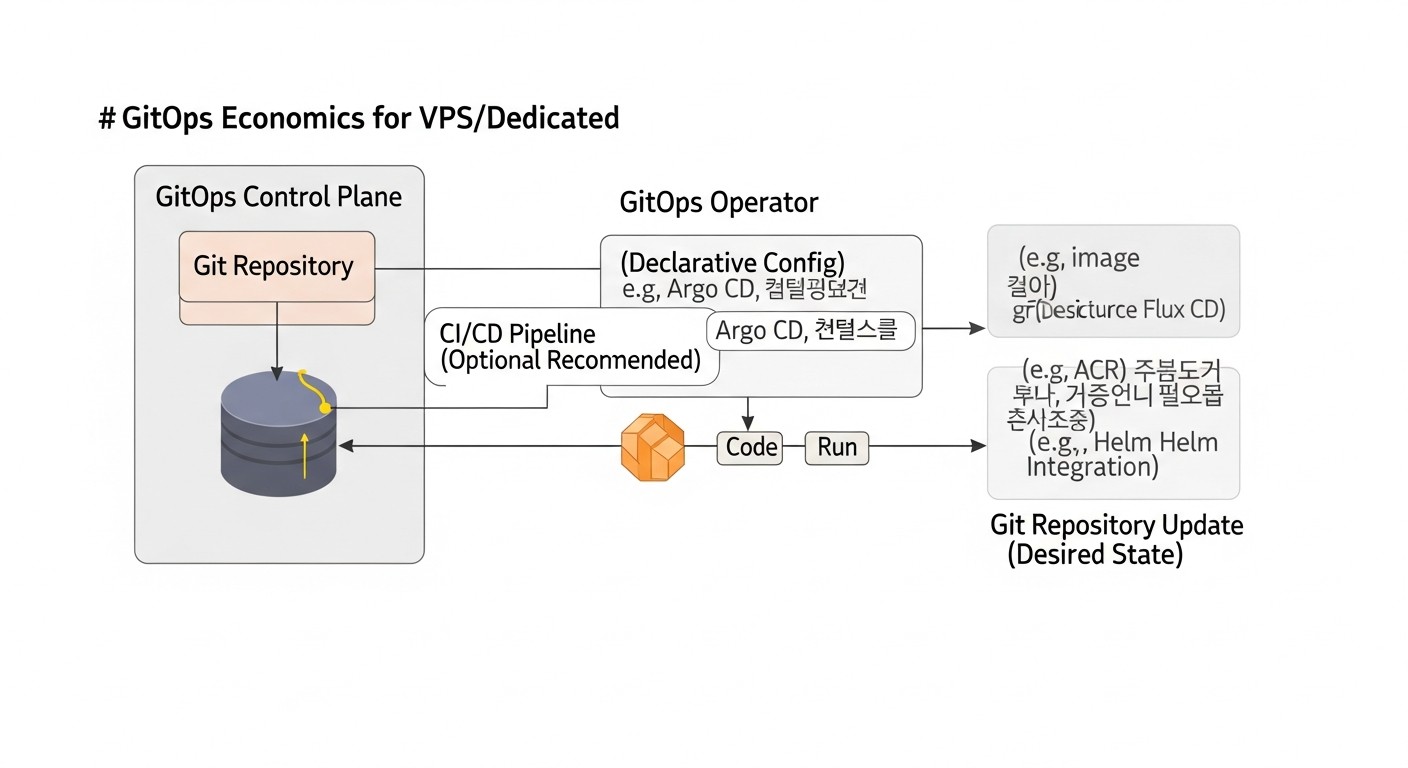
In 2026, economic efficiency is a key factor for any project. Implementing GitOps on VPS/Dedicated does not always mean direct savings on infrastructure, but almost always leads to significant savings in operational costs, accelerated Time-to-Market, and reduced risks. Let's look at different scenarios and hidden costs.
Main Cost Components
- Infrastructure Cost (VPS/Dedicated):
- Servers themselves: DigitalOcean, Linode, Vultr, Hetzner, OVH, etc. Prices in 2026 continue to be competitive.
- Additional services: Load balancers, managed databases (if not on VPS), storage, CDN.
- GitOps Tool Cost:
- Version Control System: GitHub (Free/Team from $4/month/user), GitLab (Free/Premium from $19/month/user), Bitbucket (Free/Standard from $3/month/user). Many features are available for free.
- CI/CD System: GitLab CI (built-in, runners can be on your VPS), GitHub Actions (up to 2000-3000 min/month free, then $0.008/min), Jenkins (free, requires hosting).
- IaaC/Configuration: Terraform, Pulumi, Ansible, SaltStack, Chef, Puppet – all have free Open Source versions. Terraform Cloud/Enterprise, Pulumi Cloud, SaltStack Enterprise, Ansible Automation Platform – paid options with extended functionality and support.
- Secret Management: HashiCorp Vault (Open Source free, Enterprise paid).
- Monitoring/Logging: Prometheus, Grafana, Loki, ELK Stack – Open Source free, cloud versions (Datadog, New Relic) paid.
- Human Resources (the biggest factor):
- Engineer time for GitOps implementation and setup.
- Time for team training.
- Time for supporting and developing the GitOps system.
Example Calculations for Different Scenarios (2026, estimated)
Scenario 1: Small Startup (1-2 developers, 1 DevOps, 3 VPS)
Goal: Fast and reliable deployment of a SaaS application on 3 VPS.
- Infrastructure:
- 3 VPS (e.g., DigitalOcean S-2vcpu-2gb): 3 * $12/month = $36/month.
- Load balancer (DigitalOcean): $15/month.
- Managed database (PostgreSQL 1GB RAM): $15/month.
- Total infrastructure: ~$66/month.
- GitOps Tools (Open Source / Free Tier):
- GitLab (free, runner on one of the VPS).
- Terraform/Ansible (free).
- Ansible Vault (free).
- Prometheus/Grafana (free, on one of the VPS).
- Total tools: $0/month (direct costs).
- Human Resources:
- GitOps setup: 20-40 hours (e.g., 1 DevOps * 20-40 hours * $70/hour) = $1400 - $2800 (one-time).
- Support/development: 5 hours/month * $70/hour = $350/month.
- Total cost in the first month: $66 (infrastructure) + $1400-2800 (setup) = $1466 - $2866.
- Total cost after the first month: $66 (infrastructure) + $350 (support) = $416/month.
Savings: By reducing deployment time (from hours to minutes), reducing errors and downtime, which allows the team to focus on development. For example, if deployment took 2 hours/week (8 hours/month) and cost $70/hour, that's $560/month. With GitOps, this is reduced to 10-20 minutes, freeing up resources.
Scenario 2: Medium Business (5-10 developers, 2-3 DevOps, 20 VPS)
Goal: Standardization, scaling, increased reliability and security.
- Infrastructure:
- 20 VPS (e.g., Hetzner CX21): 20 * €8/month ≈ $175/month.
- Additional VPS for CI/CD runners, Salt Master, Vault: 3 * $10/month = $30/month.
- Load balancers, network resources: $50/month.
- Managed DBs, storage: $150/month.
- Total infrastructure: ~$405/month.
- GitOps Tools (partially paid / Open Source):
- GitLab Premium: $19/month * 10 users = $190/month.
- Terraform Cloud (Team & Governance): $20/user * 3 DevOps = $60/month.
- Ansible Automation Platform (Managed): $1000/month (optional, for large automation).
- HashiCorp Vault Enterprise (if required): from $500/month (or Open Source free).
- Datadog/New Relic (monitoring): from $300/month.
- Total tools: ~$550 - $2050/month (depending on the choice of Enterprise solutions).
- Human Resources:
- GitOps setup: 80-160 hours (2 DevOps * 40-80 hours * $80/hour) = $6400 - $12800 (one-time).
- Support/development: 20 hours/month * $80/hour = $1600/month.
- Total cost in the first month: $405 (infrastructure) + $550-2050 (tools) + $6400-12800 (setup) = $7355 - $15255.
- Total cost after the first month: $405 (infrastructure) + $550-2050 (tools) + $1600 (support) = $2555 - $4055/month.
Savings: For a medium-sized business, GitOps is critically important. It reduces the risk of errors in production (the cost of a single outage can be $1000+/hour), accelerates Time-to-Market for new features, allows faster scaling, reduces dependence on individual engineers, and improves security. The savings from prevented incidents and accelerated development significantly outweigh the costs.
Hidden Costs and How to Optimize Them
- Training Cost: Underestimating the complexity of training the team on new tools and approaches.
- Optimization: Invest in quality training, internal workshops, hiring experienced specialists. Start with simple tools (Ansible).
- Integration Complexity: Problems integrating various tools (Terraform, Ansible, CI/CD, Vault).
- Optimization: Use proven tool combinations, follow recommendations, automate data transfer between them (e.g., Terraform output to Ansible inventory).
- Technical Debt: Insufficient support and updating of the GitOps system.
- Optimization: Allocate regular time for refactoring playbooks/configurations, updating tool versions, monitoring their performance.
- Inefficient Pipelines: Slow or unreliable CI/CD pipelines.
- Optimization: Parallelize tasks, cache dependencies, use lightweight images for CI/CD runners, optimize Ansible playbooks.
- Downtime: Errors in GitOps processes can lead to downtime.
- Optimization: Thorough testing, code review, use of staging environments, rollback mechanisms.
Table with Example Savings Calculations (hypothetical)
| Indicator | Before GitOps | After GitOps | Monthly Savings / Benefit |
|---|---|---|---|
| Application deployment time | 2 hours | 10 minutes | ~1.8 hours per deployment * $70/hour = $126 (per deployment) |
| Number of critical incidents due to configuration errors | 1-2 per month | 0-0.2 per month | ~$500-2000 (per prevented incident) |
| Time for routine administration operations (software installation, updates) | 10 hours/month | 2 hours/month | 8 hours * $70/hour = $560 |
| Time for onboarding a new engineer (understanding infrastructure) | 2-3 weeks | 1 week | ~1-2 weeks engineer salary (one-time) |
| Speed of new feature delivery (Time-to-Market) | Slow | Fast | Indirect, but significant benefit in competitiveness and revenue. |
In 2026, GitOps for VPS/Dedicated is not just a technical solution, but a strategic investment. While initial implementation and training costs can be substantial, the long-term benefits in terms of increased stability, security, development speed, and reduced operational costs make it extremely beneficial for most projects.
Case Studies and Examples of GitOps Implementation
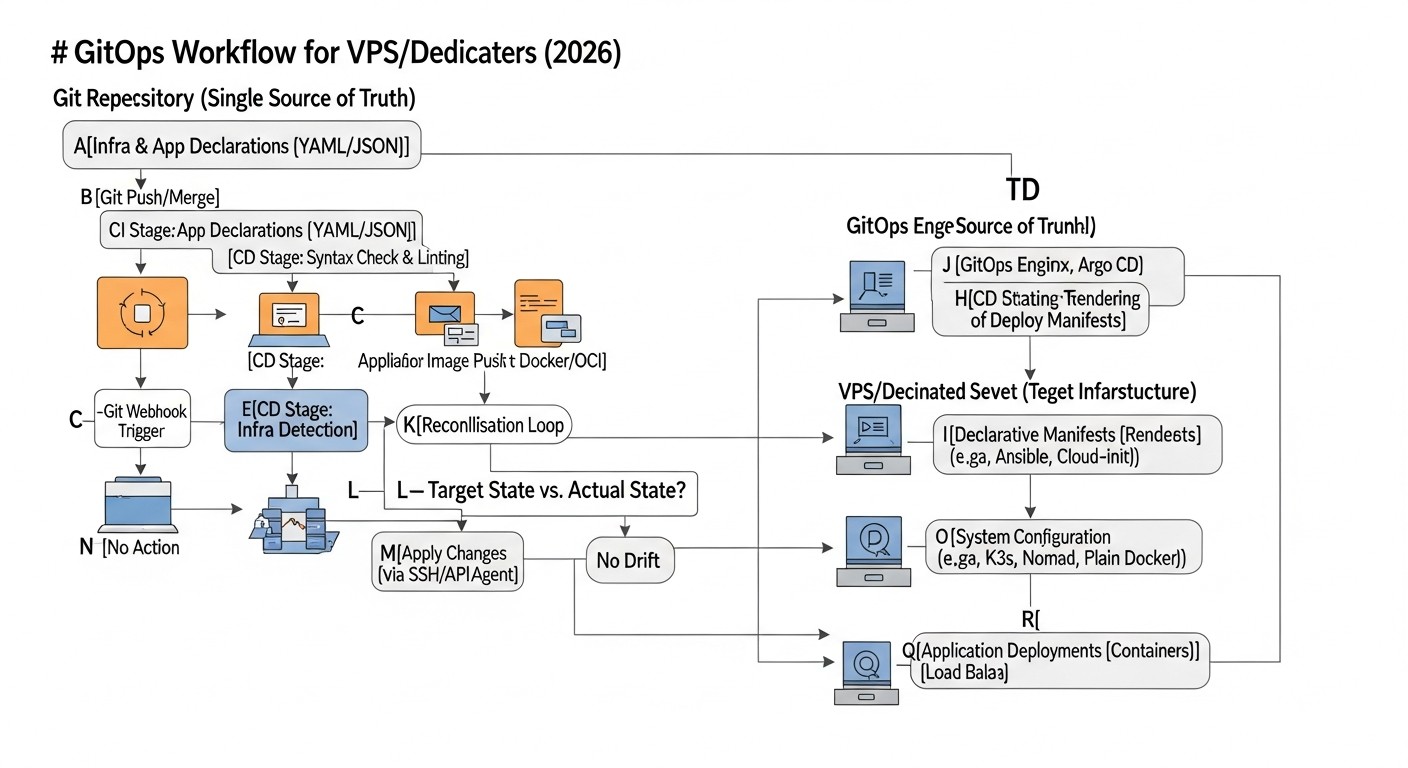
To better understand how GitOps is applied in practice in 2026 for VPS/Dedicated, let's look at several realistic scenarios. These examples illustrate how different teams use declarative management and automation principles to solve their problems.
Case 1: SaaS Startup with MVP on 5 VPS
Company: "TaskFlow" – a startup developing a SaaS platform for project management. Team: 3 developers, 1 DevOps engineer. Infrastructure: 5 VPS on DigitalOcean (2 for frontend/backend, 1 for database, 1 for Redis/cache, 1 for CI/CD runner).
Problem: Slow and unpredictable deployment process. Developers often encountered "it works on my machine" errors. Manual server updates led to configuration drift and long downtimes during rollbacks. Lack of standardization.
Solution with GitOps:
- Git Repository: A monorepository was created on GitLab, containing:
infrastructure/: Terraform for creating and configuring VPS, firewalls, DigitalOcean load balancer.ansible/: Playbooks and roles for installing Docker, Nginx, PostgreSQL, Redis, and deploying Docker containers with TaskFlow microservices.applications/: Dockerfiles and configurations for each microservice..gitlab-ci.yml: Pipeline for building Docker images, Terraform apply, and Ansible playbook.
- CI/CD Pipeline:
- On push to the
developbranch: Terraform creates/updates the staging infrastructure, then Ansible deploys the latest version of Docker images to the staging servers. - On merge to
main: Terraform apply to the production infrastructure, then Ansible deploys to production. Production deployment requires manual approval in the GitLab UI.
- On push to the
- Secret Management: Ansible Vault is used to encrypt API keys and DB passwords, and the Vault password is passed via protected GitLab CI variables.
Results:
- Deployment Speed: Reduced from 1-2 hours to 15-20 minutes (including image building).
- Reliability: The number of deployment errors decreased by 80%. Rolling back to a previous version now takes 5 minutes (via commit revert and pipeline restart).
- Reproducibility: A new environment (e.g., for a new developer) can be deployed in 30-40 minutes.
- Audit: All infrastructure and deployment change history is available in the Git log.
- Savings: The DevOps engineer spends significantly less time on routine operations, focusing on system improvement.
Case 2: Web Agency with Multiple Client Websites on Dedicated Servers
Company: "PixelCraft" – a web agency supporting over 50 client websites (WordPress, Laravel) on several dedicated servers (Hetzner, OVH). Team: 2 system administrators, 5 web developers.
Problem: Supporting a large number of diverse websites on different servers was a nightmare. Updating PHP, Nginx, installing security patches, deploying new website versions – all of this was done manually or with non-idempotent scripts. High risk of errors, difficulties with scaling and ensuring security.
Solution with GitOps:
- Git Repositories:
server-configs/: Ansible playbooks and roles for basic OS setup, installing web servers (Nginx, Apache), PHP-FPM, MySQL, Certbot.client-sites/: A separate repository for each client, containing Nginx configuration for the site,.envfile (with encrypted secrets), SSH keys for accessing the site's repository.
- CI/CD Pipeline (Jenkins):
- For
server-configs/: Weekly execution of Ansible playbooks for all servers to ensure configuration and security currency. Changes in theserver-configs/repository trigger the pipeline for selected servers. - For
client-sites/: On push to themainbranch of the client repository: Jenkins runs an Ansible playbook that updates the site code on the corresponding Dedicated server, applies the new Nginx configuration, and restarts PHP-FPM.
- For
- Secret Management: HashiCorp Vault is used to store all client secrets (DB passwords, API keys, SSH keys for site Git repositories). Jenkins obtains temporary Vault tokens to access necessary secrets during deployment.
- Drift Monitoring: An additional Ansible playbook runs daily, comparing the current state of key configuration files on servers with their versions in Git. If discrepancies are found, an alert is sent to Slack.
Results:
- Automation: 80% of routine server administration and website deployment operations were automated.
- Standardization: All servers and websites now use standardized configurations, simplifying maintenance.
- Security: Improved secret management and regular security patches reduced risks.
- Scaling: Adding a new client or server now takes 10-15 minutes, instead of hours.
- Savings: Sysadmins were freed up for more complex tasks, rather than routine operations.
Case 3: Research Laboratory with High-Performance Computing on Bare Metal
Company: "QuantumLab" – a research laboratory using several powerful dedicated servers (Bare Metal) for machine learning and scientific calculations. Infrastructure: 10 servers with GPUs, running Ubuntu/CentOS.
Problem: Configuring each server required installing specific software (CUDA, TensorFlow, PyTorch, specialized drivers), which was extremely labor-intensive and often led to compatibility errors. Software updates were complex and risky. Lack of a unified way to manage configurations.
Solution with GitOps:
- Git Repository: A single repository on GitHub Enterprise.
ansible/: A set of roles for OS installation, GPU drivers, CUDA, Docker, Conda, Python environments, and for deploying scientific applications in Docker containers.compute-nodes/: Ansible inventory files specific to each compute node (e.g., GPU type, RAM amount).experiments/: Configurations for running specific scientific experiments (parameters, library versions, data paths), which are also deployed by Ansible.
- CI/CD Pipeline (GitHub Actions):
- On push to
maininansible/: GitHub Actions runs, applying changes to all compute nodes. - On push to
experiments/: GitHub Actions runs, deploying or updating a specific experiment on target nodes.
- On push to
- Model: A pull-based model is used, where each server has a Minion installed that periodically polls the Salt Master. The Salt Master, in turn, synchronizes its states with the Git repository via GitFS. (Instead of Ansible, SaltStack was chosen here due to requirements for self-healing and speed on a large cluster).
- Versioning: Each environment or experiment "build" is tagged in Git. Rolling back to a previous environment version is possible by checking out the tag and applying Salt states.
Results:
- Reproducibility: Any server can be quickly configured from scratch with a precise configuration. New compute nodes are added within 30 minutes.
- Stability: The "configuration drift" problem was eliminated, ensuring the stability of the computing environment.
- Efficiency: Scientists can independently run and version their experiments without distracting engineers.
- Audit: Every change in the software stack or experiment is recorded in Git, which is important for scientific work.
These case studies demonstrate that GitOps is a flexible and powerful approach that can be adapted for a wide variety of scenarios on VPS and dedicated servers, bringing significant benefits in reliability, speed, and efficiency.
Tools and Resources for GitOps on VPS/Dedicated
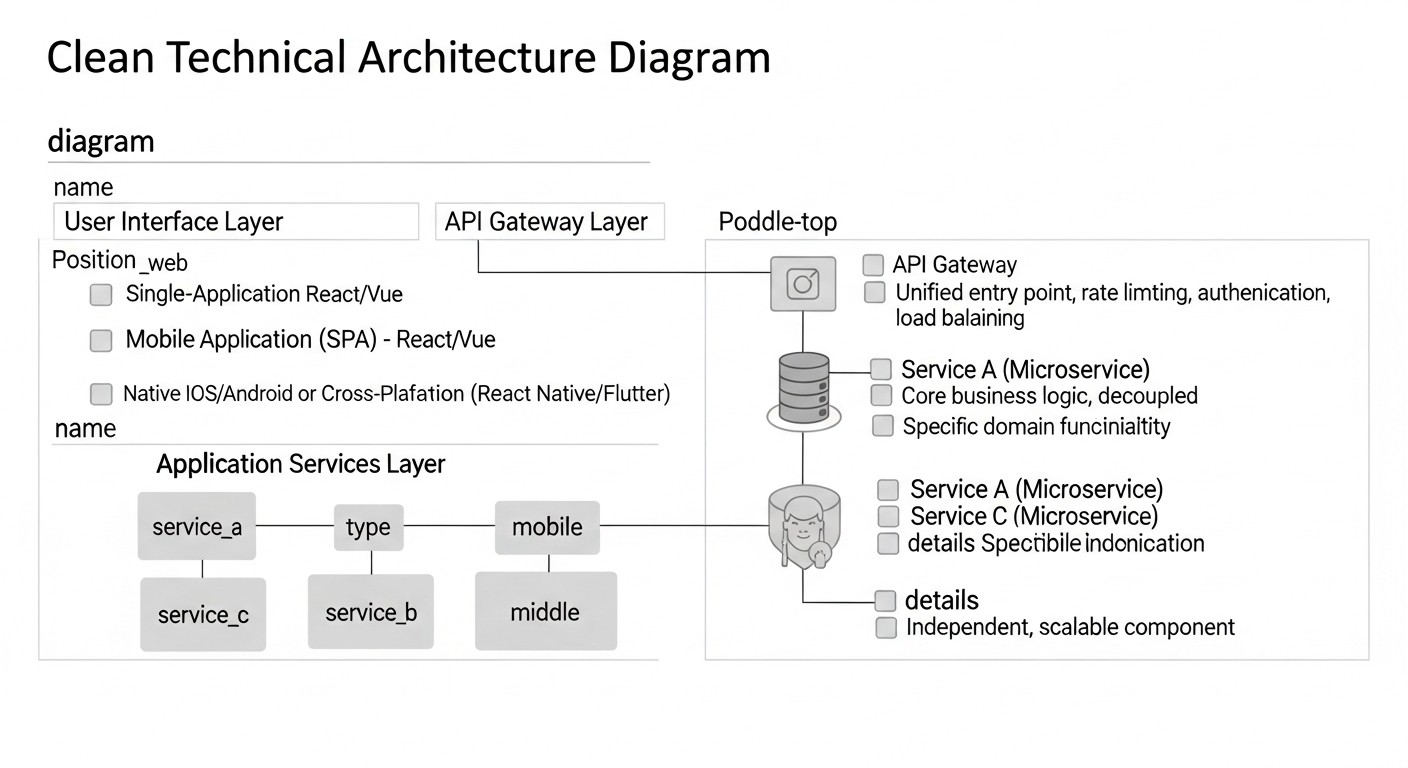
In 2026, the GitOps ecosystem continues to evolve, offering a rich set of tools and resources. Below are the most relevant and useful ones for working with VPS/Dedicated.
1. Version Control Systems (VCS)
- GitLab: A comprehensive platform for the entire DevOps lifecycle. Includes Git repositories, CI/CD, Registry, Issue Tracking. Ideal for a full GitOps pipeline.
- GitHub: The most popular platform for hosting Git repositories. GitHub Actions offers powerful CI/CD capabilities, easily integrated with GitOps.
- Bitbucket: Popular among teams using Jira and other Atlassian products. Includes Git repositories and Bitbucket Pipelines for CI/CD.
2. Infrastructure as Code (IaaC)
- Terraform (HashiCorp): A declarative tool for creating, modifying, and deleting infrastructure. Has providers for most cloud services and even for some Bare Metal solutions.
- Pulumi: Allows describing infrastructure in familiar programming languages (Python, TypeScript, Go, C#), which is convenient for developers.
3. Configuration Management and Orchestration
- Ansible: Agentless, easy-to-learn tool for configuration management, application deployment, and orchestration. Ideal for VPS/Dedicated.
- SaltStack: Powerful pull-based tool with Master-Minion architecture, excellent speed, and reactive capabilities. Suitable for large and dynamic infrastructures.
4. Continuous Integration/Delivery (CI/CD) Systems
- GitLab CI/CD: Powerful and flexible CI/CD built into GitLab. Easily configured with
.gitlab-ci.yml. - GitHub Actions: GitHub's own CI/CD. Allows automating workflows directly in the repository using YAML files.
- Jenkins: One of the oldest and most flexible CI/CD servers. Requires more effort to set up but offers vast customization possibilities.
5. Secret Management
- HashiCorp Vault: A centralized solution for secure storage and access to secrets. Supports dynamic secrets, auditing, and various authentication methods.
- Ansible Vault: Ansible's built-in tool for encrypting files or variables directly in the Git repository. Good for small projects.
6. Monitoring and Logging
- Prometheus: Open-source monitoring system that collects metrics from target systems.
- Grafana: Platform for visualizing metrics and logs. Integrates excellently with Prometheus, Loki, Elasticsearch.
- Loki (Grafana Labs): System for centralized log collection, optimized for use with Grafana.
- ELK Stack (Elasticsearch, Logstash, Kibana): Powerful stack for collecting, storing, analyzing, and visualizing logs.
7. IaaC and Configuration Testing
- Molecule (for Ansible): Framework for testing Ansible roles on various environments (Docker, Vagrant).
- Terratest (for Terraform/Pulumi): Go library for writing automated tests for infrastructure as code.
- InSpec (Chef): Framework for writing compliance and security configuration tests.
8. Useful Links and Documentation
- Official Documentation: Always start with the official documentation for each tool. It contains the most current and detailed information.
- Awesome GitOps: A curated list of resources, tools, and articles on GitOps.
- HashiCorp Learn: Free tutorials for Terraform, Vault, and other HashiCorp products.
- DigitalOcean Community Tutorials: Many practical guides for setting up servers and applications.
- Stack Overflow / Reddit (r/devops, r/sysadmin): Excellent places to find solutions to specific problems and discuss best practices.
Using this set of tools and resources will allow you to build a reliable, automated, and scalable GitOps environment on VPS/Dedicated, meeting the requirements of 2026.
Troubleshooting: Solving Problems in a GitOps Environment
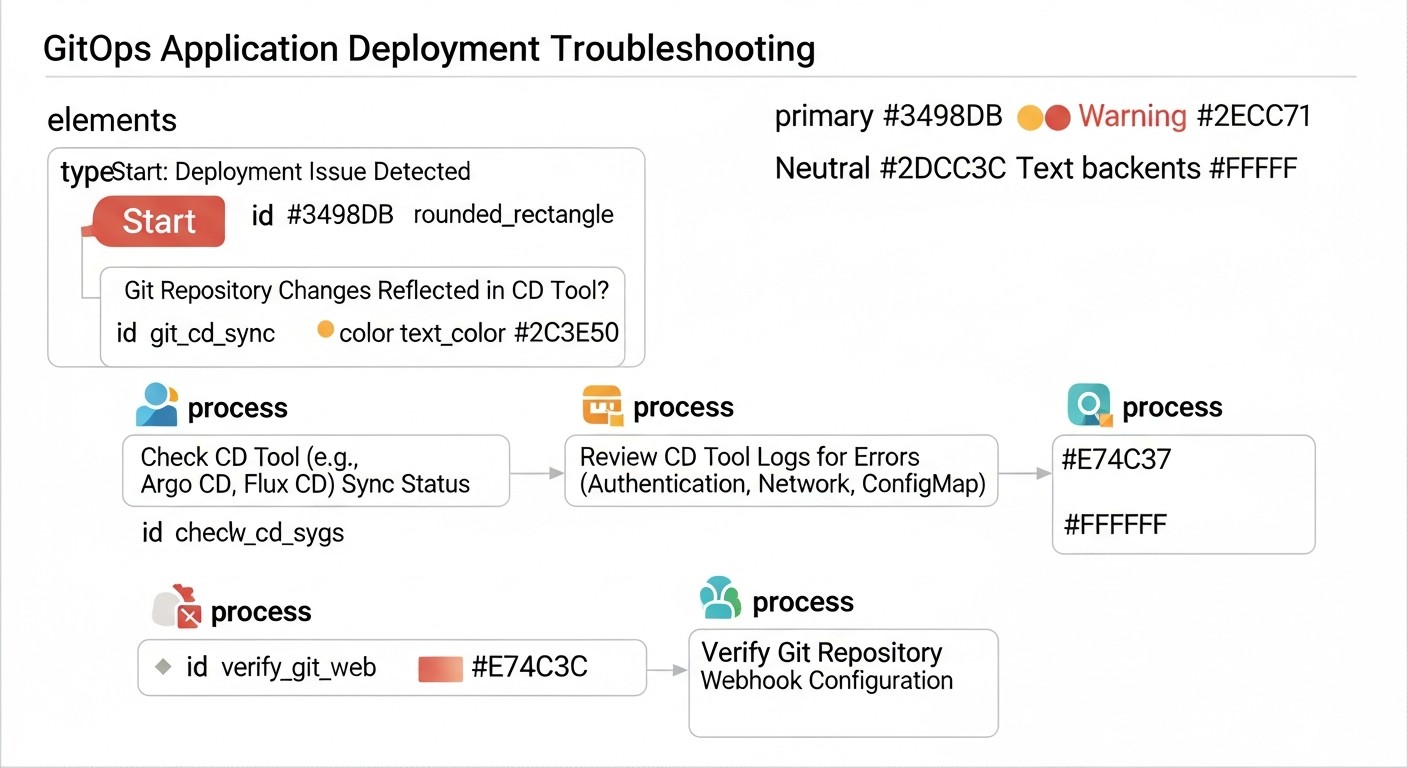
Even with the most careful planning and implementation, problems in a GitOps environment on VPS/Dedicated are inevitable. It is important to be able to quickly diagnose and effectively resolve them. Here are typical problems and approaches to solving them.
1. Git Repository and Infrastructure Synchronization Issues
Symptoms: Changes in Git are not applied to servers, or servers do not reflect the desired state from Git.
Possible causes:
- CI/CD pipeline does not start or fails.
- CI/CD access issues to the Git repository or servers.
- Error in Terraform/Ansible/Salt configurations.
- Configuration drift on the server (manual changes).
Diagnostic commands and actions:
- Check CI/CD pipeline:
- Go to the UI of your CI/CD system (GitLab, GitHub Actions, Jenkins).
- Check the status of the last pipeline run associated with your commit.
- Examine the logs of each pipeline step for errors.
- Check access:
- Ensure that the SSH keys used by CI/CD are correctly added and have the necessary permissions.
- Verify that the CI/CD runner's IP address is allowed in server firewalls (for push-based).
- For pull-based (SaltStack): ensure that the Minion is running and can communicate with the Master.
- Manual tool execution:
- Try manually running Terraform/Ansible/Salt on a local machine or on the CI/CD runner (with the same variables and secrets) to reproduce the error.
cd infrastructure && terraform plancd ansible && ansible-playbook playbooks/deploy_app.yml -i inventory/production.ini
- Drift check:
- If using Ansible, run the playbook in dry-run mode (
--check) or use thestatmodule to check files. - For SaltStack,
salt '*' state.highstate test=Truewill show what changes will be applied.
- If using Ansible, run the playbook in dry-run mode (
2. Access and Authentication Issues
Symptoms: CI/CD cannot connect to servers, Terraform cannot interact with the provider's API, Ansible cannot execute commands.
Possible causes:
- Incorrect or missing SSH keys.
- Firewall or network accessibility issues.
- Incorrect credentials for the provider's API (Terraform/Pulumi).
- Secrets incorrectly retrieved from Vault or Ansible Vault.
Diagnostic commands and actions:
- Check SSH access:
- From the CI/CD runner (if possible) or from a local machine:
ssh -i /path/to/key user@server_ip. - Ensure the key has correct permissions (
chmod 600 /path/to/key). - Check
~/.ssh/known_hosts.
- From the CI/CD runner (if possible) or from a local machine:
- Check firewalls:
- Ensure port 22 (SSH) is open on the server for the CI/CD runner's IP address.
- For SaltStack: ports 4505 and 4506 must be open for the Salt Master.
- Check secrets:
- Ensure that CI/CD variables containing secrets are correctly configured and accessible.
- For Ansible Vault: check the path to the password file and the password itself.
- For HashiCorp Vault: verify that the Vault token is valid and has the necessary permissions.
- Check provider logs: If Terraform cannot create a resource, check the cloud provider's logs for API errors.
3. Configuration Errors (YAML, HCL)
Symptoms: Parsing configuration files fails, or the tool reports a syntax error.
Possible causes:
- Typos, incorrect indentation in YAML.
- Incorrect HCL (Terraform) or DSL syntax.
- Incorrect variable or resource names.
Diagnostic commands and actions:
- Syntax validation:
yamllint <file.yml>terraform validateansible-playbook --syntax-check <playbook.yml>
- Linters and IDEs: Use an IDE with YAML/HCL support and linters that help identify errors during code writing.
- Documentation search: Often the error points to a specific line or section where an incorrect parameter or syntax can be found.
4. Post-Deployment Application Issues
Symptoms: Deployment completed successfully, but the application does not start, works incorrectly, or is inaccessible.
Possible causes:
- Error in application code.
- Incorrect application configuration (env variables, files).
- Dependency issues (missing packages, incorrect versions).
- Port occupied, firewall blocking access to the application.
- Database or other external service issues.
Diagnostic commands and actions:
- Check application logs:
journalctl -u my_app_servicedocker logs <container_name>- Check web server logs (Nginx, Apache).
- Check service status:
systemctl status my_app_servicedocker ps
- Check network accessibility:
netstat -tulnp | grep <port>(ensure the application is listening on the correct port).curl localhost:<port>(check local access).- Check server firewall (
ufw status,iptables -L).
- Check application configuration:
- Ensure all environment variables and application configuration files are correct and match the environment.
- Check database availability (
psql -h db_host -U db_user -d db_name).
- Rollback: If the problem is not quickly resolved, roll back to the previous working version by reverting the commit in Git and restarting the pipeline.
When to Contact Support
- Cloud provider/hosting issues: If you suspect problems with the infrastructure itself (VPS unavailability, provider network issues, disk failures).
- Paid tool version issues: If you are using Enterprise versions of Terraform Cloud, Ansible Automation Platform, SaltStack Enterprise and encounter bugs or unclear errors.
- Security issues: If you suspect compromise of the Git repository, CI/CD system, or server.
- Inability to reproduce the problem: If you have exhausted all your diagnostic capabilities and cannot localize the source of the problem, seek help from colleagues or the community.
A systematic approach to troubleshooting, based on checking each link in the GitOps chain (Git -> CI/CD -> IaaC/Config Tool -> Server -> Application), will allow you to quickly find and solve most problems.
FAQ: Frequently Asked Questions about GitOps on VPS/Dedicated
1. Is Kubernetes required for GitOps?
No, Kubernetes is not a mandatory requirement for GitOps. While many GitOps tools (e.g., Argo CD, FluxCD) were initially developed for Kubernetes, the principles of GitOps (declarative management, Git as the single source of truth, automation) are applicable to any infrastructure, including VPS and dedicated servers. For such environments, configuration management tools like Ansible or SaltStack are used in conjunction with CI/CD systems.
2. What is the difference between GitOps and Infrastructure as Code (IaaC)?
IaaC is the practice of managing and provisioning infrastructure using code rather than manual processes. GitOps is a set of operational principles based on IaaC, where the Git repository is the single source of truth, and all infrastructure and application changes are managed through Git commits and automated pipelines. GitOps is, in essence, an operational model for IaaC.
3. Can GitOps be used for databases on VPS?
Yes, it can and should be. You can use GitOps to manage database configurations (e.g., PostgreSQL, MySQL parameters), create users, databases, and apply schema migrations. Terraform can create database resources, and Ansible can manage their configuration and deploy migrations. However, the database data itself is not stored in Git.
4. How do you manage secrets in a GitOps repository?
Never store secrets in plain text in Git. Use specialized tools such as Ansible Vault for encrypting files in the repository, or HashiCorp Vault for centralized secret management. The CI/CD pipeline should only access decrypted secrets during task execution, using protected variables or temporary Vault tokens.
5. What are the main benefits of GitOps for small teams/startups on VPS?
For small teams, GitOps significantly reduces time spent on routine operations, minimizes deployment errors, ensures environment reproducibility, and simplifies onboarding for new employees. This allows the team to focus on product development rather than manual administration, which is critically important for rapid iterations and time-to-market.
6. How to ensure the security of the CI/CD pipeline in GitOps?
CI/CD security is critical, as it has access to infrastructure and secrets. Use the principles of least privilege for CI/CD accounts, regularly update runners and images, isolate workloads, use protected variables for secrets, and configure auditing for all pipeline actions. Integration with HashiCorp Vault for dynamic secrets significantly enhances security.
7. What is "configuration drift" and how does GitOps help avoid it?
Configuration drift is a situation where the actual state of a server or infrastructure differs from the documented or desired state. This often occurs due to manual changes. GitOps prevents drift by making Git the single source of truth. Any change must be committed to Git and applied automatically, or the system should automatically restore the desired state.
8. Can GitOps be used to manage OS updates and security patches?
Yes, this is one of the key application areas. With Ansible or SaltStack, you can describe desired package versions or configure automatic application of security patches. Changes to these configurations in Git will be automatically applied to your servers via CI/CD, ensuring the currency and security of your system.
9. How difficult is it to transition to GitOps for existing infrastructure?
The transition can be challenging, especially if the existing infrastructure has significantly "drifted" or is poorly documented. It is recommended to start small: choose one non-critical service or a test environment, fully describe its state in Git, automate deployment, and then gradually expand coverage. The parallel existence of old and new approaches (strangler pattern) can help.
10. How does GitOps help in scaling infrastructure?
GitOps makes scaling predictable and automated. When you need to add new servers, you simply change the instance count in your Terraform configuration and commit it to Git. CI/CD automatically creates new VPS and applies the necessary configurations to them using Ansible. This allows for quick responses to changing loads without resorting to manual operations.
11. What role does monitoring play in a GitOps environment?
Monitoring is critically important in GitOps. It ensures that changes applied through GitOps are working correctly and that the infrastructure matches the desired state. Monitoring also helps detect configuration drift (if someone still made manual changes), performance or application availability issues after deployment, and respond to them. Tools like Prometheus and Grafana are indispensable.
Conclusion: The Future of GitOps on Traditional Infrastructure
By 2026, GitOps has firmly established itself not just as a buzzword, but as a fundamental paradigm for infrastructure management and application deployment. And while its roots are deeply embedded in the world of Kubernetes, we have seen that its principles and methodologies are no less, and sometimes even more, relevant and valuable for traditional VPS and dedicated server environments. For millions of projects that, for one reason or another, do not use Kubernetes, GitOps offers a path to automation, reliability, and scalability previously available only to large cloud providers.
We have explored why GitOps is important in a modern IT environment, what criteria determine its success, which tools are most effective (Ansible, Terraform, SaltStack in conjunction with CI/CD), and how to apply them in practice. We have analyzed common mistakes that can arise during implementation and offered a checklist for a systematic transition. The economic analysis showed that, despite initial investments in human resources and training, the long-term benefits of GitOps in terms of reduced operational costs, increased stability, and accelerated time-to-market significantly outweigh the costs.
The future of GitOps on VPS/Dedicated looks promising. We will see further tool integration, improved usability, and possibly the emergence of new "pull-based" agents specifically adapted for traditional VMs. Artificial intelligence and machine learning will likely be used for predictive configuration drift detection, automatic playbook creation, and pipeline optimization. The focus will shift towards even greater automation, self-healing, and enhanced security.
Final Recommendations:
- Start small: Don't try to automate everything at once. Choose one non-critical service or a test environment and implement GitOps there. Gain experience, refine processes, and then scale.
- Invest in training: GitOps is not just about tools, but about a change in mindset. Ensure your team understands the principles and is ready to work in a new way.
- Automate everything: Strive for every change in infrastructure or application to go through Git and CI/CD. Minimize manual access to servers.
- Test relentlessly: Always test changes in a staging environment before production. Use automated tests for configurations and applications.
- Manage secrets strictly: Never store secrets in plain text. Use Ansible Vault or HashiCorp Vault.
- Document and review: Clearly document all processes and require code review for all changes in Git.
Next Steps for the Reader:
If you have read this far, you have already taken the first and most important step – gaining knowledge. Now it's time to act:
- Choose a pilot project: Identify a small but significant project or environment that you can transition to GitOps.
- Create a Git repository: Start with a basic structure, as described in the "Practical Tips" section.
- Install tools: Master the basics of Ansible and your chosen CI/CD system. If needed, start with Terraform for IaaC.
- Conduct an experiment: Deploy a simple application (e.g., a static website, a small API) on a VPS using GitOps.
- Learn and improve: Regularly read documentation, experiment with new modules, participate in communities.
Implementing GitOps is a journey, not a destination. But every effort you make will bear fruit in the form of a more stable, secure, and efficient infrastructure, ready for the challenges of the future.