Implementing Zero Trust Principles for Infrastructure on VPS and Dedicated Servers: A Practical Guide 2026
TL;DR
- Trust no one, always verify: Abandon perimeter-based defense in favor of verifying every request, user, and device, regardless of their location.
- Microsegmentation is your best friend: Divide your infrastructure into the smallest, isolated security domains to limit an attacker's lateral movement.
- Strong authentication everywhere: Implement multi-factor authentication (MFA) and passwordless authentication for all accounts, as well as continuous identity verification.
- Principle of least privilege: Grant access only to necessary resources and only for the necessary time, automating privilege management.
- Continuous monitoring and automation: Implement systems for behavior monitoring, anomaly detection, and automated real-time threat response.
- Assume breach: Design systems with the understanding that compromise will eventually occur, and minimize its consequences.
- 2026 demands proactivity: Given the rise of AI-powered attacks and the complexity of threats, Zero Trust is not an option, but a necessity for business survival.
Introduction: Why Zero Trust is Critical in 2026
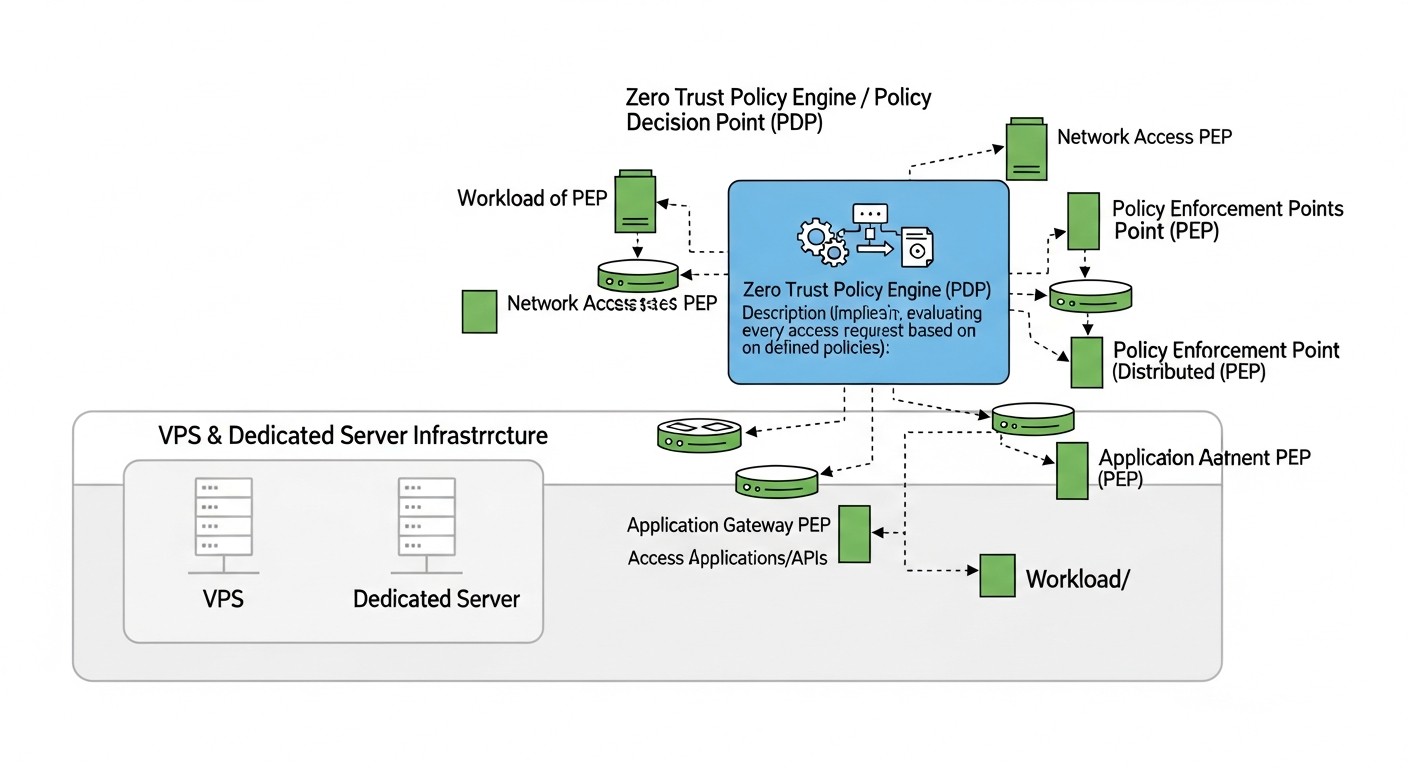 Diagram: Introduction: Why Zero Trust is Critical in 2026
In 2026, the cyber threat landscape continues to evolve rapidly, becoming increasingly complex and sophisticated. Traditional security models, based on the concept of a "protected perimeter" where everything within the network is considered trusted, have proven inadequate in the face of targeted attacks, insider threats, and the growing complexity of distributed systems. Individual VPS and dedicated servers, often perceived as an "island of security" due to their relative isolation, are in fact exposed to no less, and sometimes greater, risks, as they lack the built-in protection mechanisms inherent in large cloud providers.
We live in an era where artificial intelligence is actively used not only for defense but also for automating attacks, creating convincing phishing campaigns, and accelerating vulnerability discovery. The compromise of a single account or service can become an entry point for an attacker, who then moves unimpeded through the "trusted" internal network. This is precisely where the Zero Trust concept comes into play.
Zero Trust is not a specific product or technology, but a strategic approach to security based on the principle of "never trust, always verify." It requires strict verification of every user, device, and application attempting to access resources, regardless of whether they are inside or outside the traditional network perimeter. In the context of VPS and dedicated servers, where there is no such thing as a "corporate network" in the traditional sense, Zero Trust becomes even more relevant. It allows for the creation of a virtual "perimeter" around each resource, each service, each user.
This article is addressed to DevOps engineers, backend developers, SaaS project founders, system administrators, and CTOs of startups who manage infrastructure on VPS or dedicated servers. We will explore how to apply Zero Trust principles under resource constraints and without expensive enterprise solutions. Our goal is to provide a practical guide, filled with concrete examples, configurations, and recommendations, that will help you significantly enhance the security level of your infrastructure in 2026 and prepare for future challenges. We will delve into the details, show how to avoid common mistakes, and provide a clear action plan for creating a truly secure environment.
Key Criteria and Factors for Zero Trust Implementation
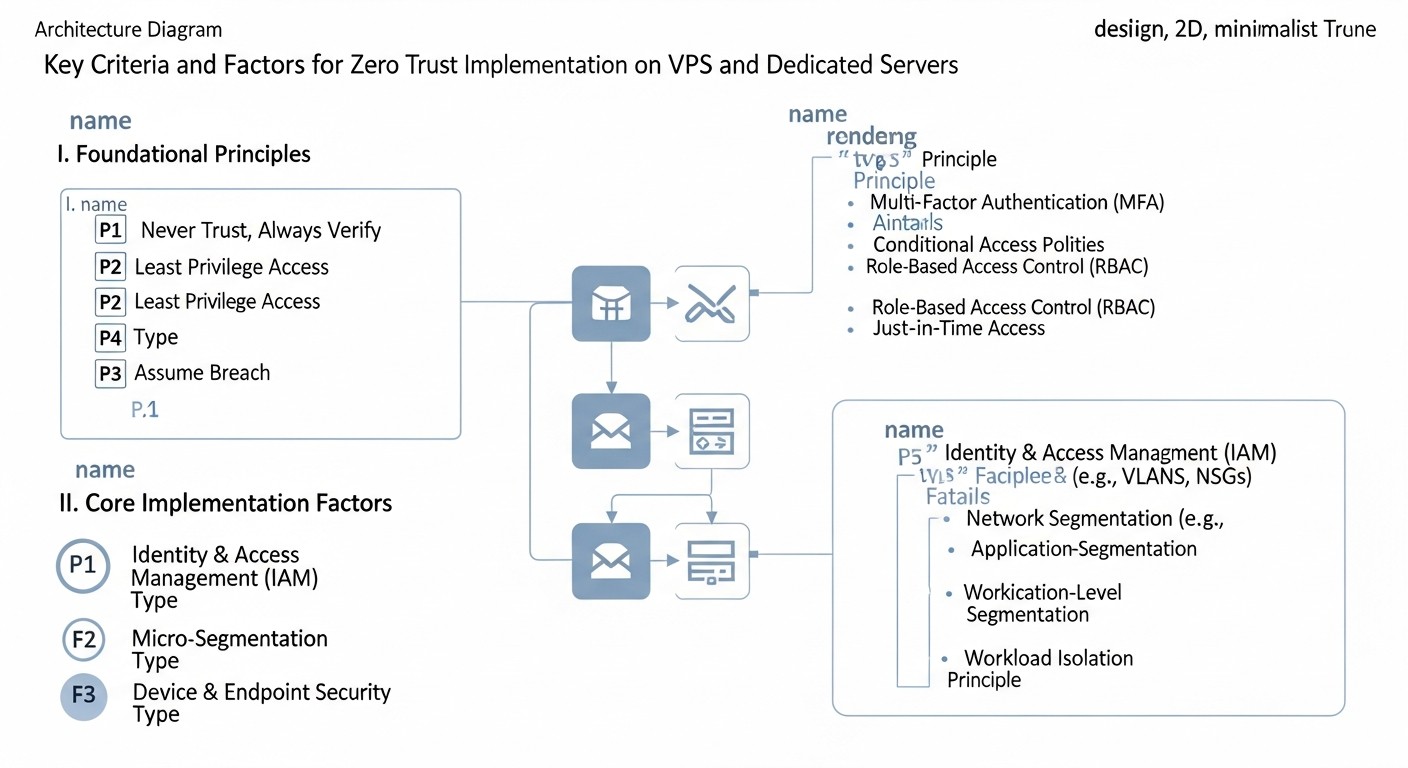 Diagram: Key Criteria and Factors for Zero Trust Implementation
Implementing Zero Trust on VPS and dedicated servers requires a deep understanding of key principles and their adaptation to your unique infrastructure. These criteria form the foundation of any Zero Trust strategy and must be carefully considered.
1. Verify Explicitly
This is the cornerstone of Zero Trust. Instead of relying on implicit trust, every user, device, and service must be explicitly authenticated and authorized for every access request. In 2026, this means not only checking login and password but also using a multitude of contextual factors.
- User Identification: Not just login/password, but MFA (multi-factor authentication) or even passwordless solutions (FIDO2 keys, biometrics). Continuous authentication is important, where the system periodically re-verifies the user's identity throughout the session.
- Device Identification: Checking the device's state (whether updates are installed, antivirus is active, configuration complies with security policies). For VPS/dedicated servers, this could involve checking SSH key fingerprints, certificates for VPN clients, or even monitoring the activity of security agents on the server itself.
- Request Context: Where is the user located (geolocation)? What time of day is it? What is the usual behavior of this user/device? Are there any anomalies in the request? For example, an attempt to access a critical database from a new country at 3 AM should raise heightened attention.
- Authorization by Least Privilege: After successful authentication, the system should grant access only to those resources necessary to perform the current task, and only for a limited time.
Why this is important: This prevents attacks based on compromised credentials or devices, as even if access is gained, the attacker will have to pass additional checks. This significantly hinders lateral movement within a compromised network.
How to evaluate: Presence of a centralized Identity and Access Management (IAM) system, widespread MFA implementation, existence of conditional access policies, the system's ability to react to context changes in real-time.
2. Micro-segmentation
Instead of one large "internal" network where everything communicates with everything, micro-segmentation divides your infrastructure into small, isolated security zones. Each service, each application, each server gets its own "mini-perimeter."
- Workload Isolation: Separating frontend, backend, database, cache, message queues, and other components into distinct logical or physical segments.
- "Whitelist" Policies: Allowing only explicitly permitted traffic between segments. Everything else is blocked by default. For example, the frontend can only communicate with the API server, and the API server — only with the database and cache.
- Host-based Firewalls: Using
iptables, nftables, or firewalld on each VPS/dedicated server to control traffic at the host level.
- VLANs/Subnets: Using logical network segmentation at the provider level (if available) or with software solutions such as VPN tunnels between servers.
Why this is important: If an attacker compromises one segment, they will not be able to easily move to others. This significantly limits the scope of potential damage and provides more time for detection and response.
How to evaluate: Presence of a clear network interaction map, minimal number of allowed firewall rules, use of the "deny by default" principle, regular auditing of network security rules.
3. Least Privilege Access
Grant users, processes, and devices only the access that is absolutely necessary to perform their current tasks, and only for the required duration. No more, no longer.
- Role-Based Access Control (RBAC): Defining roles and assigning them the minimum necessary access rights. For example, a developer may have access to test servers but not production, and a database administrator — only to the database itself, but not to the application server's file system.
- Just-in-Time (JIT) Access: Granting elevated privileges only for a short, strictly defined period (e.g., 30 minutes to complete an urgent task), after which privileges are automatically revoked.
- Segregation of Duties: Dividing critical tasks among multiple employees so that no single person has complete control over the entire system.
- Privilege Management Automation: Using tools for automatic granting and revocation of access based on workflows.
Why this is important: Minimizes potential damage in the event of an account or device compromise. If an attacker gains access to an account with limited privileges, they will not be able to perform critical actions or access sensitive data.
How to evaluate: Presence of a centralized privilege management system, regular auditing of access rights, absence of "permanent" administrative privileges, automation of privilege revocation.
4. Continuous Monitoring & Analytics
In Zero Trust, there is no concept of a "trusted" zone, so all activity must be continuously monitored and analyzed for anomalies and potential threats.
- Centralized Logging: Collecting logs from all servers, applications, firewalls, and authentication systems into a single system (e.g., ELK Stack, Graylog, Splunk).
- User and Entity Behavior Analytics (UEBA): Analyzing access and activity patterns to identify deviations from the norm. For example, if a user usually logs in from Moscow and suddenly tries to log in from New York, this could be suspicious.
- Intrusion Detection/Prevention Systems (IDS/IPS): Using host-based (HIDS, e.g., OSSEC, Wazuh) and/or network-based (NIDS) systems to detect and prevent attacks.
- Vulnerability Analysis: Regular scanning of the system for known vulnerabilities and misconfigurations.
- Performance and Security Metrics: Tracking indicators that may suggest compromise (e.g., unusually high traffic, increased CPU load, access errors).
Why this is important: Allows for quick detection and response to security incidents, even if an attacker has bypassed initial protective measures. In 2026, as attacks become increasingly stealthy, continuous monitoring is the only way to stay one step ahead.
How to evaluate: Presence of a functioning SIEM system, automated alerts for anomalies, regular security status reports, ability to quickly respond to incidents.
5. Automation & Orchestration
Implementing Zero Trust without automation becomes an insurmountable task. Automation is essential for scaling, maintaining policy consistency, and rapid response.
- Automated Deployment and Configuration Management: Using Ansible, Puppet, Chef, or Terraform to ensure consistent security configurations across all servers.
- Automated Access Management: Integrating IAM systems with CI/CD pipelines for automatic granting and revocation of access.
- Security Orchestration, Automation, and Response (SOAR): Scripts or systems that automatically block suspicious traffic, isolate compromised nodes, or notify administrators upon threat detection.
- Automated Updates and Patching: Systems that ensure timely application of security updates to all infrastructure components.
Why this is important: Reduces the likelihood of human error, accelerates the deployment of secure configurations, and ensures quick and effective incident response, which is critically important in the rapidly evolving threat landscape of 2026.
How to evaluate: High level of automation in infrastructure management, availability of playbooks for incident response, minimal manual security-related operations.
6. Assume Breach
This principle means that you should always design and operate your infrastructure based on the assumption that a compromise will occur sooner or later. The goal is to minimize the consequences of such a breach.
- Isolation and Segmentation: The micro-segmentation mentioned above is a key element of this principle.
- Encryption Everywhere: Encrypting data at rest and in transit. This includes disk encryption, SSL/TLS for all communications, and database encryption.
- Regular Backup and Recovery: Verified and isolated backups that can be quickly restored in case of compromise or ransomware attack.
- Incident Response Plans: Clearly defined procedures for a breach, including detection, containment, eradication, and recovery.
- Penetration Testing (Pentesting) and Red Teaming: Regular attack simulations to identify weaknesses and verify the effectiveness of protective measures.
Why this is important: Allows for preparation for the worst-case scenario and ensures business resilience even after a successful attack, which is becoming increasingly relevant in 2026 with the rise of targeted and destructive cyberattacks.
How to evaluate: Presence of up-to-date incident response plans, regular disaster recovery drills, use of encryption by default, conducting regular penetration tests.
Comparative Table of Zero Trust Approaches on VPS/Dedicated Servers
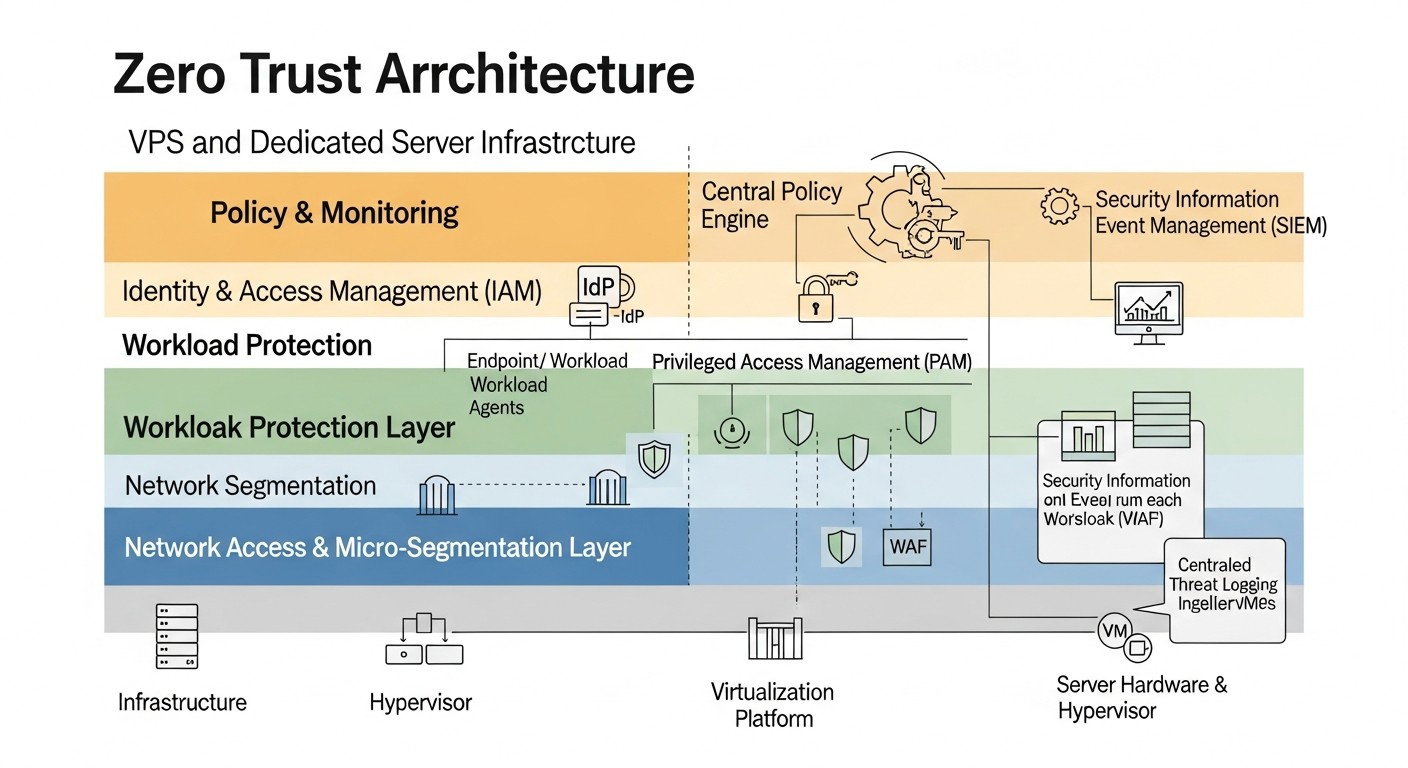 Diagram: Comparative Table of Zero Trust Approaches on VPS/Dedicated Servers
Choosing specific tools and approaches for implementing Zero Trust principles on VPS and dedicated servers can be a challenging task. In the table below, we compare several common strategies and technologies, relevant for 2026, in terms of their applicability, cost, and implementation complexity.
| Criterion |
Native Approach (OS + Open Source) |
Network Zero Trust (SDP/ZTNA) |
Identity Zero Trust (IAM + PAM) |
Container/Service Mesh Zero Trust |
AI-Enhanced Monitoring (2026 Trend) |
| Key Technologies / Tools |
iptables/nftables, WireGuard/OpenVPN, FreeIPA/OpenLDAP, OSSEC/Wazuh, Vault (HashiCorp), Ansible, ELK Stack. |
Cloudflare Zero Trust, Tailscale, ZeroTier, OpenZiti, Twingate. |
Keycloak, FreeIPA, HashiCorp Vault, Apache Syncope, Teleport (Proxy/PAM). |
Docker/Podman, Kubernetes (K3s), Istio/Linkerd, Cilium. |
Elastic Security (SIEM with ML), Wazuh (AI modules), CrowdStrike Falcon (EDR), Vectra AI, custom ML models on logs. |
| Zero Trust Principle Enhanced |
Microsegmentation, Explicit Verification (basic), Least Privilege (basic), Monitoring. |
Explicit Verification, Least Privilege, Assume Breach (isolation). |
Explicit Verification, Least Privilege, Automation. |
Microsegmentation, Explicit Verification (for services), Assume Breach. |
Continuous Monitoring, Automation (response), Explicit Verification (behavioral analysis). |
| Implementation Complexity (1-5, 5-difficult) |
3 (requires deep OS and network knowledge) |
2 (relatively simple for small teams, SaaS solutions) |
4 (significant effort for integration and configuration) |
4-5 (requires mastering containerization and orchestration) |
3-5 (depends on integration depth and ML customization) |
| Approximate Cost (per month for 5-10 servers, 2026) |
0 - 150 USD (depends on paid extensions/support for Open Source) |
50 - 500 USD (SaaS subscriptions, depends on number of users/traffic) |
0 - 300 USD (Open Source is free, but paid support/commercial versions may be required) |
0 - 200 USD (Open Source is free, but there are costs for computing resources) |
200 - 1500 USD (SaaS platforms, SIEM with ML licenses, expert services) |
| Main Advantages |
Full control, flexibility, low direct costs, vendor independence. |
Fast deployment, ease of management, infrastructure concealment, efficient remote access. |
Centralized access management, strong authentication, JIT access, auditing. |
Granular service isolation, traffic management between microservices, built-in security policies. |
Early anomaly detection, reduction of false positives, automatic identification of complex threats. |
| Main Disadvantages |
High entry barrier, requires experts, potential configuration errors, manual scaling. |
Reliance on a third-party provider, potential traffic latency, not always full network control. |
Complexity of initial setup, need for integration with all applications. |
Architectural complexity, high entry barrier, additional resource overhead. |
High cost, requires large volumes of data for training, may produce false positives initially. |
| Suitable for |
Small and medium teams with strong technical expertise, limited budget. |
Teams needing fast and secure remote access, public service concealment. |
Any teams serious about access and identity management. |
Projects using microservices and containerization, DevOps-oriented teams. |
Medium and large projects willing to invest in advanced monitoring and proactive protection. |
Detailed Overview of Each Zero Trust Item/Option
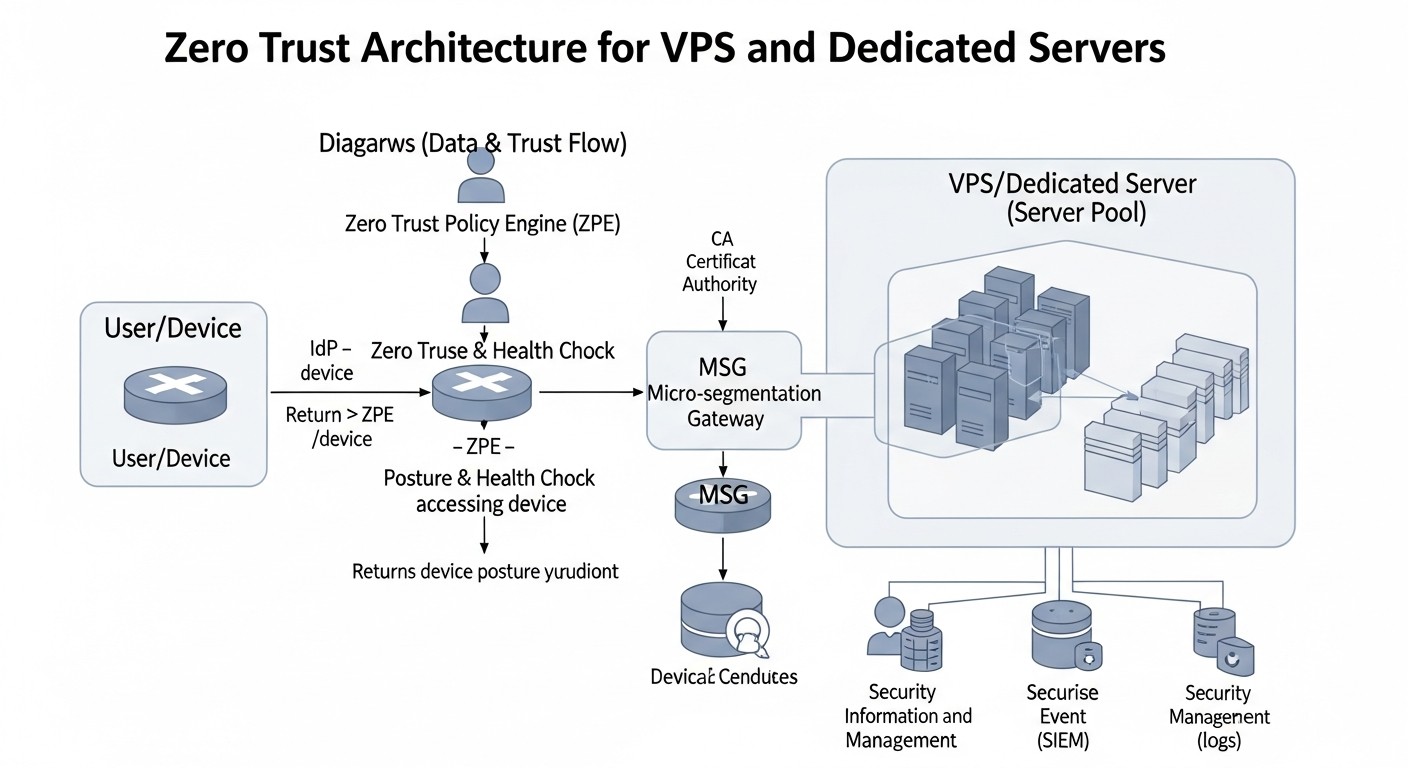 Diagram: Detailed Overview of Each Zero Trust Item/Option
Let's delve into each of the approaches presented in the comparison table to understand their strengths and weaknesses, as well as their application scenarios in 2026.
1. Native Approach (OS + Open Source)
This approach involves using built-in operating system mechanisms (Linux) and mature Open Source solutions. It provides maximum control and flexibility but requires deep knowledge and significant effort for configuration and support.
Pros: Complete independence from vendors and their licensing policies. No direct licensing costs. Maximum customization for specific requirements. High performance due to the absence of unnecessary abstractions. Deep understanding of system operation at a low level, which contributes to more effective troubleshooting. In 2026, many Open Source projects have reached maturity and offer stable, secure solutions actively supported by the community. This allows for the creation of truly robust security systems if the team has sufficient expertise.
Cons: High barrier to entry. Requires a team with deep knowledge of Linux, networking technologies, cryptography, and security. Manual management can lead to configuration errors, especially without automation. Scaling requires significant automation efforts (e.g., using Ansible). Deployment and configuration time is significantly higher than with SaaS solutions. Support and updating of all components fall on the team, which can be resource-intensive.
Who it's for: Small and medium-sized startups with a strong DevOps/SysAdmin team willing to invest time in learning and configuration. Projects with highly sensitive data where complete control over every aspect of security is required. Companies that want to avoid dependence on cloud providers or commercial solutions. For example, if you are developing your own SaaS and want maximum control over your infrastructure with minimal operational costs for third-party services, this approach can be ideal.
Use cases:
- Using
nftables for microsegmentation between services on a single server or across multiple VPS.
- Configuring WireGuard VPN for secure access to the internal server network.
- Implementing FreeIPA for centralized user and SSH key management.
- Deploying HashiCorp Vault for secrets management and dynamic credentials.
- Collecting logs with
rsyslog and aggregating them into an ELK Stack for monitoring.
2. Network Zero Trust (SDP/ZTNA)
Software-Defined Perimeter (SDP) or Zero Trust Network Access (ZTNA) is an approach where access to resources is granted only after strict user and device authentication, and only to specific applications, not the entire network. The infrastructure becomes "invisible" to unauthorized users.
Pros: Significantly simplifies remote access and makes it more secure than traditional VPNs. Hides infrastructure from the public internet, reducing the attack surface. Rapid deployment (especially with SaaS providers). Centralized management of access policies. Support for conditional access (e.g., access only from corporate devices). In 2026, these solutions have become even more mature, offering deep integration with IAM and EDR systems, as well as improved performance.
Cons: Dependence on a third-party provider (if it's a SaaS solution), which can raise questions about data privacy and service availability. Potential traffic delays due to passing through the provider's proxy servers. Can be more expensive than Open Source solutions, especially with a large number of users or high traffic volume. Does not always provide full control over the network layer, which can be a limitation for very specific configurations. Some solutions may be less flexible in integrating with unique internal systems.
Who it's for: Teams with distributed employees who need secure access to internal resources. SaaS projects that want to maximize hiding their infrastructure from the public internet and simplify access management. Companies that want to quickly implement Zero Trust without deep investments in their own development and support. For example, a startup actively hiring remote employees worldwide can use Cloudflare Zero Trust to provide secure access to its servers and internal tools without worrying about configuring and maintaining a complex VPN infrastructure.
Use cases:
- Using Cloudflare Zero Trust Tunnel to connect servers to the Cloudflare network and provide access to them via browser or SSH after authentication.
- Implementing Tailscale to create a mesh network between all VPS, developers, and even mobile devices, using WireGuard.
- Using Twingate to create secure access to internal applications without needing to open ports to the internet.
3. Identity Zero Trust (IAM + PAM)
This approach focuses on Identity and Access Management (IAM) and Privileged Access Management (PAM). It ensures that only authorized users can access critical resources, and only with the minimum necessary privileges.
Pros: Centralized management of all accounts and access rights, which significantly simplifies auditing and compliance. Enforced strict password policies, MFA, and JIT access. Reduced risk of privilege abuse. Enhanced security for administrative accounts. In 2026, IAM/PAM systems offer advanced features such as risk-based adaptive authentication, integration with behavioral analytics, and automated account lifecycle management.
Cons: Complexity of initial setup and integration with all existing applications and services. Requires changes to workflows for using JIT access and other features. Can be costly if commercial solutions are used. Maintaining the relevance of roles and privileges requires continuous effort. If the IAM/PAM system is compromised, it can have catastrophic consequences, so its protection must be a priority.
Who it's for: Any company that takes access management seriously and wants to minimize risks associated with privileged accounts. Particularly relevant for teams with a large number of employees or contractors who require access to sensitive systems. Example: A SaaS company with several dozen developers and system administrators who need access to production servers, databases, and monitoring tools. Implementing Keycloak for SSO and centralized authentication, as well as HashiCorp Vault for secrets management and dynamic credentials, will significantly enhance security.
Use cases:
- Using Keycloak as a centralized IdP for all internal and external applications, with MFA support.
- Implementing FreeIPA for centralized SSH key management, LDAP authentication for services, and Kerberos for inter-service authentication.
- Using Teleport to provide Just-in-Time access to servers, databases, and Kubernetes clusters with full session auditing.
- Configuring HashiCorp Vault to issue temporary SSH certificates and dynamic database credentials.
4. Container/Service Mesh Zero Trust
This approach focuses on microservice architectures deployed in containers (Docker, Podman) and managed by orchestrators (Kubernetes, K3s). A Service Mesh (Istio, Linkerd) adds a layer of traffic management and security between services.
Pros: Highly granular microsegmentation at the level of individual microservices. Automatic mutual TLS encryption between services (mTLS). Centralized management of traffic and security policies. Built-in capabilities for observability (metrics, logs, tracing). Simplified implementation of "whitelist" policies for inter-service communication. In 2026, containerization and orchestration have become standard, and Service Mesh solutions offer more mature and performant security features, including automatic enforcement of Zero Trust policies.
Cons: High architectural complexity and a significant barrier to entry. Requires mastering Kubernetes and the chosen Service Mesh. Adds resource overhead (memory, CPU) due to proxy containers (sidecars). Troubleshooting can be complex due to multiple layers of abstraction. Not always applicable for "monolithic" applications or simple VPS where orchestration is not necessary. For VPS and dedicated servers, this usually means deploying a lightweight Kubernetes cluster, such as K3s.
Who it's for: Teams developing and deploying microservices. Projects that already use containerization and are considering migrating to Kubernetes (or already use it). Companies that need highly granular security at the level of individual services. Example: A SaaS project transitioning from a monolithic architecture to a microservice architecture deployed on multiple VPS using K3s. Implementing Linkerd will ensure secure mTLS communication between all microservices, guaranteeing that only authorized services can communicate with each other.
Use cases:
- Deploying K3s on multiple VPS to create a lightweight Kubernetes cluster.
- Implementing Linkerd for automatic mTLS between microservices and applying authorization policies.
- Using Cilium for network policy at the CNI level, providing granular microsegmentation based on service identities.
- Configuring Docker/Podman with strict security policies (AppArmor/SELinux) for container isolation.
5. AI-Enhanced Monitoring (2026 Trend)
This approach leverages the capabilities of artificial intelligence and machine learning to analyze vast volumes of security data (logs, metrics, network traffic) to identify anomalies, threats, and suspicious behavior that might be unnoticeable to humans or traditional rules.
Pros: Significantly increases the effectiveness of detecting complex and "zero-day" attacks. Reduces false positives by learning from real data. Automates event analysis and correlation, shortening detection and response times. Allows for identifying hidden patterns of attacker behavior. In 2026, AI monitoring systems have become more accessible and accurate, capable of analyzing user and system behavioral anomalies in real-time, predicting potential threats before they fully develop.
Cons: High implementation and support costs, especially for commercial solutions. Requires large volumes of high-quality data for model training. Can produce false positives in initial stages or when normal system behavior changes. Requires experts for setup, calibration, and interpretation of results. Complexity of integration with existing infrastructure. Dependence on the quality of input data — "garbage in, garbage out."
Who it's for: Medium to large projects with high traffic volumes and complex infrastructure, willing to invest in advanced protection tools. Companies facing highly skilled and targeted attacks. For SaaS projects whose reputation and customer data are critically important. Example: A SaaS platform processing sensitive financial customer data uses Elastic Security with machine learning modules to analyze logs and detect anomalies in user and system behavior. This helps uncover insider threats or attempts to bypass defenses that would not be noticed by standard rules.
Use cases:
- Using Elastic Security (or another SIEM with ML modules) to analyze logs and network traffic for anomalies.
- Integrating Wazuh HIDS with behavioral analysis to detect deviations in host activity.
- Developing custom ML models to analyze application-specific logs and identify anomalous API request behavior.
- Applying EDR solutions (Endpoint Detection and Response) with AI features, such as CrowdStrike Falcon, for deep monitoring and threat response at the server level.
Practical Tips and Recommendations for Implementing Zero Trust
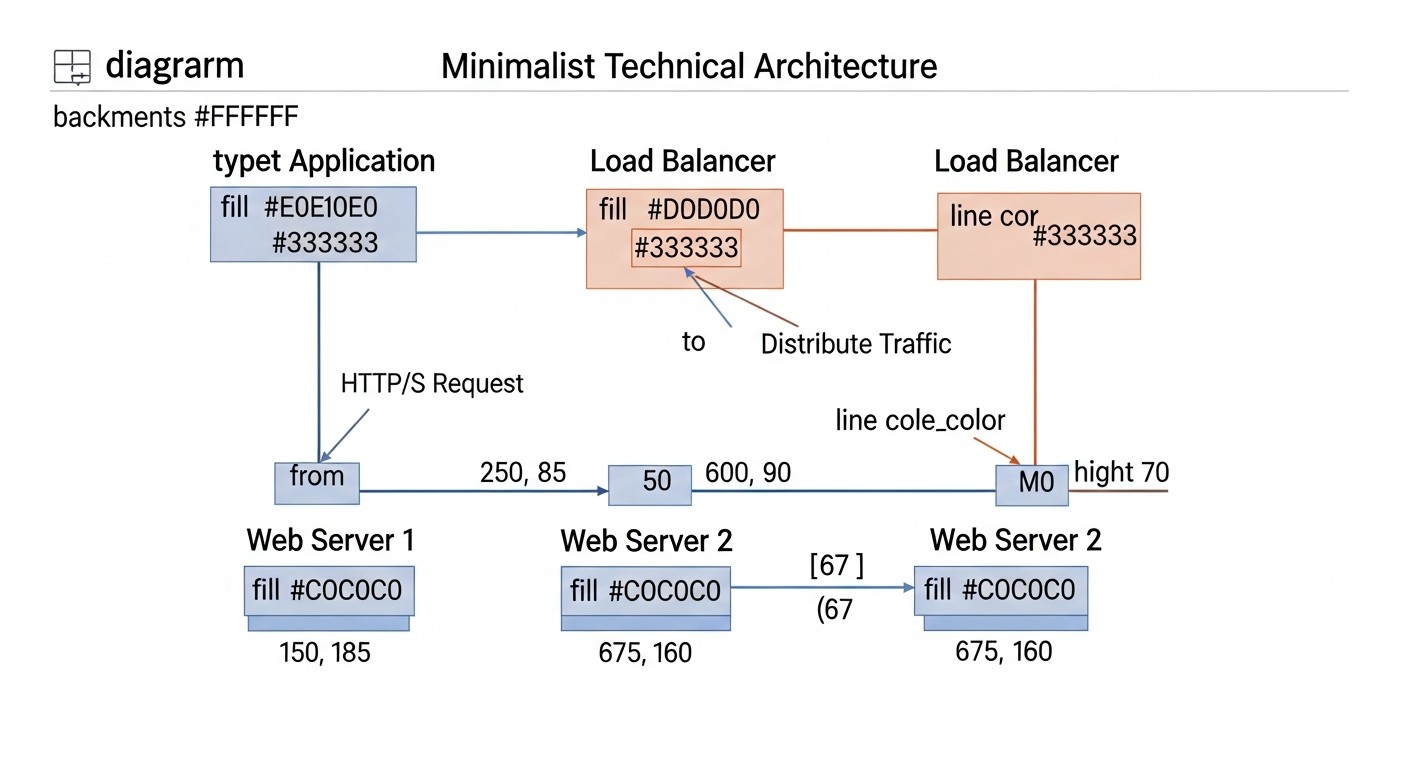 Diagram: Practical Tips and Recommendations for Implementing Zero Trust
Implementing Zero Trust is not a one-time project, but a continuous process. Here are step-by-step instructions, commands, and configuration examples to help you get started.
1. Inventory and Mapping
Before changing anything, you must know exactly what you have.
Step 1: Create a complete list of all servers, services, applications, databases, accounts, and their interdependencies.
Step 2: Determine what data is stored on each server and its sensitivity.
Step 3: Draw a map of data flows and network interactions. This is critically important for planning microsegmentation.
# Example command for inventorying open ports on Linux
sudo netstat -tulpn | grep LISTEN
# or
sudo ss -tulpn | grep LISTEN

# Example for viewing installed packages
dpkg -l # Debian/Ubuntu
rpm -qa # CentOS/RHEL
Practical Example: Use tools like nmap to scan your own infrastructure from outside and inside to understand which ports are actually open. Document each service, its purpose, and who accesses it.
2. Strengthening Authentication and Authorization
Implementing MFA and strict access policies is the first and most important step.
Step 1: Enable MFA for all accounts that have access to servers (SSH, VPS control panel, Git repositories, CI/CD).
Step 2: Use SSH keys instead of passwords for server access. Protect keys with a passphrase.
Step 3: Set up a centralized Identity and Access Management (IAM) system for all users and services. FreeIPA or Keycloak are excellent Open Source options.
# Example SSH configuration to disable password authentication
# Edit /etc/ssh/sshd_config
PasswordAuthentication no
ChallengeResponseAuthentication no
UsePAM yes # If you are using PAM for MFA
AuthenticationMethods publickey,keyboard-interactive # publickey OR keyboard-interactive (for MFA)
KbdInteractiveAuthentication yes # For PAM-based MFA
# Restart the SSH service
sudo systemctl restart sshd
Practical Example: Integrate Google Authenticator (or FreeOTP) with PAM for SSH access. Install libpam-google-authenticator and configure it for each user. This will provide two-factor authentication for SSH logins.
3. Microsegmentation using Firewalls
Divide your network into logical segments and apply strict firewall rules.
Step 1: Determine which services need to communicate with each other.
Step 2: Configure nftables or iptables on each server, allowing only necessary traffic.
# Example nftables rules for microsegmentation
# Assume you have a web server (80/443) that communicates with a database (3306)
# and a database server that only accepts connections from the web server.

# On the web server:
sudo nft add table ip filter
sudo nft add chain ip filter input { type filter hook input priority 0; policy drop; }
sudo nft add chain ip filter output { type filter hook output priority 0; policy accept; } # Open outgoing
sudo nft add rule ip filter input ip saddr { 127.0.0.1/8,  } accept
sudo nft add rule ip filter input tcp dport { 80, 443 } accept # Allow HTTP/HTTPS from outside
sudo nft add rule ip filter input ct state established,related accept # Allow responses to outgoing
sudo nft add rule ip filter input drop # Drop everything else

# On the database server (assume web server IP is 192.168.1.10):
sudo nft add table ip filter
sudo nft add chain ip filter input { type filter hook input priority 0; policy drop; }
sudo nft add chain ip filter output { type filter hook output priority 0; policy accept; }
sudo nft add rule ip filter input ip saddr { 127.0.0.1/8,  } accept
sudo nft add rule ip filter input ip saddr 192.168.1.10 tcp dport 3306 accept # Allow only from web server
sudo nft add rule ip filter input ct state established,related accept
sudo nft add rule ip filter input drop
Practical Example: Use Ansible to automatically deploy and manage nftables rules on all your servers, ensuring consistency and reducing the risk of errors.
4. Implementing the Principle of Least Privilege
Do not grant anyone more rights than they need.
Step 1: Create separate system users for each application/service.
Step 2: Use sudo with the minimum necessary privileges instead of direct root access.
Step 3: Configure JIT access for administrative tasks, using, for example, Teleport or HashiCorp Vault.
# Example sudoers configuration for JIT access (part of /etc/sudoers.d/devops config)
# Allows user 'devops_user' to perform service restart for nginx without a password
devops_user ALL=(ALL) NOPASSWD: /usr/sbin/service nginx restart

# A more secure approach using Teleport (via proxy)
# The user requests access to the server via Teleport,
# Teleport issues a temporary SSH certificate with limited rights.
tsh login --proxy=teleport.example.com --auth=github
tsh ssh --request-roles=admin-role web-01.example.com # Request administrator role
Practical Example: For databases, create separate accounts for each microservice with rights only to the tables it interacts with. For example, the "Orders" microservice only has access to the orders and order_items tables, not the entire database.
5. Continuous Monitoring and Logging
Collect, analyze, and respond to all security events.
Step 1: Implement a centralized logging system (ELK Stack, Graylog).
Step 2: Use HIDS (OSSEC, Wazuh) to monitor file integrity, system calls, and user activity on each server.
Step 3: Configure alerts for critical events (login attempts from unknown IPs, changes to critical files, unusual network traffic).
# Example rsyslog configuration to send logs to a central server
# Edit /etc/rsyslog.conf on each client
. @192.168.1.20:514 # Send all logs to SIEM server 192.168.1.20 via UDP 514

# Example Wazuh Agent installation
# Download and install the agent according to Wazuh documentation for your OS
# After installation, edit /var/ossec/etc/ossec.conf

  192.168.1.20 # IP of your Wazuh Manager

# Restart Wazuh Agent
sudo systemctl restart wazuh-agent
Practical Example: Configure Grafana to visualize security metrics (login attempts, firewall-blocked packets) and integrate it with Prometheus. Create dashboards that show anomalies in real-time.
6. Data Encryption
Encrypt everything: data at rest and in transit.
Step 1: Use HTTPS (Let's Encrypt) for all web services.
Step 2: Encrypt disks on servers (LUKS).
Step 3: Use mTLS for inter-service communication, if possible (e.g., with Service Mesh).
# Example command for encrypting a disk partition with LUKS (during installation or with caution on a live system)
# This is an example, requires understanding of disk operations
sudo cryptsetup luksFormat /dev/vdb1 # Partition formatting
sudo cryptsetup luksOpen /dev/vdb1 my_encrypted_data # Opening the partition
sudo mkfs.ext4 /dev/mapper/my_encrypted_data # Creating a file system
sudo mount /dev/mapper/my_encrypted_data /mnt/data # Mounting

# Example of obtaining a Let's Encrypt certificate with certbot
sudo apt install certbot python3-certbot-nginx # Installation for Nginx
sudo certbot --nginx -d yourdomain.com -d www.yourdomain.com # Obtaining and configuring
Practical Example: When deploying a new VPS, always choose the disk encryption option if available. If not, consider using dm-crypt/LUKS to encrypt data before writing it to disk, especially for critical data and databases.
7. Automation and Infrastructure as Code (IaC)
Automate everything possible to ensure consistency and speed.
Step 1: Use Ansible, Terraform, or Puppet for server configuration management and application deployment.
Step 2: Implement CI/CD pipelines for automated code testing and deployment.
Step 3: Automate package updates and security patch application.
# Example Ansible playbook for firewall configuration
# file: firewall.yml
- name: Configure nftables for web server
  hosts: webservers
  become: yes
  tasks:
    - name: Ensure nftables is installed
      ansible.builtin.apt:
        name: nftables
        state: present
    - name: Copy nftables configuration
      ansible.builtin.copy:
        src: files/nftables.conf
        dest: /etc/nftables.conf
        mode: '0640'
      notify: Restart nftables
    - name: Enable and start nftables service
      ansible.builtin.service:
        name: nftables
        state: started
        enabled: yes
  handlers:
    - name: Restart nftables
      ansible.builtin.service:
        name: nftables
        state: restarted
Practical Example: Use Terraform to describe your infrastructure (VPS, network rules at the provider) and Ansible to configure the operating system and install applications. This ensures that every new server is deployed with consistent security policies.
Typical Mistakes in Zero Trust Implementation
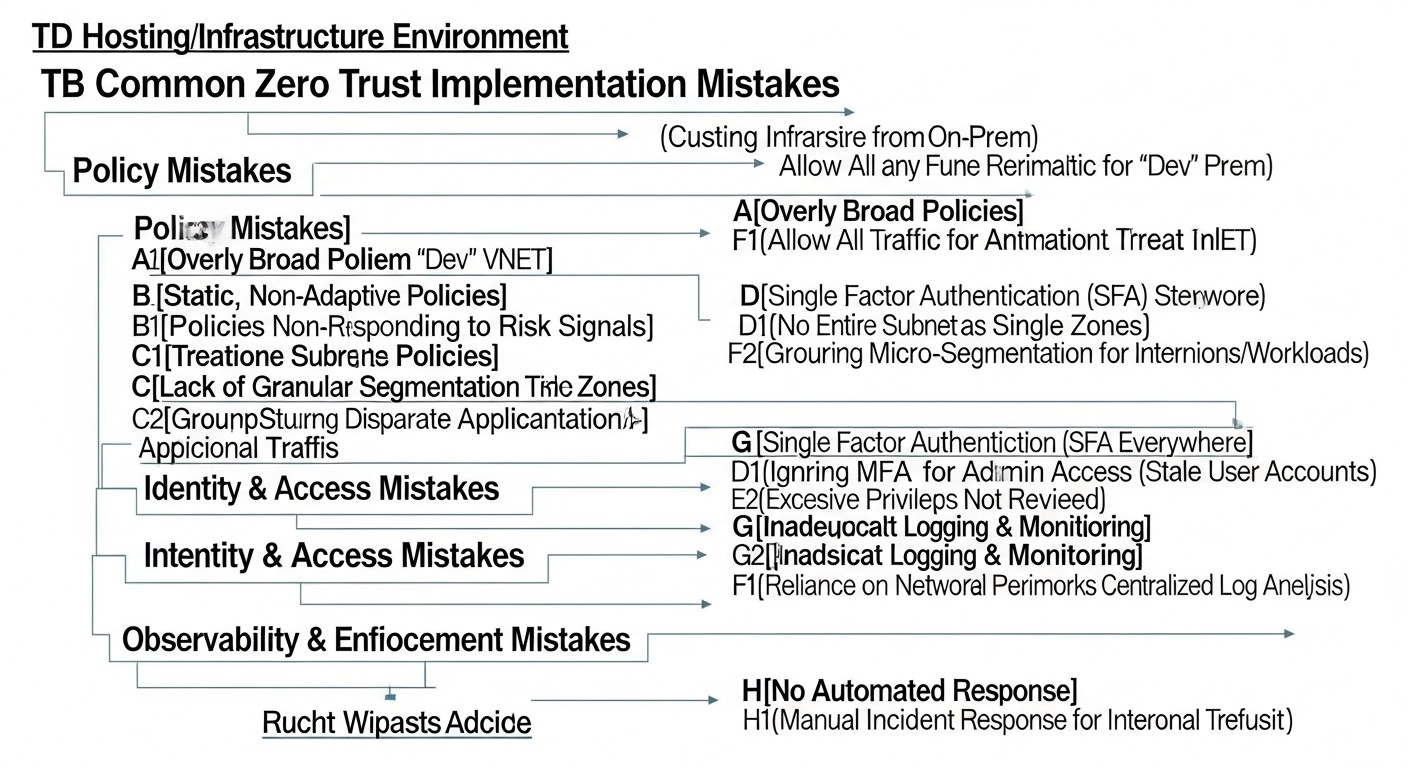 Diagram: Typical Mistakes in Zero Trust Implementation
Implementing Zero Trust is a complex process, and it's easy to make mistakes along the way that can undermine all efforts to improve security. Here are at least 5 common mistakes and how to avoid them.
1. The "All or Nothing" Approach
Mistake: Attempting to implement all Zero Trust principles across the entire infrastructure at once. This leads to team overload, prolonged downtime, conflicts, and ultimately, project failure due to its complexity.
How to avoid: Adopt an iterative approach. Start with the most critical assets or the least complex components to implement. For example, first implement MFA for administrative access, then microsegmentation for one critical service, then JIT access. Break the project into small, manageable stages. Celebrate small victories and gradually expand the scope. In 2026, this approach has become even more relevant, as system complexity grows, and "big bang" implementations are almost always doomed to fail.
Real-world consequence example: A SaaS company attempted to implement full Zero Trust with Service Mesh, a new IAM, and complete microsegmentation within 6 months. The project dragged on for 1.5 years, caused team burnout, numerous production failures due to misconfiguration, and was ultimately scaled back without achieving all its goals. As a result, they reverted to less ambitious but more manageable stages.
2. Forgetting Inventory and Mapping
Mistake: Starting Zero Trust implementation without a complete understanding of the current infrastructure state, all assets, their interdependencies, and data flows. This leads to the creation of "blind spots," incorrect security policies, and potential vulnerabilities.
How to avoid: Conduct a thorough inventory of all assets (servers, applications, databases, APIs, accounts), their roles, owners, and data sensitivity. Create detailed maps of network interactions and data flows. Use automated tools for asset and dependency discovery. Regularly update this documentation. In 2026, many tools exist for automatic discovery and mapping of dependencies in dynamic environments.
Real-world consequence example: A startup implemented microsegmentation without knowing about an old, rarely used API server that communicated with the database over a non-standard port. This server remained unprotected, became an entry point for attackers, and led to a data breach, despite all efforts to secure the main infrastructure.
3. Ignoring User Experience
Mistake: Implementing strict security policies (e.g., frequent re-authentication, complex MFA, JIT access) without considering the convenience for end-users (developers, system administrators). This leads to policy circumvention, the use of "shadow" access methods, and resistance to change.
How to avoid: Involve users in the design process. Explain the benefits of Zero Trust to them. Seek a balance between security and convenience. Use modern, user-friendly MFA solutions (e.g., FIDO2 keys, biometrics). Automate processes to minimize manual actions. In 2026, passwordless authentication and adaptive access solutions have become much more mature, allowing for improved UX without compromising security.
Real-world consequence example: A DevOps team implemented MFA for SSH that required entering a long code from a phone every 15 minutes. Developers, tired of constant interruptions, began sharing SSH keys or using VNC for remote access, completely bypassing the new policies and creating even greater security risks.
4. Insufficient Monitoring and Logging
Mistake: Implementing Zero Trust without adequate monitoring, log aggregation, and analytics systems. Without these, it's impossible to detect anomalies, evaluate policy effectiveness, or respond promptly to incidents. Zero Trust is not just about prevention, but also rapid detection.
How to avoid: From the outset, plan for centralized logging from all sources (firewalls, authentication systems, applications, OS). Implement a SIEM system (Elastic Security, Graylog, Splunk) and configure alerts for key events and anomalies. Use HIDS/NIDS for an additional layer of detection. Regularly review logs and reports. In 2026, actively use AI/ML for log analysis to identify hidden threats that human eyes or simple rules might miss.
Real-world consequence example: A company implemented microsegmentation and strict access policies but failed to configure adequate monitoring. When one of the servers was compromised through a vulnerability in old software, the attacker was able to move within the restricted segment for a long time before being detected, because no one was tracking anomalous network connections from within the segment.
5. Lack of Automation and Outdated Policies
Mistake: Manual management of Zero Trust policies, firewall configurations, and privileges. In a dynamic environment, this leads to rapid policy obsolescence, errors, and "configuration drift," where the actual state differs from the desired state.
How to avoid: Implement Infrastructure as Code (IaC) using Terraform, Ansible, or Puppet to manage the entire infrastructure and security policies. Automate the deployment, updating, and revocation of privileges. Integrate security policies into CI/CD pipelines. Regularly audit configuration compliance. Use automated tools to verify policy relevance. In 2026, manual infrastructure and security management is considered an anti-pattern.
Real-world consequence example: In one company, firewall rules for 50 VPS were managed manually. When a new port needed to be opened for a new service, the administrator forgot to close it after testing. Later, when the service was deployed on a different port, the old rule was never removed, leaving an open vulnerability that was exploited for a DDoS attack.
Checklist for Practical Zero Trust Implementation
This checklist will help you structure the process of implementing Zero Trust principles on your VPS and dedicated server infrastructure. Go through the items sequentially, marking completed tasks.
- Preparation and Planning:
- [ ] Conduct a full inventory of all assets (servers, applications, databases, users, APIs).
- [ ] Create a map of network interactions and data flows between all infrastructure components.
- [ ] Identify critical assets and data requiring priority protection.
- [ ] Form a Zero Trust implementation team and assign responsibilities.
- [ ] Develop a phased implementation plan, starting with small, manageable steps.
- Identity and Access Management (IAM):
- [ ] Implement a centralized identity management system (e.g., FreeIPA, Keycloak, LDAP).
- [ ] Ensure multi-factor authentication (MFA) for all administrative accounts (SSH, control panels, CI/CD).
- [ ] Configure MFA for all users with access to internal resources.
- [ ] Disable password authentication for SSH, use only SSH keys (protected by a passphrase).
- [ ] Implement the principle of least privilege (RBAC) for all users and services.
- [ ] Consider implementing Just-in-Time (JIT) access for privileged operations (e.g., via Teleport).
- [ ] Automate account lifecycle management (creation, modification, deletion).
- Network Microsegmentation:
- [ ] Define logical service groups and their dependencies.
- [ ] Configure host firewalls (
nftables/iptables) on all servers with a "deny by default" policy.
- [ ] Allow only explicitly necessary traffic between segments/services.
- [ ] Isolate critical services (databases, administrative panels) in separate network segments.
- [ ] Use VPN (WireGuard, OpenVPN) or ZTNA solutions (Tailscale, Cloudflare Zero Trust) for secure remote access to the internal network.
- [ ] Consider using Service Mesh (Istio, Linkerd) for microsegmentation at the microservice level, if containerization is used.
- Monitoring, Logging, and Response:
- [ ] Implement a centralized log collection system (SIEM: ELK Stack, Graylog, Splunk).
- [ ] Configure log collection from all servers, applications, firewalls, and authentication systems.
- [ ] Deploy a Host Intrusion Detection System (HIDS: OSSEC, Wazuh) on all servers.
- [ ] Configure alerts for key security events and anomalies (brute-force attempts, critical file changes, unusual traffic).
- [ ] Regularly conduct vulnerability analysis and security scanning.
- [ ] Develop and test an incident response plan.
- [ ] Consider implementing AI/ML analytics for detecting complex threats (UEBA).
- Data Protection and Encryption:
- [ ] Ensure encryption of all data in transit (TLS/HTTPS for all web services, mTLS for inter-service communications).
- [ ] Implement encryption of data at rest (LUKS disk encryption for critical servers, database encryption).
- [ ] Use HashiCorp Vault or similar tools for secure storage and management of secrets (API keys, credentials).
- [ ] Regularly create and test data backups, storing them in isolation and with encryption.
- Automation and Infrastructure as Code (IaC):
- [ ] Use IaC tools (Terraform, Ansible) to manage the entire infrastructure and security configurations.
- [ ] Integrate security policies into CI/CD pipelines.
- [ ] Automate the deployment and configuration of firewalls, monitoring agents, and IAM components.
- [ ] Automate the process of package updates and security patch application.
- [ ] Implement regular configuration audits to prevent "drift."
- Testing and Auditing:
- [ ] Conduct regular internal and external vulnerability scans.
- [ ] Organize periodic penetration tests (pentests) to assess the effectiveness of protective measures.
- [ ] Regularly audit access rights and security policies.
- [ ] Conduct incident response drills.
Cost Calculation / Economics of Zero Trust Implementation
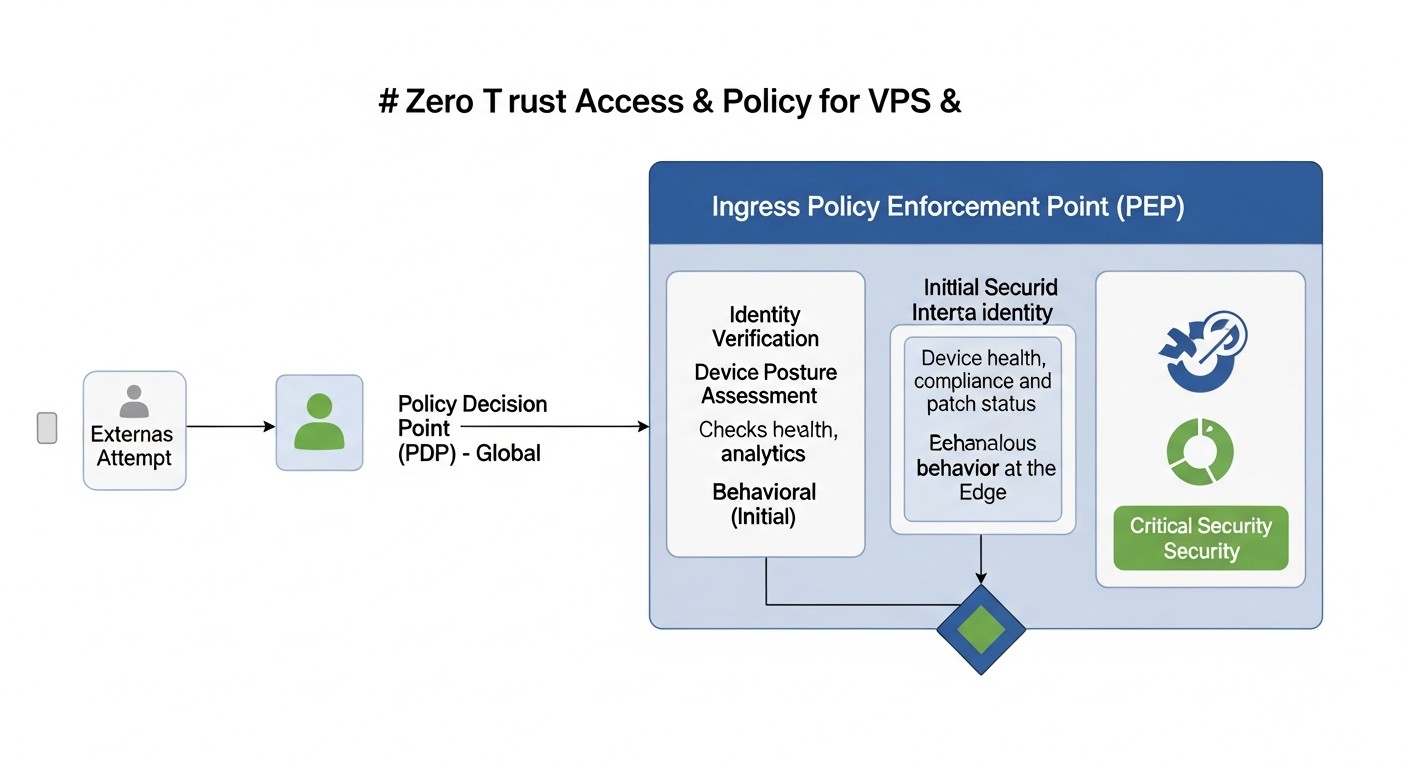 Diagram: Cost Calculation / Economics of Zero Trust Implementation
Implementing Zero Trust, especially on VPS and dedicated servers, is often perceived as a costly undertaking. However, in 2026, the cost of inaction in the face of cyber threats significantly outweighs investments in security. It's important to understand that "cost" includes not only direct financial expenditures but also team time, resources, and potential hidden expenses.
Direct Costs
- Licenses and Subscriptions:
- ZTNA/SDP SaaS solutions: Cloudflare Zero Trust, Tailscale, Twingate — from 50 to 500 USD/month for a team of 10-20 people and 5-10 servers. Prices depend on the number of users, traffic, and functionality.
- Commercial IAM/PAM systems: If Open Source solutions are not used, licenses can cost from several hundred to thousands of USD per month, depending on the scale.
- SIEM/EDR with AI/ML: Commercial SIEM solutions (Splunk, Elastic Security Enterprise with ML) or EDR platforms (CrowdStrike, SentinelOne) can cost from 200 USD to 1500 USD and more per month, depending on data volume/number of endpoints.
- Infrastructure Costs:
- Additional VPS/dedicated servers: Separate servers may be required for deploying Open Source solutions (FreeIPA, Keycloak, ELK Stack, Wazuh Manager, Vault). For example, a dedicated VPS for SIEM, another for IAM. The cost of one VPS can range from 10 to 100 USD/month.
- Network traffic: If cloud-based ZTNA solutions are used, additional costs for outbound traffic may apply.
- Third-party services:
- Consulting: Engaging Zero Trust experts for auditing, design, and implementation. Hourly rates can range from 100 to 300 USD and higher.
- Penetration tests and security audits: From 2000 to 10000 USD and higher for one full test. Recommended annually.
Hidden Costs and Team "Price"
- Team Time:
- Training: The team will need time to learn new concepts, tools, and technologies. This can be equivalent to several weeks of an engineer's work.
- Implementation and configuration: The most significant hidden cost. Policy development, automation script writing, system integration, testing. For full Open Source implementation, this can take 3 to 12 months of work for 1-2 engineers.
- Support and maintenance: Continuous monitoring, policy updates, incident response, software updates. Zero Trust is an ongoing process.
- Performance Reduction:
- Initial stage: During implementation, temporary downtimes or service slowdowns may occur due to incorrect configuration or new security layers.
- Overhead: Some solutions (e.g., Service Mesh) add minor CPU/memory overhead, which may require a slight increase in server resources.
- Risk of Errors:
- Human factor: Incorrect configuration can create new vulnerabilities or cause failures.
- Complexity: The more complex the system, the higher the probability of errors.
How to Optimize Costs
- Start with Open Source: Many key Zero Trust components (firewalls, IAM, HIDS, SIEM) have powerful and free Open Source alternatives. This significantly reduces direct costs, shifting the focus to investing in team time and expertise.
- Iterative approach: Don't try to implement everything at once. Start with the most critical areas and gradually expand. This allows for distributing the workload on the team and budget.
- Automation from day one: Invest in Infrastructure as Code (IaC) and CI/CD. This will reduce deployment time, minimize errors, and lower operational costs in the long run.
- Use a hybrid approach: Combine Open Source for basic components with commercial SaaS solutions for specific tasks (e.g., ZTNA for remote access) where it is economically justified and simplifies management.
- Train your team: Invest in training your engineers. A highly skilled team will be able to effectively use Open Source solutions and reduce the need for expensive external consulting.
- Evaluate TCO (Total Cost of Ownership): When comparing solutions, consider not only direct licensing fees but also implementation, support, and training costs, as well as potential risks and damages from security incidents.
Table with Example Calculations for Different Scenarios (for 2026, for 5-10 servers and 10-20 users)
The figures presented are approximate and can vary significantly depending on specific requirements, chosen providers, and team qualifications.
| Cost Category |
Scenario 1: Minimum Cost (Open Source + Team Time) |
Scenario 2: Balanced (Hybrid) |
Scenario 3: Advanced (Commercial + AI/ML) |
| Licenses/Subscriptions ZTNA/SDP |
0 USD (WireGuard/OpenVPN only) |
50-200 USD/month (Tailscale/Twingate) |
200-500 USD/month (Cloudflare ZTNA Business) |
| Licenses/Subscriptions IAM/PAM |
0 USD (FreeIPA/Keycloak) |
0-100 USD/month (HashiCorp Vault Open Source with plugins) |
300-800 USD/month (Teleport Enterprise / commercial PAM) |
| Licenses/Subscriptions SIEM/EDR/AI |
0 USD (ELK/Wazuh Open Source) |
100-300 USD/month (Elastic Security Basic / Wazuh Cloud) |
500-1500 USD/month (CrowdStrike Falcon / Splunk Cloud) |
| Additional VPS for Security Infrastructure |
20-40 USD/month (1-2 VPS for FreeIPA/ELK/Wazuh Manager) |
20-40 USD/month (1-2 VPS, if some services are SaaS) |
0-20 USD/month (more SaaS, fewer self-hosted VPS) |
| Pentests/Audit (annually, divided by 12) |
150-400 USD/month (2000-5000 USD/year) |
400-800 USD/month (5000-10000 USD/year) |
800-1200 USD/month (10000-15000 USD/year) |
| Team Time (in engineer salary equivalent) |
2000-4000 USD/month (high labor costs for implementation and support) |
1000-2000 USD/month (medium labor costs) |
500-1000 USD/month (low labor costs due to SaaS and automation) |
| Total Estimated Monthly Cost |
2170-4440 USD/month |
1670-3440 USD/month |
2320-5170 USD/month |
As can be seen from the table, direct licensing costs can be low in the Open Source scenario, but this is offset by high team labor costs. Commercial solutions reduce the burden on the team but increase direct payments. The optimal choice depends on your team size, its qualifications, and budget.
Zero Trust Use Cases and Implementation Examples
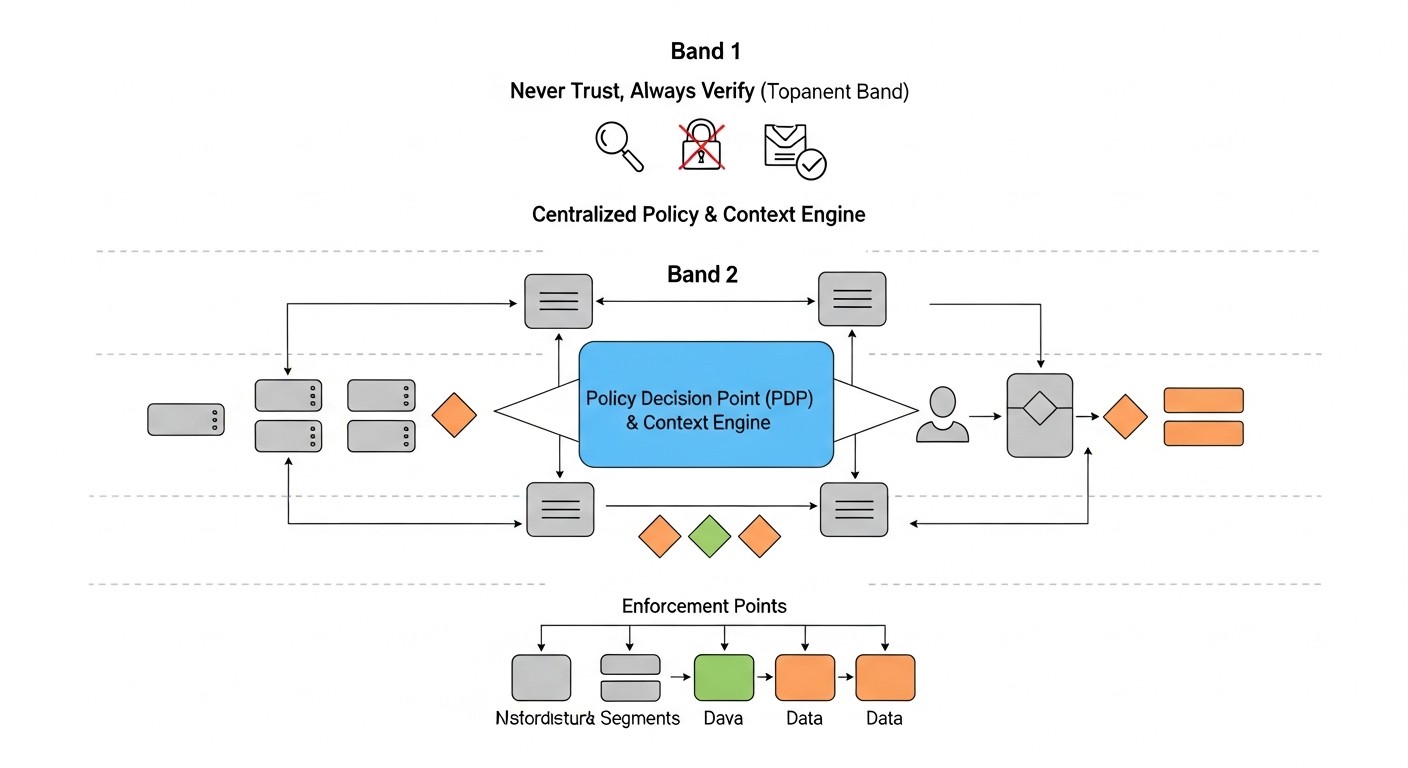 Diagram: Zero Trust Use Cases and Implementation Examples
Let's consider several realistic scenarios demonstrating the application of Zero Trust principles on VPS and dedicated servers in 2026.
Case 1: "Alpha SaaS" Startup — Protecting Internal Infrastructure and Remote Access
Problem: "Alpha SaaS" (15 developers, 5 DevOps engineers) is developing a critical B2B platform deployed on 10 VPS across various providers. Previously, a traditional VPN was used for server access, which created "wide" access to the internal network. Credentials were stored locally, and MFA was not widespread. There was a need to strengthen security, especially for remote employees, and ensure compliance with new regulatory requirements for 2026.
Zero Trust Solution:
- ZTNA for Remote Access: Traditional VPN was abandoned in favor of Cloudflare Zero Trust. All VPS were connected to Cloudflare Tunnel, making them inaccessible directly from the public internet. Access to SSH, Grafana, Jenkins, and internal APIs was now only possible via Cloudflare Gateway after user authentication.
- Centralized IAM and MFA: Keycloak was implemented as the central IdP. All developers and DevOps now authenticate through Keycloak with mandatory MFA (FIDO2 keys). Keycloak is integrated with Cloudflare Zero Trust for identity verification.
- Principle of Least Privilege (PAM): Teleport is used for SSH access to servers. Users request access to a specific server for a defined period (JIT Access), and Teleport issues a temporary SSH certificate with the minimum necessary rights. All SSH sessions are recorded and audited.
- Host-level Microsegmentation: On each VPS,
nftables are configured to allow incoming connections only from Cloudflare Tunnel and outgoing connections only to necessary external services (databases, API gateways). Inter-service communication between VPS is strictly limited by IP and ports, using "whitelist" policies.
- Monitoring: An ELK Stack is deployed on a separate VPS for centralized log collection from all servers, firewalls, Keycloak, and Teleport. Alerts are configured for anomalous behavior (e.g., login attempts from unknown devices, unusual SSH commands).
Results:
- Significantly reduced attack surface, as servers no longer have public IPs.
- Improved security of remote access and privilege management.
- Increased transparency and auditability of all administrative actions.
- Successfully passed certification for new security standards requiring Zero Trust principles.
- Response time to potential incidents reduced by 40% thanks to centralized monitoring.
Case 2: "SecurePay" FinTech Company — Protecting Sensitive Data and Inter-service Communication
Problem: "SecurePay" (30+ engineers) manages a payment system deployed on several dedicated servers. The infrastructure consists of microservices running in containers. Sensitive customer data requires the highest possible protection. There were risks of an attacker's lateral movement in case of a single microservice compromise. It was necessary to ensure mTLS between all services and granular access control to databases.
Zero Trust Solution:
- Container Orchestration and Service Mesh: A lightweight Kubernetes cluster (K3s) was deployed on dedicated servers. Linkerd was implemented as a Service Mesh. This automatically provided mutual TLS authentication (mTLS) and encryption for all traffic between microservices.
- Granular Authorization Policies: Linkerd was used to configure authorization policies that explicitly allow, for example, the "Payments" microservice to access the "Accounts" microservice only via a specific API path, and block all other interactions.
- Secrets Management and Dynamic Credentials: HashiCorp Vault was deployed. All sensitive data (API keys, database credentials) are stored in Vault. Microservices receive temporary, dynamically generated database credentials upon each startup, which are automatically revoked upon expiration.
- Data Encryption at Rest: All disks on dedicated servers are encrypted using LUKS. Databases use built-in encryption for sensitive fields.
- HIDS and Behavioral Analysis: A Wazuh Agent is installed on each K3s node, integrated with Wazuh Manager, which collects container and host logs, monitors file integrity, and detects anomalies in process behavior. Rules are configured in Wazuh Manager to detect unusual network connections or file modifications within containers.
Results:
- Full mTLS encryption and strict authorization for inter-service communication were ensured.
- Minimized the risk of credential leakage thanks to dynamic secrets management.
- Significantly limited an attacker's lateral movement in case of a single microservice compromise.
- Increased transparency and auditability of all operations within the cluster.
- The system successfully passed a PCI DSS audit, which was critical for the business.
Troubleshooting: Resolving Common Zero Trust Issues
Implementing Zero Trust can be associated with various challenges. Below are typical scenarios and approaches to resolve them.
1. Access Issues After Firewall Configuration (Microsegmentation)
Symptom: Services cannot communicate with each other, users cannot connect to servers after configuring nftables/iptables.
Diagnosis:
- Check firewall logs: Ensure that the firewall logs dropped packets. If not, temporarily add logging rules (e.g.,
nft add rule ip filter input drop counter log prefix "NFT_DROP: ").
- Check firewall status:
sudo nft list ruleset # For nftables
sudo iptables -nvL # For iptables
- Use
tcpdump: Run tcpdump on both nodes (source and destination) to analyze traffic.
sudo tcpdump -i any host <IP_другого_сервера> and port <PORT> -vn
- Check network connectivity: Use
ping, telnet, or nc to check basic network connectivity before applying the firewall or with minimal rules.
telnet <IP_сервера> <PORT>
nc -vz <IP_сервера> <PORT>
Solution:
- Temporarily relax rules: For diagnosis, you can temporarily allow all traffic between two problematic nodes to confirm that the issue is indeed with the firewall. Then, gradually narrow down the rules.
- Check rule order: In firewalls, rules are processed sequentially. Ensure that allow rules come before block rules.
- Consider
RELATED,ESTABLISHED: Don't forget to allow incoming traffic for already established connections (ct state established,related accept in nftables or -m state --state RELATED,ESTABLISHED -j ACCEPT in iptables).
- Check both directions: The firewall works in both directions. Ensure that both inbound and outbound traffic is allowed for the necessary ports.
2. MFA/JIT Access Issues (Authentication)
Symptom: Users cannot authenticate with MFA, JIT access is not working, or temporary certificates are not being issued.
Diagnosis:
- Check system logs:
auth.log, syslog, PAM logs (/var/log/auth.log on Debian/Ubuntu, /var/log/secure on CentOS/RHEL) may contain authentication error messages.
- Check IAM/PAM system logs: Keycloak, FreeIPA, Teleport have their own logs that can indicate the cause of failure.
- Check time synchronization: Time-based MFA tokens (TOTP) are very sensitive to time synchronization between the client and the server.
timedatectl # Check server time
- Check PAM configuration: Ensure that PAM modules are configured correctly (e.g.,
/etc/pam.d/sshd for SSH).
Solution:
- Synchronize time: Configure NTP synchronization on all servers.
- Check MFA secrets: Ensure that the MFA secret is correctly entered on the client (e.g., in Google Authenticator) and matches what is on the server.
- Review policies: If JIT access is not being granted, ensure that authorization policies in Teleport or Vault are correctly configured and the user has the right to request the given role/certificate.
- Test with minimal settings: Temporarily disable one of the MFA factors to isolate the problem.
3. Performance Issues After Zero Trust Implementation
Symptom: Noticeable decrease in application performance, high CPU/memory utilization on servers after implementing new Zero Trust components (e.g., Service Mesh, SIEM agents).
Diagnosis:
- Resource monitoring: Use
top, htop, Prometheus/Grafana to identify processes consuming the most resources.
- Check logs: High logging activity can burden disk and CPU.
- Testing with component disabling: Try temporarily disabling one of the new Zero Trust components (e.g., HIDS agent, Service Mesh sidecar) to identify the source of the problem.
- Analyze network latencies: Use
mtr or traceroute to identify network bottlenecks, especially if a ZTNA solution is used.
Solution:
- Optimize configuration: For HIDS agents, reduce scanning frequency or exclude non-critical paths. For Service Mesh, check proxy server configuration.
- Increase resources: If one of the components (e.g., Elasticsearch in ELK Stack) consistently consumes many resources, it may require more CPU, memory, or a faster disk.
- Optimize logging: Filter out less important logs, aggregate them, use more efficient transport protocols (e.g., UDP for syslog if losses are not critical).
- Choose lighter alternatives: If a commercial solution is too resource-intensive, consider Open Source alternatives.
4. "Configuration Drift" and Outdated Policies
Symptom: Server configurations or security rules differ from expectations, policies become outdated, undocumented changes appear.
Diagnosis:
- Configuration audit: Use Ansible (
--check mode) or other IaC tools for regular verification of actual state against desired state.
- File change monitoring: HIDS systems (Wazuh, OSSEC) can track changes to critical configuration files.
- Regular scans: Vulnerability and configuration scanners can identify deviations from security baselines.
Solution:
- Implement IaC: Use Terraform/Ansible to manage all aspects of the infrastructure.
- Automate policy enforcement: Configure CI/CD for automatic application of configuration changes.
- Regular audit: Schedule automatic or manual compliance audits, at least quarterly.
- Train the team: Ensure that all engineers follow IaC principles and do not make manual changes without committing them to a version control system.
When to contact support or experts:
- If, after all diagnostic steps, you cannot determine the cause of the problem.
- If the problem concerns a critical system and causes prolonged downtime.
- If you suspect an active attack or compromise, and your team lacks sufficient experience in incident response.
- When implementing complex components (e.g., Service Mesh configuration, custom IAM policies) without sufficient internal expertise.
- For conducting an independent security audit or penetration test to get an outside perspective.
FAQ: Frequently Asked Questions about Zero Trust
What is Zero Trust and how does it differ from traditional security?
Zero Trust is a strategic approach to security based on the principle of "never trust, always verify." Unlike the traditional model, which trusts everything within the network perimeter, Zero Trust explicitly verifies every user, device, and access request, regardless of their location. This means that even if a user is "inside" your network, their access will be strictly controlled and verified.
Can Zero Trust be implemented on a single VPS or is it only for large companies?
Yes, absolutely. Zero Trust consists of principles that are applicable to any infrastructure. Even on a single VPS, you can implement microsegmentation using nftables, strengthen SSH authentication with MFA, use HashiCorp Vault for secrets, and configure centralized logging. The scale of implementation will be smaller, but the principles remain the same, and their adoption will significantly enhance security.
What are the first steps to take for Zero Trust implementation?
Start by inventorying all your assets and their interdependencies. Then, focus on strengthening authentication: implement MFA for all administrative accounts and use SSH keys. In parallel, begin with microsegmentation of the most critical services, applying "deny by default" policies at the host firewall level.
Is it necessary to completely abandon VPN when transitioning to Zero Trust?
Not necessarily. Traditional VPNs, which provide broad network access, can be replaced by ZTNA solutions that grant access only to specific applications. However, WireGuard or OpenVPN can be used to create secure tunnels between servers or to establish a foundational network, on top of which Zero Trust application access policies will then be built.
How does Zero Trust help combat insider threats?
Zero Trust effectively combats insider threats because it does not trust "internal" users or systems by default. The principle of least privilege, JIT access, microsegmentation, and continuous monitoring ensure that even a compromised internal account or a malicious insider will have limited access, and their actions will be quickly detected.
Which Open Source tools are most useful for Zero Trust?
For IAM: Keycloak, FreeIPA. For secret management: HashiCorp Vault. For network security: nftables/iptables, WireGuard. For monitoring: ELK Stack, Graylog, Wazuh, Prometheus/Grafana. For automation: Ansible, Terraform. These tools allow building a powerful Zero Trust infrastructure with minimal direct costs.
How long does Zero Trust implementation take?
Zero Trust implementation is a continuous process, not a one-time project. The first significant results (e.g., MFA for SSH and basic microsegmentation) can be achieved within 3-6 months. A complete infrastructure transformation can take from 1 to 3 years, depending on the size and complexity of your system, as well as team resources.
Is it necessary to rewrite all applications for Zero Trust?
No, not necessarily. Many Zero Trust principles (MFA, firewalls, monitoring) can be applied at the infrastructure level without changing application code. However, to achieve maximum effect (e.g., for granular authorization at the API level or mTLS for microservices), some adaptation or the use of a Service Mesh may be required, which could necessitate changes in application deployment.
How to measure the effectiveness of Zero Trust implementation?
Effectiveness can be measured by several indicators: reduction in the number of security incidents, decreased threat detection and response time (MTTD/MTTR), reduced attack surface, successful completion of audits and penetration tests, and improved compliance with regulatory requirements. It is important to track metrics such as the number of firewall-blocked attacks, the number of unauthorized access attempts, and HIDS activity.
What is the role of AI and ML in Zero Trust in 2026?
In 2026, AI and ML play a critically important role in Zero Trust, especially in the area of continuous monitoring and threat detection. They are used to analyze vast volumes of logs and network traffic, identify anomalies in user and system behavior, predict threats, and automate responses. AI helps find hidden attacks that cannot be detected by traditional signature-based methods, making protection more proactive and adaptive.
Conclusion: Next Steps Towards a Secure Future
In 2026, the Zero Trust concept ceased to be just a buzzword and became an absolute necessity for any infrastructure, especially for those managing VPS and dedicated servers. Given the exponential growth in the complexity of cyber threats, amplified by artificial intelligence capabilities, traditional security approaches are no longer capable of providing adequate protection. The principles of "never trust, always verify," microsegmentation, the principle of least privilege, continuous monitoring, and automation are not just best practices; they are the foundation for building a resilient and secure digital environment.
We have explored how to apply these principles in resource-constrained environments, leveraging the power of Open Source solutions and strategically implementing commercial products where justified. The key takeaway is that Zero Trust is not a product you can buy and install, but a strategic approach requiring changes in mindset, processes, and architecture. It is a continuous journey that demands constant adaptation and improvement.
Next Steps for the Reader:
- Start with an Audit: Use our checklist to assess the current state of your infrastructure. Identify the most critical assets and the most obvious security gaps.
- Prioritize MFA: This is the fastest and most effective way to significantly enhance security. Implement multi-factor authentication for all administrative accounts and, where possible, for all users.
- Plan Microsegmentation: Begin by mapping network interactions and gradually implement host-based firewalls with a "deny by default" policy to isolate critical services.
- Invest in Automation: Utilize IaC tools, such as Ansible and Terraform, for configuration and deployment management. This will not only enhance security but also significantly simplify operations.
- Implement Centralized Monitoring: Set up ELK Stack or Wazuh for collecting and analyzing logs from all your servers. Configure alerts for anomalies. Without monitoring, Zero Trust will be incomplete.
- Train Your Team: Your engineers are your first line of defense. Invest in their training on Zero Trust principles and relevant tools.
- Conduct Regular Audits and Penetration Tests: Only an external perspective or an attack simulation can reveal the true weaknesses of your system.
Remember, the path to full Zero Trust implementation can be long, but every step taken brings you closer to a more secure and resilient infrastructure. In the constantly evolving threat landscape of 2026, investing in Zero Trust is an investment in the future of your business.
Was this guide helpful?
Implementation of Zero Trust principles for infrastructure on VPS and dedicated servers: practical guide 2026