VPS Backup: Comprehensive Strategies and Tools for 2026
TL;DR
- The "3-2-1-1-0" strategy remains the gold standard: 3 copies, 2 different media, 1 off-site, 1 offline/immutable, 0 errors during recovery.
- Automation and orchestration using tools like Ansible, Terraform, and Kubernetes operators are critically important for scalability and reliability in 2026.
- Immutable storage and backup versioning are the primary barrier against ransomware and accidental deletion.
- Recovery testing must be regular, automated, and include a full data integrity check cycle, not just file presence.
- Hybrid strategies (local snapshots + cloud storage) offer an optimal balance of recovery speed and long-term reliability.
- Backup cost in 2026 shifts from a direct price per TB to a cost per operation, bandwidth, and recovery Service Level Agreement (SLA).
- Backup security includes encryption "at rest" and "in transit", strict access control (IAM, MFA), and isolation of storage networks.
Introduction: Why VPS Backup is Critically Important in 2026
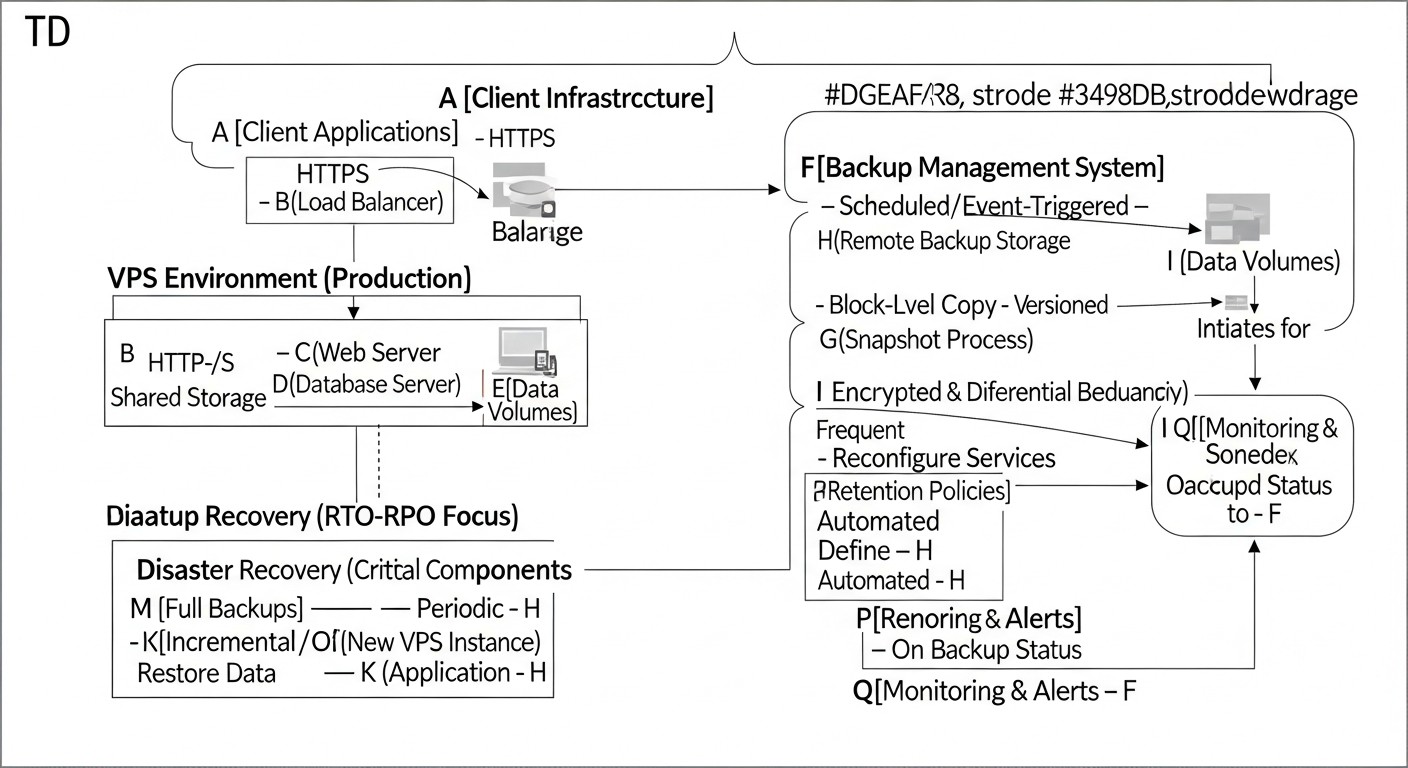 Diagram: Introduction: Why VPS Backup is Critically Important in 2026
In the rapidly evolving digital landscape of 2026, where business processes are increasingly integrated with cloud technologies and Virtual Private Servers (VPS), the issue of backup has shifted from "desirable" to "absolutely essential." VPS have become the foundation for countless SaaS projects, microservice architectures, high-load backends, and mission-critical enterprise applications. However, with the growing complexity of infrastructure and data volume, the risks of data loss also increase.
Why is this topic gaining particular relevance now? Firstly, cybersecurity threats, particularly ransomware, are becoming more sophisticated and targeted. Ordinary backups, not protected from modification or deletion, can be compromised along with the main system, making recovery impossible. Secondly, human error remains a major cause of failures: erroneous commands, incorrect configurations, accidental data deletion. Thirdly, hardware failures, though less frequent than before, still occur, and issues with a hosting provider (even the most reliable ones) can lead to unavailability or data loss. Finally, regulatory requirements for data storage and protection (GDPR, CCPA, HIPAA, and their new iterations) are becoming stricter, and the absence of adequate backup strategies can result in severe penalties and reputational damage.
This article is addressed to a wide range of technical specialists: DevOps engineers responsible for infrastructure reliability and automation; Backend developers (Python, Node.js, Go, PHP) whose applications generate and process critical data; SaaS project founders for whom customer data loss is tantamount to business collapse; system administrators managing dozens and hundreds of VPS; and startup CTOs making strategic decisions about technology stacks and security. We will explore comprehensive approaches, relevant tools, and practical recommendations to help you build a fault-tolerant and secure backup system for your VPS in 2026.
The goal of this article is not just to list tools, but to provide a deep understanding of principles, help choose the optimal strategy based on your needs and budget, and offer concrete instructions for implementation and operation. We avoid marketing buzzwords, focusing on real-world cases, figures, and proven practices.
Key Criteria and Factors for Choosing a Backup Strategy
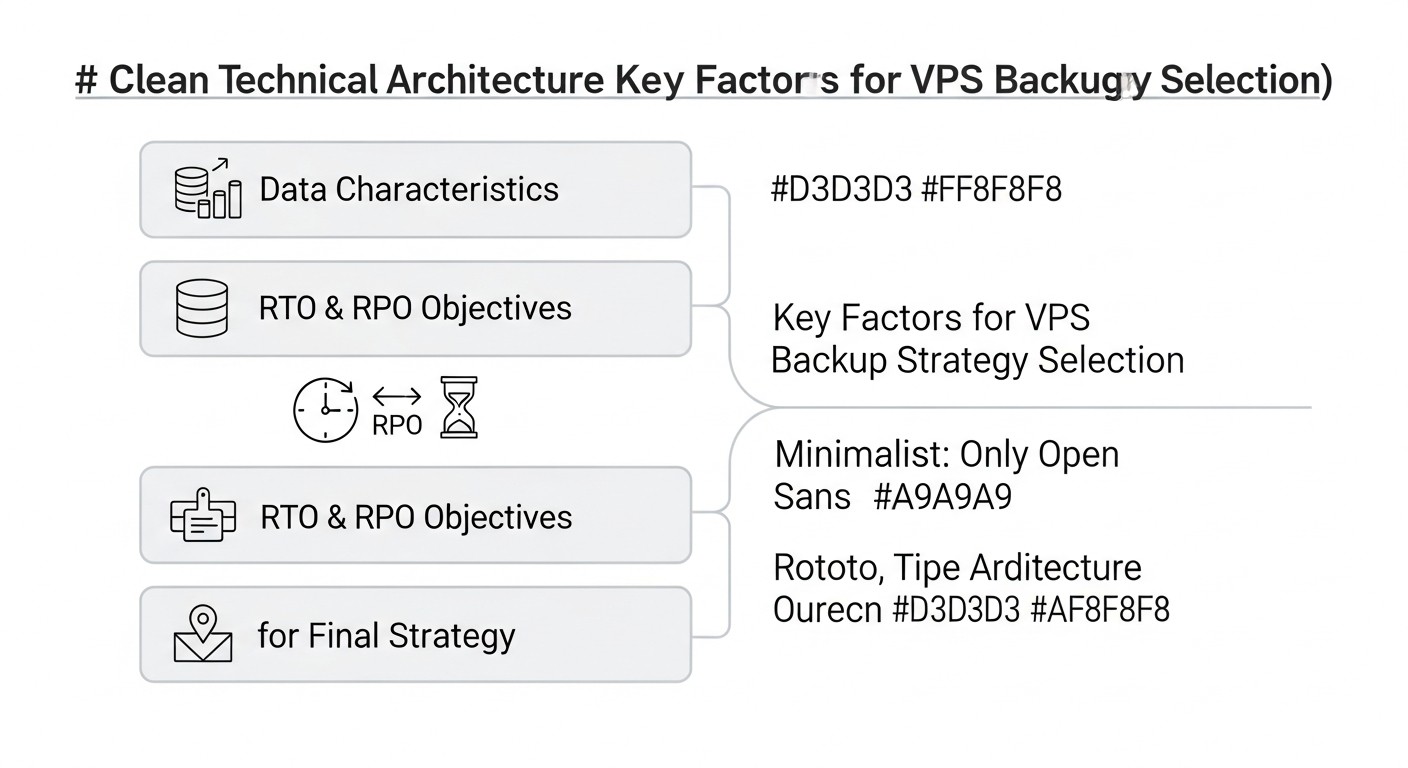 Diagram: Key Criteria and Factors for Choosing a Backup Strategy
Choosing the optimal backup strategy for VPS is not just about selecting a tool, but a comprehensive solution that must consider many factors. In 2026, these factors have become even more critical due to increased demands for availability, security, and efficiency. Let's look at the key criteria by which any backup system should be evaluated.
Recovery Point Objective (RPO) and Recovery Time Objective (RTO)
RPO (Recovery Point Objective) defines the maximum acceptable amount of data that can be lost in the event of a failure. If your RPO is 1 hour, it means you are willing to lose data created within the last hour. The lower the RPO (e.g., 5 minutes or near-zero), the more frequently backups must be performed. For mission-critical systems where every transaction matters (e.g., financial services), RPO tends towards zero. This is achieved through Continuous Data Protection (CDP) or very frequent incremental backups.
RTO (Recovery Time Objective) defines the maximum acceptable time within which a system or application must be restored after a failure. If your RTO is 4 hours, it means your business can afford downtime of no more than four hours. The lower the RTO (e.g., a few minutes), the faster data and services must be recoverable. This requires fast recovery mechanisms, such as snapshots or replication, as well as well-practiced recovery procedures.
Why this is important: RPO and RTO are the cornerstones of any disaster recovery strategy. They directly influence the choice of technologies, backup frequency, and consequently, cost. Defining these metrics should begin with an analysis of business requirements and potential losses from downtime. For example, for a blog, RPO might be 24 hours and RTO 8 hours, while for an online store, these values might be 15 minutes and 1 hour, respectively.
Cost
Backup cost includes not only direct data storage expenses but also many hidden costs. In 2026, as data volumes grow exponentially, cost optimization becomes a priority.
- Data Storage: Price per gigabyte per month. Cloud providers offer different storage classes (Standard, Infrequent Access, Archive), which vary significantly in cost and access speed.
- Traffic: Egress fees from cloud storage can be substantial, especially with frequent recovery or replication between regions. Ingress traffic is usually free.
- Operations: Many cloud storage services charge for read/write operations (PUT/GET requests). With a large number of small files or frequent incremental backups, these costs can accumulate.
- Software Licenses: The cost of proprietary backup software (e.g., Veeam, Acronis) can be significant.
- Administration and Support: Engineer time spent on setup, monitoring, testing, and troubleshooting is a significant expense. Automation helps reduce these costs.
How to evaluate: Always calculate the Total Cost of Ownership (TCO) over several years, considering data growth and potential recovery operations. Do not forget the cost of downtime in case of a failure, which can many times exceed backup costs.
Security
In 2026, backup security is no less, and often more, important than the security of the primary system. Compromised backups can be used for extortion or leakage of confidential data.
- Encryption: Data should be encrypted both "at rest" in storage and "in transit" during transfer. Use strong algorithms (AES-256) and manage encryption keys.
- Access Control (IAM): Strict access management to backup storage. Use the principle of least privilege, multi-factor authentication (MFA), and role-based access control (RBAC).
- Immutable Storage: The ability to make a backup unchangeable for a certain period. This prevents deletion or modification of copies by ransomware or malicious actors.
- Network Isolation: Separation of the backup network from the main production network.
- Audit and Logging: All backup operations must be logged and available for audit.
How to evaluate: Check compliance with security standards (ISO 27001, SOC 2 Type 2) and best practices. Ensure your provider or chosen solution supports the necessary protection measures.
Scalability
Your backup system must grow with your business and data volume without significant architectural changes.
- Data Volume: The system should easily handle growing data volumes. Cloud storage is inherently scalable, but on-premises solutions may require hardware upgrades.
- Number of VPS: The ability to easily add new VPS to the backup system, preferably with automatic discovery and configuration.
- Performance: The system must maintain the necessary backup and recovery speed even under peak loads.
How to evaluate: Plan 3-5 years ahead. What data volumes do you expect? How many VPS will you have in one, three, five years? Ensure the chosen solution can handle this growth without significant re-engineering costs.
Simplicity & Management
A complex backup system is a system that will eventually fail or be abandoned. Simplicity reduces the likelihood of human error.
- Automation: Maximum automation of backup, recovery, and testing processes.
- Interface: An intuitive graphical user interface (GUI) or well-documented API/CLI for management.
- Monitoring and Alerts: Integration with monitoring systems (Prometheus, Grafana, Zabbix) and alerts (Slack, PagerDuty) on backup status.
- Documentation: Clear and up-to-date documentation for all procedures.
How to evaluate: Conduct a pilot implementation. How easy is it to set up backup for a new VPS? How quickly can data be restored? How much time is spent on daily monitoring?
Data Integrity
The main goal of backup is to ensure that restored data is identical to the original and functional.
- Checksum Verification: Automatic checksum checks during backup creation and restoration.
- Verification: Regular recovery testing (see below) is the only reliable way to verify integrity.
- Corruption Detection: Mechanisms for detecting data corruption in storage.
How to evaluate: Ensure your solution includes verification mechanisms and that you use them regularly.
Geographic Distribution
Storing data copies in different geographical locations protects against regional disasters (fires, floods, earthquakes) and major data center outages.
- Multiple Regions: Storing at least one backup copy in another region or even with another provider. This is a key element of the "3-2-1" strategy.
- Transfer Speed: Consider bandwidth and latency when transferring data between regions.
How to evaluate: Determine data criticality. For most SaaS projects, storing a copy in an adjacent region is a good compromise. For highly critical data, storage on different continents may be required.
Recovery Testing
A backup that has not been tested is considered non-existent. Regular testing is not an option, but a mandatory element.
- Automated Testing: Creation of isolated environments for automatic deployment of backups and verification of their functionality (e.g., launching an application, checking API availability).
- Frequency: Depends on RPO/RTO and data criticality, but no less than once a month, and for critical systems, weekly.
- Full Cycle: Testing not only file recovery but also the full functionality of the system/application.
How to evaluate: Include recovery testing in your CI/CD pipelines or set up separate automated tasks. Maintain a log of testing results.
Comparison Table: Main Approaches to VPS Backup
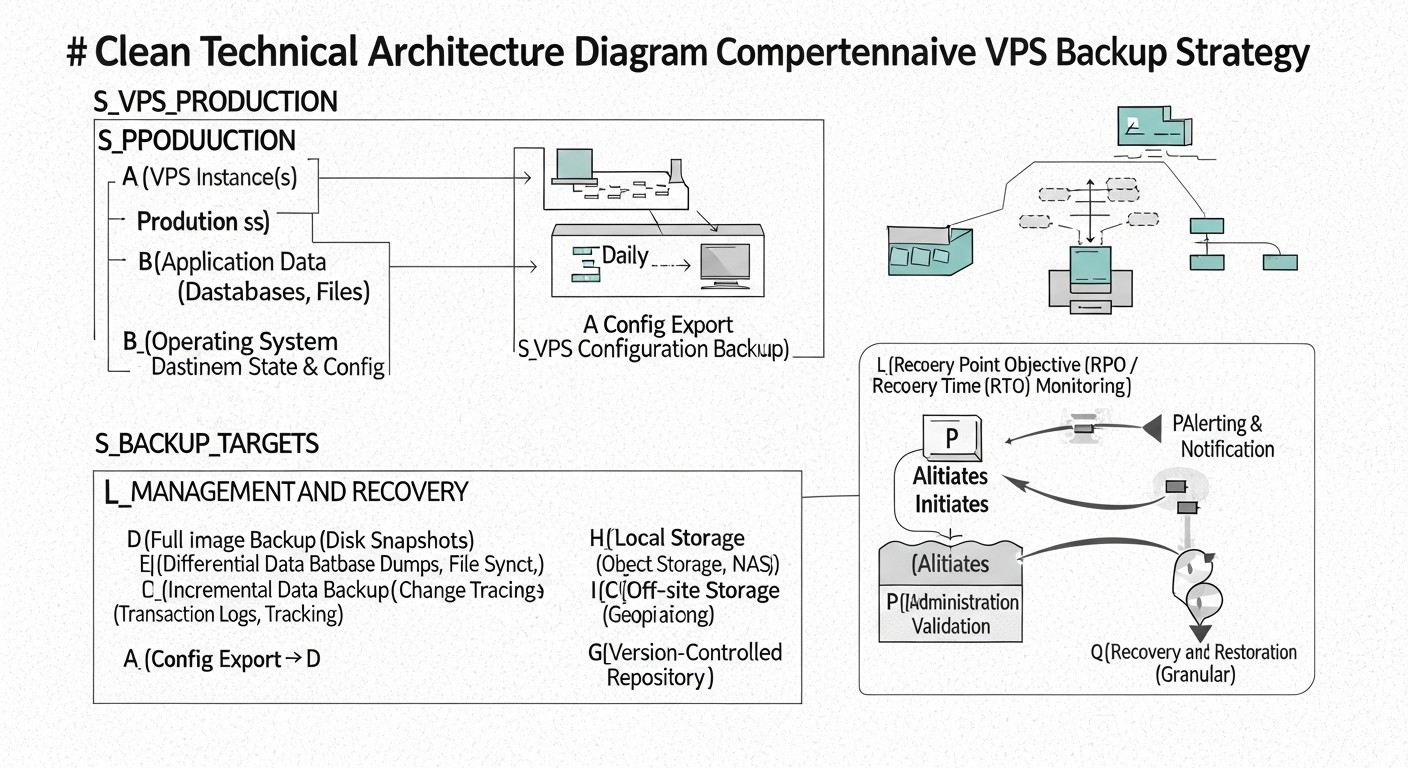 Diagram: Comparison Table: Main Approaches to VPS Backup
In 2026, there are many approaches to VPS backup, each with its advantages and disadvantages. The choice depends on your RPO/RTO, budget, security requirements, and infrastructure complexity. Below is a comparison table of the most popular and relevant strategies.
| Criterion |
VPS Snapshots (Provider-level) |
Agent-based Backup (File/Block-level) |
Database Backup (Dump/Replication) |
File Synchronization (rsync/S3 CLI) |
Cloud Backup as a Service (BaaS) |
Disk/Image Replication (DRBD/ZFS send/receive) |
| RPO (Recovery Point Objective) |
Low (often 1-4 hours, depends on provider) |
Very Low (from 5 minutes to 1 hour) |
Very Low (from 0 to 15 minutes) |
Medium (from 1 to 24 hours) |
Low (from 15 minutes to 4 hours) |
Very Low (near-zero, synchronous replication) |
| RTO (Recovery Time Objective) |
Very Low (5-30 minutes for full VPS recovery) |
Medium (1-4 hours for data recovery, longer for VPS) |
Low (30-60 minutes for database) |
High (4-12 hours for data recovery) |
Low (1-2 hours for VPS/data recovery) |
Very Low (failover to replica in 5-30 minutes) |
| Setup Complexity |
Low (a few clicks in the panel) |
Medium (agent installation, schedule configuration) |
Medium (scripts, cron, monitoring) |
Low (basic rsync scripts) |
Low (agent installation, web interface) |
High (kernel, network, synchronization configuration) |
| Cost (approx. 2026, per VPS/month) |
$5-$20 (depends on disk size and provider) |
$10-$50 (depends on volume, BaaS provider or own storage) |
$0-$15 (storage only, if own script) |
$0-$10 (storage only) |
$20-$100 (depends on volume, features, SLA) |
$0-$20 (storage only, if own script) + cost of second VPS |
| Recovery Flexibility |
Low (full VPS image recovery) |
High (individual files, directories, full system) |
High (individual tables, point-in-time recovery) |
High (individual files/directories) |
High (individual files, full system, bare-metal) |
Low (full VPS image recovery) |
| Ransomware Protection |
Medium (if versioning exists, but can be compromised) |
High (if immutable storage and versioning are used) |
High (if dumps are stored separately, immutably) |
Low (rsync can synchronize infected files) |
Very High (often includes immutability, threat detection) |
Low (replicates everything, including malware) |
| Load on VPS during backup |
Low (performed at hypervisor level) |
Medium (CPU/RAM usage for data reading) |
Medium (data export, can lock tables) |
Medium (CPU/RAM/I/O usage) |
Medium (CPU/RAM usage for agent) |
High (constant synchronization, I/O) |
| Storage Requirements |
Within provider (often S3-compatible) |
S3-compatible, NFS, block storage |
S3-compatible, local disk, NFS |
S3-compatible, local disk, NFS |
Within BaaS provider |
Block storage (local or network) |
Detailed Review of Each Strategy Point/Option
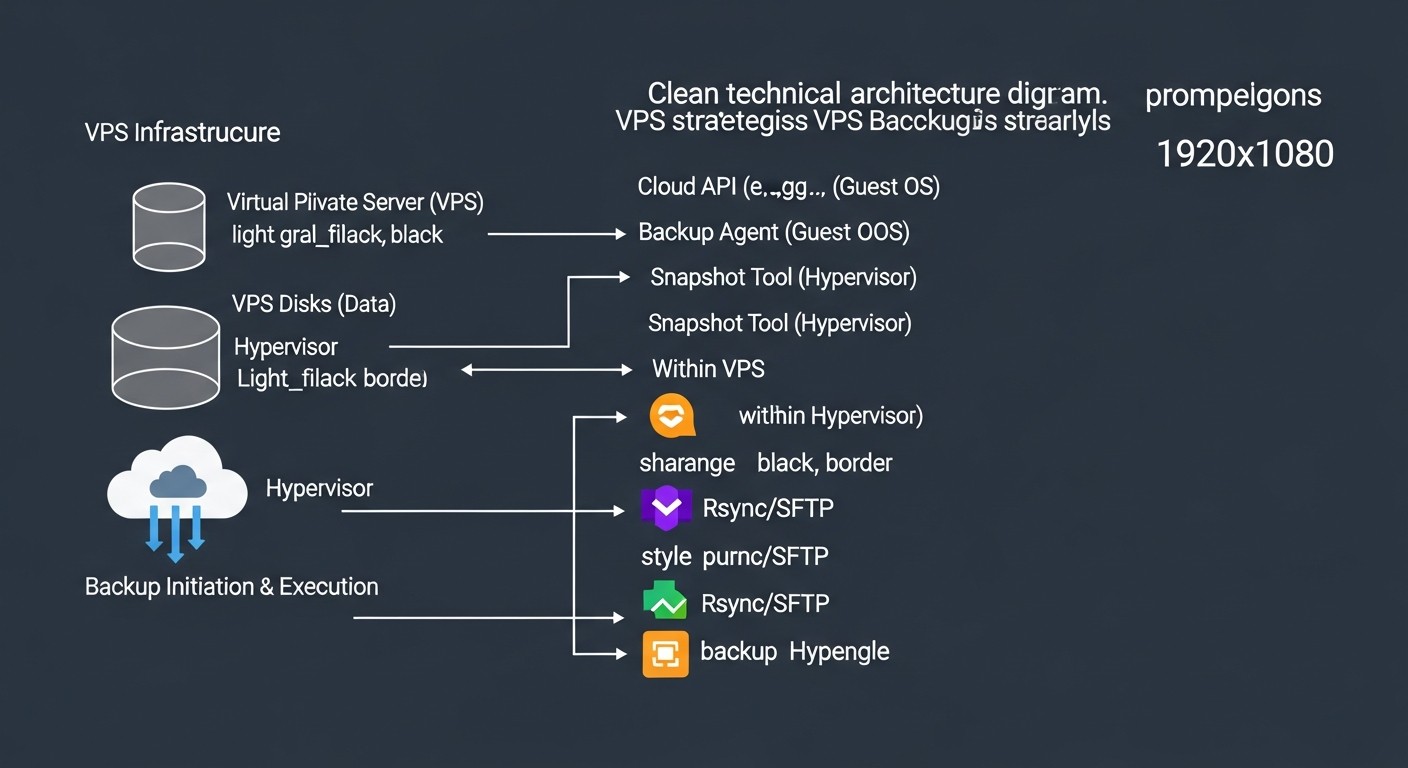 Diagram: Detailed Review of Each Strategy Point/Option
Each of the backup strategies listed above has its niche and optimal application. A detailed review will help you understand which approach best suits your requirements in 2026.
VPS Snapshots (Provider-level Snapshots)
Description: VPS snapshots are a feature provided by most hosting providers (DigitalOcean, Vultr, Hetzner Cloud, AWS EC2, Google Cloud Compute Engine). They create an image of the entire VPS disk at a specific point in time. Snapshots are usually taken at the hypervisor level, which minimizes the load on the guest OS. Restoring from a snapshot means rolling back the entire VPS to a previous state. In 2026, many providers offer automatic snapshot scheduling and storage of multiple versions.
Pros:
- Simplicity: Extremely easy to set up and use. Often just a few clicks in the provider's control panel.
- Fast Recovery: Restoring the entire VPS takes minutes, providing a low RTO for full system recovery.
- Low Load: Since the operation is performed at the hypervisor level, there is virtually no impact on the guest OS.
- Cost-effective: Often one of the cheapest backup options, especially for small VPS.
Cons:
- Low Recovery Flexibility: You can only restore the entire VPS. Restoring individual files or folders is usually not possible without intermediate steps (e.g., mounting the snapshot to another VPS).
- Provider Dependence: You are completely tied to the infrastructure and policies of your hosting provider. If the provider experiences a major outage, your backups may be unavailable.
- Potentially High RPO: Snapshot frequency is limited (e.g., once every 4-24 hours), which can lead to significant data loss if a failure occurs between snapshots.
- Limited Ransomware Protection: If an attacker gains access to the provider's control panel, they can also delete snapshots. Some providers offer deletion protection, but this is not universal.
Who it's for: Small projects, test environments, blogs, and as a first line of defense for any VPS. It complements other strategies well but is rarely the sole solution for mission-critical systems.
Example Usage: You are running a small SaaS project on a single VPS. Daily automatic provider snapshots provide a basic level of protection against accidental configuration errors or minor failures. If something goes wrong, you can quickly roll back the VPS to the previous day's state.
Agent-based Backup (File/Block-level)
Description: This approach involves installing a special agent inside the guest OS of the VPS. The agent is responsible for collecting data, compressing it, encrypting it, and sending it to remote storage (S3-compatible storage, NFS, specialized BaaS). Backup can be file-level (copying individual files/directories) or block-level (copying changed disk blocks). Modern agents support incremental and differential backups, as well as data deduplication.
Pros:
- High Recovery Flexibility: Ability to restore individual files, directories, databases, or the entire system. Bare-metal recovery is supported.
- Low RPO: Thanks to incremental backups and the ability to run them frequently (every 15-30 minutes), a very low RPO can be achieved.
- Cross-platform: Agents typically support various operating systems (Linux, Windows), simplifying management of a heterogeneous environment.
- Ransomware Protection: With proper configuration (immutable storage, versioning, access isolation), this is one of the most reliable methods of protection against ransomware.
- Storage Efficiency: Deduplication and compression significantly reduce the volume of stored data and, consequently, costs.
Cons:
- Setup Complexity: Requires agent installation and configuration on each VPS, as well as setting up a centralized management server (if not BaaS).
- Load on VPS: The backup process consumes CPU, RAM, and I/O resources on the VPS, which can affect application performance during execution.
- Cost: Licenses for proprietary agents and storage costs can be higher than simple snapshots.
- Agent Management: It is necessary to monitor agent relevance, functionality, and updates.
Who it's for: Mission-critical production systems, SaaS projects with high RPO/RTO requirements, environments with large data volumes where recovery flexibility and robust cybersecurity protection are needed. Examples of tools: Veeam Agent for Linux/Windows, Bacula, Bareos, Restic, BorgBackup.
Example Usage: You have a production server with a PostgreSQL database and several microservices. You use Veeam Agent for Linux, which performs an incremental backup of all critical directories and databases every 30 minutes, sending them to S3-compatible storage with immutability enabled. In case of a failure, you can restore individual configuration files or the entire system to a new VPS.
Database Backup (Dump/Replication)
Description: This method focuses exclusively on database data, which is often the most valuable part of any application. It involves creating logical dumps (e.g., using pg_dump for PostgreSQL, mysqldump for MySQL) or using built-in replication and physical backup mechanisms (WAL archiving for PostgreSQL, Percona XtraBackup for MySQL). In 2026, cloud-managed databases (AWS RDS, Google Cloud SQL) are actively used, providing their own backup and point-in-time recovery mechanisms, significantly simplifying the task.
Pros:
- Very Low RPO for Data: Thanks to continuous WAL log archiving or streaming replication, near-zero data loss (RPO ~0) can be achieved.
- High Recovery Flexibility: Ability to restore to a specific point in time (point-in-time recovery), restore individual tables or schemas.
- OS Independence: Database dumps and logs are independent of the OS file system state, making them more reliable for data-only recovery.
- Specialized Tools: Tools like Barman for PostgreSQL or Percona XtraBackup for MySQL/MariaDB provide high efficiency and reliability.
Cons:
- Complexity: Setting up and managing replication or WAL log archiving requires deep knowledge of the specific DBMS.
- Load on DB: Creating dumps or performing physical backups can place significant load on the database.
- Data Only: This method does not provide backup of the operating system or application files; it must be combined with other strategies.
- Potential Locks: Logical dumps can lock tables during execution, which is unacceptable for high-load systems.
Who it's for: Any projects using relational or NoSQL databases where data integrity and minimal data loss are critical. Especially important for SaaS projects with high transactional loads.
Example Usage: You manage a high-load online store using PostgreSQL. You have configured Barman for continuous WAL log archiving to remote S3-compatible storage and daily full physical backups. If a failure occurs, you can restore the database to any point in time with second-level precision.
File Synchronization (rsync/S3 CLI)
Description: This simple but effective method involves using command-line utilities such as rsync or cloud storage clients (e.g., AWS S3 CLI, Google Cloud Storage CLI) to synchronize files and directories with remote storage. rsync is very efficient as it transfers only changed parts of files. In 2026, these tools remain relevant due to their simplicity and reliability.
Pros:
- Simplicity: Easy to set up using bash scripts and cron jobs.
- Flexibility: Ability to back up only necessary files and directories, excluding unnecessary ones.
- Efficiency:
rsync transfers only the delta of changes, saving traffic and time.
- Low Cost: Uses standard OS utilities, only storage costs apply.
Cons:
- No Default Versioning: If not configured manually,
rsync simply overwrites files, making it vulnerable to ransomware and accidental deletion.
- Load on VPS: During the first full backup or with a large number of changes, it can create significant load.
- No Backup of Open Files:
rsync can encounter problems when copying files that are actively used by other processes (e.g., databases, log files).
- High RTO for Full Recovery: Restoring an entire VPS requires manual OS installation, configuration, and then data copying.
Who it's for: Backup of configuration files, user data, static content, logs. Excellent for non-critical data or as a supplement to other strategies for preserving individual parts of the system.
Example Usage: You want to regularly back up your web server's configuration files (/etc/nginx) and static website files (/var/www/html). You use rsync to send this data to a remote S3-compatible bucket, configuring versioning on the bucket for protection against overwrites.
Cloud Backup as a Service (BaaS)
Description: BaaS (Backup as a Service) is a comprehensive solution provided by a third-party vendor (e.g., Acronis Cyber Protect Cloud, Veeam Backup & Replication (for cloud environments), Commvault, Rubrik). You pay for a service that handles all aspects of backup: agents, storage, management, monitoring, testing, and recovery. In 2026, BaaS solutions actively integrate AI/ML for anomaly and threat detection, and offer advanced recovery capabilities, including cross-cloud migration.
Pros:
- Comprehensive and "Turnkey": The provider handles all complexities, from infrastructure to support.
- High Reliability: BaaS providers typically offer strict RPO/RTO SLAs and guarantee data integrity.
- Advanced Security Features: Includes immutable storage, encryption, ransomware detection, access control.
- Ease of Management: Centralized control panel, automation, reporting.
- Global Distribution: Ability to store backups in various regions and even countries.
Cons:
- High Cost: This is typically the most expensive solution, especially for large data volumes or high SLA requirements.
- Provider Dependence: Complete lock-in to the BaaS provider's ecosystem.
- Less Control: You have less control over low-level aspects of data storage and management.
- Potential Egress Fees: Significant egress costs can arise when restoring large volumes of data.
Who it's for: Enterprises requiring compliance with strict regulatory requirements, companies without a dedicated DevOps/system administration team, large SaaS projects where engineer time is more valuable than service cost. Excellent for environments with high security and automation requirements.
Example Usage: A medium-sized SaaS project with several dozen VPS and strict GDPR and ISO 27001 requirements. Using Acronis Cyber Protect Cloud allows centralized management of all VPS backups, provides a high degree of ransomware protection, and automated recovery testing compliant with regulatory norms.
Disk/Image Replication (DRBD/ZFS send/receive)
Description: This approach involves replicating block devices (disks) or file systems between two or more VPS. DRBD (Distributed Replicated Block Device) provides synchronous or asynchronous replication of a block device in Linux. ZFS send/receive allows efficient replication of ZFS file system snapshots. This method is often used to create highly available clusters or for fast disaster failover to a standby server. In 2026, container solutions and Kubernetes operators also offer their own Persistent Volume replication mechanisms.
Pros:
- Very Low RPO: With synchronous replication, RPO can be virtually zero.
- Very Low RTO: In case of primary server failure, it is possible to quickly switch to a replica, ensuring minimal downtime.
- High Availability: The foundation for building highly available clusters.
- Full Copy: The entire block structure or file system is replicated, including OS and applications.
Cons:
- High Complexity: Requires deep knowledge of operating systems, file systems, network protocols, and clustering technologies. Setup and maintenance can be very labor-intensive.
- High Resource Requirements: Constant replication creates load on the network, I/O, and CPU of both servers. Synchronous replication requires low latency between servers.
- Cost: Requires at least two full-fledged VPS, which doubles infrastructure costs.
- No Protection Against Logical Errors: If you accidentally delete data or infect the system with ransomware, these changes will be replicated to the standby server.
Who it's for: Mission-critical applications requiring the highest possible availability and minimal RPO/RTO, where downtime is unacceptable (e.g., financial transactions, telecommunication services). Often used in conjunction with other backup methods to provide protection against logical errors.
Example Usage: You manage a payment gateway where every second of downtime costs tens of thousands of dollars. You use DRBD for synchronous data replication between two VPS in the same data center, ensuring instant failover in case of hardware failure. Additionally, you take daily ZFS snapshots (if using ZFS) and send them to remote storage for protection against logical errors.
Practical Tips and Implementation Recommendations
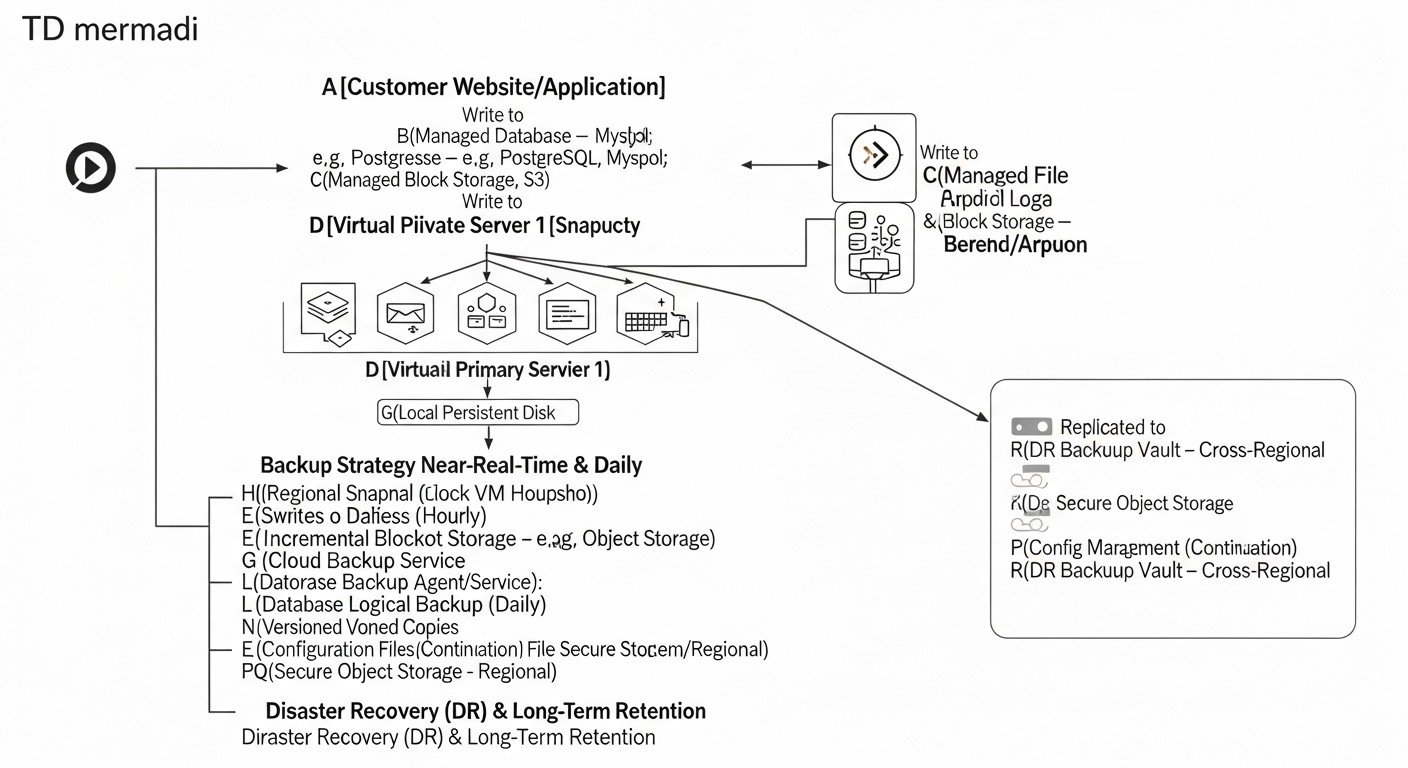 Diagram: Practical Tips and Implementation Recommendations
Implementing an effective backup strategy requires not only choosing the right tools but also strict adherence to best practices. In 2026, the emphasis shifts to automation, security, and regular testing.
1. Follow the "3-2-1-1-0" Rule
This is the golden standard of backup, adapted to modern realities:
- 3 copies of data: Original and two backup copies.
- 2 different media: For example, a local disk and cloud storage.
- 1 copy off-site: Stored in a different geographical region or with another provider.
- 1 offline/immutable copy: A copy that cannot be changed or deleted (e.g., on tape, in S3 Glacier Deep Archive with object lock, or on a disk without network access). This is critically important for ransomware protection.
- 0 errors during recovery: Guarantee that your backups are functional and restore without issues. Achieved through regular testing.
Practice: Combine provider snapshots (one copy on one medium), agent-based backup to S3-compatible storage (second copy on another medium, with versioning and immutability), and archiving of the most critical data to S3 Glacier Deep Archive with object lock (third copy, offline/immutable, possibly in another region).
2. Automate Everything Possible
Manual operations are a source of errors and inefficiency. Use automation tools for all stages:
- Backup creation: Schedulers (cron), orchestrators (Ansible, Terraform, SaltStack).
- Data transfer: Scripts with
rsync, s3cmd, rclone.
- Monitoring: Integration with Prometheus, Grafana, Zabbix to track backup status.
- Recovery testing: Creation of isolated environments (Docker, Kubernetes, temporary VPS) for automatic recovery and functionality verification.
Example script for automatic PostgreSQL backup and S3 upload:
#!/bin/bash

# Environment variables
DB_NAME="your_database_name"
DB_USER="your_db_user"
S3_BUCKET="s3://your-backup-bucket/postgresql/"
TIMESTAMP=$(date +"%Y%m%d%H%M%S")
BACKUP_FILE="/tmp/${DB_NAME}_${TIMESTAMP}.sql.gz"
RETENTION_DAYS=7 # How many days to keep local backups

echo "Starting PostgreSQL backup for ${DB_NAME} at ${TIMESTAMP}..."

# 1. Create database dump
pg_dump -U "${DB_USER}" "${DB_NAME}" | gzip > "${BACKUP_FILE}"
if [ $? -ne 0 ]; then
    echo "Error creating PostgreSQL dump."
    exit 1
fi
echo "PostgreSQL dump created: ${BACKUP_FILE}"

# 2. Upload dump to S3
aws s3 cp "${BACKUP_FILE}" "${S3_BUCKET}${DB_NAME}_${TIMESTAMP}.sql.gz" --sse AES256
if [ $? -ne 0 ]; then
    echo "Error uploading backup to S3."
    exit 1
fi
echo "Backup uploaded to S3: ${S3_BUCKET}${DB_NAME}_${TIMESTAMP}.sql.gz"

# 3. Delete local backups older than RETENTION_DAYS
find /tmp/ -name "${DB_NAME}_*.sql.gz" -mtime +"${RETENTION_DAYS}" -delete
echo "Old local backups cleaned up."

echo "PostgreSQL backup finished successfully."
This script can be run via cron. Make sure awscli is configured with appropriate access rights and database environment variables are correct.
3. Encrypt Data
Always encrypt backups. Use encryption "at rest" (in storage) and "in transit" (during transfer). Cloud providers offer server-side encryption (SSE-S3, SSE-KMS), but for maximum security, consider client-side encryption before sending data to storage (e.g., using GPG, Restic, or BorgBackup).
Example of encrypting a file before sending:
# Encrypt file with GPG
gpg --batch --passphrase "YOUR_SUPER_SECRET_PASSPHRASE" --symmetric --cipher-algo AES256 -o my_data.tar.gz.gpg my_data.tar.gz

# Decrypt
gpg --batch --passphrase "YOUR_SUPER_SECRET_PASSPHRASE" -o my_data.tar.gz my_data.tar.gz.gpg
Store encryption keys or passphrases in a secure location, separate from backups (e.g., in HashiCorp Vault, AWS Secrets Manager, or another KMS).
4. Implement Immutable Storage
To protect against ransomware and accidental deletion, use storage with "Object Lock" or "Immutable Storage" capabilities. Many S3-compatible storage services (AWS S3, MinIO, Wasabi) offer this feature. This allows you to set a period during which an object cannot be deleted or modified.
Example of configuring Object Lock in AWS S3:
When creating a bucket:
aws s3api create-bucket --bucket your-immutable-bucket --region us-east-1 --object-lock-enabled-for-new-objects
When uploading an object with a retain-until-date:
aws s3api put-object --bucket your-immutable-bucket --key my_backup.gz --body my_backup.gz --object-lock-mode COMPLIANCE --object-lock-retain-until-date "2026-12-31T23:59:59Z"
COMPLIANCE mode makes the object immutable even for the AWS account root until the specified date.
5. Regularly Test Recovery
An untested backup is no backup at all. In 2026, manual testing is an anachronism. Invest in automated testing.
- Create an isolated environment: Use temporary VPS, containers, or virtual machines to restore backups.
- Automate verification: After restoration, run scripts that check data integrity, launch applications, verify API availability, and execute database queries.
- Frequency: Weekly for critical systems, monthly for others.
- Document: Maintain a log of all tests, including recovery time and issues found.
Example of automated testing concept (pseudocode):
# Script test_recovery.sh
# 1. Launch a new temporary VPS/container
#    (e.g., via Terraform or Docker)
# 2. Download the latest backup from S3
# 3. Restore data to the temporary VPS
# 4. Install dependencies, launch application/DB
# 5. Perform a series of tests:
#    - Check for key files
#    - Run SQL queries against the restored DB
#    - Make an HTTP request to the application API
#    - Check logs for errors
# 6. Send a report of the result (success/failure)
# 7. Delete the temporary VPS/container
6. Monitoring and Alerts
Set up monitoring for backup job status and alerts for any failures. Integrate with your monitoring system (Prometheus, Grafana, Zabbix, Datadog) and alerting system (Slack, PagerDuty, Telegram).
- What to monitor: Backup job success/failure, backup size (sudden changes may indicate problems), execution time, storage availability.
- Alerts: Configure notifications for missed backups, errors, or if a backup has not run longer than the defined RPO.
7. Access Management and Least Privilege Principle
Restrict access to backup storage. Use separate IAM accounts with minimum necessary permissions:
- The backup account should only have write permissions to the bucket, but not delete or modify existing objects (unless immutability is used).
- The recovery account should have read permissions.
- Use MFA for all administrative access.
- Regularly audit access rights.
8. Document Procedures
Document the entire backup and recovery procedure in detail. This is critically important for knowledge transfer and ensuring quick recovery in a stressful situation. Include:
- Description of tools used and their configuration.
- Backup schedule and RPO/RTO for each component.
- Step-by-step instructions for recovering various scenarios (individual file, database, entire VPS).
- Contact information for responsible parties.
- Recovery testing logs.
Common Backup Organization Mistakes and How to Avoid Them
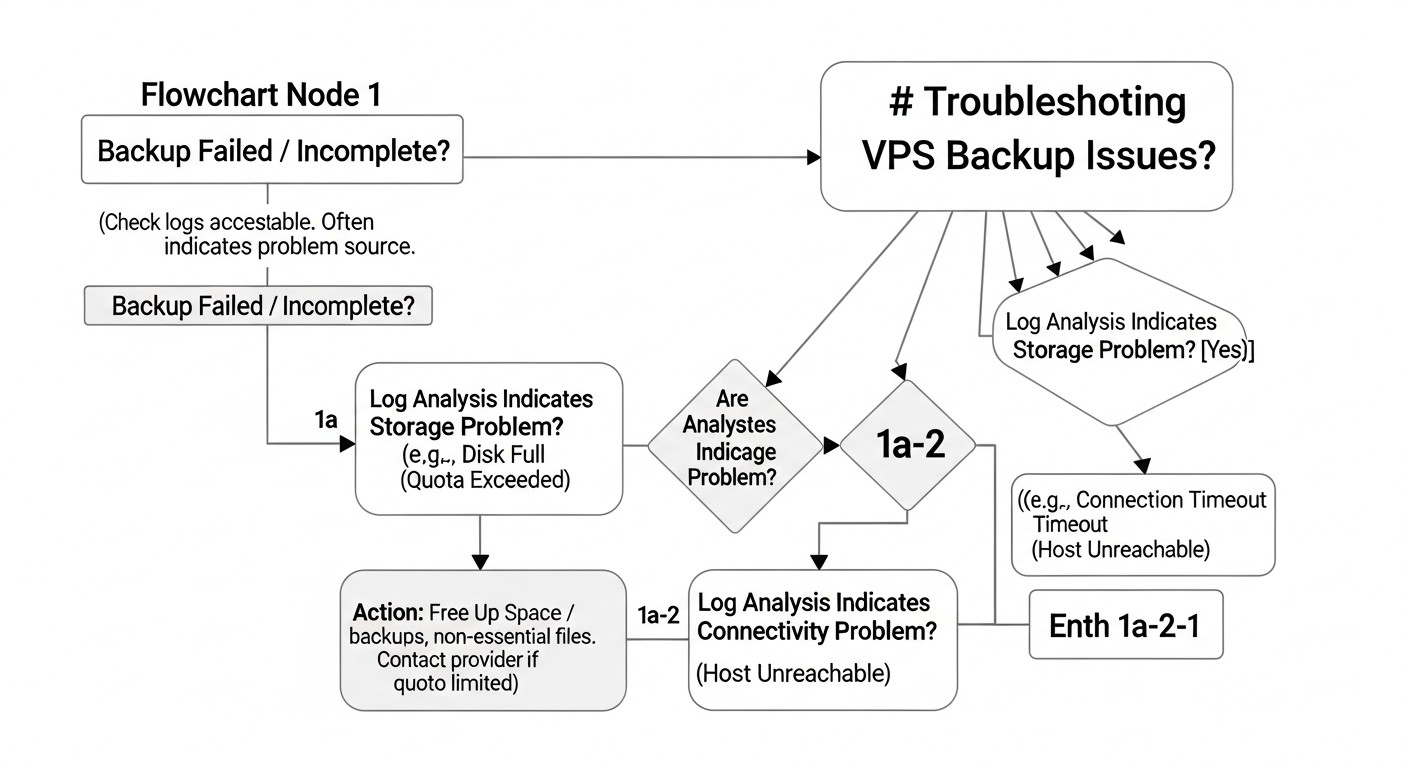 Diagram: Common Backup Organization Mistakes and How to Avoid Them
Even the most experienced engineers can make mistakes when organizing backups. In 2026, as systems become increasingly complex, these errors can have catastrophic consequences. Let's look at the most common ones and how to prevent them.
1. Absence or Irregular Recovery Testing
Mistake: "Backups exist, so everything is fine." Many companies create backups but never check if they can be restored from. At the moment of a real failure, it turns out that backups are corrupted, incomplete, or the recovery process doesn't work.
Consequences: Prolonged downtime, complete data loss, reputational and financial losses.
How to avoid: Implement regular, automated recovery testing. For mission-critical systems – weekly, for others – monthly. Create isolated test environments, restore data, and verify application functionality. Document each test.
2. Storing All Copies in One Place or with One Provider
Mistake: All backups are stored on the same VPS, in the same data center, or even in the same cloud region as the primary server. Some providers offer "automatic backups," but they are often stored in the same data center.
Consequences: Regional disasters (fire, flood, large-scale provider outage) or account compromise can lead to simultaneous loss of both the primary system and all backups.
How to avoid: Follow the "3-2-1-1-0" rule. Keep at least one backup copy off-site, preferably with a different provider or in a different geographical region. This reduces the risk of a single point of failure.
3. Lack of Protection Against Ransomware
Mistake: Backups are writable from the production environment or lack versioning/immutability. Ransomware, once it penetrates the system, can encrypt or delete not only working data but also all accessible backups.
Consequences: Inability to restore data, necessity to pay ransom (without guarantee of recovery), data leakage.
How to avoid: Use immutable storage (Object Lock in S3, WORM storage). Implement strict access control (IAM) with least privileges for backup accounts. Consider an "air gap" for the most critical data – an offline copy that is physically disconnected from the network.
4. Insufficient Monitoring and Alerts
Mistake: Backups are configured, but no one monitors their status. Script errors, disk overflow, storage access problems go unnoticed for a long time.
Consequences: Discovery of backup problems only at the moment of failure, when it's already too late. Data loss for the period when backups were not working.
How to avoid: Integrate the backup system with your monitoring system (Prometheus, Zabbix). Set up alerts for any failures, missed backups, as well as unusual changes in backup size (e.g., a sharp decrease may indicate a problem). Check backup logs daily.
5. RPO/RTO Mismatch with Business Requirements
Mistake: A backup strategy is chosen that does not meet actual business needs for acceptable data loss (RPO) and recovery time (RTO). For example, for a critical online service, daily backup and 8-hour recovery are chosen.
Consequences: Unacceptable data loss or excessively long downtime, leading to significant financial losses and customer dissatisfaction.
How to avoid: Clearly define RPO and RTO for each component of your system, based on the business value of the data and acceptable downtime. Choose a strategy and tools that can meet these metrics. Regularly review these requirements with stakeholders.
6. Lack of Backup Encryption
Mistake: Backups are stored in plain text on remote storage. This may be due to simplifying the process or underestimating the risks.
Consequences: Leakage of confidential data in case of storage compromise or unauthorized access. Violation of regulatory requirements (GDPR, HIPAA).
How to avoid: Always encrypt backups. Use server-side encryption (e.g., SSE-S3 for AWS S3) or, for maximum security, client-side encryption before sending data to storage. Manage encryption keys in a secure location (KMS, Vault).
7. Ignoring Databases or Incorrectly Copying Them
Mistake: Focusing on VPS file system backup but ignoring the specifics of database backup. Copying database files "directly" without stopping the DB or using specialized tools can lead to inconsistent or corrupted copies.
Consequences: The restored database does not start, contains corrupted data, or does not reflect the actual state at the time of backup.
How to avoid: Always use specialized tools for database backup (pg_dump, mysqldump, Percona XtraBackup, Barman, built-in cloud DB mechanisms). Ensure backups are consistent and allow the database to be restored to a working state.
8. Lack of Documentation and "Knowledge Held by One Person"
Mistake: All information about the backup system, including recovery procedures, is stored in one engineer's head or in unstructured notes.
Consequences: Critical downtime or complete inability to recover in the absence of a key specialist (vacation, resignation, illness). Chaos and panic in a stressful situation.
How to avoid: Document all aspects of the backup and recovery system in detail. Store documentation in a centralized, team-accessible system (Confluence, Wiki, GitLab/GitHub Wiki). Regularly update documentation and conduct recovery drills involving different team members.
Checklist for Practical Application of a Backup Strategy
This checklist will help you systematize the process of organizing and verifying your VPS backup system, ensuring that you have considered all critically important aspects.
- Defining RPO and RTO:
- ✓ RPO and RTO are clearly defined for each mission-critical service/VPS.
- ✓ These metrics are aligned with business requirements and stakeholders.
- Choosing a Strategy and Tools:
- ✓ One or more backup strategies (snapshots, agent, DB dumps, BaaS) have been chosen, corresponding to RPO/RTO and budget.
- ✓ Specific tools and providers have been selected for implementing each strategy.
- Implementing the "3-2-1-1-0" Rule:
- ✓ At least 3 copies of data are created (original + 2 backups).
- ✓ Copies are stored on 2 different types of media (e.g., local disk + cloud storage).
- ✓ At least 1 copy is stored off-site (in another region/with another provider).
- ✓ At least 1 copy is immutable or offline (ransomware protection).
- Automation:
- ✓ The backup creation process is fully automated (cron, Ansible, BaaS).
- ✓ The data transfer process to remote storage is automated.
- ✓ The process of cleaning up old backups (lifecycle management) is automated.
- Data Security:
- ✓ All backups are encrypted "at rest" and "in transit".
- ✓ Encryption keys are stored in a secure, isolated location (KMS, Vault).
- ✓ Strict IAM/RBAC policies are configured for access to backup storage (least privilege principle).
- ✓ Multi-factor authentication (MFA) is used for administrative access.
- Data Integrity and Consistency:
- ✓ Specialized backup methods are used for databases (dumps, WAL archiving, snapshots with quiescing).
- ✓ The consistency of created backups is verified (e.g., checksums).
- Monitoring and Alerts:
- ✓ Monitoring is configured for the success/failure of each backup job.
- ✓ Alerts are configured for failures, missed backups, or anomalies (e.g., sudden changes in backup size).
- ✓ Monitoring is integrated with a centralized system (Prometheus, Zabbix) and an alerting system (Slack, PagerDuty).
- Recovery Testing:
- ✓ A recovery testing plan and procedures have been developed.
- ✓ Recovery testing is conducted regularly (weekly/monthly).
- ✓ Testing includes a full cycle: restoration, service startup, functionality verification.
- ✓ Testing results are documented and analyzed.
- ✓ The testing process is maximally automated.
- Documentation:
- ✓ The entire backup and recovery architecture is documented.
- ✓ Detailed step-by-step instructions for various recovery scenarios are available and up-to-date.
- ✓ Contact information for responsible persons is provided.
- Lifecycle Management and Retention:
- ✓ A backup retention policy is defined (how many copies, for how long, for what data).
- ✓ Automatic deletion of old backups is configured in accordance with the retention policy.
- ✓ Regulatory data retention requirements are taken into account.
- Scalability and Performance:
- ✓ The backup system is capable of scaling with data growth and the number of VPS.
- ✓ Backup and recovery performance meets RPO/RTO without significant load on production systems.
- Budgeting:
- ✓ Total Cost of Ownership (TCO) has been calculated, including storage, traffic, operations, licenses, and administration.
- ✓ Potential hidden costs (e.g., egress fees during recovery) have been considered.
Cost Calculation / Economics of Backup
The cost of backup is not just the direct storage costs, but a whole range of factors, including traffic, operations, licenses, and labor. In 2026, against the backdrop of continuously falling storage prices, the costs of operations and egress traffic, as well as the cost of downtime, which can many times exceed all backup expenses, play an increasingly important role. Correct economic calculation allows for cost optimization without compromising reliability.
Main Cost Categories
- Storage Cost:
- Price per GB/TB per month. Different storage classes (hot, cold, archive) have different costs and access speeds. For example, S3 Standard, S3 Infrequent Access, S3 Glacier, S3 Glacier Deep Archive.
- It is important to consider not only the volume of active data but also the number of versions/replicas, as well as the retention period (retention policy).
- Data Transfer Cost:
- Ingress Traffic: Usually free with most cloud providers.
- Egress Traffic: Can be very expensive. Charged when reading data from storage (e.g., during recovery) or when transferring between regions/providers. This is one of the "hidden" cost items.
- Operations Cost (API Requests/Operations Cost):
- Many cloud storage services charge for the number of read (GET) and write (PUT) data operations.
- For BaaS solutions, this may be abstracted as "per VPS" or "per data volume," but for self-configuration (e.g., with S3), this is an important factor. A large number of small files or frequent incremental backups can generate many operations.
- Software License Cost:
- For proprietary solutions (Veeam, Acronis BaaS), the license cost can be significant, often charged per VPS or per volume of protected data.
- Open-source solutions (Restic, BorgBackup) have no direct licensing costs but require more labor for setup and support.
- Operational Overhead:
- Engineer time for design, setup, monitoring, testing, and troubleshooting.
- Automation reduces these costs, but initial investment in script and pipeline development can be significant.
- Downtime Cost:
- This is an indirect but potentially the largest cost item. Includes lost revenue, SLA penalties, reputational damage, reduced employee productivity.
- Directly proportional to RTO and service criticality.
Cost Calculation Examples for Different Scenarios (2026, approximate prices)
For simplicity, let's assume the following hypothetical prices for 2026:
- S3 Standard Storage: $0.020/GB/month
- S3 Infrequent Access (IA): $0.0125/GB/month
- S3 Glacier: $0.004/GB/month
- S3 Egress (outgoing traffic): $0.08/GB
- S3 PUT requests: $0.005/1000 requests
- S3 GET requests: $0.0004/1000 requests
- BaaS License: $15/VPS/month (for 100GB)
- Engineer Cost: $50/hour
Scenario 1: Small SaaS Project (1 VPS, 200 GB data)
Strategy: Daily provider snapshots + weekly agent-based backup to S3 IA with versioning and immutability.
- Provider Snapshots: $10/month (for 200 GB).
- Agent-based Backup (Restic to S3 IA):
- Data Volume: 200 GB. Restic compression and deduplication reduce to 100 GB of stored data (over 4 weeks, 4 full backups).
- S3 IA Storage: 100 GB * $0.0125/GB/month = $1.25/month.
- S3 Operations: ~5000 PUT (weekly) + ~1000 GET (monitoring) = $0.025 + $0.0004 = ~$0.03/month.
- Traffic: Weekly backup of 200 GB (if full, but Restic is incremental, let's say 5 GB changes) * 4 weeks = 20 GB. 20 GB * $0.00 (ingress free) = $0.00.
- Recovery (hypothetical): 1 time per year, 100 GB egress * $0.08/GB = $8.00/year = $0.67/month.
- Labor Costs: 4 hours for Restic setup and scripts ($200), 1 hour per month for monitoring and maintenance ($50). Total ~$67/month (distributed over a year).
Total Cost: $10 (snapshots) + $1.25 (storage) + $0.03 (operations) + $0.67 (egress) + $67 (labor) = ~$78.95/month.
Scenario 2: Medium SaaS Project (5 VPS, 1 TB data each, critical DBs)
Strategy: BaaS solution (e.g., Acronis) for all VPS + Barman for PostgreSQL with WAL log archiving to S3 Glacier.
- BaaS for 5 VPS (5 TB data):
- BaaS License: 5 VPS * $30/VPS/month (for 1 TB) = $150/month. (BaaS often includes storage and operations).
- Additional Traffic/Operations: Assume included in BaaS or negligible.
- Barman for PostgreSQL (1 TB data, 50 GB WAL/day):
- Full backup storage (1 TB) on S3 Glacier: 1 TB * $0.004/GB/month = $4/month.
- WAL log storage (50 GB/day * 30 days = 1.5 TB/month) on S3 Glacier: 1.5 TB * $0.004/GB/month = $6/month.
- S3 Glacier Operations: Negligible, as access is rare.
- Traffic: WAL logs 1.5 TB/month * $0.00 (ingress free) = $0.00. Recovery (hypothetical): 1 time per year, 1 TB egress * $0.08/GB = $80/year = $6.67/month.
- Labor Costs: 20 hours for BaaS and Barman setup ($1000), 5 hours per month for monitoring and testing ($250). Total ~$333/month (distributed over a year).
Total Cost: $150 (BaaS) + $4 (Glacier Full) + $6 (Glacier WAL) + $6.67 (Glacier Egress) + $333 (labor) = ~$499.67/month.
Scenario 3: High-load Cluster (10 VPS, 5 TB data, very low RPO/RTO)
Strategy: Disk replication (DRBD) for HA + agent-based backup (Veeam Agent) to S3 IA with immutability and BaaS for archiving.
- DRBD Replication: Requires 10 additional VPS. Cost of 10 VPS = $200-$500/month (depends on provider).
- Veeam Agent (10 VPS, 5 TB data):
- Veeam Agent License: 10 VPS * $10/VPS/month = $100/month.
- S3 IA Storage: 5 TB * $0.0125/GB/month = $62.5/month.
- S3 Operations: ~20000 PUT + ~5000 GET = $0.1 + $0.002 = ~$0.1/month.
- Traffic: Daily incremental backups (let's say 100 GB/day) * 30 days = 3 TB. 3 TB * $0.00 = $0.00.
- Recovery: 2 times per year, 5 TB egress * $0.08/GB = $400/year = $33.33/month.
- BaaS for Archiving (e.g., Acronis with cold storage, 5 TB): $100/month (for 5 TB).
- Labor Costs: 40 hours for DRBD, Veeam, BaaS setup ($2000), 10 hours per month for monitoring, testing, support ($500). Total ~$667/month (distributed over a year).
Total Cost: $350 (additional VPS) + $100 (Veeam) + $62.5 (S3 IA) + $0.1 (S3 Ops) + $33.33 (S3 Egress) + $100 (BaaS Archive) + $667 (labor) = ~$1312.93/month.
How to Optimize Costs
- Retention Policy: Do not store backups forever unless required by regulatory norms. Determine how many versions and for how long they need to be stored, and configure automatic deletion of old copies.
- Storage Classes: Use different storage classes for different types of backups. "Hot" (S3 Standard) for fast recovery, "cold" (S3 IA) for long-term, "archive" (Glacier) for very long-term storage with rare access.
- Deduplication and Compression: Tools like Restic, BorgBackup, Veeam Agent effectively reduce the volume of stored data.
- Monitor Egress Fees: Be mindful of egress traffic costs. If you frequently restore large volumes of data, this can become the most expensive item. Evaluate RTO and RPO to avoid excessive costs for fast but expensive recoveries.
- Automate Labor Costs: Invest in scripts, Infrastructure as Code (Terraform, Ansible) for automation of setup and management. This reduces ongoing operational costs.
- Evaluate TCO: Always calculate the Total Cost of Ownership over several years, not just monthly payments. Consider the cost of downtime.
Table with Calculation Examples (simplified, for monthly backup of 100GB)
| Parameter |
VPS Snapshots |
Restic + S3 IA |
Acronis BaaS |
| Data Volume (original) |
100 GB |
100 GB |
100 GB |
| Data Volume (stored, after compression/dedupl.) |
100 GB |
~50 GB |
~50 GB |
| Storage/License Cost |
$5.00 |
$0.63 (S3 IA) |
$20.00 |
| Operations Cost (estimate) |
$0.00 |
$0.01 |
Included |
| Egress Cost (estimate, 1 recovery/year) |
$0.00 |
$0.33 |
$0.50 (depends on provider) |
| Labor Costs (estimate/month) |
$20.00 |
$50.00 |
$10.00 |
| Total Cost/Month (estimate) |
$25.00 |
$50.97 |
$30.50 |
This table demonstrates that BaaS solutions can be more expensive in direct licensing costs but significantly reduce labor costs, which can ultimately make them more economically viable for companies where engineer time is expensive. VPS snapshots are the cheapest but have limitations. Self-configuration with Restic + S3 can be cost-effective in terms of direct storage costs but requires more administration time.
Case Studies and Real-World Examples
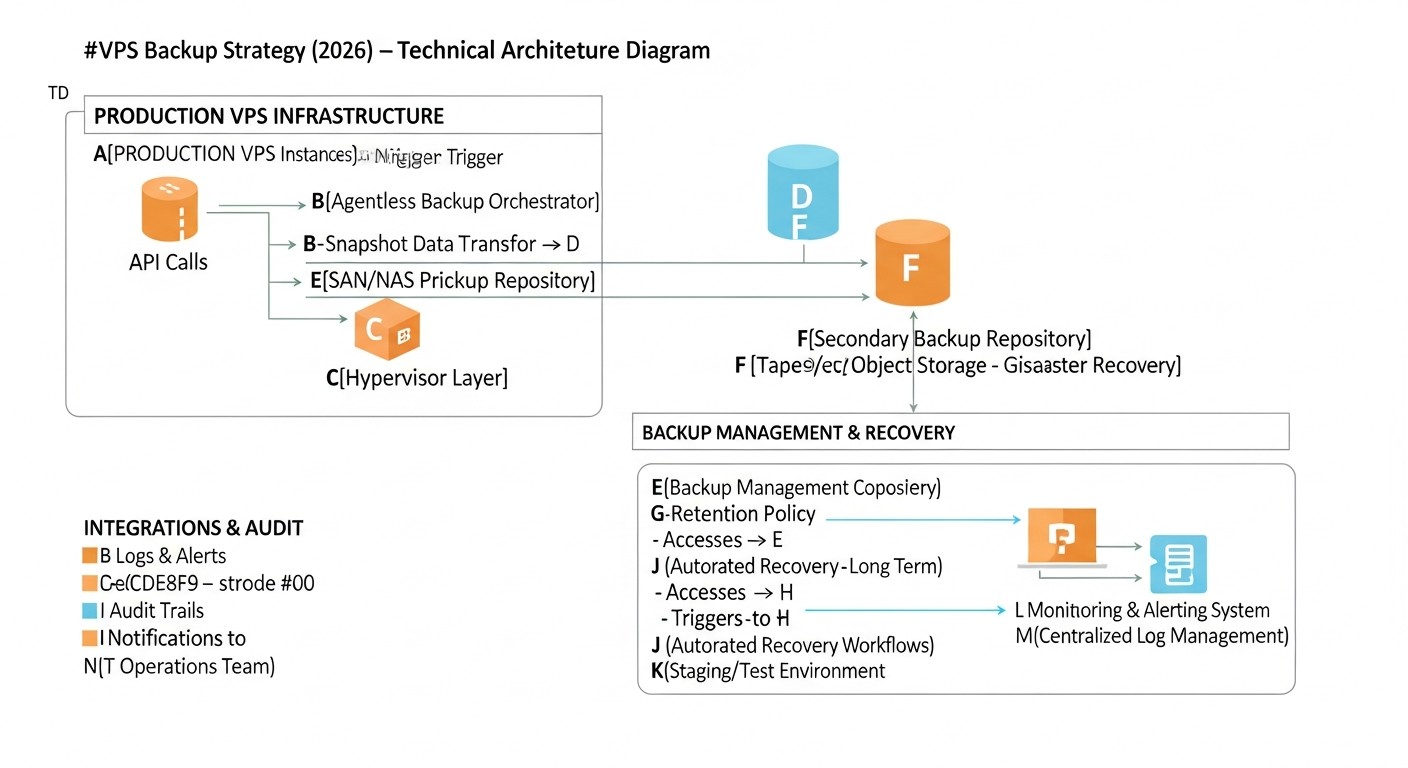 Diagram: Case Studies and Real-World Examples
Theory is important, but real-world cases show how different backup strategies are applied in practice and what results they yield. Let's look at a few scenarios relevant to 2026.
Case 1: Startup with a SaaS Platform for Small Businesses
Project Description: A young startup "SmartCRM" offers a SaaS solution for customer management. The platform runs on 5 VPS: one for the web server (Nginx, PHP-FPM), one for the API (Node.js), one for PostgreSQL, one for Redis, and one for background tasks (RabbitMQ, Celery). Total data volume is about 2 TB, with the database occupying 500 GB. RPO for CRM data: 1 hour, RTO: 4 hours. Budget is limited, but customer data security is critical.
Problem: The need to ensure reliable backup and fast recovery with limited resources and growing data volume. Basic protection from the provider is insufficient.
Solution: A hybrid strategy combining simplicity and reliability.
- Daily Provider Snapshots (VPS-level): For all 5 VPS. This provides a quick rollback of the entire server in case of a serious configuration error or OS failure. Snapshots are stored for 7 days. Cost: ~$50/month.
- Agent-based File System Backup (Restic): Restic is installed on all VPS. Daily incremental backups of key directories (
/etc, /var/www, /opt/app, logs) are sent to S3 Infrequent Access. S3 versioning and Object Lock for 30 days are enabled for ransomware protection. Restic provides data deduplication and encryption. S3 Cost: ~$30/month.
- PostgreSQL Backup (Barman): Barman is configured for the database, performing weekly full backups and continuously archiving WAL logs to another S3 bucket (S3 Standard, then transitioning to S3 IA). This ensures point-in-time recovery with an RPO of a few minutes. S3 Cost for DB: ~$40/month.
- Monitoring: All backup scripts are integrated with Prometheus/Grafana to track execution success and backup size. Slack alerts for failures.
- Testing: Once a month, a script automatically launches a temporary VPS, restores the latest full backup (files + DB), runs basic application tests, and then deletes the VPS.
Results:
- RPO/RTO: RPO for files ~24 hours (Restic), for DB ~15 minutes. RTO for full recovery ~3 hours (due to automation).
- Security: High level of ransomware protection thanks to S3 immutability and Restic encryption.
- Cost: The total cost of the backup infrastructure was about ~$150/month, plus labor costs for setup. This allowed the startup to stay within budget while ensuring a high level of reliability.
- Experience: In one instance, an error occurred during an Nginx update, leading to a web server crash. Thanks to provider snapshots, the VPS was restored to a working state in 15 minutes. In another case, a developer accidentally deleted critical data from the DB. Thanks to Barman, the database was restored to a point 5 minutes before the incident, with minimal data loss.
Case 2: Large E-commerce Platform with High Availability
Project Description: "MegaShop" is a large e-commerce platform with millions of users. The infrastructure is distributed across 20+ VPS operating in a cluster. Data volume is tens of TB, including a huge database of products, orders, and user data. RPO: a few minutes, RTO: less than 30 minutes. Downtime is unacceptable; every minute of downtime means millions of dollars in losses. Compliance with PCI DSS and other regulatory requirements.
Problem: Ensure business continuity, minimal RPO/RTO, scalability, and compliance with strict security standards for huge data volumes.
Solution: A multi-layered, highly automated strategy with an emphasis on BaaS and replication.
- Database Replication (PostgreSQL Streaming Replication): The primary database is replicated to a hot standby server in another AZ (Availability Zone) in streaming mode. This provides near-zero RPO and RTO through fast failover to the replica. Additionally, Barman is used for long-term storage of WAL logs and full backups in S3 Glacier with Object Lock.
- Cloud Backup as a Service (BaaS, e.g., Veeam Backup & Replication for cloud environments): A BaaS solution is used for all VPS (OS, applications, configurations). It provides incremental backups every 15 minutes, storage in multiple regions, deduplication, encryption, and ransomware protection. Veeam also offers file-level and bare-metal recovery capabilities. BaaS Cost: ~$2000/month.
- Managed Disks/Volumes Snapshots: Automatic snapshots are configured at the cloud provider level for Persistent Volumes used in Kubernetes. These snapshots are the first line of defense against rapid failures.
- Monitoring and Orchestration: All backup and replication processes are integrated with a centralized monitoring system (Datadog) and orchestration (Ansible, Terraform). CI/CD pipelines include automated backup verification.
- DRP (Disaster Recovery Plan): A disaster recovery plan is developed and regularly tested, including failover to a standby region. Testing is conducted quarterly, simulating real failures.
Results:
- RPO/RTO: RPO for DB is virtually 0, for file system ~15 minutes. RTO for failover to standby cluster ~15-20 minutes.
- Security: PCI DSS and other standard compliance thanks to multi-layered protection, encryption, immutability, and auditing.
- Cost: The total cost of backup and DR infrastructure amounted to several thousand dollars per month, but this is justified by millions in losses from downtime.
- Experience: During a serious outage in one of the cloud regions, caused by a provider's network equipment issue, the platform was able to failover to a standby region in less than 20 minutes, minimizing losses and preserving its reputation.
Case 3: DevOps Team Using Kubernetes and Infrastructure as Code
Project Description: A DevOps team manages a complex microservice architecture on Kubernetes, deployed across several VPS. All configurations are stored in Git. Data is stored in Persistent Volumes (PVs), as well as in managed cloud databases. RPO: 1-4 hours, RTO: 2 hours.
Problem: How to effectively back up a dynamic, containerized environment where VPS are ephemeral and data is critical?
Solution: Focus on data and configurations, not on the VPS themselves.
- Configuration Backup (Git): All Kubernetes manifests, Helm charts, Ansible playbooks, Terraform configurations are stored in Git repositories. This is a "backup" of the infrastructure as code configuration.
- Persistent Volumes Backup (Velero): Velero is used for backing up Persistent Volumes (data used by pods) and Kubernetes resources (deployments, services, configs). Backups are sent to S3 with Object Lock. Velero allows restoring individual resources as well as entire clusters. S3 Cost: ~$100/month.
- Managed Database Backup: For cloud-managed databases (e.g., AWS RDS, Google Cloud SQL), built-in backup mechanisms with point-in-time recovery are used. These backups are stored by the provider with corresponding SLAs. Cost is part of the DB provider's charges.
- Offline Backup (S3 Glacier Deep Archive): A monthly archival backup of all mission-critical PVs and configurations is created and sent to S3 Glacier Deep Archive with a long Object Lock.
- Automated Testing: The CI/CD pipeline includes a task that weekly deploys a new, empty Kubernetes cluster, restores a portion of applications and data from backup using Velero, runs integration tests, and then deletes the cluster.
Results:
- RPO/RTO: RPO for PVs ~1 hour, RTO for partial cluster recovery ~1 hour.
- Flexibility: Ability to restore individual microservices or the entire cluster.
- Efficiency: VPS are not backed up directly, as they are ephemeral and can be easily recreated from code. Focus is on data and configurations.
- Experience: During a Kubernetes update that rendered some pods inoperable, the team was able to quickly roll back the cluster to a previous working state using Velero, restoring both PVs and Kubernetes resources.
Troubleshooting: Resolving Common Backup Issues
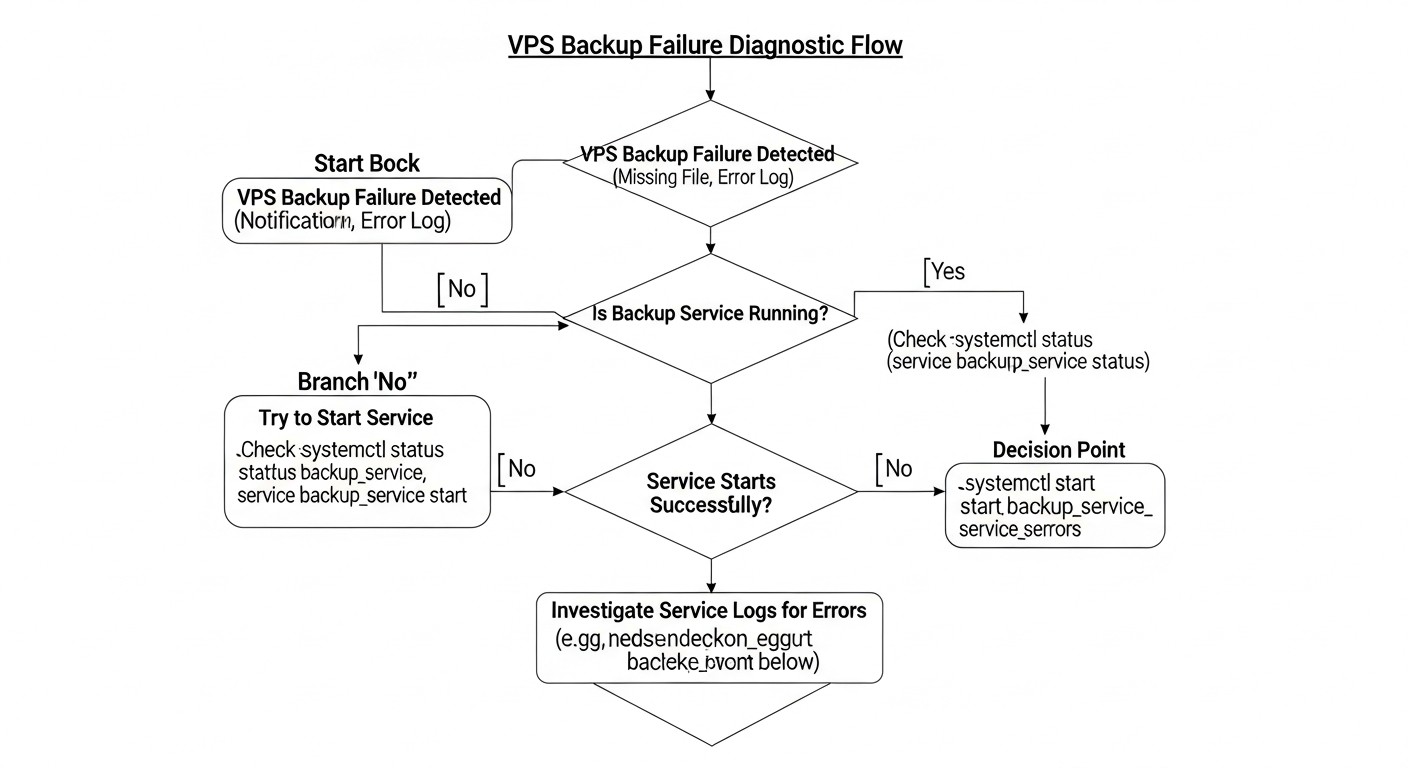 Diagram: Troubleshooting: Resolving Common Backup Issues
Even the most well-designed backup system can encounter problems. The ability to quickly diagnose and resolve them is critically important for maintaining reliability. In 2026, with the increasing complexity of systems, troubleshooting skills become even more valuable.
1. Problem: Backup does not start or finishes with an error
Possible causes:
- Error in cron job: Incorrect script path, wrong time syntax.
- Permission issues: The script is executed by a user without the necessary permissions to read files or write temporary data.
- Insufficient disk space: The local disk of the VPS, where temporary copies or dumps are created, has run out of space.
- Network/storage access issues: No connection to the S3 bucket, SFTP server, or other remote storage.
- Script error: Syntax error, incorrect variable, outdated command.
- Authentication issues: Expired token, incorrect access keys for cloud storage.
Diagnostic commands and solutions:
- Check cron:
grep CRON /var/log/syslog # Check cron logs
sudo systemctl status cron # Status of cron service
crontab -l # Check current user's job list
sudo crontab -l -u root # Check root user's job list
Ensure the script has execute permissions (chmod +x script.sh). Run the script manually to see errors.
- Check permissions: Run the script as the user it is supposed to run as. Check directory permissions:
ls -l /path/to/files.
- Check disk space:
df -h # Check free space
Clear temporary files or increase disk size.
- Check network/storage access:
ping s3.amazonaws.com # Check network accessibility
aws s3 ls s3://your-bucket # Check S3 access (for AWS CLI)
Check firewall settings (iptables, security groups).
- Check authentication: Update access keys, check environment variables.
2. Problem: Recovery from backup does not work or data is corrupted
Possible causes:
- Backup corruption: The backup file was corrupted during creation, transfer, or storage.
- Data inconsistency: The database backup was made without stopping or using hot mode, leading to inconsistent data.
- Incorrect backup version: Attempting to restore from an outdated or unsuitable backup.
- Error in recovery procedure: Incorrect commands, wrong order of operations.
- Encryption issues: Encryption key lost, incorrect passphrase.
Diagnostic commands and solutions:
- Regular recovery testing: This is the only reliable protection. If testing is performed regularly, you will discover the problem before a real failure.
- Checksum verification: If the backup tool supports it, verify the backup checksums.
- Check backup logs: Examine backup creation logs for errors or warnings.
- Documentation: Strictly follow the documented recovery procedure. If it doesn't exist, create it.
- Encryption keys: Ensure you are using the correct key or password. Store them in a secure location.
- DB consistency: Ensure specialized tools (
pg_dump, mysqldump, XtraBackup) or quiescing mode for snapshots were used for DB backup.
3. Problem: Backup takes too much space or time
Possible causes:
- Lack of deduplication/compression: The tool does not use these methods, or they are disabled.
- Ineffective retention policy: Too many old backups are stored for too long.
- Backup of unnecessary files: Temporary files, caches, logs that are not needed for recovery are included in the backup.
- Network limitations: Low network bandwidth between the VPS and storage.
- I/O limitations: The VPS disk subsystem cannot handle the load when reading data for backup.
Diagnostic commands and solutions:
4. Problem: High storage or traffic costs
Possible causes:
- Unoptimized use of storage classes: All backups are stored in "hot" and expensive storage.
- Excessive retention: Storing too many versions for too long.
- High egress traffic: Frequent recoveries or replication between regions.
Diagnostic commands and solutions:
- Analyze bills: Regularly analyze cloud provider bills to understand which cost items are primary (storage, traffic, operations).
- Lifecycle Policies: Configure automatic transition of old backups to cheaper storage classes (IA, Glacier) or their deletion.
- Optimize retention: See above.
- Minimize egress: Plan recoveries in advance, if possible. Consider caching or local replicas for frequently used data.
When to contact support
Contact your hosting provider or BaaS provider in the following cases:
- Provider infrastructure issues: If you suspect the problem is related to the provider's hardware, network, or services (e.g., unavailable snapshots, block storage issues).
- Inability to recover from provider backups: If their automatic backups do not restore.
- BaaS solution issues: If you are using BaaS and encounter errors that you cannot resolve yourself.
- Network problems that cannot be diagnosed: If
ping and traceroute show anomalies, but you cannot identify their source.
Before contacting support, always gather as much information as possible: logs, error screenshots, time of problem occurrence, steps to reproduce. This will significantly speed up the resolution process.
FAQ: Frequently Asked Questions about VPS Backup
What are RPO and RTO and why are they so important?
RPO (Recovery Point Objective) defines the maximum acceptable amount of data you are willing to lose in the event of a failure. If your RPO is 1 hour, you will lose data created in the last hour. RTO (Recovery Time Objective) is the maximum acceptable time within which your system must be restored after a failure. These metrics are critically important because they directly determine the choice of backup strategy, tools, and consequently, the cost of the solution. Incorrectly defined RPO/RTO can lead to unacceptable business losses.
Can provider snapshots replace a full backup?
Provider snapshots are an excellent first layer of protection, providing a quick rollback of the entire VPS. However, they cannot fully replace a comprehensive backup. Key limitations include: low flexibility (only entire image recovery), dependence on a single provider/data center, limited ransomware protection (if an attacker gains access to the control panel), and often a high RPO (once every 4-24 hours). For mission-critical data, additional strategies should always be used.
How to protect backups from ransomware?
Key measures to protect against ransomware include: 1) Immutable storage (Object Lock), which prevents backups from being modified or deleted for a specified period. 2) Least Privilege Principle for backup accounts – only write permissions, no delete permissions. 3) Encryption of backups. 4) Network isolation of backup storage. 5) Offline copies ("air gap") for the most critical data.
Do I need to back up databases separately if I'm taking snapshots of the entire VPS?
Yes, in most cases, you do. VPS snapshots can create "crash-consistent" copies, meaning they are like a sudden power loss. For databases, this can lead to data inconsistency or corruption. To ensure "transactional consistency," you must use specialized tools for database backup (dumps, WAL archiving, hot backups) that guarantee data integrity after recovery.
How often should I test backup recovery?
Recovery testing should be regular and automated. For mission-critical systems, weekly testing is recommended. For less critical systems, monthly. The main goal is not just to check for the presence of files, but to ensure that the system can be fully restored from the backup and applications can be launched in a working state. An untested backup is no backup at all.
Which cloud storage is best for backups?
The choice depends on RPO/RTO and budget. For "hot" backups with frequent access and low RTO, S3 Standard (AWS), Google Cloud Storage Standard, or similar options are suitable. For long-term storage with rare access and a higher RTO (but cheaper) – S3 Infrequent Access (IA) or Google Cloud Storage Nearline. For archival data with very rare access and high RTO (cheapest) – S3 Glacier, Google Cloud Storage Coldline/Archive. In 2026, many providers offer S3-compatible storage (MinIO, Wasabi, Backblaze B2) that may be more cost-effective.
What are deduplication and compression in the context of backups?
Deduplication is the process of eliminating redundant copies of data. If you have multiple backups containing the same files or data blocks, deduplication stores only one unique copy and replaces the others with references. This significantly saves space. Compression is the process of reducing the size of data by encoding it in a more efficient way. Both methods help reduce the volume of stored data and, consequently, lower storage and traffic costs.
Can I use rsync to back up the entire system?
rsync is excellent for backing up files and directories, but using it to back up an entire system (OS, running processes, open files) can be problematic. rsync does not guarantee the consistency of open files (e.g., databases). Additionally, for full system recovery, you would first need to install the OS and then copy the files, which increases RTO. For backing up an entire system, it's better to use block-level snapshots, agent-based backup, or specialized tools.
What hidden costs can arise when backing up to the cloud?
The most significant hidden costs in the cloud are egress fees, charged when downloading data from the cloud (especially when restoring large volumes). There can also be API request costs, especially with a large number of small files or frequent incremental backups, and early deletion fees for cold/archive storage if you delete data before the minimum retention period.
How important is automation in backup?
Automation is critically important. Manual operations are prone to human error, time-consuming, and do not scale. Automating backups, data transfer, old copy cleanup, monitoring, and even recovery testing significantly increases reliability, reduces RPO/RTO, and frees up engineer time. In 2026, without a high degree of automation, managing a complex backup infrastructure is practically impossible.
Conclusion: Final Recommendations and Next Steps
VPS backup in 2026 is not just a technical task, but a strategic imperative for any project, from a small startup to a large corporation. Threats are becoming more sophisticated, data is becoming more valuable, and regulatory requirements are becoming stricter. Ignoring or inadequately organizing backups can lead to catastrophic consequences: data loss, prolonged downtime, reputational and financial losses that many times exceed the cost of a reliable system.
Final Recommendations
- Start with business requirements: Before choosing tools, clearly define your RPO and RTO for each component of the system. This is your compass in the world of backup.
- Implement the "3-2-1-1-0" strategy: This is a time-tested approach, adapted to modern threats, that provides maximum protection against most data loss scenarios, including ransomware and regional disasters.
- Automate everything: From creation to recovery testing. Use Infrastructure as Code (Ansible, Terraform), schedulers (cron), and specialized tools to minimize human error and increase efficiency.
- Prioritize security: Encrypt data "at rest" and "in transit." Implement immutable storage (Object Lock) and strict access control (IAM, MFA) for backups.
- Test, test, and test again: An untested backup is no backup at all. Invest in automated recovery testing to guarantee the functionality of your copies.
- Monitoring and alerts: Set up comprehensive monitoring of backup status and timely alerts for any failures.
- Document: Detailed and up-to-date documentation for all backup and recovery procedures is your insurance against "knowledge held by one person."
- Optimize costs: Use different storage classes, deduplication, compression, and an effective retention policy. Carefully monitor hidden costs, such as egress fees.
- Use hybrid approaches: Often, the optimal solution is a combination of several strategies (e.g., provider snapshots + agent-based cloud backup + specialized DB backup).
Next Steps for the Reader
After studying this article, do not delay implementing or improving your backup strategy. Start small, but do it now:
- Conduct an audit of the current situation: What VPS do you have? What data do they store? What RPO/RTO are critical for them? How is backup currently organized?
- Identify gaps: Does the current strategy comply with the "3-2-1-1-0" rule? Is recovery tested? Is there ransomware protection?
- Choose a pilot project: Select one non-critical or moderately critical VPS to implement a new or improved backup strategy.
- Develop a plan: Create a step-by-step plan for implementing the chosen tools and strategies, including automation and testing.
- Begin implementation: Gradually implement changes, starting with the most critical components.
- Continuous improvement: The world of technology changes, and your backup strategy must evolve with it. Regularly review your approaches, tools, and policies.
Remember that backup is not a one-time task, but a continuous process. Investments in it pay off many times over when the moment of truth arrives. Be prepared for the worst, and you will be able to ensure the continuity and resilience of your business in the ever-changing digital world of 2026 and beyond.
Was this guide helpful?
VPS backup: comprehensive strategies and tools for 2026