Deploying Serverless Functions (FaaS) on Your VPS/Dedicated Server with OpenFaaS or Knative: Expert Guide 2026
TL;DR
- Self-hosted FaaS is the 2026 trend: Control, cost savings, and flexibility are becoming critical, especially for projects with sensitive data or strict budget requirements, in contrast to expensive proprietary cloud solutions.
- OpenFaaS for simplicity and speed: Ideal for quick starts and small teams, runs on any Kubernetes or Docker Swarm, offers a rich set of templates, and has an active community.
- Knative for deep Kubernetes integration: Provides powerful scaling capabilities (down to zero), traffic management, and event-driven architecture based on native Kubernetes primitives, suitable for complex, high-load systems.
- Key selection factors: Performance, scalability, operational overhead, ecosystem, learning curve, and cost play a crucial role. In 2026, special attention is paid to energy efficiency and integration with AI/ML workloads.
- Savings and control: Deploying FaaS on your own server significantly reduces long-term operational costs, avoids vendor lock-in, and ensures full control over data and infrastructure.
- Mandatory automation: For successful self-hosted FaaS management, CI/CD, IaC (Terraform, Ansible), and advanced monitoring systems (Prometheus, Grafana, Loki) are critical to minimize manual operations.
- The future is hybrid solutions: Hybrid FaaS strategies are expected to grow in popularity, where some functions run in the public cloud, while critical ones run on private hardware, providing a balance between flexibility and security.
Introduction
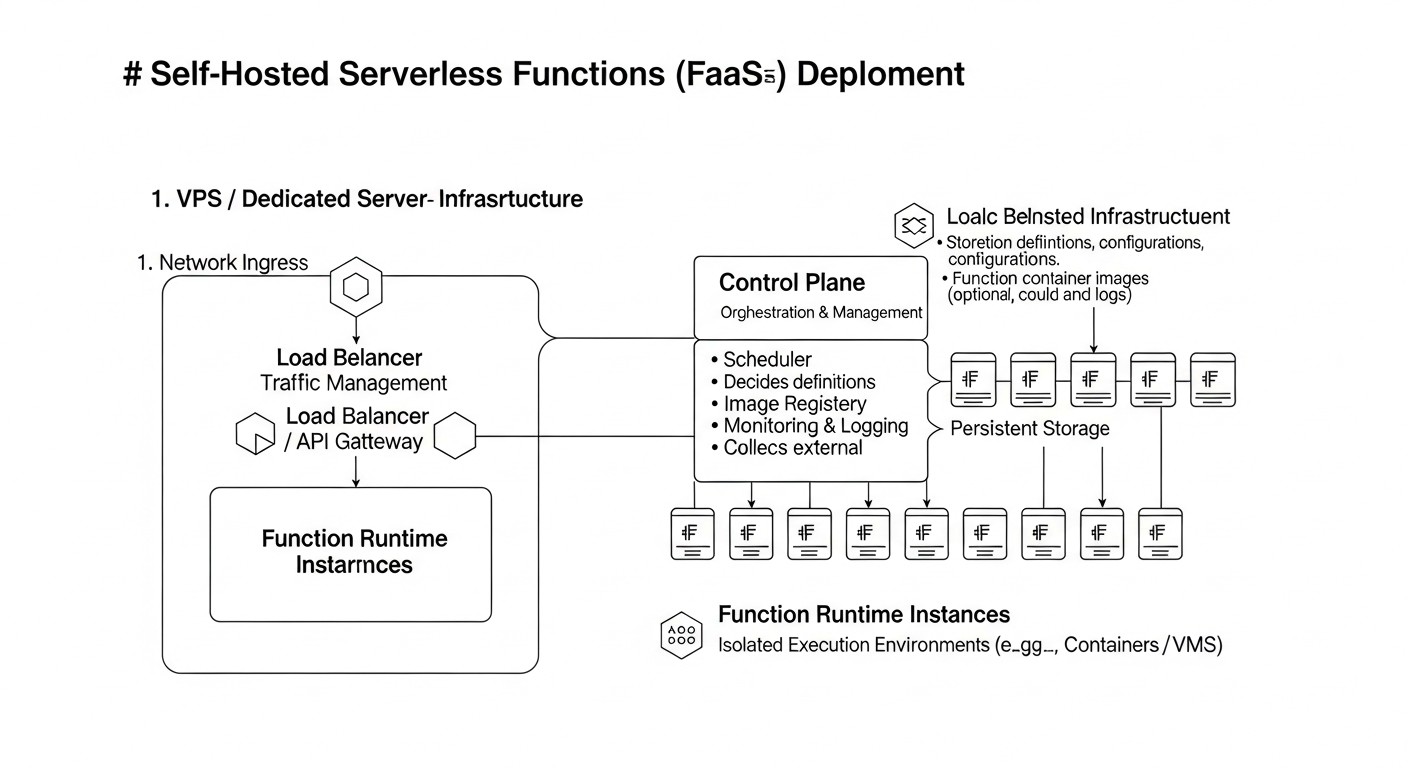
In 2026, the concept of serverless computing (Functions as a Service - FaaS) is no longer futuristic but has become the de facto standard for many modern architectures. However, while FaaS was previously associated exclusively with public clouds (AWS Lambda, Google Cloud Functions, Azure Functions), now more and more companies, especially startups and medium-sized enterprises, are rethinking this paradigm. The reasons are simple: rising costs of cloud services, the desire for full control over data and infrastructure, and the wish to avoid vendor lock-in. This is where solutions for deploying FaaS on your own VPS or dedicated server, such as OpenFaaS and Knative, come into play.
This article is addressed to DevOps engineers, backend developers, SaaS project founders, system administrators, and technical directors of startups who are looking for alternatives to expensive cloud FaaS platforms or want to build hybrid cloud solutions. We will deep dive into the world of OpenFaaS and Knative, examine their advantages and disadvantages, provide practical recommendations for deployment and operation, and help assess the economic feasibility of such an approach.
We live in an era where resource optimization and independence from external providers are becoming not just desirable, but often critically important. With the increasing complexity of applications and data volumes, as well as tightening privacy requirements, the ability to deploy serverless functions on your own hardware, while maintaining flexibility and scalability, becomes a powerful competitive advantage. The goal of this guide is to give you all the necessary information to make an informed decision and successfully implement a FaaS strategy on your infrastructure.
Key Criteria and Selection Factors
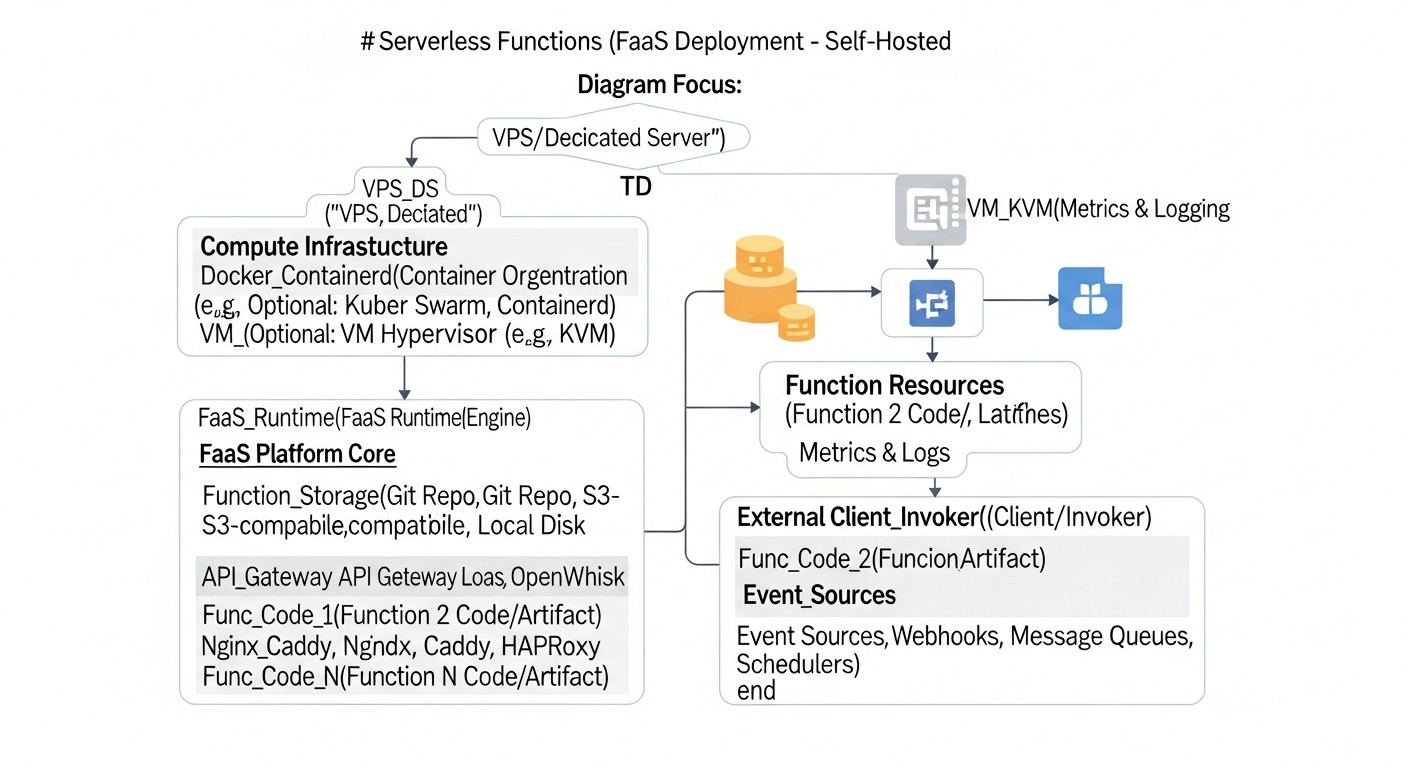
The choice between OpenFaaS and Knative, as well as the decision to deploy FaaS on your own server, should be based on a thorough analysis of many factors. In 2026, as technologies advance rapidly and demands for reliability and performance constantly grow, these criteria become even more significant.
1. Performance and Cold Start Latency
Cold start latency is the delay between a function invocation and the start of its execution if the function instance is inactive. For many interactive applications (API gateways, webhooks), this is a critical parameter. In 2026, users expect instant responses. OpenFaaS and Knative have different approaches to managing function lifecycles, which affects cold start. Knative, thanks to its integration with Kourier/Istio and advanced autoscaling mechanisms, can achieve very low values, down to milliseconds, by "warming up" containers or using specialized primitives. OpenFaaS also actively works on optimization, offering various strategies for keeping active instances. Evaluation should be performed under real loads, considering the typical size and language of the function.
2. Scalability and Autoscaling
The ability to automatically scale functions in response to changing load is a cornerstone of FaaS. In 2026, this means not just horizontal scaling, but intelligent resource management. Knative Serverless is built on Kubernetes HPA (Horizontal Pod Autoscaler) and KEDA (Kubernetes Event-Driven Autoscaling), allowing it to scale from zero to hundreds of instances in seconds, using CPU, memory, request metrics, or custom events. This is especially important for tasks with peak loads. OpenFaaS also supports autoscaling via HPA and KEDA, but its architecture may require finer tuning to achieve the same level of granularity and speed of scaling to zero. For evaluation, load testing with various load profiles should be conducted.
3. Operational Overhead and Management Complexity
Deploying FaaS on your own server implies responsibility for the entire infrastructure. This includes managing the Kubernetes cluster (if used), updating components, monitoring, logging, and ensuring security. Knative, being more tightly integrated with Kubernetes, may require deeper knowledge of the Kubernetes ecosystem. OpenFaaS, especially in Docker Swarm mode, offers a lower entry barrier. In 2026, more and more automation and IaC (Infrastructure as Code) tools simplify these tasks, but a basic understanding remains critical. The evaluation should include the time required for the team to learn and support the system, as well as the availability of qualified specialists.
4. Ecosystem and Integration
How well does the FaaS platform integrate with other tools and services? In 2026, this means seamless operation with CI/CD systems, databases, message brokers (Kafka, RabbitMQ, NATS), monitoring systems (Prometheus, Grafana), and data tools (e.g., object storage). Knative, as part of the Kubernetes ecosystem, naturally benefits from a rich set of Kubernetes plugins and integrations. OpenFaaS also has an extensive ecosystem and supports integration via gateways and plugins, but may require more effort to connect with some specific Kubernetes services. It is important to assess how easily existing or planned services can be connected.
5. Learning Curve and Entry Barrier
How quickly can your team master the new platform and become productive? OpenFaaS is often considered easier to start with due to its focus on "functions as Docker containers" and CLI. Knative, with its concepts of Service, Revision, Configuration, Route, and deep Kubernetes integration, may have a steeper learning curve, especially for those less familiar with Kubernetes. However, for teams already working with Kubernetes, Knative may seem a more natural choice. In 2026, the availability of training materials, documentation, and an active community strongly influences this factor.
6. Cost and Economic Efficiency (TCO - Total Cost of Ownership)
This is one of the key factors for migrating to private hardware. In 2026, the cost of ownership includes not only hardware (VPS/Dedicated) but also electricity costs (for dedicated), licenses (if applicable, but OpenFaaS/Knative are open-source), engineers' salaries, time for development, testing, deployment, and support. Self-deploying FaaS avoids cloud markups for each function invocation and resource usage, but shifts the operational burden to your team. It is important to conduct a detailed TCO calculation, comparing it with potential costs of cloud counterparts. In 2026, the cost of gigabyte-seconds in the cloud is expected to continue rising, making self-hosted FaaS even more attractive for long-term projects.
7. Security and Compliance
Deployment on your own server gives full control over security. You are responsible for network isolation, operating system patching, access management, data encryption, and compliance with regulatory requirements (GDPR, PCI DSS, etc.). OpenFaaS and Knative use container isolation, which is a good foundation but requires additional configuration. In 2026, with increasing cyber threats and regulations, the ability to fully control the security stack becomes critically important. It is necessary to assess whether your team has the expertise to ensure an adequate level of security.
8. Fault Tolerance and High Availability (HA)
How will the system behave in case of a failure of an individual component or an entire server? Knative, built on Kubernetes, naturally inherits its self-healing and distributed operation capabilities. Achieving high availability requires a Kubernetes cluster, not a single VPS. OpenFaaS can also run in a Kubernetes or Docker Swarm cluster, providing HA. It is important to design the infrastructure with redundancy in mind, using multiple VPS or dedicated servers, load balancers, and data replication. Assess how long it might take to recover from a failure and what data loss is acceptable.
9. Language and Framework Support
Both platforms support a wide range of programming languages through the concept of "functions as containers." You can package almost any code into a Docker image and run it. OpenFaaS offers ready-made templates for popular languages (Python, Node.js, Go, .NET Core, Java), which speeds up development. Knative is also flexible, allowing the use of any containerized applications. In 2026, this means supporting not only traditional languages but also new runtimes, as well as specialized environments for AI/ML models. It is important to ensure that the chosen platform supports or can be easily extended to support the languages and frameworks used by your team.
Comparison Table: OpenFaaS vs Knative (As of 2026)
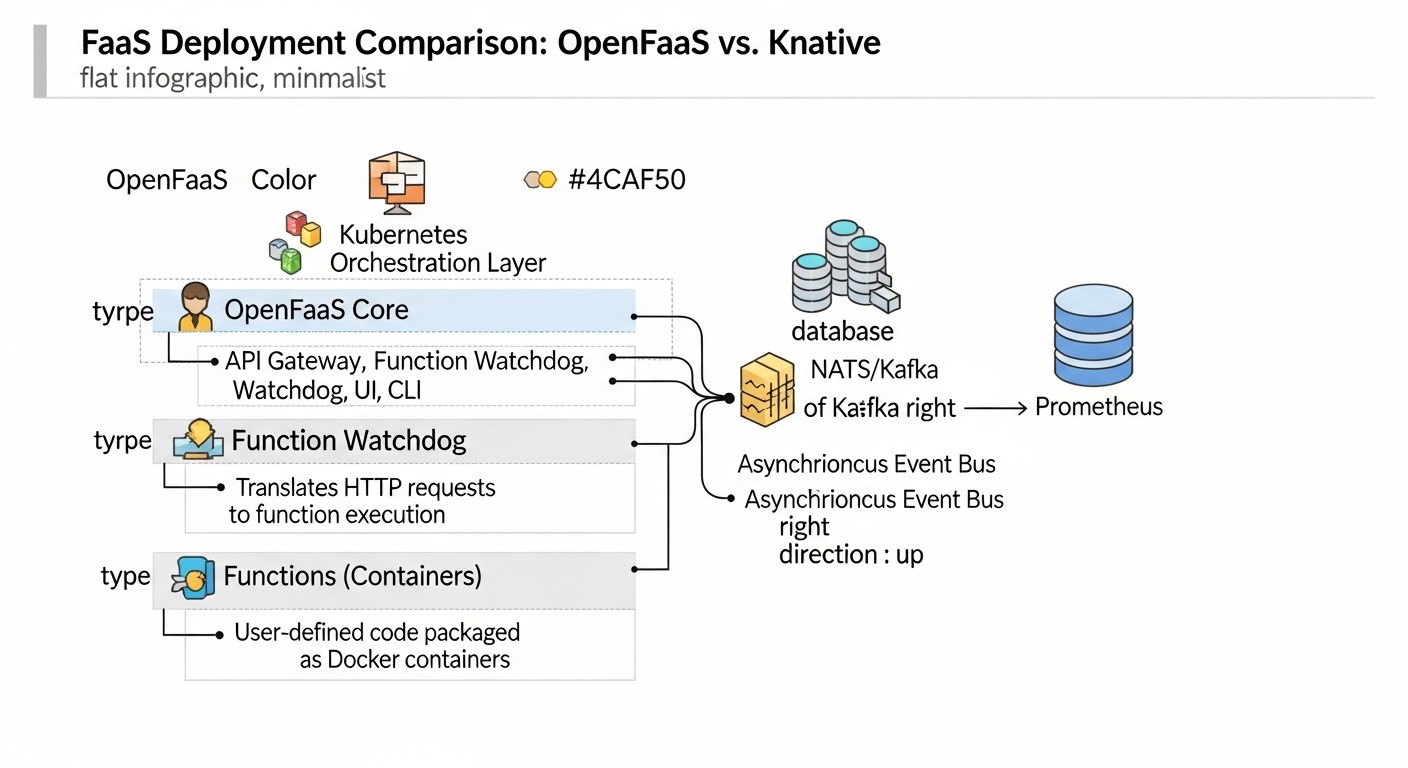
Below is a comparison table that will help you visually assess the key differences between OpenFaaS and Knative, taking into account current trends and characteristics for 2026.
| Criterion | OpenFaaS | Knative | Comments (2026) |
|---|---|---|---|
| Base Platform | Kubernetes, Docker Swarm | Kubernetes only | OpenFaaS retains flexibility, Knative deepens Kubernetes integration, which becomes the standard for complex systems. |
| Deployment Complexity | Low-Medium (especially on Docker Swarm) | Medium-High (requires Kubernetes and its components) | With the advent of managed Kubernetes on VPS (e.g., k3s, MicroK8s), Knative's complexity decreases, but OpenFaaS is still simpler for POC. |
| Scale to Zero | Supported, but requires configuration (KEDA) | Natively built-in and optimized | Knative remains a leader in this aspect, which is critical for resource savings when there is no load. |
| Cold Start | Good (50-300 ms) | Excellent (10-100 ms, with optimization) | Knative uses more advanced mechanisms to minimize latency, including "warming up" and fast routing. |
| Traffic Management | Basic (via gateway) | Advanced (canary deployments, A/B testing, percentage distribution) | Knative, thanks to Istio/Kourier, offers L7 features, which are indispensable for complex release strategies. |
| Event Model | Via gateway, external brokers (NATS, Kafka) | Native integration with Knative Eventing (CloudEvents, brokers) | Knative Eventing is becoming a powerful platform for event-driven architectures, supporting many event sources. |
| Ecosystem and Community | Active, many function templates | Very active, supported by Google, CNCF project | Both projects have strong communities, but Knative is more closely tied to the overall Kubernetes ecosystem. |
| Resource Usage (Idle) | Medium (depends on settings) | Low (thanks to scale to zero) | Knative is significantly more efficient in idle mode, which is important for VPS/Dedicated servers with fixed costs. |
| CI/CD Integration | Good (faas-cli, Docker) | Excellent (kubectl, Tekton, Argo CD) | Both integrate easily, but Knative offers more "Kubernetes-native" approaches, such as Tekton. |
| Minimum CPU/RAM Requirements (for FaaS engine) | 1 vCPU / 1 GB RAM | 2 vCPU / 2 GB RAM (plus Kubernetes) | These values are current for 2026 for a minimal working FaaS cluster without user functions. |
| Estimated cost of 1 vCPU / 2GB RAM VPS in 2026 | From 8-15 USD/month | From 8-15 USD/month (plus additional resources for K8s) | The cost of a basic VPS will remain relatively stable, but Knative will require a more powerful base K8s. |
OpenFaaS Deep Dive
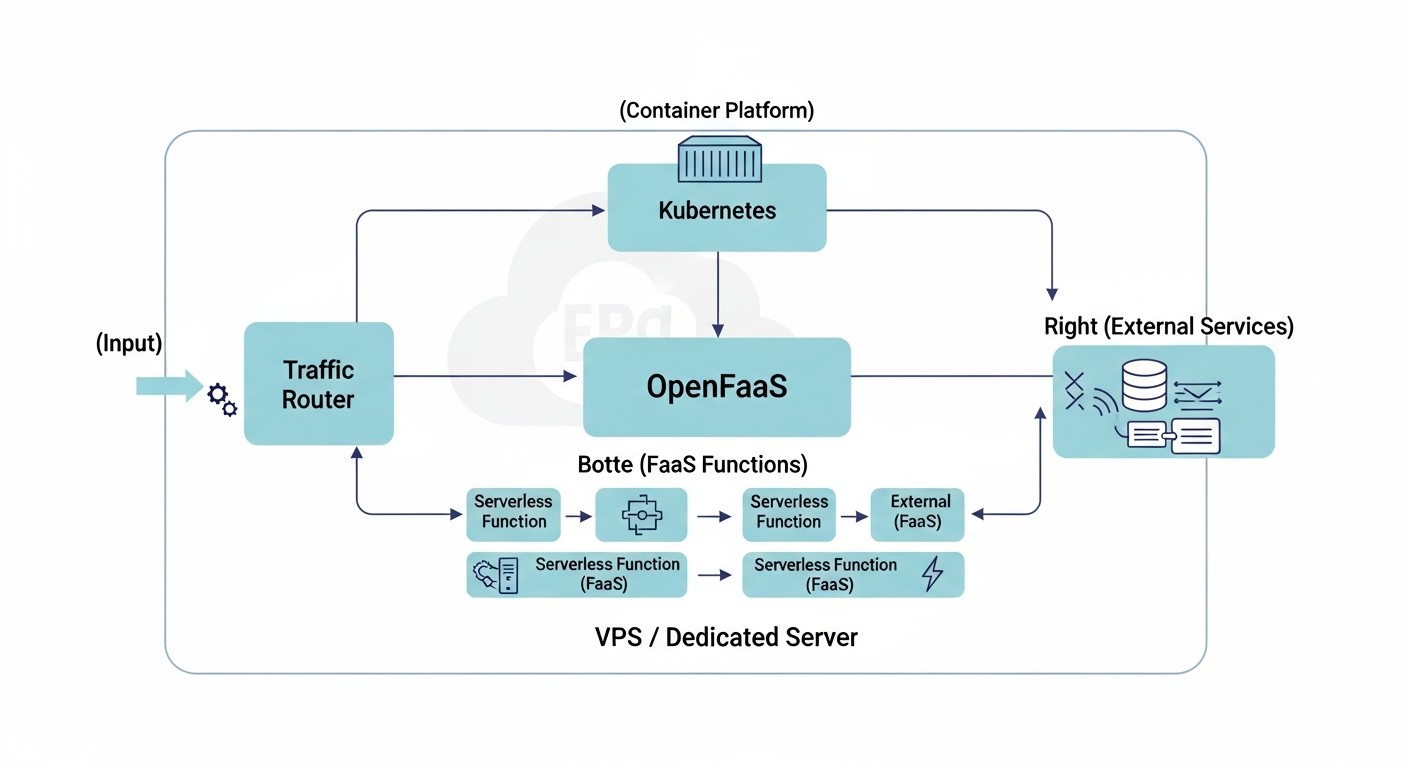
OpenFaaS (Functions as a Service) is a framework for building serverless functions using Docker containers. It provides a simple way to package any process or service into a serverless function that can be deployed on Kubernetes or Docker Swarm. The project was launched by Alex Ellis in 2017 and has since been actively developed, offering a convenient and flexible approach to FaaS on private infrastructure.
How it Works and Architecture
At its core, OpenFaaS has an architecture consisting of several key components:
- Gateway: This is the main interface for interacting with OpenFaaS. It handles incoming requests, routes them to the appropriate functions, manages autoscaling, and provides an API for deploying and managing functions. The gateway is also responsible for collecting metrics and logging.
- Function Watchdog: This component runs inside each function container and is responsible for processing incoming HTTP requests, passing them to your function, and returning results. It abstracts away platform interaction details from the developer, allowing them to focus on function logic.
- Prometheus: OpenFaaS uses Prometheus to collect metrics on function invocations, execution times, errors, and system status. These metrics are used for autoscaling and monitoring.
- NATS Streaming (optional): For asynchronous invocations and event processing, OpenFaaS can use NATS Streaming as a message broker. This allows for building more complex event-driven architectures.
Functions in OpenFaaS are regular Docker containers. You write code in any language, use provided templates (or create your own), and the OpenFaaS CLI (faas-cli) helps build the Docker image and deploy it. This makes OpenFaaS extremely flexible, as you can use any libraries and dependencies that can be packaged into a container.
Pros of OpenFaaS
- Simplicity and Speed of Start: OpenFaaS is known for its low entry barrier. With
faas-cliand a few commands, you can quickly deploy your first function. This is especially attractive for small teams or prototyping. - Platform Flexibility: Support for both Kubernetes and Docker Swarm provides a choice depending on the current infrastructure and team expertise. In 2026, when Kubernetes dominates, Swarm support remains a niche but useful option.
- Broad Language Support: Due to its containerized nature, OpenFaaS can run functions written in any language for which a Docker image can be created. Ready-made templates are available for Python, Node.js, Go, Java, PHP, Ruby, .NET Core, and others.
- Active Community and Ecosystem: The project has a large and active community, many examples, plugins, and integrations. The documentation is well-structured and constantly updated.
- Open Source: Fully open source means no vendor lock-in and the ability for full customization to your needs.
- Asynchronous Invocations and Event-Driven: Built-in support for asynchronous invocations via NATS Streaming allows for easy construction of event-driven architectures, which is becoming increasingly important in 2026.
Cons of OpenFaaS
- Less Native Kubernetes Integration: Although OpenFaaS runs on Kubernetes, it does not use its primitives as deeply as Knative. This may lead to the need for additional configuration to use advanced Kubernetes features (e.g., Service Mesh).
- Scale to Zero Requires KEDA: For efficient scaling of functions to zero (and saving resources during idle periods), OpenFaaS requires the installation and configuration of KEDA, which adds an extra layer of complexity. Without KEDA, functions may remain "hot," consuming resources.
- Fewer Built-in Traffic Management Capabilities: Compared to Knative, OpenFaaS offers more basic "out-of-the-box" traffic management capabilities (canary deployments, A/B testing). For advanced scenarios, integration with external tools like Istio will be required.
- Potential Increase in Operational Overhead: While getting started is simple, maintaining a highly available and performant OpenFaaS system on Kubernetes requires an understanding of both stacks, which can increase the operational burden.
Who OpenFaaS is Suitable For
OpenFaaS is ideal for:
- Startups and Small Teams: Who need a fast and simple FaaS platform for prototyping and deploying microservices without significant investment in Kubernetes training.
- Developers Who Prefer Docker: Those already familiar with Docker and appreciate its simplicity for packaging applications.
- Projects with Moderate Scaling Requirements: Where instant scaling to hundreds of thousands of requests per second or ultra-low latencies are not required.
- Companies Seeking Maximum Flexibility: And who do not want to be tied to a specific platform or cloud provider.
- Developers Building Event-Driven Architectures: Thanks to native support for asynchronous invocations and NATS integration.
In 2026, OpenFaaS continues to be a strong player in the self-hosted FaaS niche, especially for those who value simplicity and direct control over Docker containers.
Knative Deep Dive
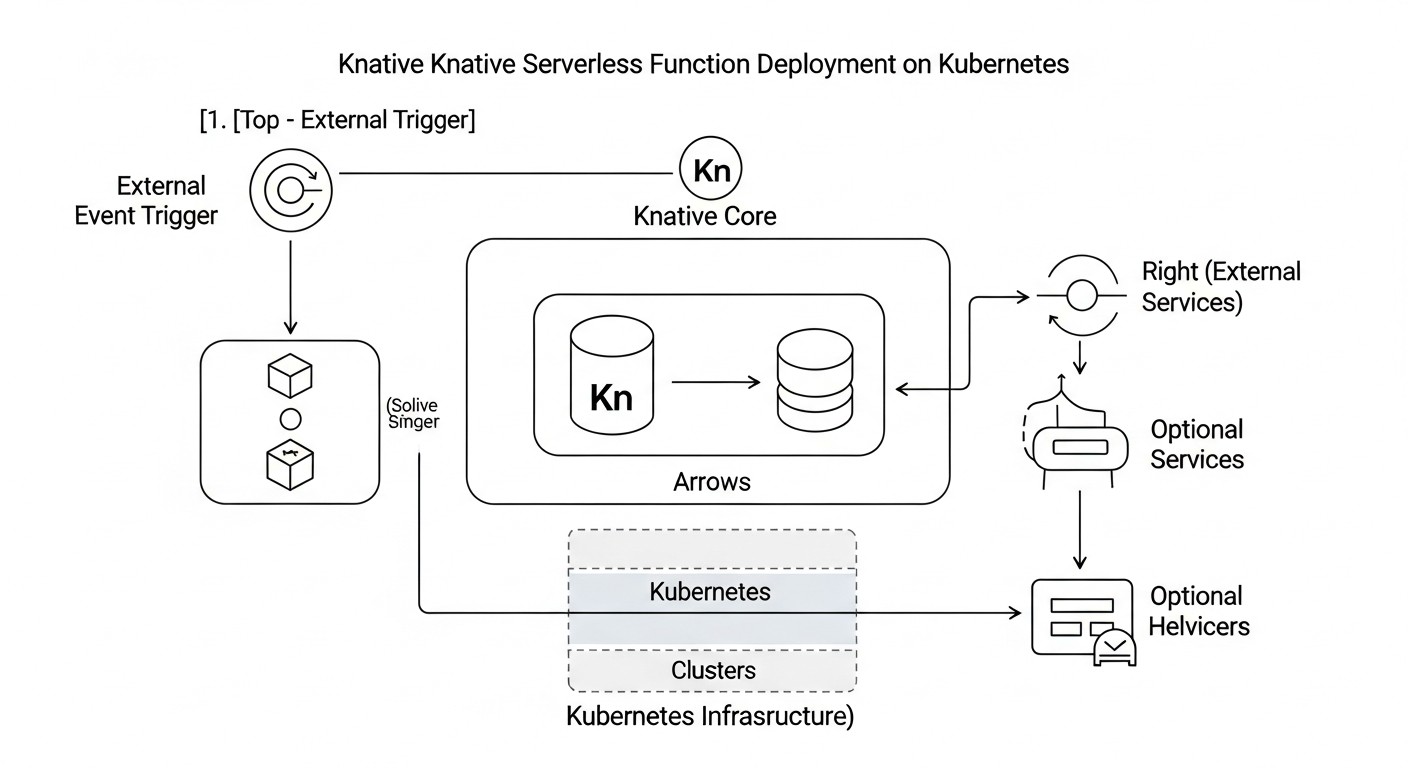
Knative is a platform built on Kubernetes, designed for deploying and managing serverless workloads, containers, and functions. The project was launched by Google in 2018 and has since become one of the key components in the Kubernetes serverless ecosystem. Knative is not a full-fledged FaaS platform in its pure form, but rather a set of extensions for Kubernetes that provides primitives for building Serverless applications. It consists of two main components: Knative Serving and Knative Eventing.
How it Works and Architecture
Knative is deeply integrated with Kubernetes and leverages its capabilities to manage the application lifecycle. Its architecture is based on the following components:
- Knative Serving: This component is responsible for deploying and scaling services (containers), as well as managing traffic. It provides Kubernetes objects (Service, Configuration, Revision, Route) that allow defining how applications should be deployed, scaled (including to zero), and routed. Serving uses a Service Mesh (such as Istio or Kourier) to manage incoming traffic and routing.
- Knative Eventing: This component is designed for building event-driven architectures. It provides primitives for sending and receiving events (via CloudEvents), as well as for routing them between different services. Eventing supports various event sources (message brokers, SaaS services) and allows for building complex event processing chains.
- Kubernetes: Knative runs on top of an existing Kubernetes cluster, utilizing its capabilities for container orchestration, resource management, and fault tolerance.
- Service Mesh (Istio/Kourier): Knative Serving actively uses a Service Mesh to manage incoming traffic, enable canary deployments, A/B testing, and other advanced routing features. Kourier is a lightweight Ingress controller specifically designed for Knative.
Functions in Knative are essentially containerized applications. You can use any language or framework that can be packaged into a Docker image. Knative automatically creates Ingress routes, manages scaling, and monitors the service status.
Pros of Knative
- Native Scale to Zero: This is one of Knative's main advantages. It automatically scales services down to zero when there is no incoming traffic and quickly starts them up when new requests arrive. This significantly saves resources on a VPS/Dedicated server.
- Advanced Traffic Management: Thanks to integration with a Service Mesh (Istio/Kourier), Knative offers powerful traffic management capabilities: canary deployments, A/B testing, percentage-based traffic distribution between different service versions. This is critically important for CI/CD and safe releases.
- Deep Kubernetes Integration: Knative extends Kubernetes by using its native primitives. This means Knative "understands" Kubernetes and interacts well with it, simplifying management for teams already working with Kubernetes.
- Powerful Event Model (Eventing): Knative Eventing provides a rich set of tools for building event-driven architectures, supporting CloudEvents and various event sources. In 2026, this is becoming a standard for distributed systems.
- Open Source and Google Support: The project is part of the CNCF and is actively supported by Google, which guarantees its long-term development and stability.
- High Performance: Optimized scaling and traffic management allow for very low cold start latencies, which is important for high-load systems.
Cons of Knative
- High Entry Barrier and Deployment Complexity: Knative requires deep knowledge of Kubernetes. Deploying Knative and its dependencies (such as Istio or Kourier) can be a complex and time-consuming process, especially on a "bare" VPS.
- Dependency on Kubernetes: Knative cannot operate without Kubernetes. If your team lacks experience with Kubernetes, this can be a significant obstacle.
- Higher Resource Requirements: A basic Kubernetes cluster plus Knative and its components consume more resources compared to a minimal OpenFaaS installation. This can be a problem for very small VPS instances.
- Limited Platform Flexibility: Unlike OpenFaaS, Knative does not support Docker Swarm, limiting infrastructure choice to Kubernetes only.
- Steeper Learning Curve: Fully mastering Knative requires understanding its specific objects and concepts (Service, Revision, Configuration, Route), which can take more time.
Who Knative is Suitable For
Knative is an excellent choice for:
- Teams with Kubernetes Experience: If your team already actively uses Kubernetes, Knative will be a natural extension of your infrastructure.
- Projects with High Scaling Requirements: Especially for those requiring scale to zero and handling peak loads with minimal latency.
- Developers Building Complex Microservice and Event-Driven Architectures: Knative Eventing and advanced traffic management make it ideal for such scenarios.
- Companies for whom full traffic control is important: And who need canary deployments, A/B testing, and other advanced release strategies.
- Enterprises Focused on Long-Term Development: Knative, as part of the CNCF ecosystem and supported by Google, has good development prospects.
In 2026, Knative is the default choice for serious, high-load Serverless projects on Kubernetes, where investments in training and infrastructure pay off with the platform's power and flexibility.
Practical Tips and Deployment Recommendations
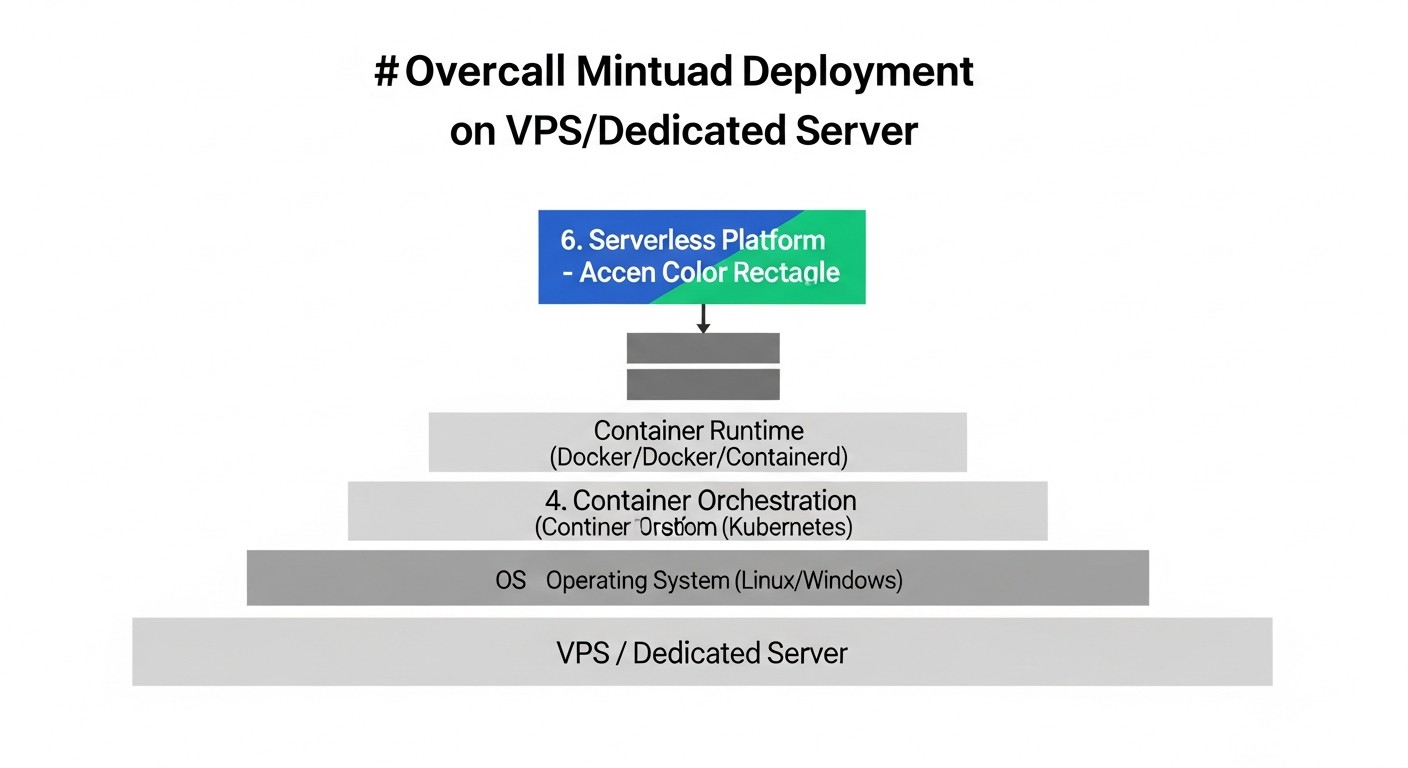
Deploying FaaS on your own VPS/Dedicated server requires careful planning and phased execution. Below are practical recommendations that will help you successfully implement this task in 2026.
1. Server Selection and Preparation
- Specifications: For a minimal Kubernetes cluster with OpenFaaS or Knative in 2026, a VPS/Dedicated server with at least 4 vCPU, 8 GB RAM, and 100 GB SSD is recommended. For production workloads, these values will be significantly higher. Consider using NVMe SSD for improved I/O performance, which is critical for containerized workloads.
- Operating System: Ubuntu Server (LTS), CentOS Stream, or Debian. Ensure the Linux kernel is updated to the latest stable version.
- Security: Configure a firewall (ufw/firewalld), close all unnecessary ports, set up SSH access only with keys, disable root login. Regularly update the OS and all packages.
- Virtualization (for VPS): Ensure your VPS provider offers KVM virtualization, as it provides better performance and compatibility with Docker/Kubernetes compared to OpenVZ.
2. Kubernetes Installation (for OpenFaaS and Knative)
In 2026, k3s or MicroK8s are often used for lightweight clusters on VPS. For more serious systems — kubeadm.
Example k3s installation on Ubuntu Server:
# System update
sudo apt update && sudo apt upgrade -y

# k3s installation (single-node cluster)
curl -sfL https://get.k3s.io | sh -

# Check status
sudo systemctl status k3s

# kubectl configuration
mkdir -p ~/.kube
sudo cp /etc/rancher/k3s/k3s.yaml ~/.kube/config
sudo chown $(id -u):$(id -g) ~/.kube/config

# Cluster check
kubectl get nodes
kubectl get pods -A
For a multi-node cluster, use tokens and join agents. Knative will require a more stable and powerful Kubernetes cluster.
3. OpenFaaS Deployment
Assumes Kubernetes is already installed.
OpenFaaS CLI Installation:
curl -SLs https://cli.openfaas.com | sudo sh
OpenFaaS Deployment in Kubernetes:
# Create namespace
kubectl apply -f https://raw.githubusercontent.com/openfaas/faas-netes/master/namespaces.yml

# Deploy OpenFaaS (standard installation)
kubectl apply -f https://raw.githubusercontent.com/openfaas/faas-netes/master/yaml/openfaas.yml

# Deploy OpenFaaS (with KEDA for scale to zero)
# First install KEDA: https://keda.sh/docs/latest/deployments/#install-with-helm
# Then deploy OpenFaaS with KEDA-enabled configuration:
# kubectl apply -f https://raw.githubusercontent.com/openfaas/faas-netes/master/yaml/openfaas-keda.yml

# Get admin password
echo $(kubectl -n openfaas get secret basic-auth -o jsonpath="{.data.basic_auth_password}" | base64 --decode)

# Expose gateway (example for NodePort, for production use Ingress)
kubectl -n openfaas port-forward svc/gateway 8080:8080 &
export OPENFAAS_URL=http://127.0.0.1:8080

# Login
echo -n "admin" | faas-cli login -g $OPENFAAS_URL -u admin --password-stdin
Example Function Deployment (Python):
# Create a new function
faas-cli new --lang python3-http hello-world-py

# Edit handler.py and requirements.txt
# (e.g., add print("Hello, FaaS!"))

# Build and deploy
faas-cli build -f hello-world-py.yml
faas-cli deploy -f hello-world-py.yml

# Invoke function
faas-cli invoke hello-world-py --set-env MESSAGE="OpenFaaS!"
4. Knative Deployment
Assumes Kubernetes is already installed and configured.
Knative Serving Installation:
# Install Istio (recommended for Knative) or Kourier
# For Istio: https://istio.io/latest/docs/setup/install/
# For Kourier (lightweight Ingress):
kubectl apply -f https://github.com/knative/serving/releases/download/knative-v1.12.0/kourier.yaml # Check for current version

# Install Knative Serving
kubectl apply -f https://github.com/knative/serving/releases/download/knative-v1.12.0/serving-core.yaml # Check for current version

# Install Knative net-kourier (if Kourier is used)
kubectl apply -f https://github.com/knative/serving/releases/download/knative-v1.12.0/serving-default-domain.yaml # Check for current version
kubectl apply -f https://github.com/knative/serving/releases/download/knative-v1.12.0/net-kourier.yaml # Check for current version

# Check status
kubectl get pods -n knative-serving
kubectl get pods -n kourier-system # or istio-system
Knative Eventing Installation (optional):
# Install Knative Eventing Core
kubectl apply -f https://github.com/knative/eventing/releases/download/knative-v1.12.0/eventing-core.yaml # Check for current version

# Install Broker (e.g., InMemoryChannel)
kubectl apply -f https://github.com/knative/eventing/releases/download/knative-v1.12.0/in-memory-channel.yaml # Check for current version

# Install Broker Default Configuration
kubectl apply -f https://github.com/knative/eventing/releases/download/knative-v1.12.0/mt-broker-config.yaml # Check for current version

# Check status
kubectl get pods -n knative-eventing
Example Knative Service Deployment (Go):
# service.yaml
apiVersion: serving.knative.dev/v1
kind: Service
metadata:
  name: helloworld-go
  namespace: default
spec:
  template:
    spec:
      containers:
        - image: docker.io/knative/helloworld-go # Example ready-made image
          ports:
            - containerPort: 8080
          env:
            - name: TARGET
              value: "Go Serverless with Knative!"
# Deploy
kubectl apply -f service.yaml

# Get service URL
kubectl get ksvc helloworld-go -o jsonpath='{.status.url}'
5. Monitoring and Logging
Be sure to set up a monitoring stack (Prometheus, Grafana) and centralized logging (Loki/Fluentd/Elasticsearch). OpenFaaS uses Prometheus by default, simplifying integration. For Knative, this is also a standard approach.
# Example Prometheus and Grafana installation via Helm
helm repo add prometheus-community https://prometheus-community.github.io/helm-charts
helm repo update
helm install prometheus prometheus-community/kube-prometheus-stack --namespace monitoring --create-namespace

# Loki and Promtail installation
helm repo add grafana https://grafana.github.io/helm-charts
helm repo update
helm install loki grafana/loki --namespace logging --create-namespace
helm install promtail grafana/promtail --namespace logging --create-namespace
6. CI/CD Automation
In 2026, manual deployment of FaaS functions is an anachronism. Invest in CI/CD. Use GitHub Actions, GitLab CI, Jenkins, Tekton, or Argo CD for automatic building, testing, and deployment of functions on every commit.
- For OpenFaaS: Integrate
faas-cli buildandfaas-cli deployinto your CI/CD pipeline. - For Knative: Use
kubectl apply -ffor Knative Service YAML files. Tekton Pipelines, designed for Kubernetes-native CI/CD, is ideal for Knative.
7. Secret Management
Never store sensitive data (API keys, DB passwords) in code or Docker images. Use Kubernetes Secrets, External Secrets, HashiCorp Vault, or similar solutions for secure storage and access to secrets. In 2026, this is not just a recommendation, but a mandatory security requirement.
8. Network Configuration
Configure an Ingress controller (Nginx Ingress, Traefik) to access your FaaS functions externally if you are not using Istio/Kourier. Ensure DNS records correctly point to your server. Use Let's Encrypt for free SSL/TLS certificates.
Common Mistakes When Deploying FaaS on Your Server
Deploying and operating serverless functions on your own infrastructure, despite its attractiveness, is fraught with a number of common mistakes. Knowing these pitfalls will help you avoid costly problems and ensure stable system operation.
1. Underestimating Kubernetes Complexity
Mistake: Assuming that Kubernetes is simply "Docker Compose on steroids" and can be easily mastered and maintained without proper experience. This is especially true for Knative, which is deeply integrated with Kubernetes.
How to avoid: Invest in team training. Allocate time to learn basic Kubernetes concepts (pods, deployments, services, ingresses, controllers, operators). Start with simple clusters (k3s, MicroK8s) and gradually increase complexity. If the team is not ready for Kubernetes, OpenFaaS on Docker Swarm may be a better starting solution.
Consequences: Frequent cluster failures, scaling issues, security vulnerabilities, "stalled" deployments that no one can understand and fix, leading to service downtime and data loss.
2. Ignoring Monitoring and Logging
Mistake: Deploying functions without adequate performance monitoring systems and centralized logging. Hoping that "everything will just work."
How to avoid: Set up Prometheus (for metrics), Grafana (for dashboards), and Loki (for centralized log collection) from the start. Integrate them with your FaaS platforms. OpenFaaS generates Prometheus metrics by default. For Knative, this is also a standard approach. Train your team to use these tools to diagnose problems.
Consequences: "Blind" system management, inability to quickly identify the cause of failures, long hours of debugging, loss of valuable performance data, which in 2026 is an unacceptable luxury.
3. Lack of CI/CD Automation
Mistake: Manual deployment of functions or using simple scripts that do not cover the entire lifecycle (build, test, deploy, rollback).
How to avoid: Implement a full CI/CD pipeline using tools like GitHub Actions, GitLab CI, Jenkins, Tekton, or Argo CD. Automate Docker image building, function testing, deployment to test and production environments, and the ability to quickly roll back. Tekton is particularly useful for Knative.
Consequences: Slow and error-prone releases, environment inconsistencies, "it works on my machine" syndrome, inability to quickly react to bugs and updates, which reduces development speed and service reliability.
4. Improper Secret and Sensitive Data Management
Mistake: Storing API keys, database passwords, and other secrets directly in function code, Docker images, or in plain text in Kubernetes YAML files.
How to avoid: Use specialized solutions for secret management, such as Kubernetes Secrets (with etcd encryption), External Secrets, HashiCorp Vault. Configure RBAC in Kubernetes to restrict access to secrets. Implement the practice of using environment variables that are dynamically injected from a secure store.
Consequences: Leakage of sensitive data, system compromise, violation of security requirements and regulations, which can lead to huge financial and reputational losses.
5. Insufficient Resource and Scaling Planning
Mistake: Deploying FaaS on a VPS with minimal specifications without considering peak loads or potential growth. Ignoring autoscaling configuration.
How to avoid: Conduct load testing of your functions. Estimate expected peak loads and ensure sufficient resource headroom (CPU, RAM, disk space). Configure Horizontal Pod Autoscaler (HPA) or KEDA for automatic function scaling. For Knative, ensure its built-in autoscaling is optimally configured. Plan for vertical scaling of the VPS or migration to a dedicated server with reserve capacity.
Consequences: Function failures under load, long response times, server overload, service unavailability, leading to user dissatisfaction and revenue loss.
6. Ignoring Network Security and Configuration
Mistake: Leaving open ports, incorrect Ingress controller configuration, lack of SSL/TLS encryption.
How to avoid: Configure a firewall on the VPS (UFW, iptables) and in Kubernetes (Network Policies) to restrict access to components. Use Ingress controllers (Nginx, Traefik, Kourier, Istio) for routing external traffic. Implement SSL/TLS for all external endpoints using Let's Encrypt or custom certificates. Consider using a Web Application Firewall (WAF) to protect against common attacks.
Consequences: Unauthorized access, DDoS attacks, data interception, which jeopardizes the entire system and its users.
7. Lack of Backup and Recovery Strategy
Mistake: Deploying mission-critical FaaS services without regular backups of Kubernetes configuration, function data, and databases.
How to avoid: Regularly back up the Kubernetes etcd cluster (to restore cluster state). For persistent data used by functions, configure backups of relevant databases or storage. Develop and test a Disaster Recovery Plan (DRP) to know how to quickly restore the system after a major failure.
Consequences: Complete loss of data and configuration in case of server failure, inability to restore service, leading to catastrophic business consequences.
Practical Application Checklist
This checklist will help you structure the process of deploying and operating serverless functions on your own VPS or dedicated server, ensuring the completeness and reliability of each step.
Infrastructure Preparation
- Server Selection: Determine the required VPS/Dedicated server specifications (CPU, RAM, SSD, network) based on expected load and choose a provider. (2026 Recommendation: at least 4 vCPU, 8GB RAM, NVMe SSD for K8s).
- OS Installation: Install the chosen operating system (Ubuntu Server LTS, CentOS Stream, Debian) and update to the latest stable version.
- Basic Security: Configure firewall (UFW/firewalld), SSH access with keys, disable root login, install fail2ban.
- Docker Installation: Install Docker Engine and configure it for automatic startup.
- Kubernetes Installation: Deploy a Kubernetes cluster (k3s, MicroK8s, kubeadm) and configure
kubectl. Ensure cluster functionality.
FaaS Platform Selection and Deployment
- FaaS Selection: Decide between OpenFaaS and Knative based on analysis of criteria (performance, complexity, scalability, ecosystem).
- OpenFaaS / Knative Deployment:
- For OpenFaaS: Install
faas-cli, deploy OpenFaaS in Kubernetes (or Docker Swarm), configure KEDA for scale to zero. - For Knative: Deploy Knative Serving (with Kourier/Istio) and Knative Eventing (optional), configure Ingress/Gateway.
- For OpenFaaS: Install
- Test Function: Deploy a simple "Hello World" function on the chosen platform to verify functionality.
Configuration and Optimization
- Monitoring: Install Prometheus and Grafana for metric collection and dashboard visualization. Integrate with FaaS platform and Kubernetes.
- Logging: Set up centralized logging (Loki + Promtail/Fluentd) for collecting function and cluster component logs.
- CI/CD Pipeline: Develop and implement a CI/CD pipeline (GitHub Actions, GitLab CI, Jenkins, Tekton) for automatic building, testing, and deployment of functions.
- Secret Management: Implement secure secret management (Kubernetes Secrets, External Secrets, Vault) for sensitive function data.
- Network Configuration: Configure Ingress controller, DNS records, and SSL/TLS certificates (Let's Encrypt) for function access.
- Autoscaling: Fine-tune autoscaling policies (HPA, KEDA, Knative Serving) for optimal resource utilization and rapid response to load.
- Backup: Configure regular backups of Kubernetes configuration (etcd) and any persistent data used by functions. Develop a DRP.
Operation and Development
- Load Testing: Conduct load testing of functions to identify bottlenecks and verify scaling settings.
- Performance Optimization: Regularly analyze performance metrics and optimize function code, container configurations, and FaaS platform parameters.
- Updates: Develop a strategy for regular updates of Kubernetes, FaaS platform, and operating system to maintain security and gain new features.
- Security: Regularly conduct security audits, apply patches, update access policies, and monitor for vulnerabilities.
- Documentation: Maintain up-to-date documentation on architecture, deployment, operation, and troubleshooting.
Cost Calculation / Total Cost of Ownership (TCO)
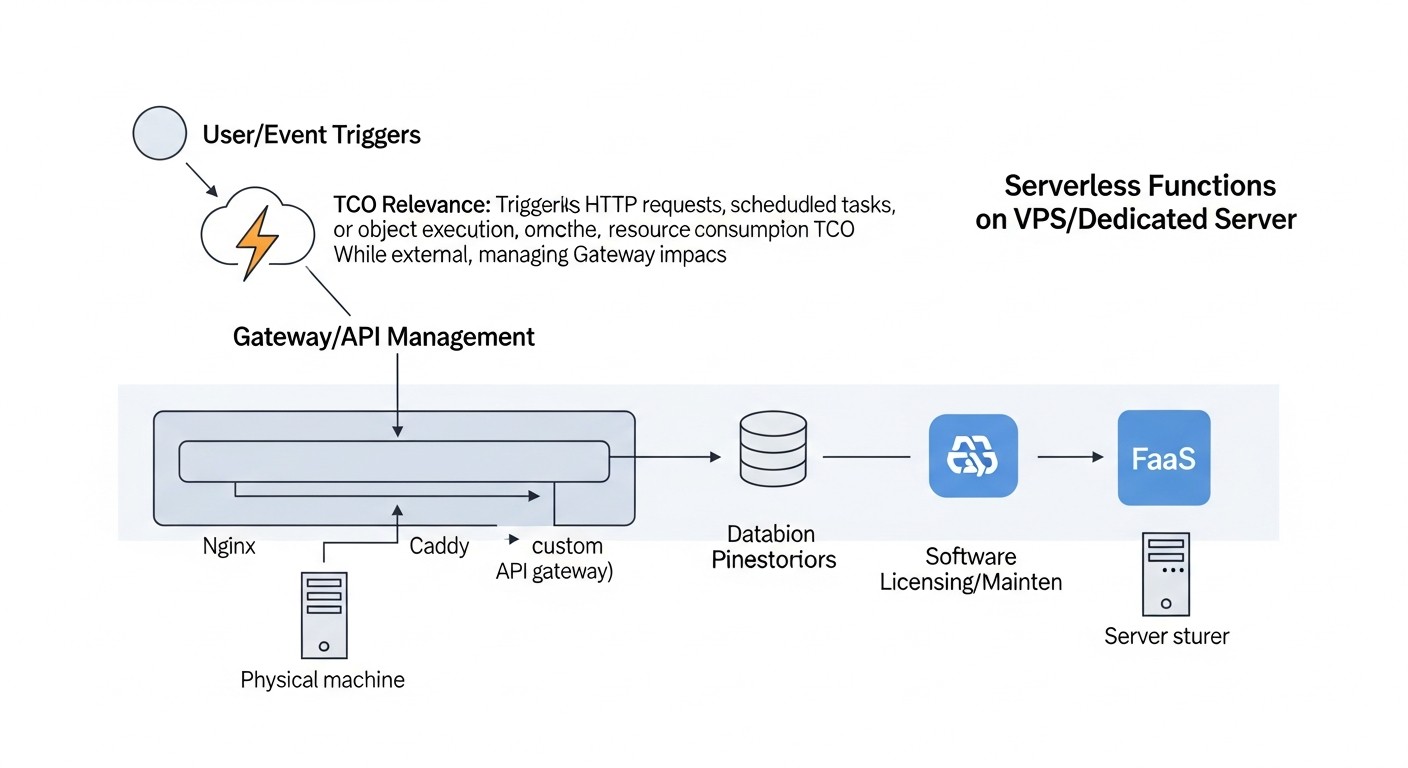
Migrating to self-hosted FaaS is often motivated by economic considerations. However, it's important to understand that "free" open-source does not mean "free" operation. In 2026, as cloud resource costs continue to rise and skilled personnel become more expensive, calculating the Total Cost of Ownership (TCO) becomes critically important.
Key Components of TCO
- Hardware / VPS/Dedicated Rental:
- VPS: For small projects or startups, this is the primary option. Cost will depend on the number of vCPUs, RAM, SSD, and network bandwidth. In 2026, the cost of a basic VPS (4vCPU/8GB RAM/100GB NVMe SSD) ranges from $15 to $30 per month. For more powerful configurations (8vCPU/16GB RAM/200GB NVMe SSD) — from $40 to $80 per month.
- Dedicated Server: For large projects with high performance and security requirements. The cost of renting a dedicated server (e.g., Intel Xeon E-23xx, 6-8 cores, 64-128GB RAM, 2x1TB NVMe SSD) can range from $150 to $400+ per month.
- Personnel Costs (most significant hidden costs):
- DevOps Engineers: Needed for deploying, configuring, monitoring, and supporting Kubernetes, FaaS platforms, CI/CD, security. The hourly rate for a qualified DevOps engineer in 2026 can range from $50 to $150+ depending on region and experience. Even if this is 0.25-0.5 FTE, these are significant expenses.
- Developers: Time spent learning the platform, writing functions, debugging.
- System Administrators: For maintaining the base OS and hardware (if dedicated).
- Licenses and Tools (usually minimal for Open Source):
- Most tools (Kubernetes, OpenFaaS, Knative, Prometheus, Grafana) are Open Source and free.
- There may be paid tools for security, advanced monitoring, CI/CD (e.g., Enterprise versions of Jenkins, GitLab EE).
- Electricity and Cooling (for Dedicated Server): If you own the hardware, not rent it, these are direct costs. For dedicated server rental, this is usually included in the price.
- Network Traffic: Most VPS/Dedicated providers include a certain amount of traffic. However, for very large volumes, additional charges may apply.
- Downtime (Opportunity Cost): Potential losses due to failures, which can be more frequent with lack of experience or insufficient automation.
Example Calculations for Different Scenarios (2026)
Let's consider two scenarios: a small startup and a medium-sized SaaS project.
Scenario 1: Small Startup (OpenFaaS on a single powerful VPS)
- Load: Up to 500k function invocations per month, with peaks up to 100 RPS.
- Infrastructure: 1 VPS (8 vCPU, 16GB RAM, 200GB NVMe SSD) = $60/month.
- Personnel: 0.25 FTE DevOps engineer (part-time or combined role) = $1500/month (based on $100/hour * 40 hours/month * 0.25).
- Tools/Licenses: $0 (fully Open Source).
- Total Monthly TCO: $60 (VPS) + $1500 (DevOps) = $1560.
- Comparison with Cloud (AWS Lambda, 2026, approximate):
- 500k invocations, 128MB RAM, 50ms avg duration: about $10-20.
- API Gateway, SQS, DB, and other services: can easily reach $200-500+.
- Conclusion: At first glance, the cloud is cheaper. But if the project grows and you need more control or specific runtimes, self-hosting quickly becomes more cost-effective. Savings begin when cloud bills exceed $1000-1500 per month.
Scenario 2: Medium SaaS Project (Knative on 3 Dedicated Servers)
- Load: Up to 50M function invocations per month, with peaks up to 5000 RPS.
- Infrastructure: 3 Dedicated Servers (6 cores, 64GB RAM, 2x1TB NVMe SSD each) = 3 * $250 = $750/month.
- Personnel: 1.0 FTE DevOps engineer = $4000/month (based on $100/hour * 40 hours/week * 4 weeks/month).
- Tools/Licenses: $100/month (e.g., paid CI/CD version).
- Total Monthly TCO: $750 (Dedicated) + $4000 (DevOps) + $100 (Tools) = $4850.
- Comparison with Cloud (AWS Lambda, 2026, approximate):
- 50M invocations, 256MB RAM, 100ms avg duration: about $1000-2000.
- API Gateway, SQS, RDS, ElastiCache, S3, Load Balancers, Monitoring: can easily reach $10000 - $30000+ per month.
- Conclusion: For a medium to large SaaS project where cloud bills can be tens of thousands of dollars, self-hosted Knative on dedicated servers offers significant savings, full control, and no vendor lock-in. However, this requires serious investment in the team.
Hidden Costs
- Learning Time: Time the team spends learning new technologies.
- Unforeseen Failures: Losses from service downtime due to configuration errors or lack of experience.
- Opportunity Cost: Instead of developing new features, the team is busy maintaining infrastructure.
- Team Scaling: As the project grows, more DevOps engineers may be needed.
- Updates and Patches: Regularly keeping software and OS up-to-date requires time.
How to Optimize Costs
- Automation: Maximize automation of all processes (CI/CD, IaC, monitoring) to reduce personnel costs.
- Resource Optimization: Fine-tune autoscaling, use Knative with its scale-to-zero capabilities to minimize resource consumption during idle periods.
- Efficient Code: Write performant functions that consume less CPU and RAM, reduce execution time.
- Hybrid Solutions: Consider a hybrid approach where some functions requiring extreme scalability remain in the cloud, while core functions are on your own server.
- Long-Term Planning: Invest in more powerful hardware with headroom to avoid frequent migrations.
Table with example calculations (simplified)
| Parameter | Cloud FaaS (AWS Lambda + Ecosystem) | Self-hosted OpenFaaS (VPS) | Self-hosted Knative (Dedicated) |
|---|---|---|---|
| Monthly hardware/rental cost | $0 (for FaaS, but $100-3000 for other services) | $30 - $80 | $200 - $800 |
| Monthly FaaS invocation cost | $10 - $2000+ | $0 | $0 |
| Monthly DevOps personnel cost | $500 - $2000 (for cloud management) | $1000 - $2500 | $2500 - $5000+ |
| Licenses/Tools (monthly) | $50 - $200 | $0 - $50 | $0 - $100 |
| Total TCO (approximate range) | $500 - $5000+ | $1000 - $2600 | $2700 - $6000+ |
| Break-even point (Cloud vs Self-hosted) | N/A | With cloud bills $1000-1500+ | With cloud bills $3000-5000+ |
As seen in the table, self-hosting starts to pay off at a certain scale. For small projects, the cloud often remains cheaper due to the absence of direct DevOps labor costs, but for growing and large projects, private FaaS can bring significant savings and strategic advantages.
Case Studies and Use Cases
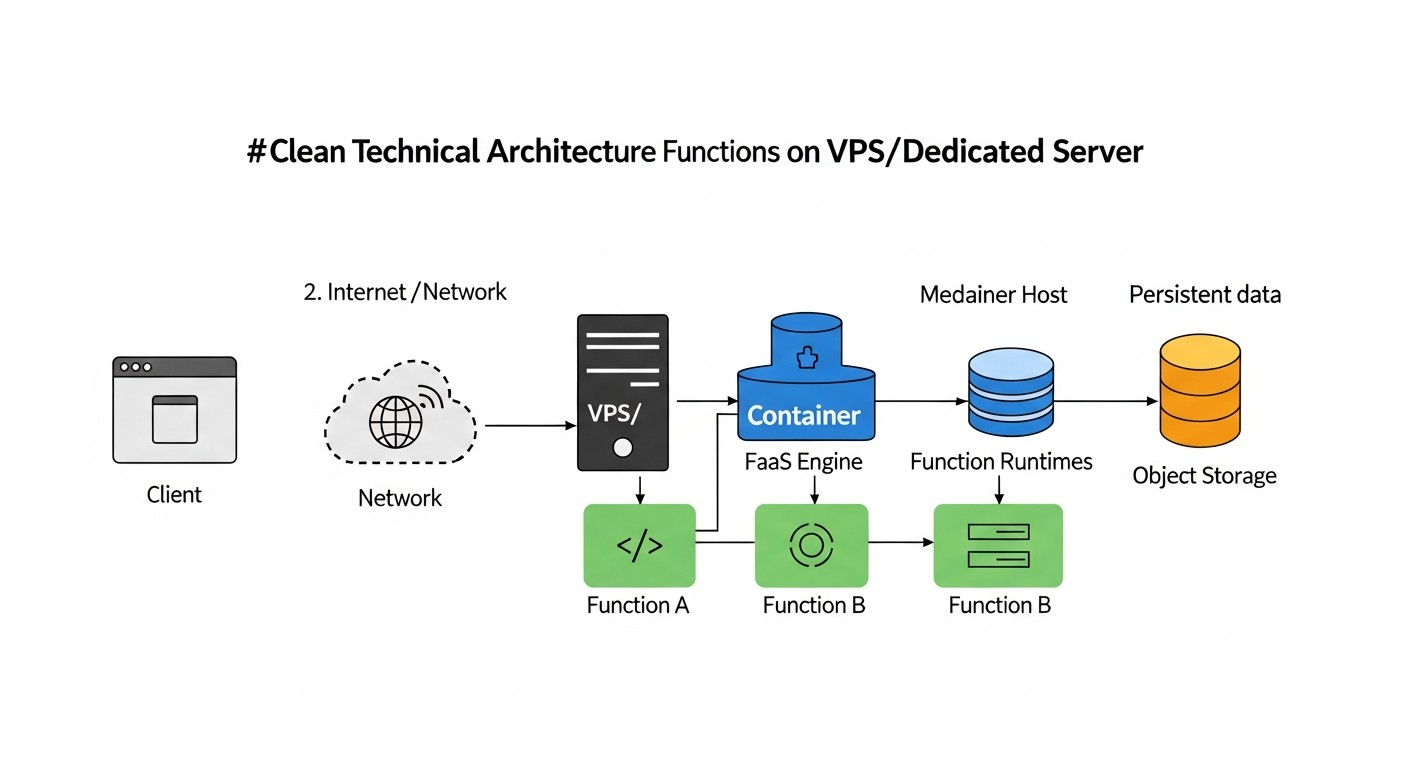
To better understand how OpenFaaS and Knative can be applied in practice, let's look at several realistic scenarios relevant to 2026.
Case 1: Image Processing Service for an Online Store (OpenFaaS)
Problem: An online store uploads thousands of product images daily. It is necessary to automatically resize them, apply watermarks, optimize, and save them in multiple formats for different devices (mobile, desktop). Fast scaling is required during peak uploads (e.g., during sales) and cost minimization during quiet periods.
Solution with OpenFaaS:
- Infrastructure: One powerful dedicated server (Intel Xeon E-23xx, 64GB RAM, 2TB NVMe SSD) with Kubernetes and OpenFaaS. NATS Streaming is used for asynchronous processing.
- Functions:
image-upload-handler(Python): Accepts incoming image upload requests, saves the original to S3-compatible storage (e.g., MinIO, deployed on the same server), sends a message to NATS with the original URL.image-processor(Go): Listens for messages from NATS, downloads the original, uses the ImageMagick library (via a Go wrapper) to resize, watermark, and optimize. Generates 3-5 versions of the image and uploads them back to MinIO.metadata-extractor(Node.js): Listens for messages from NATS after processing, extracts EXIF data and other metadata, saves them to PostgreSQL.
- Scaling: OpenFaaS is configured with KEDA for autoscaling the
image-processorbased on the NATS queue length. During high load (many new images), the function quickly scales to dozens of instances. At night, when there are no uploads, functions scale to zero, saving resources. - Results:
- Savings: Significant cost reduction compared to cloud FaaS, especially due to no invocation fees and minimal resource consumption during idle periods.
- Performance: Image processing takes an average of 2-5 seconds per image, which meets the store's requirements.
- Control: Full control over the processing, ability to use any image manipulation libraries, flexible security configuration.
- Reliability: Asynchronous processing via NATS ensures resilience to temporary failures and guarantees processing of all images.
Case 2: Real-time Analytics Service for an IoT Platform (Knative)
Problem: The platform collects data from thousands of IoT devices (sensors, meters) in real time. It is necessary to perform fast data preprocessing, aggregation, and anomaly detection, as well as send notifications for critical events. Load fluctuates significantly throughout the day and week.
Solution with Knative:
- Infrastructure: A Kubernetes cluster of 3 dedicated servers (each with 8 cores, 128GB RAM, 1TB NVMe SSD) with Knative Serving and Knative Eventing, as well as a Kafka cluster for stream processing.
- Knative Functions/Services:
iot-data-ingestor(Java/Spring Boot): Receives data from devices via HTTP-API, performs basic validation, and sends raw data to a Kafka topic. Deployed as a Knative Service, scales based on RPS.data-preprocessor(Go): Listens to the Kafka topic with raw data (via KafkaSource in Knative Eventing), normalizes data, adds timestamps, and sends to another Kafka topic (processed-data). Automatically scales to zero when no data is present.anomaly-detector(Python/TensorFlow Lite): Listens to theprocessed-datatopic, uses a lightweight machine learning model to detect anomalies. Upon anomaly detection, sends an event to the Knative Broker.notification-sender(Node.js): Subscribes to events from the Knative Broker (e.g., "anomaly-detected"), sends notifications via Slack/Telegram API.
- Scaling: Knative Serving automatically scales all services from zero to the required number of instances based on request metrics (RPS), CPU, or Kafka queue length (via KEDA, integrated with Knative). Istio is used for traffic management and fault tolerance between services.
- Results:
- Reactivity: Data processing occurs in real time with minimal latency (less than 100 ms from device to anomaly detection).
- Resource Savings: Thanks to Knative's scale-to-zero, resource consumption is significantly reduced during periods of low activity, which is critically important for dedicated servers.
- Flexibility: Easily add new processing types or data sources thanks to Knative Eventing's event-driven architecture.
- Reliability: The Kubernetes cluster and Service Mesh ensure high availability and fault tolerance of the entire system.
Case 3: CI/CD Webhook Handler for Microservices (OpenFaaS or Knative)
Problem: Automate reaction to events in version control systems (GitHub, GitLab), such as pushes, merge requests, successful builds. Specific actions need to be triggered: notifications, deployment of test environments, initiation of additional checks.
Solution with OpenFaaS:
- Infrastructure: Small VPS (4 vCPU, 8GB RAM) with k3s and OpenFaaS.
- Functions:
github-webhook-parser(Python): Accepts HTTP POST requests from GitHub Webhook, parses the JSON payload, extracts the event type (push, pull_request) and repository. Sends the structured event to an internal NATS broker.slack-notifier(Node.js): Listens to NATS for events, formats a message, and sends it to a Slack channel.test-env-deployer(Go): Upon apull_request_openedevent from NATS, useskubectlor Helm commands to deploy a new test environment for the Pull Request.
- Scaling: OpenFaaS scales functions based on HTTP requests or NATS queue length.
Solution with Knative:
- Infrastructure: VPS (4 vCPU, 8GB RAM) with k3s and Knative Serving/Eventing.
- Knative Services:
github-webhook-receiver(Python): Knative Service, receiving webhooks from GitHub. Converts them to CloudEvents and sends them to the Knative Broker.slack-notifier(Node.js): Knative Service, subscribed togithub.event.pushandgithub.event.pull_requestevents from the Broker, sends notifications.tekton-pipeline-trigger(Go): Knative Service, subscribed togithub.event.pull_request_opened, triggers a Tekton Pipeline to deploy a test environment.
- Scaling: Knative automatically scales services to zero when there are no incoming webhooks.
Both solutions effectively address the task, demonstrating the flexibility of FaaS for automating CI/CD processes. The choice depends on the team's preference for the OpenFaaS style or the deep Kubernetes integration offered by Knative.
Tools and Resources
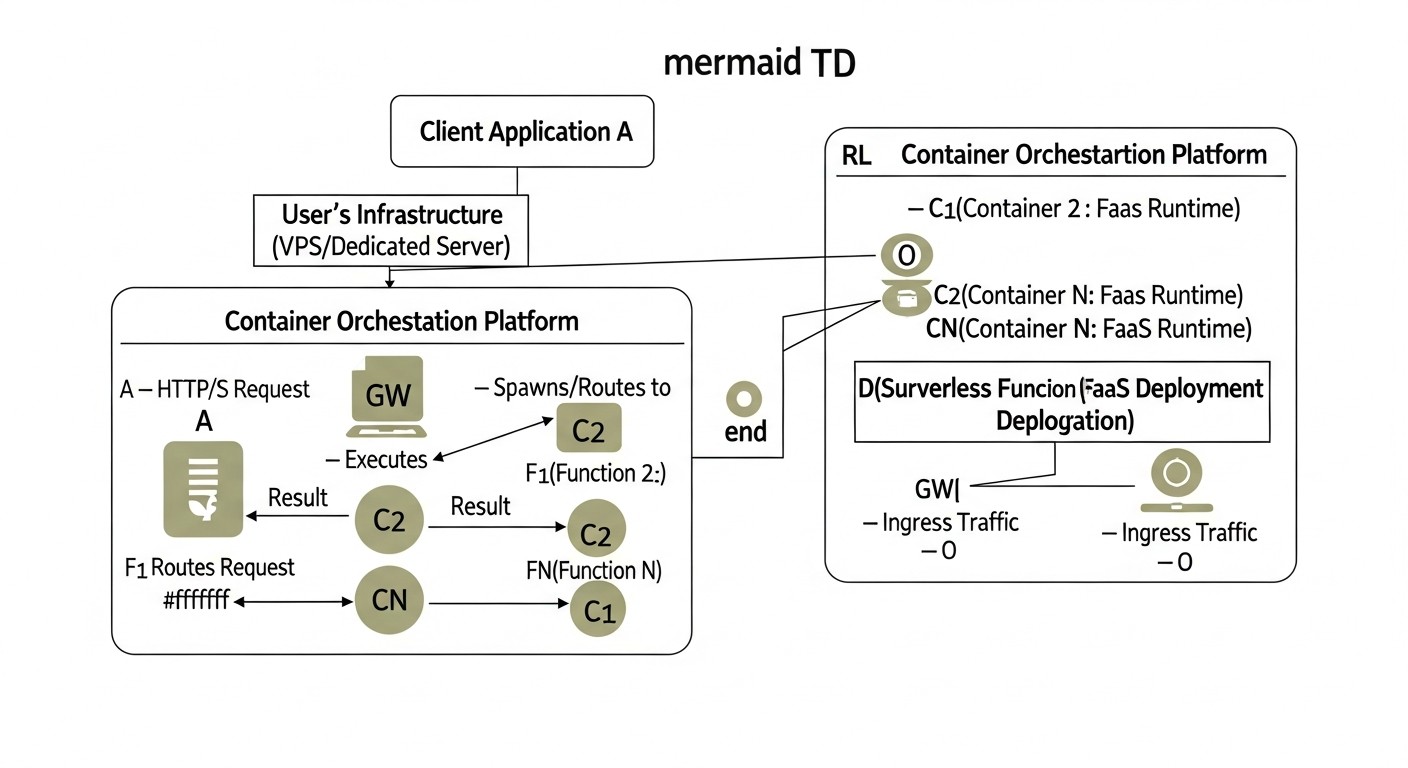
Successful deployment and operation of self-hosted FaaS platforms are impossible without the right set of tools and up-to-date resources. In 2026, the Open Source ecosystem is evolving at an incredible pace, providing powerful and flexible solutions.
1. Utilities for FaaS Platforms
faas-cli(for OpenFaaS): The official CLI for OpenFaaS. Allows creating, deploying, invoking, and deleting functions. An indispensable tool for developers and DevOps.kubectl(for Knative and Kubernetes): The primary command-line tool for interacting with a Kubernetes cluster. All operations with Knative Service and Eventing are performed viakubectl.knCLI (for Knative): A convenient CLI utility for Knative, simplifying work with Knative Serving and Eventing. Allows creating services, getting their status, managing events.
2. Monitoring and Testing
- Prometheus: Open-source monitoring and alerting system. The de facto standard for the Kubernetes ecosystem. OpenFaaS and Knative provide metrics that Prometheus can collect.
- Grafana: A platform for analytics and interactive dashboards. Ideal for visualizing metrics from Prometheus and logs from Loki.
- Loki: A horizontally scalable, highly available, multi-tenant log aggregation system developed by Grafana Labs. Operates on the principle of "only indexing metadata," which makes it very efficient.
- K6 / JMeter / Locust: Tools for load testing. Allow simulating real load on FaaS functions and checking their scalability and performance.
3. Version Control and CI/CD Systems
- Git (GitHub, GitLab, Bitbucket): The foundation of any modern development process.
- GitHub Actions / GitLab CI / Jenkins / Tekton: Tools for automating CI/CD pipelines. Tekton integrates particularly well with Kubernetes and Knative.
- Argo CD: A tool for declarative GitOps deployment in Kubernetes. Allows synchronizing cluster state with a Git repository.
4. Configuration Management and IaC (Infrastructure as Code) Tools
- Terraform: Allows declaratively describing and managing infrastructure (VPS, DNS, load balancers) as code.
- Ansible / Chef / Puppet: Tools for automating server configuration, software installation, security setup.
- Helm: Package manager for Kubernetes. Simplifies the deployment of complex applications such as Prometheus, Grafana, Istio, Knative.
5. Useful Links and Documentation
- Official OpenFaaS Documentation
- Official Knative Documentation
- Official Kubernetes Documentation
- KEDA (Kubernetes Event-driven Autoscaling)
- Istio Service Mesh
- MinIO (S3-compatible object storage for self-hosted)
- Cloud Native Computing Foundation (CNCF) - the organization supporting many of these projects.
Regularly follow updates in these projects, as the ecosystem is evolving very rapidly. Subscribe to newsletters, follow blogs, and participate in communities to stay informed about the latest trends and best practices.
Troubleshooting: Problem Solving
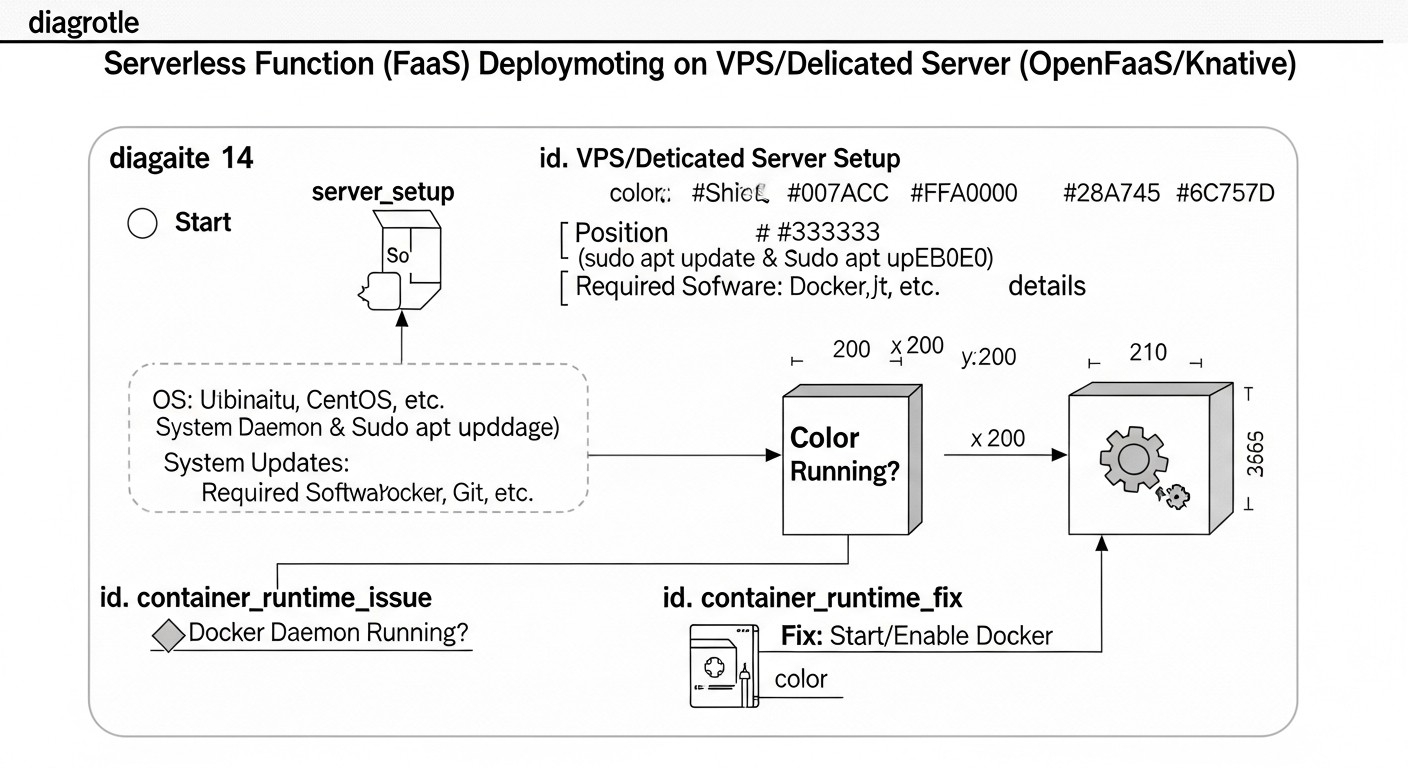
Deploying and operating FaaS on your own server is a complex process, and problems are inevitable. The ability to quickly diagnose and resolve issues is a key skill. Below are typical problems and approaches to solving them, relevant for 2026.
1. Functions Not Starting / Deployment Error
- Problem: Function stuck in Pending, CrashLoopBackOff, or ImagePullBackOff state.
- Diagnosis:
kubectl describe pod <function-pod-name> -n <namespace> kubectl logs <function-pod-name> -n <namespace> - Solutions:
- ImagePullBackOff: Check the Docker image name, registry availability (Docker Hub, private registry), and correct credentials. Ensure the server has internet access.
- CrashLoopBackOff: The function starts and immediately crashes. Check function logs (
kubectl logs) for code errors, dependency issues, or incorrect environment configuration. Ensure your function correctly handles HTTP requests and returns a response. - Pending: Insufficient resources in the cluster (CPU, RAM). Check
kubectl describe podfor messages about resource shortages. Increase VPS or cluster resources, optimize resource requests (requestsandlimits) in the function's YAML file. - Incorrect Port: Ensure the function is listening on the port expected by the FaaS platform (usually 8080 or 8000).
2. High Latency / Slow Function Performance
- Problem: Functions respond slowly, high cold start latencies are observed.
- Diagnosis:
- Check Prometheus/Grafana metrics: function execution time, number of cold starts, CPU/RAM utilization of pods.
- Use
curl -vor specialized tools to measure response time.
- Solutions:
- Cold Start:
- OpenFaaS: Ensure KEDA is configured and working correctly. Configure
min_replicasfor critical functions so they always have at least one active instance. Use "function warming." - Knative: Check Knative Serving and Istio/Kourier configuration. Ensure autoscaling is adequately configured. It may be necessary to increase
min-scalefor critical services.
- OpenFaaS: Ensure KEDA is configured and working correctly. Configure
- Code Performance: Optimize function code, use more efficient algorithms, minimize external calls.
- Resources: Increase allocated resources (CPU, RAM) for function pods. Check VPS/Dedicated disk subsystem performance.
- Network Latency: Check network connectivity between components (function-DB, function-broker).
- Cold Start:
3. Scaling Issues
- Problem: Functions do not scale with increased load or scale too slowly.
- Diagnosis:
- Check HPA/KEDA status (
kubectl get hpa -n <namespace>) or Knative Service (kubectl get ksvc -n <namespace>). - Review autoscaling controller logs.
- Check metrics on which scaling decisions are based (CPU, RPS, queue length).
- Check HPA/KEDA status (
- Solutions:
- Insufficient Cluster Resources: Add more nodes to the Kubernetes cluster or increase resources of existing VPS instances.
- Incorrect Metrics: Ensure that the metrics used for autoscaling are correctly collected and reflect the actual load.
- Scaling Policies: Configure
min_replicas,max_replicas,target_average_utilization(for HPA), or Knative-specific scaling parameters. - KEDA/Knative Controller Issues: Check KEDA/Knative Serving pod logs for errors.
4. Function Access Issues / Network Problems
- Problem: Functions are inaccessible externally, or 502/503 errors are observed.
- Diagnosis:
- Check the status of the Ingress controller (Nginx, Traefik, Kourier, Istio Gateway).
- Review Ingress controller logs.
- Use
kubectl get svc -n <namespace>andkubectl get ep -n <namespace>to check services and their endpoints. - Check DNS settings and VPS firewall.
- Solutions:
- Ingress Controller: Ensure the Ingress controller is running, its pods are healthy, and it is correctly configured to route traffic to the FaaS gateway/services.
- DNS: Verify that domain DNS records point to the IP address of your Ingress controller.
- Firewall: Ensure ports 80/443 are open on the VPS firewall and in Kubernetes Network Policies.
- SSL/TLS: Verify that SSL/TLS certificates are valid and correctly configured.
5. Logging and Monitoring Issues
- Problem: Metrics are not displayed in Grafana, logs are not reaching Loki.
- Diagnosis:
- Check the status of Prometheus, Grafana, Loki, Promtail/Fluentd pods.
- Review the logs of these pods.
- Check Prometheus configuration (
scrape_configs) and Promtail/Fluentd configuration (targets).
- Solutions:
- Availability: Ensure all monitoring and logging components are running and accessible to each other.
- Configuration: Verify the correctness of the configuration of collection agents (Promtail, Fluentd) and servers (Prometheus, Loki). Ensure they "see" the metrics and logs of your FaaS pods.
- Permissions: Ensure collection agents have the necessary RBAC permissions in Kubernetes to read logs and metrics.
When to Contact Support (or Seek Community Help)
- When you have exhausted all known methods of diagnosing and solving the problem.
- When the problem is related to deep internals of Kubernetes, OpenFaaS, or Knative that you do not understand.
- If you encounter a problem that appears to be a bug in the platform itself.
- When service downtime is critical, and you do not have time for deep investigation.
OpenFaaS and Knative have active communities on Slack, GitHub Issues, and Stack Overflow. Provide as much detailed information as possible: component versions, logs, configuration files, reproduction steps.
Frequently Asked Questions (FAQ)
What is FaaS and why is it deployed on your own server?
FaaS (Functions as a Service) is a cloud computing model that allows developers to run code in response to events without needing to manage the underlying infrastructure. Deploying FaaS on your own server (self-hosted) provides full control over data and infrastructure, avoids vendor lock-in, and significantly reduces long-term operational costs, especially for projects with large or predictable loads where cloud bills become too high.
Is Kubernetes mandatory for OpenFaaS or Knative?
For Knative, yes, Kubernetes is the mandatory base platform, as Knative is built as a set of extensions for Kubernetes. For OpenFaaS, no, although Kubernetes is the preferred option, OpenFaaS also supports deployment on Docker Swarm, which can be simpler for small projects or teams without deep Kubernetes experience.
How difficult is it to maintain self-hosted FaaS in 2026?
The complexity of maintaining self-hosted FaaS in 2026 has significantly decreased due to the development of automation tools (IaC, CI/CD), improved documentation, and growing communities. However, it still requires qualified DevOps engineers or system administrators who understand the principles of Kubernetes (if used), Docker, networking technologies, monitoring, and security. It's not a "set it and forget it" solution, but it is manageable with the right expertise.
Can self-hosted FaaS scale to zero, like in the cloud?
Yes, both platforms — OpenFaaS and Knative — support scaling functions to zero. Knative has this capability "out of the box" as part of its Serving architecture, actively using a Service Mesh for traffic management and pod deactivation. OpenFaaS can achieve scale to zero through integration with KEDA (Kubernetes Event-Driven Autoscaling), which allows scaling pods based on various metrics, including lack of traffic or message queue length.
What programming languages are supported?
Both OpenFaaS and Knative support virtually any programming language that can be packaged into a Docker container. This includes Python, Node.js, Go, Java, PHP, Ruby, .NET Core, and others. OpenFaaS provides ready-made templates for many popular languages, which speeds up getting started. Knative, being more low-level, simply runs any container that adheres to its contract.
How to ensure High Availability (HA) for self-hosted FaaS?
To ensure high availability, FaaS must be deployed on a cluster of multiple VPS or dedicated servers, not on a single one. Kubernetes is inherently a distributed system that provides HA. For OpenFaaS and Knative, this means running their components and functions on multiple Kubernetes nodes, using load balancers, data replication, and configuring automatic recovery from failures. A backup and data recovery strategy is also critically important.
What are the main risks of using self-hosted FaaS?
The main risks include: high initial complexity of deployment and configuration (especially Knative), the need for qualified personnel for support, potential security issues if the infrastructure is configured incorrectly, and the absence of a ready-made ecosystem of cloud services (e.g., managed databases, which will have to be deployed yourself). There is also a risk of underestimating operational costs and maintenance time.
Can I use self-hosted FaaS for mission-critical applications?
Yes, many companies successfully use self-hosted FaaS for mission-critical applications, but this requires significant investment in reliability, security, and automation. High availability, backup, well-thought-out deployment strategies (canary deployments, A/B testing), and 24/7 monitoring must be ensured. With the right approach, self-hosted FaaS can even be more reliable than public clouds due to full control over the stack.
How to manage dependencies and libraries in functions?
Dependencies and libraries are managed within your function's Docker image. You include them in the Dockerfile or use requirements.txt (Python), package.json (Node.js), etc., files that are processed during the image build phase. OpenFaaS provides templates that already contain logic for installing dependencies. For Knative, you simply build your Docker image with all necessary dependencies.
What is the role of an Ingress controller (Istio, Kourier) in Knative?
An Ingress controller (e.g., Istio Gateway or Kourier) plays a key role in Knative Serving. It is responsible for routing external HTTP traffic to your Knative services. Knative uses a Service Mesh to implement its advanced traffic management features, such as canary deployments, A/B testing, and scale to zero. Kourier is a lightweight Ingress controller designed specifically for Knative, while Istio is a more comprehensive Service Mesh.
Conclusion and Next Steps
Deploying serverless functions on your own VPS or dedicated server using OpenFaaS or Knative is not just a technical trend of 2026, but a strategic decision that can bring significant economic benefits, increase control over infrastructure and data, and ensure independence from cloud providers. We have reviewed the main selection criteria, thoroughly examined both platforms, provided practical advice, analyzed common mistakes, and evaluated the economics of ownership.
OpenFaaS offers a lower entry barrier and flexibility with Docker Swarm support, making it an excellent choice for startups, small teams, and those who value simplicity. Knative, with its deep Kubernetes integration and powerful capabilities for scale to zero, traffic management, and event-driven architecture, is an ideal solution for larger, high-load, and complex SaaS projects where Kubernetes expertise already exists.
Ultimately, the choice between OpenFaaS and Knative, as well as the decision to transition to self-hosted FaaS, should be based on a thorough analysis of your needs, team resources, expected load, and long-term strategic goals. It is important to remember that the success of such a transition directly depends on investments in automation, monitoring, security, and staff training.
Next steps for the reader:
- Assess your needs: Analyze your current load, budget, team size, and expertise level. Determine which functions you want to migrate to FaaS and what requirements they have.
- Choose a platform: Based on the criteria outlined in the article, make a preliminary choice between OpenFaaS and Knative.
- Start with a POC: Deploy a minimal cluster (e.g., k3s on a single VPS) and install the chosen FaaS platform. Try deploying a simple "Hello World" function and test it.
- Study the documentation: Deep dive into the official documentation of the chosen platform, as well as Kubernetes, Prometheus, Grafana, and other related tools.
- Build CI/CD: Do not delay automation. Create a simple CI/CD pipeline for your first function.
- Monitoring and logging: Set up a basic monitoring and logging stack to gain insight into your system's operation.
- Load testing: Conduct load testing to understand the limitations of your infrastructure and FaaS platform.
- Join the community: Active participation in the OpenFaaS, Knative, and Kubernetes communities will help you solve problems faster and stay informed about the latest developments.
Self-hosting FaaS is not just about cost savings; it's a path to greater independence, flexibility, and control over your technological ecosystem. Good luck on your journey into the world of serverless computing on your own servers!
Was this guide helpful?