
Docker Container Orchestration Without Kubernetes: Swarm, Nomad, and Alternatives for VPS and Dedicated Servers
TL;DR: A Quick Summary for the Busy
- Kubernetes is not a panacea: For most small and medium-sized projects on VPS or dedicated servers, K8s is overkill in terms of complexity and resources. Simpler, yet powerful, alternatives exist.
- Docker Swarm — the default choice: Built into Docker, easy to learn and set up, ideal for those already using Docker. Excellent for scaling Docker applications across multiple nodes.
- HashiCorp Nomad — a universal orchestrator: A flexible, lightweight, and powerful tool capable of orchestrating not only Docker but also other types of workloads (Java, Go, binaries). Ideal for heterogeneous environments and advanced users.
- CapRover/Dokku — PaaS on your own server: These solutions turn your VPS into a Heroku-like platform, significantly simplifying web application deployment and management, but are less flexible in low-level configuration.
- Selection criteria: Make your decision based on project complexity, team size, budget, scalability requirements, flexibility, and compatibility with existing infrastructure.
- 2026: The relevance of these solutions is only growing, as the cost of cloud PaaS services continues to increase, and VPS and dedicated servers become even more powerful and affordable.
- Savings and control: Using alternative orchestrators can significantly reduce operational costs and provide full control over your infrastructure, avoiding vendor lock-in.
1. Introduction: Why This Topic Is Important in 2026
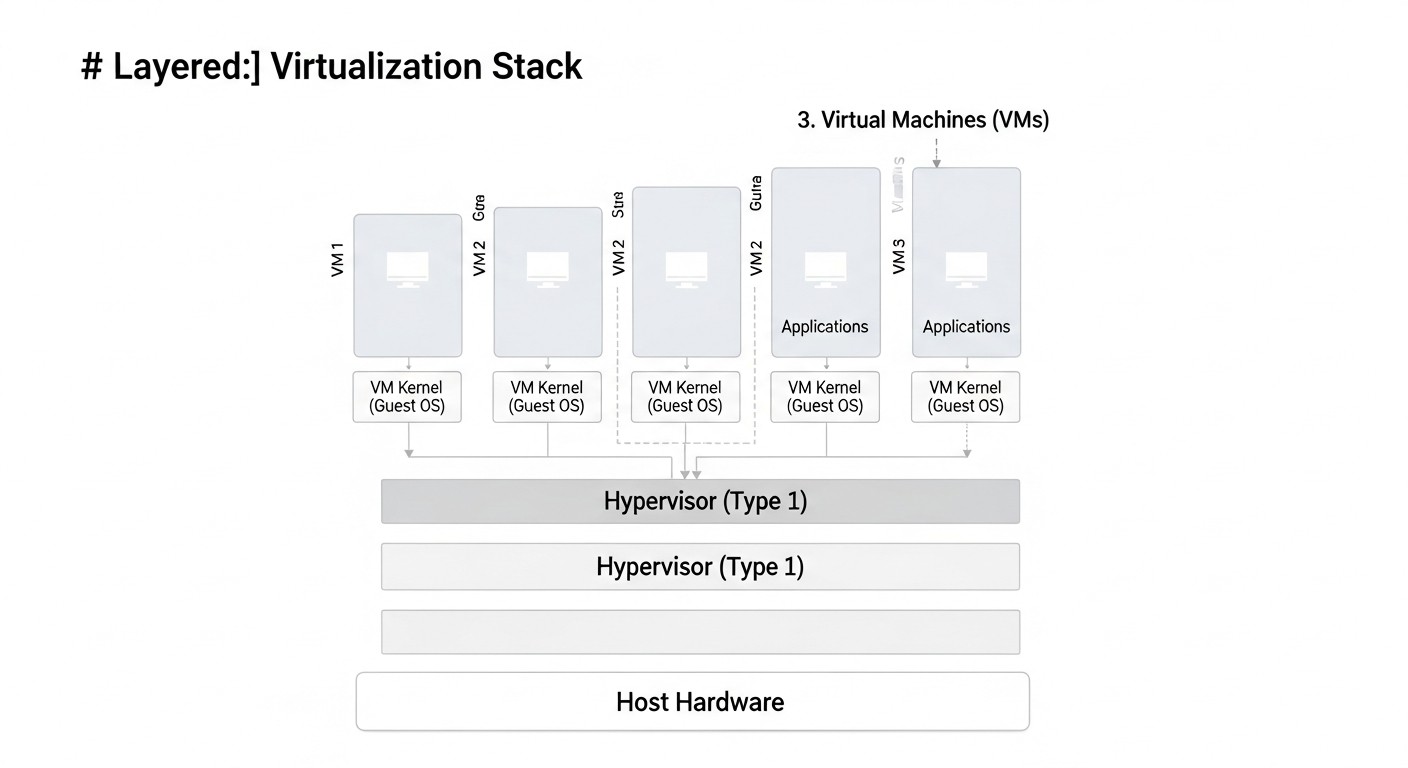
In 2026, the world of software development continues to evolve rapidly, and containerization with Docker has become the de facto standard for packaging and delivering applications. However, when it comes to orchestrating these containers, many teams, especially in the early stages of startup development or when working with medium-sized projects, still face a dilemma. Kubernetes is undoubtedly a powerful and versatile tool, but its complexity, high barrier to entry, significant resource requirements, and operational overhead often become prohibitive for small teams, SaaS projects with limited budgets, or developers using VPS and dedicated servers.
We observe a steady trend: many SaaS founders, DevOps engineers, and backend developers are looking for lighter, easier-to-manage, and more cost-effective solutions for Docker container orchestration. Cloud providers continue to increase the cost of their managed Kubernetes services, making self-deployment and infrastructure management on VPS or dedicated servers increasingly attractive from a TCO (Total Cost of Ownership) perspective. The goal of this article is not to reject Kubernetes, but to show that for most scenarios where there is no need for thousands of pods, complex multi-tenancy, or hybrid clouds, there are mature, stable, and much simpler alternatives to learn and operate.
This article is addressed to DevOps engineers looking for effective container management solutions; backend developers (Python, Node.js, Go, PHP) who need to quickly and reliably deploy their applications; SaaS project founders aiming to optimize costs and accelerate Time-to-Market; system administrators wishing to simplify routine tasks; and startup CTOs who make strategic decisions about the technology stack. We will explore what problems alternative orchestrators solve, how they help reduce operational burden, decrease costs, and at the same time provide the necessary level of availability and scalability for your applications in the realities of 2026.
In a world where every dollar counts and an engineer's time is the most valuable resource, choosing the right orchestration tool is critically important. We will delve deeply into Docker Swarm, HashiCorp Nomad, and other interesting alternatives, provide concrete examples, calculations, and recommendations based on real-world experience. Our goal is to give you a complete picture so you can make an informed decision that meets the needs of your project today and in the near future.
2. Key Criteria for Choosing an Orchestrator
Choosing the right orchestrator is a strategic decision that will impact your architecture, operational costs, and even your team's culture. In 2026, with many mature solutions available on the market, it's important to evaluate them against a set of key criteria that go beyond a simple feature list.
2.1. Deployment and Management Complexity
This criterion assesses how easy it is to install, configure, and maintain the orchestrator. For small teams and startups, where every engineer counts, a low barrier to entry and simplicity of day-to-day management are critically important. Complex systems require more time for learning, more effort for debugging, and more resources for monitoring. For example, Kubernetes, for all its power, is known for its steep learning curve and requires deep knowledge for effective operation. Alternatives often offer simpler configuration syntax and fewer components to maintain.
2.2. Scalability and Fault Tolerance
How easily can the system be expanded to handle growing load? How does it behave in the event of failures of individual nodes or components? Scalability can be horizontal (adding more nodes) or vertical (increasing resources of a single node). Fault tolerance includes automatic recovery from failures, service replication, and self-healing. For SaaS projects, where downtime means loss of customers and revenue, these parameters are paramount. It's important to understand how the orchestrator distributes load, provides balancing, and ensures your application remains available even with partial failures.
2.3. Flexibility and Support for Various Workloads
Can the orchestrator run only Docker containers, or does it also support other types of workloads, such as virtual machines, binaries, Java archives, WebAssembly? For many projects, Docker containers are the primary format, but in more complex or heterogeneous environments, orchestration of non-containerized applications may be required. Flexibility also refers to the ability to integrate with various data storage systems, networks, and CI/CD pipelines. The more versatile the tool, the wider the range of tasks it can solve without the need for implementing additional solutions.
2.4. Ecosystem and Community
How actively is the project developing? Is extensive documentation, tutorials, plugins, and integrations available? The size and activity of the community directly influence the availability of support, the speed of bug fixes, and the emergence of new features. A mature ecosystem also means the availability of ready-made solutions for monitoring, logging, security, and CI/CD. The absence of an active community can lead to problems finding solutions, outdated documentation, and slow product development, which is especially risky for long-term projects.
2.5. Total Cost of Ownership (TCO)
TCO includes not only direct costs for servers and licenses (if applicable) but also hidden costs: engineer time for training, deployment, maintenance, debugging, and monitoring. A more complex system, even if it's free, can turn out to be more expensive to operate due to high demands on staff qualifications and the time spent supporting it. For startups with limited budgets, TCO optimization is a priority. This also includes costs for monitoring tools, logging, and other auxiliary services.
2.6. Security
How does the orchestrator ensure container isolation, secret management, network security, and access control? In 2026, cybersecurity issues are more pressing than ever. It is important that the chosen solution offers robust mechanisms to protect your applications and data. This includes Role-Based Access Control (RBAC), traffic encryption, vulnerability management, and integration with existing security systems.
2.7. Team Experience and Learning Curve
How familiar is your current team with the chosen technology? What will be the barrier to entry for new team members? If the team already has experience with Docker, then Docker Swarm will be a natural choice. If there is experience with the HashiCorp stack, then Nomad will be simpler. Evaluating the learning curve will help avoid lengthy downtimes and errors during the implementation phase. Sometimes it's easier to choose a less powerful but more familiar tool than to spend months mastering something new and complex.
A thorough analysis of these criteria will allow you to choose an orchestrator that best meets the current and future needs of your project, as well as the capabilities of your team.
3. Comparative Table of Orchestrators (2026)
For clarity, let's compare Docker Swarm, HashiCorp Nomad, and CapRover based on key parameters relevant for 2026, considering typical usage scenarios on VPS and dedicated servers. Prices and characteristics are approximate and may vary depending on the provider and specific configuration.
| Criterion | Docker Swarm | HashiCorp Nomad | CapRover |
|---|---|---|---|
| Deployment Complexity | Very Low (docker swarm init) |
Medium (binary installation, config) | Very Low (docker run) |
| Management Complexity | Low (docker service commands) |
Medium (HCL, CLI, UI) | Low (Web UI, CLI) |
| Scalability | Good (thousands of services on hundreds of nodes) | Excellent (tens of thousands of tasks on thousands of nodes) | Medium (several tens of applications per node) |
| Fault Tolerance | Built-in (managers, workers) | Built-in (servers, clients) | Basic (Docker Compose, limited replication) |
| Workload Support | Docker containers only | Docker, QEMU, Java, raw binaries, WebAssembly | Docker containers (web applications, databases) |
| Ecosystem/Community | Large, but less active than K8s | Active, integrated with HashiCorp stack | Active, but niche |
| Total Cost of Ownership (TCO) | Low (minimal overhead) | Medium (requires more knowledge) | Very Low (quick start, low maintenance) |
| Minimum Resources (Manager/Server) | 1 vCPU, 1 GB RAM | 2 vCPU, 2 GB RAM | 2 vCPU, 2 GB RAM |
| Licensing | MIT (free) | Mozilla Public License 2.0 (free) | MIT (free) |
| Average VPS Cost (2026, 4 vCPU, 8 GB RAM) | ~15-20 USD/month | ~15-20 USD/month | ~15-20 USD/month |
| Provider Examples (2026) | Hetzner, DigitalOcean, Vultr | Hetzner, DigitalOcean, Vultr, AWS EC2, GCP Compute | Hetzner, DigitalOcean, Vultr, Contabo |
| Secret Management | Built-in (Docker Secrets) | Built-in (Vault, Consul) | Basic (ENV vars, Docker Secrets via UI) |
| Built-in Load Balancer | Yes (Ingress Network, VIPs) | Yes (Client-side load balancing, Consul Connect) | Yes (Nginx/Traefik) |
As can be seen from the table, each solution has its strengths and target audience. Docker Swarm appeals with its simplicity and native integration with Docker. Nomad offers unparalleled flexibility and performance for complex, heterogeneous environments. CapRover, on the other hand, acts as a "ready-made PaaS" for those who need fast and convenient deployment of web applications.
4. Detailed Overview of Docker Swarm, HashiCorp Nomad, and CapRover
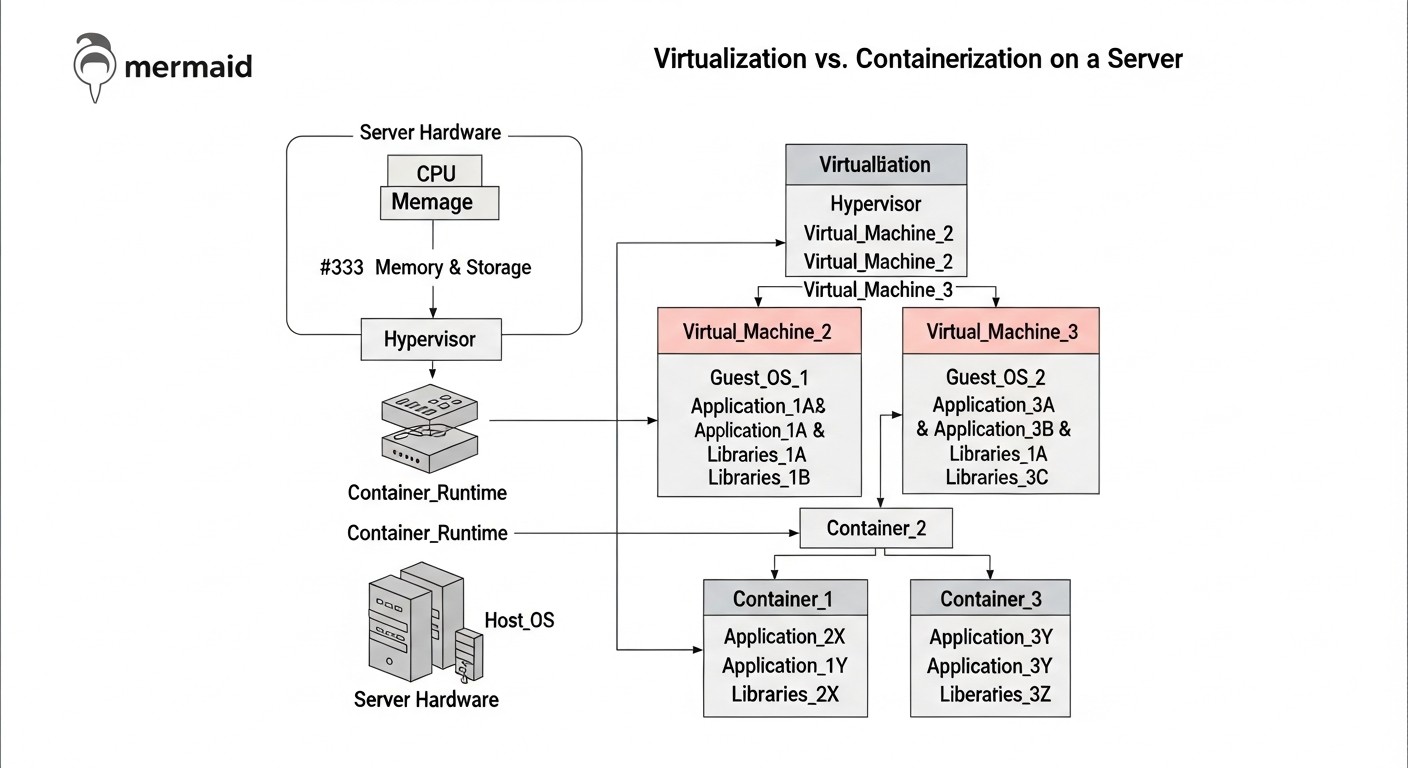
Now, let's delve into each of the selected solutions to understand their architecture, advantages, disadvantages, and ideal use cases.
4.1. Docker Swarm: Simplicity and Integration
Docker Swarm is a native orchestration tool built directly into the Docker Engine. It allows you to combine multiple Docker hosts into a single cluster, or "swarm," and deploy containerized applications as services on it. Swarm was designed with an emphasis on ease of use and a minimal entry barrier for those already familiar with the Docker CLI. Its architecture consists of two types of nodes: manager nodes and worker nodes. Managers are responsible for maintaining cluster state, scheduling tasks, and managing configuration, using the Raft protocol to ensure consistency. Workers execute containers assigned to them by the managers.
Pros:
- Simplicity and Low Entry Barrier: If you know how to work with Docker Compose, you'll instantly master Swarm. Commands are intuitive and extend the familiar Docker CLI (
docker service create,docker stack deploy). Cluster deployment takes mere minutes. - Native Integration with Docker: No additional agents or complex components. Swarm is activated with a single command
docker swarm init. - High Performance: Swarm has very low overhead and can efficiently manage thousands of services. The Raft protocol ensures fast replication of cluster state.
- Built-in Capabilities: Includes load balancing (Ingress Network), secret management (Docker Secrets), automatic service recovery, and horizontal scaling.
- Networking: Uses overlay networks for communication between containers on different nodes, simplifying network configuration for distributed applications.
Cons:
- Less Feature-Rich Compared to Kubernetes: Lacks some advanced features such as automatic service discovery (DNS-SRV records), complex deployment strategies (canary, blue/green out-of-the-box), or detailed resource management at the pod level.
- Less Flexibility for Non-Docker Workloads: Swarm is exclusively focused on Docker containers. If you need to orchestrate VMs, binaries, or other types of tasks, Swarm will not be suitable.
- Community: While the Docker community is vast, the specific Swarm community is less active than that of Kubernetes or Nomad, which can make it harder to find specific solutions for very complex use cases.
- Networking Limitations: Limitations may arise in some complex network configurations or when deep integration with external load balancers is required.
Who It's For:
- SaaS Project Founders: For rapid deployment of MVPs and initial product versions with minimal time and resource expenditure.
- Backend Developers: For deploying microservice applications on Docker without needing to master complex tooling.
- Small and Medium Teams: Who need a reliable yet easy-to-manage platform for containers on VPS or dedicated servers.
- Projects with Limited Budgets: Where every dollar spent on servers and engineering time matters.
Use Cases: Web applications (Node.js, Python, PHP) with databases (PostgreSQL, MongoDB), message queues (Redis, RabbitMQ), caches, microservices. For example, a SaaS project management platform consisting of 5-7 microservices, a database, and a cache, running on a cluster of 3-5 VPS.
4.2. HashiCorp Nomad: Flexibility and Performance
HashiCorp Nomad is a simple, flexible, and high-performance workload scheduler developed by HashiCorp. Unlike Docker Swarm, Nomad is a more versatile orchestrator, capable of running not only Docker containers but also virtual machines, Java applications, binaries, and WebAssembly tasks. It integrates with other HashiCorp products, such as Consul for service discovery and Vault for secret management, creating a powerful and cohesive platform. Nomad's architecture also consists of servers (analogous to managers) and clients (analogous to workers), using the Raft protocol for consistency.
Pros:
- Workload Flexibility: Nomad's main advantage is its ability to orchestrate virtually any type of application. This makes it ideal for heterogeneous environments where containers and traditional applications coexist.
- Lightweight and Performant: The Nomad binary is very small, with low CPU and RAM overhead. It can schedule tens of thousands of tasks per second across thousands of nodes, making it one of the most performant schedulers.
- Simple Configuration: Task configuration is described in HCL (HashiCorp Configuration Language), which is intuitive and readable. This allows for easy definition of resource requirements, restart policies, and other parameters.
- Integration with HashiCorp Stack: Seamless integration with Consul for service discovery and Vault for secure secret storage significantly extends Nomad's capabilities, providing a comprehensive infrastructure solution.
- Fault Tolerance: Built-in scheduling, self-healing, and replication mechanisms ensure high application availability.
- Active Community and Development: The project is actively developed and has a large and supportive community, ensuring timely updates and support.
Cons:
- Higher Entry Barrier than Swarm: While Nomad is simpler than Kubernetes, it requires learning HCL and understanding HashiCorp concepts (jobs, task groups, drivers).
- Requires Additional Tools: For full functionality, such as service discovery and secret management, it is highly recommended to use Consul and Vault, which adds complexity to deployment and management.
- Less "Prominence" Compared to Kubernetes: Despite its power, Nomad is less widespread than Kubernetes, which can make it harder to find ready-made solutions or hire experienced specialists.
- Lack of Built-in Ingress: Unlike Swarm, Nomad does not have a built-in Ingress controller, which requires configuring an external load balancer (Nginx, Traefik) or using Consul Connect.
Who It's For:
- DevOps Engineers: Who need maximum flexibility in orchestrating various types of workloads.
- Large Startups and Medium-Sized Companies: With heterogeneous environments where not only Docker but also other technologies are used.
- HashiCorp Stack Users: Who already use Consul, Vault, or Terraform and want to expand their infrastructure.
- Projects with High Performance Requirements: Where task scheduling speed and low overhead are critical.
Use Cases: Distributed data processing systems, game servers, CI/CD pipelines, microservices, as well as migrating legacy applications packaged as binaries or JAR files to a modern platform. For example, a company using Nomad to orchestrate Docker containers for its frontend and backend, and also to run Java services and several legacy binaries on a single cluster.
4.3. CapRover: PaaS on Your Own Server
CapRover is an open-source PaaS (Platform as a Service) that allows you to quickly deploy, scale, and manage web applications on your own VPS or dedicated server. Essentially, CapRover transforms your server into an equivalent of Heroku or Netlify, but under your full control. It uses Docker, Nginx, and Let's Encrypt under the hood, providing a convenient web interface (GUI) and CLI for application management. CapRover significantly simplifies the deployment process, automates SSL certificates, load balancing, and monitoring.
Pros:
- Maximum Simplicity in Application Deployment: Deploying an application comes down to uploading a
tararchive, specifying a Git repository, or a Docker image via the web interface. CapRover itself builds the Docker image, runs it, and configures the proxy. - PaaS-like Experience: Ideal for developers who don't want to delve into the intricacies of Docker, Nginx, SSL, and orchestration. The focus is on code, not infrastructure.
- SSL Automation: Built-in integration with Let's Encrypt automatically issues and renews SSL certificates for your domains.
- Load Balancing and Proxy: Automatically configures Nginx to proxy requests to your applications and provide basic load balancing.
- Database Support: Allows deploying popular databases (PostgreSQL, MongoDB, Redis) as one-click services.
- Low Resource Requirements: Can run on a single VPS with minimal specifications.
Cons:
- Limited Flexibility: CapRover is a high-level abstraction. If you need deep control over Docker configuration, network settings, or specific orchestration options, CapRover might be too restrictive.
- Less Scalability: While CapRover supports running multiple instances of a single application on one server, its capabilities for horizontal scaling across multiple nodes are significantly inferior to Swarm or Nomad. It is more suitable for monolithic or microservice applications running on one or several linked VPS.
- Less Developed Orchestration Features: It is not a full-fledged orchestrator in the same sense as Swarm or Nomad. The focus is on PaaS functionality, not on managing complex distributed systems.
- CapRover Lock-in: Building infrastructure around CapRover might create some degree of vendor lock-in (although it is an open-source solution).
Who It's For:
- Backend Developers: Who need to quickly deploy their web applications and APIs without deep diving into DevOps.
- SaaS Project Founders: For quickly validating hypotheses, launching MVPs, and prototypes, where deployment speed is more important than maximum flexibility.
- Freelancers and Small Studios: For hosting multiple client projects on one or several servers.
- Educational Projects and Personal Portfolios: Where simplicity and accessibility are important.
Use Cases: Hosting websites on Node.js, Python Flask/Django, PHP Laravel/Symfony, Ruby on Rails; backends for mobile applications; simple API services; blogs and CMS systems. For example, a developer who wants to quickly launch 5-7 different web services (blog, portfolio, API for a mobile application) on a single powerful VPS without spending time configuring Nginx and SSL for each.
5. Practical Tips and Implementation Recommendations
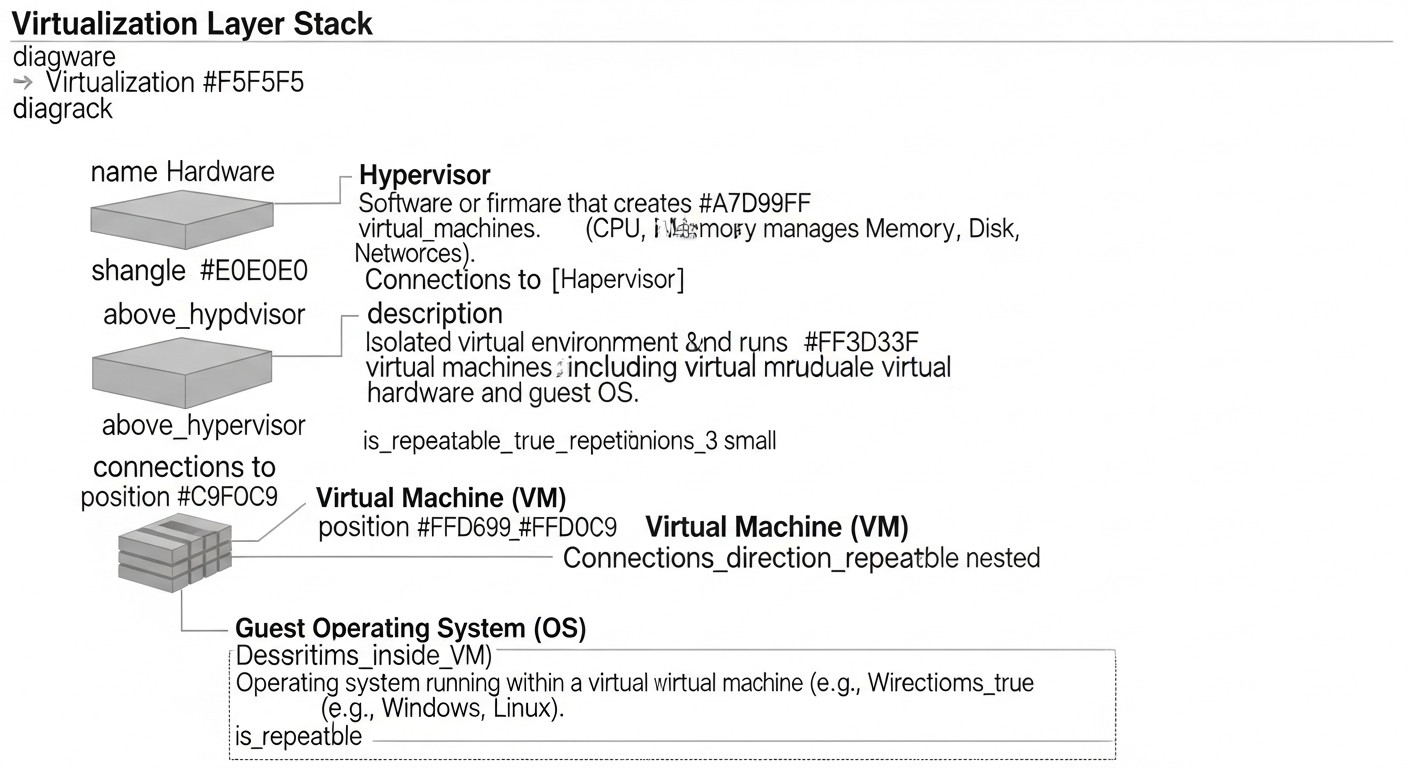
Implementing any orchestrator requires not only understanding its functions but also following best practices. Here are specific steps and recommendations for Docker Swarm, HashiCorp Nomad, and CapRover.
5.1. General Recommendations for All Orchestrators
- Use a private Docker Registry: For storing your images. This can be Docker Hub, GitLab Registry, GitHub Packages, or your own Harbor. Never rely on manual image building on production servers.
- Version your configurations: All configuration files (
docker-compose.ymlfor Swarm,.nomadfiles for Nomad,captain-definitionfor CapRover) should be stored in a version control system (Git). - Set up monitoring and logging: This is not an option, but a necessity. Use Prometheus/Grafana, ELK stack, or commercial solutions (Datadog, New Relic) to collect metrics and logs.
- Automate deployment: Integrate the orchestrator with your CI/CD pipeline (GitLab CI, GitHub Actions, Jenkins). Automated deployment reduces errors and speeds up the process.
- Backup: Regularly back up data (databases, persistent volumes) and orchestrator configurations.
5.2. Practical Tips for Docker Swarm
Cluster initialization (3 managers, N workers):
On the first node (manager1):
docker swarm init --advertise-addr <IP_manager1> --listen-addr <IP_manager1>:2377
# Save the command to join workers and other managers
On other manager nodes (manager2, manager3), use the command obtained after docker swarm init to join as a manager:
docker swarm join --token <MANAGER_TOKEN> <IP_manager1>:2377
On worker nodes:
docker swarm join --token <WORKER_TOKEN> <IP_manager1>:2377
Deploying an application stack: Use docker-compose.yml version 3.x, which Swarm understands as a "stack".
# docker-stack.yml
version: '3.8'
services:
  web:
    image: myapp/web:1.0.0
    ports:
      - "80:80"
    deploy:
      replicas: 3
      update_config:
        parallelism: 1
        delay: 10s
      restart_policy:
        condition: on-failure
    networks:
      - app_net
    secrets:
      - db_password
  db:
    image: postgres:14
    volumes:
      - db_data:/var/lib/postgresql/data
    environment:
      POSTGRES_PASSWORD_FILE: /run/secrets/db_password
    deploy:
      placement:
        constraints:
          - node.labels.type == database # Example placement
    networks:
      - app_net
secrets:
  db_password:
    file: ./db_password.txt # Password file for the secret
volumes:
  db_data:
networks:
  app_net:
    driver: overlay
    attachable: true
Deployment:
echo "your_super_secret_password" > db_password.txt # Create secret file
docker stack deploy -c docker-stack.yml myapp_stack
Service update: Simply change the image in docker-stack.yml and re-run the docker stack deploy command. Swarm will automatically perform a rolling update.
docker stack deploy -c docker-stack.yml myapp_stack --with-registry-auth # If using a private registry
5.3. Practical Tips for HashiCorp Nomad
Installation and startup: Download the Nomad binary, place it in /usr/local/bin. Create a configuration file /etc/nomad.d/server.hcl (for the server) or /etc/nomad.d/client.hcl (for the client).
Example server.hcl:
# /etc/nomad.d/server.hcl
data_dir = "/opt/nomad/data"
bind_addr = "0.0.0.0"

server {
  enabled          = true
  bootstrap_expect = 3 # Number of servers in the cluster
}

client {
  enabled = true # Servers can also be clients
}

telemetry {
  prometheus_metrics = true
  disable_hostname = true
}
Starting Nomad as a systemd service:
sudo systemctl enable nomad
sudo systemctl start nomad
Deploying a Docker application:
# web-app.nomad
job "web-app" {
  datacenters = ["dc1"]
  type        = "service"

  group "web" {
    count = 3

    network {
      port "http" {
        to = 80
      }
    }

    task "app" {
      driver = "docker"
      config {
        image = "myapp/web:1.0.0"
        ports = ["http"]
      }

      resources {
        cpu    = 250 # 250 MHz
        memory = 256 # 256 MB
      }

      service {
        name = "web-app"
        tags = ["web"]
        port = "http"
        check {
          type     = "http"
          path     = "/"
          interval = "10s"
          timeout  = "2s"
        }
      }
    }
  }
}
Deployment:
nomad run web-app.nomad
Integration with Consul: For service discovery, Nomad automatically registers services with Consul if Consul is running on the same network.
# Add to job file
service {
  name = "web-app"
  tags = ["web", "v1"]
  port = "http"
  check {
    type     = "http"
    path     = "/"
    interval = "10s"
    timeout  = "2s"
  }
}
5.4. Practical Tips for CapRover
Installing CapRover on a clean VPS:
# Make sure Docker is installed
docker run -p 80:80 -p 443:443 -p 3000:3000 -e NODE_ENV=production -e SERVER_IP_ADDRESS="<YOUR_SERVER_IP>" --name caprover --restart=always -d caprover/caprover
Then navigate to http://<YOUR_SERVER_IP>:3000 in your browser to complete the setup (set password and domain).
Deploying an application via CLI:
# Install CapRover CLI
npm install -g caprover

# Initialize project (in your application's root)
caprover init

# Deploy
caprover deploy
Example captain-definition (in your project root):
{
  "schemaVersion": 2,
  "templateId": "node-express",
  "variables": [],
  "dockerfileLines": [
    "FROM node:18-alpine",
    "WORKDIR /usr/src/app",
    "COPY package*.json ./",
    "RUN npm install",
    "COPY . .",
    "EXPOSE 3000",
    "CMD [\"npm\", \"start\"]"
  ]
}
Deploying a database: Via the CapRover web interface: "Apps" -> "One-Click Apps/Databases" -> select PostgreSQL/MongoDB/Redis, install. CapRover will provide environment variables for connecting to the application.
These practical recommendations will help you get started faster and avoid common mistakes.
6. Common Mistakes When Using Alternative Orchestrators
Even with relatively simple tools, mistakes can be made that lead to downtime, data loss, or security issues. Here are five of the most common mistakes and how to avoid them.
6.1. Ignoring Manager/Server Fault Tolerance
Mistake: Running a Swarm or Nomad cluster with a single manager/server node.
Consequences: If this single node fails, the entire cluster will stop functioning. You won't be able to deploy new services, update existing ones, or even restore the cluster without losing state data.
How to avoid: Always deploy an odd number of manager nodes (3 or 5) to ensure quorum and fault tolerance. For Swarm, this means docker swarm init on the first, then docker swarm join --token <token> <ip> on the others. For Nomad, it's configuring bootstrap_expect in the server configuration.
Practical example: A startup launched its MVP on Swarm with a single manager on a VPS. During a planned OS update, the VPS was rebooted, and the manager failed to start due to a corrupted disk. The entire service was unavailable for 8 hours until the node was restored from backup, losing some cluster state data.
6.2. Lack of Persistent Storage
Mistake: Running databases, message queues, or other data-persisting services without configuring persistent volumes.
Consequences: Upon container restart or migration to another node, all data written inside the container will be lost.
How to avoid: Always use Docker Volumes for Swarm/CapRover or CSI (Container Storage Interface) plugins for Nomad to ensure data persistence regardless of the container's lifecycle. Make sure volumes are backed up.
Practical example: A developer launched PostgreSQL in Docker Swarm, forgetting to bind a volume. After updating the service image and restarting it, the database "reset," leading to the loss of all user data for a month. Restoring from an old backup took several hours and resulted in customer dissatisfaction.
6.3. Ignoring Security and Secret Management
Mistake: Storing sensitive data (DB passwords, API keys) directly in configuration files or in environment variables accessible to everyone.
Consequences: Leaking this data can lead to system compromise, unauthorized access, and serious security breaches.
How to avoid: Use built-in secret management mechanisms: Docker Secrets for Swarm, HashiCorp Vault (in conjunction with Nomad), or environment variables that are passed securely (as in CapRover). Never commit secrets to Git.
Practical example: Database passwords were hardcoded in a docker-compose.yml configuration file for Swarm. This file ended up in a public GitHub repository. Attackers discovered it and gained access to the production database, leading to a leak of user personal data.
6.4. Lack of Monitoring and Logging
Mistake: Deploying applications without a centralized system for collecting logs and metrics.
Consequences: You won't be able to quickly detect problems, diagnose the causes of failures, track performance, or scale resources. Problems will only be discovered after user complaints.
How to avoid: Implement a monitoring stack (Prometheus+Grafana) and centralized logging (ELK stack, Loki+Grafana, Logtail). Configure alerts for critical metrics.
Practical example: A SaaS application on Nomad started running slowly at night. Without monitoring and aggregated logs, the team couldn't understand the cause. It turned out that background tasks were consuming too many resources, leading to performance degradation. The problem was only resolved after implementing Prometheus and analyzing CPU/RAM metrics.
6.5. Incorrect Updates or Rollbacks
Mistake: Performing updates without testing, without a rolling update strategy, or without the ability to quickly roll back to a previous version.
Consequences: A failed update can lead to prolonged downtime, application malfunction, or data loss.
How to avoid: Always use the rolling update features provided by the orchestrator (deploy.update_config in Swarm, update block in Nomad). Perform updates in stages, monitoring metrics. Ensure you have the ability to quickly roll back changes to a stable version.
Practical example: The team decided to update the backend version on Swarm, but the new image contained a critical error. Since no rolling update policy with health checks was configured, all service instances updated simultaneously and crashed. The application was unavailable for over an hour until the image was manually rolled back to the previous version.
7. Practical Application Checklist
Before launching your project into production with one of these orchestrators, go through the following checklist. It will help you ensure that you have considered all critically important aspects.
- Orchestrator Selection: Has the most suitable orchestrator (Swarm, Nomad, CapRover) been determined based on criteria such as complexity, scalability, and team experience?
- Architecture Planning: Has the cluster schema (number of manager/server nodes, worker/client nodes), network topology, and data storage strategy been developed?
- Server Preparation: Is the current version of Docker (for Swarm/CapRover) or the Nomad binary installed on all nodes? Are the necessary ports open in the firewall?
- Cluster Initialization: Has the cluster been successfully initialized and all nodes correctly joined (3+ managers/servers for fault tolerance)?
- Application Configuration: Are all applications containerized and do they have correct configuration files (
docker-stack.yml,.nomad,captain-definition)? - Persistent Data Storage: For all services requiring data persistence (DBs, caches), are Docker Volumes or other persistent storage mechanisms configured?
- Secret Management: Are sensitive data (passwords, API keys) stored and transmitted securely via Docker Secrets, Vault, or other protected methods?
- Network Configuration: Are overlay networks (Swarm), Consul Connect (Nomad), or proxy servers (CapRover) configured to ensure communication between services?
- Monitoring and Logging: Has a centralized monitoring system (Prometheus/Grafana) and log collection system (ELK/Loki) with configured alerts been implemented?
- CI/CD Pipeline: Is the process of building Docker images and deploying applications automated via CI/CD?
- Backup: Are regular backups of data and cluster configurations set up? Has the recovery capability been tested?
- Security: Have basic security principles been applied (least privilege, network segmentation, regular OS updates)?
- Testing: Has load testing and fault tolerance testing of the cluster and applications been conducted?
- Documentation: Is all infrastructure and are all processes documented?
- Disaster Recovery Plan (DRP): Is there a clear action plan in case of a major failure or disaster?
8. Cost Calculation and Operational Economics
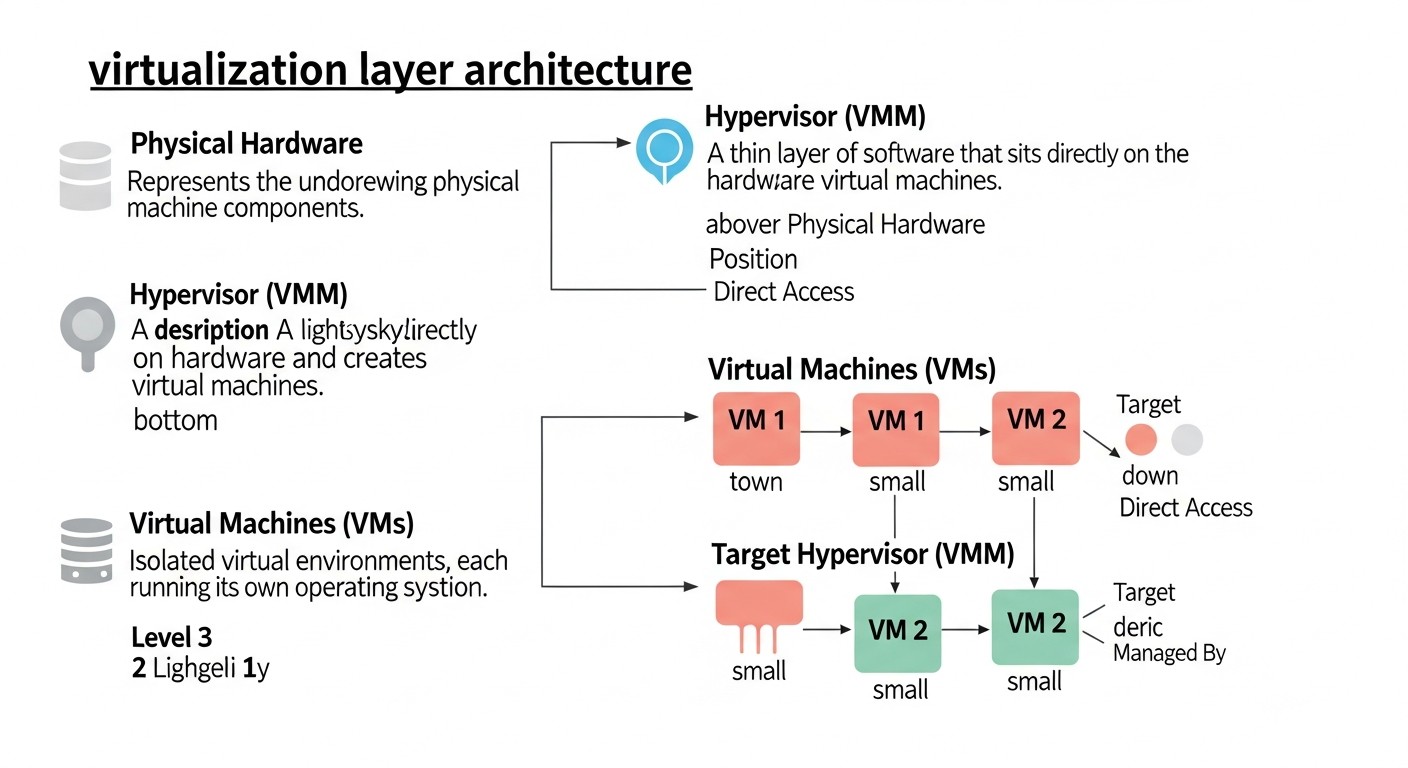
One of the key factors when choosing an orchestrator for VPS and dedicated servers is cost savings. Kubernetes, especially in managed cloud services, can be very expensive. Alternatives can significantly reduce costs, but it's important to consider not only direct but also hidden expenses.
8.1. Cost Calculation Examples for Different Scenarios (2026 Prices)
Let's assume we have three scenarios for a SaaS project, actively developing in 2026, with a monthly load requiring 2 to 8 vCPUs and 4 to 16 GB RAM.
Scenario 1: Small SaaS Project (MVP/Early Stage)
- Requirements: 1-2 backend services, DB, cache. Peak load up to 50 req/s.
- Infrastructure: 2 VPS (1 manager/server, 1 worker/client)
- VPS Specifications (each): 2 vCPU, 4 GB RAM, 80 GB SSD
- Provider: Hetzner Cloud / DigitalOcean (2026 prices)
- Cost of 1 VPS: ~8 USD/month.
| Cost Item | Docker Swarm | HashiCorp Nomad | CapRover |
|---|---|---|---|
| VPS Cost (2 nodes) | 16 USD/мес. | 16 USD/мес. | 16 USD/мес. |
| Add. Software/Licenses | 0 USD | 0 USD | 0 USD |
| Monitoring/Logging (OSS) | 0 USD (Prometheus/Grafana) | 0 USD (Prometheus/Grafana) | 0 USD (Built-in/Prometheus) |
| Total Direct Monthly Costs | 16 USD | 16 USD | 16 USD |
| Engineer's Time for Setup (initial) | 0.5 day (40 USD) | 1.5 days (120 USD) | 0.5 day (40 USD) |
| Engineer's Time for Support (monthly) | 1 hour (10 USD) | 2 hours (20 USD) | 0.5 hour (5 USD) |
Conclusion: In the early stages, all solutions are very affordable. CapRover and Swarm require minimal engineer time, which is critical for startups.
Scenario 2: Medium SaaS Project (Growth)
- Requirements: 5-7 microservices, DB, cache, queue. Peak load up to 500 req/s.
- Infrastructure: 5 VPS (3 managers/servers, 2 workers/clients)
- VPS Specifications (each): 4 vCPU, 8 GB RAM, 160 GB SSD
- Provider: Hetzner Cloud / DigitalOcean / Vultr
- Cost of 1 VPS: ~15 USD/month.
| Cost Item | Docker Swarm | HashiCorp Nomad | CapRover (limited) |
|---|---|---|---|
| VPS Cost (5 nodes) | 75 USD/мес. | 75 USD/мес. | 75 USD/мес. |
| Add. Software/Licenses | 0 USD | 0 USD (Consul/Vault OSS) | 0 USD |
| Monitoring/Logging (OSS) | 0 USD | 0 USD | 0 USD |
| Total Direct Monthly Costs | 75 USD | 75 USD | 75 USD |
| Engineer's Time for Setup (initial) | 1 day (80 USD) | 3 days (240 USD) | 2 days (160 USD) |
| Engineer's Time for Support (monthly) | 4 hours (40 USD) | 8 hours (80 USD) | 6 hours (60 USD) |
Conclusion: Direct costs remain similar. Nomad becomes more expensive due to the engineer's time for setting up and supporting its ecosystem (Consul, Vault). CapRover at this scale may be less efficient due to orchestration limitations.
Scenario 3: Large SaaS Project (Stable Growth)
- Requirements: 15+ microservices, distributed DB, queues, caches, multiple task types. Peak load up to 5000 req/s.
- Infrastructure: 10 dedicated servers (3 managers/servers, 7 workers/clients)
- Server Specifications (each): 8 vCPU, 16 GB RAM, 500 GB NVMe SSD
- Provider: Hetzner Dedicated / OVH / Contabo
- Cost of 1 server: ~50 USD/month.
| Cost Item | Docker Swarm | HashiCorp Nomad | CapRover (not recommended) |
|---|---|---|---|
| Server Cost (10 nodes) | 500 USD/мес. | 500 USD/мес. | Not recommended |
| Add. Software/Licenses | 0 USD | 0 USD (Consul/Vault OSS) | Not recommended |
| Monitoring/Logging (OSS) | 0 USD | 0 USD | Not recommended |
| Total Direct Monthly Costs | 500 USD | 500 USD | N/A |
| Engineer's Time for Setup (initial) | 3 days (240 USD) | 7 days (560 USD) | N/A |
| Engineer's Time for Support (monthly) | 8 hours (80 USD) | 20 hours (200 USD) | N/A |
Conclusion: At this scale, direct infrastructure costs are comparable. However, Nomad requires significantly more engineer time for managing and supporting its complex ecosystem. CapRover is not designed for this scale and complexity.
8.2. Hidden Costs
- Engineer's Time: The biggest hidden cost. Time spent on learning, setup, debugging, monitoring. More complex systems require more skilled and highly paid engineers.
- Errors and Downtime: Every configuration error or system failure leads to downtime, which results in lost revenue and reputational damage.
- Security: The need to implement additional security tools, audits, and regular updates.
- Training: Costs for training new employees to work with the chosen stack.
- Equipment Wear and Tear: On dedicated servers, there may be costs for replacing failed components.
8.3. How to Optimize Costs
- Choose Simplicity: For most tasks, Swarm or CapRover will be more economical due to low operational overhead.
- Automate: Invest in CI/CD and Infrastructure as Code (IaC) with Terraform or Ansible to reduce manual labor and minimize errors.
- Optimize Resources: Regularly analyze your services' resource consumption and scale them efficiently. Don't overpay for idle vCPUs or RAM.
- Use OSS: Actively use open-source software for monitoring, logging, and other auxiliary tasks.
- Monitor TCO: Regularly recalculate TCO, including engineer salaries, to ensure that the chosen solution remains cost-effective.
9. Use Cases and Examples

Real-world examples will help to better understand how these orchestrators are applied in practice and what results they yield.
9.1. Case 1: Docker Swarm for a Medium-Load SaaS Platform
Company: "TaskFlow Analytics" — a startup offering a SaaS platform for task and project analytics.
Problem: Initially, the application was monolithic and deployed manually on a single VPS. With the growth in the number of users, problems arose with scalability, fault tolerance, and update complexity. Kubernetes seemed overkill for a team of 3 developers.
Solution: Transition to a microservice architecture with Docker Swarm orchestration. A cluster of 5 VPS (3 managers, 2 workers) was deployed on Hetzner Cloud. The application was divided into 6 microservices (API Gateway, User Service, Project Service, Analytics Service, Notification Service, Background Workers), plus PostgreSQL and Redis. All were deployed as Docker stacks via GitLab CI.
Results (2026):
- Reduced TCO: Monthly infrastructure costs amounted to approximately 75 USD (5 VPS at 15 USD each). Infrastructure management time decreased from 15 hours/month to 4 hours/month.
- Increased Availability: Thanks to Swarm's fault tolerance (3 managers) and service replication, service availability increased to 99.99%.
- Faster Deployment: Time from commit to production decreased from 30 minutes to 5 minutes thanks to CI/CD and rolling updates.
- Ease of Scaling: Adding a new microservice instance now takes a single command
docker service scale <service>=<N>.
Conclusion: Docker Swarm proved to be an ideal solution for "TaskFlow Analytics", providing the necessary scalability and fault tolerance with minimal operational overhead and ease of adoption for the team.
9.2. Case 2: HashiCorp Nomad for a FinTech Startup's Heterogeneous Environment
Company: "CryptoPulse" — a FinTech startup developing a platform for high-frequency cryptocurrency trading.
Problem: The platform included high-performance Go services (for real-time data processing), Python ML models (in Docker containers), and several legacy Java services that were not containerized. A single orchestrator was needed that could manage all these types of workloads with minimal latency and maximum efficiency.
Solution: Deployment of a HashiCorp Nomad cluster on 10 dedicated servers (3 Nomad servers, 7 Nomad clients) on OVHcloud. Consul was used for service discovery, and Vault for secret management. Go services were run as raw binaries, ML models as Docker containers, and Java services via Nomad's Java driver.
Results (2026):
- Unified Platform: All workloads (Docker, Java, Go binaries) are managed from a single Nomad dashboard, which significantly simplified operational activities.
- High Performance: Nomad's low overhead and efficient scheduler allowed for data processing latencies of less than 10 ms, which is critical for trading.
- Flexibility: The ability to easily add new types of workloads or migrate existing ones without changing the underlying infrastructure.
- Reliability: Thanks to integration with Consul and Vault, the platform gained reliable service discovery and secure secret management.
Conclusion: Nomad became the optimal choice for "CryptoPulse" due to its versatility and ability to efficiently orchestrate diverse and performance-demanding workloads, while ensuring high reliability and security.
9.3. Case 3: CapRover for a Freelancer's Portfolio and Small Client Projects
Developer: Alexey, a freelance Node.js and React developer.
Problem: Alexey constantly developed small web applications for clients, as well as his own pet projects and portfolio. Each time, he had to manually configure Nginx, SSL, Docker Compose, and CI/CD, which was time-consuming. He needed a simple way to quickly deploy and manage dozens of small applications.
Solution: Installation of CapRover on a powerful dedicated server (16 vCPU, 32 GB RAM, 1 TB NVMe SSD) from Contabo. All client projects and personal applications were deployed via the CapRover web interface or its CLI, using captain-definition. Subdomains, SSL certificates, and proxies were automatically configured.
Results (2026):
- Instant Deployment: The deployment time for a new application was reduced to 1-2 minutes, including domain and SSL setup.
- Time Savings: Alexey stopped spending time on manual infrastructure setup, focusing on development. Savings of up to 20 hours per month.
- Simplified Management: All applications are managed through a single, intuitive web interface.
- Low Costs: A single powerful server costing around 60 USD/month was able to host over 30 different web applications and databases without issues.
Conclusion: CapRover became the ideal solution for Alexey, allowing him to quickly and efficiently manage numerous small projects, significantly simplifying his DevOps tasks and enabling him to focus on development.
10. Tools and Resources for Effective Work
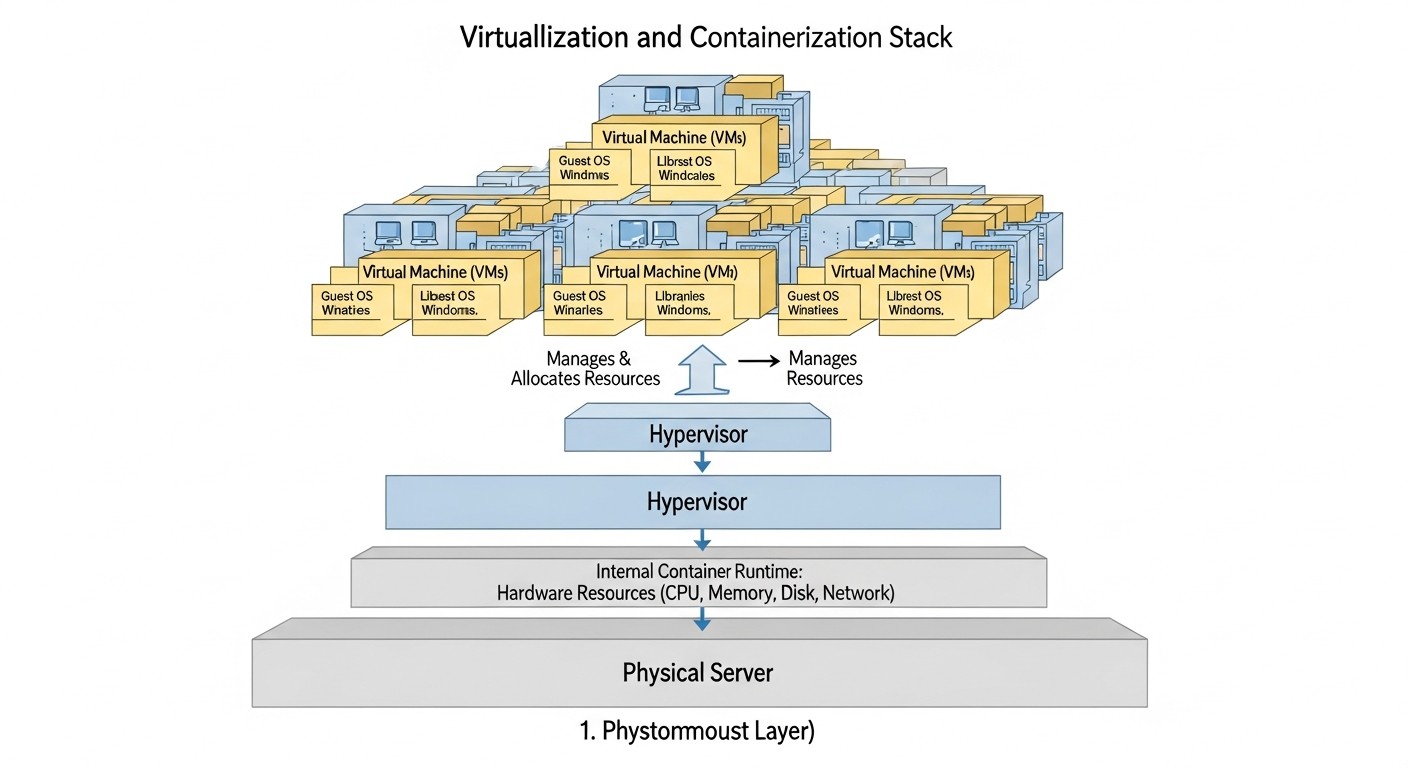
For effective work with orchestrators, a set of additional tools and useful resources is necessary. In 2026, the ecosystem around Docker and HashiCorp tools continues to evolve, providing developers and DevOps engineers with powerful means for monitoring, CI/CD, security, and debugging.
10.1. Utilities for Operation and Management
- Portainer: A universal GUI for managing Docker (including Swarm). It provides a convenient web interface for cluster monitoring, managing services, images, volumes, and networks. Especially useful for teams preferring visual management.
https://www.portainer.io/ - Consul (for Nomad): Service Mesh and Service Discovery from HashiCorp. Highly recommended for use with Nomad for automatic service discovery, registration, and secure communication between them.
https://www.consul.io/ - Vault (for Nomad): A tool for secret management from HashiCorp. It allows securely storing, retrieving, and managing access to sensitive data (passwords, API keys, tokens) for applications running in Nomad.
https://www.vaultproject.io/ - Traefik: A modern Edge Router and Reverse Proxy. It integrates excellently with both Docker Swarm and Nomad (via Consul), automatically discovering services and configuring routing and SSL certificates (via Let's Encrypt).
https://traefik.io/ - Caddy: An alternative HTTP/2 web server with automatic HTTPS. Easier to configure than Nginx, and can be used as a reverse proxy for applications.
https://caddyserver.com/
10.2. Monitoring and Logging
- Prometheus: An open-source monitoring system designed for collecting metrics. Supports dynamic target discovery (via Docker, Consul).
https://prometheus.io/ - Grafana: A tool for data visualization and dashboard creation. Ideal for displaying metrics collected by Prometheus, as well as logs from Loki.
https://grafana.com/ - Loki: A horizontally scalable, highly available, multi-tenant log aggregation system. Developed by Grafana Labs as "Prometheus for logs". Integrates excellently with Grafana.
https://grafana.com/oss/loki/ - cAdvisor: An agent for monitoring container resources. Built into Docker, but can be run as a separate container to export metrics to Prometheus.
- Node Exporter: An exporter for system-level metrics (CPU, RAM, disk, network) for Prometheus.
https://github.com/prometheus/node_exporter
10.3. CI/CD Tools
- GitLab CI/CD: A CI/CD system built into GitLab, very powerful and flexible. It allows automating image building, testing, and deployment to Swarm, Nomad, or CapRover.
https://docs.gitlab.com/ee/ci/ - GitHub Actions: A similar system from GitHub. Popular for projects hosted on GitHub.
https://github.com/features/actions - Jenkins: A classic, yet still powerful and flexible automation server. Requires more effort to set up, but provides maximum control.
https://www.jenkins.io/ - Drone CI: A container-native CI/CD platform. Easy to set up and excellent for Docker-oriented projects.
https://www.drone.io/
10.4. Useful Links and Documentation
- Official Docker Swarm Documentation:
https://docs.docker.com/engine/swarm/ - Official HashiCorp Nomad Documentation:
https://www.nomadproject.io/docs/ - Official CapRover Documentation:
https://caprover.com/docs/ - DevOps Blogs and Articles: It is recommended to follow resources such as Martin Fowler, The New Stack, HashiCorp Blog, Docker Blog for up-to-date news and best practices.
Using these tools and resources will significantly simplify your work, increase the efficiency and reliability of your infrastructure.
11. Troubleshooting: Solving Common Problems
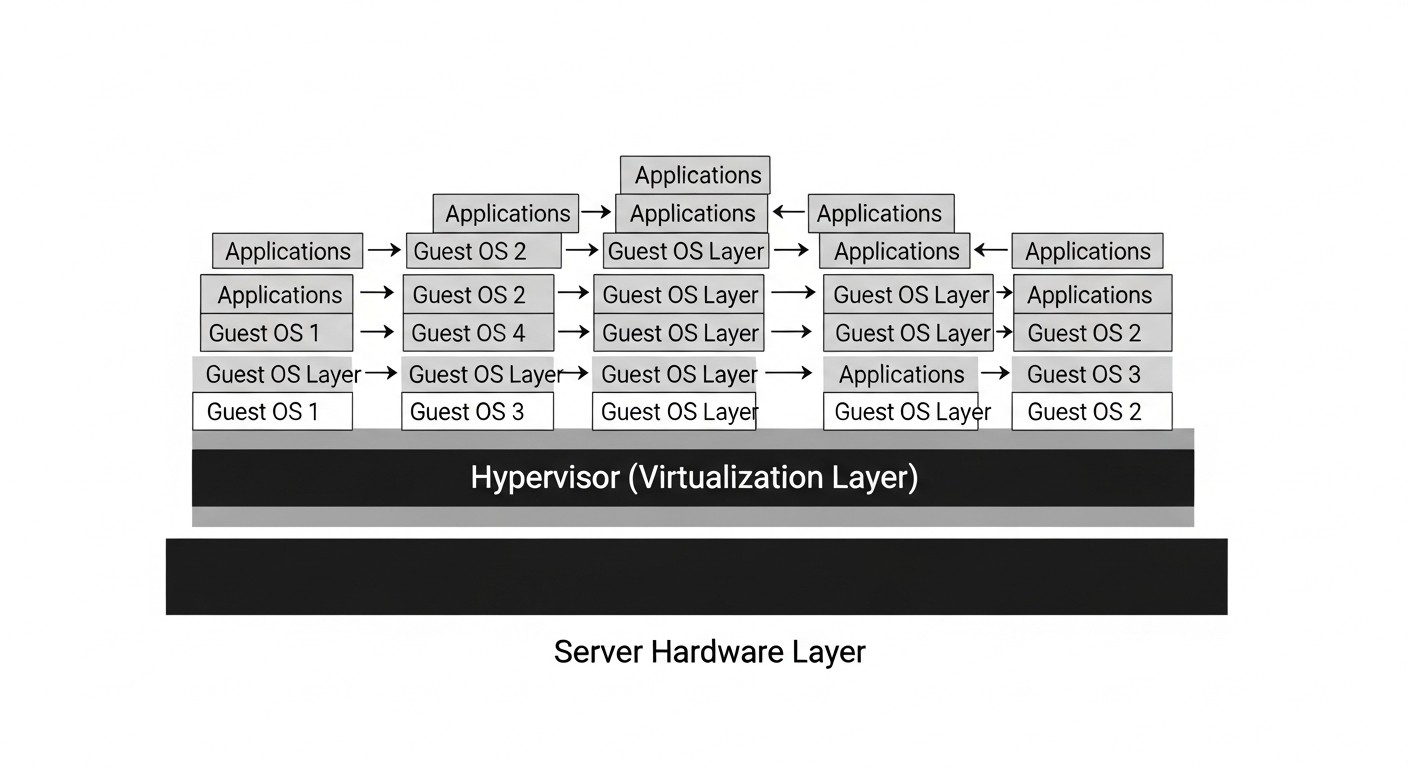
Even with the most meticulous setup, problems are inevitable. The ability to quickly diagnose and resolve issues is a key skill for any DevOps engineer. Here are common problems and approaches to solving them.
11.1. Docker Swarm Issues
- Service not starting or constantly restarting:
- Diagnosis: Check service logs:
docker service logs <service_name>. Check service status:docker service ps <service_name>. - Possible causes: Application code error, incorrect environment variables, insufficient resources (CPU/RAM), unavailability of external dependencies (DB, cache).
- Solution: Examine logs, check service configuration (
docker service inspect <service_name>), ensure the node has sufficient resources (docker node inspect <node_id>).
- Diagnosis: Check service logs:
- Manager node failed/lost quorum:
- Diagnosis:
docker node lswill show node status. If most managers are unavailable, the cluster will lose quorum. - Possible causes: Server failure, network issues, Swarm data corruption.
- Solution: If an odd number of managers is available (e.g., 2 out of 3), restore the failed node or forcibly remove it from the cluster (
docker swarm leave --forceon the failed node, thendocker node rm --force <node_id>from a working manager). If the cluster has completely lost quorum, it may be necessary to restore Swarm data from a backup or force re-initialization (docker swarm init --force-new-cluster).
- Diagnosis:
- Network/service availability issues:
- Diagnosis: Check overlay networks:
docker network ls,docker network inspect <network_name>. Verify that ports are open:netstat -tulnp. - Possible causes: Network configuration errors, firewall issues, IP address conflicts.
- Solution: Ensure Swarm ports (2377, 7946 TCP/UDP, 4789 UDP) are open between nodes. Verify that services are publishing ports correctly.
- Diagnosis: Check overlay networks:
11.2. HashiCorp Nomad Issues
- Task not scheduled/stuck:
- Diagnosis:
nomad job status <job_name>,nomad alloc status <alloc_id>. Check Nomad client logs:journalctl -u nomad.service. - Possible causes: Insufficient resources on clients, errors in the job's HCL file, driver issues (Docker not running), client unavailability.
- Solution: Verify that Nomad clients are running and accessible (
nomad node status). Ensure clients have sufficient CPU/RAM. Check HCL syntax.
- Diagnosis:
- Consul/Vault integration issues:
- Diagnosis: Check Nomad, Consul, and Vault logs. Ensure all services are running and can communicate with each other.
- Possible causes: Incorrect ACL configuration, network issues, invalid tokens or policies.
- Solution: Check Consul configuration (
client_addr,retry_join). Ensure Nomad has the correct tokens for accessing Vault and Consul.
- High CPU/RAM usage on clients:
- Diagnosis: Use
nomad node status -verbose <node_id>to view resource usage by tasks. Monitoring via Prometheus/Grafana. - Possible causes: Applications consuming more resources than expected; incorrectly configured resource limits in the job.
- Solution: Optimize applications. Increase resource limits in the job's HCL file. Consider adding new Nomad clients.
- Diagnosis: Use
11.3. CapRover Issues
- Application inaccessible via domain:
- Diagnosis: Check application logs via the CapRover web interface. Ensure DNS records (A-record for domain/subdomain) point to your CapRover server's IP.
- Possible causes: Incorrect DNS records, error in
captain-definition, application not listening on the correct port, SSL issues. - Solution: Ensure the application is listening on the port specified in
captain-definition(usually 80 or 3000). Check the SSL certificate status in the CapRover UI.
- Deployment fails:
- Diagnosis: Carefully examine deployment logs in the CapRover UI.
- Possible causes: Error in
Dockerfileorcaptain-definition, insufficient disk space, dependency issues (npm installfails). - Solution: Correct errors in Dockerfile/captain-definition. Ensure there is enough free space on the server.
11.4. Diagnostic Commands (General)
sudo systemctl status <service_name>: Check the status of a system service (Docker, Nomad).sudo journalctl -u <service_name> -f: View system service logs in real-time.df -h: Check free disk space.free -h: Check RAM usage.htop/top: Monitor CPU and RAM usage by processes.netstat -tulnp: Check open ports and listening processes.
11.5. When to Contact Support
If you have exhausted all your options for diagnosing and solving a problem, do not hesitate to seek help:
- Official Forums/GitHub Issues: For Swarm, Nomad, and CapRover, there are active communities on GitHub and/or official forums where you can ask questions.
- Stack Overflow: For general questions about Docker, networking, or Linux.
- VPS/Dedicated Server Provider: If the problem is related to hardware, data center-level networking, or the server's base operating system.
- Consulting: For complex, critical problems that require expert knowledge, external specialists can be engaged.
Remember that a detailed problem description, providing logs, and reproduction steps significantly speed up the process of getting help.
12. FAQ: Frequently Asked Questions
12.1. Why not just use Kubernetes?
Kubernetes is a powerful but complex tool. For most small and medium-sized projects on VPS or dedicated servers, its complexity, high entry barrier, and significant resource requirements are often excessive. Alternatives like Docker Swarm or HashiCorp Nomad offer sufficient functionality for container orchestration while providing much simpler setup, management, and lower operational costs. This allows teams to focus on product development rather than infrastructure management.
12.2. What is the main difference between Docker Swarm and HashiCorp Nomad?
The main difference lies in their versatility and approach to orchestration. Docker Swarm is natively integrated with Docker Engine and is exclusively designed for orchestrating Docker containers. It is easy to learn for those already familiar with Docker. HashiCorp Nomad is a more universal scheduler that can orchestrate not only Docker containers but also VMs, Java applications, raw binaries, and WebAssembly. Nomad is more flexible and performant but requires learning HCL and is often used in conjunction with Consul and Vault, which adds complexity to the setup.
12.3. What are the limitations of CapRover compared to Swarm or Nomad?
CapRover is a PaaS-like solution focused on maximizing the simplification of web application deployment. Its main limitations lie in less flexibility and scalability. It is not a full-fledged orchestrator for complex distributed systems like Swarm or Nomad. CapRover is best suited for a single server or a few, but not for large-scale clusters. It provides a high-level abstraction, which is good for simplicity, but limits low-level control over Docker and network settings.
12.4. How to ensure high availability of a cluster without Kubernetes?
High availability is achieved by deploying an odd number of manager nodes (for Swarm) or servers (for Nomad) – typically 3 or 5. This ensures quorum and allows the cluster to continue operating even if one or two nodes fail. Additionally, services must be replicated so that if one instance fails, another can take over its functions. For cluster state storage, Swarm and Nomad use Raft consensus, ensuring fault tolerance.
12.5. How to manage Persistent Storage?
For persistent data storage in Docker Swarm, Docker Volumes are used, which can be local or network-based (NFS, Ceph, GlusterFS via plugins). In Nomad, local volumes can also be used, or CSI plugins can be integrated to work with various storage systems. For databases, it is often recommended to use separate dedicated servers or managed DB services rather than running them as containers on the same nodes as applications, for better isolation and performance.
12.6. How to securely store secrets?
Docker Swarm has a built-in Docker Secrets feature that allows securely passing secrets to containers. HashiCorp Nomad integrates excellently with HashiCorp Vault, which is an industry standard for secrets management. For CapRover, environment variables can be used, which are securely passed to containers, or external secrets management services can be integrated. The main thing is never to store sensitive data in plain text in configuration files or version control systems.
12.7. Which monitoring and logging tools are recommended?
For metric monitoring, Prometheus in conjunction with Grafana for visualization is the standard choice. Prometheus can collect metrics from the Docker daemon, Node Exporter for system metrics, and cAdvisor for container metrics. For centralized logging, Loki (from Grafana Labs) or the ELK stack (Elasticsearch, Logstash, Kibana) are recommended. These solutions allow aggregating logs from all nodes and containers, facilitating problem diagnosis.
12.8. Can these orchestrators be integrated with CI/CD?
Yes, absolutely. All these orchestrators integrate excellently with popular CI/CD systems such as GitLab CI/CD, GitHub Actions, or Jenkins. The process typically involves building a Docker image, testing it, pushing it to a private registry, and then deploying the updated image to the cluster using the appropriate commands (docker stack deploy for Swarm, nomad run for Nomad, caprover deploy for CapRover CLI). This allows automating the entire code delivery process from development to production.
12.9. How is networking configured between containers on different nodes?
Docker Swarm uses Overlay Networks, which allow containers on different nodes to communicate with each other as if they were on the same local network. Nomad can use various network drivers but often relies on Consul Connect (Service Mesh) to provide secure and efficient communication between services. CapRover uses Nginx as a reverse proxy to route traffic to applications and Docker networks for internal communication.
12.10. How secure are these solutions?
All discussed solutions are mature and include security features. Docker Swarm has Docker Secrets and network isolation. Nomad integrates with Vault for secrets management and Consul for secure communication. CapRover automates SSL via Let's Encrypt. However, ultimate security heavily depends on proper configuration: regular updates, firewall setup, access control (RBAC), image vulnerability scanning, and adherence to best security practices are mandatory.
13. Conclusion: Final Recommendations and Next Steps
In 2026, the container orchestration landscape continues to offer a wide range of solutions beyond the ubiquitous Kubernetes. For DevOps engineers, backend developers, SaaS project founders, and system administrators working with VPS and dedicated servers, Docker Swarm, HashiCorp Nomad, and CapRover represent powerful, yet significantly simpler and more cost-effective alternatives. They enable high availability, scalability, and automation without the excessive complexity and high operational overhead inherent in large-scale Kubernetes clusters.
Final Recommendations:
- For maximum simplicity and quick start: If your project is entirely based on Docker containers, and you value a low entry barrier, Docker Swarm is your choice. It is ideal for microservice applications on small to medium clusters.
- For flexibility and versatility: If your environment is heterogeneous, and you need to orchestrate not only Docker but also other types of workloads (Java, Go, binaries), and high performance and integration with advanced tools are required, choose HashiCorp Nomad. Be prepared to invest more time in learning its ecosystem (Consul, Vault).
- For a PaaS-like experience and web applications: If your main task is to quickly deploy and manage numerous web applications with minimal infrastructure involvement, CapRover will provide you with a Heroku-like experience on your own server, automating SSL and proxies.
Remember that choosing an orchestrator is not only a technical but also a strategic decision that must align with your team's size, experience, project budget, and scalability requirements. There is no universal "best" solution; there is only the most suitable one for your specific needs.
Next Steps for the Reader:
- Start small: Choose one of the orchestrators and deploy it on a test VPS. Try deploying a simple application.
- Study the documentation: Dive deep into the official documentation of the chosen tool.
- Practice: Create your CI/CD pipeline for automatic deployment. Set up monitoring and logging.
- Test fault tolerance: Simulate node failures to understand how the system reacts and how quickly it recovers.
- Apply best practices: Always use persistent data storage, securely manage secrets, and automate everything possible.
The world of containerization and orchestration is constantly evolving, but the fundamental principles of reliable and efficient infrastructure remain unchanged. Using the knowledge from this article, you will be able to build a powerful and cost-effective platform for your applications that will be relevant in 2026 and far beyond.