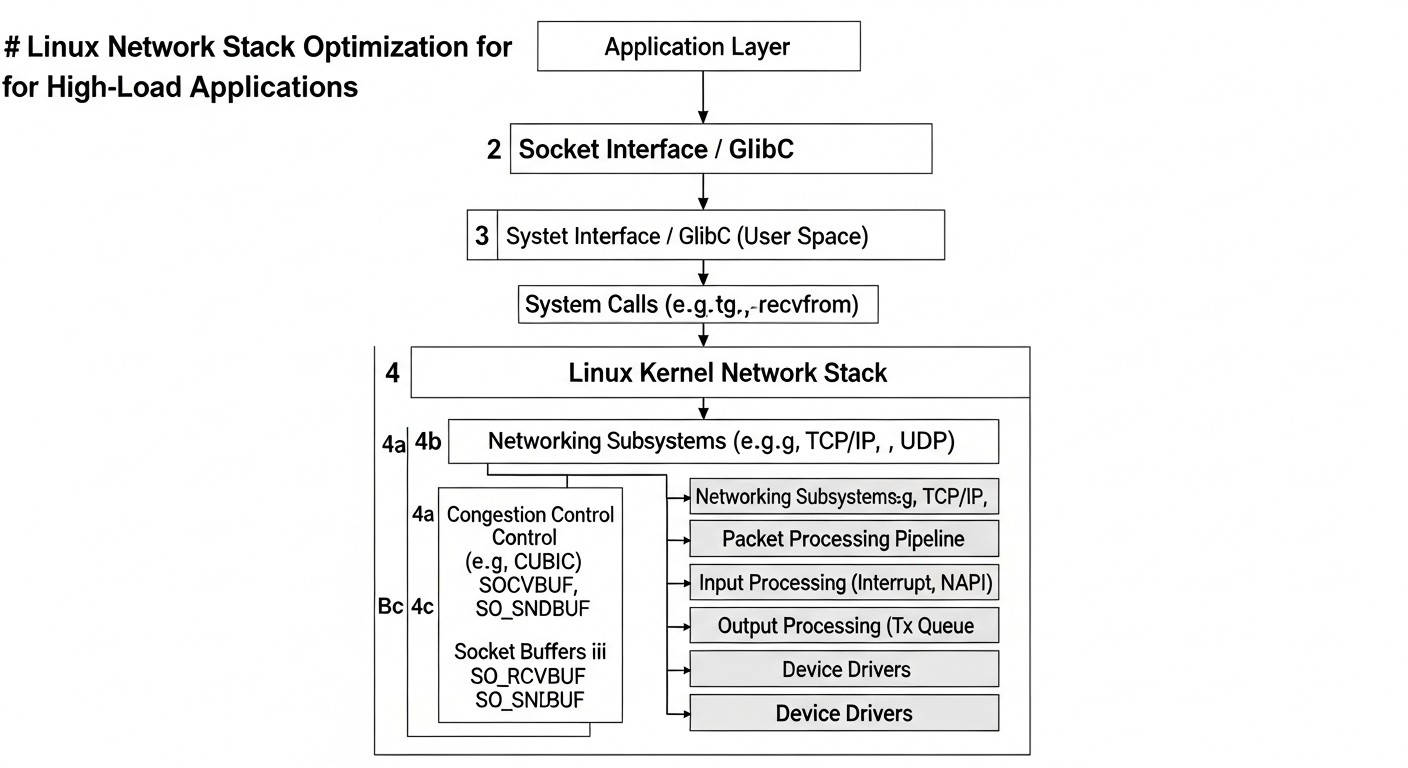
Optimizing the Linux Network Stack for High-Load Applications: From Kernel to eBPF
TL;DR
Comprehensive Approach: Optimizing the network stack for high-load systems requires attention to all levels – from Network Interface Card (NIC) drivers and kernel parameters to user spaces and advanced technologies like eBPF.
Measurement is Key to Success: Before making any changes, it is essential to establish baseline performance metrics and continuously monitor the impact of optimizations using tools such as iperf3, netstat, ss, perf, and bcc-tools.
Fine-tuning the Kernel:sysctl parameters (e.g., net.core.somaxconn, net.ipv4.tcp_tw_reuse, net.ipv4.tcp_rmem/wmem) are critically important for managing connections, buffers, and TCP behavior, but require a cautious approach.
Leveraging NIC Capabilities: Modern network cards offer hardware offloads (TSO, GSO, GRO, RSS, LRO) that significantly reduce CPU load, and their activation via ethtool is the first step towards improving performance.
eBPF as a Revolutionary Tool: Extended Berkeley Packet Filter (eBPF) allows programming the network stack at the kernel level without recompilation, providing unprecedented capabilities for packet filtering (XDP), load balancing, monitoring, and creating custom network functions with minimal overhead.
Importance of TCP Congestion Strategy: The choice of TCP congestion control algorithm (BBR, CUBIC) can significantly impact throughput and latency, especially in networks with high latency or packet loss.
Iterative Approach and Testing: Apply changes gradually, test them under real-world load, and be prepared to roll back. Incorrect optimization can lead to instability or reduced performance.
Introduction
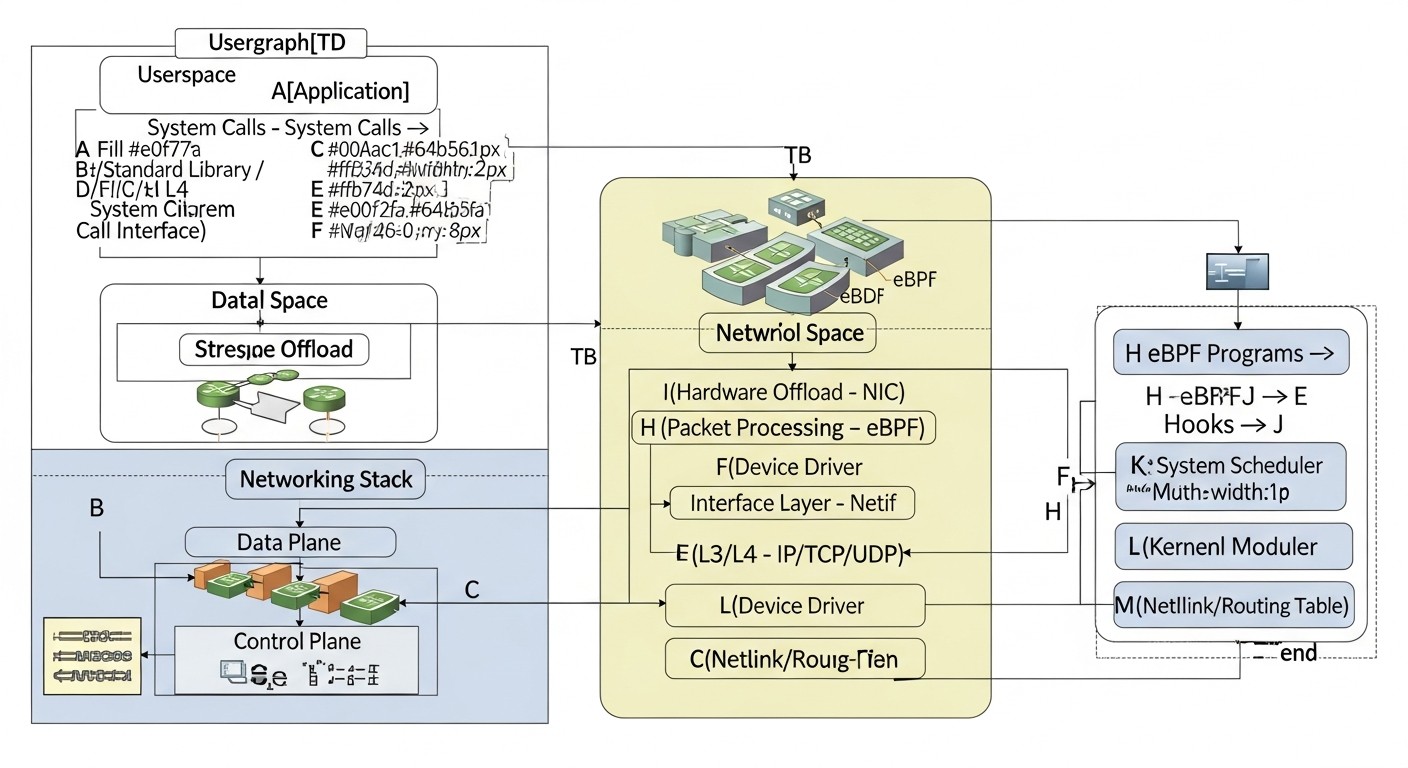
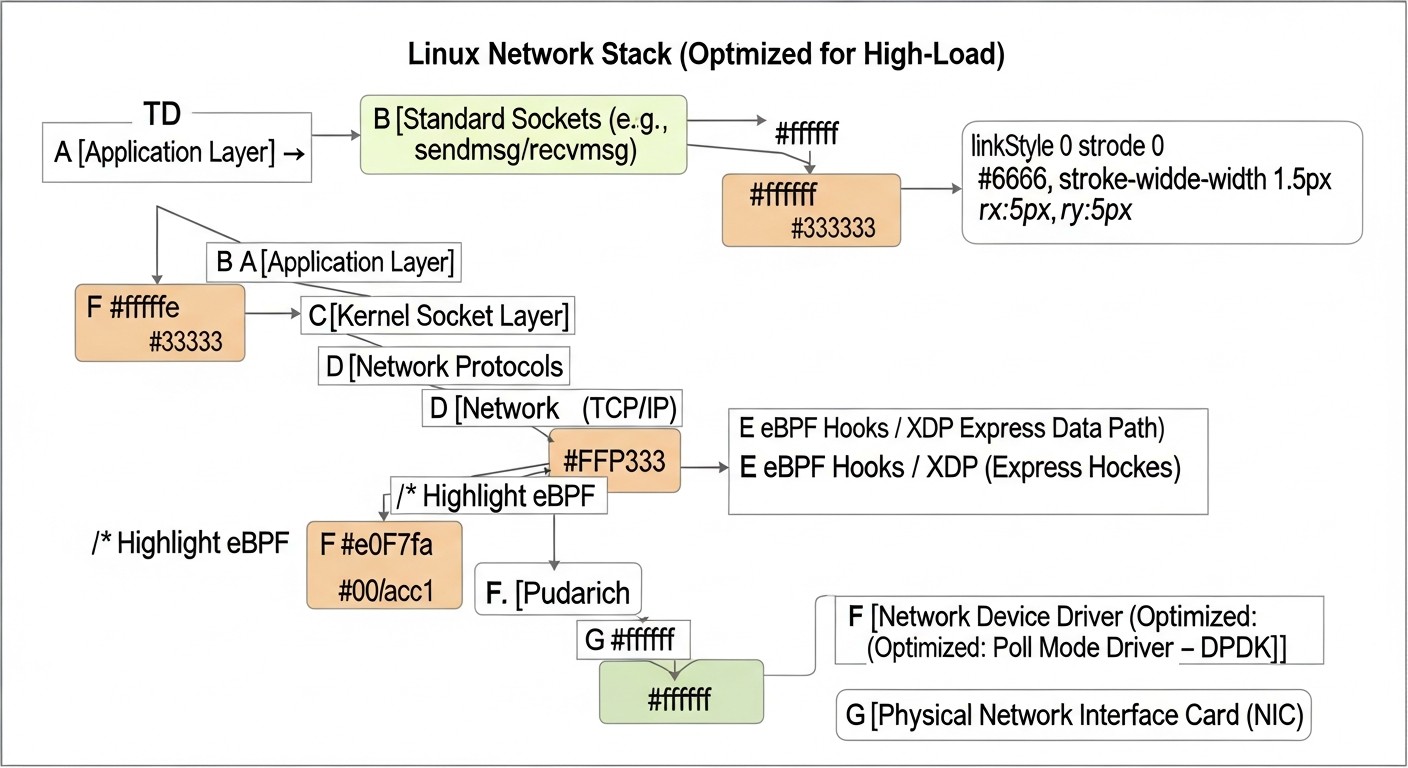
Diagram: Introduction
In the rapidly evolving world of 2026, dominated by cloud technologies, microservice architecture, artificial intelligence, machine learning, and ubiquitous IoT, the performance of the Linux network stack becomes not just an important aspect, but a critical success factor for any high-load application. The responsiveness of API gateways, the speed of transaction processing in financial systems, the smoothness of real-time data streaming, and the efficiency of databases and distributed systems – all directly depend on how effectively Linux handles network traffic. Standard kernel settings, designed for a wide range of tasks, are often unable to provide optimal performance under the extreme loads characteristic of modern SaaS projects, highly scalable backends, and DevOps infrastructures.
This article aims to be a comprehensive guide for DevOps engineers, backend developers, SaaS project founders, system administrators, and startup CTOs. We will delve into the depths of the Linux network stack, starting from basic kernel parameters and hardware capabilities of Network Interface Cards (NICs), and extending to advanced technologies such as eBPF. The goal is to provide not just a set of commands, but a deep understanding of operating principles, specific examples, practical advice, and real-world case studies that will enable you to make informed decisions and achieve maximum performance for your systems.
We will explore how to correctly diagnose bottlenecks, which Linux kernel parameters can and should be configured, how to utilize hardware offloads of network cards, and how eBPF opens new horizons for dynamic, secure, and high-performance network traffic manipulation directly within the kernel. We will answer questions related to choosing TCP congestion control strategies, buffer optimization, scaling interrupt handling, and much more. In 2026, when every millisecond of latency and every percentage of CPU utilization can cost real money or reputation, understanding and applying these techniques is not a luxury, but a necessity. Prepare for a deep dive into the world of high-performance Linux networking.
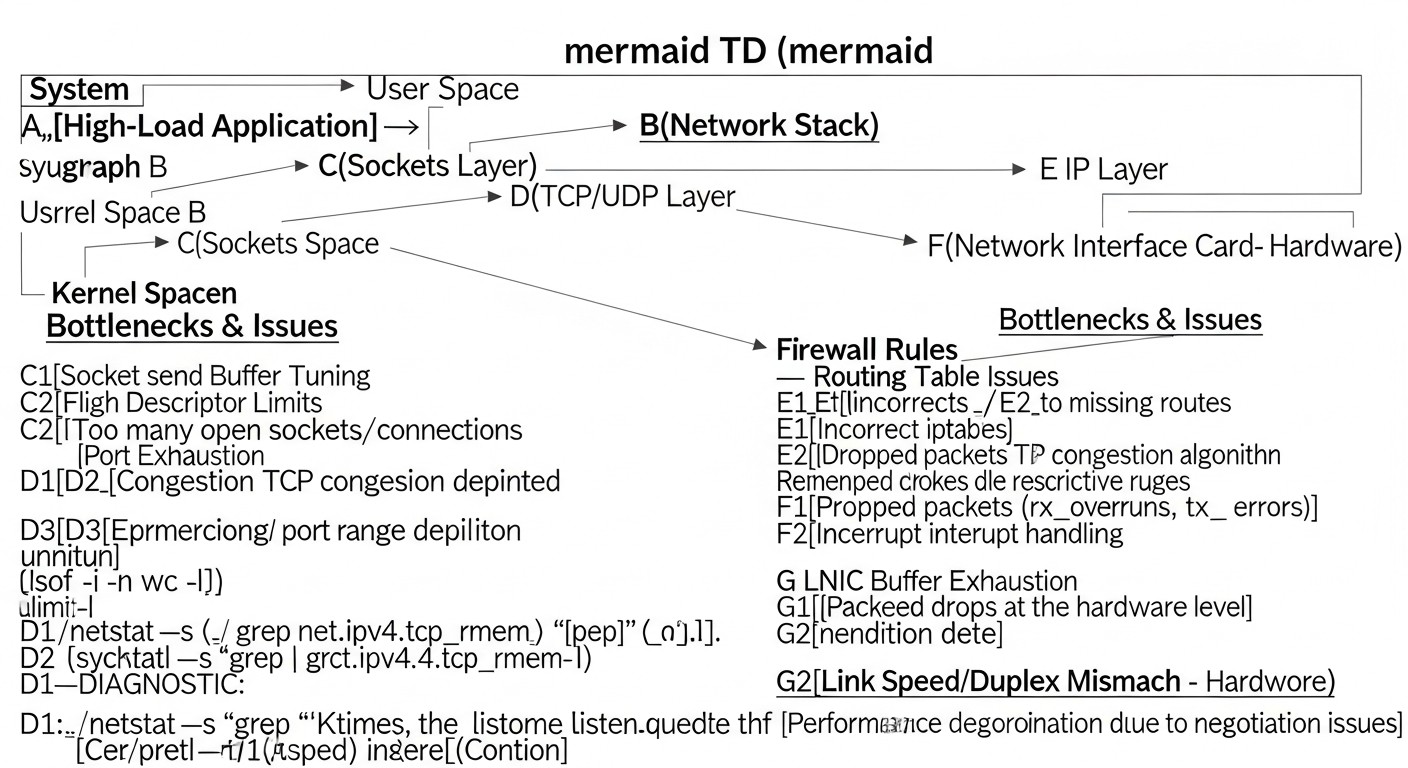
Key Criteria and Optimization Factors
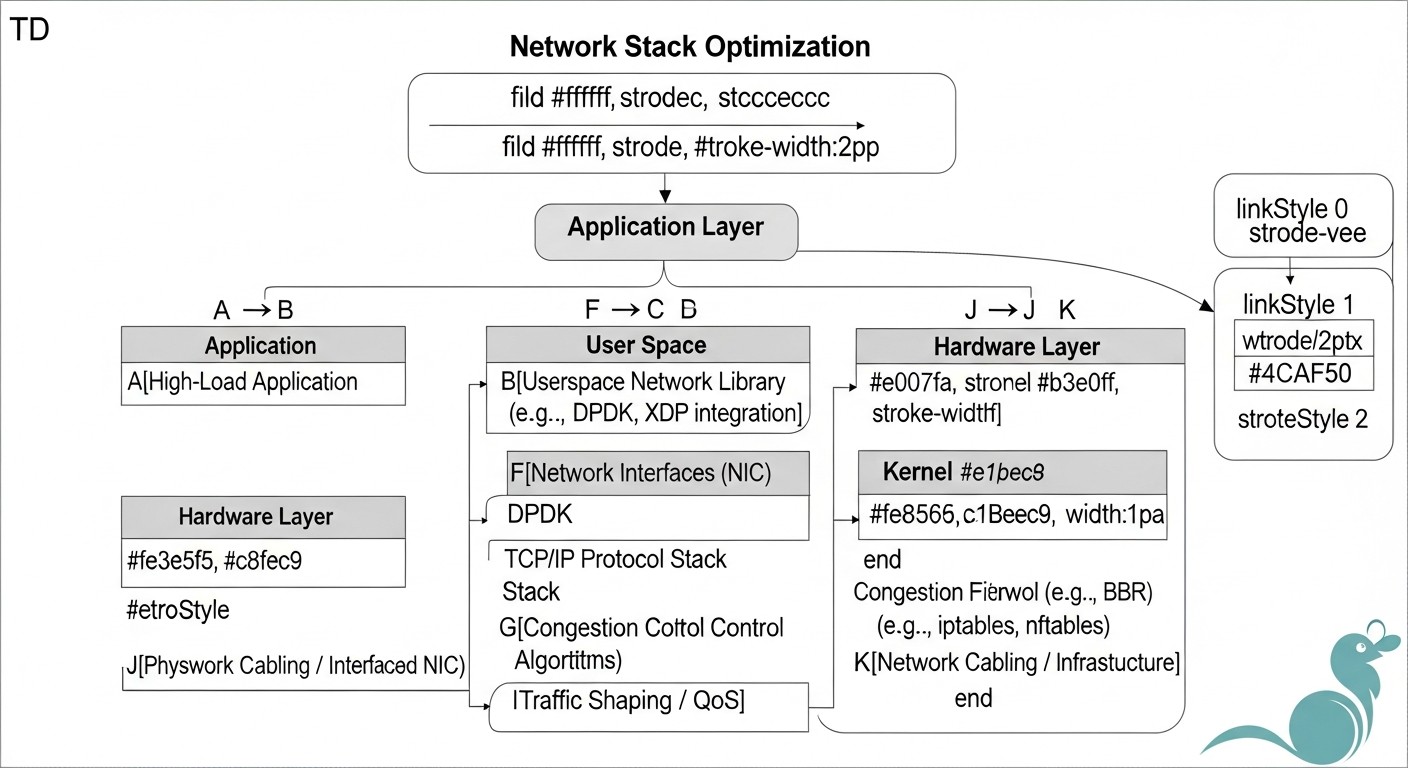
Diagram: Key Criteria and Optimization Factors
Before proceeding with optimization, it is crucial to clearly understand which metrics and factors determine network stack performance and how to evaluate them. Without this, any changes will be random and may do more harm than good. In 2026, considering the exponential growth of data volumes and low-latency requirements, these criteria become even more relevant.
1. Latency
Latency is the time it takes for a data packet to travel from sender to receiver and back (Round Trip Time, RTT) or one way (One-Way Latency). In the context of the Linux network stack, this is the time required for the kernel to process an incoming packet and send an outgoing one. High latency directly affects application responsiveness, especially for interactive services, gaming platforms, financial transactions, and any systems sensitive to response time. For SaaS projects, where user experience is critical, every millisecond of delay can lead to conversion loss or customer churn. For example, Google research showed that a 500ms increase in latency leads to a 20% drop in traffic.
How to evaluate: Tools like ping, traceroute, hping3, as well as specialized monitoring systems that collect RTT for TCP connections. It is important to measure latency not only to external resources but also within the cluster, between microservices.
Optimization: Minimizing packet processing in the kernel, using hardware offloads, proper buffer configuration, XDP.
2. Throughput
Throughput is the amount of data that can be transferred per unit of time (e.g., megabits per second, Mbps or gigabits per second, Gbps). This is a critical factor for applications dealing with large volumes of data: streaming services, backup systems, analytical platforms, databases. In 2026, with the advent of 400GbE and even 800GbE network cards, the kernel's ability to efficiently process such data streams becomes key. Insufficient throughput can lead to data "starvation" for applications, increased task processing time, and reduced overall system performance.
Why it's important: Determines the speed of large data transfers, affects the execution time of batch jobs.
How to evaluate: Tools like iperf3, netperf, as well as network interface metrics (rx_bytes_per_sec, tx_bytes_per_sec) from /proc/net/dev or monitoring systems.
Optimization: Increasing TCP/UDP buffers, enabling Jumbo Frames, using TSO/GSO/GRO, proper IRQ balancing and RSS configuration.
3. Packet Loss
Packet loss occurs when data packets do not reach their destination. This can be caused by buffer overflows, network errors, hardware issues, or misconfiguration. Packet loss catastrophically impacts performance, as it leads to retransmissions, which increases latency, reduces throughput, and burdens the CPU. For real-time protocols (VoIP, video conferencing), packet loss leads to a deterioration in communication quality. In IoT or Edge Computing scenarios, where connection stability is critical, packet loss can be unacceptable.
Why it's important: Leads to data retransmissions, increases latency, reduces throughput, burdens the CPU.
How to evaluate: Metrics rx_dropped, tx_dropped from /proc/net/dev, ss -s (TCP losses), netstat -s, tcpdump for retransmission analysis.
Optimization: Increasing buffers (net.core.netdev_max_backlog, tcp_rmem/wmem), queue management (QoS), XDP for fast discarding of unwanted traffic.
4. CPU Utilization
Processing network traffic in Linux requires CPU resources. This includes interrupt handling (IRQs), data copying between user and kernel space, executing network protocols (TCP/IP), routing, and filtering. High CPU load, especially in the context of ksoftirqd or kworker, often indicates bottlenecks in the network stack. Excessive CPU usage by the network takes resources away from applications, which reduces their performance and the overall efficiency of the server. In 2026, as the cost of each CPU core in the cloud continues to rise, efficient CPU utilization becomes a direct cost-saving factor.
Why it's important: Affects CPU availability for applications, overall system performance.
How to evaluate: Tools like top, htop, perf, mpstat for monitoring CPU usage, especially in softirq and si modes.
Optimization: NIC hardware offloads (TSO, GSO, GRO, RSS), RPS/RFS, XDP, eBPF to shift logic from user space to kernel with minimal overhead.
5. Memory Usage
The network stack uses memory for buffers (socket buffers, network card buffers), routing tables, ARP cache, and other data structures. Insufficient memory for buffers can lead to packet loss, especially during peak loads. Excessive memory allocation can be inefficient, but more often the problem is a lack of it. For high-load systems with many concurrent connections or high throughput, proper memory buffer configuration is critical to prevent losses and maintain stable performance. In containerized and serverless environments of 2026, where resources are often limited, efficient memory management for network operations is paramount.
Why it's important: Insufficient buffers lead to packet loss, excess leads to inefficient resource utilization.
How to evaluate:/proc/meminfo (Buffers, Cached), socket metrics (ss -m), vmstat.
Network stack scalability means its ability to efficiently handle a growing number of connections, packets, or throughput without performance degradation. This includes efficient load distribution among CPU cores, managing a large number of file descriptors, and optimizing kernel data structures for parallel processing. For modern microservice architectures and distributed systems, where the number of network interactions can be millions per second, network stack scalability is the foundation of the entire system's stability and responsiveness. The ability to handle "bursty" traffic and adapt to changing loads is a cornerstone of reliable infrastructure in 2026.
Why it's important: Allows the system to cope with increasing loads without degradation.
How to evaluate: Load testing with an increasing number of clients/connections, monitoring CPU, memory, and latency metrics under increasing load.
Optimization: RSS/RPS/RFS, net.core.somaxconn, net.ipv4.tcp_max_syn_backlog, net.ipv4.ip_local_port_range, eBPF for more efficient traffic distribution.
7. Jitter
Jitter is the variation in packet latency. Even if the average latency is low, high variability can be a problem, especially for real-time applications (VoIP, video, online games) or high-frequency trading. Unpredictable delays can lead to buffering, frame drops, or synchronization errors. In 2026, with the growing popularity of interactive and AR/VR applications, minimizing jitter is becoming increasingly critical for ensuring a seamless user experience.
Why it's important: Affects the quality of real-time applications, stability of data streams.
How to evaluate: Specialized tools for measuring RTT with variation tracking, analysis of latency distribution.
Optimization: Traffic prioritization (QoS), queue minimization, interrupt processing stability, eBPF for more precise flow control.
8. Security Implications
Any changes to the network stack can have security consequences. For example, loosening some TCP parameters to improve performance might make the system more vulnerable to SYN floods or other types of attacks. Enabling certain features (e.g., tcp_tw_reuse without proper understanding) can lead to undesirable outcomes. While eBPF is inherently secure (programs are verified by the kernel), it requires careful code writing to avoid logical vulnerabilities or unintended side effects. In 2026, as threats become more sophisticated, security must be an integral part of any optimization strategy.
Why it's important: Optimization should not lead to the creation of new vulnerabilities.
How to evaluate: Audit of changes, penetration testing, analysis of attack vectors.
Optimization: Careful study of documentation, use of proven practices, eBPF for implementing kernel-level firewalls and intrusion detection systems.
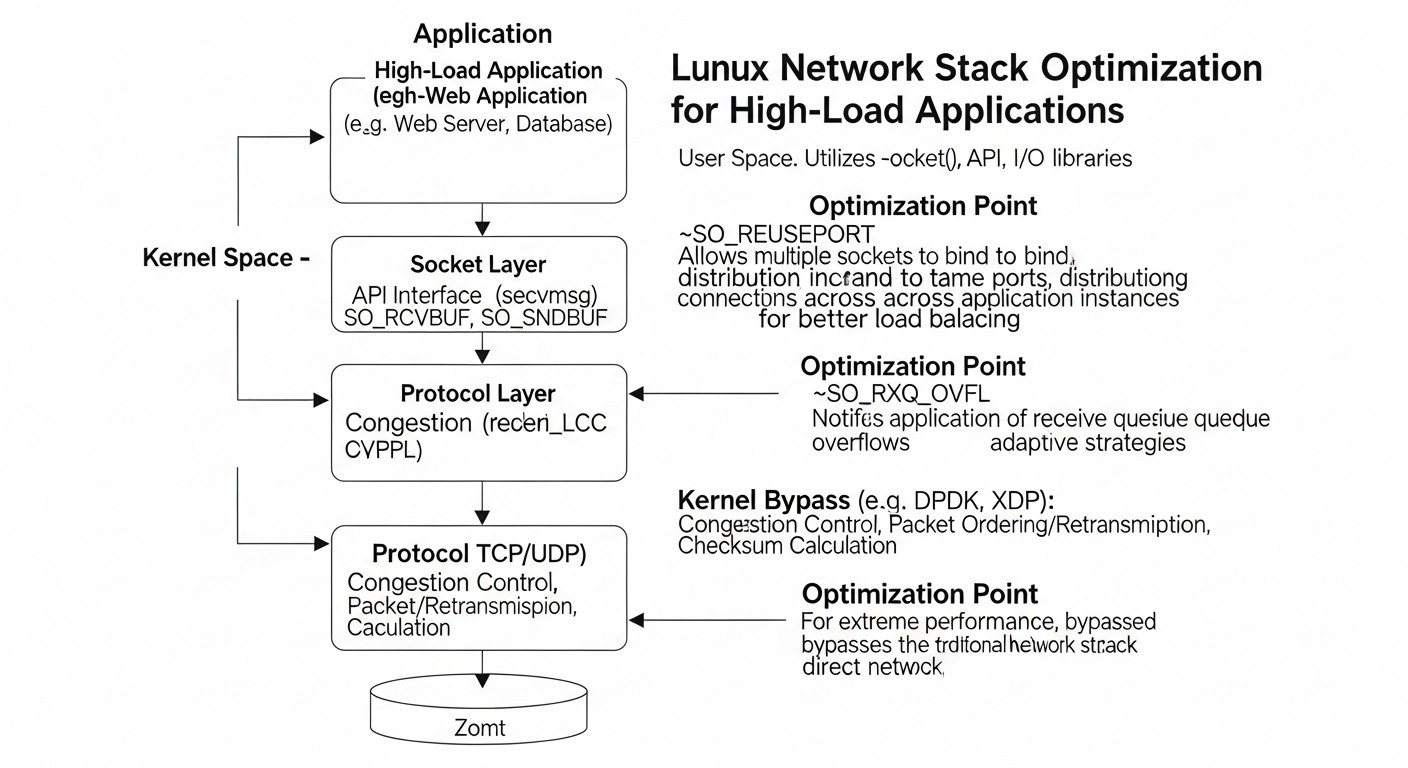
Comparative Table of Optimization Methods
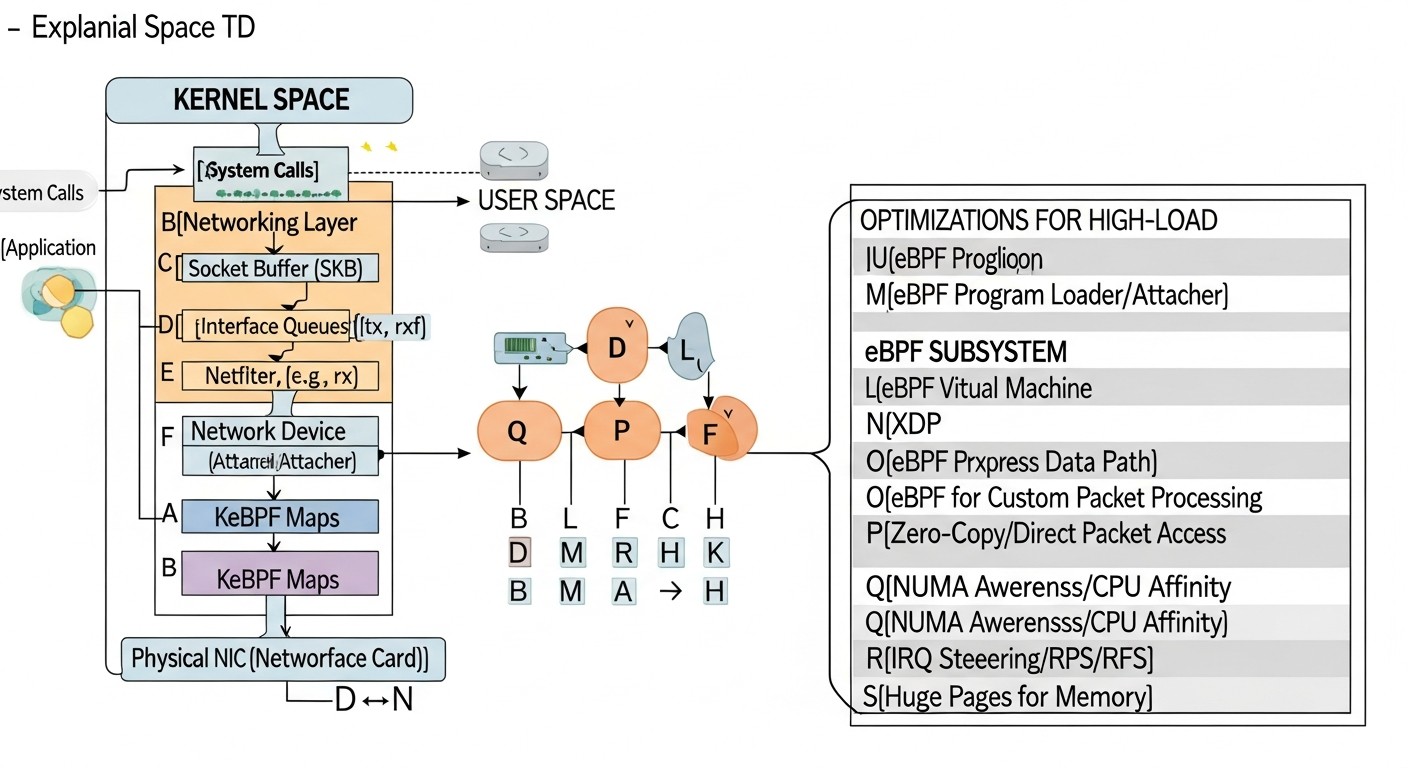
Diagram: Comparative Table of Optimization Methods
The choice of a suitable Linux network stack optimization method depends on specific application requirements, hardware configuration, and budget. In this table, we compare key approaches relevant for 2026 across several important criteria. Prices and characteristics are approximate and may vary.
Each Linux network stack optimization method has its own features, advantages, and disadvantages. Understanding these nuances allows you to choose the most suitable tools for a specific task and achieve maximum efficiency.
1. Fine-tuning Kernel Parameters (sysctl)
Linux kernel parameters, accessible via the sysctl interface, represent the first and most accessible level of optimization. They allow you to configure the behavior of the network stack by managing buffer sizes, timeouts, congestion control mechanisms, and other aspects. Despite their apparent simplicity, their configuration requires a deep understanding, as incorrect values can lead to performance degradation or even system instability. In 2026, with most systems running in containers or virtual machines, these parameters remain relevant, although some of them may be limited by the environment.
net.core.somaxconn: Defines the maximum number of connections that can be in the LISTEN-backlog state. For high-load web servers or load balancers processing thousands of new connections per second, the default value (usually 128) is often insufficient. Increasing it to 4096 or even 65535 can significantly reduce the number of dropped connections (connection refused) under peak load. For example, for an API gateway receiving 10,000 RPS, increasing somaxconn from 128 to 8192 can prevent up to 5% of connection errors during peak moments, improving user experience and service stability.
net.ipv4.tcp_tw_reuse and net.ipv4.tcp_fin_timeout:tcp_tw_reuse allows reusing sockets in the TIME_WAIT state for new outgoing connections. This is critically important for clients that quickly open and close many connections. In conjunction with tcp_fin_timeout (reducing the time spent in the FIN_WAIT2 state), this helps prevent port exhaustion and reduces system load during intensive connection creation/closure. However, tcp_tw_reuse should be used with caution on servers, as it can lead to issues when interacting with some NAT devices that send packets with stale sequence numbers. For outgoing proxies or microservices initiating many requests, enabling tcp_tw_reuse can reduce the number of ports in the TIME_WAIT state by 30-50%, freeing up resources.
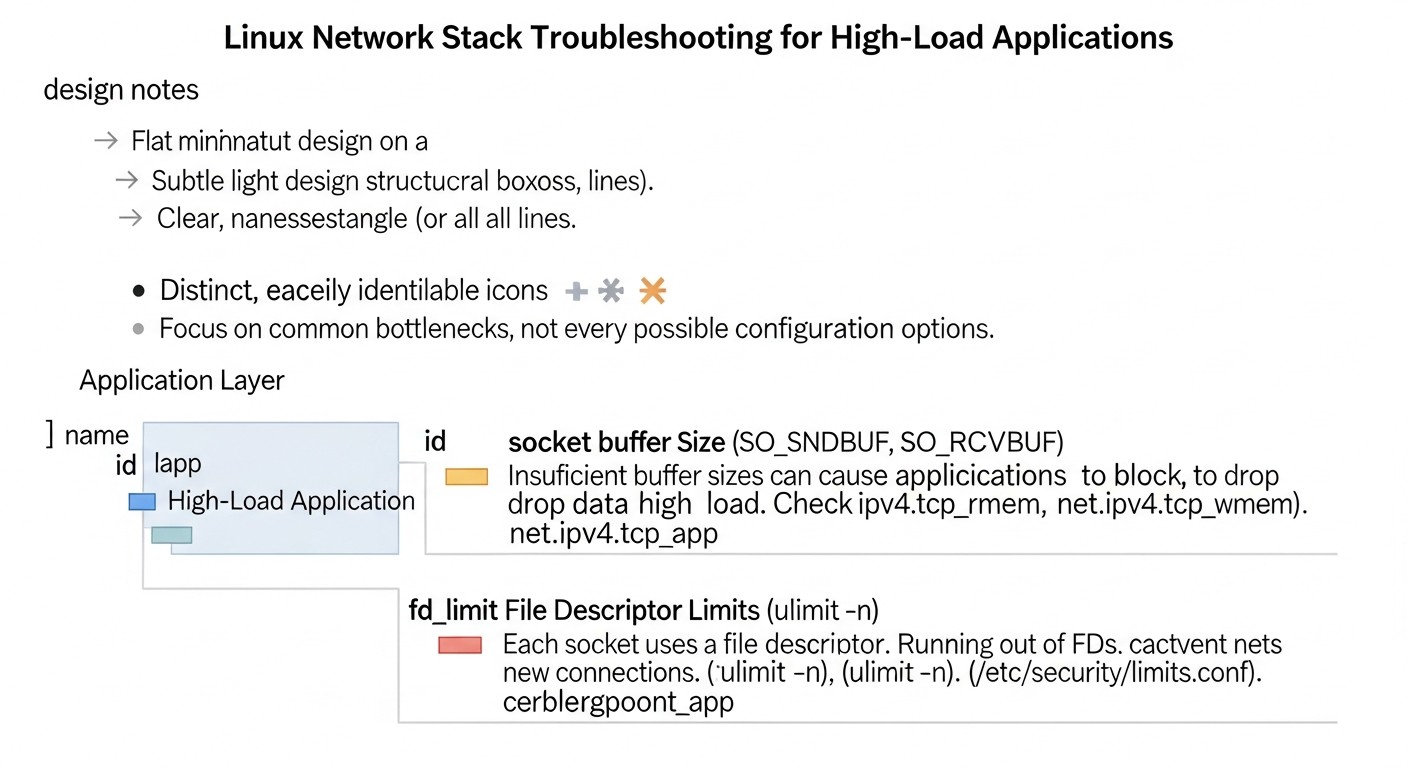
net.core.rmem_max / net.core.wmem_max and net.ipv4.tcp_rmem / net.ipv4.tcp_wmem: These parameters control the maximum receive and send buffer sizes for all sockets (net.core.) and for TCP sockets (net.ipv4.tcp_). Increasing these values allows TCP windows to be larger, which is especially important for high-speed networks with high latency (High-Bandwidth Delay Product, BDP). For servers transferring large files or working with high-speed databases, increasing buffers to 16MB (16777216) or even 32MB can significantly increase throughput, reducing retransmissions and improving channel utilization efficiency. For example, on a 10 Gbit/s channel with 50 ms RTT, the optimal buffer size is about 625 KB. If the buffer is smaller, the channel will be underutilized.
net.ipv4.tcp_max_syn_backlog: The maximum number of TCP connections for which SYN packets have been received but the three-way handshake has not yet been completed. Increasing this value (e.g., to 8192 or 16384) helps protect against SYN floods and prevents connection loss under high connection establishment load.
net.ipv4.tcp_timestamps: Enabling TCP timestamps (RFC 1323) helps the kernel measure RTT more accurately and protects against stale segments, but adds 12 bytes to each TCP header. For high-speed LANs with a very large number of small packets, this can be an overhead. In most cases, for WAN, it should be left enabled.
Pros: Ease of application, does not require application code changes, versatility. Cons: Requires reboot for some parameters, can lead to instability if misconfigured, does not solve fundamental performance issues at very high loads. Who it's for: Most servers where general network performance optimization is required without deep architectural changes. Examples: Increasing somaxconn for web servers, configuring buffers for file servers, optimizing tcp_tw_reuse for client applications or proxies.
Modern Network Interface Cards (NICs) are not just transceivers, but powerful co-processors capable of performing part of the network processing that traditionally falls on the kernel's CPU. Utilizing these hardware offloads significantly reduces the load on the central processor, freeing it up for application tasks, and thereby increasing overall system performance. In 2026, with the widespread adoption of 10/25/40/100GbE NICs, enabling these features is a mandatory first step.
TSO (TCP Segmentation Offload) / GSO (Generic Segmentation Offload): Allow the kernel to send very large TCP segments (up to 64 KB) to the NIC driver, which then independently divides them into packets corresponding to the network's MTU. This significantly reduces the number of operations performed by the CPU, as the kernel processes fewer packets but more data at once. Especially useful for high-speed transfer of large files.
GRO (Generic Receive Offload) / LRO (Large Receive Offload): The reverse side of TSO/GSO. The NIC or driver combines several incoming packets into one large segment before passing it to the kernel. This reduces the number of interrupts and the number of packets the kernel has to process, thereby lowering the CPU load. GRO is a more universal version of LRO and is preferred.
RSS (Receive Side Scaling): Allows distributing the processing of incoming network interrupts and packets among multiple CPU cores. The NIC uses a hash function to determine which core should process a specific packet, thereby preventing a single core from being overloaded and increasing overall throughput. This is critically important for multi-core systems with high-speed NICs. For example, a 100GbE NIC without RSS can lead to one CPU core being fully loaded with network traffic processing while others remain idle.
RPS (Receive Packet Steering) / RFS (Receive Flow Steering): Software implementations of RSS, when the NIC does not support hardware RSS or when finer control is required. RPS distributes packets among CPU cores after they have been received by the NIC. RFS additionally attempts to direct packets to the core where the application that will process them is running, improving cache efficiency.
SR-IOV (Single Root I/O Virtualization): A virtualization technology that allows virtual machines to directly access NIC hardware functions, bypassing the hypervisor. This provides near-native network performance for VMs, significantly reducing latency and increasing throughput. Critically important for NFV (Network Function Virtualization) and high-performance cloud instances.
Pros: Significant reduction in CPU load, increased throughput and reduced latency, does not require application code changes. Cons: Depends on NIC hardware and driver support, can be complex to configure (especially SR-IOV), may sometimes cause compatibility or debugging issues. Who it's for: Any high-load servers, especially with 10GbE+ NICs, virtualized environments. Examples: Enabling TSO/GSO/GRO for file servers, configuring RSS for load balancers, using SR-IOV for virtual network functions.
3. eBPF (Extended Berkeley Packet Filter)
eBPF is a revolutionary technology that allows programs to be executed at the Linux kernel level without the need for recompilation or module loading. These programs, written in a restricted subset of C and compiled into bytecode, are verified by the kernel for safety and then run in an isolated sandbox. eBPF provides unprecedented capabilities for monitoring, tracing, security, and, most importantly for us, high-performance network processing. In 2026, eBPF is one of the most powerful tools for optimizing the network stack, enabling the implementation of logic that was previously only possible in userspace or required kernel modification.
XDP (eXpress Data Path): The fastest packet processing path in Linux. XDP programs run directly in the network card driver, before the packet enters the regular network stack. This allows operations such as DDoS traffic filtering, load balancing, fast routing, or packet redirection with minimal latency and CPU load. XDP can drop unwanted traffic or redirect it to other interfaces/CPUs before it is fully processed by the kernel. In real-world cases, XDP can process millions of packets per second on a single CPU core, reducing CPU load by 50-70% compared to traditional methods for certain tasks.
TC eBPF (Traffic Control eBPF): eBPF programs attached to entry points in the Linux traffic control subsystem. They allow implementing more complex packet filtering, classification, and modification policies than XDP, but with slightly higher latency, as they operate deeper in the stack. TC eBPF is used to create advanced firewalls, QoS policies, network functions such as proxying or tunneling, and even to implement parts of SDN controllers.
Socket Filters: eBPF programs attached to sockets. They allow filtering incoming packets before they are delivered to the application. This can be used to implement custom protocols, optimize the processing of specific traffic, or for finer-grained application-level security.
Cilium, Calico and others: In 2026, eBPF is actively used in cloud and container environments to implement network policies, load balancing, and security. Projects like Cilium are entirely rebuilt on eBPF, providing a high-performance and secure network for Kubernetes.
Pros: Unprecedented performance and flexibility, kernel-level code execution without modification, security (kernel verifier), powerful monitoring and debugging capabilities, active community development. Cons: High barrier to entry (requires C knowledge, specific eBPF API), debugging complexity, not all NIC drivers support XDP, programs are limited in size and complexity. Who it's for: DevOps engineers and developers working with extremely high loads, requiring custom packet processing logic, DDoS protection, high-performance load balancing, advanced monitoring. Examples: XDP for dropping DDoS traffic, TC eBPF for creating custom L4 load balancers, eBPF for deep network traffic telemetry.
4. Userspace Networking (DPDK)
For the most extreme loads, when even XDP is not enough, there are solutions that completely bypass the kernel's network stack and process packets directly in userspace. The most well-known of these is DPDK (Data Plane Development Kit). DPDK provides a set of libraries and drivers that allow applications to interact directly with the network card, bypassing the Linux kernel. This is achieved by using a "poll mode driver" (PMD), where the CPU constantly polls the NIC for new packets, avoiding interrupt overhead. DPDK requires dedicated CPU cores and huge pages of memory, but in return offers performance measured in tens of millions of packets per second (Mpps) on a single core.
How it works: DPDK applications gain exclusive access to the NIC. DPDK drivers operate in userspace and constantly poll NIC queues for packets. This eliminates context switches, data copying between kernel and userspace, and interrupt processing, which are the main sources of overhead in a traditional network stack.
Application: Used in the telecommunications industry (NFV), high-frequency trading (HFT), specialized routers, firewalls, IDS/IPS systems, where maximum throughput and minimum latency are required.
Pros: Maximum performance (tens of Mpps), minimal latency, full control over packet processing. Cons: Extremely high complexity of development and implementation (requires rewriting or adapting applications), complete bypass of the kernel network stack (standard Linux functions are lost), requires dedicated CPU cores and specific configuration, no standard utilities. Who it's for: Only for the most demanding scenarios where the standard network stack (even with eBPF) is insufficient, and resources for deep development are available. Examples: Commercial NFV solutions (virtual routers, firewalls), HFT platforms, specialized network devices.
5. TCP Congestion Control Algorithms
The TCP congestion control algorithm determines how a TCP connection reacts to network congestion by controlling the congestion window size. Choosing the right algorithm can significantly impact throughput, latency, and fairness of bandwidth allocation. In 2026, as networks become increasingly diverse (from high-speed data centers to satellite links), the choice of algorithm is of great importance.
CUBIC: The default algorithm in most modern Linux kernels. Works well in high-speed, high-latency networks, but can be less aggressive and slower to react to changes than some other algorithms.
BBR (Bottleneck Bandwidth and RTT): Developed by Google, BBR focuses on measuring bottleneck bandwidth and minimum RTT to determine the optimal congestion window. Unlike CUBIC, which reacts to packet loss (often a late indicator of congestion), BBR actively seeks available bandwidth, often leading to significant increases in throughput and reductions in latency, especially on high-latency and/or lossy links. For cloud environments, inter-regional connections, and CDNs, BBR often demonstrates superior results. Its use can increase throughput by 10-50% and reduce latency by 5-10% in certain scenarios.
Reno/NewReno: Older algorithms that are still used but generally underperform CUBIC and BBR in modern high-speed networks.
Pros: Easy to configure (sysctl), significant performance gain for BBR in WAN networks. Cons: BBR can be too aggressive in some networks, potentially leading to the displacement of traffic using other algorithms. Who it's for: All servers, especially those interacting over WAN or cloud networks. BBR is recommended for most scenarios. Examples: Enabling BBR for web servers, CDN nodes, file servers operating over the internet.
6. Interrupt Balancing (IRQ Balancing)
Network cards generate interrupts (IRQs) for each received or sent packet. On high-speed NICs, the number of interrupts can be enormous, leading to significant CPU load if all of them are handled by a single core. Interrupt balancing distributes these IRQs among multiple CPU cores, allowing network traffic to be processed in parallel and preventing individual cores from being overloaded.
irqbalance: A daemon that automatically distributes IRQs among available CPU cores. This is a simple solution for most systems.
Manual configuration of /proc/irq/<IRQ_NUMBER>/smp_affinity: For maximum performance and predictability, especially in dedicated systems, you can manually bind NIC IRQs to specific CPU cores. This helps avoid contention with other processes and optimizes cache efficiency. For example, for a 100GbE NIC with 16 queues, each queue can be bound to a separate CPU core, ensuring maximum parallelization.
Pros: Reduces CPU load, improves scalability and throughput. Cons: Manual configuration can be complex, requires understanding of NUMA topology. Who it's for: Any multi-core servers with high-speed NICs, especially network gateways and load balancers. Examples: Configuring irqbalance on standard servers, manual IRQ binding for high-performance network devices.
Practical Tips and Recommendations
Diagram: Practical Tips and Recommendations
Applying theoretical knowledge in practice requires specific steps and commands. Below are step-by-step instructions and configuration examples that will help you optimize the Linux network stack in real-world conditions for 2026.
1. Establishing Baseline Metrics and Monitoring
Before making any changes, measure current performance. This will allow you to evaluate the effect of the changes made.
Using iperf3 to measure bandwidth:
# On the server (receiving side)
iperf3 -s

# On the client (sending side)
iperf3 -c <server_ip> -t 60 -P 10  # 60 seconds, 10 parallel streams
Monitoring network metrics:
# General network interface statistics
ip -s link show eth0

# TCP/UDP socket statistics
ss -s

# Detailed statistics for network protocols
netstat -s

# Monitoring CPU usage, especially softirq
mpstat -P ALL 1

# Check for packet drops in the NIC driver
ethtool -S eth0 | grep "drop"
2. Kernel Parameter Configuration (sysctl)
Changes via sysctl are applied immediately but are not saved after reboot. For persistence, they need to be added to /etc/sysctl.conf or to files in /etc/sysctl.d/.
Example configuration for /etc/sysctl.d/99-network-optimizations.conf:
# Increase backlog for LISTEN sockets
net.core.somaxconn = 65535
net.ipv4.tcp_max_syn_backlog = 16384

# Increase buffer sizes for all sockets
net.core.rmem_max = 33554432
net.core.wmem_max = 33554432
net.core.rmem_default = 16777216
net.core.wmem_default = 16777216

# Increase buffer sizes for TCP sockets
# Format: min default max
net.ipv4.tcp_rmem = 4096 87380 33554432
net.ipv4.tcp_wmem = 4096 65536 33554432

# Allow reuse of sockets in TIME_WAIT state
net.ipv4.tcp_tw_reuse = 1
# Decrease timeout for FIN-WAIT2
net.ipv4.tcp_fin_timeout = 30

# Use BBR congestion control algorithm
net.ipv4.tcp_congestion_control = bbr

# Increase maximum number of ports for outgoing connections
net.ipv4.ip_local_port_range = 1024 65535

# Disable SACK (Selective Acknowledgement) - can be useful in some cases, but often better to leave enabled
# net.ipv4.tcp_sack = 0

# Disable TCP Slow Start after idle (can be useful for short connections)
net.ipv4.tcp_slow_start_after_idle = 0

# Increase incoming packet queue at the driver level
net.core.netdev_max_backlog = 16384
Use ethtool to check and configure your network card's capabilities. Replace eth0 with your interface name.
Checking current capabilities:
sudo ethtool -k eth0
Enabling all supported offloads (if disabled):
sudo ethtool -K eth0 rx on tx on sg on tso on gso on gro on lro off
# lro often conflicts with gro, so it's better to leave gro enabled
Configuring RSS (Receive Side Scaling) queues:
# Check the number of queues and their distribution
sudo ethtool -l eth0

# Set the maximum number of RX/TX queues available for the NIC (if NIC supports)
sudo ethtool -L eth0 rx 16 tx 16
Configuring IRQ balancing:
For automatic IRQ balancing, ensure the irqbalance service is running:
# Determine IRQ numbers for eth0
grep eth0 /proc/interrupts

# Example: bind IRQ 123 (first eth0 queue) to CPU 1
echo 2 > /proc/irq/123/smp_affinity_list
# (2 in the bitmask corresponds to CPU 1. For CPU 0 it's 1, for CPU 0 and 1 it's 3, etc.)
4. eBPF (XDP) Configuration
eBPF configuration typically involves writing a C program and loading it into the kernel using utilities from bcc-tools or libbpf. This is a more complex process.
Example of a simple XDP program (dropping all traffic):
#include <linux/bpf.h>
#include <bpf/bpf_helpers.h>

SEC("xdp")
int xdp_drop_all(struct xdp_md *ctx)
{
    // This program simply drops all incoming packets
    // Real XDP programs have complex filtering logic
    return XDP_DROP;
}

char _license[] SEC("license") = "GPL";
Loading an XDP program (using ip link):
# Compile C code into an object file (requires clang and llvm)
clang -O2 -target bpf -c xdp_drop_all.c -o xdp_drop_all.o

# Load XDP program onto interface eth0
sudo ip link set dev eth0 xdp obj xdp_drop_all.o section xdp

# Check XDP status
sudo ip link show dev eth0

# Disable XDP
sudo ip link set dev eth0 xdp off
Note: Using eBPF requires deep understanding and caution. Start by exploring bcc-tools and examples on GitHub bcc and XDP Tutorial.
5. Jumbo Frames Configuration
If your entire network (NIC, switches, routers) supports Jumbo Frames (MTU > 1500), enabling them can significantly increase throughput by reducing the number of packets. A typical value for Jumbo Frames is 9000 bytes.
Changing MTU:
sudo ip link set dev eth0 mtu 9000
Important: All devices in the path must support and be configured to use Jumbo Frames. Otherwise, this will lead to fragmentation and reduced performance.
6. TCP/IP Stack Selection Recommendations
IPv6 First: In 2026, IPv6 is becoming the standard. Ensure your applications and infrastructure fully support IPv6. Sometimes this can offer slight performance advantages due to more efficient routing and the absence of NAT.
TCP Fast Open (TFO): For short, frequent TCP connections, TFO can significantly reduce latency by allowing data to be sent in the initial SYN packet. Activate it on both the server and client:
net.ipv4.tcp_fastopen = 3 # 1 for client, 2 for server, 3 for both
Apply these recommendations and commands gradually, testing each step and observing performance metrics. Document all changes and be prepared to roll back if something goes wrong.
Common Mistakes in Network Stack Optimization
Diagram: Common Mistakes in Network Stack Optimization
Network stack optimization is a delicate art, and mistakes can be costly. In 2026, as systems become increasingly complex and interconnected, the consequences of incorrect configuration can be catastrophic. Here are five of the most common mistakes to avoid:
1. Optimization Without Prior Measurement and Benchmarking
Mistake: Applying "general" optimization recommendations (e.g., from an online article or a colleague) without understanding current bottlenecks and without measuring baseline performance.
How to avoid: Always start with thorough diagnostics. Use iperf3, netstat, ss, mpstat, ethtool to collect metrics before any changes. Create load tests that simulate your application's real behavior. Only then can you accurately determine what needs optimization and evaluate the effectiveness of your actions. Without baseline metrics, you won't be able to prove that an optimization worked or understand if it worsened the situation.
Example consequences: Increasing net.core.somaxconn to 65535 on a server that has never experienced LISTEN-backlog issues will not provide any benefit but may create a false sense of optimization. At the same time, if the real problem is a lack of TCP buffers and you are configuring irqbalance, you will not only fail to solve the problem but also waste time.
2. Blindly Copying Configurations Without Understanding the Context
Mistake: Applying settings found online or used in another system without considering the specifics of your infrastructure, application, and hardware.
How to avoid: Understand what each parameter does. Parameters optimal for one type of load (e.g., high-speed file transfer) may be completely ineffective or even detrimental for another (e.g., many short HTTP requests). Consider the NIC type, number of CPU cores, NUMA topology, Linux kernel version, and the specifics of the network environment (LAN/WAN).
Example consequences: Activating tcp_tw_reuse on a public server without understanding its interaction with client NAT devices can lead to erroneous acceptance of "old" packets and connection instability for some users. Or, for example, disabling tcp_timestamps to "save" 12 bytes of header might negatively impact the accuracy of RTT measurement and protection against stale segments, which is more critical for WAN connections.
3. Ignoring NIC Hardware Capabilities
Mistake: Attempting to optimize the network stack solely through software methods, ignoring hardware offloads provided by modern network cards.
How to avoid: Always check your NIC's capabilities using ethtool -k <interface> and ethtool -S <interface>. Ensure that TSO, GSO, GRO, RSS, and other supported offloads are enabled. For high-speed NICs (10GbE and above), this is critically important.
Example consequences: CPU load at 50% due to network interrupt processing on a 25GbE NIC, while hardware RSS is disabled. Activating RSS could reduce this load to 5-10%, freeing up CPU for applications and significantly increasing throughput without any changes to the kernel or application.
4. Insufficient Load Testing and Lack of Monitoring After Changes
Mistake: Implementing changes in production without prior testing in a test environment that simulates real load, or lacking continuous monitoring after deploying changes.
How to avoid: Always test changes in an isolated environment that is as close to production as possible. Use load testing tools (wrk, locust, JMeter) and ensure the system is stable and performance has improved. After deploying to production, carefully monitor key metrics (CPU, memory, latency, packet loss, errors) using monitoring systems (Prometheus, Grafana, ELK).
Example consequences: Changing the net.ipv4.tcp_max_orphans parameter to a very large value can cause the system to hold too many "orphan" sockets, which could eventually exhaust memory and lead to server crashes under certain peak loads not accounted for in the test environment.
5. Ignoring Impact on Security and Stability
Mistake: Focusing solely on performance while forgetting about potential risks to security and overall system stability.
How to avoid: Some optimizations can weaken kernel security mechanisms. For example, certain parameters aimed at reducing timeouts or reusing connections might be exploited by attackers. Always assess security risks. When working with eBPF, ensure programs are thoroughly tested and verified to avoid unintended errors or vulnerabilities. Always plan a rollback strategy.
Example consequences: Disabling SYN Cookies (net.ipv4.tcp_syncookies = 0) to improve connection establishment performance under very high load can make the server extremely vulnerable to SYN flood attacks, leading to complete service unavailability.
Practical Application Checklist
This step-by-step checklist will help you systematize the process of optimizing the Linux network stack for your high-load applications. Follow it to ensure a comprehensive and secure approach.
Define the optimization goal:
What exactly do you want to improve? (Reduce latency, increase throughput, decrease CPU usage, prevent packet loss, improve scalability?)
What are your current limits and bottlenecks?
Establish baseline performance metrics:
Conduct load testing in the current configuration.
Record key indicators: RTT, throughput (iperf3), PPS (pktgen), CPU usage (mpstat, top), packet errors and drops (netstat -s, ss -s, ethtool -S).
Create graphs in your monitoring system (Prometheus/Grafana) to track these metrics.
Check NIC hardware capabilities:
Execute sudo ethtool -k <interface> and sudo ethtool -l <interface>.
Ensure TSO, GSO, GRO, RSS are activated if supported.
Configure the maximum number of RX/TX queues, if applicable (sudo ethtool -L <interface> rx <N> tx <N>).
Consider using Jumbo Frames if the entire network supports it (sudo ip link set dev <interface> mtu 9000).
Optimize kernel parameters (sysctl):
Create or edit the file /etc/sysctl.d/99-network-optimizations.conf.
Set adequate values for net.core.somaxconn, net.ipv4.tcp_max_syn_backlog, net.core.rmem_max, net.core.wmem_max, net.ipv4.tcp_rmem, net.ipv4.tcp_wmem.
Enable net.ipv4.tcp_tw_reuse = 1 (if applicable for your server role).
Ensure the irqbalance service is running and active.
For extreme loads, consider manually binding IRQs to CPUs (/proc/irq/<IRQ_NUMBER>/smp_affinity_list), especially for NUMA systems.
Consider using eBPF:
Explore XDP capabilities for DDoS filtering, fast routing, or load balancing.
Use bcc-tools for monitoring and tracing the network stack.
If custom logic is required, develop and test eBPF programs.
Test after each optimization step:
Repeat load tests and compare results with baseline metrics.
Evaluate the impact on CPU, memory, latency, and throughput.
Ensure system stability.
Check for security implications:
Ensure that optimizations have not opened new attack vectors or weakened existing defenses.
Conduct an audit of changes, especially if they affect the firewall or network policies.
Document all changes:
Record all changes made, their rationale, and results.
Store configurations in a version control system.
Plan a rollback strategy:
Always have a clear action plan in case optimizations lead to problems.
Ensure you can quickly revert to the previous working configuration.
Cost Calculation / Economics of Optimization
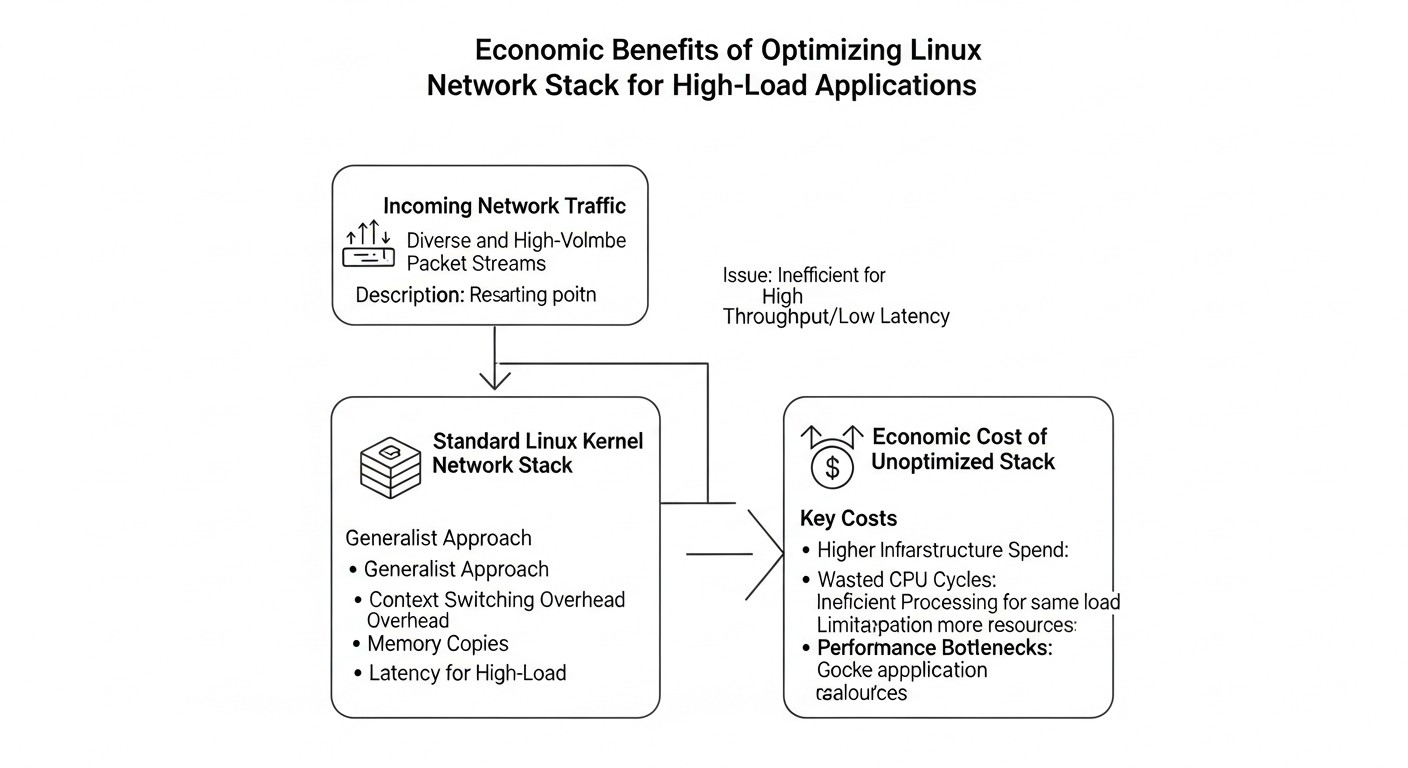
Diagram: Cost Calculation / Economics of Optimization
Optimizing the Linux network stack is not just a technical task, but also an economic decision. In 2026, as cloud resources become more expensive and performance requirements grow, proper optimization can bring significant savings and increase competitiveness. However, it also requires investment. Let's consider the main economic aspects.
Direct and Hidden Costs
Hardware Cost:
NICs with advanced offloads: Modern 25/50/100GbE NICs with SR-IOV support, extended offload functions, and more powerful hardware hashing can cost from $300 to $2000+ per card. These are significant investments, but they pay off by reducing CPU load.
CPU: Sometimes, processing very high PPS requires a more powerful CPU or a server with more cores. However, the goal of optimization is often to avoid purchasing a more powerful CPU by efficiently utilizing the existing one.
Engineering Time Cost:
Research and Planning: Time spent on studying documentation, benchmarking, and bottleneck analysis.
Implementation and Testing: Configuring sysctl, ethtool, writing and debugging eBPF programs, conducting load testing. This can range from a few hours for basic settings to several weeks or even months for complex eBPF solutions or DPDK.
Support and Monitoring: Continuous performance monitoring and adapting settings to changing loads.
Tooling Cost:
Most tools (iperf3, netstat, bcc-tools) are free and open source.
Monitoring systems (Prometheus, Grafana) are also free, but their deployment and support require resources.
Hidden Costs of an Unoptimized System:
Increased Cloud Bills: Inefficient CPU usage due to the network stack means you are paying for unused capacity or are forced to scale instances earlier than necessary. For example, if the network stack consumes 30% of the CPU, this is equivalent to a 30% overpayment for the CPU.
Revenue Loss due to Low Performance: High latency or low throughput can lead to a degraded user experience, customer churn, reduced conversion, or missed business opportunities (e.g., in HFT).
Losses due to Instability: Overloads, packet loss, and service outages due to an unoptimized network lead to downtime and reputational damage.
Additional Software Costs: Sometimes an unoptimized network stack forces the purchase of more expensive licenses for network software or load balancers that could have been replaced by eBPF solutions.
Calculation Examples for Different Scenarios (2026)
Assume the cost of a qualified DevOps engineer's hour is $100.
Scenario
Optimization Method
Investment (Dev Time)
Investment (Hardware)
Potential Savings/Profit
ROI (Payback)
Small SaaS (1000 RPS)
Basic sysctl, BBR, offloads check
4-8 hours ($400-$800)
$0 (using current NICs)
5-10% CPU reduction, $50-$100/month cloud savings, improved UX.
1-2 months
Medium Backend (100k RPS)
Advanced sysctl, RSS/RPS, ethtool, irqbalance
20-40 hours ($2000-$4000)
$0-$600 (NIC upgrade)
10-20% CPU reduction, $200-$500/month cloud savings, increased stability.
2-6 months
Large Data Center (1M+ PPS)
eBPF (XDP/TC), SR-IOV, DPDK (if needed), deep kernel tuning
80-320 hours ($8000-$32000)
$1000-$5000 (high-performance NICs)
20-50% CPU reduction, server consolidation potential ($1000-$5000/month savings), new capabilities (DDoS protection, custom LB).
3-12 months (depends on complexity)
HFT/Real-time (microseconds)
DPDK, specialized NICs, CPU affinity, kernel bypass
320+ hours ($32000+)
$5000-$10000+ (specialized NICs, FPGA)
Minimal latency (µs), competitive advantage, direct financial benefits.
1-3 months (due to direct revenue)
How to Optimize Costs
Start Simple: First, apply the cheapest and simplest methods (sysctl, ethtool). They often yield significant gains.
Use Open Source: Most tools and technologies (Linux, eBPF, Prometheus, Grafana) are free, reducing software costs.
Gradual Implementation: Don't try to implement everything at once. An iterative approach with continuous monitoring helps avoid costly mistakes.
Team Training: Investing in training engineers in eBPF and a deep understanding of the network stack will pay off many times over, reducing reliance on external consultants.
Automation: Use Ansible, Terraform, or other IaC tools to automate deployment and configuration management, which reduces manual errors and implementation time.
The economics of network stack optimization is a balance between investments in engineering time and hardware, and potential savings on cloud resources, increased revenue through better UX, and reduced downtime risks. In 2026, this balance is increasingly shifting towards active optimization, as the cost of inefficiency grows.
Real-world Cases and Examples
Diagram: Real-world Cases and Examples
Theory is important, but real-world examples of optimization demonstrate their true value. Here are a few scenarios from 2026 practice, showing how various approaches to Linux network stack optimization help solve specific business challenges.
Case 1: Optimizing an API Gateway for a Cloud SaaS Service
Problem: A large SaaS service providing APIs for mobile and web applications experienced high latency and intermittent Connection Refused errors under peak load (up to 50,000 RPS). Monitoring showed that the CPU of API gateways (based on Nginx and Envoy) was 70-80% utilized, and kernel logs displayed messages about LISTEN-backlog overflow. The servers ran on AWS c5n.xlarge instances (4 vCPU, 10 Gbps NIC).
Solution:
sysctl Configuration:
Increased net.core.somaxconn from 128 to 16384, and net.ipv4.tcp_max_syn_backlog from 1024 to 8192. This allowed the kernel to handle more simultaneous connection attempts.
Activated net.ipv4.tcp_tw_reuse = 1 and reduced net.ipv4.tcp_fin_timeout = 30 to clear ports faster after short HTTP connections.
Set net.ipv4.tcp_congestion_control = bbr for better performance over WAN.
NIC Hardware Offloads:
Checked and activated TSO, GSO, GRO using ethtool -K eth0 rx on tx on sg on tso on gso on gro on. This significantly reduced CPU load related to packet segmentation and assembly.
Configured IRQ balancing using irqbalance and additionally manually bound RSS queues to different vCPUs to evenly distribute interrupt processing.
XDP for DDoS Protection:
Deployed a simple XDP program that, at the NIC driver level, drops packets with known DDoS attack signatures (e.g., SYN-flood with anomalous flags or sources) before they reach the main network stack and Nginx.
Results:
Connection Refused errors completely disappeared.
Average API latency decreased by 15% (from 40 ms to 34 ms).
CPU usage on API gateways dropped from 70-80% to 40-50% under the same load, allowing 30% more RPS to be processed per instance.
Cloud resource savings amounted to approximately $1500 per month due to a reduction in the number of required instances.
Case 2: Optimizing a Real-time Data Streaming Platform
Problem: A company specializing in real-time financial data analysis used a Kafka cluster to ingest and process massive volumes of data (up to 20 Gbps of inbound traffic per node). Problems arose with packet loss, leading to processing delays and inaccuracies in analytics. Monitoring showed high rx_dropped values and net.core.netdev_max_backlog overflows.
Solution:
Increasing Kernel Buffers:
Significantly increased net.core.netdev_max_backlog to 65535, as well as net.core.rmem_max and net.ipv4.tcp_rmem to 32 MB. This allowed the kernel to buffer more incoming packets during peak moments, preventing their loss.
Configured net.ipv4.tcp_wmem for Kafka producers to ensure more efficient sending.
NIC Optimization:
Used 100GbE NICs with SR-IOV support for virtual machines running Kafka brokers, providing near-native network performance.
Configured RSS queues to the maximum number corresponding to the number of CPU cores and manually bound IRQs to avoid contention.
eBPF for Custom Routing:
Developed a TC eBPF program that, based on Kafka message headers (or other metadata), redirected specific data streams to specialized Kafka topics or even to other cluster nodes, bypassing standard kernel routing for "hot" data. This reduced the load on the CPU of the standard network stack and provided a more direct path for critical traffic.
Results:
Packet loss was reduced to almost zero.
Cluster throughput increased by 25%, allowing peak loads to be handled without degradation.
Data processing latency decreased by 10%, which is critical for financial applications.
The number of TCP retransmissions decreased, reducing the CPU load on Kafka brokers.
Case 3: Reducing Infrastructure Costs for a CDN Provider
Problem: A large CDN provider faced constantly rising infrastructure costs due to the need to scale the number of servers to handle peak traffic. The main load was on serving static content (video, images), which required high bandwidth and efficient CPU utilization to handle a large number of concurrent connections.
Solution:
TCP Congestion Control Algorithm Selection:
net.ipv4.tcp_congestion_control = bbr was activated on all CDN nodes. This significantly improved throughput and reduced latency for clients located at long distances or using high-latency networks, which is especially important for CDNs.
Buffer and TIME_WAIT Optimization:
TCP buffers were configured to optimal values for each server type (large for file servers, medium for proxies).
net.ipv4.tcp_tw_reuse = 1 was activated on all proxy and origin servers to avoid port exhaustion.
Jumbo Frames:
Within the data center, where possible, Jumbo Frames (MTU 9000) were configured on all network interfaces and switches. This allowed more data to be transmitted in a single packet, reducing header overhead and the number of packets processed by the CPU.
eBPF for L4 Load Balancing:
Instead of using expensive hardware load balancers or more resource-intensive software solutions based on Nginx, an XDP program was developed for L4 load balancing of incoming traffic. This program, running on edge routers, distributed incoming connections to internal CDN nodes with minimal overhead and latency.
Results:
Overall CDN throughput increased by 20-30% without adding new servers.
The number of servers required to handle peak load decreased by 15%, leading to direct savings in cloud/colocation costs of $5000-$8000 per month.
Average content delivery latency for end-users decreased.
CPU load on edge servers using XDP balancing significantly decreased.
These cases demonstrate that a comprehensive approach to Linux network stack optimization, including kernel tuning, hardware offloads, and eBPF application, can lead to significant performance improvements and substantial resource savings in a wide variety of scenarios.
Tools and Resources for Optimization and Monitoring
Diagram: Tools and Resources for Optimization and Monitoring
Successful optimization of the Linux network stack requires the right set of tools for diagnosis, testing, monitoring, and debugging. In 2026, there are many powerful utilities available, many of which are part of the standard Linux distribution or available as Open Source projects.
Utilities for Diagnosis and Configuration
ip (iproute2): A modern replacement for ifconfig and route. Allows managing network interfaces, routes, ARP tables, and viewing detailed statistics.
ip a show eth0           # Show interface information
ip -s link show eth0     # Show interface statistics (errors, drops)
ip route show            # Show routing table
ss (socket statistics): A faster and more powerful replacement for netstat for viewing socket information.
ss -s                    # General socket statistics
ss -tuna                 # All TCP/UDP sockets, listening and established
ss -tuna | grep ESTAB    # Only established TCP connections
ss -tuna | grep TIME-WAIT # Sockets in TIME_WAIT state
ss -m                    # Show memory statistics used by sockets
netstat: A classic tool for network statistics. Although ss is preferred for newer systems, netstat -s provides extensive protocol statistics (TCP, UDP, IP).
netstat -s # General protocol statistics
ethtool: A utility for managing network card parameters, including hardware offloads, speed, duplex, RSS, and more.
ethtool eth0             # General NIC information
ethtool -k eth0          # Hardware offload status
ethtool -S eth0          # NIC driver statistics (including errors and drops)
ethtool -L eth0          # Number of RX/TX queues
sysctl: A utility for viewing and changing Linux kernel parameters.
sysctl -a | grep net.ipv4 # All net.ipv4 parameters
sysctl -w net.core.somaxconn=4096 # Set parameter
mpstat / top / htop: For monitoring CPU usage, especially softirq (si) and system categories, which often indicate kernel network activity.
mpstat -P ALL 1 # CPU usage per core, every second
tcpdump / wireshark: For capturing and analyzing network traffic at the packet level. Indispensable for deep diagnostics.
tcpdump -i eth0 -n -s 0 -w capture.pcap # Capture all traffic on eth0
Tools for Monitoring and Testing
iperf3: The standard for measuring TCP and UDP bandwidth. Allows testing performance between two points.
netperf: A more advanced tool for measuring network performance, including requests/responses, transactions, etc.
wrk / locust / JMeter: Tools for load testing web applications and APIs. Help simulate real load and identify bottlenecks.
hping3: A tool for creating and analyzing TCP/IP packets, useful for firewall testing, port scanning, and latency measurement.
Prometheus + Grafana: A standard combination for collecting, storing, and visualizing metrics. With node_exporter, all system metrics, including network ones, can be collected.
ELK Stack (Elasticsearch, Logstash, Kibana): For collecting, analyzing, and visualizing logs, which helps identify network errors and anomalies.
Tools for eBPF
bcc-tools (BPF Compiler Collection): A set of powerful eBPF-based tools for tracing, monitoring, and debugging the Linux kernel, including the network stack. Allows seeing what happens to packets at different levels.
tcplife: Displays the lifetime of TCP connections.
tcpconnect/tcpaccept: Tracks the establishment of TCP connections.
dropwatch: Tracks where the kernel drops packets.
xdp_stats: Statistics for XDP programs.
bpftool: The official utility for managing eBPF programs, maps, and objects. Allows loading, unloading programs, viewing their status, and getting statistics.
bpftool prog show           # Show all loaded eBPF programs
bpftool map show            # Show all eBPF maps
libbpf: A library for developing eBPF applications, simplifying interaction with the kernel.
LWN.net: An excellent resource for in-depth technical articles on Linux kernel development, including the network stack and eBPF.
TCP Documentation: Detailed information on TCP parameters in the kernel.
DPDK.org: Official website of the Data Plane Development Kit.
Using these tools and resources will allow you not only to effectively optimize the network stack but also to deeply understand its behavior, which is critically important for maintaining high-performance systems in 2026.
Troubleshooting: resolving common issues
Diagram: Troubleshooting: resolving common issues
Even with the most meticulous configurations, problems in the network stack can arise. The ability to quickly diagnose and resolve them is a crucial skill. In this section, we will examine common issues and offer diagnostic commands and solutions relevant for 2026.
1. High CPU Utilization (ksoftirqd / softirq)
Description: If top or mpstat show high CPU utilization in the si (softirq) category or the ksoftirqd process consumes a lot of resources, this often indicates that the kernel is spending a significant amount of time processing network interrupts.
Diagnosis:
mpstat -P ALL 1: View softirq load per core. If one core is heavily overloaded, this may indicate an IRQ balancing issue.
/proc/interrupts: View IRQ distribution across cores. Look for IRQs associated with your NIC.
ethtool -S <interface> | grep rx_queue: Check the number of packets received by each RX queue. If one queue receives significantly more packets, this is a problem.
Solution:
Activate RSS/RPS/RFS: Ensure hardware RSS is enabled on the NIC (ethtool -k <interface>). If not, or in addition, configure RPS/RFS (/sys/class/net/<interface>/queues/rx-<N>/rps_cpus).
Configure irqbalance: Ensure the irqbalance service is running. For more precise control, consider manual IRQ binding to CPUs.
Increase NIC TX queue:ip link set dev <interface> txqueuelen <value> (e.g., 10000).
Check the physical layer: A faulty cable, switch port, or speed/duplex mismatch can cause drops.
Resolve CPU overload: If drops are related to high CPU utilization, apply solutions from point 1.
XDP for early dropping: If drops are caused by undesirable traffic (DDoS), XDP can drop it before buffers overflow.
3. Slow Connections or High Latency
Description: Applications respond slowly, ping shows high RTT, traceroute reveals delays on the network path.
Diagnosis:
ping <destination>: Measure RTT.
traceroute <destination>: Determine which host/router is causing the delay.
ss -tin: Check RTT for established TCP connections.
netstat -s | grep "retransmited": A high number of retransmissions indicates packet loss, which increases latency.
Solution:
Check congestion control algorithm: Set net.ipv4.tcp_congestion_control = bbr, especially for WAN connections.
Configure buffers: Ensure tcp_rmem and tcp_wmem are large enough for your bandwidth and latency.
Enable TCP Fast Open:net.ipv4.tcp_fastopen = 3 to reduce connection establishment latency.
Resolve packet loss: If latency is caused by retransmissions, resolve the packet loss issue.
Check MTU: Mismatched MTU can lead to fragmentation and reduced performance.
4. "Connection refused" or "Too many open files"
Description: Applications cannot establish new connections, servers refuse to accept connections.
Diagnosis:
ss -s | grep -i "listen": Check the number of sockets in LISTEN state and their backlog.
dmesg | grep "TCP: request_sock_TCP: dropped": Messages about dropped SYN packets.
ulimit -n: Check the limit on the number of open file descriptors for a process.
cat /proc/sys/fs/file-nr: Total number of open file descriptors in the system.
Solution:
Increase somaxconn and tcp_max_syn_backlog:net.core.somaxconn, net.ipv4.tcp_max_syn_backlog.
Increase file descriptor limit: Configure ulimit -n for the user/application and the system limit fs.file-max in sysctl.
Check TIME_WAIT sockets: If there are many sockets in TIME_WAIT, enable net.ipv4.tcp_tw_reuse = 1.
Check firewall: Ensure the firewall (iptables, nftables) is not blocking incoming connections.
5. Inefficient CPU Utilization on NUMA Systems
Description: On servers with NUMA (Non-Uniform Memory Access) architecture, uneven CPU load is observed, or applications experience memory access delays, even if overall CPU utilization is not high.
Diagnosis:
numactl --hardware: Check NUMA topology.
numastat: Memory usage statistics per NUMA node.
mpstat -N ALL: CPU load per NUMA node.
Solution:
Bind IRQs to NUMA nodes: Bind network card IRQs to CPUs located on the same NUMA node as the NIC.
Bind processes to NUMA nodes: Use numactl --cpunodebind=<node> --membind=<node> <command> to run network applications on the same NUMA node as the corresponding NIC.
Configure RPS/RFS with NUMA awareness: When configuring RPS/RFS, ensure that packets are directed to CPUs located on the same NUMA node as the application handler.
When to contact support:
If problems arise after a kernel or NIC driver update, and you cannot find a solution.
If you suspect a hardware fault with the NIC but cannot confirm it.
If you encounter unexplained system crashes or freezes related to the network stack.
If you cannot achieve the expected performance after all applied optimizations and have exhausted your knowledge.
FAQ: Frequently Asked Questions
1. Is eBPF always the best solution for network optimization?
No, not always. eBPF is a powerful tool offering unparalleled flexibility and performance for specific tasks, such as DDoS protection, custom load balancing, or advanced monitoring. However, its implementation requires high skill and significant engineering effort. For most standard high-load applications, such as web servers or databases, fine-tuning sysctl, activating NIC hardware offloads, and choosing the correct TCP congestion control algorithm will be sufficient and simpler to implement. eBPF should be considered when other methods are exhausted or very specific, low-level packet processing logic is required.
2. Should all TCP timestamps (tcp_timestamps) be disabled for performance improvement?
In most cases, no. Although disabling tcp_timestamps saves 12 bytes in each TCP header, this is an insignificant saving for modern high-speed networks. Timestamps play an important role in protecting against stale segments (PAWS - Protection Against Wrapped Sequence numbers) and in more accurate RTT measurement. Disabling them can lead to connection stability issues, especially in high-latency networks or when connections are created/closed very quickly. It is recommended to leave them enabled unless there is specific evidence that they are causing problems.
3. How often should network stack settings be reviewed?
Network stack settings are not static. They should be reviewed during significant changes:
Linux kernel update: New versions may introduce new parameters or change the behavior of existing ones.
Hardware update: New NICs may have different offloading capabilities.
Application load profile change: Traffic growth, changes in request types, increase in the number of connections.
Emergence of new network problems: Packet loss, high latency, CPU overload.
As a rule, it is recommended to audit settings at least once every 6-12 months or after every major change in infrastructure or application.
4. What is the impact of tcp_tw_reuse on security?
tcp_tw_reuse allows reusing sockets in the TIME_WAIT state for new outgoing connections. This is safe for clients or proxies that initiate many connections. However, on a server accepting incoming connections, activating tcp_tw_reuse can be risky if this server is behind a NAT that does not comply with RFC 1323 (TCP Timestamps). In such a case, the server might accept a packet with a stale sequence number from a new connection, mistakenly taking it for part of an old one, which can lead to data corruption or instability. Therefore, tcp_tw_reuse is generally recommended to be activated only on client machines or on servers that are not behind NAT and do not accept incoming connections.
5. Can these optimizations break my application?
Yes, incorrect optimization can lead to instability, reduced performance, or even system crashes. For example, excessively large buffers can lead to increased latency (bufferbloat), while excessively small ones can lead to packet loss. Incorrect IRQ or RSS configuration can cause CPU load imbalance. This is why an iterative approach is crucial: make changes one by one, test them in a controlled environment, monitor the effect, and be ready to roll back. Never apply changes to production without prior testing.
6. What is the role of systemd-networkd and NetworkManager in the context of these optimizations?
systemd-networkd and NetworkManager are services that manage network interfaces and their configuration at a higher level. They are responsible for IP address assignment, DNS configuration, routing, and other basic network parameters. Most of the optimizations described here (sysctl, ethtool) operate at a lower level of the kernel or NIC driver and generally do not conflict with these services. However, it is important to ensure that these services do not override your manual settings (e.g., MTU, or some ethtool parameters). To preserve ethtool settings after a reboot, additional scripts or configuration files specific to your initialization system are often required.
7. How do cloud environments affect these optimizations?
In cloud environments (AWS, GCP, Azure), you work with virtualized hardware. Some NIC hardware offloads (e.g., SR-IOV) may only be available on specific instance types. Kernel tuning capabilities remain, but there may be restrictions on changing some parameters in containerized environments (e.g., in Kubernetes, where some sysctl may be blocked). Cloud providers often already apply basic optimizations at the hypervisor level. It is important to consult your cloud provider's documentation regarding available network features and optimization recommendations for their platform.
8. When should user space (DPDK) be considered instead of eBPF?
DPDK should only be considered in the most extreme scenarios, when even XDP optimizations do not provide the required performance. This usually applies to telecommunication systems, high-frequency trading (HFT), specialized routers/firewalls, and NFV, where processing tens of millions of packets per second with microsecond latencies is required. Implementing DPDK requires a complete bypass of the kernel's network stack, meaning your application must be written or rewritten to work with DPDK libraries. This significantly increases development and support complexity and loses the benefits of standard Linux network utilities.
9. What is the future of network optimization beyond eBPF?
The future of network optimization in 2026 and beyond promises to be exciting. The development of eBPF will continue, with new program types and attachment points emerging, and hardware offloading capabilities expanding. We will see more integration with artificial intelligence and machine learning for adaptive real-time network optimization, congestion prediction, and automatic application of settings. Technologies such as SmartNICs (programmable network cards with their own CPUs/FPGAs) will also evolve, taking on even more network logic. Quantum networks and new protocols may also introduce changes, but the basic principles of efficient packet processing will remain relevant.
10. Is it safe to use BBR in production?
Yes, BBR is considered safe for use in production and is often recommended. It was developed by Google and is widely used in their infrastructure, as well as in many CDNs and cloud services. BBR typically provides better throughput and lower latency compared to CUBIC, especially on WAN connections. However, like any congestion control algorithm, BBR can be more aggressive in certain network conditions, potentially displacing traffic using older algorithms. In most cases, this is not an issue, but in very specific, heavily congested networks with heterogeneous traffic, additional monitoring may be required.
Conclusion
Amidst the constantly growing demands for performance and scalability of modern applications, optimizing the Linux network stack has ceased to be an optional task and has become a critically important element of a successful infrastructure. In 2026, when every millisecond of latency and every percentage of CPU utilization can directly impact business metrics, a deep understanding and skillful application of optimization techniques are a competitive advantage.
We have journeyed from basic kernel settings using sysctl, which remain the foundation for most systems, to the use of advanced hardware offloads for network cards, capable of significantly reducing CPU load. Special attention was paid to eBPF — a technology that is revolutionizing network processing, providing unprecedented capabilities for programming the kernel without modifying it, opening doors for high-performance firewalls, load balancers, and monitoring systems operating at line speed. We also considered extreme solutions, such as DPDK, for the most demanding scenarios.
Key takeaways you should internalize:
Measurement is everything: Never optimize blindly. Always start with benchmarking and continuously monitor the impact of changes.
Comprehensive approach: Optimization is a multi-layered process, affecting the kernel, drivers, hardware, and even applications.
Iterative and cautious: Make changes gradually, test in an isolated environment, and always have a rollback plan.
Contextual understanding: There are no universal "best" settings. The optimal configuration depends on your specific load, hardware, and network environment.
eBPF — the future, but not a panacea: A powerful tool requiring deep knowledge, but not always necessary. Start with simpler methods.
Next steps for the reader:
Start by auditing your current infrastructure. Identify bottlenecks using the diagnostic tools described in this article. Then, applying the checklist, begin with basic sysctl and ethtool settings. Continuously measure and compare results. As you delve deeper into performance issues, consider more advanced methods, such as eBPF. Invest in training your team so they can effectively utilize these powerful tools.
The world of Linux networking technologies is constantly evolving. Stay curious, experiment, and don't be afraid to delve into the depths of the kernel. Only then will you be able to build truly high-performance and resilient systems capable of handling any loads in 2026 and beyond.