Multi-Cloud and Hybrid Resource Management with Terraform: From VPS to Kubernetes
TL;DR
- Strategic Imperative: Multi-cloud and hybrid approaches are becoming the standard by 2026 to ensure fault tolerance, cost optimization, and reduction of vendor lock-in risks.
- Terraform as the Foundation: Terraform is the de facto standard for Infrastructure as Code (IaC), enabling unified resource management on any platform — from local VPS to complex Kubernetes clusters across multiple clouds.
- Key Benefits: Accelerated deployment, operational automation, reduction of human error, configuration consistency, and effective infrastructure lifecycle management.
- Challenges and Solutions: State management, network connectivity, security, and cost optimization require thoughtful architecture, the use of modules, remote state, and tools like Terragrunt.
- Savings and Efficiency: Skillful application of Terraform in a multi-cloud environment not only helps avoid overpayments but also provides flexibility for rapid scaling and adaptation to changing business requirements.
- The Future is Here: Integration with GitOps, automated testing, and advanced monitoring transform Terraform into a central element of modern DevOps strategy.
Introduction
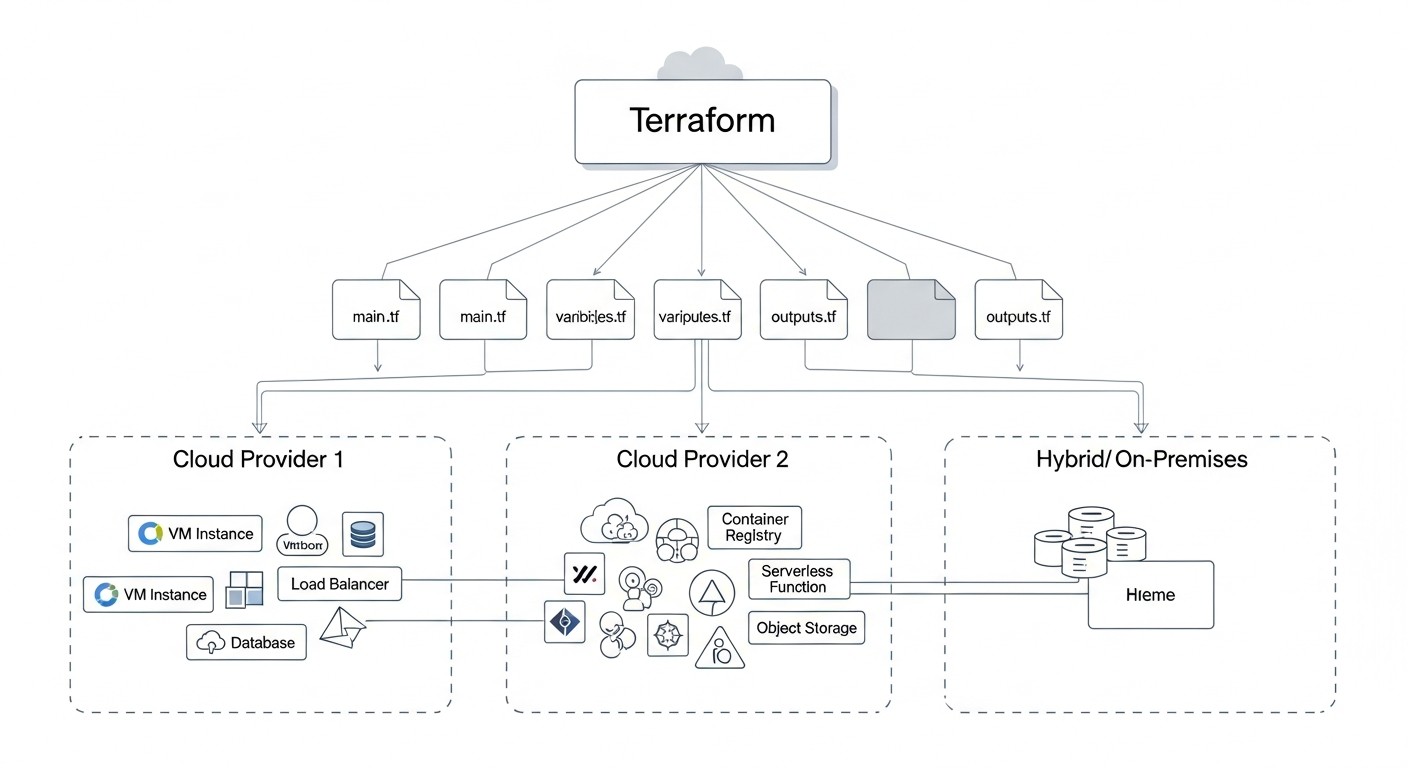 Diagram: Introduction
By 2026, the IT infrastructure landscape has undergone significant changes. Monolithic applications residing on a single server have given way to distributed microservice architectures deployed in the cloud. However, simply moving to a single cloud is no longer a panacea. Businesses demand maximum fault tolerance, flexibility, cost optimization, and independence from a single vendor. This is where the concepts of multi-cloud and hybrid infrastructures come into play.
Multi-cloud involves using several public cloud providers (e.g., AWS, Azure, Google Cloud, Yandex.Cloud) for different parts of a single system or for different systems, while a hybrid approach combines public clouds with an on-premise infrastructure (private cloud or traditional servers). This allows companies to leverage the best features of each approach: the scalability and innovation of public clouds combined with the control, security, and low latency of their own infrastructure.
However, managing such a complex, distributed infrastructure without adequate tools quickly turns into chaos. Manual configurations, disparate APIs, fragmented scripts – all this leads to errors, delays, and enormous operational costs. This is where Infrastructure as Code (IaC) comes to the rescue, with its flagship – Terraform by HashiCorp.
This article is addressed to DevOps engineers, backend developers, SaaS project founders, system administrators, and CTOs of startups who aim to effectively manage their infrastructure in 2026. We will explore how Terraform enables unified deployment and resource management at all levels: from simple Virtual Private Servers (VPS) to highly available Kubernetes clusters, covering both public and private clouds. We will delve into practical aspects, analyze common mistakes, and offer concrete solutions based on real-world experience.
The goal of this article is not just to describe Terraform's capabilities, but to provide a comprehensive practical guide that will enable the reader to confidently design, deploy, and maintain their multi-cloud or hybrid infrastructure, minimizing risks and maximizing benefits.
Key Criteria and Factors for Choosing a Multi-Cloud and Hybrid Approach Strategy
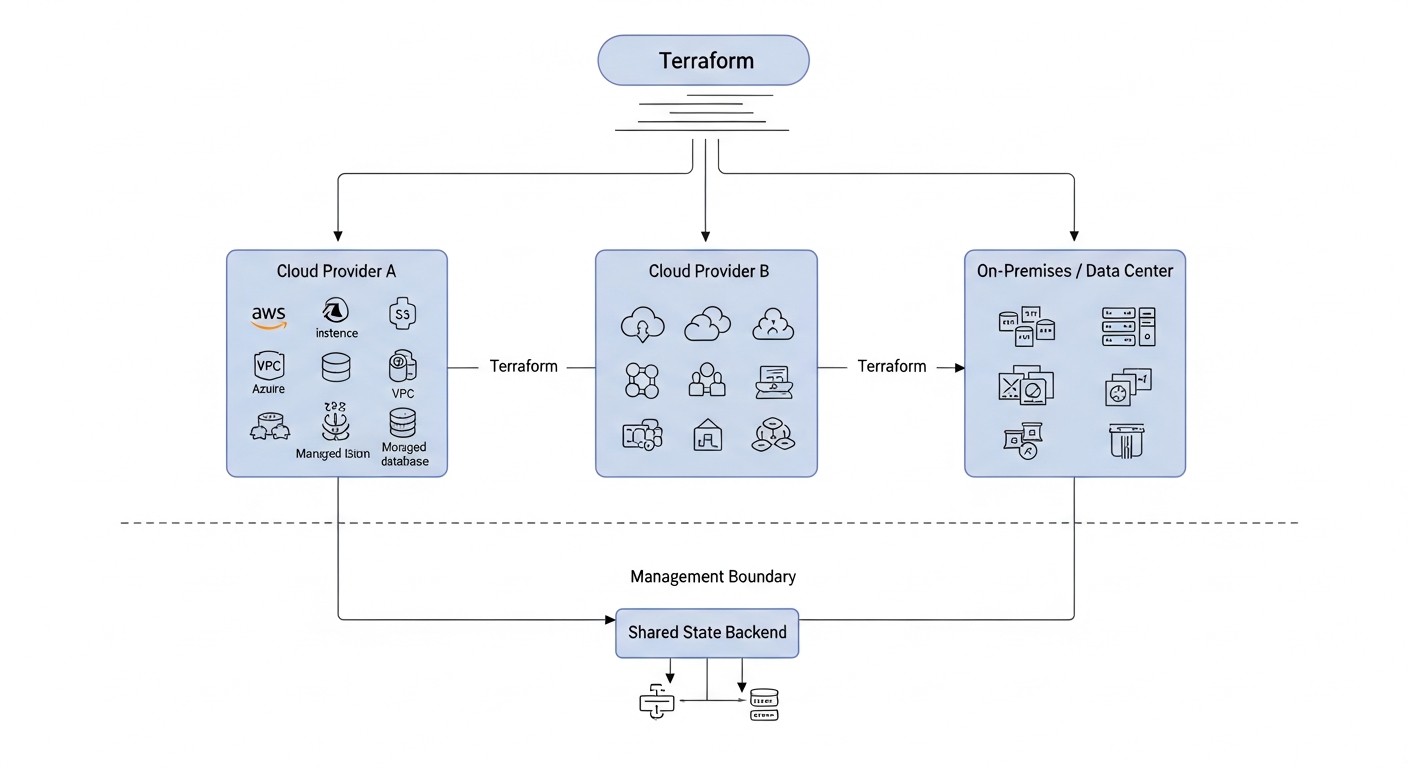 Diagram: Key Criteria and Factors for Choosing a Multi-Cloud and Hybrid Approach Strategy
Choosing the optimal strategy for a multi-cloud or hybrid infrastructure is not just a technical decision, but a strategic one. It must be deeply integrated with business goals, performance requirements, security, and budget. Below are the key criteria that must be considered during planning.
1. Reducing Vendor Lock-in
Why it's important: Dependence on a single cloud provider can lead to migration difficulties, high long-term costs, and limitations in using innovative services from other providers. In 2026, with cloud markets becoming even more competitive, the ability to easily switch between providers or distribute workloads is critically important.
How to evaluate: Assess the degree of abstraction of your applications from specific cloud services. Do you use standard APIs (e.g., Kubernetes, SQL) or are you deeply integrated with proprietary PaaS solutions? Terraform, using a declarative approach, allows abstraction from the low-level APIs of each provider, but the Terraform code itself is still tied to the providers. It is important to use common abstractions (e.g., Kubernetes) and avoid deep coupling to specific managed services.
2. Fault Tolerance and Disaster Recovery (DR)
Why it's important: Business-critical applications must be available 24/7. A failure of an entire region at a single provider, though rare, can lead to catastrophic consequences. A multi-cloud DR strategy (e.g., active-passive or active-active) ensures business continuity.
How to evaluate: Define target RTO (Recovery Time Objective) and RPO (Recovery Point Objective) metrics. What downtime is acceptable? How much data can be lost? For active-passive DR, Terraform can deploy a minimal set of resources in a backup cloud, ready for activation. Active-active requires more complex data synchronization and traffic routing.
3. Cost Optimization
Why it's important: Cloud resource prices constantly change, and providers offer various discounts and pricing models. Multi-cloud allows choosing the most cost-effective provider for a specific workload or even dynamically switching between them. Hybrid can be beneficial for stable, predictable workloads on owned hardware.
How to evaluate: Conduct a detailed TCO (Total Cost of Ownership) analysis for each option. Consider not only the cost of compute resources but also network traffic (especially egress and inter-cloud), data storage, managed services, licenses, and operational expenses. In 2026, the cost of egress traffic still remains one of the hidden "taxes" of the cloud.
4. Performance and Latency
Why it's important: For latency-sensitive applications (e.g., online games, financial transactions, IoT), resource location is paramount. Placing services closer to end-users or data sources improves the user experience.
How to evaluate: Measure latencies between different regions and providers, as well as between your on-premise infrastructure and clouds. For hybrid scenarios, the bandwidth and stability of VPN/Direct Connect connections are critical. Terraform can assist in deploying CDNs or Edge services to minimize latencies.
5. Compliance & Security
Why it's important: Regulatory bodies (GDPR, HIPAA, PCI DSS, etc.) often impose strict requirements on data storage and processing, as well as their geographical location. Different providers may offer various certifications and security levels.
How to evaluate: Analyze data requirements: where it can be stored, who has access to it. Evaluate each provider's certifications and their capabilities to ensure compliance. Terraform allows automating the deployment of resources with specified security policies (e.g., IAM, network rules, data encryption).
6. Operational Complexity and Team Skills
Why it's important: Managing multiple clouds or a hybrid environment is significantly more complex than managing a single cloud. Specialized knowledge and tools are required. Underestimating this factor can lead to increased operational costs and team burnout.
How to evaluate: Assess your team's current level of competence. Do they have experience working with multiple clouds? Are they willing to learn new APIs and tools? Terraform standardizes the deployment process but requires a deep understanding of the providers it interacts with. Using Terraform modules can significantly reduce complexity.
7. Data Gravity
Why it's important: Large volumes of data have "gravity" – moving them is expensive and slow. Often, applications migrate to data, rather than the other way around. This is especially relevant for hybrid scenarios where data arrays may remain on-premise.
How to evaluate: Determine where your primary data stores are located and how often they need to be synchronized or accessed from different environments. If data is critically important and its volume is enormous, a hybrid approach, keeping data on-premise or in one cloud while compute resources are in another, might be optimal.
A thorough analysis of these criteria will enable your team to make an informed decision about choosing a multi-cloud or hybrid approach strategy, and Terraform will become a powerful tool for its implementation.
Comparison Table of Multi-Cloud and Hybrid Management Strategies with Terraform (Relevant for 2026)
 Diagram: Comparison Table of Multi-Cloud and Hybrid Management Strategies with Terraform (Relevant for 2026)
In this table, we will compare various strategies for implementing multi-cloud and hybrid approaches, evaluating them based on key parameters relevant for 2026. It is assumed that Terraform is used for infrastructure management in all scenarios.
| Criterion |
Mono-Cloud (for comparison) |
Multi-Cloud: Active-Passive DR |
Multi-Cloud: Active-Active |
Hybrid: Cloud + On-Premise (on-premise data) |
Hybrid: Cloud + On-Premise (capacity expansion) |
| Vendor Lock-in Reduction |
Low (high dependency) |
Medium (migration capability) |
High (load distribution) |
Medium (on-premise dependency) |
Medium (on-premise dependency) |
| Fault Tolerance (DR) |
Low (vulnerability to regional failures) |
High (failover to backup cloud) |
Very High (instant failover) |
Medium (depends on on-premise DR) |
Medium (depends on on-premise DR) |
| Cost Optimization |
Medium (depends on discounts) |
Medium (backup resources) |
High (choice of best provider) |
High (stable on-premise workloads) |
High (dynamic scaling) |
| Performance/Latency |
High (within the region) |
High (within the active region) |
Very High (closest region to user) |
Low (inter-cloud latencies) |
Medium (inter-cloud latencies) |
| Implementation Complexity (Terraform) |
Low |
Medium (two providers, synchronization) |
High (multiple providers, load balancing, data) |
High (on-premise integration, networking) |
High (autoscaling, networking) |
| Operational Expenses (OpEx) |
Low |
Medium |
High (monitoring, load balancing) |
Medium (on-premise support) |
Medium (on-premise, cloud support) |
| Data Applicability |
Local |
Replication to backup |
Distributed databases/synchronization |
Primarily on-premise (Data Gravity) |
Storage expansion to cloud |
| Typical Cost (arbitrary units, 2026) |
X |
1.3X - 1.8X |
1.5X - 2.5X |
0.8X - 1.5X |
0.9X - 1.7X |
| Recommended Terraform Tools |
Core, Providers |
Core, Providers, Modules, Remote State |
Core, Providers, Modules, Terragrunt, Cross-Cloud Networking |
Core, Providers (vSphere/OpenStack), VPN/Direct Connect |
Core, Providers (vSphere/OpenStack), Kubernetes Provider |
Detailed Review of Each Strategy
 Diagram: Detailed Review of Each Strategy
Each of the strategies discussed has its unique advantages and disadvantages. The choice depends on specific business requirements, the technical maturity of the team, and the budget. Terraform is a key tool for implementing any of these strategies, ensuring consistency and automation.
1. Mono-Cloud (for comparison)
Although this article focuses on multi-cloud and hybrid approaches, it's important to understand the basic mono-cloud strategy for contrast. In this scenario, the entire infrastructure is deployed with a single cloud provider (e.g., AWS, Azure, Google Cloud). Terraform is actively used to manage all resources within this cloud.
- Pros:
- Simplicity: Fewer providers, fewer APIs, fewer tools to learn. The team focuses on a single ecosystem.
- Integration: Deep integration between services from a single provider, often with low latency and high bandwidth.
- Cost: Potentially lower due to bulk discounts and unified billing, especially for stable workloads.
- Cons:
- Vendor Lock-in: High dependency on a single provider, which complicates migration and limits choice.
- Resilience: Vulnerability to global outages in the provider's region. DR is only possible within a single cloud.
- Limitations: Inability to use the best services from different providers.
- Who it's for: Early-stage startups, small projects with limited budgets, companies without strict DR requirements or those willing to accept vendor lock-in risk.
- Example Use Case: A SaaS project deployed entirely in AWS, using EC2, RDS, S3, and EKS, managed via a single Terraform repository.
2. Multi-Cloud: Active-Passive DR
In this strategy, the primary workload runs in one cloud (active), while a minimal set of resources is maintained in another cloud (passive), ready for activation in case of a primary failure. Data is replicated between clouds.
- Pros:
- High Resilience: Protection against a global failure of a single cloud provider. Fast failover (depending on RTO).
- Reduced Vendor Lock-in: Allows migration to the backup cloud or using it for new projects if needed.
- Relatively Low DR Costs: The passive cloud contains only the necessary minimum resources, which reduces OpEx compared to active-active.
- Cons:
- Data Replication Complexity: Ensuring data consistency between clouds can be challenging, especially for large volumes.
- Cost: Despite being "passive," the backup cloud still requires some resources and replication costs.
- RTO: Failover time can be significant, depending on automation and the volume of resources to be deployed.
- Who it's for: Companies that need high resilience but don't have strict RTO requirements in seconds. Business-critical applications where several minutes or hours of downtime are acceptable in a disaster.
- Example Use Case: Primary Kubernetes cluster in GKE (Google Cloud), backup set of resources (VPC, load balancer, empty AKS cluster) in Azure, data replicated via S3-compatible storage or specialized database tools. Terraform deploys both sets of resources.
3. Multi-Cloud: Active-Active
In this scenario, the workload is actively distributed across multiple clouds, each handling a portion of the traffic. This provides maximum resilience and performance but significantly increases complexity.
- Pros:
- Maximum Resilience: Failure of one cloud does not affect service availability, as traffic is simply redirected to other active clouds.
- Performance Optimization: Placing resources closer to users worldwide, reducing latency.
- Cost Optimization: Ability to dynamically distribute load between providers, choosing the most favorable prices at any given moment.
- Zero Vendor Lock-in: Maximum independence, ability to switch easily.
- Cons:
- Extremely High Complexity: Requires a very complex architecture for data synchronization, global load balancing, distributed state, and monitoring.
- High Costs: Maintaining multiple fully active environments, as well as costs for inter-cloud traffic and synchronization tools.
- Development Complexity: Applications must be designed to operate in a distributed environment, considering eventual consistency and other patterns.
- Who it's for: Global SaaS platforms, high-load services requiring maximum availability and minimal latency, financial systems, e-commerce with an international audience.
- Example Use Case: A global distributed system where frontend and stateless microservices are deployed in EKS (AWS) and GKE (Google Cloud), and data is synchronized via a distributed database (e.g., CockroachDB or Cassandra). Global traffic balancing is handled via DNS (Route 53, Cloud DNS) or specialized services. Terraform manages all components in both clouds.
4. Hybrid: Cloud + On-premises (on-premises data)
This strategy involves placing sensitive data or legacy systems in your own on-premises infrastructure, while compute resources or less sensitive applications are deployed in the public cloud. The cloud is used as a data center extension.
- Pros:
- Compliance: Ideal for companies with strict regulatory requirements for data storage (e.g., government agencies, banks).
- Control: Full control over on-premises data and infrastructure.
- Leveraging Legacy Systems: Allows for gradual infrastructure modernization without immediately migrating all "monoliths" to the cloud.
- Cost Reduction: For stable, predictable workloads, on-premises can be cheaper than the cloud in the long run.
- Cons:
- Integration Complexity: Ensuring a reliable and secure network connection (VPN, Direct Connect) between the cloud and on-premises.
- Latency: High latency when cloud applications access on-premises data.
- Management: Requires managing two different environments with different toolsets (though Terraform can help).
- Who it's for: Large enterprises, financial organizations, government agencies, companies with large volumes of data that cannot be easily moved to the cloud.
- Example Use Case: Corporate ERP system and databases remain on on-premises servers, while new microservices and APIs are deployed in a public cloud (e.g., Yandex.Cloud) and access data via a secure VPN connection. Terraform manages the cloud infrastructure and VPN gateway configuration.
5. Hybrid: Cloud + On-premises (capacity extension)
This approach uses the public cloud to "extend" on-premises infrastructure when additional compute power is needed for peak loads (bursting) or for deploying new, non-critical services. The cloud acts as an "external" data center.
- Pros:
- Scaling Flexibility: Ability to quickly scale compute resources in the cloud to handle peak loads without investing in excess on-premises hardware.
- Cost Savings: Pay for cloud resources only as used, which reduces capital expenditures.
- Rapid Deployment: New projects can be quickly launched in the cloud without waiting for hardware procurement.
- Cons:
- Management Complexity: Requires effective management of load distribution between on-premises and the cloud, as well as network connectivity.
- Traffic Costs: Can be significant with frequent data transfer between on-premises and the cloud.
- Consistency: Maintaining a unified development and deployment environment across both platforms.
- Who it's for: Companies with variable, unpredictable loads, media companies, retailers (for sales events), game developers.
- Example Use Case: An on-premises Kubernetes cluster is used for baseline load, and with increased traffic, it automatically scales into a cloud EKS/AKS/GKE cluster using Kubernetes Federation or similar technologies. Terraform manages the deployment of clusters in both environments and their integration.
Practical Tips and Recommendations for Working with Terraform in Multi-Cloud and Hybrid Environments
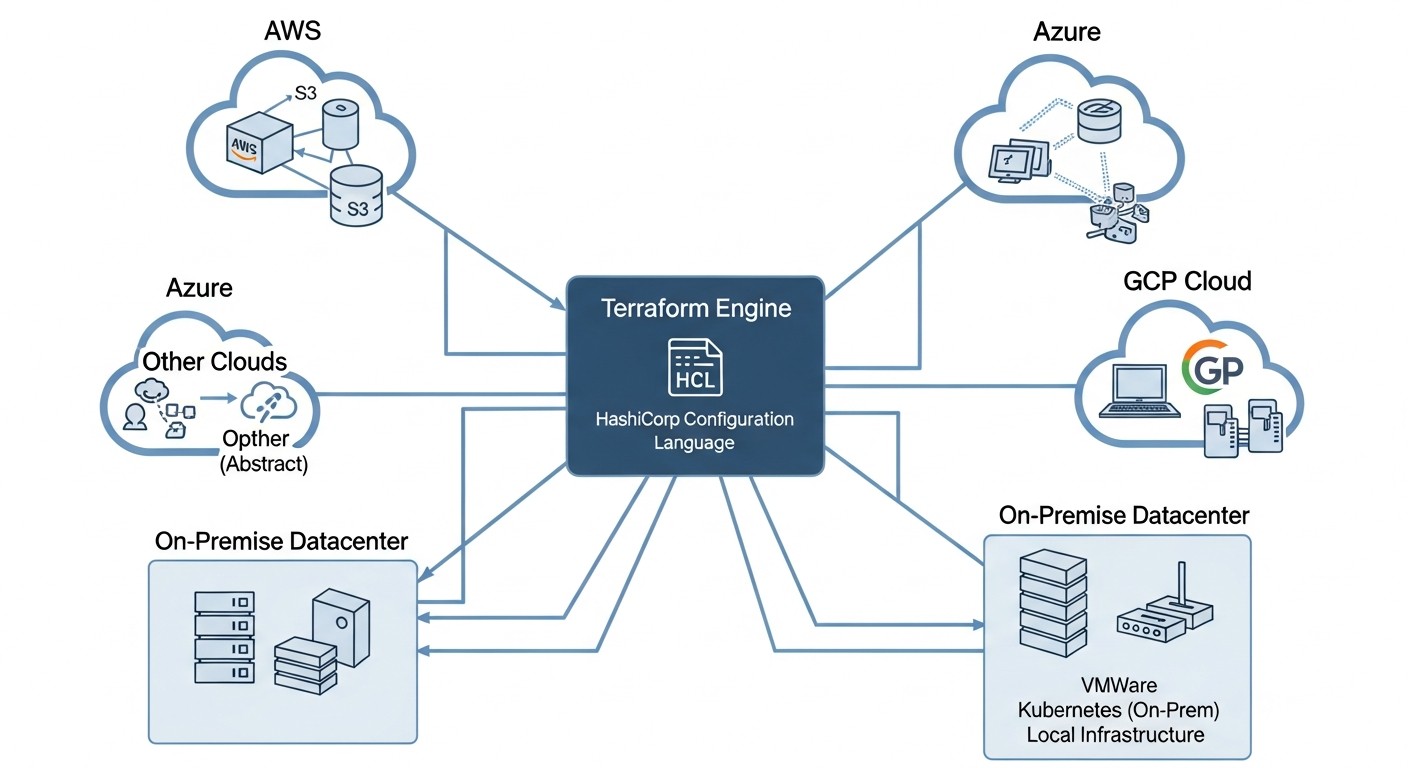 Diagram: Practical Tips and Recommendations for Working with Terraform in Multi-Cloud and Hybrid Environments
Effective use of Terraform in complex architectures requires not only knowledge of the syntax but also an understanding of best practices. Below are specific recommendations, supported by code examples, that will help you avoid common pitfalls.
1. Use Modules for Abstraction and Reusability
Modules are the cornerstone of effective Terraform. They allow you to encapsulate resource configurations, creating reusable blocks. In a multi-cloud environment, this is critically important for ensuring consistency and reducing code duplication.
Tip: Create modules that abstract cloud provider specifics. For example, a network module can accept parameters for creating a VPC in AWS or a VNet in Azure, and internally use the corresponding provider.
# modules/vpc_network/main.tf
variable "cloud_provider" {
  description = "Cloud provider (aws, azure, gcp)"
  type        = string
}

variable "region" {
  description = "Cloud region"
  type        = string
}

variable "cidr_block" {
  description = "CIDR block for the network"
  type        = string
}

variable "name_prefix" {
  description = "Prefix for resource names"
  type        = string
}

# AWS VPC
resource "aws_vpc" "main" {
  count      = var.cloud_provider == "aws" ? 1 : 0
  cidr_block = var.cidr_block
  tags = {
    Name = "${var.name_prefix}-vpc-aws"
  }
}

# Azure VNet
resource "azurerm_virtual_network" "main" {
  count               = var.cloud_provider == "azure" ? 1 : 0
  name                = "${var.name_prefix}-vnet-azure"
  address_space       = [var.cidr_block]
  location            = var.region
  resource_group_name = "rg-${var.name_prefix}" # Assuming the RG is already created or will be created separately
}

output "vpc_id" {
  value = var.cloud_provider == "aws" ? aws_vpc.main[0].id : (var.cloud_provider == "azure" ? azurerm_virtual_network.main[0].id : null)
}
Then you can call this module for different clouds:
# main.tf (for AWS)
module "aws_network" {
  source       = "./modules/vpc_network"
  cloud_provider = "aws"
  region       = "eu-central-1"
  cidr_block   = "10.0.0.0/16"
  name_prefix  = "prod"
}

# main.tf (for Azure)
module "azure_network" {
  source       = "./modules/vpc_network"
  cloud_provider = "azure"
  region       = "West Europe"
  cidr_block   = "10.1.0.0/16"
  name_prefix  = "prod"
}
2. Use Remote State
Storing Terraform state locally in a multi-cloud environment is a recipe for disaster. Remote state ensures collaborative work, state locking, and change history.
Tip: Always use remote state. S3 for AWS, Azure Blob Storage for Azure, GCS for Google Cloud, or Terraform Cloud/Enterprise for centralized management. In 2026, Terraform Cloud/Enterprise offer the most advanced features for teamwork and policy management.
# backend.tf (for S3)
terraform {
  backend "s3" {
    bucket         = "my-tf-state-bucket-prod"
    key            = "prod/network.tfstate"
    region         = "eu-central-1"
    encrypt        = true
    dynamodb_table = "my-tf-state-lock" # For state locking
  }
}

# backend.tf (for Azure Blob Storage)
terraform {
  backend "azurerm" {
    resource_group_name  = "tfstate-rg"
    storage_account_name = "tfstatesa2026"
    container_name       = "tfstate"
    key                  = "prod/network.tfstate"
  }
}
3. Organize Code with Workspaces or Terragrunt
Managing different environments (dev, staging, prod) and clouds requires a clear structure. Terraform workspaces can help, but Terragrunt offers more powerful capabilities for DRY (Don't Repeat Yourself) and hierarchical organization.
Tip: For simple projects, Terraform workspaces can be used. For complex multi-cloud/hybrid scenarios with many environments and modules, Terragrunt is the better choice.
# Example of using Terraform Workspaces
terraform workspace new prod
terraform workspace select prod
terraform apply

# Example structure with Terragrunt
# live/prod/aws/eu-central-1/network/terragrunt.hcl
# live/prod/azure/west-europe/network/terragrunt.hcl
# live/dev/aws/eu-west-1/network/terragrunt.hcl

# terragrunt.hcl
include {
  path = find_in_parent_folders()
}

terraform {
  source = "../../modules/vpc_network" # Path to your module
}

inputs = {
  cloud_provider = "aws" # or "azure"
  region         = "eu-central-1"
  cidr_block     = "10.0.0.0/16"
  name_prefix    = "prod"
}
4. Design Cross-Cloud and Hybrid Network Connectivity
Network connectivity is one of the most complex parts of multi-cloud and hybrid architecture. Use VPN, Direct Connect/ExpressRoute/Cloud Interconnect to ensure secure and high-performance connections.
Tip: Always use private IP addresses for internal communication. Avoid the public internet for cross-cloud traffic. Terraform allows automating the creation of VPN gateways and peering connections.
# Example of creating a VPN between AWS and Azure (simplified)
resource "aws_vpn_connection" "main" {
  customer_gateway_id = aws_customer_gateway.main.id
  transit_gateway_id  = aws_ec2_transit_gateway.main.id # If TGW is used
  type                = "ipsec.1"
  static_routes_only  = true
  tunnel1_inside_cidr = "169.254.10.0/30"
  tunnel2_inside_cidr = "169.254.11.0/30"
}

resource "azurerm_vpn_gateway" "main" {
  name                = "my-vpngw"
  location            = azurerm_resource_group.main.location
  resource_group_name = azurerm_resource_group.main.name
  virtual_network_id  = azurerm_virtual_network.main.id
  sku                 = "VpnGw1"
}
5. Secure Secret Management
Never store secrets (passwords, API keys) in Terraform code or state files. Use specialized tools.
Tip: Integrate Terraform with secret management systems such as HashiCorp Vault, AWS Secrets Manager, Azure Key Vault, Google Secret Manager. Use environment variables to pass sensitive data during Terraform execution.
# Retrieving a secret from AWS Secrets Manager
data "aws_secretsmanager_secret" "db_password" {
  name = "prod/db/password"
}

resource "aws_db_instance" "main" {
  # ...
  password = data.aws_secretsmanager_secret.db_password.secret_string
}
6. Managing Kubernetes with Terraform
Terraform can directly manage Kubernetes resources using the Kubernetes provider. This is especially useful for deploying basic cluster components (e.g., Ingress controllers, CRDs, namespaces) or for ensuring consistency of deployments across different clusters.
Tip: Use the Kubernetes provider for K8s infrastructure components, and Helm/GitOps (FluxCD, ArgoCD) for application deployment. This separation of concerns makes the system more manageable.
# main.tf (inside a module for a Kubernetes cluster)
resource "kubernetes_namespace" "app_ns" {
  metadata {
    name = "my-application"
  }
}

resource "kubernetes_deployment" "nginx" {
  metadata {
    name      = "nginx-deployment"
    namespace = kubernetes_namespace.app_ns.metadata[0].name
  }
  spec {
    replicas = 3
    selector {
      match_labels = {
        app = "nginx"
      }
    }
    template {
      metadata {
        labels = {
          app = "nginx"
        }
      }
      spec {
        container {
          name  = "nginx"
          image = "nginx:1.21"
          port {
            container_port = 80
          }
        }
      }
    }
  }
}
7. Integration with CI/CD
Automate Terraform execution through CI/CD pipelines (GitHub Actions, GitLab CI, Jenkins, Azure DevOps). This ensures consistency, security, and accelerates deployment.
Tip: Implement terraform plan at the Pull Request stage to verify changes. terraform apply should only be executed after review and approval. Use specialized tools, such as Atlantis, for managing Terraform via Pull Requests.
# .github/workflows/terraform.yml
name: 'Terraform CI/CD'

on:
  push:
    branches:
      - main
  pull_request:

jobs:
  terraform:
    name: 'Terraform'
    runs-on: ubuntu-latest
    steps:
      - name: Checkout
        uses: actions/checkout@v3

      - name: Setup Terraform
        uses: hashicorp/setup-terraform@v2
        with:
          terraform_version: 1.5.7 # Current version for 2026

      - name: Terraform Init
        run: terraform init

      - name: Terraform Format
        run: terraform fmt -check

      - name: Terraform Plan
        if: github.event_name == 'pull_request'
        run: terraform plan -no-color
        env:
          AWS_ACCESS_KEY_ID: ${{ secrets.AWS_ACCESS_KEY_ID }}
          AWS_SECRET_ACCESS_KEY: ${{ secrets.AWS_SECRET_ACCESS_KEY }}

      - name: Terraform Apply
        if: github.ref == 'refs/heads/main' && github.event_name == 'push'
        run: terraform apply -auto-approve
        env:
          AWS_ACCESS_KEY_ID: ${{ secrets.AWS_ACCESS_KEY_ID }}
          AWS_SECRET_ACCESS_KEY: ${{ secrets.AWS_SECRET_ACCESS_KEY }}
These recommendations will help you build a resilient, scalable, and manageable infrastructure using Terraform in the most complex multi-cloud and hybrid scenarios.
Common Mistakes When Implementing Multi-Cloud and Hybrid Environments with Terraform
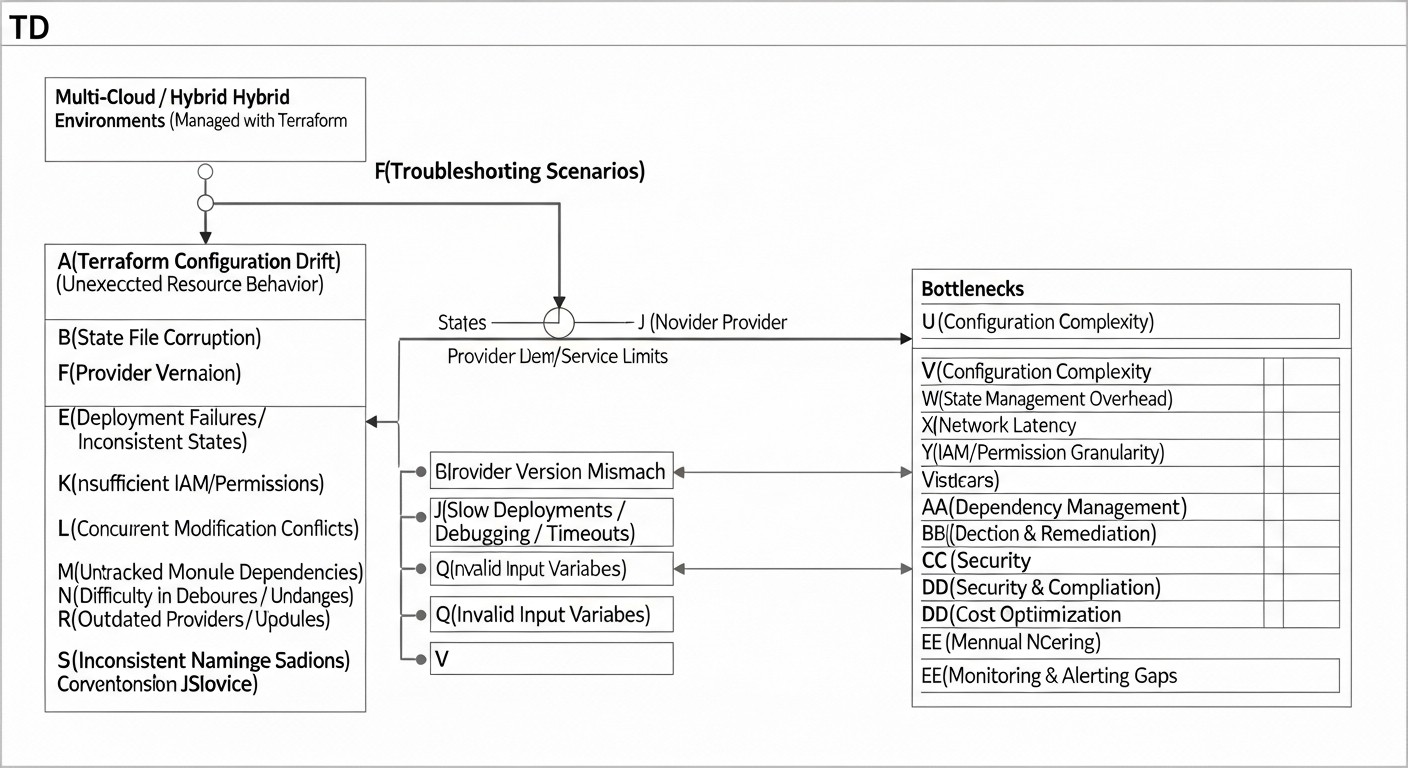 Diagram: Common Mistakes When Implementing Multi-Cloud and Hybrid Environments with Terraform
Implementing complex infrastructure solutions always involves risks. Multi-cloud and hybrid approaches, despite all their advantages, can become a source of headaches if typical mistakes are not considered. Here are the most common ones, with advice on how to prevent them.
1. Improper Terraform State Management
Mistake: Storing the .tfstate file locally, lack of state locking, using a single state file for too large or heterogeneous infrastructure.
Consequences: Conflicts when multiple engineers work in parallel, loss of state data, inability to restore infrastructure after a failure, difficulties in scaling teams.
How to avoid:
- Always use remote state storage (S3, Azure Blob, GCS, Terraform Cloud).
- Configure state locking (DynamoDB for S3, built-in mechanisms for Azure/GCS/Terraform Cloud).
- Separate state by logical boundaries (e.g., separate state for network, databases, Kubernetes cluster). Use Terragrunt or modules to manage multiple small state files.
- Regularly back up the state (most remote backends do this automatically, but verify).
2. Ignoring Security and Secrets Management
Mistake: Hardcoding passwords, API keys, tokens in HCL code or Terraform variables. Lack of proper access management to Terraform state.
Consequences: Leak of confidential data, unauthorized access to infrastructure, system compromise, violation of security and compliance requirements.
How to avoid:
- Use specialized secret management systems (Vault, AWS Secrets Manager, Azure Key Vault, Google Secret Manager).
- Pass secrets to Terraform via environment variables or dynamically retrieve them from secret management systems.
- Restrict access to Terraform state files (via IAM policies for cloud storage, RBAC for Terraform Cloud).
- Implement the principle of least privilege for accounts used by Terraform.
3. Underestimating Network Integration Complexity
Mistake: Improper IP address planning, failure to account for inter-cloud traffic and latencies, ignoring routing issues between clouds and on-premises.
Consequences: Communication problems between services, high egress traffic costs, low application performance, difficulties in troubleshooting.
How to avoid:
- Carefully plan CIDR blocks for each cloud and on-premises, avoid overlaps.
- Use private connections (VPN, Direct Connect/ExpressRoute/Cloud Interconnect) for critical inter-cloud/hybrid traffic.
- Optimize routing: use Transit Gateway, Virtual WAN, or similar solutions for centralized network management.
- Regularly monitor network traffic and latencies.
4. Absence or Improper Use of Terraform Modules
Mistake: Copying and pasting Terraform code, creating monolithic configurations, lack of abstraction for reusable resources.
Consequences: Code duplication, difficulties in maintenance and updates, high risk of errors, slow deployment, infrastructure inconsistency across environments.
How to avoid:
- Create modules for any repeating infrastructure blocks (VPC, Kubernetes cluster, database, security group).
- Make modules as flexible as possible through variables, but with sensible default values.
- Use a module registry (public or private) for centralized storage and version management.
- Follow DRY principles.
5. Lack of CI/CD for Terraform
Mistake: Manual execution of terraform apply from an engineer's local machine, lack of infrastructure change review.
Consequences: Human errors, environment inconsistency, lack of change audit, slow deployment, inability to roll back to a previous version.
How to avoid:
- Implement a CI/CD pipeline for each Terraform repository.
- Automate
terraform plan at the Pull Request/Merge Request stage.
- Require approval for
terraform apply, especially for production environments.
- Use specialized tools for a GitOps approach to Terraform, such as Atlantis or integration with Terraform Cloud/Enterprise.
- Ensure that CI/CD agents have the necessary access rights and use secure authentication methods.
6. Neglecting Inter-Cloud Costs and Economics
Mistake: Focusing only on compute resource costs, ignoring costs for egress traffic, managed services, licenses, and operational expenses for maintaining a complex environment.
Consequences: Unexpectedly high cloud service bills, budget overruns, reduced project profitability, difficulties in justifying multi-cloud investments.
How to avoid:
- Conduct a thorough TCO analysis for each scenario, including all components: compute, storage, network, managed services, licenses, support.
- Pay special attention to the cost of egress traffic between clouds — this can be a significant expense.
- Use cloud tools for cost monitoring and budgeting.
- Implement policies for automatically shutting down unused resources (e.g., dev environments during off-hours).
- Regularly review and optimize your cloud spending.
FAQ (Frequently Asked Questions)
Q1: Is it mandatory to use Terraform for multi-cloud/hybrid?
A1: Strictly speaking, no. You can use CloudFormation, ARM Templates, Cloud Deployment Manager, or even manual scripts. However, Terraform is the de facto standard for IaC in a multi-cloud environment due to its versatility and support for a vast number of providers. It provides a unified language for describing infrastructure, which significantly reduces complexity and accelerates deployment.
Q2: How difficult is it to migrate existing infrastructure to Terraform?
A2: This can be a quite laborious process, especially for large and complex systems. Terraform provides the terraform import command, which allows you to import existing resources into the Terraform state. However, after importing, you will still need to manually write HCL code corresponding to the imported resources. It is recommended to start with new projects or small, isolated components.
Q3: How to manage secrets in Terraform without hardcoding them?
A3: Never hardcode secrets. Use specialized secret management systems such as HashiCorp Vault, AWS Secrets Manager, Azure Key Vault, or Google Secret Manager. Terraform can dynamically retrieve secrets from these systems during runtime, or they can be passed via CI/CD pipeline environment variables. It is important that access to these systems is also strictly controlled.
Q4: Can one Terraform state file be used for the entire multi-cloud infrastructure?
A4: Absolutely not recommended. A single state file for the entire infrastructure will lead to enormous sizes, slow performance, frequent conflicts during collaborative work, and a high risk of errors. The best practice is to separate the state by logical boundaries: by clouds, by regions, by environments (dev/prod), by components (network, K8s, DB). Terragrunt is very helpful in this regard.
Q5: How to ensure configuration consistency between different clouds?
A5: The main way is to use Terraform modules. Create modules that abstract provider specifics and allow you to define common logic (e.g., "create VPC", "deploy K8s cluster"). These modules can then be called with different parameters for each cloud. Tools like Terragrunt also help by allowing module code reuse with minimal duplication.
Q6: What is "data gravity" and how does it affect strategy choice?
A6: Data gravity is a concept where large volumes of data attract applications and services to themselves, because moving this data between different locations (e.g., between clouds or on-premises) is expensive, slow, and complex. If you have massive databases that cannot be easily replicated or moved, they may dictate where your primary workload will be hosted, often leading to hybrid scenarios.
Q7: What are the risks associated with using multi-cloud?
A7: The main risks include: increased operational complexity, potentially higher costs (especially for egress traffic and tools), difficulty in ensuring unified security and compliance, and the need for a highly skilled team. However, these risks can be minimized with careful planning and the use of appropriate tools, such as Terraform.
Q8: How does Terraform help manage Kubernetes in a multi-cloud environment?
A8: Terraform can deploy Kubernetes clusters themselves (EKS, AKS, GKE) using the respective cloud providers. Then, using the Kubernetes provider, Terraform can manage basic resources within the cluster (namespaces, service accounts, CRD, ingress controllers). This allows for unifying the deployment of clusters and their core components, ensuring consistency across different clouds.
Q9: What is "Infrastructure as Code Drift" and how to prevent it?
A9: IaC Drift (Infrastructure as Code Drift) is a situation where the actual state of the infrastructure differs from what is described in your IaC code (Terraform). This occurs due to manual changes made outside of Terraform. It can be prevented by establishing strict policies (e.g., via IAM) that prohibit manual changes, and by using CI/CD pipelines that ensure all changes go through Terraform. Regular terraform plan executions also help detect drift.
Q10: How to manage Terraform code and provider versions?
A10: Always use a version control system (Git) for your Terraform code. In the versions.tf file (or main.tf), explicitly specify the required versions of Terraform Core and each provider. For example, required_version = "~> 1.5" and version = "~> 4.0" for the provider. This prevents unexpected changes in behavior during updates and ensures reproducibility of deployments.