Automating Secure Secret Management with HashiCorp Vault for DevOps Teams on VPS and in the Cloud
TL;DR
- HashiCorp Vault is the gold standard for centralized secret, identity, and encryption management in distributed systems, critically important for the security of DevOps pipelines in 2026.
- Solves "Secret Sprawl" problems: Eliminates storing secrets in code, configuration files, environment variables, and other insecure locations, reducing risks of leaks and unauthorized access.
- Flexible authentication and authorization methods: Supports AppRole, Kubernetes, AWS IAM, Azure AD, GCP IAM, LDAP/AD, and others, ensuring the principle of Least Privilege.
- Dynamic secrets for enhanced security: Vault can generate "on-the-fly" secrets with limited lifespans for databases, cloud providers, SSH, Kafka, radically reducing the attack surface.
- Deployment options from VPS to Enterprise-grade: Works effectively both on a single VPS for a startup and in highly available clusters in any cloud, including Kubernetes, considering scalability and fault tolerance requirements.
- Reduces operational costs and risks: Automating secret lifecycle management, rotation, auditing, and revocation simplifies compliance and reduces manual labor, preventing human errors.
- Key element of a Zero Trust strategy: Vault is the foundation for implementing a "zero trust" model, ensuring that every request for secret access is thoroughly verified and authorized.
Introduction
In the context of rapid digitalization and the widespread transition to microservice architecture, containerization, and cloud platforms, secret management has become one of the most critical and simultaneously complex tasks for any technical team. Database passwords, API keys, access tokens, certificates, encryption keys – all these "secrets" are the lifeblood of modern information systems. Their leakage or unauthorized access can lead to catastrophic consequences: from financial losses and data privacy breaches to a complete erosion of customer trust and regulatory fines.
By 2026, security threats have evolved, and traditional approaches such as storing secrets in configuration files, environment variables, or, even worse, directly in code, are not just outdated but criminally dangerous. These methods do not provide the necessary level of protection, auditing, rotation, and access control, making systems vulnerable to insider threats, cyberattacks, and accidental leaks. This is where HashiCorp Vault enters the scene – a powerful, flexible, and scalable solution for centralized secret management.
This article is dedicated to automating secure secret management with HashiCorp Vault, covering deployment scenarios both on Virtual Private Servers (VPS) and in large-scale cloud infrastructures. We will analyze why Vault is the de facto standard in the industry, how it helps DevOps teams build more secure and automated pipelines, and what benefits it brings to SaaS project founders and startup CTOs striving for compliance and risk minimization.
The goal of this guide is to provide comprehensive information, practical advice, and real-world use cases for our target audience: DevOps engineers, Backend developers (Python, Node.js, Go, PHP), SaaS project founders, system administrators, and startup CTOs. We will show how Vault can become a cornerstone of your security strategy, ensuring not only the protection of secrets but also significantly simplifying their lifecycle, making your infrastructure more resilient and compliant.
By the end of this reading, you will gain a deep understanding of Vault's architecture, learn how to deploy, configure, and integrate it into existing workflows, and be able to apply best practices to ensure maximum security for your secrets. We will avoid marketing bullshit, focusing solely on technical details, concrete examples, and time-tested solutions relevant for 2026.
Key Criteria and Factors for Choosing a Secret Management Solution
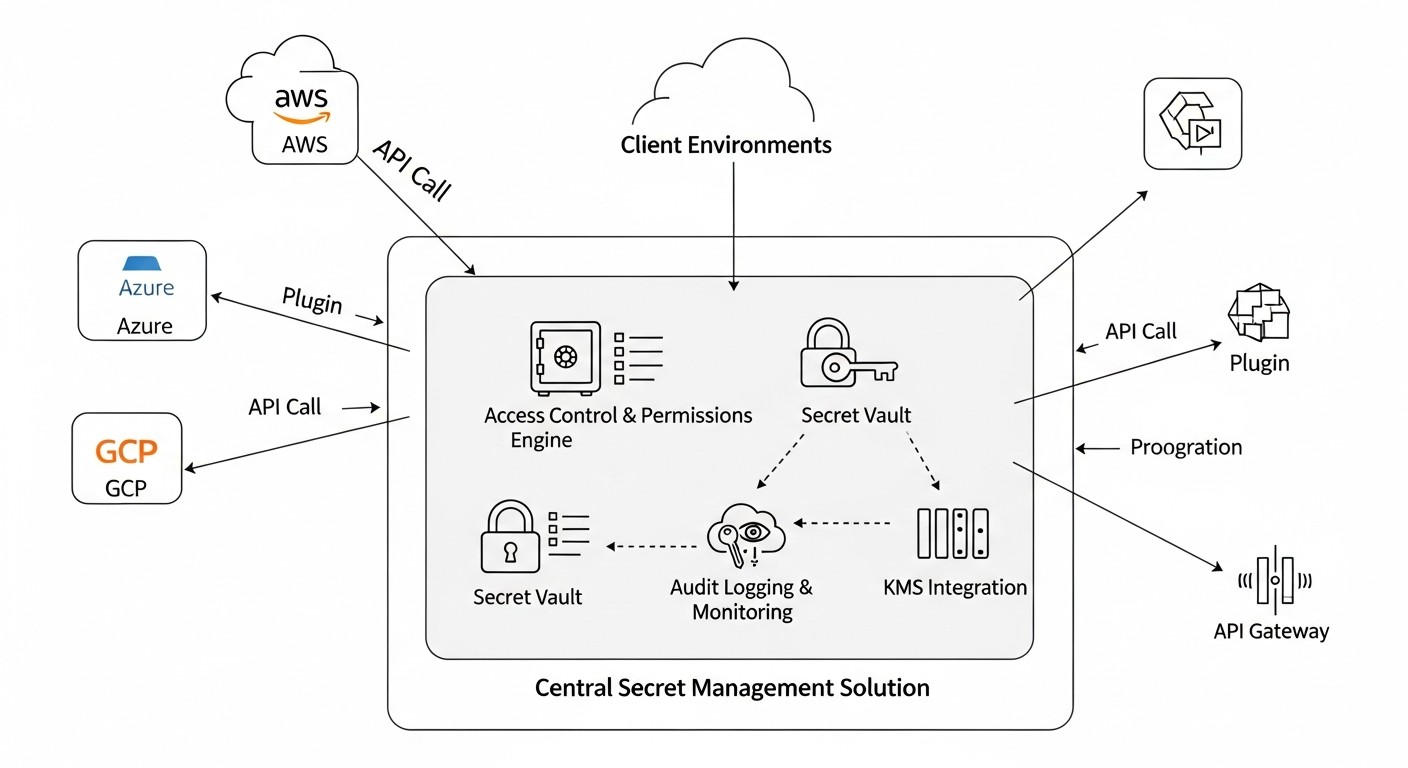 Diagram: Key Criteria and Factors for Choosing a Secret Management Solution
Choosing the right secret management solution is a strategic decision that directly impacts your organization's security, operational efficiency, and regulatory compliance. By 2026, evaluation criteria have become even more stringent, considering the increasing complexity of architectures and the intensification of cyber threats. Below are the key factors to consider when selecting and implementing a secret management system, and why each is critically important.
1. Security & Trust Model
This criterion is the cornerstone. The solution must ensure that secrets are stored encrypted (at rest) and transmitted over secure channels (in transit). Key aspects include the use of strong encryption algorithms, protection against brute-force attacks, memory dump protection, and a "Seal/Unseal" mechanism to protect against unauthorized access to data on disk. The trust model should be minimal: the fewer components or people trust each other, the better. Vault, with its approach to "unsealing" using Shamir's Secret Sharing or Auto Unseal, demonstrates a high level of security, requiring multiple keys to access the master encryption key or automating this process through a trusted KMS.
2. Granular Access Control
The system must allow defining access policies with a high degree of granularity: who, to which secrets, with what rights (read, write, update, delete), and under what conditions (e.g., only from a specific IP range or only at a specific time) can access. Support for the Least Privilege principle is mandatory. Vault uses ACL-like policies that allow very fine-grained control over access to secret paths, as well as to Vault's own functions, which is critically important for maintaining security in complex multi-team environments.
3. Audit & Logging
The ability to track all operations with secrets – who, when, and which secret was accessed – is a mandatory requirement for compliance (HIPAA, PCI DSS, GDPR) and for investigating security incidents. Logs must be immutable, securely stored, and easily accessible for analysis. Vault provides detailed audit logs that record all requests and responses, allowing security teams to accurately see what is happening with secrets in their infrastructure and to respond promptly to suspicious activity.
4. Dynamic Secrets & Rotation
This is one of the most powerful features of modern secret management systems. Instead of static, long-lived secrets, the system should be able to generate "on-the-fly" secrets with a limited Time-to-Live (TTL) for databases, cloud providers, SSH keys, etc. Upon expiration, these secrets are automatically revoked or rotated. This significantly reduces the attack surface and the consequences in case of compromise. Vault is a leader in this area, offering a wide range of dynamic secret engines that automatically manage credentials, freeing developers from the need for manual rotation.
5. Integration & Extensibility
The solution must easily integrate with existing authentication systems (LDAP, Active Directory, OAuth/OIDC, cloud IAMs), CI/CD tools, container orchestrators (Kubernetes, Nomad), monitoring systems, and other services. An open API and the availability of SDKs for various programming languages are important indicators of good integration. Vault has an extensive ecosystem of plugins and APIs, making it extremely flexible and allowing it to be easily embedded into virtually any infrastructure, be it traditional VPS or modern cloud platforms.
6. High Availability & Scalability
For mission-critical systems, secret management should not be a single point of failure. The solution must support clustered configurations, automatic failover, and horizontal scaling to handle growing loads. Vault supports various storage backends (Integrated Storage, Consul, S3, Azure Blob Storage, Google Cloud Storage) and can be deployed in a highly available mode with automatic leader election, ensuring continuous operation even if individual nodes fail.
7. Usability & Automation
The system should be intuitive for developers and operators, offering both a CLI and an API for automating all operations. Support for Infrastructure as Code (IaC) through tools like Terraform, Ansible, Pulumi, is a big plus. Vault comes with a powerful CLI, a well-documented HTTP API, and official Terraform providers, allowing for full automation of its configuration and secret management, reducing manual labor and the likelihood of errors.
8. Cloud & On-Premises Compatibility
The ability to operate in both public clouds (AWS, Azure, GCP) and private data centers or on VPS is critically important for hybrid and multi-cloud strategies. The solution should be "cloud-agnostic" or offer native integrations with cloud services. Vault is designed with these requirements in mind, providing authentication mechanisms and storage backends specific to each cloud, as well as the ability to deploy on any Linux-compatible VPS.
9. Cost & TCO
In addition to the direct cost of licenses (if applicable), operational expenses must be considered: infrastructure costs, support, staff training, and hidden costs associated with downtime or security incidents. While Vault is open source, its Enterprise version offers extended features. It is important to evaluate the Total Cost of Ownership (TCO), including infrastructure costs for HA deployment, which can be substantial in the cloud.
Making a decision based on these criteria will allow your team to select and implement a secret management system that not only meets current needs but also scales with your infrastructure and security requirements in the long term.
Comparison Table of Secret Management Solutions
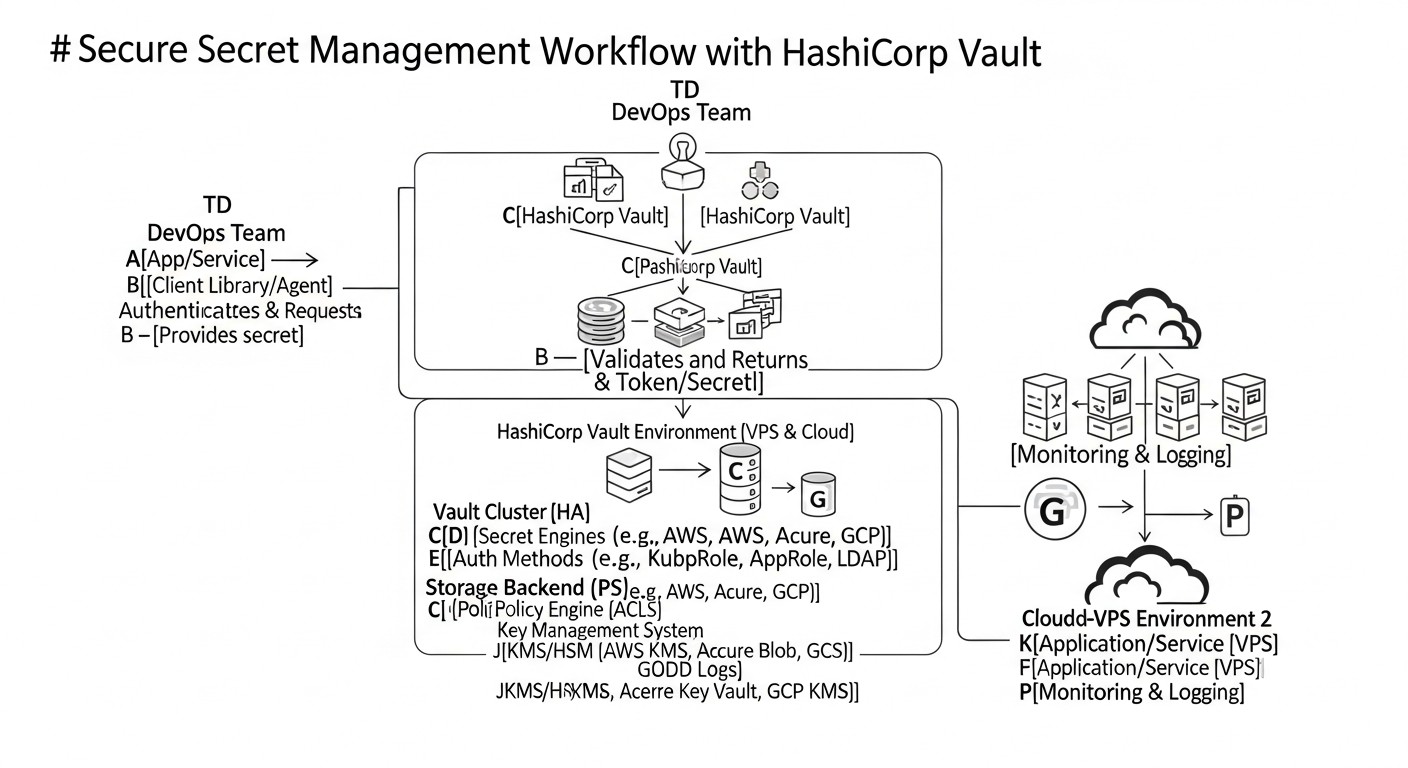 Diagram: Comparison Table of Secret Management Solutions
Choosing the optimal secret management solution in 2026 involves analyzing available options based on their capabilities, cost, deployment complexity, and relevance to modern DevOps practices. Below is a comparison table including HashiCorp Vault and several other popular or cloud solutions, with an emphasis on data and characteristics relevant to 2026.
Note that prices and specific features may vary depending on the provider, region, and support level. Pricing data is estimated and provided for general understanding of cost ranges.
| Criterion |
HashiCorp Vault (OSS/Enterprise) |
AWS Secrets Manager |
Azure Key Vault |
Google Secret Manager |
CyberArk Conjur/PAM |
GitLab/GitHub Secret Scanning/Variables |
| Solution Type |
Universal platform for secret, identity, and encryption management. |
AWS cloud service. |
Azure cloud service. |
GCP cloud service. |
Comprehensive PAM/Secret Management solution. |
Built-in CI/CD features for storing env variables and secret scanning. |
| Deployment |
Self-hosted (VPS, On-prem, K8s), Cloud-hosted (HCP Vault). |
Fully managed service in AWS. |
Fully managed service in Azure. |
Fully managed service in GCP. |
Self-hosted (On-prem, K8s), Cloud-hosted. |
SaaS, integrated with GitLab/GitHub. |
| Dynamic Secrets |
Yes (DB, AWS, Azure, GCP, K8s, SSH, Kafka, etc.). Broadest support. |
Yes (DB, Redshift, DocumentDB, RDS). Limited to AWS services. |
Limited (e.g., SQL Database). Requires custom logic for most. |
Limited (e.g., SQL Database). Requires custom logic for most. |
Yes (DB, SSH, Windows, Mainframe). Deep integration with enterprise systems. |
No. Only static variables. |
| Authentication |
AppRole, K8s, AWS IAM, Azure AD, GCP IAM, LDAP/AD, Okta, JWT/OIDC, GitHub. |
AWS IAM. |
Azure AD. |
GCP IAM. |
AD/LDAP, SAML, OIDC, K8s, Host-based. |
GitLab/GitHub users. |
| Access Control |
Granular policies (ACL) by paths, methods, parameters. |
AWS IAM policies. |
Azure RBAC. |
GCP IAM policies. |
Role-based model, AAM policies. |
Roles in GitLab/GitHub projects/groups. |
| Audit & Logging |
Full audit of all operations, configurable audit backends. |
CloudTrail, CloudWatch Logs. |
Azure Monitor, Log Analytics. |
Cloud Audit Logs. |
Detailed activity logs. |
CI/CD action logs. |
| Automatic Rotation |
Yes (for dynamic secrets). Automatic rotation of static secrets via KV v2 engine. |
Yes (for supported AWS services). |
Limited, requires Azure functions. |
Limited, requires GCP functions. |
Yes, comprehensive rotation. |
No. |
| High Availability (HA) |
Yes (with Consul, Integrated Storage, cloud storage). Active/Standby. |
Built into the service. |
Built into the service. |
Built into the service. |
Yes. |
Built into SaaS. |
| Scalability |
High, cluster architecture. |
High, managed service. |
High, managed service. |
High, managed service. |
High. |
High. |
| Price (estimated 2026) |
OSS: $0 (infrastructure + support). Enterprise: from $2000/month (depends on volume). HCP Vault: from $0.05/hour. |
~ $0.40/secret/month + $0.05/10k API calls. |
~ $0.03/10k transactions. Certificates and keys are more expensive. |
~ $0.06/10k API calls. |
High (Enterprise-grade, from $5000/month). |
Included in GitLab/GitHub plans (from Free to Enterprise). |
| Deployment Complexity |
Medium (OSS) to Low (HCP Vault). Requires expertise for HA. |
Very low. |
Very low. |
Very low. |
High. |
Very low. |
| Multi-Cloud/Hybrid Compatibility |
Excellent, designed for this. |
AWS only. |
Azure only. |
GCP only. |
Good. |
N/A. |
| Certificate Management |
Yes (PKI Secret Engine, ACME). |
Yes (via ACM, integration). |
Yes. |
No (via CA Service, integration). |
Yes. |
No. |
Detailed Review of HashiCorp Vault: Key Components and Scenarios
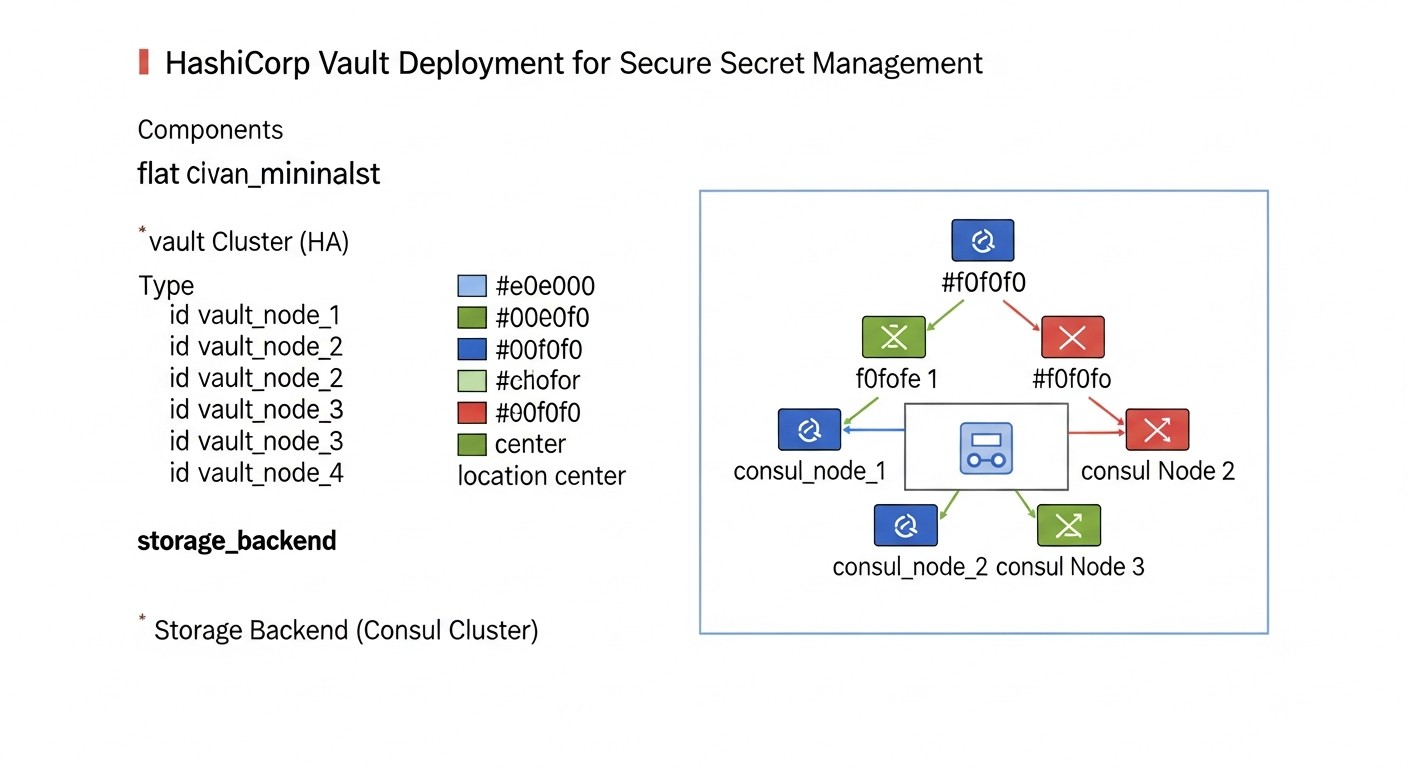 Diagram: Detailed Review of HashiCorp Vault: Key Components and Scenarios
HashiCorp Vault is not just a password store; it's a comprehensive platform for managing secrets, identities, and encryption. Its modular architecture allows for flexible adaptation to diverse security requirements and infrastructure scenarios. To truly understand Vault's power, it's essential to examine its key components and how they are used.
1. HashiCorp Vault Architecture and Deployment
Vault is designed as a centralized service that can be deployed in various configurations, from a standalone instance on a VPS to a highly available cluster in the cloud or Kubernetes. The core component of Vault is the server, which processes requests, applies policies, and manages secrets. For its operation, the Vault server requires a Storage Backend and a master key protection mechanism (Seal/Unseal). Deployment options:
-
Standalone VPS Deployment
For small teams or startups with limited budgets, Vault can be deployed on a single VPS. In this case, the built-in storage backend (Integrated Storage) or a file backend is often used. This is the simplest way to get started with Vault, but it does not provide high availability. If the VPS goes down, Vault will be unavailable until it is restored. Nevertheless, for development, testing, or for critical but not highly loaded services, this can be an acceptable compromise. It is important to configure automatic backup of Vault data to avoid losing secrets. By 2026, even on a VPS, it is recommended to use Auto Unseal with a cloud KMS (e.g., AWS KMS, Azure Key Vault, GCP KMS) to enhance master key security.
Pros: Low infrastructure cost, easy installation. Cons: Single point of failure, manual "unsealing" on restart (without Auto Unseal), limited scalability. Suitable for: Small projects, early-stage startups, test environments, solo developers.
-
High Availability Cluster
For production environments and mission-critical applications, Vault is deployed in a clustered configuration. This involves multiple Vault instances operating in Active/Standby mode. One instance is the leader (Active), handling all requests, while the others (Standby) synchronize data and are ready to take over the leader role in case of failure. HA requires a shared storage backend, such as Consul (a traditional choice), or the built-in Integrated Storage backend (recommended for new deployments with Vault 1.4+), as well as cloud storage (S3, Azure Blob Storage, GCS). Integrated Storage simplifies deployment as it does not require an external Consul cluster, but still requires 3 or 5 Vault nodes for quorum.
Pros: High availability, fault tolerance, automatic failover, horizontal scalability. Cons: More complex setup and management, increased infrastructure requirements. Suitable for: Production environments, large SaaS projects, companies with high uptime and security requirements.
-
Vault on Kubernetes
Vault integrates perfectly with Kubernetes. It can be deployed as a set of pods within a Kubernetes cluster, using StatefulSets for HA and Persistent Volumes for data storage (or cloud backends). HashiCorp also provides Helm charts to simplify deployment. In Kubernetes, Vault often uses the Kubernetes Auth Method for pod authentication and Integrated Storage or Consul for storage. This allows Vault to be used as a native part of the cloud infrastructure, providing seamless secret management for microservices.
Pros: Integration with the Kubernetes ecosystem, automated deployment and management, high availability. Cons: Requires understanding of Kubernetes, potentially higher infrastructure overhead. Suitable for: Teams actively using Kubernetes, cloud-native applications.
-
HashiCorp Cloud Platform (HCP) Vault
By 2026, HCP Vault is becoming an increasingly popular choice. It is a fully managed Vault service from HashiCorp, available on AWS, Azure, and GCP. HCP Vault takes care of all operational concerns related to Vault deployment, scaling, upgrades, and high availability, allowing teams to focus on usage rather than management. This is an ideal solution for teams who want all the benefits of Vault without the operational burden.
Pros: Fully managed, low operational burden, high availability out-of-the-box, integration with cloud KMS for Auto Unseal. Cons: Higher cost than self-hosted OSS, less control over low-level infrastructure. Suitable for: SaaS projects, startups, large companies preferring managed services where operational simplicity outweighs absolute control.
2. Secret Engines
Secret engines are modules in Vault responsible for storing, generating, and managing various types of secrets. They are the foundation of Vault's flexibility.
-
KV Secret Engine (Key-Value)
The simplest and most frequently used engine. Allows storing arbitrary key-value pairs. There are two versions: KV v1 (without versioning) and KV v2 (with versioning, rollback capability, soft delete). KV v2 is recommended for most use cases as it provides change history and the ability to recover deleted secrets. It is ideal for storing static secrets such as third-party API keys, configuration parameters, tokens. For security, even static secrets in KV v2 can be rotated manually or with external scripts.
Example use case: Storing an API key for a payment system that is updated quarterly. Developers retrieve it from Vault, not from an .env file.
-
Database Secret Engine
One of the most powerful engines, allowing dynamic generation of credentials for databases (MySQL, PostgreSQL, MongoDB, MSSQL, Oracle, etc.) with a limited Time-to-Live. Vault creates a temporary user with specified privileges, issues it to the application, and automatically revokes or deletes this user upon TTL expiration. This significantly reduces the risk of persistent credential leakage and simplifies rotation.
Example use case: A microservice requests temporary credentials from Vault to access PostgreSQL. These credentials are valid for 5 minutes, after which they are automatically deleted from the database.
-
AWS Secret Engine
Allows generating dynamic IAM users and roles with limited privileges and lifespans. Applications can request temporary AWS credentials (Access Key ID and Secret Access Key) from Vault, which are automatically revoked upon TTL expiration. This prevents hardcoding long-lived AWS keys in applications or CI/CD pipelines.
Example use case: A CI/CD pipeline for deploying to AWS requests temporary IAM credentials from Vault with a policy allowing only deployment to an S3 bucket with a specific prefix.
-
Kubernetes Secret Engine
Integration with Kubernetes allows pods to retrieve secrets using their Service Account tokens for authentication with Vault. Vault can generate dynamic secrets or provide access to static secrets based on Kubernetes roles. This provides "pod-level" identity and allows each microservice to obtain only the secrets it is authorized to access.
Example use case: A microservice in Kubernetes authenticates with Vault using its Service Account and retrieves a key to access external storage, which is valid for the lifespan of the pod.
-
SSH Secret Engine
Manages SSH keys and access. Vault can act as an SSH Certificate Authority, issuing temporary certificates for server access, or as a bastion host, proxying SSH sessions. This eliminates the distribution of persistent SSH keys and centralizes access management to infrastructure.
Example use case: An engineer requests a temporary SSH certificate from Vault to access a production server for 1 hour. Access is logged and automatically revoked.
-
PKI Secret Engine
Allows Vault to act as a Certificate Authority (CA) for issuing and managing TLS certificates. Applications can request temporary certificates from Vault for mutual TLS authentication (mTLS), which is critically important for implementing Zero Trust architectures. Vault can generate both root and intermediate CAs, as well as end-entity certificates.
Example use case: A microservice requests a TLS certificate from Vault for its HTTPS interface, which is automatically renewed by Vault as it approaches expiration.
3. Authentication Methods
Authentication methods allow users and applications to securely prove their identity to Vault. Vault supports a wide range of methods:
-
AppRole Auth Method
AppRole is one of the most versatile and secure authentication methods for applications. It is based on two components: RoleID (role identifier) and SecretID (secret identifier). The RoleID can be obtained by the application from configuration or an environment variable, while the SecretID must be obtained more securely (e.g., from another secret already stored in Vault, or passed through a trusted channel). This provides "two-factor" authentication for applications, where the leakage of one component does not lead to compromise. AppRole is ideal for CI/CD systems, VMs, and containers where automatic authentication is required.
Example use case: A CI/CD agent retrieves its RoleID from its configuration file and SecretID from a cloud KMS (e.g., AWS KMS) at startup. These two components are used to authenticate with Vault and obtain a temporary token.
-
Kubernetes Auth Method
Allows pods in Kubernetes to authenticate with Vault using their Service Account tokens. Vault verifies the token's validity via the Kubernetes API, and if the token is valid and matches the configured role, it issues a Vault token. This provides native integration with Kubernetes and allows each pod to have a unique, short-lived identity for accessing secrets.
Example use case: A microservice running in a Kubernetes pod reads its Service Account token from a file, sends it to Vault via API, receives a Vault token, and uses it to request secrets.
-
AWS IAM Auth Method
Allows AWS entities (IAM users, roles, EC2 instances) to authenticate with Vault using their AWS credentials or metadata. Vault verifies the authenticity of the request via AWS STS (Security Token Service) or the EC2 Instance Metadata Service. This is an ideal method for applications running on EC2, ECS, EKS, as it leverages existing AWS identity.
Example use case: An application running on an EC2 instance with a specific IAM role sends an authentication request to Vault. Vault verifies that the request came from a trusted IAM role and issues a Vault token.
-
LDAP/Active Directory Auth Method
Allows users to authenticate with Vault using their corporate credentials from LDAP or Active Directory. This simplifies access management for humans, as it eliminates the need to create separate accounts in Vault. Vault can map LDAP/AD groups to Vault policies.
Example use case: A DevOps engineer logs into the Vault CLI using their corporate username and password. Vault verifies them through Active Directory and issues a token with appropriate policies.
-
JWT/OIDC Auth Method
Allows Vault to integrate with OpenID Connect (OIDC) or JSON Web Token (JWT) providers such as Okta, Auth0, Keycloak, or even GitHub Actions (with their OIDC provider). This provides unified authentication for users and systems using modern identity standards.
Example use case: A developer logs into the Vault UI via Okta using their SSO. Okta issues a JWT token, which Vault validates and issues a Vault token.
Understanding these key components – architecture, secret engines, and authentication methods – is fundamental to effectively using HashiCorp Vault. The correct selection and configuration of these elements enable the construction of reliable, secure, and automated secret management systems that meet the highest security standards of 2026.
Practical Tips and Recommendations for Implementing Vault
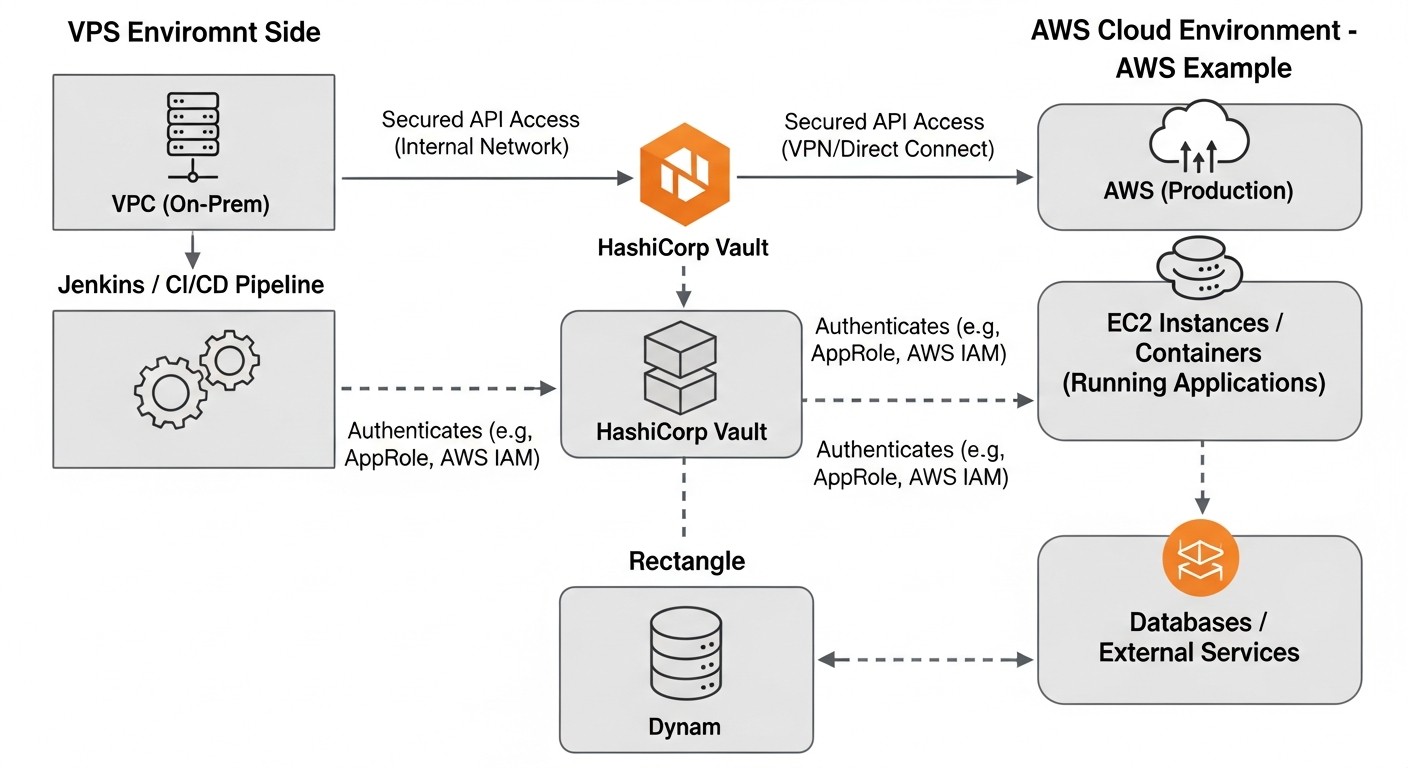 Diagram: Practical Tips and Recommendations for Implementing Vault
Implementing HashiCorp Vault requires careful planning and a phased approach. These practical tips will help DevOps teams and developers avoid common pitfalls and maximize Vault's capabilities.
1. Choosing a Deployment Strategy and Storage Backend
Before starting the installation, decide on your deployment strategy. For production environments, always choose a highly available cluster. It is recommended to use Integrated Storage (starting with Vault 1.4+), as it simplifies the architecture by not requiring a separate Consul cluster. If you are operating in the cloud, consider HCP Vault to minimize operational overhead.
# Example Vault configuration for Integrated Storage (server.hcl)
storage "raft" {
  path    = "/vault/data"
  node_id = "vault-server-1" # Unique ID for each node
}

listener "tcp" {
  address     = "0.0.0.0:8200"
  tls_disable = "true" # Use TLS in production
}

api_addr  = "http://127.0.0.1:8200" # Replace with public address/DNS
cluster_addr = "http://127.0.0.1:8201" # For cluster communication

# For Auto Unseal (example with AWS KMS)
seal "awskms" {
  region     = "us-east-1"
  kms_key_id = "arn:aws:kms:us-east-1:123456789012:key/your-kms-key-id"
}
Tip: Always use TLS for communication with Vault in production. Generate certificates using Vault's own PKI Secret Engine or use Let's Encrypt.
2. Automating Unsealing (Auto Unseal)
Manually unsealing Vault with Shamir's Secret Sharing is a secure but labor-intensive process. In production, always use Auto Unseal with a cloud KMS (AWS KMS, Azure Key Vault, GCP KMS) or HSM. This not only simplifies operations but also enhances security, as Vault's master encryption key is never stored in plain text.
# Example command to initialize Vault with Auto Unseal specified
vault operator init -key-shares=1 -key-threshold=1 -recovery-shares=1 -recovery-threshold=1 -format=json > vault_init_keys.json

# In production, do not specify -key-shares=1, use higher values and store keys securely.
# When using Auto Unseal, Unseal keys are not generated.
# Instead, Recovery Keys are generated for recovery.
Tip: Recovery Keys should be stored in strict isolation, preferably by different, trusted individuals, and used only in emergency situations.
3. Using the AppRole Authentication Method for Applications
AppRole is the gold standard for authenticating applications with Vault. It is flexible and secure. Create roles for each application or microservice.
# Enable AppRole
vault auth enable approle

# Create an AppRole for the 'backend-api' application
vault write auth/approle/role/backend-api \
    token_ttl=1h \
    token_max_ttl=24h \
    bind_secret_id=true \
    secret_id_num_uses=1 \
    secret_id_ttl=5m \
    policies="backend-api-policy"

# Read RoleID
vault read auth/approle/role/backend-api/role-id

# Generate SecretID (for CI/CD or secure delivery)
vault write -f auth/approle/role/backend-api/secret-id
Tip: Never store SecretID next to RoleID. Use secure mechanisms for SecretID delivery (e.g., via one-time tokens, cloud KMS, or via Vault Agent Auto-Auth).
4. Implementing Dynamic Secrets
Maximize the use of dynamic secrets for databases, cloud providers, and SSH. This radically enhances security, as secrets have a short lifespan and are automatically revoked.
# Enable PostgreSQL secret engine
vault secrets enable database

# Configure connection to PostgreSQL
vault write database/config/postgresql \
    plugin_name="postgresql-database-plugin" \
    connection_url="postgresql://{{username}}:{{password}}@localhost:5432/mydb?sslmode=disable" \
    allowed_roles="my-app-role" \
    username="vault_admin" \
    password="super_secret_password" # These are temporary admin credentials for Vault

# Create a role for the application that will generate credentials
vault write database/roles/my-app-role \
    db_name="postgresql" \
    creation_statements="CREATE ROLE \"{{name}}\" WITH LOGIN PASSWORD '{{password}}' VALID UNTIL '{{expiration}}'; \
                         GRANT SELECT ON ALL TABLES IN SCHEMA public TO \"{{name}}\";" \
    default_ttl="1h" \
    max_ttl="24h"

# Application requests credentials
# vault read database/creds/my-app-role
Tip: Start with the Database Secret Engine. It provides the greatest gain in security and operational simplicity.
5. Developing Strict Access Policies (ACL Policies)
Apply the principle of least privilege. Each policy should grant access only to necessary secrets and operations. Use paths to organize secrets by projects, environments, types.
# policy.hcl for backend-api
path "secret/data/production/backend-api/*" {
  capabilities = ["read"]
}

path "database/creds/backend-api-db-role" {
  capabilities = ["read"]
}

# Apply policy
vault policy write backend-api-policy policy.hcl
Tip: Regularly review and audit policies to ensure they remain current and do not grant excessive rights.
6. Integration with CI/CD Pipelines
Use Vault for secure secret delivery in CI/CD. Instead of storing secrets in GitLab CI/CD variables or GitHub Actions Secrets, use Vault for their dynamic generation or retrieval. Integrate Vault with CI/CD via AppRole or Kubernetes Auth (if CI/CD runs in K8s) or JWT/OIDC (for GitHub Actions, GitLab CI).
# Example step in GitLab CI/CD to retrieve a secret from Vault
# Assuming AppRole RoleID and SecretID are securely available in the CI/CD Runner
# (e.g., SecretID obtained via cloud KMS or Vault Agent)

# export VAULT_ADDR="https://vault.yourdomain.com"
# export VAULT_ROLE_ID="your_role_id"
# export VAULT_SECRET_ID="your_secret_id"

# vault login -method=approle role_id=$VAULT_ROLE_ID secret_id=$VAULT_SECRET_ID

# export DB_PASSWORD=$(vault read -field=password database/creds/my-app-role)

# echo "Deploying application with DB_PASSWORD=$DB_PASSWORD"
Tip: Use Vault Agent for automatic authentication and rendering secrets into files or environment variables. This simplifies integration and makes it more reliable.
7. Monitoring and Auditing
Set up monitoring for Vault's health (availability, performance, number of requests) using Prometheus and Grafana. Integrate Vault's audit logs with your centralized logging system (ELK, Splunk, Graylog) for continuous analysis and anomaly detection.
# Example Vault audit backend configuration (for file output)
audit "file" {
  path = "/var/log/vault_audit.log"
  log_requests = true
  log_responses = true
}
Tip: Regularly review audit logs. Automate alerts for critical events, such as failed login attempts or access to sensitive paths.
8. Backup and Recovery
Regularly back up Vault data. For Integrated Storage, use the vault operator raft snapshot save command. For other backends, follow their specific recommendations. Test recovery procedures to ensure they are functional.
# Creating an Integrated Storage snapshot
vault operator raft snapshot save /tmp/vault_snapshot_$(date +%F_%H-%M-%S).snap

# Restoring from a snapshot (on a new/empty cluster)
# vault operator raft snapshot restore /tmp/vault_snapshot.snap
Tip: Store snapshots in secure, encrypted cloud storage, separate from Vault itself.
9. Team Training
Provide training for your team on using Vault, its security concepts, CLI, and API. Ensure everyone understands their role in maintaining secret security.
By following these practical tips, you can successfully implement HashiCorp Vault into your infrastructure, significantly enhancing the level of security and automation in secret management.
Common Mistakes When Working with HashiCorp Vault and How to Avoid Them
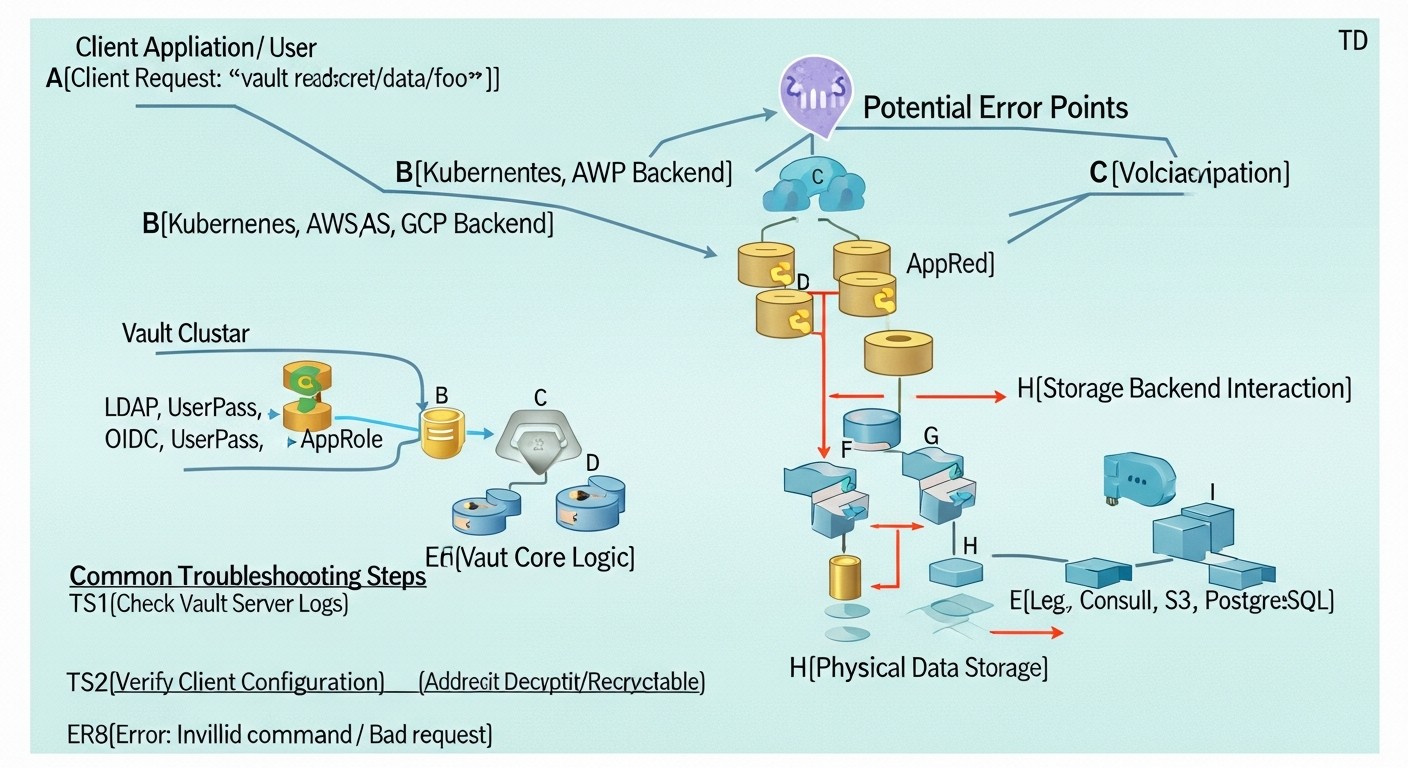 Diagram: Common Mistakes When Working with HashiCorp Vault and How to Avoid Them
HashiCorp Vault is a powerful tool, but its improper use can create new vulnerabilities instead of eliminating existing ones. Here are five common mistakes that DevOps teams and developers make when working with Vault, along with recommendations on how to prevent them.
1. Incorrect Management of Unseal / Recovery Keys
Mistake: After Vault initialization, Unseal keys (or Recovery Keys when using Auto Unseal) are printed out and stored in one place, transmitted over insecure channels, or not distributed among a sufficient number of trusted individuals. For example, one person writes all keys in a personal notebook or stores them on their computer.
Consequences: Compromise of one person or key storage location leads to full access to Vault and all its secrets. If keys are lost, Vault becomes inaccessible, leading to downtime for all dependent services and potential data loss.
How to avoid:
- Use Auto Unseal: Whenever possible, configure Auto Unseal with a cloud KMS (AWS KMS, Azure Key Vault, GCP KMS) or HSM. This eliminates the need for manual Unseal key management.
- With Shamir's Secret Sharing: Distribute Unseal keys (and Recovery Keys) among at least 3-5 trusted individuals (e.g., CTO, Lead DevOps, Lead Security Engineer). Each person should store their key in a physically secure location (e.g., a safe) and know how to use it.
- Do not transmit keys over the network: Never send Unseal/Recovery Keys via email, messengers, or shared file storage. Use secure transmission methods (e.g., in person, with a physical medium).
- Regularly test the procedure: Periodically conduct Vault "unsealing" drills involving all key holders to ensure the procedure is known and works.
2. Insufficiently Granular Access Policies (Over-privileged policies)
Mistake: Creating overly broad access policies that grant applications or users more rights than they need. For example, a policy that grants access to secret/data/* instead of secret/data/production/my-app/*, or allows writing secrets when only reading is required.
Consequences: In case of a Vault token compromise, an attacker gains access to a large volume of secrets that are not related to the compromised application. This significantly increases the attack surface and potential damage.
How to avoid:
- Principle of Least Privilege: Each policy should be as detailed as possible, granting access only to specific paths and only to necessary operations (
read, list, create, update, delete).
- Secret Segmentation: Organize secrets into logical groups (projects, environments, application types) using hierarchical paths (e.g.,
secret/data/projectX/envY/serviceZ/).
- Regular Policy Audit: Periodically review all policies and their bindings to ensure they meet current requirements and do not contain excessive rights. Use tools like Vault Policy Analyzer.
3. Incorrect Use of SecretID in AppRole
Mistake: Storing RoleID and SecretID for AppRole in the same place (e.g., in one configuration file, in one environment variable) or transmitting SecretID in plain text over the network.
Consequences: Leakage of a single file or interception of a single network packet grants an attacker full access to authenticate with Vault, bypassing AppRole protection.
How to avoid:
- Separation of RoleID and SecretID: RoleID can be relatively "public" (e.g., in application configuration), but SecretID must be protected and accessible only to the application at startup.
- One-time SecretID: Use
secret_id_num_uses=1 and secret_id_ttl for SecretID so that they are valid for only one use or a short period of time.
- Secure SecretID Delivery:
- Vault Agent Auto-Auth: Recommended method. Vault Agent can securely obtain SecretID and exchange it for a Vault token without exposing SecretID to the application.
- Cloud KMS: Using a cloud KMS to encrypt SecretID, which is decrypted by the application only at startup.
- Manual/scripted delivery via a secure channel: In extreme cases, for CI/CD, SecretID can be transmitted via an encrypted channel or injected directly into process memory.
4. Lack of Monitoring and Auditing
Mistake: Enabling Vault audit logs but lacking centralized collection, analysis, and alert configuration. Logs are simply written to a file and never reviewed.
Consequences: Security incidents can go unnoticed for extended periods. Inability to investigate leaks or unauthorized access, leading to compliance violations and loss of trust.
How to avoid:
- Centralized Log Collection: Integrate Vault audit logs with your centralized logging system (ELK Stack, Splunk, Loki/Grafana, Graylog).
- Alert Configuration: Create alert rules for critical events: failed authentication attempts, access to highly sensitive secrets, policy changes, "unsealing" operations, etc.
- Regular Analysis: Conduct regular analysis of audit logs to identify anomalies and suspicious activity.
- Log Immutability: Ensure that audit logs are protected from modification and their integrity can be verified.
5. Ignoring Secret Lifecycle and Lack of Rotation
Mistake: Storing static secrets in the KV Secret Engine without regular rotation or using long-lived dynamic secrets with large TTLs.
Consequences: The longer a secret exists without changes, the higher the probability of its compromise. If a secret leaks, it remains valid for a long time, providing an attacker with persistent access. This undermines the "Zero Trust" principle.
How to avoid:
- Maximize Dynamic Secrets: For databases, cloud providers, SSH – always use dynamic secrets with the shortest possible TTL.
- Automated Static Secret Rotation: If you are forced to use static secrets (e.g., for third-party APIs that do not support dynamic generation), implement a mechanism for their automatic or semi-automatic rotation. Vault Enterprise has built-in rotation features for KV v2. For OSS, external scripts or tools can be used.
- Set Adequate TTLs: For Vault tokens and dynamic secrets, set TTLs that match the actual needs of the application. Do not issue tokens valid for a week if an hour is sufficient.
- Revocation: In case of a token or secret compromise, immediately revoke it using
vault token revoke or vault lease revoke.
By avoiding these common mistakes, your team can build a more reliable and secure secret management system with HashiCorp Vault, adhering to the best practices of 2026.
Checklist for Practical Application of HashiCorp Vault
This checklist will help you structure the process of implementing and securing HashiCorp Vault in your DevOps environment. Follow these steps to create a reliable and automated secret management system.
-
Planning and Design:
- [ ] Define Vault's target audience (people, applications, services).
- [ ] Choose a deployment strategy (Standalone VPS, HA Cluster, Kubernetes, HCP Vault).
- [ ] Select a storage backend (Integrated Storage, Consul, cloud storage).
- [ ] Determine the Auto Unseal method (KMS: AWS, Azure, GCP or HSM).
- [ ] Design the secret path hierarchy (e.g.,
secret/data/<project>/<environment>/<service>).
- [ ] Determine which types of secrets will be stored/generated (static, dynamic DB, AWS, K8s, PKI, etc.).
-
Installation and Initialization:
- [ ] Install Vault on the chosen infrastructure (VPS, K8s, cloud instances).
- [ ] Configure the Vault configuration file (
server.hcl) with the storage backend, listener, Auto Unseal.
- [ ] Initialize Vault (
vault operator init), securely distribute Recovery Keys (if not Auto Unseal).
- [ ] Seal and Unseal Vault manually for verification (if not Auto Unseal).
- [ ] Configure Vault Agent for automatic startup and Auto Unseal (if used).
-
Basic Security Configuration:
- [ ] Enable TLS for all communications with Vault (if not HCP Vault).
- [ ] Configure and enable at least one audit backend (file, syslog, Splunk, Elastic).
- [ ] Create a root token and immediately revoke it after initial setup, using tokens with limited privileges for administration instead.
- [ ] Configure a firewall to restrict access to Vault ports (8200, 8201).
-
Authentication Method Setup:
- [ ] Enable and configure AppRole for applications/CI/CD.
- [ ] Enable and configure Kubernetes Auth Method for microservices in K8s.
- [ ] Enable and configure AWS IAM Auth Method for applications in AWS.
- [ ] Enable and configure LDAP/AD or JWT/OIDC for user authentication.
- [ ] Create roles for each authentication method, binding them to the appropriate policies.
-
Secret Engine Setup:
- [ ] Enable KV Secret Engine (v2) for static secrets.
- [ ] Enable and configure Database Secret Engine for databases.
- [ ] Enable and configure AWS Secret Engine for AWS credentials.
- [ ] Enable and configure Kubernetes Secret Engine for K8s-specific secrets.
- [ ] Enable and configure PKI Secret Engine for certificate management.
- [ ] Populate the KV Secret Engine with initial static secrets.
-
Access Policy Management (ACL):
- [ ] Develop detailed policies for each application, service, and user group.
- [ ] Apply the principle of least privilege.
- [ ] Bind policies to appropriate authentication roles.
- [ ] Regularly review and update policies.
-
Integration with Applications and CI/CD:
- [ ] Modify applications to retrieve secrets from Vault instead of hardcoding.
- [ ] Integrate CI/CD pipelines with Vault for secure secret delivery.
- [ ] Use Vault Agent to automate secret retrieval and injection into applications.
- [ ] Install Vault CLI on DevOps engineers' workstations and in CI/CD runners.
-
Monitoring, Logging, and Alerts:
- [ ] Configure Vault metric collection (Prometheus Exporter) and visualization (Grafana).
- [ ] Integrate Vault audit logs with a centralized logging system.
- [ ] Configure alerts for critical Vault security and performance events.
- [ ] Regularly review audit logs for anomalies.
-
Backup and Recovery:
- [ ] Configure regular automatic backup of Vault data.
- [ ] Store backups in secure, encrypted, and geographically distributed storage.
- [ ] Test the recovery procedure from a backup.
-
Training and Documentation:
- [ ] Conduct training for all teams using Vault.
- [ ] Create internal documentation on Vault usage (how to retrieve a secret, how to create a new role, how to debug).
- [ ] Establish clear procedures for secret lifecycle management.
-
Regular Security Audit:
- [ ] Conduct periodic audits of Vault configuration and its policies.
- [ ] Perform Vulnerability Scans for Vault servers.
- [ ] Monitor HashiCorp Vault security updates and apply them.
- [ ] Conduct Penetration Testing for Vault and its integrations.
This checklist is a living document and should be adapted to your organization's specific requirements. Consistent execution of these points will help you build a reliable and secure secret management system.
Cost Calculation and Economics of Owning HashiCorp Vault
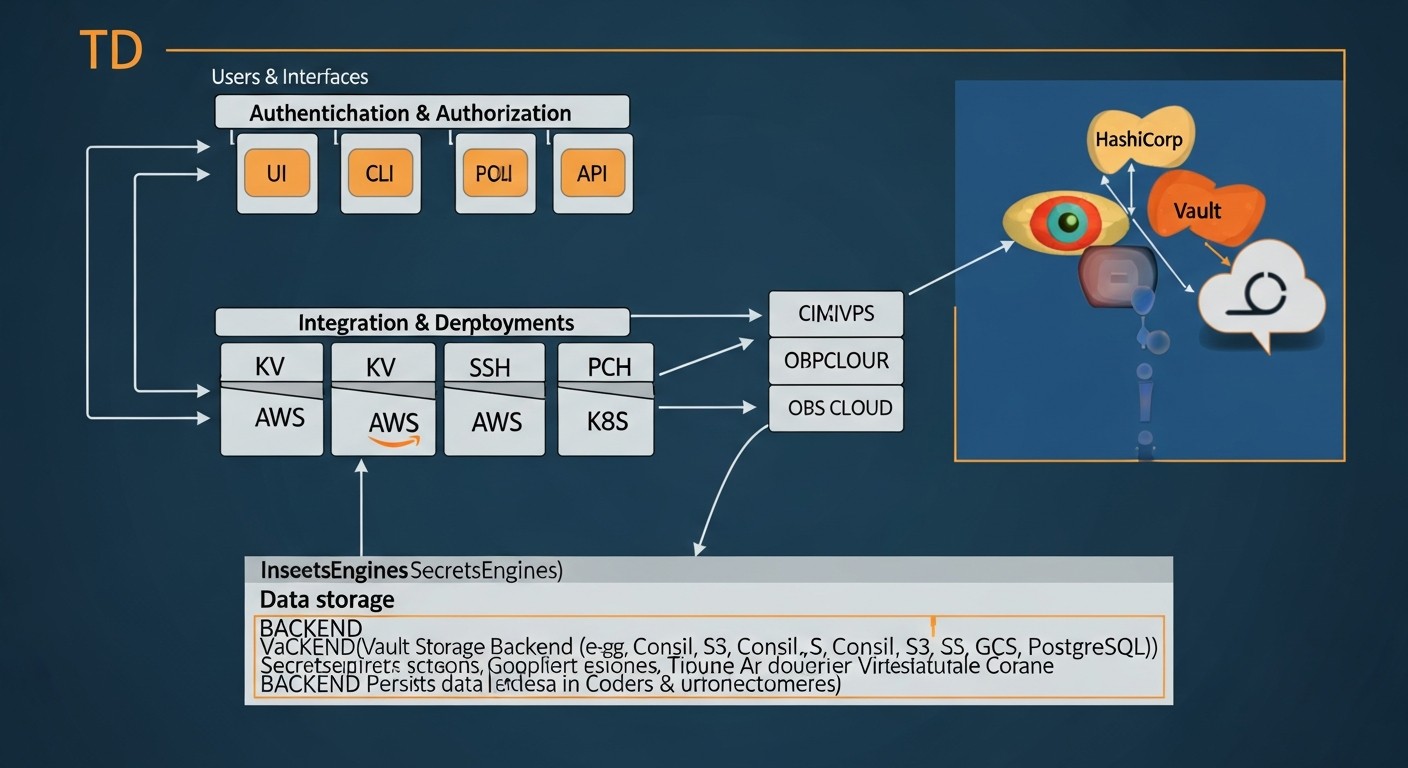 Diagram: Cost Calculation and Economics of Owning HashiCorp Vault
Understanding the true Total Cost of Ownership (TCO) of HashiCorp Vault goes beyond the simple cost of licenses. It includes infrastructure costs, operational overhead, integration, and the potential savings from preventing security incidents. By 2026, these factors have become even more significant.
HashiCorp Vault Cost Components
-
HashiCorp Vault Licensing
-
HashiCorp Vault Open Source (OSS): Free. Core functionality is available without licensing fees. Ideal for startups, small teams, and test environments.
Costs: Only infrastructure and operational expenses.
-
HashiCorp Vault Enterprise: Paid version, offers extended features for large organizations:
Performance Standby Nodes: Increased read throughput.
Multi-datacenter Replication: Replication for DR and geo-distributed environments.
Sentinel Policies: Advanced policy-based access control (Policy as Code).
Automated Secret Rotation: Automatic rotation for static KV v2 secrets.
Seal Wrap: Additional layer of secret protection.
Namespaces: Multi-tenancy for team and project isolation.
Premium Support: Priority support from HashiCorp.
Costs: Licensing fees (often from $2000-$5000 per month, depending on usage volume and features) + infrastructure + operational expenses.
-
HashiCorp Cloud Platform (HCP) Vault: Managed Vault service in the cloud.
Costs: Pay-as-you-go model, depends on cluster size, throughput, and volume of stored secrets. For example, a starter cluster might cost from $0.05-$0.10 per hour (about $35-$70 per month), but for a production cluster with HA and high load, it can easily reach $500-$2000 per month and higher, plus traffic.
-
Infrastructure Costs
These are costs for virtual machines, storage, network. They heavily depend on the chosen deployment strategy.
-
VPS / On-Prem:
Standalone Vault: 1-2 VPS (e.g., AWS EC2 t3.small/medium, DigitalOcean Droplet 2-4GB RAM). Cost: $10-$50/month per instance.
HA Cluster (Integrated Storage): Minimum 3 VPS (e.g., AWS EC2 m6i.large or c6i.large, DigitalOcean Droplet 8-16GB RAM) for Vault + additionally 1-2 instances for Consul (if used). Cost: $150-$500/month per cluster.
Storage: SSD drives for Vault data (e.g., AWS EBS gp3, DigitalOcean Block Storage). $10-$50/month.
Network: Traffic, load balancers (AWS ELB, Nginx/HAProxy on VPS). $20-$100/month.
KMS for Auto Unseal: Depends on the cloud and number of operations. A few dollars per month.
-
Kubernetes:
Costs for Vault pods and Persistent Volumes in your Kubernetes cluster. This is part of the overall K8s costs.
Additional resources for Consul (if used as a backend). Cost: $100-$300/month per cluster.
-
Operational Expenses (OpEx)
These are costs for personnel who deploy, support, and manage Vault.
Engineer time: Deployment, configuration, monitoring, upgrades, troubleshooting. For OSS, this can range from 0.2 to 1 FTE (Full-Time Equivalent) depending on the complexity and size of the infrastructure.
Training: Training the team on using Vault.
Integration development: Developer time for integrating applications with Vault API/SDK.
Audit and security: Time for analyzing audit logs, reviewing policies.
Example Calculations for Different Scenarios (estimated 2026)
Scenario 1: Startup on VPS (Vault OSS Standalone)
- Goal: Centralized secret management for 5-10 microservices, CI/CD, 10-20 users.
- License: HashiCorp Vault OSS (free).
- Infrastructure:
- 1 x VPS (8GB RAM, 4 vCPU, 100GB SSD) ~ $40/month (DigitalOcean/Vultr/Hetzner).
- AWS KMS for Auto Unseal ~ $5/month.
- Operational Expenses:
- Engineer time: 0.1 FTE (16 hours/month) for deployment, basic setup, monitoring. Let's say $100/hour * 16 hours = $1600/month.
- TOTAL (monthly): $40 + $5 + $1600 = ~$1645
- Note: The main part of the cost here is engineer time. If you already have a dedicated DevOps, this might be part of their regular work.
Scenario 2: Medium SaaS Project in the Cloud (Vault OSS HA Cluster in AWS EKS)
- Goal: Highly available secret management for 50+ microservices, multiple CI/CD pipelines, 50-100 users, compliance with basic security requirements.
- License: HashiCorp Vault OSS (free).
- Infrastructure:
- 3 x AWS EC2 t3.medium (or m6i.large) for Vault in EKS ~ $150/month.
- 3 x AWS EBS gp3 50GB for Persistent Volumes ~ $30/month.
- AWS KMS for Auto Unseal ~ $10/month.
- AWS EKS cluster (part of overall K8s costs, let's say $100/month additionally for Vault).
- AWS ELB for Vault access ~ $20/month.
- S3 for backups ~ $5/month.
- Operational Expenses:
- Engineer time: 0.3 FTE (48 hours/month) for deployment, setup, monitoring, upgrades, integrations. $100/hour * 48 hours = $4800/month.
- TOTAL (monthly): $150 + $30 + $10 + $100 + $20 + $5 + $4800 = ~$5115
Scenario 3: Large Enterprise Company (HCP Vault Enterprise)
- Goal: Managed solution for thousands of secrets, multi-tenancy, cross-region replication, SLA, vendor support.
- License: HCP Vault Enterprise.
- Infrastructure: Included in HCP cost.
- HCP Vault Cost: Let's say a large Enterprise-grade cluster with high throughput and replication ~ $3000-$8000/month (depending on size, region, traffic).
- Operational Expenses:
- Engineer time: 0.1 FTE (16 hours/month) for policy administration, monitoring, integrations. $100/hour * 16 hours = $1600/month.
- TOTAL (monthly): $3000 (minimum) + $1600 = ~$4600 (can be significantly higher).
- Note: Here, a large part of the cost is for the managed service, but operational costs and risks are significantly reduced.
Table with Example Calculations (simplified)
| Cost Category |
Startup (OSS Standalone) |
Medium SaaS (OSS HA K8s) |
Enterprise (HCP Vault) |
| Vault License |
$0 |
$0 |
$3000 - $8000+ |
| Infrastructure (VM, Storage, LB, KMS) |
$45 - $60 |
$300 - $500 |
Included in HCP |
| Operational Expenses (Engineer FTE) |
$1600 - $3200 (0.1-0.2 FTE) |
$4800 - $8000 (0.3-0.5 FTE) |
$1600 - $3200 (0.1-0.2 FTE) |
| TOTAL (monthly, estimated) |
$1645 - $3260 |
$5100 - $8500 |
$4600 - $11200+ |
Hidden Costs and How to Optimize Them
-
Downtime: Security incidents or failure of the secret management system can lead to downtime, costing thousands or millions of dollars.
Optimization: Invest in HA deployment, Auto Unseal, regular backups, and recovery testing. This reduces the risk of downtime and its consequences.
-
Compliance Violations: Fines for non-compliance with regulatory requirements (GDPR, HIPAA, PCI DSS) can be enormous.
Optimization: Vault helps achieve compliance through auditing, granular access control, and encryption. A properly configured Vault can pay for itself by preventing fines.
-
Human Errors: Manual secret management leads to errors and leaks.
Optimization: Automation through Vault Agent, dynamic secrets, and CI/CD integration minimize human error.
-
Integration Complexity: Lack of experience or poor documentation can slow down implementation.
Optimization: Use official SDKs, Helm charts, Terraform providers. Invest in team training.
-
Infrastructure Obsolescence: Outdated hardware or OS can lead to performance and security issues.
Optimization: Regularly update Vault and its underlying infrastructure. Consider migrating to managed cloud services to offload this burden.
Overall, HashiCorp Vault, even in its OSS version, provides immense value by enhancing security and automation. The savings achieved by preventing security incidents, reducing manual labor, and ensuring compliance often significantly outweigh the direct costs of its implementation and support.
Case Studies and Examples of HashiCorp Vault Usage
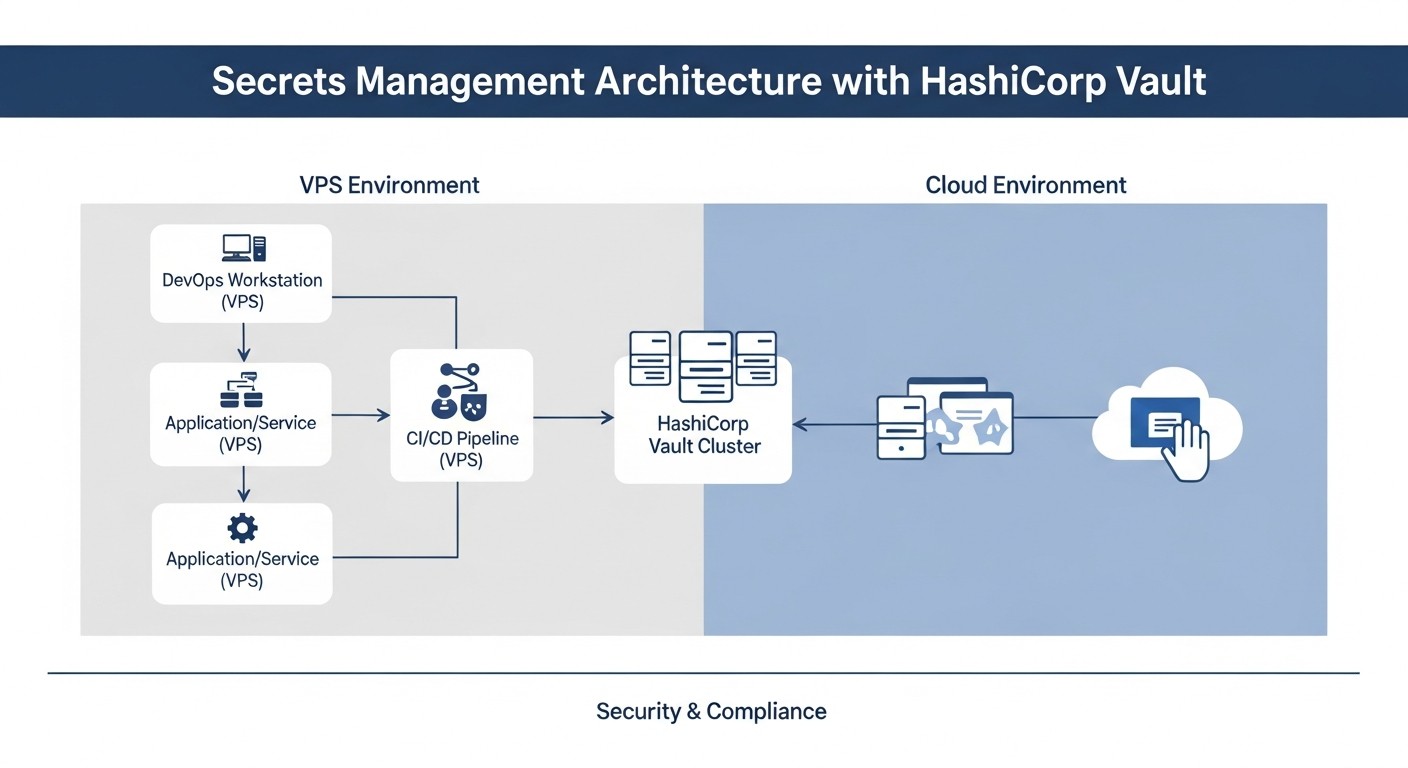 Diagram: Case Studies and Examples of HashiCorp Vault Usage
To better understand the practical value of HashiCorp Vault, let's look at several realistic use cases in different types of organizations and infrastructures.
Case 1: SaaS Startup with Microservices on Kubernetes and VPS
Problem: "Secret Sprawl" and Manual Management
A small but rapidly growing SaaS startup (15 developers, 5 DevOps engineers) uses a microservice architecture, deployed in Kubernetes (EKS) for most services and several "legacy" applications on separate VPS. The team faced the problem of "Secret Sprawl": database passwords, third-party API keys, cloud resource access tokens were scattered across configuration files, environment variables in Kubernetes deployments, and even in code. Secret rotation was infrequent and manual, creating serious security risks and making compliance (SOC2 Type 2) difficult.
Solution: Implementing HashiCorp Vault OSS with AppRole and Kubernetes Auth
The team decided to implement HashiCorp Vault OSS. To ensure high availability and scalability, Vault was deployed in an HA cluster of 3 nodes in a separate Kubernetes namespace on EKS, using Integrated Storage and AWS KMS for Auto Unseal. The following engines and authentication methods were configured:
- Kubernetes Auth Method: For microservices in EKS. Each Service Account was bound to a Vault role with minimal privileges.
- AppRole Auth Method: For CI/CD pipelines (GitLab CI) and "legacy" applications on VPS. The RoleID was part of the GitLab CI configuration, and the SecretID was securely delivered via AWS KMS (encrypted at creation, decrypted by the CI runner at startup). Vault Agent was used for VPS.
- Database Secret Engine (PostgreSQL, MongoDB): For dynamic generation of database credentials. Each application received temporary credentials with a TTL of 1 hour.
- AWS Secret Engine: For generating temporary IAM credentials for CI/CD and some services that required direct access to S3 or SQS.
- KV Secret Engine (v2): For storing static API keys of third-party services (e.g., Stripe, Twilio), which were rotated manually every 3 months.
Results:
- Improved Security: Significant reduction in the risk of secret leakage. Eliminated storing secrets in code and configuration files. All access to secrets is logged and audited.
- Automation: Fully automated process for rotating database credentials and AWS credentials. Simplified the process of issuing secrets for new services.
- Compliance: Simplified preparation for SOC2 audits thanks to centralized auditing and access control.
- Reduced Operational Costs: Decreased time spent on manual rotation and secret management, allowing DevOps engineers to focus on more strategic tasks.
- Increased Development Speed: Developers no longer worry about where to store secrets, but simply request them from Vault.
Case 2: Large Enterprise Company with Hybrid Infrastructure
Problem: Complexity of Secret Management at Scale and Multi-tenancy
A large financial organization (thousands of employees, hundreds of teams) with a hybrid infrastructure (on-premises data centers, AWS, Azure) faced enormous challenges in secret management. Different teams used different approaches (some — local Key Vault, others — encrypted files), leading to a lack of a unified security policy, poor auditing, and inability to centralize control. Multi-tenancy and strict compliance (PCI DSS, GDPR, SOX) were required.
Solution: Implementing HashiCorp Vault Enterprise with Multi-datacenter Replication and Namespaces
The company chose HashiCorp Vault Enterprise due to its extended features. Two HA Vault Enterprise clusters were deployed: one in the main on-premises data center, the other in AWS (with replication between them for Disaster Recovery). Namespaces were used to ensure multi-tenancy and isolation, where each business unit or large project received its dedicated Namespace in Vault.
- Authentication: Integration with corporate Active Directory (LDAP Auth Method) for users and AWS/Azure IAM Auth Methods for cloud applications.
- Secret Engines: Extensive use of Database Secret Engine (Oracle, MSSQL, PostgreSQL), PKI Secret Engine for managing internal TLS certificates, SSH Secret Engine for server access.
- Sentinel Policies: To ensure strict access control and compliance with internal security policies (e.g., prohibiting secret creation without a specific tag, limiting TTL for some secret types).
- Automated Secret Rotation: Configured automatic rotation for all static secrets stored in KV v2.
- Performance Standby Nodes: Deployed in each region to increase read throughput and reduce latency.
Results:
- Unified Platform: A single centralized platform was created for managing all types of secrets across the entire hybrid infrastructure.
- Strict Compliance: Thanks to auditing, Sentinel Policies, and access control based on the principle of least privilege, the company successfully passed PCI DSS and SOX audits.
- Multi-tenancy and Isolation: Namespaces allowed each team to work in its isolated space without affecting others, while maintaining centralized control.
- DR and Fault Tolerance: Multi-datacenter Replication ensured business continuity in case of a catastrophic failure in one of the data centers.
- Reduced Risks: Automated rotation and dynamic secrets significantly reduced the risk of long-lived credential compromise.
Case 3: Small Startup Using HCP Vault
Problem: Lack of DevOps Expertise and Desire for Quick Start
A young startup with a team of 5 developers and one generalist engineer who acts as a "DevOps founder". The team lacks deep expertise in deploying and maintaining complex infrastructure solutions, but has an urgent need for secure secret management for its cloud SaaS application (AWS). The main priority is development speed and minimizing operational overhead.
Solution: Using HashiCorp Cloud Platform (HCP) Vault
The founder decided not to spend time on self-deploying and maintaining Vault OSS, and instead chose HCP Vault. This allowed them to get all the benefits of Vault as a managed service.
- Deployment: Launching an HCP Vault cluster took minutes. It was automatically integrated with AWS KMS for Auto Unseal.
- Authentication: AWS IAM Auth Method was used for applications running on EC2 and in ECS. For developers, authentication via GitHub (OIDC Auth Method) was configured.
- Secret Engines: Database Secret Engine (for AWS RDS PostgreSQL) and AWS Secret Engine for generating temporary IAM credentials were actively used. KV v2 was used for a small number of static secrets.
- Integration: Applications were easily integrated with HCP Vault using official SDKs and Vault Agent.
Results:
- Quick Start: The team got a working secret management solution in a few hours, not days or weeks.
- Low Operational Overhead: HashiCorp took care of all management, scaling, upgrades, and HA. The founder could focus on product development, not infrastructure.
- High Security: Out-of-the-box HA, Auto Unseal, encryption, auditing, adhering to best practices.
- Time and Resource Savings: Despite the direct costs of HCP Vault, the total cost of ownership proved to be lower than attempting to deploy and maintain the OSS version with a team of limited expertise.
These case studies demonstrate the versatility of HashiCorp Vault and its ability to adapt to the needs of a wide range of organizations, from small startups to large enterprises, while providing a high level of security and automation.
Troubleshooting: Solving Common Problems with HashiCorp Vault
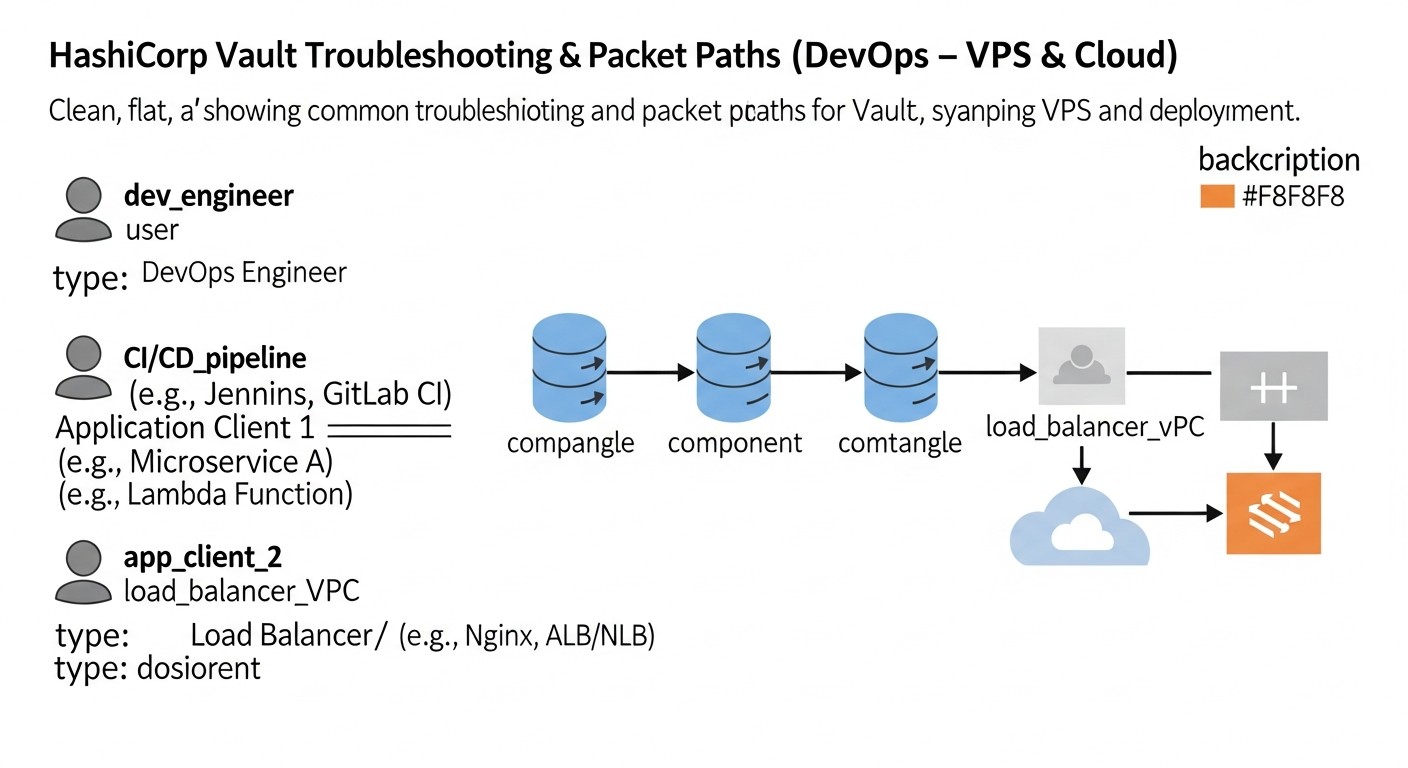 Diagram: Troubleshooting: Solving Common Problems with HashiCorp Vault
Even with the most reliable software, problems can arise. HashiCorp Vault is no exception. Knowing common issues and methods for diagnosing and resolving them is critically important for DevOps engineers. Here are some common scenarios and approaches to troubleshooting them.
1. Vault Does Not Start or Respond
Symptoms: The Vault process does not start, or the service starts but does not respond to API/CLI requests.
Diagnosis:
- [ ] Check Vault logs: This is the first thing to do. Logs are usually in
/var/log/vault/vault.log or output to stdout/stderr if Vault is run as a service (journalctl -u vault.service). Look for errors related to configuration, storage backend, or TLS.
- [ ] Check the configuration file: Errors in
server.hcl can prevent startup. Use vault validate -config=/etc/vault/server.hcl to check syntax.
- [ ] Check storage backend availability: Ensure Vault can connect to its storage backend (Consul, S3, Integrated Storage). For example, for Consul, check if it's running and network accessible.
- [ ] Check network connectivity: Ensure ports 8200 (API) and 8201 (Cluster) are not blocked by a firewall and are accessible.
- [ ] Check file permissions: Ensure the user running Vault has read permissions for the configuration file and write permissions for the data directory (for Integrated Storage).
Solution: Correct errors found in logs or during diagnosis. Restart the Vault service.
2. Vault is in a "Sealed" State
Symptoms: Vault is running, but all requests to it return a "Vault is sealed" error. This is a normal state after startup or restart if Auto Unseal is not configured.
Diagnosis:
- [ ] Check Vault status:
vault status. It will show Sealed: true.
- [ ] Check Auto Unseal settings: If Auto Unseal is configured, ensure Vault has access to the KMS (e.g., IAM role for AWS KMS) and that the KMS key is valid. Check Vault logs for errors during Auto Unseal attempts.
Solution:
- Manual Unsealing: If Auto Unseal is not used, run
vault operator unseal, entering Unseal keys until the threshold is met.
- Fix Auto Unseal: If Auto Unseal is configured, resolve the issue with KMS access or KMS configuration.
3. Authentication Problems
Symptoms: Users or applications cannot obtain a Vault token, receive "permission denied" or "invalid credentials" errors.
Diagnosis:
- [ ] Check authentication method: Ensure the authentication method being used (AppRole, Kubernetes, LDAP, etc.) is enabled and correctly configured.
- [ ] Check Vault audit logs: These will show which authentication requests were made and why they failed (e.g., "invalid secret_id", "role not found").
- [ ] Check credentials: Ensure RoleID/SecretID (for AppRole), Service Account token (for Kubernetes), login/password (for LDAP) are correct and not expired.
- [ ] Check policies: Ensure the authentication role is bound to the correct Vault policies.
- [ ] Check clock skew: A large time difference between the client and Vault server can cause issues with JWT tokens.
Solution: Correct credentials, policies, or authentication method configuration. If the problem is with AppRole SecretID, generate a new SecretID.
4. "Permission denied" When Accessing Secrets
Symptoms: A user or application has successfully authenticated but cannot read, write, or update a secret.
Diagnosis:
- [ ] Check Vault policies: This is the most common cause. Use
vault token capabilities <token> <path> or vault policy read <policy-name> to see what access rights are granted to a specific path.
- [ ] Check policy binding: Ensure the token or authentication role is bound to the correct policy.
- [ ] Check secret path: The application might be trying to access the wrong path (e.g.,
secret/my-app instead of secret/data/my-app for KV v2).
- [ ] Check audit logs: Logs will show which path was requested, which token was used, and why access was denied.
Solution: Edit policies to grant necessary permissions, or ensure the application is accessing the correct path with the correct token.
5. Vault Performance Issues
Symptoms: Slow responses from Vault, high latency, timeout errors, high CPU/RAM usage on Vault servers.
Diagnosis:
- [ ] Monitor metrics: Use Prometheus and Grafana to analyze Vault metrics (
vault_core_in_flight_requests, vault_core_handle_request_duration_seconds, vault_core_seal_status).
- [ ] Server resources: Check CPU load, memory usage, and disk I/O on Vault servers and the storage backend.
- [ ] Storage backend: Check the performance of the storage backend (Consul, Integrated Storage). A slow backend can be a bottleneck.
- [ ] Network: Check network latency between clients, Vault, and the storage backend.
- [ ] Number of requests: If Vault is handling a very large number of requests, scaling might be required.
Solution:
- Scaling: Add more nodes to the Vault cluster (for HA) or increase resources of existing VMs/pods.
- Performance Standby Nodes (Enterprise): If you have Vault Enterprise, use Performance Standby Nodes to offload read requests from the leader.
- Request optimization: Ensure applications are not making excessive requests to Vault. Use client-side caching or Vault Agent.
- Storage backend optimization: Ensure the storage backend is optimally configured for performance.
6. When to Contact Support
Contact HashiCorp support (if you have an Enterprise license or HCP Vault) or the community (for OSS) if:
- You encounter errors that you cannot interpret or find information about.
- Vault behaves unpredictably or shows data loss.
- You cannot resolve a critical issue after exhaustive diagnosis.
- You have security questions that require expert assessment.
When contacting support, always provide as much information as possible: Vault versions, operating system, full configuration file (without secrets!), relevant logs, steps to reproduce the problem.
Effective troubleshooting with Vault requires a systematic approach, starting with logs and ending with network diagnostics. With experience, you will learn to quickly identify and resolve most problems.
FAQ: Frequently Asked Questions about HashiCorp Vault
What is HashiCorp Vault and why is it needed?
HashiCorp Vault is a tool for securely storing and managing access to secrets, identities, and encryption. It is needed to centralize the management of sensitive data such as passwords, API keys, tokens, and certificates, preventing their leakage and unauthorized access. Vault allows automating the secret lifecycle, ensuring their rotation and auditing, which is critically important for modern DevOps practices and compliance with security requirements.
Vault OSS or Vault Enterprise: which to choose?
Vault OSS (Open Source) is free and provides basic but powerful functionality, sufficient for most startups and medium-sized projects. Vault Enterprise is a paid version with extended features such as Performance Standby Nodes, Multi-datacenter Replication, Sentinel Policies, Namespaces, and Automated Secret Rotation. The choice depends on your organization's size, scalability requirements, fault tolerance, multi-tenancy, and compliance. If you need advanced capabilities for large, geographically distributed, or strictly regulated environments, choose Enterprise.
Can Vault be used on a single VPS?
Yes, HashiCorp Vault can be deployed on a single VPS. This is an excellent option for small projects, development, or testing. However, it is important to remember that such a deployment does not provide high availability and is a single point of failure. For a production environment, a highly available Vault cluster is always recommended, even if it consists of only three nodes on a VPS or in the cloud.
What are "Unseal" and "Auto Unseal"?
"Unseal" is the process of decrypting Vault's master encryption key, which occurs every time Vault starts. Without "unsealing", Vault cannot access its encrypted data. In Shamir's Secret Sharing mode, this requires entering a certain number of "Unseal Keys" from different trusted individuals. "Auto Unseal" is a mechanism that automates this process using a trusted cloud KMS (e.g., AWS KMS, Azure Key Vault, GCP KMS) or HSM. This allows Vault to automatically "unseal" at startup without manual intervention, increasing convenience and security.
How does Vault protect secrets in case of server compromise?
Vault stores all secrets encrypted on disk (Encryption at Rest). Even if an attacker gains access to the Vault server's file system, they cannot decrypt the secrets without the master key. The master key itself is never stored in plain text, but is protected either through Shamir's Secret Sharing or through a cloud KMS/HSM (Auto Unseal), making it extremely difficult to compromise.
What are dynamic secrets and why are they important?
Dynamic secrets are credentials (e.g., for databases, cloud providers, SSH) that Vault generates "on the fly" upon request with a limited Time-to-Live (TTL). Upon TTL expiration, these secrets are automatically revoked or deleted. This radically enhances security, as secrets live for a very short time, reducing the attack surface and the consequences in case of their compromise. They eliminate the need for manual rotation and storing long-lived static credentials.
How to integrate Vault with applications and CI/CD?
Vault offers several integration methods. For applications, it is recommended to use Vault Agent, which automatically authenticates and renders secrets into files or environment variables. Applications then simply read secrets as if they were local. For CI/CD pipelines, you can use AppRole (with secure SecretID delivery), Kubernetes Auth (if CI/CD is in K8s), or JWT/OIDC Auth (for platforms like GitHub Actions). Always use official SDKs/CLIs for interacting with Vault.
Can Vault be used for TLS certificate management?
Yes, Vault has a PKI Secret Engine that allows it to act as a Certificate Authority (CA). You can use it to generate root, intermediate, and end-entity TLS certificates for your internal services. This simplifies the management of certificate lifecycles, their rotation, and revocation, which is critically important for implementing mTLS and Zero Trust architectures.
How to ensure high availability (HA) of Vault?
For HA, Vault is deployed in a clustered configuration with multiple nodes (usually 3 or 5). One node is active, and the others are standby. They use a shared storage backend (Integrated Storage, Consul, S3, Azure Blob Storage, GCS) to synchronize data. In case of an active node failure, one of the standby nodes automatically becomes active. This ensures continuous operation and fault tolerance.
What are the main authentication methods supported by Vault?
Vault supports a wide range of authentication methods:
- AppRole: For applications and CI/CD, based on RoleID and SecretID.
- Kubernetes: For pods in Kubernetes using Service Account tokens.
- AWS IAM / Azure AD / GCP IAM: For entities in respective cloud environments.
- LDAP / Active Directory: For authenticating users with corporate credentials.
- JWT / OIDC: For integration with Single Sign-On (SSO) providers and other JWT sources.
- GitHub / GitLab: For authenticating users via Git hosting accounts.
How often should Vault be updated?
HashiCorp regularly releases updates for Vault, including bug fixes, new features, and, most importantly, security patches. It is recommended to follow HashiCorp's recommendations and update Vault to the latest stable versions in a timely manner, especially if updates include critical vulnerability fixes. Always test updates in a non-production environment before deploying to production.
Can Vault be used for application data encryption?
Yes, Vault has a Transit Secret Engine that allows applications to use Vault for data encryption and decryption without direct access to encryption keys. Vault acts as "Encryption as a Service". The application sends data to Vault for encryption, receives encrypted data, and then sends it back for decryption. This is very useful for encrypting sensitive data in databases or storage where the keys themselves should not leave Vault.
Conclusion
In a world where cyber threats are becoming increasingly sophisticated and demands for security and compliance are constantly growing, centralized and automated secret management is not just a "good practice" but an absolute necessity. By 2026, HashiCorp Vault has established itself as the de facto standard in this area, offering an unprecedented level of security, flexibility, and scalability for DevOps teams, developers, and SaaS project founders.
We have examined how Vault solves the fundamental problems of "Secret Sprawl" by providing secure storage, granular access control, auditing, and automatic secret rotation. We delved into its architecture, explored various secret engines and authentication methods that allow Vault to adapt to any infrastructure – from a single VPS to complex hybrid and multi-cloud environments with Kubernetes. Practical tips, analysis of common mistakes, a detailed checklist, and economic calculations have shown that investments in Vault pay off many times over by reducing risks, automating processes, and ensuring compliance with regulatory requirements.
Real-world case studies have demonstrated how various organizations – from startups to large enterprises – successfully use Vault to transform their security practices, accelerate development, and improve operational efficiency. Regardless of whether you choose the open-source (OSS) version for maximum control and savings, or the fully managed platform (HCP Vault) to minimize operational overhead, or the enterprise version (Vault Enterprise) for the most demanding scenarios, Vault provides the tools necessary to build a reliable and secure infrastructure.
Implementing HashiCorp Vault is not a one-time project, but a continuous process. It requires planning, team training, regular auditing, and adaptation to changing requirements. But the benefits it brings in terms of security, automation, and peace of mind make it one of the most valuable tools in the arsenal of any modern technical team.
Next Steps for the Reader:
- Start small: Deploy Vault OSS on a local machine or a test VPS. Experiment with the CLI, UI.
- Follow official guides: HashiCorp Learn offers excellent step-by-step tutorials for beginners.
- Explore AppRole and Database Secret Engine: These are two of the most impactful components for most teams.
- Plan your implementation: Identify which secrets you want to migrate to Vault first, and which applications will be integrated.
- Invest in training: Ensure your team understands Vault's core concepts and security best practices.
- Automate: Use Terraform to manage Vault configuration and Vault Agent for application integration.
- Monitor: Set up monitoring for Vault metrics and audit logs from the very beginning.
Security is a journey, not a destination. HashiCorp Vault will be your reliable companion on this journey, helping you build more secure, efficient, and resilient systems in the ever-changing threat landscape of 2026.