Detailed Overview of Each Item/Option
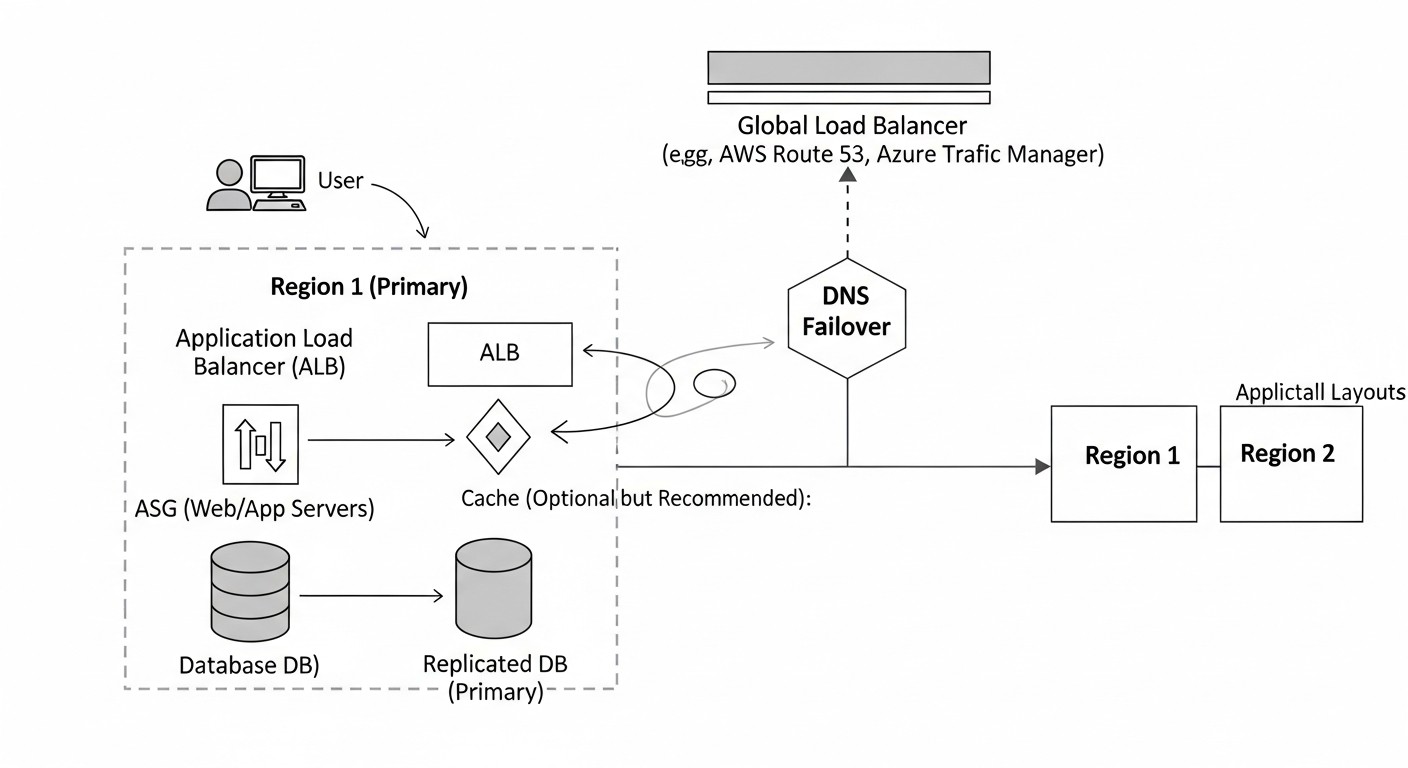 Diagram: Detailed Overview of Each Item/Option
After a general comparison, let's delve into the details of each presented solution, examining their architectural features, pros, cons, and optimal use cases. Understanding these nuances is critically important for making an informed decision.
These services offer DNS-managed global load balancing. The main principle of operation is that the provider's DNS servers respond to client requests by issuing IP addresses of the closest or healthiest resources, based on configured routing policies and health check results. The client's browser or application then directly connects to this IP address.
How it works: You create multiple DNS records (e.g., A records) for your domain, each pointing to the IP address of your application in different regions. Then you apply routing policies (e.g., geo-routing, latency-based routing, weighted routing) and associate health checks with each record. When a user requests your domain, the DNS provider checks the policies and health check results, and then returns the most suitable IP address. If one region fails, the health check will detect it, and the DNS provider will stop issuing its IP address, redirecting traffic to a healthy region.
Pros:
- Simplicity of Implementation: Relatively easy to set up, especially if you are already using a cloud provider.
- Cost-effectiveness: Usually cheaper than complex L7 solutions, especially for small to medium loads.
- Geo-routing and Latency-based Routing: Allows directing users to the closest servers, improving UX.
- Integration with Cloud Infrastructure: Deep integration with other cloud provider services (EC2, Load Balancers, VMs).
Cons:
- TTL Dependency: Failover time is limited by the TTL of DNS records. If the TTL is high (e.g., 5 minutes), clients may continue to receive the IP of a failed region until the cache expires.
- DNS Caching: Intermediate DNS servers and user devices may cache records, ignoring rapid changes.
- L4-balancing Only: DNS solutions operate at the IP address level. They cannot inspect HTTP headers or perform complex L7 balancing.
- Complexity for Multi-cloud Scenarios: Using a single provider's GLB to balance across different clouds can be difficult or require additional solutions.
Who it's for: Most SaaS applications that want to ensure multi-regional fault tolerance and optimize latency, especially if they are already tightly integrated with a single cloud provider. Ideal for A/B testing and Blue/Green deployments at the regional level.
CDNs (Content Delivery Networks) are primarily designed for caching and delivering static content. However, modern CDN providers have significantly expanded their functionality, offering advanced load balancing, failover, and security capabilities. They act as reverse proxies, accepting all traffic at their edge nodes worldwide and then forwarding it to your Origin servers.
How it works: You configure your domain to point to the CDN (usually via CNAME). The CDN, in turn, knows about your Origin servers in different regions. It constantly checks their health and performance. When a user makes a request, the CDN directs it to the nearest edge node, which then selects the most optimal Origin server (based on geo-proximity, latency, load) to retrieve content or process a dynamic request. In case of an Origin server failure, the CDN instantly switches to another healthy Origin, as it controls all traffic.
Pros:
- Instant Failover: Since the CDN acts as a proxy, it can instantly switch traffic to a healthy Origin without waiting for TTL expiration.
- Improved Performance: In addition to GLB, CDNs cache content, reduce latency, and offload your Origin servers.
- DDoS Protection: Most CDNs provide robust protection against DDoS attacks at the edge nodes.
- L7 Balancing: Ability to route based on HTTP headers, URL paths, and request methods.
- WAF (Web Application Firewall): Protection against common web vulnerabilities.
Cons:
- Cost: Can be significantly more expensive than pure DNS GLB, especially with high traffic volumes.
- Configuration Complexity: Optimizing caching, WAF rules, and Origin routing can be complex.
- Additional Point of Failure: The CDN becomes a single point of failure (although large CDNs are highly reliable).
- Latency for Dynamic Content: Despite optimizations, proxying through a CDN can add a small amount of latency for fully dynamic requests that are not cached.
Who it's for: SaaS applications with high traffic volumes requiring maximum fault tolerance, low latency for static and dynamic content, and built-in protection against DDoS and other web attacks. Ideal for e-commerce, media platforms, and API services.
This approach involves deploying and managing your own software load balancers in each region. These balancers can be configured to operate at both L4 and L7 levels and often use external services for Service Discovery and configuration management.
How it works: In each region, you deploy a cluster of Nginx Plus or HAProxy Enterprise. These balancers are configured to distribute traffic among the internal instances of your application. For global balancing, you use DNS GLB (as in the first option), which points to the IP addresses of your balancers in different regions. Within each region, the balancers constantly monitor the health of backend servers. To ensure fault tolerance and configuration synchronization between balancers and regions, tools such as Consul, ZooKeeper, or etcd are often used.
Pros:
- Full Control and Flexibility: Maximum customization of balancing logic, routing rules, and request processing.
- High Performance: Ability to fine-tune for maximum throughput and minimal latency.
- No Vendor Lock-in: You are not tied to a specific cloud provider for GLB functions.
- Security: Ability for deep integration with your own security strategy.
Cons:
- High Complexity: Requires significant engineering effort for deployment, configuration, monitoring, and support.
- Operational Costs: Requires managing servers, OS, updates, and clustering.
- RTO Depends on DNS: Global failover will still depend on the TTL of DNS records if you use DNS GLB for switching between regions.
- Geo-routing Challenges: Implementing geo-routing independently without external DNS GLB can be very complex.
Who it's for: Large companies with specific performance, security, or functionality requirements, who have strong DevOps teams and are willing to invest in their own infrastructure. Also suitable for hybrid cloud or on-premise deployments where cloud GLB services are not applicable.
Anycast is a networking technology where the same IP address is routed to multiple geographical locations. When a client sends a packet to an Anycast IP, the network infrastructure (BGP) directs it to the nearest Point of Presence (PoP) that announces this IP address. Anycast DNS means that the provider's DNS servers are available via the same IP address in dozens or hundreds of PoPs worldwide.
How it works: Your domain is configured to use NS records that point to the Anycast IP addresses of the provider's DNS servers. When a user makes a DNS query, their request is automatically directed to the nearest Anycast PoP, which then processes the request. This significantly speeds up DNS name resolution, as the request does not have to travel halfway around the world. It is important to note that Anycast operates at the level of DNS queries, not at the level of your application's traffic. It accelerates the process of obtaining an IP address, but the application traffic itself will still follow the usual route to the obtained IP.
Pros:
- Low Latency for DNS Queries: Significantly speeds up domain name resolution, as the request is processed by the nearest server.
- Increased DNS Availability: In case of a PoP failure, DNS queries are automatically redirected to the next nearest PoP, ensuring high fault tolerance for the DNS service itself.
- DNS DDoS Protection: The distributed nature of Anycast helps absorb DDoS attacks on DNS, as traffic is dispersed across multiple nodes.
- Simplicity of Configuration: Usually involves simply changing the domain's NS records.
Cons:
- DNS Only: Anycast DNS does not balance your application's traffic. It only speeds up and makes the domain name resolution process itself more fault-tolerant. For application traffic balancing, you will still need a GLB (DNS GLB or CDN).
- No L7 Features: Does not provide application-level balancing, WAF, or caching functionality.
- Cost: While some providers offer Anycast DNS for free (Cloudflare Free), more advanced features and SLAs may require a paid subscription.
Who it's for: All SaaS applications to improve the performance and fault tolerance of DNS queries. It is an excellent complement to any of the above GLB solutions but does not replace them. Essential for global SaaS projects.
These solutions are enterprise load balancing systems designed to operate in complex, heterogeneous environments, including multi-cloud, hybrid, and on-premise infrastructures. They offer centralized management of global load balancing, failover, as well as advanced L4/L7 balancing and security capabilities.
How it works: These systems are deployed as virtual or hardware appliances in each of your data centers or cloud regions. They can use both DNS methods (GSLB – Global Server Load Balancing) and direct proxy methods for traffic routing. They have their own health check mechanisms and can integrate with various cloud APIs for service discovery and automatic scaling. A central management console allows you to define routing policies, monitor the status of all resources, and manage failover between regions and clouds.
Pros:
- Comprehensive Solution: Combines GLB, L4/L7 balancing, WAF, SSL/TLS offloading, and other features in a single product.
- Multi-cloud and Hybrid Support: Ideal for companies using multiple clouds or combining cloud and on-premise resources.
- High Performance and Scalability: Designed to handle very large volumes of traffic.
- Centralized Management: A single point of control for the entire global balancing infrastructure.
- Deep Integration: Ability for deep integration with enterprise monitoring, security, and orchestration systems.
Cons:
- Very High Cost: Licenses and support for these systems are significantly more expensive than cloud-native alternatives.
- Complexity of Implementation and Maintenance: Requires highly qualified specialists and significant engineering resources.
- Operational Costs: In addition to licenses, the infrastructure on which these solutions are deployed must be managed.
- Feature Redundancy: For small to medium SaaS projects, the functionality may be excessive.
Who it's for: Large enterprises and corporations with complex, heterogeneous infrastructures, strict security and performance requirements, who are willing to invest in powerful, centrally managed solutions. Rarely used by startups or small SaaS projects.
The choice of a specific solution should be based on a thorough analysis of your current and future needs, budget, and available engineering resources. Often, a hybrid approach is optimal, for example, using managed DNS GLB in combination with a CDN for caching and protection, and Anycast DNS to accelerate DNS queries.
Practical Tips and Recommendations
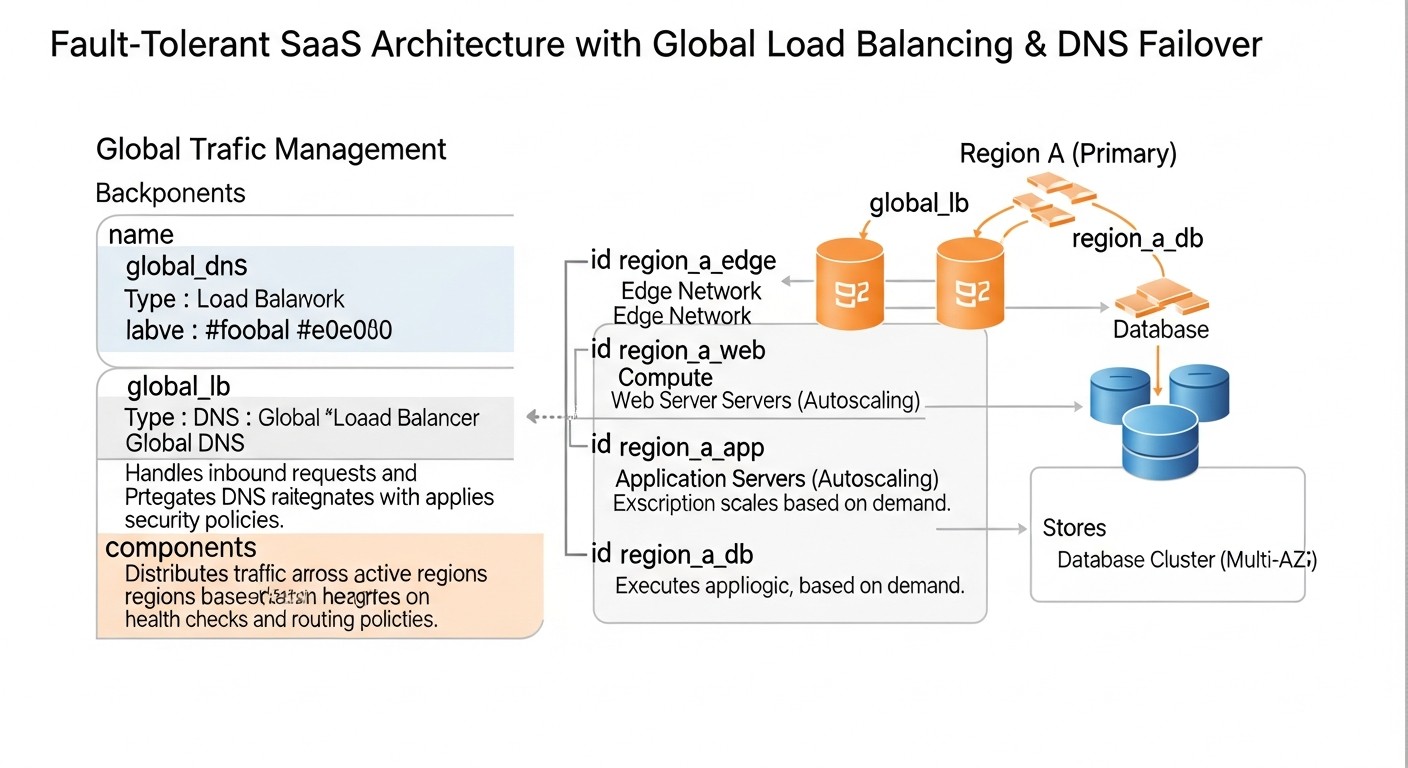 Diagram: Practical Tips and Recommendations
Theory is good, but without practical steps, it's useless. In this section, we will look at specific recommendations, step-by-step instructions, and configuration examples that will help you implement global load balancing and DNS failover in your SaaS application.
Do not try to bolt multi-region capabilities onto a monolith originally designed for a single data center. Think in advance about how components will interact in different regions. This applies not only to the network layer but also to databases, message queues, caches, and file storage.
- Define Regions: Choose 2-3 regions where your users are concentrated or where there are strategic advantages (e.g., regulatory compliance). It is recommended to select regions on different continents for maximum fault tolerance.
- Resource Isolation: Each region should be as independent as possible. A failure in one region should not affect the operation of another.
- Data Replication: This is the most complex aspect. For databases, consider:
- Active-Passive: One region is active, the other is a standby. Data is replicated asynchronously or semi-synchronously. Easier to implement, but RPO > 0. Example: PostgreSQL with WAL shipping, MySQL with replication.
- Active-Active: Both regions accept writes. Requires distributed databases (Cassandra, CockroachDB, Spanner) or complex conflict resolution schemes. RPO = 0, but very high complexity.
- Geo-Partitioning: User data is stored in the region closest to them. Simplifies replication but complicates queries spanning multiple regions.
Use services like AWS Route 53 Traffic Flow, Azure Traffic Manager, or Google Cloud DNS with routing policies. For example, let's consider AWS Route 53.
Step 1: Create Health Checks
Health checks should be as deep as possible. It's not enough to just check port 80 availability. Ensure that your application can respond to a request, process it, and interact with the database.
# Пример URL для Health Check, который проверяет не только доступность, но и работоспособность DB
# GET /healthz - возвращает 200 OK, если приложение и его зависимости (DB, Redis) живы.

# Создание Health Check для основного региона (например, us-east-1)
aws route53 create-health-check \
    --caller-reference "my-saas-app-us-east-1-health-check-$(date +%s)" \
    --health-check-config '{"IPAddress": "1.2.3.4", "Port": 80, "Type": "HTTP", "ResourcePath": "/healthz", "RequestInterval": 10, "FailureThreshold": 3}'

# Создание Health Check для резервного региона (например, eu-west-1)
aws route53 create-health-check \
    --caller-reference "my-saas-app-eu-west-1-health-check-$(date +%s)" \
    --health-check-config '{"IPAddress": "5.6.7.8", "Port": 80, "Type": "HTTP", "ResourcePath": "/healthz", "RequestInterval": 10, "FailureThreshold": 3}'
Step 2: Configure Record Sets with Routing Policies
Use Failover or Latency-based Routing policies for automatic switching.
# Пример создания Failover Record Set для домена app.example.com
# Основной регион (Primary)
{
  "Comment": "Primary record for app.example.com in us-east-1",
  "Changes": [
    {
      "Action": "CREATE",
      "ResourceRecordSet": {
        "Name": "app.example.com",
        "Type": "A",
        "SetIdentifier": "us-east-1-primary",
        "Failover": "PRIMARY",
        "HealthCheckId": "YOUR_US_EAST_1_HEALTH_CHECK_ID",
        "TTL": 60,
        "ResourceRecords": [
          { "Value": "IP_OF_US_EAST_1_LOAD_BALANCER" }
        ]
      }
    }
  ]
}

# Резервный регион (Secondary)
{
  "Comment": "Secondary record for app.example.com in eu-west-1",
  "Changes": [
    {
      "Action": "CREATE",
      "ResourceRecordSet": {
        "Name": "app.example.com",
        "Type": "A",
        "SetIdentifier": "eu-west-1-secondary",
        "Failover": "SECONDARY",
        "HealthCheckId": "YOUR_EU_WEST_1_HEALTH_CHECK_ID",
        "TTL": 60,
        "ResourceRecords": [
          { "Value": "IP_OF_EU_WEST_1_LOAD_BALANCER" }
        ]
      }
    }
  ]
}
Step 3: Set a Low TTL
For critical services, set TTL to 60-300 seconds (1-5 minutes). A very low TTL (e.g., 5 seconds) can increase the load on DNS servers but will significantly speed up failover. Find a happy medium.
Even if you use DNS GLB, a CDN can significantly improve user experience and provide an additional layer of protection.
- Configure Origin Failover: In Cloudflare or AWS CloudFront, you can specify multiple Origin servers (your regional load balancers) and configure rules for switching between them.
- Optimize Caching: Ensure that static content is cached as efficiently as possible.
- Enable WAF and DDoS Protection: Use CDN capabilities to protect your application at the Edge level.
You should know about problems before your customers do. Monitoring should cover:
- GLB Health Checks: Monitoring the status of your DNS health checks.
- Application Metrics: Latency, errors, throughput, CPU/RAM utilization in each region.
- Database Metrics: Replication, latencies, errors, disk usage.
- Network Metrics: Latency between regions, packet loss.
Configure alerts (Slack, PagerDuty, email) for critical events such as health check failures, increased errors, or latency.
The only way to ensure your architecture works is to test it regularly. Simulate failures in one of the regions and check how the system reacts.
- Initiate a Health Check Failure: Temporarily block access to
/healthz in one region or stop a service to check how GLB switches traffic.
- Disable a Region: Use AWS Fault Injection Simulator or similar tools to simulate a complete region failure.
- Document RTO and RPO: Measure actual recovery time and potential data loss.
- Automate Testing: Include failover testing in your CI/CD pipelines.
All your infrastructure settings, including GLB, DNS, and health checks, should be described in code (Terraform, CloudFormation, Pulumi). This ensures repeatability, versioning, and simplifies management.
# Пример Terraform для AWS Route 53 Health Check
resource "aws_route53_health_check" "us_east_1_app_health" {
  fqdn              = "app.example.com"
  port              = 80
  type              = "HTTP"
  resource_path     = "/healthz"
  request_interval  = 10
  failure_threshold = 3
  tags = {
    Name = "app-us-east-1-health"
  }
}

# Пример Terraform для AWS Route 53 Failover A Record Set
resource "aws_route53_record" "app_primary" {
  zone_id = aws_route53_zone.main.zone_id
  name    = "app.example.com"
  type    = "A"
  ttl     = 60

  set_identifier = "us-east-1-primary"
  failover_routing_policy {
    type = "PRIMARY"
  }
  health_check_id = aws_route53_health_check.us_east_1_app_health.id
  records         = ["IP_OF_US_EAST_1_LOAD_BALANCER"]
}

resource "aws_route53_record" "app_secondary" {
  zone_id = aws_route53_zone.main.zone_id
  name    = "app.example.com"
  type    = "A"
  ttl     = 60

  set_identifier = "eu-west-1-secondary"
  failover_routing_policy {
    type = "SECONDARY"
  }
  health_check_id = aws_route53_health_check.eu_west_1_app_health.id # Предполагаем, что есть health check для eu-west-1
  records         = ["IP_OF_EU_WEST_1_LOAD_BALANCER"]
}
When failing over to another region, data must be up-to-date. For relational databases, consider:
- PostgreSQL with Logical Replication: Allows data replication between regions.
- Aurora Global Database (AWS): A fully managed solution for global PostgreSQL/MySQL replication.
- Cassandra/MongoDB Atlas Global Clusters: For NoSQL databases, originally designed for distributed environments.
Remember about caches. When switching regions, caches in the new active region might be cold or contain stale data. Think through a cache invalidation or warm-up strategy.
If users are authenticated in one region, they should not be required to re-authenticate when switching to another region. Use distributed session stores (e.g., Redis Cluster, DynamoDB) or JWT tokens that are not tied to a specific server or region.
Typical Mistakes
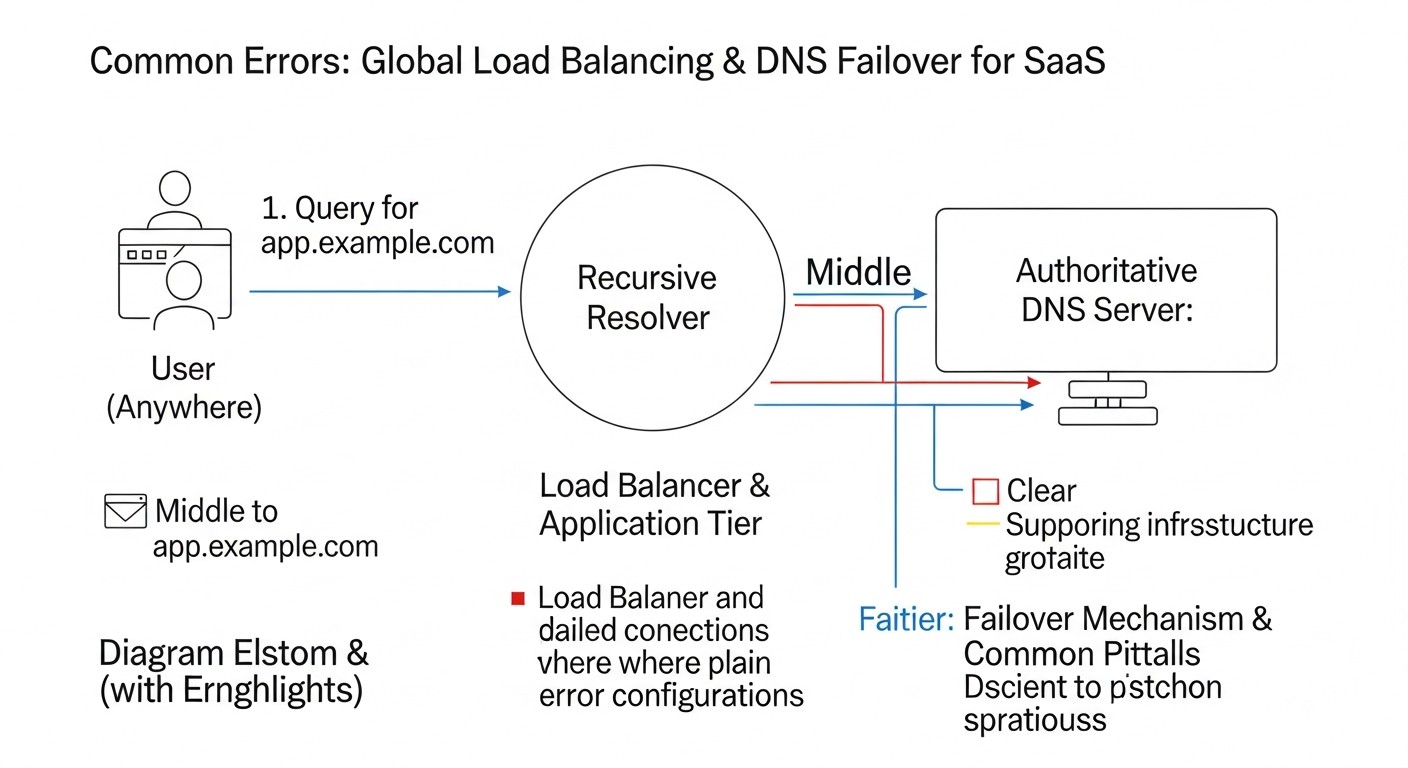 Diagram: Typical Mistakes
Implementing global load balancing and DNS failover is a complex process, and mistakes along the way can lead to prolonged downtime, data loss, and significant financial losses. Knowing typical mistakes will help you avoid them.
Mistake: Setting DNS record TTL (Time To Live) to hours or even days (e.g., 24 hours).
Consequences: In the event of a primary region failure, DNS caches worldwide will continue to point to the non-functional IP address for the entire TTL duration. This means that even after your GLB detects the failure and updates the records, users will not be able to access your application for a long time (RTO will be very high). Example: A SaaS company with a 1-day TTL experienced a failure in AWS us-east-1. Despite having a backup region, users could not connect to the service for 12-24 hours until their local DNS caches updated. This resulted in millions of dollars in losses and massive customer churn.
How to avoid: For critical records used by GLB, set the TTL in the range of 60 to 300 seconds (1-5 minutes). This will provide a reasonable compromise between failover speed and DNS server load.
Mistake: Configuring Health Checks that only verify port availability (e.g., TCP 80/443) but not the actual application's functionality or its dependencies.
Consequences: The load balancer might consider a region healthy because the web server is responding, but the application itself might be non-functional (e.g., due to issues with the database, Redis, external APIs). This leads to traffic being directed to a region that cannot serve requests, causing errors for users. Example: A Health Check only verified Nginx. Nginx was running, but the backend application crashed due to database issues. The GLB continued to direct traffic to Nginx, which returned a 502 Bad Gateway, instead of switching to the backup region.
How to avoid: Create deep Health Checks that verify the status of all critical application components (API, database, cache, queues). Implement a dedicated endpoint /healthz or /status that performs these checks and returns HTTP 200 OK only if the application is fully functional.
Mistake: Deploying an architecture with GLB and DNS failover without regularly testing failure scenarios.
Consequences: In a real failure situation, the system might not work as expected. The failover process could be slow, incomplete, or not happen at all due to configuration errors, forgotten dependencies, or data replication issues. Example: A large bank deployed a multi-regional architecture but never conducted full-scale drills. During a regional outage, it was discovered that one of the critical microservices was not configured for replication to the backup region, and the recovery process took hours instead of minutes.
How to avoid: Incorporate regular Disaster Recovery Drills (DR Drills) into your operational practice. Simulate failures in one region (service outages, network isolation) and verify how quickly and correctly the system fails over. Automate these tests if possible.
Mistake: Lack of or incorrect configuration of data replication between regions.
Consequences: When failing over to a backup region, users might encounter outdated or missing data. This can lead to loss of user data, disruption of business logic, and serious trust issues. Example: A project management SaaS platform used asynchronous database replication. During failover, the last 5 minutes of data (created in the primary region) were lost, resulting in recently created tasks and comments disappearing for users.
How to avoid: Carefully plan your data replication strategy. For critical data, aim for an RPO close to zero by using synchronous or semi-synchronous replication (e.g., AWS Aurora Global Database, CockroachDB). Remember caches and file storage; they also need to be replicated or have a recovery strategy.
Mistake: Underestimating the cost of traffic transferred between regions (egress/ingress).
Consequences: A multi-regional architecture is inherently more expensive, but inter-regional traffic can become a hidden budget "eater." If your services in different regions actively exchange data, cloud bills can quickly spiral out of control. Example: A startup deployed an Active-Active architecture with two regions but failed to consider that their microservices constantly exchanged a large volume of data with each other, even if user traffic went to the nearest region. This resulted in the inter-regional traffic bill exceeding the cost of all other resources.
How to avoid: Minimize inter-regional traffic. Design services to be as autonomous as possible within their region. If inter-regional interaction is necessary, use efficient protocols, data compression, and consider using private connections (VPC Peering, Direct Connect) to reduce traffic costs.
Checklist for Practical Application
This checklist will help you systematize the process of designing and implementing global load balancing and DNS failover for your SaaS application. Go through each item to ensure you haven't missed anything.
- Defining Requirements:
- Has the target RTO (Recovery Time Objective) for your application been defined (e.g., 30 seconds, 5 minutes)?
- Has the target RPO (Recovery Point Objective) for your application been defined (e.g., 0 seconds, 1 minute)?
- Have the key regions where resources will be hosted been defined, based on user geography and regulatory requirements?
- Has an analysis of critical application components requiring maximum fault tolerance been conducted?
- Architectural Design:
- Has the data replication strategy (Active-Passive, Active-Active, geo-partitioning) and corresponding database technologies been chosen?
- Has the application architecture been designed with statelessness in mind for easy portability between regions?
- Has a strategy for caches and file storage been developed (e.g., S3 Cross-Region Replication)?
- Has it been considered how user sessions and authentication will be handled during failover between regions?
- GLB/DNS Selection and Configuration:
- Has the primary GLB/DNS provider (AWS Route 53, Azure Traffic Manager, Google Cloud DNS) or CDN with GLB (Cloudflare, Akamai) been selected?
- Are your domain's NS records configured to use the selected DNS provider?
- Have Health Checks been created for each region, verifying the deep functionality of the application and its dependencies (HTTP
/healthz)?
- Are DNS records (A/CNAME) configured with appropriate routing policies (Failover, Latency, Geo) and are Health Checks associated with them?
- Is an optimal TTL (e.g., 60-300 seconds) set for critical DNS records?
- (Optional) Is a CDN integrated for caching, DDoS protection, and an additional layer of failover?
- (Optional) Is Anycast DNS used to improve fault tolerance and DNS query resolution speed?
- Infrastructure Implementation:
- Has identical (or as similar as possible) infrastructure been deployed in each of the selected regions?
- Is replication of databases and other persistent storage configured between regions?
- Is Infrastructure as Code (Terraform, CloudFormation) used to manage the entire infrastructure, including GLB and DNS?
- Are regional load balancers (ALB, Nginx) configured to distribute traffic within each region?
- Monitoring and Alerts:
- Is monitoring configured for GLB Health Check status and failover metrics?
- Is monitoring configured for key application metrics (errors, latencies, throughput) in each region?
- Is monitoring configured for the status of data replication between regions?
- Are alerts configured for key events (Health Check failure, regional outage, replication issues)?
- Testing and Optimization:
- Have Disaster Recovery Drills (DR Drills) been conducted, simulating a primary region failure?
- Have actual RTO and RPO been measured during the drills?
- Have costs for inter-regional traffic and resources in backup regions been optimized?
- Are all failover and recovery procedures documented?
- Is failover testing included in the CI/CD pipeline, where applicable?
Cost Calculation / Economics
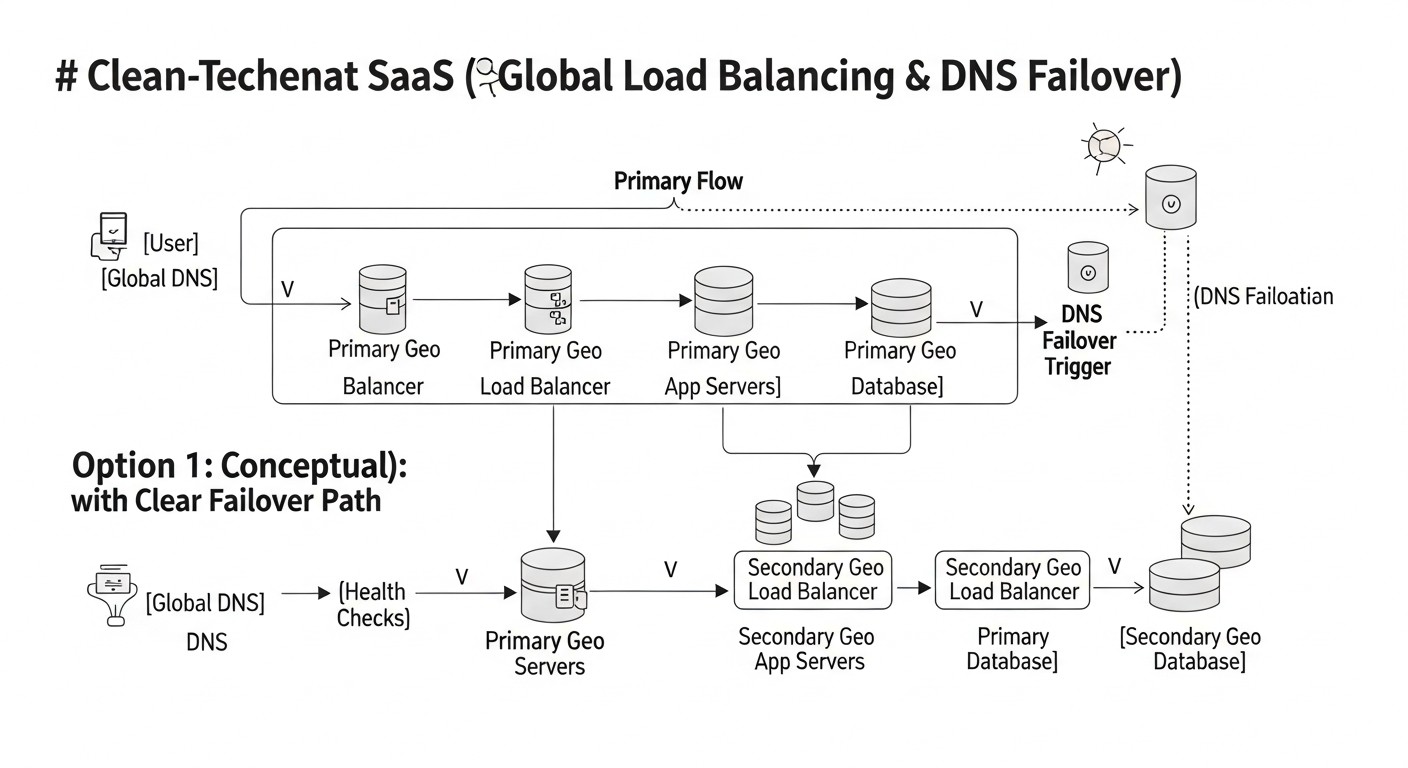 Diagram: Cost Calculation / Economics
Implementing global load balancing and DNS failover significantly increases fault tolerance, but also substantially impacts the budget. It is important to understand what constitutes the costs and how to optimize them. Let's look at calculation examples for various scenarios, relevant for 2026.
- GLB/DNS Services: Fees for DNS zones, queries, Health Checks.
- AWS Route 53: $0.50/zone/month, $0.005/1M queries, $0.70/Health Check/month.
- Azure Traffic Manager: $0.50/1M DNS queries, $1.00/Health Check/month.
- Google Cloud DNS: $0.20/zone/month, $0.40/1M queries. Health checks are integrated with Cloud Load Balancing.
- Infrastructure in the Backup Region:
- Active-Passive: The backup region operates in "hot" (always on), "warm" (only critical components are on), or "cold" (deployment on demand) mode. Cost depends on the chosen mode.
- Active-Active: Full infrastructure in each region.
- Virtual machines/containers, databases, storage, load balancers.
- Inter-region Traffic:
- Inter-regional data replication (databases, storage).
- Inter-service communication.
- Often the most expensive component, e.g., $0.02-$0.09 per GB.
- CDN: If used, fees for traffic, queries, WAF, DDoS protection.
- Development and Operations: Engineer salaries, time for design, implementation, testing, monitoring, and support.
- Licenses: If third-party software GLB or enterprise solutions are used.
Suppose we have a SaaS application with 100,000 active users, generating 500 million DNS queries per month and 10 TB of egress traffic per month (without CDN). The database generates 500 GB of replication traffic between regions per month.
Scenario 1: Active-Passive with AWS Route 53 (2 regions)
The primary region (us-east-1) operates at full capacity, while the backup region (eu-west-1) is in "hot" mode (i.e., the entire infrastructure is running but idle or serving minimal traffic).
- AWS Route 53:
- 1 Hosted Zone: $0.50
- 500 million DNS queries: 500 * $0.005 = $2500
- 2 Health Checks: 2 * $0.70 = $1.40
- Route 53 Total: ~$2502
- Infrastructure:
- Primary region: $5000/month (virtual machines, databases, load balancers)
- Backup region (hot): $5000/month (fully duplicated infrastructure)
- Infrastructure Total: ~$10000
- Traffic:
- 10 TB egress traffic (from primary region): $0.05/GB * 10240 GB = $512
- 500 GB inter-regional traffic (DB replication): $0.02/GB * 500 GB = $10
- Traffic Total: ~$522
- Total Estimated Cost: ~$13024/month
Scenario 2: Active-Active with Cloudflare and AWS Route 53 (2 regions)
Both regions serve traffic. Cloudflare acts as the primary GLB and CDN, while Route 53 is used for DNS resolution of the Cloudflare domain.
- Cloudflare (Enterprise): Approximately $2000/month (includes CDN, WAF, GLB, 50 TB traffic).
- AWS Route 53:
- 1 Hosted Zone: $0.50
- 500 million DNS queries (to Cloudflare): $2500 (if Route 53 is used for balancing DNS queries to Cloudflare, but Cloudflare usually handles DNS). If Cloudflare DNS, then $0.
- 2 Health Checks (for Cloudflare Origin servers): 2 * $0.70 = $1.40
- Route 53 Total: ~$1.90 (if Cloudflare DNS) or ~$2502 (if Route 53 DNS)
- Infrastructure:
- Primary region: $5000/month
- Second active region: $5000/month
- Infrastructure Total: ~$10000
- Traffic:
- Traffic from Cloudflare to Origin (10 TB): $0.01/GB * 10240 GB = $102.40 (Cloudflare usually has lower egress prices to Origin).
- 500 GB inter-regional traffic (DB replication): $0.02/GB * 500 GB = $10
- Traffic Total: ~$112.40
- Total Estimated Cost: ~$12114/month (with Cloudflare DNS) or ~$14614/month (with Route 53 DNS)
- Inefficient resource utilization: Running full infrastructure in a backup region that is not used (in Active-Passive).
- Data Transfer Out (Egress): Data transfer out of the cloud is always the most expensive. Inter-regional traffic can be several times more expensive than intra-regional traffic.
- Management complexity: Additional engineer hours for setting up, monitoring, testing, and troubleshooting problems in a more complex system.
- Third-party software licenses: If you use Nginx Plus, HAProxy Enterprise, or other commercial solutions.
- Audit and compliance: To ensure adherence to regulatory requirements in different regions.
- Optimizing backup region mode: Instead of "hot" Active-Passive, consider "warm" (only minimal services are running, scaling on demand) or "cold" (deploying infrastructure from scratch upon failure) modes. This reduces costs for idle resources but increases RTO.
- Minimizing inter-regional traffic:
- Place data and services close to users (geo-partitioning).
- Use data compression during transfer.
- Optimize interaction protocols.
- Use private connections (VPC Peering, Direct Connect) to reduce traffic costs between cloud accounts or regions.
- Using Spot Instances/Preemptible VMs: For non-critical or scalable workloads in the backup region, cheaper instances that can be interrupted can be used.
- Reservations (Reserved Instances/Savings Plans): If you are confident in long-term resource usage, purchasing Reserved Instances or Savings Plans can significantly reduce the cost of virtual machines and databases.
- Effective CDN usage: Maximize caching of static content to reduce load and traffic on your Origin servers.
- Automation: Automate deployment, scaling, and failover to reduce operational costs.
Table with calculation examples for various backup modes (based on Scenario 1, infrastructure):
| Backup Region Mode |
Description |
Estimated Infrastructure Costs (2 regions) |
Estimated RTO |
Use Cases |
| Hot (Hot Standby) |
Fully deployed and operational infrastructure in the backup region. |
$10000/month (2 x $5000) |
Seconds-Minutes |
Critically important SaaS with low RTO, financial, medical applications. |
| Warm (Warm Standby) |
Minimal set of resources running in the backup region, scaling on demand. |
$6000-$8000/month (1 x $5000 + 1 x $1000-$3000) |
Minutes-Tens of minutes |
Most SaaS where a small downtime is acceptable. |
| Cold (Cold Standby) |
Infrastructure is deployed from scratch or from images upon failure. |
$5000-$5500/month (1 x $5000 + image storage) |
Hours |
Non-critical applications where a high RTO is acceptable. |
The economics of multi-regional architecture is a balance between availability, performance, and cost. Careful planning and continuous optimization are essential to achieve the best results.
Cases and Examples
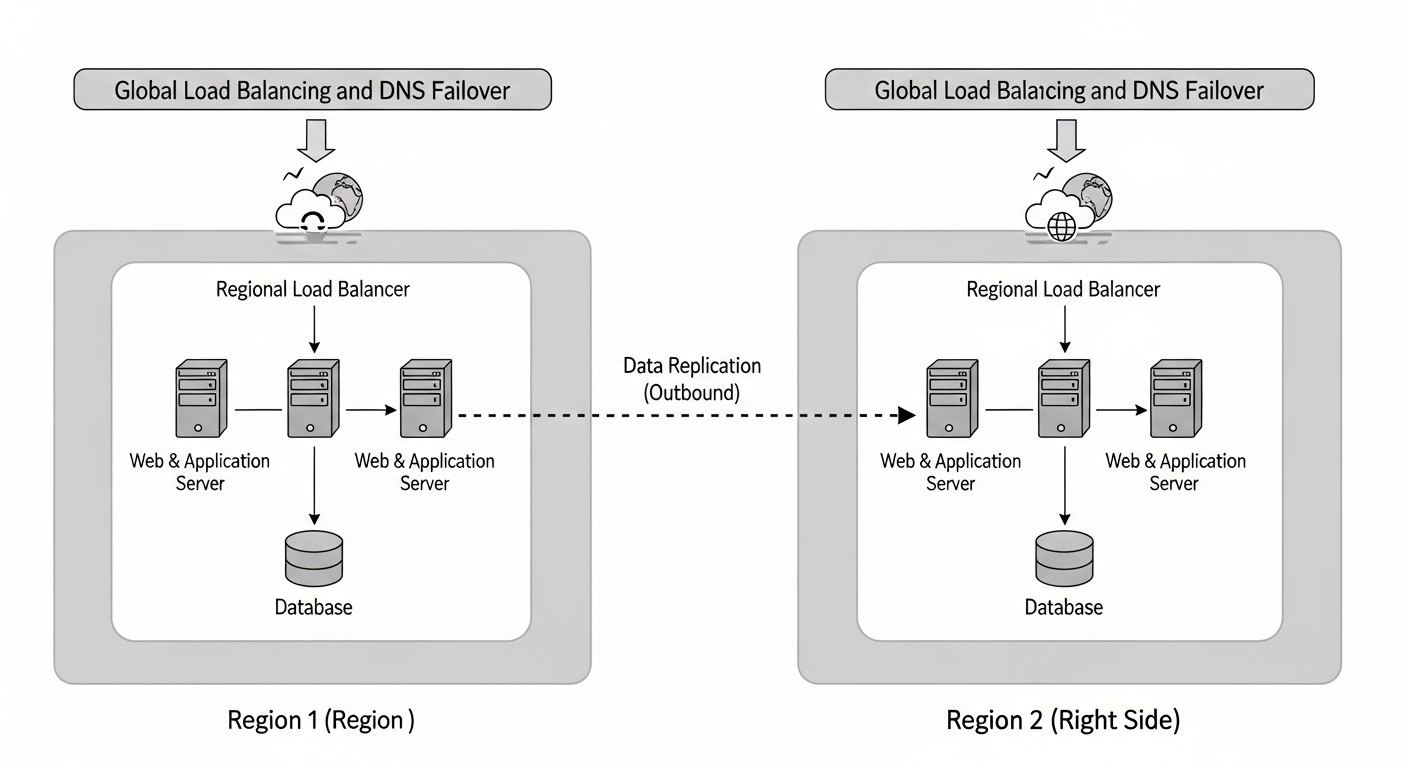 Diagram: Cases and Examples
To better understand how global load balancing and DNS failover work in practice, let's consider a few realistic scenarios from the experience of SaaS companies.
Problem: A large e-commerce platform operating in the global market faced two main problems: high latency for users located far from the primary data center in the USA, and the risk of complete downtime during major sales (e.g., Black Friday) due to regional outages. It was required to ensure an RTO of less than 5 minutes and an RPO close to zero for transactional data.
Solution:
- Multi-regional Active-Active Architecture: The platform was deployed across three AWS regions:
us-east-1 (North America), eu-central-1 (Europe), and ap-southeast-2 (Asia/Pacific). Full application stacks (web servers, API services, caches) were deployed in each region.
- AWS Route 53 with Latency-based Routing and Failover:
- A-records for the domain
shop.example.com were configured to point to regional Application Load Balancers (ALB) in each of the three regions.
- Latency-based Routing policy was used to direct users to the region with the lowest latency.
- A Health Check was associated with each A-record, verifying the availability and functionality of not only the ALB but also key API services and database connections in each region (via the
/healthz-deep endpoint).
- TTL for A-records was set to 60 seconds.
- Additionally, for critical internal services, Failover Routing Policies were configured, where one region was Primary and the other two were Secondary.
- Cloudflare CDN and WAF: All user traffic passed through Cloudflare for static content caching, latency reduction, DDoS protection, and WAF usage. Cloudflare was configured with multiple Origin servers (regional ALBs) and an Origin Failover feature, ensuring instant L7-level switching.
- Database: AWS Aurora Global Database (PostgreSQL-compatible) was used, providing low-latency asynchronous replication between all three regions. Each region had its own Aurora cluster, with one region being Primary (for writes) and the others Secondary (for reads and quick promotion to Primary during failover). The Aurora Global Database mechanism ensured an RPO < 5 seconds.
- Sessions and Caches: Sessions were stored in a distributed Redis Cluster, deployed in each region, with asynchronous replication between regions to minimize session loss during failover. Caches were regional, with the ability to warm up quickly upon switching.
Results:
- Significant reduction in latency for users worldwide (30-50% depending on the region).
- During a major outage in
us-east-1, the system automatically switched all North American traffic to eu-central-1 within 90 seconds. Users experienced brief issues, but the service remained available. Data loss was less than 5 seconds (RPO).
- The platform successfully handled peak loads by distributing them across regions.
- Significant security enhancement thanks to Cloudflare WAF and DDoS protection.
Problem: A SaaS company provided a financial data analytics platform, which required strict data sovereignty requirements (European customer data must remain in Europe) and high availability (RTO < 10 minutes, RPO < 1 minute). A serious outage occurred in the primary data center (eu-west-1), and the company incurred losses.
Solution:
- Geo-partitioned Active-Passive Architecture: Two independent application "stacks" were created: one in
eu-west-1 (Ireland) for European clients and one in us-east-1 (USA) for American clients. Each stack was Active-Passive within its region, but globally they operated as Active-Active for different user groups.
- Azure Traffic Manager with Geo-routing and Priority Failover:
- Traffic Manager profiles were configured for the domain
app.example.com.
- Geographic Routing policy was used to direct European users to
eu-west-1 and American users to us-east-1.
- Within each geographic profile, a Priority Failover policy was configured:
eu-west-1 was Primary, and eu-west-2 (London) was Secondary for European clients. Similarly for the USA.
- Endpoint Monitoring checked the availability and functionality of regional Application Gateways (L7-balancers) and key APIs.
- TTL for DNS records was set to 120 seconds.
- Database: PostgreSQL with Logical Replication was used for asynchronous data replication between
eu-west-1 and eu-west-2 (and similarly for the USA). For each client, data was stored only in their geographic region, ensuring data sovereignty. RPO was configured to 30 seconds.
- File Storage: Azure Blob Storage with geo-redundancy (GRS) within each geographical cluster.
Results:
- Full compliance with data sovereignty requirements.
- During a simulated outage in
eu-west-1, Traffic Manager successfully switched European traffic to eu-west-2 within 5 minutes. Data loss was less than 30 seconds.
- Significantly improved performance for European and American users due to data and service localization.
- Reduced risks of global outages, as problems in one geographical cluster do not affect another.
Problem: An IoT platform collected data from thousands of devices worldwide. It was crucial to ensure the lowest possible latency for data reception and high availability for device management APIs. Failures in data transmission or API unavailability could lead to the loss of critical readings.
Solution:
- Distributed Microservice Architecture with Edge Computing: Primary data processing hubs were deployed in three GCP regions:
us-central1, europe-west1, asia-east1. Microservices for data reception, processing, and storage operated in each region.
- Google Cloud Load Balancer (Global External HTTP(S) Load Balancer) with Cross-Region Failover:
- This is an L7-balancer that provides a single global IP address. It automatically directs traffic to the nearest backend service.
- A Global External HTTP(S) Load Balancer was configured for device management APIs, pointing to Managed Instance Groups in each region.
- The GCP Load Balancer itself performs Health Checks for instance groups and automatically excludes unhealthy instances or even entire regions from the pool.
- Automatic switching occurs instantly at the L7 level, without dependence on DNS TTL.
- Google Cloud DNS with Anycast: Used for fast name resolution for IoT devices, although the Global Load Balancer performed the primary balancing.
- Database: Google Cloud Spanner was used — a globally distributed, horizontally scalable relational database providing strong consistency and RPO=0 across multiple regions.
- Message Queues: Google Cloud Pub/Sub for receiving data from devices, ensuring global availability and high throughput.
Results:
- Lowest possible latency for IoT devices, as traffic was always directed to the nearest hub.
- High availability of device management APIs with instant failover during regional outages.
- RPO=0 thanks to Cloud Spanner, which eliminated device data loss.
- The system easily scaled to handle a growing number of devices and data volumes.
Troubleshooting (troubleshooting)
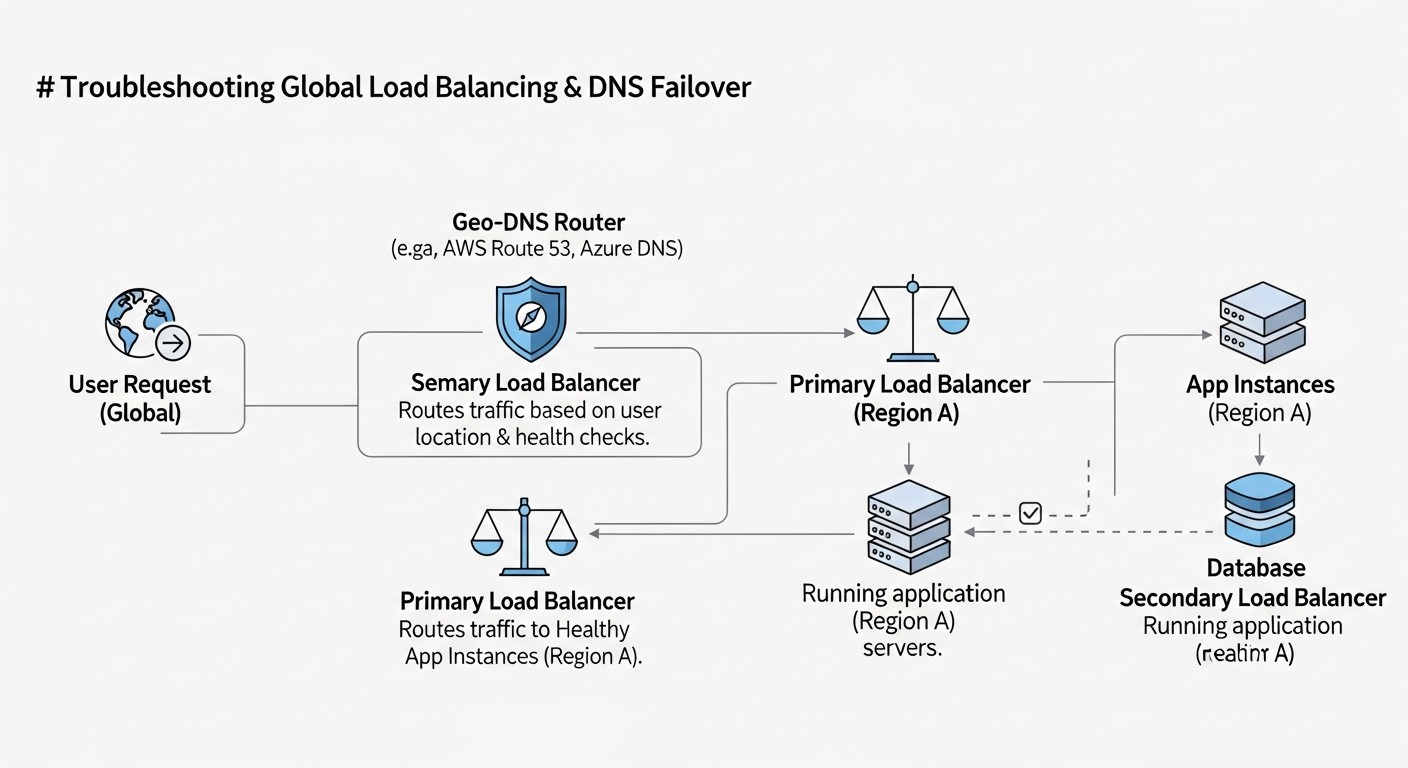 Diagram: Troubleshooting (troubleshooting)
Even with the most well-designed architecture, problems are inevitable. The ability to quickly diagnose and resolve failures in a global load balancing and DNS failover system is a critical skill. Below are typical problems and approaches to solving them.
Problem Description: The primary region has failed, but users are still being directed there, or the switchover is happening very slowly.
Diagnosis:
- Check Health Checks: Ensure that your GLB provider (Route 53, Traffic Manager) genuinely sees the primary region as "unhealthy".
# AWS Route 53: Check Health Check status
aws route53 list-health-checks --query "HealthChecks[?Id=='YOUR_HEALTH_CHECK_ID'].HealthCheckObservations"
Check Health Check logs (if available) to understand why it considers the region unhealthy. The problem might be deeper than it appears.
- Check DNS record TTLs: Use
dig or online tools (dnschecker.org) to check the current TTL and IP addresses issued by your DNS server. Clients or intermediate DNS servers might be caching old records.
dig +trace app.example.com
- Check GLB configuration: Ensure that routing policies (Failover, Latency) are configured correctly and linked to the appropriate Health Checks. Sometimes, a Health Check might be configured but not linked to a DNS record.
- Check network connectivity: Ensure that the GLB provider's Health Check servers can reach your endpoint. There might be issues with network ACLs, firewalls, or security groups.
Solution: Reduce the TTL for critical records (if it was high). Correct errors in Health Check or routing policy configurations. Open necessary ports/IP addresses for Health Check servers.
Problem Description: After switching to the backup region, users see old data or encounter errors related to missing data.
Diagnosis:
- Check database replication status: Ensure that replication is working and the lag is minimal.
-- Example for PostgreSQL: check WAL replay lag
SELECT pg_last_wal_receive_lsn(), pg_last_wal_replay_lsn(), (pg_last_wal_receive_lsn() - pg_last_wal_replay_lsn()) AS replay_lag;
For cloud databases, use their native replication metrics (e.g., Aurora Global Database Lag).
- Check caches: Caches in the new active region might be "cold" or contain outdated data.
- Check file storage: If S3, Azure Blob Storage, or Google Cloud Storage are used, ensure that files are replicated between regions (e.g., S3 Cross-Region Replication).
Solution: Optimize database replication (possibly switch to a more performant replication type or increase network bandwidth). Implement a cache warm-up strategy after failover or use distributed caches. Ensure correct configuration of file storage replication.
Problem Description: The service is available but operates slower than usual after a region switch.
Diagnosis:
- Check backup region resources: Is there enough capacity (CPU, RAM, IOPS) in the virtual machines and databases in the backup region to handle the entire load? It might have been configured as a "warm" standby with fewer resources.
- Check network latency: The new active region might be further away from most users, increasing network latency. Use
traceroute.
- Check "cold" caches: If caches in the new region were empty, this could lead to additional load on the database and slower performance.
Solution: Increase resources in the backup region. Optimize scaling. Develop a cache "warm-up" strategy. Consider geo-routing or Anycast DNS to minimize network latency for users.
Problem Description: Both regions consider themselves "active" and attempt to accept write requests, leading to data conflicts and unpredictable behavior.
Diagnosis:
- Check GLB logs: Ensure that the GLB correctly excluded the faulty region.
- Check database status: Ensure that only one region is considered Primary for writes.
- Monitor conflicts: Track write conflict metrics in your database.
Solution: This is a serious problem requiring careful design. Use quorum mechanisms (e.g., in distributed databases) or strict rules to define the "Primary" region. In Active-Passive architectures, ensure that the backup region never becomes Primary until the main region is explicitly declared dead or a manual switchover is performed. Failover automation must be thoroughly tested to avoid this situation.
Problem Description: Your application is under a DDoS attack that overloads the GLB or DNS servers, making the service unavailable.
Diagnosis:
- Monitor DNS queries: A sudden surge in DNS queries or requests to the GLB.
- Monitor traffic: Abnormal volume of traffic.
Solution: Use CDN providers (Cloudflare, Akamai) with built-in DDoS protection that can absorb attacks at the Edge level. Use Anycast DNS to distribute the load of DNS queries. Enable native cloud DDoS protection services (AWS Shield Advanced, Azure DDoS Protection, Google Cloud Armor).
- If you suspect a global outage on your cloud provider's side (check status pages).
- If Health Checks indicate that your resource is "unhealthy," but you are certain it is working (the problem might be with the Health Check service itself).
- If you encounter issues related to BGP or Anycast routing that are beyond your control.
- If you cannot understand the cause of abnormal GLB or DNS behavior, despite all internal checks.
The key to troubleshooting is a systematic approach, the use of all available monitoring and logging tools, and well-documented procedures.
FAQ
A regional load balancer (e.g., AWS ALB, Azure Application Gateway) distributes traffic only within a single region or availability zone. Global Load Balancing (GLB) operates at a higher level, directing users to the most appropriate geographical region. It provides regional-level fault tolerance by switching traffic to another region in case of a failure, and optimizes latency by directing users to the nearest available data center. These are two different but complementary levels of load balancing.
Choosing a TTL is a compromise between failover speed and the load on DNS servers. For critical records used in a GLB architecture, it is recommended to set the TTL in the range of 60 to 300 seconds (1-5 minutes). This is low enough to ensure a relatively fast failover (within a few minutes) but not so low as to cause excessive load on the DNS infrastructure. For records that rarely change (e.g., NS records), a higher TTL (1 hour or more) can be used.
Active-Active: Both (or all) regions actively serve traffic. Advantages: high availability, low latency, efficient resource utilization. Disadvantages: high data management complexity (requires a distributed database with conflict resolution), higher cost.
Active-Passive: One region is active, the other (or others) is in standby mode. Advantages: simpler to implement, easier to manage data. Disadvantages: idle resources in the standby region, potentially higher RTO and RPO. The choice depends on RTO/RPO requirements and budget.
This is one of the most complex tasks. For relational databases, you can use asynchronous replication (e.g., PostgreSQL Logical Replication, MySQL Replication) for Active-Passive, or specialized global databases (AWS Aurora Global Database, Google Cloud Spanner) for Active-Active with strong consistency. For NoSQL databases (Cassandra, MongoDB), use their built-in data distribution mechanisms. It is also important to consider file storage replication (S3 Cross-Region Replication) and distributed cache management.
Modern CDNs (e.g., Cloudflare, Akamai) offer powerful GLB functions at the L7 level (HTTP/HTTPS), including geo-based routing, latency-based routing, and failover. For many SaaS applications, a CDN can perform GLB functions, especially if the primary traffic is HTTP/HTTPS. However, if you have non-HTTP traffic (e.g., TCP, UDP), or you need lower-level control at the DNS level, then a pure DNS GLB (Route 53, Traffic Manager) or a hybrid approach using both solutions would be more suitable.
Deep Health Checks don't just verify port availability or a basic HTTP 200 OK. They should simulate a real user request or check the operational status of all critical application dependencies. For example, the /healthz endpoint might attempt to connect to a database, query data from a cache, check the availability of external APIs, and only after successfully completing all these steps, return HTTP 200 OK. This ensures that GLB switches traffic only when the application is truly ready to serve requests.
It is recommended to conduct disaster recovery drills (DR Drills) at least once a quarter, and monthly for critical systems. This helps identify configuration errors, replication issues, and other unexpected nuances before they lead to actual downtime. Automated failover tests can be run even more frequently, for example, as part of a CI/CD pipeline with every significant infrastructure change.
Main methods:
- Use "warm" or "cold" standby region modes instead of "hot" to save on idle resources.
- Minimize inter-regional traffic by optimizing service architecture and data replication.
- Use reservations (Reserved Instances, Savings Plans) for stable workloads.
- Maximize CDN usage for caching and reducing load on Origin servers.
- Optimize Health Checks so they don't generate excessive requests.
Local DNS caching on client devices and intermediate DNS servers (providers) is the main reason for slow failover when using DNS GLB. It cannot be completely avoided, but the effect can be minimized:
- Set a low TTL (60-300 seconds) for critical DNS records.
- Use a CDN: A CDN acts as a proxy, and switching at the CDN level happens instantly, as clients interact only with the CDN, not directly with your Origin servers.
- Instruct users to clear the DNS cache on their devices (though this is not always practical).
A multi-cloud strategy (deploying an application across several different clouds) can increase fault tolerance by protecting against failures of an entire cloud provider. However, it significantly increases complexity, cost, and operational overhead. For most SaaS projects, a multi-regional deployment within a single cloud is sufficient. Multi-cloud should only be considered for very strict availability requirements (e.g., five nines), stringent regulatory norms, or to avoid vendor lock-in. In such cases, specialized multi-cloud GLB solutions will be required.
Conclusion
Building a resilient architecture for SaaS applications using global load balancing and DNS failover is not just a set of technical solutions, but a strategic imperative for any business striving for success in the digital economy of 2026. We have explored how these concepts allow not only minimizing downtime and data loss in the event of disasters but also significantly improving user experience by reducing latency and increasing performance.
The key takeaways from this deep dive boil down to several fundamental principles:
- Planning is half the battle: Start designing with multi-regionality in mind, considering not only the network layer but also data, session, and cache management strategies.
- Deep Health Checks save lives: Don't rely on superficial checks. Ensure your GLB sees the real status of the application and its dependencies.
- Data is your main asset: Choose and configure a data replication strategy that meets your RPO requirements, keeping in mind the balance between consistency and performance.
- Testing is your insurance: Regular disaster recovery drills and automated failover tests are the only way to ensure your system works as intended.
- Cost optimization is an ongoing process: Multi-regionality is expensive, but the right choice of architecture, redundancy mode, and minimization of inter-regional traffic will help keep the budget within reasonable limits.
- Tools accelerate work: Use IaC for automation, powerful monitoring systems for control, and specialized tools for diagnostics.
The world of SaaS is constantly changing, and availability requirements will only grow. Investing in a reliable architecture today will pay off handsomely, protecting your reputation, customer loyalty, and ultimately, your revenue. May this knowledge be your compass in creating an architecture that not only survives but thrives amidst any challenges.
Next steps for the reader:
- Conduct an audit of your current architecture: Assess its vulnerabilities and compliance with RTO/RPO requirements.
- Choose a strategy: Determine which approach to GLB and data replication best suits your SaaS.
- Start small: If you are just starting, consider Active-Passive in two regions as a starting point, gradually complicating the architecture.
- Automate: Translate all GLB, DNS, and infrastructure settings into Infrastructure as Code.
- Practice: Plan and conduct your first disaster recovery drills.
- Monitor and optimize: Continuously track performance, availability, and costs, and make adjustments.
Good luck in building your globally distributed and resilient SaaS platform!