eBPF for DevOps: Advanced Monitoring and Security for Linux Infrastructure in 2026
TL;DR
- eBPF — a game-changer: Allows safe and efficient execution of programs in the Linux kernel, unlocking unprecedented capabilities for monitoring and security.
- Deep Visibility with Minimal Overhead: Provides detailed kernel-level telemetry (network, file system, system calls) with minimal performance impact.
- Revolutionizing the Network Stack: With eBPF, high-performance network functions like load balancing (XDP), firewalls, and advanced routing can be implemented directly in the kernel.
- Unparalleled Security: Enables the creation of dynamic security policies, anomaly detection, and kernel-level attack prevention, significantly surpassing traditional LSMs.
- Integration with the DevOps Stack: Modern eBPF tools easily integrate with Prometheus, Grafana, OpenTelemetry, allowing the use of familiar dashboards and alerts.
- Ecosystem Maturing: By 2026, eBPF tooling has become the de facto standard for cloud and container environments, offering both open-source and commercial solutions.
- A Must-Have for Future Infrastructure: Mastering eBPF is critical for DevOps engineers striving for maximum efficiency, security, and observability of their Linux systems.
Introduction
In the rapidly evolving landscape of modern IT infrastructure, where microservices, containers, and serverless architectures have become the norm, traditional approaches to monitoring and security often prove ineffective or too resource-intensive. Older methods, based on log collection, system utilities, and user-space agents, suffer from high overhead, insufficient detail, or delays critical for high-load systems. In 2026, when infrastructure scales are measured in thousands of nodes and the speed of incident response determines business viability, the need for more advanced solutions has become more acute than ever.
This is where eBPF (extended Berkeley Packet Filter) enters the scene — a technology that has revolutionized the Linux world in recent years. Initially conceived as a tool for network packet filtering, eBPF has evolved into a powerful, secure, and high-performance mechanism that allows user-defined programs to be executed directly within the Linux kernel. This unlocks unprecedented capabilities for deep introspection, monitoring, and dynamic system behavior management, without requiring kernel code modification or adding significant overhead.
Why is this topic particularly important now, in 2026? Because eBPF has moved beyond the experimental research phase and has become a mature, widely used tool in the arsenal of leading technology companies. Projects like Cilium, Falco, and bpftrace have demonstrated its immense potential in network security, observability, and performance analysis. Cloud providers are actively integrating eBPF into their platforms, and the developer community continues to expand its capabilities, making it an indispensable part of future infrastructure solutions.
This article is addressed to a wide range of technical specialists: DevOps engineers looking for ways to improve the efficiency and reliability of their platforms; Backend developers in Python, Node.js, Go, PHP, for whom deep diagnostics and performance optimization are crucial; SaaS project founders striving to create scalable and secure products; System administrators needing powerful tools to manage complex Linux systems; and Startup CTOs who are shaping their infrastructure development strategy. We will examine how eBPF solves key problems related to visibility, security, and performance, providing specific examples and recommendations based on real-world implementation experience.
Our goal is not just to tell you about eBPF's capabilities, but to provide a practical guide that will help you integrate this technology into your infrastructure. We will avoid marketing fluff and focus on concrete data, code examples, and real-world case studies so you can immediately apply the acquired knowledge in practice. Prepare to dive into the world of the Linux kernel and discover a new level of control and efficiency with eBPF.
Key Criteria and Factors for Choosing eBPF Solutions
Choosing and implementing eBPF solutions is not just a technical decision, but a strategic step that can fundamentally change the approach to monitoring and security of your infrastructure. For a successful choice, it is necessary to rely on a set of key criteria that will help evaluate the applicability and effectiveness of various eBPF tools and approaches.
1. Observability Depth and Granularity
This criterion determines how detailed information you can obtain about your system's operation. eBPF allows you to "look inside" the kernel, providing data on network connections, system calls, file operations, scheduler activity, and much more that is unavailable through traditional methods without significant overhead. It is important to evaluate:
- What types of events the kernel can track: Kprobes, Uprobes, Tracepoints, XDP, TC.
- How detailed the information is: Capturing system call arguments, full call stacks, network packet metadata.
- Aggregation and filtering capabilities: Can you configure data collection to only gather necessary data, avoiding "information noise" and reducing processing load?
Why it's important: Deep and granular observability is critical for quickly diagnosing complex performance issues, finding bottlenecks, and understanding the true behavior of applications in production. Without it, you risk spending hours guessing instead of getting precise data.
How to evaluate: Study the tool's documentation, look at examples of its use for specific scenarios (e.g., tracking disk read latencies for a particular process, analyzing network retransmits for a specific container). Conduct pilot testing in a non-critical environment.
2. Performance and Overhead
One of eBPF's main advantages is its ability to operate with minimal impact on system performance. eBPF programs execute in the kernel, avoiding context switches between kernel and user space, which significantly reduces overhead compared to traditional agents. However, even eBPF programs can be suboptimal. When evaluating, consider:
- Average CPU/RAM consumption: Especially under high load.
- Impact on latency: How eBPF monitoring affects network request or system call latencies.
- Scalability: How well the solution performs on a large number of nodes and with high event intensity.
Why it's important: In high-load systems, even a small additional overhead can lead to cascading failures or service degradation. eBPF should be your ally, not another source of problems.
How to evaluate: Be sure to conduct stress tests with eBPF monitoring enabled. Compare performance metrics (CPU utilization, network latency, disk I/O) before and after implementation. Use benchmarking tools such as iperf3, fio, sysbench.
3. Security Capabilities and Threat Prevention
eBPF provides unique capabilities for implementing dynamic security policies and detecting threats directly within the kernel. This allows for faster and more effective responses to anomalies than traditional IDS/IPS systems operating in user space. Key aspects:
- Anomaly detection: Ability to identify suspicious system calls, network connections, file operations.
- Threat prevention: Capability to block or modify undesirable actions (e.g., prohibiting the launch of specific programs, modifying network packets).
- Integration with SIEM/SOAR: How easily an eBPF solution can send incident data to existing security systems.
- Event contextualization: Ability to link kernel events to specific containers, processes, users.
Why it's important: In 2026, cyberattacks are becoming increasingly sophisticated. Kernel-level protection is the last line of defense, capable of stopping attacks that bypass traditional measures.
How to evaluate: Verify how effectively the solution detects and prevents known types of attacks (e.g., privilege escalation attempts, rootkit injection, unauthorized file access). Study the set of pre-built security rules and the possibility of customizing them.
4. Ecosystem Maturity and Community Support
Although eBPF is relatively young, its ecosystem is developing at a phenomenal pace. Choosing a mature solution with an active community ensures long-term support, availability of documentation, examples, and ready-made integrations. What to consider:
- GitHub activity: Number of commits, stars, contributors, open and closed issues.
- Documentation: Availability of comprehensive and up-to-date documentation, tutorials.
- Support: Availability of commercial support (if important for your SLA), active forums, Slack channels.
- Integrations: Compatibility with your current monitoring stack (Prometheus, Grafana, OpenTelemetry, Fluentd, Kafka).
Why it's important: Working with new technology always comes with challenges. A strong community and good documentation significantly simplify learning, implementation, and problem-solving.
How to evaluate: Visit project repositories, check the dates of the latest commits, and activity in discussions. Try asking a question in the community and assess the speed and quality of the response. Study the project roadmap.
5. Ease of Development and Deployment
Even the most powerful technology is useless if it cannot be easily implemented and maintained. eBPF programs are written in C, but high-level tools (bpftrace, BCC, libbpf) exist to simplify this process. Evaluate:
- Entry barrier for development: How difficult it is to write and debug your own eBPF program.
- Deployment tools: Support for Kubernetes (DaemonSets, Helm charts), Ansible, Terraform.
- Configuration management: How easy it is to modify and update eBPF policies or programs.
- Availability of ready-made solutions: Are there ready-to-use eBPF "applications" that can be used "out of the box" for typical tasks.
Why it's important: Rapid prototyping and deployment, as well as ease of maintenance, directly impact TCO (Total Cost of Ownership) and the speed of response to business needs.
How to evaluate: Try deploying the chosen solution in a test environment. Attempt to create a simple custom eBPF program or modify an existing one. Evaluate the usability of CLI tools and APIs.
A thorough evaluation of these criteria will allow you to choose an eBPF solution that best meets your infrastructure's needs, while ensuring an optimal balance between performance, security, and manageability.
Comparison Table: eBPF vs. Traditional Approaches
To better understand the advantages of eBPF, let's compare it with traditional monitoring and security tools that dominated Linux infrastructures before the active proliferation of eBPF. We will focus on key characteristics relevant for 2026, considering the maturity of both categories.
| Criterion | Traditional Agents (Prometheus Node Exporter, Metricbeat, Auditd, Snort) | eBPF Solutions (Cilium, Falco, Tracee, bpftrace, BCC) | Comments (Relevant for 2026) |
|---|---|---|---|
| Depth of Visibility | Limited to user space, system calls, logs. Often requires additional kernel modules or ptrace with high overhead. |
Unprecedented kernel-level visibility: system calls, network packets, file operations, scheduler, without kernel modification. | eBPF provides context and details unavailable from user-space, which is critical for complex distributed systems. |
| Overhead | High: context switching between kernel and user space, data copying, log parsing. CPU 5-15%, RAM 100-500MB+ per agent. | Minimal: execution in the kernel, no context switching. CPU 0.1-2%, RAM 10-100MB per node (depends on program complexity). | The eBPF verifier ensures safety and efficiency, preventing infinite loops and unauthorized memory access. |
| Event Reaction Speed | Delays: events must be recorded, read by the agent, processed, and sent. Often seconds, sometimes tens of seconds. | Instant: event processing directly in the kernel, ability to block or modify in real-time. Milliseconds. | Critical for security (attack prevention) and high-frequency monitoring (analysis of network micro-bursts). |
| Ease of Deployment/Management | Requires installing and configuring agents on each host, managing configuration files. Dependency conflicts may arise. | Often deployed as a DaemonSet in Kubernetes, uses standard APIs. Unified policy management. | By 2026, eBPF tools have mature orchestrators and CLIs, simplifying management. |
| Security Features | Detection (IDS), auditing (Auditd), firewalls (iptables, nftables). Often reactive, not preventive at the kernel level. | Preventive kernel-level security (LSM-like hooks), dynamic policies, attack prevention, network segmentation. | eBPF allows creating a "smart" firewall operating on XDP, or dynamically blocking suspicious system calls. |
| Network Functionality | Traditional firewalls (iptables), user-space routing. Performance and flexibility limitations. | High-performance network processing (XDP), advanced load balancing, service mesh, transparent encryption. | Projects like Cilium completely replace kube-proxy and provide Service Mesh without sidecars, significantly reducing overhead. |
| Cost (TCO, 2026) | Licenses for commercial agents (e.g., Datadog, Splunk) from $100-$500/month per node. High engineering costs for support. | Most solutions are Open Source. Commercial support (Cilium Enterprise, Isovalent) from $50-$250/month per node (for large installations). Lower engineering costs in the long term due to standardization. | eBPF TCO is lower due to Open Source, fewer resource requirements, and tool unification. |
| Complexity of Custom Solution Development | Requires deep knowledge of OS, C/C++, working with system APIs, and supporting various kernel versions. | Requires understanding of eBPF, C, but there are high-level wrappers (bpftrace, Go/Rust with libbpf) and compilers (BCC) for simplification. | The entry barrier for writing simple eBPF programs has decreased thanks to tools, but experts are still needed for complex tasks. |
As seen from the table, eBPF offers significant advantages compared to traditional approaches, especially in terms of performance, depth of visibility, and reaction speed. In 2026, as infrastructures become increasingly dynamic and distributed, these advantages become critically important. Transitioning to eBPF-oriented solutions not only optimizes costs but also significantly enhances the reliability and security of the entire system.
Detailed Overview of Key eBPF Aspects
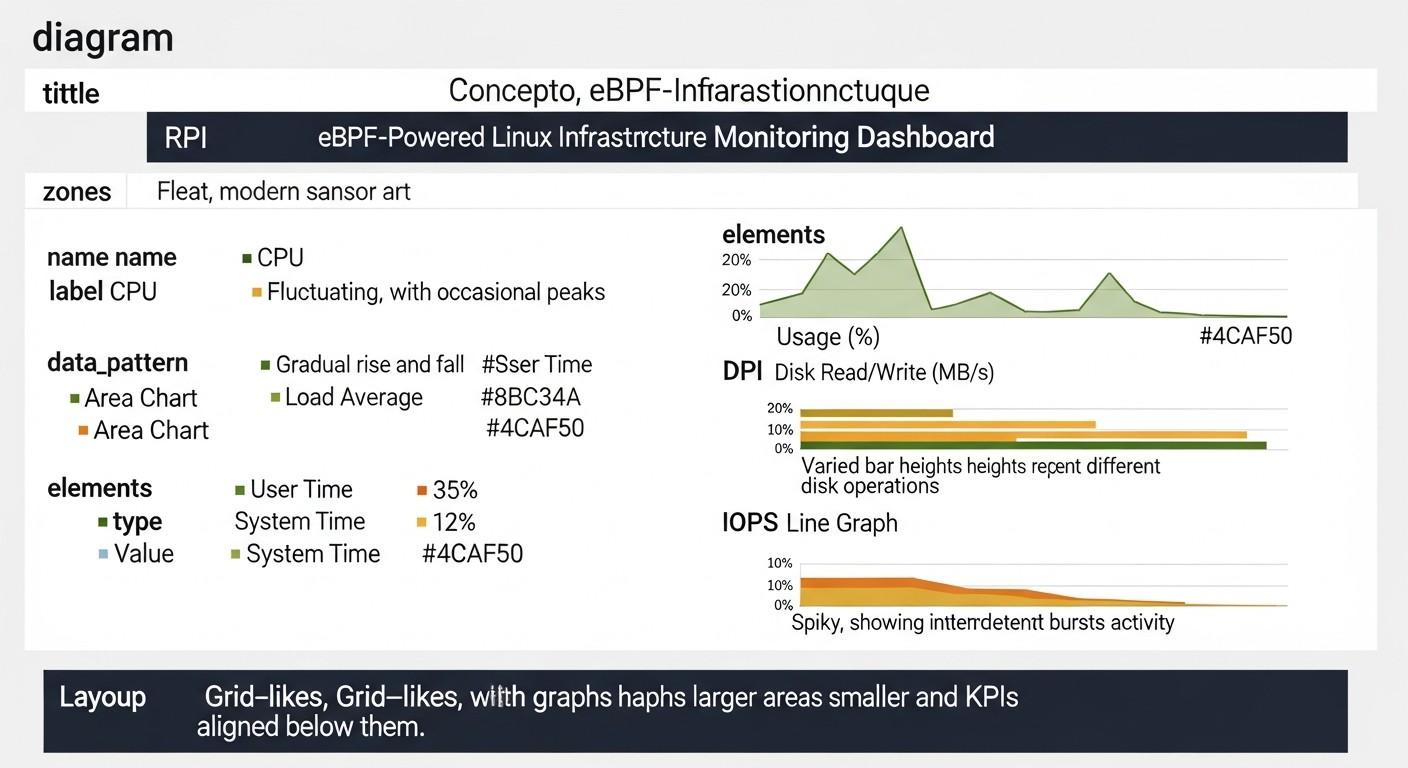
eBPF is not just a tool, but an entire paradigm for interacting with the Linux kernel. Its power manifests in various areas, from fine-grained performance monitoring to creating advanced security mechanisms. Let's delve into the key aspects that make eBPF so revolutionary.
1. eBPF for Deep Performance Monitoring and Observability
Traditional monitoring tools are often limited by what they can see from user space. They rely on /proc, sysfs, strace, or custom kernel modules, which either have high overhead or require a reboot. eBPF fundamentally changes this picture. It allows safely attaching programs to various points in the kernel (kprobes, uprobes, tracepoints, perf events) and collecting data on system calls, network operations, file access, CPU usage, locks, and much more.
- Pros:
- Minimal Overhead: eBPF programs execute in the kernel without context switching, ensuring data collection with minimal performance impact. This allows monitoring high-load systems without fear of degradation.
- Unparalleled Detail: Ability to obtain the full context of events: who called a system call, with what arguments, which files were affected, which network packet was sent/received.
- Dynamism: Programs can be loaded, unloaded, and updated without kernel or service reboots. This is ideal for dynamic cloud environments.
- Single Source of Truth: All data is collected directly from the kernel, eliminating discrepancies between different tools.
- Cons:
- High Barrier to Entry: Writing complex eBPF programs requires deep knowledge of the Linux kernel, C, and the specifics of the eBPF virtual machine.
- Kernel Version Dependency: Although
libbpfand CO-RE (Compile Once – Run Everywhere) have significantly improved the situation, some programs may require adaptation for specific kernel versions or distributions. - Handling Large Volumes of Data: Deep monitoring generates enormous volumes of data, requiring powerful systems for storage, processing, and analysis.
- Who it's for:
- DevOps engineers and SREs for finding performance bottlenecks in production, diagnosing "flapping" services.
- Backend developers for profiling their applications, understanding OS interaction, and optimizing system calls.
- Teams involved in high-performance computing and low-latency systems.
- Specific Use Cases:
- Monitoring HTTP request latencies at the TCP/IP level, identifying issues with retransmits or slow start.
- Analyzing CPU usage by call stacks for each process or function.
- Tracking file operations (read/write latency) for specific files or directories, identifying disk "bottlenecks".
- Diagnosing scheduler latency issues and resource scarcity.
2. eBPF for Network Functionality and Service Mesh
The Linux network stack has always been a complex and critical component. eBPF radically simplifies and accelerates many network operations, enabling functionality that previously required complex iptables configurations, custom daemons, or even hardware solutions.
- Pros:
- High-Performance Packet Processing: With XDP (eXpress Data Path), eBPF can process network packets at the earliest reception stage, before they enter the traditional network stack. This allows for creating ultra-fast firewalls, load balancers, and DDoS protection.
- Smart Routing and Load Balancing: eBPF can dynamically modify routing and load balancing based on packet content or service status, bypassing
kube-proxylimitations in Kubernetes and implementing more efficient Service Meshes without sidecars. - Transparent Network Security: Allows implementing firewall policies, encryption (WireGuard), and network segmentation directly in the kernel, providing L3/L4/L7 security without application modification.
- Simplified Service Mesh: Projects like Cilium use eBPF to create a full-fledged Service Mesh that processes traffic at the kernel level, eliminating the need for proxy sidecars (Envoy) and significantly reducing latency and resource consumption.
- Cons:
- Configuration Complexity for Beginners: While tools simplify the process, understanding the Linux network stack and eBPF hooks is still necessary.
- Kernel Version Dependency: Some advanced network functions require relatively recent Linux kernel versions.
- Potential Conflicts: Incorrectly written eBPF programs can disrupt network operations.
- Who it's for:
- DevOps engineers and SREs managing large Kubernetes clusters.
- Teams developing high-load network services.
- Network engineers looking for more flexible and performant solutions than traditional ones.
- Specific Use Cases:
- Implementing a Kubernetes Service Mesh with Cilium, providing network policies, load balancing, and observability without sidecars.
- Creating a high-performance firewall for DDoS attack protection using XDP.
- Transparent traffic encryption between services in a cluster using eBPF and WireGuard.
- Dynamic traffic routing based on HTTP headers for A/B testing or canary deployments.
3. eBPF for Advanced Security and Threat Prevention
The ability to execute programs in the kernel opens up unprecedented horizons for security. eBPF can act as a "guardian" that monitors every system call, every network operation, and every file system access, reacting to suspicious activities in real-time.
- Pros:
- Preventive Protection: eBPF can block or modify malicious actions before they cause damage, unlike reactive systems that only detect incidents after they occur.
- Deep Security Context: Ability to link kernel actions with user-space context (processes, containers, users), allowing for precise identification of the source and nature of a threat.
- Rootkit and Evasion Detection: eBPF programs are difficult to deceive, as they operate at the same level as the kernel and can detect attempts to hide processes or files.
- Microsegmentation and Isolation: Ability to create detailed network and system security policies for each application or container, significantly reducing the attack surface.
- Low-Overhead System Call Auditing: An alternative to
auditd, which generates a huge number of logs and has high overhead. eBPF allows collecting only necessary events with minimal impact.
- Cons:
- Complexity of Policy Development: Creating effective and non-blocking legitimate operations security policies requires a deep understanding of both system behavior and potential threats.
- Potential for Abuse: The power of eBPF means that incorrectly written or malicious programs can cause serious damage to the system. This is why the eBPF verifier exists.
- Requires Qualified Specialists: Implementing and supporting eBPF security solutions requires engineers with expertise in the Linux kernel and security.
- Who it's for:
- Security teams (SecOps) looking for advanced protection tools.
- DevOps engineers responsible for infrastructure security.
- Organizations with high compliance and data protection requirements.
- Specific Use Cases:
- Using Falco to detect suspicious system calls (e.g., an attempt to modify system files from a container without the necessary permissions).
- Blocking the execution of unknown or unauthorized executables.
- Monitoring access to sensitive data and alerting on unauthorized attempts.
- Preventing "supply chain" attacks by controlling the activity of processes launched from trusted images.
Each of these eBPF aspects represents a separate, deep area of knowledge, but their combination makes eBPF a versatile tool for solving the most pressing problems of modern Linux infrastructures. In 2026, as system complexity continues to grow and performance and security requirements become stricter, eBPF is becoming not just an option, but a necessity for those striving for excellence in DevOps.
Practical Tips and Recommendations for eBPF Implementation
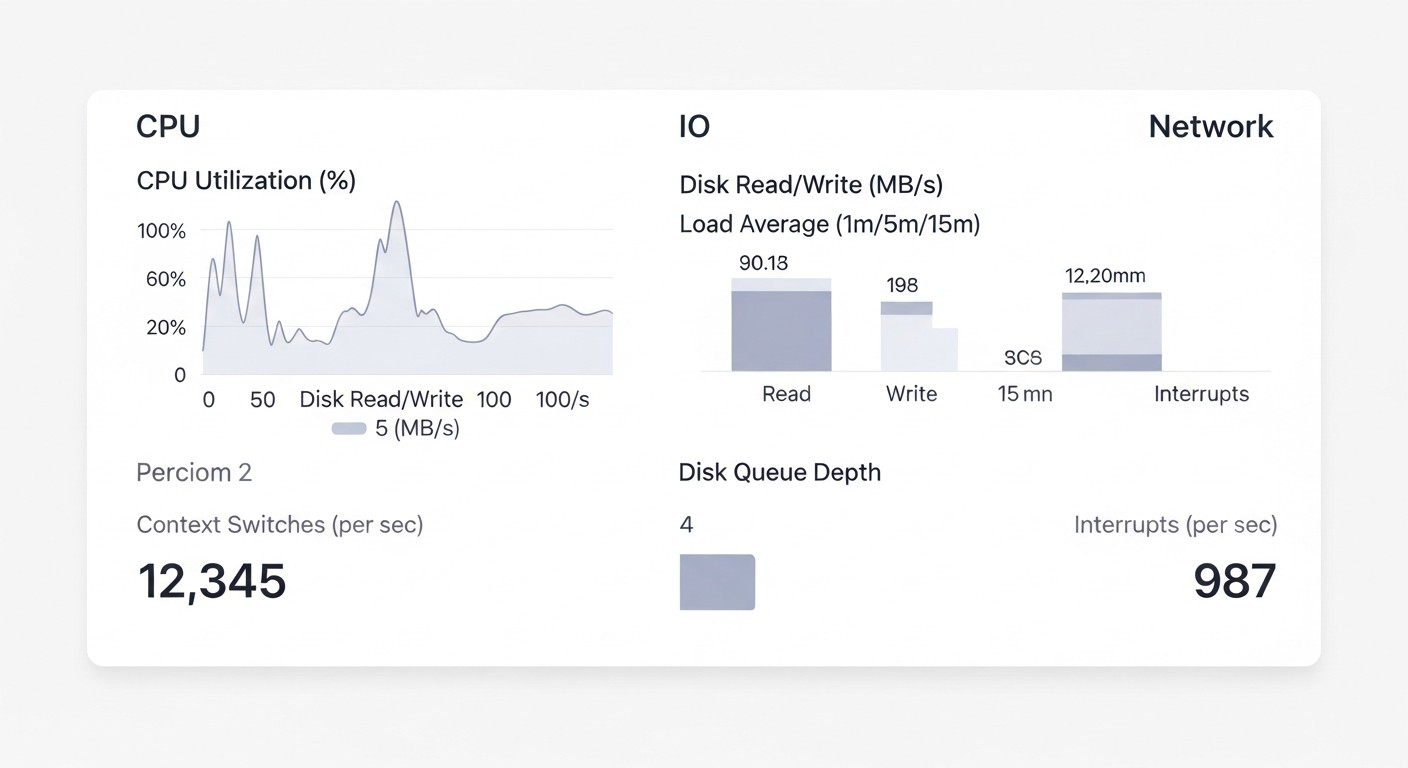
Implementing eBPF into existing infrastructure might seem like a complex task, but with the right approach and gradual integration, it can yield significant dividends. Below are practical tips and step-by-step instructions based on real-world experience.
1. Start Small: Monitoring and Observability
The safest and least risky way to start with eBPF is to use it for monitoring and observability. This does not directly affect system operation but merely collects data.
Step-by-Step Guide: Monitoring Network Latency with bpftrace
- Install
bpftrace: Ensure your kernel supports eBPF (Linux 4.9+). Installation is straightforward for most modern distributions.# For Ubuntu/Debian sudo apt update sudo apt install -y bpftrace # For CentOS/RHEL sudo yum install -y bpftrace - Explore available tracepoints:
sudo bpftrace -l 'kprobe:tcp_sendmsg' sudo bpftrace -l 'tracepoint:syscalls:sys_enter_write' - Write a simple script to measure TCP connection latencies: This script will track the time between sending a packet and receiving an acknowledgment (ACK) at the kernel level.
#!/usr/local/bin/bpftrace

kprobe:tcp_sendmsg
{
    @start[comm] = nsecs;
}

kprobe:tcp_recvmsg /@start[comm]/
{
    $latency = nsecs - @start[comm];
    printf("TCP Latency for %s: %d ns\n", comm, $latency);
    delete(@start[comm]);
}
Save it as
tcp_latency.bt. - Run the script:
sudo bpftrace tcp_latency.btYou will see latency output for various processes. This will give you an idea of how your service interacts with the network at a low level.
- Integration with Prometheus/Grafana: For production, use tools like Prometheus Node Exporter with a textfile collector or specialized eBPF exporters to collect these metrics and visualize them in Grafana. For example, you can use BCC scripts that output data in Prometheus format.
2. Use Ready-Made Tools and Libraries
Don't try to write everything from scratch immediately. The eBPF ecosystem offers many ready-made solutions and libraries that significantly simplify development and implementation.
- BCC (BPF Compiler Collection): A set of tools and libraries in Python/Lua for writing eBPF programs. Ideal for rapid prototyping and creating custom tools.
- bpftrace: A high-level tracing language that allows writing powerful eBPF scripts in just a few lines.
- libbpf and CO-RE (Compile Once – Run Everywhere): A modern approach for creating more stable and portable eBPF applications written in C/Go/Rust.
- Cilium/Hubble: For networking tasks and Service Mesh.
- Falco/Tracee: For security and system call auditing.
3. Test in an Isolated Environment
Before deploying eBPF solutions in production, always conduct thorough testing in an isolated environment (staging, dev). This will help identify potential conflicts or performance issues.
- Use virtual machines or containers (e.g., with Vagrant, Docker, Kind).
- Simulate real load using tools like
k6,JMeter,wrk. - Monitor resource consumption (CPU, RAM, I/O) with traditional tools to ensure minimal eBPF overhead.
- Verify the functionality of eBPF programs, ensuring they collect correct data or apply the desired policies.
4. Gradual Implementation: "Canary Deployment" for eBPF
Instead of deploying eBPF across the entire infrastructure at once, start with a small portion. This minimizes risks.
- Select a test group: Choose a few non-critical servers or a small Kubernetes cluster for the initial deployment.
- Monitoring: Carefully monitor the performance and stability metrics of these nodes.
- Expansion: Gradually increase the number of nodes running eBPF until you cover the entire infrastructure.
5. Integration with Existing Stack
eBPF should not be an isolated tool. Integrate its data into your current monitoring, logging, and alerting stack.
- Prometheus/Grafana: Most eBPF tools can export metrics in Prometheus format.
- OpenTelemetry: Some eBPF solutions already support exporting traces and metrics via OpenTelemetry.
- Fluentd/Kafka: For streaming security events or detailed logs.
- Alertmanager: Configure alerts based on anomalies detected by eBPF programs.
# Example Prometheus configuration for collecting metrics from an eBPF exporter
scrape_configs:
  - job_name: 'ebpf-metrics'
    static_configs:
      - targets: ['ebpf-exporter.monitoring.svc.cluster.local:9100']
        labels:
          env: production
          app: ebpf-observability
    relabel_configs:
      - source_labels: [__address__]
        regex: '(.):9100'
        target_label: instance
        replacement: $1
6. Training and Knowledge Sharing
eBPF is a powerful but complex technology. Invest in team training, conduct internal workshops, and share experiences.
- Appoint eBPF "champions" within the team who will deepen their knowledge and share it.
- Use resources from the "Tools and Resources" section for self-study.
- Participate in the eBPF community (forums, Slack, conferences).
7. Kernel Version Management
Remember that eBPF is closely tied to the Linux kernel. Plan kernel updates and test eBPF solutions on new versions.
- Use distributions with a more predictable kernel update cycle (e.g., LTS versions of Ubuntu, RHEL).
- Implement automated tests to verify the compatibility of eBPF programs after a kernel update.
- Consider using CO-RE (Compile Once – Run Everywhere) to create programs more resilient to kernel changes.
By adhering to these recommendations, you can effectively and safely integrate eBPF into your DevOps practice, significantly enhancing the monitoring, security, and performance of your Linux infrastructure.
Typical eBPF Pitfalls
Like any powerful technology, eBPF requires a careful and thoughtful approach. Incorrect use can lead not only to inefficiency but also to serious system stability and security issues. Below are the most common mistakes engineers encounter when implementing eBPF.
1. Ignoring the eBPF Verifier and Its Limitations
Mistake: Attempting to write overly complex eBPF programs that fail verifier checks, or ignoring the reasons why the verifier rejects a program.
Consequences: The program fails to load, and the developer spends hours debugging, trying to understand why "simple" code doesn't work. In the worst case, attempts to bypass the verifier can lead to kernel instability.
How to avoid:
- Always remember that eBPF programs must be deterministic, have no infinite loops, not access invalid memory regions, and terminate within a limited number of instructions.
- Start with simple programs, gradually increasing their complexity.
- Carefully read verifier error messages – they provide clear clues about the problem (e.g., "program too large", "loop detected", "invalid memory access").
- Use high-level tools (
bpftrace,BCC) that generate correct eBPF code, or modern libraries (libbpf) with CO-RE support that simplify memory and register management.
Real-world example: A team once tried to write an eBPF program to track all file operations but forgot about the maximum program size. The verifier consistently rejected it with a "program too large" error. The program had to be redesigned to perform narrower, specialized tasks and use eBPF maps for data aggregation, instead of trying to process everything in one program.
2. Excessive Data Collection and High Overhead
Mistake: Attempting to collect "all" data from the kernel by attaching to all possible tracepoints and not filtering information. This leads to high overhead, despite eBPF's efficiency.
Consequences: System performance degradation, eBPF map buffer overflows, loss of valuable data, high load on log/metric storage and analysis systems.
How to avoid:
- Principle of minimal sufficiency: Collect only the data you truly need to solve a specific problem.
- Kernel-level filtering: Use eBPF capabilities to filter events directly in the kernel. For example, track syscalls only for a specific PID, CGroup, or network port.
- Data aggregation: Aggregate data in eBPF maps within the kernel before transferring it to user space. For example, instead of sending every "file open" event, you can count the number of opens per second for each process.
- Monitoring eBPF itself: Track CPU and memory usage metrics of eBPF programs to promptly react to increased overhead.
3. Insufficient Testing and Production Deployment Without a "Canary"
Mistake: Deploying new or modified eBPF programs directly to production without prior testing in an isolated environment or using a "canary deployment" strategy.
Consequences: System instability, service outages, kernel panic (though rare, possible with very serious errors or kernel bugs), performance issues that can affect the entire cluster.
How to avoid:
- Always start with a test environment (dev/staging) that is as close to production as possible.
- Use a "canary deployment" strategy: deploy eBPF on a small subset of nodes, carefully monitor their state, and only then scale up.
- Conduct load testing with eBPF programs enabled to ensure minimal overhead.
- Use automated tests that verify the correctness of eBPF programs and their impact on the system.
4. Improper Management of eBPF Program Lifecycle
Mistake: Loading multiple eBPF programs that compete for the same tracepoints, or forgetting to unload unnecessary programs.
Consequences: Conflicts between programs, unpredictable system behavior, increased kernel resource consumption, kernel memory leaks (due to incorrect unloading).
How to avoid:
- Use a centralized approach to managing eBPF programs, especially in Kubernetes (DaemonSets, operators).
- Document which programs are loaded, to which points they are attached, and what they are used for.
- Ensure that programs are correctly unloaded when a service stops or during an update.
- Use tools such as
bpftoolto inspect loaded eBPF programs and maps:sudo bpftool prog show sudo bpftool map show
5. Ignoring Kernel Versions and CO-RE
Mistake: Developing an eBPF program that is tightly coupled to a specific kernel version or configuration, leading to compatibility issues when the system is updated.
Consequences: The program stops working after a kernel update, requiring recompilation or code modification. This increases operational overhead and reduces infrastructure flexibility.
How to avoid:
- Use CO-RE (Compile Once – Run Everywhere): This is a modern approach that allows eBPF programs to adapt to different kernel versions without recompilation, using kernel type information.
- Dependence on
libbpf: Uselibbpfas the foundation for your eBPF applications, as it provides a reliable abstraction over low-level kernel calls. - Testing on different kernels: If your infrastructure is heterogeneous, test eBPF programs on different kernel versions used in your environment.
- Justified kernel updates: Plan and test kernel updates, considering their impact on eBPF programs.
By avoiding these common mistakes, you can maximize the potential of eBPF, minimize risks, and ensure stable and secure operation of your Linux infrastructure.
Checklist for Practical eBPF Application
This checklist will help you structure the process of implementing and using eBPF in your DevOps practice, ensuring a systematic approach and minimizing risks.
Phase 1: Planning and Preparation
- Define specific goals: Clearly articulate what problems you want to solve with eBPF (e.g., "reduce service X response time by 15%", "detect unauthorized access to files Y").
- Assess current infrastructure:
- Linux kernel version on your servers (minimum 4.9 for basic functions, 5.x+ for advanced).
- Distribution used (availability of necessary packages, compilers).
- Presence of a Kubernetes cluster (if eBPF is planned for use in containers).
- Choose target areas: Performance monitoring, network security, syscall auditing, Service Mesh. Do not try to cover everything at once.
- Research ready-made solutions: Explore existing eBPF tools (Cilium, Falco, Tracee, bpftrace, BCC) and choose those that best suit your goals.
- Assess team resources: Does the team have specialists experienced with the Linux kernel, C/Go/Rust, or are you willing to invest in training?
- Allocate a test environment: Prepare an isolated environment (VM, dev-Kubernetes cluster) for experiments and testing.
Phase 2: Implementation and Testing
- Install necessary tools: Deploy selected eBPF solutions (e.g., Cilium as CNI in Kubernetes, Falco as a DaemonSet).
# Example of Cilium installation in Kubernetes helm repo add cilium https://helm.cilium.io/ helm install cilium cilium/cilium --version 1.15.5 \ --namespace kube-system \ --set kubeProxyReplacement=strict \ --set hubble.enabled=true \ --set hubble.ui.enabled=true - Start with monitoring (read-only): Initially, use eBPF tools only for data collection, without actively impacting the system (e.g.,
bpftracescripts, Hubble for network visibility). - Conduct load testing: Run performance tests with eBPF programs enabled to assess their real impact on the system (CPU, RAM, latency).
- Stability monitoring: Carefully monitor kernel logs (
dmesg), system metrics, and application stability in the test environment. - Configure integrations: Connect eBPF metrics and events to your existing monitoring system (Prometheus, Grafana), logging (Fluentd, ELK), and alerting (Alertmanager).
# Example: Hubble UI kubectl port-forward -n kube-system svc/hubble-ui 8080:80 # Open http://localhost:8080 in your browser - Use "Canary Deployment": Deploy eBPF on a small segment of your production infrastructure, continuously monitoring its behavior.
Phase 3: Optimization and Scaling
- Optimize eBPF programs: Review your custom scripts and configurations to minimize overhead, using kernel-level filtering and data aggregation.
- Develop security policies: Start with simple, non-blocking policies (e.g., with
Falcoin audit mode), then gradually move to preventive measures. - Document the implementation: Create documentation on the architecture of eBPF solutions, their configuration, deployment processes, and troubleshooting.
- Train the team: Conduct internal training and workshops for the DevOps team and developers on working with eBPF.
- Plan kernel updates: Consider eBPF compatibility when planning Linux kernel updates. Use CO-RE to ensure portability.
- Automate: Integrate the deployment and management of eBPF solutions into your CI/CD pipeline (e.g., using Helm, Terraform, Ansible).
- Regular audit: Periodically review eBPF policies and programs to ensure their relevance and effectiveness.
- Engage with the community: Participate in discussions, ask questions, and share your experience with the eBPF community.
Cost Calculation / Economics of eBPF Implementation
Assessing the economic efficiency of eBPF implementation is a complex process that goes beyond direct licensing costs. In most cases, eBPF tools are Open Source, but this does not mean the absence of TCO (Total Cost of Ownership). Hidden costs, potential savings, and return on investment (ROI) must be considered.
Examples of Calculations for Different Scenarios (2026)
Scenario 1: Small Startup (10-20 servers/virtual machines, Kubernetes cluster with 5-10 nodes)
- Goal: Improve observability and basic security.
- Tools Used:
bpftracefor ad-hoc tracing,Falcofor security,Ciliumfor CNI and network policies in Kubernetes. All Open Source. - Direct Costs: ~$0 for licenses.
- Hidden Costs:
- Engineering time for learning and implementation: 1-2 engineers 2-4 weeks (training, pilot, setup). Approximately $10,000 - $20,000 (with an average salary of $2000-2500/week).
- Infrastructure for data collection/analysis: Increased data volume for Prometheus/Grafana, ELK. Additional $50-$150/month for cloud resources.
- Support: Time for troubleshooting, updates. 0.5 engineer 1 week/month = $1,000/month.
- Total TCO (first year): ~$22,000 - $35,000 (including initial implementation and 10 months of support).
- Savings/ROI:
- Reduction in Mean Time To Resolution (MTTR) by 20-30%.
- Increased security, reduced incident risks.
- No need for commercial monitoring agents (savings of $500-$1000/month).
Scenario 2: Medium Company (100-200 servers/VMs, Kubernetes cluster with 30-50 nodes)
- Goal: Full migration to eBPF-oriented Service Mesh, advanced security, centralized monitoring.
- Tools Used:
Cilium Enterprise(for commercial support and advanced features),Falcowith custom rules,OpenTelemetry+ eBPF exporters. - Direct Costs:
- Cilium Enterprise licenses (e.g., Isovalent): $100-$150/node/month 50 nodes = $5,000-$7,500/month, or $60,000-$90,000/year.
- Potentially, paid courses/consulting: $5,000-$15,000.
- Hidden Costs:
- Engineering time for learning and implementation: 2-3 engineers 1-2 months. Approximately $16,000 - $48,000.
- Infrastructure for data collection/analysis: Significant increase, $500-$1500/month for cloud resources.
- Support: 1 engineer 1 week/month = $2,000/month.
- Total TCO (first year): ~$100,000 - $180,000.
- Savings/ROI:
- Reduction in MTTR by 30-50%.
- Elimination of the need for Sidecar proxies (Envoy) for Service Mesh (saving CPU/RAM on each pod, up to 15-20% of cluster resources).
- Replacement of expensive commercial monitoring/security agents (savings of $5,000-$15,000/month).
- Significant increase in security level and compliance.
Hidden Costs
- Engineer Time: The largest cost item. Training, developing custom eBPF programs, configuration, debugging, support.
- Data Infrastructure: eBPF generates a lot of high-granularity data. This data needs to be stored, processed, and visualized. This requires additional resources for Prometheus, Grafana, Loki, ClickHouse, ELK stack.
- Consulting and Training: Complex implementations may require external expertise or specialized courses.
- Kernel Support: Ensuring an up-to-date Linux kernel version and testing eBPF solutions after its updates.
- CI/CD Tools: Integration of eBPF programs and policies into automated pipelines.
How to Optimize Costs
- Start with Open Source: Use open-source solutions (Cilium, Falco, bpftrace) until there is a real need for commercial support or advanced features.
- Gradual Implementation: Start small, solve specific problems. This will allow your team to gradually master the technology and reduce initial investments.
- Train Your Team: Investing in in-house knowledge will pay off faster than constantly engaging external consultants.
- Optimize Data Collection: Use kernel-level filtering and aggregation to avoid collecting excessive data. This will reduce the load on monitoring and storage backends.
- Use Ready-Made Solutions: Don't write everything from scratch. Use existing eBPF applications and libraries.
- Automation: Automate the deployment, updating, and management of eBPF solutions to reduce manual effort.
Table with Calculation Examples (Provisional Values for 2026)
| Cost/Savings Item | Small Startup (up to 20 nodes) | Medium Company (up to 50 nodes) | Large Enterprise (100+ nodes) |
|---|---|---|---|
| eBPF Solution Licenses (annual) | $0 (Open Source) | $60,000 - $90,000 (Cilium Enterprise) | $150,000 - $300,000+ |
| Engineering Time (implementation, one-time) | $10,000 - $20,000 | $16,000 - $48,000 | $50,000 - $150,000 |
| Engineering Time (support, annual) | $10,000 - $15,000 | $24,000 - $36,000 | $50,000 - $100,000 |
| Data Infrastructure (annual) | $600 - $1,800 | $6,000 - $18,000 | $12,000 - $60,000 |
| Consulting/Training (one-time) | $0 - $2,000 | $5,000 - $15,000 | $10,000 - $30,000 |
| TOTAL TCO (1st year) | $20,600 - $38,800 | $111,000 - $207,000 | $272,000 - $640,000+ |
| Potential Savings (annual) | $6,000 - $12,000 (agents) | $60,000 - $180,000 (agents, Service Mesh resources) | $120,000 - $500,000+ |
| Intangible Benefits | Reduced MTTR, increased security, compliance, competitive advantage, innovation. | ||
eBPF implementation is an investment that, while requiring initial training and integration costs, in the long term brings significant savings through resource optimization, reduced operational expenses, increased security, and faster incident response. For large infrastructures, where the cost of each percentage of CPU or RAM is tens of thousands of dollars per year, eBPF can provide an ROI measured in hundreds of percent.
eBPF Use Cases and Examples in Real-World Projects
Theory is good, but real-world eBPF use cases demonstrate its true power and applicability in various scenarios. Below are several realistic cases, inspired by the experience of companies actively using eBPF in 2026.
Case 1: Optimizing Network Performance and Security in a Large E-commerce Kubernetes Cluster
Problem: A large e-commerce project faced network performance and security issues in its Kubernetes cluster, consisting of 500+ nodes. Traditional kube-proxy caused significant latency due to iptables, and sidecar proxies for Service Mesh (based on Envoy) consumed up to 25% of CPU and RAM resources in pods, leading to high operational costs and management complexity. Additionally, more granular network security was required between microservices.
eBPF Solution: The DevOps team decided to implement Cilium as a CNI and Service Mesh. Cilium, built entirely on eBPF, replaced kube-proxy and eliminated the need for Envoy sidecar proxies.
- Replacing
kube-proxy: Cilium withkubeProxyReplacement=stricttook over service traffic processing, using eBPF maps for routing and load balancing directly in the kernel. This eliminated theiptablesbottleneck. - Sidecar-less Service Mesh: Cilium Layer 7 Policy Enforcement and Observability enabled Service Mesh functionality (load balancing, policies, metrics, tracing) without deploying additional containers in each pod.
- Advanced Network Policies: Cilium Network Policies were used for microsegmentation, controlling traffic between thousands of microservices based on their identifiers (Service Identity) and Kubernetes labels. Policies were configured to prohibit direct access from public services to databases, bypassing API gateways.
- Observability with Hubble: The Hubble tool (based on eBPF, part of Cilium) provided detailed real-time visibility into network traffic, including latency, throughput, and error metrics at L3/L4/L7 levels. This allowed for quick diagnosis of network interaction problems between microservices.
Results:
- Cost Reduction: Reduced CPU and RAM consumption in the cluster by 18% due to the elimination of Envoy sidecars, leading to annual savings of approximately $150,000 on cloud resources.
- Performance Improvement: Average network response time decreased by 10-12% due to more efficient packet processing in the kernel.
- Enhanced Security: Strict microsegmentation was implemented, significantly reducing the attack surface and the risks of lateral movement by attackers within the cluster.
- Improved MTTR: Thanks to Hubble, the time to diagnose network problems was reduced from hours to minutes.
Case 2: Anomaly Detection and Threat Prevention in a FinTech Company's Critical Infrastructure
Problem: A FinTech company dealing with sensitive data needed enhanced protection for its Linux servers against advanced threats, including rootkits, zero-day exploits, and unauthorized data access. Traditional HIDS (Host Intrusion Detection Systems) and auditd had high overhead and often missed subtle anomalies, generating too many logs for effective analysis.
eBPF Solution: The decision was made to implement Falco for system call monitoring and Tracee for deeper introspection and auditing.
- Falco for Threat Detection: Falco was deployed as a DaemonSet on all Kubernetes nodes and interacted directly with the kernel via eBPF. Custom rules were configured to detect:
- Attempts to modify system files (
/etc/passwd,/bin) by processes without appropriate permissions. - Execution of executables from suspicious directories (e.g.,
/tmp) or with unusual arguments. - Unauthorized access to sensitive files (e.g., API keys, customer data).
- Creation of network connections from containers not permitted by policies.
- Attempts to modify system files (
- Tracee for Deep Audit and Forensics: Tracee was used to record detailed system call traces in case of Falco alerts. This allowed for post-incident analysis with full context, including call arguments, call stacks, and process metadata.
- SIEM Integration: Falco and Tracee events were sent to a centralized SIEM system (Splunk), where they were analyzed and correlated with other data sources.
Results:
- High Detection Accuracy: Falco was able to identify several attempts of unauthorized access and suspicious activity that were missed by previous HIDS.
- Reduced False Positives: Thanks to eBPF's granularity and the ability to filter at the kernel level, the number of false positives significantly decreased, allowing the security team to focus on real threats.
- Fast Response: Falco alerts triggered in milliseconds, enabling prompt incident response.
- Deep Forensics: Tracee provided comprehensive information for root cause analysis of incidents, significantly accelerating investigations.
- Minimal Overhead: Both tools operated with minimal impact on server performance (less than 1% CPU).
Case 3: Diagnosing "Floating" Performance Issues in a SaaS Platform
Problem: A SaaS platform built on Go and Node.js occasionally encountered "floating" performance issues: random API delays, slow database responses that were extremely difficult to diagnose. Traditional APM tools showed the overall picture but did not provide deep enough kernel-level context to understand why a specific request sometimes "hung."
eBPF Solution: The SRE team decided to use BCC (BPF Compiler Collection) and bpftrace for dynamic tracing and profiling.
- Dynamic CPU Profiling: Using the
profiletool from BCC, kernel and user-space call stacks were obtained, which helped identify functions consuming the most CPU during peak loads.sudo /usr/share/bcc/tools/profile -F 99 -f -p $(pgrep node) 10This helped uncover unexpected kernel blockages caused by suboptimal I/O.
- Monitoring System Call Latencies: BCC scripts like
execsnoop,opensnoop,writesnoopwere used to track latencies in system calls related to file operations and process launches. It was found that one of the microservices generated too many small files, leading to high I/O overhead.sudo /usr/share/bcc/tools/opensnoop -T -n node - Tracing Network Latencies: Using
tcplifeand custombpftracescripts, TCP-level latencies for specific network connections were monitored, which helped identify problems with network hardware or configuration that manifested only under certain loads. - Custom Tracing: For Go applications,
uprobeswithbpftracewere written to trace specific function calls within the application and link them to kernel activity. This allowed understanding how internal Go runtime issues (e.g., GC pauses) correlated with system events.
Results:
- Accurate Diagnosis: Several "floating" problems that were previously invisible to APM tools were identified and resolved, including suboptimal file operations and network blockages.
- Code Optimization: Developers were able to optimize application code, reducing the number of unnecessary system calls and improving interaction with the kernel.
- Reduced MTTR: The time to diagnose and resolve complex performance issues was reduced by an average of 50%.
- Proactive Identification: The team now uses eBPF tools for regular performance audits, identifying potential problems before they become critical.
These cases demonstrate how eBPF enables solving a wide range of tasks, from improving infrastructure efficiency to enhancing security, providing engineers with unprecedented control and visibility at the lowest level of the system.
Tools and Resources for Working with eBPF
The eBPF ecosystem is actively developing, and by 2026, there are many mature tools, libraries, and resources that significantly simplify the development, deployment, and use of eBPF applications.
1. Core Utilities and Libraries
- BCC (BPF Compiler Collection):
- Description: A set of tools and libraries that allows writing eBPF programs in Python and Lua. It includes ready-to-use tracing utilities (
execsnoop,opensnoop,biolatency,tcplifeand many others). - For whom: Ideal for rapid prototyping, ad-hoc analysis, and creating your own simple monitoring tools.
- Link: https://github.com/iovisor/bcc
- Description: A set of tools and libraries that allows writing eBPF programs in Python and Lua. It includes ready-to-use tracing utilities (
- bpftrace:
- Description: A high-level tracing language inspired by DTrace and SystemTap. It allows writing powerful eBPF scripts in a few lines for performance and security diagnostics.
- For whom: SREs, DevOps engineers, developers who need fast and flexible diagnostics without deep diving into eBPF C-code.
- Link: https://github.com/iovisor/bpftrace
- libbpf & BPF CO-RE (Compile Once – Run Everywhere):
- Description: A low-level library for working with eBPF, providing a stable API for loading, managing, and interacting with eBPF programs. CO-RE allows creating eBPF applications that work on different kernel versions without recompilation.
- For whom: Developers creating production-ready eBPF applications in C/C++, Go, Rust.
- Links: https://github.com/libbpf/libbpf, https://nakryiko.com/posts/bpf-core-link/
- bpftool:
- Description: The official command-line utility for inspecting and managing eBPF programs and maps loaded into the kernel. It is part of the Linux kernel.
- For whom: Everyone working with eBPF, for debugging and understanding the state of the eBPF subsystem.
- Link: Usually installed with the kernel, documentation is available via
man bpftool.
2. eBPF-based Monitoring and Testing Tools
- Cilium & Hubble:
- Description: Cilium is a CNI (Container Network Interface) for Kubernetes, providing network security, observability, and Service Mesh based on eBPF. Hubble is an observability platform for Cilium, providing deep visibility into network traffic.
- For whom: DevOps engineers, SREs, network engineers working with Kubernetes.
- Link: https://cilium.io/
- Falco:
- Description: A real-time security threat detection tool that uses eBPF to monitor system calls. It allows identifying suspicious activity and generating alerts.
- For whom: Security teams (SecOps), DevOps engineers, system administrators.
- Link: https://falco.org/
- Tracee:
- Description: A tool for real-time auditing and tracing of Linux system events. It uses eBPF to collect data on system calls, network events, file operations, and more.
- For whom: SecOps, security researchers, for forensics and deep auditing.
- Link: https://github.com/aquasecurity/tracee
- Pixie:
- Description: A Kubernetes-native observability platform that uses eBPF to automatically collect telemetry (metrics, logs, traces) without modifying application code.
- For whom: Developers, DevOps engineers, SREs who need out-of-the-box observability for microservices.
- Link: https://pixie.ai/
- Parca:
- Description: An eBPF-based continuous profiler that collects CPU and memory consumption data for the entire system with minimal overhead.
- For whom: Developers, SREs, for optimizing application and infrastructure performance.
- Link: https://www.parca.dev/
3. Useful Links and Documentation
- eBPF.io:
- Description: The official eBPF website, containing extensive documentation, tutorials, news, and a list of projects.
- Link: https://ebpf.io/
- Awesome eBPF:
- Description: A curated list of eBPF resources, projects, examples, and articles.
- Link: https://github.com/zoidbergwill/awesome-ebpf
- Linux Kernel Documentation (eBPF):
- Description: The official Linux kernel documentation on eBPF, containing low-level implementation details and API.
- Link: https://www.kernel.org/doc/html/latest/bpf/index.html
- Courses and Books:
- "Learning eBPF" by O'Reilly (2023-2024): An excellent introduction to eBPF for practitioners.
- "BPF Performance Tools" by Brendan Gregg (2019): Although the book is older, it contains fundamental concepts and examples of BCC usage.
- Online courses from Linux Foundation, Isovalent, Aquasec on eBPF and its applications.
- Blogs and Communities:
- Cilium Blog (Isovalent): Regular updates and in-depth articles on eBPF in Kubernetes.
- Brendan Gregg's Blog: A pioneer in performance tracing, many articles on eBPF.
- eBPF Slack channel: An active community for discussing questions and getting help.
Using this extensive set of tools and resources, you will be able to effectively master eBPF, integrate it into your infrastructure, and solve the most complex monitoring, security, and optimization tasks.
Troubleshooting: Solving Common eBPF Problems
Working with eBPF, especially in the early stages, can be accompanied by a number of specific issues. Knowing typical errors and their diagnostic methods will help you quickly find solutions and maintain system stability.
1. eBPF Programs Fail to Load or Don't Work
Problem: You try to load an eBPF program, but you get an error or the program simply produces no output.
Diagnostic Commands:
- Check Kernel Version: eBPF requires a Linux kernel version 4.9+ for basic functions and 5.x+ for more advanced features.
uname -r - Check eBPF Kernel Support: Ensure that the kernel is compiled with BPF support.
grep -i bpf /boot/config-$(uname -r) # Expected output: CONFIG_BPF=y, CONFIG_BPF_SYSCALL=y, CONFIG_BPF_JIT=y, etc. - Verifier Messages: If the program fails to load, the eBPF verifier in the kernel outputs an error message. This is usually visible in
dmesgor in the output of the utility you are using to load (e.g.,bpftrace,bcc).sudo dmesg | grep -i bpfLook for messages like "bpf: failed to load program", "bpf: R0 invalid mem access", "bpf: loop detected".
- Check Permissions: Loading eBPF programs requires either
CAP_BPForCAP_SYS_ADMIN. Make sure your utility or container has the necessary privileges.# For a container in Kubernetes apiVersion: v1 kind: Pod metadata: name: ebpf-privileged spec: containers: - name: ebpf-app image: your-ebpf-image securityContext: privileged: true # Or use capabilities CAP_BPF, CAP_SYS_ADMIN - Using
bpftool: Check if programs and maps are loaded.sudo bpftool prog show sudo bpftool map show
Solution: Update the kernel, adjust the eBPF program code according to verifier requirements, ensure necessary permissions are in place.
2. High Overhead or Performance Degradation
Problem: After activating eBPF monitoring or policies, you notice an increase in CPU or memory consumption, or increased latency.
Diagnostic Commands:
- Monitor System Metrics: Use standard tools (
top,htop, Prometheus) to monitor CPU, RAM, I/O. - Check Event Intensity: An eBPF program might generate too many events, overloading buffers or user space.
- Analyze eBPF Code: Check if the program contains inefficient loops (though the verifier should catch them), too frequent map accesses, or excessive data copying to user-space.
Solution:
- Kernel-level Filtering: Refine filtering conditions in the eBPF program to collect only relevant data.
- Aggregation in Maps: Use eBPF maps to aggregate data in the kernel instead of sending every event to user space.
- Rate Limiting: For some event types, rate limiting can be implemented directly within the eBPF program.
- Code Optimization: Rewrite inefficient sections of eBPF code.
- Change Attachment Points: Sometimes switching to a different trace point (e.g., from kprobe to tracepoint) can reduce overhead.
3. Conflicts Between eBPF Programs or With Other Tools
Problem: Multiple eBPF programs attached to the same point may conflict, or an eBPF solution conflicts with existing tools (e.g., iptables, other CNIs).
Diagnostic Commands:
- Check Loaded Programs:
sudo bpftool prog showPay attention to
attach_typeandattach_point. If multiple programs are attached to the same point, this could be a source of conflict. - Application Logs: Check logs of eBPF tools (Cilium, Falco) for errors or warnings about conflicts.
dmesg: Kernel messages may indicate problems.
Solution:
- Prioritization: Some attachment points (e.g., XDP) allow specifying priority for programs.
- Coordination: If you are using multiple eBPF solutions, ensure they are compatible and do not compete for the same resources. For example, Cilium can replace
kube-proxy, so it should not be run simultaneously with other solutions trying to manageiptables. - Isolation: If possible, use Cgroups or namespaces to isolate eBPF programs.
- Update: Ensure all components (kernel, eBPF tools) have up-to-date versions, as compatibility bugs are often fixed.
4. Network Connectivity Issues When Using eBPF CNI (Cilium)
Problem: After deploying Cilium, pods cannot communicate with each other or with external services.
Diagnostic Commands:
- Cilium Status:
cilium statusCheck agent status, versions, and endpoint state.
- Cilium Logs:
kubectl logs -n kube-system -l k8s-app=cilium --tail 100Look for errors related to eBPF, network policies, kube-proxy replacement.
cilium endpoint get: Check the state of network endpoints for pods.cilium endpoint getcilium monitor/hubble observe: Use for real-time network traffic tracing.cilium monitor --type drop hubble observe --follow --type l3 l4 --podThis will show which packets are dropped and why (e.g., due to a network policy).
- Check Network Policies: Ensure that your CiliumNetworkPolicies are not blocking legitimate traffic.
kubectl get cnp
kubectl describe cnp
Solution:
- Disable Policies: Temporarily disable network policies to check if they are the source of the problem.
- Debug Mode: Enable more detailed logging for Cilium.
- Check
kubeProxyReplacementConfiguration: Ensure it meets your requirements and does not conflict with other components. - Update: Make sure Cilium and the Linux kernel have compatible versions.
When to Contact Support
Do not hesitate to seek help from the community or commercial support in the following cases:
- You have exhausted all known diagnostic methods and cannot find the cause of the problem.
- The problem is related to deep bugs in the Linux kernel or the eBPF framework itself.
- The problem causes critical service degradation in production, and you do not have time for independent investigation.
- You need help optimizing eBPF programs for specific, high-load scenarios.
Active communities (Slack, GitHub Issues) for Cilium, Falco, bpftrace, and other eBPF projects are usually very responsive and can offer valuable advice.
FAQ: Frequently Asked Questions about eBPF
What is eBPF in simple terms?
eBPF (extended Berkeley Packet Filter) is a technology in the Linux kernel that allows safely running custom programs directly within the kernel. Imagine having "superpowers" to observe and control everything happening in the operating system without needing to reboot it or change its source code. This makes eBPF incredibly powerful for monitoring, security, and networking functions.
How safe is it to run programs in the kernel using eBPF?
eBPF is very safe. Every eBPF program undergoes strict verification by a special kernel "verifier" before loading. The verifier ensures that the program does not contain infinite loops, does not access invalid memory areas, and will not crash the kernel. This is a key difference between eBPF and traditional kernel modules, which can be dangerous if written incorrectly.
Do I need to recompile the kernel to use eBPF?
No, in the vast majority of cases, you do not need to recompile the kernel. eBPF support is built into standard Linux kernels starting from version 4.9. To use eBPF, it is sufficient to have a modern kernel and install the necessary user-space utilities.
What programming languages are used to write eBPF programs?
eBPF programs themselves are written in a subset of C and compiled into eBPF bytecode. However, there are high-level tools and libraries that significantly simplify this process. For example, BCC allows writing programs in Python, and bpftrace uses its own, simpler language. Modern frameworks with libbpf support Go, Rust, C/C++.
Can eBPF replace traditional monitoring agents?
In many cases, yes. eBPF can collect metrics and events with much lower overhead and greater detail than agents running in user space. It doesn't completely replace APM tools for monitoring business logic but becomes a powerful complement, providing deep context at the infrastructure level. Many modern APM solutions already use eBPF.
Can eBPF be used to prevent attacks, not just detect them?
Yes, this is one of the key advantages of eBPF. It can not only detect suspicious activity but also actively prevent it by blocking undesirable system calls, modifying network packets, or restricting access to resources. This allows for the creation of dynamic and highly effective security policies.
How does eBPF affect Service Mesh in Kubernetes?
eBPF revolutionizes Service Mesh by enabling its functionality (routing, load balancing, policies, observability) without the use of traditional sidecar proxies (like Envoy). Solutions such as Cilium use eBPF to process traffic at the kernel level, significantly reducing latency and cluster resource consumption, simplifying management and deployment.
What is the entry barrier for learning eBPF?
For basic use of ready-made eBPF tools (e.g., bpftrace, Falco), the entry barrier is relatively low. Writing your own complex eBPF programs requires a deep understanding of the Linux kernel, C, and the specifics of the eBPF virtual machine, which represents a higher barrier. However, with the development of libraries and frameworks, this barrier is constantly decreasing.
How does eBPF interact with Prometheus and Grafana?
eBPF tools often provide exporters that convert collected eBPF data into Prometheus metric format. These metrics can then be visualized in Grafana, allowing the use of familiar dashboards to display deep kernel telemetry.
What are the risks associated with using eBPF?
The main risks are associated with incorrect writing or configuration of eBPF programs, which can lead to high overhead, conflicts with other system components, or even (in rare cases, due to kernel bugs) system instability. However, thanks to the eBPF verifier and the maturity of the tools, these risks are significantly lower than when using traditional kernel modules.
Conclusion
By 2026, eBPF has firmly established itself as one of the key technologies shaping the future of Linux infrastructures. We have seen how this powerful and flexible platform transforms approaches to monitoring, security, and networking, offering an unprecedented level of visibility and control at the kernel level, while maintaining minimal overhead and a high degree of security.
eBPF is not just an evolutionary step, but a fundamental paradigm shift in how we interact with the operating system. It enables DevOps engineers, developers, and system administrators to solve the most complex problems that previously seemed insurmountable or required compromises between performance and functionality. From deep diagnostics of "floating" issues to creating ultra-fast network firewalls and Service Mesh without sidecars, eBPF provides a toolkit that is becoming critically important for any modern cloud or container environment.
We have examined the key criteria for choosing eBPF solutions, compared them with traditional approaches, delved into the details of its application for monitoring, networking, and security, and provided practical advice and checklists for implementation. Economic calculations showed that, despite initial investments in training and integration, eBPF brings significant ROI through resource optimization, reduction of operational costs, and increased infrastructure resilience to threats.
Final Recommendations
- Don't ignore eBPF: If you work with Linux infrastructure, eBPF should become part of your technology stack. Study its capabilities and follow the development of the ecosystem.
- Start small: Don't try to rebuild your entire infrastructure in one day. Begin by using ready-made eBPF tools for monitoring and diagnostics, then gradually expand the scope of application.
- Invest in knowledge: eBPF is a deep topic. Training your team, studying documentation, and participating in the community will pay off handsomely.
- Use ready-made solutions: For most tasks, mature Open Source projects (Cilium, Falco, bpftrace) exist that significantly simplify implementation. Write custom programs only for unique needs.
- Test thoroughly: Always conduct thorough testing of eBPF solutions in an isolated environment before deploying them to production.
Next Steps for the Reader
- Visit ebpf.io: This is your central resource for learning eBPF.
- Install
bpftrace: Start experimenting on your local machine or a test VM. This is the fastest way to gain practical experience. - Deploy
CiliumorFalco: If you have a Kubernetes cluster, try deploying Cilium as a CNI or Falco for basic security. - Join the community: Active participation in the eBPF community will help you master the technology faster and stay informed about the latest developments.
The future of Linux infrastructure is inextricably linked with eBPF. By mastering this technology, you will not only increase your professional value but also be able to create more efficient, secure, and observable systems, ready for the challenges of tomorrow.