info
Need a server for this guide? We offer dedicated servers and VPS in 50+ countries with instant setup.
Need a server for this guide?
Deploy a VPS or dedicated server in minutes.
Disaster Recovery (DR) Strategies for SaaS Applications on VPS and Cloud: Planning, Automation, and Testing
TL;DR
- DR is not just backups: It's a comprehensive plan to restore the functionality of a SaaS application after a failure, minimizing downtime and data loss.
- RTO and RPO are your key metrics: Define your Recovery Time Objective (RTO) and Recovery Point Objective (RPO) based on business requirements and the cost of downtime.
- Automation is key to success: Manual DR procedures are slow, error-prone, and don't scale. Invest in IaC, scripts, and orchestration for fast and reliable recovery.
- Testing is not a luxury, but a necessity: Regularly test your DR plan (from tabletop exercises to full failover) to ensure its functionality and relevance.
- Hybrid strategies offer an optimal balance: Combining VPS and cloud solutions often provides the best compromise between cost, performance, and resilience.
- Hidden costs: Consider not only direct infrastructure expenses but also the cost of downtime, reputational damage, labor costs for recovery and testing.
- 2026: AI and ML are increasingly used for predictive DR, resource optimization, and automatic log analysis during failures.
Introduction
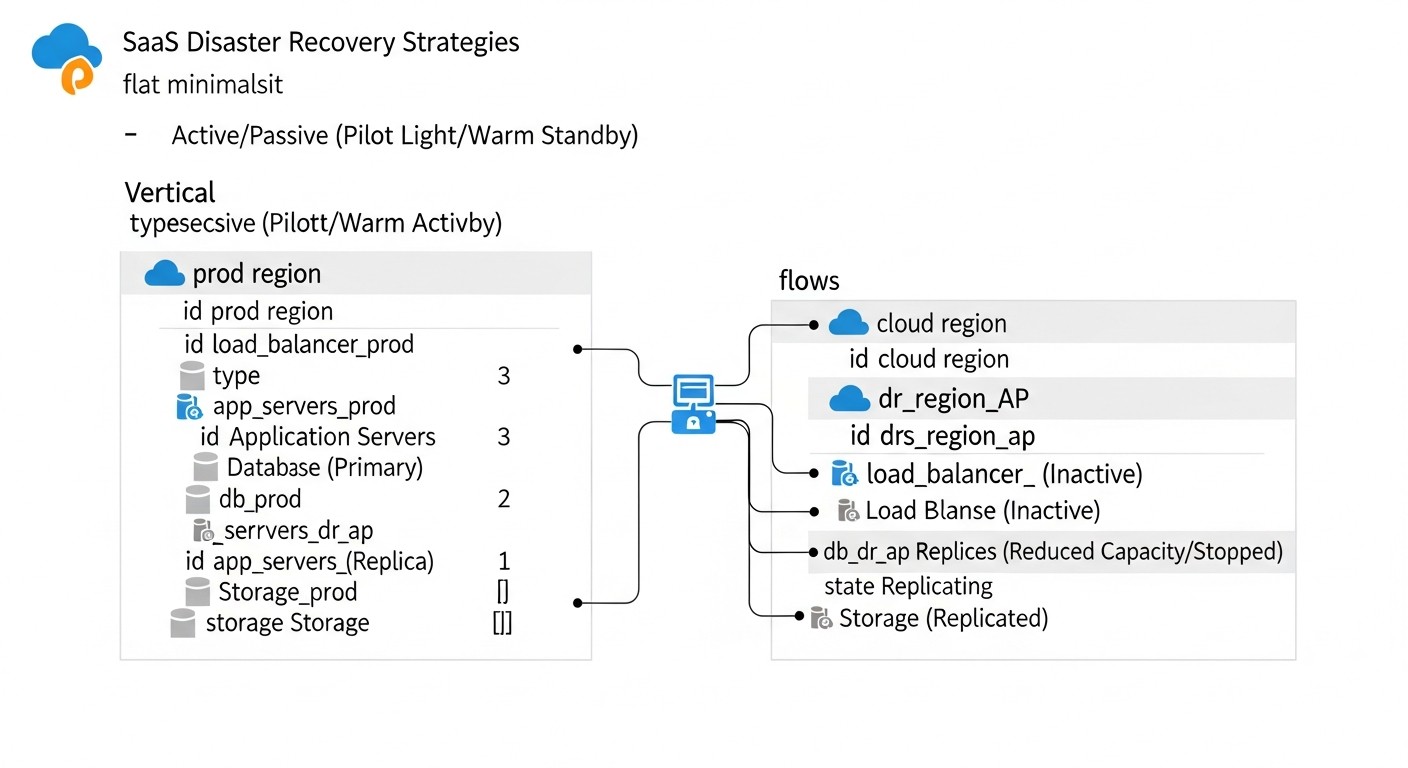 Diagram: Introduction
In the rapidly evolving world of SaaS applications, where every minute of downtime can cost a company not only significant financial losses but also irreparable reputational damage, ensuring business continuity becomes critically important. By 2026, users expect 24/7 availability and instant response from services, and outages are perceived as a direct breach of trust. Cyberattacks are becoming more sophisticated, infrastructure failures—though rare—are catastrophic, and human error remains one of the main causes of incidents.
This article aims to be a comprehensive guide to developing, implementing, and testing Disaster Recovery (DR) strategies for SaaS applications running on both classic VPS and modern cloud environments. We will explore why DR is not just a "good practice" but a vital necessity, especially for SaaS project founders who often underestimate its importance in the early stages, as well as for DevOps engineers and system administrators who bear the responsibility of implementation.
In 2026, the technology landscape offers unprecedented opportunities for creating fault-tolerant systems. From automated Infrastructure as Code (IaC) tools to intelligent AI-powered monitoring systems capable of predicting potential failures. However, despite these advancements, many companies still face challenges in implementing effective DR plans. The reason often lies in the lack of a systematic approach, insufficient testing, and a misunderstanding of actual business recovery requirements.
This guide is designed to help you:
- Understand the fundamental principles of Disaster Recovery.
- Choose the optimal DR strategy based on your RTO (Recovery Time Objective) and RPO (Recovery Point Objective).
- Master methods for automating DR processes to increase recovery speed and reliability.
- Learn to effectively test your DR plan, identifying and eliminating weaknesses before a real incident occurs.
- Evaluate the economic feasibility of various DR approaches and optimize costs.
- Avoid common mistakes that can lead to recovery failure.
We will speak in technical, yet understandable language, supporting each statement with concrete examples, configurations, and recommendations based on real-world experience. Prepare to delve into the world of resilience, where preparing for the worst-case scenario is the best investment in the future of your SaaS.
Key Criteria/Factors for Choosing a DR Strategy
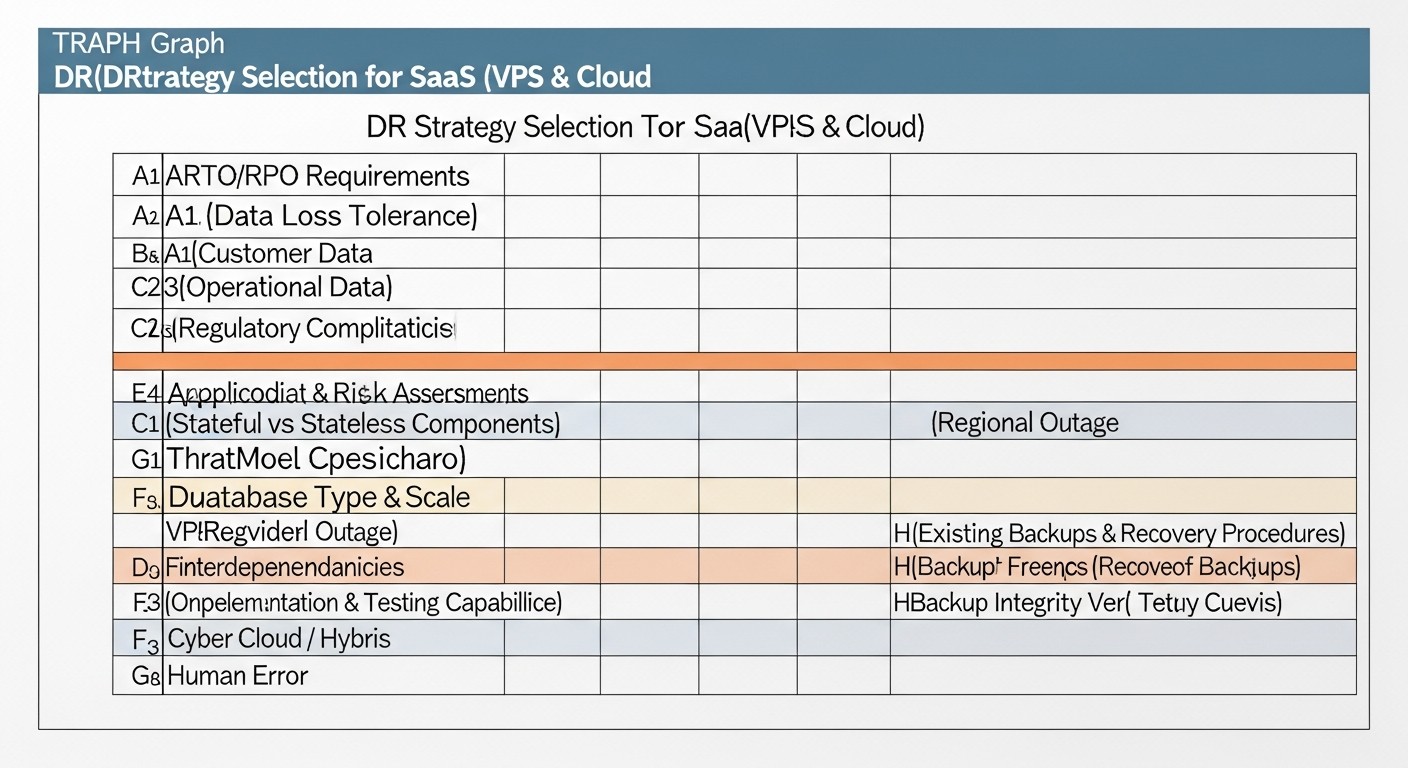 Diagram: Key Criteria/Factors for Choosing a DR Strategy
Choosing the optimal Disaster Recovery strategy is not just a technical decision, but a strategic business decision that must consider many factors. A correct understanding and evaluation of these criteria will help you build a DR plan that meets both the technical requirements and the financial capabilities of your company.
RTO (Recovery Time Objective)
What it is: The maximum allowable time during which an application or service can be unavailable after a failure. This is a downtime metric defined by the business.
Why it's important: Determines the speed at which your business must be ready to resume operations. The lower the RTO, the more expensive and complex the DR strategy. For example, for a financial application, RTO might be 1-5 minutes; for an internal CRM, it might be 4-8 hours.
How to evaluate: Conduct a Business Impact Analysis (BIA). Assess financial losses for each hour of downtime, reputational damage, and penalties for SLA non-compliance. This will help determine how much you are willing to invest in rapid recovery.
RPO (Recovery Point Objective)
What it is: The maximum allowable amount of data that can be lost as a result of a failure. This is a data loss metric measured in time (e.g., 15 minutes, 1 hour).
Why it's important: Determines the frequency of data backup or replication. The lower the RPO, the more frequently data must be synchronized between the primary and secondary systems. A zero RPO means no data loss (requires synchronous replication).
How to evaluate: BIA will also help here. What data is critical? What is the cost of recovering or recreating lost data? Can users re-enter data? For most SaaS, an RPO of 5-15 minutes is considered a good balance.
Cost
What it is: The total cost of implementing and maintaining a DR strategy. Includes direct and hidden costs.
Why it's important: A DR plan must be economically viable. There's no point in spending millions on DR if the potential damage from downtime is tens of times less. Costs include: infrastructure (servers, storage, network), software (licenses, tools), personnel (development, support), testing, data transfer.
How to evaluate: Detailed calculation of Total Cost of Ownership (TCO) for each DR option. Consider Capital Expenditures (CAPEX) and Operational Expenditures (OPEX). Don't forget hidden costs, such as the cost of staff training, time for developing and debugging DR scripts, and the cost of downtime during testing.
Complexity of Implementation and Support
What it is: The level of effort required to design, deploy, configure, and subsequently maintain the DR solution.
Why it's important: More complex systems require more development time, higher staff qualifications, and more frequent checks. High complexity increases the likelihood of errors both during implementation and during actual recovery.
How to evaluate: Assess the scope of work for IaC, replication setup, development of failover/failback scripts, and integration with monitoring. Consider the availability of ready-made solutions and your team's expertise.
Automation Level
What it is: The degree to which backup, replication, monitoring, failover, and failback processes are performed without manual intervention.
Why it's important: Automation significantly reduces RTO, minimizes human error, and increases reliability. In 2026, manual DR procedures are considered an anachronism for critical systems.
How to evaluate: Develop DR scenarios and assess how many steps can be automated. Use IaC (Terraform, Ansible), CI/CD pipelines for deploying DR infrastructure, and scripts for orchestrating failover.
Scalability
What it is: The ability of a DR solution to adapt to the growth of your SaaS application (increased traffic, data, users) without significant re-engineering.
Why it's important: Your DR strategy must grow with your business. An unscalable solution will quickly become obsolete and a bottleneck.
How to evaluate: Consider how the DR infrastructure will handle X2 or X10 load. Cloud solutions often excel here due to resource elasticity.
Security
What it is: Protection of DR data and infrastructure from unauthorized access, compromise, and loss.
Why it's important: DR infrastructure contains copies of your critical data, making it an attractive target for attackers. Insufficient DR security can lead to data breaches or destruction.
How to evaluate: Apply the same or even stricter security measures to DR resources: data encryption (at rest and in transit), access management (IAM, MFA), network isolation, regular security audits.
Compliance with Regulatory Requirements
What it is: The ability of the DR plan to meet legal requirements (GDPR, HIPAA, PCI DSS, etc.) and industry standards.
Why it's important: Non-compliance can lead to huge fines, loss of licenses, and reputational damage.
How to evaluate: Consult with lawyers and compliance specialists. Ensure your DR plan covers all aspects of storing, processing, and recovering sensitive data in accordance with regulations.
Testing Frequency and Quality
What it is: The regularity of DR tests and their depth (from tabletop exercises to full failover).
Why it's important: An untested DR plan is not a plan, but a set of assumptions. Only regular testing reveals errors, bottlenecks, and ensures confidence in system functionality.
How to evaluate: Develop a testing schedule (e.g., quarterly for full failover, monthly for backup verification). Use automated testing frameworks and Chaos Engineering to simulate various failures.
Data Gravity and Geographical Location
What it is: The physical location of data and its impact on latency and transfer costs.
Why it's important: For applications with low RPO and high data throughput, the geographical proximity of the DR site to the primary site is critical. Transferring large volumes of data between continents can be expensive and slow.
How to evaluate: Consider the location of your users, data sovereignty requirements (if any), and the cost of inter-regional traffic from providers.
A thorough analysis of these criteria will allow you to choose the most suitable DR strategy that will be not only technically reliable but also economically sound, and will meet the business goals of your SaaS application.
Comparative Table of DR Strategies
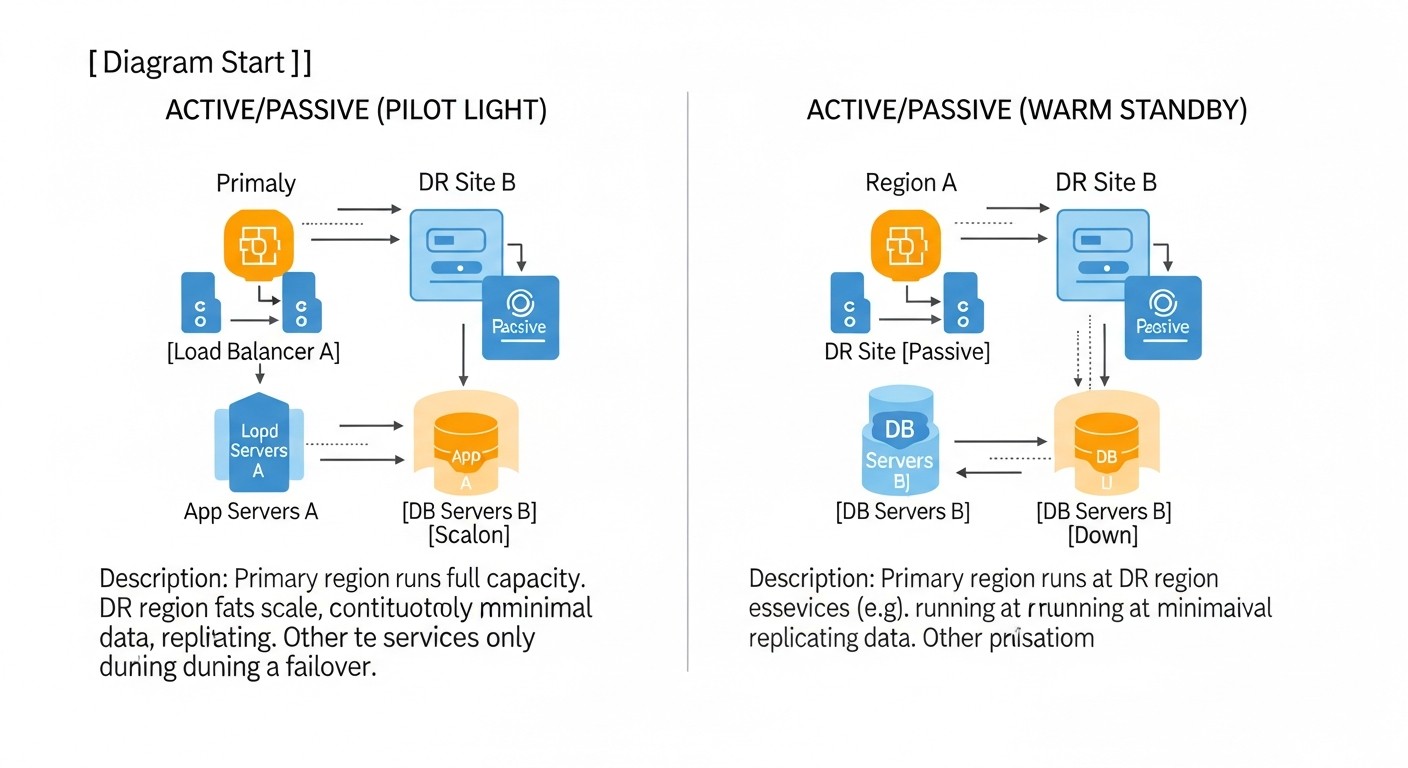 Diagram: Comparative Table of DR Strategies
Choosing a DR strategy is always a compromise between cost, complexity, RTO, and RPO. Below is a comparative table of the most common approaches, relevant for 2026, taking into account trends in cloud and VPS technologies. Prices are indicative for an average SaaS application (e.g., 3-5 application servers, 1-2 DB servers, 100-500 GB of data), excluding personnel costs and specialized software licenses.
| Criterion |
Cold Standby (VPS/Cloud) |
Warm Standby (VPS/Cloud) |
Hot Standby (Cloud/Multi-AZ) |
Multi-Region Active/Active (Cloud) |
Hybrid DR (VPS + Cloud) |
| RTO (Recovery Time Objective) |
4-24 hours |
15 minutes - 4 hours |
< 5 minutes |
0 - several seconds |
30 minutes - 2 hours |
| RPO (Recovery Point Objective) |
1-24 hours (based on last backup) |
5 minutes - 1 hour (based on last replication/backup) |
0-5 minutes (synchronous/asynchronous replication) |
0-1 minute (virtually zero) |
10-30 minutes |
| Cost (monthly, 2026, USD) |
$50 - $300 (backup storage only + minimal VPS) |
$200 - $1000 (several VPS/VMs + storage + traffic) |
$1000 - $5000+ (duplicated infrastructure) |
$5000 - $20000+ (geographically distributed infrastructure) |
$300 - $2000 (combination, depends on cloud resources used) |
| Implementation Complexity |
Low (backup configuration, manual startup) |
Medium (replication configuration, startup scripts) |
High (automatic failover, synchronization) |
Very High (global load balancer, distributed DBs) |
Medium-High (integration of heterogeneous environments) |
| Automation Level |
Low (backups only, manual recovery) |
Medium (automatic replication, activation scripts) |
High (automatic monitoring, failover/failback) |
Very High (fully automated traffic and data management) |
Medium (automation in the cloud part, manual steps on VPS) |
| Scalability |
Low (requires manual scaling during recovery) |
Medium (templates for scaling can be provided) |
High (leverages cloud auto-scaling capabilities) |
Very High (global auto-scaling) |
Medium (cloud part is scalable, VPS is not) |
| Technology Examples |
rsync, pg_dump, S3/Object Storage, Cron |
PostgreSQL Streaming Replication, MySQL GTID, rsync, DRBD, Terraform, Ansible |
AWS RDS Multi-AZ, Azure SQL Geo-replication, GCP Cloud Spanner, Kubernetes Operators, Route 53, ALB |
AWS Global Accelerator, Azure Front Door, GCP Global Load Balancer, CockroachDB, Cassandra, DynamoDB Global Tables |
VPN tunnels, rsync, S3/Object Storage, CloudFlare, Hybrid Cloud Connectors |
| Suitable For |
Small startups, non-critical services, internal utilities |
Medium SaaS projects with moderate RTO/RPO requirements |
Large SaaS, mission-critical applications, financial services |
Global SaaS, services with extremely high availability requirements (99.999%) |
SaaS projects looking to optimize costs but leverage cloud benefits for DR |
This table provides a general overview. Actual figures and complexity can vary significantly depending on your application's architecture, chosen technologies, and team expertise level. It is important to remember that investing in DR is an insurance policy that pays off in the event of a disaster.
Detailed Overview of Each DR Strategy
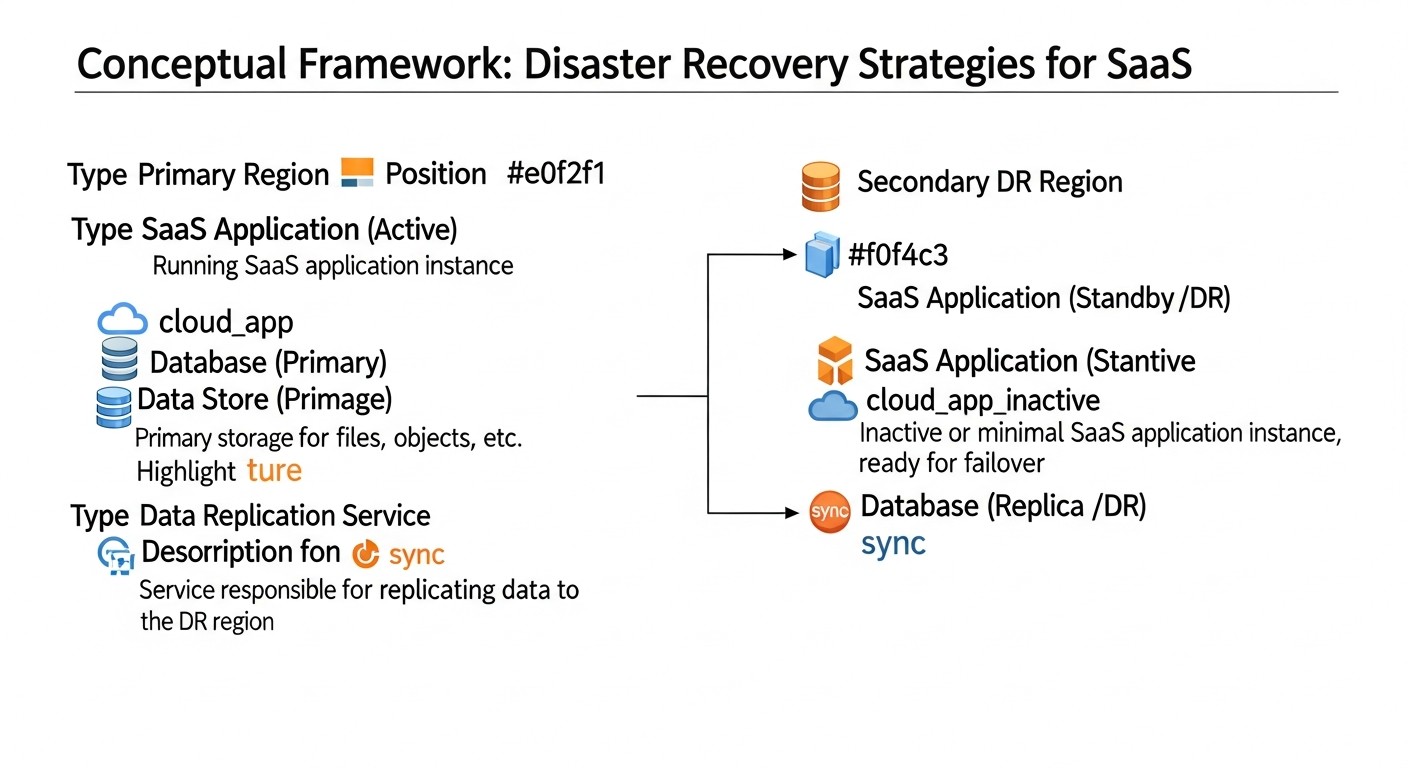 Diagram: Detailed Overview of Each DR Strategy
Each of the presented DR strategies has its own features, advantages, and disadvantages. The choice of a specific approach should be based on a thorough analysis of business requirements, budget, and technical capabilities. Let's consider each strategy in more detail.
1. Cold Standby
Description: This is the least expensive and simplest strategy. On the backup site (be it another VPS or a cloud VM), there are no continuously running application resources. Instead, data backups (databases, files, configurations) are regularly created from the primary site and stored on a remote, independent storage (e.g., S3-compatible storage, another VPS with a large disk). In the event of a disaster, the backup server or VM is deployed "from scratch" or from a pre-prepared image, the latest data backups are loaded onto it, and the application is launched. DNS records are switched to the new IP address.
Pros:
- Low Cost: The main costs are associated only with storing backups and, possibly, paying for a minimal VPS or VM that is in a powered-off state and paid for on a pay-as-you-go basis (if cloud).
- Simplicity of Implementation: Requires basic skills in setting up backups and deploying servers.
- Well Suited for Non-Critical Data: If RPO and RTO can be within a few hours, this is an acceptable option.
Cons:
- High RTO: Recovery time can range from 4 to 24 hours, as it includes infrastructure deployment, data loading, and application configuration.
- High RPO: Data loss is limited by the frequency of backups (e.g., 1-24 hours).
- Manual Intervention: The recovery process often requires significant manual intervention, which increases the likelihood of errors.
- Not Scalable: Rapid recovery of a large and complex application in manual mode is practically impossible.
Who it's for: Small early-stage startups, internal tools, test environments, non-critical SaaS applications where a few hours of downtime does not lead to catastrophic losses. SaaS project founders with limited budgets can start with this but should plan to transition to more reliable strategies as they grow.
Use Cases: SaaS for blogging, small CRMs, personal accounts, where business processes are not critically affected by several hours of downtime. For example, your SaaS application is a task tracker for freelancers, and data loss over the last 12 hours or 8 hours of downtime is not fatal for the business.
2. Warm Standby
Description: This strategy involves a backup site that is partially or fully running and ready to receive traffic, but is not active. The infrastructure (servers, databases) on the backup site is already deployed and configured. Data from the primary site is regularly replicated or synchronized to the backup site. In the event of a failure on the primary site, the backup site is activated, and DNS records are switched. This may include launching additional services, scaling capacity, and switching load balancers.
Pros:
- Moderate RTO: Recovery time is significantly reduced to 15 minutes - 4 hours, as most of the infrastructure is already ready.
- Moderate RPO: Data loss can be reduced to minutes or tens of minutes due to frequent replication.
- Balance of Cost and Reliability: More expensive than Cold Standby, but significantly cheaper than Hot Standby.
- Potential for Partial Automation: Replication and partial failover processes can be automated.
Cons:
- Requires More Resources: Continuously running, albeit not fully loaded, infrastructure on the backup site.
- Configuration Complexity: Setting up database replication and file synchronization requires specific knowledge.
- Risk of Outdated Configurations: If the backup site is not actively used, its configurations may lag behind the primary site.
- Incomplete Automation: Often requires manual intervention for final activation and verification.
Who it's for: Growing SaaS projects with moderate availability requirements, where a few hours of downtime is noticeable but not critical. Backend developers and DevOps engineers can implement this strategy using standard DB replication tools and IaC for infrastructure deployment.
Use Cases: E-commerce platforms, SaaS for project management, CRM systems, where losing an hour or two of data or 30 minutes of downtime is acceptable. For example, a SaaS for inventory management where synchronization every 15 minutes helps minimize losses.
3. Hot Standby / Multi-AZ in the Cloud
Description: This strategy involves a fully functional and continuously running backup site that mirrors the primary one. Both systems (primary and backup) operate in parallel, and data is synchronized almost in real-time. In cloud environments, this is often implemented through Multi-AZ (Multi-Availability Zone) deployments, where the application and database are duplicated in different physically isolated data centers (AZs) within the same region. Traffic is directed to the active system, and in the event of a failure, an automatic failover occurs to the backup system with minimal or zero downtime.
Pros:
- Low RTO: Recovery time is minutes or even seconds, as the backup system is already running.
- Low RPO: Data loss is minimal or non-existent due to synchronous or very frequent asynchronous replication.
- High Availability: Ensures virtually continuous service operation.
- High Degree of Automation: Monitoring, failure detection, and failover processes are fully automated.
Cons:
- High Cost: Requires duplication of the entire production infrastructure, which significantly increases costs.
- High Complexity: Setting up synchronous replication, automatic failover, load balancing, and ensuring data consistency requires high expertise.
- Risk of "Split-brain": Incorrect configuration can lead to a situation where both systems consider themselves active, causing data loss.
- Does Not Protect Against Regional Failures: Multi-AZ protects against failures in one AZ, but not against a failure of the entire region (although the probability of such an event is extremely low).
Who it's for: Large SaaS projects, mission-critical applications, financial services, E-commerce with high transaction volumes, where every minute of downtime costs huge sums. System administrators and DevOps engineers with experience in cloud and distributed systems are key for implementation.
Use Cases: Payment systems, online banking platforms, global gaming services, SaaS for healthcare, where continuity and data integrity are absolutely critical.
4. Multi-Region Active/Active
Description: This is the highest level of DR and high availability. The application is deployed and actively running simultaneously in multiple geographically distant regions (e.g., Europe and North America). Users are directed to the nearest or least loaded region using global load balancers (e.g., AWS Route 53, Azure Front Door, GCP Global Load Balancer). Data is replicated between regions, often using distributed databases capable of operating in Active/Active mode. In the event of a complete region failure, traffic is automatically rerouted to the remaining regions without any downtime for the end-user.
Pros:
- Virtually Zero RTO and RPO: Users may not notice a failure, as traffic instantly switches to another active region. Data loss is minimal or non-existent.
- Maximum Resilience: Protects against failures of entire regions, which is extremely rare but possible.
- Global Performance: Users are served from the nearest region, which reduces latency.
- Highest Level of Availability: Achieving 99.999% and above.
Cons:
- Extremely High Cost: Requires full duplication of infrastructure in multiple regions, as well as expensive global services and distributed databases.
- Exceptionally High Complexity: Designing and maintaining such a system is an extremely complex engineering task. Managing data consistency between regions is a significant challenge.
- "Eventual Consistency" Issue: Many distributed databases are characterized by eventual consistency, which may be unacceptable for some applications.
- Requires Specialized Tools and Expertise: The team must possess deep knowledge in the field of distributed systems.
Who it's for: Global SaaS projects, social networks, mission-critical services with millions of users worldwide, for whom any minute of downtime is unacceptable. CTOs and lead architects must carefully weigh all pros and cons before deciding on such an expensive and complex strategy.
Use Cases: Google, Facebook, Netflix, large banking systems, global SaaS platforms where worldwide availability and zero downtime are key to the business.
5. Hybrid DR (VPS + Cloud)
Description: This strategy combines the advantages of both VPS and cloud environments. The primary application can run on a VPS (for cost control or specific requirements), while the DR site is deployed in the cloud. For example, data from the VPS is replicated to cloud storage (S3, GCS, Azure Blob Storage) or a cloud database (RDS, Cloud SQL). In the event of a primary VPS failure, infrastructure (VMs, containers, serverless functions) is automatically or semi-automatically deployed in the cloud from pre-prepared images and configurations, and the application is launched using the replicated data. DNS records are switched to cloud resources.
Pros:
- Cost Optimization: Allows using cheaper VPS for primary operations and paying for cloud DR resources only when needed ("pay-as-you-go" model for DR infrastructure).
- Flexibility: Combines the control and predictability of VPS with the elasticity and rich set of cloud services.
- Moderate RTO and RPO: Depending on the level of automation and replication, RTOs of 30 minutes to 2 hours and RPOs of 10 to 30 minutes can be achieved.
- Protection Against Provider Failures: If the primary VPS provider fails, the cloud DR site remains available.
Cons:
- Integration Complexity: Requires setting up network interaction (VPN), data synchronization, and configurations between two different environments.
- Additional Tools: Tools are needed for orchestrating cloud deployment (IaC) and data management.
- Data Transfer: The cost and latency of data transfer between VPS and the cloud can be significant.
- Expertise in Both Environments Required: The team must understand both VPS and cloud technologies.
Who it's for: SaaS projects that want to leverage the benefits of cloud DR without migrating their entire primary infrastructure to the cloud. SaaS founders who want to control their budget while ensuring reliable DR. System administrators and DevOps engineers capable of working with both platforms and configuring hybrid solutions.
Use Cases: SaaS applications that grew on VPS but want a more reliable and automated DR than other VPS providers can offer. For example, a SaaS accounting platform that stores data on a VPS but uses AWS S3 for backups and AWS EC2/RDS for the DR site.
When choosing a strategy, always start by defining your RTO and RPO, then evaluate the available budget and team expertise. Remember that DR is an evolutionary process, and you can start with a simpler solution, gradually making it more complex as your business grows and availability requirements increase.
Practical Tips and Recommendations for DR Implementation
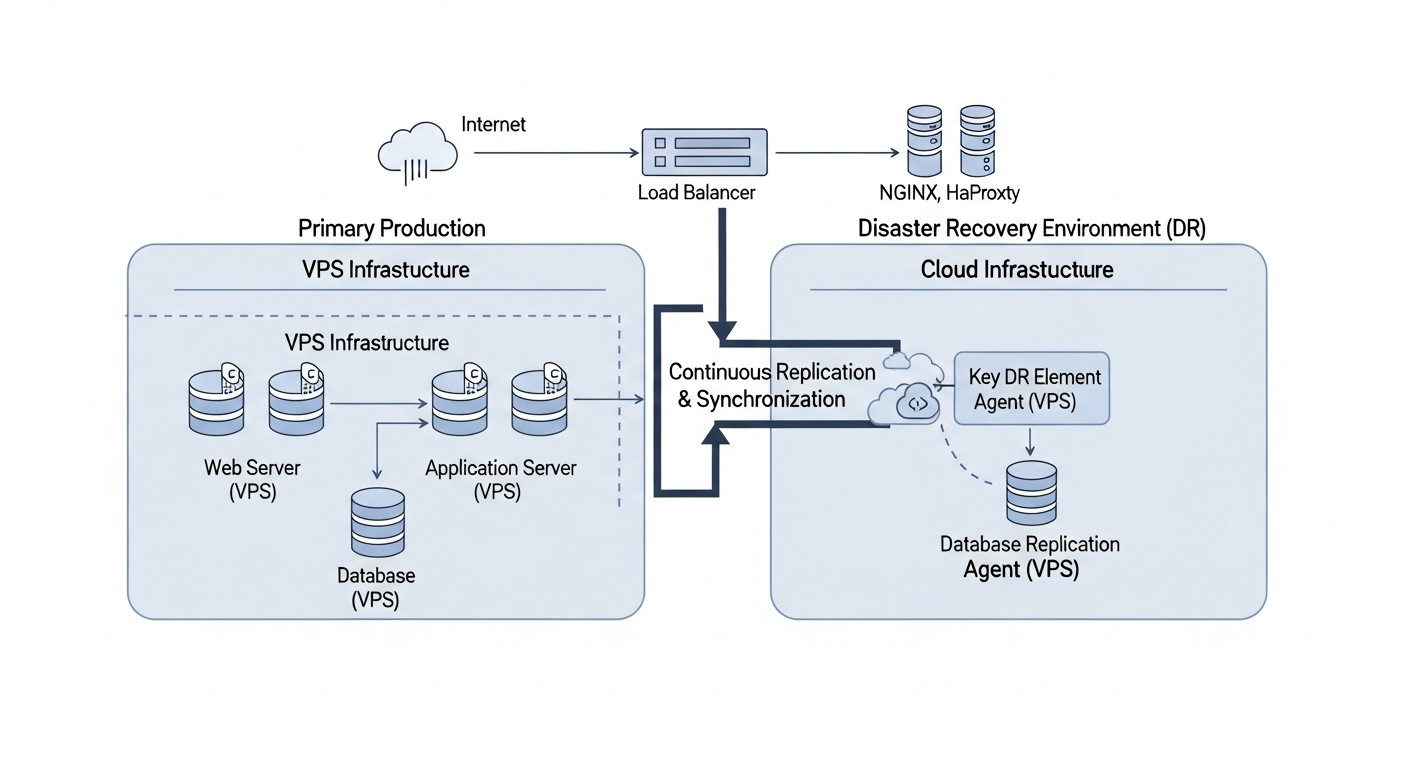 Diagram: Practical Tips and Recommendations for DR Implementation
Implementing an effective Disaster Recovery strategy requires a systematic approach and attention to detail. The following practical tips and commands will assist you in this process.
1. Developing a Disaster Recovery Plan (DRP)
A DRP is not just a document; it's a living guide to action. It must be detailed, up-to-date, and accessible to all involved parties. Key components of a DRP:
- RTO/RPO Objectives: Clearly defined for each critical service.
- Disaster Scenarios: A list of possible failures (server failure, data center outage, cyberattack, human error).
- Roles and Responsibilities: Who is responsible for what during an incident.
- DR Activation Procedures: Step-by-step instructions for switching to the backup site.
- Failback Procedures: How to return to the primary site after resolving the issue.
- Contacts: Internal teams, external providers, clients.
- Communication Plan: Who, when, and how to inform stakeholders.
- Storage Location: The DRP should be stored outside the primary infrastructure (e.g., in Google Docs, a printed copy).
2. Defining RTO and RPO with Business Owners
This is not a technical task, but a business one. Conduct meetings with department heads to understand how much downtime or data loss they can afford. Use this data to select your DR strategy. For example, for a financial module, the RPO might be 1 minute, while for an analytical report, it could be 4 hours.
3. Choosing the Right Backup Strategy
Backups are the foundation of any DR. Use the 3-2-1 rule:
- 3 copies of data: The primary and two backups.
- 2 different media: For example, a local disk and cloud storage.
- 1 offsite storage: Geographically separated from the primary site.
Backup types: full, incremental, differential. Use snapshots for quickly creating VM and disk restore points.
# Пример бэкапа PostgreSQL в S3-совместимое хранилище
# Установите aws-cli или s3cmd
# pg_dump -Fc -Z9 -h localhost -U youruser yourdatabase > /tmp/yourdatabase_$(date +%F).dump
# aws s3 cp /tmp/yourdatabase_$(date +%F).dump s3://your-backup-bucket/db/
# rm /tmp/yourdatabase_$(date +%F).dump

# Пример бэкапа файлов с помощью rsync
# rsync -avz --delete /var/www/your_app/ s3://your-backup-bucket/app_files/
4. Configuring Data Replication
To achieve low RPOs, database and potentially file system replication is necessary.
- Databases:
- PostgreSQL: Use Streaming Replication (WAL shipping) for asynchronous or synchronous replication.
- MySQL: Binary Log Replication (GTID-based) for asynchronous replication.
- MongoDB: Replica Sets.
- Cloud DBs: Use Multi-AZ or Geo-replication features (AWS RDS, Azure SQL, GCP Cloud SQL).
- File Systems:
rsync for periodic synchronization.DRBD (Distributed Replicated Block Device) for synchronous block replication between two Linux servers.- Cloud solutions: AWS EFS, Azure Files, GCP Filestore with replication or synchronization.
# Пример настройки PostgreSQL Streaming Replication (на мастере)
# В postgresql.conf:
# wal_level = replica
# max_wal_senders = 10
# max_replication_slots = 10
# hot_standby = on
# listen_addresses = ''
# В pg_hba.conf:
# host    replication     all             0.0.0.0/0               md5

# Пример создания базовой копии для реплики
# sudo -u postgres pg_basebackup -h master_ip -D /var/lib/postgresql/16/main/ -U replicator -P -R -W
5. Automating DR Processes (IaC, Scripts, Orchestration)
Automation is the heart of modern DR. Manual actions are slow and prone to errors.
- Infrastructure as Code (IaC): Use Terraform, Ansible, CloudFormation (AWS), ARM Templates (Azure), Deployment Manager (GCP) to describe your entire infrastructure (including the DR site). This allows for rapid deployment or recovery of the environment.
- Failover Scripts: Write scripts in Bash, Python, or PowerShell for automatic failover. They should include:
- Failure detection (monitoring).
- Activation of backup resources.
- Updating DNS records or load balancer switching.
- Health checks.
- Alerts.
- Container Orchestration: For applications in Kubernetes, use operators (e.g., Velero for backups, Strimzi for Kafka DR) and solutions for Multi-Cluster DR.
- CI/CD for DR: Integrate the deployment and testing of DR infrastructure into your CI/CD pipeline.
# Пример Terraform для развертывания EC2 инстанса в AWS (DR-сайт)
resource "aws_instance" "dr_app_server" {
  ami           = "ami-0abcdef1234567890" # Укажите актуальный AMI
  instance_type = "t3.medium"
  key_name      = "my-ssh-key"
  vpc_security_group_ids = [aws_security_group.dr_sg.id]
  subnet_id     = aws_subnet.dr_subnet.id

  tags = {
    Name        = "DR-App-Server"
    Environment = "DR"
  }
  # ... другие настройки, например, EBS-тома для данных
}
6. Monitoring and Alerts
Reliable monitoring is critical for timely detection of failures and activation of the DR plan. Monitor not only the primary but also the DR infrastructure.
- Metrics: CPU, RAM, Disk I/O, Network I/O, latency, application health checks, DB replication statuses, DNS availability.
- Tools: Prometheus/Grafana, Zabbix, Datadog, New Relic, ELK Stack.
- Alerts: Configure alerts (SMS, calls via PagerDuty, Slack, Email) for critical events that require immediate intervention or the initiation of DR procedures.
7. Regular DR Plan Testing
As mentioned, an untested DRP is useless. Develop a testing strategy:
- Tabletop Exercises: Discussing the DRP with the team, working through scenarios without actual actions.
- Simulated Tests: Simulating a component failure (e.g., stopping a DB) without a full failover.
- Full Failover Test: Switching to the backup site and operating from it for a certain period. This is the most realistic test but requires careful planning to avoid impacting real users.
- Failback Test: Verifying the procedure for returning to the primary site.
- Chaos Engineering: Use tools (Gremlin, Chaos Mesh) for controlled injection of failures into production or DR environments to identify weaknesses.
Important: Always document testing results, errors, and their solutions. Update the DRP after each test.
8. Up-to-date Documentation
Detailed and up-to-date documentation is your "liferaft" during a disaster. It should describe everything: architecture, dependencies, deployment procedures, configurations, DR procedures, contacts. Store it in an easily accessible yet secure location.
9. Configuration Management
Use configuration management systems (Ansible, Chef, Puppet, SaltStack) for consistent deployment and configuration of servers on both primary and DR sites. This ensures that the DR infrastructure is identical to the primary.
10. Network Isolation and Security of the DR Site
The DR site should be as isolated as possible from the primary network, while still being able to receive data. Use VPN tunnels for secure replication. Apply strict firewall rules, IAM policies, and data encryption at rest and in transit. Remember that the DR site is a potential entry point for attackers if not properly secured.
By applying these recommendations, you can significantly enhance the resilience of your SaaS application to various types of failures and ensure business continuity even in the most challenging situations.
Common Mistakes in Developing and Implementing a DR Plan
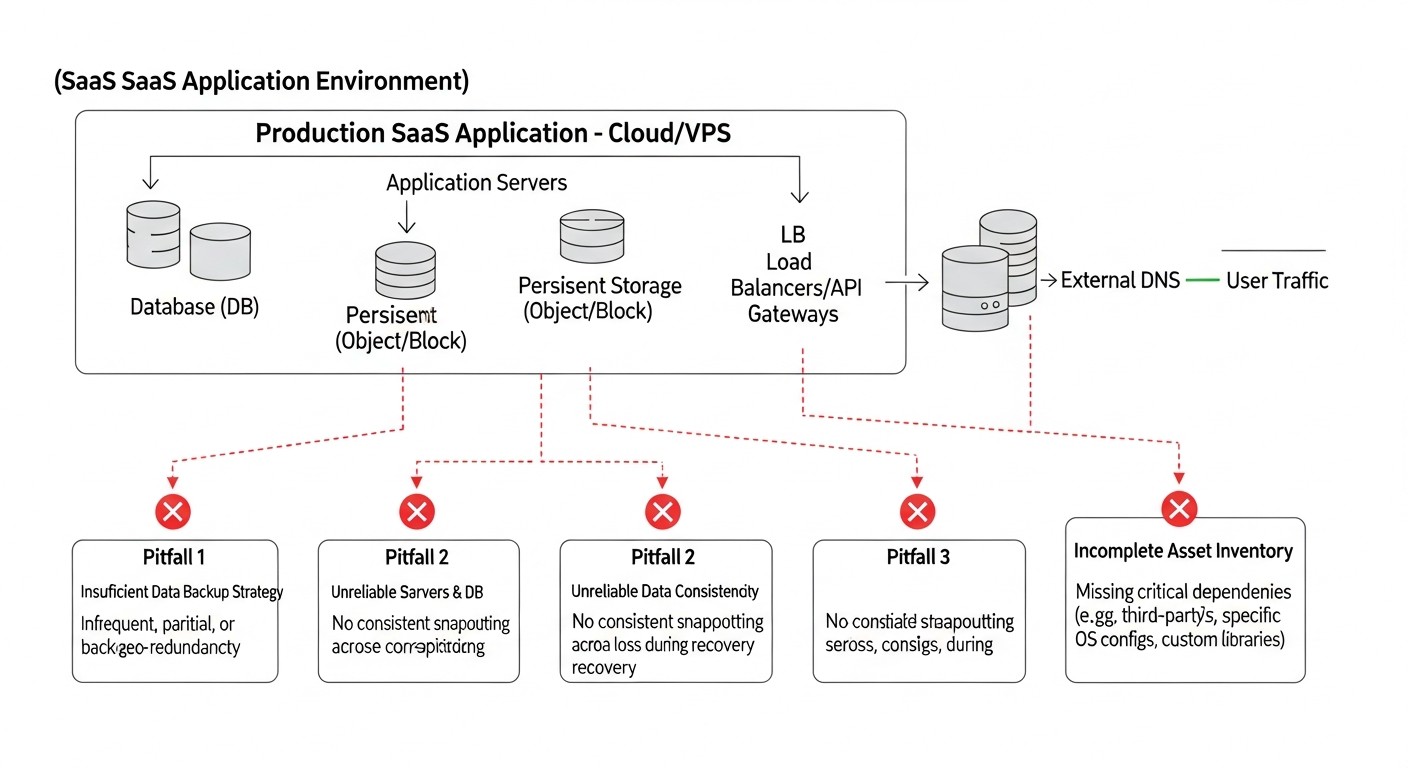 Diagram: Common Mistakes in Developing and Implementing a DR Plan
Even the most experienced teams can make mistakes when planning and implementing Disaster Recovery. Knowing these pitfalls will help you avoid costly failures.
1. Absence of a DR Plan or its Obsolescence
Mistake: Many companies either do not have a formalized DRP at all, or it exists "for show" and is not updated for years. In the rapidly changing infrastructure and SaaS architecture, such a plan quickly becomes irrelevant.
How to avoid: Develop a DRP that includes all key components: RTO/RPO, scenarios, roles, step-by-step instructions. Make it a living document that is regularly reviewed and updated (e.g., quarterly or after every significant architectural change). Store it in an accessible but secure location, and in multiple copies (including offline).
Real-world consequences: During a major outage, the team panics, spends hours searching for up-to-date information, cannot determine who is responsible for what, and as a result, the recovery process is prolonged indefinitely, far exceeding acceptable RTOs.
2. Untested Backups and DR Plan
Mistake: One of the most common and dangerous mistakes. Companies set up backups, assume DR "exists," but never verify if these backups can actually be restored from, and if the failover procedure works.
How to avoid: Make DR testing a mandatory and regular procedure. Start by verifying backup integrity (e.g., attempting a restore on a test server). Conduct full DR drills (failover/failback) at least once every six months. Document each test, identify problems, and resolve them immediately. Automate testing where possible.
Real-world consequences: During a real disaster, it turns out that backups are corrupted, incomplete, or the recovery procedure contains critical errors. This leads to complete data loss or the inability to restore the service at all, which can be fatal for a SaaS business.
3. Underestimation of RTO and RPO
Mistake: Technical specialists often set RTO and RPO based on technical capabilities rather than actual business requirements. Or, conversely, the business requests zero RTO/RPO without understanding the astronomical cost of their implementation.
How to avoid: Conduct a thorough Business Impact Analysis (BIA) involving all stakeholders. Determine the financial and reputational losses from downtime and data loss for each critical component. Compare these losses with the costs of achieving different RTO/RPO. Find the optimal balance. Document the decisions made and their rationale.
Real-world consequences: During an outage, it turns out that the declared RTO of 4 hours is actually 8-12 hours, leading to multi-million dollar losses and breaches of client contracts. Or, conversely, the company invested huge sums in Hot Standby when Warm Standby would have been perfectly sufficient and much cheaper.
4. Ignoring the Human Factor
Mistake: It is assumed that under stress, the team will act perfectly according to written instructions. Fatigue, panic, and lack of knowledge of a particular employee are forgotten.
How to avoid: Train the team on DR procedures. Conduct regular drills so that everyone knows their role and can act without panic. Automate as many steps as possible to minimize manual intervention. Ensure clear communication channels. Make sure the DRP is understandable even to a newcomer. Consider using external experts for auditing or assistance during complex incidents.
Real-world consequences: During an incident, an employee mistakenly deletes critical data, or cannot find the right command in the DRP, or simply panics and does nothing, which exacerbates the situation and increases downtime.
5. Single Point of Failure in DR Infrastructure
Mistake: When designing a DR solution, the team may inadvertently create a new single point of failure. For example, the DR site uses the same DNS provider as the primary, or backups are stored in the same cloud region as the primary service.
How to avoid: Always design DR with full independence from the primary infrastructure in mind. Use different providers (for VPS, DNS), different cloud regions, different hardware platforms. Conduct a thorough audit of the DR architecture to identify hidden dependencies. For critically important components, consider multi-regional solutions.
Real-world consequences: A DNS provider failure renders both the primary and DR sites inaccessible. Or a regional cloud outage takes down both systems because the DR solution was deployed in the same area but in a different AZ, which was affected by the overall regional failure.
6. Insufficient Attention to DR Site Security
Mistake: DR infrastructure is often considered "secondary" and receives less security attention than primary production. However, it contains copies of all your data and can become an easy target for attackers.
How to avoid: Apply the same or even stricter security standards to DR infrastructure. Encrypt data at rest and in transit. Use strict access control rules (IAM, MFA). Regularly conduct security audits and penetration tests for the DR site. Isolate the DR network from public access. Ensure that backups are also protected from compromise.
Real-world consequences: An attacker gains access to the DR site through a poorly secured service that was deployed "just in case," and destroys or steals all data backups, making recovery impossible.
7. Forgetting About Non-DB Data
Mistake: Often, the DR focus shifts exclusively to the database, forgetting about user files, logs, configurations, static content, caches, and other non-relational data that are also important for SaaS functionality.
How to avoid: Include all types of data necessary for full application recovery in the DRP. Develop a backup and replication strategy for each. Use object storage (S3) for files, centralized logging systems (ELK, Splunk) with replication, configuration management systems (Git) for all settings.
Real-world consequences: After database recovery, the application cannot start because user upload files or critical configuration files are missing. This leads to additional downtime and recovery efforts.
By avoiding these common mistakes, you will significantly increase the chances of successfully recovering your SaaS application after any disaster.
Checklist for Practical Application of DR Strategies
This checklist will help you systematize the process of planning, implementing, and testing Disaster Recovery for your SaaS application.
-
Defining Business Requirements:
- Has a Business Impact Analysis (BIA) been conducted for all critical SaaS components?
- Are target RTOs (Recovery Time Objective) defined for each service?
- Are target RPOs (Recovery Point Objective) defined for each service?
- Are these metrics agreed upon with business owners?
-
Developing a DR Plan (DRP):
- Has a formal DRP document been created?
- Does the DRP describe all disaster scenarios?
- Are team roles and responsibilities clearly defined in case of an incident?
- Are there step-by-step instructions for DR activation and failover/failback?
- Does the DRP contain up-to-date contact information for all participants and providers?
- Has a communication plan been developed to inform clients and stakeholders?
- Is the DRP stored in a secure but accessible location, separate from the primary infrastructure?
-
Choosing and Designing a DR Strategy:
- Has the optimal DR strategy been chosen (Cold/Warm/Hot Standby, Multi-Region, Hybrid), matching RTO/RPO and budget?
- Is the DR architecture designed to ensure independence from the primary infrastructure?
- Are geographical factors and data sovereignty requirements taken into account?
- Are technologies for backups, replication, and automation defined?
-
Implementing Backups and Replication:
- Is a 3-2-1 backup strategy implemented for all critical data?
- Is regular integrity verification of backups configured?
- Is database replication configured (streaming replication, replica sets, etc.)?
- Is synchronization of file systems and other non-relational data ensured?
- Are all backups and data in transit encrypted?
-
Automating DR Processes:
- Is DR infrastructure developed using IaC (Terraform, CloudFormation, etc.)?
- Are scripts created for automatic failure detection and failover?
- Is the process of updating DNS records or switching load balancers automated?
- Are DR processes integrated into the CI/CD pipeline?
-
Monitoring and Alerts:
- Is comprehensive monitoring configured for primary and DR infrastructure (metrics, logs, health checks)?
- Are alerts created for critical events requiring DR activation?
- Is alert delivery ensured via multiple channels (SMS, calls, Slack, email)?
-
Testing and Verification:
- Is a schedule for regular DR plan testing developed?
- Have Tabletop Exercises been conducted with the team?
- Have simulated tests been performed without full failover?
- Have full Failover and Failback tests been conducted?
- Were Chaos Engineering elements used to identify weaknesses?
- Are all test results, identified problems, and their solutions documented?
- Is the DRP updated after each test and identified changes?
-
Security and Compliance:
- Are strict security measures applied to DR infrastructure (IAM, firewalls, encryption)?
- Does the DR plan comply with all applicable regulatory requirements (GDPR, HIPAA, PCI DSS)?
- Has a security audit of the DR solution been conducted?
-
Documentation and Training:
- Is all documentation (architecture, configurations, DRP) up-to-date and accessible?
- Is the team trained on all aspects of the DR plan and procedures?
- Are there backup personnel capable of performing DR procedures?
-
Cost Optimization:
- Has a TCO analysis been conducted for the DR solution?
- Are cost optimization opportunities utilized (reserved instances, spot instances, storage tiering)?
- Are DR costs regularly reviewed?
By following this checklist, you will be able to build a resilient and reliable Disaster Recovery system that will protect your SaaS business from unforeseen outages.
Cost Calculation / Disaster Recovery Economics
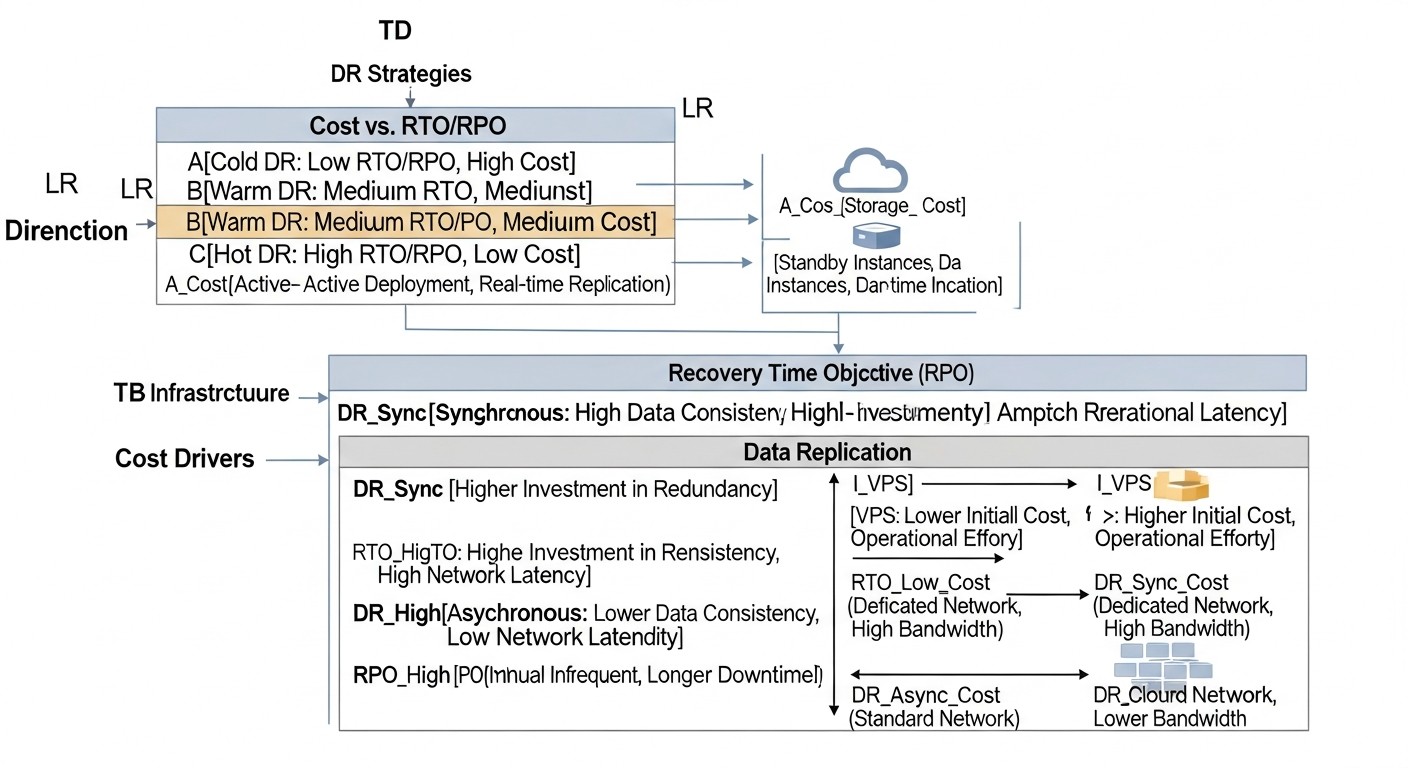 Diagram: Cost Calculation / Disaster Recovery Economics
Disaster Recovery economics involves not only direct infrastructure costs but also hidden expenses and the cost of potential losses from failures. Correct calculation of TCO (Total Cost of Ownership) and ROI (Return on Investment) for a DR solution is critically important for making informed decisions.
Components of DR Cost
- Infrastructure:
- Compute Resources: VPS, cloud VMs (EC2, Azure VMs, GCP Compute Engine), containers, serverless functions. Cost depends on the chosen strategy (Cold/Warm/Hot Standby).
- Data Storage: Disks (EBS, Azure Disks, GCP Persistent Disks), object storage (S3, Azure Blob, GCS) for backups and cold data. Cost depends on volume, storage type (Standard, Infrequent Access, Archive).
- Network Resources: Data replication traffic, egress traffic during failover, VPN tunnels, load balancers, DNS services. Inter-regional traffic can be expensive.
- Managed Services: Managed databases (RDS, Azure SQL, Cloud SQL), message queues, caches, CDNs.
- Software:
- Licenses for specialized DR software (Veeam, Zerto).
- Licenses for OS and other software (if open-source or free versions are not used).
- Personnel:
- Engineer time for designing, implementing, testing, and supporting the DR solution.
- Team training.
- Time for actual recovery during an incident.
- Testing:
- Resources allocated for DR tests (temporary deployment of test environments).
- Team effort for planning and conducting tests.
- Hidden Costs and Losses:
- Revenue Loss: Direct financial losses from service unavailability.
- Productivity Loss: Employees cannot work due to the unavailability of internal tools.
- Reputational Damage: Loss of customer trust, negative reviews, user churn.
- Penalties: For non-compliance with SLA or regulatory requirements.
- Data Recovery Cost: If data was lost and needs to be recreated manually.
- Legal Costs: Lawsuits from affected customers.
Calculation Examples for Different Scenarios (estimated prices 2026)
Let's assume we have a SaaS application with 3 application servers (CPU, RAM), 1 DB server (PostgreSQL), 200 GB of data, 500 GB of files, and 1 TB of monthly traffic.
Scenario 1: Small SaaS (Warm Standby on VPS)
- Primary Infrastructure: 3 x VPS (4vCPU, 8GB RAM, 100GB SSD) + 1 x VPS (8vCPU, 16GB RAM, 200GB SSD) = $200/month.
- DR Infrastructure (Warm Standby):
- 1 x VPS (2vCPU, 4GB RAM, 50GB SSD) for DB replica: $30/month.
- 2 x VPS (2vCPU, 4GB RAM, 50GB SSD) in shutdown state (disk storage cost): $20/month.
- Object storage (S3-compatible) for backups (1 TB): $20/month.
- Replication and backup traffic (500 GB): $25/month.
- Managed DNS (e.g., Cloudflare): $5/month.
- Total Direct DR Costs: ~$100/month.
- Labor Costs (engineer 0.1 FTE): $500/month.
- Total DR TCO: ~$600/month.
- Potential Downtime Damage (12 hours, $1000/hour): $12000. DR pays for itself if it prevents 1-2 major outages per year.
Scenario 2: Medium SaaS (Hot Standby in Cloud, Multi-AZ)
- Primary Infrastructure (AWS):
- 3 x EC2 (t3.medium) = $150/month.
- 1 x RDS PostgreSQL (db.t3.large, Multi-AZ) = $200/month.
- S3 (500GB) + EBS (200GB) = $40/month.
- ALB, Route 53, VPC, traffic = $100/month.
- Total Primary: ~$490/month.
- DR Infrastructure (near mirror, Multi-AZ):
- RDS Multi-AZ is already included in the cost, providing DR for the DB.
- EC2 (Auto Scaling Group in 2 AZs) = $150/month.
- S3 for backups (1 TB) = $20/month.
- EBS for EC2 (200GB) = $20/month.
- ALB, Route 53, VPC, traffic (including inter-AZ) = $120/month.
- Total Direct DR Costs: ~$310/month (on top of the base infrastructure, which is already fault-tolerant within the AZ).
- Labor Costs (engineer 0.2 FTE): $1000/month.
- Total DR TCO: ~$1310/month.
- Potential Downtime Damage (1 hour, $5000/hour): $5000. DR pays for itself by preventing 3-4 major outages per year.
Scenario 3: Large SaaS (Multi-Region Active/Active in Cloud)
Here, the cost significantly increases due to full duplication of infrastructure across multiple regions and the use of global services. The primary infrastructure cost is multiplied by the number of regions, and costs for inter-regional data replication and a global load balancer are added.
- Two full-fledged regions (e.g., US-East and EU-West): Doubles the cost of the primary infrastructure, plus additional expenses.
- Infrastructure in each region: ~$490/month 2 = $980/month.
- Inter-regional Data Replication: For 200 GB DB and 500 GB files, with active use, traffic can be 1-2 TB/month, plus read/write costs. Estimated: $200-$500/month.
- Global Load Balancer (AWS Global Accelerator/Route 53): ~$100/month.
- Total Direct DR Costs: ~$500/month (on top of the infrastructure duplication cost).
- Labor Costs (engineer 0.5 FTE): $2500/month.
- Total DR TCO: ~$3980/month ($980 + $500 + $2500).
- Potential Downtime Damage (10 minutes, $20000/minute): $200000. DR is critically important and pays for itself by preventing even one such incident.
Table with Calculation Examples (average values for 2026)
| Component / Strategy |
Cold Standby (VPS) |
Warm Standby (VPS/Cloud) |
Hot Standby (Cloud Multi-AZ) |
Multi-Region A/A (Cloud) |
| DR Infrastructure (month) |
$50 - $150 |
$150 - $500 |
$300 - $1000 |
$1000 - $5000+ |
| Backup Storage (month) |
$10 - $30 |
$15 - $50 |
$20 - $70 |
$50 - $200 |
| Replication/Backup Traffic (month) |
$5 - $20 |
$20 - $100 |
$50 - $200 |
$200 - $1000+ |
| Software Licenses (month) |
$0 - $50 |
$0 - $100 |
$0 - $200 |
$0 - $500+ |
| Engineer Labor Costs (month) |
$200 - $500 |
$500 - $1500 |
$1000 - $3000 |
$2000 - $5000+ |
| Total DR TCO (month) |
$265 - $750 |
$685 - $2150 |
$1370 - $4470 |
$3250 - $11700+ |
| Potential Damage from 1 Hour of Downtime |
$500 - $5000 |
$2000 - $15000 |
$10000 - $50000 |
$50000 - $500000+ |
How to Optimize Costs
- Reserved Instances / Savings Plans: For the stable part of the DR infrastructure in the cloud, costs can be significantly reduced.
- Spot Instances: Can be used for non-critical parts of the DR infrastructure or for temporary test deployments, but require resilience to interruptions.
- Storage Tiering: Move older backups to cheaper archival storage classes (Glacier, Deep Archive).
- Open-source Tools: Use free and powerful open-source solutions for backups, replication, and automation to avoid licensing fees.
- Automatic Shutdown/Startup: For Warm Standby, inactive DR site resources can be shut down during off-hours (if RTO allows).
- Traffic Optimization: Data compression before transfer, use of private networks (VPN) for replication, choosing a provider with favorable egress traffic rates.
- DR-as-a-Service: Consider third-party DRaaS solutions, which can be more economical for some companies than building their own DR center.
DR economics is a continuous process of evaluation and optimization. It's important not just to cut costs, but to find the optimal balance between cost, reliability, and compliance with business requirements.
DR Implementation Cases and Examples
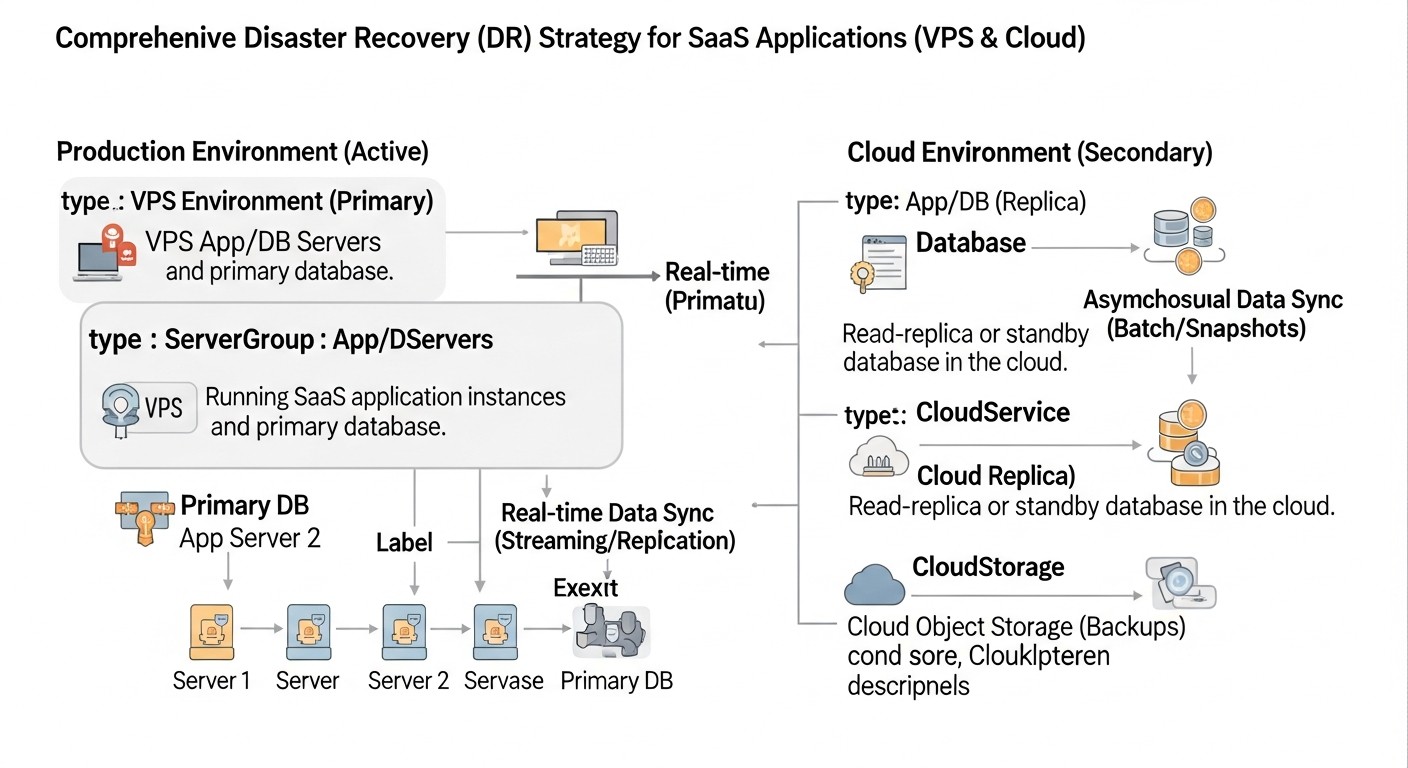 Diagram: DR Implementation Cases and Examples
Real-world examples will help to better understand how various DR strategies are applied in practice and what results they yield.
Case 1: Small SaaS Project on VPS — "TaskFlow" (Warm Standby)
Project: "TaskFlow" — SaaS for task and project management for small teams. Based on Python/Django with PostgreSQL, deployed on 3 VPS instances with one provider.
Problem: Increasing risks of data loss and prolonged downtime. RTO = 3 hours, RPO = 15 minutes.
Solution: Implementation of a Warm Standby strategy using a second VPS provider and cloud storage.
- Database (PostgreSQL): Asynchronous streaming replication is configured on the primary VPS to a separate, continuously running VPS with another provider. WAL logs are copied every 5 minutes to object storage (S3-compatible).
- Application files and static content: Hourly synchronization of all user files (uploads, attachments) and static content from the primary VPS to object storage using
rsync.
- Code and configurations: Stored in a Git repository.
- DR site: The second provider has pre-installed VPS images with the operating system and basic software. In case of a primary failure, two new VPS instances are activated from images (one for the application and one for the DB, if the replica cannot be promoted to master), the latest files are loaded from S3, and the application is launched.
- Automation: Bash scripts have been developed for monitoring the primary server's status, switching DNS records (via the DNS provider's API), and launching the application on the DR site. The activation process is semi-automatic, requiring engineer confirmation.
- Testing: A full Failover Test is conducted once every 3 months during off-peak hours.
Results:
- RTO: Reduced to 45-60 minutes (including manual confirmation and verification).
- RPO: Up to 5-15 minutes due to streaming replication and frequent WAL log synchronization.
- Cost: Additional ~$150/month for DR-VPS, storage, and traffic, which was acceptable for the budget.
- Significantly increased resilience to failures of a single VPS provider.
Case 2: Medium SaaS Project in AWS — "AnalyticsPro" (Hot Standby Multi-AZ)
Project: "AnalyticsPro" — SaaS platform for deep data analytics, deployed in AWS. Uses Node.js on EC2 (in an Auto Scaling Group), MongoDB Atlas (managed service), and S3 for raw data storage.
Problem: High availability requirements (99.99%) and minimal data loss (RPO < 1 minute). A 15-minute downtime is already critical.
Solution: Implementation of a Hot Standby strategy using AWS Multi-AZ capabilities and MongoDB Atlas.
- Database (MongoDB Atlas): A Multi-Region Replica Set is used, which is essentially an Active/Passive DR solution within the provider's framework. MongoDB Atlas automatically manages replication and failover between AZs.
- Application (Node.js on EC2): Deployed in an Auto Scaling Group that distributes instances across two Availability Zones (AZs) in a single region. An Application Load Balancer (ALB), also operating in multiple AZs, is placed in front of the ASG.
- Data Storage (S3): S3 is inherently highly available and geo-replicated within the region.
- Automation:
- Infrastructure is described using AWS CloudFormation.
- Health checks on ALB and in ASG automatically detect unhealthy instances and replace them.
- DNS records (Route 53) point to the ALB, which itself manages traffic between AZs.
- Lambda functions monitor MongoDB replication status and send alerts.
- Testing: AZ failure simulations (e.g., stopping instances in one AZ) are regularly conducted to verify automatic failover.
Results:
- RTO: Less than 1-2 minutes (ALB failover time and launch of new ASG instances). Virtually zero for the DB.
- RPO: Virtually zero for all critical data.
- Cost: Increased by approximately 40-50% compared to a single-AZ deployment, but this was justified by business requirements and prevented damage.
- High availability and resilience to AZ-level failures were ensured.
Case 3: Large SaaS Project with Hybrid Infrastructure — "EnterpriseConnect" (Hybrid DR)
Project: "EnterpriseConnect" — SaaS for corporate communications management, initially deployed in its own data center (On-Premise) due to data sovereignty and high-performance requirements. Some services (e.g., analytics, reporting) have already been moved to the cloud.
Problem: High RTO (8-12 hours) and RPO (4 hours) for critical components in the on-premise data center. It is necessary to ensure lower RTO/RPO without a full migration to the cloud.
Solution: Implementation of a hybrid DR strategy using a public cloud (Azure) as a backup site.
- Database (SQL Server): Geo-replication is configured to Azure SQL Database. The local DB is continuously replicated to the managed cloud DB.
- File Servers: Critically important files are synchronized to Azure Blob Storage.
- Application (ASP.NET Core): VM images with the application and basic software are stored in Azure Image Gallery. Configurations are stored in Azure Key Vault.
- DR site in Azure:
- A VPN tunnel is configured between the on-premise data center and Azure VNet.
- Subnets, security groups, load balancers (Azure Application Gateway) are pre-configured in Azure VNet.
- Minimal but continuously running VMs are deployed for monitoring and supporting the VPN tunnel.
- Automation:
- The entire DR infrastructure in Azure is described using Azure Resource Manager (ARM) templates.
- PowerShell scripts have been developed for automatic DR activation: launching VMs from images, attaching disks, configuring the application, switching DNS records (via Azure DNS).
- Monitoring of the primary data center is configured in Azure Monitor, which, upon detecting a failure, triggers an alert and initiates the DR activation script.
- Testing: Quarterly full Failover Test with partial traffic switching to Azure.
Results:
- RTO: Reduced to 1-2 hours.
- RPO: Reduced to 15-30 minutes for DB and files.
- Cost: Significant investments in development and support, but operational costs for cloud infrastructure in "standby" mode were optimized.
- Reliable protection against failures of the entire on-premise data center was ensured.
These cases demonstrate that an effective DR strategy is not a one-size-fits-all solution but requires an individual approach based on the project's specifics, its requirements, and available resources.
Troubleshooting: Resolving Common DR Issues
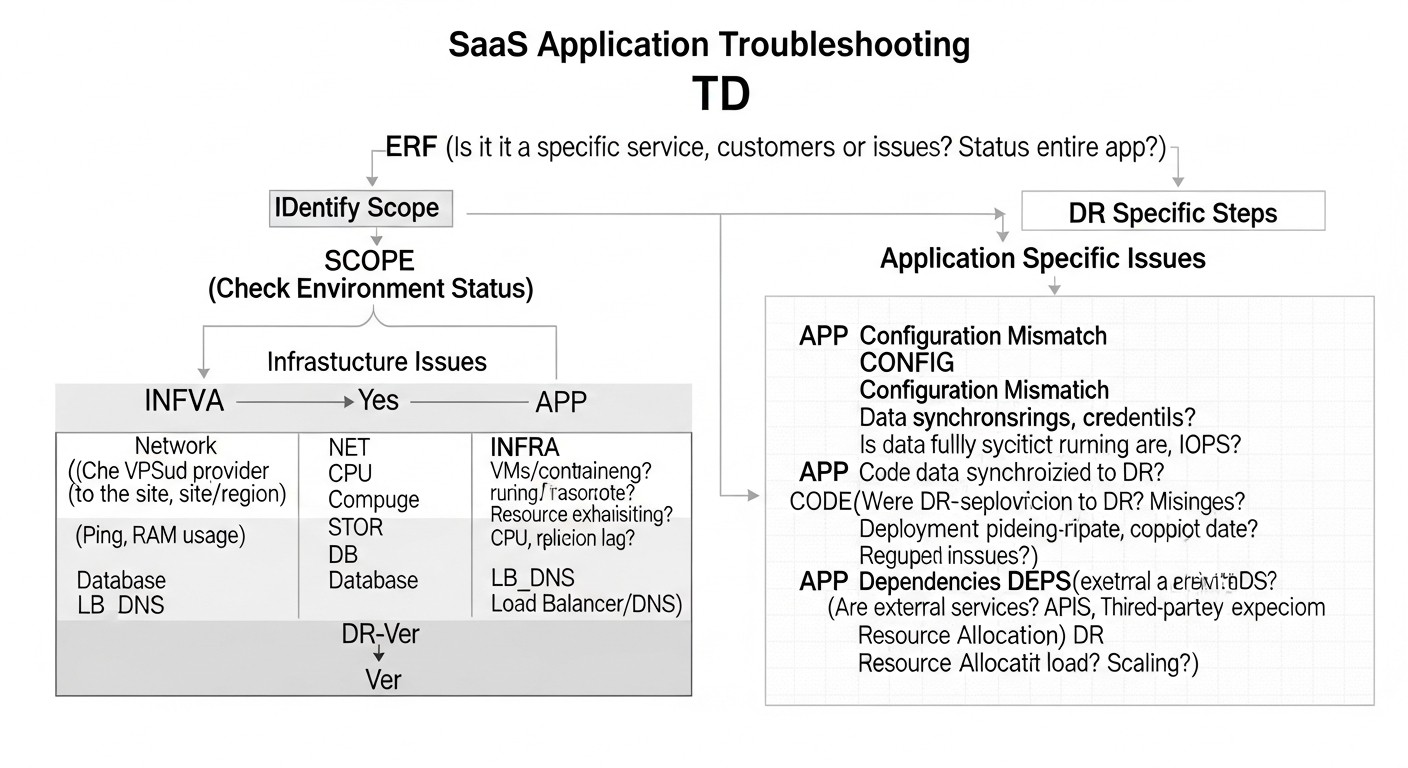 Diagram: Troubleshooting: Resolving Common DR Issues
Even with the most meticulous planning and automation, issues can arise during Disaster Recovery. Knowing typical scenarios and approaches to resolving them significantly reduces recovery time.
1. Problem: Backup or Replication Failures
Symptoms: Lack of recent backups, database replica lag, errors in backup script logs.
Diagnosis:
- Check logs of backup processes and replication services (e.g.,
tail -f /var/log/syslog, PostgreSQL/MySQL logs).
- Check disk space on servers and in the target storage (
df -h, cloud storage monitoring).
- Check network connectivity between primary and secondary sites (
ping, traceroute, netstat -tulnp).
- Check user permissions for the user running backups/replication.
- For databases:
- PostgreSQL:
SELECT * FROM pg_stat_replication; on master, SELECT pg_is_in_recovery(); on replica.
- MySQL:
SHOW SLAVE STATUS\G; on replica.
Solution:
- Resolve issues with disk space, network, or permissions.
- Restart replication services.
- If the replica is significantly lagging, it may be necessary to recreate it from scratch (
pg_basebackup for PostgreSQL, mysqldump followed by import for MySQL, rsync for file systems).
- Configure aggressive monitoring and alerts for backup/replication failures.
2. Problem: Data Inconsistency After Failover
Symptoms: Some data is missing, transactions are lost, the application behaves unpredictably after switching to the DR site.
Diagnosis:
- Check the RPO achieved at the time of the failure. Does it meet expectations?
- Compare file checksums or the number of records in DB tables between the primary and DR sites (if possible).
- Analyze replication logs for errors or missed transactions.
- Check replication settings: was it synchronous or asynchronous?
Solution:
- If RPO was violated and data is indeed lost, assess the possibility of restoring from older backups (if permissible) or manual data recovery.
- For future incidents: review RPO and replication strategy. Stricter synchronous replication or the use of distributed databases with guaranteed consistency may be required.
- Implement additional data consistency checks in the DR plan.
3. Problem: Slow or Failed Failover
Symptoms: The DR site activates slower than expected, failover scripts hang, the application does not start correctly on the DR site.
Diagnosis:
- Check failover script logs. At which step did the delay or error occur?
- Check the availability of external services that the DR site depends on (DNS provider, cloud APIs).
- Check the resource status on the DR site: is there enough CPU/RAM/IOPS? Are VMs "frozen"?
- Check network settings on the DR site (firewalls, routing).
- Ensure that all application dependencies (queues, caches, third-party APIs) are available or correctly configured on the DR site.
Solution:
- Optimize failover scripts: make them more robust, add timeouts and retries.
- Pre-warm instances on the DR site, if it's a Warm Standby, to reduce startup time.
- Resolve network issues.
- Update DR site configurations. It should be identical to the primary.
- Conduct thorough failover testing to identify all bottlenecks.
4. Problem: Failback Errors
Symptoms: Unable to switch back to the primary site, data on the primary site is outdated, data conflicts arise.
Diagnosis:
- Check if the primary site has been fully restored and is ready to receive traffic.
- Ensure that data from the DR site has been correctly replicated back to the primary site.
- Check failback script logs.
- Assess if there are data conflicts that might have arisen during the DR site's operation.
Solution:
- The failback procedure is often more complex than failover and requires even more meticulous planning.
- Ensure full data synchronization from the DR site to the primary before switching.
- Develop a strategy for resolving data conflicts if they arise.
- Test failback as thoroughly as failover.
5. Problem: Human Factor
Symptoms: Errors during manual DR steps, panic, lack of clear understanding of roles.
Diagnosis:
- Incident analysis: which step was performed incorrectly, why?
- Assessment of team stress and fatigue levels.
- Verification of DRP relevance and clarity.
Solution:
- Automate all possible steps as much as possible.
- Conduct regular training and drills so the team becomes accustomed to the procedures.
- Improve the DRP, make it more detailed and understandable.
- Ensure multiple trained personnel are available to perform DR procedures.
- Implement checklists for critical manual operations.
When to Contact Support
- Issues with core infrastructure: If you are certain that the problem is not with your configuration, but with the VPS provider or cloud platform (network unavailability, disk failures, region unavailability).
- Complex issues with managed services: If a managed database or another cloud service behaves unpredictably, and documentation does not help.
- Inability to recover: If, despite all efforts, you cannot recover data or launch the application, and all internal resources are exhausted.
- Security concerns: If you suspect a compromise of the DR infrastructure or data.
Always have the contact information for your providers' support services and their SLAs readily available.
FAQ: Frequently Asked Questions about Disaster Recovery
What are RTO and RPO and why are they so important?
RTO (Recovery Time Objective) is the maximum allowable time your SaaS application can be unavailable after a disaster. RPO (Recovery Point Objective) is the maximum allowable amount of data that can be lost as a result of a disaster, measured in time. These metrics are critically important because they define how quickly and completely your business must recover. They form the basis for choosing a DR strategy and directly influence its cost and complexity.
How does Disaster Recovery differ from simple backup?
Backup is just one component of Disaster Recovery. Backups allow data to be restored to a specific point in time. DR is a comprehensive plan that includes not only backups but also data replication mechanisms, infrastructure deployment automation, procedures for switching to a secondary site (failover), restoring operations (failback), monitoring, alerting, and regular testing. DR aims for the full restoration of the entire application's functionality, not just data.
Is DR necessary for a small SaaS project with a limited budget?
Yes, absolutely. Even for a small SaaS project, data loss or prolonged downtime can be catastrophic. You can start with a basic but effective Cold Standby strategy, which is relatively inexpensive. The main thing is to have a plan, regularly perform backups, and test the ability to restore from them. As the project grows and availability requirements increase, you can gradually transition to more complex and expensive DR strategies.
How often should a DR plan be tested?
The frequency of testing depends on the criticality of your SaaS application and the rate of infrastructure changes. For critical systems, a full Failover Test is recommended at least once a quarter. Backup and replication integrity checks should be performed weekly or daily. Tabletop Exercises can be conducted monthly. The main rule: test your DR plan often enough to be confident in its operability, and always after significant changes in architecture or configuration.
What are the main types of DR strategies?
The main types of DR strategies include: Cold Standby (cold reserve, cheapest, high RTO/RPO), Warm Standby (warm reserve, moderate RTO/RPO), Hot Standby (hot reserve, low RTO/RPO, expensive), Multi-Region Active/Active (highest availability, very expensive and complex), and Hybrid DR (combining VPS and cloud for optimization). The choice depends on your RTO, RPO, budget, and application complexity.
Can the entire Disaster Recovery process be automated?
For most modern SaaS applications, especially those deployed in the cloud, a significant portion of DR processes can and should be automated. Using Infrastructure as Code (IaC), scripts, CI/CD pipelines, cloud services, and orchestration tools, you can automate fault detection, resource deployment, DNS switching, and application startup. However, completely eliminating human involvement, especially at the decision-making and control stages, is still challenging, although AI and ML are actively developing in this direction.
Which cloud services assist with Disaster Recovery?
Virtually all major cloud providers (AWS, Azure, Google Cloud) offer a wide range of services for DR: Multi-AZ/Multi-Region deployments for VMs and databases, managed databases (RDS, Azure SQL, Cloud SQL) with built-in replication, object storage (S3, Blob Storage, GCS) for backups, IaC tools (CloudFormation, ARM Templates, Deployment Manager), DNS services (Route 53, Azure DNS, Cloud DNS) with failover capabilities, global load balancers (Global Accelerator, Front Door, Global Load Balancer), and monitoring and alerting services (CloudWatch, Azure Monitor, Cloud Monitoring).
How to choose between VPS and cloud for DR?
The choice depends on your budget, RTO/RPO, and team expertise. VPS can be cheaper for Cold/Warm Standby, especially if you already have VPS infrastructure and want to maintain control. However, scalability and automation on VPS are often more complex. Cloud offers high flexibility, elasticity, a rich set of DR services, and easier automation, but can be more expensive, especially for Hot Standby and Multi-Region solutions. A hybrid approach (VPS for primary operations, cloud for DR) is often a good compromise.
What is Chaos Engineering and how is it related to DR?
Chaos Engineering is the practice of intentionally injecting failures into distributed systems to identify weaknesses and verify resilience. It is directly related to DR because it allows you to actively test your DR plan under real-world conditions, simulating server, network, database, or even entire AZ failures. This helps uncover hidden dependencies and bottlenecks that could lead to DR failure before they occur in a real disaster.
What is the role of AI in DR 2026?
In 2026, AI and machine learning play an increasingly important role in DR. They are used for predictive analysis: AI can analyze patterns in logs and metrics to predict potential failures before they occur. AI also assists in automated incident analysis, quickly identifying the root causes of problems. In the future, we can expect automated failover decisions based on AI, which will consider numerous factors, minimizing human intervention and reducing RTO.
Conclusion
Disaster Recovery is not just a technical task, but a fundamental component of the resilience of any SaaS business in 2026. Amid constantly growing user expectations, tightening regulatory requirements, and increasing infrastructure complexity, an effective DR plan becomes not a luxury, but a critical necessity. The absence of such a plan or its ineffectiveness can lead to catastrophic financial losses, irreversible reputational damage, and loss of customer trust.
We have explored a wide range of strategies — from budget-friendly Cold Standby for small projects to complex Multi-Region Active/Active systems for global SaaS giants. The key takeaway is that there is no one-size-fits-all solution. The choice of the optimal strategy should always be based on a thorough analysis of your RTO (Recovery Time Objective) and RPO (Recovery Point Objective), which, in turn, are determined by business requirements and the cost of downtime for your company.
Key recommendations you should take away from this article:
- Plan systematically: Develop a detailed and up-to-date Disaster Recovery Plan (DRP) that covers all aspects: from failure scenarios to a communication plan.
- Automate as much as possible: Use Infrastructure as Code (IaC), scripts, and orchestration tools to minimize manual labor, reduce RTO, and eliminate human error.
- Test relentlessly: An untested DR plan is an illusion of security. Regularly conduct drills and tests, up to a full failover, to identify and eliminate all weaknesses.
- Invest in the right tools: Modern cloud services and open-source tools offer powerful capabilities for building resilient systems.
- Consider the economics: Always compare the costs of DR with the potential damage from an outage. Seek an optimal balance by leveraging cost optimization opportunities.
- Train your team: Your engineers should be well-versed in the DRP and procedures to act effectively under stress.
- Be ready for hybridity: Combining VPS and cloud solutions often yields the best "price/quality" ratio for many SaaS projects.
Next steps for the reader:
- Start with BIA: Determine the criticality of your services and establish realistic RTOs and RPOs.
- Develop or update your DRP: Formalize your plan.
- Implement basic backups: Ensure all critical data is regularly backed up and stored according to the 3-2-1 rule.
- Conduct your first test: Try restoring data from backups on a test server. This will give you invaluable experience.
- Gradually automate: Start with automating backups, then move on to deploying infrastructure using IaC.
Remember that Disaster Recovery is a continuous process. Your infrastructure changes, business requirements evolve, and your DR plan must develop alongside them. Investing in DR is an investment in stability, customer trust, and the long-term success of your SaaS project.
Was this guide helpful?
Disaster recovery (DR) strategies for SaaS applications on VPS and cloud: planning, automation, and testing