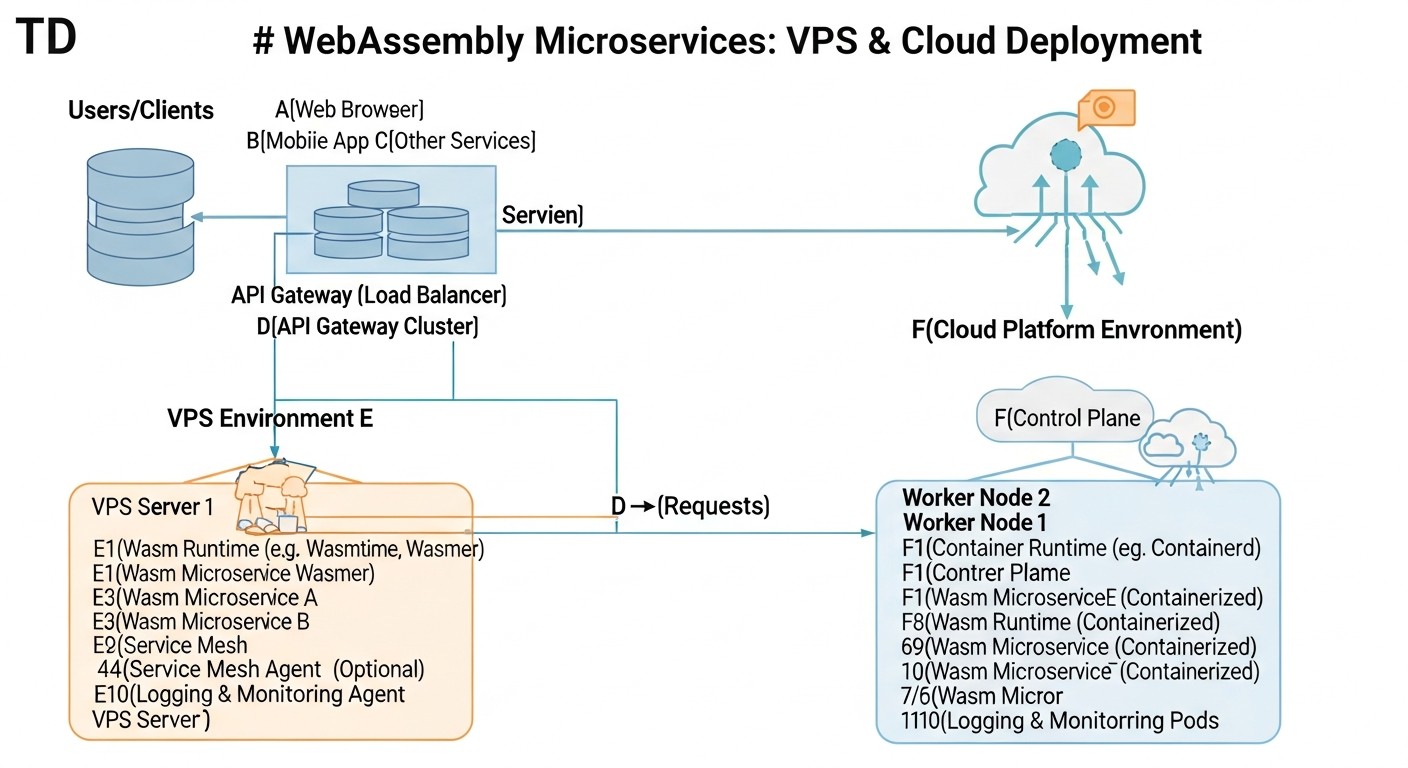
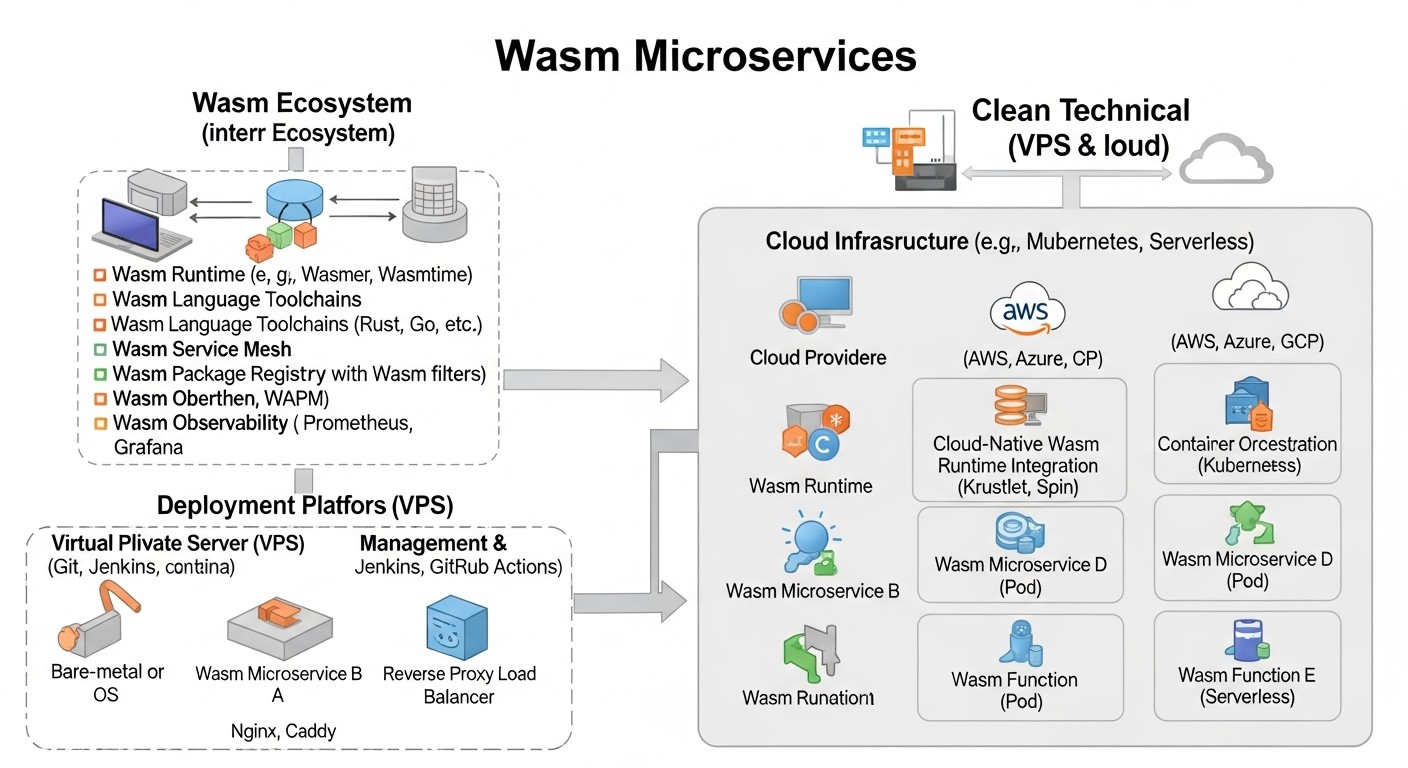
Deployment and Management of WebAssembly Microservices on VPS and in the Cloud: Expert Guide 2026
TL;DR
- WebAssembly (Wasm) for Microservices in 2026 is not an experiment, but a mature technology for high-performance, secure, and portable services.
- Key Advantages of Wasm: ultra-fast cold start, minimal resource consumption, sandbox-level isolation, multi-platform compatibility, and language-agnosticism.
- Deployment on VPS offers maximum control and cost-effectiveness for predictable workloads, using runtimes like Wasmtime/Wasmer and orchestrators such as Nomad or Docker Swarm.
- Cloud platforms (Kubernetes with Wasm plugins, specialized Wasm-based FaaS platforms) provide scalability, fault tolerance, and reduce operational overhead.
- Stack selection depends on needs: Wasmtime/Spin for FaaS, WasmEdge for edge computing, Wasmer for general-purpose tasks, Krustlet/KubeWasm for Kubernetes.
- Pay special attention to monitoring, logging, and security, using tools adapted for the Wasm ecosystem.
- Cost savings with Wasm are achieved by reducing CPU/RAM consumption, which is critical for high-load systems and serverless models.
Introduction
In the rapidly evolving world of cloud technologies and distributed systems, where demands for performance, security, and resource efficiency are constantly increasing, WebAssembly (Wasm) is no longer a niche technology and by 2026 has firmly established its place in server-side development. This guide is intended for DevOps engineers, backend developers, system administrators, SaaS project founders, and startup CTOs who aim to leverage modern technologies most effectively for their projects.
Why is this topic so important right now, in 2026? Over the past few years, Wasm has made a colossal leap from a browser technology to a powerful, universal runtime environment for server applications. With the advent of the WebAssembly System Interface (WASI), standardized APIs for working with the file system, network, and system calls, Wasm modules have become full-fledged "citizens" of server infrastructure. They offer unprecedented portability, near-native performance, a high degree of isolation, and incredibly fast cold starts, making them ideal candidates for microservice architecture, especially in the context of serverless computing and edge computing.
This article aims to address several key challenges that teams face when adopting new technologies:
- Lack of practical knowledge: How to transition from concept to actual deployment of Wasm microservices?
- Choosing the right infrastructure: What's better – deploying Wasm on your own VPS or using managed cloud services? What tools to use for orchestration?
- Cost optimization: How can Wasm help reduce infrastructure costs and how to correctly calculate the economic benefit?
- Security and reliability: What measures to take to ensure the security of Wasm applications and how to guarantee their stable operation?
- Integration with existing systems: How do Wasm microservices fit into an already running architecture?
We will explore various approaches to deployment and management, from manual setup on virtual servers to using advanced cloud platforms and orchestrators. Specific examples, commands, calculations, and recommendations based on real-world experience will be provided. The goal is to provide you with all the necessary knowledge and tools for confidently implementing WebAssembly into your projects, making them faster, more secure, and more cost-effective.
Key Criteria and Selection Factors for Wasm Deployments
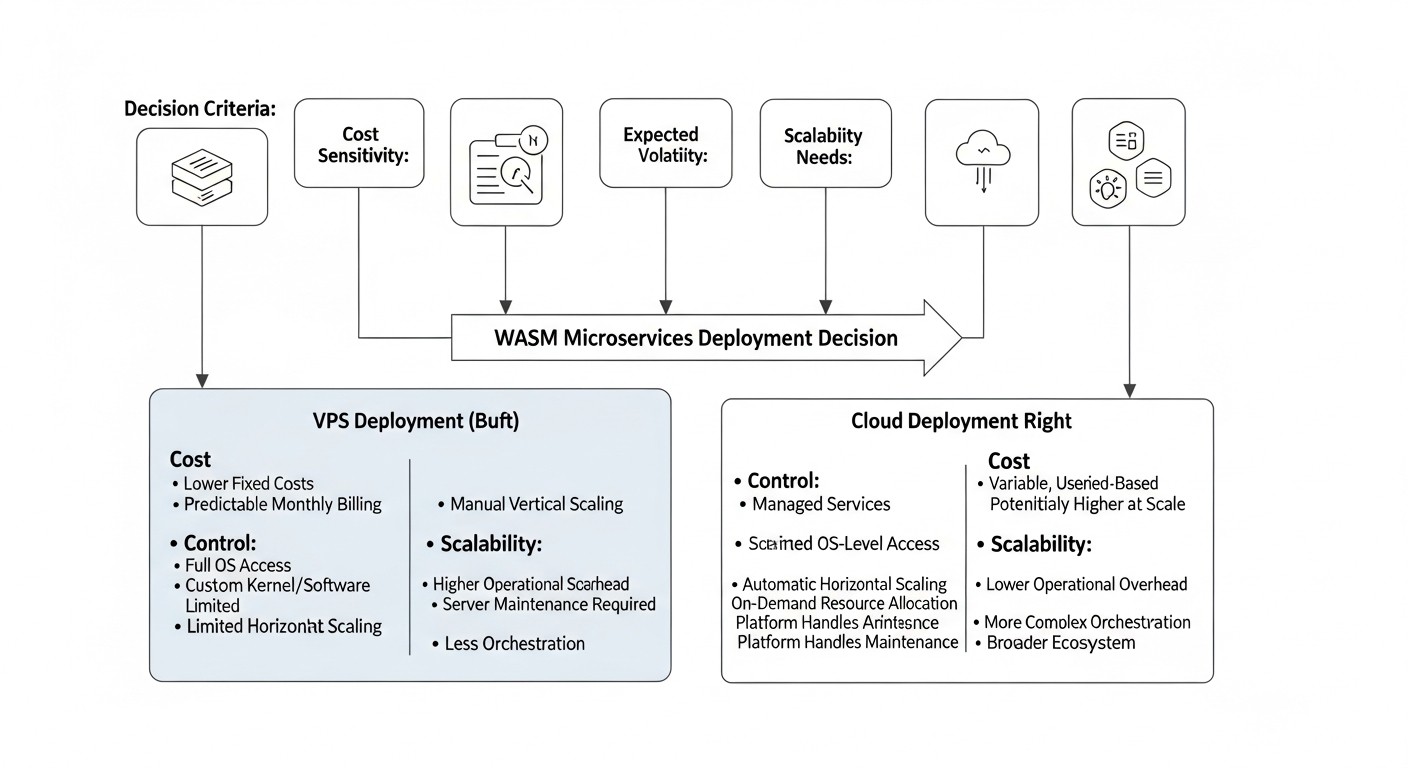
Before diving into specific deployment options, it is critically important to understand the parameters by which different approaches and tools should be evaluated. The selection of an optimal strategy for Wasm microservices depends on a variety of factors, each carrying its own weight in the context of a specific project. Proper evaluation of these criteria will help avoid costly mistakes and ensure the long-term viability of your architecture.
1. Performance and Cold Start Time
Why it's important: One of Wasm's main advantages is its ability to start almost instantly, many times faster than Docker containers or JVM applications. This is critical for serverless functions, where every millisecond of cold start affects user experience and cost. Wasm modules are compiled to native code at runtime (JIT) or even ahead of time (AOT), providing near-native performance.
How to evaluate: Measure the time from request to first byte (TTFB) for a new service instance. Compare CPU and RAM consumption under peak loads. For Wasm, cold start times typically range from 1-5 milliseconds, while containers can take hundreds of milliseconds, and JVM applications can take seconds.
2. Security and Isolation
Why it's important: Wasm is inherently a sandbox. It runs in a strictly controlled environment, without direct access to system resources unless explicitly permitted via WASI. This provides powerful isolation, reducing the risk of exploiting vulnerabilities in one microservice's code that could affect the entire system. This is especially valuable for multi-tenancy systems and executing untrusted code.
How to evaluate: Analyze the security model of the Wasm runtime (e.g., capabilities-based security in WASI). Check how easily permissions for Wasm modules can be managed (access to files, network, environment variables). Evaluate security audits and the reputation of the runtimes and platforms used.
3. Portability and Language-Agnosticism
Why it's important: Wasm modules are compiled from various languages (Rust, C/C++, Go, AssemblyScript, Python, JavaScript, .NET with Blazor WASM, etc.) and can be run on any platform with a compatible Wasm runtime. This significantly simplifies cross-platform development and deployment, allowing teams to choose the optimal language for each task.
How to evaluate: Check for support of your required languages and frameworks. Ensure that Wasm modules are easily portable across different operating systems (Linux, Windows, macOS) and architectures (x86, ARM) without recompilation or code changes.
4. Ecosystem and Tool Maturity
Why it's important: Although Wasm for the server is relatively young, its ecosystem is developing rapidly. The availability of reliable runtimes, SDKs, and tools for building, debugging, monitoring, and orchestration is critical for productive work. By 2026, many projects have already moved from POC to production.
How to evaluate: Examine available runtimes (Wasmtime, Wasmer, WasmEdge, Lunatic), frameworks (Fermyon Spin, Suborbital, Extism), and orchestrator integrations (Krustlet, KubeWasm). Evaluate community activity, documentation quality, availability of commercial support, and update frequency. Pay attention to the maturity of the WASI API and its extensions (e.g., for databases, HTTP requests).
5. Cost and Resource Efficiency
Why it's important: Wasm modules have a very small footprint (from a few kilobytes) and consume less memory and CPU compared to traditional containers or virtual machines. This directly leads to reduced infrastructure costs, especially at scale.
How to evaluate: Compare the cost of renting VPS or cloud resources for Wasm deployments with similar solutions on Docker/Kubernetes. Consider not only direct CPU/RAM costs but also indirect costs — for bandwidth, storage, and savings due to reduced operational overhead.
6. Deployment and Management Complexity
Why it's important: The simplicity of deployment, scaling, updating, and monitoring directly impacts development speed and operational costs. The more complex the system, the more time and resources are required for its support.
How to evaluate: Consider how easily Wasm microservices can be integrated into your CI/CD pipeline. Evaluate the availability of ready-made orchestration tools (e.g., Helm charts for Krustlet, or built-in management features in Fermyon Cloud). Consider the learning curve for your team.
7. Integration with Existing Infrastructure
Why it's important: In most cases, Wasm microservices will coexist with existing systems written in other technologies. Seamless integration with databases, message brokers, authentication, and monitoring systems is crucial.
How to evaluate: Check for the availability of ready-made SDKs and libraries for interacting with popular databases (PostgreSQL, Redis), cloud services (AWS S3, Azure Blob Storage), and message brokers (Kafka, RabbitMQ). Evaluate the capabilities for tracing and logging Wasm applications in your current monitoring system (Prometheus, Grafana, ELK).
A thorough analysis of these criteria will help you choose the most suitable strategy for integrating WebAssembly into your infrastructure, ensuring an optimal balance between performance, security, cost, and manageability.
Comparison Table: VPS vs. Cloud Wasm Solutions (2026)
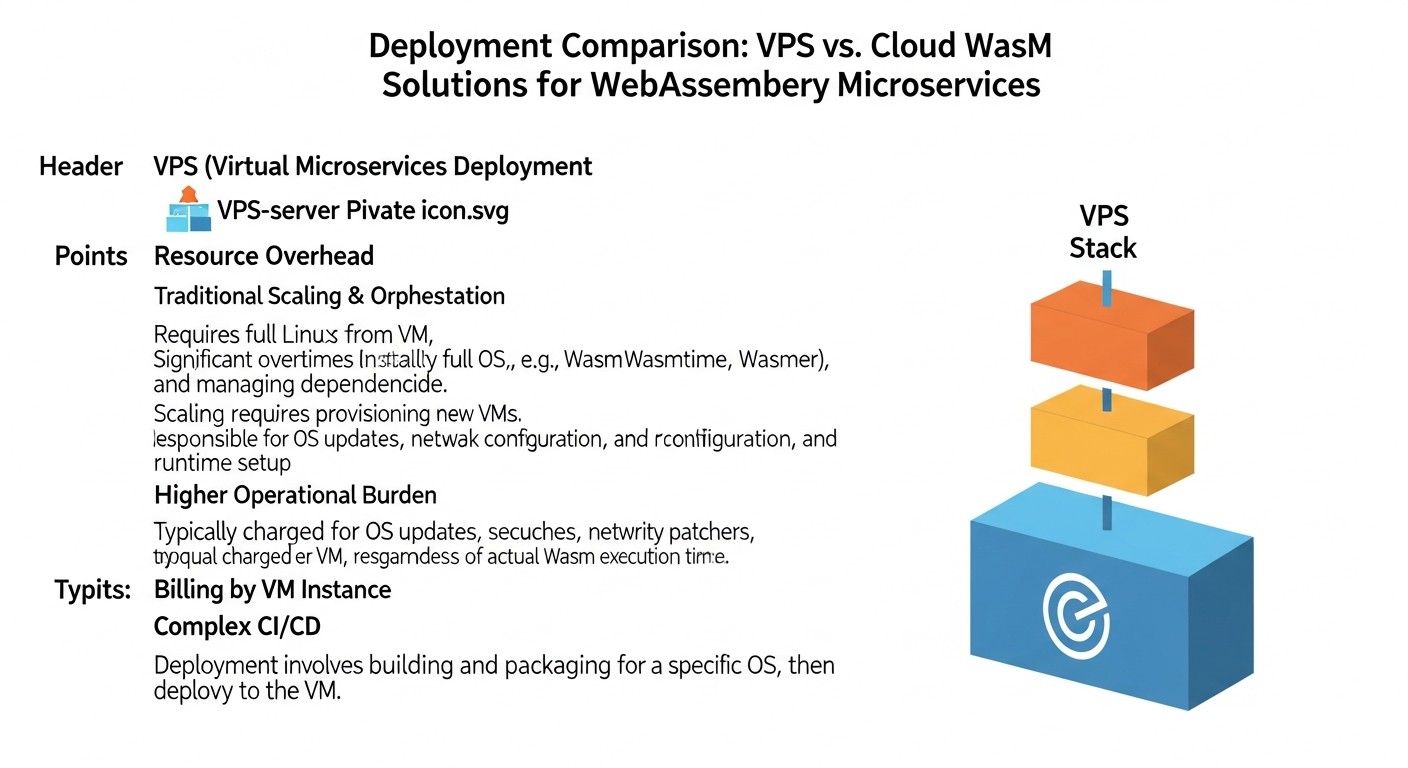
Choosing between deploying Wasm microservices on your own VPS and using specialized cloud platforms is one of the key decisions. Each of these solutions has its advantages and disadvantages, which we will examine in the context of the current realities of 2026. Below is a comparison table that will help evaluate the main aspects.
| Criterion | VPS (manual management of Wasmtime/Wasmer/WasmEdge) | Kubernetes with Wasm Plugins (Krustlet/KubeWasm) | Specialized Wasm FaaS Platforms (Fermyon Cloud / Cosmonic) |
|---|---|---|---|
| Level of Control | Full control over OS, runtime, orchestration. | High control over the cluster, but K8s abstraction. Management of Wasm modules via standard K8s API. | Minimal control over infrastructure, high level of abstraction. Focus on Wasm function code. |
| Setup/Management Complexity | High: manual runtime installation, service configuration, monitoring, CI/CD. | Medium: requires knowledge of Kubernetes, installation and configuration of Wasm plugins, Helm charts. | Low: PaaS approach, deployment via CLI or UI, minimal infrastructure configuration. |
| Performance (Cold Start) | Excellent (1-5 ms). Depends on runtime and module. | Excellent (5-15 ms). Small overhead of K8s controllers. | Exceptional (up to 1 ms). Optimized for FaaS and fast startup. |
| Scalability | Manual/semi-automatic. Requires load balancer configuration and instance management. | Automatic and horizontal. Uses HPA (Horizontal Pod Autoscaler) and Wasm-specific controllers. | Fully automatic and elastic. Scales to zero and up on demand. |
| Security | Depends on OS and runtime configuration. Wasm sandbox. | Wasm sandbox + K8s-level isolation (Namespaces, RBAC, Network Policies). | Wasm sandbox + managed platform security policies, high level of isolation between tenants. |
| Cost (approx. 2026) | Low: from $5-$20/month for a VPS (1-2 vCPU, 2-4 GB RAM). Savings on Wasm resources. | Medium-High: from $100-$500+/month for a K8s cluster (3-5 nodes, managed). Depends on cloud and load. | "Pay-per-execution" or "pay-per-GB-second" model. From $0.0000001/invocation or $0.000001/GB-sec. Economical for sporadic loads. |
| Ecosystem and Tooling | Wasmtime/Wasmer CLI, Docker (for host), systemd, bash scripts. | kubectl, Helm, Kustomize, Krustlet/KubeWasm API. Integration with K8s monitoring. | Proprietary CLI, SDK, UI for deployment, monitoring, and management. |
| Typical Use Cases | Microservices with predictable load, edge computing, IoT, incubator for new Wasm projects. | Mixed workloads (containers + Wasm), complex microservice architectures, existing K8s infrastructures. | Serverless functions, API gateways, event processing, rapid prototypes, edge functions, highly elastic services. |
As can be seen from the table, each solution has its niche. VPS offers maximum flexibility and control but requires significant operational effort. Kubernetes with Wasm plugins allows integrating Wasm into a mature container infrastructure, offering a good balance between control and automation. Specialized Wasm FaaS platforms are ideal for a serverless approach, providing maximum simplicity of deployment and scaling through infrastructure abstraction.
Detailed Overview of Wasm Microservice Deployment Options
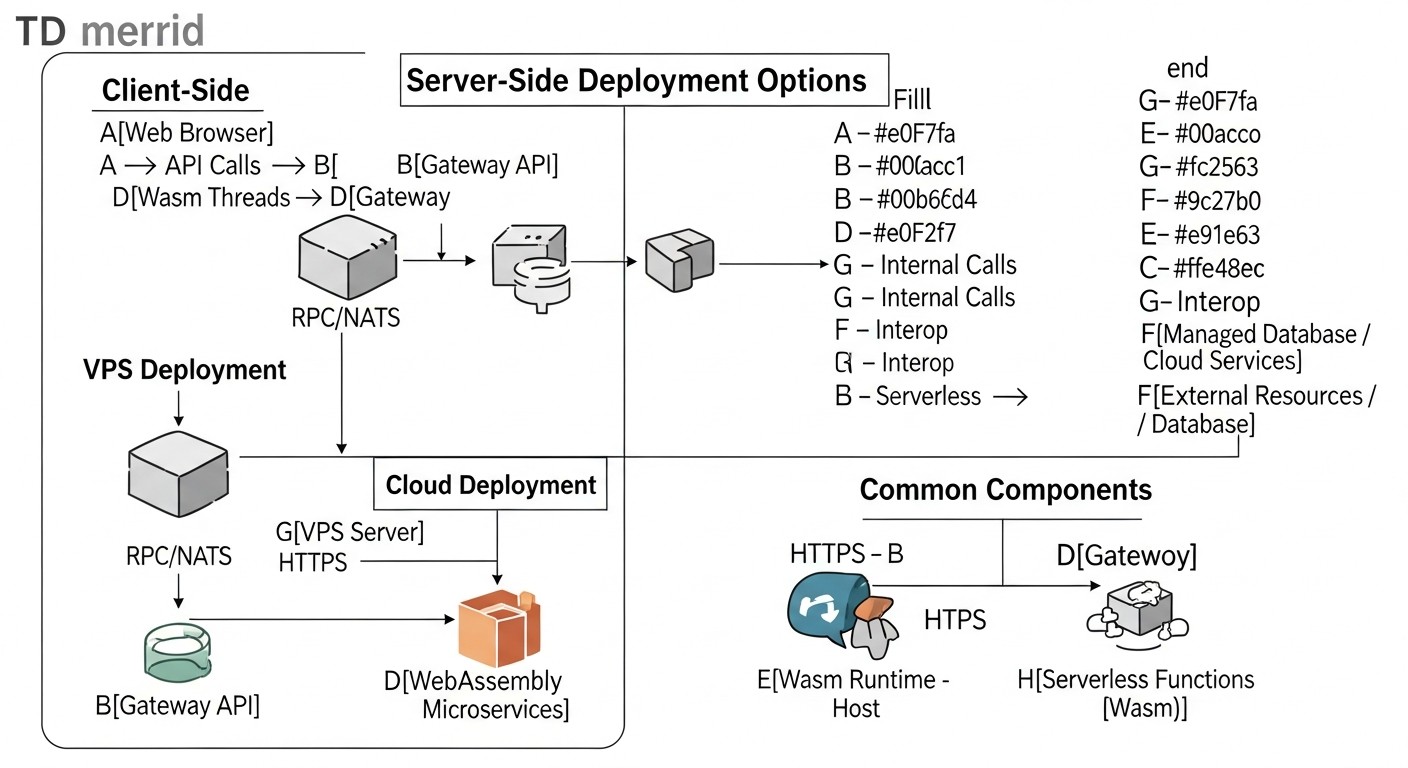
Now that we have defined the key criteria, let's delve into each of the main WebAssembly microservice deployment options, examining their advantages, disadvantages, typical use cases, and practical aspects for 2026.
1. Deployment on VPS using Wasm Runtimes (Wasmtime, Wasmer, WasmEdge)
This approach offers maximum control and flexibility, ideally suited for teams who prefer to manage their infrastructure at a low level or have specific environment requirements. On a VPS, you install the chosen Wasm runtime and run your compiled Wasm modules as regular processes.
Pros:
- Full Control: You have complete control over the operating system, runtime versions, network settings, and security. This is critical for projects with strict regulatory requirements or unique integrations.
- Cost-effectiveness: For predictable, moderate workloads, VPS often prove to be significantly cheaper than managed cloud services, especially if you can efficiently utilize the resources of Wasm modules, which are inherently very "lightweight".
- Simplicity for Startup: If you are already familiar with managing Linux servers, running a Wasm module via
wasmtime run my_service.wasmwill be intuitive. - Ideal for Edge/IoT: Low resource requirements and high portability of Wasm runtimes make this approach ideal for edge computing and IoT devices, where every megabyte of memory and every watt of energy counts.
Cons:
- High Operational Overhead: Scaling, monitoring, fault tolerance, deployment, and updates — all fall on your team's shoulders. Manual configuration of system services (systemd), load balancers (Nginx, HAProxy), and CI/CD tools is required.
- Orchestration Complexity: To manage multiple Wasm microservices, you will have to use either simple scripts or more complex orchestrators like Nomad or Docker Swarm (if Wasm modules are packaged in containers with the runtime).
- Lack of Native Serverless Model: Although Wasm modules start quickly, "scaling to zero" and automatic instance lifecycle management require significant setup effort.
Who it's for: Early-stage startups, projects with fixed budgets, teams with strong DevOps expertise, projects with unique infrastructure requirements, edge computing, IoT applications.
Use Cases: A backend service for a mobile application, written in Rust and compiled to Wasm, running via Wasmtime on AWS EC2 or DigitalOcean Droplet. Data processing functions on edge devices using WasmEdge.
2. Deployment in Kubernetes with Wasm Plugins (Krustlet, KubeWasm)
Kubernetes has become the de-facto standard for container orchestration. Integrating Wasm into Kubernetes allows leveraging all the benefits of this platform — automatic scaling, self-healing, declarative management — for Wasm microservices. By 2026, Krustlet and KubeWasm projects have significantly improved their stability and functionality.
Pros:
- Leveraging Existing Expertise: Teams already working with Kubernetes can quickly adapt to Wasm deployment using familiar tools (kubectl, Helm).
- Powerful Orchestration: Kubernetes provides all the necessary mechanisms for managing the microservice lifecycle: autoscaling (HPA), rolling updates, service discovery, load balancing, resource isolation.
- Hybrid Environment: The ability to run Wasm modules alongside traditional containers in the same cluster, which is ideal for gradual migration or mixed architectures.
- Reliability and Fault Tolerance: Built-in Kubernetes mechanisms ensure high availability and automatic recovery of Wasm services in case of failures.
Cons:
- Kubernetes Complexity: The Kubernetes platform itself has a steep learning curve and requires significant resources for management, even with managed services (EKS, GKE, AKS).
- Additional Overhead: Despite Wasm's lightweight nature, Kubernetes still adds its own management overhead (control plane, node agents), which can be excessive for very simple Wasm functions.
- Evolving Ecosystem: While mature, Wasm integration in Kubernetes is still actively developing, which may mean more frequent API changes or the need to stay updated with the latest releases.
Who it's for: Teams already using Kubernetes, large enterprises, projects with high and dynamic loads, microservice architectures requiring complex orchestration.
Use Cases: An image processing microservice, written in Rust, deployed as a Wasm pod in Kubernetes, scaling based on requests. An edge proxy filtering traffic, running on Krustlet nodes. A backend service for payment processing, requiring high security and isolation.
3. Specialized Wasm FaaS Platforms (Fermyon Cloud, Cosmonic)
By 2026, several mature platforms have emerged that provide a "serverless-like" experience specifically for WebAssembly. These platforms abstract virtually all infrastructure, allowing developers to focus solely on the logic of Wasm modules.
Pros:
- Maximum Simplicity: Deploying Wasm modules comes down to a single CLI command or upload via UI. The platform handles all concerns regarding scaling, load balancing, monitoring, and security.
- True Serverless Model: Automatic scaling to zero and virtually instant cold starts (less than 1 ms) make these platforms ideal for event-driven architectures and on-demand functions.
- Cost Optimization: The "pay-per-execution" or "pay-per-GB-second" pricing model significantly reduces costs for sporadic or uneven workloads, as you only pay for active execution time.
- Built-in Security: Platforms provide a high level of isolation and security for your Wasm modules, often with additional layers of protection.
- Focused Tooling: These platforms typically offer specialized SDKs and tools that simplify the development of Wasm functions. For example, Fermyon Spin provides an HTTP server and other useful abstractions.
Cons:
- Vendor Lock-in: You are tied to a specific platform and its API, which can complicate migration to another platform in the future.
- Limited Control: You lose most of the control over the underlying infrastructure, which can be an issue for specific configuration or debugging requirements.
- Cost for Constant Workloads: For continuously running, high-load services, the "pay-per-execution" model might be more expensive than your own VPS or a managed Kubernetes cluster.
- Less Mature Ecosystem: While the platforms themselves are mature, their ecosystems might be less extensive than those of Kubernetes or traditional Wasm runtimes.
Who it's for: SaaS projects using serverless architecture, API developers, event-driven systems, projects with unpredictable or sporadic loads, rapid prototypes, edge functions.
Use Cases: An API gateway for a mobile application, written in Spin and deployed on Fermyon Cloud. Data processing functions from message queues (Kafka, RabbitMQ) on Cosmonic. Microservices for content personalization that run on user demand.
Practical Tips and Recommendations for Deploying Wasm Microservices
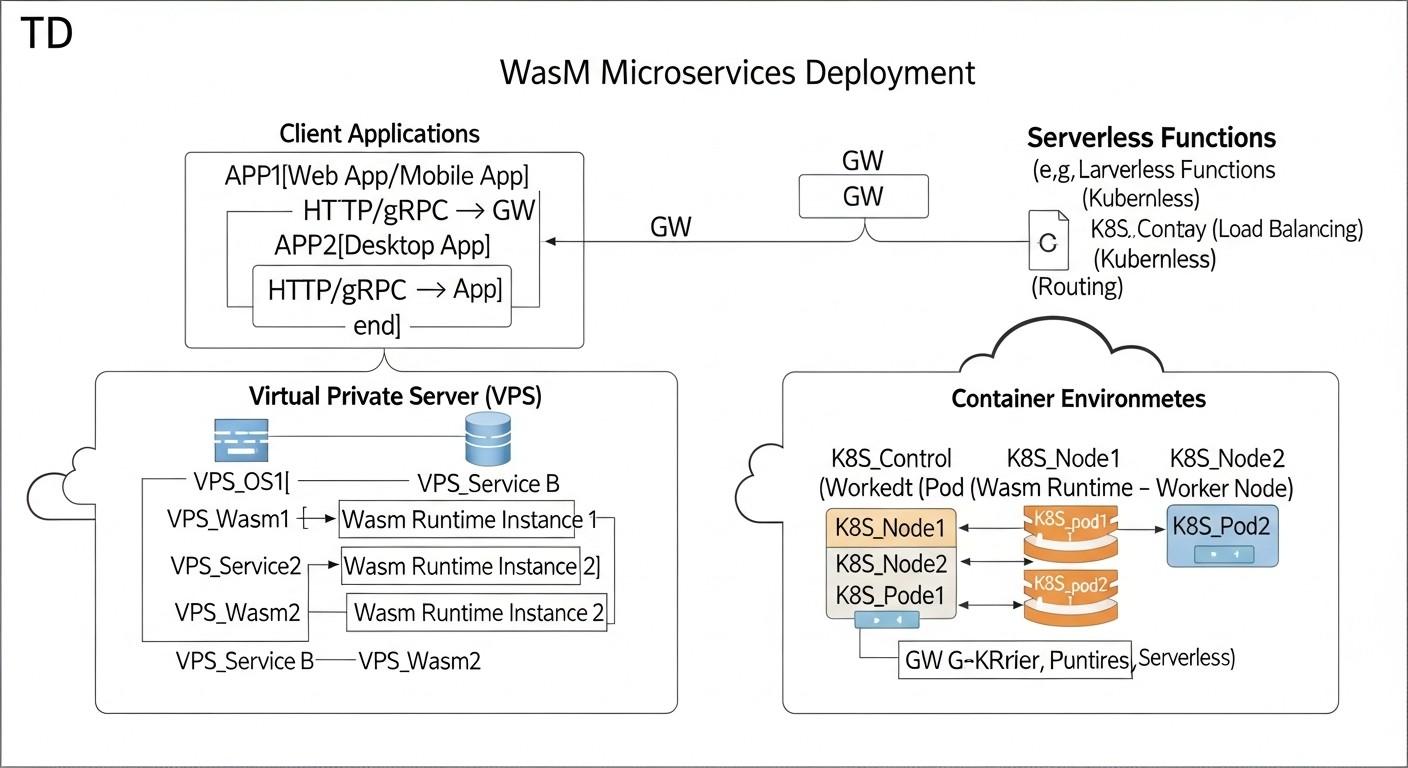
Transitioning from theory to practice always involves nuances. Below are specific steps, commands, and recommendations to help you successfully deploy and manage Wasm microservices in various environments.
1. Preparing the Wasm Module
Choosing a Language and Compiler: For server-side Wasm, Rust, Go (with TinyGo), C/C++, and AssemblyScript are the most popular. Ensure your compiler supports WASI. For example, for Rust, this is the standard target wasm32-wasi.
Example of compiling Rust to Wasm:
# Установите необходимый таргет
rustup target add wasm32-wasi

# Скомпилируйте ваш проект
cd my_wasm_service
cargo build --target wasm32-wasi --release

# Ваш Wasm-модуль будет находиться по пути:
# target/wasm32-wasi/release/my_wasm_service.wasm
Using Wasm Frameworks: For HTTP services, consider frameworks like Fermyon Spin or WAGI, which provide convenient abstractions for handling HTTP requests and responses.
Example of creating a Spin application in Rust:
# Установите Spin CLI
curl -fsSL https://developer.fermyon.com/downloads/install.sh | bash

# Создайте новый проект
spin new http-rust my-spin-app

# Перейдите в директорию и соберите Wasm-модуль
cd my-spin-app
spin build --up
# Приложение будет доступно на http://127.0.0.1:3000/
2. Deployment on a VPS
Installing a Wasm Runtime: Choose Wasmtime, Wasmer, or WasmEdge. Wasmtime is often preferred due to its focus on security and performance for server-side tasks.
Example of Wasmtime installation on Ubuntu 22.04:
curl https://wasmtime.dev/install.sh -sSf | bash
# Добавьте Wasmtime в PATH, если это не сделано автоматически
echo 'export PATH="$HOME/.wasmtime/bin:$PATH"' >> ~/.bashrc
source ~/.bashrc
Running a Wasm Service: Use systemd to manage the lifecycle of your Wasm service.
Example systemd unit file (/etc/systemd/system/my-wasm-service.service):
[Unit]
Description=My WebAssembly Microservice
After=network.target

[Service]
ExecStart=/home/user/.wasmtime/bin/wasmtime run --net=all --mapdir /app::/app /app/my_wasm_service.wasm
WorkingDirectory=/app
Restart=always
User=www-data
Group=www-data
Environment="PORT=8080"
Environment="DB_HOST=localhost"

[Install]
WantedBy=multi-user.target
Activating and starting the service:
sudo systemctl daemon-reload
sudo systemctl enable my-wasm-service
sudo systemctl start my-wasm-service
sudo systemctl status my-wasm-service
Setting up a Proxy/Load Balancer: Use Nginx or Caddy to proxy requests to your Wasm service running on a specific port.
Example Nginx configuration (/etc/nginx/sites-available/my-wasm-app):
server {
    listen 80;
    server_name myapp.example.com;

    location / {
        proxy_pass http://127.0.0.1:8080; # Порт, на котором слушает ваш Wasm-сервис
        proxy_set_header Host $host;
        proxy_set_header X-Real-IP $remote_addr;
        proxy_set_header X-Forwarded-For $proxy_add_x_forwarded_for;
        proxy_set_header X-Forwarded-Proto $scheme;
    }
}
3. Deployment in Kubernetes with Krustlet/KubeWasm
Installing Krustlet: Krustlet acts as a kubelet-compatible provider, allowing Kubernetes to schedule Wasm pods on nodes with a Wasm runtime.
# Предполагается, что у вас есть работающий K8s кластер
# Установите Krustlet (может потребоваться специфичная версия K8s)
# Пример для Minikube/K3s:
# curl -fsSL https://krustlet.dev/install.sh | bash
# krustlet-install --node-name krustlet-node --install-kubeconfig
Creating a Wasm Pod Manifest:
apiVersion: v1
kind: Pod
metadata:
  name: my-wasm-app
spec:
  # Убедитесь, что Krustlet может планировать этот под
  nodeSelector:
    kubernetes.io/arch: wasm32-wasi
  containers:
  - name: my-wasm-container
    image: ghcr.io/my-org/my-wasm-service:latest # Wasm-образ в OCI-совместимом реестре
    ports:
    - containerPort: 8080
    env:
    - name: MESSAGE
      value: "Hello from Wasm on K8s!"
  tolerations:
  - key: "kubernetes.io/arch"
    operator: "Equal"
    value: "wasm32-wasi"
    effect: "NoSchedule"
Deployment:
kubectl apply -f my-wasm-pod.yaml
Using KubeWasm: KubeWasm offers more native integration, using CRI (Container Runtime Interface) to run Wasm containers via containerd. This allows for the use of standard K8s manifests.
# Установите KubeWasm (требуется настройка containerd на узлах)
# Подробности см. в документации KubeWasm
4. Deployment on Specialized Wasm FaaS Platforms (Fermyon Cloud)
Deploying a Spin Application to Fermyon Cloud:
# Войдите в Fermyon Cloud через CLI (потребуется аккаунт)
spin login

# Разверните ваше Spin-приложение
spin deploy --up

# Пример вывода:
# Deploying...
# Application 'my-spin-app' deployed.
# Available at: https://my-spin-app.fermyon.app/
The platform automatically scales the application, handles routing, and monitoring. You don't need to worry about the infrastructure.
5. General Recommendations
- Monitoring: Implement metric collection (CPU, RAM, execution time, number of requests) and logging for your Wasm microservices. Use OpenTelemetry for tracing.
- CI/CD: Automate the building of Wasm modules and their deployment. Use GitHub Actions, GitLab CI, or Jenkins.
- Security: Always explicitly define the necessary permissions for Wasm modules (network access, file system) via runtime parameters (
--net=all,--mapdirin Wasmtime). Use the latest stable versions of runtimes and compilers. - Versioning: Version your Wasm modules and their configurations. Use tags in OCI registries for Wasm images.
- Testing: Include unit, integration, and load tests in your pipeline. Check cold start performance with changes.
These practical tips will help you effectively implement Wasm microservices, minimizing risks and optimizing the development and operation process.
Typical Mistakes When Working with Wasm Microservices and How to Avoid Them
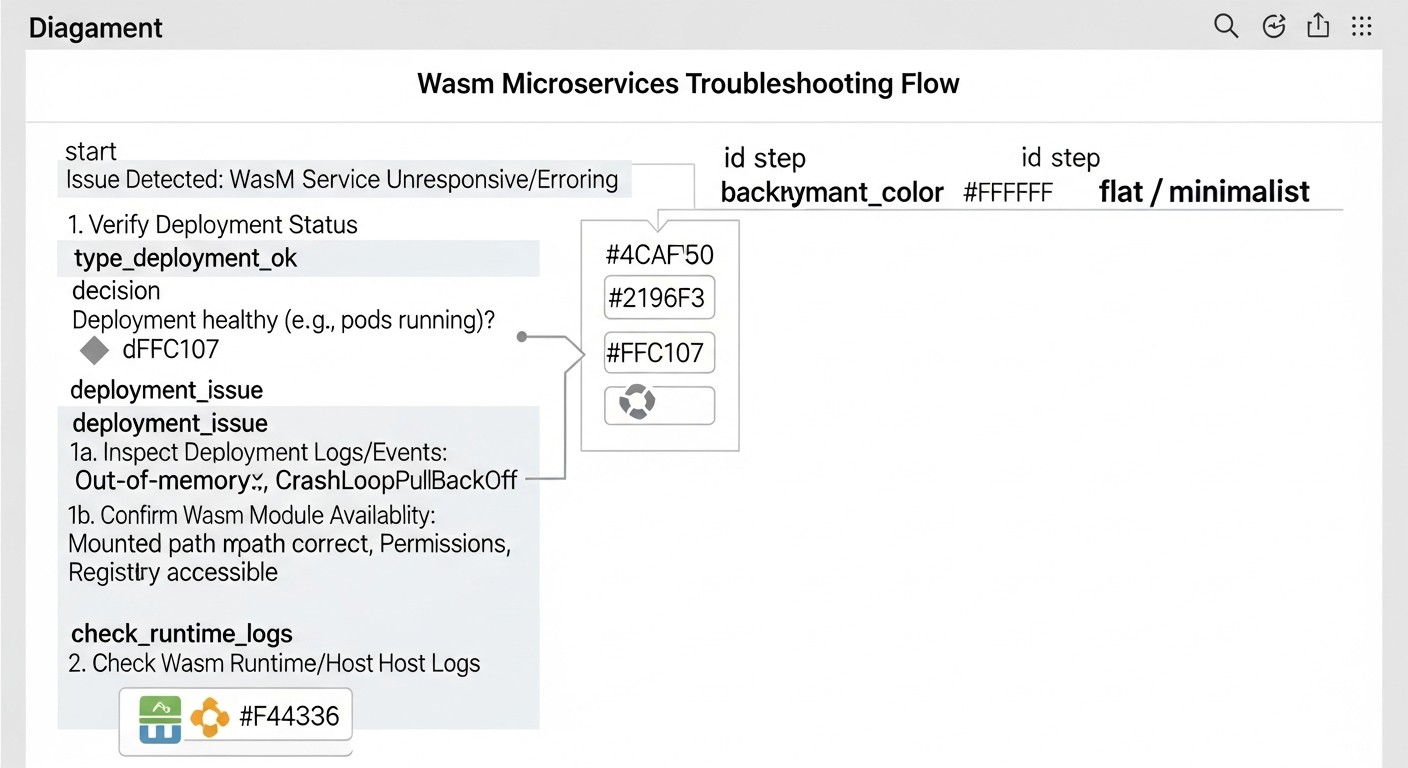
Like any new technology, WebAssembly for server-side tasks has its pitfalls. Avoiding these common mistakes will help save your team time, resources, and nerves. Based on the experience of implementing Wasm in production systems by 2026, we have identified five key missteps.
1. Ignoring WASI and Ecosystem Limitations
Mistake: Expecting a Wasm module to have full access to all system resources and libraries, like a regular native program or container. Attempting to use complex system calls or native libraries incompatible with WASI without appropriate adapters or shim layers.
How to avoid: Remember that WASI provides a limited but secure set of system calls. Before starting development, thoroughly study the WASI specification and available APIs. Use Wasm-compatible libraries and SDKs (e.g., for working with HTTP, files, databases). If a specific system call is required, look for ready-made solutions or consider writing your own "host" (host function) in the runtime language (Rust, Go) that will provide this functionality to the Wasm module. For example, Wasmtime and Wasmer allow extending functionality through host functions. For Python and Node.js, experimental WASI bindings exist, but their maturity may vary.
Example consequences: The service fails to start or crashes with a "function not found" or "WASI error" when attempting to access resources that were not explicitly allowed or are not supported by WASI. For instance, trying to open a socket with options not provided by WASI, or using graphics libraries.
2. Underestimating Orchestration Overheads
Mistake: Deploying each Wasm module as a separate Docker container with a Wasm runtime inside, and then orchestrating these containers with Kubernetes, without using native Wasm integrations (Krustlet, KubeWasm) or specialized Wasm FaaS platforms.
How to avoid: While this works, such an approach negates many of Wasm's advantages. You add Docker and Kubernetes overheads, losing some cold start speed and resource savings. Instead, for Kubernetes, use Krustlet or KubeWasm, which allow running Wasm modules directly on nodes, bypassing the container image layer (or using OCI images containing only the Wasm module). For serverless scenarios, prefer specialized Wasm FaaS platforms (Fermyon Cloud, Cosmonic) that are optimized for fast startup and scaling of Wasm functions.
Example consequences: The cold start time of a Wasm service running in a Docker container on Kubernetes can increase from 5 ms to 100-200 ms due to the need for container initialization. This reduces economic benefits and performance, especially for event-driven systems.
3. Insufficient Monitoring and Logging
Mistake: Running Wasm microservices without adequate mechanisms for monitoring metrics (CPU, RAM, number of calls, errors) and aggregated logging. This complicates problem diagnosis and performance evaluation.
How to avoid: Integrate Wasm modules with your existing monitoring system. Use standard output streams (stdout/stderr) for logging, which can be captured by systemd, Kubernetes, or cloud platforms. For metrics, consider the OpenTelemetry Wasm SDK, which allows exporting metrics and traces to Prometheus, Grafana, Jaeger. Ensure that the Wasm runtime provides access to internal metrics (e.g., JIT compilation time, Wasm instance memory consumption). For Wasmtime, this can be done via wasmtime run --enable-epoll-fd --metrics (example).
Example consequences: The service starts to run slowly or crashes, and the team cannot determine the cause because there is no information about resource utilization, errors in logs, or execution time of individual functions. This leads to prolonged downtime and debugging difficulties.
4. Ignoring Host Security Issues
Mistake: Assuming that the Wasm sandbox fully protects against all threats, and therefore neglecting standard host-level security practices (VPS or Kubernetes node).
How to avoid: The Wasm sandbox is a powerful isolation mechanism, but it is not a panacea. Vulnerabilities can exist in the Wasm runtime itself, in the host operating system, or in the configuration of WASI permissions. Always follow the principle of least privilege: grant Wasm modules only the permissions (file access, network) they absolutely need. Use up-to-date versions of OS, Wasm runtimes, and libraries. Regularly conduct security audits. For VPS – configure firewalls, use SSH keys, update packages. For Kubernetes – apply Network Policies, RBAC, scan images for vulnerabilities (even if it's just a Wasm module).
Example consequences: Although a Wasm module itself may be secure, a vulnerability in Wasmtime or Wasmer, or incorrectly configured WASI permissions (e.g., full access to the host file system), could allow an attacker to gain access to sensitive data or execute arbitrary code on the host, bypassing the sandbox.
5. Underestimating the Complexity of Integration with External Services
Mistake: Assuming that a Wasm module will easily integrate with existing databases, message brokers, or other cloud services just like a traditional application, without considering WASI specifics and available SDKs.
How to avoid: Plan integrations in advance. Ensure that stable WASI-compatible libraries or SDKs exist for your language and Wasm stack to work with necessary external services (PostgreSQL, Redis, Kafka, S3). Often, this means using special "WASI-friendly" drivers or libraries that are adapted for the limited Wasm environment. If none exist, you may need to use proxy services or create your own adapters (host functions) to interact with the outside world. For example, Spin provides ready-made abstractions for working with Redis, SQL databases, and HTTP requests, simplifying this task.
Example consequences: Developers spend weeks trying to get a standard PostgreSQL driver to work inside a Wasm module, only to discover that it relies on system calls not supported by WASI. This leads to rewriting parts of the code or finding workarounds, delaying the project.
Checklist for Practical Application of WebAssembly Microservices
This step-by-step algorithm will help you systematize the process of deploying and managing Wasm microservices, minimizing risks and ensuring best practices.
-
Define the target task and its suitability for Wasm:
- Is the service CPU-bound or I/O-bound?
- Does it require fast cold start?
- Does it need high isolation and security?
- Is cross-platform portability important?
- Will it run in an Edge or Serverless environment?
-
Choose a programming language and Wasm framework:
- Rust, Go (TinyGo), C/C++, AssemblyScript, Python (experimental), JavaScript (via Javy).
- For HTTP services, consider Spin (Fermyon), WAGI, Suborbital.
- Ensure that the chosen language/framework has good WASI support.
-
Develop the Wasm module:
- Write code considering WASI limitations (e.g., lack of direct access to certain system calls).
- Use Wasm-compatible libraries for external integrations (DBs, queues).
- Optimize module size by avoiding unnecessary dependencies.
-
Compile the code into a Wasm module:
- Use the appropriate target (e.g.,
wasm32-wasifor Rust). - Enable optimizations to reduce size and increase performance (
--release).
- Use the appropriate target (e.g.,
-
Choose a deployment strategy:
- VPS: For maximum control, predictable loads, Edge computing.
- Kubernetes with Wasm plugins: For integration into an existing K8s cluster, mixed loads, advanced orchestration.
- Specialized Wasm FaaS platform (Fermyon Cloud, Cosmonic): For serverless, event-driven, highly elastic services where fast startup and scaling to zero are important.
-
Set up a CI/CD pipeline:
- Automate Wasm module build.
- Automate testing (unit, integration, load).
- Automate deployment to the chosen platform (e.g., upload to Fermyon Cloud, update Deployment in Kubernetes, copy to VPS).
- Use an OCI registry to store Wasm images (e.g., GHCR, Docker Hub).
-
Implement monitoring and logging:
- Configure metric collection (CPU, RAM, HTTP requests, errors) using Prometheus, OpenTelemetry.
- Ensure aggregated logging (ELK Stack, Grafana Loki, cloud services).
- Set up alerts for critical events (errors, performance threshold breaches).
-
Ensure security:
- Apply the principle of least privilege for WASI permissions.
- Regularly update Wasm runtimes and host operating systems.
- Use firewalls, network policies, and other standard security measures.
- Scan Wasm modules for vulnerabilities (if Wasm-specific scanners are available).
-
Test scalability and fault tolerance:
- Conduct load testing to evaluate service behavior under peak loads.
- Check how the system reacts to failures (service restart, node failure).
- Ensure that autoscaling mechanisms work correctly.
-
Document architecture and deployment process:
- Create detailed documentation for your team.
- Describe dependencies, configurations, and troubleshooting procedures.
By following this checklist, you can significantly simplify the WebAssembly adoption process and avoid many typical problems, ensuring stable and efficient operation of your microservices.
Cost Calculation and Economics of Wasm Deployments
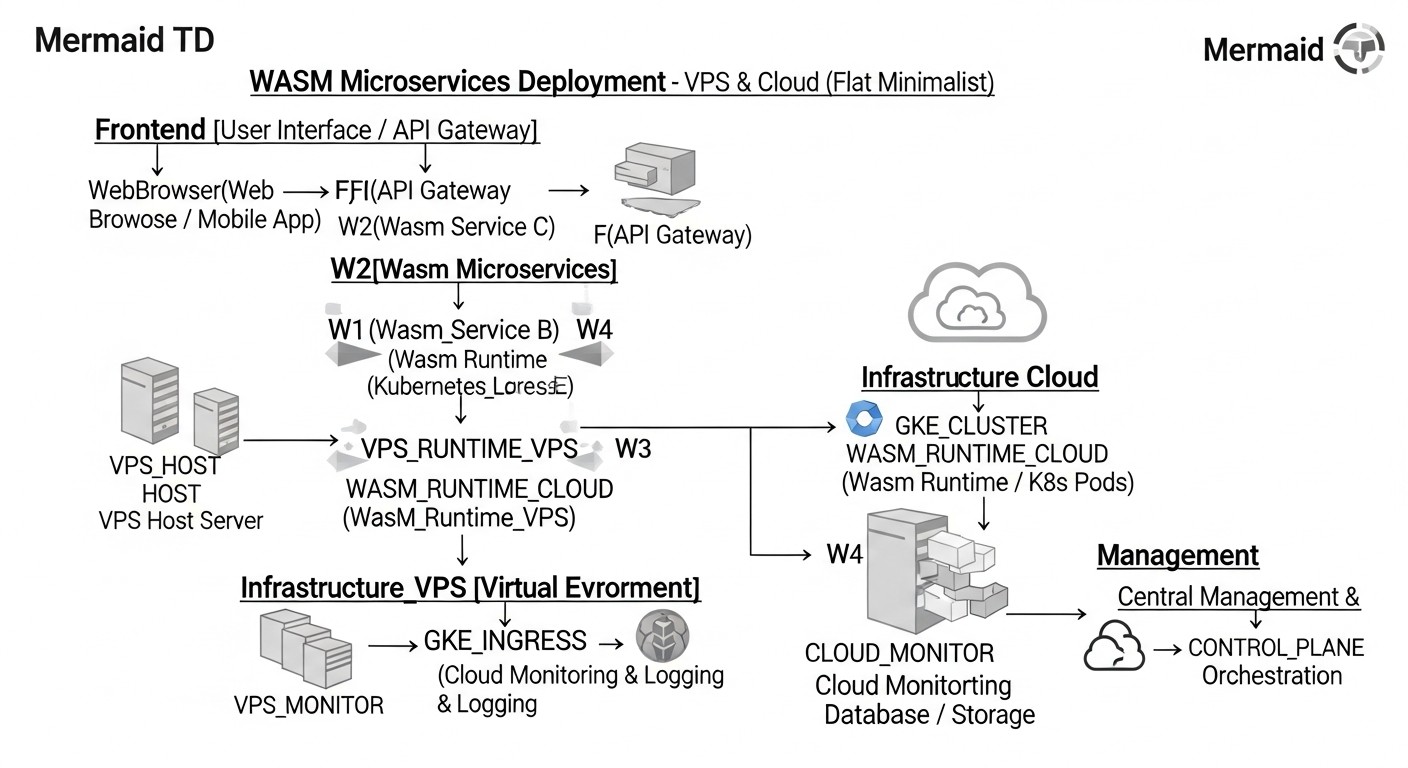
One of the most attractive aspects of WebAssembly is its potential for significantly reducing operational costs. Due to minimal resource consumption and ultra-fast cold start, Wasm microservices can run on much less infrastructure or utilize more cost-effective payment models. Let's look at calculation examples and ways to optimize costs in 2026.
Hidden Costs and How to Optimize Them
- Operational Expenses (OpEx): Include salaries of DevOps engineers, time for debugging, deployment, monitoring. Wasm, especially on FaaS platforms, reduces OpEx through automation. On VPS, OpEx is higher due to manual management.
- Egress Traffic: Although Wasm modules are small, the total volume of data transferred can be significant. Choose cloud providers with favorable traffic rates or use a CDN.
- Inefficient Resource Utilization: If a Wasm service is idle but resources are reserved for it (as on a VPS or in K8s without aggressive scaling to zero), you pay for unused capacity. FaaS models solve this problem.
- Licenses: While Wasm itself is open, some tools or commercial runtimes may have licensing fees.
- Team Training: Investment in training the team on Wasm and its ecosystem.
Calculation Examples for Different Scenarios (estimated prices for 2026)
For example, let's consider a service that processes 10 million requests per month, with each request taking 50 ms and requiring 64 MB of memory.
Scenario 1: VPS (DigitalOcean Droplet / AWS EC2 T4g Small)
- Infrastructure: 1x VPS (2 vCPU, 4 GB RAM) = $20/month (DigitalOcean) or $30/month (AWS EC2 T4g Small).
- Wasm Efficiency: Wasm modules allow 2 vCPU / 4 GB RAM to serve many more requests than traditional containers. Assume one Wasm service instance consumes 30 MB RAM and 5% CPU at peak.
- Bandwidth: 10 million requests * (0.5KB ingress + 5KB egress) = ~50 GB traffic. Additional $5/month.
- Operational Expenses: Manual management, monitoring. Estimated at $100/month (part of a DevOps engineer's time).
- Total: ~$125 - $135/month.
Scenario 2: Kubernetes with KubeWasm (AWS EKS / GKE Standard)
- Infrastructure: Managed K8s cluster (3 nodes, 2 vCPU, 4 GB RAM each) = $200/month for nodes + $70/month for control plane. Total $270/month.
- Wasm Efficiency: Wasm pods start quickly, use fewer resources. Autoscaling helps optimize.
- Bandwidth: The same ~50 GB traffic. Additional $5/month.
- Operational Expenses: K8s management, KubeWasm setup. Estimated at $200/month (more expertise, but less manual work).
- Total: ~$475/month.
Scenario 3: Specialized Wasm FaaS Platform (Fermyon Cloud / Cosmonic)
- Payment Model: "Pay-per-execution" and "pay-per-GB-second".
- Calculation: 10,000,000 invocations * ($0.0000001/invocation) = $1.00.
- Execution Time: 10,000,000 invocations * 0.05 sec/invocation = 500,000 seconds.
- Memory: 500,000 seconds * 64 MB = 32,000,000 MB-seconds = 32,000 GB-seconds.
- Cost per GB-second: $0.000001/GB-sec (estimated). Total 32,000 * $0.000001 = $32.00.
- Bandwidth: Included in cost or paid separately at $0.05/GB. For 50 GB = $2.50.
- Operational Expenses: Minimal. Estimated at $20/month (monitoring, deploy).
- Total: ~$55.50/month.
Comparative Cost Table
| Parameter | VPS (Wasmtime) | Kubernetes (KubeWasm) | Wasm FaaS (Fermyon Cloud) |
|---|---|---|---|
| Infrastructure (month) | $20 - $30 | $270 | $0 (pay-as-you-go) |
| Traffic (month) | $5 | $5 | $2.50 |
| Wasm Executions (month) | Included in infrastructure | Included in infrastructure | $1.00 |
| Wasm GB-seconds (month) | Included in infrastructure | Included in infrastructure | $32.00 |
| Operational Expenses (month) | $100 | $200 | $20 |
| Total Cost (month) | $125 - $135 | $475 | $55.50 |
Conclusion: For this scenario with 10 million requests per month and relatively short execution times, Wasm FaaS platforms prove to be significantly more cost-effective. VPS is a good option for small, predictable loads with high control. Kubernetes becomes expensive but offers unparalleled flexibility and orchestration for complex systems.
How to Optimize Costs:
- Choose the right platform: For sporadic loads — FaaS; for predictable loads — VPS; for hybrid and complex loads — Kubernetes.
- Optimize Wasm modules: Reduce size, shorten execution time, lower memory consumption. Every kilobyte and millisecond affects cost in a FaaS model.
- Use Reserved Instances/Savings Plans: If you have a constant load on VPS or K8s, reserve capacity for 1-3 years to get discounts of up to 70%.
- Monitoring and Analysis: Continuously track resource consumption and cost. Identify and eliminate inefficiencies.
- Scale to Zero: Configure automatic scaling to zero where possible, to avoid paying for idle resources.
The economics of Wasm is not just about reducing CPU/RAM costs. It's a comprehensive approach that considers operational expenses, development speed, and the flexibility that Wasm offers.