Building a Fault-Tolerant S3-Compatible Storage on VPS/Dedicated: A Complete Guide to MinIO
TL;DR
- MinIO is a powerful S3-compatible object storage, ideal for deployment on your own VPS or dedicated servers, offering full control and significant savings compared to cloud providers.
- Fault tolerance is achieved through erasure coding and replication, ensuring data integrity even if multiple disks or nodes in the cluster fail.
- The choice between VPS and Dedicated depends on scale, budget, and performance requirements; for serious production workloads, dedicated servers with NVMe/SSD are preferable.
- Savings on cloud costs can be enormous, especially for projects with large storage volumes and frequent access, but require investment in administration and hardware.
- Proper architecture and monitoring are critical for stable operation and scaling: use Prometheus, Grafana, and centralized logging.
- MinIO security is ensured through HTTPS, IAM, KMS, and strict network access configuration.
- MinIO deployment in 2026 often involves the use of containerization (Docker, Kubernetes) to simplify management and scaling.
Introduction
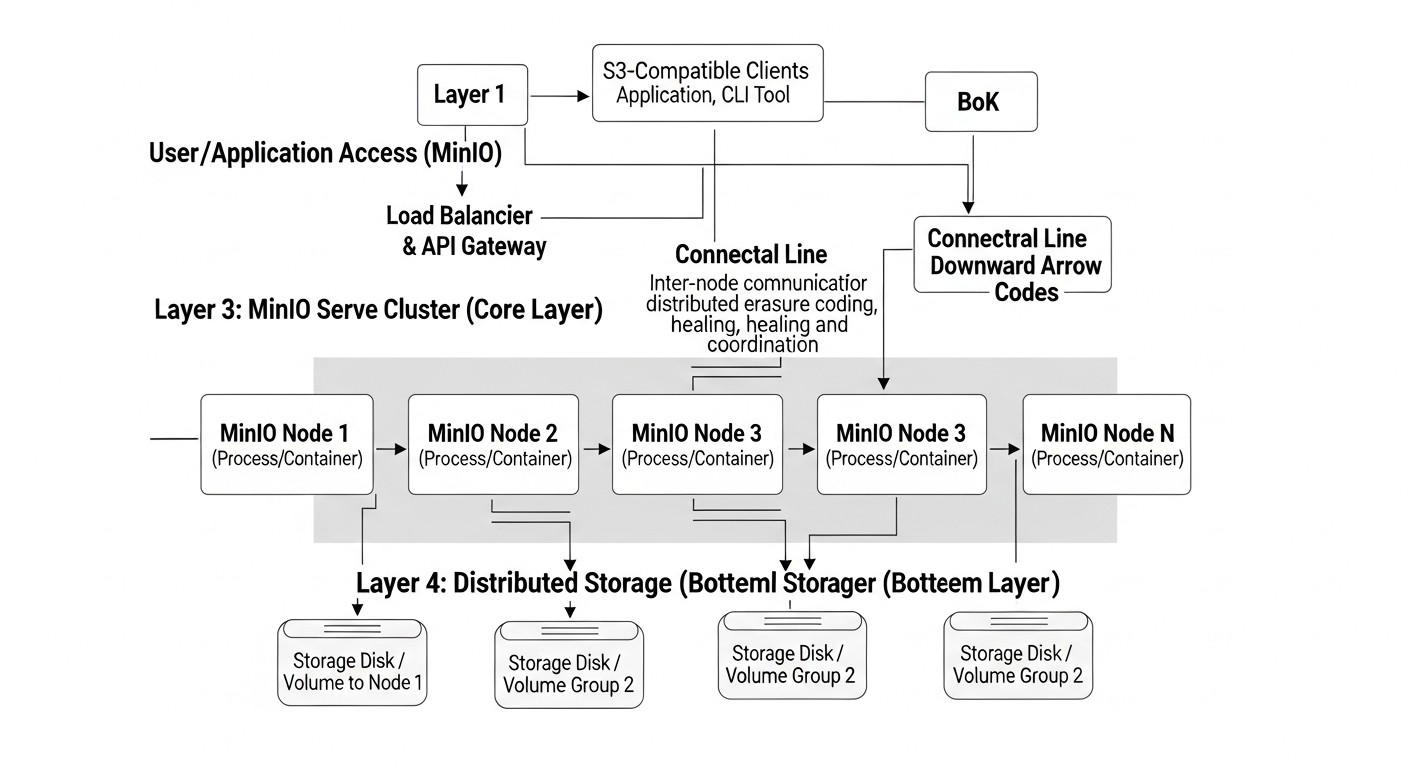 Diagram: Introduction
In the rapidly evolving digital world of 2026, where data volumes are growing exponentially and demands for their availability and preservation are becoming increasingly stringent, the issue of reliable and cost-effective information storage is more critical than ever. Cloud providers such as AWS S3, Google Cloud Storage, and Azure Blob Storage offer convenient and scalable solutions, but their cost can quickly become prohibitive for projects with large data volumes or specific traffic requirements. This is where alternative approaches come into play, allowing you to regain control over your infrastructure and optimize costs.
This article is dedicated to building a fault-tolerant S3-compatible object storage based on MinIO, deployed on your own VPS or dedicated servers. We will consider MinIO not just as a replacement for cloud services, but as a powerful tool capable of providing high availability, scalability, and security, while remaining under the full control of your team. Such a solution is ideal for DevOps engineers striving to optimize infrastructure, Backend developers needing reliable storage for their applications, SaaS project founders looking for ways to reduce operational costs, system administrators building fault-tolerant systems, and startup CTOs balancing innovation and budget.
In 2026, when microservice architecture and serverless functions have become the standard, and data is a key asset for any business, choosing the right data storage determines project success. MinIO, with its lightweight architecture, high performance, and full S3 compatibility, offers a unique combination of flexibility and control. It allows you to build your own storage "cloud" that will fully meet your security, performance, and cost requirements, avoiding vendor lock-in traps and unpredictable cloud bills.
This article will help you navigate from understanding the basic principles to practical deployment and operation of a fault-tolerant MinIO cluster, sharing specific examples, configurations, and recommendations based on real-world experience. We will analyze why MinIO is an optimal choice for many scenarios, what problems it solves, and how to avoid common mistakes during its implementation.
Key Criteria and Selection Factors for Fault-Tolerant Storage
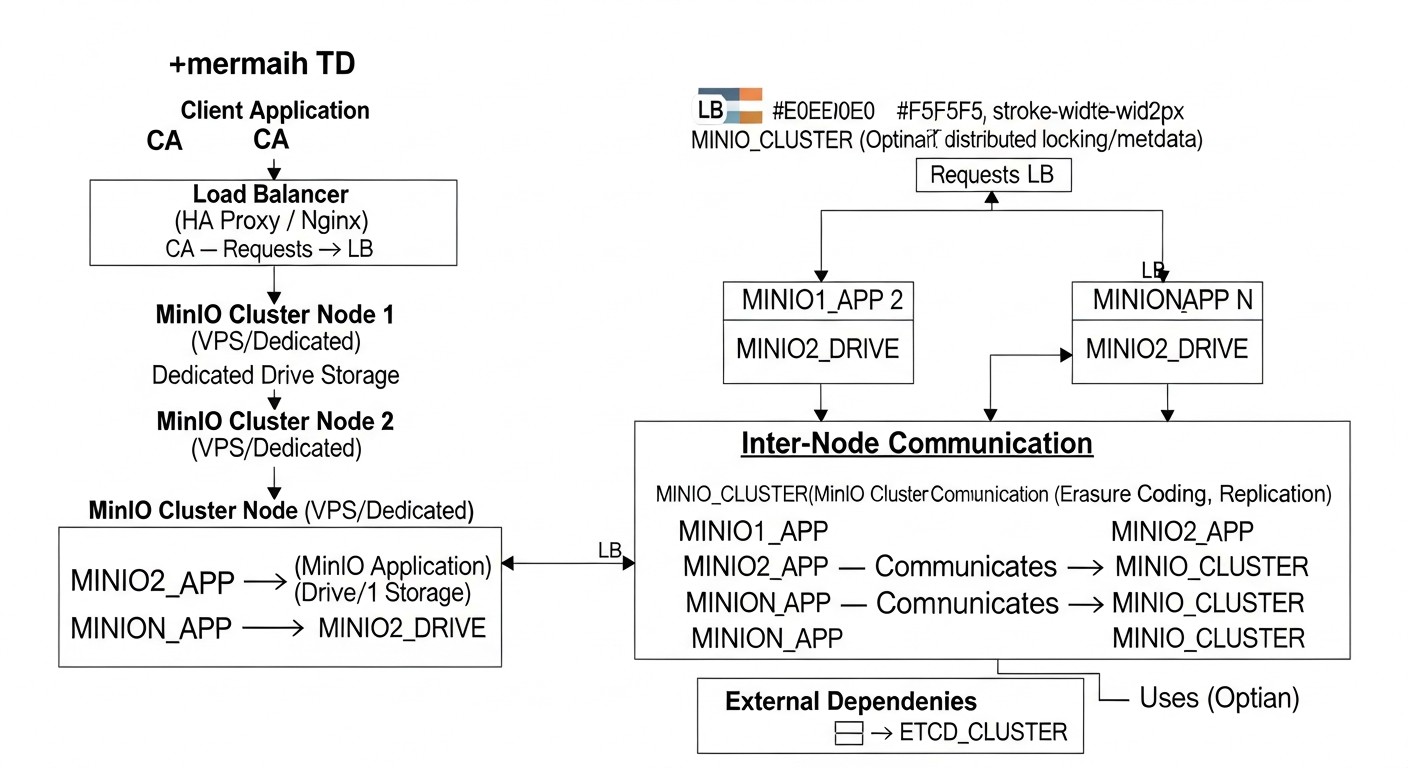 Diagram: Key Criteria and Selection Factors for Fault-Tolerant Storage
Choosing and designing fault-tolerant object storage is a multifaceted process that requires considering many factors. Each of them plays a critical role in determining the suitability of a solution for a specific project. In 2026, these criteria have become even more relevant as data requirements continuously grow.
1. Fault Tolerance and Availability
This is the cornerstone of any serious storage. Fault tolerance means the system's ability to continue functioning even if individual components (disks, servers, network devices) fail. Availability is measured by the percentage of time data is available for reading and writing. For object storage, this is typically achieved through:
- Data Redundancy: Using erasure coding (error correction coding) or replication. MinIO actively uses erasure coding for efficient disk space utilization and high fault tolerance. For example, with an
EC:N/2 configuration, where N is the number of disks, the system can withstand the failure of up to N/2 - 1 disks.
- Distributed Architecture: Spreading data and services across multiple nodes or servers. This prevents a single point of failure at the server level.
- Self-healing Mechanisms: The system's ability to automatically detect failures and restore redundant data without manual intervention.
How to evaluate: Look at the minimum number of nodes/disks that can fail without data loss, as well as the recovery time objective (RTO) and recovery point objective (RPO).
2. Scalability
Storage should easily scale both in volume and performance. In 2026, projects can start with terabytes and quickly grow to petabytes. Scalability can be:
- Horizontal Scaling: Adding new servers/nodes to increase capacity and performance. MinIO in distributed mode is designed for horizontal scaling.
- Vertical Scaling: Increasing resources (disks, CPU, RAM) on existing servers. Less preferable for large volumes.
How to evaluate: Ease of adding new nodes, absence of limits on maximum volume/number of objects, linear performance growth with added resources.
3. S3 Compatibility
The S3 API standard from Amazon Web Services has become the de facto standard for object storage. S3 compatibility means that your storage can be used with any tools, SDKs, and applications developed for AWS S3, without the need for code modification. This significantly simplifies migration, integration, and development.
How to evaluate: Check for support of all major S3 operations (PutObject, GetObject, ListBuckets, DeleteObject, Multi-part Upload, Versioning, Lifecycle Policies, IAM). MinIO is known for its high degree of S3 compatibility.
4. Performance
Data read and write speed is critical for many applications. Performance depends on:
- Disk type: NVMe SSD > SATA SSD > HDD. In 2026, NVMe is becoming the standard for high-performance storage.
- Network bandwidth: Network speed between cluster nodes and between clients and the cluster. For distributed systems, 10GbE or higher is desirable.
- Storage architecture: Efficiency of the internal mechanism for request processing and data distribution.
How to evaluate: Measuring IOPS (input/output operations per second) and throughput (MB/s, GB/s) for various object sizes and access patterns.
5. Security
Protecting data from unauthorized access, loss, or damage is a paramount task.
- Encryption: Data at rest (encryption at rest) and in transit (encryption in transit - HTTPS/TLS). MinIO supports both options, including KMS integration.
- Access management: Support for IAM (Identity and Access Management) to create users, groups, and access policies, similar to AWS IAM.
- Network isolation: Configuration of firewalls, VPNs, private networks to restrict access to storage.
- Auditing and logging: Recording all data access operations for monitoring and compliance with regulatory requirements.
How to evaluate: Presence of all the above features, as well as regular security audits and updates.
6. Cost
Total Cost of Ownership (TCO) includes not only direct costs for hardware/VPS but also operational expenses.
- Infrastructure: Cost of VPS or dedicated servers, disks, network equipment.
- Traffic: Inbound and outbound traffic. This is often a hidden but very significant cost for cloud providers.
- Administration: Personnel costs for deploying, maintaining, and scaling the storage.
- Electricity and cooling: For dedicated servers in your own data center.
How to evaluate: Pricing transparency, ability to forecast expenses, TCO comparison with cloud counterparts over 3-5 years.
7. Manageability & Monitoring
The system should be easily manageable and provide comprehensive metrics for monitoring its status and performance.
- Management interface: Availability of a user-friendly UI (MinIO Console) and CLI (
mc).
- API: Capability for programmatic management.
- Metrics: Integration with monitoring systems (Prometheus, Grafana) for tracking CPU, RAM, disk, network utilization, as well as specific MinIO metrics (IOPS, throughput, bucket status, erasure coding).
- Logging: Centralized event logging for debugging and auditing.
How to evaluate: Ease of setup, quality of documentation, availability of ready-made integrations with popular tools.
8. Ecosystem Compatibility
How easily does the storage integrate with other components of your infrastructure (CI/CD, Kubernetes, Spark, Kafka, ETL tools)?
How to evaluate: Support for standard protocols, availability of connectors and plugins for popular tools.
Comparative Table of Object Storage Solutions (relevant for 2026)
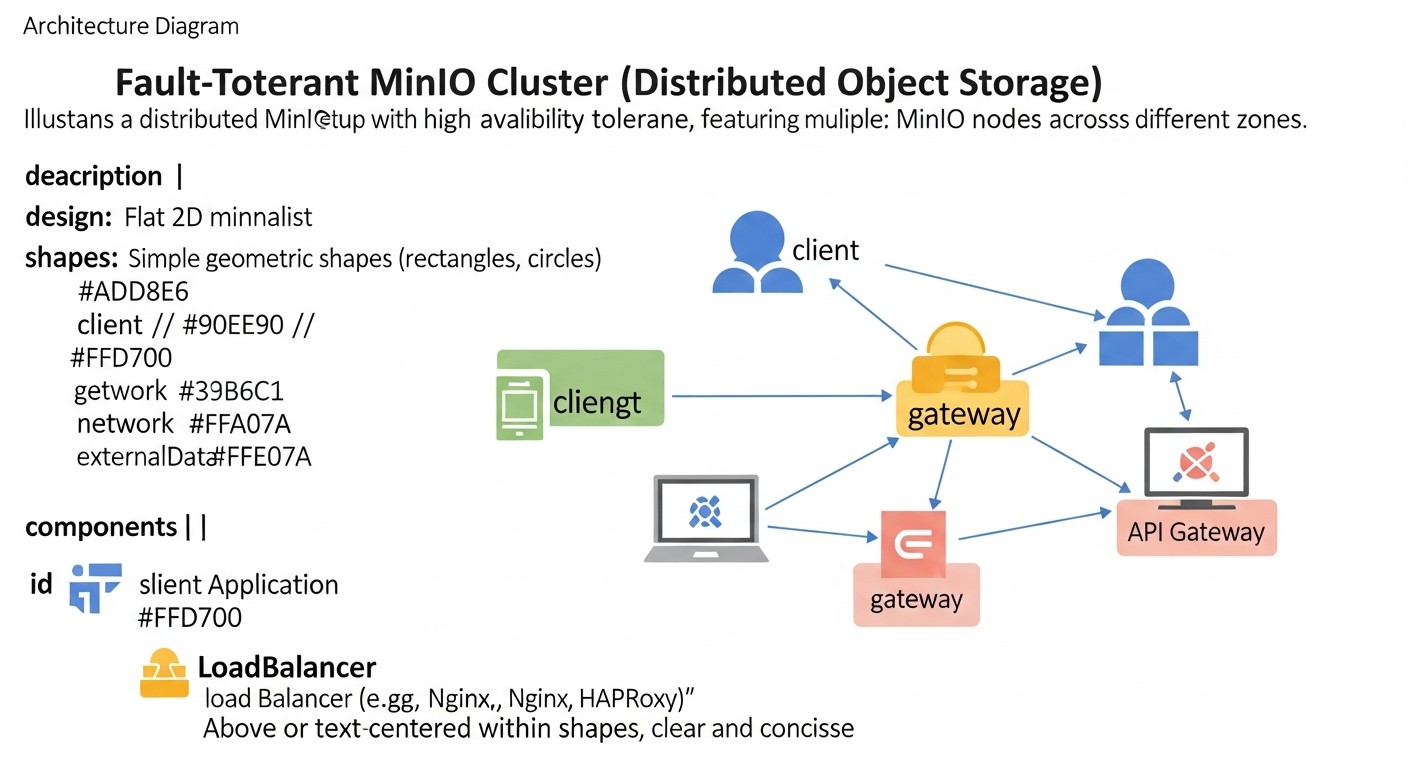 Diagram: Comparative Table of Object Storage Solutions (relevant for 2026)
To make an informed decision, it is important to compare MinIO with other popular options. The table below presents key characteristics and approximate cost estimates, relevant for 2026, taking into account the projected development of technologies and pricing policies.
| Criterion |
MinIO (Self-Hosted) |
AWS S3 (Standard) |
Google Cloud Storage (Standard) |
Ceph (Self-Hosted) |
Local Filesystem/NFS |
| Deployment Type |
VPS/Dedicated Server, Kubernetes |
Public Cloud |
Public Cloud |
Dedicated Server, Kubernetes |
VPS/Dedicated Server |
| S3 Compatibility |
Full |
Native |
Via S3 API Gateway |
Via RGW (radosgw) |
No (File API) |
| Fault Tolerance |
High (Erasure Coding) |
Very High (Multi-zone) |
Very High (Multi-zone) |
High (Replication/EC) |
Low (depends on RAID/replication) |
| Scalability |
Horizontal (easy) |
Virtually Infinite |
Virtually Infinite |
Horizontal (complex) |
Limited by node/NFS |
| Performance (typical) |
High (close to local) |
Very High |
Very High |
High (with proper configuration) |
High (local disk speed) |
| Storage Cost (per 1 TB/month, 2026 forecast) |
~5-15 USD (incl. TCO) |
~20-25 USD |
~20-25 USD |
~10-20 USD (incl. TCO) |
~3-10 USD (incl. TCO) |
| Egress Traffic Cost (per 1 TB, 2026 forecast) |
~0-10 USD (depends on VPS/Dedicated provider) |
~80-100 USD (regional) |
~80-100 USD (regional) |
~0-10 USD (depends on provider) |
~0-10 USD (depends on provider) |
| Deployment Complexity |
Medium |
Low (configuration) |
Low (configuration) |
High |
Low |
| Manageability |
Medium (UI, CLI, API) |
Low (console, CLI, API) |
Low (console, CLI, API) |
High (CLI, Dashboard) |
Low (OS tools) |
| Control over Data/Infrastructure |
Full |
Limited |
Limited |
Full |
Full |
| Entry Barrier (starting) |
1-2 VPS (from 50 USD/month) |
Virtually 0 USD (pay-as-you-go) |
Virtually 0 USD (pay-as-you-go) |
Minimum 3 Dedicated (from 300 USD/month) |
1 VPS (from 10 USD/month) |
Note: "TCO" (Total Cost of Ownership) includes the cost of hardware/hosting, traffic, and administrative labor costs. Prices are approximate forecasts for 2026 and may vary depending on region, provider, and volume.
Detailed Overview of MinIO and Alternatives
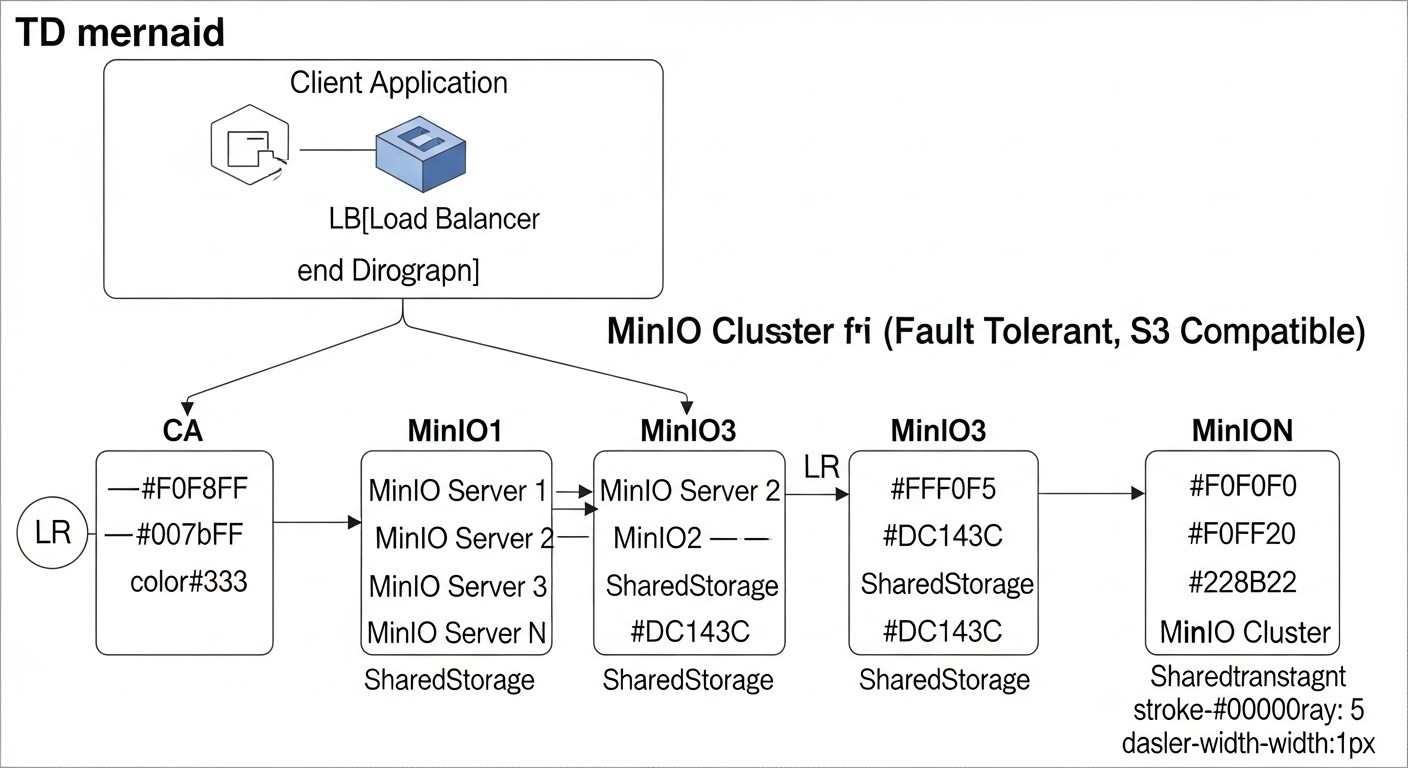 Diagram: Detailed Overview of MinIO and Alternatives
Now, let's delve into the specifics of each solution to better understand their strengths and weaknesses, as well as the scenarios for which they are most suitable.
1. MinIO (Self-Hosted)
MinIO is a high-performance, open-source, distributed object storage written in Go, fully compatible with the Amazon S3 API. It is designed to run on standard hardware and cloud environments, making it an ideal candidate for deployment on VPS or dedicated servers. In 2026, MinIO is a mature product with an extensive community and active development.
- Pros:
- Full S3-compatibility: Ensures easy migration and integration with existing S3-compatible tools and applications.
- High Performance: Optimized for NVMe drives and modern network infrastructure, capable of achieving speeds up to 100 Gbit/s on a single node.
- Fault Tolerance via Erasure Coding: Efficiently uses disk space, ensuring data integrity even if up to half of the disks or nodes in a cluster fail.
- Horizontal Scalability: Easily expands by adding new nodes to the cluster without downtime.
- Data Control: You fully own the infrastructure and data, which is critical for regulatory compliance and security.
- Cost-Effectiveness: Significantly cheaper than cloud alternatives for large storage volumes and intensive traffic, especially egress.
- Lightweight: The MinIO binary file is only a few tens of megabytes, consuming few resources.
- Active Development and Community: Constant updates, new features, good documentation.
- Cons:
- Requires Administration: Knowledge and resources are needed for deployment, monitoring, and support.
- Self-Managed HA: High availability depends on your infrastructure (VPS/Dedicated) and its reliability.
- No Vendor SLA: You bear full responsibility for operational uptime.
- Complexity of Initial Setup: A well-thought-out architecture is required to ensure maximum fault tolerance and performance.
- Best Suited For:
- SaaS projects with large volumes of user data (images, videos, documents).
- Companies requiring full S3-compatibility but without vendor lock-in to a specific cloud provider.
- Developers creating local environments for testing S3-compatible applications.
- Media companies for content storage and delivery.
- Projects with high performance and low latency requirements.
- Companies aiming to optimize storage and traffic costs.
- Use Cases: Backup storage, logging, static website hosting, data storage for AI/ML models, media streaming, file-sharing services.
2. AWS S3 (Standard)
Amazon S3 is the benchmark for object storage in the cloud. It is a fully managed service offering unparalleled scalability, reliability, and availability. In 2026, it continues to dominate the market, constantly expanding its functionality.
- Pros:
- Maximum Reliability and Availability: Objects are stored redundantly across multiple availability zones, ensuring 99.999999999% durability.
- Infinite Scalability: No need to worry about capacity or performance.
- Fully Managed: AWS handles all infrastructure, update, and maintenance concerns.
- Extensive Ecosystem: Deep integration with other AWS services (Lambda, EC2, CloudFront, Athena, etc.).
- Numerous Features: Versioning, lifecycle policies, replication, encryption, static website hosting, and much more.
- Global Reach: Availability in numerous regions worldwide.
- Cons:
- High Cost: Especially with large storage volumes and intensive egress traffic. Opaque pricing policy with many hidden fees.
- Vendor Lock-in: Deep integration with AWS can make migration to other platforms difficult.
- Limited Control: You do not manage the underlying infrastructure, which can be an issue for specific security or performance requirements.
- Complexity of Cost Prediction: Bills can be unpredictable due to many factors (requests, traffic, storage, storage classes).
- Best Suited For:
- Early-stage startups needing rapid development without infrastructure concerns.
- Companies already deeply integrated into the AWS ecosystem.
- Projects with unpredictable growth requiring instant scaling.
- Companies lacking resources for self-administering storage.
- Projects with high requirements for global availability and content distribution.
3. Google Cloud Storage (Standard)
Google Cloud Storage (GCS) is another leading cloud object storage service, offering capabilities similar to AWS S3 with some differences in pricing policy and integration with the Google Cloud ecosystem. It also provides various storage classes and features.
- Pros:
- Similar Reliability and Scalability: High durability and availability, global coverage.
- Fully Managed Service: Reduces operational overhead.
- Google Cloud Integration: Good compatibility with BigQuery, Dataflow, Kubernetes Engine, and other Google services.
- S3-compatible API: Supports S3 API via its own gateway, simplifying migration.
- Efficient Pricing: Often more competitive for certain usage patterns, especially for infrequent access.
- Cons:
- High Egress Traffic Costs: Like AWS, this is a significant expense.
- Vendor Lock-in: Tied to the Google Cloud ecosystem.
- Less Popular S3-compatibility: Although the S3 API is supported, the native ecosystem is oriented towards its own GCS API, which can create nuances.
- Potentially More Complex for Migration: If you already use S3-oriented tools, GCS might require more adaptation.
- Best Suited For:
- Companies already using Google Cloud Platform for other services.
- Projects actively using Big Data and analytics with Google tools.
- Startups looking for an alternative to AWS S3 with potentially more favorable storage rates or specific storage classes.
4. Ceph (Self-Hosted)
Ceph is an open-source, distributed data storage system designed to provide high performance, reliability, and scalability. It offers block storage (RBD), file storage (CephFS), and object storage (RADOS Gateway, RGW) interfaces, compatible with S3 and Swift APIs. Ceph requires significant resources and expertise for deployment and management.
- Pros:
- Versatility: Provides block, file, and object storage in a single system.
- High Scalability: Can scale up to petabytes and exabytes.
- Fault Tolerance: Uses replication or erasure coding to ensure data integrity.
- Full Control: You fully control the infrastructure and data.
- Open Source: Flexibility and no licensing fees.
- Cons:
- High Complexity: Deploying and administering Ceph requires deep knowledge and experience; it is not a task for a single DevOps engineer.
- Hardware Requirements: High requirements for the number of servers (minimum 3 for HA), disks, and network.
- Initial Investment: Significant hardware costs for a minimally fault-tolerant configuration.
- Performance: May be lower than MinIO for pure S3 operations on the same hardware due to a more complex architecture.
- Best Suited For:
- Large enterprises and cloud providers building their own cloud.
- Projects requiring not only object but also block/file storage within a single system.
- Organizations with a large staff of experienced system engineers.
5. Local Filesystem / NFS (Network File System)
Using a local filesystem or NFS is a basic approach to data storage. In 2026, it is still relevant for certain, less critical scenarios but is rarely used for building fault-tolerant object storage.
- Pros:
- Simplicity: Easy to set up and use.
- High Performance: A local disk provides minimal latency. NFS can be quite fast on a local network.
- Low Cost: Uses existing disks and network resources.
- Full Control: You fully manage the file system.
- Cons:
- Lack of S3-compatibility: Requires rewriting application code that uses the S3 API.
- Low Fault Tolerance: A local file system is a single point of failure. NFS can also be prone to server failures.
- Poor Scalability: Extremely difficult to scale in terms of volume and performance.
- Lack of Object Storage Features: No versioning, lifecycle policies, object metadata, IAM, etc.
- Ineffective for a Large Number of Small Files: Can lead to inode issues and file system performance problems.
- Best Suited For:
- Small projects with limited budgets and low fault tolerance requirements.
- Development and testing where S3-compatibility is not critical.
- Storage of temporary files or cache.
- Systems where data is already processed as files and there is no need for object storage.
As can be seen, MinIO strikes a golden mean between the simplicity of local solutions and the power, yet expense, of cloud giants, as well as the complexity of Ceph. This makes it an ideal choice for most startups and medium-sized companies aiming for control and cost savings.
Practical Tips and Recommendations for MinIO Deployment
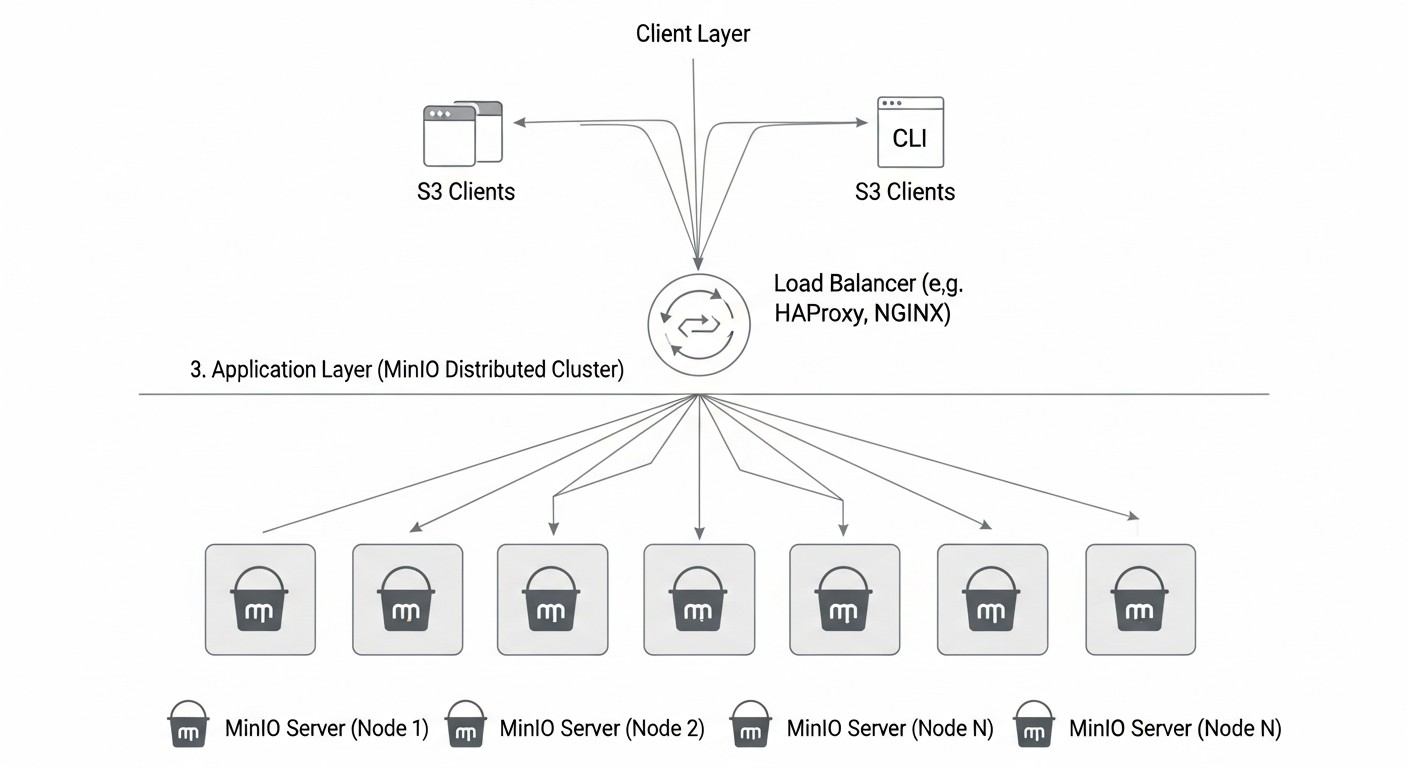 Diagram: Practical Tips and Recommendations for MinIO Deployment
Deploying a fault-tolerant MinIO cluster requires careful planning and precise execution. Here, we will cover step-by-step instructions and configurations for creating reliable storage.
1. Infrastructure Selection and Preparation (VPS/Dedicated)
VPS (Virtual Private Server): Suitable for small to medium-sized projects, test environments. Choose providers with fast SSD/NVMe disks and stable networks. Ensure that VPS instances are located in different data centers or availability zones of the provider for maximum fault tolerance.
Dedicated Server: The optimal choice for production workloads, large data volumes, and high performance. Servers with multiple NVMe disks (minimum 4 for erasure coding) and 10GbE network cards are preferred. Distribute servers across different racks or even data centers, if possible.
Minimum cluster requirements (2026):
- Number of nodes: Minimum 4 nodes for distributed MinIO with erasure coding. This allows tolerating the failure of up to 2 nodes or disks (with EC:N/2). For 8 nodes, it will tolerate the failure of 4 nodes.
- CPU: 4-8 vCPU per node (for VPS), 8+ physical cores per node (for Dedicated).
- RAM: 8-16 GB per node (for VPS), 32+ GB per node (for Dedicated).
- Disks: Minimum 4 NVMe/SSD disks on each node for maximum performance and load distribution. Use raw devices or block devices, without formatting them into file systems, so that MinIO can manage them directly.
- Network: 1 GbE minimum, 10 GbE or 25 GbE for high-performance clusters.
OS Preparation (Ubuntu 24.04 LTS):
# Обновление системы
sudo apt update && sudo apt upgrade -y

# Установка необходимых пакетов (если не установлены)
sudo apt install -y curl wget systemd-timesyncd

# Настройка NTP для синхронизации времени (критично для распределенных систем)
sudo timedatectl set-ntp true

# Отключение SWAP (рекомендуется для MinIO для предсказуемой производительности)
sudo swapoff -a
sudo sed -i '/ swap / s/^\(.\)$/#\1/g' /etc/fstab

# Настройка файервола (открыть порты MinIO и SSH)
sudo ufw allow ssh
sudo ufw allow 9000/tcp # MinIO API
sudo ufw allow 9001/tcp # MinIO Console (если включена)
sudo ufw enable
2. MinIO Server Installation
We will install MinIO as a system service.
# Скачивание MinIO бинарника
wget https://dl.min.io/server/minio/release/linux-amd64/minio -O /usr/local/bin/minio

# Предоставление прав на выполнение
sudo chmod +x /usr/local/bin/minio

# Создание директорий для данных и конфигурации
sudo mkdir -p /mnt/data{1..4} # Создаем директории для 4 дисков на каждом узле
sudo mkdir -p /etc/minio
sudo chown -R minio:minio /mnt/data # Создайте пользователя minio:minio
sudo chown -R minio:minio /etc/minio
Creating the configuration file /etc/minio/minio.env:
MINIO_ROOT_USER="minioadmin"
MINIO_ROOT_PASSWORD="supersecretpassword" # Смените на сложный пароль!
MINIO_SERVER_URL="http://minio.yourdomain.com:9000" # Или IP первого узла
# Если вы используете несколько узлов, укажите их IP или доменные имена
# Пример для 4 узлов:
# MINIO_VOLUMES="http://node1.yourdomain.com/mnt/data{1..4} http://node2.yourdomain.com/mnt/data{1..4} http://node3.yourdomain.com/mnt/data{1..4} http://node4.yourdomain.com/mnt/data{1..4}"
# Для одного узла (но это не отказоустойчиво):
# MINIO_VOLUMES="/mnt/data{1..4}"
Example MINIO_VOLUMES for 4 nodes with 4 disks each:
Assume you have 4 nodes: node1.yourdomain.com, node2.yourdomain.com, node3.yourdomain.com, node4.yourdomain.com.
MINIO_VOLUMES="http://node1.yourdomain.com:9000/mnt/data{1..4} \
               http://node2.yourdomain.com:9000/mnt/data{1..4} \
               http://node3.yourdomain.com:9000/mnt/data{1..4} \
               http://node4.yourdomain.com:9000/mnt/data{1..4}"
Creating systemd service /etc/systemd/system/minio.service:
[Unit]
Description=MinIO Object Storage Server
Documentation=https://docs.min.io
Wants=network-online.target
After=network-online.target

[Service]
ExecStart=/usr/local/bin/minio server $MINIO_VOLUMES --console-address ":9001"
EnvironmentFile=/etc/minio/minio.env
User=minio
Group=minio
ProtectProc=full
AmbientCapabilities=CAP_NET_BIND_SERVICE
ReadWritePaths=/mnt/data
NoNewPrivileges=true
PrivateTmp=true
PrivateDevices=true
ProtectSystem=full
ProtectHome=true
CapabilityBoundingSet=CAP_NET_BIND_SERVICE
LimitNOFILE=65536
LimitNPROC=infinity
LimitCORE=infinity
TimeoutStopSec=30
Restart=on-failure
RestartSec=5

[Install]
WantedBy=multi-user.target
Starting and enabling the service:
sudo systemctl daemon-reload
sudo systemctl enable minio
sudo systemctl start minio
sudo systemctl status minio
Repeat these steps on each cluster node. Ensure that all nodes can access each other via the specified IPs/domain names on port 9000.
3. DNS and SSL/TLS Configuration
To access MinIO by domain name and ensure security, use DNS and SSL/TLS. In 2026, HTTPS is a mandatory standard.
- DNS: Create an A-record for your domain (e.g.,
minio.yourdomain.com) pointing to the IP address of one of the nodes or to the IP address of a load balancer, if you are using one. For distributed MinIO, Round Robin DNS or a hardware/software load balancer (HAProxy, Nginx) is recommended.
- SSL/TLS (Let's Encrypt + Nginx/HAProxy):
Install Nginx as a reverse proxy in front of MinIO on each node or on a separate node/balancer.
sudo apt install -y nginx certbot python3-certbot-nginx
Example Nginx configuration (/etc/nginx/sites-available/minio.conf):
server {
    listen 80;
    listen [::]:80;
    server_name minio.yourdomain.com;
    return 301 https://$host$request_uri;
}

server {
    listen 443 ssl http2;
    listen [::]:443 ssl http2;
    server_name minio.yourdomain.com;

    ssl_certificate /etc/letsencrypt/live/minio.yourdomain.com/fullchain.pem;
    ssl_certificate_key /etc/letsencrypt/live/minio.yourdomain.com/privkey.pem;
    ssl_trusted_certificate /etc/letsencrypt/live/minio.yourdomain.com/chain.pem;

    ssl_protocols TLSv1.2 TLSv1.3;
    ssl_prefer_server_ciphers on;
    ssl_ciphers "EECDH+AESGCM:EDH+AESGCM:AES256+EECDH:AES256+EDH";
    ssl_ecdh_curve secp384r1;
    ssl_session_cache shared:SSL:10m;
    ssl_session_tickets off;
    ssl_stapling on;
    ssl_stapling_verify on;
    resolver 8.8.8.8 8.8.4.4 valid=300s;
    resolver_timeout 5s;
    add_header Strict-Transport-Security "max-age=63072000; includeSubDomains; preload";
    add_header X-Frame-Options DENY;
    add_header X-Content-Type-Options nosniff;
    add_header X-XSS-Protection "1; mode=block";

    location / {
        proxy_set_header Host $http_host;
        proxy_set_header X-Real-IP $remote_addr;
        proxy_set_header X-Forwarded-For $proxy_add_x_forwarded_for;
        proxy_set_header X-Forwarded-Proto $scheme;

        proxy_connect_timeout 300;
        proxy_send_timeout 300;
        proxy_read_timeout 300;
        send_timeout 300;

        # Для MinIO API
        proxy_pass http://127.0.0.1:9000; # Или IP локального MinIO
        proxy_http_version 1.1;
        proxy_buffering off;
        proxy_request_buffering off;
    }

    location /minio/ui { # Для консоли MinIO
        proxy_set_header Host $http_host;
        proxy_set_header X-Real-IP $remote_addr;
        proxy_set_header X-Forwarded-For $proxy_add_x_forwarded_for;
        proxy_set_header X-Forwarded-Proto $scheme;

        proxy_pass http://127.0.0.1:9001; # Или IP локальной консоли MinIO
        proxy_http_version 1.1;
        proxy_buffering off;
        proxy_request_buffering off;
    }
}
# Активация конфигурации Nginx
sudo ln -s /etc/nginx/sites-available/minio.conf /etc/nginx/sites-enabled/
sudo nginx -t
sudo systemctl restart nginx

# Получение SSL-сертификата с Let's Encrypt
sudo certbot --nginx -d minio.yourdomain.com
After obtaining the certificate, Nginx will automatically update the configuration. Make sure that MINIO_SERVER_URL in minio.env now points to an HTTPS address if you are using an external load balancer that terminates SSL. If Nginx is running on the same node as MinIO, MinIO can continue to listen on HTTP, and Nginx will terminate SSL.
If you want MinIO itself to terminate SSL, you need to place the certificates in /root/.minio/certs or /home/minio/.minio/certs and configure MINIO_SERVER_URL to HTTPS. However, SSL is most often terminated at the load balancer or proxy.
4. User and Policy Management (IAM)
MinIO has a built-in IAM system compatible with AWS IAM. Use the mc CLI for management.
# Установка mc CLI
wget https://dl.min.io/client/mc/release/linux-amd64/mc -O /usr/local/bin/mc
sudo chmod +x /usr/local/bin/mc

# Добавление хоста MinIO
mc alias set myminio https://minio.yourdomain.com minioadmin supersecretpassword

# Создание нового пользователя
mc admin user add myminio appuser strongpassword123

# Создание политики доступа (например, только чтение для бакета 'mybucket')
# Создайте файл policy.json
cat <<EOF > read-only-policy.json
{
    "Version": "2012-10-17",
    "Statement": [
        {
            "Effect": "Allow",
            "Action": [
                "s3:GetObject",
                "s3:ListBucket"
            ],
            "Resource": [
                "arn:aws:s3:::mybucket",
                "arn:aws:s3:::mybucket/"
            ]
        }
    ]
}
EOF

# Добавление политики
mc admin policy add myminio readonlypolicy read-only-policy.json

# Привязка политики к пользователю
mc admin policy set myminio readonlypolicy user=appuser

# Просмотр пользователей и политик
mc admin user list myminio
mc admin policy list myminio
5. Monitoring and Logging
Monitoring is crucial for stable MinIO operation. MinIO exports metrics in Prometheus format.
- Prometheus + Grafana: Deploy Prometheus for metric collection and Grafana for visualization. MinIO by default exports metrics on port 9000 at the path
/minio/v2/metrics/cluster.
- Logrotate: Configure MinIO log rotation.
- Centralized logging: Send MinIO logs to a centralized system (ELK Stack, Loki, Graylog) for easy analysis and error searching.
6. Backup and Recovery
While MinIO provides fault tolerance, it does not replace backup. Use mc mirror or third-party tools to back up data to another location (e.g., to the cloud or another MinIO cluster).
# Зеркалирование бакета mybucket на локальный диск
mc mirror myminio/mybucket /mnt/backup/mybucket

# Зеркалирование бакета на другой MinIO кластер
mc mirror myminio/mybucket anotherminio/mybucket
7. MinIO Updates
Regularly update MinIO to the latest versions to get new features, bug fixes, and security improvements.
# Скачивание новой версии
wget https://dl.min.io/server/minio/release/linux-amd64/minio -O /tmp/minio_new

# Замена бинарника
sudo systemctl stop minio
sudo mv /tmp/minio_new /usr/local/bin/minio
sudo chmod +x /usr/local/bin/minio
sudo systemctl start minio
For a cluster, this should be done sequentially, node by node, to avoid downtime. MinIO supports "rolling upgrades".
8. Deployment Automation (Ansible/Terraform)
For production environments, use automation tools such as Ansible for node configuration and MinIO deployment, and Terraform for managing VPS/Dedicated server infrastructure. This will significantly reduce the likelihood of errors and speed up scaling.
Common Mistakes When Implementing MinIO
 Diagram: Common Mistakes When Implementing MinIO
Even experienced engineers can make mistakes when working with new technologies. Here is a list of the most common pitfalls when deploying and operating MinIO, and how to avoid them.
1. Using an Insufficient Number of Nodes/Disks for Erasure Coding
Mistake: Deploying MinIO in distributed mode on fewer than 4 nodes/disks, or using too low an Erasure Coding ratio (e.g., EC:N/1). Some mistakenly believe that 2 nodes are sufficient for "fault tolerance".
Consequences: Data loss or storage unavailability if even one node or several disks fail. MinIO requires a minimum of 4 disks (or nodes with disks) to activate distributed mode with Erasure Coding. The recommended EC ratio is N/2, which means the system can withstand the failure of up to N/2 - 1 disks/nodes without data loss.
How to avoid: Always plan for a minimum of 4 nodes for a production cluster. Use the N/2 formula to determine the maximum number of failures the cluster can withstand. For example, with 8 nodes, MinIO can withstand up to 3 simultaneous node/disk failures.
2. Lack of Time Synchronization (NTP) Between Nodes
Mistake: Time synchronization is not configured between MinIO cluster nodes.
Consequences: Time discrepancies can lead to serious data consistency issues, inability for erasure coding to function correctly, errors during object write/read operations, and difficulties with diagnostics. In distributed systems, time is a critically important factor for ordering events.
How to avoid: Ensure that an NTP client (e.g., systemd-timesyncd or ntpd) is installed and configured on all nodes, and that all nodes synchronize with a reliable time source. Regularly check the synchronization status.
timedatectl status # Check NTP status
3. Using Filesystems on Top of Block Devices for MinIO Data
Mistake: Formatting disks with ext4, XFS, etc., then mounting them and pointing MinIO to these mount points.
Consequences: MinIO is designed for direct access to block devices or directories that it manages as "raw". Using standard filesystems adds an extra layer of abstraction, which can lead to reduced performance, inefficient disk space utilization, and potential data consistency issues, especially under high loads or failures. MinIO will not be able to fully control the placement of data and metadata.
How to avoid: Directly specify paths to directories for MinIO that are located on separate block devices (e.g., /mnt/data1, /mnt/data2). Allow MinIO to manage these directories and disks without prior formatting into traditional file systems. MinIO uses its own internal structure for object storage.
4. Ignoring Security and Access
Mistake: Using default or weak credentials (minioadmin:minioadmin), lack of HTTPS, exposing MinIO ports to the internet without a firewall or reverse proxy.
Consequences: Data leakage, unauthorized access, ability to modify or delete objects, compromise of the entire system. In 2026, cyberattacks are becoming increasingly sophisticated, and neglecting basic security principles is unacceptable.
How to avoid:
- Always change the default
MINIO_ROOT_USER and MINIO_ROOT_PASSWORD to complex, unique values.
- Use HTTPS (SSL/TLS) for all traffic to MinIO.
- Configure firewalls (
ufw, iptables) to restrict access only to necessary ports and IP addresses.
- Use MinIO IAM to create separate users with minimally required privileges (principle of least privilege).
- Do not expose MinIO ports (9000, 9001) directly to the internet; use a reverse proxy (Nginx, HAProxy) with SSL termination.
5. Insufficient Monitoring and Logging
Mistake: Lack of a monitoring system for MinIO and the underlying infrastructure, ignoring logs.
Consequences: Inability to promptly detect problems (disk overflow, node failure, network issues, performance degradation). Problems can accumulate and lead to a large-scale outage, data loss, or prolonged downtime. Lack of centralized logging complicates debugging and incident investigation.
How to avoid:
- Deploy Prometheus and Grafana to collect and visualize MinIO metrics, as well as OS metrics (CPU, RAM, disk, network).
- Configure alerts (via Alertmanager) for critical events (e.g., disk failure, high error rate, node unavailability).
- Use a centralized logging system (ELK Stack, Loki) to aggregate MinIO logs and system logs from all nodes.
- Regularly review monitoring dashboards and logs.
6. Using MinIO Without a Load Balancer for Clients
Mistake: Direct client connection to one of the MinIO nodes or using Round Robin DNS without considering node health.
Consequences: Uneven load distribution, a single point of failure at the access level, availability issues for clients if the node they are directly connected to goes down. Although MinIO is a distributed system, clients need a single "entry point".
How to avoid:
- Use an external load balancer (HAProxy, Nginx, cloud LB) in front of the MinIO cluster. It will distribute requests among nodes and redirect traffic to healthy nodes in case of a failure.
- Configure health checks on the load balancer for MinIO ports.
- If using Round Robin DNS, ensure it is dynamic and can exclude unhealthy nodes, or use it only in conjunction with a load balancer.
7. Incorrect Network Configuration Between Nodes
Mistake: Insufficient network bandwidth, high latency between nodes, ports blocked by firewalls.
Consequences: Significant reduction in cluster performance, especially during write and data recovery operations (rebalancing, healing). Erasure coding requires intensive network interaction between nodes. High latency can lead to timeouts and instability.
How to avoid:
- Use a high-speed network (10GbE or higher) for traffic between MinIO nodes.
- Place nodes within the same local network or in geographically close data centers with low latency (no more than 1-2 ms).
- Ensure that firewalls allow TCP traffic between all cluster nodes on the MinIO port (default 9000), as well as on the console port (9001, if used).
By avoiding these common mistakes, you will significantly increase the chances of a successful and stable deployment of a fault-tolerant S3 storage based on MinIO.
FAQ: Frequently Asked Questions about MinIO
What is MinIO and why is it needed if cloud S3 already exists?
MinIO is a high-performance, distributed, open-source object storage solution fully compatible with the Amazon S3 API. It is needed when cloud S3 becomes too expensive (especially due to egress traffic), when full control over data and infrastructure is required (e.g., due to regulatory requirements), or when maximum performance with minimal latency is necessary within your own network. MinIO allows you to build your own storage "cloud" while maintaining compatibility with the vast S3 ecosystem.
How many nodes are required for a fault-tolerant MinIO cluster?
To activate distributed mode with Erasure Coding and ensure basic fault tolerance, MinIO requires a minimum of 4 nodes (or 4 drives if MinIO is deployed on a single node, but this is not a server-level fault-tolerant configuration). It is recommended to use 4 to 16 nodes. The more nodes, the higher the fault tolerance and performance, provided that the nodes have sufficient drives and a fast network. For example, an 8-node cluster with Erasure Coding EC:8/4 can withstand the failure of up to 3 nodes or drives without data loss.
Can MinIO be used on regular HDD drives?
Yes, MinIO can run on HDD drives, but this will significantly reduce its performance, especially with a large number of small files or intensive read/write operations. MinIO is optimized for fast SSD and NVMe drives, which provide much higher throughput and IOPS. For production environments where performance is critical, SSD or NVMe are strongly recommended. HDDs may be acceptable for archival storage or backups with low speed requirements.
How does MinIO ensure fault tolerance?
MinIO uses an Erasure Coding mechanism (error correction coding) to ensure fault tolerance. Instead of full data replication, which requires a lot of space, Erasure Coding breaks each object into data parts and parity parts. These parts are distributed across different drives and nodes. If some drives or nodes fail, MinIO can reconstruct the original object using the remaining data and parity parts. This ensures high data durability with efficient use of disk space.
Do I need a load balancer in front of MinIO?
Yes, for a production deployment of a fault-tolerant MinIO cluster, it is highly recommended to use an external load balancer (e.g., Nginx, HAProxy, or a cloud Load Balancer). The load balancer distributes client requests among MinIO nodes, ensures high availability (by redirecting traffic to operational nodes in case of failure), and can also terminate SSL/TLS, simplifying MinIO configuration. Without a load balancer, clients would connect directly to one of the nodes, creating a single point of failure.
How to upgrade MinIO without downtime?
MinIO supports "rolling upgrades." This means you can update cluster nodes one by one without interrupting the operation of the entire storage. The process involves downloading the new MinIO binary, stopping the service on one node, replacing the binary, starting the service, and then moving to the next node. Client requests will be temporarily redirected to other operational cluster nodes.
Can MinIO be used for hosting static websites?
Yes, MinIO fully supports static website hosting functionality, similar to AWS S3. You can create a bucket, upload static HTML, CSS, JS, and image files to it, and configure the bucket for web hosting. MinIO allows you to specify an index document (e.g., index.html) and an error document (e.g., 404.html). This is an excellent way to deploy simple websites or single-page applications.
Does MinIO support data encryption?
Yes, MinIO supports data encryption both in transit (using TLS/SSL (HTTPS)) and at rest. For encryption at rest, MinIO can use SSE-S3 (Server-Side Encryption with S3-managed keys), SSE-C (Server-Side Encryption with Customer-Provided Keys), and SSE-KMS (Server-Side Encryption with Key Management Service). This ensures a high level of security for stored data.
How does MinIO compete with Ceph?
MinIO and Ceph are both open-source distributed storage solutions, but they are oriented towards different scenarios. MinIO specializes exclusively in high-performance object storage with S3 compatibility; it is lightweight, simple to deploy and maintain. Ceph is a more versatile and complex system, providing block, file, and object storage, requiring significant resources and deep knowledge for deployment and management. MinIO is often chosen for its simplicity and performance for the specific task of object storage, whereas Ceph is for building a full-fledged software-defined data center.
What are the limitations of MinIO?
MinIO's main limitations are related to its niche specialization: it provides only object storage, not directly offering block devices or file systems. Although it is scalable, the maximum cluster size (number of nodes) may be limited by practical manageability. For very specific or extremely large installations (exabytes), specialized solutions might be required. Also, like any self-hosted system, MinIO requires resources for administration and support, unlike fully managed cloud services.
How to configure object lifecycle policies in MinIO?
MinIO supports object lifecycle policies (Lifecycle Management), similar to AWS S3. These policies allow automatic management of objects in a bucket, for example, deleting them after a certain period or moving them to other storage classes (although MinIO itself does not have different storage classes, this can be achieved through mirroring to another MinIO or external storage). Policies are configured using an XML file and applied to the bucket via the mc CLI or S3 API.
<LifecycleConfiguration>
    <Rule>
        <ID>DeleteOldLogs</ID>
        <Filter>
            <Prefix>logs/</Prefix>
        </Filter>
        <Status>Enabled</Status>
        <Expiration>
            <Days>30</Days>
        </Expiration>
    </Rule>
</LifecycleConfiguration>
mc ls set myminio/mybucket lifecycle-config.xml
What are the high availability options for MinIO Console?
MinIO Console (web interface) by default runs on a separate port (9001). To ensure its high availability in a distributed cluster, you can use several approaches:
- Nginx/HAProxy on each node: Configure a local reverse proxy (Nginx) on each node that will direct requests to the local MinIO console. Then use DNS Round Robin or an external load balancer to distribute traffic among these proxies.
- Separate load balancer: Deploy a separate load balancer (HAProxy, Nginx) in front of all MinIO nodes, which will direct requests to the MinIO Console to any of the operational nodes.
- Kubernetes Ingress: If MinIO is deployed in Kubernetes, use an Ingress controller to route traffic to the MinIO Console.
It is important that the console remains accessible even if individual nodes fail, as it is a key tool for administration.