Building a Highly Available PostgreSQL Cluster on VPS and Dedicated Servers
TL;DR
- High availability for PostgreSQL is critical for business continuity, minimizing downtime and data loss.
- Key solutions include Patroni, pg_auto_failover, and native streaming replication with external tools.
- The choice depends on RPO, RTO, budget, complexity, and the level of automation you are willing to maintain.
- Automatic failover and proper monitoring are the foundation of a reliable cluster.
- Regular testing of recovery and backup mechanisms is absolutely essential.
- Effective cost management requires resource optimization and selecting the appropriate architecture.
- This article is your step-by-step guide to designing, deploying, and maintaining a fault-tolerant PostgreSQL.
Introduction: Why does your business need highly available PostgreSQL in 2026?
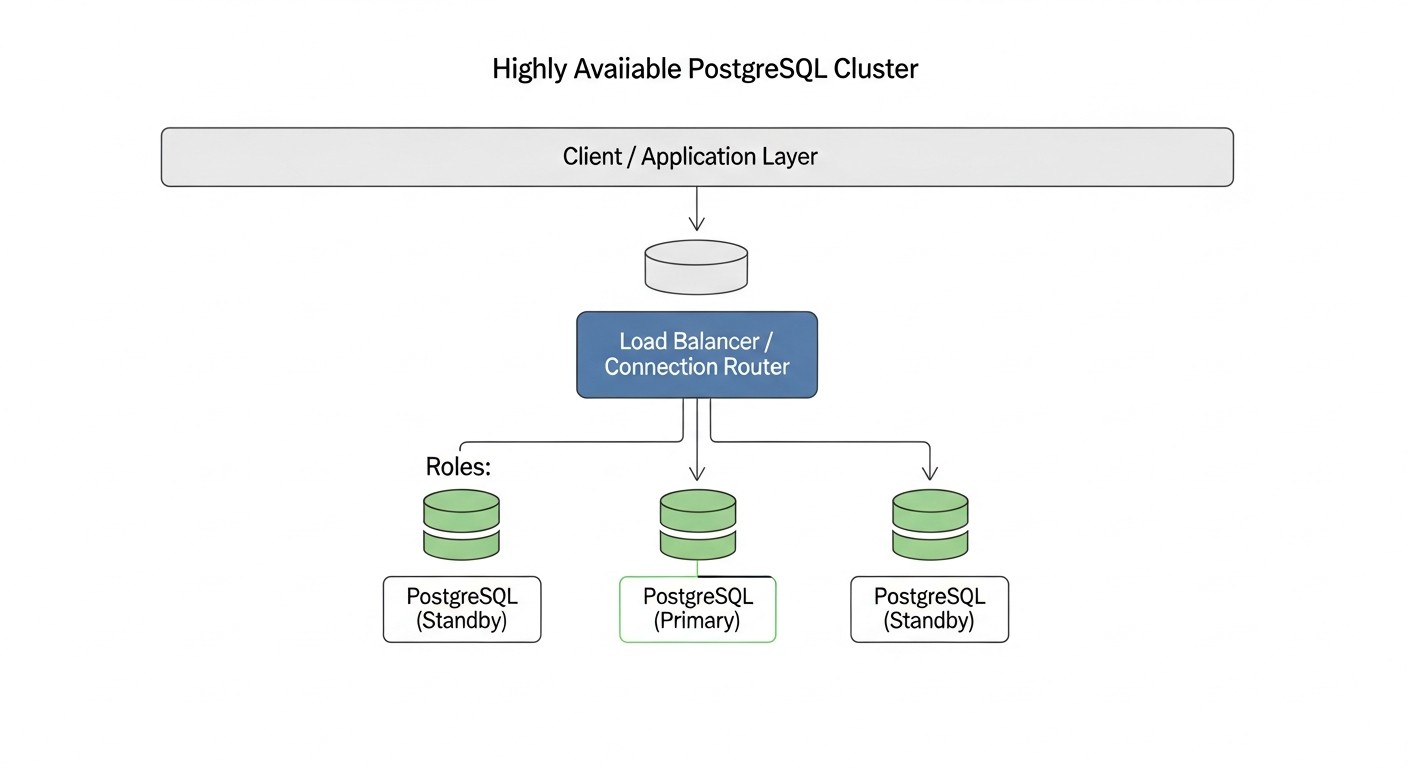
In the modern world, where digitalization has permeated all areas of business and users expect 24/7 access to services, continuous operation is critically important. Even a few minutes of downtime can result not only in financial losses but also in serious damage to a company's reputation. This is especially relevant for projects where data is the central asset — be it a SaaS platform, a financial service, or a large online store. PostgreSQL, as one of the most reliable and functional relational databases, is a cornerstone for many such systems. However, PostgreSQL itself does not provide high availability out of the box. The failure of a single database server can lead to a complete shutdown of the application, which is unacceptable for any modern business.
This is precisely why creating a highly available PostgreSQL cluster is not just a "nice-to-have option" but a mandatory requirement. In 2026, against the backdrop of constantly growing data volumes, tightening SLA requirements, and the widespread adoption of microservice architecture, the task of ensuring database fault tolerance comes to the forefront. Companies that do not pay due attention to this risk losing customers, revenue, and competitive advantages. We observe a trend where even startups in early stages of development lay down a high availability architecture, understanding that fixing problems "on the fly" in production is significantly more expensive than proper design from the outset. Moreover, with increasing system complexity and distributed loads, manual intervention in case of failure becomes less effective and more risky.
This article aims to be your comprehensive guide to creating a reliable and efficient PostgreSQL cluster on VPS and dedicated servers. We will explore various approaches, tools, and best practices relevant for 2026, so you can choose the optimal solution for your needs. Whether you are a DevOps engineer, Backend developer, SaaS project founder, system administrator, or startup CTO, here you will find practical advice and concrete instructions. We will delve deep into technical details, analyze common mistakes, and provide recommendations based on real-world experience. Our goal is not just to tell "how," but also to explain "why," so you can make informed architectural decisions and confidently build resilient systems capable of withstanding any challenges.
Within this material, we will focus on solutions that can be deployed and controlled independently on VPS or dedicated servers, which is especially relevant for projects requiring full control over infrastructure, cost optimization, or specific security requirements. We will not delve into cloud-managed services such as AWS RDS/Aurora or Google Cloud SQL, as they provide HA "out of the box" and have their own management features, different from self-hosting approaches. Instead, we will focus on tools and methodologies that allow achieving a similar level of reliability using available and flexible resources.
Key Criteria and Factors for Choosing an HA Solution for PostgreSQL
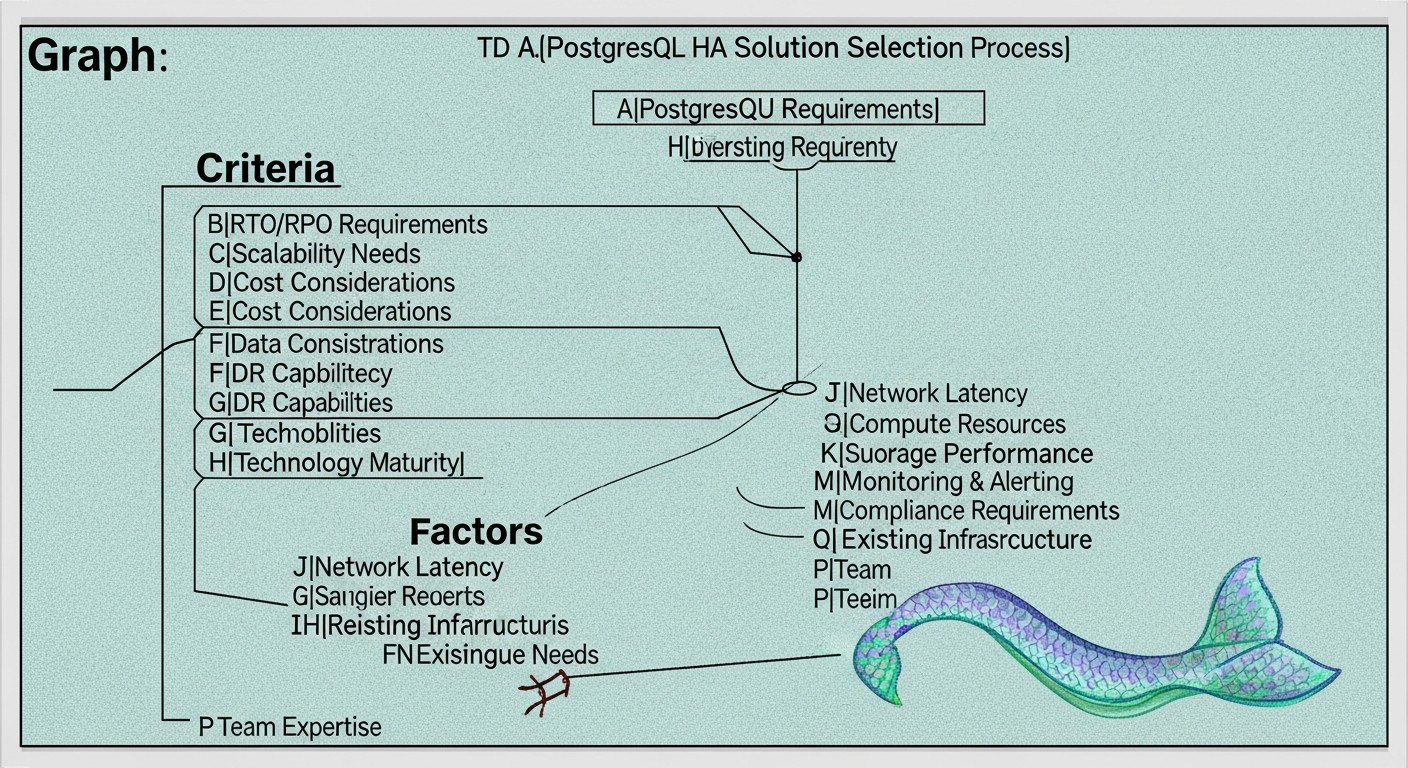
Choosing the optimal solution for ensuring PostgreSQL high availability is a multifaceted process that requires a deep understanding of both business requirements and technical capabilities. There is no universal "best" solution; the ideal choice is always a compromise between various factors. Let's consider the key criteria that must be taken into account:
Recovery Point Objective (RPO) — Tolerable Data Loss
RPO defines the maximum acceptable amount of data that can be lost in the event of a failure. It is measured in time, for example, "RPO = 5 minutes" means you are willing to lose no more than 5 minutes of the latest transactions. For mission-critical systems, such as financial applications or payment processing systems, RPO can be close to zero (zero data loss). This is achieved through synchronous replication, where a transaction is considered complete only after it has been written and confirmed on at least two nodes. However, synchronous replication increases write latency and can reduce overall performance. For less critical systems, asynchronous replication can be used, which offers better performance metrics, but the RPO will be non-zero (usually a few seconds or minutes, depending on replication delay). RPO assessment requires a detailed analysis of business processes and the cost of data loss.
Recovery Time Objective (RTO) — Tolerable Recovery Time
RTO defines the maximum acceptable time during which a system can be unavailable after a failure. For example, "RTO = 30 seconds" means your cluster must recover and be ready to accept requests within half a minute. The lower the RTO, the more complex and expensive the solution. Automatic failover with instant switching to a standby node provides a low RTO, often measured in seconds. Manual failover, on the other hand, increases RTO, as it requires human intervention. For critical systems with a low RTO, tools for automatic failure detection and failover coordination, such as Patroni or pg_auto_failover, are necessary. It is important to consider not only the database restart time but also the time for network address switching, DNS updates, and client application reconnection.
Scalability
Scalability refers to a system's ability to effectively handle growing workloads. In the context of HA PostgreSQL, this can mean both horizontal scaling (adding more nodes to distribute the load) and vertical scaling (increasing the resources of a single node). For read scaling, replicas (standby servers) are typically used, to which SELECT queries are directed. Write scaling is more complex and often requires more sophisticated solutions, such as sharding or the use of specialized extensions. It is important to assess current and projected scaling needs to choose a solution that will not become a "bottleneck" in the future. Some HA solutions (e.g., Patroni) are inherently well-integrated with read horizontal scaling mechanisms, allowing new replicas to be easily added.
Data Consistency
Data consistency ensures that all nodes in a cluster see the same data at the same time. In distributed systems, achieving strict consistency with high availability and performance is a non-trivial task (CAP theorem). PostgreSQL by default provides strict consistency on the primary node. When using replication, it is important to understand what level of consistency it provides. Asynchronous replication may have a slight delay, meaning the replica may "lag" behind the master by a few milliseconds or seconds. Synchronous replication provides a higher level of consistency but, as mentioned, affects performance. Most applications require strict consistency for write operations and acceptable (eventual consistency) for read operations from replicas. The choice of an HA solution must consider how it manages data consistency during node switching and normal operation.
Cost
Cost includes not only direct expenses for hardware or VPS, but also licenses (although PostgreSQL is free), software costs (monitoring systems, orchestrators), as well as indirect expenses such as engineer time for deployment, support, and training. For VPS and dedicated servers, the cost will depend on the number of servers, their configuration (CPU, RAM, SSD), and network traffic. Solutions requiring more nodes (e.g., for quorum) or more complex setup will be more expensive to operate. It is important to conduct a detailed TCO (Total Cost of Ownership) calculation for several years in advance, taking into account potential costs for disaster recovery and downtime.
Complexity
The complexity of a solution affects deployment time, error probability, and support effort. Simple solutions can be easily configured but may have limited capabilities. Complex solutions, such as Patroni with a distributed configuration store (etcd/Consul), offer more functionality and automation but require deep knowledge for proper setup and debugging. It is necessary to assess your team's level of expertise. If resources and experience are limited, it is worth starting with simpler solutions or investing in training. An overly complex solution can become a source of problems rather than their solution.
Ease of Management & Monitoring
A good HA solution should not only be reliable but also easy to manage. This includes tools for cluster status monitoring, logging, alerts, and the ability to easily perform routine operations such as adding new replicas, upgrading PostgreSQL, or testing failover. Solutions with good documentation, an active community, and built-in CLI utilities significantly simplify life. It is important to integrate the HA cluster into an existing monitoring and alerting system to promptly respond to any problems. Lack of adequate monitoring is a direct path to unexpected downtime.
Comparison Table of Popular HA PostgreSQL Solutions
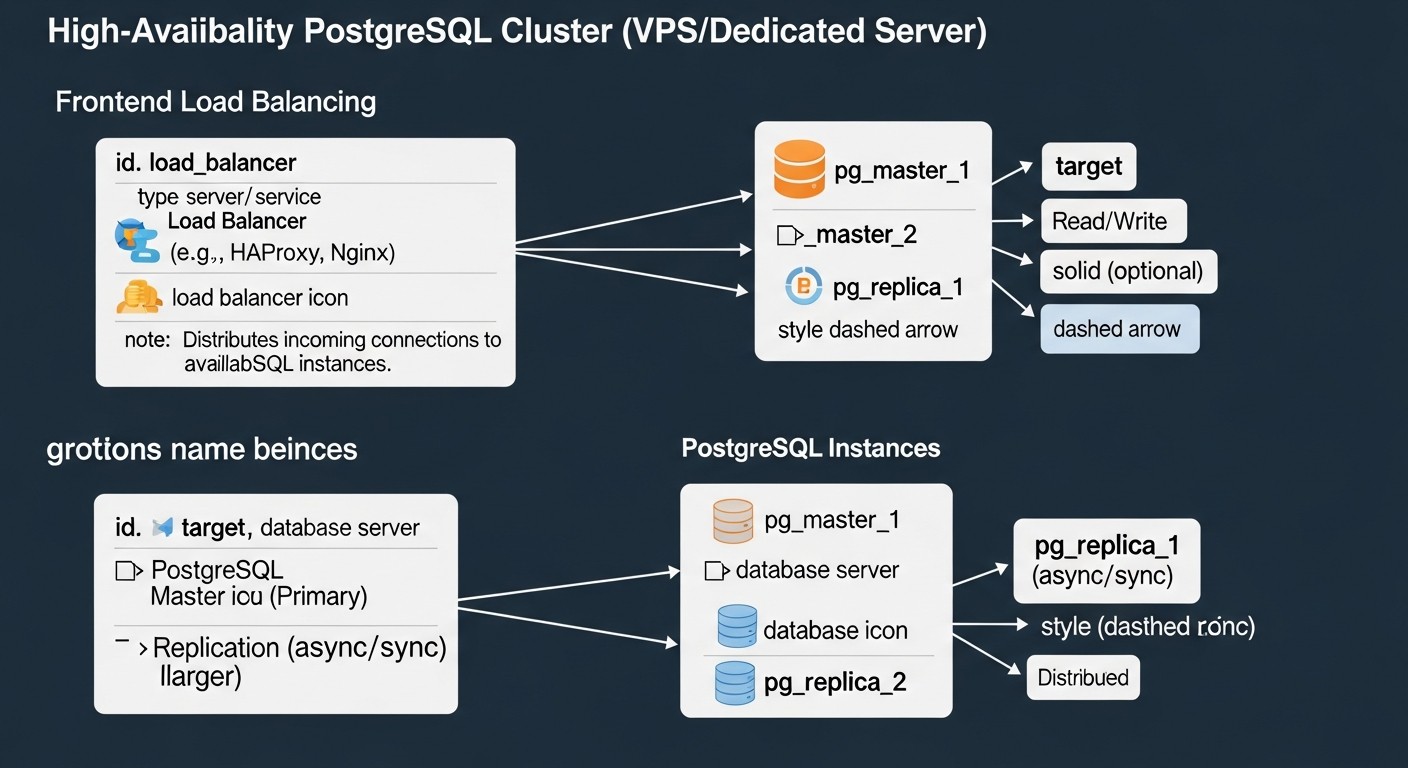
There are several mature approaches to building highly available PostgreSQL clusters on VPS and dedicated servers. Each has its own features, advantages, and disadvantages. In this table, we compare the most popular and proven solutions, relevant for 2026, to help you make an informed choice.
| Criterion | Patroni + etcd/Consul | pg_auto_failover | Native Streaming Replication + Keepalived/HAProxy | Pgpool-II (HA Mode) |
|---|---|---|---|---|
| Solution Type | Orchestrator based on Distributed Configuration Store (DCS) | Integrated automatic failover tool | Manual/semi-automatic failover with external tools | Proxy server with HA and load balancing features |
| RPO (Recovery Point Objective) | 0-few seconds (depends on replication synchronicity) | 0-few seconds (depends on replication synchronicity) | Several seconds/minutes (asynchronous replication) | Several seconds/minutes (asynchronous replication) |
| RTO (Recovery Time Objective) | 5-30 seconds (automatic failover) | 10-60 seconds (automatic failover) | 30 seconds - 5 minutes (requires scripts/manual intervention) | 10-60 seconds (automatic failover at Pgpool level) |
| Setup Complexity | High (DCS, Patroni, PostgreSQL) | Medium (specialized tool) | Medium (PostgreSQL, Keepalived/HAProxy, scripts) | Medium (Pgpool-II, PostgreSQL) |
| Server Requirements (min.) | 3 nodes (1 master, 2 replicas) + 3 nodes for DCS (can be co-located) | 2 nodes (1 master, 1 replica) + 1 monitor | 2 nodes (1 master, 1 replica) | 2-3 nodes (1 master, 1-2 replicas) + 2 Pgpool-II nodes |
| Automatic Failover | Yes (fully automatic, with quorum awareness) | Yes (automatic, with monitor) | No (requires external scripts and Keepalived/Corosync) | Yes (at Pgpool-II level, for backends) |
| Read Scaling | Excellent capabilities (easy to add replicas) | Good capabilities (easy to add replicas) | Basic (manual connection management) | Excellent capabilities (query balancing) |
| Synchronous Replication Support | Yes (via Patroni API) | Yes | Yes (native PostgreSQL feature) | Yes |
| Estimated Cost (VPS, 2026, USD/month) | $90-150 (3 VPS x $30-50, 4vCPU/8GB RAM/160GB NVMe) | $60-100 (2 VPS x $30-50, 4vCPU/8GB RAM/160GB NVMe) | $60-100 (2 VPS x $30-50, 4vCPU/8GB RAM/160GB NVMe) | $90-150 (3 VPS x $30-50, 4vCPU/8GB RAM/160GB NVMe) |
| Key Features | Full automation, API, DCS integration, self-healing. | Easy deployment, built-in monitor, specialized for PostgreSQL. | Basic, full control, requires custom scripts, flexibility. | Load balancing, caching, connection pooling, HA. |
| Best Use Case | Critical applications, demanding RPO/RTO, DevOps-oriented teams. | Medium projects needing simplicity and automation without high complexity. | Small projects, limited budget, high level of control, experienced team. | Projects with high read load, needing pooling and caching, as well as HA. |
*Note: VPS prices are indicative for 2026 and may vary depending on provider, region, and current market conditions. The specified configurations (4vCPU/8GB RAM/160GB NVMe) assume a medium load for a production system.
Detailed Overview of Each HA Solution Option
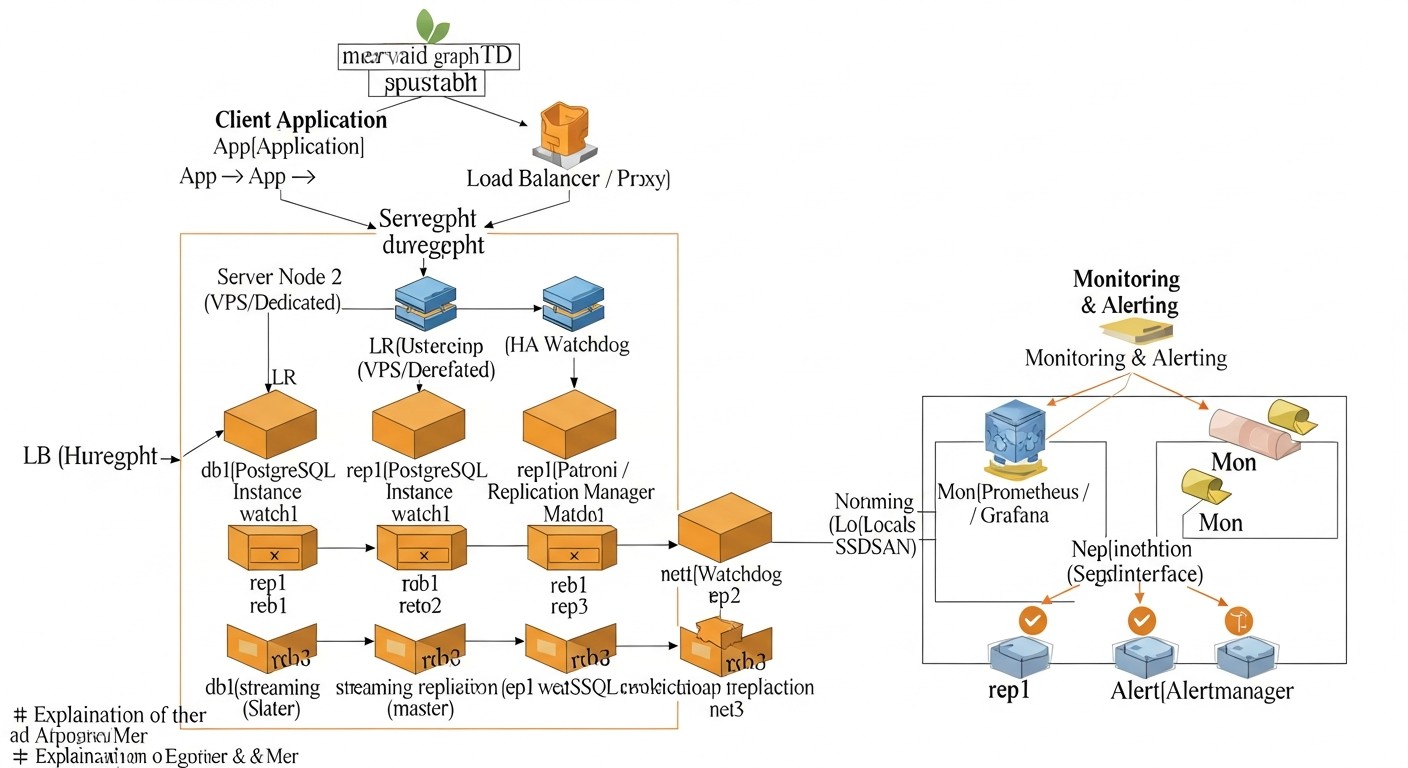
Let's take a closer look at each of the mentioned solutions to understand their internal mechanics, advantages, and disadvantages. This will allow you to make a more informed decision based on your project's specifics and team resources.
Patroni + Distributed Configuration Store (etcd/Consul/ZooKeeper)
Patroni is a powerful Python daemon developed by Zalando, which provides a reliable and fully automated solution for creating highly available PostgreSQL clusters. It acts as an orchestrator, managing the lifecycle of PostgreSQL instances, replication, failover, and switchover operations. A key feature of Patroni is its use of a Distributed Configuration Store (DCS) to store cluster state, such as etcd, Consul, or Apache ZooKeeper. The DCS acts as the single source of truth for all cluster nodes, ensuring consistency of information about the current master, replica status, and settings.
How it works: Each PostgreSQL node managed by Patroni regularly updates its status in the DCS. Patroni on each node monitors the state of other nodes and the DCS itself. If the current master fails, Patroni automatically initiates a failover procedure: it elects a new master from among the healthy replicas, using an algorithm based on quorum and priorities. After electing a new master, Patroni switches the remaining replicas to the new master and, if necessary, starts the old master as a replica after recovery. Patroni also provides a REST API for cluster management, monitoring, and performing operations such as switchover (planned master switch).
Pros:
- Full automation: Automatic failover, switchover, replica recovery, adding new nodes.
- High reliability: Uses DCS for quorum and split-brain prevention.
- Flexibility: Supports various replication types (asynchronous, synchronous), integration with proxies (HAProxy, PgBouncer).
- API and CLI: Convenient tools for management and integration with other systems.
- Active community: Supported by Zalando and a large developer community.
Cons:
- High complexity: Requires understanding of PostgreSQL, Patroni, and DCS. Setup can be time-consuming.
- Additional infrastructure: Requires a separate DCS cluster (minimum 3 nodes for etcd/Consul).
- Resource consumption: Patroni and DCS consume their own resources, albeit small.
Who it's for: For medium to large projects, SaaS platforms, where RPO and RTO are critical, and there is a team with experience in DevOps and database administration. Ideal for those looking for a maximally automated and reliable solution.
pg_auto_failover
pg_auto_failover is a tool developed by Citus Data (now part of Microsoft) that simplifies the deployment and management of highly available PostgreSQL clusters. It focuses on ease of use and automation, providing a single binary for all cluster components: coordinator (monitor), master, and replicas.
How it works: pg_auto_failover creates a cluster of at least two PostgreSQL nodes (master and replica) and a separate monitor node. The monitor constantly polls the state of all nodes and makes failover decisions. If the master becomes unavailable, the monitor initiates a failover, electing one of the replicas as the new master and switching client connections to it. It can also manage synchronous replication, ensuring zero RPO in most cases. The monitor itself can be configured for high availability, but this adds complexity.
Pros:
- Ease of deployment: Significantly simpler to set up compared to Patroni.
- Automatic Failover: Fully automated failure detection and switching.
- Built-in monitor: A single tool for all HA functions.
- Synchronous replication support: Easily configurable for zero RPO.
- Specialized for PostgreSQL: Deep integration with PostgreSQL features.
Cons:
- Monitor dependency: The monitor is a single point of failure if not configured for HA.
- Less flexibility: Fewer fine-tuning options compared to Patroni.
- Less mature community: Although supported by Microsoft, the community is smaller than Patroni's.
Who it's for: For medium-sized projects, startups, where ease of deployment and management is important, but a high level of automation and reliability is still required. Excellent for teams that want to minimize HA setup time and focus on development.
Native Streaming Replication PostgreSQL + Keepalived/HAProxy
This approach uses PostgreSQL's built-in streaming replication capabilities in conjunction with external tools for failure detection and IP address management or load balancing. Streaming replication allows continuous transfer of changes from the master server to one or more replicas, keeping them up-to-date.
How it works: You configure one PostgreSQL server as the master and one or more as replicas. Replicas continuously receive WAL (Write-Ahead Log) files from the master and apply them. For automatic failure detection and switching, Keepalived is used: it monitors the state of the master server and, in case of its failure, automatically moves a virtual IP address (VIP) to one of the replicas, making it the new master. HAProxy or Nginx can be used to load balance read requests among replicas and redirect write requests to the current master. To automate the promotion of a replica to master and reconfigure other replicas, custom scripts are required, which will be executed by Keepalived.
Pros:
- Full control: You have complete control over every component and script.
- Low cost: Uses only Open Source components with no additional licenses.
- Flexibility: Can be customized for very specific requirements.
- Simplicity of basic replication: Setting up streaming replication is quite straightforward.
Cons:
- High automation complexity: Writing and debugging reliable scripts for failover, switchover, and recovery is a very time-consuming and error-prone task.
- Split-brain risk: Without a reliable quorum mechanism (which Keepalived alone does not provide), there is a risk of multiple masters being promoted simultaneously.
- High RTO: Recovery time can be higher due to manual/scripted intervention.
- Support: Depends on your team's qualifications; no centralized support.
Who it's for: For small projects with a limited budget, where there is a very experienced DBA/DevOps team willing to spend time developing and supporting custom scripts. It can also be an option when a maximally "lightweight" solution without additional dependencies is needed.
Pgpool-II (HA Mode)
Pgpool-II is middleware for PostgreSQL that provides a range of useful features, including connection pooling, load balancing, query caching, and, importantly for us, high availability functions. Pgpool-II acts as a proxy between client applications and PostgreSQL servers.
How it works: Pgpool-II is placed in front of the PostgreSQL cluster and manages client connections. In high availability mode, it monitors the state of the backend PostgreSQL servers. If the master server fails, Pgpool-II can automatically switch traffic to one of the replicas, making it the new master. It can also manage virtual IP address switching using watchdog functions that integrate with tools like `pcp_attach_node` and `pcp_detach_node` to change node states. To ensure HA for Pgpool-II itself, two Pgpool-II instances are usually deployed with Keepalived for VIP switching.
Pros:
- Multifunctionality: Besides HA, it provides connection pooling, read balancing, caching.
- Performance improvement: Pooling and caching can significantly reduce database load.
- Automatic Failover: Capable of automatically switching the master.
- Transparency for applications: Applications connect to Pgpool-II without knowing the cluster topology.
Cons:
- Single point of failure: Pgpool-II itself can become one if not configured for HA (which complicates the architecture).
- Additional latency: Introduces a small overhead due to proxying.
- Setup complexity: Pgpool-II configuration can be quite complex, especially with HA and watchdog.
- Does not manage PostgreSQL: Pgpool-II only manages switching, but does not orchestrate PostgreSQL itself (e.g., it does not recover replicas).
Who it's for: For projects where, in addition to high availability, performance optimization through connection pooling and read balancing is also required. Suitable for teams willing to invest in learning and supporting Pgpool-II as a key infrastructure component.
Practical Tips and Recommendations for Implementing Patroni
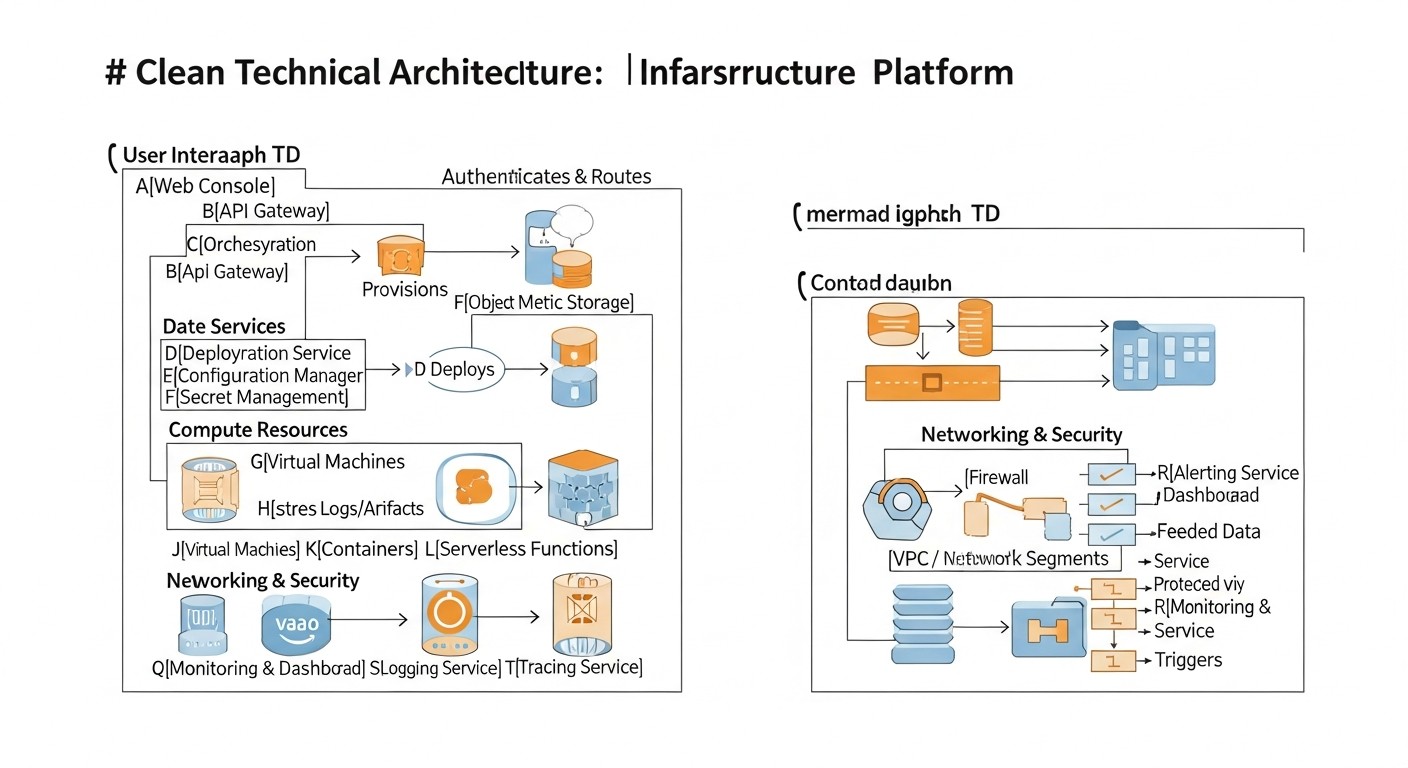
Patroni is one of the most powerful and flexible solutions for HA PostgreSQL, so we will focus on its practical implementation. This section will provide step-by-step instructions and recommendations based on real-world experience.
1. Infrastructure Planning
For a minimal HA Patroni cluster with reliable quorum, you will need at least 3 servers. These can be VPS or dedicated servers. The following configuration is recommended:
- 3 PostgreSQL nodes: Each node will run Patroni and PostgreSQL. One will be the master, the others will be replicas.
- 3 nodes for Distributed Configuration Store (DCS): etcd or Consul. In small clusters (3 nodes), the DCS can be co-located on the same servers as PostgreSQL/Patroni. In larger or very critical systems, it is recommended to place the DCS on separate servers.
Example VPS configuration (2026):
- CPU: 4 vCPU
- RAM: 8-16 GB
- Disk: 160-320 GB NVMe SSD (for PostgreSQL data)
- Network: 1 Gbit/s
- OS: Ubuntu 24.04 LTS or Debian 13
Ensure all servers have static IP addresses and the necessary ports are open (PostgreSQL: 5432, Patroni API: 8008, etcd: 2379/2380, Consul: 8300/8301/8302/8500/8600).
2. Operating System Preparation
On each of the three servers, perform basic setup:
# System update
sudo apt update && sudo apt upgrade -y

# Install necessary packages
sudo apt install -y python3 python3-pip python3-psycopg2 python3-yaml postgresql-client-16

# Create postgres user (if not present or specific configuration is required)
# By default, PostgreSQL creates a postgres user, use it.

# Firewall setup (example for UFW)
sudo ufw allow 22/tcp
sudo ufw allow 5432/tcp
sudo ufw allow 8008/tcp # Patroni API
sudo ufw allow 2379/tcp # etcd client
sudo ufw allow 2380/tcp # etcd server
sudo ufw enable
3. Installing and Configuring DCS (etcd)
On each of the three servers, install and configure etcd. In a production environment, it's better to deploy etcd on dedicated nodes, but for a start, they can be co-located.
# Install etcd (example for Ubuntu/Debian)
# Download the latest release from GitHub: https://github.com/etcd-io/etcd/releases
ETCD_VERSION="v3.5.12" # Current for 2026, please check
wget "https://github.com/etcd-io/etcd/releases/download/${ETCD_VERSION}/etcd-${ETCD_VERSION}-linux-amd64.tar.gz"
tar xzvf etcd-${ETCD_VERSION}-linux-amd64.tar.gz
sudo mv etcd-${ETCD_VERSION}-linux-amd64/etcd /usr/local/bin/
sudo mv etcd-${ETCD_VERSION}-linux-amd64/etcdctl /usr/local/bin/

# Create directories for etcd data
sudo mkdir -p /var/lib/etcd
sudo mkdir -p /etc/etcd

# Create systemd service for etcd (on each node)
# Replace IP addresses and node names with your own
# NODE_1_IP, NODE_2_IP, NODE_3_IP
# NODE_1_NAME, NODE_2_NAME, NODE_3_NAME
# Example for node1:

sudo nano /etc/systemd/system/etcd.service
Content of `/etc/systemd/system/etcd.service` for `node1` (with IP 192.168.1.1):
[Unit]
Description=etcd - Highly-available key value store
Documentation=https://github.com/etcd-io/etcd
After=network.target

[Service]
Type=notify
Restart=always
RestartSec=5s
LimitNOFILE=40000
TimeoutStartSec=0

ExecStart=/usr/local/bin/etcd \\
  --name node1 \\
  --data-dir /var/lib/etcd \\
  --initial-advertise-peer-urls http://192.168.1.1:2380 \\
  --listen-peer-urls http://192.168.1.1:2380 \\
  --listen-client-urls http://192.168.1.1:2379,http://127.0.0.1:2379 \\
  --advertise-client-urls http://192.168.1.1:2379 \\
  --initial-cluster-token etcd-cluster-1 \\
  --initial-cluster node1=http://192.168.1.1:2380,node2=http://192.168.1.2:2380,node3=http://192.168.1.3:2380 \\
  --initial-cluster-state new \\
  --heartbeat-interval 100 \\
  --election-timeout 500

[Install]
WantedBy=multi-user.target
Repeat for `node2` (192.168.1.2) and `node3` (192.168.1.3), changing `--name`, `--initial-advertise-peer-urls`, `--listen-peer-urls`, `--listen-client-urls`, `--advertise-client-urls` to the corresponding IP addresses. After creating the file on all nodes:
sudo systemctl daemon-reload
sudo systemctl enable etcd
sudo systemctl start etcd

# Check etcd cluster status on any node
etcdctl --endpoints=http://192.168.1.1:2379,http://192.168.1.2:2379,http://192.168.1.3:2379 member list
4. Installing Patroni
On each node, install Patroni via pip:
sudo pip3 install patroni[etcd]
5. Configuring Patroni
Create a Patroni configuration file on each node. Use the same template, changing only `name` and `listen` IP addresses.
sudo mkdir -p /etc/patroni
sudo nano /etc/patroni/patroni.yml
Example `patroni.yml` file for `node1`:
scope: my_pg_cluster
name: node1 # Unique name for each node

restapi:
  listen: 0.0.0.0:8008
  connect_address: 192.168.1.1:8008 # IP address of the current node

etcd:
  host: 192.168.1.1:2379,192.168.1.2:2379,192.168.1.3:2379

postgresql:
  listen: 0.0.0.0:5432
  connect_address: 192.168.1.1:5432 # IP address of the current node
  data_dir: /var/lib/postgresql/data # Path to PG data
  bin_dir: /usr/lib/postgresql/16/bin # Path to PG binaries (check version)
  authentication:
    replication:
      username: repl_user
      password: repl_password
    superuser:
      username: postgres
      password: superuser_password
  parameters:
    wal_level: replica
    hot_standby: on
    max_wal_senders: 10
    max_replication_slots: 10
    archive_mode: on
    archive_command: 'cd . && test ! -f %p && cp %p %l' # Example, for production a WAL archiving system is needed
    log_destination: stderr
    logging_collector: on
    log_directory: pg_log
    log_filename: 'postgresql-%Y-%m-%d_%H%M%S.log'
    log_file_mode: 0600
    log_truncate_on_rotation: on
    log_rotation_age: 1d
    log_rotation_size: 10MB
    max_connections: 100

# Settings for automatic recovery
bootstrap:
  dcs:
    ttl: 30 # Time-to-live for keys in DCS
    loop_wait: 10 # Delay between Patroni iterations
    retry_timeout: 10 # Timeout for retries
    maximum_lag_on_failover: 1048576 # Maximum replication lag for failover (1MB)
  initdb:
    - encoding: UTF8
    - locale: en_US.UTF-8
    - data-checksums
  pg_hba:
    - host replication repl_user 0.0.0.0/0 md5
    - host all all 0.0.0.0/0 md5
    - host all all ::/0 md5
  users:
    admin_user:
      password: admin_password
      options:
        - createrole
        - createdb
    repl_user:
      password: repl_password
      options:
        - replication
        - bypassrls
Important:
- Replace `192.168.1.1`, `192.168.1.2`, `192.168.1.3` with the actual IP addresses of your servers.
- Specify the correct `bin_dir` for your PostgreSQL version (e.g., `/usr/lib/postgresql/16/bin`).
- Set strong passwords for `repl_user`, `postgres`, and `admin_user`.
- The `archive_command` parameter in a production environment should be configured for a real WAL archiving system (e.g., S3, NFS), not local copying.
6. Creating a systemd Service for Patroni
Create a unit file for Patroni on each node:
sudo nano /etc/systemd/system/patroni.service
Content of `patroni.service`:
[Unit]
Description=Patroni - A Template for PostgreSQL High Availability
After=network.target etcd.service # Add etcd.service if etcd is on the same node

[Service]
Type=simple
User=postgres
Group=postgres
ExecStart=/usr/bin/python3 -m patroni -c /etc/patroni/patroni.yml
Restart=on-failure
TimeoutStopSec=60
LimitNOFILE=131072

[Install]
WantedBy=multi-user.target
After creating the file on all nodes:
sudo systemctl daemon-reload
sudo systemctl enable patroni
sudo systemctl start patroni
7. Cluster Initialization
Patroni automatically initializes PostgreSQL on the first started node, which will become the master. The other nodes will join it as replicas. Wait a few minutes for all nodes to start and synchronize.
8. Checking Cluster Status
Use the `patronictl` utility to check the cluster status on any node:
patronictl -c /etc/patroni/patroni.yml list
The output should show one master and two replicas. Example:
+ Cluster: my_pg_cluster (6909873467941793393) ---+----+-----------+----+-----------+
| Member | Host         | Role    | State    | Lag in MB |
+--------+--------------+---------+----------+-----------+
| node1  | 192.168.1.1  | Leader  | running  |         0 |
| node2  | 192.168.1.2  | Replica | running  |         0 |
| node3  | 192.168.1.3  | Replica | running  |         0 |
+--------+--------------+---------+----------+-----------+
9. Testing Failover
This is a critically important step. You should regularly test failover to ensure the cluster works as expected. The simplest way is to stop Patroni on the current master:
# On the current master node
sudo systemctl stop patroni
Patroni on the remaining nodes will detect that the master is unavailable and initiate a failover. Within 5-30 seconds, one of the replicas should become the new master. Verify this using `patronictl list` on another node. Then start Patroni on the old master, and it should join as a replica.
10. Setting up a Load Balancer (HAProxy)
For client applications, it is recommended to use a load balancer (e.g., HAProxy) that will direct write requests to the current master and read requests to the replicas. HAProxy can be configured to monitor the Patroni API to determine the role of each node.
Example HAProxy configuration (on a separate server, or on each node if Keepalived is used for HAProxy):
global
    log /dev/log    local0
    log /dev/log    local1 notice
    chroot /var/lib/haproxy
    stats socket /run/haproxy/admin.sock mode 660 level admin expose-fd listeners
    stats timeout 30s
    user haproxy
    group haproxy
    daemon

defaults
    log     global
    mode    tcp
    option  tcplog
    option  dontlognull
    timeout connect 5000ms
    timeout client  50000ms
    timeout server  50000ms

listen stats
    bind *:8080
    mode http
    stats enable
    stats uri /haproxy_stats
    stats refresh 10s
    stats auth admin:password

listen postgres_primary
    bind *:5432
    mode tcp
    option httpchk GET /primary # Use Patroni API to check role
    balance roundrobin
    server node1 192.168.1.1:5432 check port 8008 inter 1s fall 3 rise 2 weight 10 on-marked-down shutdown-sessions
    server node2 192.168.1.2:5432 check port 8008 inter 1s fall 3 rise 2 weight 10 on-marked-down shutdown-sessions
    server node3 192.168.1.3:5432 check port 8008 inter 1s fall 3 rise 2 weight 10 on-marked-down shutdown-sessions

listen postgres_replicas
    bind *:5433 # Separate port for reading from replicas
    mode tcp
    option httpchk GET /replica # Use Patroni API to check role
    balance leastconn
    server node1 192.168.1.1:5432 check port 8008 inter 1s fall 3 rise 2 weight 10 on-marked-down shutdown-sessions
    server node2 192.168.1.2:5432 check port 8008 inter 1s fall 3 rise 2 weight 10 on-marked-down shutdown-sessions
    server node3 192.168.1.3:5432 check port 8008 inter 1s fall 3 rise 2 weight 10 on-marked-down shutdown-sessions
In this example, HAProxy will direct traffic to port 5432 only to the node that Patroni has identified as the master (`/primary`). To port 5433, it will direct read requests to all nodes that Patroni has identified as replicas (`/replica`), including the master (which can also handle read requests).
These practical tips will help you successfully deploy and configure a basic HA PostgreSQL cluster using Patroni. Remember that each step requires careful attention, and testing is key to confidence in your system's operation.
Common Mistakes When Building an HA PostgreSQL Cluster
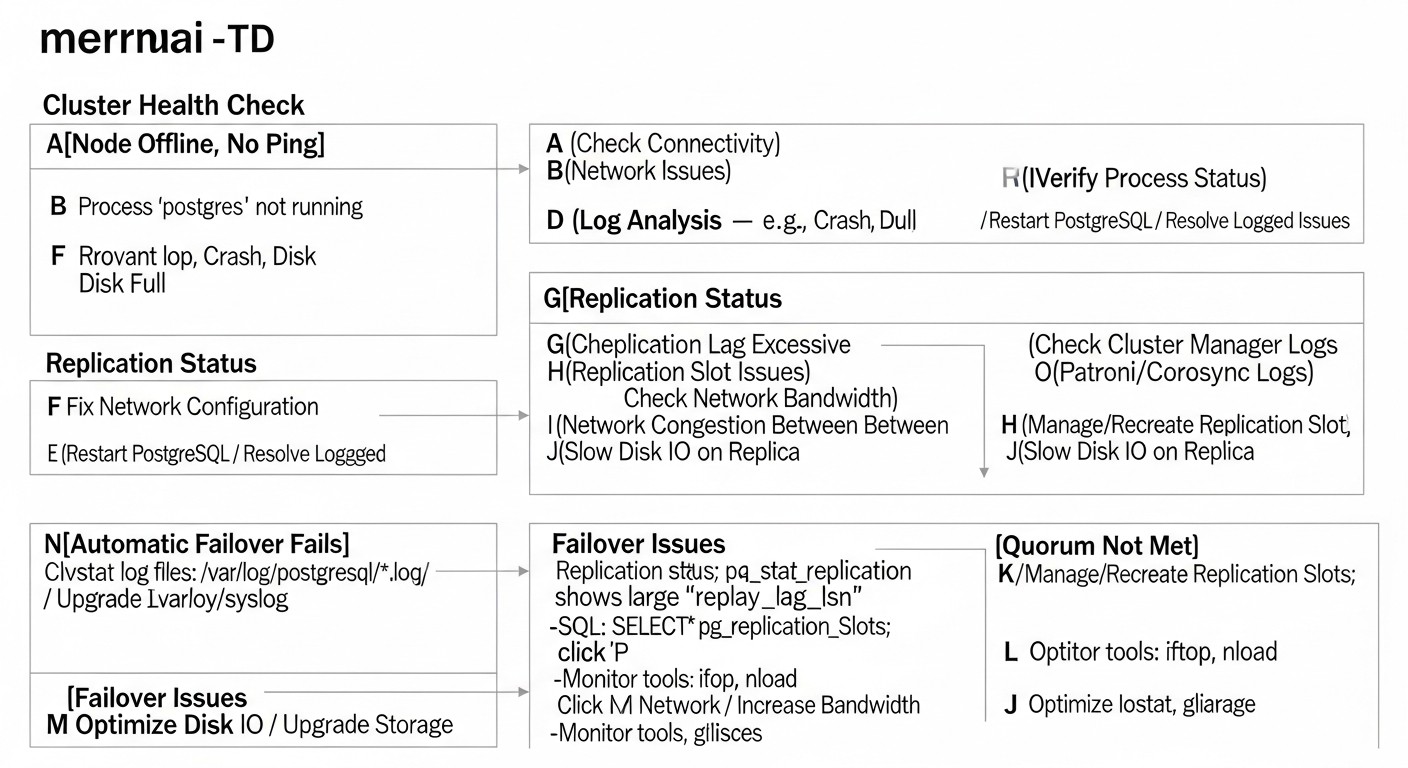
Even experienced engineers can make mistakes when designing and deploying highly available systems. Understanding these common problems will help you avoid costly downtime and headaches. Here are five of the most frequent mistakes:
1. Insufficient or Incorrectly Configured Quorum (Split-Brain)
Description: Quorum is the minimum number of nodes that must be available to make decisions in a cluster. If quorum is not configured or is configured incorrectly, in the event of a network partition, two or more nodes may decide that they are masters. This state is called "split-brain" and leads to data desynchronization, where each "master" accepts writes independently, making recovery very difficult and prone to data loss.
How to avoid: Always use an odd number of nodes for your DCS (Distributed Configuration Store), for example, 3 or 5. This ensures that if one or two nodes fail, there will always be a majority capable of deciding on a master. Patroni and pg_auto_failover use quorum mechanisms by default. Ensure that the DCS configuration (etcd/Consul) is correct and resilient to failures. Regularly check the quorum status.
Real-world consequences: "In one company, due to incorrect etcd cluster configuration, during a temporary network failure, two nodes considered themselves masters. Applications continued to write data to both nodes. When the network recovered, the data diverged. Recovery took over 12 hours, required manual log analysis and selection of the 'correct' master, leading to the loss of some transactions and serious reputational damage."
2. Lack of or Insufficient Failover and Recovery Testing
Description: Many engineers deploy an HA cluster, see that it works, and then relax. However, failover and recovery mechanisms can be complex, and their behavior in real-world conditions (e.g., a specific type of failure or under load) may differ from expectations. Untested failover is not working failover.
How to avoid: Regularly, at least quarterly, conduct disaster recovery "drills." This includes artificially shutting down the master node, simulating network problems, and completely stopping the DCS. Measure RTO, check data integrity after recovery. Automate these tests if possible. Ensure your team knows how to act in the event of a real failure.
Real-world consequences: "Once in a startup I consulted for, a Patroni cluster had been set up over a year ago. During the first real failure, it turned out that due to an operating system update, the paths to PostgreSQL binaries had changed, and Patroni could not correctly start a new master. The downtime lasted several hours while engineers figured out the cause and manually corrected the configuration. If they had regularly tested failover, this problem would have been discovered long before production."
3. Ignoring Monitoring and Alerts
Description: HA clusters are inherently more complex than single servers. Without adequate monitoring, it is impossible to quickly learn about problems such as replication lag, disk space exhaustion, high load on the DCS, or network issues. Lack of alerts means you will only learn about a problem when it has already led to downtime.
How to avoid: Implement a comprehensive monitoring system (Prometheus+Grafana, Zabbix, Datadog) for all cluster components: PostgreSQL (metrics, replication, WAL), Patroni (API), DCS (etcd/Consul), operating system (CPU, RAM, disk, network). Configure alerts (Alertmanager, Slack, Telegram, PagerDuty) for critical metrics: RPO > X seconds, disk space < Y%, number of nodes in cluster < Z, Patroni API unavailability. Regularly review alert thresholds.
Real-world consequences: "A client had Patroni configured, but replication monitoring was basic. Due to a network error between data centers, replication started lagging by several hours. There were no alerts because the thresholds were too high. When the master failed, failover occurred, but the new master had data lagging by 3 hours, which led to a rollback of some transactions and required restoring data from backup, taking almost a day."
4. Incorrect Network and DNS Configuration
Description: The network is the foundation of any distributed cluster. Incorrect DNS configuration, name resolution issues, incorrect firewall rules, and asymmetric routing can lead to nodes being unable to "see" each other, or applications being unable to connect to the active master after failover.
How to avoid: Ensure all nodes can reach each other on all necessary ports. Use static IP addresses. Configure DNS so that your cluster's hostname (e.g., `pg-cluster.mydomain.com`) always points to the active master (via a load balancer or dynamic DNS update). Check firewall rules on each node. Use internal networks for replication and DCS traffic if possible.
Real-world consequences: "In one project, after automatic failover, applications could not connect to the new master. The problem turned out to be DNS caching on the client side and too long a TTL for the A-record. We had to manually clear caches and restart applications, which increased RTO several times over. Since then, we use a very low TTL for cluster DNS records and recommend using a load balancer with node health checks."
5. Neglecting Backups and Their Testing
Description: High availability protects against downtime, but not against data loss due to logical errors (e.g., accidental table deletion) or catastrophic failures (e.g., simultaneous failure of all nodes in a data center). Backups are your last line of defense. If backups are not made regularly, not stored securely, or, even worse, not tested for restorability, they are useless.
How to avoid: Implement a robust backup strategy (e.g., using pgBackRest or Barman) with regular full and incremental backups. Store backups in remote, geographically distributed storage (e.g., S3-compatible storage). Most importantly: regularly restore backups to a test environment to ensure their integrity and functionality. This is the only way to ensure that you can indeed recover data if something goes wrong.
Real-world consequences: "In one company, a logical error in the application led to mass data deletion. The HA cluster continued to operate, but data was lost. When attempting to restore from backup, it was discovered that due to a configuration error, the last 3 months of backups were corrupted and unrecoverable. The company had to restore data from older backups and manually transfer some information, leading to significant losses and fines from regulators."
Checklist for Practical Application: Deploying HA PostgreSQL
This step-by-step checklist will help you systematize the process of deploying a highly available PostgreSQL cluster, minimizing the likelihood of errors and ensuring a comprehensive approach.
Phase 1: Planning and Design
- Define RPO and RTO requirements: Clearly establish how much data you are willing to lose and how quickly you need to recover after a failure. These are key parameters for architectural choice.
- Choose an HA solution: Based on RPO, RTO, budget, complexity, and team expertise, select the optimal solution (Patroni, pg_auto_failover, native replication + scripts, Pgpool-II).
- Design the cluster architecture:
- Determine the number of nodes (minimum 3 for Patroni/etcd, 2+monitor for pg_auto_failover).
- Distribute nodes across different data centers/racks/providers to increase resilience (if budget allows).
- Plan DCS (etcd/Consul) placement — co-located with DB or on separate nodes.
- Server resource assessment: Determine the necessary CPU, RAM, SSD, and network resource configuration for each node, based on expected load.
- Network infrastructure planning:
- Assign static IP addresses for all nodes.
- Define ports for PostgreSQL (5432), Patroni API (8008), DCS (etcd: 2379/2380, Consul: 8500), load balancer (5432, 5433).
- Configure firewall rules (UFW, firewalld, provider network ACLs) to allow necessary traffic.
- Develop a backup and recovery strategy: Choose a tool (pgBackRest, Barman), define frequency, storage location (remote, geographically distributed), and recovery procedures.
- Plan monitoring and alerts: Choose tools (Prometheus, Grafana, Alertmanager) and define key metrics and thresholds for alerts.
- Documentation: Create detailed documentation on architecture, setup, failover/switchover procedures, and disaster recovery.
Phase 2: Infrastructure Preparation
- Order/allocate servers: Deploy the required number of VPS or dedicated servers.
- Basic OS setup: Install the chosen OS (Ubuntu LTS, Debian), update the system, configure SSH access, timezone, NTP.
- Install PostgreSQL: Install PostgreSQL on all nodes, but do not initialize it manually (Patroni/pg_auto_failover will do this).
- Install dependencies: Install Python, pip, psycopg2, PyYAML, and other dependencies for Patroni/pg_auto_failover.
- Configure firewall: Open necessary ports on each node.
- Configure DNS: Ensure hostnames resolve correctly and, if necessary, configure dynamic DNS updates or use a load balancer.
Phase 3: HA Solution Deployment
- Install and configure DCS (if required): Deploy etcd/Consul on all nodes, ensure DCS cluster functionality.
- Install and configure Patroni/pg_auto_failover:
- Install the chosen tool.
- Create configuration files on each node, adapting to each server's specifics (name, IP addresses).
- Configure PostgreSQL parameters in the HA tool's configuration (wal_level, max_wal_senders, etc.).
- Configure replication and superuser accounts with strong passwords.
- Create systemd services: Create and configure systemd services for Patroni/pg_auto_failover on each node.
- Start the cluster: Start DCS services (if separate), then Patroni/pg_auto_failover on all nodes.
- Initialize the cluster: Wait for automatic master initialization and replica joining.
- Check cluster status: Use `patronictl list` or `pg_auto_failover show state` to confirm correct operation.
Phase 4: Testing and Monitoring
- Configure load balancer: Deploy and configure HAProxy/PgBouncer to route traffic to the master and replicas.
- Configure monitoring: Integrate the cluster into your monitoring system, configure metric collection and alerts.
- Test Failover: Initiate an artificial master failure and verify automatic switchover to a replica, measure RTO.
- Test Switchover: Perform a planned master switch to a replica.
- Test backup recovery: Restore a test database from backup on a separate test environment.
- Performance testing: Conduct load testing of the cluster in various scenarios.
- Update documentation: Update all documentation after deployment and testing.
Phase 5: Operation and Maintenance
- Regular monitoring: Continuously monitor cluster status, respond to alerts.
- Regular testing: Continue to periodically test failover and backup recovery.
- Software updates: Plan and perform updates for PostgreSQL, Patroni/pg_auto_failover, DCS, and OS in accordance with best practices for HA systems.
- Log analysis: Regularly review PostgreSQL, Patroni, and DCS logs to identify potential problems.
- Optimization: Analyze performance and, if necessary, optimize PostgreSQL and HA solution configurations.
Cost Calculation / Economics of a Highly Available PostgreSQL Cluster
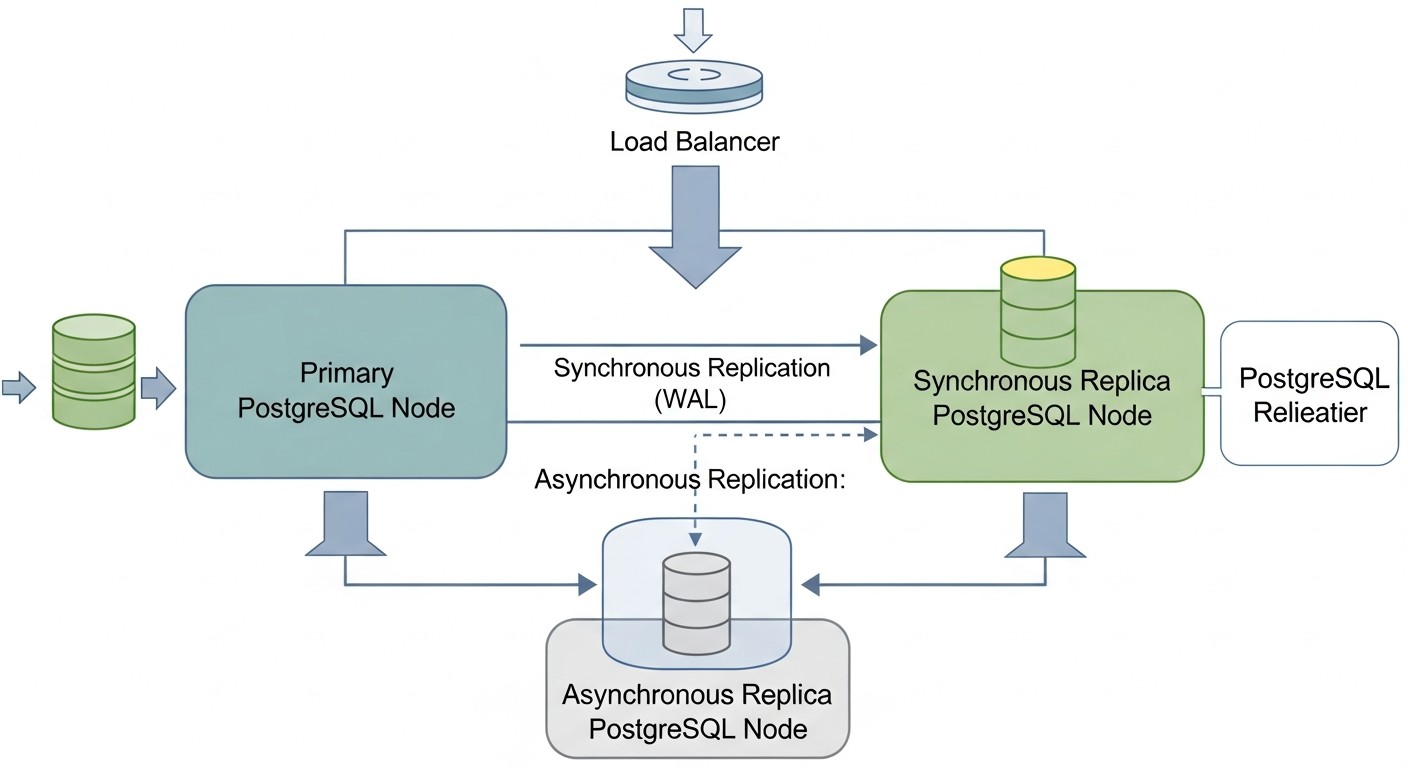
Creating and maintaining a highly available PostgreSQL cluster on VPS or dedicated servers involves certain costs. It is important to understand not only direct but also hidden expenses to get a complete picture of the TCO (Total Cost of Ownership) and effectively manage the budget. The figures below are indicative for 2026 and may vary depending on the provider, region, and specific requirements.
Main Cost Categories
- Server Costs (VPS/Dedicated): This is the main and most obvious cost item. An HA cluster requires a minimum of 3 nodes to ensure quorum and fault tolerance (e.g., 1 master, 2 replicas).
- VPS: More flexible, scalable, and often cheaper for small to medium loads. Cost depends on vCPU, RAM, SSD, and network traffic.
- Dedicated Servers: Provide maximum performance and control, but are more expensive and require more management effort.
- Data Storage Costs (Storage): In addition to the basic OS disk, you will need sufficiently fast and large storage for PostgreSQL data (WAL logs, databases). NVMe SSDs are standard for production systems.
- Network Traffic: Inbound traffic is usually free, but outbound traffic may be charged, especially for large volumes of replication between data centers or frequent backups to cloud storage.
- Monitoring and Logging Systems: Although many solutions are Open Source (Prometheus, Grafana, ELK), their deployment and support require resources. Commercial solutions (Datadog, New Relic) significantly simplify life but come with their own cost.
- Backup and DR: Storing backups (S3-compatible storage, NFS), as well as costs for test environments for recovery.
- Engineering Time (Human Capital): This is often underestimated but one of the most significant cost items. Engineer time for design, deployment, configuration, testing, monitoring, maintenance, troubleshooting, and training. HA systems are more complex than single servers and require higher qualifications.
- Software Licenses: PostgreSQL and most HA tools (Patroni, pg_auto_failover, HAProxy, etcd, Consul) are Open Source and free. However, if you use commercial OS or specialized software, there may be licensing fees.
Hidden Costs
- Downtime: The cost of downtime can be enormous (lost revenue, reputational damage, SLA penalties). Investing in HA is insurance against these losses.
- Lost Opportunity: A slow database or frequent failures can deter customers, reduce conversion, and hinder business growth.
- Team Training: Maintaining the qualifications of engineers to work with complex HA systems.
- Scaling: A poorly chosen architecture may require a complete redesign as load grows.
- Technical Debt: Insufficient attention to HA in the early stages leads to the accumulation of technical debt, which will cost more later.
How to Optimize Costs
- Optimal Choice of VPS/Servers: Do not overpay for excessive resources, but also do not skimp on critically important components (SSD, RAM). Start with a minimally sufficient configuration and scale as you grow.
- Use Open Source: Maximize the use of free Open Source solutions for all components (OS, DB, HA tools, monitoring).
- Automation: Invest in automation of deployment (Ansible, Terraform) and operations. This will reduce engineering time costs in the long run.
- Competent Monitoring: Early detection of problems prevents costly downtime.
- Effective Backup Strategy: Use incremental backups, compression, and store only the necessary number of copies to reduce storage costs.
- Network Architecture: Use the provider's internal networks for replication and DCS traffic to avoid outbound traffic charges.
- Training and Documentation: Investments in team knowledge and good documentation reduce risks and problem-solving time.
Table with Example Calculations for Different Scenarios (2026, USD/month)
Assumes the use of 3 VPS nodes for the PostgreSQL cluster (Patroni + etcd) and one VPS for the HAProxy/PgBouncer load balancer, as well as remote storage for backups.
| Cost Item | Small Project (3 VPS x 2vCPU/4GB RAM/80GB NVMe) | Medium Project (3 VPS x 4vCPU/8GB RAM/160GB NVMe) | Large Project (3 VPS x 8vCPU/16GB RAM/320GB NVMe) |
|---|---|---|---|
| VPS for PostgreSQL (3 pcs) | 3 x $15 = $45 | 3 x $35 = $105 | 3 x $70 = $210 |
| VPS for HAProxy/PgBouncer (1 pc) | 1 x $10 = $10 | 1 x $15 = $15 | 1 x $20 = $20 |
| Remote storage for backups (S3-compatible) | $5 (500 GB) | $10 (1 TB) | $25 (2.5 TB) |
| Network traffic (outbound) | $5 | $10 | $25 |
| Monitoring (Open Source, VPS costs) | $0 (co-located with HAProxy) | $10 (separate VPS) | $20 (separate VPS) |
| TOTAL direct costs (USD/month) | $65 | $150 | $300 |
| Engineering time (estimated, USD/month)* | $200-500 | $500-1500 | $1500-3000+ |
| TOTAL TCO (direct + eng. time) | $265-565 | $650-1650 | $1800-3300+ |
*Note on engineering time: This is a very rough estimate, highly dependent on team qualifications, automation level, and project complexity. It includes time for deployment, support, monitoring, troubleshooting, and testing. At the beginning of a project, engineering time costs will be significantly higher.
As can be seen from the table, direct infrastructure costs for an HA cluster are quite affordable even for small projects. However, a much more significant cost item is engineering time, especially during the implementation phase and with a low level of automation. The right choice of solution and investments in automation pay off by reducing TCO in the long run and increasing system reliability.
Case Studies and Examples of Real-World HA PostgreSQL Implementations
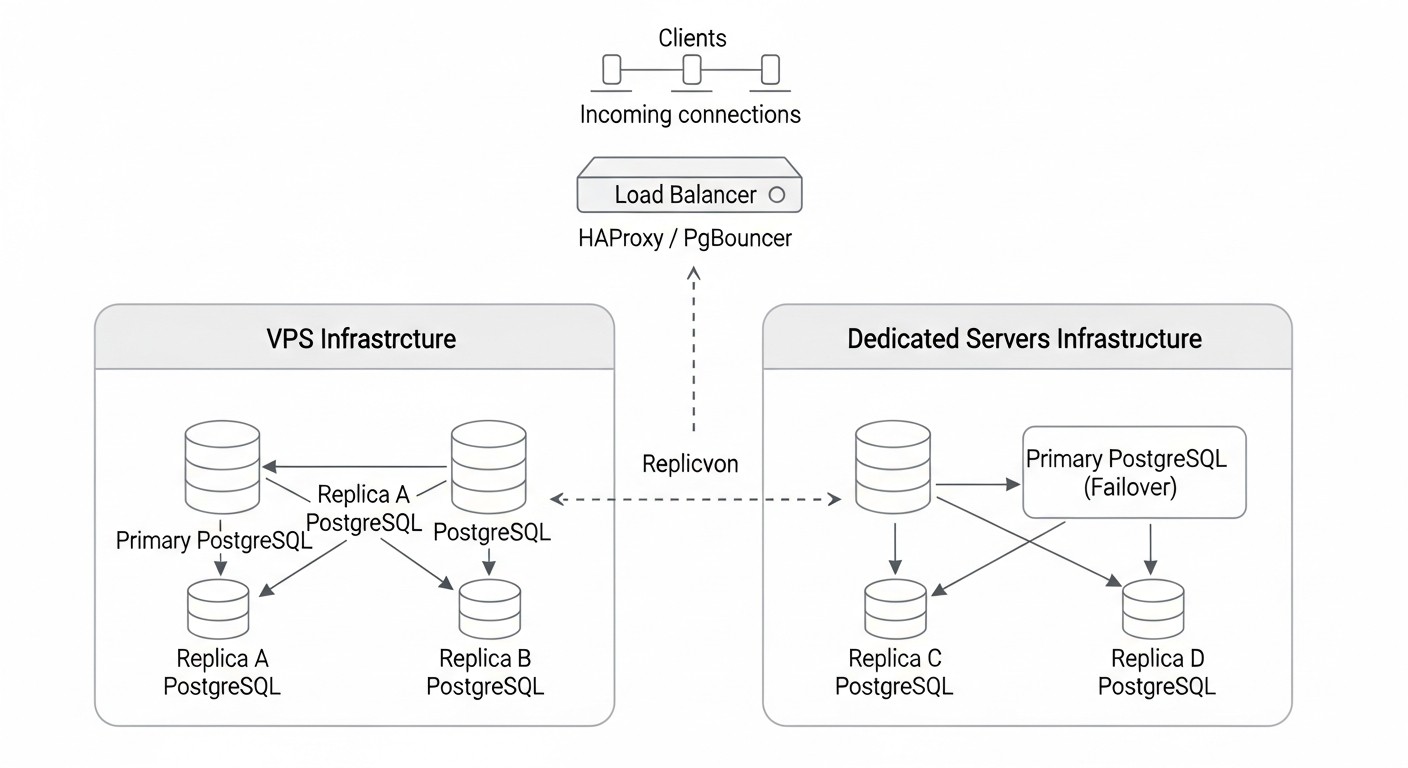
Theory is important, but real-world cases provide a better understanding of how HA solutions work in practice and what challenges they help overcome. Here are a few scenarios from our practice and colleagues' experiences.
Case 1: SaaS Platform for Project Management (Patroni + etcd)
Problem: A young SaaS company was growing rapidly, and their single PostgreSQL instance on a dedicated server became a critical single point of failure. Any downtime led to service unavailability for thousands of clients, directly impacting reputation and revenue. RPO was set to 0 seconds (synchronous replication), RTO — no more than 30 seconds.
Solution: It was decided to deploy a Patroni cluster with etcd.
- Architecture: 3 dedicated servers (8vCPU, 32GB RAM, 500GB NVMe SSD) in one data center, but in different racks, to minimize equipment failure risks. Each server ran PostgreSQL 16, Patroni, and etcd.
- Patroni Configuration: Synchronous replication was configured with one `synchronous_standby_names`, ensuring zero RPO. HAProxy on a separate VPS was used to route traffic: writes to the master (port 5432), reads to replicas (port 5433).
- Monitoring: Prometheus with `postgres_exporter` and `patroni_exporter`, Grafana for visualization, Alertmanager for alerts to Slack and PagerDuty.
- Backups: pgBackRest for incremental backups to S3-compatible storage.
Results:
- RTO 15 seconds: When simulating a master failure (server shutdown), Patroni automatically switched the role to a replica within 15-20 seconds.
- Zero RPO: Thanks to synchronous replication, no data loss was recorded during failures.
- SLA Improvement: The company was able to guarantee clients 99.99% service availability.
- Reduced Operational Stress: Automated failover allowed the DevOps team to focus on development rather than manual recovery.
Case 2: E-commerce Platform with High Read Load (pg_auto_failover + PgBouncer)
Problem: A large online store experienced peak loads during sales, leading to database performance degradation and sometimes brief outages. The main problem was read scaling and the need for quick recovery after failures. RPO was acceptable within a few seconds, RTO — up to 1 minute.
Solution: Implementation of pg_auto_failover in combination with PgBouncer for connection pooling and HAProxy for load balancing.
- Architecture: 2 dedicated servers (16vCPU, 64GB RAM, 1TB NVMe SSD) for PostgreSQL (master and replica) and 1 VPS for the pg_auto_failover monitor. Additionally, 2 VPS for PgBouncer and HAProxy in active/passive mode with Keepalived.
- pg_auto_failover Configuration: Asynchronous replication for better performance, but with `wal_level = replica` and `hot_standby = on` settings. The pg_auto_failover monitor was placed on a separate node for increased reliability.
- PgBouncer: Deployed on two nodes (HAProxy in front of them) to manage hundreds of thousands of client connections, reducing the load on PostgreSQL.
- HAProxy: Configured to direct write requests to the current master (via PgBouncer) and balance read requests between the master and replica (also via PgBouncer).
- Backups: Barman for streaming backups and point-in-time recovery.
Results:
- RTO ~45 seconds: Upon master failure, pg_auto_failover successfully switched, and HAProxy and PgBouncer quickly redirected traffic.
- Read Scaling: PgBouncer and HAProxy effectively distributed read load, allowing the cluster to withstand peaks of up to 100,000 RPS.
- Stability: Significantly reduced the number of downtimes and performance degradations during high loads.
- Simplified Management: pg_auto_failover simplified HA management tasks compared to custom scripts.
Case 3: Startup with Microservice Architecture (Patroni in Containers on VPS)
Problem: A small startup was developing a new microservice platform and needed a highly available database that would easily integrate with a containerized environment (Docker/Kubernetes). The budget was limited, so VPS were used. Fast failover and management flexibility were required.
Solution: Deployment of Patroni in Docker containers on 3 VPS with etcd, also running in containers.
- Architecture: 3 VPS (4vCPU, 8GB RAM, 160GB NVMe SSD). Docker was running on each VPS. Containers for PostgreSQL, Patroni, and etcd were running within each VPS.
- Configuration: Official Docker images for PostgreSQL and Patroni were used. Patroni's configuration was adapted for containerized operation, with volume mounting for PostgreSQL and etcd data. Container networking was configured for interaction via internal VPS IP addresses.
- Microservice Interaction: Microservices connected to the cluster via HAProxy, running on a separate VPS, which monitored the Patroni API to determine the master.
- CICD: Patroni cluster deployment and updates were automated using GitLab CI/CD and Ansible.
Results:
- Fast Deployment: Thanks to containerization and automation, deploying a new cluster took mere minutes.
- High Availability: The cluster successfully survived individual VPS failures, automatically switching the master.
- Cost-effectiveness: Using VPS and Open Source solutions allowed staying within a limited budget.
- Flexibility: Easy to scale the cluster by adding new VPS and running containers on them.
These cases demonstrate that with the right choice of tools and approach, a high level of PostgreSQL availability can be achieved even on relatively inexpensive VPS and dedicated servers, satisfying various business requirements.
Tools and Resources for Managing an HA PostgreSQL Cluster
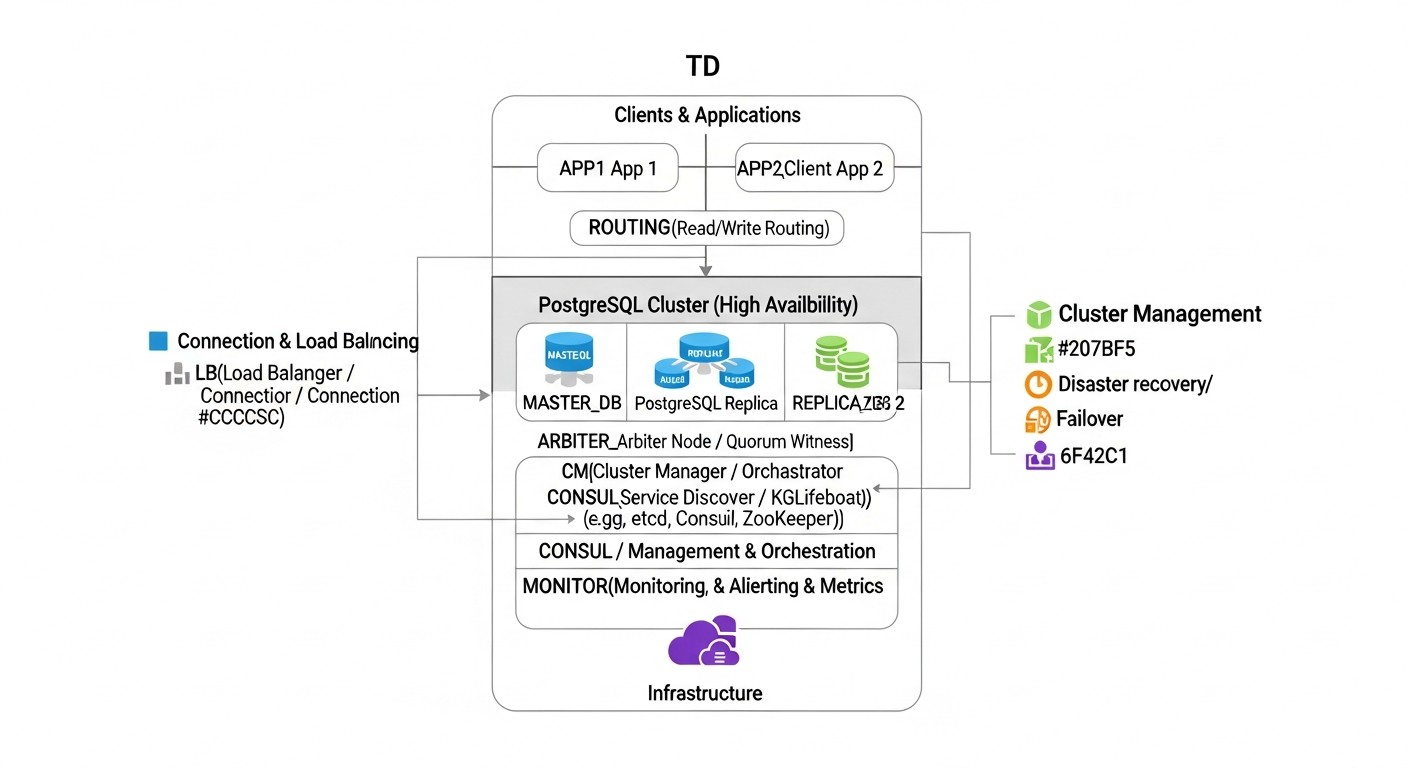
Successful deployment and maintenance of a highly available PostgreSQL cluster is impossible without the right set of tools. Here we list key utilities and resources that will help you at every stage.
1. Tools for Creating an HA Cluster
- Patroni: (Zalando) — PostgreSQL orchestrator, using DCS for HA coordination. A must-have for automated and reliable clusters.
- pg_auto_failover: (Citus Data / Microsoft) — Simplified solution for automatic failover, integrated with PostgreSQL.
- Pgpool-II: Proxy server with connection pooling, load balancing, and HA features.
2. Distributed Configuration Stores (DCS)
Necessary for Patroni, they provide quorum and store cluster state.
- etcd: Highly available distributed key-value store, often used in Kubernetes.
- Consul: Service mesh and distributed key-value store from HashiCorp.
- Apache ZooKeeper: Another mature solution for distributed coordination.
3. Load Balancers and Proxies
- HAProxy: High-performance TCP/HTTP load balancer. Ideal for distributing client requests between master and replicas.
- PgBouncer: Lightweight connection pooler for PostgreSQL. Reduces the load on the DB server from a large number of client connections.
- Keepalived: Used to ensure high availability of IP addresses (Virtual IP) and services using the VRRP protocol. Often used with HAProxy.
4. Backup and Recovery Tools
- pgBackRest: Powerful and flexible tool for PostgreSQL backup and recovery, supporting incremental backups, compression, and remote storage.
- Barman: (Backup and Recovery Manager) — Another popular tool for centralized management of PostgreSQL backups, including Point-in-Time Recovery.
5. Monitoring and Logging Tools
- Prometheus: Monitoring and alerting system with a powerful query language PromQL.
- Grafana: Platform for visualizing monitoring data.
- postgres_exporter: PostgreSQL metrics exporter for Prometheus.
- patroni_exporter: Patroni metrics exporter for Prometheus.
- pgBadger: Powerful PostgreSQL log analyzer, generating detailed HTML reports.
- ELK Stack (Elasticsearch, Logstash, Kibana): For centralized collection, storage, indexing, and visualization of logs.
6. Deployment Automation
- Ansible: Tool for automating software configuration and deployment. Ideal for managing cluster configuration.
- Terraform: Tool for managing infrastructure as code (IaC). Allows automating VPS creation and their basic setup.
7. Useful Links and Documentation
- Official PostgreSQL Documentation — Always up-to-date and comprehensive source of information about the DBMS itself.
- PostgreSQL Wiki: High Availability and Load Balancing — Overview of various HA solutions and approaches.
- Blogs and communities: Planet PostgreSQL, PostgreSQL.ru, Habr, various Telegram channels on PostgreSQL and DevOps — excellent sources for learning case studies and solving problems.
Troubleshooting: Resolving Common Issues in HA PostgreSQL
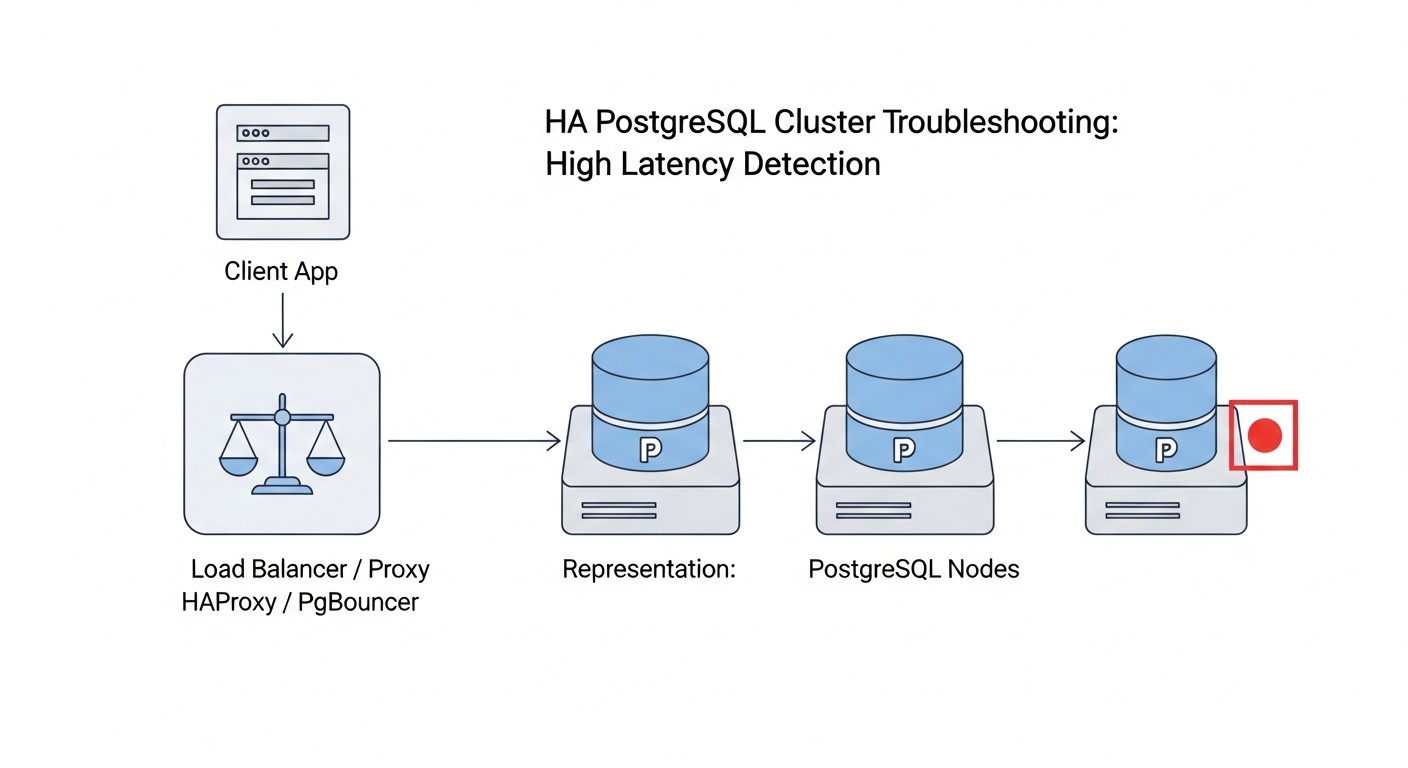
Even with the most careful configuration, problems can arise in highly available systems. It is important to be able to quickly diagnose and resolve them. Here are some typical problems and approaches to their solutions.
1. Replication Lag Issues
Symptoms: Replicas significantly lag behind the master, which is visible in monitoring metrics or queries.
Diagnosis:
-- On the master
SELECT client_addr, state, sync_state, pg_wal_lsn_diff(pg_current_wal_lsn(), replay_lsn) AS lag_bytes
FROM pg_stat_replication;
-- On the replica
SELECT pg_wal_lsn_diff(pg_last_wal_receive_lsn(), pg_last_wal_replay_lsn()); -- Lag in bytes
Possible causes and solutions:
- Network issues: Slow or unstable network connection between master and replica.
- Solution: Check bandwidth (`iperf3`) and latency (`ping`, `mtr`) between nodes. Ensure there is no packet loss. It may be necessary to optimize network infrastructure or use faster VPS/dedicated servers.
- Load on replica: The replica is overloaded with read requests, which prevents WAL file application.
- Solution: Optimize read queries, add more replicas to distribute the load, consider using PgBouncer for efficient connection management.
- Slow disk on replica: The replica's disk subsystem cannot keep up with writing WAL files.
- Solution: Check I/O metrics (iostat, fio). A faster SSD (NVMe) or disk subsystem optimization may be required.
- Insufficient resources on master: The master cannot generate WAL files fast enough or has too few `wal_senders`.
- Solution: Increase `max_wal_senders` and check overall master resources.
2. Failover Issues (Patroni/pg_auto_failover not switching master)
Symptoms: The master is unavailable, but automatic failover does not occur or takes too long.
Diagnosis:
# For Patroni
patronictl -c /etc/patroni/patroni.yml list
# Check Patroni logs on all nodes
sudo journalctl -u patroni -f

# For pg_auto_failover
pg_auto_failover show state
# Check pg_auto_failover monitor and node logs
sudo journalctl -u pg_auto_failover_monitor -f
sudo journalctl -u pg_auto_failover_node -f
Possible causes and solutions:
- DCS issues (etcd/Consul): DCS is unavailable or lacks quorum. Patroni cannot update its state.
- Solution: Check DCS status (`etcdctl member list`). Ensure all DCS nodes are running and have quorum. It may be necessary to restart DCS or manually restore quorum.
- Network issues: Patroni/pg_auto_failover nodes cannot "see" each other or the DCS.
- Solution: Check network connectivity (ping, telnet to ports) between all nodes and the DCS. Ensure firewalls are working correctly.
- Incorrect Patroni/pg_auto_failover configuration: Errors in `patroni.yml` or pg_auto_failover settings.
- Solution: Carefully check configuration files on all nodes. Especially parameters `ttl`, `loop_wait`, `retry_timeout`, `maximum_lag_on_failover`.
- Resource problems: Nodes are overloaded (CPU, RAM), which interferes with normal Patroni/pg_auto_failover operation.
- Solution: Check resource utilization on all nodes. It may be necessary to increase resources or optimize the load.
- Replication Lag is too large: If `maximum_lag_on_failover` is too low and the replica is lagging, Patroni may not select it as a master candidate.
- Solution: Increase the `maximum_lag_on_failover` value or resolve the cause of replication lag.
3. Client Connection Issues After Failover
Symptoms: After successful failover, client applications cannot connect to the new master.
Diagnosis:
- Check where the DNS record for your cluster points.
- Check the status of the load balancer (HAProxy) and its backends.
- Try connecting to the new master directly from the client host (`psql -h
-p 5432 -U `).
Possible causes and solutions:
- DNS caching: Client applications or OS cache the old DNS record.
- Solution: Use a low TTL for the cluster's DNS record (e.g., 30-60 seconds). It is recommended to use a load balancer that does not depend on DNS switches.
- Load balancer did not update state: HAProxy or another load balancer did not switch traffic to the new master.
- Solution: Check HAProxy logs, ensure its health checks are correctly working with the Patroni API (`/primary`, `/replica`). Restart HAProxy if necessary.
- Firewall: Firewall blocks connections to the new master.
- Solution: Ensure port 5432 is open on the new master node for client connections.
4. Performance Issues
Symptoms: Slow queries, high CPU/RAM/IO utilization, long transactions.
Diagnosis:
-- Check active queries
SELECT pid, usename, client_addr, application_name, backend_start, state, query_start, query
FROM pg_stat_activity
WHERE state != 'idle' ORDER BY query_start;

-- Check slow queries (if log_min_duration_statement is enabled)
-- Analyze PostgreSQL logs via pgBadger

-- Monitor OS resources
top, htop, iostat, vmstat, netstat
Possible causes and solutions:
- Unoptimized queries: Poorly written queries, lack of indexes.
- Solution: Use `EXPLAIN ANALYZE` to analyze queries, create necessary indexes, optimize DB schema.
- Insufficient resources: Lack of CPU, RAM, or slow disk.
- Solution: Increase VPS/dedicated server resources.
- Incorrect PostgreSQL configuration: Non-optimal values for `work_mem`, `shared_buffers`, `effective_cache_size`, etc.
- Solution: Configure PostgreSQL parameters according to recommendations for your workload and available resources.
- Locks: Long transactions or locks hindering other queries.
- Solution: Identify and eliminate the source of locks. Optimize transactions.
When to Contact Support
If you have exhausted all possibilities for diagnosing and resolving the problem, or if the problem is critical and causes prolonged downtime, do not hesitate to seek help:
- PostgreSQL Community: Forums, mailing lists, Telegram chats.
- Patroni/pg_auto_failover Developers: GitHub Issues or specialized channels.
- Professional Support: Companies specializing in PostgreSQL or DevOps consulting.
It is important to provide as much information as possible: logs, configuration files, monitoring metrics, steps to reproduce the problem.
FAQ: Frequently Asked Questions about Highly Available PostgreSQL
Can I use only two nodes for HA PostgreSQL?
Theoretically, yes, but it is highly discouraged for a production environment. With two nodes, you cannot ensure quorum. In the event of a network split-brain, both nodes might decide that the other node is unavailable, and each will attempt to become master, leading to data desynchronization. For reliable quorum and split-brain prevention, always use an odd number of nodes (minimum three) for voting or for your distributed configuration store (etcd/Consul).
How to upgrade PostgreSQL in an HA cluster without downtime?
For upgrading PostgreSQL in an HA cluster, a "rolling upgrade" method is recommended. First, upgrade the replicas, one by one, then perform a planned switchover (master switch) to one of the upgraded replicas. After that, upgrade the remaining old master. Patroni provides convenient tools for performing switchovers. It is crucial to thoroughly test the upgrade process in a test environment before applying it in production.
What about backups? Are they still needed if I have HA?
Absolutely! High availability protects against downtime, but not against data loss due to logical errors (e.g., accidental data deletion by an application), hardware failures of all nodes simultaneously (e.g., a data center fire), or human errors. Backups are your last line of defense. Always perform regular, tested backups and store them remotely from the primary cluster.
How to scale reads in an HA cluster?
Read scaling in an HA PostgreSQL cluster is achieved by adding additional replicas. You can direct SELECT queries to these replicas using a load balancer (e.g., HAProxy, Pgpool-II) that will distribute the traffic. Patroni and pg_auto_failover allow you to easily add new replicas to the cluster. Ensure your application correctly separates read and write queries.
What is the difference between synchronous and asynchronous replication?
With asynchronous replication, the master server acknowledges a transaction to the client immediately after it is written to the WAL on the master, without waiting for confirmation from the replica. This provides high performance, but in case of master failure, you may lose the latest transactions that have not yet been transmitted or applied to the replica (non-zero RPO). With synchronous replication, the master waits for confirmation from one or more replicas that the transaction has been successfully written to their disks before acknowledging it to the client. This guarantees zero RPO (no data loss) but increases write latency and reduces performance.
What is "quorum" in the context of HA PostgreSQL?
Quorum is the minimum number of nodes that must be available and in agreement to perform a specific operation (e.g., electing a new master or confirming a transaction). In distributed systems, quorum prevents the split-brain scenario. For example, in a 3-node cluster, quorum is typically 2 nodes. If 2 nodes see each other but not the third, they can decide to elect a master. However, if each of two nodes only sees itself, quorum is not achieved, and neither will become master, preventing conflict.
How to deal with Network Partitions in a cluster?
Network partitions are scenarios where a part of the cluster nodes loses communication with another part. A correctly configured quorum mechanism (e.g., via etcd/Consul in Patroni) is key. It ensures that only the majority of nodes (having quorum) can continue to operate as the master, while the minority will go into standby mode or stop completely to prevent split-brain. It is important to carefully plan node placement (e.g., in different racks or even data centers) and have reliable network monitoring.
Can I mix VPS and dedicated servers in one HA cluster?
Technically it is possible, but not recommended for mission-critical systems. Different server types can have varying performance, network latencies, and reliability, which complicates predicting cluster behavior and can lead to asymmetric problems. If you do decide to do this, ensure that the slowest component does not become a "bottleneck" and that you have a clear strategy for managing heterogeneity.
What is Point-in-Time Recovery (PITR) and how is it related to HA?
Point-in-Time Recovery (PITR) is the ability to restore a database to any point in time in the past (within the available backups and WAL files). This is a critically important feature for recovering from logical errors or data corruption. While PITR is not directly part of an HA solution, it complements HA by providing full data recovery in cases where HA cannot help (e.g., after an accidental DELETE). Tools like pgBackRest and Barman provide PITR capabilities.
Is there a completely free solution for HA PostgreSQL?
Yes, most of the mentioned solutions, such as Patroni, pg_auto_failover, Pgpool-II, as well as PostgreSQL itself, are Open Source and free. However, "free" only refers to license costs. You will still have to pay for infrastructure (VPS/servers), as well as for engineering time for design, deployment, configuration, monitoring, and support, which is a significant part of the total costs.
Conclusion: Your Path to Reliable PostgreSQL
Creating a highly available PostgreSQL cluster on VPS or dedicated servers is not just a technical task, but a strategic decision that directly impacts your business continuity, reputation, and revenue. In 2026, when downtime is unacceptable and data is gold, investing in a fault-tolerant database pays off many times over.
We have explored various approaches, from the powerful Patroni orchestrator to the simpler pg_auto_failover and manual solutions with native replication. Each has its strengths and weaknesses, and the choice should always be based on a thorough analysis of your RPO and RTO requirements, available budget, and your team's expertise. Remember, there is no one-size-fits-all solution. Your task is to find the balance between complexity, cost, and the level of reliability that aligns with your business goals.
Key takeaways you should gain from this master prompt:
- Planning is everything: Detailed architectural design, resource assessment, and clear definition of business requirements are the foundation of success.
- Testing is your insurance: Regular testing of failover, switchover, and backup recovery mechanisms is absolutely critical. An untested HA system is an illusion of security.
- Monitoring is your eyes and ears: Without comprehensive monitoring of all cluster components, you will be blind to potential problems. Set up alerts for critical metrics.
- Automation is your best friend: Invest in automating deployment and routine operations. This will reduce the risk of human errors and free up engineers' time for more complex tasks.
- Backups are the last line of defense: Never forget reliable, tested backups that complement your HA strategy and protect against logical errors and catastrophic failures.
Building a reliable HA PostgreSQL cluster is a continuous process that requires constant attention, learning, and adaptation to changing conditions. But with the right tools, knowledge, and approach, your database will become not just a data store, but a reliable and resilient heart of your digital infrastructure.
Next steps for the reader:
- Choose a solution: Decide on the HA solution that best meets your needs.
- Develop a pilot project: Start with a small test cluster on a few VPS to master the chosen tool and practice all steps.
- Automate: Use Ansible or Terraform to create a repeatable deployment process.
- Implement monitoring: Set up Prometheus/Grafana to track your cluster's health.
- Practice: Regularly conduct disaster recovery drills and test failover.
- Keep learning: Actively participate in the PostgreSQL community, read blogs and documentation to stay informed about the latest developments and best practices.
May your PostgreSQL cluster always be available and reliable!
Was this guide helpful?