Docker Container Security in Production: A Comprehensive Guide to Hardening and Monitoring 2026
TL;DR
- Automation is key to success: In 2026, manual container security checks are an anachronism. Integrate image scanning, static code analysis, and dependency checking directly into your CI/CD pipeline.
- Principle of least privilege is not just a slogan: Use rootless containers, fine-tune AppArmor/Seccomp, and limit capabilities. This significantly reduces the attack surface.
- Understanding context is the foundation of monitoring: Track not only container metrics but also their interaction with the host, network, and other services. AI-based behavioral analysis tools are becoming standard.
- Image hygiene and supply chain: Strictly control base images, use multi-stage builds, sign images, and regularly scan them for vulnerabilities (SCA, SAST).
- Continuous learning and adaptation: The threat landscape is constantly changing. Regularly review security policies, conduct penetration tests, and train teams on new DevSecOps practices.
- Encryption everywhere: From data at rest to traffic between services. Use mTLS for internal communication and robust KMS for secrets.
- Host security is the foundation: Hardening the host OS, timely kernel updates, isolation of the Docker daemon and its API are critical aspects, without which container security is illusory.
Introduction
Welcome to 2026, where Docker containers have become the de facto standard for deploying applications, from microservices to monoliths. Their widespread adoption has brought unprecedented flexibility and scalability, but at the same time, it has significantly complicated the security landscape. While just a few years ago container security issues often took a back seat, now, with software supply chain attacks and runtime vulnerabilities becoming commonplace, ignoring them means exposing your business to existential risk.
This article is not just a list of general recommendations, but a comprehensive guide developed with the realities and threats of 2026 in mind. We will delve into the depths of hardening Docker containers and hosts, explore advanced methods of monitoring and anomaly detection, and touch upon economic aspects and practical case studies. The goal is to provide you with exhaustive information and concrete steps to build a truly secure container infrastructure.
Why is this topic important now, in 2026?
- Increasing complexity of attacks: Modern attackers use sophisticated methods, including AI to bypass defenses, supply chain attacks through vulnerable images and libraries, and misconfiguration exploitation.
- Regulatory pressure: Data protection legislation (GDPR, CCPA 2.0, new regional acts) is becoming stricter, and non-compliance can lead to multi-million dollar fines.
- Expanding perimeter: Containers are used everywhere—from edge computing to hybrid clouds, which expands the attack surface and requires unified security approaches.
- Expert shortage: The lack of qualified DevSecOps specialists makes automation and standardization of security processes critically important.
What problems does this article solve?
We will help you:
- Understand current threats and vulnerabilities in the Docker ecosystem.
- Develop a hardening strategy for images and runtime.
- Implement effective monitoring and incident response.
- Optimize security costs without compromising protection.
- Integrate security into the development lifecycle (DevSecOps).
Who is this guide for?
This guide is intended for a wide range of technical specialists and managers who deal with Docker in production:
- DevOps engineers: Get step-by-step instructions and best practices for implementing security.
- Backend developers (Python, Node.js, Go, PHP): Learn how to create secure Dockerfiles and minimize risks at the application level.
- SaaS project founders: Assess risks, understand where to invest in security, and how to protect customer data.
- System administrators: Master methods for protecting host systems and configuring the Docker daemon.
- Startup CTOs: Gain a strategic vision and tools for building a reliable and scalable security infrastructure.
Prepare for a deep dive. Security is not an endpoint, but a continuous process. And in 2026, this process demands maximum attention and a proactive approach.
Key Security Criteria and Factors
Effective Docker container security in production is impossible without a comprehensive approach covering all levels of the stack. In 2026, we highlight seven key criteria that form the foundation of a secure container infrastructure. Each of them is interconnected with the others and requires detailed attention.
1. Image and Supply Chain Security
Why it's important: A Docker image is the source code of your application in a container. If the image is compromised at any stage of its creation or distribution, all containers deployed from it will be vulnerable. Supply chain attacks (e.g., through infected base images or libraries) have become one of the most dangerous vectors in 2026. Remember the SolarWinds incident in 2020? Similar attacks are now targeting container pipelines.
How to evaluate:
- Vulnerability Scanning (SCA/SAST): How regularly and deeply are images scanned for known CVEs and misconfigurations (Trivy, Clair, Grype)? Are dependencies checked for licenses and known vulnerabilities?
- Image Origin: Are only trusted base images used? Is there a mechanism for their regular updates?
- Image Signing: Is Docker Content Trust or Notary used for cryptographic signing of images, guaranteeing their integrity and authenticity?
- Multi-stage Builds: Are multi-stage Dockerfiles applied to minimize image size and remove unnecessary build tools?
- Principle of Least Privilege during Build: Are build commands run by an unprivileged user, if possible?
2. Runtime Security
Why it's important: Even a perfectly built image can be compromised during runtime if the container has excessive privileges or its behavior is not controlled. This is a critically important layer of defense that prevents privilege escalation and lateral movement in case of successful vulnerability exploitation.
How to evaluate:
- Principle of Least Privilege: Are containers run by a user with the least necessary privileges (e.g., rootless containers,
nobodyuser)? - Capability Restriction: Are unnecessary Linux capabilities disabled (e.g.,
CAP_NET_ADMIN,CAP_SYS_ADMIN)? - Security Profiles: Are AppArmor, Seccomp, SELinux used to restrict system calls and file system access?
- Read-only File Systems: Are containers deployed with a read-only root file system, if possible?
- Behavioral Monitoring: Are there tools for detecting anomalous container behavior in real-time (e.g., unexpected process launches, file changes, network connections)?
3. Container Network Security
Why it's important: The network is the primary vector for containers to interact with each other and the outside world. Incorrect configuration can lead to unauthorized access, data leakage, or DDoS attacks. In 2026, with the increasing number of microservices, the importance of network isolation and a "zero-trust" policy only grows.
How to evaluate:
- Network Isolation: Are custom Docker bridge networks or overlay networks used to isolate containers?
- Network Policies: Are network access policies applied (e.g., Kubernetes Network Policies, Calico, Cilium) to control traffic between containers?
- Traffic Encryption: Is traffic encrypted between containers (mTLS) and between containers and external services?
- Minimum Open Ports: Are only absolutely necessary ports open for inbound and outbound traffic?
- Host Firewall: Is a firewall configured on the host to protect the Docker daemon and prevent unauthorized access to container networks?
4. Secret and Sensitive Data Management
Why it's important: Secrets (passwords, API keys, tokens, certificates) are the most valuable assets, access to which means full control over the system. Storing secrets directly in images, environment variables, or unencrypted files is one of the most common and dangerous mistakes.
How to evaluate:
- Secret Management System (KMS/Vault): Is a centralized and secure system used for storing and dynamically issuing secrets (HashiCorp Vault, AWS Secrets Manager, Azure Key Vault, Google Secret Manager)?
- Secret Rotation: Is automatic secret rotation configured?
- Dynamic Secrets: Are dynamic secrets used, which are issued for a short period and automatically revoked?
- Encryption at Rest: Are secrets encrypted when stored?
- Access Control: Is strict access control (RBAC) applied to secrets?
5. Host System Security
Why it's important: The host is the foundation on which all containers run. If the host is compromised, all containers on it are also compromised, regardless of their individual protection. The Docker daemon itself is a critically important component that requires maximum protection.
How to evaluate:
- OS Hardening: Are OS hardening recommendations applied (CIS Benchmarks for Linux)?
- Updates: Is the OS kernel and all system components regularly updated?
- Docker Daemon Isolation: Is access to the Docker API restricted only to authorized users/services (is TLS used)?
- Resource Separation: Are cgroups and namespaces used to isolate host resources between containers?
- Host Monitoring: Is activity on the host monitored, including Docker daemon logs, system calls, and network activity?
6. Monitoring, Logging, and Auditing
Why it's important: You cannot protect what you cannot see. Effective monitoring and centralized logging are the eyes and ears of your security system. They allow you to detect anomalies, respond to incidents, and conduct investigations.
How to evaluate:
- Centralized Logging: Are logs from all containers and the Docker daemon collected into a centralized system (ELK, Grafana Loki, Splunk)?
- Metrics Monitoring: Are container performance and security metrics tracked (Prometheus, Grafana)?
- Threat Detection (IDS/IPS): Are intrusion detection/prevention systems adapted for containers used (Falco, Sysdig Secure)?
- Event Auditing: Is an audit trail maintained for all significant events, including container start/stop, Docker daemon configuration changes, and secret access?
- Alerting: Are alerts configured for critical security events (e.g., privilege escalation attempts, unusual network activity)?
7. DevSecOps and Automation
Why it's important: In 2026, manual security checks are a luxury few can afford. Integrating security at every stage of the development lifecycle (Shift Left) and maximizing process automation are the cornerstones of effective and scalable security.
How to evaluate:
- CI/CD Integration: Are image scanning, code analysis, and dependency checking tools included in the CI/CD pipeline?
- Automated Security Testing: Are automated security tests (DAST, penetration tests) conducted in intermediate and final environments?
- Infrastructure as Code (IaC) for Security: Are security policies, Docker configurations, and host settings managed using IaC (Terraform, Ansible)?
- Regular Audits and Penetration Tests: Are external and internal security audits and penetration tests conducted?
- Team Training: Is the team regularly trained on container security issues and DevSecOps practices?
A comprehensive assessment based on these criteria will help identify weaknesses and develop a balanced strategy to strengthen the security of your container infrastructure.
Comparison Table: Docker Security Tools 2026
Choosing the right tools is critical for ensuring Docker container security. In 2026, the market offers many solutions, each with its strengths. Below is a comparison table of the most relevant and in-demand tools, covering various aspects of security.
| Criterion | Trivy (Aqua Security) | Falco (CNCF/Sysdig) | HashiCorp Vault | Clair (Quay) | Sysdig Secure | Aqua Security Platform | Portainer Business |
|---|---|---|---|---|---|---|---|
| Tool Type | Image/filesystem vulnerability scanner | Runtime Security, behavioral analysis | Secret management, KMS | Image vulnerability scanner | Comprehensive platform (Runtime, Vulnerability, Compliance) | Comprehensive platform (Vulnerability, Runtime, Network, Compliance) | Container management, basic SecOps |
| License/Model | Open Source (Apache 2.0) | Open Source (Apache 2.0) | Open Source (Mozilla Public License 2.0) / Enterprise | Open Source (Apache 2.0) | Commercial SaaS/On-Prem | Commercial SaaS/On-Prem | Open Source / Business (commercial) |
| Key Capabilities | CVE scanning, misconfig, SBOM, IaC scanning | Real-time threat detection, behavioral analysis, security policies | Dynamic secrets, encryption, PKI, rotation | CVE scanning based on image layers | Runtime Protection, Image Scanning, Compliance, Network Security | Full lifecycle security, Supply Chain, Runtime, Network, Serverless, K8s | GUI for Docker/K8s, RBAC, Image Registry, basic scanning |
| 2026 Support | Active development, support for new formats (OCI, WASM), CI/CD integration | eBPF integration, AI for anomalies, extended policies | Extended multi-tenancy support, quantum-safe cryptography | Stable, but less functional than Trivy/Clair.io | Leader in Runtime, AIOps integration, advanced telemetry | Leader in comprehensive protection, AI-driven analytics, DevSecOps automation | Improved K8s integration, extended security features for small teams |
| Estimated Cost (2026, Enterprise) | Free (OSS) / Aqua Support | Free (OSS) / Sysdig Support | From $2,000/month for a basic Enterprise cluster | Free (OSS) | From $500/month per node/cluster | From $1000/month per node/cluster | From $250/month for a Business license |
| CI/CD Integration | High (GitHub Actions, GitLab CI, Jenkins) | Medium (for static policy analysis) | High (plugins for Jenkins, GitLab, GitHub) | High (via Quay or third-party plugins) | High (plugins, API) | High (plugins, API, built-in modules) | Basic (via external scanners) |
| Features/Advantages | Lightweight, fast, feature-rich, actively supported by the community | High detection accuracy, flexible policies, eBPF usage, deep kernel analysis | Best solution for secrets, dynamic issuance, reliability, broad integration | Good for basic scanning, integrated with Red Hat Quay | Excellent Runtime Security, deep visibility, strong compliance module | Comprehensive "out-of-the-box" solution, covers the entire lifecycle, strong focus on Supply Chain | Convenient GUI for management, simplifies Dev/Ops, suitable for small teams |
| Disadvantages/Limitations | May require additional configuration for deep analysis | Requires some expertise for policy configuration, can be resource-intensive | Complexity of deployment and management for beginners | Less detailed reports, slower than new scanners | Can be expensive for large installations, integration complexity | High cost, may be overkill for small projects | Not a full-fledged security tool, rather management with SecOps elements |
When choosing tools, it is important to consider the size of your infrastructure, budget, compliance requirements, and the expertise level of your team. Often, the optimal solution is a combination of several tools covering different security aspects.
Detailed Review of Key Hardening Aspects
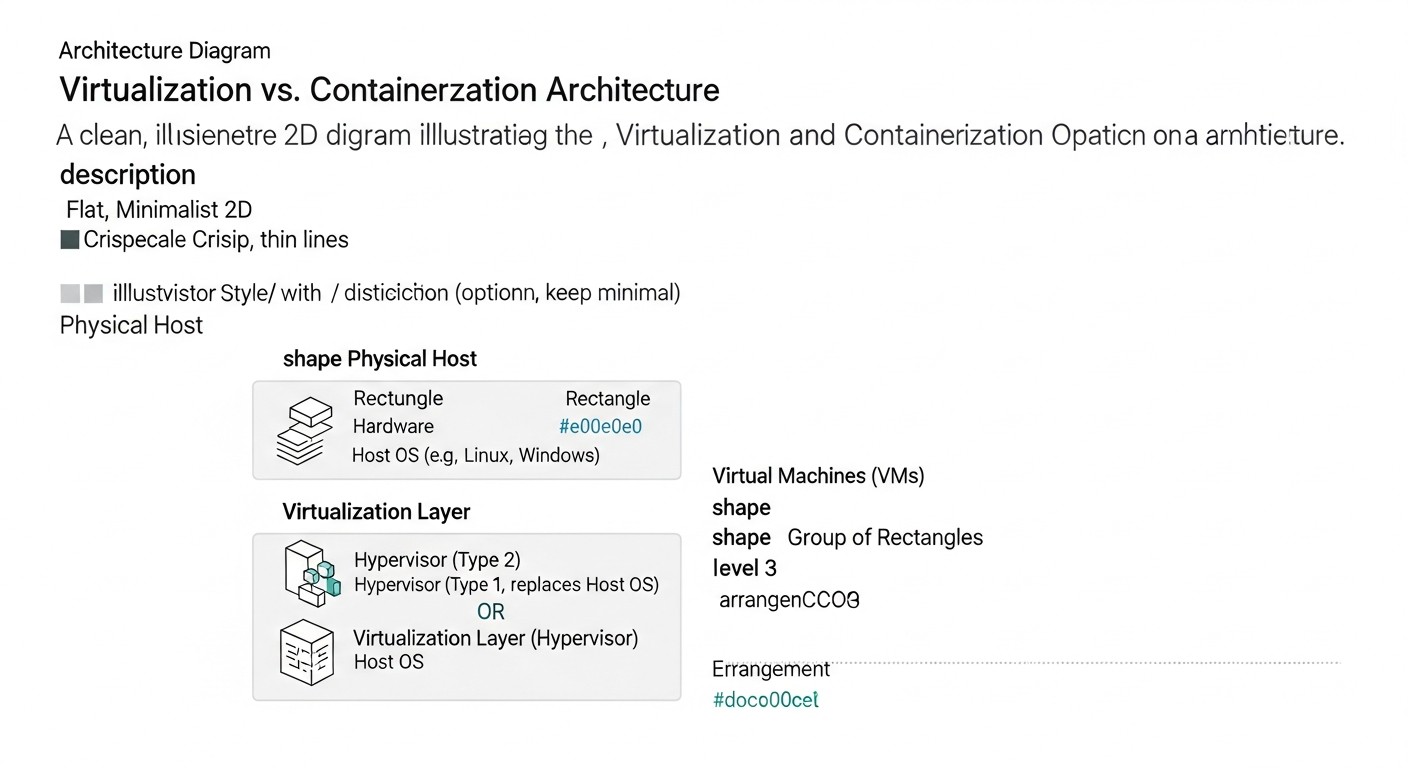
Let's delve into each of the key aspects of Docker container hardening, considering them from the perspective of current 2026 practices.
1. Hardening Docker Images: Reducing the Attack Surface
Security begins long before the container starts—at the image build stage. In 2026, this means not just avoiding latest tags, but a deep understanding of each image layer.
-
Minimal Base Images (Distroless, Alpine)
Pros: Significantly reduce image size, and most importantly, reduce the number of potential vulnerabilities, as they contain only necessary runtime dependencies. For example,
gcr.io/distroless/static-debian11for Go applications oralpine:3.15for Python/Node.js. In 2026, even more specialized and optimized distributions have emerged, such aschainguard/wolfi, focused on minimalism and fast patch delivery.Cons: The absence of common utilities (bash, curl, wget) can complicate debugging and diagnostics inside the container. Requires adaptation and changes in workflows.
Who it's for: For all production applications where stability and security are critical. Ideal for microservices where every byte and every vulnerability matters.
Example usage: Building a Go application in a multi-stage Dockerfile, where the first stage uses a full-featured image for compilation, and the second uses distroless for the final image.
-
Multi-stage Builds
Pros: Allow using full-featured images for compilation and testing stages, and then copying only the compiled artifacts into a minimal runtime image. This significantly reduces the final image size and excludes build tools, source code, and unnecessary dependencies.
Cons: May slightly complicate the Dockerfile, but the benefits outweigh this. Requires understanding of application dependencies.
Who it's for: For all applications requiring compilation (Go, Java, C++, Rust) or having a large number of dev dependencies (Node.js, Python).
-
Using a Non-root User
Pros: Running a container as a user other than root is one of the basic security principles. If an attacker compromises an application in a container running as root, they will not gain root privileges inside the container, which significantly hinders escalation. In 2026, this has become a mandatory requirement for most security standards.
Cons: May require changing permissions on files and directories inside the image that the application accesses.
Who it's for: For all production containers.
-
Regular Image Vulnerability Scanning
Pros: Automatic detection of known CVEs in packages and libraries within the image. This allows for prompt patching or replacement of vulnerable components. 2026 tools (Trivy, Grype, Snyk, Aqua Security) use extensive vulnerability databases and can integrate directly into CI/CD.
Cons: Scanners can produce false positives or miss some vulnerabilities (zero-day). Require regular database updates.
Who it's for: For anyone building and deploying Docker images.
2. Hardening Docker Runtime: Runtime Protection
Once an image is built, it must be ensured to run securely. The main goal here is to limit the container's capabilities and isolate it from the host and other containers.
-
Principle of Least Privilege and Rootless Containers
Pros: Rootless containers (running without root privileges on the host) are the gold standard of 2026. They provide maximum isolation, because even if an attacker gains root access inside the container, they will not be root on the host. This significantly reduces the risk of privilege escalation.
Cons: Can be more complex to configure and manage, especially for applications that traditionally require root privileges (e.g., for mounting file systems). Not all tools fully support rootless mode.
Who it's for: For most production applications where security is the highest priority.
-
Limiting Linux Capabilities
Pros: Instead of granting the container all root privileges, you can give it only the specific Linux capabilities necessary for its operation (e.g.,
CAP_NET_BIND_SERVICEto open ports below 1024). By default, Docker drops many dangerous capabilities, but it's always worth reviewing the list and removing unnecessary ones.Cons: Requires a deep understanding of which capabilities the application truly needs, which can be non-obvious.
Who it's for: For all production containers.
-
Security Profiles (AppArmor, Seccomp, SELinux)
Pros: These mechanisms allow fine-tuning of which system calls a container can perform, which files it can access, and which network operations are permitted. AppArmor and Seccomp are particularly effective at limiting the attack surface. In 2026, ready-made, verified profiles for popular applications are actively used.
Cons: Creating and debugging custom profiles can be a complex and time-consuming task, requiring deep knowledge of the Linux kernel.
Who it's for: For applications with high security requirements where standard isolation mechanisms are insufficient.
-
Read-only File System
Pros: Running a container with a read-only file system (
--read-only) prevents data from being written to the image, making it harder for an attacker to save modified files or install malicious software. All writes must occur to specially mounted volumes.Cons: Not all applications can run in this mode without modifications. Requires careful planning for temporary data and log storage locations.
Who it's for: For most stateless applications and microservices.
3. Network Security: Isolation and Traffic Control
Network configuration for containers requires special attention to avoid unauthorized access and data leaks.
-
Custom Docker Networks and Network Policies
Pros: Using custom Docker bridge networks allows isolating containers of different applications from each other. In orchestrators (Kubernetes), Network Policies allow applying "who can talk to whom" rules at the L3/L4 level, implementing the principle of least privilege in the network.
Cons: Complexity of configuration for large and dynamic infrastructures. Requires careful planning.
Who it's for: For all production deployments, especially in a microservice architecture.
-
Traffic Encryption (mTLS)
Pros: In 2026, mTLS (mutual TLS) for traffic between services is becoming standard, especially in service meshes (Istio, Linkerd). This guarantees both confidentiality and authentication of both sides of the connection, preventing man-in-the-middle attacks.
Cons: Adds performance overhead and complexity in certificate management if a service mesh is not used.
Who it's for: For all critical services handling sensitive data, and for building a "zero-trust" architecture.
4. Secret Management: No Secrets in Images!
Secrets should never be stored in Docker images, Dockerfiles, or environment variables without encryption.
-
External Secret Management Systems (KMS/Vault)
Pros: Centralized, secure storage, dynamic issuance, rotation, and audit of secret access. Tools like HashiCorp Vault, AWS Secrets Manager, or Azure Key Vault integrate with CI/CD and provide secrets to containers only at startup.
Cons: Adds an additional dependency and complexity to the infrastructure. Requires team training.
Who it's for: For all production applications using sensitive data.
5. Hardening the Docker Host: Protecting the Foundation
Container security is useless if the host is compromised.
-
OS Hardening and Regular Updates
Pros: Applying CIS Benchmarks recommendations for Linux, disabling unnecessary services, configuring a firewall (iptables/nftables), and regularly updating the OS kernel and packages. This minimizes vulnerabilities at the lowest level.
Cons: Requires a systematic approach and automation to avoid missing updates.
Who it's for: For all servers running Docker containers.
-
Protecting the Docker Daemon and its API
Pros: Access to the Docker API provides full control over the host. It should be restricted by using TLS certificates for client authentication and binding the daemon only to a local socket or a secure network interface. Use
dockerd.socketfor Systemd.Cons: Requires TLS configuration and certificate management.
Who it's for: For all Docker hosts in production.
Practical Tips and Recommendations for Hardening
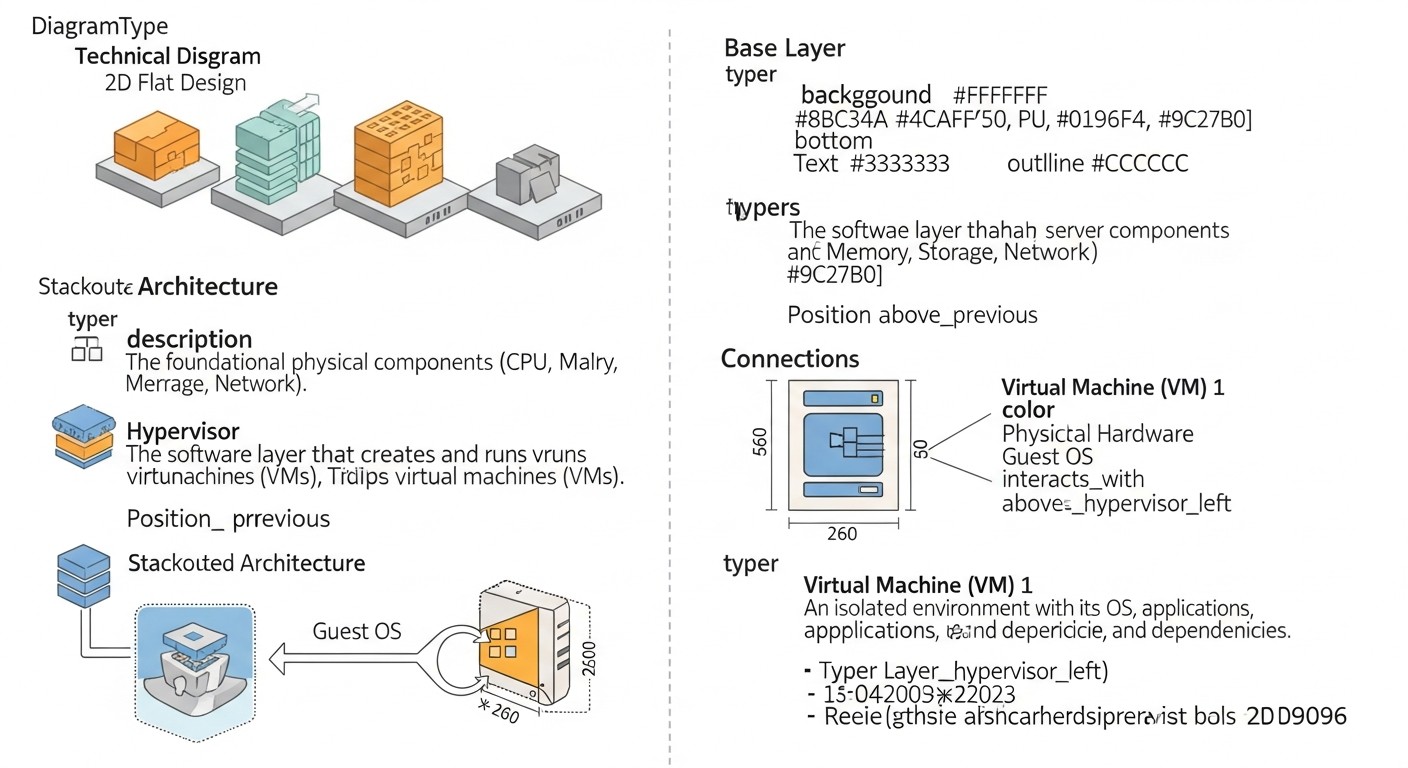
Theory is good, but without concrete steps and commands, it's useless. Below are practical recommendations that you can apply today (or in 2026) to enhance the security of your Docker containers.
1. Creating a Secure Dockerfile (from scratch)
Example Dockerfile demonstrating many best practices:
# Build stage
FROM golang:1.20-alpine AS builder

# Install build dependencies
RUN apk add --no-cache git

WORKDIR /app
COPY go.mod go.sum ./
RUN go mod download
COPY . .
RUN CGO_ENABLED=0 go build -ldflags="-s -w" -o /app/my-app ./cmd/my-app

# Runtime stage
FROM gcr.io/distroless/static-debian11

# Create an unprivileged user and group
RUN groupadd --system appuser && useradd --system --gid appuser appuser
# Set the user for running
USER appuser

# Copy only the compiled application
COPY --from=builder /app/my-app /usr/local/bin/my-app

# Copy certificates, if needed for TLS
# COPY --from=builder /etc/ssl/certs/ca-certificates.crt /etc/ssl/certs/

# Set working directory
WORKDIR /home/appuser

# Open only the necessary port
EXPOSE 8080

# Run the application
ENTRYPOINT ["/usr/local/bin/my-app"]
Explanations:
FROM golang:1.20-alpine AS builder: Use a minimal Alpine image for building.RUN apk add --no-cache git: Install only necessary build packages.FROM gcr.io/distroless/static-debian11: The final image is distroless, containing no shell and most utilities.RUN groupadd --system appuser && useradd --system --gid appuser appuser: Create a system userappuserwith minimal privileges.USER appuser: Run the application asappuser.COPY --from=builder ...: Copy only the binary, no source code or build tools.EXPOSE 8080: Declare only one necessary port.
2. Running Containers with Restrictions
Use the following flags when running a container for maximum hardening:
docker run -d \
  --name my-secure-app \
  --read-only \
  --cap-drop=ALL \
  --cap-add=NET_BIND_SERVICE \
  --security-opt=no-new-privileges \
  --pids-limit 100 \
  --memory=256m \
  --cpus=0.5 \
  --user appuser \
  --network my-custom-network \
  -v /var/log/my-app:/var/log/app:rw \
  my-secure-image:1.0
Explanations:
--read-only: The container's root file system will be read-only.--cap-drop=ALL --cap-add=NET_BIND_SERVICE: Drop all Linux capabilities and add onlyNET_BIND_SERVICE, allowing the application to listen on ports below 1024.--security-opt=no-new-privileges: Prevents privilege escalation inside the container via setuid/setgid binaries.--pids-limit 100: Limits the number of processes inside the container to 100, preventing fork bombs.--memory=256m --cpus=0.5: Limits resources, preventing DoS attacks on the host.--user appuser: Runs the container as an unprivileged user.--network my-custom-network: Isolates the container in a custom network.-v /var/log/my-app:/var/log/app:rw: Mounts a volume for writing logs, as the root FS is read-only.
3. Configuring the Docker Daemon for Security
Modify the Docker daemon configuration (usually /etc/docker/daemon.json) to enhance security:
{
  "userns-remap": "default",
  "log-driver": "json-file",
  "log-opts": {
    "max-size": "10m",
    "max-file": "5"
  },
  "default-ulimits": {
    "nofile": {
      "Hard": 65536,
      "Soft": 65536
    },
    "nproc": {
      "Hard": 1024,
      "Soft": 1024
    }
  },
  "live-restore": true,
  "data-root": "/var/lib/docker-data"
}
Explanations:
"userns-remap": "default": Enables user namespace remapping, which is the basis for rootless containers and improves isolation."log-driver"and"log-opts": Configure logging to prevent disk overflow and ensure centralized log collection."default-ulimits": Sets limits on the number of open files and processes for all containers by default."live-restore": true: Allows the Docker daemon to restart without stopping containers, which is important for business continuity and applying patches."data-root": "/var/lib/docker-data": Moves Docker data to a separate partition, simplifying disk space management and isolation.
4. Using Docker Content Trust
Enable Docker Content Trust to ensure image authenticity:
export DOCKER_CONTENT_TRUST=1
# Now every pull/push command will require a signature
docker pull my-signed-image:1.0
docker push my-signed-image:1.0
To sign images:
docker trust sign my-image:1.0
This ensures that you only use images that have been signed by trusted parties, preventing supply chain attacks.
5. Integrating Image Scanning into CI/CD
Example of Trivy integration in GitLab CI:
stages:
  - build
  - scan
  - deploy

build_image:
  stage: build
  script:
    - docker build -t $CI_REGISTRY_IMAGE:$CI_COMMIT_SHA .
    - docker push $CI_REGISTRY_IMAGE:$CI_COMMIT_SHA

scan_image:
  stage: scan
  image:
    name: aquasec/trivy:latest
    entrypoint: [""]
  variables:
    TRIVY_NO_PROGRESS: "true"
    TRIVY_SEVERITY: "HIGH,CRITICAL"
    TRIVY_EXIT_CODE: "1" # Fail pipeline if vulnerabilities found
  script:
    - trivy image --ignore-unfixed $CI_REGISTRY_IMAGE:$CI_COMMIT_SHA
  allow_failure: false # Pipeline fails on vulnerability
Explanations:
TRIVY_SEVERITY: "HIGH,CRITICAL": The scanner will only report high and critical severity vulnerabilities.TRIVY_EXIT_CODE: "1": The pipeline will fail if vulnerabilities of the specified severity are found. This implements the "fail fast" principle in DevSecOps.--ignore-unfixed: Ignore vulnerabilities for which no patches are yet available. This allows focusing on those that can be fixed immediately.
6. Runtime Monitoring with Falco
Example Falco rule for detecting suspicious activity:
# /etc/falco/falco_rules.local.yaml
- rule: Detect Shell in Container
  desc: A shell was spawned in a container, which is not expected behavior for most production containers.
  condition: >
    spawned_process and container.id != "host" and proc.name in (shell_binaries)
    and not proc.pname in (allowed_shell_parents)
  output: >
    Shell spawned in container (user=%user.name container=%container.name
    image=%container.image command=%proc.cmdline parent=%proc.pname)
  priority: WARNING
  tags: [container, shell, security]

- rule: Unexpected Network Connection Outbound
  desc: An unexpected outbound network connection was made from a container.
  condition: >
    evt.type = connect and fd.type = ipv4 and fd.cip != "127.0.0.1" and fd.cport != 80 and fd.cport != 443
    and container.id != "host" and not container.image.repository in (whitelisted_images_for_outbound)
  output: >
    Unexpected outbound connection (container=%container.name image=%container.image
    comm=%proc.comm ip=%fd.rip:%fd.rport)
  priority: ERROR
  tags: [container, network, security]
Explanations:
- The first rule detects a shell being spawned inside a container, which often indicates compromise.
- The second rule monitors for unexpected outbound network connections, which could indicate an attempt at data exfiltration or communication with a C2 server.
7. Using AppArmor Profiles
To load an AppArmor profile:
sudo apparmor_parser -r -W /etc/apparmor.d/my-app-profile
Running a container with the profile:
docker run --security-opt="apparmor=my-app-profile" my-secure-image:1.0
Creating an AppArmor profile is a complex process, but tools exist (e.g., bane) for automatic profile generation based on observed application behavior.
8. Automating Docker Image Updates
Use tools like Dependabot, Renovate Bot, or specialized container solutions (e.g., Watchtower with caution, or Kube-green for Kubernetes) to automatically track and update base images and dependencies. In 2026, this has become virtually mandatory for maintaining an up-to-date security level.
Common Mistakes in Securing Docker Containers
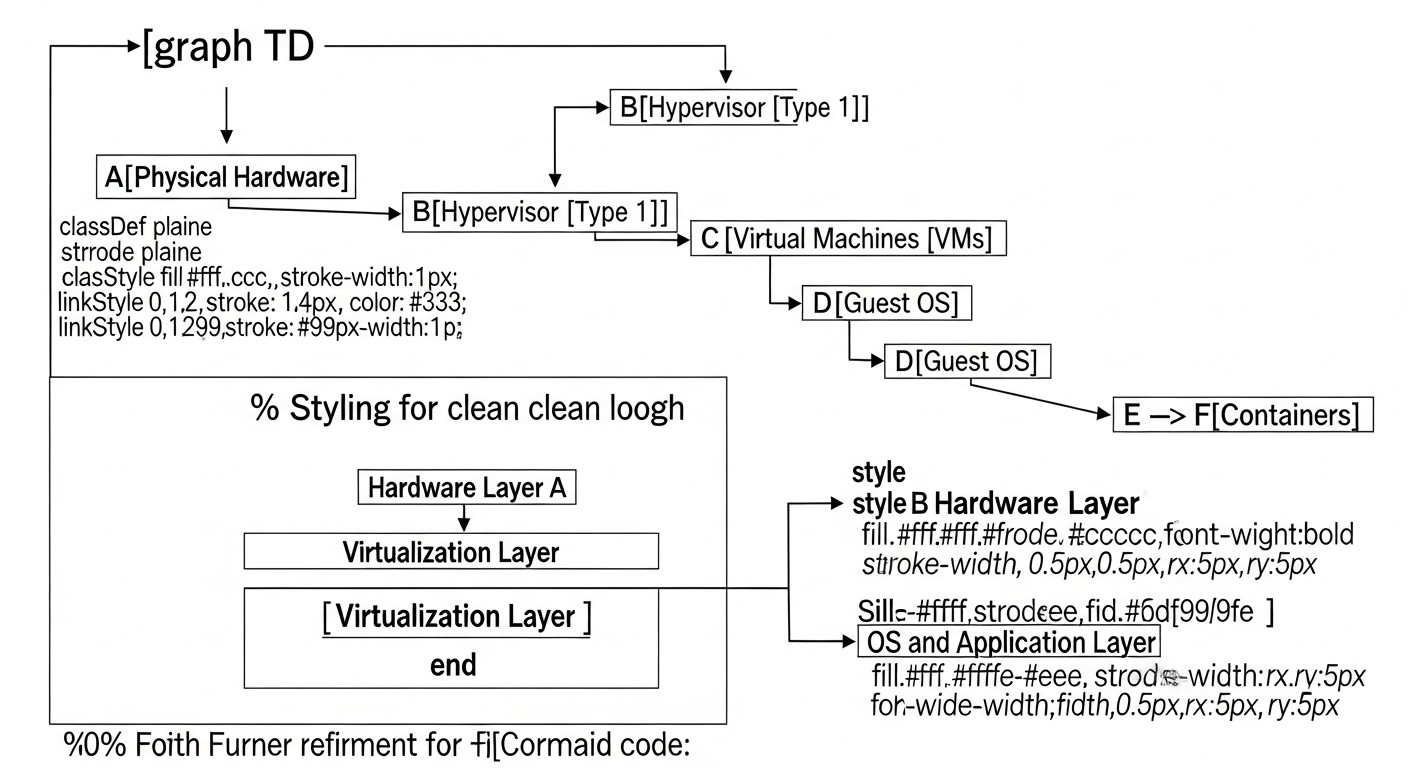
Even experienced teams sometimes make mistakes that can lead to serious consequences. In the world of containers, where dynamism and deployment speed are high, these errors can quickly turn into critical vulnerabilities. Here are five of the most common mistakes we observe in 2026, and how to avoid them.
1. Running Containers as Root and Granting Excessive Privileges
Mistake: Using USER root in a Dockerfile or running a container without specifying a user, which defaults to running as root. This also includes granting the container --privileged, --net=host, --pid=host flags or mounting the Docker daemon socket (-v /var/run/docker.sock:/var/run/docker.sock).
Consequences: If an attacker gains control of an application inside a container running as root, they gain root privileges inside the container. If there are vulnerabilities in the Docker daemon or the Linux kernel, this can lead to privilege escalation on the host system. Mounting docker.sock gives full control over the Docker daemon and, consequently, over the entire host.
How to avoid:
- Always create an unprivileged user in your Dockerfile (
RUN useradd -m -u 1000 appuser && chown -R appuser:appuser /app) and useUSER appuser. - Avoid
--privileged,--net=host,--pid=hostflags. If absolutely necessary, thoroughly document the reason and use other security measures (AppArmor, Seccomp) to minimize risks. - Never mount
/var/run/docker.sockinto production containers. For managing the Docker daemon from a container, use specialized tools with limited rights or a remote API with TLS. - Consider using rootless containers, which by default run without root privileges on the host.
2. Using Outdated or Untrusted Base Images
Mistake: Using images without a specific version tag (e.g., ubuntu:latest, node:latest), which leads to unpredictable changes in the base image with each build. Also, using images from untrusted sources or images that have not been updated for a long time.
Consequences: The latest image can change at any time, introducing new vulnerabilities, bugs, or even malicious code without your knowledge. Untrusted images may contain backdoors, outdated libraries with known CVEs, or be built with insecure configurations. Lack of updates means an accumulation of vulnerabilities.
How to avoid:
- Always specify a specific, immutable version of the base image (e.g.,
ubuntu:22.04-slim,node:18-alpine). - Use minimal base images (Alpine, Distroless, Wolfi), which contain fewer components and, therefore, fewer potential vulnerabilities.
- Regularly scan all used images (including base images) for vulnerabilities using tools (Trivy, Grype, Snyk) and integrate this into CI/CD.
- Keep images up-to-date by regularly updating them to the latest secure versions.
- Use only images from trusted public or private repositories (Docker Hub, Quay.io, GCR, ACR).
3. Storing Secrets in Images or Environment Variables
Mistake: Writing API keys, passwords, tokens, or other sensitive data directly into the Dockerfile, into image layers, or passing them via environment variables (-e MY_SECRET=value) without proper encryption.
Consequences: Secrets baked into an image can be easily extracted using docker history or by inspecting the image's file system. Environment variables are accessible to any process in the container and can be easily obtained by an attacker. This is a direct path to compromising other systems, data leakage, and financial losses.
How to avoid:
- Use external secret management systems (HashiCorp Vault, AWS Secrets Manager, Azure Key Vault, Google Secret Manager) that dynamically provide secrets to containers at runtime.
- For Docker Swarm, use Docker Secrets. For Kubernetes, use Kubernetes Secrets (with encryption at rest, e.g., using KMS or Vault).
- Never commit secrets to version control systems (Git).
- If it is absolutely necessary to pass a secret via an environment variable, ensure that this only happens in a secure environment and the secret does not end up in logs or command history. Ideally, use dynamic retrieval from KMS.
4. Insufficient Network Isolation Between Containers
Mistake: Running all containers in a single standard Docker bridge network (bridge) or, even worse, in --net=host mode without proper segmentation. Opening excessive ports externally or between containers.
Consequences: If one container in a shared network is compromised, an attacker gains direct access to all other containers in that same network, facilitating lateral movement and attack escalation. --net=host mode completely disables Docker's network isolation, making the container part of the host's network stack.
How to avoid:
- Always use custom Docker bridge networks to isolate applications. Each service or group of related services should have its own network.
- In orchestrators (Kubernetes), actively use network policies (Network Policies, Calico, Cilium) to control traffic between pods and namespaces.
- Open only absolutely necessary ports for each container, using
-p <host_port>:<container_port>and avoiding-P. - Configure a firewall on the host (iptables/nftables) to restrict inbound and outbound traffic to the Docker daemon and containers.
- Consider implementing a service mesh (Istio, Linkerd) to provide mTLS and fine-grained control over network traffic.
5. Ignoring Security Monitoring and Logging
Mistake: Lack of centralized logging for containers and the Docker daemon. Insufficient or absent runtime monitoring to detect anomalous behavior. Lack of alerts for critical security events.
Consequences: You will not be able to detect an attack in real-time or even post-factum. An attacker can operate unnoticed. The absence of logs complicates incident investigation, determining the attack vector, and the extent of compromise. This also leads to an inability to comply with most compliance standards.
How to avoid:
- Implement a centralized logging system (ELK Stack, Grafana Loki, Splunk, Datadog) to collect logs from all containers and Docker hosts.
- Use specialized runtime monitoring tools (Falco, Sysdig Secure, Aqua Security) to detect anomalous behavior (shell spawning, system file changes, unusual network connections).
- Configure alerts for critical events (privilege escalation attempts, port scanning, resource limit breaches, suspicious system calls) and integrate them with your notification system (PagerDuty, Slack, email).
- Regularly review security logs and reports to identify potential threats.
- Enable auditing of the Docker daemon and Linux kernel to track system events.
By avoiding these common mistakes and applying best practices, you will significantly enhance the security level of your container infrastructure in production.
Checklist for Practical Application
This checklist will help you systematize the process of hardening and monitoring Docker containers. Go through each item to ensure your infrastructure meets the current security standards of 2026.
- Hardening Docker Images:
- Are minimal base images (Alpine, Distroless, Wolfi) used for production applications?
- Are multi-stage Dockerfiles applied to reduce image size and content?
- Are applications inside containers run by an unprivileged user (not root)?
- Are all unnecessary packages, build tools, and source code removed from the final image?
- Are images regularly scanned for vulnerabilities (CVEs) and misconfigurations using automated tools (Trivy, Grype, Snyk)?
- Is image scanning integrated into the CI/CD pipeline with automatic build failure upon detection of critical vulnerabilities?
- Is Docker Content Trust or Notary used for signing and verifying image authenticity?
- Hardening Docker Runtime:
- Are containers run with the least possible privileges (e.g., rootless containers)?
- Are all unnecessary Linux capabilities dropped (
--cap-drop=ALLwith only necessary ones added)? - Are AppArmor, Seccomp, or SELinux security profiles applied to restrict system calls and resource access?
- Are containers used with a read-only file system (
--read-only), where possible? - Is the number of processes (
--pids-limit) and resources (--memory,--cpus) limited for each container? - Is the
--security-opt=no-new-privilegesoption enabled to prevent privilege escalation?
- Network Security:
- Are custom Docker bridge networks used to isolate containers of different applications?
- Are network policies (Kubernetes Network Policies, Calico, Cilium) applied for strict control of traffic between containers?
- Is traffic between services encrypted (mTLS) using a service mesh or other mechanisms?
- Are only absolutely necessary ports open for each container?
- Is a firewall configured on the host to protect the Docker daemon and container network traffic?
- Secret Management:
- Are all secrets stored in an external, centralized secret management system (Vault, KMS)?
- Are secrets dynamically issued for a short period to containers at runtime?
- Is automatic secret rotation configured?
- Is encryption used for secrets at rest and in transit?
- Are there no secrets in Dockerfiles, image layers, or unencrypted environment variables?
- Host System Security:
- Are OS hardening recommendations applied (e.g., CIS Benchmarks for Linux)?
- Is the OS kernel and all system components regularly updated?
- Is access to the Docker API restricted only to authorized users/services using TLS?
- Are cgroups and namespaces used to isolate host resources between containers?
- Is auditing configured for system events and Docker daemon logs?
- Monitoring, Logging, and Auditing:
- Are logs from all containers and the Docker daemon collected into a centralized logging system?
- Is runtime monitoring performed to detect anomalous container behavior (Falco, Sysdig Secure)?
- Are alerts configured for critical security events with integration into the notification system?
- Is an audit trail maintained for all significant events (container start/stop, configuration changes)?
- Is the integrity of the host file system and critical Docker files monitored?
- DevSecOps and Automation:
- Are security tools integrated at every stage of the CI/CD pipeline (Shift Left)?
- Are security policies and Docker configurations managed using Infrastructure as Code (IaC)?
- Are regular automated security tests (DAST, SAST) conducted in intermediate and production environments?
- Are regular external and internal security audits and penetration tests conducted?
- Is the team trained on container security issues and DevSecOps practices?
Cost Calculation / Economics of Docker Security
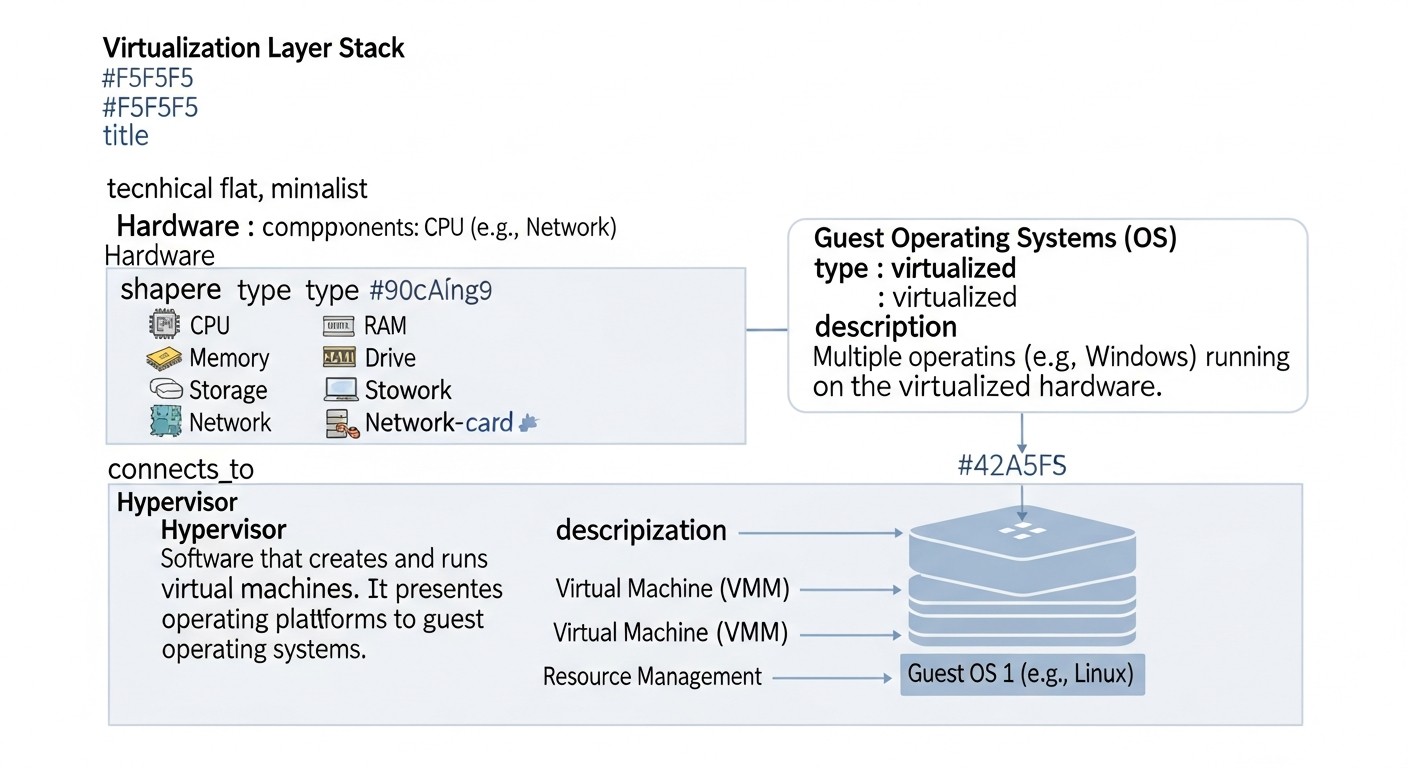
Investments in Docker container security are not just expenses, but strategic investments that prevent potentially catastrophic losses. In 2026, as cyber threats become even more sophisticated, understanding the economics of security becomes critically important. Let's look at examples of calculations for different scenarios, hidden costs, and ways to optimize expenses.
Direct and Indirect Security Costs
Direct Costs:
- Software Licenses: Cost of commercial vulnerability scanners, runtime protection, secret management systems (e.g., Sysdig Secure, Aqua Security Platform, HashiCorp Vault Enterprise).
- Infrastructure: Cloud resource costs for running security tools (servers for Falco, SIEM systems, log storage).
- Personnel: Salaries of DevSecOps engineers, security specialists, consultants.
- Audits and Penetration Tests: Cost of services from third-party companies for security audits and penetration testing.
- Training: Courses and certifications for the team.
Indirect Costs (Incident Cost):
- Downtime: Loss of revenue due to service unavailability. For example, a SaaS company loses $10,000 per hour of downtime.
- Data Recovery: Costs for restoring functionality, data, backups.
- Fines and Legal Fees: Fines for violating GDPR, CCPA, or other regulatory requirements (can reach millions of dollars).
- Reputational Damage: Long-term loss of customers, reduced trust, decline in stock value.
- Incident Investigation: Engaging experts, internal resources for analysis and remediation.
Calculation Examples for Different Scenarios (2026)
Scenario 1: Small Startup (10-20 containers, 1-2 hosts)
Priority: Maximum security with minimal costs, using Open Source solutions.
- Image Scanning: Trivy (OSS) - $0.
- Runtime Security: Falco (OSS) - $0 for licenses, ~ $50/month for cloud resources for log collection and alerting.
- Secret Management: HashiCorp Vault Community Edition (OSS) or cloud KMS (AWS Secrets Manager) - $0-50/month.
- CI/CD Integration: GitHub Actions / GitLab CI (built-in features) - $0-100/month.
- Host Hardening: Manual settings, scripts - $0 (time cost).
- Penetration Test: Once a year, external - $5,000 - $10,000.
Total Direct Costs: ~ $600 - $15,000 per year (depending on penetration tests and cloud services).
Incident Cost: Loss of reputation, potential fines up to $100,000, service downtime for 24 hours = $10,000.
Scenario 2: Medium Business (100-200 containers, 10-20 hosts)
Priority: Comprehensive coverage, automation, compliance.
- Comprehensive Security Platform (Vulnerability, Runtime, Network): Sysdig Secure or Aqua Security Platform - from $500/node/month * 15 nodes = $7,500/month = $90,000/year.
- Secret Management: HashiCorp Vault Enterprise - from $2,000/month = $24,000/year.
- SIEM/Logging: Splunk Cloud (or equivalent) - from $1,000/month = $12,000/year.
- Personnel (0.5 FTE DevSecOps): $60,000/year.
- Penetration Tests and Audits: Twice a year, external - $20,000 - $40,000/year.
Total Direct Costs: ~ $206,000 - $226,000 per year.
Incident Cost: Fines up to $1,000,000, downtime for 48 hours = $20,000, reputational recovery.
Scenario 3: Large Enterprise/SaaS (1000+ containers, 100+ hosts)
Priority: Full automation, deep integration, compliance with the strictest regulations, predictive security.
- Comprehensive Security Platform: Aqua Security Platform / Palo Alto Prisma Cloud - from $1,000/node/month * 100 nodes = $100,000/month = $1,200,000/year (volume discounts often apply).
- Secret Management: HashiCorp Vault Enterprise with extended features - from $5,000/month = $60,000/year.
- SIEM/SOAR: Splunk Enterprise / Microsoft Sentinel - from $5,000/month = $60,000/year.
- Personnel (2 FTE DevSecOps + 1 FTE Security Analyst): $300,000/year.
- Penetration Tests and Audits: Quarterly, external + internal - $100,000 - $200,000/year.
- Additional Tools: DAST, SAST, Threat Intelligence - $50,000/year.
Total Direct Costs: ~ $1,770,000 - $1,870,000 per year.
Incident Cost: Multi-million dollar fines, business collapse, months-long reputational recovery.
Hidden Costs
- Performance Overhead: Some security tools (especially runtime monitoring) can consume CPU/RAM resources.
- Integration Time: Implementing new tools requires time from developers and DevOps engineers.
- Management Complexity: Maintaining multiple tools, managing policies.
- False Positives: Time spent investigating false alerts.
- Opportunity Cost: Slower development due to excessive security checks.
How to Optimize Costs
- Use Open Source wisely: Start with Trivy, Falco, Vault CE. As scale and compliance requirements grow, consider commercial solutions.
- Automation: The more automation in CI/CD, the less manual labor and fewer errors. Invest in IaC for security.
- Cloud Services: Use managed services (AWS KMS, Azure Key Vault, Google Secret Manager) instead of deploying your own to reduce operational costs.
- Tool Consolidation: Where possible, choose platforms that cover multiple security aspects (e.g., Sysdig Secure or Aqua Security Platform) to reduce the number of vendors and integration complexity.
- "Shift Left" Principle: The earlier you detect a vulnerability (during development), the cheaper it is to fix.
- Regular Threat Analysis: Focus on the most critical threats to your business, rather than trying to protect against everything.
- Team Training: A qualified team can effectively use Open Source tools and reduce the need for expensive external consultants.
Table with Calculation Examples (Average Data 2026)
| Category | Small Startup (up to 20 containers) | Medium Business (up to 200 containers) | Large Enterprise (1000+ containers) |
|---|---|---|---|
| Image Scanning | Trivy (OSS) - $0 | Sysdig/Aqua (part of platform) - $15,000/year | Aqua/Prisma (part of platform) - $200,000/year |
| Runtime Security | Falco (OSS) - $600/year (cloud) | Sysdig/Aqua (part of platform) - $45,000/year | Aqua/Prisma (part of platform) - $600,000/year |
| Secret Management | Vault CE/Cloud KMS - $300/year | Vault Enterprise - $24,000/year | Vault Enterprise (ext.) - $60,000/year |
| Logging/Monitoring | ELK Stack (OSS) - $1,000/year (cloud) | Splunk/Loki (SaaS) - $12,000/year | Splunk/Sentinel (Enterprise) - $60,000/year |
| Personnel (DevSecOps) | 0.1 FTE - $12,000/year | 0.5 FTE - $60,000/year | 2.5 FTE - $300,000/year |
| Penetration Tests/Audits | $7,500/year | $30,000/year | $150,000/year |
| Other (training, additional tools) | $1,000/year | $5,000/year | $50,000/year |
| TOTAL (Direct Costs per year) | ~ $22,400 | ~ $191,000 | ~ $1,420,000 |
| Potential Incident Damage | Up to $100,000 | Up to $1,000,000 | Multi-million |
These figures are indicative for 2026 and can vary significantly depending on the region, business specifics, and chosen vendors. However, they provide an idea of the scale of investments and potential losses, emphasizing that security is not an expense, but a critically important investment.
Case Studies and Real-World Examples
To better understand how theoretical Docker container security principles are applied in practice, let's look at a few realistic scenarios from 2026.
Case 1: Protecting a Critical Microservice in a FinTech Startup
Company: "SecurePay", a FinTech startup processing millions of transactions daily. Uses Kubernetes on AWS EKS, Docker containers for all microservices. High compliance requirements (PCI DSS, GDPR).
Problem: The need to ensure maximum security for a microservice responsible for payment authorization, which is constantly under threat of targeted attacks.
Solution:
-
Image Hardening:
gcr.io/distroless/static-debian11was used as the base image for the Go authorization application.- Multi-stage build: The Go application is compiled in the first layer, then only the binary is copied into the distroless image.
- The application runs as an unprivileged user
appuser(UID 1001), created in the Dockerfile. - Trivy integration in GitLab CI: During image build, Trivy scans it for HIGH/CRITICAL vulnerabilities. If found, the build fails, and the image does not enter ECR.
-
Runtime Hardening:
- The container runs with a
--read-onlyfile system. All temporary data is written to/tmp, which is mounted astmpfs. - Capability restriction:
--cap-drop=ALL --cap-add=NET_BIND_SERVICE. - A custom Seccomp profile, developed using
bane, was applied, which allows only the minimal set of system calls required for the authorization service to function. - Pod Security Standards (PSS) policies in Kubernetes are set to
Restrictedfor this namespace.
- The container runs with a
-
Network Security:
- The microservice is deployed in a separate Kubernetes namespace.
- Kubernetes Network Policies, implemented by Calico, strictly limit inbound and outbound traffic: only the API Gateway can access port 8080 of the authorization service; the service can only access the database and logging service.
- Istio Service Mesh implemented: All traffic between microservices is encrypted using mTLS.
-
Secret Management:
- All secrets (API keys, encryption keys) are stored in HashiCorp Vault.
- The microservice dynamically retrieves secrets from Vault via an Istio Sidecar container, using short-lived tokens.
- Automatic secret rotation every 24 hours.
-
Monitoring and Response:
- Falco with an eBPF driver is deployed on all EKS nodes to monitor runtime activity. Rules are configured to detect suspicious system calls, escalation attempts, and shell spawning.
- Container logs are collected in AWS CloudWatch Logs, then aggregated in Splunk Cloud for analysis and correlation.
- Alerts from Falco and Splunk are configured for PagerDuty for immediate notification of the security team in case of critical events.
Result: Over six months of service operation, not a single successful attack was recorded, despite numerous attempts. Response time to suspicious activity was reduced to 5 minutes. The company successfully passed its PCI DSS audit.
Case 2: Detecting and Preventing a Supply Chain Attack in a SaaS Platform
Company: "DataFlow", a large SaaS platform for big data processing. Uses hundreds of microservices deployed on its own Kubernetes cluster. Actively develops new features, leading to frequent image builds.
Problem: One of the third-party developers accidentally included a new library in package.json that contained a known vulnerability (CVE-2025-XXXXX) and was flagged as critical in public databases. This library was a dependency of another, less obvious package.
Solution:
-
Automated Dependency Scanning:
- Snyk was integrated into the CI/CD pipeline (Jenkins) for dependency scanning (SCA) at the
npm installstage. - Snyk detected the new vulnerability CVE-2025-XXXXX in the new library.
- The pipeline was configured to automatically fail the build if CRITICAL level vulnerabilities were found.
- Snyk was integrated into the CI/CD pipeline (Jenkins) for dependency scanning (SCA) at the
-
Image Scanning and SBOM:
- After a successful build, but before pushing to the registry, Trivy generated a Software Bill of Materials (SBOM) and scanned the Docker image.
- Trivy also confirmed the presence of the vulnerability, as the vulnerable library was included in the image.
- Based on the SBOM, complete data on all image components was obtained.
-
Deployment Prevention:
- An Admission Controller in Kubernetes (OPA Gatekeeper) was configured with a policy that prohibited the deployment of images flagged as containing CRITICAL vulnerabilities in a centralized database (receiving data from Snyk/Trivy).
- Even if the image somehow passed CI/CD, Gatekeeper would block its deployment in the cluster.
-
Response:
- The developer received an automatic notification of the build failure with a detailed vulnerability report.
- The team quickly identified the problematic library and replaced it with a secure alternative, or updated to a patched version.
Result: The vulnerable image did not reach production. The supply chain attack was prevented at an early stage thanks to comprehensive DevSecOps automation. Remediation costs amounted to a few hours of developer work instead of potential millions of dollars in damage from data compromise.
Case 3: Protecting a Docker Host from Compromise
Company: "EdgeCompute", an IoT solutions provider deploying Docker containers on hundreds of resource-constrained edge devices.
Problem: One of the devices was compromised through an outdated SSH service, but the attacker could not gain full control over the Docker containers and data.
Solution:
-
Host OS Hardening:
- Devices ran on a minimalistic Linux distribution.
- CIS Benchmarks for Linux applied: All unnecessary services disabled, firewall (iptables) configured to allow only necessary traffic.
- SSH access was restricted by IP addresses and required keys, but a configuration error occurred on one device.
- Automatic kernel and OS package updates were configured on a weekly basis.
-
Docker Daemon Protection:
- The Docker daemon was configured to use
userns-remap, meaning that root inside the container was an unprivileged user on the host. - Access to the Docker API was restricted to the local socket only, with no remote access.
- The Docker daemon was configured to use
-
Container Hardening:
- All containers ran as unprivileged users and with a
--read-onlyfile system. - AppArmor profiles were applied to each container, strictly limiting their system calls.
- All containers ran as unprivileged users and with a
-
Host Monitoring:
- Falco was deployed on each edge device to monitor system calls and file activity.
- Docker daemon logs and system logs were sent to a centralized log aggregation system.
Incident and Result: The attacker gained access to the host via an outdated SSH service. However, thanks to userns-remap and AppArmor, they could not escalate privileges to root on the host and could not access data in the containers. Falco detected anomalous activity (attempts to run suspicious commands on the host, modification of system files) and sent alerts. The device was immediately isolated and restored. Container data remained untouched.
Lesson: Even if one layer of defense is breached (SSH), multi-layered defense (defense in depth) at other levels (Docker daemon, containers, monitoring) can prevent full-scale compromise.
Tools and Resources for Docker Security
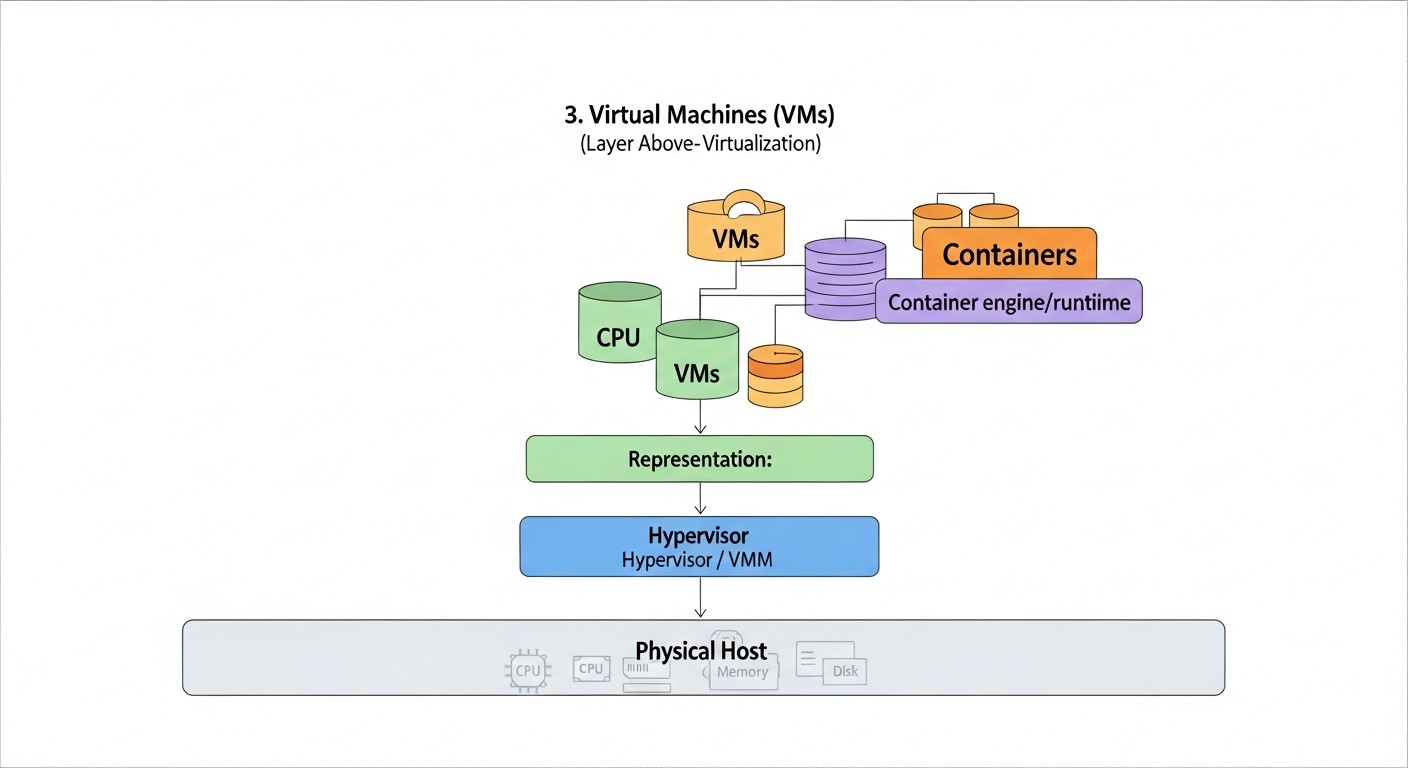
In 2026, the ecosystem of tools for Docker container security is extensive and continues to evolve. The right choice and integration of these tools are key to building a robust defense strategy.
1. Utilities for Image and Dependency Scanning (Vulnerability & SCA)
- Trivy (Aqua Security): A lightweight, fast, and feature-rich vulnerability scanner for images, file systems, Git repositories, and IaC. Supports many languages and formats. A must-have for CI/CD.
trivy image --severity HIGH,CRITICAL my-image:latest trivy fs --severity MEDIUM . # filesystem scanning - Grype (Anchore): Another excellent OSS vulnerability scanner, focusing on creating SBOM (Software Bill of Materials).
grype my-image:latest - Snyk: A commercial platform with powerful SCA (Software Composition Analysis), DAST, SAST capabilities, focusing on developer security. Integrates with repositories, IDEs, CI/CD.
snyk container test my-image:latest - Clair (Quay.io): A vulnerability scanner integrated with the Red Hat Quay container registry. Good for basic scanning, but less flexible than Trivy/Grype.
2. Runtime Security and Monitoring Tools
- Falco (CNCF/Sysdig): The de facto standard for Runtime Security in containerized environments. Uses eBPF to monitor Linux kernel system calls and detect suspicious behavior based on configurable rules.
# Falco installation (example for Ubuntu) curl -s https://falco.org/repo/falcosecurity-3672BA8F.asc | apt-key add - echo "deb https://download.falco.org/packages/deb stable main" | tee -a /etc/apt/sources.list.d/falcosecurity.list apt update && apt install -y falco # Starting Falco (usually as a systemd service) sudo systemctl enable falco sudo systemctl start falco - Sysdig Secure: A commercial platform built on Falco. Provides extended capabilities for Runtime Protection, Compliance, Image Scanning, Network Security for Kubernetes and Docker.
- Aqua Security Platform: A comprehensive platform for Cloud Native Security, covering the entire lifecycle: from image scanning and Supply Chain Security to Runtime Protection and Network Security.
- Prometheus & Grafana: Standard tools for collecting metrics and visualization. Can be used to monitor container and host resources, which indirectly helps identify anomalies.
- ELK Stack (Elasticsearch, Logstash, Kibana): A powerful platform for centralized log collection, analysis, and visualization. Critically important for incident investigation.
3. Secret Management Tools (KMS/Vault)
- HashiCorp Vault: One of the best tools for centralized secret management, data encryption, PKI, and dynamic secret issuance.
# Example of retrieving a secret from Vault vault login <token> vault kv get secret/my-app/db-creds - AWS Secrets Manager / Azure Key Vault / Google Secret Manager: Cloud services for secret management, well-integrated with their respective cloud platforms.
- Kubernetes Secrets: Kubernetes' built-in mechanism for storing secrets. It's important to use with encryption at rest (KMS) or external secret providers (CSI Secret Store Driver).
4. Tools for Host Hardening and Orchestration
- CIS Docker Benchmark: A document with detailed recommendations for hardening the Docker daemon and host. Mandatory reading.
- Open Policy Agent (OPA) / Gatekeeper: A tool for creating and enforcing security policies in Kubernetes. Allows prohibiting the deployment of insecure images, requiring specific labels, managing network policies.
# Example Gatekeeper policy: Prohibit root containers apiVersion: constraints.gatekeeper.sh/v1beta1 kind: K8sPSPRunAsNonRoot metadata: name: pod-must-run-as-non-root spec: match: kinds: - apiGroups: [""] kinds: ["Pod"] parameters: exemptImages: ["nginx:latest"] # Example exclusion - Service Mesh (Istio, Linkerd): Provide mTLS, network policies, observability, and other L7 security features for microservices.
5. Useful Links and Documentation
Troubleshooting: Solving Security Problems
Even with the most careful planning and implementation, security problems can arise. It is important to be able to quickly diagnose them and take appropriate action. Below are typical problems, methods for their diagnosis, and steps for remediation.
1. Container Fails to Start Due to Security Restrictions
Problem: You applied a Seccomp/AppArmor profile or overly restricted capabilities, and the container crashes at startup or immediately thereafter.
Diagnosis:
- Check Docker logs:
Look for error messages related to permissions, system calls, or missing capabilities.docker logs <container_id> - Check host system logs (for AppArmor/Seccomp):
AppArmor and Seccomp often write policy violations to the kernel's system journal. Look for entries indicating which system call was denied.sudo journalctl -u docker sudo dmesg | grep "audit" - Run the container without restrictions:
If the container starts and runs normally without profiles and with full capabilities, this confirms that the problem lies in the restrictions.docker run --rm -it --entrypoint /bin/sh <image_name>
Solution:
- For AppArmor/Seccomp:
- Switch the profile to
complainmode (for AppArmor) or use tools for profile generation (e.g.,bane,strace) to determine the necessary system calls. - Gradually add the required system calls/permissions to the profile, testing after each change.
- Switch the profile to
- For Capabilities: Determine which specific capability is needed and add it using
--cap-add=<CAPABILITY>. - For Read-Only file system: Ensure that all locations where the application needs to write (logs, temporary files) are mounted as separate volumes (
-v /path/to/host:/path/in/container:rw) ortmpfs.
2. Vulnerability Discovered in a Production Image
Problem: A vulnerability scanner (Trivy, Snyk) detected a critical vulnerability in an image that is already deployed in production.
Diagnosis:
- Check the scanner report: Find out the severity of the vulnerability, the availability of exploits, and the existence of patches.
- Assess the risk: Is the vulnerability externally accessible? Does it require privileges? Are there mitigating controls (e.g., Seccomp, AppArmor) that can block it?
- Check logs and monitoring: Are there signs of exploitation of this vulnerability (anomalous behavior, outbound connections)?
Solution:
- Urgent patch: If a patch is available, immediately update the base image or the vulnerable package, rebuild, and deploy the new image.
- Temporary measures (if no patch):
- If the vulnerability is related to network access, block it at the Network Policy or host firewall level.
- Strengthen runtime monitoring to detect exploitation attempts.
- Consider temporarily disabling or isolating the vulnerable service.
- Secret rotation: If there is suspicion that the vulnerability could have led to secret leakage, immediately rotate all associated secrets.
- Root cause analysis: Why did the vulnerability get into the image? Strengthen scanning in CI/CD.
3. Suspicious Activity Detected by Falco/Runtime Monitoring
Problem: Falco generated an alert about suspicious behavior (e.g., shell spawning in a container, writing to a system file, unusual network connection).
Diagnosis:
- Isolate the container/pod: If possible, immediately isolate the suspicious container or the entire pod from the network to prevent further spread of the attack.
- Check container and host logs:
Look for the context in which the event occurred.docker logs <container_id> sudo journalctl -u docker -f - Inspect the container:
Look at running processes, file system state.docker inspect <container_id> docker exec -it <container_id> sh # If the container is not isolated and it's safe - Use forensic analysis tools: If there is suspicion of compromise, use specialized tools for forensic analysis of the container (e.g.,
docker-forensics-toolkit).
Solution:
- Confirm the incident: Determine whether the alert is a false positive or a real attack.
- If attack is confirmed:
- Immediately terminate compromised containers.
- Conduct an investigation to determine the attack vector, source, and extent of compromise.
- Block attacker IP addresses on the firewall.
- Rotate all associated secrets.
- Check other containers and hosts for similar activity.
- Remediate the root cause (patch vulnerability, change configuration).
- If false positive: Update Falco rules or other monitoring tools to exclude legitimate behavior.
4. Problems with Accessing Secrets from HashiCorp Vault/KMS
Problem: The application in the container cannot access secrets from Vault or a cloud KMS.
Diagnosis:
- Check network connectivity: Ensure that the container can establish a connection to the Vault/KMS server.
docker exec -it <container_id> curl -v <vault_address> - Check authentication: Ensure that the container has the correct credentials (token, IAM role) for authenticating with Vault/KMS.
- Check access policies: In Vault/KMS, ensure that the role or user on behalf of which the container is making requests has the necessary policies to read specific secrets.
- Check Vault/KMS logs: Logging on the Vault/KMS server side will show which requests were received, who made them, and why they might have been denied.
Solution:
- Network rules: Open the necessary ports in network policies and firewalls.
- Access rights: Correct access policies in Vault/KMS, ensure that tokens/roles are correct and have not expired.
- Environment variables: Ensure that environment variables pointing to the Vault/KMS address and authentication method are correctly passed to the container.
When to Contact Support or Experts:
- Major security incident: If you encounter a confirmed compromise of production systems, data breach, or ransomware.
- Complex vulnerabilities: If you discover a vulnerability that you cannot analyze or fix yourself.
- Regulatory requirements: If the incident involves data subject to strict regulatory requirements (GDPR, HIPAA) and you need assistance with notification procedures.
- Lack of internal resources: If your team lacks sufficient expertise or resources to investigate and resolve the problem.
- Suspicion of APT: If you suspect you are the target of a sophisticated, targeted attack (Advanced Persistent Threat).
Remember that rapid and adequate response to security incidents is as important an aspect of protection as preventive measures.
FAQ: Frequently Asked Questions about Docker Security
What are rootless containers and why are they important in 2026?
Rootless containers are Docker containers that run without root privileges on the host system. Inside the container, the application may think it is running as root, but in reality, it is mapped to an unprivileged host user with limited rights. This significantly enhances security, as even in the event of container compromise, an attacker does not gain root access to the host, preventing privilege escalation and container escape. In 2026, this has become a mandatory practice for most production environments.
How often should Docker images be scanned for vulnerabilities?
In 2026, it is recommended to scan Docker images for vulnerabilities at every stage of the lifecycle: on code commit, with every image build in the CI/CD pipeline, before deployment to production, and continuously in production (e.g., every 24 hours or when new CVEs appear in databases). Automating this process is critically important for maintaining an up-to-date security level.
Can Docker Content Trust be fully trusted?
Docker Content Trust (DCT) is an important component for ensuring the integrity and authenticity of images, preventing their spoofing or modification during delivery. However, DCT does not protect against vulnerabilities present in the original, signed image. It only guarantees that the image you receive is the one that was signed. For comprehensive protection, DCT must be combined with vulnerability scanning and other hardening measures.
What are the main differences between AppArmor and Seccomp?
AppArmor and Seccomp are Linux kernel security mechanisms used to limit container capabilities. Seccomp (Secure Computing Mode) restricts the available system calls (syscalls) that a process can perform. AppArmor (Application Armor) provides more granular control over file system access, network resources, and other kernel capabilities. They can be used together to create a multi-layered defense, where Seccomp limits system calls and AppArmor limits resource access.
How best to manage secrets in Kubernetes?
In 2026, for managing secrets in Kubernetes, it is recommended to use external secret management systems (KMS) or HashiCorp Vault, integrated via CSI Secret Store Driver or operators. This allows dynamically providing secrets to pods, avoiding their storage in Kubernetes Secrets in unencrypted form. If Kubernetes Secrets are used, ensure they are encrypted at rest using your cloud's KMS provider or Vault.
What is Shift Left in the context of Docker security?
The "Shift Left" principle means integrating security practices into the earliest stages of the software development lifecycle, rather than only at the final testing or production stages. In the context of Docker, this means including image scanning, static code analysis, dependency checking, and other security checks directly into the CI/CD pipeline, in the developer's IDE, to detect and remediate vulnerabilities as early as possible, when it is cheaper and simpler.
How important is Runtime monitoring for container security?
Runtime monitoring is a critically important component of container security. It allows detecting anomalous behavior and potential attacks in real-time that static scanners might have missed. Tools like Falco use kernel system calls to track activity inside containers (shell spawning, file changes, network connections) and alert on suspicious actions. This enables rapid incident response and prevents escalation.
Can the Docker daemon be compromised?
Yes, the Docker daemon is a critically important component that can be compromised. If an attacker gains access to the Docker API (e.g., via an unprotected network port or by mounting /var/run/docker.sock), they can start, stop, and modify containers, and also execute commands on the host with root privileges. Therefore, it is extremely important to protect the Docker daemon by restricting access to its API, using TLS for authentication, and regularly updating it.
How to ensure compliance (e.g., PCI DSS) for Docker containers?
Ensuring compliance for Docker containers requires a comprehensive approach. This includes: regular vulnerability scanning, image and runtime hardening, strict network isolation, centralized logging and auditing, secret management, and file integrity monitoring. Use CIS Benchmarks for Docker and Kubernetes as a starting point. Many commercial security platforms (Sysdig Secure, Aqua Security) offer special modules for compliance reporting.
What is the risk of using containers with open ports?
Opening excessive ports on a container or host increases the attack surface. Every open port is a potential entry point for an attacker. If the application listening on that port has a vulnerability, it can lead to compromise. Always open only absolutely necessary ports and restrict access to them at the network policy and firewall levels to minimize risk.
Conclusion
By 2026, Docker containers have firmly established their place at the core of modern infrastructure, becoming an indispensable tool for application development and deployment. However, with this widespread adoption comes increased responsibility for their security. As we have seen, ignoring aspects of hardening and monitoring is not just unwise, but fraught with catastrophic consequences for any business.
A comprehensive approach to Docker container security is not a luxury, but a necessity. It includes protection at all levels: from base images and the supply chain to runtime execution, network isolation, secret management, and, of course, host system security. Automation, the "Shift Left" principle, and continuous team training are becoming not just buzzwords, but the foundation of an effective DevSecOps strategy.
We have reviewed current security criteria, compared key tools, delved into practical recommendations with code examples, analyzed common mistakes and their consequences, and explored the economic side of the issue through real-world case studies. From implementing rootless containers and fine-tuning AppArmor/Seccomp to using advanced AI-based runtime monitoring platforms—each element of this system plays its role in creating a secure environment.
Final Recommendations:
- Automate everything possible: Manual checks are a bottleneck. Invest in CI/CD pipelines that automatically scan images, check dependencies, and apply security policies.
- Apply the principle of least privilege everywhere: Run containers as unprivileged users, limit capabilities, use read-only file systems. Consider rootless containers as standard.
- Monitor continuously: Implement runtime monitoring (Falco, Sysdig Secure) to detect anomalies and attacks in real-time. Centralize logs and configure alerts.
- Protect the supply chain: Scan base images and all dependencies. Use Docker Content Trust. Know what's in your images (SBOM).
- Manage secrets professionally: No secrets in images or unencrypted environment variables. Use specialized KMS/Vault systems.
- Don't forget the host: Container security begins with host OS security. Hardening, timely updates, and Docker daemon protection are critically important.
- Train your team: Knowledge is your best defense. Regularly conduct training on container security and DevSecOps practices.
Next steps for the reader:
- Conduct an audit: Use our checklist to assess the current security posture of your Docker infrastructure.
- Create a plan: Based on the audit, identify priority areas for improvement and develop a roadmap for implementing recommendations.
- Start small: Don't try to implement everything at once. Begin with the most critical and easily implementable measures (e.g., image scanning in CI/CD).
- Experiment: Try Open Source tools in a test environment to understand their capabilities and applicability to your tasks.
- Stay informed: The threat and tool landscape is constantly changing. Regularly follow news in container security and update your knowledge.
Docker container security in production is a dynamic and multifaceted process. But with the right knowledge, tools, and approach, you can create a reliable and attack-resilient infrastructure, ready for the challenges of 2026 and beyond.
Was this guide helpful?