Error E: Dynamic MMap ran out of room in Ubuntu 16.04
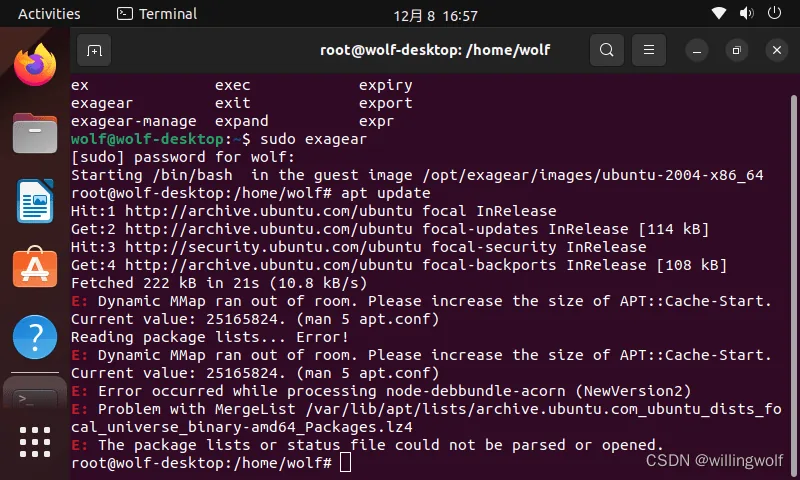
If you've encountered the error E: Dynamic MMap ran out of room while working with Ubuntu 16.04, don't panic. This problem can be solved with a few simple steps.
What is the E: Dynamic MMap ran out of room error?
The E: Dynamic MMap ran out of room error occurs when the Ubuntu system runs out of available space for dynamic mmap memory. This can happen due to a large number of installed packages or incorrect configurations.
How to solve the problem?
- Open the terminal and enter the command
sudo rm -rf /var/lib/apt/lists/*. This will delete the package lists cache and free up space for mmap. - Then enter the command
sudo apt-get updateto update the package list. - After that, enter the command
sudo apt-get upgradeto update all installed packages. - Reboot your computer for the changes to take effect.
After performing these steps, the E: Dynamic MMap ran out of room error should be eliminated, and you can continue working with Ubuntu 16.04 without problems.
```