How to Connect to a VPS via SSH?
SSH (Secure Shell) is a protocol for secure remote server access. Connecting to a VPS hosting (Virtual Private Server) via SSH allows administrators to manage their server remotely using the command line. To connect to a VPS via SSH, you will need the server's servers with IP addresses, username, and password. The connection process is quite simple and requires following a few steps.Step 1: Open the Terminal
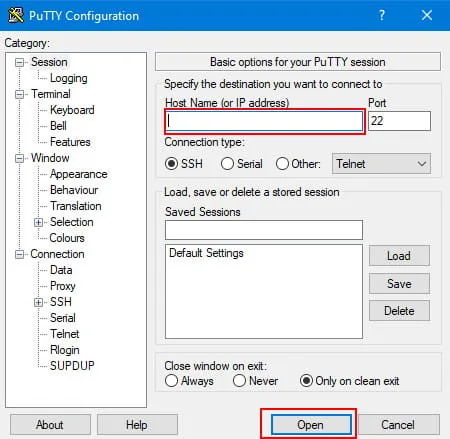
Open the terminal on your computer. On Linux, you can use the terminal, and on Windows, you can use PuTTY or a similar program.
Step 2: Enter the Connection Command
Enter the following command into the terminal, replacing "username" with your username and "server_ip" with the IP address of your VPS:
ssh username@server_ip
Step 3: Enter the Password
After entering the command, you may be prompted to enter your password. Enter the password for your account on the server.
Step 4: Successful Connection
If everything is successful, you will see a command prompt on your VPS. You can now manage your server via SSH.
Connecting to a VPS via SSH provides a secure way to manage your server remotely. Remember to follow security best practices when working with SSH.
```