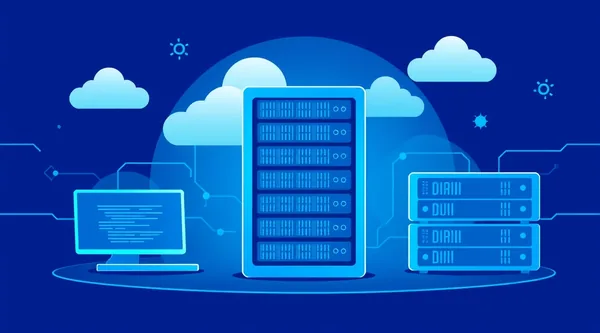
When it comes to maximum performance, security, and complete control over your infrastructure, renting a server in a data center becomes not just an option, but a strategic decision. In this guide, we will thoroughly examine what powerful bare metal dedicated servers are, how hosting your own equipment through Colocation works, and why Tier 3 hosting is the benchmark for reliability, all to help you choose the best dedicated server for your project, including in the Russian dedicated server hosting segment.
Why a Dedicated Server is Your Choice?
In a world where every millisecond and every bit of data matters, shared hosting or even VPS might not be able to handle the load of high-traffic projects, demanding applications, or large databases. A dedicated server offers exclusive resources, complete isolation, and maximum control, which is critically important for many businesses.
Performance and Control
- Exclusive Resources: All processor power, RAM, and disk space belong solely to you. No "neighbors" who can slow down your application's performance.
- Full Access: You get root access, allowing you to install any operating system (Linux, Windows Server), configure software, and settings as you see fit. This provides unprecedented flexibility.
- Task Optimization: The ability to fine-tune the kernel, specific libraries, or DBMS parameters to achieve maximum performance for your specific application.
Security and Compliance
- Isolation: A dedicated server is completely isolated from other clients of the provider, which significantly reduces security risks associated with vulnerabilities or incorrect actions by "neighbors."
- Customizable Security: You have full control over firewalls, intrusion detection systems, access policies, and other protection mechanisms.
- Regulatory Compliance: Many companies, especially those dealing with personal data (FZ-152 in Russia, GDPR in Europe) or financial information, require strict adherence to standards. A dedicated server allows for the implementation of necessary security and audit measures.
Bare Metal Dedicated Server: Raw Power
A bare metal dedicated server is a server that is provided to you for your exclusive use without any pre-installed virtualization software. You get "bare" hardware on which you can install the operating system and any software of your choice.
Bare Metal Advantages:
- Maximum Performance: The absence of a hypervisor means no overhead. All server resources are directed exclusively to performing your tasks. This is especially important for high-performance computing, game servers, streaming platforms, and large databases.
- Full Control: You choose the OS, drivers, software versions, and can configure the kernel and other low-level parameters.
- Predictability: Performance does not depend on the load of other clients, which ensures stable and predictable operation.
Disadvantages:
- Less Scaling Flexibility: Changing the configuration (e.g., adding RAM or CPU) often requires physical intervention and downtime.
- Higher Cost: Compared to VPS or cloud solutions, bare metal is usually more expensive because you are renting an entire physical machine.
Use Case Example: If you are launching a high-traffic online store with millions of requests per day, a gaming platform with thousands of concurrent users, or a large analytical system requiring big data processing, a bare metal dedicated server will be the optimal choice.
Need a Powerful Server? Find Your Perfect Dedicated Solution
Explore our diverse range of dedicated servers, ideal for any project. Get the reliability and performance your business demands. — from €5.99/mo.
Find Your Server →Colocation: Your Server in Our Data Center
Colocation is a service for hosting your own server equipment in a provider's specialized data center. You buy or build your server, and the provider offers it rack space, power, cooling, internet access, and physical security.
Colocation Advantages:
- Full Control over Equipment: You choose every server component, from the motherboard to disks and network cards. This is ideal for specific tasks or using existing equipment.
- Savings on Data Center Infrastructure: You don't need to build your own data center. You use a ready-made, reliable infrastructure with redundant power, cooling, and communication channels.
- Availability and Security: Your equipment is under 24/7 surveillance and protection in a professional data center, which is usually much safer than storing a server in an office.
Disadvantages:
- Initial Investment: You need to purchase the server yourself, which can be expensive.
- Maintenance: Responsibility for equipment maintenance and repair lies with you. Although providers often offer remote administration services (Remote Hands).
When you choose server rental in a data center via Colocation, you are essentially renting not the server itself, but space for it and all the associated infrastructure. This is an excellent option for companies that already own expensive or custom equipment.
Tier 3 Hosting: The Standard for Reliability and Availability
The Data Center Tier Classification System, developed by the Uptime Institute, defines the level of reliability and availability of data centers. Tier 3 hosting is the gold standard for most mission-critical business applications.
What Does Tier 3 Mean?
- N+1 Redundancy: All critical components (power, cooling, network equipment) have at least one redundant device (N+1). This means that if one element fails, its function is immediately taken over by a backup, without service interruption.
- Multiple Independent Distribution Paths: There are several independent paths for power and cooling, allowing for planned maintenance without stopping data center operations.
- 99.982% Availability: This means no more than 1.6 hours of downtime per year. For comparison, Tier 2 is 99.741% (22 hours of downtime), Tier 4 is 99.995% (26 minutes of downtime).
- 24/7 Monitoring and Security: Physical security, video surveillance, access control systems, fire suppression.
By choosing server rental in a data center with a Tier 3 level, you are investing in the stability and continuity of your business operations. This is ideal for financial organizations, e-commerce platforms, SaaS services, and any projects where even a few minutes of downtime can lead to significant losses.
How to Choose the Best Dedicated Server for Your Project?
Choosing the best dedicated server requires analyzing several key factors:
1. Performance and Configuration
- CPU: Number of cores, clock speed, architecture (Intel Xeon E3/E5/Scalable, AMD EPYC). For databases, cores and cache are important; for web servers, frequency.
- RAM: Amount of RAM (from 16 GB to hundreds of GB) and its type (DDR4 ECC). Large databases and virtualization require a lot of RAM.
- Disk Subsystem: Type (NVMe SSD, SATA SSD, HDD), capacity, RAID array.
- NVMe SSD: Maximum speed for DBMS, caching, high-load applications.
- SATA SSD: Good balance of speed and cost for most web applications.
- HDD: Inexpensive for large data storage volumes (backups, archives).
- RAID (Redundant Array of Independent Disks):
- RAID 1 (mirroring): Doubles reliability but halves usable capacity.
- RAID 10 (1+0): Excellent combination of performance and reliability (minimum 4 disks).
- Network Interface: Port speed (1 Gbps, 10 Gbps), traffic volume.
2. Data Center Location
The geographical location of the data center directly affects latency for your users. If your primary audience is in Russia, then Russian dedicated server hosting in a Moscow or St. Petersburg data center will be the optimal choice to minimize ping.
For projects with a global audience, consider data centers in Europe (Germany, Netherlands) or the USA.
3. Cost and Budget
Evaluate your budget. More powerful configurations and higher Tier data centers cost more. However, saving on mission-critical infrastructure often leads to greater losses in the future.
4. Support and SLA
Find out what level of technical support the provider offers (24/7, response time, languages). The presence of an SLA (Service Level Agreement) is important, outlining guarantees for availability (uptime) and compensation in case of downtime.
5. Scalability
Think about future growth. Can server components be easily upgraded or can you migrate to a more powerful model without significant downtime?
Practical Tip: Start with a configuration that meets your current needs with a small buffer. Monitor the load and scale as your project grows.
Configuration and Management: What You Need to Know
After you have chosen and rented a dedicated server, the task of configuring it arises. Here are the main points:
Operating System
You can install almost any OS:
- Linux Distributions: CentOS, Ubuntu Server, Debian, Fedora. They are popular due to their flexibility, open source nature, and strong community support.
- Windows Server: Necessary for applications requiring .NET, MSSQL, or other Microsoft technologies.
Control Panels
To simplify server management, you can use control panels:
- ISPmanager, cPanel/WHM, Plesk: For managing websites, databases, email.
- DirectAdmin: A lighter alternative.
Remote Management
Most dedicated servers provide remote management interfaces such as IPMI (Intelligent Platform Management Interface) or KVM over IP. These allow you to gain full access to the server even before the OS boots, manage power, view the console, and mount ISO images for OS installation.
Example of a basic dedicated server configuration:
CPU: Intel Xeon E3-1270 v6 (4 cores/8 threads, 3.8 GHz)
RAM: 32 GB DDR4 ECC
Storage: 2x 960 GB NVMe SSD (RAID 1)
Network: 1 Gbps Uplink, 100 TB Traffic
Operating System: Ubuntu Server 22.04 LTS
IPMI Access: Yes
Location: Moscow, Russia (for Russian dedicated server hosting)
To get started after receiving access details (IP address, login, password), you will connect to the server via SSH:
ssh user@your_server_ip
Then update the system:
sudo apt update
sudo apt upgrade -y
Valebyte.com: Your Partner in the World of Dedicated Servers
At Valebyte.com, we offer a wide selection of dedicated servers and Colocation solutions that meet the highest requirements. We work only with verified Tier 3 data centers, ensuring reliability and stability for your projects. Whether you need a powerful bare metal dedicated server, reliable Tier 3 hosting, or a flexible Colocation solution, you will find the optimal option for your tasks.
We understand the importance of location, which is why we offer Russian dedicated server hosting options to minimize latency and ensure compliance with local data processing requirements.
Conclusion
Choosing a dedicated server is an investment in the future of your project. Whether it's the maximum performance of a bare metal dedicated server, the reliability of Tier 3 hosting, or complete control over equipment through Colocation, it's important to carefully weigh all the pros and cons based on your business's unique needs.
Remember that renting a server in a data center is not just about the hardware, but also about the quality of the infrastructure, the level of support, and the geographical location. The right choice will ensure the stability, security, and scalability necessary for the successful development of your business. Explore offers, compare characteristics, and choose what will truly make your project stronger.
Unleash Extreme Speed: Choose an NVMe Dedicated Server
Experience unparalleled performance with our NVMe dedicated servers. Perfect for applications demanding lightning-fast I/O.
Get NVMe Server →