Colleagues, greetings! In our ever-changing digital landscape, where the demands for flexibility, control, and security are growing exponentially, choosing the right hosting platform becomes a cornerstone for any serious project. Today, we will thoroughly analyze what is arguably one of the most balanced and sought-after solutions on the market – a VPS server. You may already have experience with VPS, but have you considered all its nuances, potential, and why in 2025 it remains not just relevant, but often an indispensable tool for developers, system administrators, and, of course, cybersecurity specialists? This article is not just a basic overview. It’s a deep dive into the world of what a VPS server is, its architecture, advantages, use cases, and, importantly for our audience, security aspects. We will try to explain what is a VPS server in simple terms, but without sacrificing technical depth. Get ready, there will be a lot of useful information, practical advice, and food for thought. Let’s start exploring the virtual horizons!
Table of Contents
- What is a server in principle? A brief overview for completeness
- The magic of virtualization: How one physical server becomes many virtual ones
- Hypervisors: Conductors of the virtual orchestra VPS-server is: Detailed definition and key characteristics Analogy: VPS as an apartment in an apartment building VPS vs. Shared Hosting: What is the fundamental difference? VPS vs. dedicated servers: The balance between price and capabilities What is a VPS hosting server: Diving deeper Types of VPS by management level: Managed vs. Unmanaged VPS virtualization technologies: KVM, OpenVZ, Xen, Hyper-V – what to choose? KVM (Kernel-based Virtual Machine) OpenVZ (Open Virtuozzo) Xen Hyper-V
- Why is a VPS server needed in 2025? Use cases
- Hosting websites and web applications
- Development and testing environments (Dev/Test Environments)
- Hosting specific applications (game servers, CRM, ERP)
- Creating your own VPN server
- Deploying a mail server
- Server for backing up and storing data
- VPS server in the arsenal of a cybersecurity specialist
- Penetration testing laboratory
- Isolated environment for malware analysis
- Deploying a Honeypot (bait for hackers)
- Nodes for secure communications (Tor, I2P)
- Centralized log collection and analysis (ELK Stack, Splunk Free)
- Personal cloud storage (Nextcloud, OwnCloud)
- Advantages of using a VPS server
- Full control and customization flexibility (Root access)
- Scalability of resources
- Guaranteed resources and performance
- Increased security and isolation
- Cost-effectiveness
- Disadvantages and points to consider when choosing a VPS server
- Requirements for technical knowledge (especially for Unmanaged VPS)
- Responsibility for administration and security
- Resource limitations compared to Dedicated
- «Noisy neighbor» effect (less relevant for KVM) How to choose the right VPS provider and pricing plan? Key parameters: CPU, RAM, disk (SSD/NVMe servers), traffic Geographic location of the data center Quality of technical support Uptime guarantees (SLA) Operating system selection Availability of DDoS protection Backup and snapshot capabilities
- Initial setup of a VPS server: Basic steps
- Connecting to the VPS via SSH
- Updating the system
- Creating a new user and configuring sudo
- Basic firewall configuration (UFW/firewalld)
- Security of a VPS server: Practical recommendations for paranoids (and not only)
- Strengthening SSH access (keys, disabling root, changing the port)
- Configuring Fail2Ban to protect against brute force attacks
- Using Intrusion Detection/Prevention Systems (IDS/IPS)
- Regular security audits and vulnerability scanning
- Disabling unnecessary services and strengthening running ones
- Monitoring and logging
- VPS server vs. Cloud platforms (IaaS): What to choose?
- The future of VPS: Trends for 2025 and beyond
- Quote on the topic
- Conclusions
What is a server in principle? A brief overview for completeness
Before we delve into the specifics of what a VPS server is, let’s quickly refresh what a server is in its classical sense. A server is essentially a powerful computer (or software on it) that provides certain services or resources to other computers (clients) on the network. This could be a web server that serves web pages to your browser, a file server for storing shared documents, a mail server for processing email, a game server for multiplayer games, and so on.
A physical server (dedicated server) is a separate machine entirely dedicated to the needs of a single client. It has all the resources of that machine: processor (CPU), RAM, disk space (HDD/SSD), and network channel. This provides maximum performance and control, but also costs accordingly, and requires significant administration efforts.

The magic of virtualization: How one physical server becomes many virtual ones
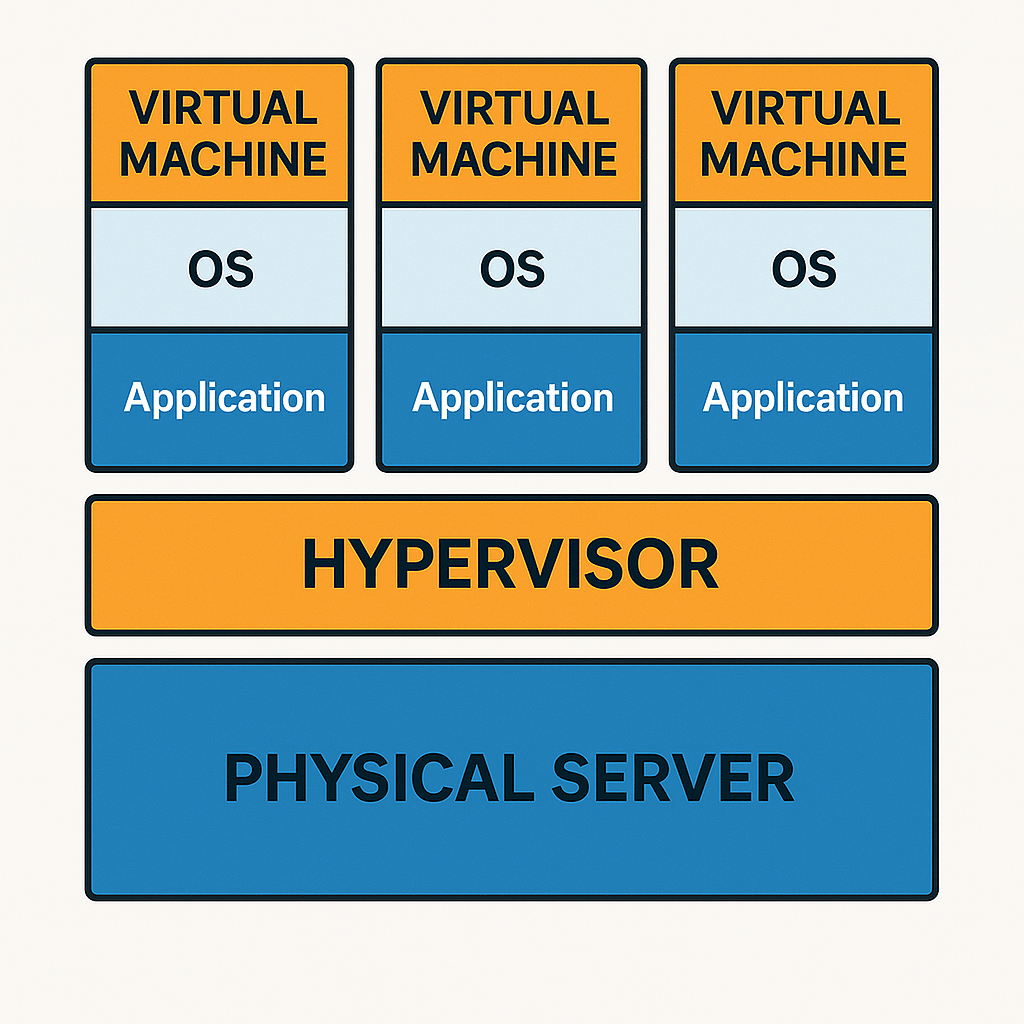
The key technology underlying a VPS server is virtualization. Virtualization allows you to create multiple isolated virtual machines (VMs) on a single physical server. Each such VM behaves like a full-fledged, independent server with its own operating system, dedicated (or guaranteed) resources (part of the CPU, RAM, disk) and full root access.
Hypervisors: Conductors of the virtual orchestra
Special software called a hypervisor (or virtual machine monitor, VMM) is responsible for creating and managing virtual machines. The hypervisor is installed either directly on the «bare metal» (Type 1, bare-metal, like VMware ESXi, KVM, Xen, Microsoft Hyper-V), or on top of the host’s main operating system (Type 2, hosted, like VMware Workstation, Oracle VirtualBox, Parallels Desktop). For VPS server hosting, hypervisors of the 1st type are usually used, as they provide better performance and isolation.
The hypervisor distributes the resources of the physical server between the virtual machines, ensures their isolation, and manages their lifecycle. Thanks to it, problems or actions in one VM (for example, rebooting, installing software, even a critical error) do not affect other VMs running on the same physical host in any way.
VPS-server is: Detailed definition and key characteristics
So, a VPS server is (Virtual Private Server) – is a hosting service in which the user is provided with a virtual machine with a guaranteed set of resources and full access to the operating system (root access in Linux, Administrator in Windows). In essence, it is an emulation of the operation of a separate physical server based on a more powerful physical server, divided between several users.
Key characteristics of a VPS server:
- Isolation: Each VPS runs in its own isolated environment. Processes, files, and users of one VPS are invisible to other VPSs on the same physical server.
- Guaranteed resources: The user receives a certain amount of processor time (vCPU), RAM, and disk space. These resources are generally guaranteed and are not shared with «neighbors» as is the case with shared hosting (although the nuances depend on the type of virtualization and the provider’s policy).
- Root access/Administrator: The user has full administrative access to their virtual machine. This allows you to install any software, configure the operating system, modify configuration files, manage services, etc.
- Own IP address: Each VPS is usually allocated at least one static IP address.
- OS selection: The user can choose the operating system for their VPS from the list offered by the provider (various Linux distributions, Windows Server) or even install their own from an ISO image (if the provider allows it).
Analogy: VPS as an apartment in an apartment building
To better understand what a VPS server is, imagine an apartment building.
- Physical server (Dedicated Server) – is a separate private house. All resources (land, communications) belong to you. Maximum freedom, but also maximum costs and responsibility.
- Shared Hosting – is a room in a dormitory. You have your own bed, but the kitchen, bathroom and other amenities are shared. If the neighbors are noisy or cook a lot (consume resources), this will affect you as well. Control is minimal.
- VPS server – is a separate apartment in this house. You have your own walls, your own kitchen, your own bathroom (guaranteed resources). You can renovate, arrange furniture as you like (install software, configure the OS). You are isolated from your neighbors, although you share the house (physical server). This is the sweet spot in terms of price, control, and resources.
VPS vs. Shared Hosting: What is the fundamental difference?
| Parameter | Shared Hosting | VPS server |
|---|---|---|
| Isolation | Low (resources and IP are often shared, problems with one client can affect others) | High (each VPS is isolated, has its own resources and IP) |
| Resources (CPU, RAM) | Shared, not guaranteed (can «float») | Guaranteed (or with high priority) |
| Root access/Admin rights | No | Yes |
| Software installation | Only from the list offered by the provider | Any software compatible with the OS |
| OS configuration | Impossible | Complete freedom of configuration |
| Own IP address | Usually not (shared IP, dedicated for an additional fee) | Yes, usually one or more |
| Level of control | Minimal | High |
| Technical knowledge | Minimal | Required (especially for Unmanaged) |
| Price | Low | Medium |
For a cybersecurity specialist, Shared Hosting is practically unacceptable due to the lack of control, shared environment, and potential risks from «neighbors». A VPS server, on the other hand, provides the necessary level of isolation and control for many tasks.
VPS vs. Dedicated Server: The balance between price and capabilities
| Parameter | VPS server | Dedicated Server |
|---|---|---|
| Resources | Part of the physical server’s resources | All the resources of the physical server |
| Performance | Good, but limited by the allocated quota | Maximum, limited only by the «hardware» |
| Scalability | Easily scalable (within the physical host) | Difficult to scale (requires hardware replacement or migration) |
| Price | Medium | High |
| «Hardware» management | No (maintained by the provider) | Full (if colocation) or partial (if rental) |
| «Hardware» customization | No (uses what the provider has) | Possible (component selection) |
A VPS server offers a significant portion of the benefits of a dedicated server (control, root access, guaranteed resources) for a much lower price. For many tasks where the full power of a physical machine is not required, a VPS is the optimal choice.
What is a VPS server: Diving deeper
Now that we understand the general concept, let’s look at some technical aspects of a VPS server in more detail.
Types of VPS by management level: Managed vs. Unmanaged
This is one of the key differences when choosing a VPS server:
- Unmanaged VPS: The provider is only responsible for the operability of the physical server and network, as well as the availability of your VPS as a virtual machine. All configuration, OS and software updates, security, backups, and software troubleshooting are entirely your responsibility.
- For whom: Experienced system administrators, developers, cybersecurity specialists who need full control and are willing to handle the administration themselves. This is the most flexible and usually the cheapest option.
- Managed VPS: The provider takes on some or all of the tasks of administering your VPS server. The scope of services can vary: from basic configuration and control panel installation to full monitoring, updates, security, and software assistance.
- For whom: Users without deep technical knowledge in administration, companies that do not have a штатный system administrator, or those who want to focus on their project and not on the technical aspects of the server. Managed VPS is usually more expensive.
For most cybersecurity specialists who value control and want to independently configure the environment for their needs (for example, for a pentest lab or malware analysis), Unmanaged VPS will be preferable. However, if the VPS is used to host a critical service, and there is little time for administration, Managed VPS may be a good choice.
VPS virtualization technologies: KVM, OpenVZ, Xen, Hyper-V – what to choose?
The type of virtualization technology used by the provider directly affects the performance, isolation, available OSs, and capabilities of the VPS server.
KVM (Kernel-based Virtual Machine)
KVM is a hardware virtualization technology for Linux based on the x86 architecture. KVM is part of the Linux kernel and uses it for memory management and scheduling, as well as emulating hardware for guest OSes. Each VPS on KVM is a full-fledged virtual machine with its own kernel, which ensures a high level of isolation and allows you to run almost any OS (Linux, Windows, *BSD).
- Advantages:
- Excellent resource isolation (memory, CPU).
- Ability to install any OS (including Windows).
- Own kernel for each VPS (can be modified, load your own modules).
- Good performance, close to «native».
- SWAP partition support.
- Disadvantages:
- May have a slightly higher overhead on resources (memory, disk) compared to container virtualization.
- Usually a bit more expensive than OpenVZ.
Recommendation: KVM is perhaps the most popular and recommended choice for most tasks, especially if stability, isolation, and the ability to run different OSes are important. For cybersecurity, this is often the best option.
OpenVZ (Open Virtuozzo)
OpenVZ is a container virtualization technology (or OS-level virtualization) only for Linux. All VPS containers on OpenVZ use a shared, modified kernel of the host machine. This provides lower overhead and higher VPS density on a single physical server, but has its limitations.
- Advantages:
- Low overhead, high performance for many tasks.
- Usually cheaper than KVM.
- Fast creation and startup of VPS.
- Disadvantages:
- Can only run Linux distributions.
- Shared kernel for all VPS – inability to modify the kernel, load your own modules (for example, for VPN protocols such as WireGuard, if they are not included in the host’s kernel).
- Resource isolation can be less strict (risk of «overselling» when the provider sells more resources than it actually has).
- Some applications may not work correctly due to containerization limitations (for example, Docker in Docker can be problematic).
- Often there is no full-fledged SWAP, vSWAP (burst RAM) is used, which is not always good.
Recommendation: OpenVZ may be suitable for simple websites or tasks that do not require specific kernel settings or Windows. For serious projects and cybersecurity tasks, it is better to avoid it if there is an alternative in the form of KVM.
Xen
Xen is a cross-platform type 1 (bare-metal) hypervisor that supports both paravirtualization (PV) and full hardware virtualization (HVM). HVM allows you to run any unmodified OS (including Windows), PV requires a modified guest OS kernel (mostly Linux) for better performance.
- Advantages:
- Mature and stable technology.
- Good performance, especially with PV.
- Support for a wide range of OSes (with HVM).
- Used by large cloud providers (for example, Amazon AWS EC2 was based on Xen for a long time, now it is switching to KVM (Nitro)).
- Disadvantages:
- May be more difficult to configure and manage compared to KVM.
- In recent years, KVM has been gaining more popularity in the VPS hosting segment.
Recommendation: Xen is a reliable choice if the provider offers it and has a good reputation. In terms of capabilities, it is close to KVM.
Hyper-V
Hyper-V is a hardware virtualization technology from Microsoft, built into Windows Server and client versions of Windows. Allows you to run both Windows and Linux guest OSes.
- Advantages:
- Excellent integration with the Microsoft ecosystem.
- Good performance for Windows guests.
- Support for Linux guests (via Linux Integration Services).
- Disadvantages:
- Most often used for Windows VPS, which is usually more expensive due to Windows Server licensing.
- Less popular for Linux VPS compared to KVM or Xen.
Recommendation: If you need a VPS server on Windows, then Hyper-V would be a natural and good choice. For Linux tasks, KVM is more often chosen.
Why is a VPS server needed in 2025? Use cases
The flexibility and control provided by a VPS server opens up a wide range of possibilities. In 2025, when performance and security requirements are only growing, these scenarios become even more relevant.
Web hosting and web applications
This is perhaps the most common scenario. A VPS server is ideal for:
- High-traffic sites: Online stores, popular blogs, forums that have outgrown the capabilities of shared hosting.
- Multiple sites: You can host many of your projects on one VPS (within the allocated resources).
- Sites with special requirements: If you need specific PHP modules, a non-standard web server configuration (Nginx, Apache), specific versions of software that are not available on shared hosting.
- Web applications in Python (Django, Flask), Ruby (Rails), Node.js, Java: VPS gives full control over the environment for running such applications.
Development and testing environments (Dev/Test Environments)
Developers love VPS servers for the ability to:
- Create isolated environments: For each project or even branch, you can raise a separate VPS, configured identically to the production environment.
- Integrate with CI/CD: VPS can serve as a platform for continuous integration and delivery systems (Jenkins, GitLab CI).
- Test software in various configurations: It is easy to deploy different versions of OS or software to check compatibility.
- Use snapshots: Many providers offer the ability to take «snapshots» of the VPS state, which is very convenient for rolling back to the previous version in case of a failed experiment.
Hosting specific applications (game servers, CRM, ERP)
- Game servers: For games like Minecraft, Counter-Strike, Rust and others, where low ping and stability are important, a VPS server with a good channel and sufficient RAM/CPU is an excellent choice.
- CRM/ERP systems: Small and medium-sized companies can deploy their customer relationship management or enterprise resource planning systems on a VPS.
- VoIP services: For example, Asterisk or FreePBX for organizing IP telephony.
- Bots for messengers, parsers, and other custom applications.
Creating your own VPN server
In 2025, the issues of privacy and security of Internet connections are more relevant than ever. You can easily deploy your own VPN server (OpenVPN, WireGuard, IPSec/L2TP) on a VPS server. This gives:
- Full control over traffic: You know for sure that your data is not logged and is not transferred to third parties (unlike many public VPN services).
- Bypassing geo-restrictions: By choosing a VPS in the desired country, you can access content restricted by geographic location.
- Secure connection to public Wi-Fi networks.
- Creating a secure channel between your devices or offices.
For installation, for example, OpenVPN on Ubuntu/Debian, they often use scripts like openvpn-install from Nyr, which automate the process.
wget https://git.io/vpn -O openvpn-install.sh
chmod +x openvpn-install.sh
sudo ./openvpn-install.sh
WireGuard is also gaining popularity due to its simplicity and performance. Many providers already offer kernels with WireGuard support on KVM VPS.
Deploying a mail server
Although this is a difficult task that requires deep knowledge (configuring Postfix, Dovecot, SpamAssassin, DKIM, SPF, DMARC), your own mail server on a VPS server gives you complete control over your email, freeing you from restrictions and potential surveillance by mail providers. To simplify this, you can use ready-made builds like Mail-in-a-Box or Mailcow.
Server for backing up and storing data
A VPS server with a large disk space can be used for:
- Remote backup of data from your workstations, other servers (for example, using rsync, Restic, BorgBackup).
- Creating a personal cloud storage (see below).
VPS server in the arsenal of a cybersecurity specialist
And here the most interesting thing begins for our audience. A VPS server is a real training ground and working tool for an information security specialist.
Pentesting lab
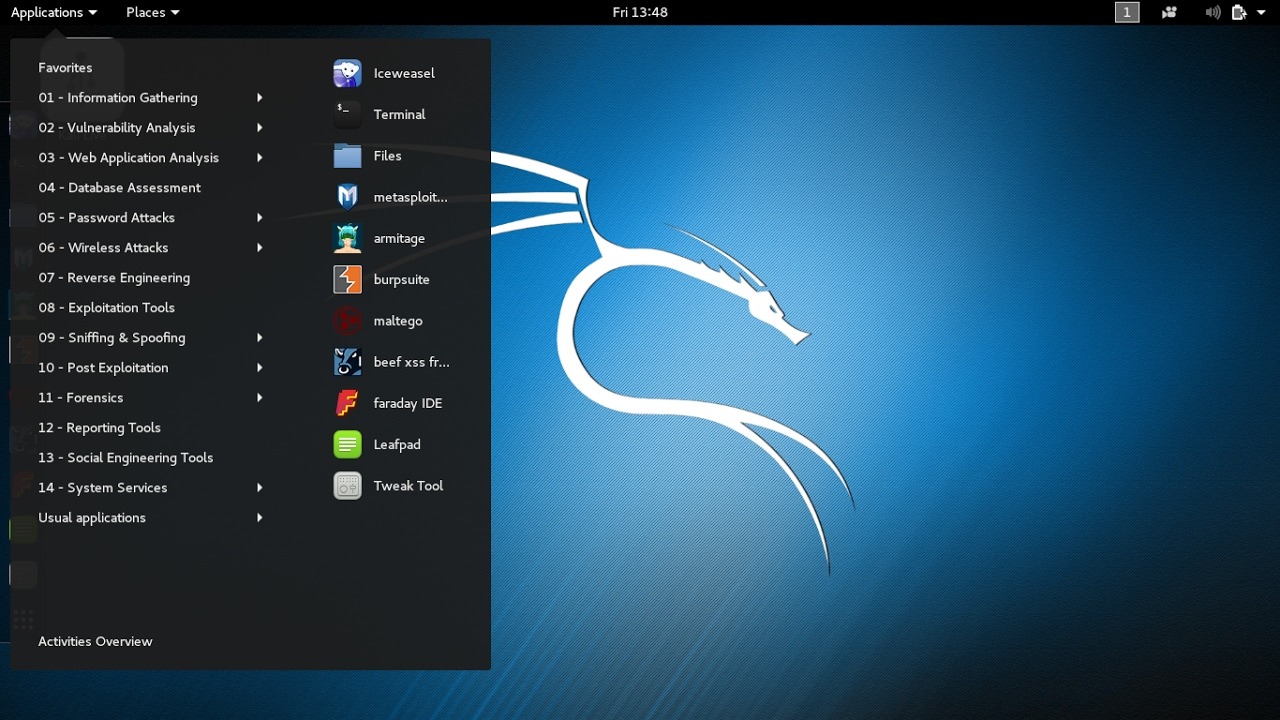
On Unmanaged KVM VPS, you can deploy a full-fledged penetration testing lab:
- Installation of specialized OSes: Kali Linux, Parrot OS or BlackArch Linux (you can from ISO if the provider allows, or install the necessary tools on a standard distribution).
- Scanning and reconnaissance: Run Nmap, Masscan, OSINT tools from an external IP address, without «shining» your home or corporate one. (Attention: only on permitted targets!).
- Hosting a C2 server (Command and Control): For legal Red Team operations and exercises.
- Testing exploits in an isolated environment.
Isolated environment for malware analysis
VPS (especially with snapshot capability) is a great place to create a «sandbox» for dynamic and static malware analysis. You can safely run suspicious files without risking your main system. After analysis, the VPS can be rolled back to a clean state or simply deleted.
Deploying Honeypots
A VPS server is ideal for hosting honeypots (for example, Cowrie, Dionaea, T-Pot) to collect information about attackers, their methods and tools. This allows you to study current threats in the «wild».
Nodes for secure communications (Tor, I2P)
You can raise a Tor network node (relay or bridge) or I2P on your VPS server, contributing to the development of these networks and increasing your own anonymity when using them (if this is your exit node).
Centralized log collection and analysis (ELK Stack, Splunk Free)
A small VPS server can be used to aggregate logs from your various devices and systems, followed by analysis using tools such as ELK Stack (Elasticsearch, Logstash, Kibana) or the free version of Splunk. This helps in the timely detection of security incidents.
Personal cloud storage (Nextcloud, OwnCloud)
With software like Nextcloud or OwnCloud on your VPS server, you can create an analogue of Dropbox or Google Drive, but with full control over your data. File synchronization, calendars, contacts, online document editors – all this is under your control.
Advantages of using a VPS server
Taking stock, let’s highlight the main strengths of the VPS server.
Full control and flexibility of configuration (Root access)
This is the main advantage. You can install any OS (from the available ones or your ISO), any software, configure the kernel (on KVM/Xen), firewall, network services – everything you need for your project. For an information security specialist, this means the ability to create an environment that exactly matches the tasks.
Scalability of resources
If your project requires more resources (CPU, RAM, disk), most providers allow you to easily and quickly (often with minimal downtime or without it) switch to a more powerful tariff plan. This is much easier than upgrading a physical server.
Guaranteed resources and performance
Unlike shared hosting, where resources are shared unpredictably, a VPS server (especially on KVM) provides you with a guaranteed minimum of CPU, RAM, and disk IOPS. This ensures stable and predictable performance.
Increased security and isolation
Thanks to virtualization, your VPS is isolated from its «neighbors». Their actions, vulnerabilities or even malware infection (theoretically) should not affect your system. You can also configure your own firewall rules, IDS/IPS and other security measures.
Cost effectiveness
A VPS server offers significantly more features and control than shared hosting for a reasonable fee. And it is much cheaper than renting a dedicated physical server, while providing a comparable level of control for many tasks.
Disadvantages and points to consider when choosing a VPS server
Despite all the advantages, a VPS server also has its own characteristics, which may be disadvantages for some users.
Requirements for technical knowledge (especially for Unmanaged VPS)
If you choose an Unmanaged VPS, be prepared to administer Linux or Windows Server yourself: configure a web server, database, mail, ensure security, update software, and solve problems. This requires certain skills and time.
Responsibility for administration and security
With great power (root access) comes great responsibility. You are fully responsible for the security of your VPS. Incorrect configuration, untimely updates, weak passwords – all this can lead to hacking. The provider will not be responsible for this (on Unmanaged VPS).
Resource limits compared to Dedicated
Although resources are guaranteed, they are still part of the overall pool of the physical server. If you need maximum CPU performance, a huge amount of RAM, or ultra-fast disks for very high-load projects, then a dedicated server may be preferable. However, modern VPS servers on NVMe disks and powerful CPUs can often compete with budget «dedics».
«Noisy neighbor» effect (less relevant for KVM)
Theoretically, if one of the VPSs on the same physical host creates excessive load on shared components (for example, a network interface or disk subsystem, if there are no strict IOPS quotas), this may slightly affect the performance of your VPS. On KVM virtualization with hard resource quotas, this effect is minimized, but on OpenVZ or with unscrupulous providers, it can manifest itself.
How to choose the right VPS provider and tariff plan?
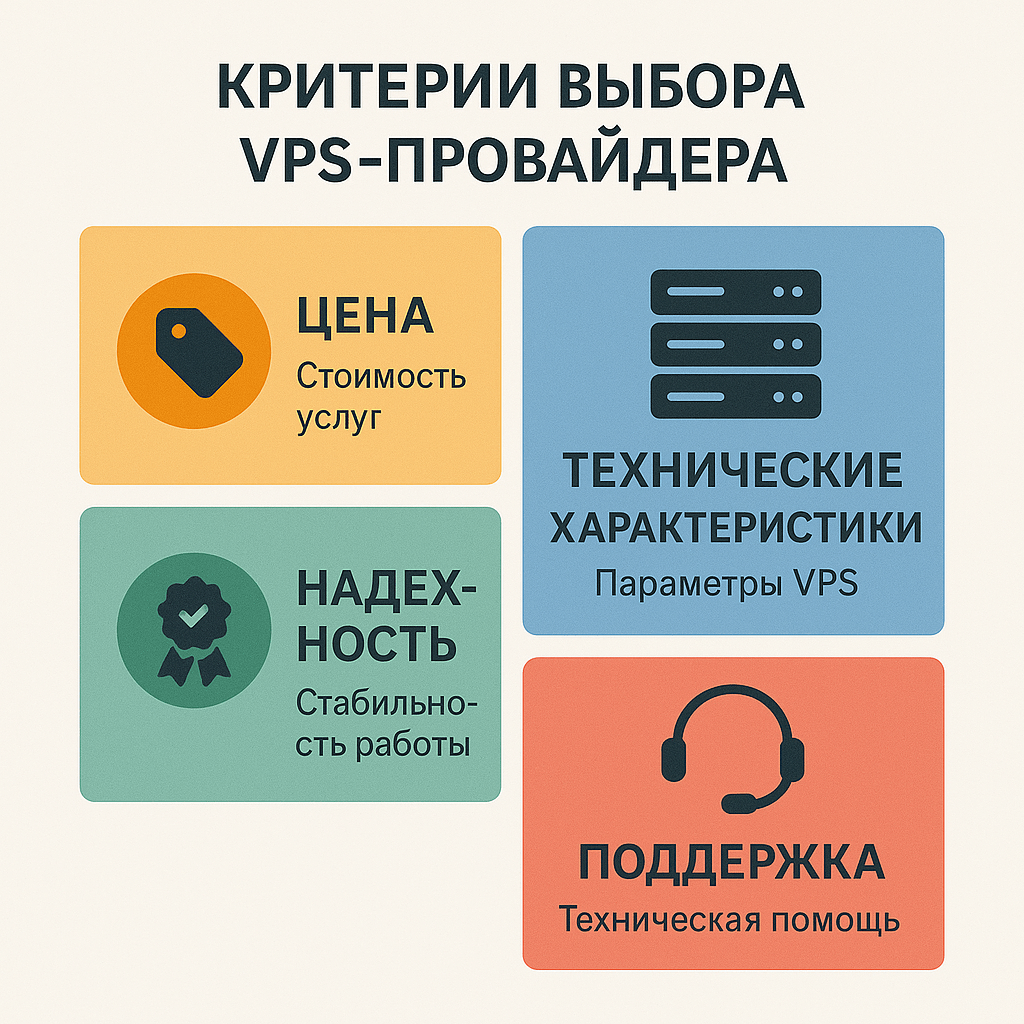
Choosing a provider is a responsible step. Here’s what to look for when searching for your ideal VPS server:
Key parameters: CPU, RAM, disk (SSD/NVMe), traffic
- CPU (vCPU): The number of virtual processor cores and their frequency. For most websites, 1-2 vCPUs are sufficient. For more demanding applications or compilation – more.
- RAM (Random Access Memory): One of the most important parameters. For a simple Linux server without graphics and with a lightweight web server, 512MB-1GB may be enough. For CMS-based websites, databases, game servers – 2GB and up. Windows VPS requires a minimum of 2GB, comfortably – from 4GB.
- Disk:
- Type: Definitely choose SSD, and even better – NVMe SSD. They are an order of magnitude faster than traditional HDDs and significantly affect the overall responsiveness of the server. HDD VPS in 2025 is an archaism, unless for cold storage of backups.
- Size: Depends on your needs. The Linux OS takes up 5-10GB, Windows Server – 20-30GB. Plus space for your files, databases, logs.
- Traffic/Channel Bandwidth: Most providers offer either unlimited traffic at a certain speed (for example, 100 Mbps), or a limited amount of traffic per month (for example, 1-5 TB). Evaluate your needs. For most websites, 100 Mbps and 1-2 TB of traffic is more than enough.
Geographic location of the data center
Choose a data center (DC) as close as possible to your target audience. This will reduce network latency (ping) and improve website loading speed/application response. If your audience is in Europe, choose a DC in servers in Germany, the Netherlands, France. If in the CIS – respectively. For global projects, you can use a CDN.Quality of technical support
Even if you take an Unmanaged VPS, you may sometimes need support help (for example, network problems on the provider’s side, VPS unavailability). Read reviews about the speed and quality of support response. The availability of 24/7 support is a big plus.
Uptime guarantees (SLA)
Good providers guarantee uptime at the level of 99.9% or higher (Service Level Agreement). Check what compensations are provided for violation of the SLA.
Operating system selection
Make sure the provider offers the OS you need. Popular Linux distributions for VPS server:
- Ubuntu Server: Download. Very popular, large community, lots of documentation. Good for beginners and experienced users.
- Debian: Download. Known for its stability and reliability. The choice of many «old-school» admins.
- CentOS Stream / AlmaLinux / Rocky Linux: CentOS Stream, AlmaLinux, Rocky Linux. Free RHEL analogs. Popular in the corporate environment, often used with control panels like cPanel.
- Windows Server: If you need specific Microsoft applications (ASP.NET, MSSQL). The license is usually included in the cost of the VPS and makes it more expensive than Linux counterparts.
The ability to install the OS from your own ISO image is a big plus for flexibility (especially for KVM VPS).
Availability of DDoS protection
Basic DDoS protection (at the L3/L4 level) is often included in the price. For mission-critical projects, more advanced protection (L7) may be required, which is usually paid for separately. Check with your provider what level of protection they provide.
Backup and snapshot capabilities
Find out if the provider offers automatic backup services or the ability to create snapshots (instant snapshots of the VPS state). This is extremely important for recovery in case of failure or error. However, it is always recommended to have your own backup strategy to external storage.
Initial setup of a VPS server: Basic steps
After you have ordered a VPS server and received the IP address and root password, you need to perform several basic steps to configure and secure it. The command examples will be for Debian/Ubuntu.
Connecting to VPS via SSH
Use an SSH client (OpenSSH in Linux/macOS, PuTTY or Windows Terminal with built-in SSH in Windows):
ssh root@YOUR_IP_ADDRESSThe first time you connect, you will need to confirm the server’s key fingerprint and enter the password.
System update
First of all, update the package lists and installed software:
apt update
apt upgrade -y
Creating a new user and configuring sudo
It is unsafe to work constantly under the root user. Create a regular user and give him sudo rights:
adduser username
usermod -aG sudo username
Then log back into the server as the new user.
Basic firewall configuration (UFW/firewalld)
Configure the firewall to allow only the necessary connections (at least SSH). UFW (Uncomplicated Firewall) is often used for Ubuntu:
sudo ufw allow OpenSSH  # или sudo ufw allow 22/tcp
sudo ufw default deny incoming
sudo ufw default allow outgoing
sudo ufw enable
For CentOS/AlmaLinux/Rocky Linux, firewalld is used:
sudo systemctl start firewalld
sudo systemctl enable firewalld
sudo firewall-cmd --permanent --add-service=ssh
sudo firewall-cmd --reload
These are just the very first steps. Further configuration depends on your tasks.
Security of a VPS server: Practical recommendations for paranoids (and not only)
This section is especially important for cybersecurity professionals. Your VPS server is your fortress on the Internet, and it needs to be protected.
Strengthening SSH access (keys, disabling root, changing port)
- Use SSH keys instead of passwords: This is much safer. Generate a key pair (public and private) on your local computer (
ssh-keygen), copy the public key to the server (ssh-copy-id username@YOUR_IP_ADDRESS). - Disable password login for SSH: In the
/etc/ssh/sshd_configfile, setPasswordAuthentication no. - Disable root login via SSH: In
/etc/ssh/sshd_config, setPermitRootLogin no. - Change the default SSH port (22): This will reduce the number of automatic bot attacks. In
/etc/ssh/sshd_config, changePort 22to another (for example,Port 2222). Don’t forget to allow the new port in the firewall before restarting SSH! - Note: Some consider changing the port «security through obscurity» and not the most effective measure, but it definitely reduces noise in the logs.
- After making changes to
sshd_config, restart the service:sudo systemctl restart sshorsudo systemctl restart sshd.
Configuring Fail2Ban to protect against brute force
Fail2Ban is a utility that scans logs and blocks IP addresses from which there are repeated unsuccessful login attempts (brute force) to various services (SSH, FTP, web servers, etc.).
sudo apt install fail2ban
sudo systemctl enable fail2ban
sudo systemctl start fail2ban
Create a local configuration file for SSH (for example, /etc/fail2ban/jail.local) and configure the parameters (ban time, number of attempts).
Using intrusion detection/prevention systems (IDS/IPS)
Consider installing a host-based IDS/IPS, such as OSSEC or Wazuh. They will help detect suspicious activity, file changes, rootkits.
Regular security audits and vulnerability scanning
- Use tools like Lynis or chkrootkit/rkhunter to audit the system.
- Periodically scan your VPS server with an external vulnerability scanner (for example, OpenVAS/GVM from another host, or paid services) to identify open ports and known vulnerabilities.
Disabling unnecessary services and hardening working ones
Each running service is a potential attack surface. Disable everything that is not used. For running services (web server, database), apply best practices for their «hardening».
Monitoring and logging
Set up detailed logging and regularly review the logs (or use a centralized log collection system). Monitor resource utilization (CPU, RAM, disk, network) to notice anomalies in time.

VPS server vs. Cloud Platforms (IaaS): What to choose?
Often, a VPS server is compared with virtual machines on large cloud platforms such as Amazon Web Services (AWS EC2), Microsoft Azure (Azure VMs) or Google Cloud Platform (GCP Compute Engine). In some ways they are similar (they are all virtual machines), but there are also key differences:
| Parameter | Traditional VPS server | Cloud VM (AWS EC2, Azure VM, GCP) |
|---|---|---|
| Payment model | Fixed monthly/annual fee | Hourly/per-minute payment (Pay-as-you-go) + traffic, disks, etc. |
| Ease of use | Usually a simpler control panel, fewer options | More complex ecosystem, many services, steep learning curve |
| Scalability | Vertical (tariff upgrade), sometimes horizontal (adding VPS) | High elasticity, automatic scaling (Auto Scaling Groups) |
| Service ecosystem | Limited (VPS, DNS, backups) | Huge (databases as a service, storage, AI/ML, serverless, etc.) |
| Network | Simple IP, firewall configuration | Complex virtual networks (VPC/VNet), security groups, load balancers |
| Cost predictability | High (if you do not exceed traffic) | Can be low if you do not control consumption |
| Support | Depends on the VPS provider | Basic support is free, extended support is paid and expensive |
When to choose a traditional VPS server:
- For projects with predictable load and budget.
- If you need ease of management and do not need a complex cloud ecosystem.
- For personal projects, small websites, VPNs, test environments.
- If you want to pay a fixed amount per month.
When to choose cloud VM:
- For projects with highly variable or unpredictable load, requiring elastic scaling.
- If you need integrated cloud services (S3, RDS, Lambda, etc.).
- For large applications requiring high availability and geo-distribution.
- If you are willing to invest time in learning the platform and controlling costs.
For many tasks, especially in the field of cybersecurity (personal VPN, small pentest lab, honeypot), a traditional VPS server often turns out to be a simpler and more cost-effective solution.
The Future of VPS: Trends for 2025 and Beyond
The VPS server market is not standing still. In 2025 and beyond, we can expect the following trends:
- NVMe SSD by default: NVMe drives are becoming the standard even for budget VPS, providing a significant increase in disk subsystem performance.
- More powerful CPUs: Providers will offer VPS based on the latest generations of AMD EPYC and Intel Xeon processors, which will provide more computing power.
- Improved DDoS protection: Against the backdrop of the increasing number and complexity of DDoS attacks, providers will strengthen standard security measures and offer more advanced paid options.
- Integration with containerization: Simplifying the deployment of Docker containers and Kubernetes clusters (for example, k3s) on VPS.
- AI/ML in management: Perhaps elements of AI will appear for automatic monitoring, resource optimization and prediction of problems on the provider’s side.
- Edge VPS: The growing popularity of VPS located on the «edge» of the network (edge locations) to minimize latency for IoT devices and local users.
- Increased attention to security «out of the box»: Providers can offer VPS with pre-installed basic security measures or easily connected options (for example, WAF, vulnerability scanners).
Quote on the topic
«Talk is cheap. Show me the code.»
Linus Torvalds (interpretation of his famous phrases in the context of VPS)
…And in order to show the code in action, you often need a reliable server. And if you add to this: «My name is Linus Torvalds and I am your god.» (when he talks about the Linux kernel), then this conveys well the level of control that you get with root access on a VPS.
This slightly free interpretation emphasizes that a VPS server gives you the very platform and the very control (root on a Linux VPS) to implement your projects and ideas the way you see fit.
Conclusions
Colleagues, we have come a long way, thoroughly analyzing what a VPS server is, how it works and why it is needed in the realities of 2025. I hope that now you have a complete and comprehensive understanding of this technology.
We learned that:
- A VPS server is a powerful and flexible tool that is a «golden mean» between limited shared hosting and an expensive dedicated server.
- The basis of VPS is virtualization technology (KVM, Xen, OpenVZ, Hyper-V), which allows you to create isolated virtual machines with guaranteed resources. KVM is often the preferred choice for most tasks.
- The key advantages of VPS are full root control, the ability to install any software, scalability, good performance and increased security compared to shared hosting. Use cases for a VPS server are extremely diverse: from hosting websites and applications to creating VPNs, mail servers, development environments and, which is especially important for US servers, specialized tools for cybersecurity (pentest labs, honeypots, malware analysis).
- Choosing a VPS requires attention to detail: virtualization type, resources (CPU, RAM, NVMe SSD), DC location, support quality and the availability of necessary functions (DDoS protection, backups).
- The security of an Unmanaged VPS is entirely your responsibility. We have considered basic and advanced steps to «strengthen» the server.
- VPS remains a relevant and popular solution even against the backdrop of the rapid development of cloud platforms, offering simplicity and predictability for many tasks.
A VPS server is not just a virtual machine. It is a platform for your projects, a laboratory for experiments, a reliable tool for work and creativity. For a cybersecurity specialist, the ability to choose, configure and protect a VPS server is one of the fundamental skills. I hope this article has been helpful and informative for you. Good luck in your endeavors and safe servers to you!