Automating VPS/Dedicated Server Deployment and Management with Terraform and Ansible in 2026
TL;DR
- In 2026, Terraform and Ansible remain cornerstones for Infrastructure as Code (IaC) and Configuration Management (CM), ensuring unparalleled speed and reliability in server deployment.
- Integrating these tools allows for the creation of a fully automated and idempotent pipeline from infrastructure creation to its configuration and maintenance.
- The choice between VPS and dedicated servers depends on specific performance, security, and budget requirements, considering new offerings from providers such as cloud dedicated servers.
- Key success factors include modular code, proper Terraform state management, robust Ansible roles, and a deep understanding of the tools and cloud platforms.
- Savings are achieved not only through resource optimization but also by minimizing human errors, reducing downtime, and accelerating time-to-market.
- Automation security is critical: use secret managers, the principle of least privilege, and regularly audit configurations.
- Expect further AI integration for predictive scaling, cost optimization, and automated problem resolution in infrastructure.
Introduction
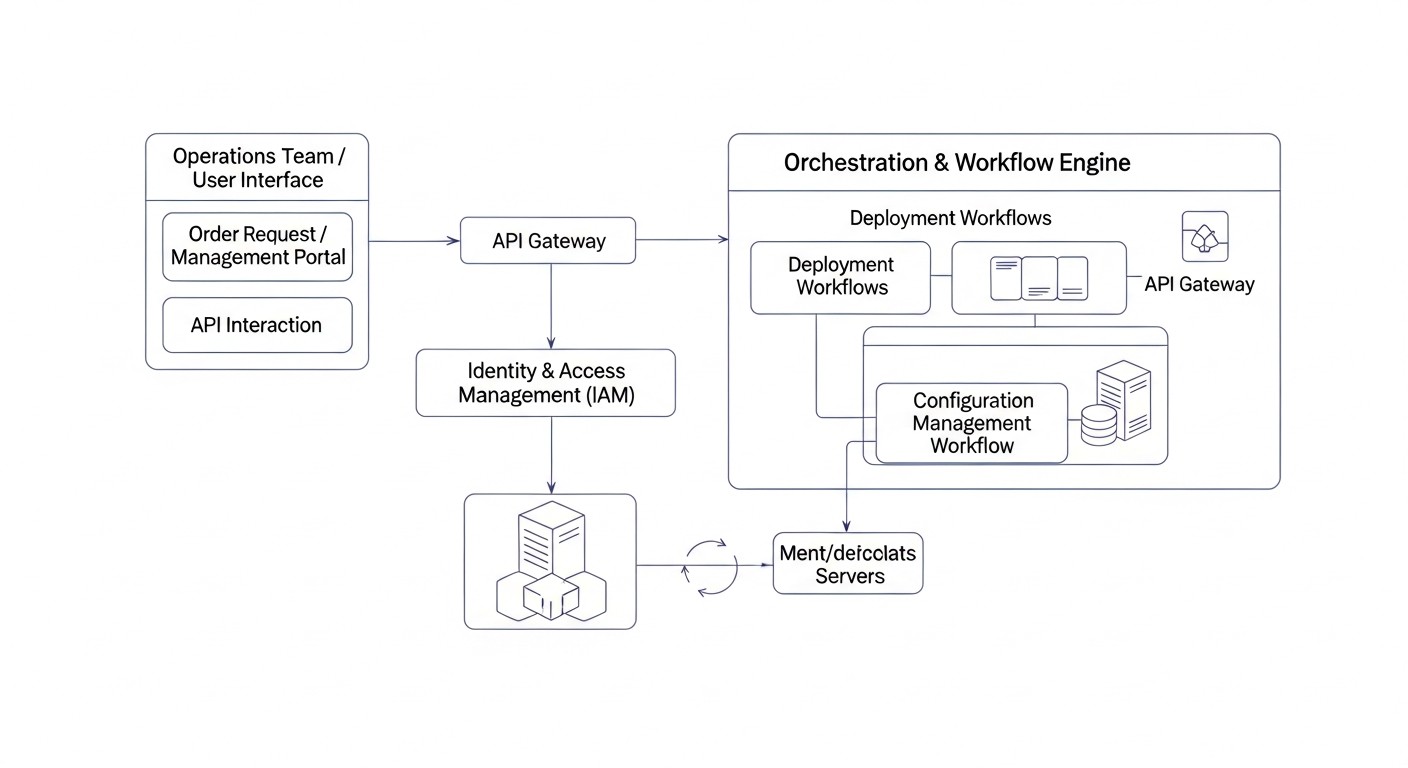
In a world where the pace of change and demands for system reliability are constantly increasing, manual infrastructure management is becoming not just inefficient, but a dangerous anachronism. By 2026, the concept of Infrastructure as Code (IaC) and configuration management automation have become not just a trend, but a mandatory standard for any serious technology company. This is especially true for the deployment and management of VPS (Virtual Private Servers) and dedicated servers, which still form the backbone for most mission-critical applications and services.
Why is this topic so important right now? Firstly, infrastructure complexity is increasing exponentially. Microservices, distributed systems, geographically dispersed clusters – all require precision and repeatability. Manual operations inevitably lead to "snowflake" servers, where each is unique and irreproducible, which is a nightmare for support and scaling. Secondly, the cost of human error continues to rise. A misconfigured server can lead to hours of downtime, data breaches, or even reputational damage. Thirdly, competition in the SaaS and technology product market demands maximum speed in delivering new features and updates, as well as flexibility in scaling. Automation allows achieving all of this, reducing deployment time from days to minutes.
In this article, we will delve deep into the world of server deployment and management automation, using two of the most powerful and widely used tools: Terraform for infrastructure management and Ansible for configuration management. We will explore how these tools work together, what benefits they offer, and how to apply them effectively in the context of 2026, considering new technologies and approaches. We will not engage in marketing slogans, but will focus on specific practical advice, real-world examples, and nuances that you can apply in your work today.
This article is written for a wide audience of technical specialists: DevOps engineers looking for ways to optimize their pipelines; Backend developers (Python, Node.js, Go, PHP) striving to better understand and control the environment in which their applications run; SaaS project founders for whom building a scalable and reliable infrastructure from day one is critical; System administrators wishing to transition from manual labor to automation; and Startup CTOs who are shaping their infrastructure development strategy. If you want to build the infrastructure of the future, this article is your guide.
We will cover not only technical aspects but also economic and security issues, which are becoming increasingly relevant. The world is changing, and infrastructure management methods must change with it. Get ready for a deep dive into automation that will make your work more efficient and your infrastructure more reliable.
Key Selection Criteria and Success Factors
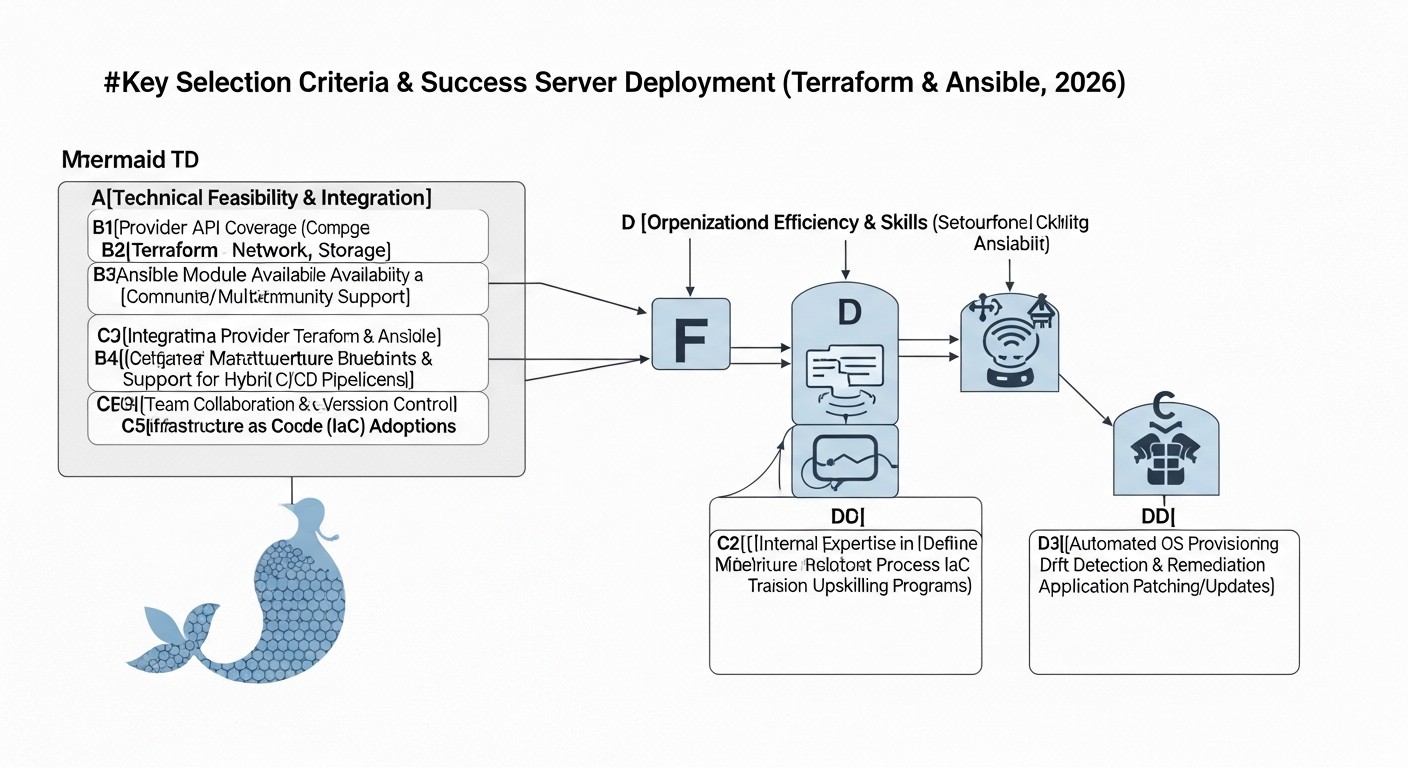
Choosing the right approach to automating server deployment and management, as well as the type of hosting itself (VPS or dedicated server), requires a deep analysis of many factors. In 2026, these criteria have become even more complex, considering the emergence of new technologies and stricter requirements for security and performance.
1. Scalability and Flexibility
In the modern world, infrastructure must be capable of rapid scaling both up (vertical) and out (horizontal). Terraform allows declarative infrastructure description, which simplifies adding new servers or changing their characteristics. Ansible, in turn, provides flexible configuration of these new resources. It is important to assess how easily your automation can adapt to changing loads and requirements. For example, if you expect peak loads, automatic scaling using Terraform and cloud providers will be critical.
2. Performance and Workload Type
Different applications have different requirements for CPU, RAM, disk I/O, and network bandwidth. For high-load databases or computationally intensive tasks, dedicated servers often remain the preferred choice due to guaranteed performance and the absence of "noisy neighbors". VPS, on the other hand, are ideal for web servers, microservices, message queues, where flexibility and quick startup are important. In 2026, providers offer "cloud dedicated servers" that combine the advantages of both worlds: guaranteed resources with the flexibility of a cloud API. When choosing a provider, pay attention to processor characteristics (e.g., Intel Xeon E5-2690 v4 or AMD EPYC 7003 series), disk type (NVMe SSDs have become standard), and guaranteed network channel.
3. Security and Compliance
This is one of the most critical factors. Automation must ensure that all servers are configured according to company security policies and regulatory requirements (GDPR, HIPAA, PCI DSS, etc.). Ansible playbooks allow setting strict security standards: from firewall installation and SSH configuration to user management and patch application. Terraform can automatically configure network segments, security groups, and IAM policies. It is important to use secret managers (HashiCorp Vault, AWS Secrets Manager) and the principle of least privilege. Regular configuration audits, automatic application of security updates, and vulnerability monitoring must be integrated into your CI/CD pipeline.
4. Total Cost of Ownership (TCO)
TCO includes not only direct costs for server rental but also the cost of licenses, electricity, network traffic, as well as labor costs for administration and support. Automation with Terraform and Ansible significantly reduces labor costs, minimizes errors, and allows faster response to changes, ultimately lowering TCO. In 2026, many providers offer flexible tariffs, as well as opportunities to reserve capacity for a long term with discounts. Carefully study outbound traffic tariffs, as they can become a significant expense item.
5. Manageability and Maintainability
How easy will it be to manage your infrastructure after deployment? The modular structure of Terraform and Ansible roles greatly simplifies this process. Documentation in the form of code (Infrastructure as Code) allows any team member to understand the state of the infrastructure. Monitoring systems (Prometheus, Grafana) and logging (ELK Stack, Loki) must be integrated into the automated pipeline. The less "magic" and more standardization, the easier it is to maintain the system in the long run.
6. Idempotence and Repeatability
Idempotence means that applying the same operation multiple times will produce the same result without causing unintended side effects. This is a cornerstone of automation. Terraform and Ansible are inherently idempotent. Terraform ensures that the infrastructure will conform to the declarative description, and Ansible ensures that the server's configuration state will conform to the playbook. Repeatability allows deploying identical environments (dev, staging, prod) and quickly recovering from failures.
7. Ecosystem and Community
An active community and rich ecosystem around Terraform and Ansible mean access to many ready-made modules, providers, roles, and plugins. This accelerates development and simplifies finding solutions for common problems. By 2026, both tools have extensive documentation, courses, and a large number of experts, which lowers the entry barrier and risks during implementation.
8. Backup and Disaster Recovery (DR)
Automation must include data backup strategies and the ability to quickly restore the entire infrastructure in the event of a disaster. Terraform can help in deploying a DR environment, and Ansible can help in restoring configurations and data. Consider RPO (Recovery Point Objective) and RTO (Recovery Time Objective) for each component of your system.
Comparison Table of Hosting Solutions (Relevant for 2026)
The choice between VPS and dedicated servers, as well as a specific provider, depends on many factors, including budget, performance requirements, scalability, and geographical location. In 2026, the hosting market continues to evolve, offering hybrid solutions and improved characteristics. Below is a comparative table of the most popular hosting options, current for mid-2026, with approximate prices and characteristics.
| Criterion | Cloud VPS (e.g., DigitalOcean Droplet / Vultr VPS) | Hetzner Cloud VPS (CX-series) | Cloud Dedicated (e.g., AWS EC2 Dedicated Host / GCP Sole-tenant node) | Traditional Dedicated Server (e.g., Hetzner Dedicated / OVHcloud) | Bare Metal as a Service (e.g., Equinix Metal) |
|---|---|---|---|---|---|
| Typical CPU | 2-8 vCPU (Intel Xeon Platinum 84xx / AMD EPYC 9004) | 2-8 vCPU (AMD EPYC 7003/9004) | 16-64 vCPU (Intel Xeon E5-2690 v5 / AMD EPYC 9004) | 16-64 physical cores (Intel Xeon E5-2699 v5 / AMD EPYC 9004) | 32-128 physical cores (Intel Xeon Sapphire Rapids / AMD EPYC Genoa) |
| Typical RAM | 4-32 GB DDR5 ECC | 4-32 GB DDR5 ECC | 64-256 GB DDR5 ECC | 128-512 GB DDR5 ECC | 256 GB - 1 TB DDR5 ECC |
| Typical Disk I/O | ~1000-2000 MB/s (NVMe SSD) | ~1500-2500 MB/s (NVMe SSD) | ~3000-5000 MB/s (NVMe SSD) | ~4000-8000 MB/s (RAID10 NVMe SSD) | ~8000-15000 MB/s (Local NVMe SSD, High-speed RAID) |
| Network Channel | 1-10 Gbps (shared) | 1-10 Gbps (shared, up to 20 Gbps for high-tier plans) | 10-25 Gbps (dedicated) | 10-50 Gbps (dedicated) | 25-100 Gbps (dedicated) |
| Resource Guarantee | No (virtualization) | No (virtualization) | Yes (dedicated physical cores/RAM) | Yes (fully) | Yes (fully) |
| Hardware Control | No | No | Limited | Full | Full |
| Approximate Price (monthly) | $20-80 (per instance) | €15-60 (per instance) | $1500-5000 (per host) | €100-400 (per server) | $500-2000 (per server) |
| Scalability | High (horizontal) | High (horizontal) | Medium (requires planning) | Low (manual) | Medium (API-driven, but still physical) |
| Ideal for | Web services, Dev/Staging, microservices, small databases | Development, small production services, CDN nodes | Regulatory requirements, per-core licenses, high-load DBs | High-load DBs, game servers, Big Data, resource-intensive computing | High-performance computing, AI/ML, low-latency networks, hybrid clouds |
| Management Level | API, control panel | API, control panel | API, control panel, hypervisor | IPMI, KVM, console | API, IPMI, console |
*Prices are approximate and may vary significantly depending on specific configuration, region, time, and provider discounts. Data is current for 2026 and reflects general market trends.
It is important to note that in 2026, the line between "cloud" and "traditional" hosting continues to blur. Many dedicated server providers offer APIs for automation, and cloud giants introduce "dedicated host" or "sole-tenant node" options, which are essentially dedicated servers but with a cloud consumption and management model. This opens up new possibilities for flexible and powerful infrastructure managed via IaC.
Detailed Overview of Terraform and Ansible
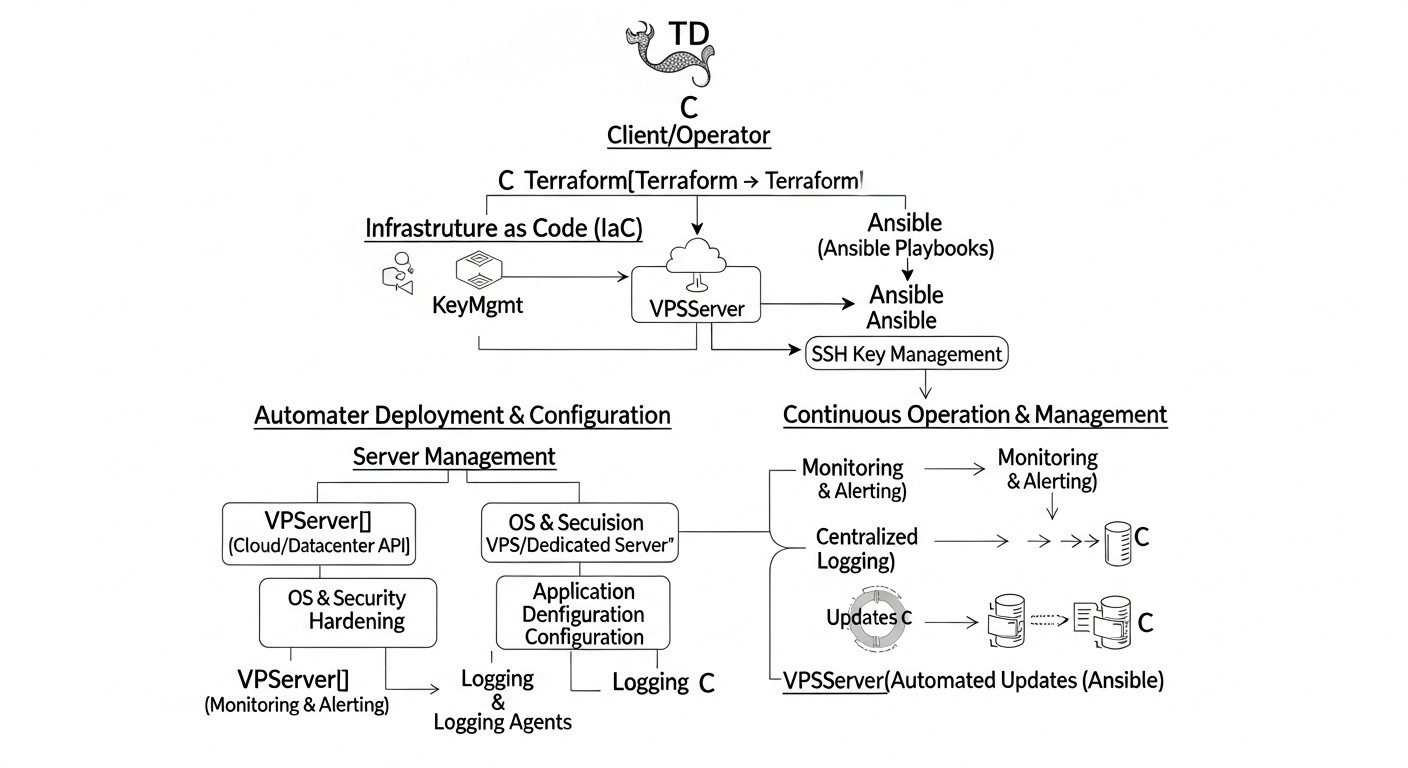
For effective automation of server deployment and management in 2026, understanding and deeply utilizing two powerful tools are key: Terraform and Ansible. They complement each other, solving different but interconnected tasks in the infrastructure lifecycle.
1. Terraform: Infrastructure as Code (IaC) Management
Terraform, developed by HashiCorp, is a tool for declaratively creating, modifying, and deleting infrastructure. It allows you to describe the desired state of your infrastructure (whether it's VPS, dedicated servers, network settings, load balancers, or databases) using a specialized language called HCL (HashiCorp Configuration Language) or JSON. By 2026, Terraform has become the de facto standard for IaC due to its versatility, broad provider support, and powerful ecosystem.
Working Principles and Advantages:
- Declarative Approach: You describe "what" you want to achieve, not "how" to achieve it. Terraform itself determines the sequence of actions to reach the desired state.
- Providers: Terraform works through "providers," which are plugins for interacting with various platforms (AWS, Azure, GCP, DigitalOcean, Vultr, Hetzner Cloud, VMware vSphere, OpenStack, and even local providers for working with dedicated server APIs). In 2026, the number and functionality of providers have significantly expanded, including deeper integration with dedicated server management via their APIs.
- State: Terraform stores the state of your infrastructure in a
.tfstatefile. This file is critically important as it maps real resources to your configuration. In production, remote state storage (e.g., S3, Azure Blob Storage, HashiCorp Consul, or Terraform Cloud/Enterprise) with locking is mandatory to prevent conflicts. - Modularity: The ability to create reusable modules allows structuring code, improving its readability and maintainability. You can create a module for a typical VPS that you will then use throughout the organization.
- Execution Plan: The
terraform plancommand shows what changes will be made to the infrastructure before they are actually applied, significantly reducing the risk of errors.
Example of using Terraform to deploy a VPS on DigitalOcean (2026):
Let's say we want to deploy a Droplet on DigitalOcean with Ubuntu 24.04.
# main.tf
terraform {
  required_providers {
    digitalocean = {
      source  = "digitalocean/digitalocean"
      version = "~> 2.0"
    }
  }
}

provider "digitalocean" {
  token = var.do_token
}

variable "do_token" {
  description = "DigitalOcean API Token"
  type        = string
  sensitive   = true
}

variable "ssh_keys" {
  description = "List of SSH key IDs to add to the droplet"
  type        = list(string)
  default     = []
}

resource "digitalocean_droplet" "web_server" {
  image    = "ubuntu-24-04-x64" # Current Ubuntu image for 2026
  name     = "web-server-01"
  region   = "fra1"
  size     = "s-2vcpu-4gb" # Assume this is a popular size in 2026
  ssh_keys = var.ssh_keys
  tags     = ["web", "production"]

  # Additional settings for 2026:
  # Option to specify a particular NVMe storage type or GPU
  # user_data = file("cloud-init.yaml") # For initial configuration
}

output "web_server_ip" {
  value = digitalocean_droplet.web_server.ipv4_address
}
This code declaratively describes one VPS. After terraform init and terraform apply, Terraform will create this server and output its IP address. For dedicated servers, the logic will be similar, but the provider and resources will be specific to the chosen platform (e.g., `hetznercloud_server` or `aws_ec2_dedicated_host`).
2. Ansible: Configuration Management and Orchestration
Ansible, acquired by Red Hat, is a tool for automating configuration management tasks, application deployment, and orchestration. Unlike Terraform, which deals with infrastructure, Ansible focuses on "what's inside" that infrastructure. It uses SSH to communicate with managed nodes, requiring no agents to be installed, which significantly simplifies its deployment and use. By 2026, Ansible continues to be one of the most popular and flexible tools for CM, especially in hybrid and multi-cloud environments.
Working Principles and Advantages:
- Agentless: Does not require installing additional software on managed servers, using standard SSH. This reduces overhead and simplifies security.
- Playbooks: The main unit of work in Ansible. Playbooks are YAML files that describe a sequence of tasks to be executed on target hosts.
- Idempotence: Ansible is designed with idempotence in mind. If a task has already been performed (e.g., a package is installed), Ansible will not perform it again, which saves time and prevents unwanted changes.
- Modules: Ansible comes with hundreds of built-in modules for performing a wide range of tasks: managing packages, files, services, users, databases, cloud resources, and much more.
- Roles: A mechanism for organizing Playbooks, variables, templates, and files into structured, reusable units. Roles significantly simplify the management of complex configurations and their reuse.
- Inventory: A list of managed hosts, grouped by logical categories. Inventory can be static (a file) or dynamic (generated from a cloud API, CMDB).
Example of using Ansible for VPS configuration:
After Terraform has deployed the Droplet, Ansible can configure Nginx on it.
# playbook.yaml
---
- name: Configure Nginx web server
  hosts: web_servers
  become: true # Execute tasks with root privileges

  vars:
    nginx_port: 80
    server_name: "your-domain.com"
    app_root: "/var/www/html"

  tasks:
    - name: Ensure Nginx package is installed
      ansible.builtin.apt:
        name: nginx
        state: present
        update_cache: yes

    - name: Ensure Nginx service is running and enabled
      ansible.builtin.systemd:
        name: nginx
        state: started
        enabled: yes

    - name: Create Nginx configuration directory for sites-available
      ansible.builtin.file:
        path: /etc/nginx/sites-available
        state: directory
        mode: '0755'

    - name: Create Nginx configuration directory for sites-enabled
      ansible.builtin.file:
        path: /etc/nginx/sites-enabled
        state: directory
        mode: '0755'

    - name: Copy Nginx default site configuration
      ansible.builtin.template:
        src: templates/nginx.conf.j2
        dest: "/etc/nginx/sites-available/{{ server_name }}.conf"
        owner: root
        group: root
        mode: '0644'
      notify: Reload Nginx

    - name: Enable Nginx default site
      ansible.builtin.file:
        src: "/etc/nginx/sites-available/{{ server_name }}.conf"
        dest: "/etc/nginx/sites-enabled/{{ server_name }}.conf"
        state: link
      notify: Reload Nginx

  handlers:
    - name: Reload Nginx
      ansible.builtin.systemd:
        name: nginx
        state: reloaded
And the corresponding template templates/nginx.conf.j2:
# templates/nginx.conf.j2
server {
    listen {{ nginx_port }};
    server_name {{ server_name }};

    root {{ app_root }};
    index index.html index.htm;

    location / {
        try_files $uri $uri/ =404;
    }

    error_log /var/log/nginx/{{ server_name }}_error.log warn;
    access_log /var/log/nginx/{{ server_name }}_access.log main;
}
This playbook installs Nginx, configures it using a template, and ensures the service is running. The combination of Terraform and Ansible allows first creating the "hardware" and then "filling" it with the necessary software and configurations, fully automating the deployment process.
3. Integrating Terraform and Ansible
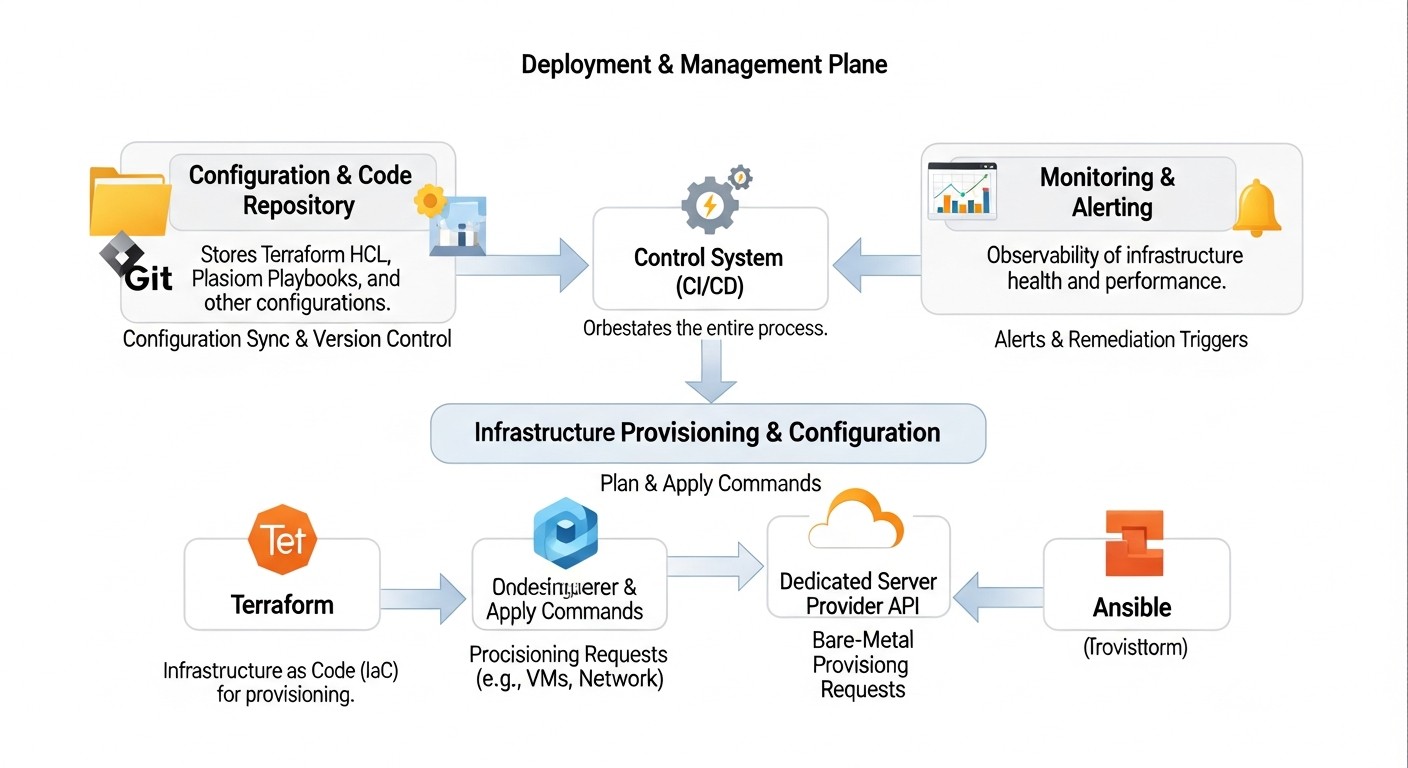
The power of these tools is truly unleashed when used together. Terraform creates the infrastructure, and then passes information about it (e.g., IP addresses of new servers) to Ansible, which then configures those servers.
Workflow:
- Terraform: Defines and deploys cloud resources (VPS, dedicated servers, networks, load balancers, etc.).
- Terraform Output: Extracts important information about the deployed resources (e.g., public IP addresses, hostnames).
- Ansible Dynamic Inventory: Uses Terraform output to create or update Ansible inventory. There are special scripts and plugins for Terraform that can generate Ansible inventory (e.g.,
local-execprovider or simply parsingterraform output -json). - Ansible: Connects to the new servers using information from the dynamic inventory and applies playbooks to install software, configure settings, deploy applications, and ensure security.
By 2026, this approach has become standard. Integration often occurs within CI/CD pipelines (Jenkins, GitLab CI, GitHub Actions), where Terraform `apply` runs first, and then, upon successful completion, an Ansible `playbook` is executed with dynamic inventory. This ensures full automation from a "bare" server to a ready-to-use application.
Practical Tips and Implementation Recommendations
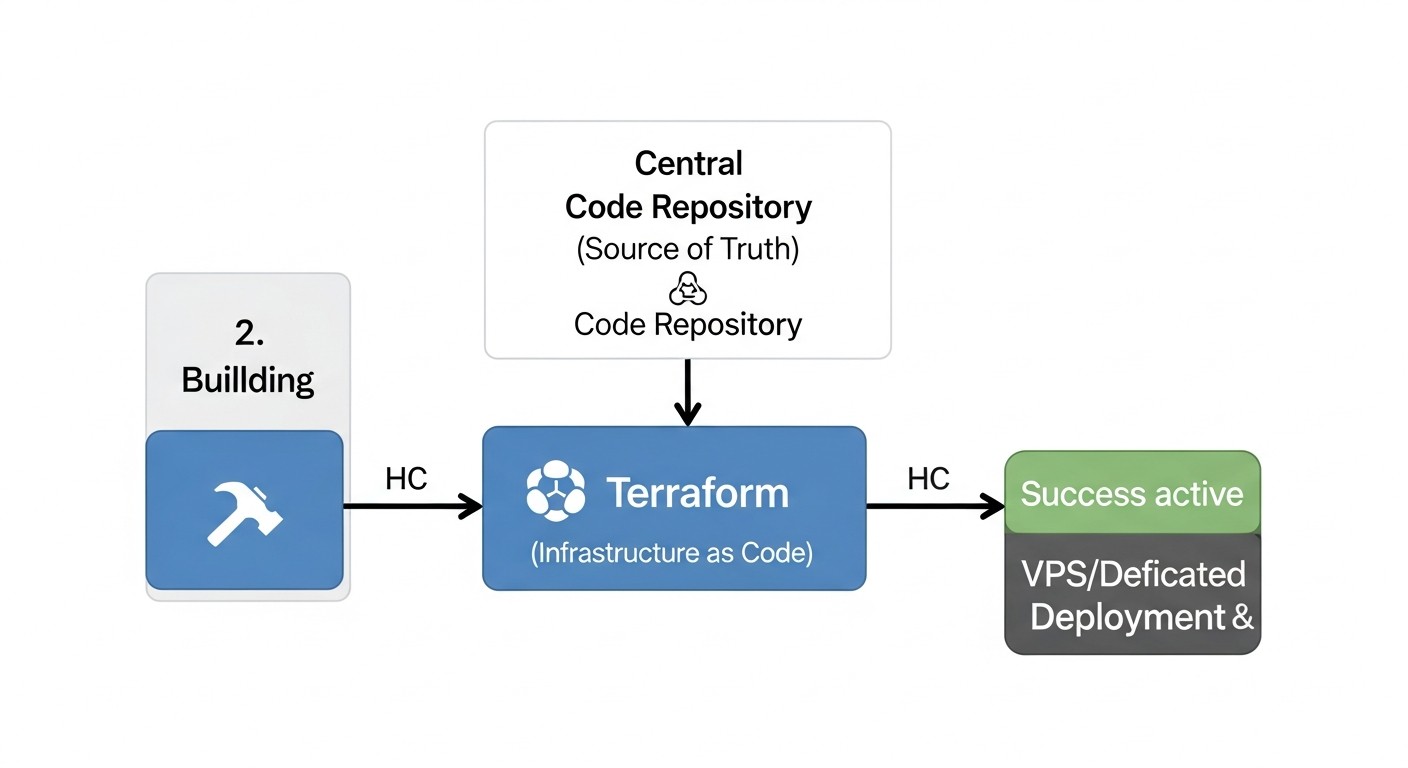
Implementing automation with Terraform and Ansible is not just about mastering syntax, but about changing the approach to infrastructure management. Here are some practical tips, based on years of experience, that will help you avoid common pitfalls and build a reliable, scalable, and secure process.
1. Start Small, Iterate
Don't try to automate everything at once. Start with one simple service or component. Deploy one VPS, configure Nginx or Docker on it. Master the basic concepts, ensure your pipeline works. Then gradually add complexity: a database, a load balancer, other services. An iterative approach allows for quick feedback and course correction.
2. Use Terraform Modules and Ansible Roles
Modularity is key to maintainable and reusable automation. Create Terraform modules for typical resources (e.g., "web-server-module", "database-module") that encapsulate deployment logic and provide a simple interface through variables. Similarly, use Ansible roles to group related tasks (e.g., "nginx", "docker", "postgres"). Ready-made modules and roles are available on Terraform Registry and Ansible Galaxy – use them as starting points, but always adapt them to your needs.
# Example of using a Terraform module
module "web_server_prod" {
  source      = "./modules/droplet" # Local path to the module
  name_prefix = "prod-web"
  count       = 3
  region      = "fra1"
  size        = "s-4vcpu-8gb"
  ssh_key_ids = [digitalocean_ssh_key.my_key.id]
  tags        = ["production", "web"]
}
# Example of using an Ansible role
- name: Deploy web application
  hosts: web_servers
  become: true
  roles:
    - role: nginx
      nginx_port: 80
      server_name: "app.example.com"
    - role: docker
      docker_version: "25.0.3" # Current version for 2026
    - role: my_app
      app_version: "1.2.0"
3. Terraform State Management
Never store .tfstate locally in production. Use remote storage with locking. AWS S3 with DynamoDB Lock, Azure Blob Storage, Google Cloud Storage, HashiCorp Consul, or Terraform Cloud – these are mandatory options. This prevents conflicts during parallel changes and provides centralized, reliable state storage. Regularly back up your state.
# Example of configuring a remote S3 backend with DynamoDB locking
terraform {
  backend "s3" {
    bucket         = "my-terraform-state-bucket-2026"
    key            = "prod/infrastructure.tfstate"
    region         = "eu-central-1"
    encrypt        = true
    dynamodb_table = "terraform-lock-table"
  }
}
4. Ansible Dynamic Inventory
Do not create static inventory files manually. Use dynamic inventory that automatically collects information about your servers from cloud providers (DigitalOcean, AWS, GCP, etc.) or from Terraform output. This ensures that Ansible always works with an up-to-date list of hosts. Ready-made inventory scripts exist for most cloud platforms.
# Example of running Ansible with DigitalOcean dynamic inventory
ansible-playbook -i /usr/local/bin/digital_ocean.py --private-key ~/.ssh/id_rsa playbook.yaml
Or using Terraform output:
# Script to generate dynamic inventory from Terraform output
#!/bin/bash
echo '{"_meta": {"hostvars": {}}}' > inventory.json
terraform output -json | jq -r 'to_entries | .[] | select(.key | endswith("_ip")) | .value | to_entries | .[] | .key + " ansible_host=" + .value' | while read line; do
    HOST_NAME=$(echo $line | awk '{print $1}')
    IP_ADDR=$(echo $line | awk '{print $2}' | cut -d'=' -f2)
    jq --arg host "$HOST_NAME" --arg ip "$IP_ADDR" \
        '.web_servers.hosts += [$host] | ._meta.hostvars[$host].ansible_host = $ip' \
        inventory.json > tmp.$$.json && mv tmp.$$.json inventory.json
done
# Add groups
jq '.web_servers = {"hosts": []}' inventory.json > tmp.$$.json && mv tmp.$$.json inventory.json
ansible-playbook -i inventory.json playbook.yaml
(Note: the provided script is a simplified example and requires refinement for production use, especially regarding host grouping.)
5. Secret Management
Never store sensitive information (API keys, passwords, private keys) in plain text in your repository. Use specialized tools: HashiCorp Vault, AWS Secrets Manager, Google Secret Manager, Azure Key Vault, or Ansible Vault. For Terraform, variables can be marked as sensitive = true, but this does not replace a full-fledged secret manager.
# Using Ansible Vault to encrypt files with secrets
ansible-vault encrypt vars/secrets.yaml
ansible-playbook --ask-vault-pass playbook.yaml
6. Idempotency First
Always write Ansible playbooks in an idempotent way. This means that running the playbook multiple times should result in the same state as the first run, without errors or unwanted changes. Use Ansible modules that are inherently idempotent (e.g., apt, yum, file, service). If you write your own scripts, check the state before making changes.
7. Automation Testing
Your infrastructure code should be tested as thoroughly as application code. Use:
- `terraform validate` / `terraform plan`: for syntax errors and previewing changes.
- `ansible-lint`: for checking Ansible style and best practices.
- Molecule: for testing Ansible roles on various distributions.
- Terratest / InSpec / Serverspec: for integration and end-to-end testing of deployed infrastructure. This ensures that servers are not only created but also correctly configured and functional.
8. Version Everything
All code (Terraform, Ansible playbooks, scripts, templates) should be stored in a version control system (Git). This allows tracking changes, reverting to previous versions, collaborating in a team, and conducting code reviews. Every infrastructure change should go through a Pull Request process.
9. CI/CD Integration
Full automation is achieved by integrating Terraform and Ansible into your CI/CD pipeline.
- CI (Continuous Integration): Automatically run `terraform validate`, `terraform plan`, `ansible-lint`, Molecule on every commit.
- CD (Continuous Deployment): After successful tests, automatically run `terraform apply` and `ansible-playbook` to deploy or update infrastructure. This can be fully automated or require manual approval for production environments.
10. Documentation and Standards
While IaC itself is a form of documentation, it's important to have additional README files describing high-level architecture, dependencies, and the deployment process. Establish standards for naming resources, variables, tags, and adhere to them. The more consistent your code, the easier it is to understand and maintain.
11. Monitoring and Alerts
Deployment automation should include automatic setup of monitoring and alerts for all new servers. Ansible can deploy Prometheus Node Exporter, Grafana Agent, Datadog, or New Relic agents. Ensure all critical metrics are collected and appropriate alerts are configured. In 2026, AI-driven monitoring is becoming standard, predicting problems before they occur.
Common Errors in Working with IaC and CM
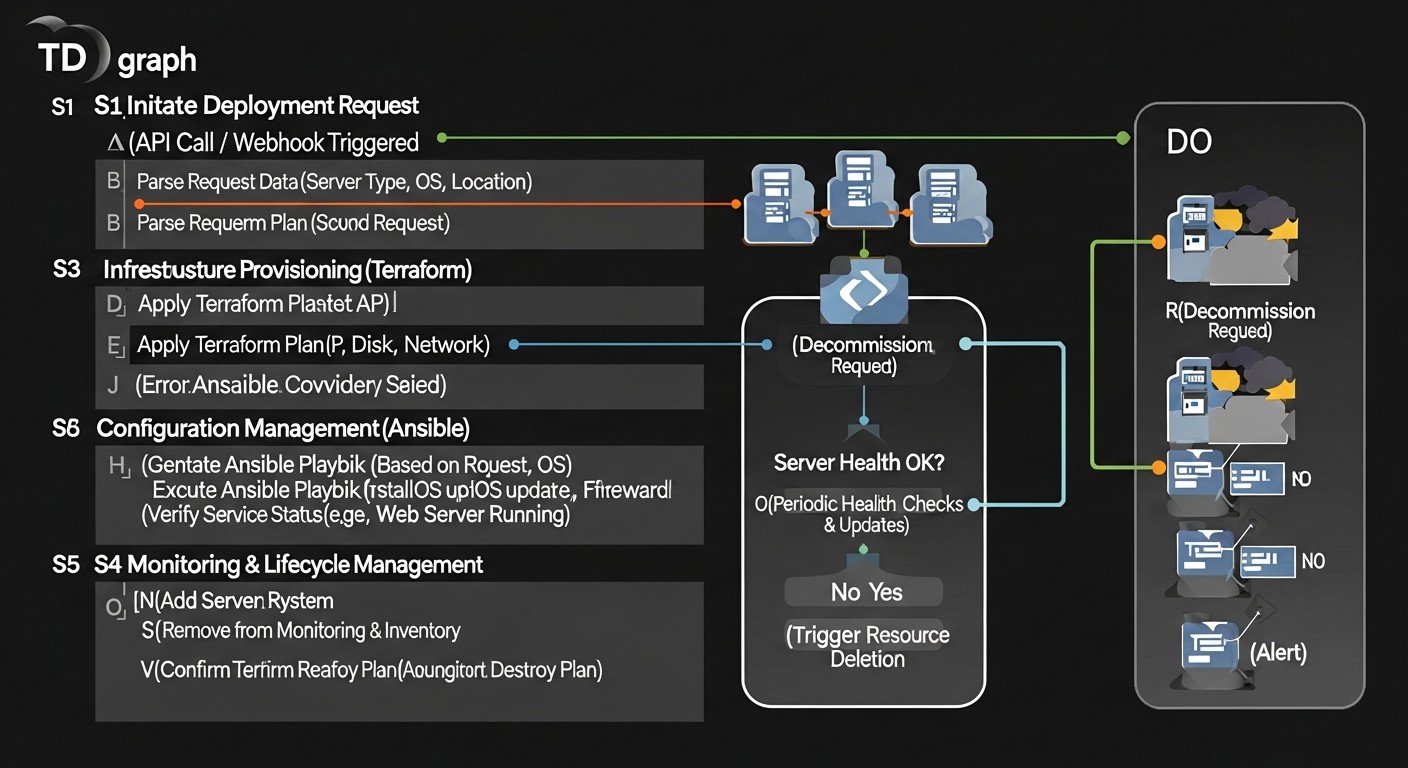
Even experienced engineers make mistakes when working with Terraform and Ansible. Knowing these common errors will help you avoid costly problems and accelerate the automation implementation process.
1. Ignoring Terraform State (Terraform State Management)
Error: Storing the .tfstate file locally, lack of state locking, manual modification of .tfstate, or loss of the state file.
Consequences: Conflicts when multiple engineers work concurrently, desynchronization of real infrastructure with the state file, configuration "drift", inability to manage resources, loss of infrastructure.
How to avoid: Always use a remote backend (S3, Azure Blob Storage, GCS, HashiCorp Consul/Cloud) with state locking enabled. Never manually edit .tfstate; use terraform state mv, terraform state rm, terraform import. Regularly back up the remote state.
2. Non-Idempotent Ansible Playbooks
Error: Writing tasks in Ansible that are not idempotent, i.e., running them multiple times leads to unwanted changes or errors. For example, scripts that always create a file without checking its existence.
Consequences: Unpredictable server state, errors during re-deployment, debugging difficulties, risk of "snowflake" servers.
How to avoid: Always use built-in Ansible modules that are inherently idempotent. If you write your own scripts or use the shell/command module, always add conditions (`when`, `creates`, `removes`, `changed_when`) to check the current state before performing an action. Test playbooks using Molecule.
3. Hardcoding Secrets and Sensitive Data
Error: Storing API keys, passwords, private SSH keys, tokens in plain text in Terraform files, Ansible playbooks, or in version control (Git).
Consequences: Leakage of confidential data, infrastructure compromise, security breaches, and non-compliance.
How to avoid: Use specialized secret managers (HashiCorp Vault, AWS Secrets Manager, Azure Key Vault, Google Secret Manager) for storing and dynamically issuing secrets. For Ansible, use Ansible Vault to encrypt files containing secrets. Integrate these tools into your CI/CD pipeline.
4. Lack of Modularity and Reusability
Error: Creating monolithic, large Terraform files and Ansible playbooks without using modules and roles. Copying and pasting code between projects.
Consequences: Code duplication, difficulty in making changes (having to modify in multiple places), low readability, maintenance challenges, slow development of new components.
How to avoid: Actively use Terraform modules to encapsulate resource deployment logic. Create Ansible roles for typical configurations. Place modules and roles in separate repositories or a shared library for reuse. Use variables for parameterization.
5. Manual Changes After Automation ("Drift")
Error: Making changes to servers manually (e.g., via SSH) that are not committed in Terraform or Ansible code.
Consequences: Configuration "drift" (Infrastructure Drift), where the actual state of the infrastructure differs from what is described in the code. Unpredictable system behavior, problems during re-deployment or scaling, debugging difficulties.
How to avoid: Establish strict rules: all changes must go through IaC. Use `terraform plan -destroy` to detect drift in Terraform and regularly run Ansible playbooks in `check` or `diff` mode to detect changes. Implement automated tools for drift detection (e.g., Cloud Custodian, Open Policy Agent). Consider the concept of "Immutable Infrastructure," where servers are not modified but replaced with new ones.
6. Insufficient Automation Testing
Error: Lack of automated tests for Terraform configurations and Ansible playbooks. Deploying code to production without prior verification.
Consequences: Deployment of non-functional or insecure infrastructure, prolonged downtime, regressions, data loss.
How to avoid: Integrate `terraform validate`, `terraform plan`, `ansible-lint` into your CI. Use Molecule for testing Ansible roles. Apply integration tests (Terratest, InSpec) to verify deployed infrastructure. Create separate environments (dev, staging) for testing changes before deploying them to production.
7. Improper Access and Privilege Management
Error: Using an account with excessive privileges for Terraform and Ansible. For example, using a cloud administrator account for deploying everyday resources.
Consequences: Security threats, possibility of unintentional deletion or modification of critical resources, violation of the principle of least privilege.
How to avoid: Create separate IAM roles or service accounts for Terraform and Ansible with the minimum necessary access rights. Use temporary credentials where possible. Regularly review and audit access rights.
8. Lack of Documentation and Standards
Error: Relying solely on code as documentation, lack of comments, non-adherence to naming standards.
Consequences: New team members find it difficult to understand the infrastructure, slower onboarding, errors due to misunderstanding the code, dependence on "knowledge holders."
How to avoid: Supplement code with README files, architecture diagrams. Use comments to explain complex logical blocks. Develop and adhere to strict naming standards for resources, variables, tags. Conduct regular code reviews.
Checklist for Practical Application
This checklist will help you structure the process of implementing automation for deploying and managing VPS/dedicated servers using Terraform and Ansible. Follow these steps to ensure the reliability, security, and efficiency of your infrastructure.
Phase 1: Preparation and Planning
- Define automation goals: Clearly articulate what you want to achieve (e.g., reduce deployment time, increase reliability, ensure scalability).
- Choose a hosting provider: Based on performance, budget, and geographical requirements, select one or more providers (DigitalOcean, Hetzner, AWS, GCP, OVHcloud, Equinix Metal, etc.).
- Design the architecture: Draw a diagram of your target infrastructure: number of servers, their roles, network settings, databases, load balancers.
- Determine repository structure: Plan in advance how your Terraform files, Ansible playbooks, roles, and variables will be organized in Git.
- Set up version control system (Git): Create a repository for your IaC/CM code.
- Install Terraform and Ansible: Ensure all team members have the latest versions of the tools installed.
Phase 2: Terraform Development (IaC)
- Configure the Terraform provider: Add the necessary provider (
digitalocean,aws,hetznercloud, etc.) to yourmain.tf. - Set up remote Terraform State backend: Absolutely use S3, GCS, Azure Blob Storage, or Terraform Cloud with state locking.
- Create SSH keys: Generate and register SSH keys with the provider, which will be used to access the created servers.
- Describe VPS/server resources: Use
resourceblocks to create virtual machines or dedicated servers. Specify image type, size, region, network, SSH keys. - Add network resources: Configure security groups, firewalls, VPC/VNet, if applicable.
- Use modules: Create your own or use existing Terraform modules for reusable components.
- Perform
terraform init,terraform plan,terraform apply: Verify that Terraform correctly deploys the infrastructure. - Extract Outputs: Use
outputblocks to retrieve IP addresses, DNS names, or other data about the deployed resources.
Phase 3: Ansible Development (CM)
- Create dynamic inventory: Set up a script or plugin for Ansible that will automatically generate a list of hosts from Terraform output or the cloud provider's API.
- Organize Playbooks and roles: Create a directory structure for Ansible, using roles for logical separation of tasks (e.g.,
roles/webserver,roles/database). - Configure SSH access: Ensure Ansible can connect to new servers via SSH using the private key corresponding to the public key added by Terraform.
- Write Playbooks for basic configuration: Include tasks for system updates, installation of necessary packages (Python, Docker, Nginx), firewall configuration (UFW/firewalld).
- Implement secret management: Use Ansible Vault to encrypt sensitive data or integrate with an external secret manager.
- Create Playbooks for application deployment: Configure Nginx, deploy your backend service, set up the database if necessary.
- Ensure idempotence: Make sure all tasks in Playbooks are idempotent.
Phase 4: Integration and Testing
- Integrate into CI/CD: Set up a pipeline (Jenkins, GitLab CI, GitHub Actions) for automatic execution of:
- `terraform validate` and `terraform plan`
- `ansible-lint`
- Molecule runs for testing Ansible roles
- `terraform apply` (possibly with manual approval for production)
- Ansible Playbooks runs with dynamic inventory
- Configure monitoring and logging: Ensure that after deployment and configuration, monitoring agents (Prometheus Node Exporter, Grafana Agent, Datadog) and logging agents (Fluentd, Filebeat) are automatically installed on the servers.
- Perform integration testing: Use Terratest, InSpec, or similar tools to verify that the deployed infrastructure meets expectations and functions correctly.
- Document the process: Create README files for your Terraform and Ansible projects, describing their purpose, variables, dependencies, and deployment steps.
Phase 5: Maintenance and Optimization
- Regularly update tools: Keep track of updates for Terraform, Ansible, and their providers/modules to get new features and security fixes.
- Monitor configuration drift: Periodically run `terraform plan` and Ansible playbooks in `check` mode to detect manual changes.
- Optimize costs: Use Terraform's capabilities to scale resources up/down or delete them to reduce costs. Analyze provider cost reports.
- Conduct security audits: Regularly review security configurations, access rights, and compliance with standards.
- Train the team: Ensure all team members understand IaC principles and are proficient with Terraform and Ansible.
Cost Calculation and Economics of Automation
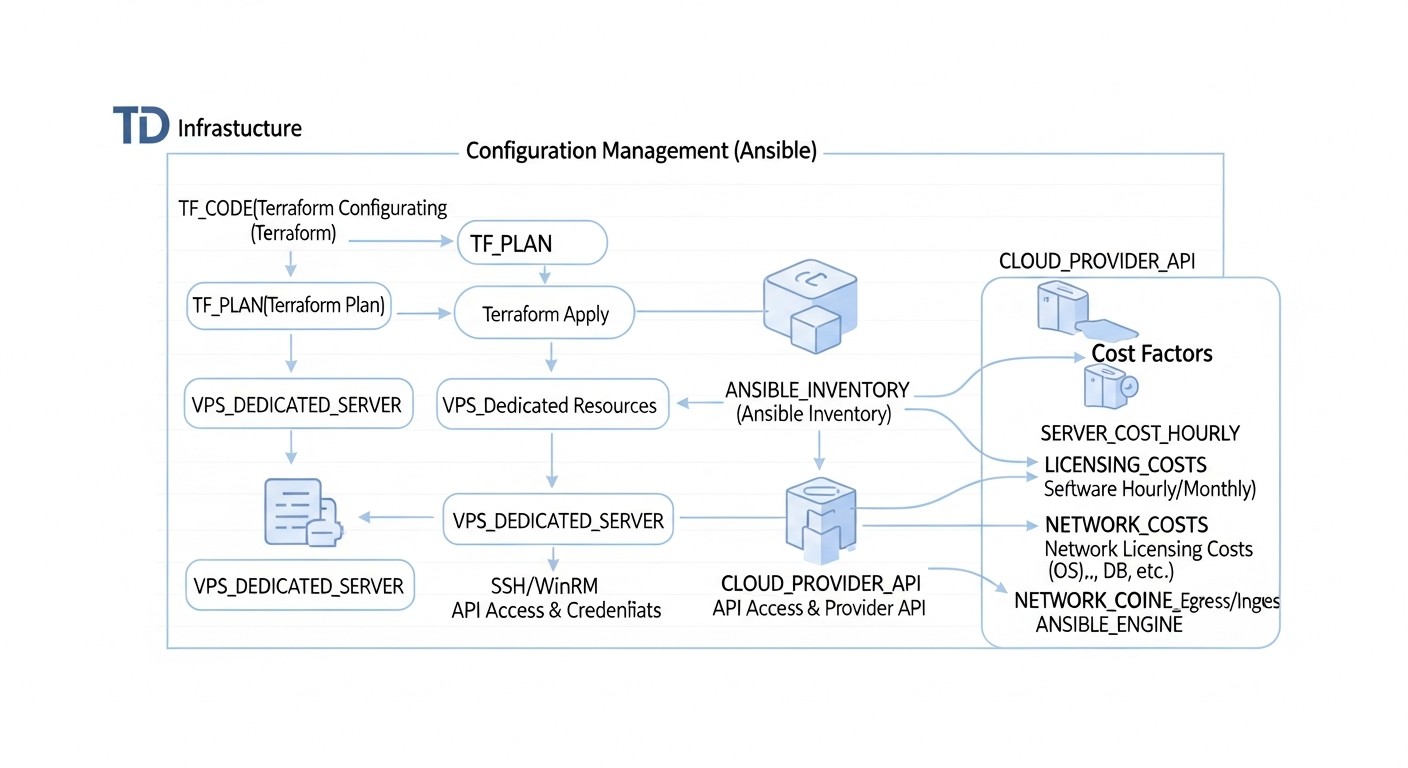
In 2026, as cloud resources and dedicated servers become increasingly accessible yet more complex to manage, understanding the true Total Cost of Ownership (TCO) of infrastructure is critical. Automation with Terraform and Ansible not only increases efficiency but also directly impacts project economics, often leading to significant long-term savings.
Direct and Hidden Costs
When calculating infrastructure costs, it's important to consider not only the obvious monthly bills from the provider but also less noticeable but significant hidden costs:
- Direct Costs:
- Server Rental (VPS/Dedicated): Cost of CPU, RAM, disk, network traffic. Current tariffs for 2026 show price stabilization, but with more complex pricing plans for specific resources (GPU, high-performance NVMe, premium traffic).
- Software Licenses: Operating systems (Windows Server), databases (Oracle, MS SQL), specialized software.
- Network Traffic: Especially outbound traffic, which can be expensive with some cloud providers. In 2026, many providers offer more generous quotas, but beyond them, costs remain high.
- Additional Services: Load balancers, managed databases, CDNs, firewalls, IP addresses.
- Hidden Costs (significantly reduced by automation):
- Engineer Labor Costs: Time spent on manual deployment, configuration, error correction, support. Automation reduces these hours significantly.
- Human Errors: Cost of downtime due to misconfiguration, data breaches, security violations. One day of downtime for a SaaS project can cost tens of thousands of dollars.
- Time-to-Market: The longer it takes to deploy infrastructure for a new service, the longer it doesn't generate revenue. Automation accelerates this process.
- Inefficient Resource Utilization: Forgotten or underutilized servers that continue to run and consume resources. IaC allows easy identification and deletion of unnecessary resources.
- Training and Onboarding: Time required for new employees to learn a unique, manually created infrastructure. Standardized IaC code significantly simplifies onboarding.
- Audit and Compliance: Manual security and compliance audits can be very labor-intensive. Automation ensures compliance through code.
Cost Calculation Examples for Different Scenarios (2026)
Let's consider a few hypothetical scenarios for a SaaS project using 10 servers, taking into account average salaries and service costs in 2026. Assume the average monthly salary of a DevOps engineer is $5000.
Scenario 1: Non-Automated Deployment (Manual)
- Server Costs: 10 VPS at $40/month = $400/month.
- Deployment Time for 1 server: ~4 hours (OS installation, basic software, configuration).
- Deployment Time for 10 servers: 40 hours = 1 full work week for one engineer.
- Deployment Cost (labor): $5000/month * (40 hours / 160 working hours) = $1250.
- Time for monthly support/updates: ~2 hours per server * 10 servers = 20 hours.
- Support Cost: $5000/month * (20 hours / 160 working hours) = $625.
- Downtime/Errors: Assume 1 major incident per year due to manual error, cost $10,000. Monthly $833.
- TOTAL (monthly): $400 (servers) + $1250 (initial deployment, amortized) + $625 (support) + $833 (errors) = $3108 / month.
- TOTAL (yearly): $37,296.
Scenario 2: Automated Deployment with Terraform and Ansible
- Server Costs: 10 VPS at $40/month = $400/month. (unchanged)
- Time for IaC/CM Development (initial): 80 hours (2 engineer weeks).
- Development Cost (initial): $5000/month * (80 hours / 160 working hours) = $2500. (One-time cost, amortized over 2 years: $104/month)
- Deployment Time for 10 servers: ~10-20 minutes (script execution). Labor cost: $5000/month * (0.25 hours / 160 working hours) = ~$8.
- Time for monthly support/updates: ~2 hours (updating playbooks/modules, running). Labor cost: $5000/month * (2 hours / 160 working hours) = $62.5.
- Downtime/Errors: Reduced by 90% to 1 minor incident, cost $1,000/year. Monthly $83.
- TOTAL (monthly): $400 (servers) + $104 (development amortization) + $8 (deployment) + $62.5 (support) + $83 (errors) = $657.5 / month.
- TOTAL (yearly): $7,890.
Savings: $3108 - $657.5 = $2450.5 / month. or $29,406 / year.
As the calculations show, even with a relatively small number of servers, automation pays for itself within a few months and then brings significant savings. The larger the infrastructure, the greater the economic effect.
Table with Cost Calculation Examples for Different Scenarios
Assume "Engineer Hourly Cost" = $31.25 (for a salary of $5000/month over 160 hours).
| Parameter | Manual Deployment (10 VPS) | Automated Deployment (10 VPS) | Automated Deployment (50 VPS) |
|---|---|---|---|
| Server Cost (monthly) | $400 | $400 | $2000 |
| Initial IaC/CM Development (hours) | 0 | 80 | 120 |
| Initial IaC/CM Development (cost, amortized over 2 years) | $0 | $104 | $156 |
| Deployment Time (hours/month) | 40 | 0.25 | 0.5 |
| Deployment Cost (monthly) | $1250 | $8 | $16 |
| Support/Updates Time (hours/month) | 20 | 2 | 5 |
| Support Cost (monthly) | $625 | $62.5 | $156.25 |
| Downtime/Error Cost (monthly) | $833 | $83 | $200 |
| TOTAL (monthly) | $3108 | $657.5 | $2528.25 |
| TOTAL (yearly) | $37,296 | $7,890 | $30,339 |
How to Optimize Costs
- Automated Resource Lifecycle Management: Use Terraform to automatically create and delete resources on a schedule or event. For example, test environments can be destroyed at the end of the workday.
- Correct Instance Selection: Terraform allows easy changing of instance types. Analyze resource usage metrics and choose optimal VPS/server sizes. Don't overpay for excessive capacity.
- Capacity Reservation: For stable workloads, use Reserved Instances or dedicated server contracts, which offer significant discounts.
- Cost Monitoring and Alerts: Integrate cost monitoring into your pipeline. Set alerts when costs exceed certain thresholds.
- Using Spot Instances (for fault-tolerant workloads): In the cloud, for interruptible but fault-tolerant workloads, Spot Instances can be used with Terraform, significantly reducing costs.
- Network Traffic Optimization: Use CDNs for static content, caching, data compression to reduce outbound traffic volume.
- Minimizing Manual Operations: The fewer manual actions, the less likely costly errors are, and the higher the efficiency of engineers.
Ultimately, automation with Terraform and Ansible is a strategic investment that not only enhances the technical maturity of a project but also provides significant financial returns, allowing your team to focus on creating value rather than routine tasks.
Case Studies and Real-World Examples
To better understand how Terraform and Ansible are applied in practice, let's look at several realistic scenarios from the world of DevOps and SaaS in 2026.
Case 1: Deploying a Scalable SaaS Platform on DigitalOcean
Problem:
A young SaaS startup, "CloudSync," faced rapid user growth and the need to scale its platform. Initially, the infrastructure was deployed manually on several VPS, leading to "snowflake" servers, long downtimes during updates, and an inability to quickly respond to peak loads. The team spent up to 30% of its time on manual infrastructure management.
Solution with Terraform and Ansible:
The CloudSync team decided to fully transition to IaC. They chose DigitalOcean due to its ease of use and good API.
- Terraform for Infrastructure:
- A Terraform project was created that described the entire infrastructure: 3 DigitalOcean Load Balancers, 10-50 Droplets for web servers (Ubuntu 24.04, s-4vcpu-8gb), 3 Droplets for a PostgreSQL cluster (s-8vcpu-16gb), 2 Droplets for a Redis cluster (s-2vcpu-4gb), as well as all necessary firewalls and private networks.
- Terraform modules were used for each resource type (
droplet-module,loadbalancer-module,database-cluster-module), ensuring reusability and standardization. - A remote S3 backend was configured for storing Terraform state, integrated with GitLab CI.
- Ansible for Configuration and Deployment:
- After Terraform deployed the infrastructure, GitLab CI automatically triggered Ansible Playbooks.
- Ansible used dynamic inventory, generated from Terraform output, to get the current IP addresses of the Droplets.
- Ansible roles were developed:
webserver(Nginx, PHP-FPM installation, configuration),postgresql(cluster installation, backups),redis(cluster configuration),app-deploy(application deployment from a Docker image). - Ansible was also responsible for installing monitoring agents (Prometheus Node Exporter) and logging agents (Fluentd) on all servers.
- CI/CD Pipeline:
- Any change in infrastructure or application code initiated a pipeline in GitLab CI.
- Terraform `plan` ran automatically to check for changes.
- After manual approval (for production), `terraform apply` updated the infrastructure.
- Then Ansible Playbooks were applied to configure servers and deploy new application code.
Results:
- Reduced Deployment Time: Deploying a new environment or scaling a cluster from 30 minutes to 5-7 minutes.
- Reduced Errors: Virtually complete elimination of human error in deployment and configuration.
- Improved Scalability: Ability to quickly add or remove Droplets depending on the load.
- Cost Savings: Reduced DevOps engineer labor by 70%, allowing them to focus on more strategic tasks.
- Increased Reliability: Easy infrastructure recovery after failures thanks to IaC.
Case 2: Managing Hybrid Infrastructure with Dedicated Servers and VPS
Problem:
A large gaming studio, "PixelForge," used a hybrid infrastructure: high-performance dedicated servers (Hetzner Dedicated) for game servers and databases, and cloud VPS (AWS EC2) for the website, API, and analytics. Managing this heterogeneous infrastructure was extremely complex and required different approaches for each server type.
Solution with Terraform and Ansible:
PixelForge implemented a unified management approach using Terraform and Ansible.
- Terraform for Heterogeneous Infrastructure:
- For AWS EC2, the official AWS Terraform provider was used to deploy instances, VPCs, Security Groups, Load Balancers.
- For Hetzner Dedicated Servers, a custom Terraform provider (or scripts called via `local-exec`) was used, which interacted with the Hetzner Robot API to order, reinstall OS, and retrieve IP addresses of dedicated servers.
- All resources (both cloud and dedicated) were described in Terraform, allowing for a single "map" of the entire infrastructure.
- Terraform outputted the IP addresses of all servers, which were then used by Ansible's dynamic inventory.
- Ansible for Unified Configuration:
- Ansible used the same set of roles for basic configuration (SSH, firewall, users, monitoring) for both AWS EC2 and Hetzner Dedicated.
- Specific configurations for each server type (e.g., file system setup for game servers on Hetzner) were implemented via conditional statements (`when`) in Playbooks or through different variables for different inventory groups.
- Ansible was responsible for deploying game servers (SteamCMD, engine configuration), databases (PostgreSQL Master-Replica), web servers (Nginx, Node.js), and analytical tools.
- Centralized CI/CD:
- Jenkins was configured to orchestrate the entire process.
- The pipeline ran Terraform to create/update resources on both platforms.
- After that, Ansible Playbooks were applied to the corresponding server groups.
Results:
- Unified Management: A single approach to managing hybrid infrastructure, despite its heterogeneity.
- Significant Deployment Acceleration: New game servers could be launched within 15 minutes, and updated web infrastructure within 5 minutes.
- Increased Reliability: Reduced errors associated with manual configuration and the ability to quickly recover.
- Cost Optimization: More efficient use of dedicated servers for critical workloads and flexible scaling of cloud resources for variable loads.
- Improved Security: Standardized security configurations automatically applied across the entire infrastructure.
Tools and Resources for Effective Work
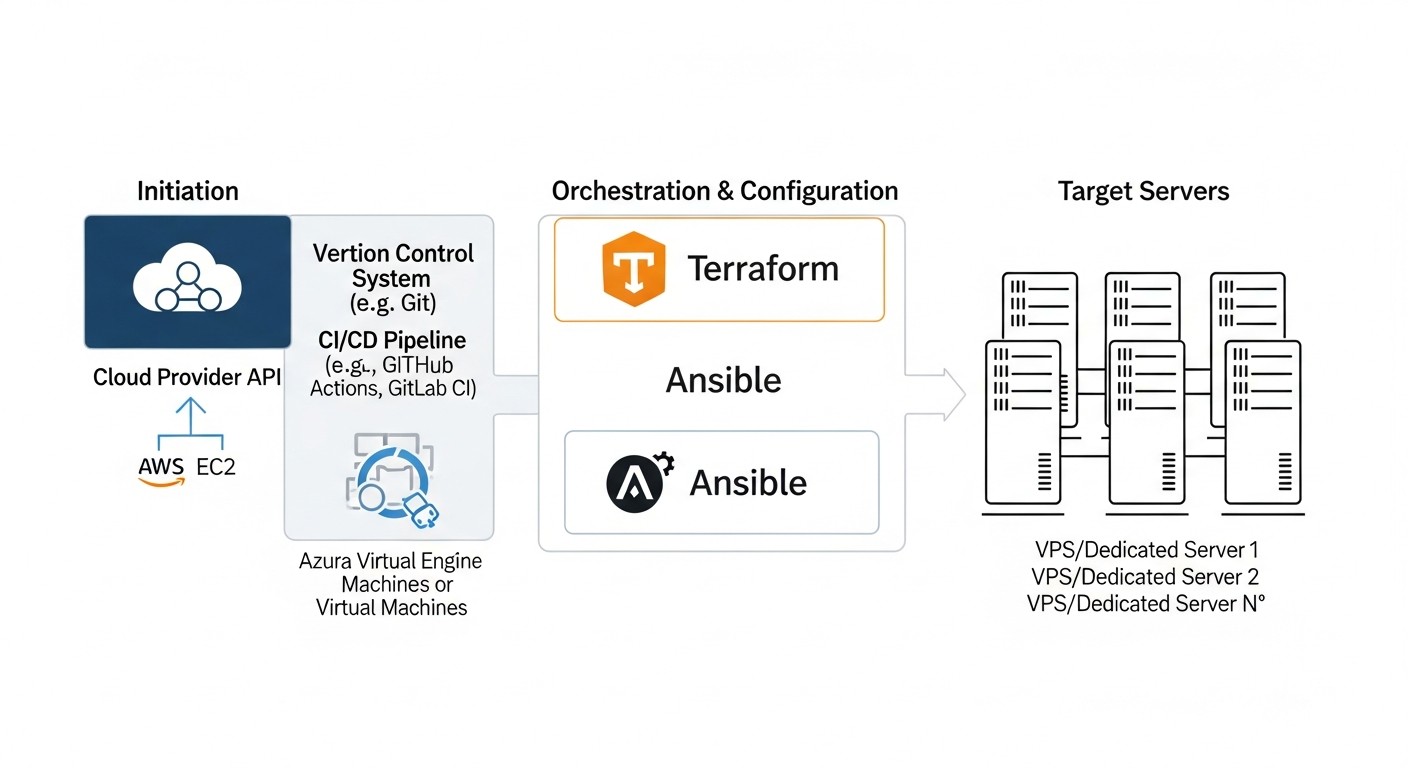
Automating server deployment and management with Terraform and Ansible involves not only these tools themselves but also an entire ecosystem of auxiliary utilities, platforms, and resources. In 2026, this set has become even more extensive and integrated.
1. Core Tools
- Terraform (HashiCorp): Your primary tool for IaC.
- Official Terraform Website
- Terraform Registry (for finding providers and modules)
- Ansible (Red Hat): Your primary tool for configuration management.
- Official Ansible Website
- Ansible Galaxy (for finding roles and collections)
- Git (Version Control System): For versioning all your infrastructure code.
- Official Git Website
- Platforms: GitHub, GitLab, Bitbucket
- SSH Client: For connecting to servers and executing Ansible commands.
2. Secret Management
Critically important for the security of your automation.
- HashiCorp Vault: A universal solution for centralized secret storage and management. Integrates with Terraform and Ansible.
- Cloud Secret Managers:
- AWS Secrets Manager
- Azure Key Vault
- Google Secret Manager
- Ansible Vault: Built-in tool for encrypting sensitive data in Ansible Playbooks and variable files.
3. CI/CD Platforms
For automating the execution of IaC and CM pipelines.
- GitLab CI/CD: Built into GitLab. An excellent choice for a full development and deployment cycle.
- GitHub Actions: A flexible solution integrated with GitHub.
- Jenkins: One of the oldest and most flexible CI/CD servers, requires more configuration.
- CircleCI, Travis CI, Argo CD: Other popular solutions.
4. Monitoring and Logging
For observing your infrastructure and its performance.
- Prometheus + Grafana: Open-source solutions for metric collection and visualization. Ansible can deploy Prometheus Node Exporter on each server.
- ELK Stack (Elasticsearch, Logstash, Kibana): A powerful stack for centralized log collection, analysis, and visualization.
- Loki + Grafana: A lightweight logging solution inspired by Prometheus.
- Commercial Solutions: Datadog, New Relic, Splunk (often have ready-made Ansible roles for agent installation).
5. Infrastructure as Code Testing
To ensure the quality and reliability of your automation.
- `terraform validate` and `terraform plan`: Built-in commands for syntax checking and previewing upcoming changes.
- `ansible-lint`: A static analyzer for Ansible Playbooks that checks for adherence to best practices.
- Molecule: A framework for testing Ansible roles, supports various drivers (Docker, Vagrant).
- Terratest (Go): A framework for writing automated tests for infrastructure deployed with Terraform.
- InSpec (Chef): A framework for auditing and testing configuration compliance.
- Serverspec (Ruby): A tool for testing server state.
6. Additional Utilities and Concepts
- Cloud-init: A standard way to execute scripts on the first boot of cloud instances. Often used by Terraform for initial setup before Ansible takes over management.
- Vagrant (HashiCorp): For creating and managing lightweight, portable development environments. Useful for local testing of Ansible roles.
- Docker: For containerizing applications. Ansible can deploy Docker Engine and run containers.
- Packer (HashiCorp): For creating machine images (AMI, VMDK, OVF) from a single source file. Allows creating "golden" images with pre-installed software, which speeds up deployment and reduces the load on Ansible.
- Open Policy Agent (OPA): For implementing "Infrastructure as Code" policies and ensuring compliance with security standards.
7. Useful Links and Documentation
- Terraform Provider Documentation: Each cloud provider or hosting service has its own Terraform documentation (e.g., DigitalOcean Terraform Provider).
- Official Ansible Documentation: Detailed guides on modules, roles, and Playbooks.
- Blogs and Communities: DevOps blogs (e.g., HashiCorp Blog, Red Hat Blog), Stack Overflow, Reddit (r/devops, r/terraform, r/ansible).
- Courses and Certifications: Coursera, Udemy, Linux Academy, HashiCorp Certified: Terraform Associate, Red Hat Certified Specialist in Ansible Automation.
Using this set of tools and resources will allow you to create a highly efficient, reliable, and scalable automation process that will remain relevant in 2026 and beyond.
Troubleshooting: Solving Automation Problems
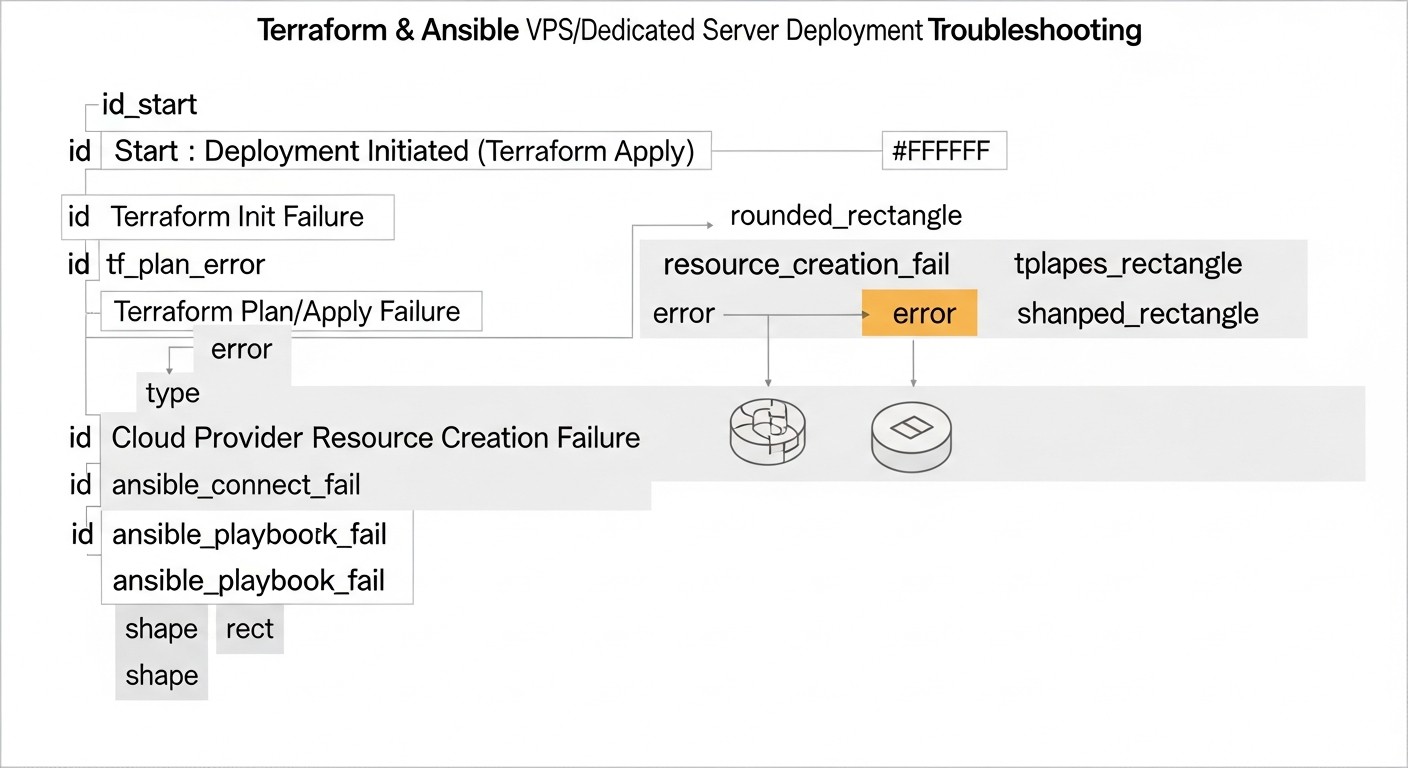
Even with the most careful preparation, problems can arise during automation with Terraform and Ansible. The ability to quickly diagnose and resolve them is a key skill. Here is a list of typical problems and approaches to solving them.
1. Terraform Problems
1.1. Errors during terraform plan or terraform apply:
- Symptom: HCL syntax errors, provider authentication issues, incorrect resource parameters.
Diagnosis: Carefully read the Terraform output. It is usually very informative and points to the specific line and cause of the error. Check your API token or access keys and their permissions. - Symptom: "Resource already exists" or "Resource not found" on a subsequent `apply`.
Diagnosis: Check the state file (`.tfstate`). The resource might have been created manually, or its state has become desynchronized.
Solution: Use `terraform import` to add an existing resource to the state, or `terraform state rm` to remove an entry from the state (if the resource is indeed deleted). Be extremely careful with `terraform state rm`! - Symptom: `terraform apply` hangs or times out.
Diagnosis: Usually related to network issues, provider limits, or very long operations. Check provider logs (e.g., AWS CloudTrail, DigitalOcean Activity Log).
Solution: Increase timeouts in your Terraform configuration if possible. Check quotas and limits with your provider.
1.2. Terraform State Problems:
- Symptom: "State file locked" or conflicts during parallel runs.
Diagnosis: Ensure you are using a remote backend with locking.
Solution: If a lock is stuck (rarely), you can force-unlock it (`terraform force-unlock`), but only if you are certain no one else is working with the state. - Symptom: Configuration Drift – the real infrastructure differs from the state.
Diagnosis: Run `terraform plan`. It will show all differences.
Solution: If the drift is caused by manual changes, either apply `terraform apply` to revert to the code, or update your Terraform code to match the manual changes. Ideally, manual changes should be prohibited.
Terraform Diagnostic Commands:
terraform validate             # Syntax check
terraform plan                 # Preview changes
terraform apply                # Apply changes
terraform state list           # List resources in state
terraform state show  # Detailed information about a resource
terraform output -json         # Output all output variables in JSON format
TF_LOG=TRACE terraform apply   # Very verbose logs for debugging
2. Ansible Problems
2.1. Host Connection Problems:
- Symptom: "Unreachable", "Authentication failed", "Permission denied (publickey)".
Diagnosis:- Check that the SSH key (`-i ~/.ssh/id_rsa`) is specified correctly and has the right permissions (`chmod 400`).
- Ensure the IP address or hostname in the inventory is correct.
- Verify that the SSH server on the target host is running and accessible (
ssh user@ip). - Check firewall settings on the target host and in the cloud (security groups).
- Ensure the user Ansible is trying to connect as exists on the remote server and has SSH access rights.
- Symptom: "Host key checking failed".
Diagnosis: This means the host key fingerprint does not match or is missing fromknown_hosts.
Solution: If it's a new server, you can temporarily disable host key checking (-o StrictHostKeyChecking=no -o UserKnownHostsFile=/dev/null) for the first run, but this is highly discouraged in production. It's better to add the key toknown_hostsmanually or use `ssh-keyscan`.
2.2. Playbook Execution Errors:
- Symptom: Task fails with an error, module error message.
Diagnosis: Carefully read the error message. It usually points to the specific module and cause (e.g., "package not found", "file permissions error").
Solution: Check YAML syntax, variables, file/directory permissions on the target host. Run the playbook with increased verbosity (`-vvv`). - Symptom: Playbook "hangs" or takes a very long time to execute.
Diagnosis: Could be related to waiting for input, long-running commands, or network timeouts.
Solution: Check for interactive commands. Ensure commands are not blocked by a firewall. - Symptom: Non-idempotence – running the Playbook again changes the state or causes errors.
Diagnosis: Run with `ansible-playbook --check --diff`. This will show what changes would be made without actually applying them.
Solution: Rewrite tasks using idempotent modules and conditions.
Ansible Diagnostic Commands:
ansible all -i inventory.ini -m ping                  # Check host reachability
ansible-playbook -i inventory.ini playbook.yaml      # Run playbook
ansible-playbook -i inventory.ini playbook.yaml -vvv # Verbose output for debugging
ansible-playbook -i inventory.ini playbook.yaml --check --diff # Preview changes
ansible-inventory -i inventory.ini --list            # View inventory
ansible-lint                          # Check for style and best practices
3. General Problems
- Network Problems: Unreachable ports, incorrect routing, firewall blocks.
Solution: Check firewall rules in the cloud (Security Groups), on the server (UFW, firewalld). Use `ping`, `traceroute`, `telnet`, `nc` for network connection diagnosis. - Permission Problems: Insufficient user permissions to perform operations.
Solution: Ensure the user has the necessary permissions (e.g., `sudo`). For Ansible, use `become: true`. - Version Problems: Incompatibility between versions of Terraform, Ansible, providers, or operating systems.
Solution: Always use fixed provider versions in Terraform (`version = "~> 2.0"`). Check Ansible role compatibility with OS versions. - Insufficient Resources: Servers cannot start due to lack of RAM, CPU, or disk space.
Solution: Check provider logs. Increase instance size or disk.
Remember, logs are your best friend. Always start by examining command output and system logs. Don't be afraid to experiment in a test environment and use `check` and `diff` modes before applying changes to production.
FAQ: Frequently Asked Questions
1. Why should I use Terraform AND Ansible if I can use only one of them?
Terraform and Ansible solve different but complementary tasks. Terraform focuses on declarative infrastructure management (IaC) – creating, modifying, and deleting resources (VPS, networks, load balancers). Ansible focuses on configuration management (CM) – installing software, configuring services, and deploying applications WITHIN these resources. Using both tools together provides full automation from bare metal to a running application, separating responsibilities and making the process more reliable and scalable.
2. Which provider is best for VPS/dedicated servers in 2026?
The best provider depends on your specific needs. DigitalOcean and Vultr remain excellent choices for startups and small projects due to their ease of use and good price/performance. Hetzner Cloud offers very competitive prices and powerful dedicated servers. AWS, Azure, and GCP are suitable for large enterprises with complex requirements and larger budgets, offering a wide range of services. Equinix Metal is a good choice for Bare Metal as a Service. Evaluate based on performance, geography, price, API for automation, and support quality.
3. How difficult is it to learn Terraform and Ansible?
Both tools have a relatively low barrier to entry, especially for those already familiar with the command line and Linux concepts. Terraform uses HCL, which is intuitive. Ansible uses YAML, which is also easy to read. The main complexity lies in understanding IaC concepts, idempotence, state management, and designing a modular architecture. With an active community and extensive documentation, basic proficiency takes a few weeks, while expert level requires several months of practice.
4. How to secure secrets (passwords, API keys) in automation?
Never store secrets in plain text in Git repositories. Use specialized tools: HashiCorp Vault, AWS Secrets Manager, Azure Key Vault, Google Secret Manager. For Ansible, use Ansible Vault to encrypt files with sensitive data. Integrate these secret managers into your CI/CD pipeline so they dynamically provide secrets only during task execution, using the principle of least privilege.
5. What is "Infrastructure Drift" and how to combat it?
Infrastructure Drift is a situation where the actual state of your infrastructure differs from what is described in your IaC code (Terraform). This often happens due to manual changes made directly on servers. To combat drift, regularly run terraform plan (ideally in CI/CD) to detect it. Implement strict policies prohibiting manual changes. Consider using "Immutable Infrastructure," where servers are never modified but replaced with new ones.
6. Can I use Terraform to manage dedicated servers without an API?
Directly – no. Terraform works through provider APIs. If your dedicated server provider does not offer an API, you cannot use Terraform to directly deploy or manage them (e.g., OS reinstallation). However, you can use Terraform to manage DNS records, network settings, or other cloud components related to your dedicated servers. For servers themselves without an API, you will have to use manual operations or Ansible to configure already existing machines.
7. What are the best practices for structuring Terraform and Ansible projects?
For Terraform: use modules for reusable components, separate configurations by environment (dev, staging, prod) and by component (network, compute, database). For Ansible: use roles for logical grouping of tasks, variables, and templates. Separate variables by host groups and environments. Store all code in Git, use clear names and comments. Follow the DRY (Don't Repeat Yourself) principle.
8. How do I test my infrastructure code?
Testing IaC is as important as testing application code. For Terraform, use terraform validate and terraform plan. For Ansible – ansible-lint and Molecule for testing roles in isolated environments. For integration testing of deployed infrastructure, use frameworks like Terratest, InSpec, or Serverspec. Include these tests in your CI/CD pipeline.
9. What should I do if Terraform or Ansible cause an error in production?
First, don't panic. Second, immediately roll back the latest changes if possible (e.g., terraform destroy for a recently created resource or reverting a Git commit). Third, thoroughly examine the logs (with `TF_LOG=TRACE` for Terraform, `-vvv` for Ansible). Use `plan` or `check` mode for diagnosis. If the problem is related to an external service, check its status. Have a clear rollback and recovery plan.
10. What about Kubernetes? Will it replace VPS/dedicated servers?
Kubernetes (K8s) is a powerful container orchestration platform that is actively developing in 2026. It does not directly replace VPS/dedicated servers but rather abstracts them. K8s itself runs ON servers (virtual or dedicated). Terraform can deploy K8s clusters (e.g., EKS, GKE, AKS, or K3s on VPS), and Ansible can be used for initial configuration of these nodes or deploying a K8s cluster on Bare Metal. For many applications, especially microservices, K8s is an excellent choice, but for monolithic applications, high-load databases, or specific game servers, VPS and dedicated servers remain relevant and simpler to manage.
11. How do I update existing manually created infrastructure to IaC?
This is called "adoption" or "brownfield" deployment. Steps: 1) Import existing resources into Terraform State using terraform import. This allows Terraform to take over management of already created resources. 2) Create Ansible Playbooks to configure existing servers to standardize their state. 3) Apply changes gradually, starting in a test environment. This is a labor-intensive but necessary process for transitioning to automation.
12. What are the trends in infrastructure automation for the coming years?
In 2026 and beyond, we will see further development of:
- AI/ML-Driven Operations (AIOps): Using AI for predictive scaling, automated problem resolution, cost optimization, and anomaly detection.
- GitOps: Managing infrastructure and applications through a Git repository as the single source of truth, with automatic synchronization.
- Serverless and Function as a Service (FaaS): Continuation of the trend towards abstraction from servers for certain types of workloads.
- Security as Code: Integrating security policies directly into infrastructure code and automating their application and auditing.
- Platform Engineering: Creating internal platforms that abstract the complexity of underlying infrastructure for developers, using IaC and CM as a foundation.
Conclusion
In 2026, automating the deployment and management of VPS and dedicated servers with Terraform and Ansible is not just a "nice to have" but an absolute necessity for any organization striving for efficiency, reliability, and competitiveness. We have seen how these two powerful tools, working in tandem, enable the creation, configuration, and maintenance of infrastructure with unprecedented speed and precision. From declarative resource description with Terraform to idempotent configuration management with Ansible – every step in the server lifecycle can be automated and codified.
We have covered key selection criteria, delved into the working principles of Terraform and Ansible, shared practical implementation tips, and analyzed common errors and how to avoid them. Economic calculations have clearly demonstrated that investments in automation pay off many times over, reducing labor costs, minimizing downtime, and accelerating time-to-market. Real-world case studies have confirmed the versatility and effectiveness of this approach for both scalable SaaS platforms and complex hybrid infrastructures.
The world of infrastructure is constantly changing, but the principles of IaC and CM remain steadfast. Tools and technologies will evolve, new providers and capabilities will emerge, but the fundamental idea of managing infrastructure as code will only strengthen. Integration with CI/CD, enhanced security through secret managers and Security as Code, as well as the implementation of advanced monitoring and testing – all these are components of a successful automation strategy.
Final Recommendations:
- Invest in training: Ensure your team deeply understands Terraform, Ansible, and related concepts.
- Start small: Gradual implementation of automation reduces risks and allows for quick initial results.
- Apply modularity: Use Terraform modules and Ansible roles to create reusable and maintainable components.
- Version everything: Git is your best friend. All infrastructure changes must go through version control and code review.
- Test relentlessly: Your infrastructure code should be tested no less than application code.
- Manage secrets: Use specialized tools for storing and accessing sensitive data.
- Avoid manual changes: Strive to manage all infrastructure exclusively through code.
- Integrate into CI/CD: Full automation unlocks the full potential of IaC and CM.
Next Steps for the Reader:
If you've read this far, it means you're ready for action. Don't delay.
- Choose a pilot project: Identify a small but significant component of your infrastructure for initial automation.
- Study the documentation: Dive deep into the official Terraform and Ansible guides.
- Start writing code: Create your first
main.tfandplaybook.yaml. Deploy a test VPS. - Utilize the community: Ask questions on Stack Overflow, Reddit, participate in discussions.
- Build your CI/CD pipeline: Integrate your Terraform and Ansible scripts into an automated process.
Automation is not an end goal, but a continuous process of improvement. By applying the principles and tools described in this article, you can build a reliable, scalable, and efficient infrastructure ready for the challenges of 2026 and beyond. Good luck on your automation journey!