WebAssembly on the Server: A New Paradigm for High-Performance Microservices and FaaS on VPS/Dedicated
TL;DR
WebAssembly (Wasm) in 2026 has become a key technology for server-side workloads, offering an unprecedented combination of performance, security, and portability, surpassing traditional containers for many scenarios.
Minimal cold start and low memory consumption make Wasm ideal for FaaS and high-load microservices, especially on budget VPS and dedicated servers.
Enhanced security thanks to the Wasm sandbox limits potential attack vectors, isolating modules from each other and from the host system.
Cross-platform compatibility allows Wasm modules to run on any architecture (x86, ARM) and OS without recompilation, simplifying deployment and migration.
Significant cost savings are achieved through more efficient server resource utilization, allowing more services to be hosted on the same infrastructure.
The Wasm ecosystem is actively developing, offering powerful runtimes (Wasmtime, Wasmer, WasmEdge), SDKs for popular languages (Rust, Go, C++, Python, JavaScript), and frameworks for creating server applications.
It is recommended to start with pilot projects for performance- or security-critical components, gradually integrating Wasm into the existing architecture.
Introduction
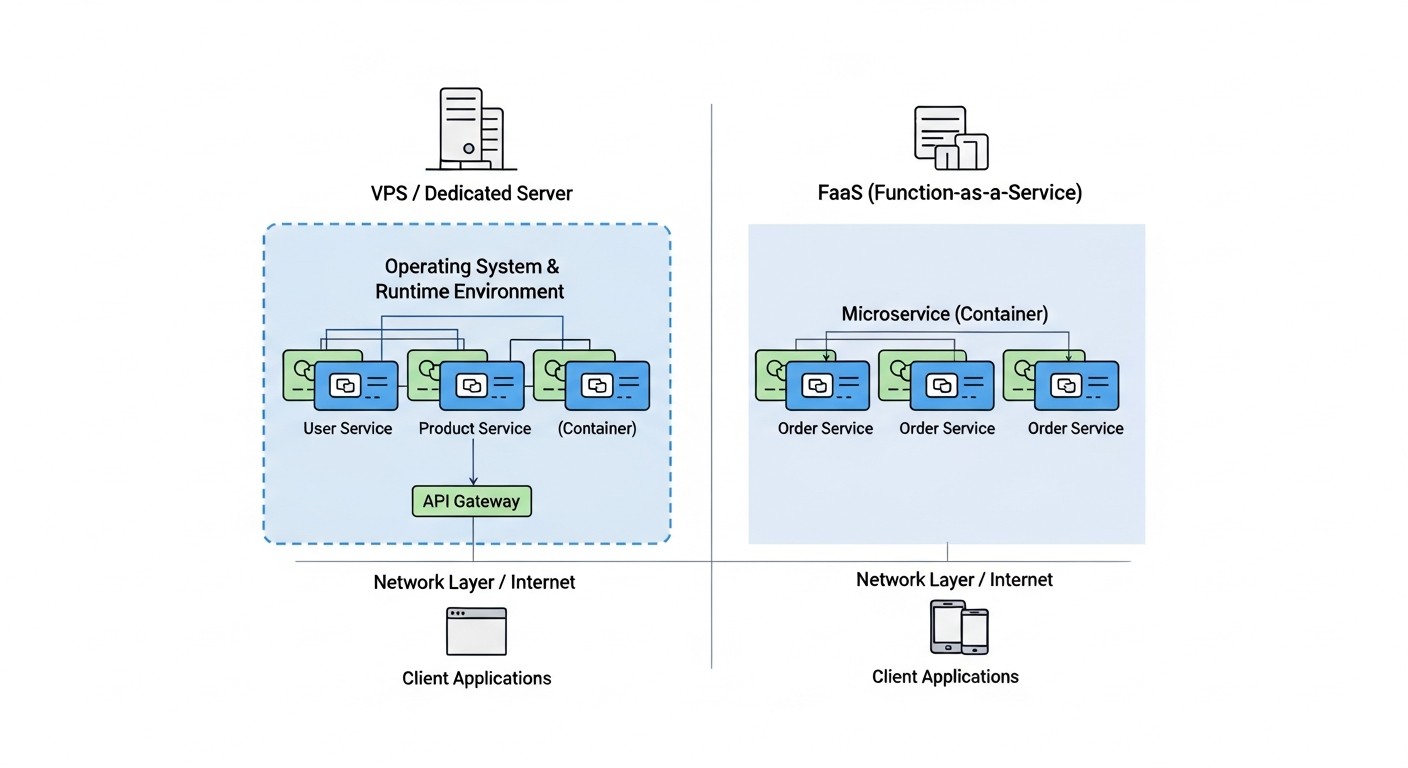
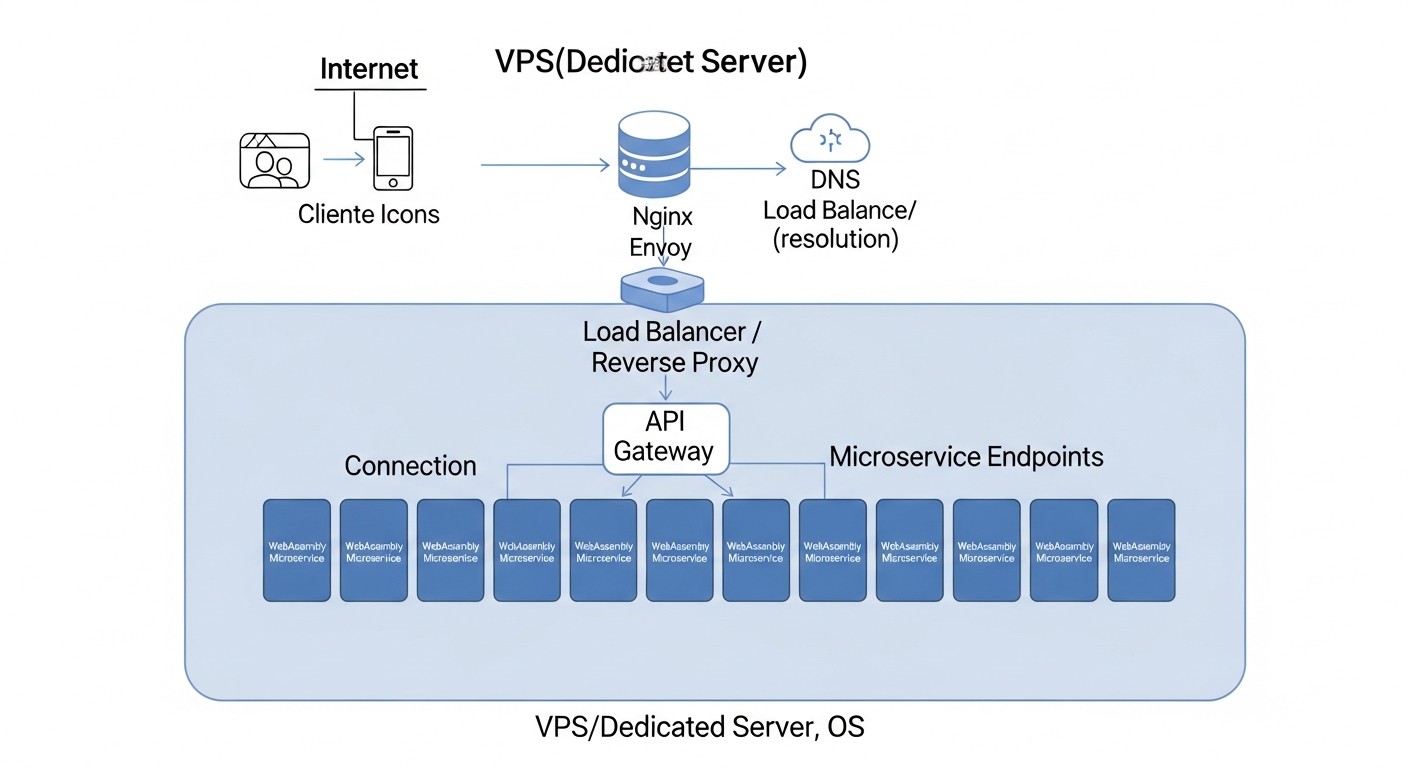
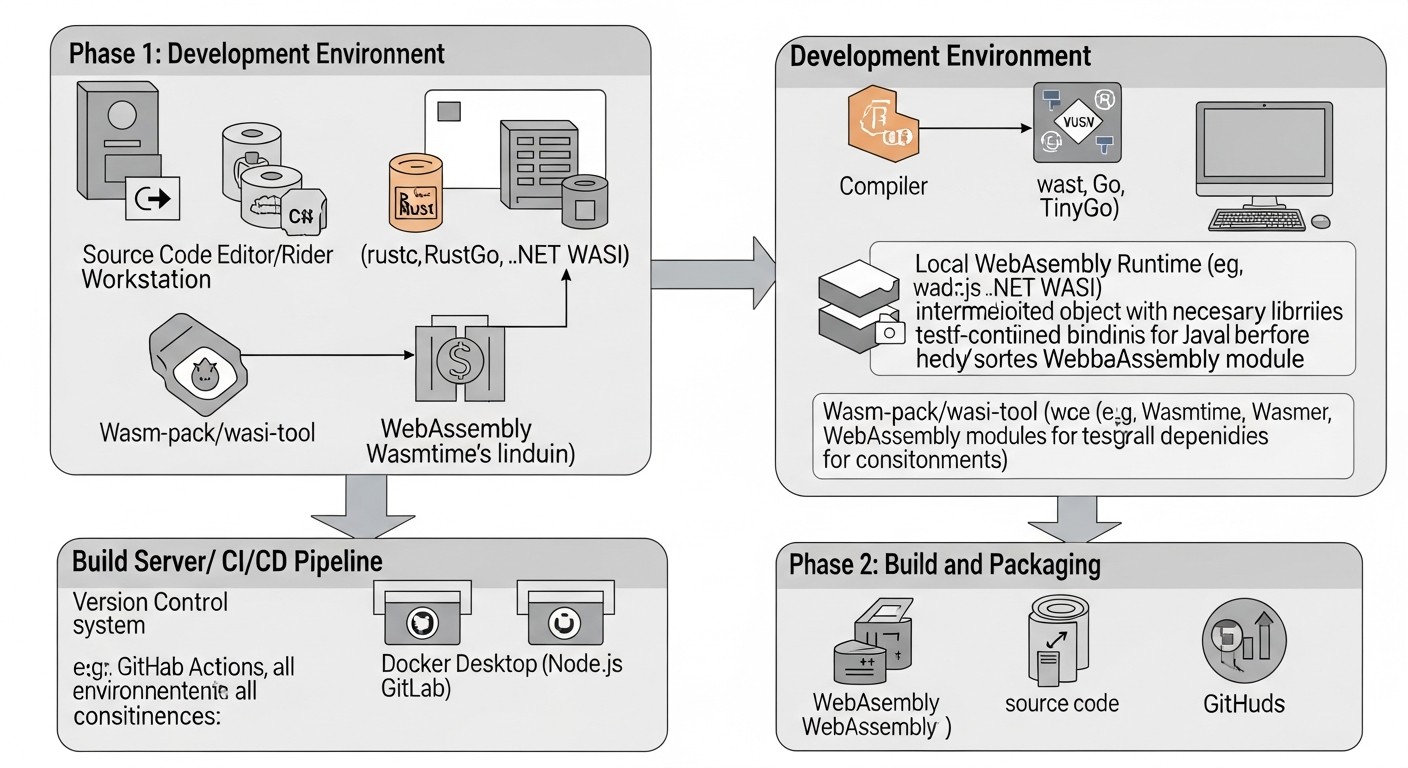
Diagram: Introduction
In the rapidly changing landscape of cloud and server technologies in 2026, where every megabyte of memory and millisecond of latency are critical for the success of SaaS projects and scalable microservices, a new player is emerging, ready to change the rules of the game – WebAssembly (Wasm) on the server. What began as a technology for high-performance web applications in the browser is now demonstrating its enormous potential in backend development, offering a solution to many challenges faced by DevOps engineers, developers, and startup founders.
Why is this topic important now, in 2026? More than five years have passed since the active development of server-side Wasm, and the technology has moved from an experimental stage to a mature state, offering stable runtimes, a rich ecosystem, and proven usage patterns. We are observing the rising cost of cloud resources, the increasing complexity of microservice architectures, and a constant need for efficiency improvements. Traditional approaches, such as containerization with Docker and orchestration with Kubernetes, while remaining standard, often cannot provide the required performance and cost-effectiveness for specific tasks, especially in the context of FaaS (Function as a Service) and high-load computing on limited VPS or dedicated server resources. Wasm offers an elegant solution, reducing cold start times to fractions of a millisecond, minimizing memory consumption, and providing a level of isolation comparable to virtual machines, but with performance close to native code.
This article aims not just to talk about server-side WebAssembly, but to provide a deep, practical analysis of its application. We will examine what specific problems Wasm solves: from combating "cold starts" in serverless functions to optimizing resource utilization on a VPS where every cent counts. We will show how Wasm can become a cornerstone for creating high-performance and secure microservices capable of handling millions of requests per second, while remaining incredibly flexible and portable. The article is written for those looking for innovative ways to optimize their infrastructure and development: for DevOps engineers striving for maximum efficiency; for Backend developers wanting to create faster and more secure applications; for SaaS project founders who want to gain a competitive advantage through technological superiority and reduced TCO; for system administrators looking for ways to simplify deployment and increase reliability; and for startup CTOs making strategic decisions about their technology stack.
We will avoid marketing hype and focus on concrete facts, figures, and real-world use cases. Our approach will be as practical as possible, with step-by-step instructions, code examples, and detailed calculations. The goal is to give you all the necessary knowledge and tools so that you can confidently evaluate and then implement WebAssembly in your projects, discovering a new paradigm of high-performance computing.
Key Criteria and Selection Factors
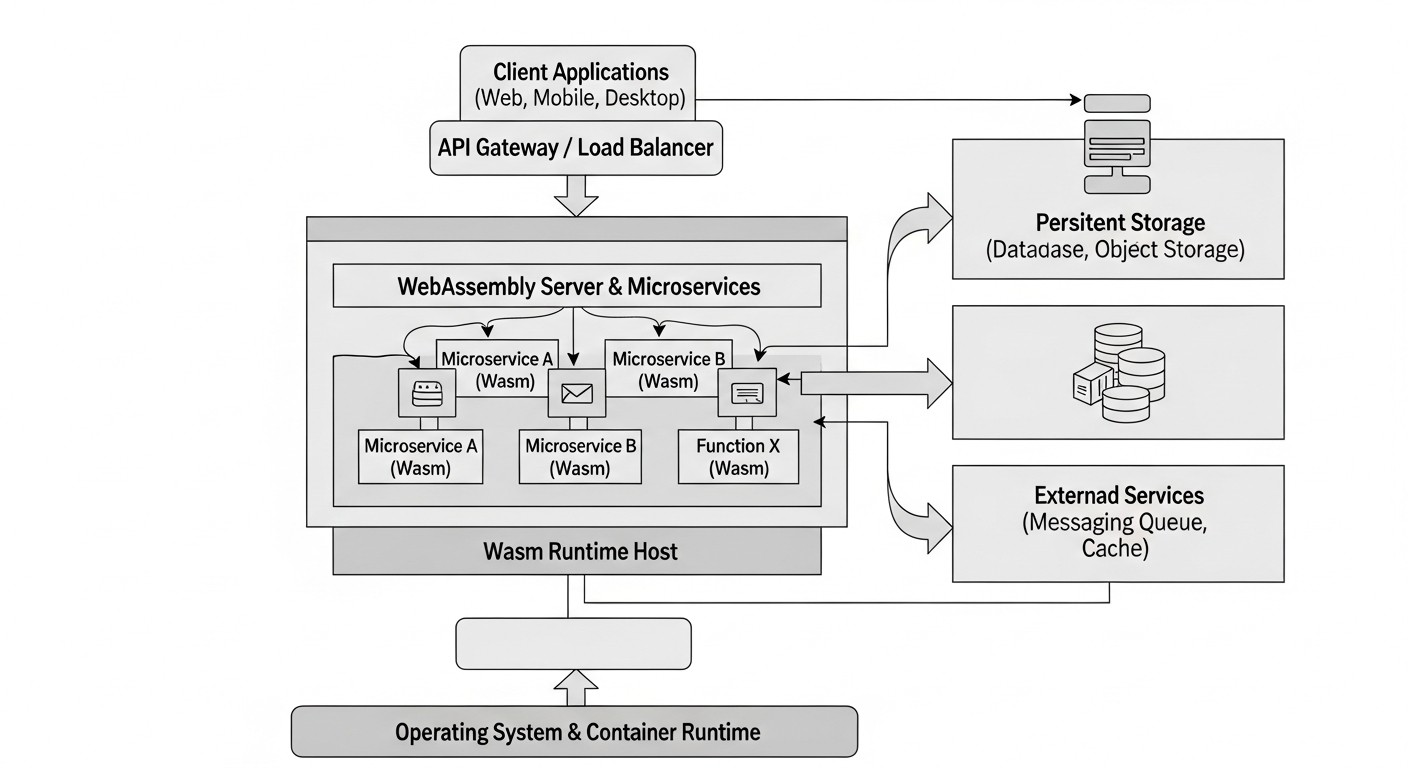
Diagram: Key Criteria and Selection Factors
Choosing a technology for server-side workloads is always a compromise between many factors. In the context of high-performance microservices and FaaS on VPS/Dedicated, when it comes to WebAssembly, it is necessary to carefully evaluate a number of key criteria. Understanding these criteria will allow you to make an informed decision about whether Wasm is suitable for your specific tasks and how it compares to traditional approaches.
1. Performance & Execution Speed
This is perhaps the most obvious and critical factor. Wasm modules are compiled into native machine code at runtime or ahead-of-time (AOT), allowing them to achieve performance comparable to native C/C++/Rust binaries. However, it is important to consider the overhead of the Wasm runtime, which, although minimal, still exists. In 2026, modern Wasm runtimes like Wasmtime and Wasmer have matured, offering JIT compilation and AOT optimizations that minimize this gap. Why is this important? For tasks where every millisecond matters: high-frequency trading, real-time streaming data processing, game servers, low-latency APIs. One should evaluate not only the raw execution speed of an algorithm but also throughput (requests per second) and latency under load.
2. Cold Start Time
One of the main scourges of serverless functions (FaaS) is the time required to initialize the execution environment and launch the function. Traditional containers can take hundreds of milliseconds or even seconds. Wasm is revolutionary in this regard. Wasm modules are extremely small in size (kilobytes, not megabytes) and do not require loading an entire operating system or a heavy runtime environment. This allows them to start in microseconds. Why is this important? For FaaS, where functions may be called infrequently but require an instant response. This is also critical for microservices that need to scale up and down quickly in response to changing load, without creating delays for the user.
3. Resource Consumption: Memory & CPU
On VPS and dedicated servers, every megabyte of RAM and every CPU cycle has a price. Wasm modules are known for their minimal resource consumption. They run in an isolated sandbox with their own, strictly limited memory footprint, which eliminates "bloating" processes. Unlike containers, which often require a full-fledged OS (even if it's a lightweight image), the Wasm runtime itself is a lightweight process that can manage multiple Wasm modules with minimal overhead. This allows significantly more services to be hosted on the same hardware platform, directly impacting cost savings. It is important to evaluate peak and average memory consumption, as well as CPU utilization at various load levels.
4. Security & Isolation
Wasm was originally designed with security in mind. Each Wasm module runs in a strict sandbox that by default has no access to the host's file system, network, or other system resources. All interactions with the outside world must be explicitly permitted and proxied through the WebAssembly System Interface (WASI). This significantly reduces the attack surface and makes Wasm ideal for executing untrusted code or for creating multi-tenant systems where isolation is critical. Unlike containers, where isolation is achieved through cgroups and Linux kernel namespaces (which can be compromised under certain conditions), Wasm provides process-level isolation that is often considered more robust for certain types of attacks. It is worth evaluating the security model, potential data leaks, and attack vectors.
5. Portability & Cross-Platform Compatibility
Wasm modules are compiled into universal bytecode that can be run on any Wasm runtime, regardless of CPU architecture (x86, ARM, RISC-V) or operating system (Linux, Windows, macOS). This means you compile your code once and run it everywhere. Why is this important? For simplifying CI/CD processes, migrating between different server platforms or cloud providers, and supporting heterogeneous environments. This reduces operational overhead and increases architectural flexibility.
6. Ecosystem Maturity & Developer Tools
In 2026, the server-side Wasm ecosystem has grown significantly. There are stable and high-performance runtimes such as Wasmtime, Wasmer, WasmEdge, as well as SDKs and compilers for most popular programming languages (Rust, Go, C++, Python, JavaScript/TypeScript, .NET). Frameworks simplifying the creation of Wasm microservices have emerged (e.g., Spin by Fermyon, WasmCloud). However, compared to the long-standing container ecosystem, Wasm may still be less mature in some specific areas, such as monitoring, debugging, and integration with existing cloud services. It is important to evaluate the availability of libraries, frameworks, documentation, and community for the chosen language and runtime.
7. Implementation Complexity & Learning Curve
While Wasm concepts are simple, its implementation into existing CI/CD pipelines and architectures requires certain effort and learning. Developers accustomed to Docker may need time to understand the WASI model and the specifics of Wasm module interaction with the host system. However, with the advent of high-level frameworks like Spin, the process of creating and deploying Wasm services is significantly simplified, making it accessible even to teams without deep experience in low-level programming. It is worth evaluating the time required for team retraining, integration into current processes, and the availability of expertise in the market.
Comparative Table: Wasm vs. Containers vs. Native Binaries
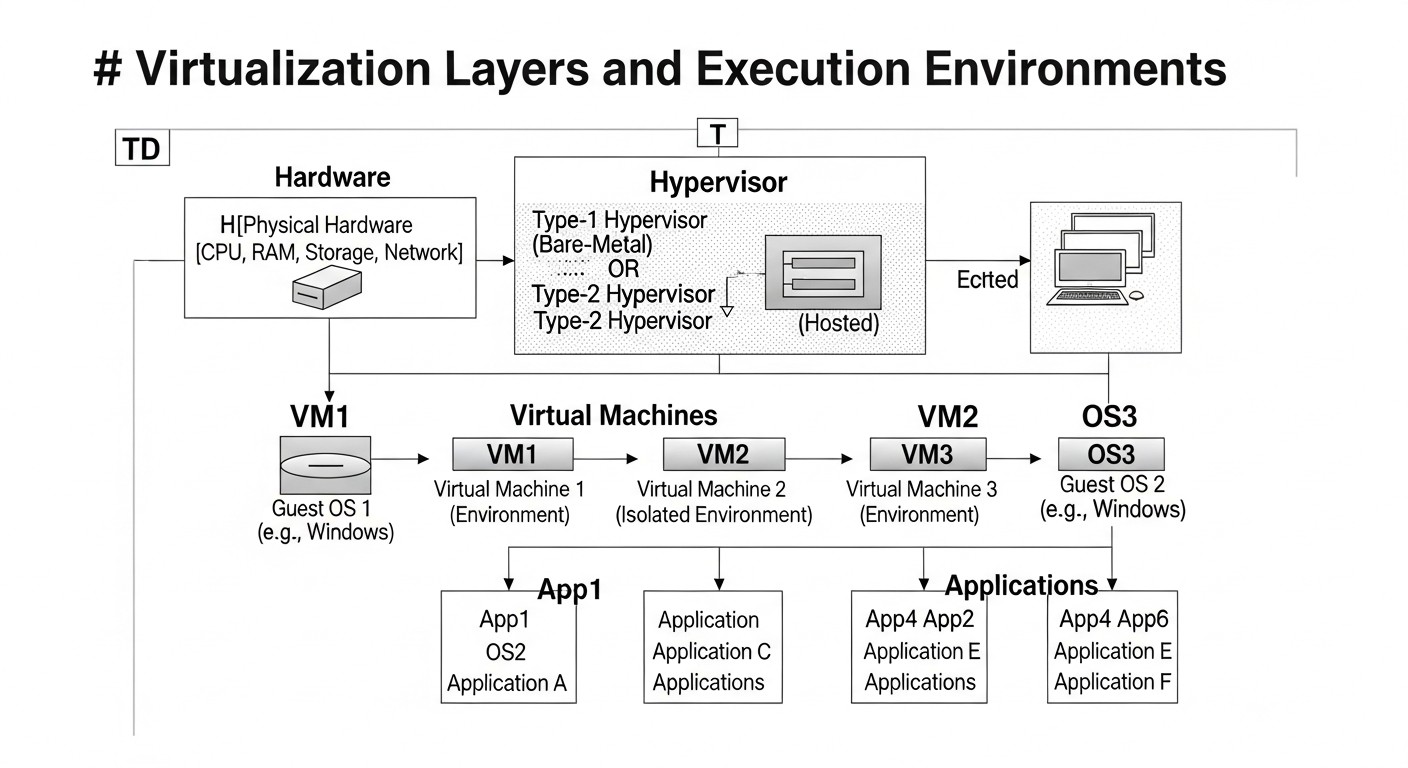
Diagram: Comparative Table: Wasm vs. Containers vs. Native Binaries
To make an informed decision about technology selection, it's important to have a clear understanding of the strengths and weaknesses of each approach. In this table, we compare server-side WebAssembly (using modern runtimes like Wasmtime/Wasmer), traditional containers (Docker/rkt), and native binaries (compiled directly for the host) based on key criteria relevant for 2026.
Criterion
WebAssembly (Wasm)
Containers (Docker/rkt)
Native Binaries
Cold Start Time
< 1 ms (microseconds)
50-500 ms (depends on image)
< 1 ms (microseconds)
RAM Consumption (min.)
~1-5 MB per module
~20-100+ MB per container
~1-5 MB per process
Executable Size
Tens of KB - Several MB
Tens - Hundreds of MB (with OS)
Several MB - Tens of MB
CPU Performance
90-95% of native
95-99% of native
100% of native
Security Isolation
Process-level sandbox (WASI), very high. No host access by default.
Linux kernel-level isolation (cgroups/namespaces), high, but potentially less strict.
Absent by default, depends on OS and user settings.
Portability
Very high (Write Once, Run Anywhere) on any Wasm runtime, OS, architecture.
High (Run Anywhere with Docker/container runtime), requires correct image architecture.
FaaS, Edge Computing, high-performance microservices, plugins, real-time data processing.
Most microservices, monoliths, CI/CD, dev environments, orchestration.
Critical system components, high-load databases, low-level services, OS.
Resource Cost (rel.)
Low (maximum deployment density)
Medium (requires more RAM/CPU)
Low (high efficiency, but without isolation)
This table clearly demonstrates that WebAssembly occupies a unique niche, offering advantages previously unattainable within a single technology. It combines the portability of containers with the performance of native binaries and unprecedented sandbox security, while minimizing resource consumption. However, the choice should always be based on specific project requirements, not on blindly following trends.
Detailed Overview of Each Item/Option
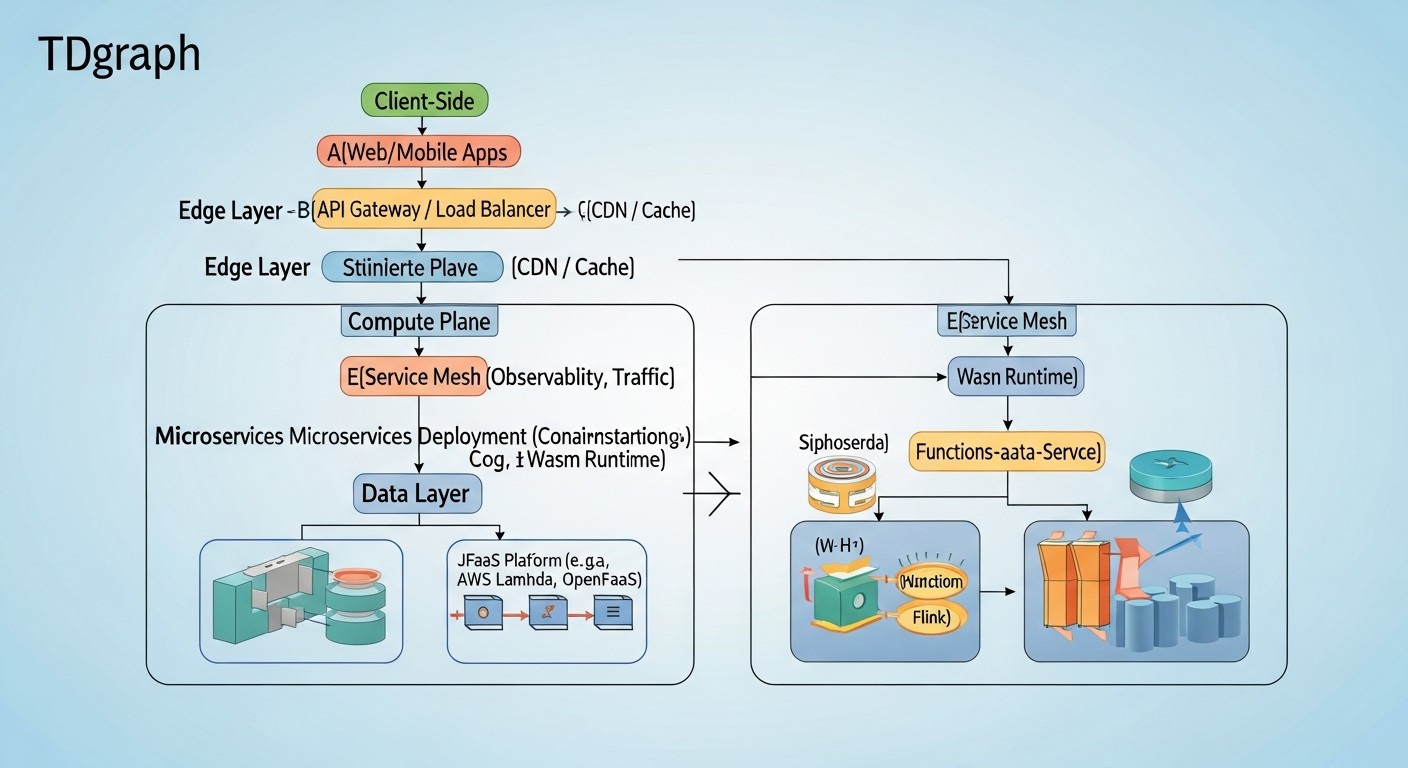
Diagram: Detailed Overview of Each Item/Option
For a deeper understanding of the context and an informed choice, let's take a closer look at each of the three approaches being compared: Server-Side WebAssembly, containers, and native binaries. We will delve into their features, advantages, disadvantages, and optimal application scenarios in the context of 2026.
1. WebAssembly (Wasm) on the Server
Server-Side WebAssembly, or Server-Side Wasm, involves running Wasm modules outside the browser, using specialized runtimes that implement the WebAssembly System Interface (WASI). WASI allows Wasm modules to interact with system resources such as the file system, network, and environment variables, but only through clearly defined, secure APIs proxied by the host runtime. This approach is truly revolutionary for a range of server-side tasks.
Pros:
Incredible Cold Start Speed: As mentioned, Wasm modules start in microseconds. This makes them an ideal choice for FaaS, where "cold start" is a primary source of latency and inefficiency. Instead of waiting for an entire container to load, the Wasm runtime simply loads and executes compact bytecode.
Minimal Resource Consumption: Wasm modules have a very low memory and CPU footprint. Each module runs in its isolated sandbox with minimal overhead. This allows for unprecedented service density on a single VPS or dedicated server, directly leading to significant infrastructure cost savings. For example, hundreds or even thousands of Wasm modules can run on one gigabyte of RAM, whereas containers might be limited to dozens.
Highest Level of Security: Sandbox-level isolation is a key advantage of Wasm. A module cannot "break out" of its environment and gain unauthorized access to the host system or other modules unless explicitly permitted via WASI. This makes Wasm ideal for executing user code, plugins, or security-critical microservices.
True Portability: Wasm bytecode is universal. Once compiled, you can run it on any operating system and architecture that has a compatible Wasm runtime. This simplifies CI/CD, migration, and allows easy switching between different hardware platforms (x86, ARM) without recompilation or image rebuilding.
Support for Multiple Languages: Developers can use their favorite languages (Rust, Go, C++, Python, JavaScript/TypeScript, .NET) to compile to Wasm, which lowers the entry barrier and allows leveraging existing team expertise.
Cons:
Less Mature Ecosystem (compared to containers): Although the ecosystem is actively developing, it is still not as extensive and mature as Docker/Kubernetes. Tools for monitoring, debugging, and orchestrating Wasm services continue to improve.
Debugging Complexity: Debugging Wasm modules can be more complex than debugging native applications or containers, especially when dealing with high-level languages compiled to Wasm.
Limited Access to System Resources: The WASI security model, while an advantage, can also be a limitation. For some low-level operations or integrations with specific system APIs, additional work or the use of runtime "capabilities" might be required.
Learning Curve: For teams accustomed to a Docker-centric approach, it will take time to master the new concepts of Wasm, WASI, and runtime specifics.
Who It's For:
Wasm is ideal for serverless functions (FaaS), Edge Computing, and high-performance microservices where startup speed and low resource consumption are critical. It is excellent for SaaS projects that need to maximize deployment density on VPS/Dedicated servers, reduce costs, and ensure a high level of security for multi-tenant applications or user code (e.g., plugins, scripts). It is also perfect for systems with strict latency requirements, such as financial transaction processing or IoT data.
2. Containers (Docker/rkt)
Containers have become the de facto standard for packaging and deploying applications. They encapsulate an application and all its dependencies into an isolated image that can be run on any machine with a container runtime. Technologies such as Docker, Kubernetes, and the Open Container Initiative (OCI) have formed a powerful and mature ecosystem.
Pros:
High Ecosystem Maturity: Millions of ready-made images, extensive documentation, a huge community, and numerous tools for CI/CD, monitoring, and orchestration (Kubernetes, Docker Swarm). This reduces risks and accelerates development for most standard tasks.
Predictable Execution Environment: Containers ensure that an application will run identically in any environment — from a developer's machine to a production server. This solves the "it works on my machine" problem.
Good Isolation: Containers use Linux kernel isolation mechanisms (cgroups, namespaces), providing resource and process separation. This is sufficient for most scenarios, though not as strict as a Wasm sandbox.
Broad Language and Framework Support: Any application written in any language can be containerized.
Ease of Orchestration: Tools like Kubernetes provide powerful capabilities for automatic scaling, self-healing, managing deployments, and updates.
Cons:
Significant Resource Consumption: Each container carries its own (albeit stripped-down) operating system and all dependencies. This leads to greater RAM and disk space consumption compared to Wasm modules. On a VPS, this can quickly lead to resource overruns and, consequently, high costs.
"Cold Start" Problem: Starting a container typically takes hundreds of milliseconds. For FaaS, this is often unacceptable, as the user will experience latency.
Less Portability: While containers are portable within a single architecture (e.g., x86), running them on an ARM architecture (e.g., Apple Silicon or AWS Graviton) requires rebuilding the image. "Build once, run anywhere" comes with caveats.
OS Kernel Overhead: Containers share the same OS kernel, which can be an attack vector in case of certain kernel vulnerabilities.
Who It's For:
Containers remain an excellent choice for most traditional microservices, monolithic applications, CI/CD pipelines, and development environments. They are ideal for projects where ecosystem maturity, a wide range of tools, and orchestration capabilities are important, and where cold start requirements are not critical (e.g., long-running services). They are well-suited for most SaaS projects but can be excessive and costly for very small, fast-starting, or highly scalable functions in terms of instance count.
3. Native Binaries
Native binaries are compiled executable files that run directly on the host operating system, without any additional virtualization or isolation (other than standard OS mechanisms).
Pros:
Maximum Performance: Native binaries provide 100% CPU performance, as there is no overhead from virtualization, sandboxing, or interpretation.
Minimal Resource Consumption: They run with the minimum amount of memory required for the process itself and its dependencies. The absence of additional layers means they typically consume fewer resources than containers and are comparable to Wasm.
Instant Cold Start: They start almost instantly, like any regular process in the OS.
Full System Control: They have direct access to all system resources and APIs, which may be necessary for very specific or low-level tasks.
Cons:
Lack of Isolation: This is the biggest drawback. If a native binary is compromised, it gains full access to the system it's running on (with the privileges of the user under whom it's launched). This makes it risky for executing untrusted code or for multi-tenant environments.
Low Portability: Native binaries are specific to a particular operating system and CPU architecture. They will need to be recompiled and reassembled for each target platform. This complicates deployment and migration.
Dependency Issues: Managing dependencies and libraries can be a problem, leading to "DLL Hell" or version conflicts if static builds are not used.
Lack of Packaging Standardization: There is no unified way to package and deploy them, unlike containers.
Who It's For:
Native binaries are suitable for system utilities, high-performance databases, low-level services, critical operating system components, or applications where maximum performance and full system control are absolutely essential, and isolation issues are handled at the OS or hardware level. They are ideal when you control the entire execution environment and do not require portability or strict isolation between applications on a single host (e.g., on a dedicated server for one large monolithic system).
In 2026, Server-Side Wasm occupies the sweet spot, offering a better combination of performance, security, portability, and resource efficiency than containers, and much better isolation and portability than native binaries, while retaining their advantages in startup speed and low memory consumption. This makes it extremely attractive for new types of architectures and optimizing existing ones.
Practical Tips and Recommendations for Wasm Implementation
Diagram: Practical Tips and Recommendations for Wasm Implementation
Implementing a new technology, such as server-side WebAssembly, requires a systematic approach. Here, we have compiled practical tips and step-by-step recommendations to help you successfully integrate Wasm into your infrastructure and development processes. We will focus on popular languages like Rust and general principles.
1. Choosing a Language and Compiler
While Wasm supports many languages, Rust is the most mature and performant choice for server-side Wasm. Its type system, memory safety, and lack of a garbage collector allow for the creation of very compact and efficient Wasm modules.
# Установка Rust и целевого компилятора Wasm
curl --proto '=https' --tlsv1.2 -sSf https://sh.rustup.rs | sh
rustup target add wasm32-wasi

# Пример проекта на Rust
cargo new --bin my-wasm-service
cd my-wasm-service

# Добавьте в Cargo.toml:
# [dependencies]
# anyhow = "1.0" # Для обработки ошибок
# reqwest = { version = "0.11", features = ["json", "blocking"], optional = true } # Пример для HTTP-запросов
# serde = { version = "1.0", features = ["derive"] }
# serde_json = "1.0"
#
# [target.wasm32-wasi]
# rustflags = ["-C", "target-feature=+atomics,+bulk-memory,+mutable-globals"] # Оптимизации Wasm

# В src/main.rs создайте простую функцию
# use std::io::{self, Read, Write};
#
# fn main() -> anyhow::Result<()> {
#     let mut buffer = String::new();
#     io::stdin().read_to_string(&mut buffer)?;
#
#     let response = format!("Hello from Wasm! Received: {}", buffer);
#     io::stdout().write_all(response.as_bytes())?;
#
#     Ok(())
# }
For other languages such as Go, Python, JavaScript, tools for compiling to Wasm also exist, but they may have their own peculiarities and limitations (e.g., binary size or performance). Python and JS are typically compiled with a runtime that includes an interpreter, which increases size and reduces performance compared to Rust.
2. Choosing a Wasm Runtime
In 2026, the main players in the server-side Wasm runtime market are Wasmtime, Wasmer, and WasmEdge. Each of them has its own characteristics:
Wasmtime: Developed by Bytecode Alliance, focused on security and performance. Ideal for integrating Wasm modules into existing applications in Rust, Go, Python, .NET.
Wasmer: A universal runtime with broad language support and functionality, including WASI support and various Wasm extensions. Offers convenient CLIs and SDKs.
WasmEdge: Optimized for Edge Computing, FaaS, and blockchain applications. Supports extensions for AI/ML and network operations.
For most high-performance microservices and FaaS on VPS, Wasmtime or Wasmer will be an excellent choice. They can be embedded into host applications or used as standalone executable daemons.
# Пример запуска Wasm-модуля с Wasmtime (предполагается, что Wasmtime установлен)
# Установка Wasmtime: curl https://wasmtime.dev/install.sh -sSf | bash
# Компиляция вашего Rust-кода:
# cargo build --target wasm32-wasi --release
#
# Запуск с Wasmtime:
# wasmtime target/wasm32-wasi/release/my-wasm-service.wasm --dir .:/data --env MY_VAR=value --invoke _start < input.txt > output.txt
#
# Где:
# --dir .:/data - дает Wasm-модулю доступ к текущей директории хоста как /data внутри песочницы
# --env MY_VAR=value - передает переменную окружения
# --invoke _start - вызывает функцию _start (аналог main для WASI)
3. Developing Microservices with Wasm
To create full-fledged microservices with Wasm, you will need frameworks that abstract away working with HTTP, databases, and other network operations.
Spin (Fermyon): A framework for creating HTTP services and serverless functions on Wasm. It allows for easy handling of HTTP requests, working with KV stores, databases, and message queues.
WasmCloud: A distributed platform for orchestrating Wasm microservices, providing abstractions for interacting with external services via "capabilities".
# Пример создания HTTP-сервиса с Spin (Rust)
# Установка Spin CLI: curl -fsSL https://developer.fermyon.com/downloads/install.sh | bash

# Создание нового проекта Spin
spin new http-rust my-http-service
cd my-http-service

# В src/lib.rs (Spin использует lib.rs вместо main.rs)
# use spin_sdk::http::{Request, Response};
# use spin_sdk::http_component;
#
# #[http_component]
# fn handle_my_http_service(req: Request) -> Response {
#     println!("Handling request to {:?}", req.uri());
#     Response::builder()
#         .status(200)
#         .header("content-type", "text/plain")
#         .body(format!("Hello from Spin! You requested: {}", req.uri().path()))
#         .build()
# }

# Сборка и запуск
spin build
spin up
# Теперь ваш Wasm-сервис доступен по HTTP, например, на http://127.0.0.1:3000
4. CI/CD Integration
The CI/CD process for Wasm modules is similar to other projects, but with consideration for the target platform wasm32-wasi.
Build: Your CI pipeline should include a compilation step to wasm32-wasi.
Testing: Automated tests should run either in a native environment or using a Wasm runtime for integration tests.
Deployment: Wasm module deployment can be done via simple copy scripts to a VPS, or using specialized tools such as spin deploy for Fermyon Cloud, or through a WasmCloud orchestrator.
5. Monitoring and Logging
Monitoring of Wasm services has improved in 2026, but still requires attention:
Logging: Wasm modules using WASI can output logs to stdout/stderr. The host application or runtime should intercept these logs and send them to a centralized system (ELK Stack, Grafana Loki).
Metrics: Modern Wasm runtimes provide APIs for collecting metrics (memory usage, CPU, number of runs, execution time). Integrate them with Prometheus/Grafana.
Tracing: For distributed microservices, use distributed tracing (OpenTelemetry), which can be integrated into Wasm modules via appropriate SDKs.
6. Versioning and Updates
Wasm modules are very easy to update: simply replace the .wasm file and restart the runtime (or use hot reloading if the runtime supports it). This simplifies A/B testing and rollbacks.
By following these practical recommendations, you will be able to effectively implement WebAssembly in your projects, maximizing its benefits.
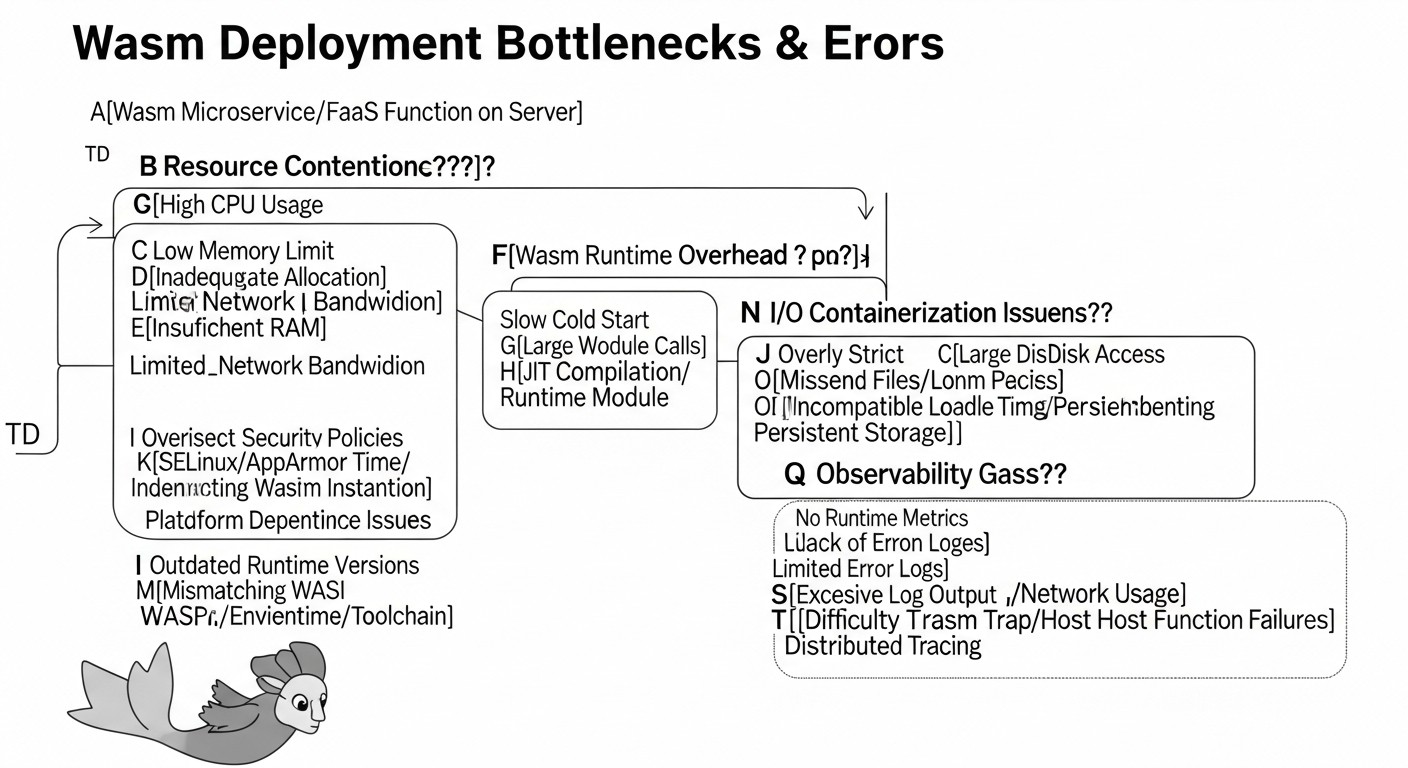
Typical Mistakes When Working with WebAssembly on the Server
Diagram: Typical Mistakes When Working with WebAssembly on the Server
The adoption of any new technology comes with certain pitfalls. WebAssembly on the server is no exception. By knowing about common mistakes in advance, you can avoid many problems and save time and resources. In 2026, many of these errors are already well-documented but still occur in practice.
1. Underestimating or Misunderstanding the WASI Security Model
Mistake: Assuming that a Wasm module automatically has access to all system resources, like a regular process, or, conversely, that it absolutely cannot interact with the host. It is also erroneous to believe that the Wasm sandbox completely eliminates all attack vectors, not requiring additional code auditing.
How to avoid: Deeply study the WebAssembly System Interface (WASI). Remember that by default, a Wasm module has no access to the file system, network, or environment variables. All these capabilities must be explicitly provided by the runtime via flags (e.g., --dir, --mapdir, --net, --env for Wasmtime). Always grant Wasm modules the minimum necessary privileges. Regularly conduct security audits of both Wasm modules and the host runtime, especially if you use third-party modules or execute user code.
Real-world consequence example: Developers try to connect to a database or send an HTTP request from a Wasm module and receive a "permission denied" or "host function not found" error because the runtime was not configured to provide network access. In the worst case, excessive privileges granted to the module could be used to bypass the sandbox if there are vulnerabilities in the runtime or the module itself.
2. Using Inappropriate Languages or Libraries for Wasm Compilation
Mistake: Attempting to compile an application written in a language with a heavy runtime (e.g., JVM languages, or some specific Python libraries) into Wasm, or using libraries that heavily depend on specific system calls not supported by WASI.
How to avoid: Choose languages that are well-suited for compilation to Wasm and WASI. Rust is the gold standard due to its efficiency, lack of a garbage collector, and excellent Wasm support. Go is also a good fit. For Python and JavaScript/TypeScript, solutions exist (e.g., Pyodide, WasmEdge with QuickJS), but they typically compile the entire interpreter along with the code, which increases module size and reduces performance. Avoid libraries that make direct system calls incompatible with WASI. Always check the compatibility of dependencies with the wasm32-wasi target platform.
Real-world consequence example: Attempting to compile a complex Python application with many dependencies into Wasm results in a binary tens or hundreds of megabytes in size, with slow startup and high memory consumption, completely negating Wasm's advantages. Or, for example, when compiling C++ code that uses specific Linux APIs, the module may fail to launch due to the absence of corresponding WASI interfaces.
3. Improper Handling of Input/Output (I/O) and External Dependencies
Mistake: Expecting a Wasm module to interact with the outside world in the same way as a regular application, without considering the WASI model for I/O, network requests, or database access.
How to avoid: Remember that WASI provides a limited set of "host functions" for I/O. For more complex interactions, such as HTTP requests, database operations, or message queues, you will need to use specialized frameworks (Spin, WasmCloud) or runtime "capabilities" that provide these functions. Otherwise, your Wasm module will be "blind" and "deaf" to the outside world. If you are writing in Rust, use wrappers over system calls that are compatible with WASI (e.g., std::fs, std::net), or specialized libraries adapted for Wasm.
Real-world consequence example: A Wasm module designed to handle HTTP requests cannot receive them because the host application does not proxy incoming requests to the module, or the module attempts to make an outgoing HTTP request using a standard library that has not been adapted for WASI and lacks the corresponding "host function" in the runtime.
4. Ignoring Wasm Debugging and Monitoring Specifics
Mistake: Attempting to use standard debugging and monitoring tools designed for native processes or containers, without considering the specifics of the Wasm sandbox.
How to avoid: Although the Wasm tooling ecosystem is actively developing, debugging Wasm modules can still be more complex than for native applications. Use logging within Wasm modules (e.g., via println! in Rust, which will be intercepted by the runtime). For deeper debugging, consider using Wasm-aware debuggers (e.g., built into runtimes or specialized IDE plugins). For monitoring, collect metrics provided by the Wasm runtime (memory usage, CPU, number of calls) and send them to your monitoring system (Prometheus, Grafana). Ensure your runtime is configured to export these metrics.
Real-world consequence example: A Wasm module operates incorrectly in production, but the team lacks diagnostic tools: logs are missing or incomplete, metrics are not collected, and the only option is to restart the module, which does not solve the root problem.
5. Improper Memory Management and GC (for GC languages)
Mistake: For languages with garbage collectors (e.g., Python, JavaScript), compiling to Wasm can lead to a significant increase in module size and potential performance issues due to the need to include the GC within the Wasm module.
How to avoid: For performance and size-critical components, always prefer languages without a garbage collector, such as Rust or C++. If you are forced to use GC languages, carefully profile memory and CPU usage, and be prepared for trade-offs. Explore options for optimizing Wasm binary size for your language (e.g., using wasm-opt, symbol stripping). In 2026, the Wasm GC proposal is actively developing, which will allow host runtimes to provide a common GC implementation, reducing module size and improving performance, but this is not yet a widespread standard.
Real-world consequence example: A Python Wasm function, intended for fast execution, actually consumes hundreds of megabytes of memory and has a high "cold start" time due to loading the entire Python interpreter and its GC inside the Wasm module, making it less efficient than a similar function in a lightweight container.
6. Incorrect Choice Between Wasm and Traditional Containers
Mistake: Blindly adopting Wasm for all microservices, without considering that for some tasks, containers might be a more suitable or mature solution.
How to avoid: Conduct a thorough analysis of each microservice's requirements. Wasm shines where cold start, low memory consumption, high deployment density, and strict isolation are critical. For long-running, resource-intensive services with moderate startup requirements, or for services requiring very specific system dependencies, containers may be a simpler and more reliable choice. Use Wasm where it provides a clear advantage, not just because it's "trendy." Hybrid architectures combining Wasm and containers are often the most effective in 2026.
Real-world consequence example: A team rewrites an existing monolith or complex microservice to Wasm without considering the real benefits, spends a lot of time on refactoring, encounters insufficient maturity of tools for their specific needs, and ultimately gets a solution that offers no significant advantages compared to the containerized option, and sometimes even falls short in operational convenience.
Checklist for Practical WebAssembly Application
Before diving into development and deployment, go through this checklist. It will help you systematize the process and consider all important aspects when implementing WebAssembly on the server in 2026.
Define target scenarios: Clearly establish which microservices or functions will benefit from Wasm (FaaS, Edge Computing, high-performance APIs, plugins, real-time data processing). Don't try to port everything at once.
Choose a suitable programming language: For maximum performance and minimum binary size, consider Rust or C++. For other languages (Go, Python, JS), evaluate trade-offs in size and performance.
Choose a Wasm runtime: Research Wasmtime, Wasmer, WasmEdge, and select the one that best meets your requirements for performance, functionality (e.g., AI/ML extensions), and integration with the host application.
Master WASI fundamentals: Understand the security and interaction model of Wasm modules with the host via the WebAssembly System Interface. Know how to grant access to the file system, network, and environment variables.
Set up the development environment: Install necessary compilers, SDKs, Wasm runtime, and CLI tools (e.g., rustup target add wasm32-wasi, spin cli).
Create a test Wasm module: Start with a simple "Hello, World" HTTP service or function to ensure the entire toolchain works correctly.
Integrate Wasm into CI/CD: Add steps for compiling to a .wasm file, testing, and packaging into your pipeline. Ensure artifacts are available for deployment.
Define a deployment strategy: Decide how you will deploy Wasm modules on VPS/Dedicated. This could be simple file copying and execution via a Wasm runtime, using frameworks like Spin, or more complex orchestrators like WasmCloud.
Configure monitoring and logging: Ensure Wasm modules log information to stdout/stderr, and the host runtime intercepts these logs. Integrate Wasm runtime performance metric collection with your monitoring system (Prometheus, Grafana).
Ensure security: Always run Wasm modules with minimal privileges. Regularly update Wasm runtimes and check dependencies for vulnerabilities.
Conduct load testing: Evaluate the performance, cold start, and resource consumption of Wasm services under real load, comparing them with current solutions.
Plan for scaling: Consider how you will scale Wasm services. For FaaS, this might involve running multiple Wasm runtime instances; for microservices, it could be using orchestrators or load balancers.
Train the team: Provide training for developers and DevOps engineers on the specifics of developing, deploying, and operating Wasm services.
Explore Wasm extensions: In 2026, Wasm extensions exist (e.g., Wasm Component Model, Wasm-level GC, WASI-NN for AI/ML) that can significantly enhance your applications' capabilities.
Consider hybrid architectures: Don't hesitate to combine Wasm with traditional containers or native binaries where justified. Wasm is not a panacea, but a powerful addition to the arsenal.
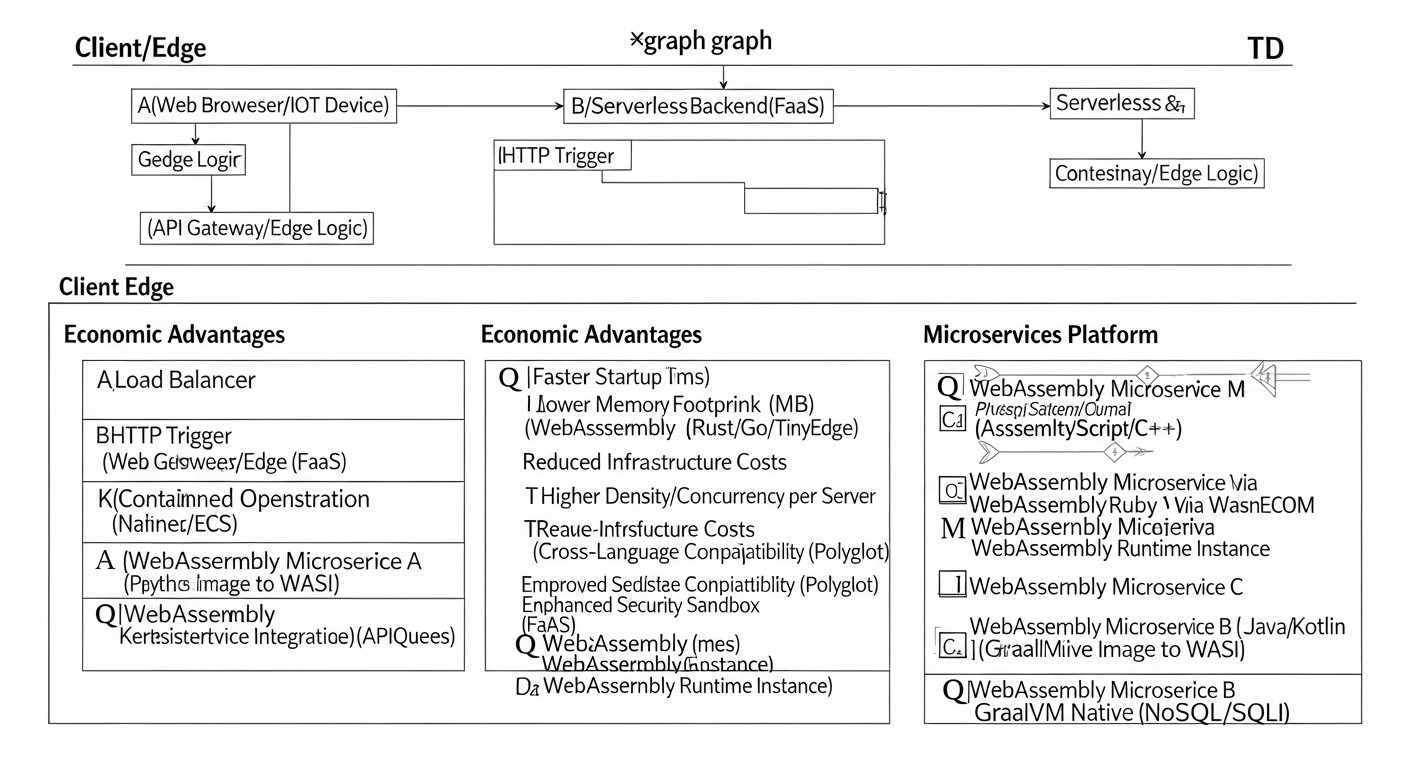
Cost Calculation / WebAssembly Economics on the Server
Diagram: Cost Calculation / WebAssembly Economics on the Server
Economic benefit is one of the most powerful incentives for migrating to WebAssembly. Thanks to significantly more efficient resource utilization, Wasm can substantially reduce operational infrastructure costs, especially for SaaS projects running on VPS or dedicated servers. Let's look at calculation examples, hidden costs, and optimization methods.
Calculation Examples for Different Scenarios (relevant for 2026)
Let's assume we have a VPS with the following characteristics and cost:
We will compare the cost of hosting the same number of microservices (e.g., 1000 active instances of FaaS functions or short-lived microservices).
Scenario 1: Traditional Containers (Docker)
Let's assume that one lightweight container (e.g., on Alpine Linux with Node.js/Python) consumes an average of 50 MB RAM and requires 0.1 vCPU at peak load, and also has a "cold start" of 150 ms. For 1000 instances:
Total vCPU requirement: 1000 instances 0.1 vCPU/instance = 100 vCPU.
Our VPS (4 vCPU, 8 GB RAM) will not be able to host this many containers. We will need significantly more servers. For 50 GB RAM, a minimum of 7 such VPS are needed (7 8 GB = 56 GB). For 100 vCPU, 25 such VPS are needed (25 4 vCPU = 100 vCPU). The limiting factor here is the CPU.
Number of required VPS: 25 VPS.
Total cost: 25 $40/month = $1000/month.
Average cost per instance per month: $1000 / 1000 = $1.00.
Scenario 2: WebAssembly on the Server
Let's assume that one Wasm module (in Rust) consumes an average of 5 MB RAM and requires 0.01 vCPU at peak load, and also has a "cold start" of <1 ms. For 1000 instances:
Total vCPU requirement: 1000 instances 0.01 vCPU/instance = 10 vCPU.
Our VPS (4 vCPU, 8 GB RAM) can host 8 GB / 5 MB = 1600 instances by RAM. By CPU: 4 vCPU / 0.01 vCPU = 400 instances. In this case, the limiting factor is the CPU.
Number of required VPS: For 10 vCPU, we will need 10 / 4 = 2.5 VPS. Rounding up to 3 VPS.
Total cost: 3 $40/month = $120/month.
Average cost per instance per month: $120 / 1000 = $0.12.
Conclusion: In this example, using WebAssembly reduces infrastructure costs for 1000 instances from $1000 to $120 per month, which represents an 88% saving. This allows hosting 8 times more services on the same infrastructure.
Hidden Costs
While Wasm offers significant savings, it's important to consider hidden costs:
Learning Curve: The time required to retrain the team. These are investments in expertise that will pay off but require initial expenses.
Tools and Ecosystem: Although Wasm runtimes are mostly free, paid tools for monitoring, debugging, or specialized frameworks may be required if they are not open-source.
Development and Support: Initial development of Wasm services may take longer due to the specifics of WASI and less mature tools compared to Docker. Supporting hybrid architectures also requires additional effort.
Suboptimal Compilation: If Wasm modules are not optimized (e.g., due to heavy dependencies or inefficient languages), their resource advantages may be negated.
How to Optimize Costs
Choose the Right Language: Prioritize Rust or C++ for resource-critical Wasm modules.
Optimize Module Size: Use wasm-opt, remove unused code, minimize dependencies. Smaller size = faster loading = less memory.
Efficient Runtime Management: Use Wasm runtimes that can efficiently manage the lifecycle of multiple modules by reusing resources.
Monitoring and Profiling: Continuously monitor resource consumption and performance to identify bottlenecks and optimize code.
Hybrid Architectures: Use Wasm only where it provides maximum benefit, and for other services, continue to use containers to avoid unnecessary rewriting and maintenance costs.
Utilize AOT Compilation Features: Some runtimes (e.g., Wasmer) allow pre-compiling Wasm modules into native code, which can further improve performance and reduce startup time, where applicable.
Table with Calculation Examples (for 1000 instances)
Parameter
Containers (Docker)
WebAssembly (Wasm)
Wasm Savings
RAM per 1 instance
50 MB
5 MB
90%
CPU per 1 instance
0.1 vCPU
0.01 vCPU
90%
Total RAM (1000 inst.)
50 GB
5 GB
90%
Total CPU (1000 inst.)
100 vCPU
10 vCPU
90%
Required VPS (4vCPU/8GB)
25
3
88%
Total VPS Cost/month
$1000
$120
88%
Cost per 1 instance/month
$1.00
$0.12
88%
These calculations clearly demonstrate that for high-load or highly scalable services by instance count, WebAssembly offers a powerful lever for reducing operational costs and increasing the profitability of SaaS projects on VPS/Dedicated infrastructure.
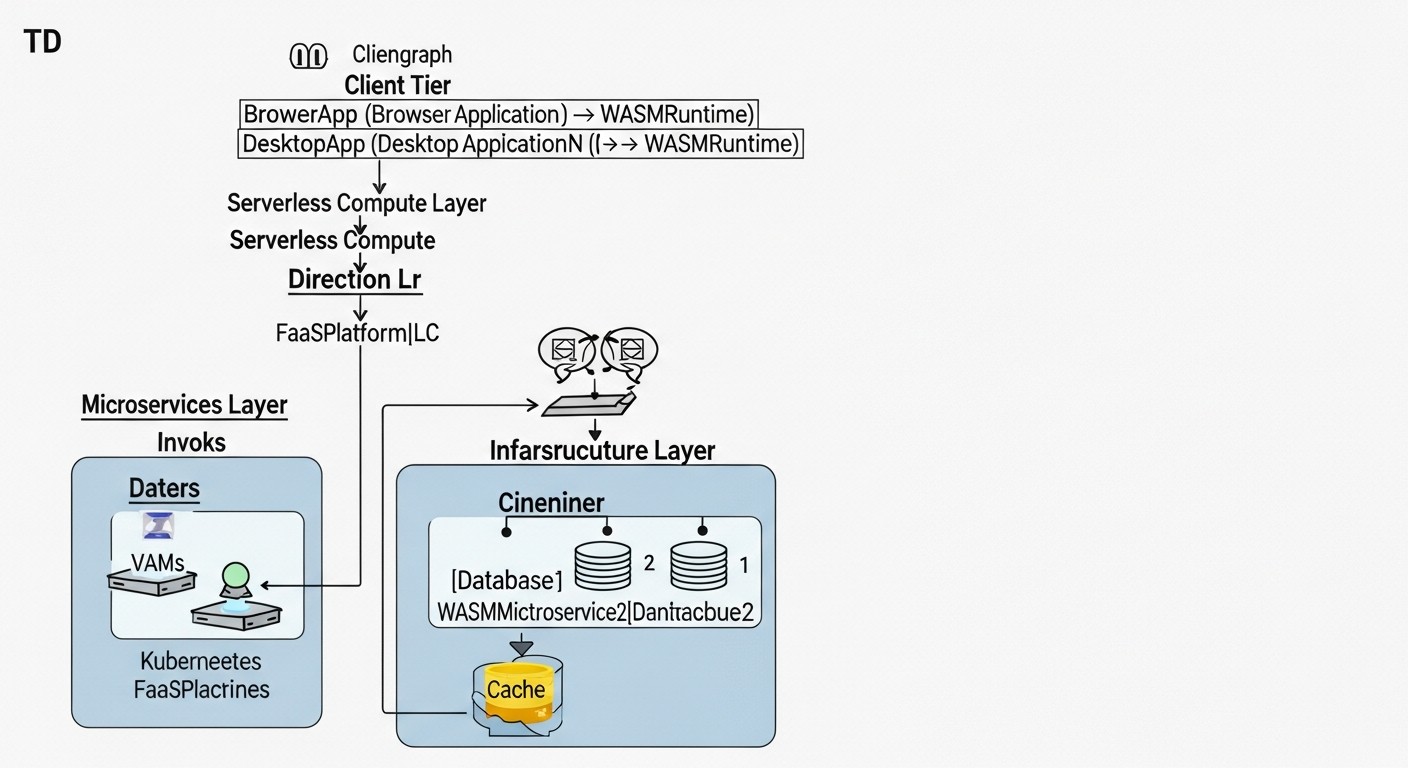
WebAssembly Server-Side Use Cases and Examples
Diagram: WebAssembly Server-Side Use Cases and Examples
Theory is great, but real-world examples of WebAssembly server-side usage in 2026 provide the best insight into its capabilities and applicability. Below are several realistic scenarios demonstrating how Wasm solves specific business and infrastructure problems.
Case 1: High-Performance FaaS for Image Processing in a SaaS Platform
Problem: A SaaS content management platform allows users to upload images, which then need to be processed (resized, cropped, watermarked) in multiple formats. The existing AWS Lambda-based architecture with Docker containers faced "cold start" issues (up to 500 ms) and high costs during peak loads, especially when thousands of images needed simultaneous processing. Instant reaction and cost reduction were necessary.
Solution with WebAssembly: The team rewrote image processing functions in Rust, compiling them into Wasm modules. WasmEdge was chosen as the host environment, deployed on dedicated servers (or large VPS) in a FaaS platform mode. WasmEdge was selected for its optimization for Edge Computing and support for extensions that could in the future include WASI-NN for machine learning tasks (e.g., object recognition in images).
Specific Solutions:
Language: Rust with image and photon-rs libraries for image processing.
Wasm Runtime: WasmEdge, configured as a managed environment for running functions.
Interface: Functions accepted binary image data via stdin/HTTP POST and returned processed data via stdout/HTTP Response.
Infrastructure: Several dedicated servers (48 CPU, 128GB RAM each), each running a single WasmEdge instance capable of launching thousands of Wasm modules in parallel.
Results:
Cold Start: Reduced from 500 ms to less than 1 ms. Image processing became instantaneous, improving user experience.
Cost: Overall infrastructure costs for image processing decreased by 70% compared to AWS Lambda, thanks to more efficient resource utilization of dedicated servers and no charges for "cold starts" or execution duration.
Performance: Throughput increased by 40%, as Wasm modules could handle more requests per CPU core.
Portability: Ability to easily migrate functions to another cloud platform or Edge devices in the future without code changes.
Case 2: Secure Plugins for an Enterprise Document Management System
Problem: A large enterprise document management system (ECM) needed an extensible architecture allowing third-party developers to create plugins for document processing (format conversion, metadata validation, integration with external services). Key challenges included security (plugins should not have unauthorized access to the system or other data), deployment complexity (each plugin would require a container or VM), and performance (plugins needed to run fast).
Solution with WebAssembly: Architects decided to use Wasm for plugin isolation and execution. The host ECM application (written in Go) embedded Wasmtime, which ran each plugin in a separate sandbox.
Specific Solutions:
Plugin Language: Developers could use Rust, Go, C++ to write plugins, compiling them to Wasm.
Wasm Runtime: Wasmtime, embedded in the main Go ECM application.
Interaction: ECM provided "host functions" via WASI for plugins to securely access system APIs (e.g., read/write documents, access metadata, logging).
Security: Each plugin ran with a minimal set of permissions, strictly controlled by Wasmtime. For example, a PDF conversion plugin could only read the input file and write the output, without network access or other parts of the file system.
Results:
Security: A high level of isolation was achieved. Plugins could not access sensitive host data or resources, significantly reducing security risks.
Ease of Deployment: Plugin deployment was reduced to uploading a single .wasm file to the system, without the need to deploy containers or VMs.
Performance: Plugins executed with near-native performance, thanks to Wasmtime's JIT compilation.
Flexibility: Third-party developers gained the ability to quickly create and integrate their solutions using familiar languages.
Case 3: Cost Optimization for Microservices for a SaaS Startup on VPS
Problem: A small but rapidly growing SaaS startup faced high infrastructure costs. Their architecture consisted of 20+ Node.js microservices running in Docker containers on several VPS. Each container required significant memory, leading to the need to rent a large number of VPS. "Cold start" of some rarely used services was also a problem.
Solution with WebAssembly: The startup decided to gradually migrate part of its microservices, especially those critical for performance or with high "cold start" times (e.g., API gateways, data validation services, background processors), to WebAssembly.
Specific Solutions:
Language: New microservices and rewritten critical parts of old ones were implemented in Rust.
Wasm Runtime/Framework: For HTTP microservices, Spin by Fermyon was used, which allowed easy creation of HTTP handlers. For background tasks, Wasmtime was used, embedded in a custom Go dispatcher.
Infrastructure: Instead of 5 VPS at $40/month (total $200), the startup reduced the number of VPS to 2 (total $80), significantly increasing service density.
Results:
Cost Reduction: Monthly infrastructure expenses decreased by 60% ($200 -> $80), which is critical for a startup with a limited budget.
Increased Density: Each VPS now ran 3-4 times more microservices, thanks to the low resource consumption of Wasm modules.
Improved Performance: API response speed for migrated services significantly increased, and "cold start" became imperceptible.
Scalability: The startup gained the ability to scale its services much more flexibly and cheaply in the future.
These cases demonstrate that WebAssembly on the server in 2026 is not just a theoretical concept, but a powerful, proven tool for solving real business problems, offering significant advantages in performance, security, and economics.
Tools and Resources for WebAssembly Development
Diagram: Tools and Resources for WebAssembly Development
The WebAssembly ecosystem on the server significantly expanded by 2026, offering a rich set of tools for development, testing, monitoring, and deployment. The correct selection and use of these tools are critically important for the successful implementation of Wasm in your projects.
1. Wasm Runtimes (Host Runtimes)
These are the foundation for running your Wasm modules outside the browser. They implement the WebAssembly and WebAssembly System Interface (WASI) specifications.
Wasmtime: A high-performance, secure, and lightweight runtime from Bytecode Alliance. Ideal for embedding into other applications (in Rust, Go, Python, .NET) and for FaaS scenarios. Features a strict security model.
Wasmer: A universal Wasm runtime supporting many languages and platforms. Offers a convenient CLI, SDKs for various languages, and advanced features such as AOT compilation and module caching.
WasmEdge: Optimized for Edge Computing, FaaS, blockchain applications, and AI/ML tasks. Supports extensions for TensorFlow Lite and OpenVINO, making it an excellent choice for machine learning model inference at the edge.
Google V8 (d8): A JavaScript engine that also includes a high-performance Wasm engine. Can be used for experiments, but rarely in production for server-side Wasm due to size and WASI functionality.
2. Languages and Compilers for Wasm
Most modern programming languages have tools for compiling to Wasm.
Rust: Best choice for server-side Wasm.
rustup target add wasm32-wasi: Adds the target compiler for WASI.
Cargo: The standard Rust package manager and build system.
Go: Also well-suited for Wasm.
GOOS=wasip1 GOARCH=wasm go build -o main.wasm main.go: Command for compiling to Wasm.
C/C++:
Emscripten: A powerful toolchain for compiling C/C++ to Wasm. Primarily used for web, but can generate WASI-compatible modules.
Python:
Pyodide: A CPython port to WebAssembly. Primarily for the browser, but can be used with runtimes that support a Python interpreter in Wasm.
.NET WASM: .NET support for WebAssembly, primarily for Blazor, but also evolving for server-side scenarios.
3. Frameworks and Platforms for Server-Side Wasm
These tools simplify the creation and orchestration of Wasm microservices and FaaS.
Spin (Fermyon): A framework for creating and running lightweight, high-performance microservices and serverless functions on Wasm. Supports HTTP handlers, KV stores, databases, message queues. Features a convenient CLI and integration with Fermyon Cloud.
WasmCloud: A distributed platform for building and orchestrating portable Wasm microservices. Uses an actor model and "capabilities" for secure interaction with external services.
Suborbital: A platform for creating and deploying high-performance functions on Wasm.
Extism: A host SDK for embedding Wasm into your applications, focused on plugins and extensibility.
4. Utilities for Working with Wasm Files
Wabt (WebAssembly Binary Toolkit): A set of utilities for working with Wasm files, including wasm2wat (decompiler to text format), wat2wasm (compiler from text format), wasm-objdump, wasm-strip.
Binaryen: A compiler and toolkit for WebAssembly, including the powerful optimizer wasm-opt, which can significantly reduce the size and improve the performance of Wasm modules.
WASI-SDK: An SDK for compiling C/C++ applications to Wasm, focused on WASI.
5. Monitoring and Testing
OpenTelemetry: A universal framework for collecting telemetry (metrics, logs, traces). SDKs are available for Rust, Go, and other languages, allowing tracing to be integrated into Wasm modules.
Prometheus/Grafana: Standard tools for collecting and visualizing metrics. Wasm runtimes can export metrics that Prometheus can scrape.
Wasm-debugger: Wasm debugging tools continue to evolve. Some runtimes (e.g., Wasmtime) provide experimental debugging support using GDB-like interfaces.
Bytecode Alliance: A consortium behind the development of server-side Wasm, Wasmtime, WASI, and the Component Model.
Awesome Wasm: A curated list of resources, libraries, and tools for WebAssembly.
Fermyon Blog: Regular articles and tutorials on Wasm on the server and Spin.
By utilizing this extensive set of tools and resources, you will be able to efficiently develop, deploy, and operate high-performance and secure microservices on WebAssembly.
Even with the most well-thought-out approach, working with new technology inevitably leads to challenges. This section will help you diagnose and resolve common difficulties faced by DevOps engineers and developers when using WebAssembly on the server in 2026.
1. Wasm Module Compilation Issues
Symptom:
Compilation error related to the wasm32-wasi target platform, or incompatible dependencies.
Diagnostic Commands:
# For Rust:
cargo build --target wasm32-wasi --verbose

# Check installed target platforms:
rustup target list --installed
Solutions:
Check the target platform: Ensure that wasm32-wasi is installed (rustup target add wasm32-wasi).
Update the toolchain: Outdated versions of compilers or dependencies can cause issues. Update Rust (rustup update) or other compilers.
Check dependencies: Some libraries may not support wasm32-wasi or may require specific features. Look for alternatives or check documentation for compatibility. Sometimes it's necessary to disable certain features in Cargo.toml or use conditional compilation.
Stack size: For some languages or complex recursive functions, the default stack size might be insufficient. Try increasing it via compiler or runtime flags.
2. Wasm Module Fails to Start or Exits with an Error
Symptom:
The Wasm runtime throws an error when attempting to start the module, or the module instantly exits with an unclear error code.
Diagnostic Commands:
# Run with verbose logging (for Wasmtime):
wasmtime --verbose target/wasm32-wasi/release/my-wasm-service.wasm

# Check for the _start function (for WASI):
wasm-objdump -x my-wasm-service.wasm | grep _start
Solutions:
Check the entry point: For WASI modules, the _start function is usually expected. Ensure it is present. If you are using a framework (e.g., Spin), it might have its own entry points.
Check host dependencies: If the module is compiled with non-standard "host functions", ensure that your Wasm runtime supports them and is correctly configured.
"Out of memory" error: If the module consumes too much memory, the runtime might terminate it. Check your code for memory leaks or inefficient resource usage. Increase the memory limit for the runtime if necessary (e.g., wasmtime --wasm-memory-pages 100 ...).
WASI version: Ensure that the WASI version with which the module was compiled is compatible with the WASI version supported by your runtime. In 2026, WASI is actively evolving, and there may be incompatibilities between older modules and newer runtimes (and vice versa).
3. Issues with Accessing System Resources (Files, Network, Environment Variables)
Symptom:
The Wasm module cannot read a file, make an HTTP request, or retrieve an environment variable, issuing errors like "permission denied" or "host function not found".
Explicitly grant permissions: Remember the WASI sandbox. You need to explicitly grant the module access to resources.
For the file system: Use --dir /host/path:/guest/path or --mapdir.
For the network: Use --net.
For environment variables: Use --env VAR_NAME=value.
Host functions: Ensure that the code within the Wasm module uses the correct abstractions for interacting with the host (e.g., std::fs in Rust for WASI, rather than direct system calls). If you are trying to do something not supported by WASI or your runtime, you will need to wrap it in a custom "host function" in the host application.
Frameworks: If you are using Spin or WasmCloud, ensure that you have correctly configured their manifests or configurations to provide the necessary "capabilities" (e.g., access to HTTP, KV stores).
4. Low Performance or High Resource Consumption
Symptom:
The Wasm module runs slower than expected, or consumes significantly more RAM/CPU than anticipated.
Diagnostic Commands:
# Profile the Wasm module (if the runtime supports it):
# For example, using perf or specific runtime tools.
# Some runtimes provide APIs for collecting metrics.

# Analyze Wasm file size:
ls -lh my-wasm-service.wasm
wasm-objdump -x my-wasm-service.wasm | less
Solutions:
Code optimization: Profile your source code (Rust, Go, etc.) before compiling to Wasm. An inefficient algorithm will remain inefficient in Wasm.
Wasm binary optimization: Use wasm-opt from Binaryen to minimize the size and optimize the Wasm file:
wasm-opt -O3 -o optimized.wasm original.wasm
Language choice: Reconsider your language choice. If you are using Python or JavaScript, their runtime inside Wasm can be a cause of high resource consumption. Rust or C++ will be more efficient.
Runtime version: Ensure you are using the latest, most optimized version of your Wasm runtime.
AOT compilation: If your runtime supports AOT (Ahead-of-Time) compilation, use it. This can improve startup and execution performance.
5. Wasm Module Debugging Issues
Symptom:
It is difficult to understand what is happening inside a Wasm module when it is not functioning correctly.
Solutions:
Extensive logging: Use println! in Rust or similar functions in other languages. Ensure your Wasm runtime captures and outputs these logs.
Debug symbols: Compile Wasm modules with debug symbols (e.g., cargo build --target wasm32-wasi without --release). This will increase the size but make debugging possible.
Wasm debuggers: In 2026, more mature Wasm debuggers are emerging. Investigate what tools your Wasm runtime provides (e.g., Wasmtime has experimental debugging support using DWARF).
Testing: Maximize code coverage with unit and integration tests in a native environment before compiling to Wasm.
When to Contact Support or the Community:
If you encounter an error that appears to be a bug in the Wasm runtime, compiler, or framework.
If you cannot find a solution for a specific integration or performance-related issue after thoroughly searching documentation and forums.
If you need assistance with architectural decisions or choosing the best tooling for your scenario.
Actively use GitHub Issues for relevant projects (Wasmtime, Wasmer, Spin, etc.) and community forums (e.g., Bytecode Alliance Discord). Provide as much detailed information as possible about the error, the versions of tools used, and a minimal reproducible code example.
FAQ: Frequently Asked Questions about Server-side WebAssembly
What is WebAssembly System Interface (WASI)?
WASI (WebAssembly System Interface) is a modular operating system interface that allows Wasm modules to securely interact with the outside world (file system, network, environment variables) outside the browser. It provides a standardized set of "host functions" that the Wasm runtime implements, allowing modules to call them without direct access to the OS kernel. WASI is a critically important component for server-side Wasm, ensuring its security and portability.
Can Wasm replace Docker and Kubernetes?
In 2026, Wasm does not completely replace Docker and Kubernetes, but complements them and offers a more efficient alternative for many scenarios. Wasm surpasses containers in cold start speed, memory consumption, and isolation level, making it ideal for FaaS, Edge Computing, and high-performance microservices. Docker and Kubernetes remain the standard for heavier, long-running services, monoliths, and complex orchestrations. Hybrid architectures are often the optimal solution, where Wasm is used for performance-critical components, and containers for the rest.
Which programming languages are best suited for server-side Wasm?
For server-side WebAssembly, Rust is the best choice in 2026. It provides maximum performance, minimal binary size, and strict memory safety, which perfectly aligns with the Wasm philosophy. Go is also an excellent choice. C/C++ can be used with Emscripten or WASI-SDK. For languages with garbage collectors (Python, JavaScript, Java, .NET), solutions exist, but they can lead to larger Wasm modules and higher resource consumption due to the inclusion of the language runtime.
How secure is WebAssembly on the server?
WebAssembly on the server is very secure thanks to its sandbox model. Each Wasm module runs in strict isolation, having no default access to host system resources. All interactions with the outside world occur through a clearly defined WASI interface, where permissions must be explicitly granted by the host runtime. This significantly reduces the attack surface and makes Wasm ideal for executing untrusted code or creating multi-tenant environments, providing isolation comparable to virtual machines, but with much lower overhead.
What frameworks exist for creating Wasm microservices?
In 2026, several mature frameworks exist for creating server-side Wasm microservices. The most popular include Spin by Fermyon, which simplifies the creation of HTTP services and serverless functions using Wasm. WasmCloud offers a distributed platform for orchestrating Wasm microservices with an actor model. Extism provides a host SDK for embedding Wasm plugins into existing applications. These frameworks significantly simplify development and deployment.
Can a Wasm module be run on a regular VPS without special configurations?
Yes, it can. To run a Wasm module on a regular VPS, you only need an installed Wasm runtime (e.g., Wasmtime or Wasmer) and the .wasm file itself. No special kernel or virtualization settings are required, as the Wasm runtime runs as a regular operating system process. This is one of Wasm's advantages — its ease of deployment on any Linux system.
How to monitor Wasm services?
Monitoring Wasm services is similar to other applications, but with specific considerations. Logging is performed via the Wasm module's stdout/stderr, which are intercepted by the host runtime and sent to a centralized logging system (ELK, Grafana Loki). Metrics (CPU/RAM usage, number of calls, execution time) are collected via the Wasm runtime's API and integrated with Prometheus/Grafana. For distributed systems, OpenTelemetry is recommended for tracing.
What is the difference between Wasm and FaaS (Function as a Service)?
Wasm (WebAssembly) is a bytecode and virtual machine technology. FaaS (Function as a Service) is a cloud computing model where you run small, serverless functions in response to events. Wasm is an ideal technology for implementing FaaS due to its instant cold start, low resource consumption, and high isolation. Many FaaS platforms in 2026 are actively using or transitioning to Wasm as their underlying execution environment for functions.
Is Wasm a replacement for Docker images?
No, Wasm is not a direct replacement for Docker images. A Docker image is a package containing everything needed to run an application, including the operating system, libraries, and the application itself. A Wasm module is compiled application bytecode without the OS and most system libraries. A Wasm module runs inside a Wasm runtime, which itself can be run in a Docker container. They solve different problems but can complement each other perfectly, for example, a Wasm runtime in a lightweight Docker container.
What are the limitations of WebAssembly on the server?
Despite its many advantages, Wasm on the server has limitations. The ecosystem, although rapidly evolving, is still not as extensive as that of traditional containers. Debugging can be more complex, and direct low-level system calls are not possible without special "host functions" or WASI extensions. Furthermore, for very specific tasks requiring maximum performance and full control over hardware, native binaries might be preferable. Some languages with heavy GC do not always compile optimally to Wasm.
Conclusion
In 2026, WebAssembly on the server ceases to be a niche or experimental technology and confidently takes its place in the arsenal of DevOps engineers, Backend developers, and high-performance system architects. As we have seen, Wasm offers a unique combination of advantages: unprecedentedly fast cold start, minimal resource consumption, the highest level of security thanks to a strict sandbox, true cross-platform portability, and near-native performance. These qualities make it an ideal candidate for a wide range of server-side tasks, especially for FaaS, Edge Computing, and high-load microservices deployed on VPS or dedicated servers, where every megabyte and millisecond are critical for economics and user experience.
We have thoroughly examined the main selection criteria, compared Wasm with traditional containers and native binaries, presented practical implementation tips, common pitfalls and their solutions, as well as detailed economic efficiency calculations. Real-world case studies have shown how Wasm is already helping companies reduce costs, increase performance, and improve the security of their products. The Wasm ecosystem, including powerful runtimes like Wasmtime, Wasmer, and WasmEdge, as well as frameworks such as Spin and WasmCloud, continues to evolve rapidly, making the technology increasingly accessible and convenient for a wide range of tasks.
Final Recommendations:
Start with pilot projects: Do not try to migrate your entire infrastructure to Wasm at once. Choose one or two performance- or security-critical microservices/functions and implement them with Wasm. This will allow your team to gain experience and evaluate the real benefits.
Use hybrid architectures: Wasm is not a replacement, but a powerful complement to existing technologies. Combine Wasm with containers (Docker, Kubernetes) and native binaries, choosing the most suitable tool for each specific task.
Invest in training: Ensure your team understands the core concepts of Wasm, WASI, and the chosen frameworks. This will reduce the learning curve and accelerate adoption.
Focus on Rust: For maximum benefit from server-side Wasm, especially in performance-critical components, consider Rust as the primary development language.
Monitor ecosystem development: WebAssembly is a rapidly evolving field. Regularly track new tools, standards (e.g., Wasm Component Model), and best practices.
Next steps for the reader:
Try it in practice: Install Wasmtime or Spin CLI and create your first Wasm microservice, following the examples in this article.
Study the documentation: Dive deep into the documentation for your chosen Wasm runtime and framework.
Conduct benchmarks: Compare the performance and resource consumption of the Wasm version of your service with its containerized counterpart.
Join the community: Participate in discussions on forums and in chats of Bytecode Alliance, Fermyon, and other Wasm projects.
WebAssembly on the server opens a new era in the development of high-performance, secure, and cost-effective cloud applications. By integrating it into your strategy, you not only optimize current operations but also lay the foundation for future innovations and competitive advantage in the dynamic world of IT.